Agenda
● Welcome / Introduction
○ Say Hello / Self Introduction / Ice breaking
● Lightning Flow Tour
○ Why did I use Flow?
○ Screen Flow
○ Autolaunched Flow
○ Schedule Job Flow
○ Take a look…
● Wrap up
○ Discussion on the topic next week
○ Session feedback
○ Take a Capture :)
Jihun Jung
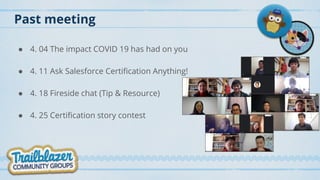
Past meeting
● 4. 04 The impact COVID 19 has had on you
● 4. 11 Ask Salesforce Certification Anything!
● 4. 18 Fireside chat (Tip & Resource)
● 4. 25 Certification story contest
Lightning Flow Tour
• Why did I use Flow?
• Autolaunched Flow(Launch a Flow in Process Builder)
• Autolaunched Flow(Scheduled jobs)
• Screen Flow
• Take a look…
• Flow can access objects that are not accessible in the process builder.
• Need a schedule in an environment where the code cannot be used.
• Process Builder have difficulty handling conditional complex logic.
• Cannot create records and create relationships within single transaction.
• Process Builder can’t delete records.
• To provide ease of use and to force action in a given direction.
• I have long wanted to try this feature.
Why did I use Flow?
• Flow can access objects that are not accessible in the process builder.
- eg. Topic, Topic Assignment, Account Share …
• Process builders have difficulty handling conditional complex logic.
- If else, Loop
• Cannot create records and create relationships within single transaction.
- Exists? Update or Create
• Process Builder can’t delete records.
- Do not make orphan records.
Autolaunched Flow(from Process Builder)
• Need a schedule in an environment where the code cannot be used.
- Closing and Aggregate
• Process Builder have difficulty handling conditional complex logic.
- Get child records, Loop, Decision, Update, Create
Autolaunched Flow(Scheduled jobs)
• To provide ease of use.
- Users complain that Standard is difficult to use.
- Lightning components cannot be developed.
• Force action in a given direction.
- Even if users are trained to work in sequence, they don’t.
- Users do not like multiple clicks, screen transitions.
- But the user prefers the wizard screen.
- Flow isn’t perfect because User can't do search lookups in Flow.
• Screen Flow
T’ekaaluk
Wrap up
• Next week’s topic is Flow
• Session feedback
• Take a Capture :)
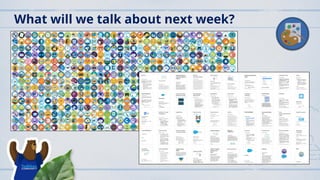
What will we talk about next week?
Thanks for Like, Share, Follow, Connect ☺
Please comment anywhere in the Korea user group Chatter, Facebook, or LinkedIn.
$100 off $200: SFAMERCERTDAYS0420200
2020 05-02 fireside chat lightning flow

2020 05-02 fireside chat lightning flow

  • 3.
    Agenda ● Welcome /Introduction ○ Say Hello / Self Introduction / Ice breaking ● Lightning Flow Tour ○ Why did I use Flow? ○ Screen Flow ○ Autolaunched Flow ○ Schedule Job Flow ○ Take a look… ● Wrap up ○ Discussion on the topic next week ○ Session feedback ○ Take a Capture :)
  • 5.
  • 6.
    Past meeting ● 4.04 The impact COVID 19 has had on you ● 4. 11 Ask Salesforce Certification Anything! ● 4. 18 Fireside chat (Tip & Resource) ● 4. 25 Certification story contest
  • 7.
    Lightning Flow Tour •Why did I use Flow? • Autolaunched Flow(Launch a Flow in Process Builder) • Autolaunched Flow(Scheduled jobs) • Screen Flow • Take a look…
  • 8.
    • Flow canaccess objects that are not accessible in the process builder. • Need a schedule in an environment where the code cannot be used. • Process Builder have difficulty handling conditional complex logic. • Cannot create records and create relationships within single transaction. • Process Builder can’t delete records. • To provide ease of use and to force action in a given direction. • I have long wanted to try this feature. Why did I use Flow?
  • 9.
    • Flow canaccess objects that are not accessible in the process builder. - eg. Topic, Topic Assignment, Account Share … • Process builders have difficulty handling conditional complex logic. - If else, Loop • Cannot create records and create relationships within single transaction. - Exists? Update or Create • Process Builder can’t delete records. - Do not make orphan records. Autolaunched Flow(from Process Builder)
  • 10.
    • Need aschedule in an environment where the code cannot be used. - Closing and Aggregate • Process Builder have difficulty handling conditional complex logic. - Get child records, Loop, Decision, Update, Create Autolaunched Flow(Scheduled jobs)
  • 11.
    • To provideease of use. - Users complain that Standard is difficult to use. - Lightning components cannot be developed. • Force action in a given direction. - Even if users are trained to work in sequence, they don’t. - Users do not like multiple clicks, screen transitions. - But the user prefers the wizard screen. - Flow isn’t perfect because User can't do search lookups in Flow. • Screen Flow
  • 12.
  • 13.
    Wrap up • Nextweek’s topic is Flow • Session feedback • Take a Capture :)
  • 14.
    What will wetalk about next week?
  • 15.
    Thanks for Like,Share, Follow, Connect ☺ Please comment anywhere in the Korea user group Chatter, Facebook, or LinkedIn.
  • 16.
    $100 off $200:SFAMERCERTDAYS0420200