Getting Started with ACL- Top
Basic & Intermediate
Techniques
(2 CPE Credits)
April 24, 2014
AuditNet and AuditSoftware.Net
Collaboration
Brought to you by AuditSoftware.net and
AuditNet®, working together to provide
 Practical audit software training
 Resource links
 Independent analysis
 Tools to improve audit software usage
Today focused on providing practical data
analysis training
Page 1
About Jim Kaplan, CIA, CFE
 President and Founder of AuditNet®,
the global resource for auditors (now
available on Apple and Android
devices)
 Auditor, Web Site Guru,
 Internet for Auditors Pioneer
 Recipient of the IIA’s 2007 Bradford
Cadmus Memorial Award.
 Author of “The Auditor’s Guide to
Internet Resources” 2nd Edition
Page 2
About AuditNet® LLC
• AuditNet®, the global resource for auditors, is available on the
Web, iPad, iPhone and Android devices and features:
• Over 2,000 Reusable Templates, Audit Programs,
Questionnaires, and Control Matrices
• Training without Travel Webinars focusing on fraud, audit
software (ACL, IDEA, Excel), IT audit, and internal audit
• Audit guides, manuals, and books on audit basics and using
audit technology
• LinkedIn Networking Groups
• Monthly Newsletters with Expert Guest Columnists
• Book Reviews
• Surveys on timely topics for internal auditors
Introductions
Page 3
Webinar Housekeeping
Page 4
This webinar and its material are the 
property of  Cash Recovery Partners. 
Unauthorized usage or recording of this 
webinar or any of its material is strictly 
forbidden. We are recording the webinar 
and you will be provided with a link to that 
recording as detailed below. Downloading or 
otherwise duplicating the webinar recording 
is expressly prohibited.
Webinar recording link will be sent via email 
within 5‐7 business days.
NASBA rules require us to ask polling 
questions during the Webinar and CPE 
certificates will be sent via email to those 
who answer ALL the polling questions
The CPE certificates and link to the recording 
will be sent to the email address you 
registered with in GTW. We are not 
responsible for delivery problems due to 
spam filters, attachment restrictions or other 
controls in place for your email client.
Submit questions via the chat box on your 
screen and we will answer them either 
during or at the conclusion.
After the Webinar is over you will have an 
opportunity to provide feedback. Please 
complete the feedback questionnaire to help 
us continuously improve our Webinars
If GTW stops working you may need to close 
and restart. You can always dial in and listen 
and follow along with the handout.
Disclaimers
5
The views expressed by the presenters do not necessarily represent the 
views, positions, or opinions of AuditNet® or the presenters’ respective 
organizations. These materials, and the oral presentation accompanying them, 
are for educational purposes only and do not constitute accounting or legal 
advice or create an accountant‐client relationship. 
While AuditNet® makes every effort to ensure information is accurate and 
complete, AuditNet® makes no representations, guarantees, or warranties as 
to the accuracy or completeness of the information provided via this 
presentation. AuditNet® specifically disclaims all liability for any claims or 
damages that may result from the information contained in this presentation, 
including any websites maintained by third parties and linked to the AuditNet® 
website
Any mention of commercial products is for information only; it does not imply 
recommendation or endorsement by AuditNet®
AuditNet and AuditSoftware.Net
Collaboration
Brought to you by AuditSoftware.net and
AuditNet, working together to provide
 Practical audit software training
 Resource links
 Independent analysis
 Tools to improve audit software usage
Today focused on providing practical data
analysis training
Page 6
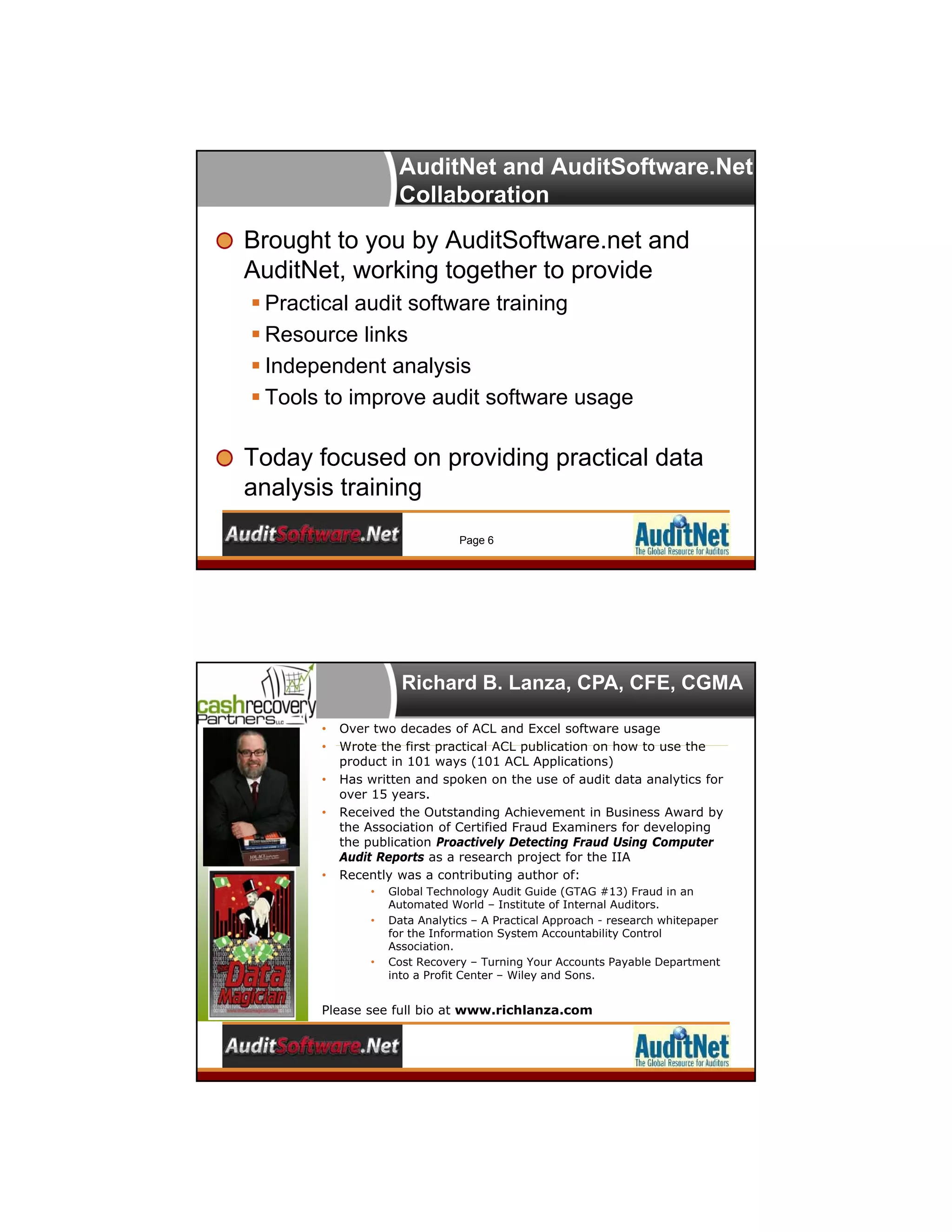
Richard B. Lanza, CPA, CFE, CGMA
• Over two decades of ACL and Excel software usage
• Wrote the first practical ACL publication on how to use the
product in 101 ways (101 ACL Applications)
• Has written and spoken on the use of audit data analytics for
over 15 years.
• Received the Outstanding Achievement in Business Award by
the Association of Certified Fraud Examiners for developing
the publication Proactively Detecting Fraud Using Computer
Audit Reports as a research project for the IIA
• Recently was a contributing author of:
• Global Technology Audit Guide (GTAG #13) Fraud in an
Automated World – Institute of Internal Auditors.
• Data Analytics – A Practical Approach - research whitepaper
for the Information System Accountability Control
Association.
• Cost Recovery – Turning Your Accounts Payable Department
into a Profit Center – Wiley and Sons.
Please see full bio at www.richlanza.com
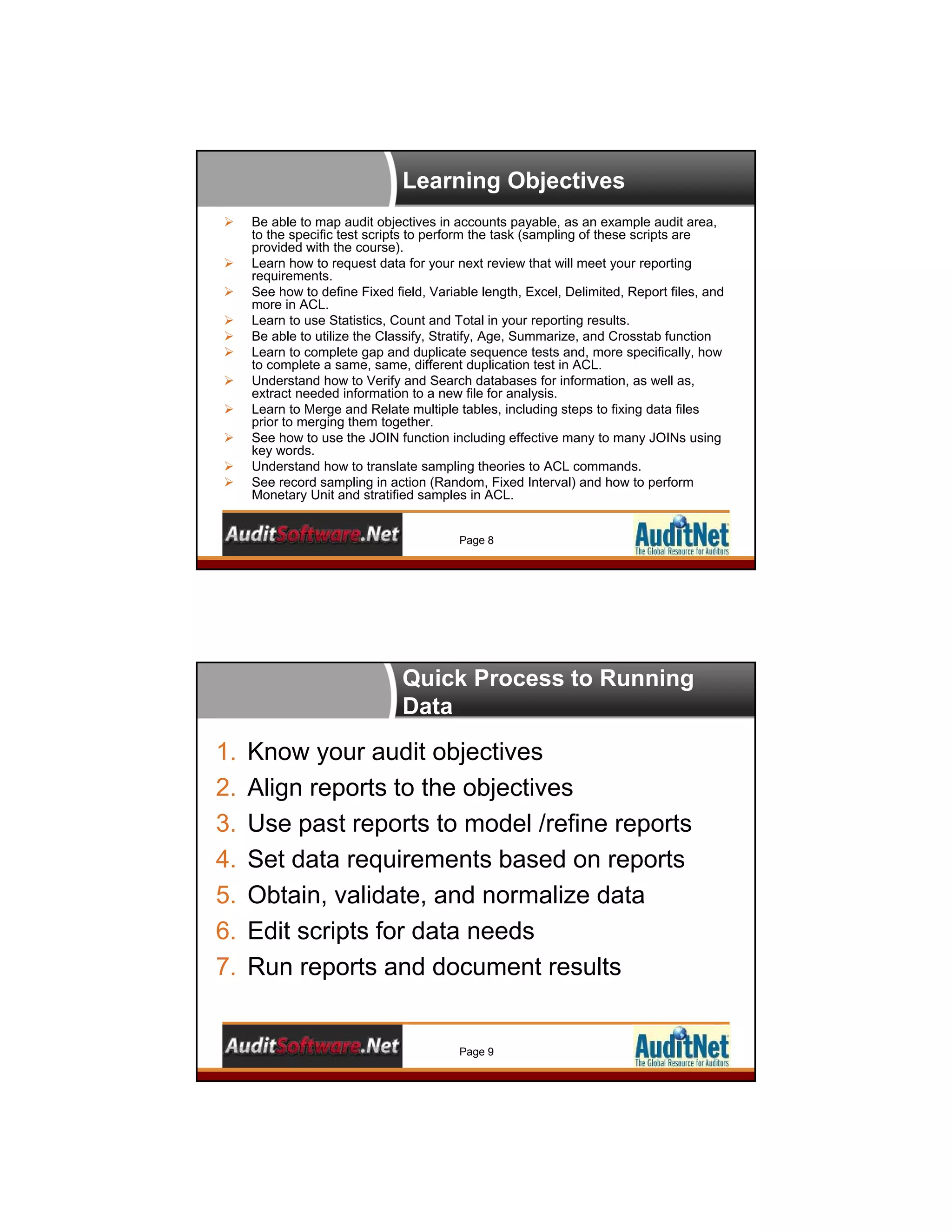
Learning Objectives
 Be able to map audit objectives in accounts payable, as an example audit area,
to the specific test scripts to perform the task (sampling of these scripts are
provided with the course).
 Learn how to request data for your next review that will meet your reporting
requirements.
 See how to define Fixed field, Variable length, Excel, Delimited, Report files, and
more in ACL.
 Learn to use Statistics, Count and Total in your reporting results.
 Be able to utilize the Classify, Stratify, Age, Summarize, and Crosstab function
 Learn to complete gap and duplicate sequence tests and, more specifically, how
to complete a same, same, different duplication test in ACL.
 Understand how to Verify and Search databases for information, as well as,
extract needed information to a new file for analysis.
 Learn to Merge and Relate multiple tables, including steps to fixing data files
prior to merging them together.
 See how to use the JOIN function including effective many to many JOINs using
key words.
 Understand how to translate sampling theories to ACL commands.
 See record sampling in action (Random, Fixed Interval) and how to perform
Monetary Unit and stratified samples in ACL.
Page 8
Quick Process to Running
Data
1. Know your audit objectives
2. Align reports to the objectives
3. Use past reports to model /refine reports
4. Set data requirements based on reports
5. Obtain, validate, and normalize data
6. Edit scripts for data needs
7. Run reports and document results
Page 9
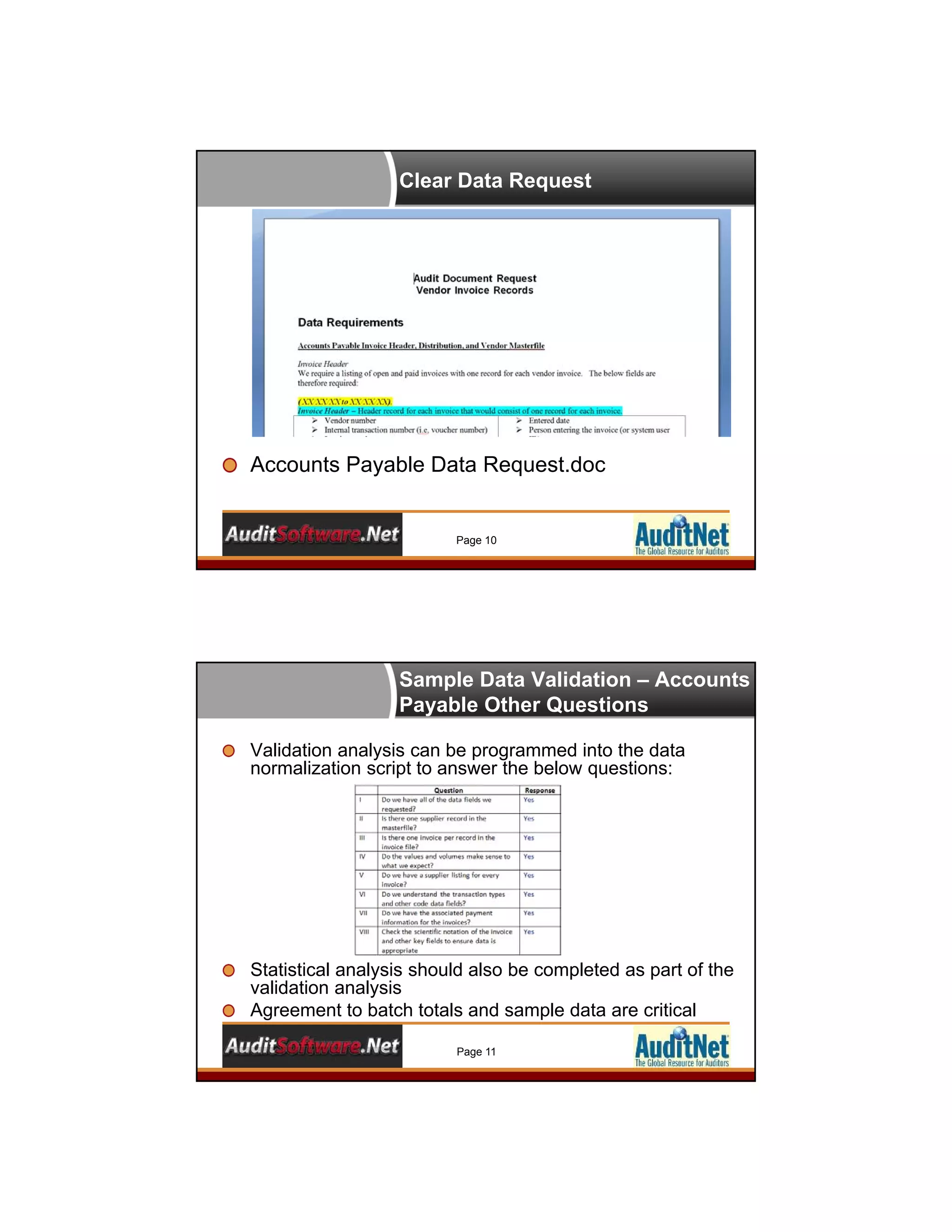
Clear Data Request
Accounts Payable Data Request.doc
Page 10
Sample Data Validation – Accounts
Payable Other Questions
Validation analysis can be programmed into the data
normalization script to answer the below questions:
Statistical analysis should also be completed as part of the
validation analysis
Agreement to batch totals and sample data are critical
Page 11
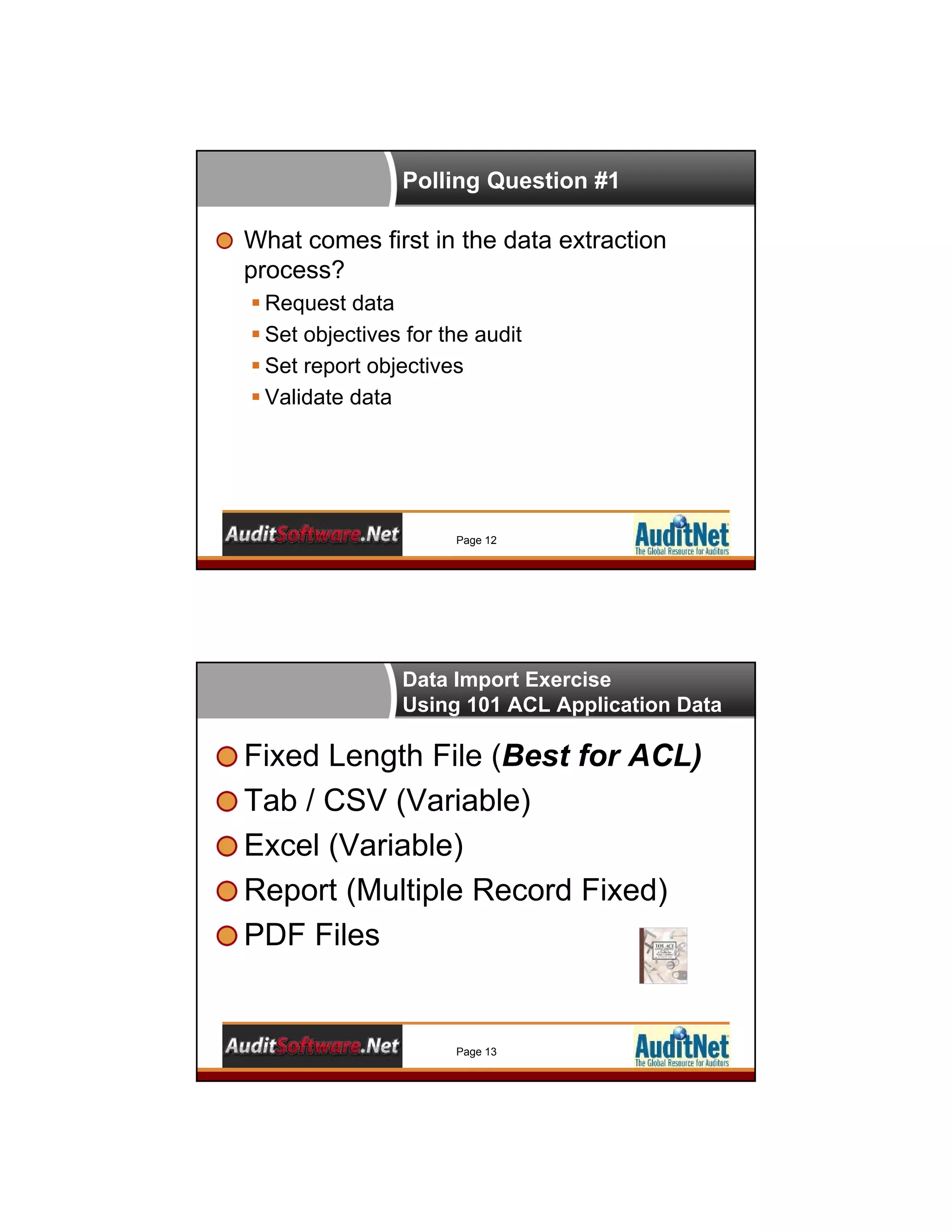
Polling Question #1
What comes first in the data extraction
process?
 Request data
 Set objectives for the audit
 Set report objectives
 Validate data
Page 12
Data Import Exercise
Using 101 ACL Application Data
Fixed Length File (Best for ACL)
Tab / CSV (Variable)
Excel (Variable)
Report (Multiple Record Fixed)
PDF Files
Page 13
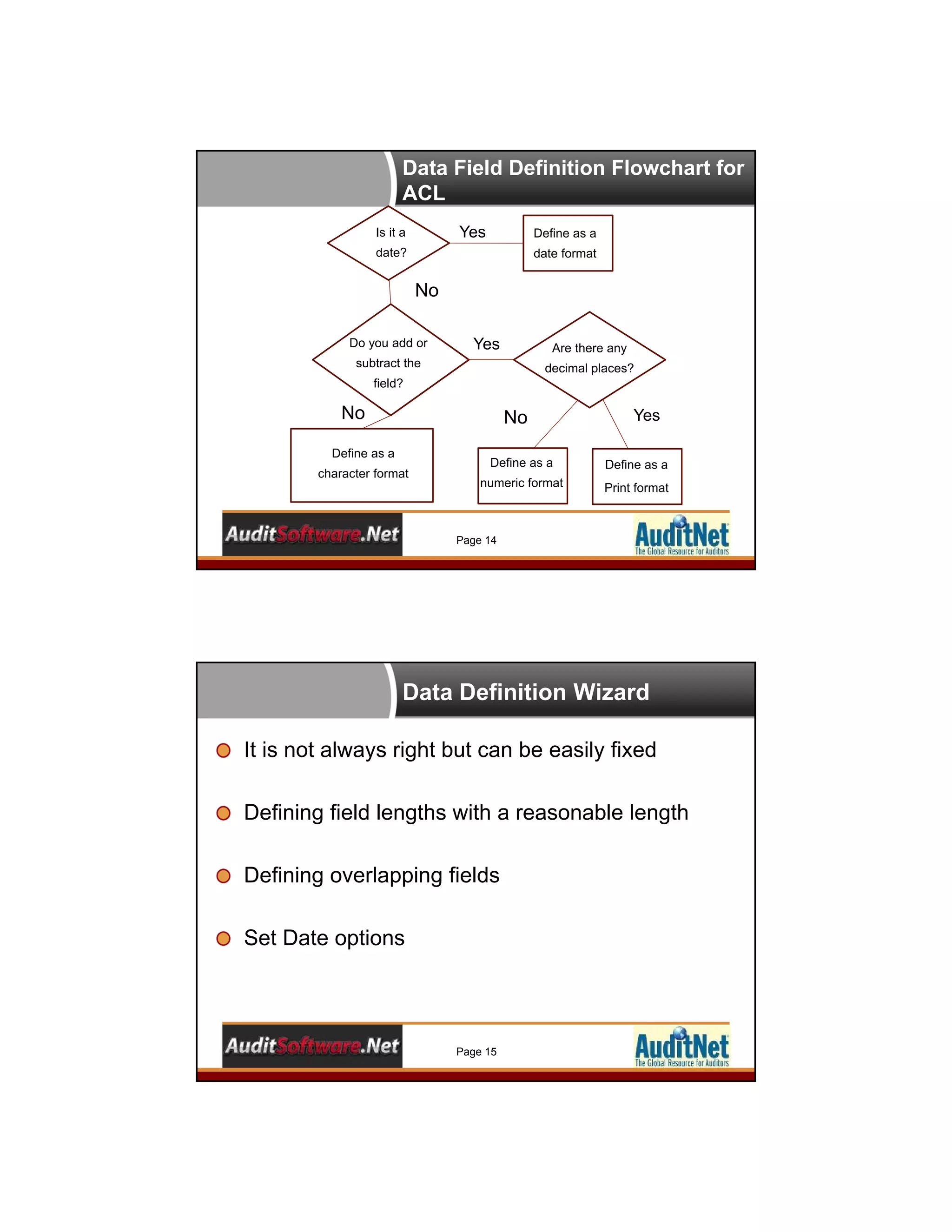
Data Field Definition Flowchart for
ACL
Is it a
date?
Do you add or
subtract the
field?
Define as a
date format
Define as a
numeric format
Yes
Yes
Define as a
character format
Define as a
Print format
Are there any
decimal places?
Yes
No
No No
Page 14
Data Definition Wizard
It is not always right but can be easily fixed
Defining field lengths with a reasonable length
Defining overlapping fields
Set Date options
Page 15
Polling Question #2
What data table type is the easiest to define
and use in ACL?
 Fixed length
 Tab / CSV / Other Delimited
 Excel
 Access
 Other
Page 16
The Basic Analyzers
Count
Total
Statistics
Page 17
Stratify Types
Stratify
Stratify Using a Break
Stratify to a Table
Page 18
Summarizing Data
Summarize
Use of Presort / Sort
Maximizing the
Other Fields
Page 19
Crosstab Data
Gain a column perspective
Similar to Pivots
Use Presort
Page 20
Polling Question #3
Which command should be preceded by a
Sort or use a Presort command?
 Statistics
 Stratify
 Cross-tab
 Age
Page 21
Gaps and Duplicates - Basics
Gap ranges and lists
Duplicate
 Use of the Sort/Presort
Page 22
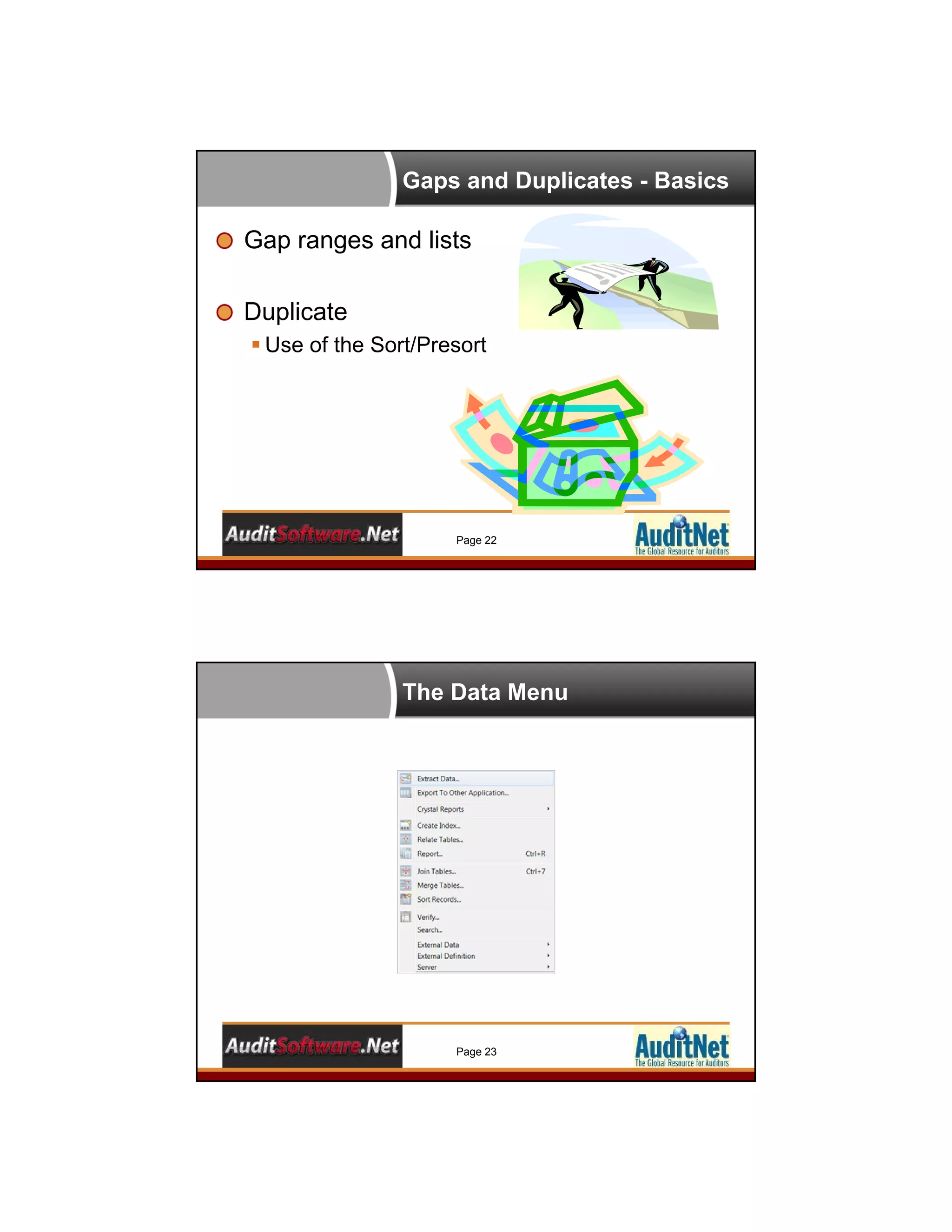
The Data Menu
Page 23
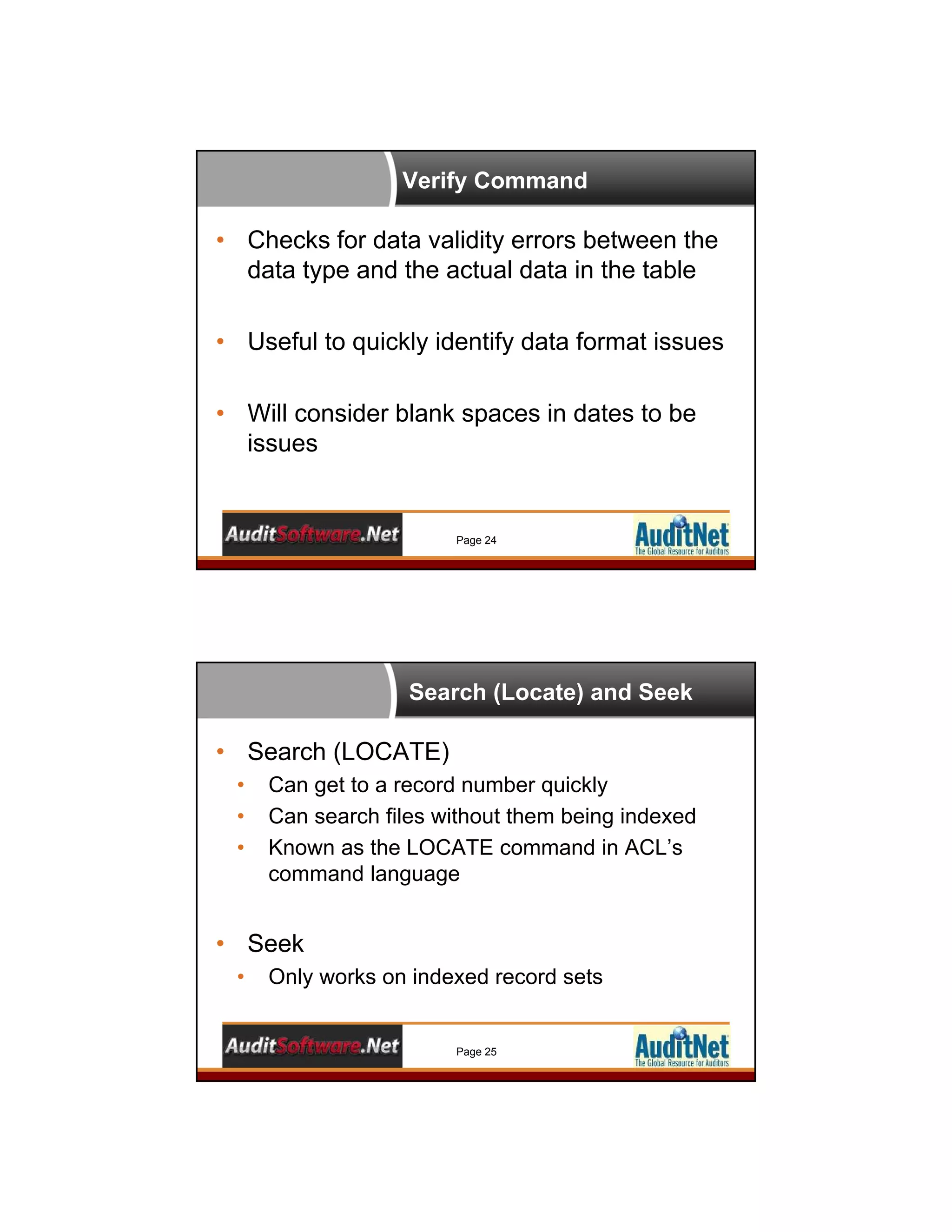
Verify Command
Page 24
• Checks for data validity errors between the
data type and the actual data in the table
• Useful to quickly identify data format issues
• Will consider blank spaces in dates to be
issues
Search (Locate) and Seek
Page 25
• Search (LOCATE)
• Can get to a record number quickly
• Can search files without them being indexed
• Known as the LOCATE command in ACL’s
command language
• Seek
• Only works on indexed record sets
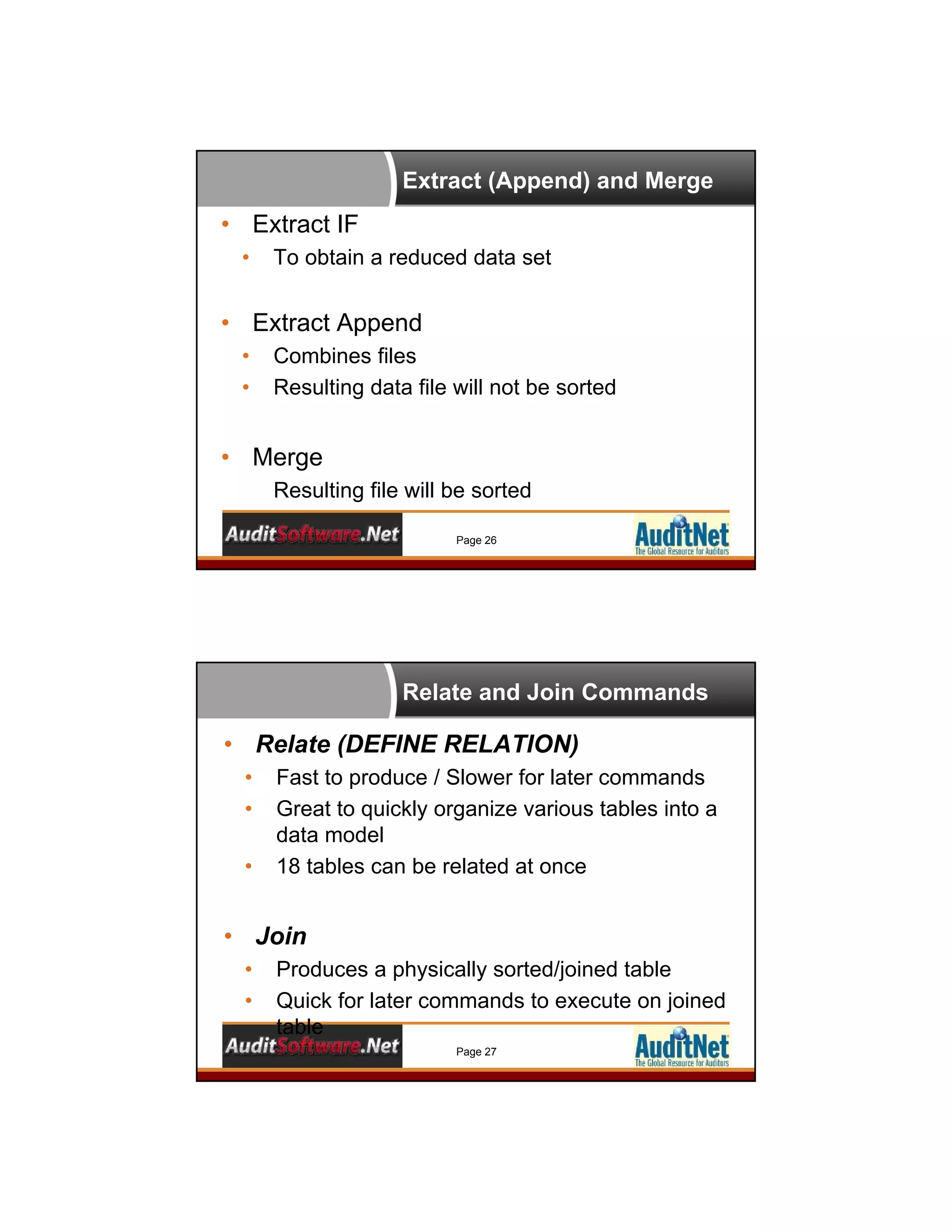
Extract (Append) and Merge
Page 26
• Extract IF
• To obtain a reduced data set
• Extract Append
• Combines files
• Resulting data file will not be sorted
• Merge
Resulting file will be sorted
Relate and Join Commands
Page 27
• Relate (DEFINE RELATION)
• Fast to produce / Slower for later commands
• Great to quickly organize various tables into a
data model
• 18 tables can be related at once
• Join
• Produces a physically sorted/joined table
• Quick for later commands to execute on joined
table
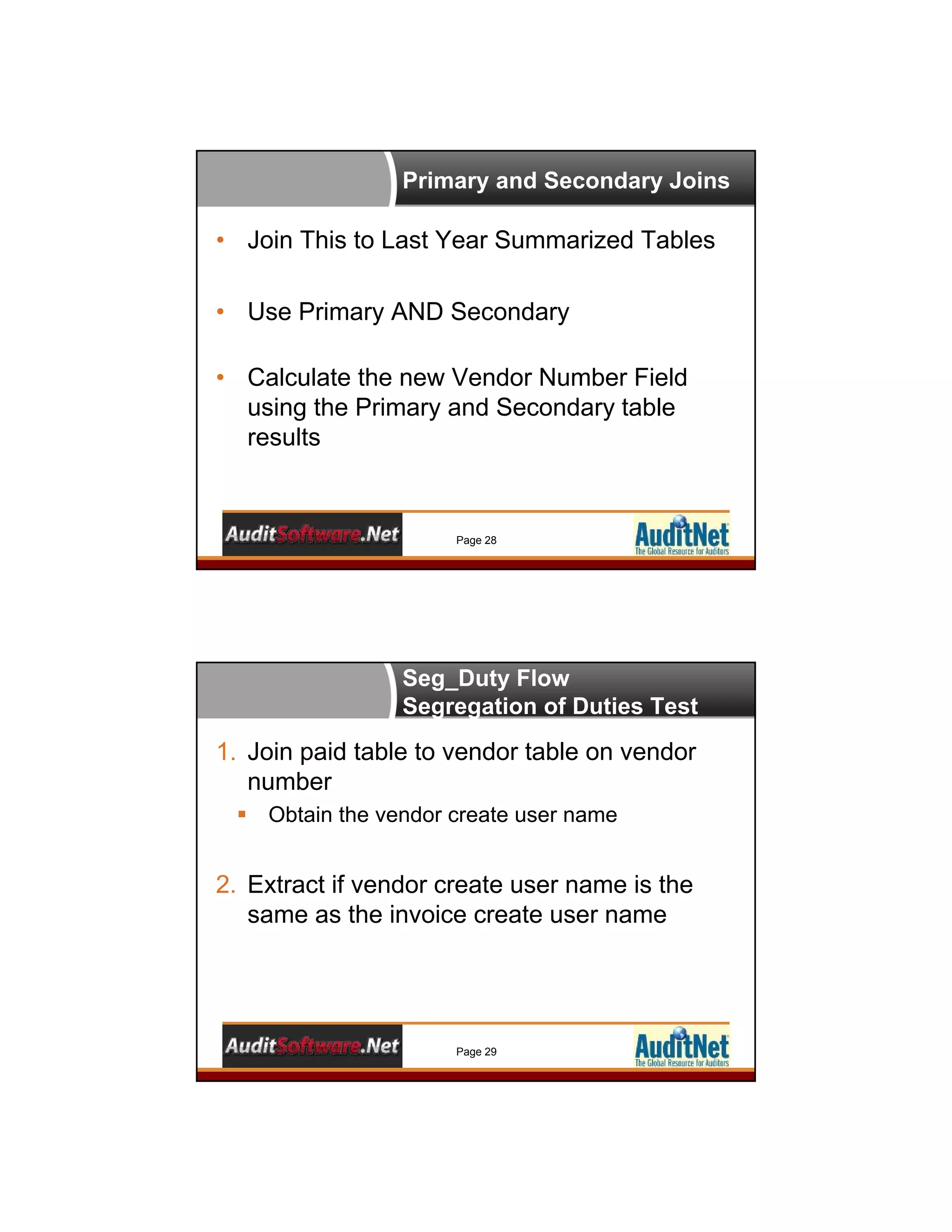
Primary and Secondary Joins
Page 28
• Join This to Last Year Summarized Tables
• Use Primary AND Secondary
• Calculate the new Vendor Number Field
using the Primary and Secondary table
results
Seg_Duty Flow
Segregation of Duties Test
Page 29
1. Join paid table to vendor table on vendor
number
 Obtain the vendor create user name
2. Extract if vendor create user name is the
same as the invoice create user name
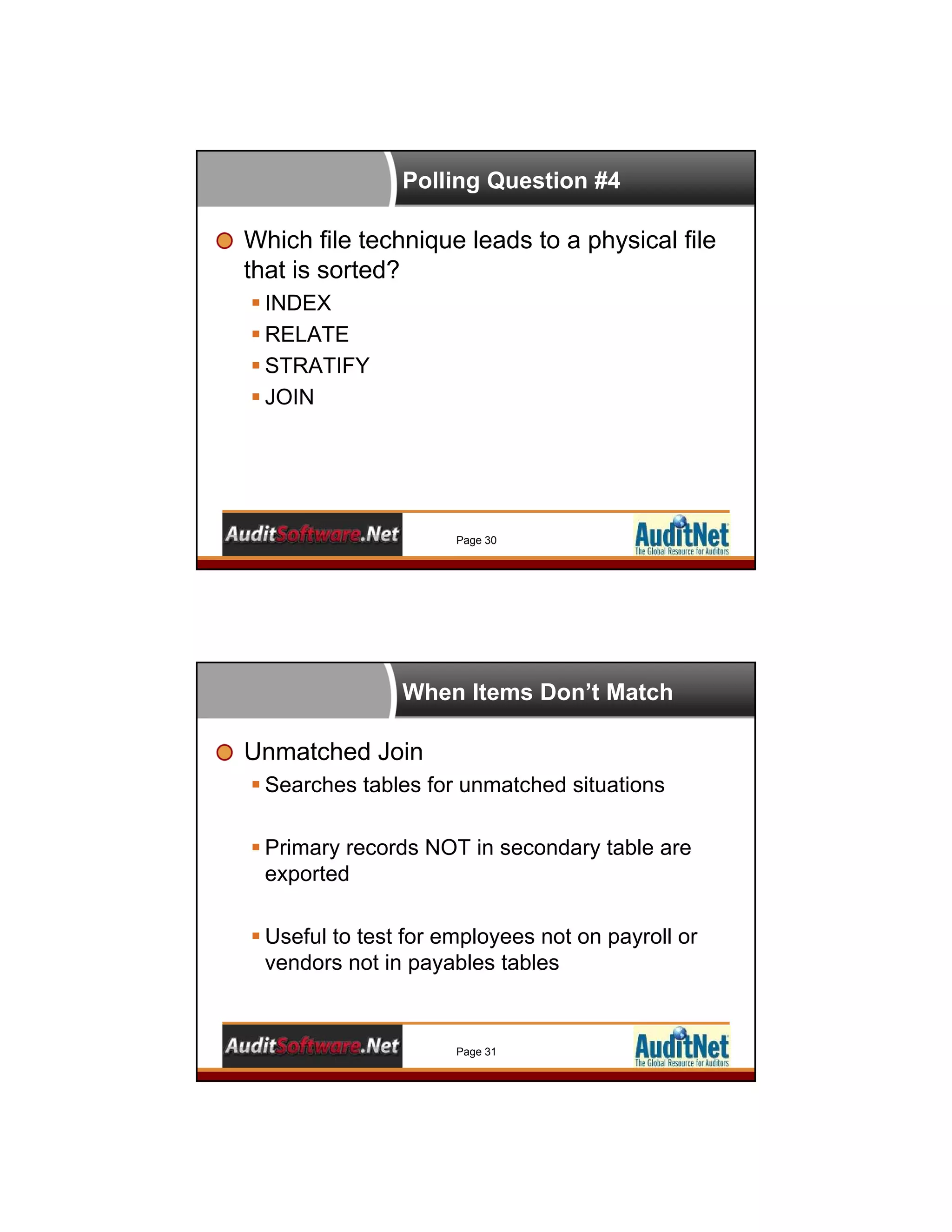
Polling Question #4
Which file technique leads to a physical file
that is sorted?
 INDEX
 RELATE
 STRATIFY
 JOIN
Page 30
When Items Don’t Match
Unmatched Join
 Searches tables for unmatched situations
 Primary records NOT in secondary table are
exported
 Useful to test for employees not on payroll or
vendors not in payables tables
Page 31
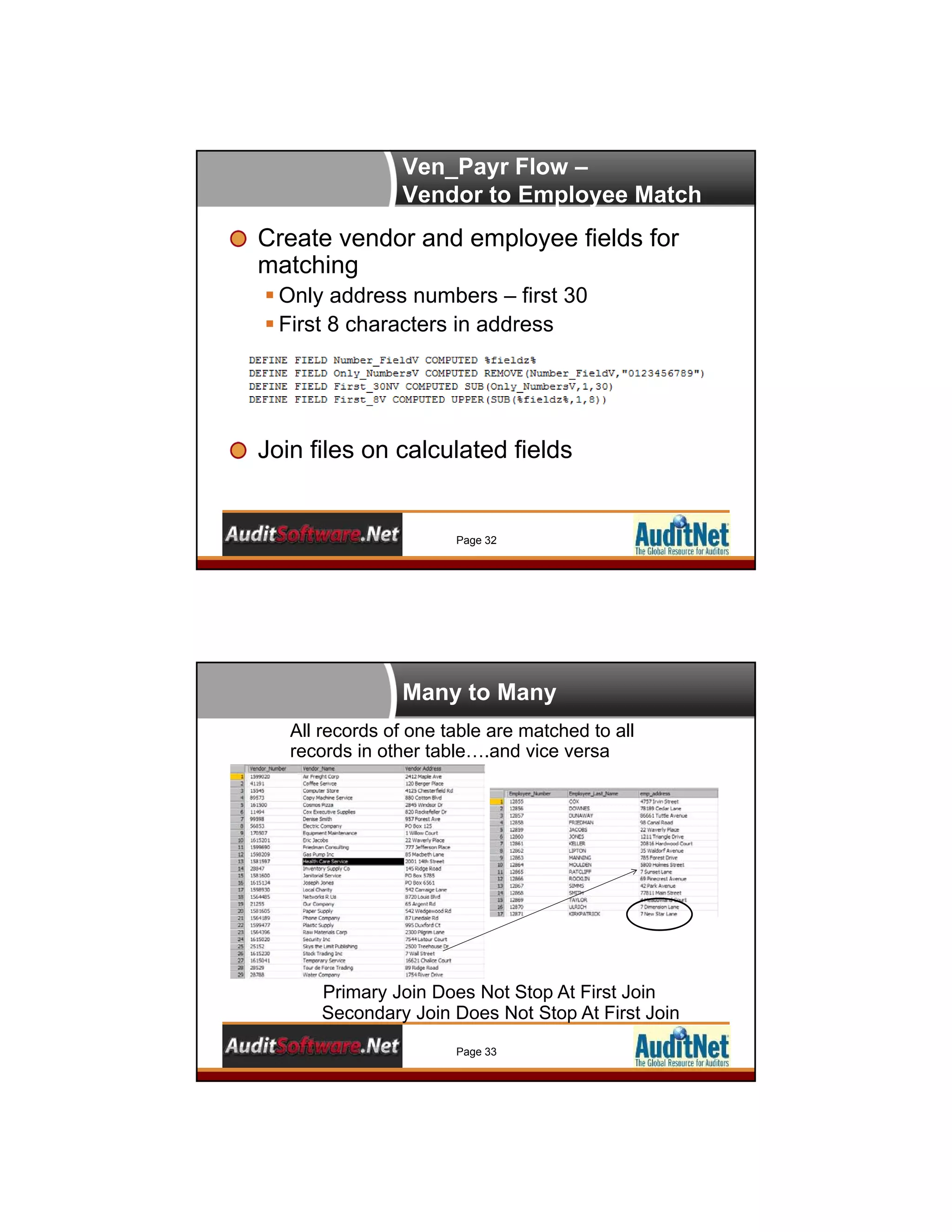
Ven_Payr Flow –
Vendor to Employee Match
Page 32
Create vendor and employee fields for
matching
 Only address numbers – first 30
 First 8 characters in address
Join files on calculated fields
Many to Many
Page 33
Primary Join Does Not Stop At First Join
Secondary Join Does Not Stop At First Join
All records of one table are matched to all
records in other table….and vice versa
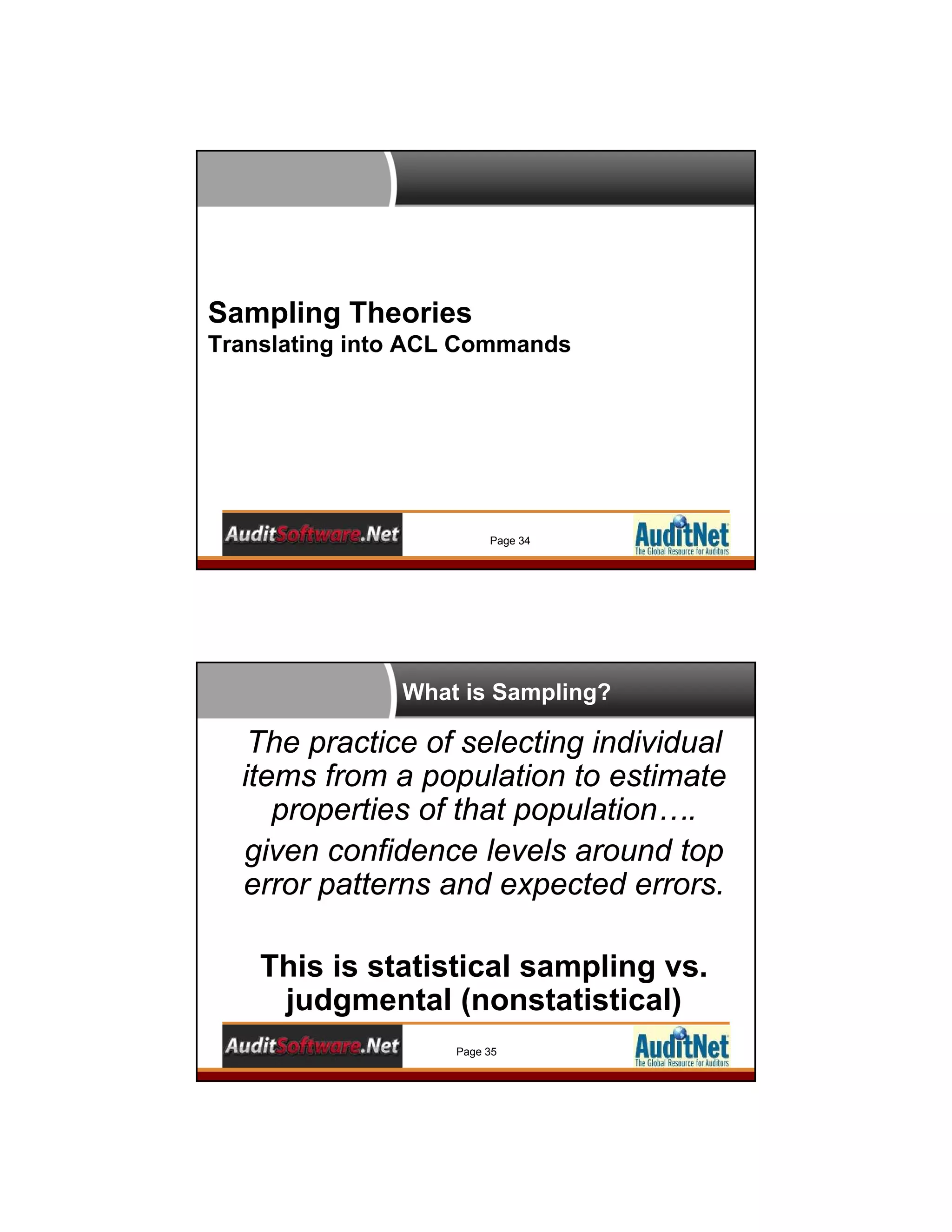
Sampling Theories
Translating into ACL Commands
Page 34
What is Sampling?
Page 35
The practice of selecting individual
items from a population to estimate
properties of that population….
given confidence levels around top
error patterns and expected errors.
This is statistical sampling vs.
judgmental (nonstatistical)
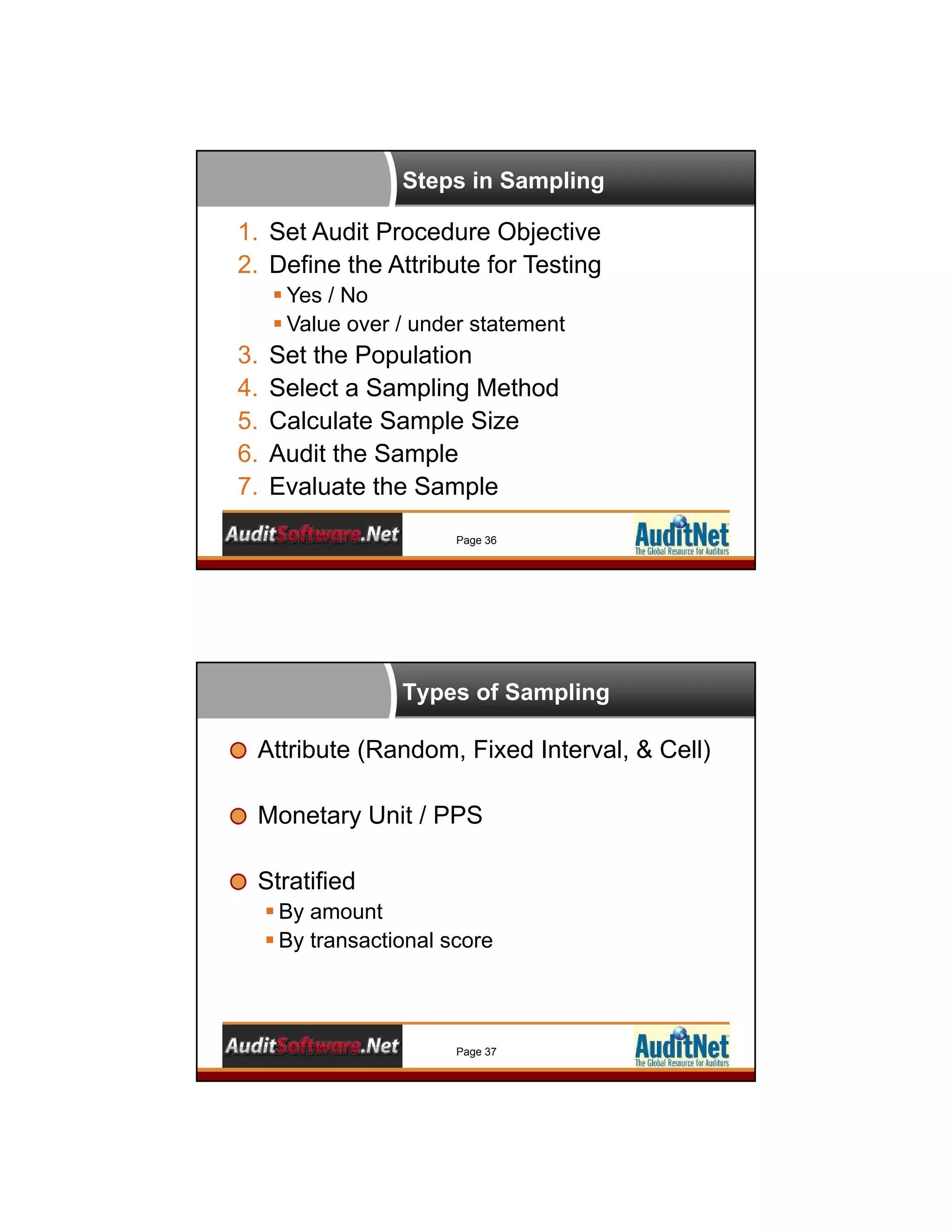
Steps in Sampling
Page 36
1. Set Audit Procedure Objective
2. Define the Attribute for Testing
 Yes / No
 Value over / under statement
3. Set the Population
4. Select a Sampling Method
5. Calculate Sample Size
6. Audit the Sample
7. Evaluate the Sample
Types of Sampling
Page 37
Attribute (Random, Fixed Interval, & Cell)
Monetary Unit / PPS
Stratified
 By amount
 By transactional score
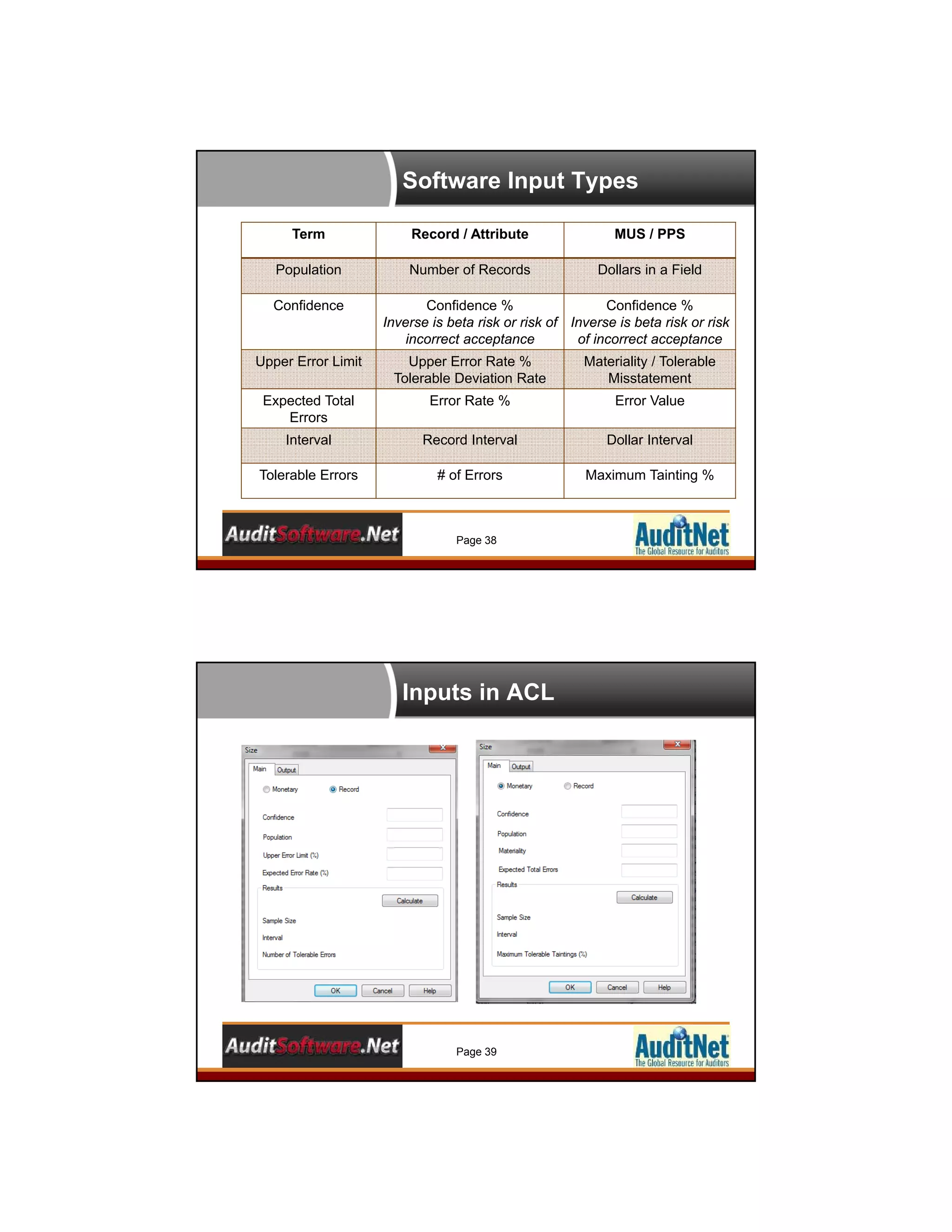
Software Input Types
Page 38
Term Record / Attribute MUS / PPS
Population Number of Records Dollars in a Field
Confidence Confidence %
Inverse is beta risk or risk of
incorrect acceptance
Confidence %
Inverse is beta risk or risk
of incorrect acceptance
Upper Error Limit Upper Error Rate %
Tolerable Deviation Rate
Materiality / Tolerable
Misstatement
Expected Total
Errors
Error Rate % Error Value
Interval Record Interval Dollar Interval
Tolerable Errors # of Errors Maximum Tainting %
Inputs in ACL
Page 39
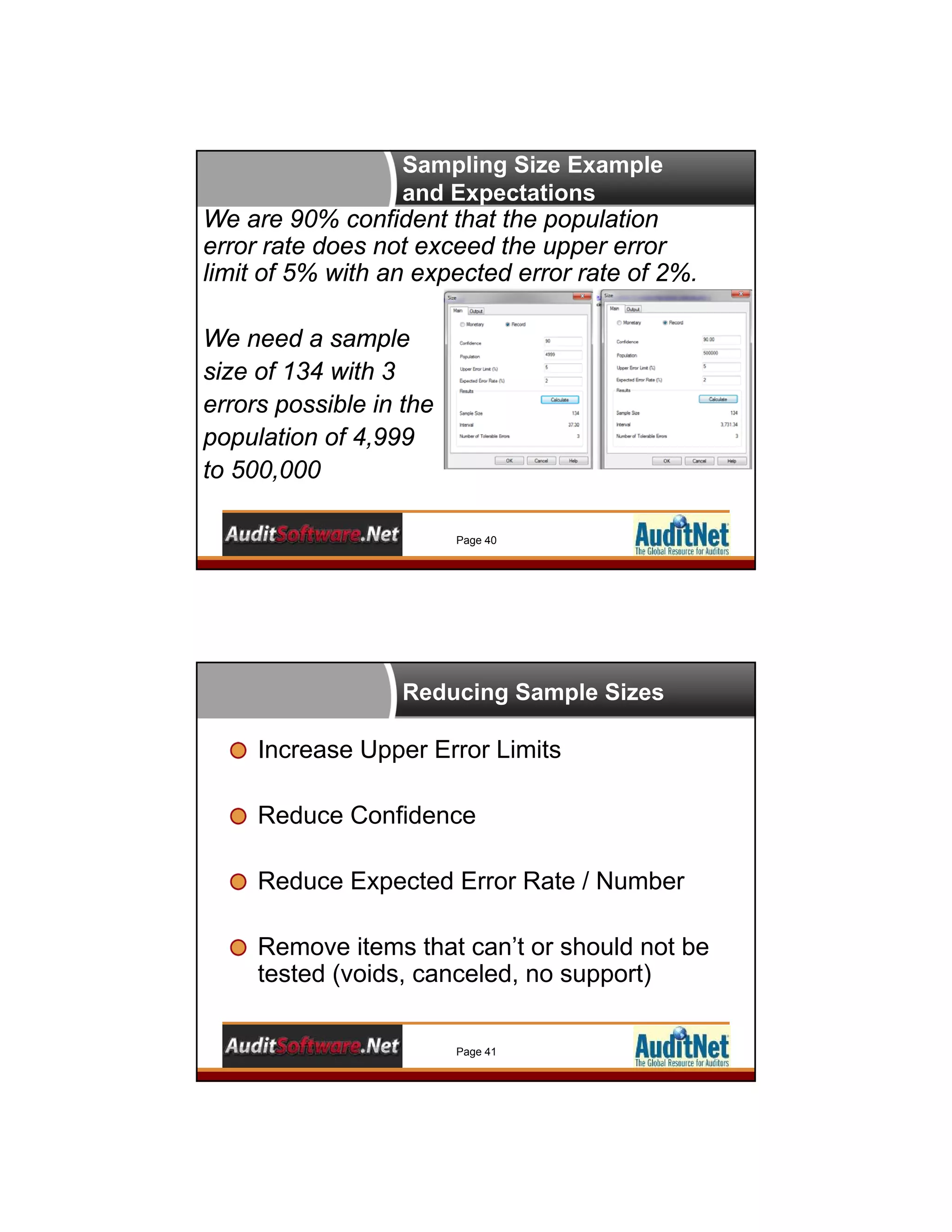
Sampling Size Example
and Expectations
Page 40
We are 90% confident that the population
error rate does not exceed the upper error
limit of 5% with an expected error rate of 2%.
We need a sample
size of 134 with 3
errors possible in the
population of 4,999
to 500,000
Reducing Sample Sizes
Page 41
Increase Upper Error Limits
Reduce Confidence
Reduce Expected Error Rate / Number
Remove items that can’t or should not be
tested (voids, canceled, no support)
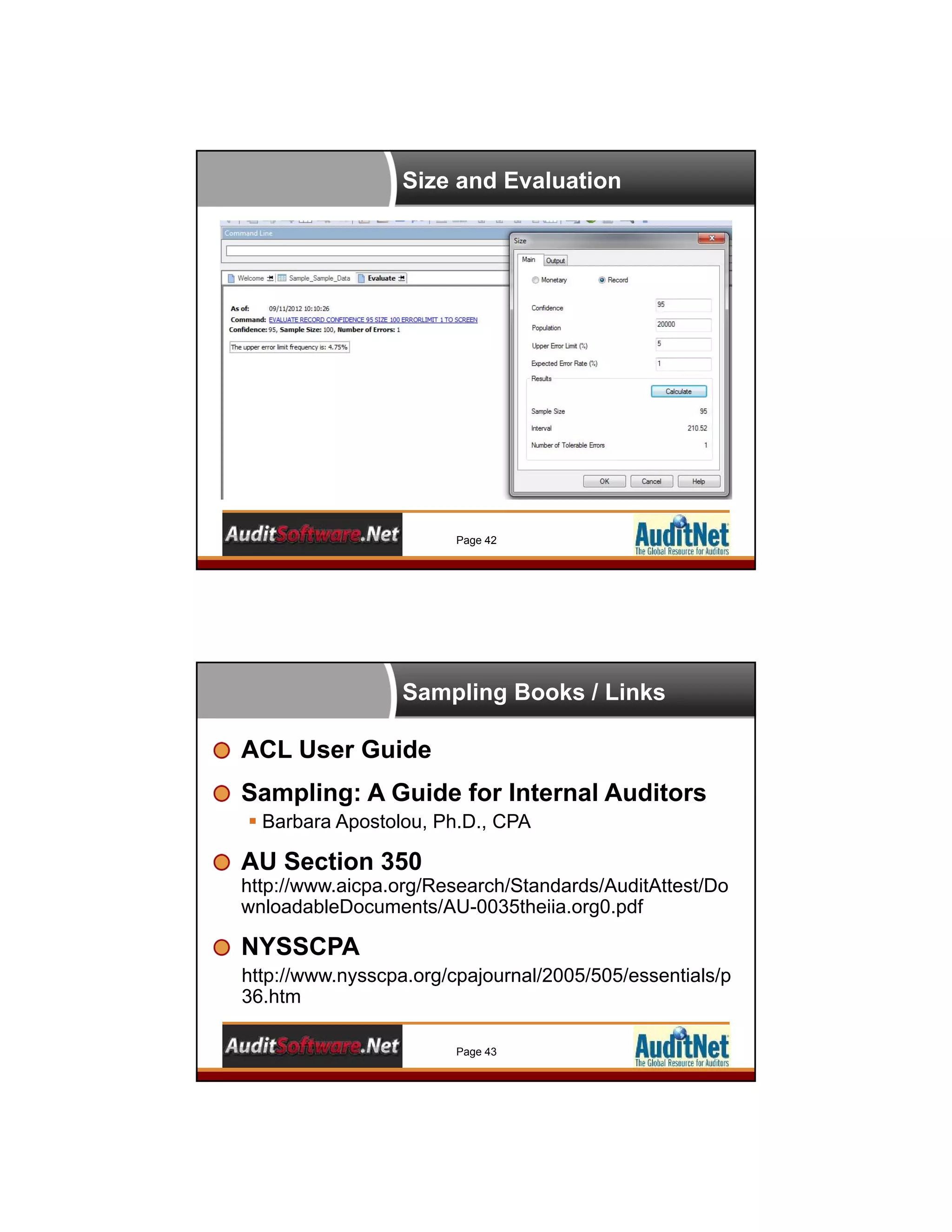
Size and Evaluation
Page 42
Sampling Books / Links
Page 43
ACL User Guide
Sampling: A Guide for Internal Auditors
 Barbara Apostolou, Ph.D., CPA
AU Section 350
http://www.aicpa.org/Research/Standards/AuditAttest/Do
wnloadableDocuments/AU-0035theiia.org0.pdf
NYSSCPA
http://www.nysscpa.org/cpajournal/2005/505/essentials/p
36.htm
Polling Question #5
What is the name of the upper error limit in a
monetary unit sample?
 Population
 Materiality
 Upper Error %
 Confidence
Page 44
Record Sampling
Random and Fixed interval Sampling
Page 45
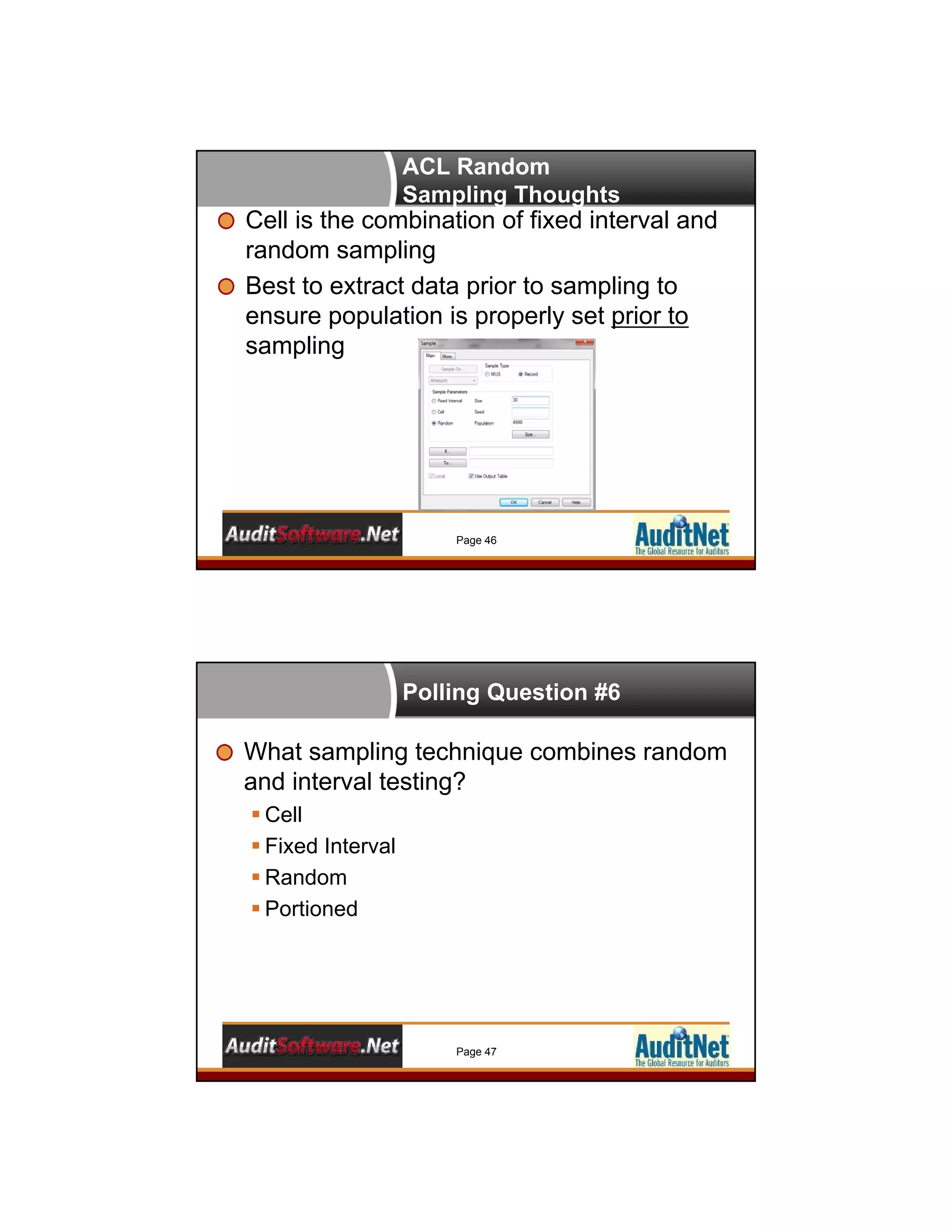
ACL Random
Sampling Thoughts
Cell is the combination of fixed interval and
random sampling
Best to extract data prior to sampling to
ensure population is properly set prior to
sampling
Page 46
Polling Question #6
What sampling technique combines random
and interval testing?
 Cell
 Fixed Interval
 Random
 Portioned
Page 47
Questions?
Any Questions?
Don’t be Shy!
Page 48
In the Queue
Using ACL Scripting in Your Next Audit
(Basic/Intermediate Techniques) – May 15
Excel Pivot Tables and Graphing for
Auditors – June 25
Building Simple Continuous Monitoring in
ACL – July 2
AuditSoftwareVideos.com
Videos accessible for FREE subscriptions
Repeat video and text instruction as much as
you need
Sample files, scripts, and macros in ACL™,
Excel™, etc. available for purchase
Bite-size video format (3 to 10 minutes)
Page 50
>> Professionally
produced videos by
instructors with over 20
years experience in
ACL™, Excel™ , and
more
Thank You!
Jim Kaplan
AuditNet LLC®
1-800-385-1625
Email:info@auditnet.org
http://www.auditnet.org
Richard B. Lanza, CPA, CFE, CGMA
Cash Recovery Partners, LLC
Phone: 973-729-3944
Cell: 201-650-4150
Fax: 973-270-2428
Email: rich@richlanza.com
http://www.richlanza.com
Page 51

Getting Started Using ACL in Your Next Audit

  • 1.
    Getting Started withACL- Top Basic & Intermediate Techniques (2 CPE Credits) April 24, 2014 AuditNet and AuditSoftware.Net Collaboration Brought to you by AuditSoftware.net and AuditNet®, working together to provide  Practical audit software training  Resource links  Independent analysis  Tools to improve audit software usage Today focused on providing practical data analysis training Page 1
  • 2.
    About Jim Kaplan,CIA, CFE  President and Founder of AuditNet®, the global resource for auditors (now available on Apple and Android devices)  Auditor, Web Site Guru,  Internet for Auditors Pioneer  Recipient of the IIA’s 2007 Bradford Cadmus Memorial Award.  Author of “The Auditor’s Guide to Internet Resources” 2nd Edition Page 2 About AuditNet® LLC • AuditNet®, the global resource for auditors, is available on the Web, iPad, iPhone and Android devices and features: • Over 2,000 Reusable Templates, Audit Programs, Questionnaires, and Control Matrices • Training without Travel Webinars focusing on fraud, audit software (ACL, IDEA, Excel), IT audit, and internal audit • Audit guides, manuals, and books on audit basics and using audit technology • LinkedIn Networking Groups • Monthly Newsletters with Expert Guest Columnists • Book Reviews • Surveys on timely topics for internal auditors Introductions Page 3
  • 3.
    Webinar Housekeeping Page 4 This webinar and its material are the  property of  Cash Recovery Partners.  Unauthorized usage or recording of this  webinar or any of its material is strictly  forbidden. We are recording the webinar  and you will be provided with a link to that  recording as detailed below. Downloading or  otherwise duplicating the webinar recording  is expressly prohibited. Webinar recording link will be sent via email  within 5‐7 business days. NASBA rules require us to ask polling  questions during the Webinar and CPE  certificates will be sent via email to those  who answer ALL the polling questions The CPE certificates and link to the recording  will be sent to the email address you  registered with in GTW. We are not  responsible for delivery problems due to  spam filters, attachment restrictions or other  controls in place for your email client. Submit questions via the chat box on your  screen and we will answer them either  during or at the conclusion. After the Webinar is over you will have an  opportunity to provide feedback. Please  complete the feedback questionnaire to help  us continuously improve our Webinars If GTW stops working you may need to close  and restart. You can always dial in and listen  and follow along with the handout. Disclaimers 5 The views expressed by the presentersdo not necessarily represent the  views, positions, or opinions of AuditNet® or the presenters’ respective  organizations. These materials, and the oral presentation accompanying them,  are for educational purposes only and do not constitute accounting or legal  advice or create an accountant‐client relationship.  While AuditNet® makes every effort to ensure information is accurate and  complete, AuditNet® makes no representations, guarantees, or warranties as  to the accuracy or completeness of the information provided via this  presentation. AuditNet® specifically disclaims all liability for any claims or  damages that may result from the information contained in this presentation,  including any websites maintained by third parties and linked to the AuditNet®  website Any mention of commercial products is for information only; it does not imply  recommendation or endorsement by AuditNet®
  • 4.
    AuditNet and AuditSoftware.Net Collaboration Broughtto you by AuditSoftware.net and AuditNet, working together to provide  Practical audit software training  Resource links  Independent analysis  Tools to improve audit software usage Today focused on providing practical data analysis training Page 6 Richard B. Lanza, CPA, CFE, CGMA • Over two decades of ACL and Excel software usage • Wrote the first practical ACL publication on how to use the product in 101 ways (101 ACL Applications) • Has written and spoken on the use of audit data analytics for over 15 years. • Received the Outstanding Achievement in Business Award by the Association of Certified Fraud Examiners for developing the publication Proactively Detecting Fraud Using Computer Audit Reports as a research project for the IIA • Recently was a contributing author of: • Global Technology Audit Guide (GTAG #13) Fraud in an Automated World – Institute of Internal Auditors. • Data Analytics – A Practical Approach - research whitepaper for the Information System Accountability Control Association. • Cost Recovery – Turning Your Accounts Payable Department into a Profit Center – Wiley and Sons. Please see full bio at www.richlanza.com
  • 5.
    Learning Objectives  Beable to map audit objectives in accounts payable, as an example audit area, to the specific test scripts to perform the task (sampling of these scripts are provided with the course).  Learn how to request data for your next review that will meet your reporting requirements.  See how to define Fixed field, Variable length, Excel, Delimited, Report files, and more in ACL.  Learn to use Statistics, Count and Total in your reporting results.  Be able to utilize the Classify, Stratify, Age, Summarize, and Crosstab function  Learn to complete gap and duplicate sequence tests and, more specifically, how to complete a same, same, different duplication test in ACL.  Understand how to Verify and Search databases for information, as well as, extract needed information to a new file for analysis.  Learn to Merge and Relate multiple tables, including steps to fixing data files prior to merging them together.  See how to use the JOIN function including effective many to many JOINs using key words.  Understand how to translate sampling theories to ACL commands.  See record sampling in action (Random, Fixed Interval) and how to perform Monetary Unit and stratified samples in ACL. Page 8 Quick Process to Running Data 1. Know your audit objectives 2. Align reports to the objectives 3. Use past reports to model /refine reports 4. Set data requirements based on reports 5. Obtain, validate, and normalize data 6. Edit scripts for data needs 7. Run reports and document results Page 9
  • 6.
    Clear Data Request AccountsPayable Data Request.doc Page 10 Sample Data Validation – Accounts Payable Other Questions Validation analysis can be programmed into the data normalization script to answer the below questions: Statistical analysis should also be completed as part of the validation analysis Agreement to batch totals and sample data are critical Page 11
  • 7.
    Polling Question #1 Whatcomes first in the data extraction process?  Request data  Set objectives for the audit  Set report objectives  Validate data Page 12 Data Import Exercise Using 101 ACL Application Data Fixed Length File (Best for ACL) Tab / CSV (Variable) Excel (Variable) Report (Multiple Record Fixed) PDF Files Page 13
  • 8.
    Data Field DefinitionFlowchart for ACL Is it a date? Do you add or subtract the field? Define as a date format Define as a numeric format Yes Yes Define as a character format Define as a Print format Are there any decimal places? Yes No No No Page 14 Data Definition Wizard It is not always right but can be easily fixed Defining field lengths with a reasonable length Defining overlapping fields Set Date options Page 15
  • 9.
    Polling Question #2 Whatdata table type is the easiest to define and use in ACL?  Fixed length  Tab / CSV / Other Delimited  Excel  Access  Other Page 16 The Basic Analyzers Count Total Statistics Page 17
  • 10.
    Stratify Types Stratify Stratify Usinga Break Stratify to a Table Page 18 Summarizing Data Summarize Use of Presort / Sort Maximizing the Other Fields Page 19
  • 11.
    Crosstab Data Gain acolumn perspective Similar to Pivots Use Presort Page 20 Polling Question #3 Which command should be preceded by a Sort or use a Presort command?  Statistics  Stratify  Cross-tab  Age Page 21
  • 12.
    Gaps and Duplicates- Basics Gap ranges and lists Duplicate  Use of the Sort/Presort Page 22 The Data Menu Page 23
  • 13.
    Verify Command Page 24 •Checks for data validity errors between the data type and the actual data in the table • Useful to quickly identify data format issues • Will consider blank spaces in dates to be issues Search (Locate) and Seek Page 25 • Search (LOCATE) • Can get to a record number quickly • Can search files without them being indexed • Known as the LOCATE command in ACL’s command language • Seek • Only works on indexed record sets
  • 14.
    Extract (Append) andMerge Page 26 • Extract IF • To obtain a reduced data set • Extract Append • Combines files • Resulting data file will not be sorted • Merge Resulting file will be sorted Relate and Join Commands Page 27 • Relate (DEFINE RELATION) • Fast to produce / Slower for later commands • Great to quickly organize various tables into a data model • 18 tables can be related at once • Join • Produces a physically sorted/joined table • Quick for later commands to execute on joined table
  • 15.
    Primary and SecondaryJoins Page 28 • Join This to Last Year Summarized Tables • Use Primary AND Secondary • Calculate the new Vendor Number Field using the Primary and Secondary table results Seg_Duty Flow Segregation of Duties Test Page 29 1. Join paid table to vendor table on vendor number  Obtain the vendor create user name 2. Extract if vendor create user name is the same as the invoice create user name
  • 16.
    Polling Question #4 Whichfile technique leads to a physical file that is sorted?  INDEX  RELATE  STRATIFY  JOIN Page 30 When Items Don’t Match Unmatched Join  Searches tables for unmatched situations  Primary records NOT in secondary table are exported  Useful to test for employees not on payroll or vendors not in payables tables Page 31
  • 17.
    Ven_Payr Flow – Vendorto Employee Match Page 32 Create vendor and employee fields for matching  Only address numbers – first 30  First 8 characters in address Join files on calculated fields Many to Many Page 33 Primary Join Does Not Stop At First Join Secondary Join Does Not Stop At First Join All records of one table are matched to all records in other table….and vice versa
  • 18.
    Sampling Theories Translating intoACL Commands Page 34 What is Sampling? Page 35 The practice of selecting individual items from a population to estimate properties of that population…. given confidence levels around top error patterns and expected errors. This is statistical sampling vs. judgmental (nonstatistical)
  • 19.
    Steps in Sampling Page36 1. Set Audit Procedure Objective 2. Define the Attribute for Testing  Yes / No  Value over / under statement 3. Set the Population 4. Select a Sampling Method 5. Calculate Sample Size 6. Audit the Sample 7. Evaluate the Sample Types of Sampling Page 37 Attribute (Random, Fixed Interval, & Cell) Monetary Unit / PPS Stratified  By amount  By transactional score
  • 20.
    Software Input Types Page38 Term Record / Attribute MUS / PPS Population Number of Records Dollars in a Field Confidence Confidence % Inverse is beta risk or risk of incorrect acceptance Confidence % Inverse is beta risk or risk of incorrect acceptance Upper Error Limit Upper Error Rate % Tolerable Deviation Rate Materiality / Tolerable Misstatement Expected Total Errors Error Rate % Error Value Interval Record Interval Dollar Interval Tolerable Errors # of Errors Maximum Tainting % Inputs in ACL Page 39
  • 21.
    Sampling Size Example andExpectations Page 40 We are 90% confident that the population error rate does not exceed the upper error limit of 5% with an expected error rate of 2%. We need a sample size of 134 with 3 errors possible in the population of 4,999 to 500,000 Reducing Sample Sizes Page 41 Increase Upper Error Limits Reduce Confidence Reduce Expected Error Rate / Number Remove items that can’t or should not be tested (voids, canceled, no support)
  • 22.
    Size and Evaluation Page42 Sampling Books / Links Page 43 ACL User Guide Sampling: A Guide for Internal Auditors  Barbara Apostolou, Ph.D., CPA AU Section 350 http://www.aicpa.org/Research/Standards/AuditAttest/Do wnloadableDocuments/AU-0035theiia.org0.pdf NYSSCPA http://www.nysscpa.org/cpajournal/2005/505/essentials/p 36.htm
  • 23.
    Polling Question #5 Whatis the name of the upper error limit in a monetary unit sample?  Population  Materiality  Upper Error %  Confidence Page 44 Record Sampling Random and Fixed interval Sampling Page 45
  • 24.
    ACL Random Sampling Thoughts Cellis the combination of fixed interval and random sampling Best to extract data prior to sampling to ensure population is properly set prior to sampling Page 46 Polling Question #6 What sampling technique combines random and interval testing?  Cell  Fixed Interval  Random  Portioned Page 47
  • 25.
    Questions? Any Questions? Don’t beShy! Page 48 In the Queue Using ACL Scripting in Your Next Audit (Basic/Intermediate Techniques) – May 15 Excel Pivot Tables and Graphing for Auditors – June 25 Building Simple Continuous Monitoring in ACL – July 2
  • 26.
    AuditSoftwareVideos.com Videos accessible forFREE subscriptions Repeat video and text instruction as much as you need Sample files, scripts, and macros in ACL™, Excel™, etc. available for purchase Bite-size video format (3 to 10 minutes) Page 50 >> Professionally produced videos by instructors with over 20 years experience in ACL™, Excel™ , and more Thank You! Jim Kaplan AuditNet LLC® 1-800-385-1625 Email:info@auditnet.org http://www.auditnet.org Richard B. Lanza, CPA, CFE, CGMA Cash Recovery Partners, LLC Phone: 973-729-3944 Cell: 201-650-4150 Fax: 973-270-2428 Email: rich@richlanza.com http://www.richlanza.com Page 51