Welcome! The slides are available at:
http://bit.ly/MNSymposium
Copyright Rasmussen, Inc. 2011. Proprietary and Confidential. 1
Leveraging Social Media and
Multimedia Technology in the
Classroom
Venus Fisher – State Program Coordinator IL/WI
Keitaro Matsuoka – Instructor
Romeoville-Joliet, IL
Copyright Rasmussen, Inc. 2011. Proprietary and Confidential.
• Why This Talk?
• Goals
• What You Need
• Approach
• Best Practices
• Q&A (File Location)
Agenda
Copyright Rasmussen, Inc. 2011. Proprietary and Confidential. 3
1. To get you thinking about…
1. Your element
2. Your presence
2. To show you the How
3. To share what we experienced
4. To show how fun it is!
Goals Today
Copyright Rasmussen, Inc. 2011. Proprietary and Confidential. 4
Social Media
Copyright Rasmussen, Inc. 2011. Proprietary and Confidential.
Facebook
Facebook Example
• Create a Facebook group which students
can join.
• Students can finish their readings, for
example, then get online and write a
paragraph about what they’ve read,
focusing their comments on the weekly
topic.
Facebook Assignment Example
• ‘Twit Board’ – Notify students of changes to assignments,
schedules, venues or other important information.
• ‘Summing Up’ – Ask students to read an article or chapter and
then post their brief summary or précis of the key point(s). A
limit of 140 characters demands a lot of academic discipline.
• ‘Twit Links’ Share a hyperlink – a directed task for students –
each is required to regularly share one new hyperlink to a
useful site they have found.
• ‘Twitter Stalking’ – Follow a famous person and document
their progress. Better still if this can be linked to an event
(During the recent U.S. Presidential elections, many people
followed @BarackObama and kept up to date with his
speeches, etc).
Twitter
• ‘Time Tweet’ – Choose a famous person from the past and
create a twitter account for them; pick an image which
represents the historical figure and over a period of time write
regular tweets in the role of that character, in a style and using
the vocabulary you think they would have used (e.g. William
Shakespeare, Julius Caesar).
• ‘Micro Meet’ – Hold discussions involving all the subscribing
students. As long as everyone is following the whole group, no-
one should miss out on the Twitter stream. All students
participate because a sequence of contributors is agreed
beforehand.
Twitter
Blogs
• Teachers can use classroom blogs to engage
students in discussions during and after the
usual school day.
• They can post topics for discussion, additional
classroom notes or information, classroom
assignments and much more.
• A classroom blog will allow students to interact
with their peers and teachers on a continual
basis beyond the usual 45-90 minute class
period.
Symbaloo
www.symbalooedu.com
Tackk
tackk.com
15
Stoy Bird
http://youtu.be/gppbHZaJDHI
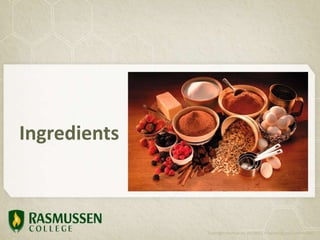
Ingredients
Copyright Rasmussen, Inc. 2011. Proprietary and Confidential.
• Any video recorder (camcorder or smartphone)
• Memory card (SDHC Class 10, 32 GB)
• Charger and extra battery
• Tripod (Sunpak)
• Headset (Plantronics)
• Camera Case
Equipment
Copyright Rasmussen, Inc. 2011. Proprietary and Confidential. 17
• Windows Movie Maker or iMovie (Editing)
• TechSmith Snagit (Screen capture)
• YouTube (Posting videos)
• Google Drive (Notes)
Digital Tools
Copyright Rasmussen, Inc. 2011. Proprietary and Confidential. 18
Approach to
Recording Your Voice
Copyright Rasmussen, Inc. 2011. Proprietary and Confidential.
In Summary…
Copyright Rasmussen, Inc. 2011. Proprietary and Confidential. 20
Best Practices
Copyright Rasmussen, Inc. 2011. Proprietary and Confidential.
Movie Maker
Copyright Rasmussen, Inc. 2011. Proprietary and Confidential. 22
Title and
Credit Slides
Trimming
Video Clips
Transitional
Effects
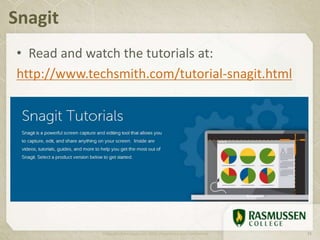
• Read and watch the tutorials at:
http://www.techsmith.com/tutorial-snagit.html
Snagit
Copyright Rasmussen, Inc. 2011. Proprietary and Confidential. 23
YouTube
Copyright Rasmussen, Inc. 2011. Proprietary and Confidential. 24
Upload
Button
Link to Your
Video
Create
Playlists
Include Tags to
Make Search Easier
Include
Thumbnails
Facebook
Copyright Rasmussen, Inc. 2011. Proprietary and Confidential. 25
www.facebook.com/DECARasmussenChicago
Photos Videos
Posting
News
Engagement with
Students, Family and
Friends
Posts by
Members
One More Thing…
Copyright Rasmussen, Inc. 2011. Proprietary and Confidential.
“Managing a Dysfunctional Classroom”
Copyright Rasmussen, Inc. 2011. Proprietary and Confidential. 27
Keitaro.Matsuoka@Rasmussen.edu or
Venus.Fisher@Rasmussen.edu
(815) 306-2600
Questions?
Copyright Rasmussen, Inc. 2011. Proprietary and Confidential. 28
bit.ly/MNSymposium

Leveraging Social Media and Multimedia Technology in the Classroom

  • 1.
    Welcome! The slidesare available at: http://bit.ly/MNSymposium Copyright Rasmussen, Inc. 2011. Proprietary and Confidential. 1
  • 2.
    Leveraging Social Mediaand Multimedia Technology in the Classroom Venus Fisher – State Program Coordinator IL/WI Keitaro Matsuoka – Instructor Romeoville-Joliet, IL Copyright Rasmussen, Inc. 2011. Proprietary and Confidential.
  • 3.
    • Why ThisTalk? • Goals • What You Need • Approach • Best Practices • Q&A (File Location) Agenda Copyright Rasmussen, Inc. 2011. Proprietary and Confidential. 3
  • 4.
    1. To getyou thinking about… 1. Your element 2. Your presence 2. To show you the How 3. To share what we experienced 4. To show how fun it is! Goals Today Copyright Rasmussen, Inc. 2011. Proprietary and Confidential. 4
  • 5.
    Social Media Copyright Rasmussen,Inc. 2011. Proprietary and Confidential.
  • 6.
  • 7.
    Facebook Example • Createa Facebook group which students can join. • Students can finish their readings, for example, then get online and write a paragraph about what they’ve read, focusing their comments on the weekly topic.
  • 8.
  • 10.
    • ‘Twit Board’– Notify students of changes to assignments, schedules, venues or other important information. • ‘Summing Up’ – Ask students to read an article or chapter and then post their brief summary or précis of the key point(s). A limit of 140 characters demands a lot of academic discipline. • ‘Twit Links’ Share a hyperlink – a directed task for students – each is required to regularly share one new hyperlink to a useful site they have found. • ‘Twitter Stalking’ – Follow a famous person and document their progress. Better still if this can be linked to an event (During the recent U.S. Presidential elections, many people followed @BarackObama and kept up to date with his speeches, etc). Twitter
  • 11.
    • ‘Time Tweet’– Choose a famous person from the past and create a twitter account for them; pick an image which represents the historical figure and over a period of time write regular tweets in the role of that character, in a style and using the vocabulary you think they would have used (e.g. William Shakespeare, Julius Caesar). • ‘Micro Meet’ – Hold discussions involving all the subscribing students. As long as everyone is following the whole group, no- one should miss out on the Twitter stream. All students participate because a sequence of contributors is agreed beforehand. Twitter
  • 12.
    Blogs • Teachers canuse classroom blogs to engage students in discussions during and after the usual school day. • They can post topics for discussion, additional classroom notes or information, classroom assignments and much more. • A classroom blog will allow students to interact with their peers and teachers on a continual basis beyond the usual 45-90 minute class period.
  • 13.
  • 14.
  • 15.
  • 16.
    Ingredients Copyright Rasmussen, Inc.2011. Proprietary and Confidential.
  • 17.
    • Any videorecorder (camcorder or smartphone) • Memory card (SDHC Class 10, 32 GB) • Charger and extra battery • Tripod (Sunpak) • Headset (Plantronics) • Camera Case Equipment Copyright Rasmussen, Inc. 2011. Proprietary and Confidential. 17
  • 18.
    • Windows MovieMaker or iMovie (Editing) • TechSmith Snagit (Screen capture) • YouTube (Posting videos) • Google Drive (Notes) Digital Tools Copyright Rasmussen, Inc. 2011. Proprietary and Confidential. 18
  • 19.
    Approach to Recording YourVoice Copyright Rasmussen, Inc. 2011. Proprietary and Confidential.
  • 20.
    In Summary… Copyright Rasmussen,Inc. 2011. Proprietary and Confidential. 20
  • 21.
    Best Practices Copyright Rasmussen,Inc. 2011. Proprietary and Confidential.
  • 22.
    Movie Maker Copyright Rasmussen,Inc. 2011. Proprietary and Confidential. 22 Title and Credit Slides Trimming Video Clips Transitional Effects
  • 23.
    • Read andwatch the tutorials at: http://www.techsmith.com/tutorial-snagit.html Snagit Copyright Rasmussen, Inc. 2011. Proprietary and Confidential. 23
  • 24.
    YouTube Copyright Rasmussen, Inc.2011. Proprietary and Confidential. 24 Upload Button Link to Your Video Create Playlists Include Tags to Make Search Easier Include Thumbnails
  • 25.
    Facebook Copyright Rasmussen, Inc.2011. Proprietary and Confidential. 25 www.facebook.com/DECARasmussenChicago Photos Videos Posting News Engagement with Students, Family and Friends Posts by Members
  • 26.
    One More Thing… CopyrightRasmussen, Inc. 2011. Proprietary and Confidential.
  • 27.
    “Managing a DysfunctionalClassroom” Copyright Rasmussen, Inc. 2011. Proprietary and Confidential. 27
  • 28.
    Keitaro.Matsuoka@Rasmussen.edu or Venus.Fisher@Rasmussen.edu (815) 306-2600 Questions? CopyrightRasmussen, Inc. 2011. Proprietary and Confidential. 28 bit.ly/MNSymposium

Editor's Notes

  • #9 http://www.emergingedtech.com/2011/05/facebook-summit-2011-an-excellent-academic-use-of-the-popular-internet-app/
  • #12 http://www.emergingedtech.com/2010/02/100-ways-to-teach-with-twitter/
  • #16 http://youtu.be/gppbHZaJDHI