MANAGING DIGITAL PHOTOS
Whittier Area Macintosh User Group • January 18, 2014
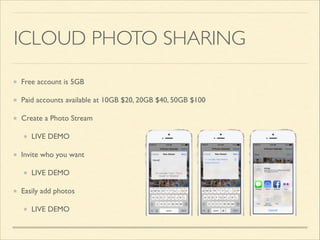
ICLOUD PHOTO SHARING
Free account is 5GB	

Paid accounts available at 10GB $20, 20GB $40, 50GB $100	

Create a Photo Stream	

LIVE DEMO	

Invite who you want	

LIVE DEMO	

Easily add photos	

LIVE DEMO
ICLOUD & PHOTO STREAM
System Requirements (support.apple.com/kb/HT4759?viewlocale=en_US&locale=en_US)	

Free 5GB Accounts	

Photos in Camera Roll backed up by iCloud backup will be included in this storage
pool	

Photos in Photo Stream and Shared Photo Stream are not included	

Photos added via iOS or manually in iPhoto or Aperture	

Kept for 30 days or until a maximum of 1,000 photos in Photo Stream	

Older photos will be deleted from your Photo Stream
SHARED PHOTO STREAM LIMITS
Accessible via iPhoto and Aperture, via iOS devices, via Apple TV, via the web LIVE DEMO	

Theoretical maximum of 500,000 photos and videos shared for FREE (http://support.apple.com/
kb/HT4858)	

Single Shared Photo Stream can hold 5,000 photos or videos	

You can have up to 100 Shared Photo Streams 	

The math: 5,000 photos/stream x 100 streams = 500,000 photos total	

Share with anyone via iOS or the web, add comments, add or download images	

Shared Photo Streams don't count towards your iCloud storage or expire	

iCloud: My Photo Stream and iCloud Photo Sharing limits (http://support.apple.com/kb/HT4858)
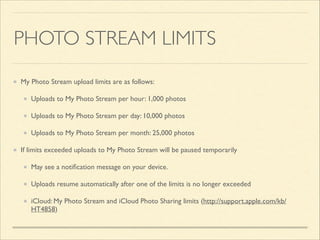
PHOTO STREAM LIMITS
My Photo Stream upload limits are as follows: 	

Uploads to My Photo Stream per hour: 1,000 photos 	

Uploads to My Photo Stream per day: 10,000 photos 	

Uploads to My Photo Stream per month: 25,000 photos 	

If limits exceeded uploads to My Photo Stream will be paused temporarily 	

May see a notification message on your device. 	

Uploads resume automatically after one of the limits is no longer exceeded	

iCloud: My Photo Stream and iCloud Photo Sharing limits (http://support.apple.com/kb/
HT4858)
PHOTO STORAGE OPTIONS
Apple’s Time Machine	

Backs up photos on hard drive/SSD automatically	

Use Time Capsule or third-party drive	

Automatic services LIVE DEMO	

Dropbox	

External back up service like CrashPlan, BackBlaze, and others
DEVELOPING A WORKFLOW
iPhone 4 created a problem … good enough camera to replace
digital camera for ā€œday useā€ 	

Photos added to camera roll automatically	

Assume backups happen	

Take control of importing, backup, organizing, and sharing your
photos
IPHONE IMAGES
Dropbox Camera Uploads LIVE DEMO	

Free 2GB, 100GB $100/year (20,000 photos)	

You get an extra 3GB for the first 3GB of media you upload	

Good holding place for photos; can manage from your smartphone and not wait to get to your Mac	

Naming convention: 2014-01-18 12.27.40	

Connect iPhone, upload to Dropbox, delete from Camera Roll LIVE DEMO	

Use Image Capture (FREE, included with your Mac operating system) to import and delete photos when your
iPhone is connected	

Alternative iPhone app is Camera Sync which can be set for location based uploading LIVE DEMO	

Spouse’s iPhone photos? Use shared ā€œInvite to Folderā€ in DropBox LIVE DEMO
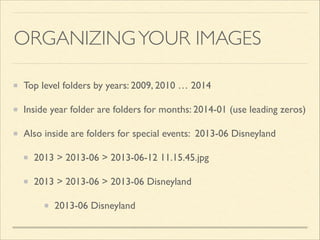
ORGANIZING YOUR IMAGES
Top level folders by years: 2009, 2010 … 2014	

Inside year folder are folders for months: 2014-01 (use leading zeros)	

Also inside are folders for special events: 2013-06 Disneyland	

2013 > 2013-06 > 2013-06-12 11.15.45.jpg	

2013 > 2013-06 > 2013-06 Disneyland	

2013-06 Disneyland
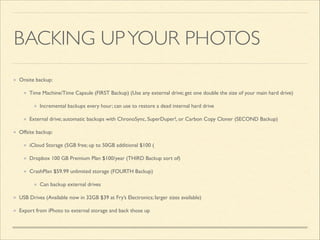
BACKING UP YOUR PHOTOS
Onsite backup:	

Time Machine/Time Capsule (FIRST Backup) (Use any external drive; get one double the size of your main hard drive)	

Incremental backups every hour; can use to restore a dead internal hard drive	

External drive; automatic backups with ChronoSync, SuperDuper!, or Carbon Copy Cloner (SECOND Backup)	

Offsite backup:	

iCloud Storage (5GB free; up to 50GB additional $100 (	

Dropbox 100 GB Premium Plan $100/year (THIRD Backup sort of)	

CrashPlan $59.99 unlimited storage (FOURTH Backup)	

Can backup external drives	

USB Drives (Available now in 32GB $39 at Fry’s Electronics; larger sizes available)	

Export from iPhoto to external storage and back those up
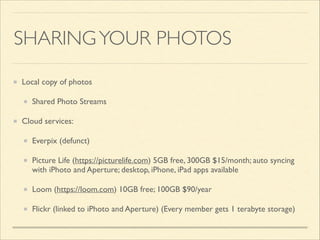
SHARING YOUR PHOTOS
Local copy of photos	

Shared Photo Streams	

Cloud services:	

Everpix (defunct)	

Picture Life (https://picturelife.com) 5GB free, 300GB $15/month; auto syncing
with iPhoto and Aperture; desktop, iPhone, iPad apps available	

Loom (https://loom.com) 10GB free; 100GB $90/year	

Flickr (linked to iPhoto and Aperture) (Every member gets 1 terabyte storage)
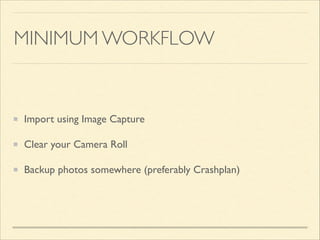
MINIMUM WORKFLOW

Import using Image Capture	

Clear your Camera Roll	

Backup photos somewhere (preferably Crashplan)

2014-01 | Managing Digital Photos

  • 1.
    MANAGING DIGITAL PHOTOS WhittierArea Macintosh User Group • January 18, 2014
  • 2.
    ICLOUD PHOTO SHARING Freeaccount is 5GB Paid accounts available at 10GB $20, 20GB $40, 50GB $100 Create a Photo Stream LIVE DEMO Invite who you want LIVE DEMO Easily add photos LIVE DEMO
  • 4.
    ICLOUD & PHOTOSTREAM System Requirements (support.apple.com/kb/HT4759?viewlocale=en_US&locale=en_US) Free 5GB Accounts Photos in Camera Roll backed up by iCloud backup will be included in this storage pool Photos in Photo Stream and Shared Photo Stream are not included Photos added via iOS or manually in iPhoto or Aperture Kept for 30 days or until a maximum of 1,000 photos in Photo Stream Older photos will be deleted from your Photo Stream
  • 5.
    SHARED PHOTO STREAMLIMITS Accessible via iPhoto and Aperture, via iOS devices, via Apple TV, via the web LIVE DEMO Theoretical maximum of 500,000 photos and videos shared for FREE (http://support.apple.com/ kb/HT4858) Single Shared Photo Stream can hold 5,000 photos or videos You can have up to 100 Shared Photo Streams The math: 5,000 photos/stream x 100 streams = 500,000 photos total Share with anyone via iOS or the web, add comments, add or download images Shared Photo Streams don't count towards your iCloud storage or expire iCloud: My Photo Stream and iCloud Photo Sharing limits (http://support.apple.com/kb/HT4858)
  • 6.
    PHOTO STREAM LIMITS MyPhoto Stream upload limits are as follows: Uploads to My Photo Stream per hour: 1,000 photos Uploads to My Photo Stream per day: 10,000 photos Uploads to My Photo Stream per month: 25,000 photos If limits exceeded uploads to My Photo Stream will be paused temporarily May see a notification message on your device. Uploads resume automatically after one of the limits is no longer exceeded iCloud: My Photo Stream and iCloud Photo Sharing limits (http://support.apple.com/kb/ HT4858)
  • 7.
    PHOTO STORAGE OPTIONS Apple’sTime Machine Backs up photos on hard drive/SSD automatically Use Time Capsule or third-party drive Automatic services LIVE DEMO Dropbox External back up service like CrashPlan, BackBlaze, and others
  • 8.
    DEVELOPING A WORKFLOW iPhone4 created a problem … good enough camera to replace digital camera for ā€œday useā€ Photos added to camera roll automatically Assume backups happen Take control of importing, backup, organizing, and sharing your photos
  • 9.
    IPHONE IMAGES Dropbox CameraUploads LIVE DEMO Free 2GB, 100GB $100/year (20,000 photos) You get an extra 3GB for the first 3GB of media you upload Good holding place for photos; can manage from your smartphone and not wait to get to your Mac Naming convention: 2014-01-18 12.27.40 Connect iPhone, upload to Dropbox, delete from Camera Roll LIVE DEMO Use Image Capture (FREE, included with your Mac operating system) to import and delete photos when your iPhone is connected Alternative iPhone app is Camera Sync which can be set for location based uploading LIVE DEMO Spouse’s iPhone photos? Use shared ā€œInvite to Folderā€ in DropBox LIVE DEMO
  • 10.
    ORGANIZING YOUR IMAGES Toplevel folders by years: 2009, 2010 … 2014 Inside year folder are folders for months: 2014-01 (use leading zeros) Also inside are folders for special events: 2013-06 Disneyland 2013 > 2013-06 > 2013-06-12 11.15.45.jpg 2013 > 2013-06 > 2013-06 Disneyland 2013-06 Disneyland
  • 11.
    BACKING UP YOURPHOTOS Onsite backup: Time Machine/Time Capsule (FIRST Backup) (Use any external drive; get one double the size of your main hard drive) Incremental backups every hour; can use to restore a dead internal hard drive External drive; automatic backups with ChronoSync, SuperDuper!, or Carbon Copy Cloner (SECOND Backup) Offsite backup: iCloud Storage (5GB free; up to 50GB additional $100 ( Dropbox 100 GB Premium Plan $100/year (THIRD Backup sort of) CrashPlan $59.99 unlimited storage (FOURTH Backup) Can backup external drives USB Drives (Available now in 32GB $39 at Fry’s Electronics; larger sizes available) Export from iPhoto to external storage and back those up
  • 12.
    SHARING YOUR PHOTOS Localcopy of photos Shared Photo Streams Cloud services: Everpix (defunct) Picture Life (https://picturelife.com) 5GB free, 300GB $15/month; auto syncing with iPhoto and Aperture; desktop, iPhone, iPad apps available Loom (https://loom.com) 10GB free; 100GB $90/year Flickr (linked to iPhoto and Aperture) (Every member gets 1 terabyte storage)
  • 13.
    MINIMUM WORKFLOW Import usingImage Capture Clear your Camera Roll Backup photos somewhere (preferably Crashplan)