





Welcome
Dental
Assistants
ORTHODONTICS FOR THE
DENTAL ASSISTANT
DR JEAN MARC RETROUVEY
Jan 31 2013
• Bracketing review1
• Familiarize yourself with
orthodontic wires technology2
• When to use wires effectively3
Today’s Overview
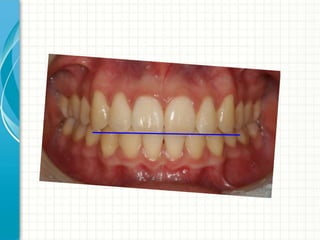
BRACKETING REVIEW
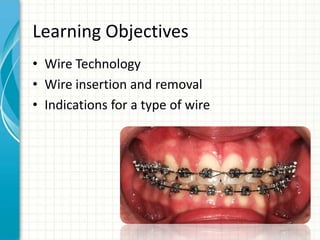
Learning Objectives
• Wire Technology
• Wire insertion and removal
• Indications for a type of wire
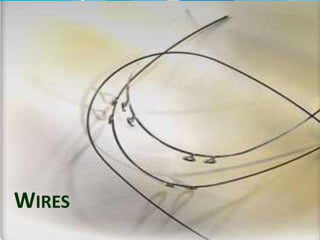
WIRES
What should an
assistant know?
Different types of wires…….
1: Shape ( main types)
- round
- rectangular
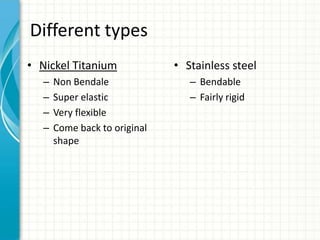
Different types
• Nickel Titanium
– Non Bendale
– Super elastic
– Very flexible
– Come back to original
shape
• Stainless steel
– Bendable
– Fairly rigid
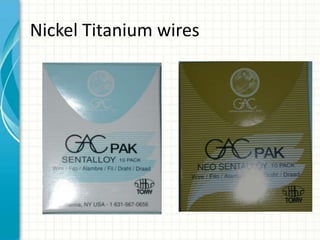
Nickel Titanium wires
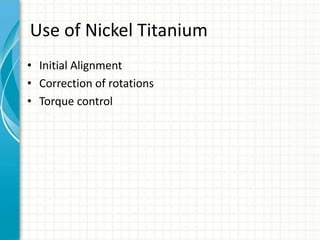
Use of Nickel Titanium
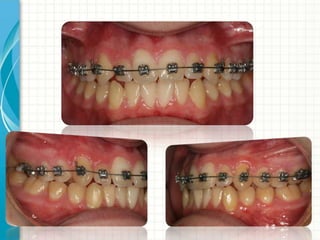
• Initial Alignment
• Correction of rotations
• Torque control
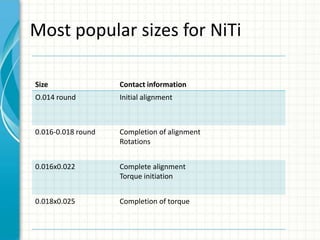
Most popular sizes for NiTi
Size Contact information
O.014 round Initial alignment
0.016-0.018 round Completion of alignment
Rotations
0.016x0.022 Complete alignment
Torque initiation
0.018x0.025 Completion of torque
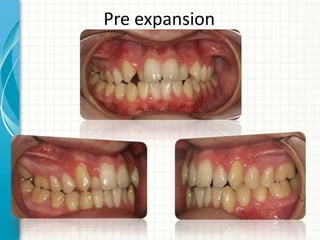
Pre expansion
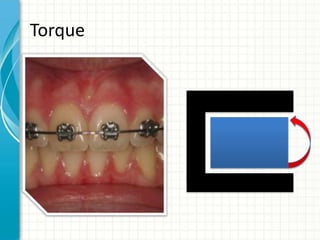
TORQUE?
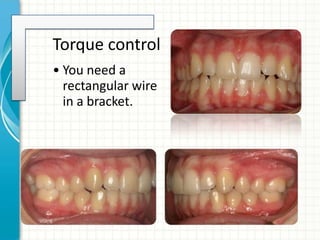
Torque control
• You need a
rectangular wire
in a bracket.
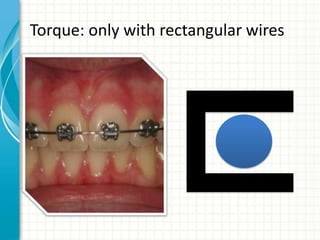
Torque: only with rectangular wires
Torque
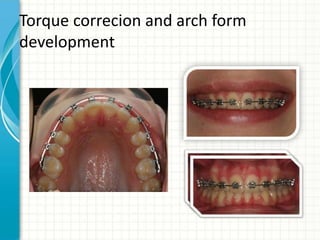
Torque correcion and arch form
development
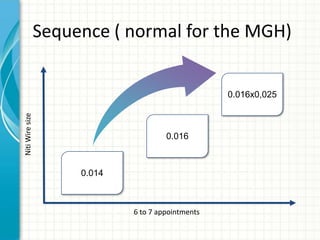
6 to 7 appointments
NitiWiresize
0.014
0.016x0,025
Sequence ( normal for the MGH)
0.016
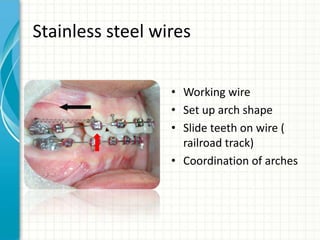
Stainless steel wires
• Working wire
• Set up arch shape
• Slide teeth on wire (
railroad track)
• Coordination of arches
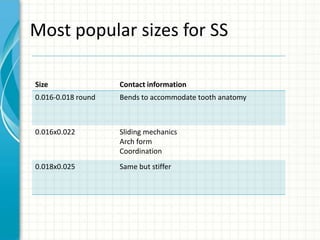
Most popular sizes for SS
Size Contact information
0.016-0.018 round Bends to accommodate tooth anatomy
0.016x0.022 Sliding mechanics
Arch form
Coordination
0.018x0.025 Same but stiffer
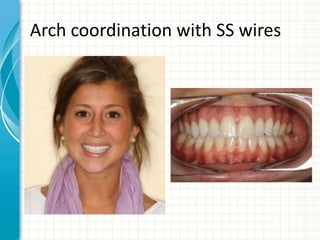
Arch coordination with SS wires
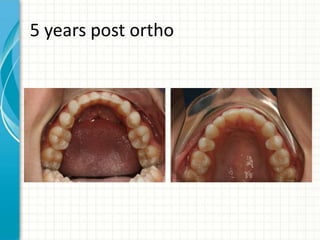
5 years post ortho
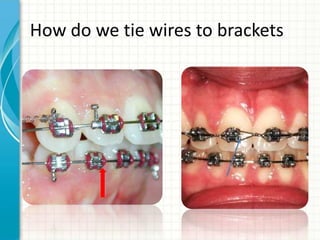
How do we tie wires to brackets
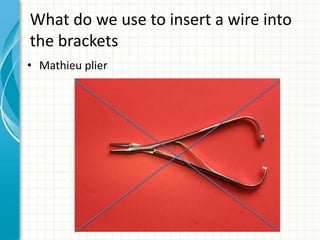
What do we use to insert a wire into
the brackets
• Mathieu plier
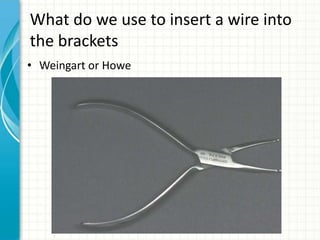
What do we use to insert a wire into
the brackets
• Weingart or Howe
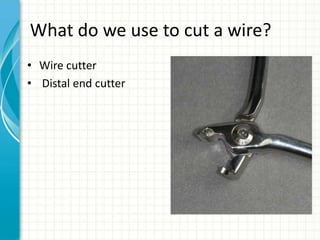
What do we use to cut a wire?
• Wire cutter
• Distal end cutter
Conclusions
• 2 main types of wires
• Come in different sizes
• Different purposes
• Different ways to tie wires to brackets
• Weingart is used to insert and remove wires
• Distal end cutter is used to cut a wire
Resources
• www.retrouvey.com
• www.dentalpedia.ca
• www.discoverorotho.com
QUESTIONS?
THANK YOU

2013wires for assistants

Editor's Notes

  • #3 This template can be used as a starter file for presenting training materials in a group setting.SectionsSections can help to organize your slides or facilitate collaboration between multiple authors. On the Home tab under Slides, click Section, and then click Add Section.NotesUse the Notes pane for delivery notes or to provide additional details for the audience. You can see these notes in Presenter View during your presentation. Keep in mind the font size (important for accessibility, visibility, videotaping, and online production)Coordinated colors Pay particular attention to the graphs, charts, and text boxes.Consider that attendees will print in black and white or grayscale. Run a test print to make sure your colors work when printed in pure black and white and grayscale.Graphics, tables, and graphsKeep it simple: If possible, use consistent, non-distracting styles and colors.Label all graphs and tables.
  • #4 This is another option for an overview slide.
  • #9 What will the audience be able to do after this training is complete?Briefly describe each objective and how the audience will benefit from this presentation.
  • #10 Use a section header for each of the topics, so there is a clear transition to the audience.
  • #11 Add slides to each topic section as necessary, including slides with tables, graphs, and images. See next section for sampletable, graph, image, and video layouts.
  • #15 Keep it brief. Make your text as brief as possible to maintain a larger font size.
  • #25 Keep it brief. Make your text as brief as possible to maintain a larger font size.
  • #29 Add a case study or class simulation to encourage discussion and apply lessons.
  • #30 Add a case study or class simulation to encourage discussion and apply lessons.
  • #31 Discuss outcomes of the case study or class simulation.Cover best practices.
  • #32 Summarize presentation content by restating the important points from the lessons.What do you want the audience to remember when they leave your presentation?