Getting your
project off the
ground

Johannes Brodwall
Bootstrapping a team
Raising the team
engagement
Turning a corner
Growing the team
“How do you start a
project and achieve
understanding at the
beginning?”
“How do you {start a
project} and achieve
understanding at the
beginning?”
Keep it simple

Defer
commitment
Inspect and
adapt

It depends
Concrete tools for
non-superheroes
3 tools
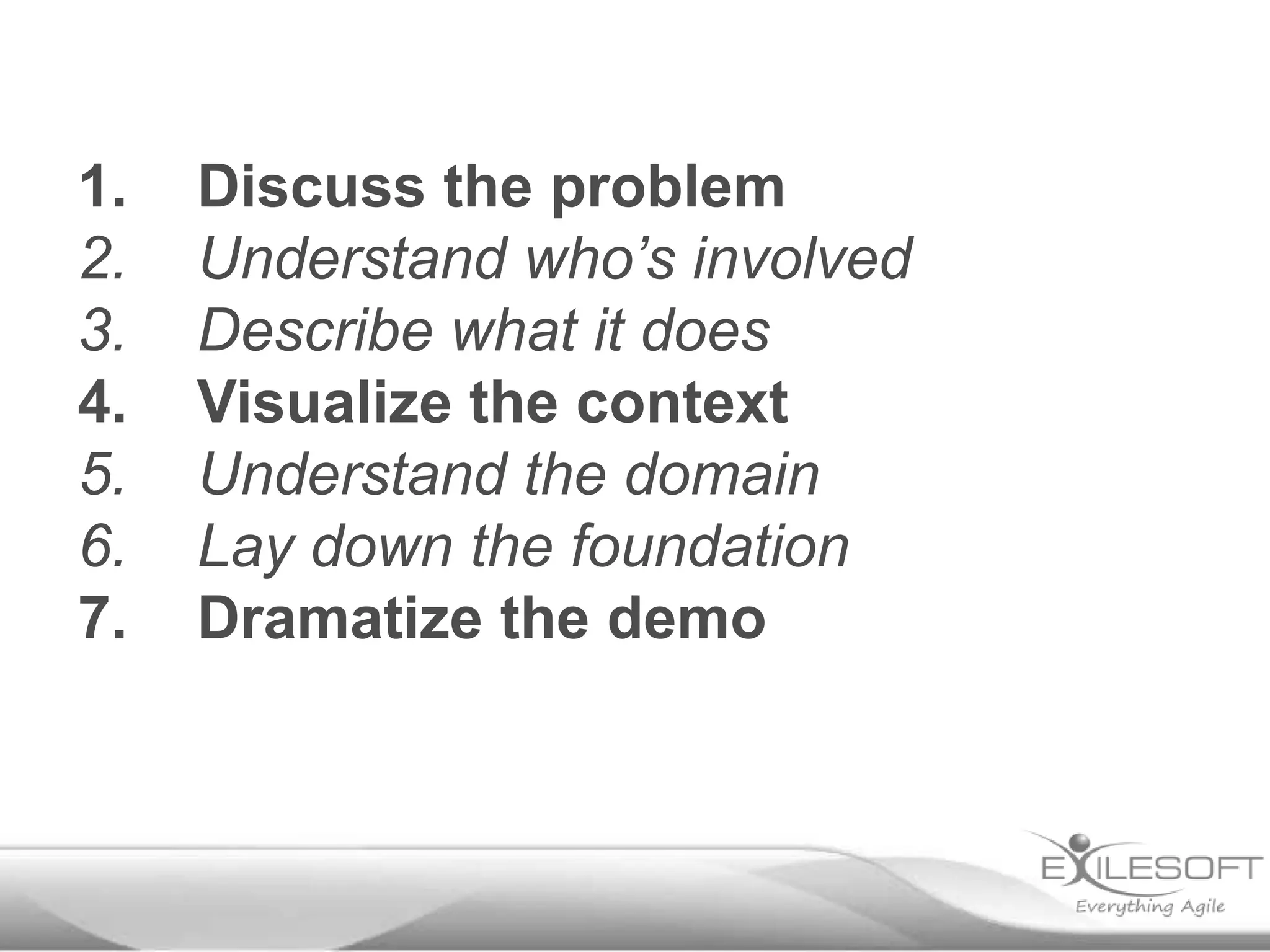
1.
2.
3.
4.
5.
6.
7.

Discuss the problem
Understand who’s involved
Describe what it does
Visualize the context
Understand the domain
Lay down the foundation
Dramatize the demo
When
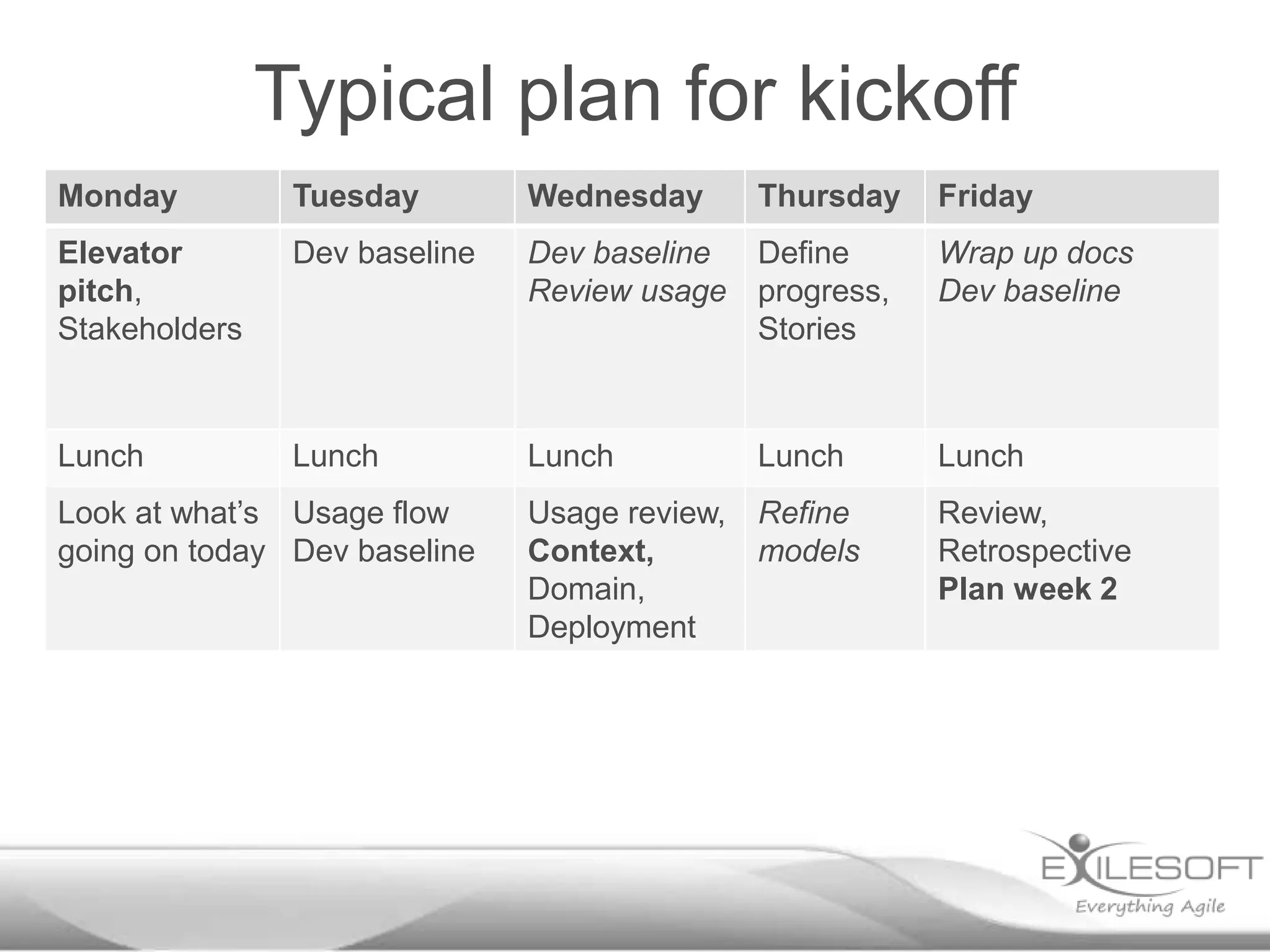
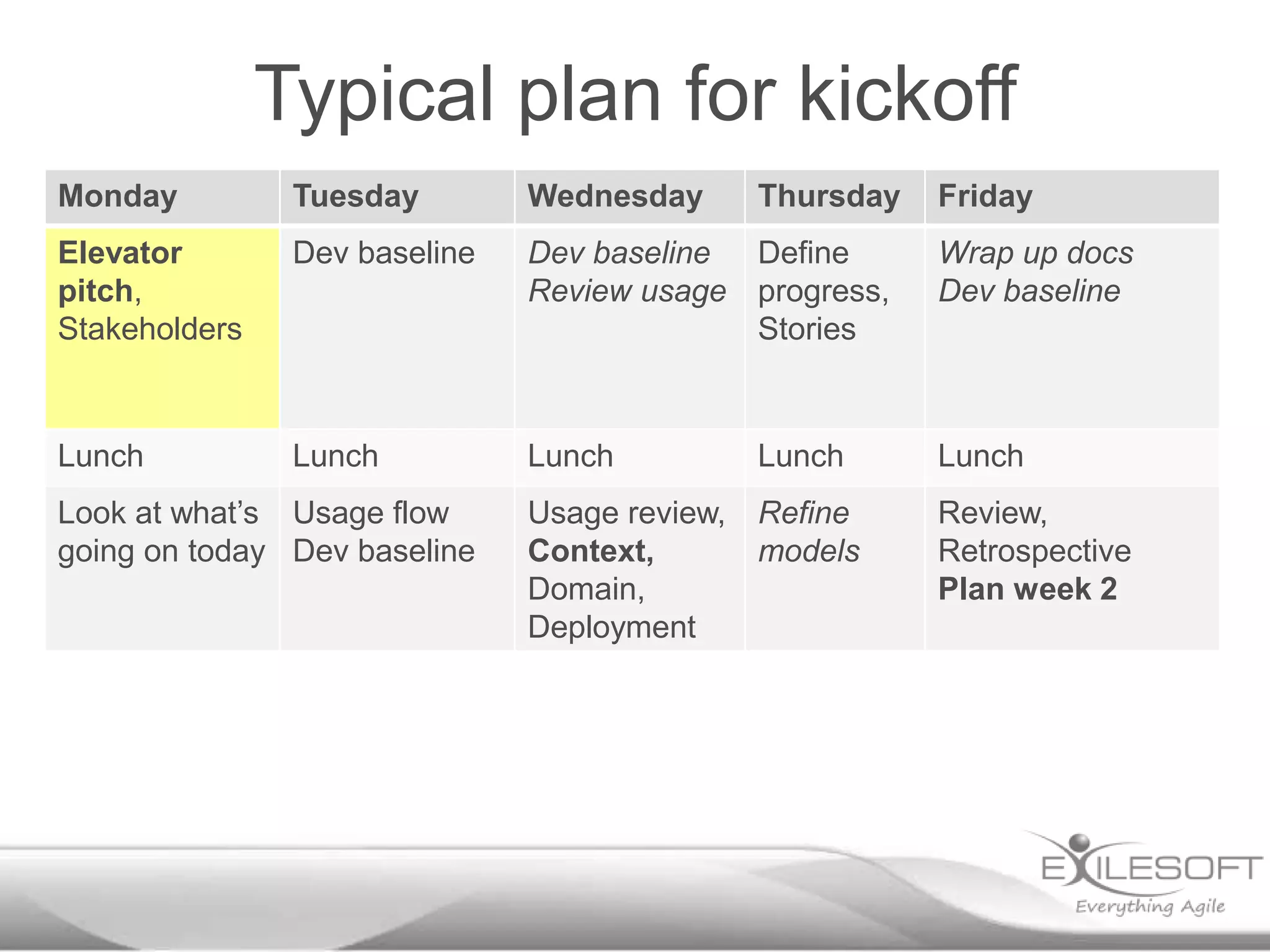
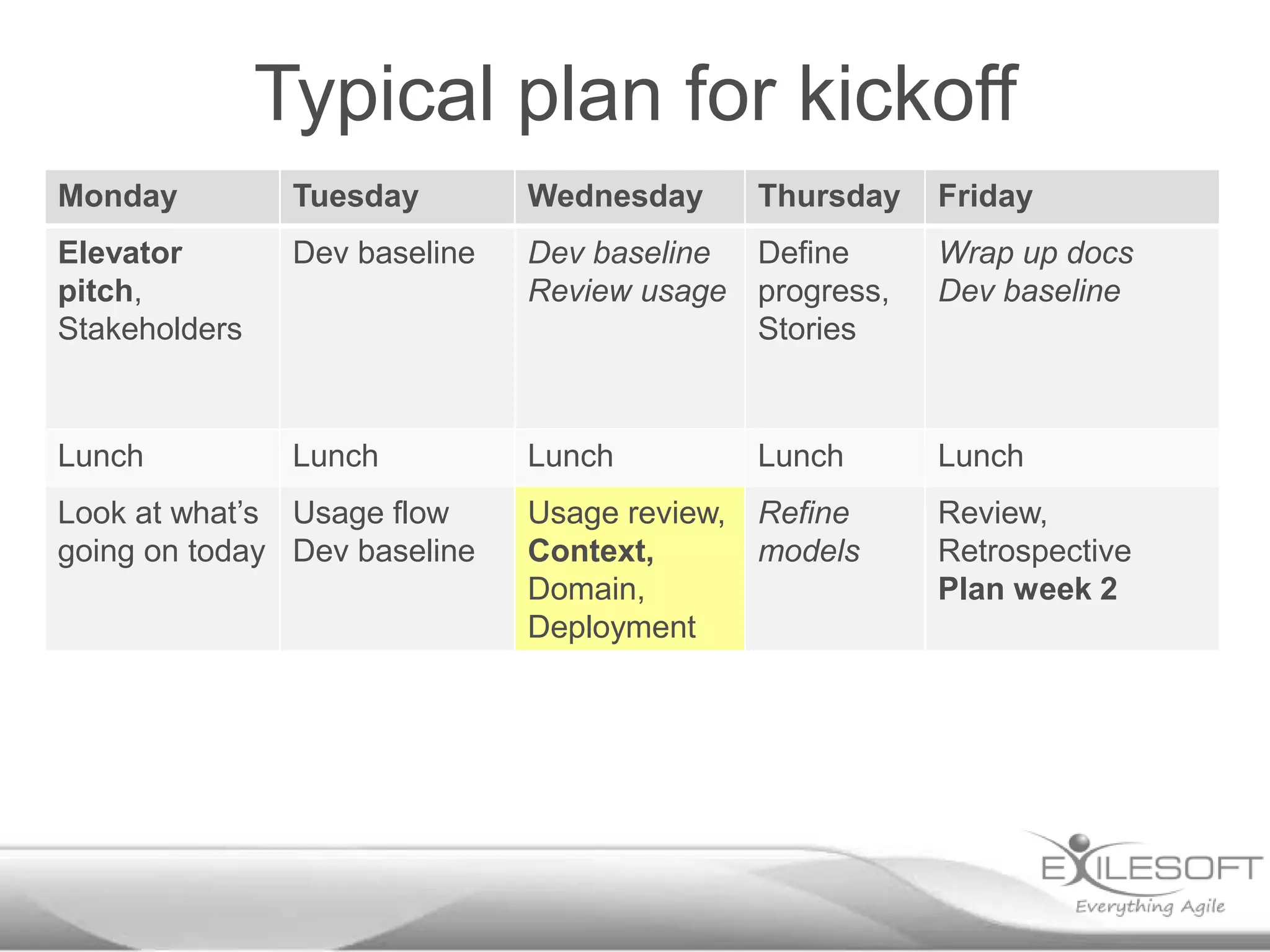
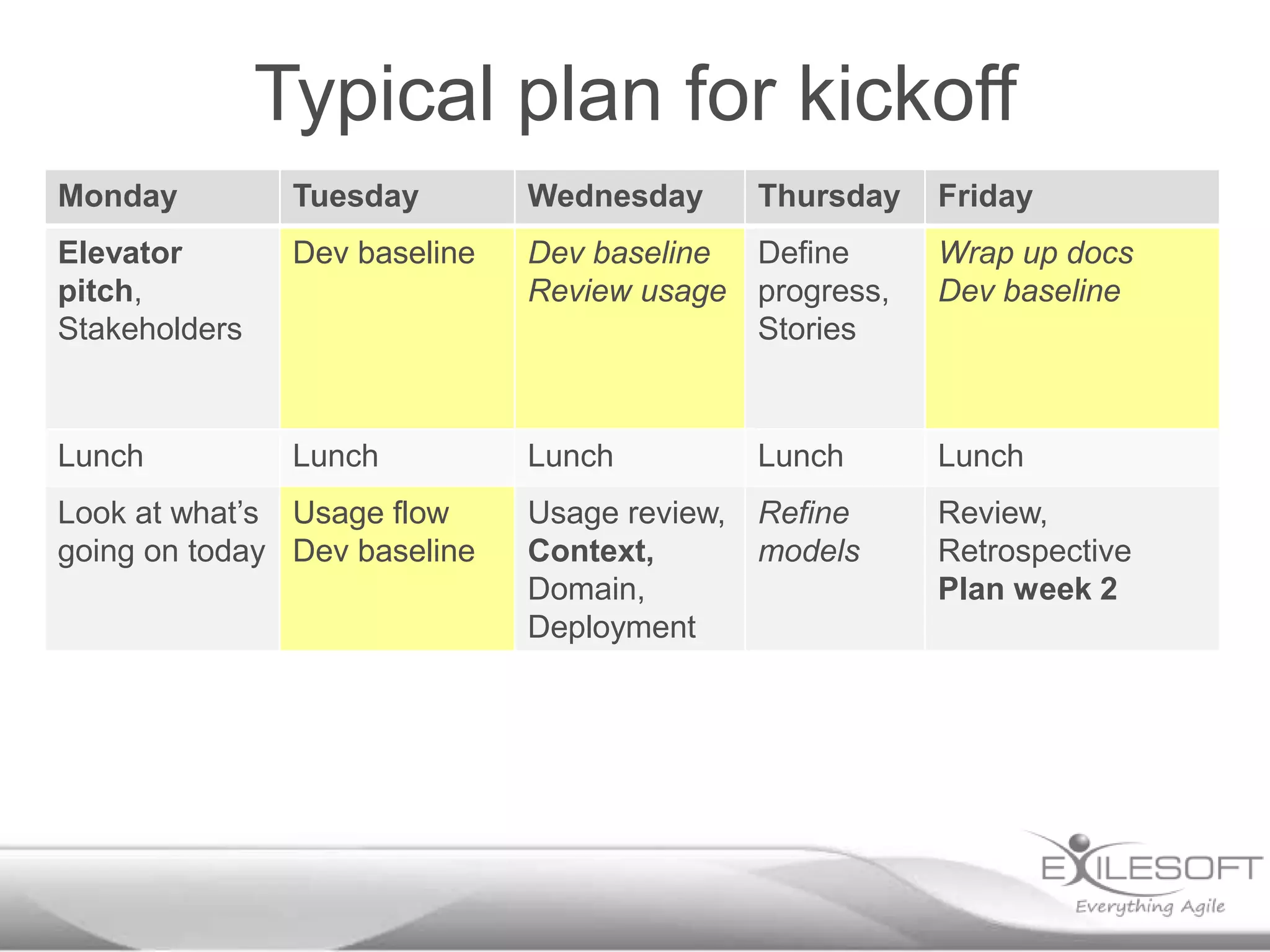
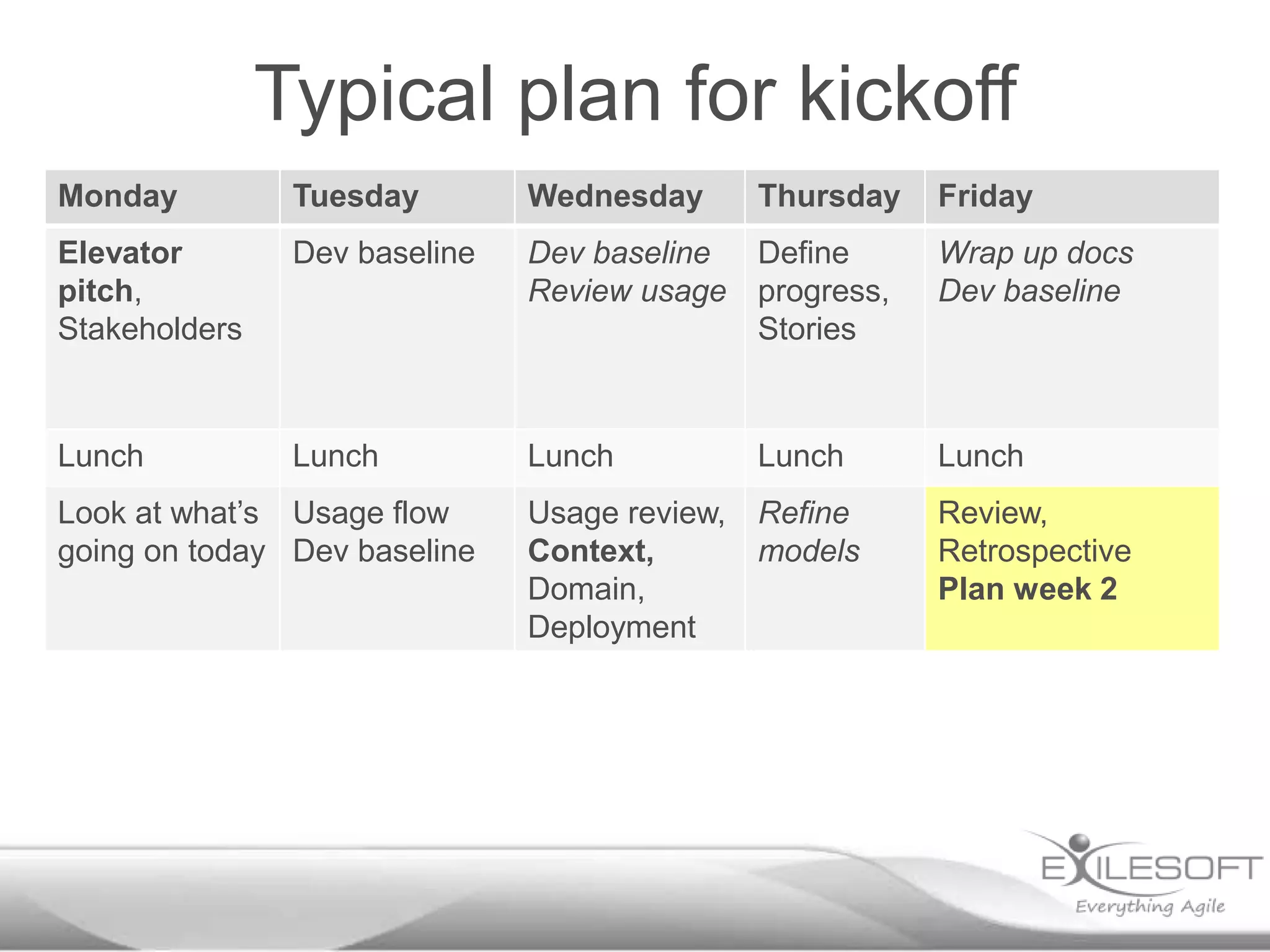
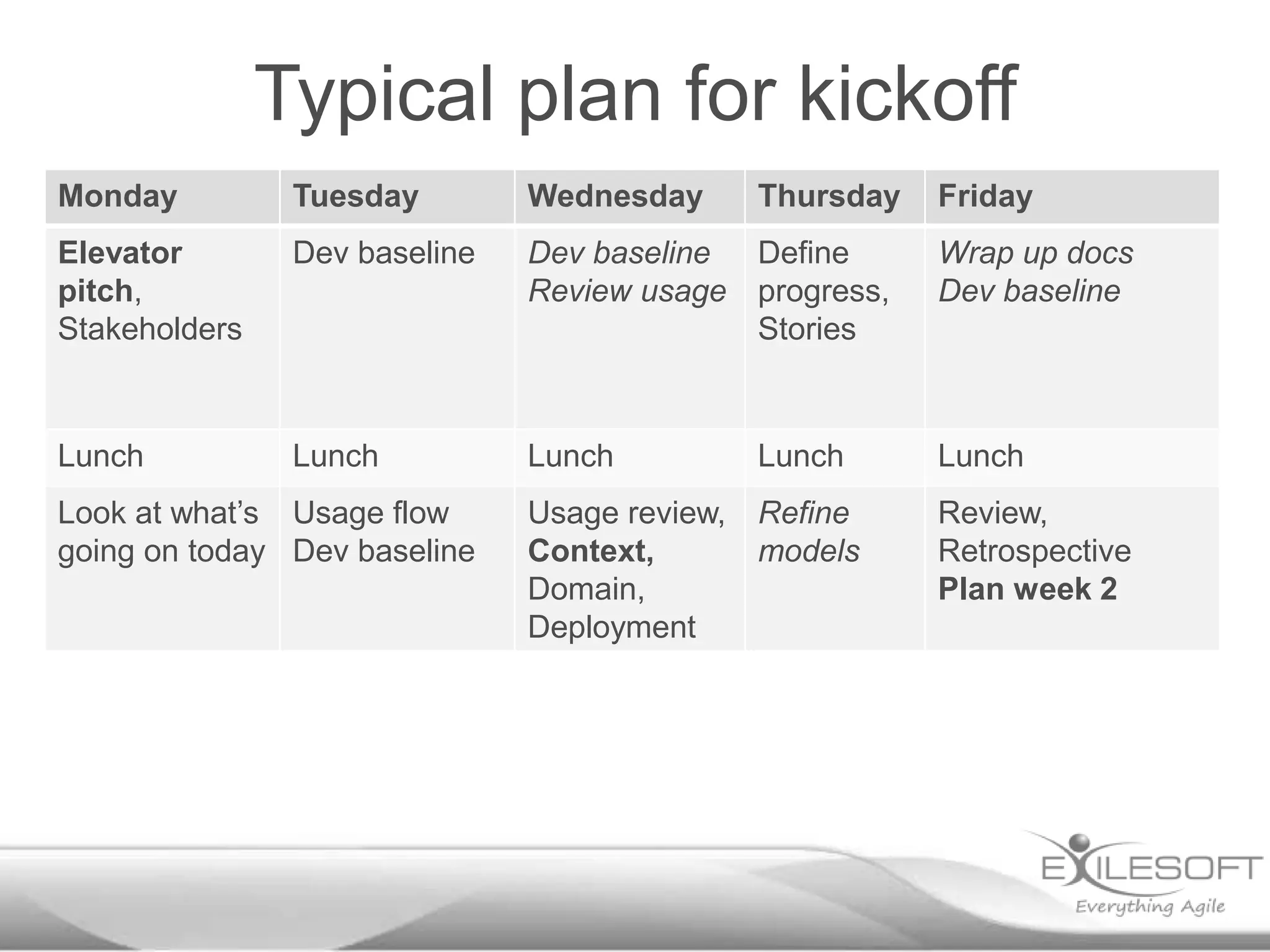
Typical plan for kickoff
Monday

Tuesday

Wednesday

Elevator
pitch,
Stakeholders

Dev baseline
Dev baseline Define
Review usage progress,
Stories

Wrap up docs
Dev baseline

Lunch

Lunch

Lunch

Lunch

Lunch

Usage review,
Context,
Domain,
Deployment

Refine
models

Review,
Retrospective
Plan week 2

Look at what’s Usage flow
going on today Dev baseline

Thursday

Friday
Typical plan for kickoff
Monday

Tuesday

Wednesday

Elevator
pitch,
Stakeholders

Dev baseline

Dev baseline Define
Review usage progress,
Stories

Wrap up docs
Dev baseline

Lunch

Lunch

Lunch

Lunch

Lunch

Usage review,
Context,
Domain,
Deployment

Refine
models

Review,
Retrospective
Plan week 2

Look at what’s Usage flow
going on today Dev baseline

Thursday

Friday
Discuss the
problem
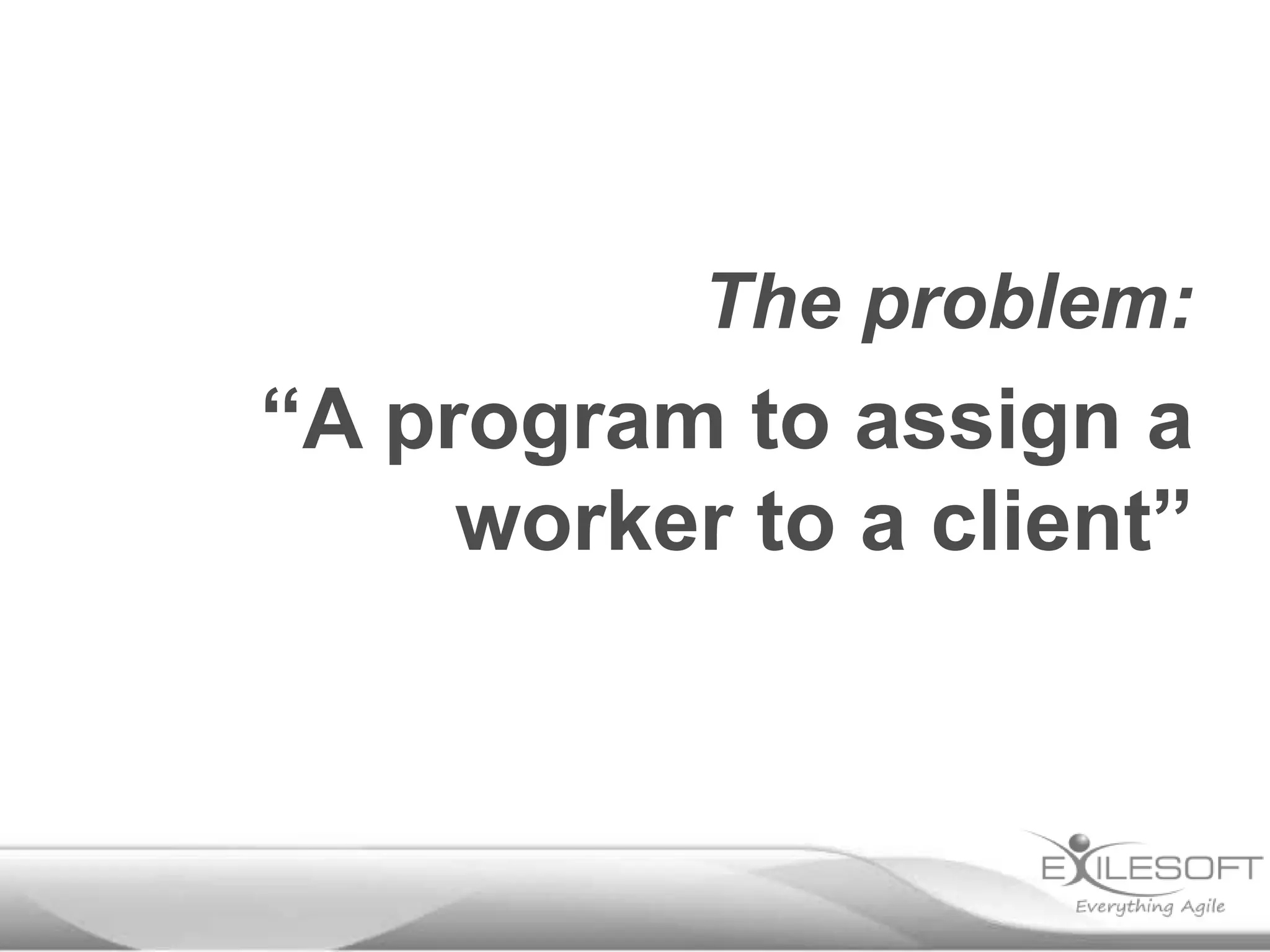
The problem:

“A program to assign a
worker to a client”
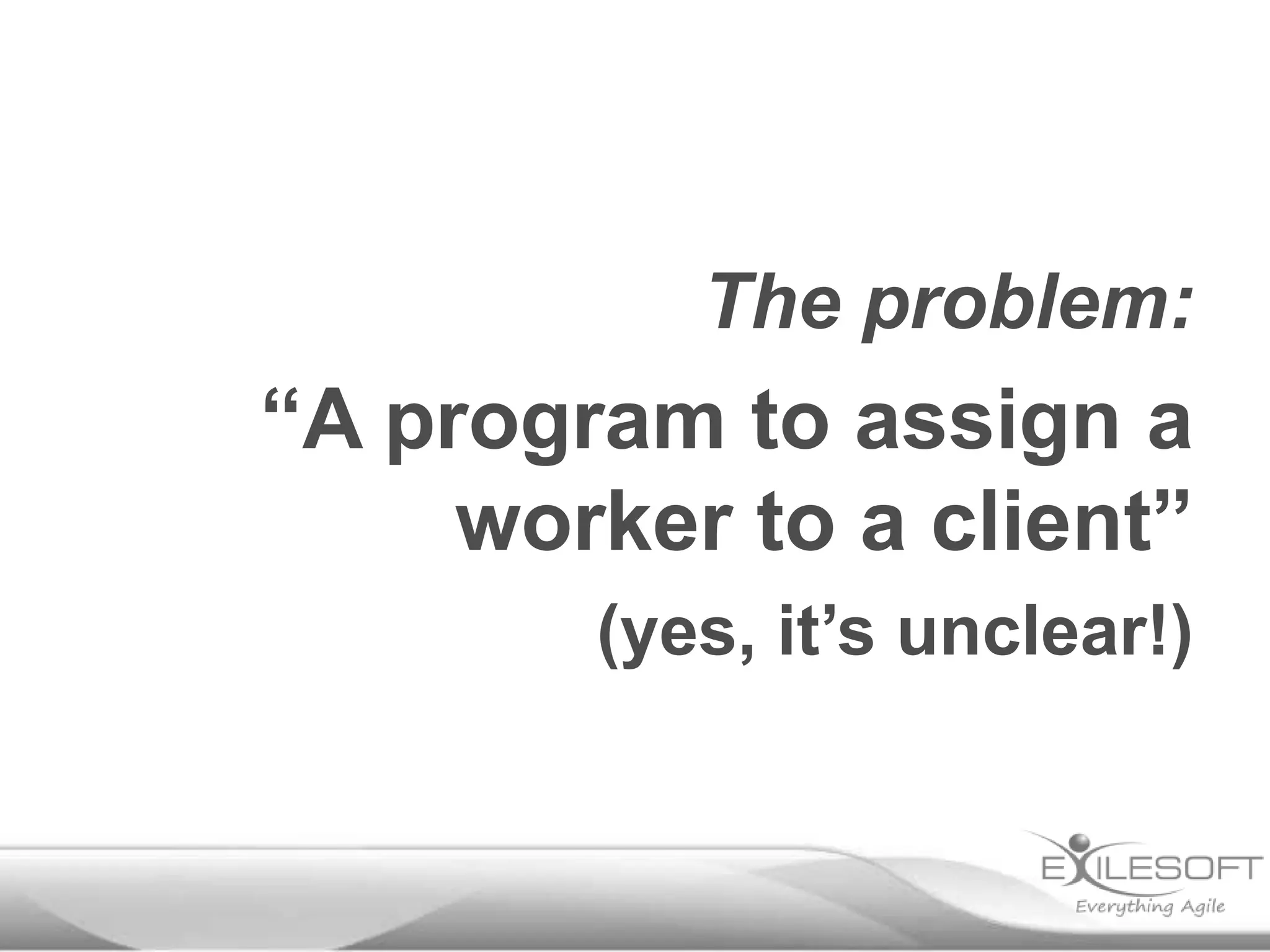
The problem:

“A program to assign a
worker to a client”
(yes, it’s unclear!)
Form groups of 3 (or 2)
You will have five minutes
to discuss
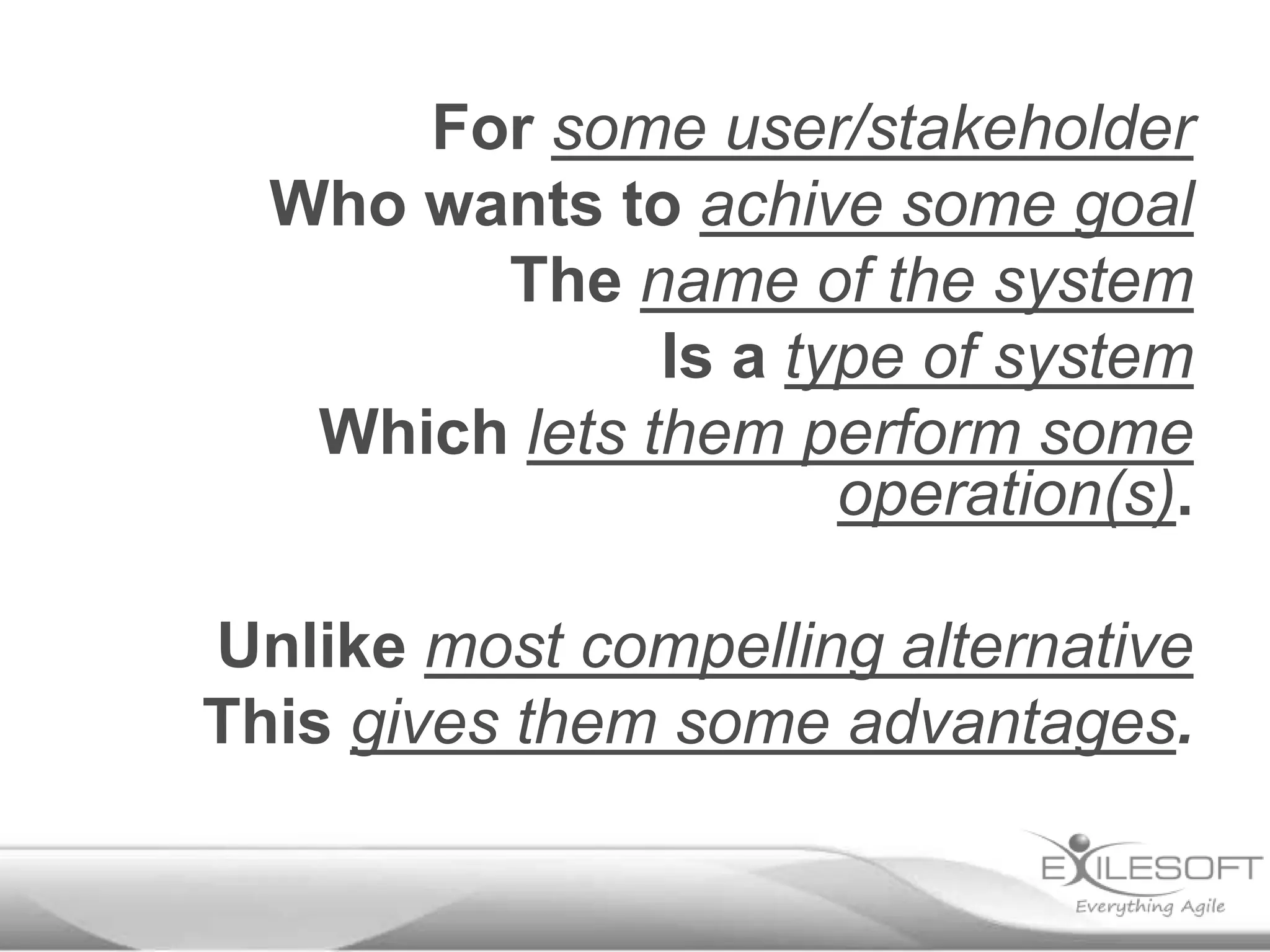
For some user/stakeholder
Who wants to achive some goal
The name of the system
Is a type of system
Which lets them perform some
operation(s).

Unlike most compelling alternative
This gives them some advantages.
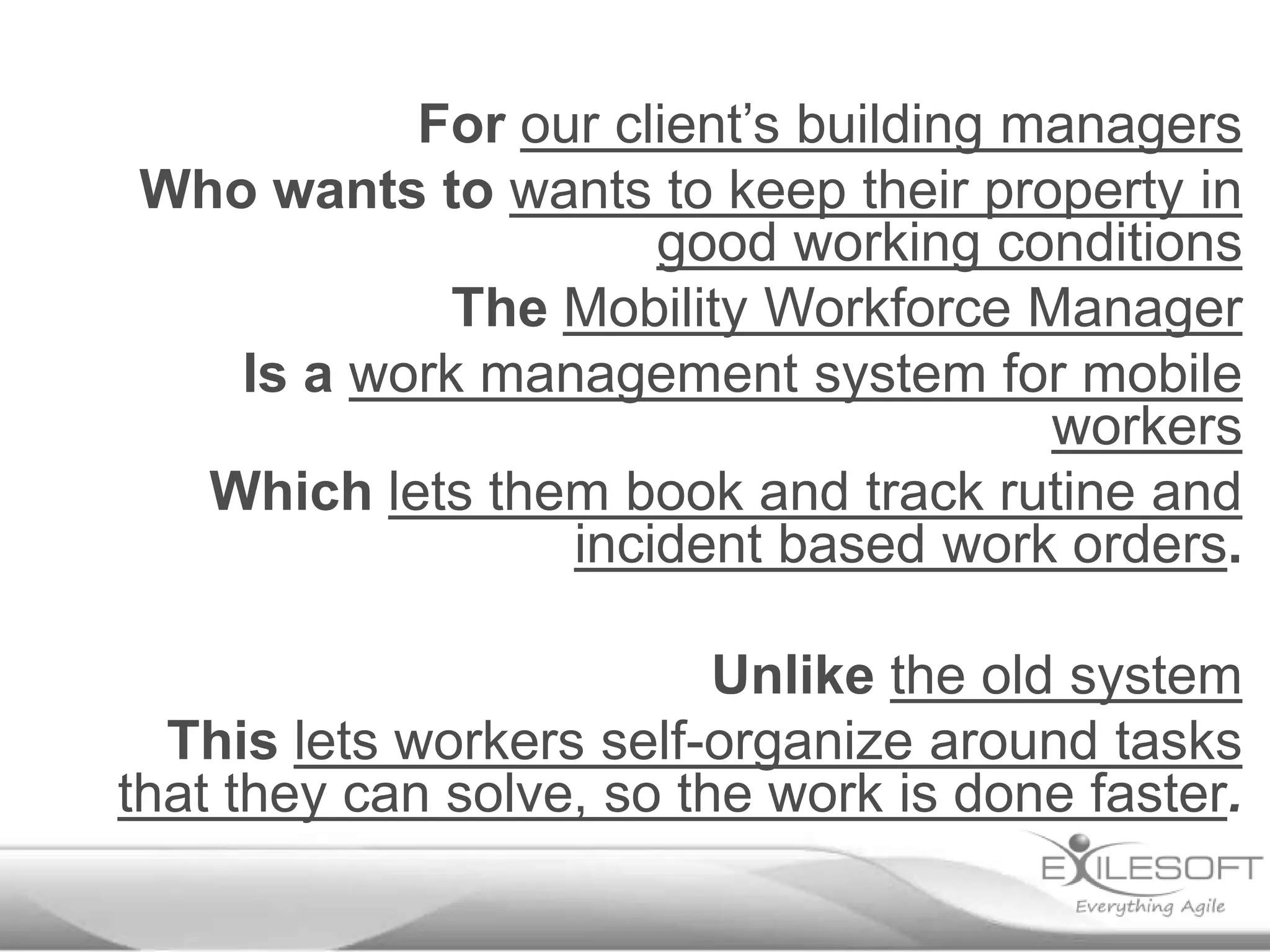
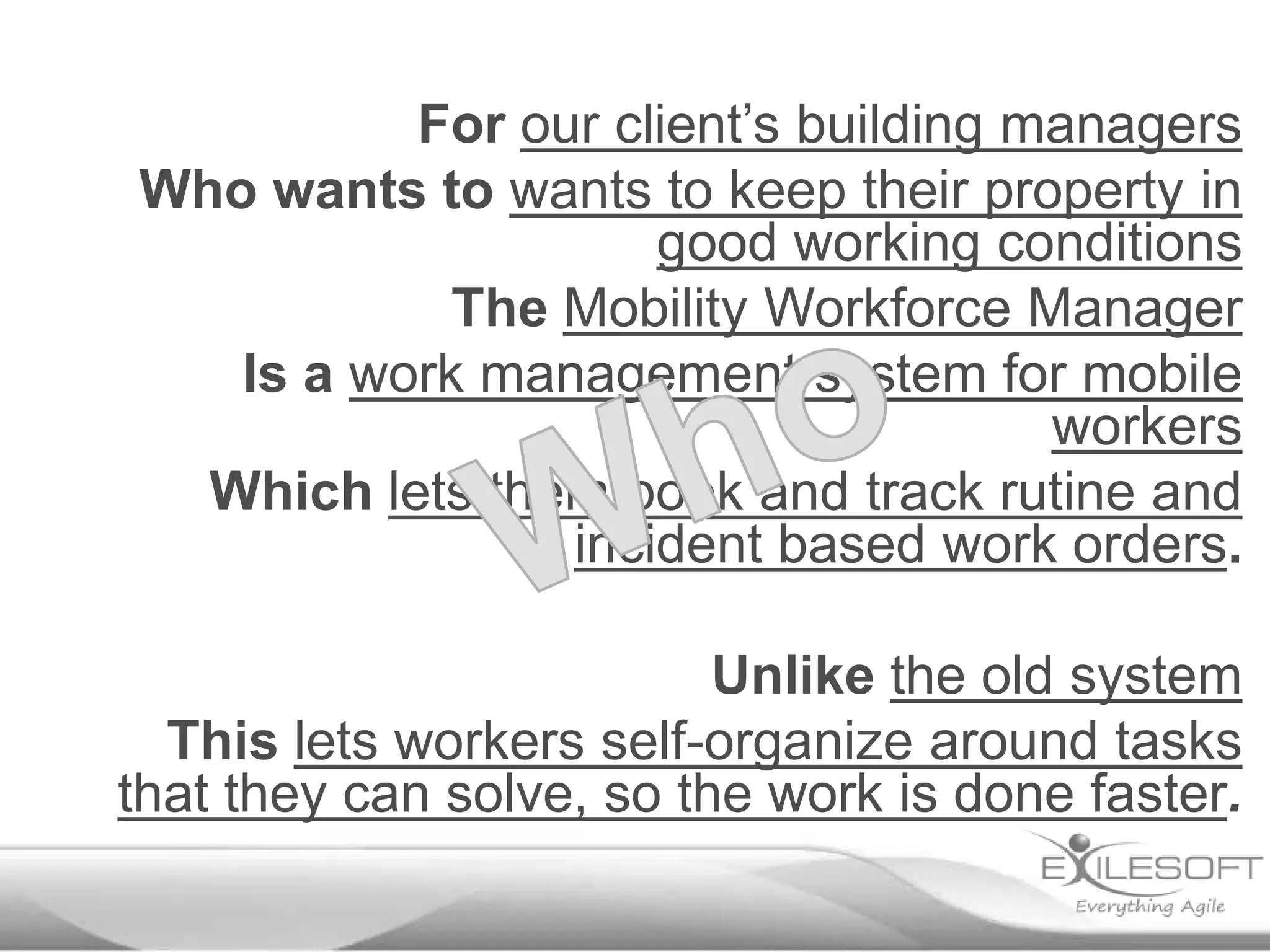
For our client’s building managers
Who wants to wants to keep their property in
good working conditions
The Mobility Workforce Manager
Is a work management system for mobile
workers
Which lets them book and track rutine and
incident based work orders.
Unlike the old system
This lets workers self-organize around tasks
that they can solve, so the work is done faster.
Who?
For our client’s building managers
Who wants to wants to keep their property in
good working conditions
The Mobility Workforce Manager
Is a work management system for mobile
workers
Which lets them book and track rutine and
incident based work orders.
Unlike the old system
This lets workers self-organize around tasks
that they can solve, so the work is done faster.
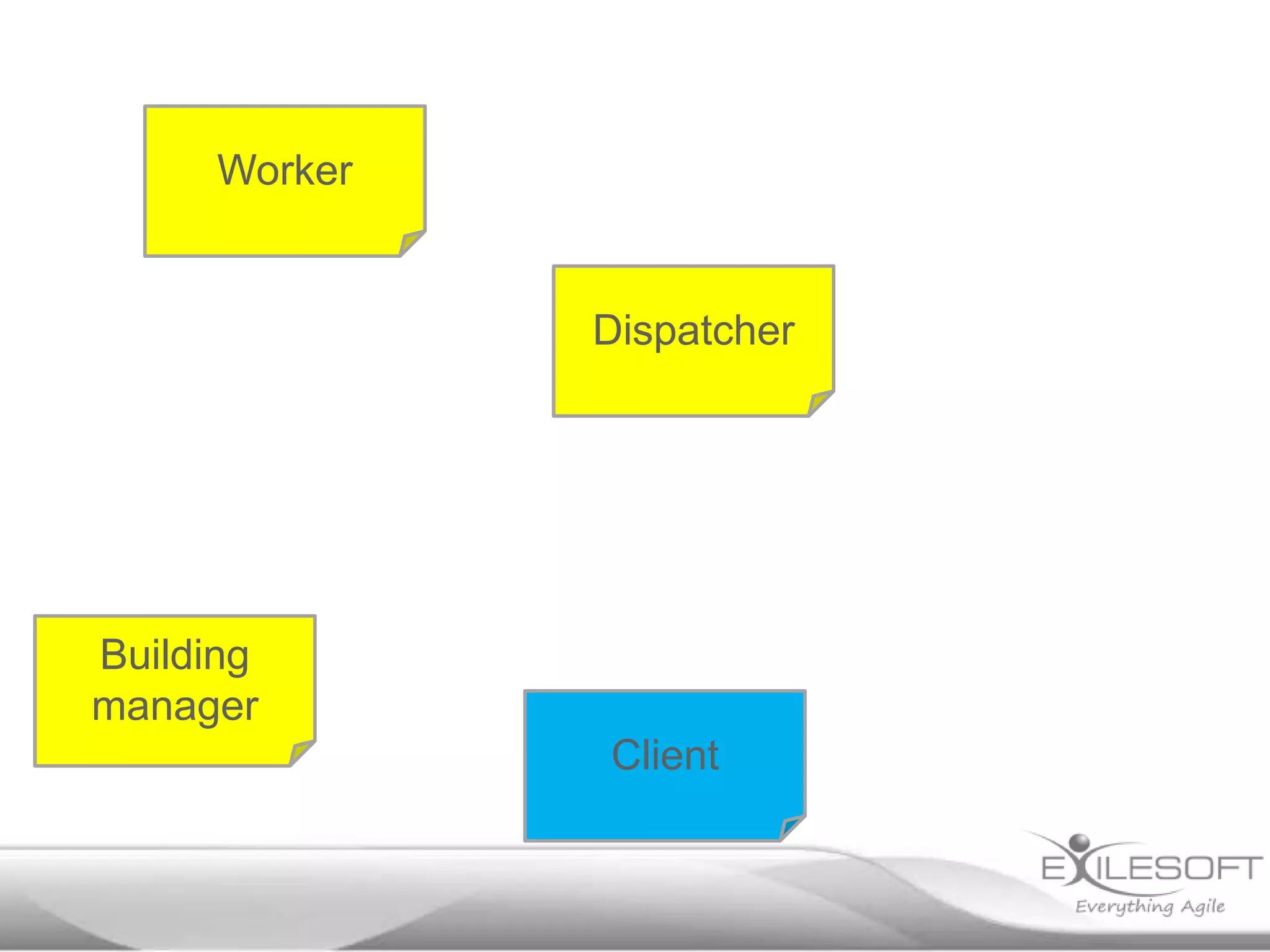
Worker

Dispatcher

Building
manager
Client
Who?
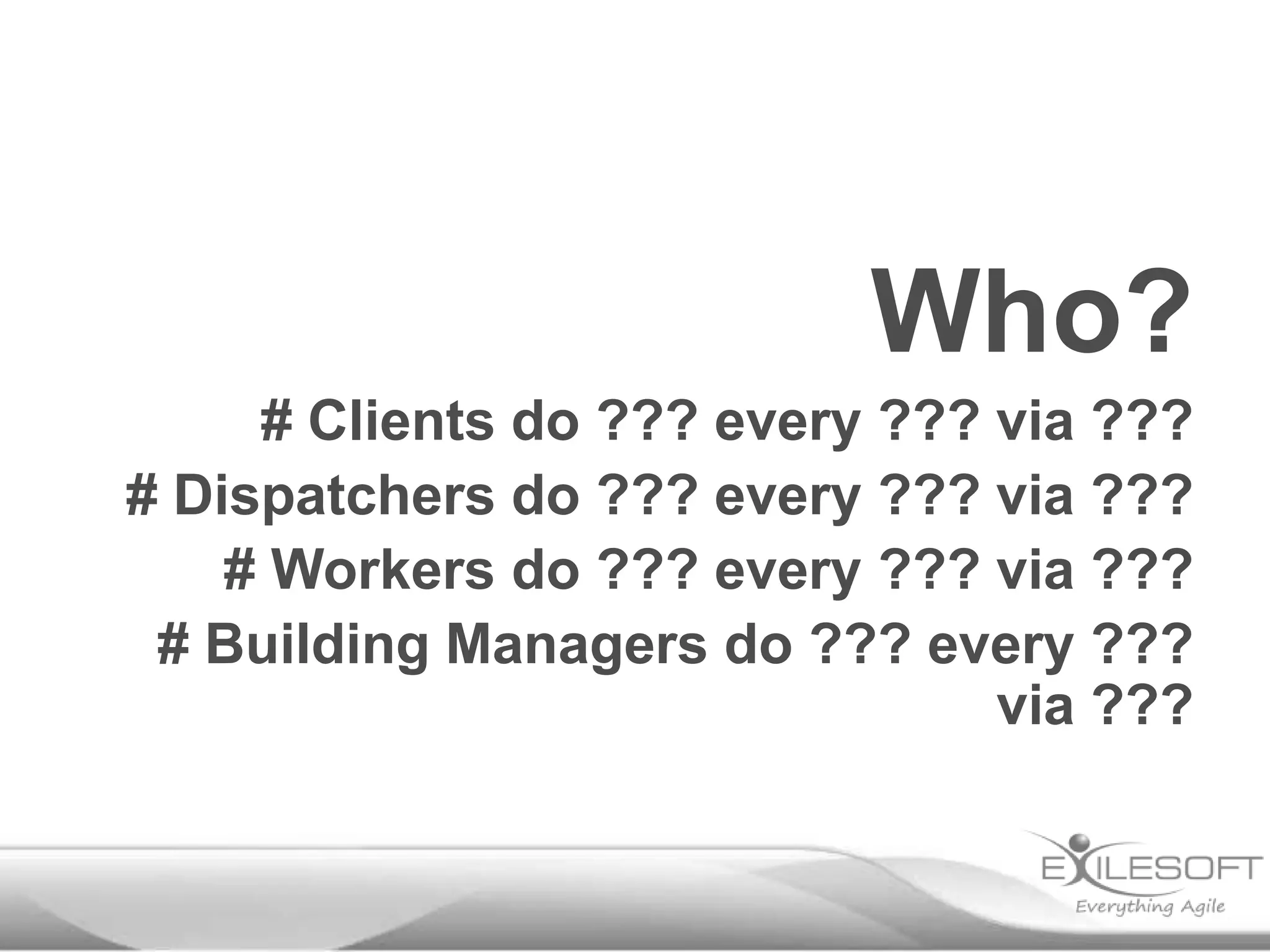
# Clients do ??? every ??? via ???
# Dispatchers do ??? every ??? via ???
# Workers do ??? every ??? via ???
# Building Managers do ??? every ???
via ???
Who?
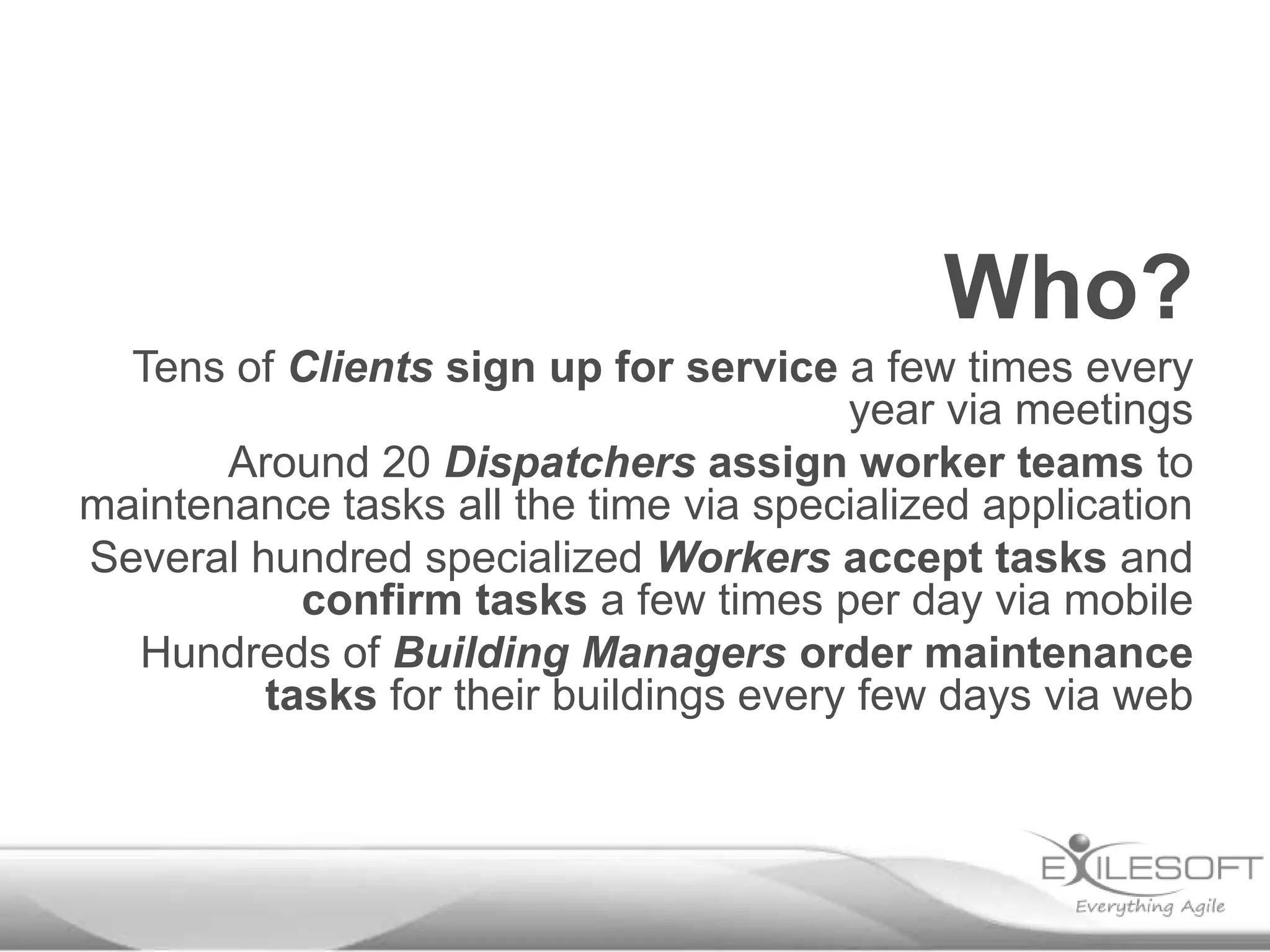
Tens of Clients sign up for service a few times every
year via meetings
Around 20 Dispatchers assign worker teams to
maintenance tasks all the time via specialized application
Several hundred specialized Workers accept tasks and
confirm tasks a few times per day via mobile
Hundreds of Building Managers order maintenance
tasks for their buildings every few days via web
Who else?
Payroll
Typical plan for kickoff
Monday

Tuesday

Wednesday

Elevator
pitch,
Stakeholders

Dev baseline

Dev baseline Define
Review usage progress,
Stories

Wrap up docs
Dev baseline

Lunch

Lunch

Lunch

Lunch

Lunch

Usage review,
Context,
Domain,
Deployment

Refine
models

Review,
Retrospective
Plan week 2

Look at what’s Usage flow
going on today Dev baseline

Thursday

Friday
Describe the usage
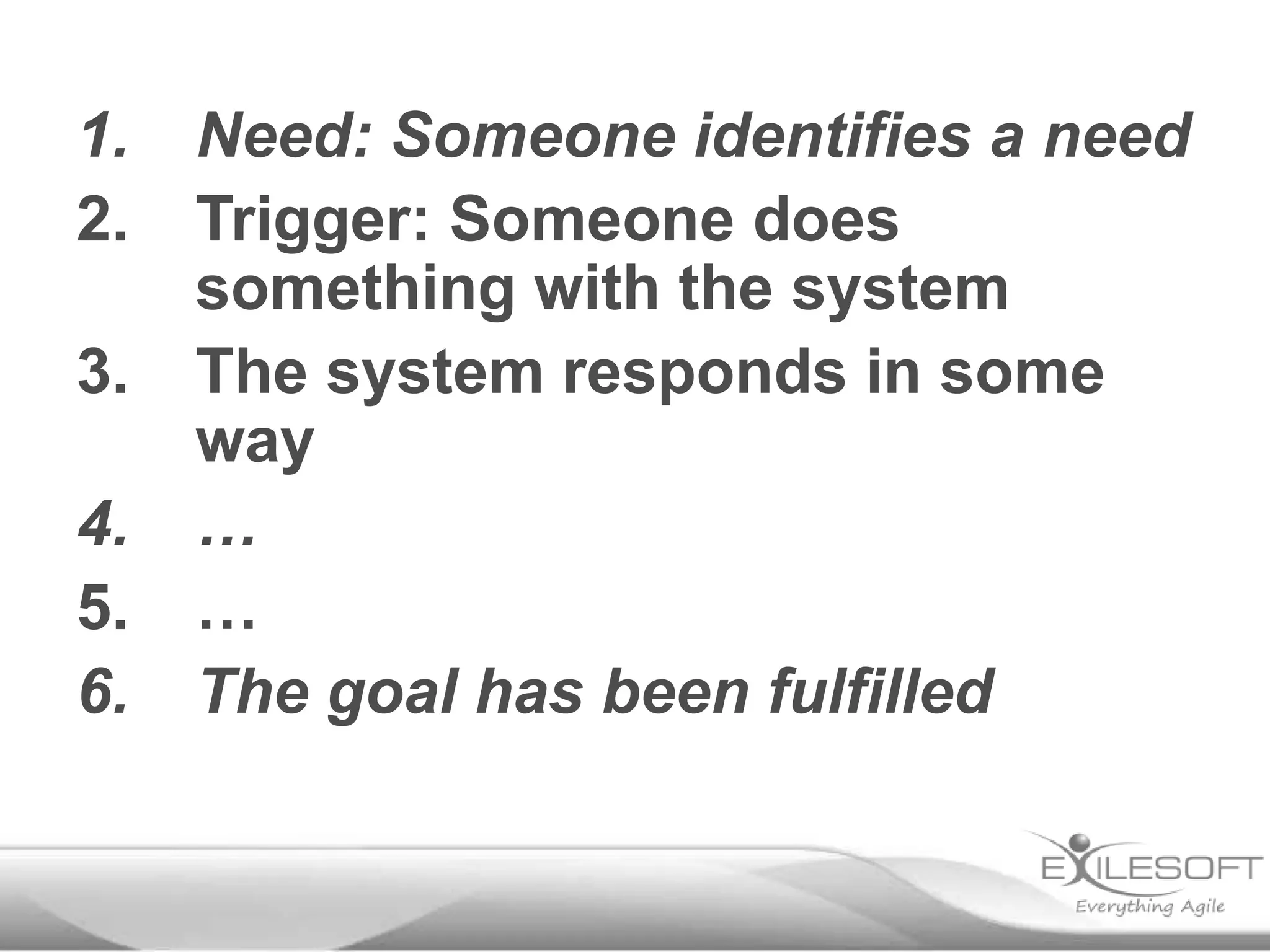
1.
2.
3.
4.
5.
6.

Need: Someone identifies a need
Trigger: Someone does
something with the system
The system responds in some
way
…
…
The goal has been fulfilled
1.

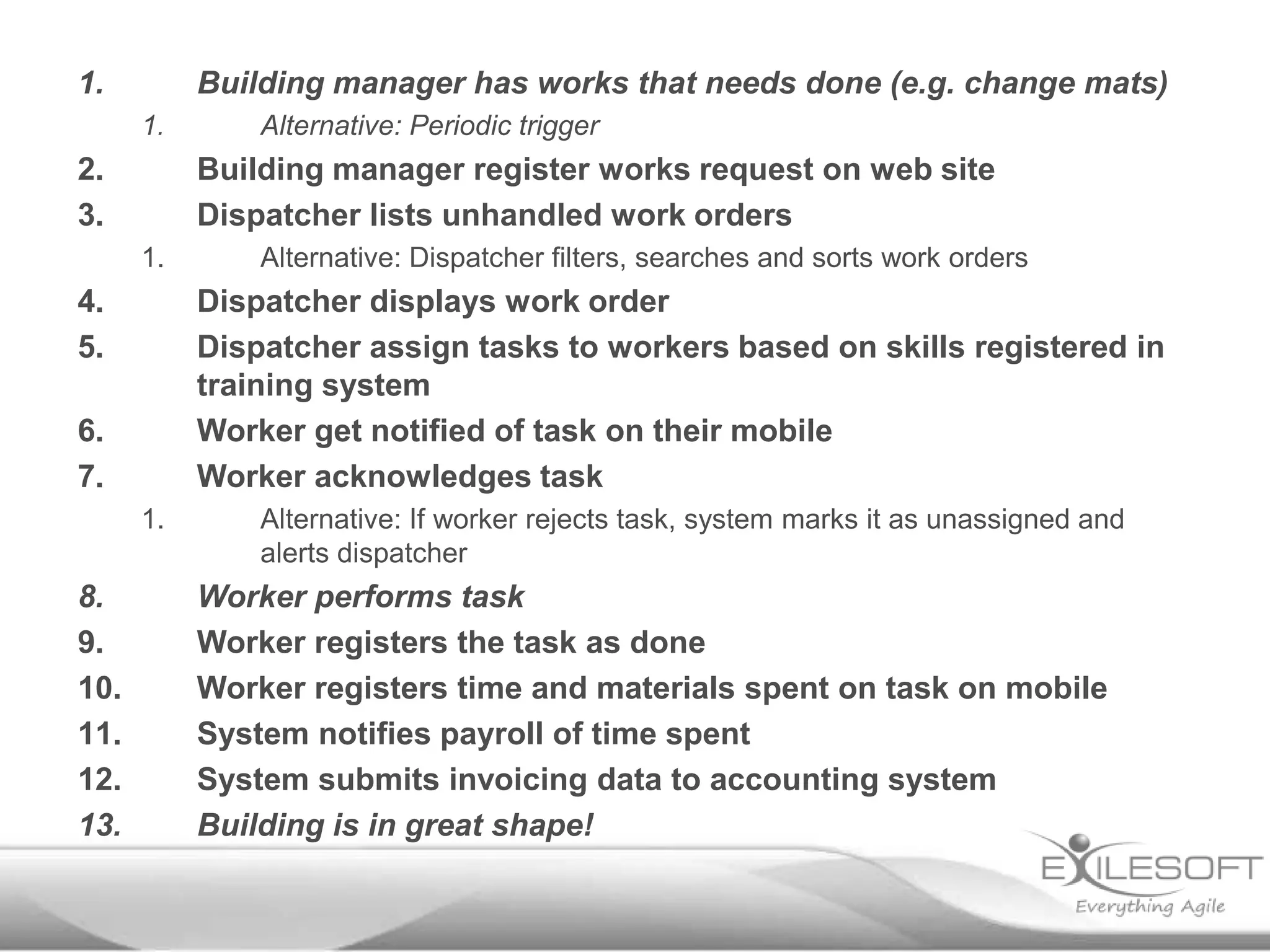
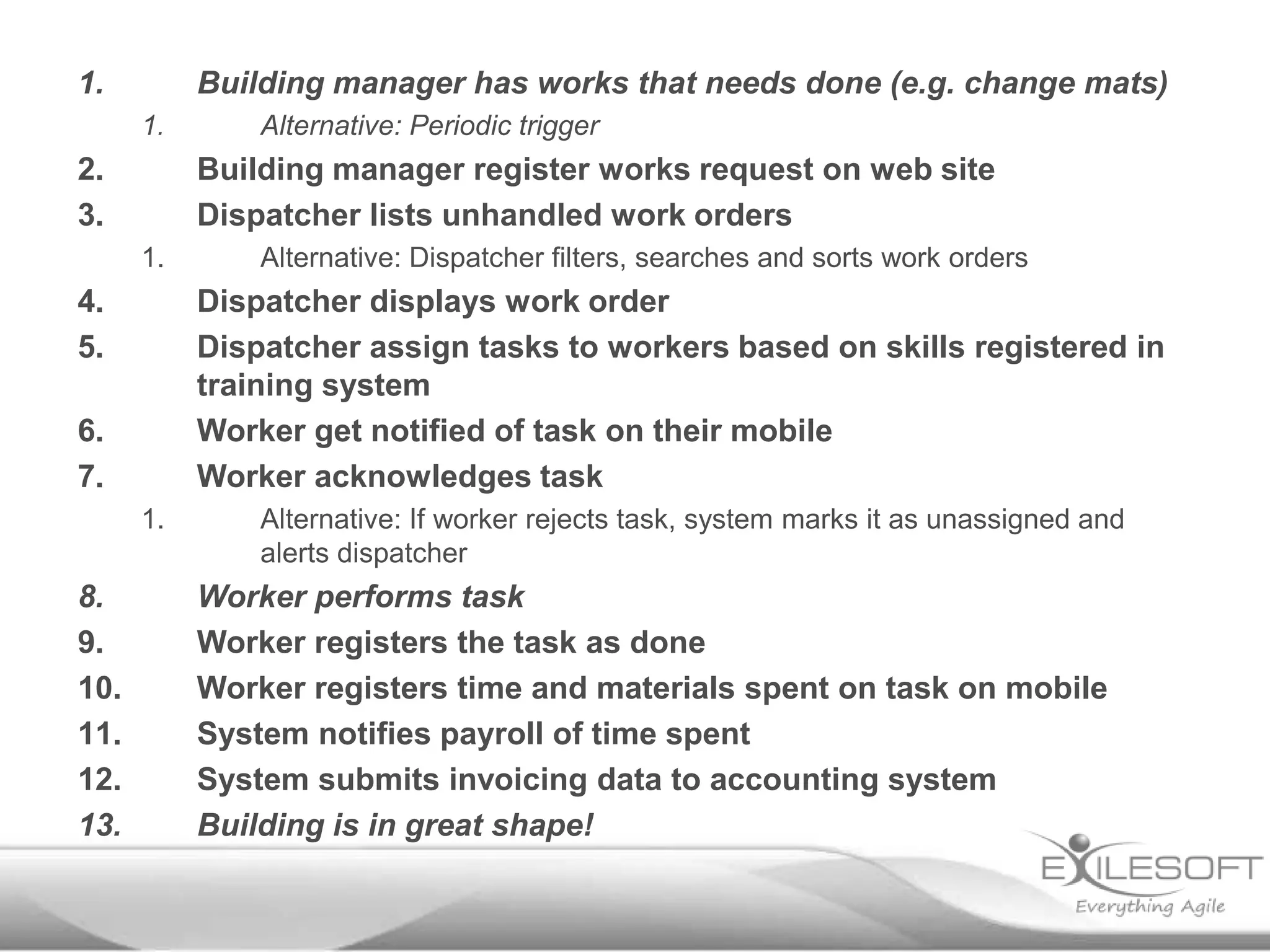
Building manager has works that needs done (e.g. change mats)
1.

2.
3.

Building manager register works request on web site
Dispatcher lists unhandled work orders
1.

4.
5.

Alternative: Dispatcher filters, searches and sorts work orders

Dispatcher displays work order
Dispatcher assign tasks to workers based on skills registered in
training system
Worker get notified of task on their mobile
Worker acknowledges task

6.
7.
1.

8.
9.
10.
11.
12.
13.

Alternative: Periodic trigger

Alternative: If worker rejects task, system marks it as unassigned and
alerts dispatcher

Worker performs task
Worker registers the task as done
Worker registers time and materials spent on task on mobile
System notifies payroll of time spent
System submits invoicing data to accounting system
Building is in great shape!
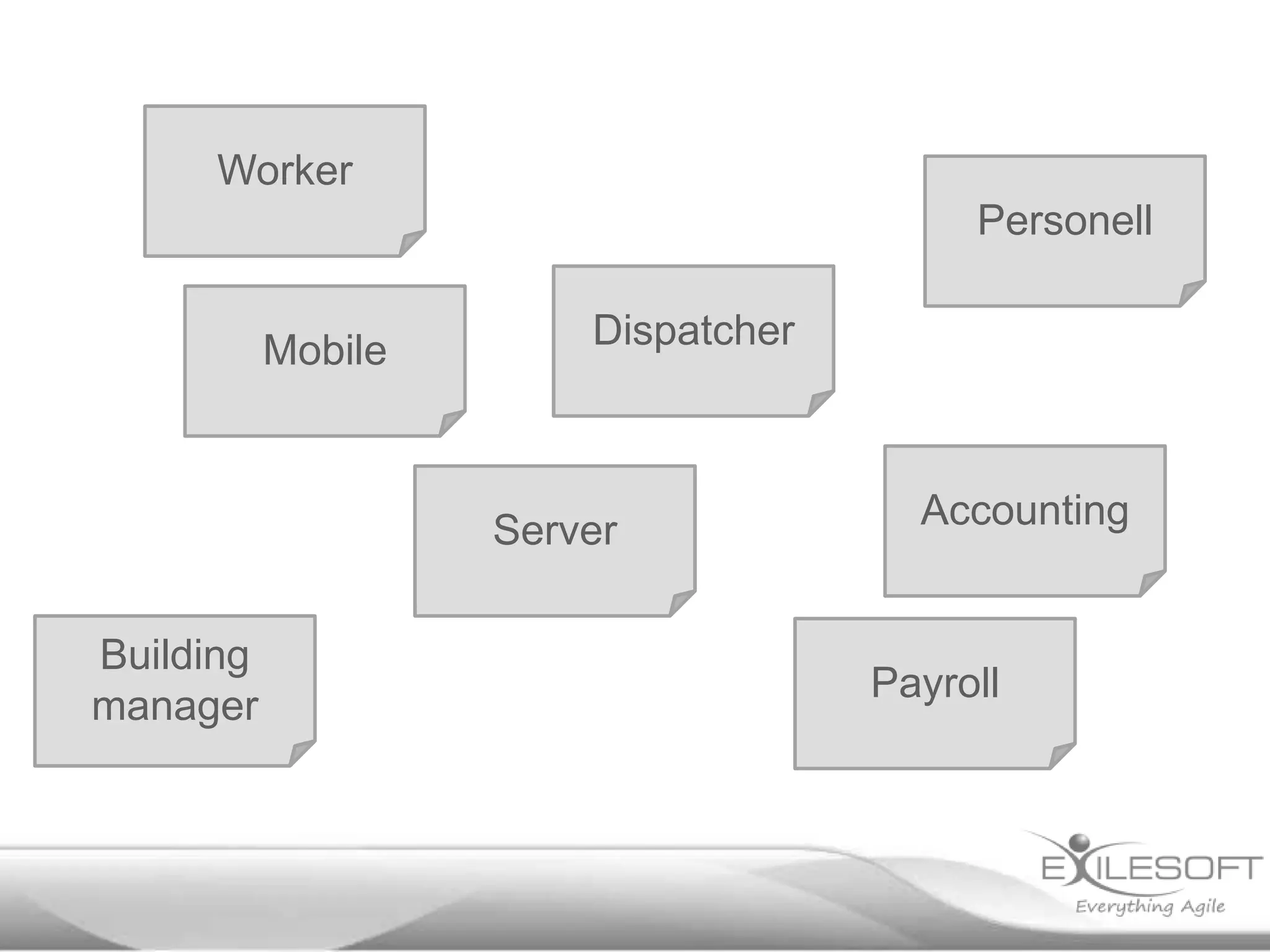
Worker
Personell

Mobile

Dispatcher

Server
Building
manager

Accounting

Payroll
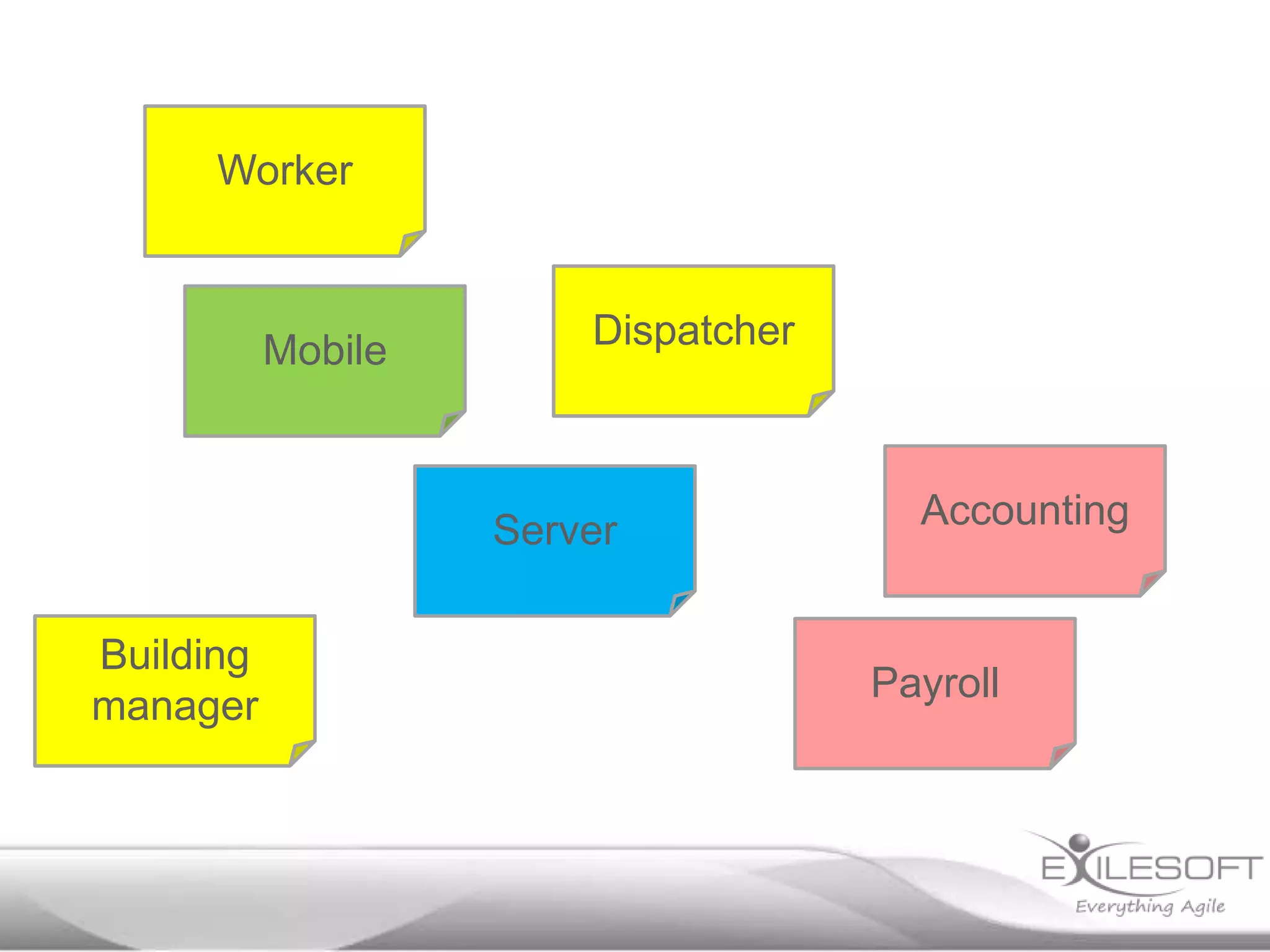
Worker

Mobile

Dispatcher

Server
Building
manager

Accounting

Payroll
Typical plan for kickoff
Monday

Tuesday

Wednesday

Elevator
pitch,
Stakeholders

Dev baseline

Dev baseline Define
Review usage progress,
Stories

Wrap up docs
Dev baseline

Lunch

Lunch

Lunch

Lunch

Lunch

Usage review,
Context,
Domain,
Deployment

Refine
models

Review,
Retrospective
Plan week 2

Look at what’s Usage flow
going on today Dev baseline

Thursday

Friday
Laying down
foundation
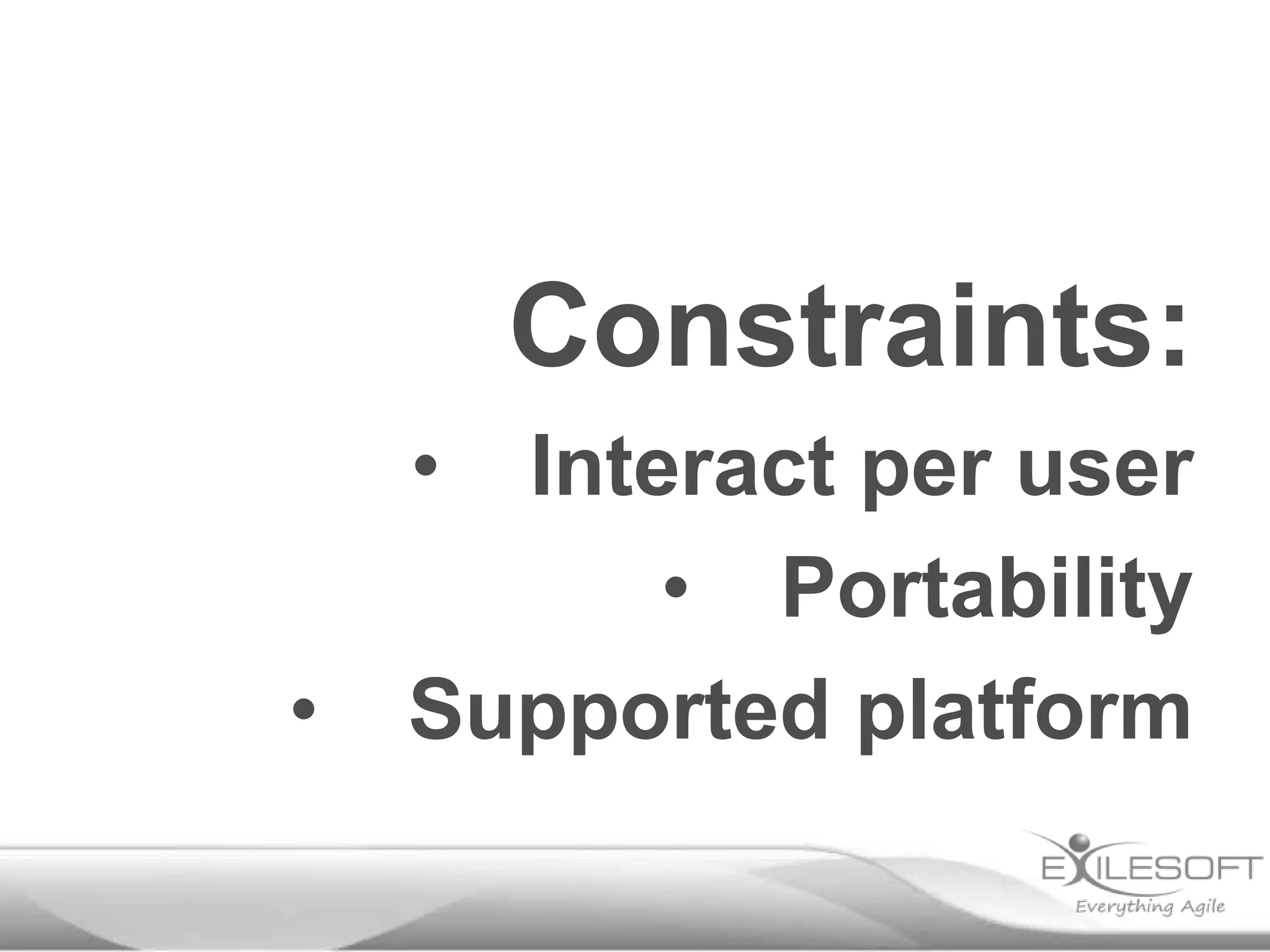
Constraints:
•

•

Interact per user
• Portability
Supported platform
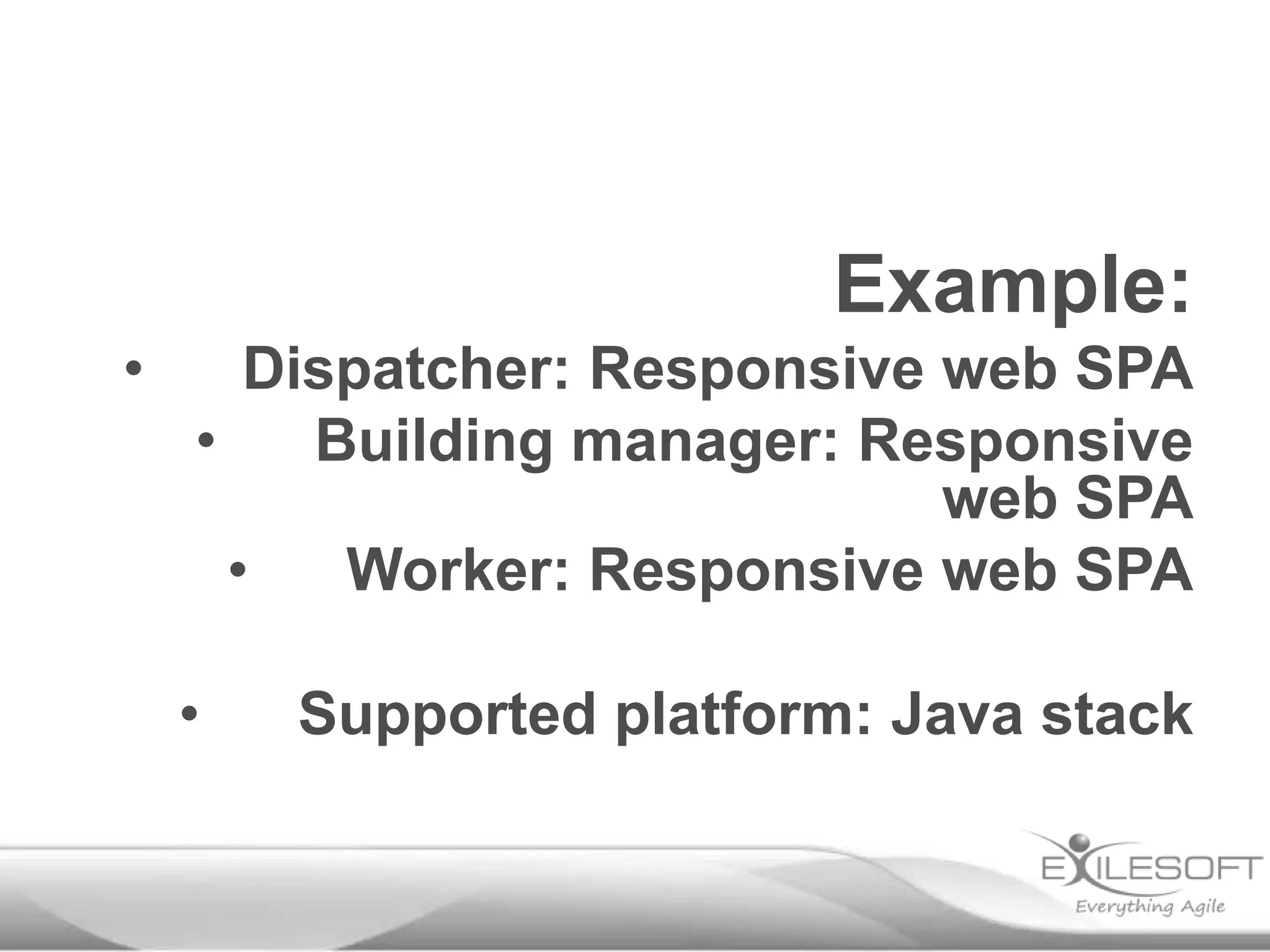
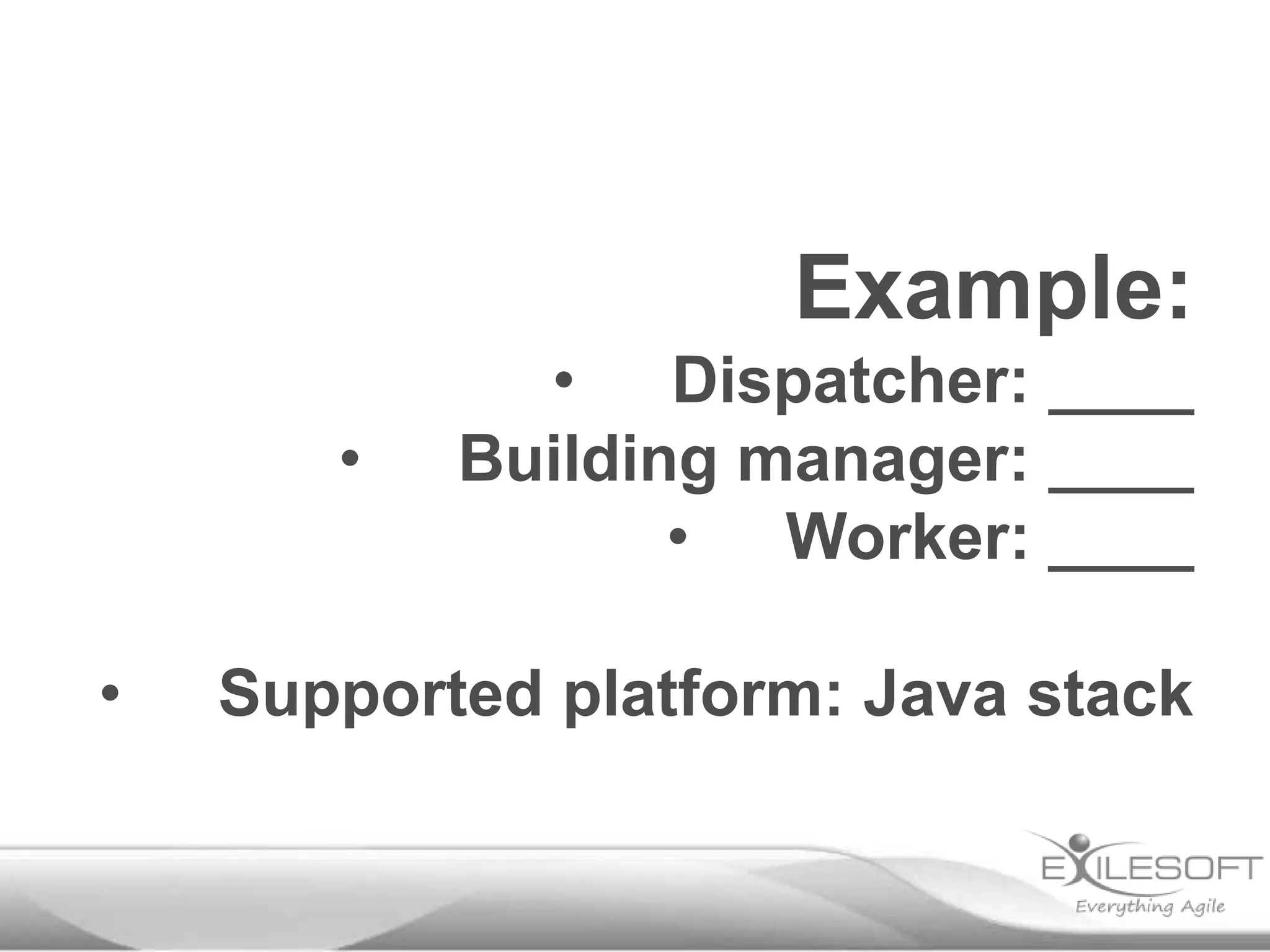
Example:
•
•

• Dispatcher: ____
Building manager: ____
• Worker: ____

Supported platform: Java stack
Example:
•
•

•

Dispatcher: Web or desktop
Building manager: Web or any
mobile
•
Worker: Provided mobile

Supported platform: Java stack
Example:
•

•
Dispatcher: “HTML5”
Building manager: Responsive
web
•
Worker: Android

•

Supported platform: Java stack
Example:
•

Dispatcher: Responsive web SPA
•
Building manager: Responsive
web SPA
•
Worker: Responsive web SPA

•

Supported platform: Java stack
Frameworks:
•

What can the team support
• Max one: Project risk or
tech risk
Example risky project:
• New team
• New supplier
• New domain
• New codebase
Example risky tech:
•

New database system
• New framework
• New programming
language
Solo programming
Solo programming
•
•

Integration issues
Inconsistent coding
• Merge conflicts
Mob programming
Pair programming
Resource utilization
vs
Knowledge sharing
Typical plan for kickoff
Monday

Tuesday

Wednesday

Elevator
pitch,
Stakeholders

Dev baseline

Dev baseline Define
Review usage progress,
Stories

Wrap up docs
Dev baseline

Lunch

Lunch

Lunch

Lunch

Lunch

Usage review,
Context,
Domain,
Deployment

Refine
models

Review,
Retrospective
Plan week 2

Look at what’s Usage flow
going on today Dev baseline

Thursday

Friday
Plan the show
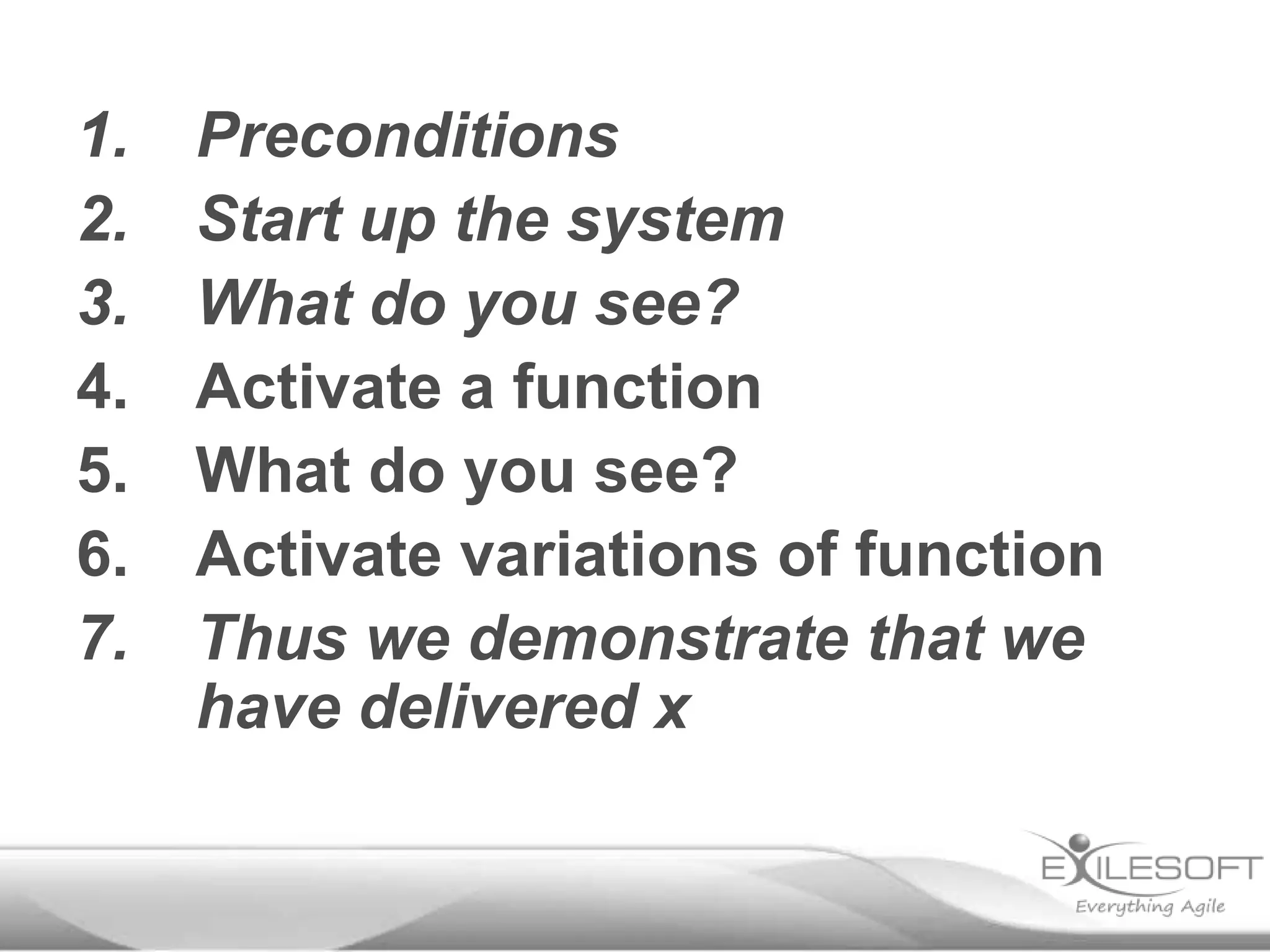
Demo script
1.
2.
3.
4.
5.
6.
7.

Preconditions
Start up the system
What do you see?
Activate a function
What do you see?
Activate variations of function
Thus we demonstrate that we
have delivered x
1.

Building manager has works that needs done (e.g. change mats)
1.

2.
3.

Building manager register works request on web site
Dispatcher lists unhandled work orders
1.

4.
5.

Alternative: Dispatcher filters, searches and sorts work orders

Dispatcher displays work order
Dispatcher assign tasks to workers based on skills registered in
training system
Worker get notified of task on their mobile
Worker acknowledges task

6.
7.
1.

8.
9.
10.
11.
12.
13.

Alternative: Periodic trigger

Alternative: If worker rejects task, system marks it as unassigned and
alerts dispatcher

Worker performs task
Worker registers the task as done
Worker registers time and materials spent on task on mobile
System notifies payroll of time spent
System submits invoicing data to accounting system
Building is in great shape!
1.

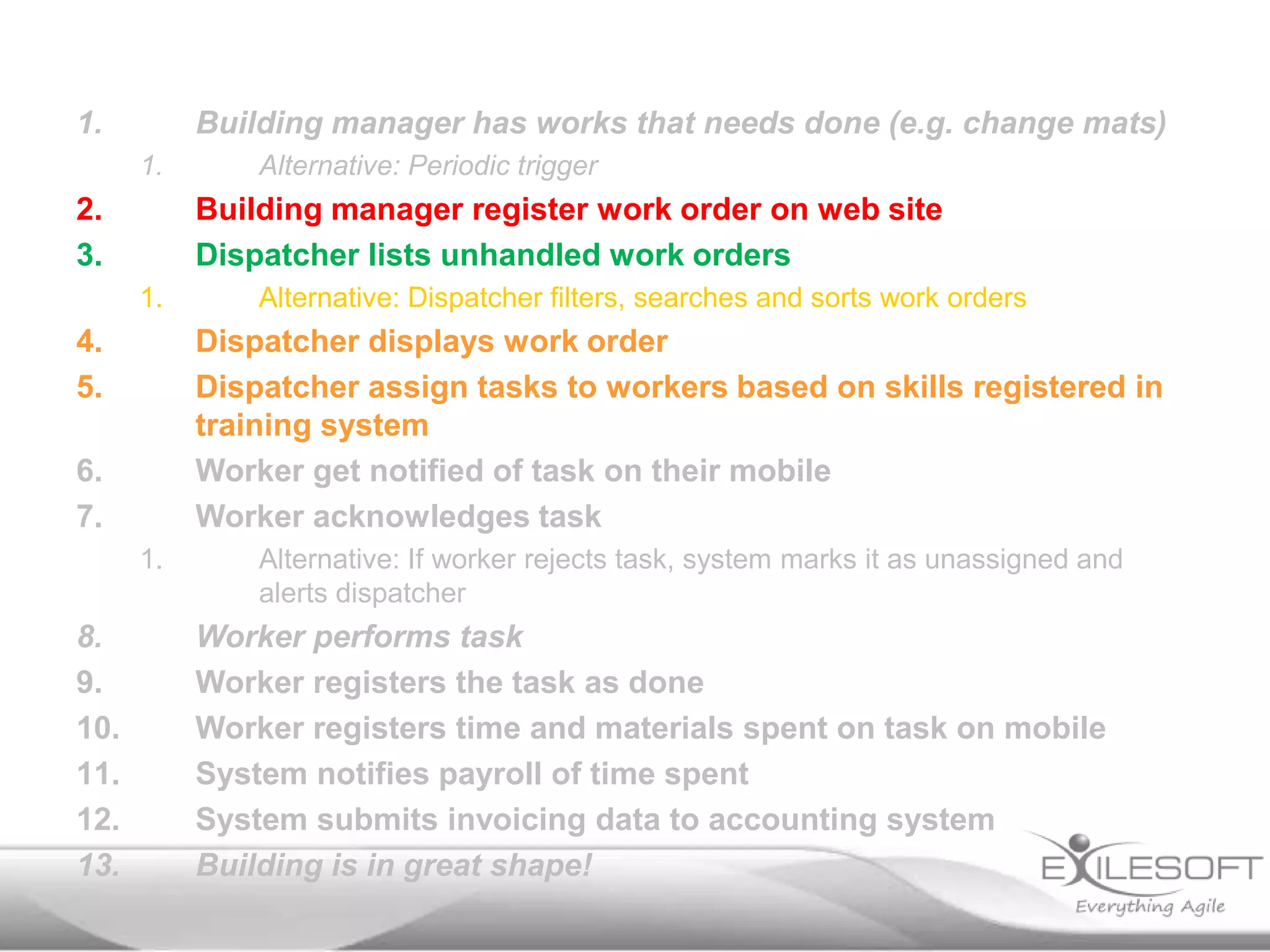
Building manager has works that needs done (e.g. change mats)
1.

2.
3.

Building manager register work order on web site
Dispatcher lists unhandled work orders
1.

4.
5.

Alternative: Dispatcher filters, searches and sorts work orders

Dispatcher displays work order
Dispatcher assign tasks to workers based on skills registered in
training system
Worker get notified of task on their mobile
Worker acknowledges task

6.
7.
1.

8.
9.
10.
11.
12.
13.

Alternative: Periodic trigger

Alternative: If worker rejects task, system marks it as unassigned and
alerts dispatcher

Worker performs task
Worker registers the task as done
Worker registers time and materials spent on task on mobile
System notifies payroll of time spent
System submits invoicing data to accounting system
Building is in great shape!
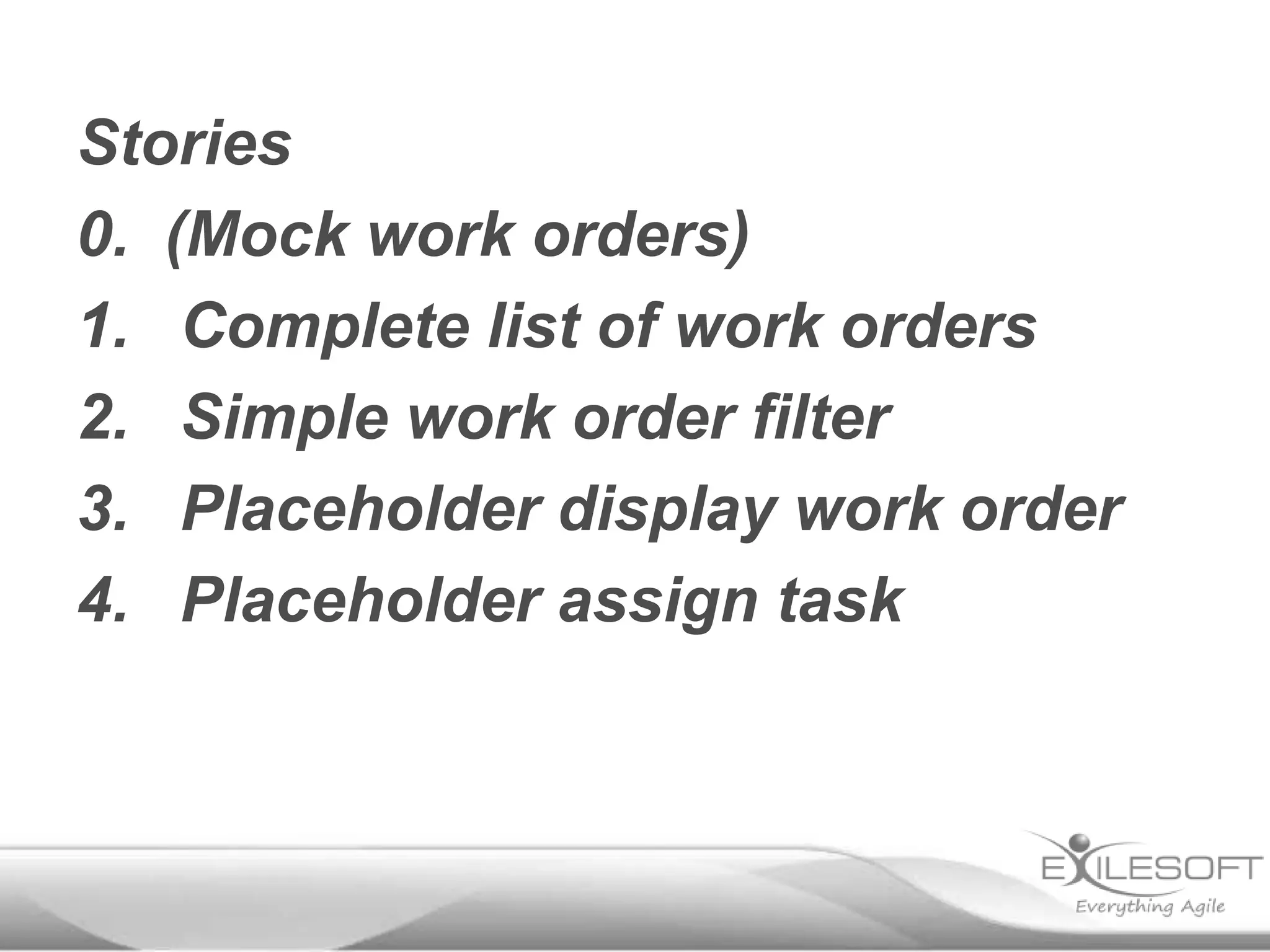
Stories
0. (Mock work orders)
1. Complete list of work orders
2. Simple work order filter
3. Placeholder display work order
4. Placeholder assign task
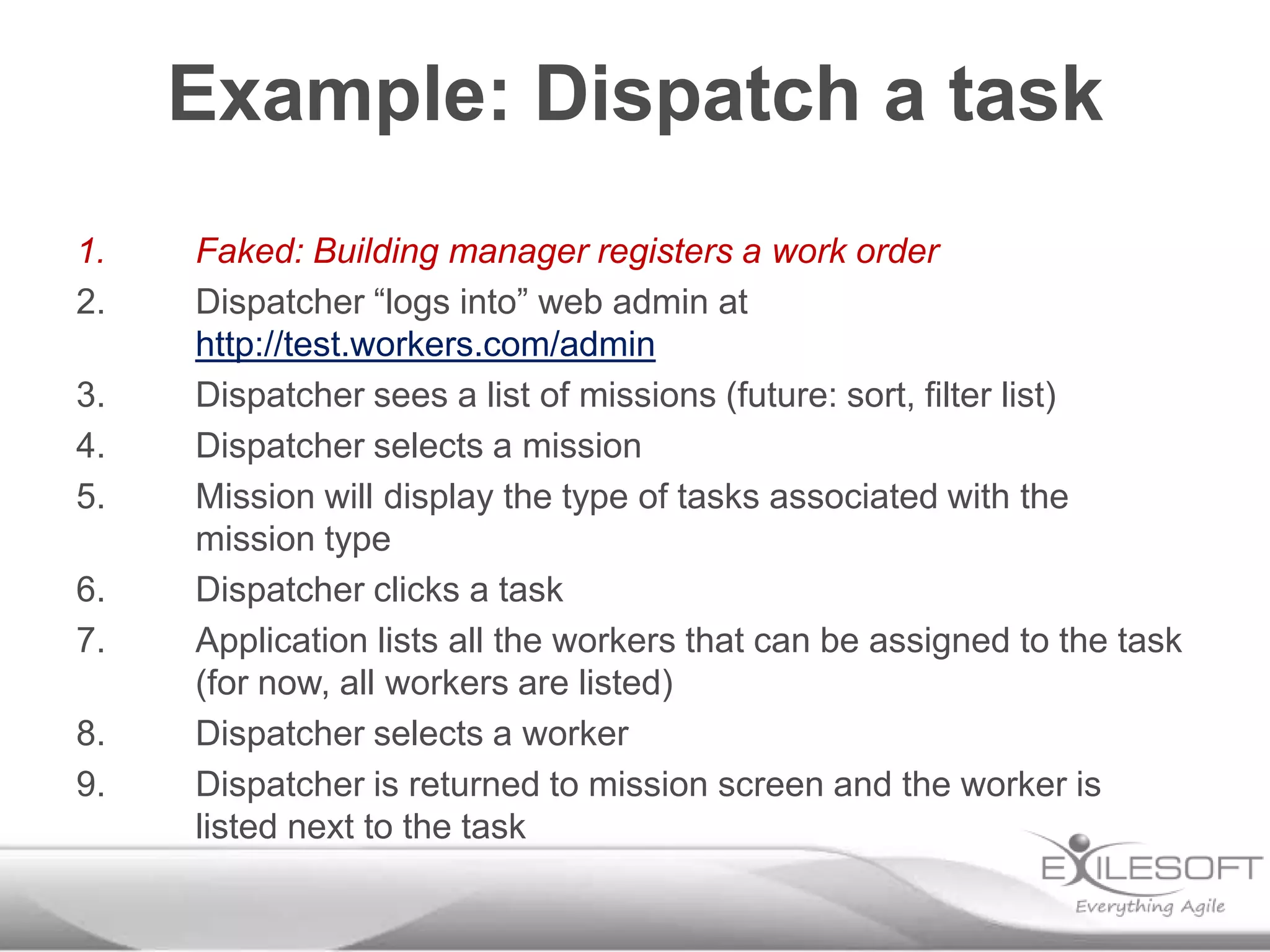
Example: Dispatch a task
1.
2.
3.
4.
5.
6.
7.
8.
9.

Faked: Building manager registers a work order
Dispatcher “logs into” web admin at
http://test.workers.com/admin
Dispatcher sees a list of missions (future: sort, filter list)
Dispatcher selects a mission
Mission will display the type of tasks associated with the
mission type
Dispatcher clicks a task
Application lists all the workers that can be assigned to the task
(for now, all workers are listed)
Dispatcher selects a worker
Dispatcher is returned to mission screen and the worker is
listed next to the task
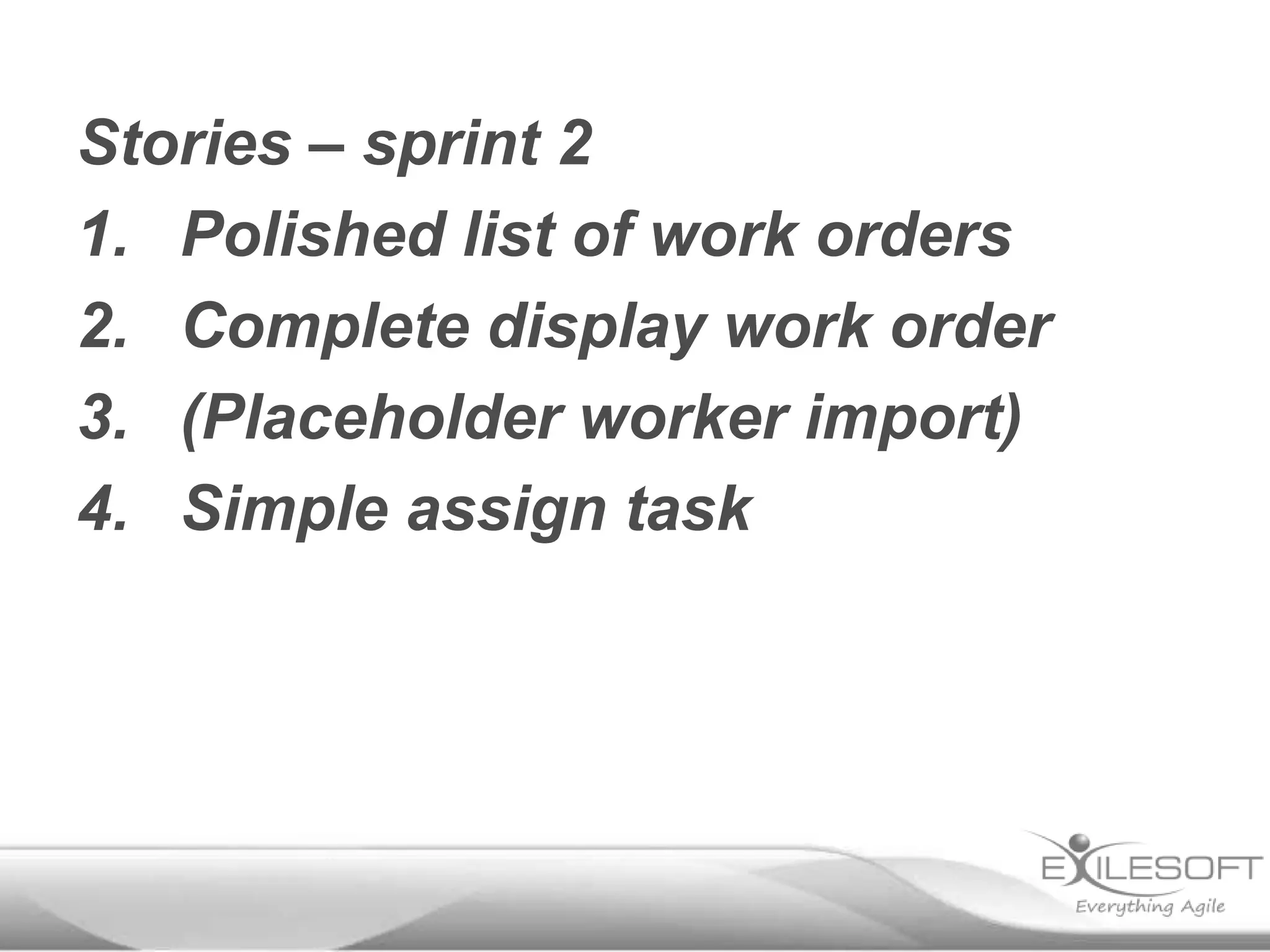
Stories – sprint 2
1. Polished list of work orders
2. Complete display work order
3. (Placeholder worker import)
4. Simple assign task
Typical plan for kickoff
Monday

Tuesday

Wednesday

Elevator
pitch,
Stakeholders

Dev baseline

Dev baseline Define
Review usage progress,
Stories

Wrap up docs
Dev baseline

Lunch

Lunch

Lunch

Lunch

Lunch

Usage review,
Context,
Domain,
Deployment

Refine
models

Review,
Retrospective
Plan week 2

Look at what’s Usage flow
going on today Dev baseline

Thursday

Friday
3 tools
1. Discuss the problem
2. Describe the system
3. Plan the show
1. Elevator pitch
2. Context diagram
3. Demo script
Conclusion:
When you return:
Create an elevator pitch with
your customer
Create a context diagram
Create a demo script for next
sprint
Thank you
Johannes Brodwall
jbr@exilesoft.com
www.exilesoft.com
www.johannesbrodwall.com
@jhannes

Getting your project off the ground (BuildStuffLt)

  • 1.
    Getting your project offthe ground Johannes Brodwall
  • 2.
  • 3.
  • 4.
  • 5.
  • 7.
    “How do youstart a project and achieve understanding at the beginning?”
  • 8.
    “How do you{start a project} and achieve understanding at the beginning?”
  • 9.
  • 10.
  • 11.
  • 12.
    1. 2. 3. 4. 5. 6. 7. Discuss the problem Understandwho’s involved Describe what it does Visualize the context Understand the domain Lay down the foundation Dramatize the demo
  • 13.
  • 14.
    Typical plan forkickoff Monday Tuesday Wednesday Elevator pitch, Stakeholders Dev baseline Dev baseline Define Review usage progress, Stories Wrap up docs Dev baseline Lunch Lunch Lunch Lunch Lunch Usage review, Context, Domain, Deployment Refine models Review, Retrospective Plan week 2 Look at what’s Usage flow going on today Dev baseline Thursday Friday
  • 15.
    Typical plan forkickoff Monday Tuesday Wednesday Elevator pitch, Stakeholders Dev baseline Dev baseline Define Review usage progress, Stories Wrap up docs Dev baseline Lunch Lunch Lunch Lunch Lunch Usage review, Context, Domain, Deployment Refine models Review, Retrospective Plan week 2 Look at what’s Usage flow going on today Dev baseline Thursday Friday
  • 16.
  • 17.
    The problem: “A programto assign a worker to a client”
  • 18.
    The problem: “A programto assign a worker to a client” (yes, it’s unclear!)
  • 19.
    Form groups of3 (or 2) You will have five minutes to discuss
  • 20.
    For some user/stakeholder Whowants to achive some goal The name of the system Is a type of system Which lets them perform some operation(s). Unlike most compelling alternative This gives them some advantages.
  • 21.
    For our client’sbuilding managers Who wants to wants to keep their property in good working conditions The Mobility Workforce Manager Is a work management system for mobile workers Which lets them book and track rutine and incident based work orders. Unlike the old system This lets workers self-organize around tasks that they can solve, so the work is done faster.
  • 22.
  • 23.
    For our client’sbuilding managers Who wants to wants to keep their property in good working conditions The Mobility Workforce Manager Is a work management system for mobile workers Which lets them book and track rutine and incident based work orders. Unlike the old system This lets workers self-organize around tasks that they can solve, so the work is done faster.
  • 24.
  • 25.
    Who? # Clients do??? every ??? via ??? # Dispatchers do ??? every ??? via ??? # Workers do ??? every ??? via ??? # Building Managers do ??? every ??? via ???
  • 26.
    Who? Tens of Clientssign up for service a few times every year via meetings Around 20 Dispatchers assign worker teams to maintenance tasks all the time via specialized application Several hundred specialized Workers accept tasks and confirm tasks a few times per day via mobile Hundreds of Building Managers order maintenance tasks for their buildings every few days via web
  • 27.
  • 28.
    Typical plan forkickoff Monday Tuesday Wednesday Elevator pitch, Stakeholders Dev baseline Dev baseline Define Review usage progress, Stories Wrap up docs Dev baseline Lunch Lunch Lunch Lunch Lunch Usage review, Context, Domain, Deployment Refine models Review, Retrospective Plan week 2 Look at what’s Usage flow going on today Dev baseline Thursday Friday
  • 29.
  • 30.
    1. 2. 3. 4. 5. 6. Need: Someone identifiesa need Trigger: Someone does something with the system The system responds in some way … … The goal has been fulfilled
  • 31.
    1. Building manager hasworks that needs done (e.g. change mats) 1. 2. 3. Building manager register works request on web site Dispatcher lists unhandled work orders 1. 4. 5. Alternative: Dispatcher filters, searches and sorts work orders Dispatcher displays work order Dispatcher assign tasks to workers based on skills registered in training system Worker get notified of task on their mobile Worker acknowledges task 6. 7. 1. 8. 9. 10. 11. 12. 13. Alternative: Periodic trigger Alternative: If worker rejects task, system marks it as unassigned and alerts dispatcher Worker performs task Worker registers the task as done Worker registers time and materials spent on task on mobile System notifies payroll of time spent System submits invoicing data to accounting system Building is in great shape!
  • 32.
  • 33.
  • 34.
    Typical plan forkickoff Monday Tuesday Wednesday Elevator pitch, Stakeholders Dev baseline Dev baseline Define Review usage progress, Stories Wrap up docs Dev baseline Lunch Lunch Lunch Lunch Lunch Usage review, Context, Domain, Deployment Refine models Review, Retrospective Plan week 2 Look at what’s Usage flow going on today Dev baseline Thursday Friday
  • 35.
  • 36.
    Constraints: • • Interact per user •Portability Supported platform
  • 37.
    Example: • • • Dispatcher: ____ Buildingmanager: ____ • Worker: ____ Supported platform: Java stack
  • 38.
    Example: • • • Dispatcher: Web ordesktop Building manager: Web or any mobile • Worker: Provided mobile Supported platform: Java stack
  • 39.
    Example: • • Dispatcher: “HTML5” Building manager:Responsive web • Worker: Android • Supported platform: Java stack
  • 40.
    Example: • Dispatcher: Responsive webSPA • Building manager: Responsive web SPA • Worker: Responsive web SPA • Supported platform: Java stack
  • 41.
    Frameworks: • What can theteam support • Max one: Project risk or tech risk
  • 42.
    Example risky project: •New team • New supplier • New domain • New codebase
  • 43.
    Example risky tech: • Newdatabase system • New framework • New programming language
  • 44.
  • 45.
  • 46.
  • 47.
  • 48.
  • 49.
    Typical plan forkickoff Monday Tuesday Wednesday Elevator pitch, Stakeholders Dev baseline Dev baseline Define Review usage progress, Stories Wrap up docs Dev baseline Lunch Lunch Lunch Lunch Lunch Usage review, Context, Domain, Deployment Refine models Review, Retrospective Plan week 2 Look at what’s Usage flow going on today Dev baseline Thursday Friday
  • 50.
  • 51.
  • 52.
    1. 2. 3. 4. 5. 6. 7. Preconditions Start up thesystem What do you see? Activate a function What do you see? Activate variations of function Thus we demonstrate that we have delivered x
  • 53.
    1. Building manager hasworks that needs done (e.g. change mats) 1. 2. 3. Building manager register works request on web site Dispatcher lists unhandled work orders 1. 4. 5. Alternative: Dispatcher filters, searches and sorts work orders Dispatcher displays work order Dispatcher assign tasks to workers based on skills registered in training system Worker get notified of task on their mobile Worker acknowledges task 6. 7. 1. 8. 9. 10. 11. 12. 13. Alternative: Periodic trigger Alternative: If worker rejects task, system marks it as unassigned and alerts dispatcher Worker performs task Worker registers the task as done Worker registers time and materials spent on task on mobile System notifies payroll of time spent System submits invoicing data to accounting system Building is in great shape!
  • 54.
    1. Building manager hasworks that needs done (e.g. change mats) 1. 2. 3. Building manager register work order on web site Dispatcher lists unhandled work orders 1. 4. 5. Alternative: Dispatcher filters, searches and sorts work orders Dispatcher displays work order Dispatcher assign tasks to workers based on skills registered in training system Worker get notified of task on their mobile Worker acknowledges task 6. 7. 1. 8. 9. 10. 11. 12. 13. Alternative: Periodic trigger Alternative: If worker rejects task, system marks it as unassigned and alerts dispatcher Worker performs task Worker registers the task as done Worker registers time and materials spent on task on mobile System notifies payroll of time spent System submits invoicing data to accounting system Building is in great shape!
  • 55.
    Stories 0. (Mock workorders) 1. Complete list of work orders 2. Simple work order filter 3. Placeholder display work order 4. Placeholder assign task
  • 56.
    Example: Dispatch atask 1. 2. 3. 4. 5. 6. 7. 8. 9. Faked: Building manager registers a work order Dispatcher “logs into” web admin at http://test.workers.com/admin Dispatcher sees a list of missions (future: sort, filter list) Dispatcher selects a mission Mission will display the type of tasks associated with the mission type Dispatcher clicks a task Application lists all the workers that can be assigned to the task (for now, all workers are listed) Dispatcher selects a worker Dispatcher is returned to mission screen and the worker is listed next to the task
  • 57.
    Stories – sprint2 1. Polished list of work orders 2. Complete display work order 3. (Placeholder worker import) 4. Simple assign task
  • 59.
    Typical plan forkickoff Monday Tuesday Wednesday Elevator pitch, Stakeholders Dev baseline Dev baseline Define Review usage progress, Stories Wrap up docs Dev baseline Lunch Lunch Lunch Lunch Lunch Usage review, Context, Domain, Deployment Refine models Review, Retrospective Plan week 2 Look at what’s Usage flow going on today Dev baseline Thursday Friday
  • 60.
  • 61.
    1. Discuss theproblem 2. Describe the system 3. Plan the show
  • 62.
    1. Elevator pitch 2.Context diagram 3. Demo script
  • 63.
  • 64.
    When you return: Createan elevator pitch with your customer Create a context diagram Create a demo script for next sprint
  • 65.

Editor's Notes

  • #2 Hi Guys My Name is Ramesh Perera And I’m working as a Software Engineer for Exilesoft.I hope you have got a great idea about our company from Finn’s PresentationSo now I would like to talk about the mobile development that’s being done in our company and some of the mobile projects that we’ve been working on that I think would be of interest for you guys