Download free for 30 days
Sign in
Upload
Language (EN)
Support
Business
Mobile
Social Media
Marketing
Technology
Art & Photos
Career
Design
Education
Presentations & Public Speaking
Government & Nonprofit
Healthcare
Internet
Law
Leadership & Management
Automotive
Engineering
Software
Recruiting & HR
Retail
Sales
Services
Science
Small Business & Entrepreneurship
Food
Environment
Economy & Finance
Data & Analytics
Investor Relations
Sports
Spiritual
News & Politics
Travel
Self Improvement
Real Estate
Entertainment & Humor
Health & Medicine
Devices & Hardware
Lifestyle
Change Language
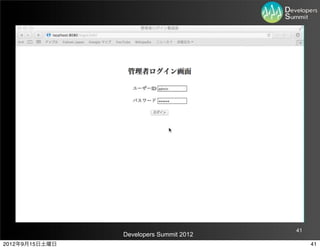
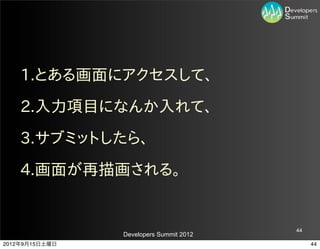
Language
English
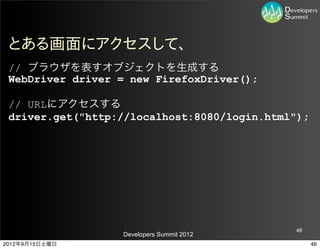
Español
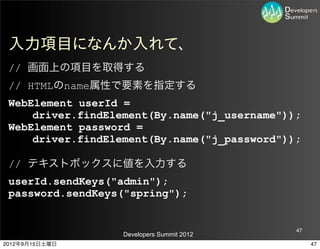
Português
Français
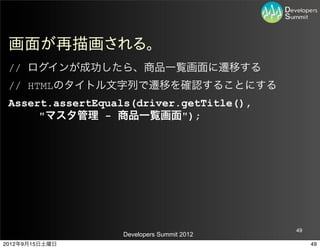
Deutsche
Cancel
Save
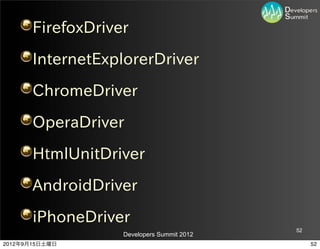
EN
Uploaded by
Koichi Sakata
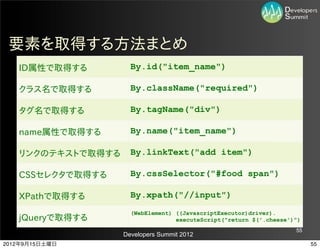
14,011 views
デブサミ関西2012 B-3
2012/9/14(金)に開催されたデブサミ関西のB-3セッションのスライドです。 ブラウザテストを自動化することにした ~TestNGとSeleniumでやってみる〜
Technology
◦
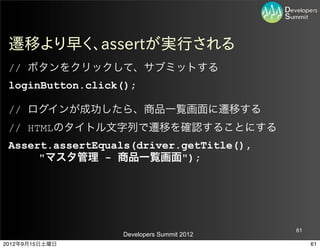
Read more
29
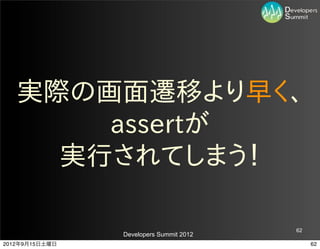
Save
Share
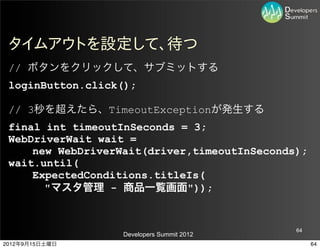
Embed
Embed presentation
Download
Downloaded 86 times
1
/ 147
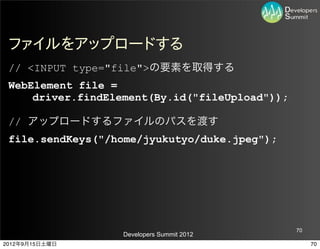
2
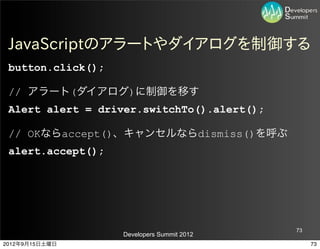
/ 147
3
/ 147
4
/ 147
5
/ 147
6
/ 147
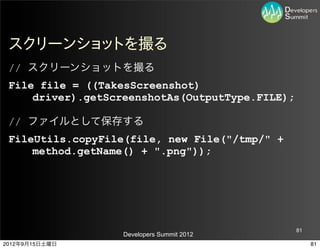
7
/ 147
8
/ 147
9
/ 147
10
/ 147
11
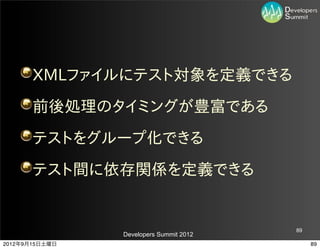
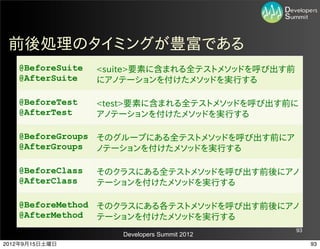
/ 147
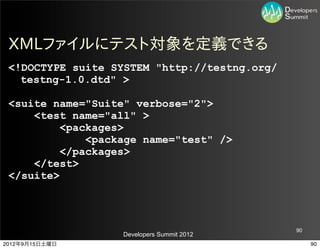
12
/ 147
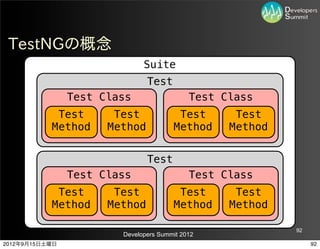
13
/ 147
14
/ 147
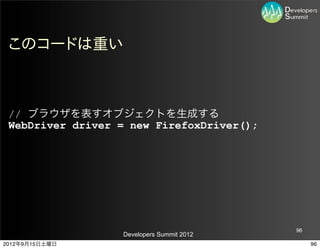
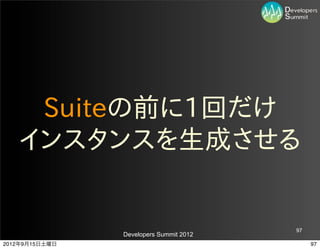
15
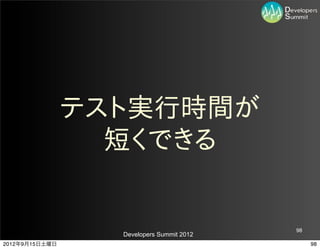
/ 147
16
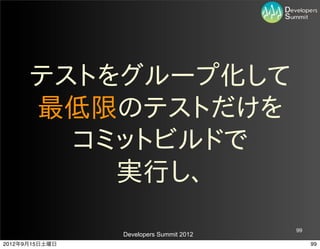
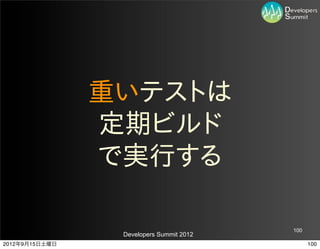
/ 147
17
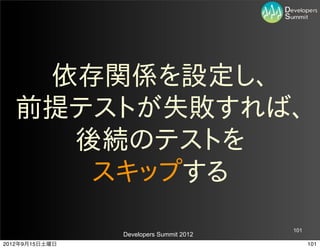
/ 147
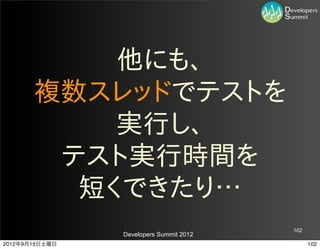
18
/ 147
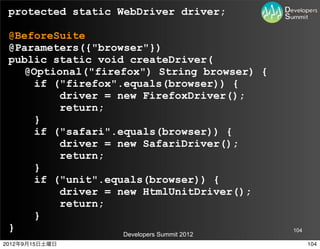
19
/ 147
20
/ 147
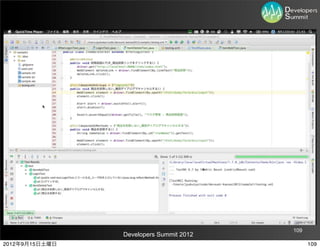
21
/ 147
22
/ 147
23
/ 147
24
/ 147
25
/ 147
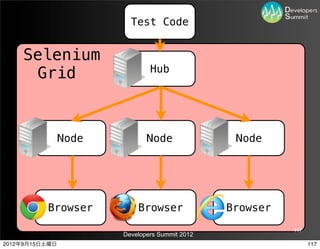
26
/ 147
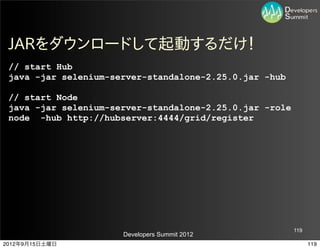
27
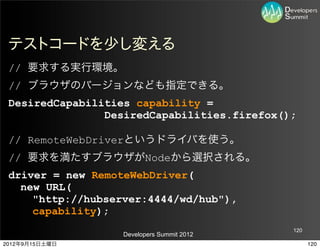
/ 147
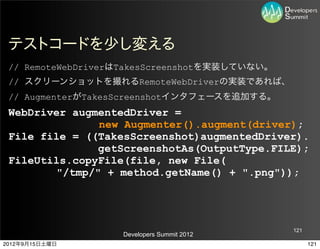
28
/ 147
29
/ 147
30
/ 147
31
/ 147
32
/ 147
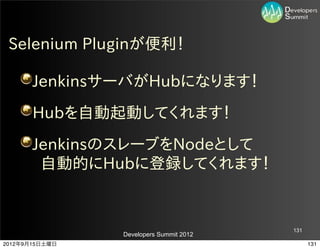
33
/ 147
34
/ 147
35
/ 147
36
/ 147
37
/ 147
38
/ 147
39
/ 147
40
/ 147
41
/ 147
42
/ 147
43
/ 147
44
/ 147
45
/ 147
46
/ 147
47
/ 147
48
/ 147
49
/ 147
50
/ 147
51
/ 147
52
/ 147
53
/ 147
54
/ 147
55
/ 147
56
/ 147
57
/ 147
58
/ 147
59
/ 147
60
/ 147
61
/ 147
62
/ 147
63
/ 147
64
/ 147
65
/ 147
66
/ 147
67
/ 147
68
/ 147
69
/ 147
70
/ 147
71
/ 147
72
/ 147
73
/ 147
74
/ 147
75
/ 147
76
/ 147
77
/ 147
78
/ 147
79
/ 147
80
/ 147
81
/ 147
82
/ 147
83
/ 147
84
/ 147
85
/ 147
86
/ 147
87
/ 147
88
/ 147
89
/ 147
90
/ 147
91
/ 147
92
/ 147
93
/ 147
94
/ 147
95
/ 147
96
/ 147
97
/ 147
98
/ 147
99
/ 147
100
/ 147
101
/ 147
102
/ 147
103
/ 147
104
/ 147
105
/ 147
106
/ 147
107
/ 147
108
/ 147
109
/ 147
110
/ 147
111
/ 147
112
/ 147
113
/ 147
114
/ 147
115
/ 147
116
/ 147
117
/ 147
118
/ 147
119
/ 147
120
/ 147
121
/ 147
122
/ 147
123
/ 147
124
/ 147
125
/ 147
126
/ 147
127
/ 147
128
/ 147
129
/ 147
130
/ 147
131
/ 147
132
/ 147
133
/ 147
134
/ 147
135
/ 147
136
/ 147
137
/ 147
138
/ 147
139
/ 147
140
/ 147
141
/ 147
142
/ 147
143
/ 147
144
/ 147
145
/ 147
146
/ 147
147
/ 147
More Related Content
PDF
見る前に跳べ 〜ギークの工夫で社会を変えよう〜
by
Takuya Oikawa
PDF
【16-B-2】 Yahoo!アジャイルクロニクル ~コーチとエンジニアの体験記~ 高橋一貴氏
by
Developers Summit
PDF
20120216 Developers Summit 2012 【16-B-7】 LT「10年後も世界で通じるエンジニアであるために」
by
Fujio Kojima
PDF
【16-D-4】3分ではじめるスマホアプリのビジュアル開発
by
hmimura_embarcadero
PDF
なぜ、受託開発会社がLeanStartupを言うのか
by
toshihiro ichitani
PDF
Awsで実現するseleniumテスト高速術
by
finoue
PDF
グリーを支えるソーシャルコーディングのすべて
by
Koichiro Ohba
PDF
【B-3】 社内ソーシャルメディア開発トライ&エラー ~おれたちの4tate~ 原島法子氏/岩永義弘氏
by
Developers Summit
見る前に跳べ 〜ギークの工夫で社会を変えよう〜
by
Takuya Oikawa
【16-B-2】 Yahoo!アジャイルクロニクル ~コーチとエンジニアの体験記~ 高橋一貴氏
by
Developers Summit
20120216 Developers Summit 2012 【16-B-7】 LT「10年後も世界で通じるエンジニアであるために」
by
Fujio Kojima
【16-D-4】3分ではじめるスマホアプリのビジュアル開発
by
hmimura_embarcadero
なぜ、受託開発会社がLeanStartupを言うのか
by
toshihiro ichitani
Awsで実現するseleniumテスト高速術
by
finoue
グリーを支えるソーシャルコーディングのすべて
by
Koichiro Ohba
【B-3】 社内ソーシャルメディア開発トライ&エラー ~おれたちの4tate~ 原島法子氏/岩永義弘氏
by
Developers Summit
Similar to デブサミ関西2012 B-3
PDF
テスト駆動開発の進化
by
Yukei Wachi
PPTX
HOTATE (Developers Summit 2012)
by
Yoshihiro Iwanaga
PDF
20121021 Lean!! Lean!! Lean!! ~DevLOVEと現場と私~
by
Takao Oyobe
PDF
3年目で分かったことtfsug
by
riskrisk
PDF
人が作るソフトウェア 〜今組織パターンを読む意味〜
by
Yukei Wachi
PDF
PHPMatsuri2012 - 最先端チーム開発
by
ha1t
PDF
The forefront of html5 implementation
by
Satoshi Tanaka
PDF
Fearless Change - Agile2012 feedback report -
by
Takao Oyobe
PDF
ソーシャルコーディング革命後の開発委託の世界〜QA@ITの事例
by
Ken Nishimura
PDF
Devsumi2013 community
by
Developers Summit
PDF
デブサミ2010 これからのアーキテクチャを見通す
by
Yusuke Suzuki
PDF
Code Anything
by
Yoshitaka Kawashima
PDF
アジャイルリーダーシップと組織改革
by
Rakuten Group, Inc.
PDF
アジャイルリーダーシップと組織改革 ~楽天のアジャイル開発というリアル~
by
Dai FUJIHARA
PDF
Aiming study#6pdf
by
Koutaro Chikuba
PDF
ふつうのプログラマの自分戦略
by
irof N
KEY
Dev sami 120727_slideshare
by
Toyoshige Oki
PDF
モバイルビジネスの動向
by
Hidetoshi Mori
PDF
【15-e-7】Kinectから始まったスタートアップ #devsumi
by
Kaoru NAKAMURA
PPT
デブサミ 2013 日本App Inventorユーザー会
by
Takeaki Tada
テスト駆動開発の進化
by
Yukei Wachi
HOTATE (Developers Summit 2012)
by
Yoshihiro Iwanaga
20121021 Lean!! Lean!! Lean!! ~DevLOVEと現場と私~
by
Takao Oyobe
3年目で分かったことtfsug
by
riskrisk
人が作るソフトウェア 〜今組織パターンを読む意味〜
by
Yukei Wachi
PHPMatsuri2012 - 最先端チーム開発
by
ha1t
The forefront of html5 implementation
by
Satoshi Tanaka
Fearless Change - Agile2012 feedback report -
by
Takao Oyobe
ソーシャルコーディング革命後の開発委託の世界〜QA@ITの事例
by
Ken Nishimura
Devsumi2013 community
by
Developers Summit
デブサミ2010 これからのアーキテクチャを見通す
by
Yusuke Suzuki
Code Anything
by
Yoshitaka Kawashima
アジャイルリーダーシップと組織改革
by
Rakuten Group, Inc.
アジャイルリーダーシップと組織改革 ~楽天のアジャイル開発というリアル~
by
Dai FUJIHARA
Aiming study#6pdf
by
Koutaro Chikuba
ふつうのプログラマの自分戦略
by
irof N
Dev sami 120727_slideshare
by
Toyoshige Oki
モバイルビジネスの動向
by
Hidetoshi Mori
【15-e-7】Kinectから始まったスタートアップ #devsumi
by
Kaoru NAKAMURA
デブサミ 2013 日本App Inventorユーザー会
by
Takeaki Tada
More from Koichi Sakata
PPTX
Introduction to JIT Compiler in JVM
by
Koichi Sakata
PPTX
Guide to GraalVM (Oracle Groundbreakers APAC 2019 Tour in Tokyo)
by
Koichi Sakata
PPTX
Guide to GraalVM (JJUG CCC 2019 Fall)
by
Koichi Sakata
PPTX
Introduction to GraalVM and Native Image
by
Koichi Sakata
PPTX
Introduction to GraalVM
by
Koichi Sakata
PPTX
GraalVMで使われている、他言語をJVM上に実装する仕組みを学ぼう
by
Koichi Sakata
PPTX
Bytecode Manipulation with a Java Agent and Byte Buddy
by
Koichi Sakata
PPTX
Great Ideas in GraalVM
by
Koichi Sakata
PPTX
Graal in GraalVM - A New JIT Compiler
by
Koichi Sakata
PPTX
Kanjava 201804 Java News
by
Koichi Sakata
PPTX
KanJava 201804 Career 思い込みから逃れた先には、可能性がある
by
Koichi Sakata
PPTX
from Java EE to Jakarta EE
by
Koichi Sakata
PPTX
Java release cadence has been changed and about Project Amber
by
Koichi Sakata
PPTX
JJUG CCC 2017 Fall オレオレJVM言語を作ってみる
by
Koichi Sakata
PPTX
KANJAVA PARTY 2017 前説
by
Koichi Sakata
PPTX
JJUG CCC 2017 Spring Seasar2からSpringへ移行した俺たちのアプリケーションがマイクロサービスアーキテクチャへ歩み始めた
by
Koichi Sakata
PPTX
“Purikura” culture in Japan and our web application architecture
by
Koichi Sakata
PPTX
デブサミ2017 Javaコミュニティ作ったら人生変わった
by
Koichi Sakata
PPTX
JJUG CCC 2016 fall バイトコードが君のトモダチになりたがっている
by
Koichi Sakata
PPTX
日本からJavaOneに行こう!
by
Koichi Sakata
Introduction to JIT Compiler in JVM
by
Koichi Sakata
Guide to GraalVM (Oracle Groundbreakers APAC 2019 Tour in Tokyo)
by
Koichi Sakata
Guide to GraalVM (JJUG CCC 2019 Fall)
by
Koichi Sakata
Introduction to GraalVM and Native Image
by
Koichi Sakata
Introduction to GraalVM
by
Koichi Sakata
GraalVMで使われている、他言語をJVM上に実装する仕組みを学ぼう
by
Koichi Sakata
Bytecode Manipulation with a Java Agent and Byte Buddy
by
Koichi Sakata
Great Ideas in GraalVM
by
Koichi Sakata
Graal in GraalVM - A New JIT Compiler
by
Koichi Sakata
Kanjava 201804 Java News
by
Koichi Sakata
KanJava 201804 Career 思い込みから逃れた先には、可能性がある
by
Koichi Sakata
from Java EE to Jakarta EE
by
Koichi Sakata
Java release cadence has been changed and about Project Amber
by
Koichi Sakata
JJUG CCC 2017 Fall オレオレJVM言語を作ってみる
by
Koichi Sakata
KANJAVA PARTY 2017 前説
by
Koichi Sakata
JJUG CCC 2017 Spring Seasar2からSpringへ移行した俺たちのアプリケーションがマイクロサービスアーキテクチャへ歩み始めた
by
Koichi Sakata
“Purikura” culture in Japan and our web application architecture
by
Koichi Sakata
デブサミ2017 Javaコミュニティ作ったら人生変わった
by
Koichi Sakata
JJUG CCC 2016 fall バイトコードが君のトモダチになりたがっている
by
Koichi Sakata
日本からJavaOneに行こう!
by
Koichi Sakata
デブサミ関西2012 B-3
1.
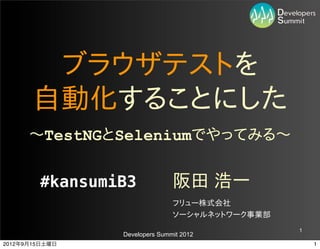
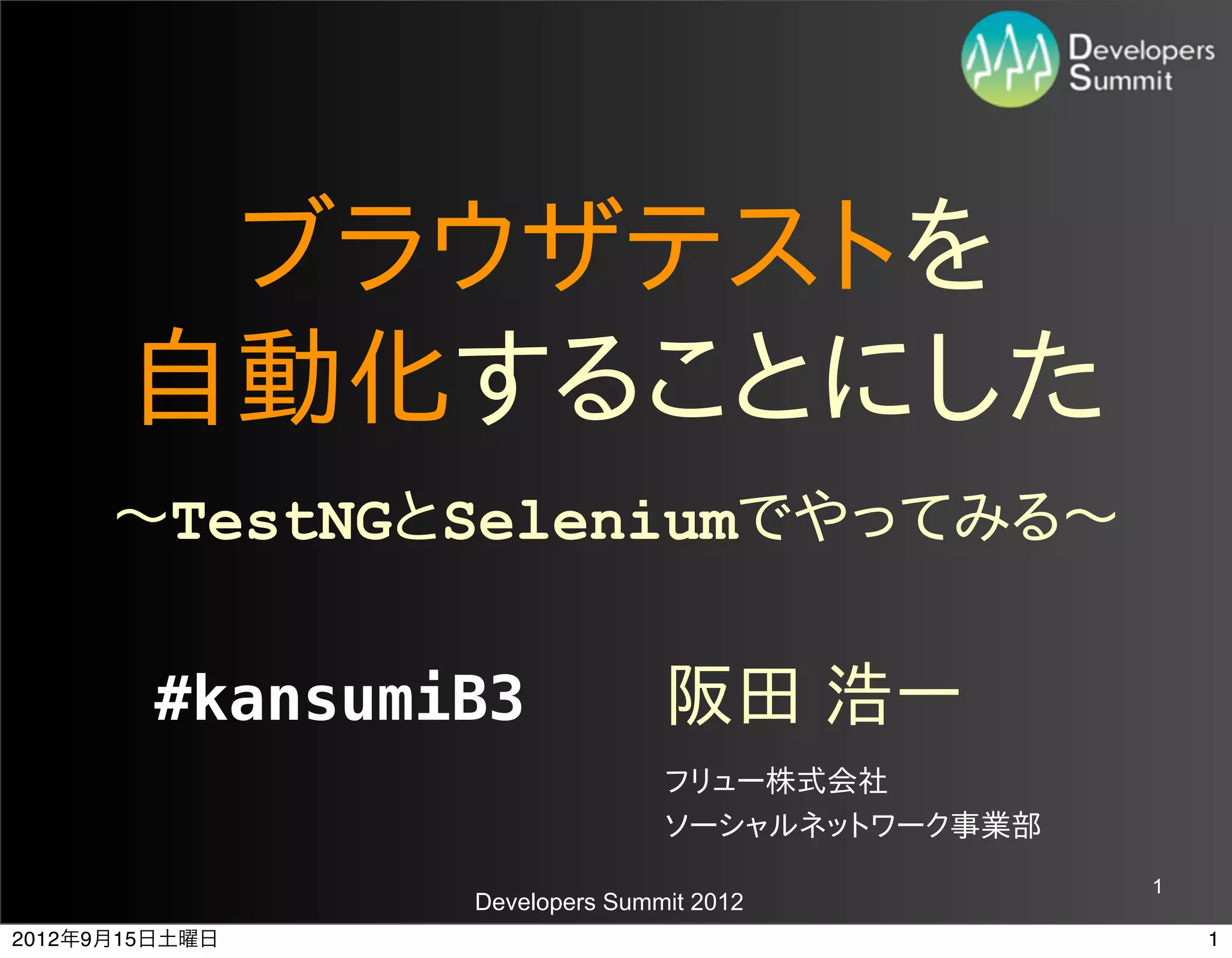
ブラウザテストを
自動化することにした 〜~TestNGとSeleniumでやってみる〜~ #kansumiB3 阪田 浩一 フリュー株式会社 ソーシャルネットワーク事業部 1 Developers Summit 2012 2012年9月15日土曜日 1
2.
みなさん、
こんにちは こんにちは!! 2 Developers Summit 2012 2012年9月15日土曜日 2
3.
まずは
3 Developers Summit 2012 2012年9月15日土曜日 3
4.
安心と定番の
4 Developers Summit 2012 2012年9月15日土曜日 4
5.
自己紹介から。
5 Developers Summit 2012 2012年9月15日土曜日 5
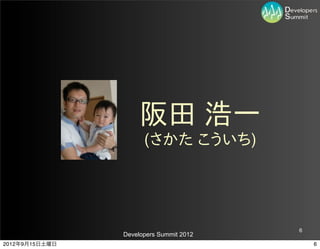
6.
阪田 浩一
(さかた こういち) 6 Developers Summit 2012 2012年9月15日土曜日 6
7.
「すごくない」
プログラマです。 7 Developers Summit 2012 2012年9月15日土曜日 7
8.
Twitter: @jyukutyo
はてな: jyukutyo 「じゅくちょー」 8 Developers Summit 2012 2012年9月15日土曜日 8
9.
神戸出身
大阪在住 9 Developers Summit 2012 2012年9月15日土曜日 9
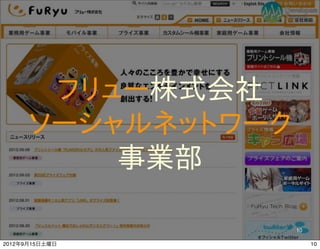
10.
フリュー株式会社
ソーシャルネットワーク 事業部 10 Developers Summit 2012 2012年9月15日土曜日 10
11.
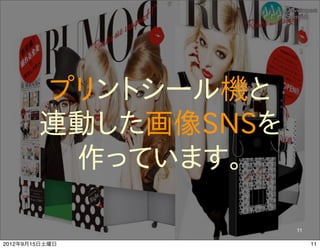
プリントシール機と
連動した画像SNSを 作っています。 11 Developers Summit 2012 2012年9月15日土曜日 11
12.
半年前まで
SIの世界(客先常駐)に いました。 12 Developers Summit 2012 2012年9月15日土曜日 12
13.
こんな本とか記事
書いています。 13 Developers Summit 2012 2012年9月15日土曜日 13
14.
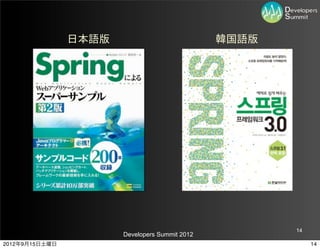
日本語版
韓国語版 14 Developers Summit 2012 2012年9月15日土曜日 14
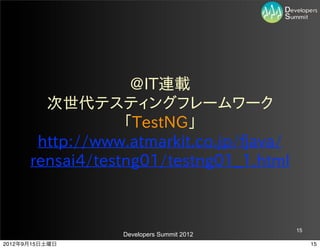
15.
@IT連載
次世代テスティングフレームワーク 「TestNG」 http://www.atmarkit.co.jp/fjava/ rensai4/testng01/testng01_1.html 15 Developers Summit 2012 2012年9月15日土曜日 15
16.
関西Javaエンジニアの会
(関ジャバ) 16 Developers Summit 2012 2012年9月15日土曜日 16
17.
というコミュニティ
やってます。 17 Developers Summit 2012 2012年9月15日土曜日 17
18.
では
18 Developers Summit 2012 2012年9月15日土曜日 18
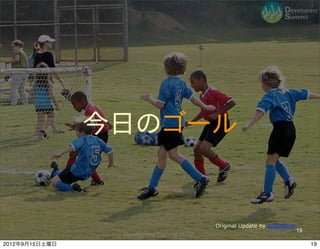
19.
今日のゴール
Original Update by opofatticus 19 Developers Summit 2012 2012年9月15日土曜日 19
20.
ブラウザでのテストを
全部人間がやる必要って あるのかなあ… 20 Developers Summit 2012 2012年9月15日土曜日 20
21.
という疑問を
持ってもらうこと! 21 Developers Summit 2012 2012年9月15日土曜日 21
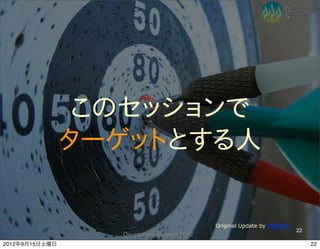
22.
このセッションで
ターゲットとする人 Original Update by ##Erika** 22 Developers Summit 2012 2012年9月15日土曜日 22
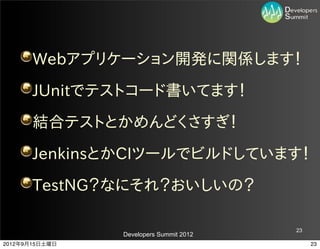
23.
Webアプリケーション開発に関係します!
JUnitでテストコード書いてます! 結合テストとかめんどくさすぎ! JenkinsとかCIツールでビルドしています! TestNG?なにそれ?おいしいの? 23 Developers Summit 2012 2012年9月15日土曜日 23
24.
どれかに
当てはまれば OK! 24 Developers Summit 2012 2012年9月15日土曜日 24
25.
では
本題スタート! 25 Developers Summit 2012 2012年9月15日土曜日 25
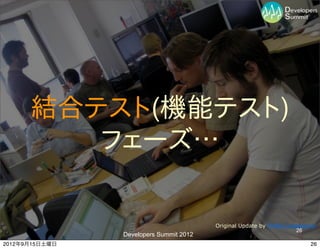
26.
結合テスト(機能テスト)
フェーズ… Original Update by Phillie Casablanca 26 Developers Summit 2012 2012年9月15日土曜日 26
27.
IEとExcelとクリックの
日々が続いていた… 27 Developers Summit 2012 2012年9月15日土曜日 27
28.
あ〜~めんどくせぇ
クリックするのも 面倒でいやだ 28 Developers Summit 2012 2012年9月15日土曜日 28
29.
そうだ!
ブラウザでのテストも ユニットテストみたいに 自動化できれば…! 29 Developers Summit 2012 2012年9月15日土曜日 29
30.
ブラウザテスト自動化…
30 Developers Summit 2012 2012年9月15日土曜日 30
31.
よし、全力でいくか…
31 Developers Summit 2012 2012年9月15日土曜日 31
32.
ブラウザでの
操作をコーディングする 方法がある。 32 Developers Summit 2012 2012年9月15日土曜日 32
33.
そのためのツール
「Selenium」 33 Developers Summit 2012 2012年9月15日土曜日 33
34.
「Selenium」には
3つのものがある。 34 Developers Summit 2012 2012年9月15日土曜日 34
35.
Firefoxアドオンで
ブラウザでの操作を 記録する 「Selenium IDE」 35 Developers Summit 2012 2012年9月15日土曜日 35
36.
ブラウザでの操作を
コーディングする 「Selenium WebDriver」 (Remote Controlの後継) 36 Developers Summit 2012 2012年9月15日土曜日 36
37.
複数ブラウザでの
テストを複数マシンで 並列実行する 「Selenium Grid」 37 Developers Summit 2012 2012年9月15日土曜日 37
38.
WebDriverを使う…
38 Developers Summit 2012 2012年9月15日土曜日 38
39.
WebDriverなら、
Java、C#、Python、 Ruby、PHP、Perl で書けるんだぜ… 39 Developers Summit 2012 2012年9月15日土曜日 39
40.
今回テスト対象とする
アプリはこれだ! 40 Developers Summit 2012 2012年9月15日土曜日 40
41.
41
Developers Summit 2012 2012年9月15日土曜日 41
42.
41
Developers Summit 2012 2012年9月15日土曜日 41
43.
さて、
42 Developers Summit 2012 2012年9月15日土曜日 42
44.
ブラウザでのテストって、
基本こうだよな… 43 Developers Summit 2012 2012年9月15日土曜日 43
45.
1.とある画面にアクセスして、
2.入力項目になんか入れて、 3.サブミットしたら、 4.画面が再描画される。 44 Developers Summit 2012 2012年9月15日土曜日 44
46.
これをWebDriverの
コードにすると、 45 Developers Summit 2012 2012年9月15日土曜日 45
47.
とある画面にアクセスして、 // ブラウザを表すオブジェクトを生成する
WebDriver driver = new FirefoxDriver(); // URLにアクセスする driver.get("http://localhost:8080/login.html"); 46 Developers Summit 2012 2012年9月15日土曜日 46
48.
入力項目になんか入れて、 // 画面上の項目を取得する
// HTMLのname属性で要素を指定する WebElement userId = driver.findElement(By.name("j_username")); WebElement password = driver.findElement(By.name("j_password")); // テキストボックスに値を入力する userId.sendKeys("admin"); password.sendKeys("spring"); 47 Developers Summit 2012 2012年9月15日土曜日 47
49.
サブミットしたら、 // XPathを使って要素を取得することもできる
WebElement loginButton = driver.findElement( By.xpath("//input[@type='submit']")); // ボタンをクリックして、サブミットする loginButton.click(); 48 Developers Summit 2012 2012年9月15日土曜日 48
50.
画面が再描画される。 // ログインが成功したら、商品一覧画面に遷移する
// HTMLのタイトル文字列で遷移を確認することにする Assert.assertEquals(driver.getTitle(), "マスタ管理 - 商品一覧画面"); 49 Developers Summit 2012 2012年9月15日土曜日 49
51.
簡単じゃないか…
50 Developers Summit 2012 2012年9月15日土曜日 50
52.
ブラウザも
Firefoxだけじゃない 51 Developers Summit 2012 2012年9月15日土曜日 51
53.
FirefoxDriver
InternetExplorerDriver ChromeDriver OperaDriver HtmlUnitDriver AndroidDriver iPhoneDriver 52 Developers Summit 2012 2012年9月15日土曜日 52
54.
そして、
53 Developers Summit 2012 2012年9月15日土曜日 53
55.
画面上の
要素を取得する方法は いくつもある。 54 Developers Summit 2012 2012年9月15日土曜日 54
56.
要素を取得する方法まとめ
ID属性で取得する By.id("item_name") クラス名で取得する By.className("required") タグ名で取得する By.tagName("div") name属性で取得する By.name("item_name") リンクのテキストで取得する By.linkText("add item") CSSセレクタで取得する By.cssSelector("#food span") XPathで取得する By.xpath("//input") (WebElement) ((JavascriptExecutor)driver). jQueryで取得する executeScript("return $('.cheese')") 55 Developers Summit 2012 2012年9月15日土曜日 55
57.
話を戻して。
56 Developers Summit 2012 2012年9月15日土曜日 56
58.
このテストは
うまくいかなかった。 57 Developers Summit 2012 2012年9月15日土曜日 57
59.
同じテストでも
成功するときと 失敗するときが あった! 58 Developers Summit 2012 2012年9月15日土曜日 58
60.
なぜだ!
59 Developers Summit 2012 2012年9月15日土曜日 59
61.
ブラウザだからさ…
60 Developers Summit 2012 2012年9月15日土曜日 60
62.
遷移より早く、assertが実行される // ボタンをクリックして、サブミットする
loginButton.click(); // ログインが成功したら、商品一覧画面に遷移する // HTMLのタイトル文字列で遷移を確認することにする Assert.assertEquals(driver.getTitle(), "マスタ管理 - 商品一覧画面"); 61 Developers Summit 2012 2012年9月15日土曜日 61
63.
実際の画面遷移より早く、
assertが 実行されてしまう! 62 Developers Summit 2012 2012年9月15日土曜日 62
64.
そんなこともあろうかと!
63 Developers Summit 2012 2012年9月15日土曜日 63
65.
タイムアウトを設定して、待つ // ボタンをクリックして、サブミットする
loginButton.click(); // 3秒を超えたら、TimeoutExceptionが発生する final int timeoutInSeconds = 3; WebDriverWait wait = new WebDriverWait(driver,timeoutInSeconds); wait.until( ExpectedConditions.titleIs( "マスタ管理 - 商品一覧画面")); 64 Developers Summit 2012 2012年9月15日土曜日 64
66.
完璧じゃないか…
65 Developers Summit 2012 2012年9月15日土曜日 65
67.
これだけじゃダメだ!
66 Developers Summit 2012 2012年9月15日土曜日 66
68.
今回のテスト対象アプリを
思い出してみよう。 67 Developers Summit 2012 2012年9月15日土曜日 67
69.
商品追加画面に
ファイルアップロード あるんですけど… 68 Developers Summit 2012 2012年9月15日土曜日 68
70.
できます!
69 Developers Summit 2012 2012年9月15日土曜日 69
71.
ファイルをアップロードする // <INPUT
type="file">の要素を取得する WebElement file = driver.findElement(By.id("fileUpload")); // アップロードするファイルのパスを渡す file.sendKeys("/home/jyukutyo/duke.jpeg"); 70 Developers Summit 2012 2012年9月15日土曜日 70
72.
商品削除画面に
JavaScriptのダイアログ あるんですけど… 71 Developers Summit 2012 2012年9月15日土曜日 71
73.
できます!
72 Developers Summit 2012 2012年9月15日土曜日 72
74.
JavaScriptのアラートやダイアログを制御する button.click(); //
アラート(ダイアログ)に制御を移す Alert alert = driver.switchTo().alert(); // OKならaccept()、キャンセルならdismiss()を呼ぶ alert.accept(); 73 Developers Summit 2012 2012年9月15日土曜日 73
75.
ふう。
これで問題は解決し… 74 Developers Summit 2012 2012年9月15日土曜日 74
76.
まだ終わっちゃいない!
75 Developers Summit 2012 2012年9月15日土曜日 75
77.
いわゆる結合テストには
あの仕事がある… 76 Developers Summit 2012 2012年9月15日土曜日 76
78.
エビデンス
77 Developers Summit 2012 2012年9月15日土曜日 77
79.
Excelに
スクリーンショットを 貼るお仕事。 78 Developers Summit 2012 2012年9月15日土曜日 78
80.
Seleniumなら、
79 Developers Summit 2012 2012年9月15日土曜日 79
81.
スクリーンショット
(キャプチャ、ハードコピー) を撮れます! 80 Developers Summit 2012 2012年9月15日土曜日 80
82.
スクリーンショットを撮る // スクリーンショットを撮る
File file = ((TakesScreenshot) driver).getScreenshotAs(OutputType.FILE); // ファイルとして保存する FileUtils.copyFile(file, new File("/tmp/" + method.getName() + ".png")); 81 Developers Summit 2012 2012年9月15日土曜日 81
83.
これでブラウザ操作を
自動化できた。 82 Developers Summit 2012 2012年9月15日土曜日 82
84.
さあJUnitで
テストコードを… 83 Developers Summit 2012 2012年9月15日土曜日 83
85.
待て あわてるな
84 Developers Summit 2012 2012年9月15日土曜日 84
86.
こういうものもある
85 Developers Summit 2012 2012年9月15日土曜日 85
87.
TestNG
86 Developers Summit 2012 2012年9月15日土曜日 86
88.
JUnitと同じく
テスティング フレームワーク 87 Developers Summit 2012 2012年9月15日土曜日 87
89.
なぜ「TestNG」か
88 Developers Summit 2012 2012年9月15日土曜日 88
90.
XMLファイルにテスト対象を定義できる
前後処理のタイミングが豊富である テストをグループ化できる テスト間に依存関係を定義できる 89 Developers Summit 2012 2012年9月15日土曜日 89
91.
XMLファイルにテスト対象を定義できる <!DOCTYPE suite
SYSTEM "http://testng.org/ testng-1.0.dtd" > <suite name="Suite" verbose="2"> <test name="all" > <packages> <package name="test" /> </packages> </test> </suite> 90 Developers Summit 2012 2012年9月15日土曜日 90
92.
実行するテストを
選択できる 91 Developers Summit 2012 2012年9月15日土曜日 91
93.
TestNGの概念
Suite Test Test Class Test Class Test Test Test Test Method Method Method Method Test Test Class Test Class Test Test Test Test Method Method Method Method 92 Developers Summit 2012 2012年9月15日土曜日 92
94.
前後処理のタイミングが豊富である
@BeforeSuite <suite>要素に含まれる全テストメソッドを呼び出す前 @AfterSuite にアノテーションを付けたメソッドを実行する @BeforeTest <test>要素に含まれる全テストメソッドを呼び出す前に @AfterTest アノテーションを付けたメソッドを実行する @BeforeGroups そのグループにある全テストメソッドを呼び出す前にア @AfterGroups ノテーションを付けたメソッドを実行する @BeforeClass そのクラスにある全テストメソッドを呼び出す前後にアノ @AfterClass テーションを付けたメソッドを実行する @BeforeMethod そのクラスにある各テストメソッドを呼び出す前後にアノ @AfterMethod テーションを付けたメソッドを実行する 93 Developers Summit 2012 2012年9月15日土曜日 93
95.
なぜタイミングが多いと
いいの? 94 Developers Summit 2012 2012年9月15日土曜日 94
96.
たとえば、
95 Developers Summit 2012 2012年9月15日土曜日 95
97.
このコードは重い // ブラウザを表すオブジェクトを生成する
WebDriver driver = new FirefoxDriver(); 96 Developers Summit 2012 2012年9月15日土曜日 96
98.
Suiteの前に1回だけ
インスタンスを生成させる 97 Developers Summit 2012 2012年9月15日土曜日 97
99.
テスト実行時間が
短くできる 98 Developers Summit 2012 2012年9月15日土曜日 98
100.
テストをグループ化して
最低限のテストだけを コミットビルドで 実行し、 99 Developers Summit 2012 2012年9月15日土曜日 99
101.
重いテストは
定期ビルド で実行する 100 Developers Summit 2012 2012年9月15日土曜日 100
102.
依存関係を設定し、
前提テストが失敗すれば、 後続のテストを スキップする 101 Developers Summit 2012 2012年9月15日土曜日 101
103.
他にも、
複数スレッドでテストを 実行し、 テスト実行時間を 短くできたり… 102 Developers Summit 2012 2012年9月15日土曜日 102
104.
そして、
こういうテストコードが できた 103 Developers Summit 2012 2012年9月15日土曜日 103
105.
protected static WebDriver
driver; @BeforeSuite @Parameters({"browser"}) public static void createDriver( @Optional("firefox") String browser) { if ("firefox".equals(browser)) { driver = new FirefoxDriver(); return; } if ("safari".equals(browser)) { driver = new SafariDriver(); return; } if ("unit".equals(browser)) { driver = new HtmlUnitDriver(); return; } } 104 Developers Summit 2012 2012年9月15日土曜日 104
106.
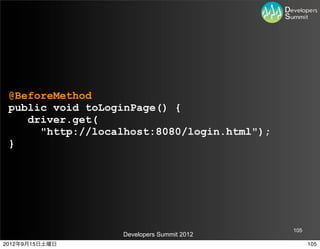
@BeforeMethod public void
toLoginPage() { driver.get( "http://localhost:8080/login.html"); } 105 Developers Summit 2012 2012年9月15日土曜日 105
107.
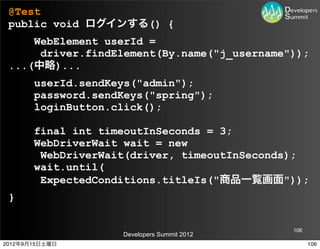
@Test public void
ログインする() { WebElement userId = driver.findElement(By.name("j_username")); ...(中略)... userId.sendKeys("admin"); password.sendKeys("spring"); loginButton.click(); final int timeoutInSeconds = 3; WebDriverWait wait = new WebDriverWait(driver, timeoutInSeconds); wait.until( ExpectedConditions.titleIs("商品一覧画面")); } 106 Developers Summit 2012 2012年9月15日土曜日 106
108.
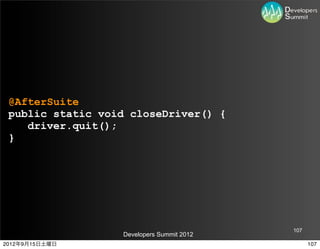
@AfterSuite public static
void closeDriver() { driver.quit(); } 107 Developers Summit 2012 2012年9月15日土曜日 107
109.
テストコードを
実行してみる 108 Developers Summit 2012 2012年9月15日土曜日 108
110.
109
Developers Summit 2012 2012年9月15日土曜日 109
111.
109
Developers Summit 2012 2012年9月15日土曜日 109
112.
まだだ。
まだ終わらんよ! 110 Developers Summit 2012 2012年9月15日土曜日 110
113.
クロスブラウザ
111 Developers Summit 2012 2012年9月15日土曜日 111
114.
Driverインスタンスを
変えればいい 112 Developers Summit 2012 2012年9月15日土曜日 112
115.
マルチプラットフォーム
✕ クロスブラウザ 113 Developers Summit 2012 2012年9月15日土曜日 113
116.
WindowsのIEと
OS XのSafariで 動作確認とか… 114 Developers Summit 2012 2012年9月15日土曜日 114
117.
こんなこともあろうかと
115 Developers Summit 2012 2012年9月15日土曜日 115
118.
複数ブラウザでの
テストを複数マシンで 並列実行する 「Selenium Grid」 116 Developers Summit 2012 2012年9月15日土曜日 116
119.
Test Code
Selenium Hub Grid Node Node Node Browser Browser Browser 117 Developers Summit 2012 2012年9月15日土曜日 117
120.
使い方は簡単。
118 Developers Summit 2012 2012年9月15日土曜日 118
121.
JARをダウンロードして起動するだけ! // start
Hub java -jar selenium-server-standalone-2.25.0.jar -hub // start Node java -jar selenium-server-standalone-2.25.0.jar -role node -hub http://hubserver:4444/grid/register 119 Developers Summit 2012 2012年9月15日土曜日 119
122.
テストコードを少し変える // 要求する実行環境。
// ブラウザのバージョンなども指定できる。 DesiredCapabilities capability = DesiredCapabilities.firefox(); // RemoteWebDriverというドライバを使う。 // 要求を満たすブラウザがNodeから選択される。 driver = new RemoteWebDriver( new URL( "http://hubserver:4444/wd/hub"), capability); 120 Developers Summit 2012 2012年9月15日土曜日 120
123.
テストコードを少し変える // RemoteWebDriverはTakesScreenshotを実装していない。
// スクリーンショットを撮れるRemoteWebDriverの実装であれば、 // AugmenterがTakesScreenshotインタフェースを追加する。 WebDriver augmentedDriver = new Augmenter().augment(driver); File file = ((TakesScreenshot)augmentedDriver). getScreenshotAs(OutputType.FILE); FileUtils.copyFile(file, new File( "/tmp/" + method.getName() + ".png")); 121 Developers Summit 2012 2012年9月15日土曜日 121
124.
そして、
122 Developers Summit 2012 2012年9月15日土曜日 122
125.
Selenium Gridを
使うとき、 123 Developers Summit 2012 2012年9月15日土曜日 123
126.
JenkinsとSelenium
Pluginを使うと 便利! 124 Developers Summit 2012 2012年9月15日土曜日 124
127.
Jenkinsとは
125 Developers Summit 2012 2012年9月15日土曜日 125
128.
CIツール
(Continuous Integration) 126 Developers Summit 2012 2012年9月15日土曜日 126
129.
基本的な使い方としては、
127 Developers Summit 2012 2012年9月15日土曜日 127
130.
SCMへのコミットをフックにして
最新のソースコードを取得し、 ビルドやテストを実行する アプリケーション 128 Developers Summit 2012 2012年9月15日土曜日 128
131.
本題と外れるので、
詳細は省略します。 129 Developers Summit 2012 2012年9月15日土曜日 129
132.
で、Selenium Pluginを使って
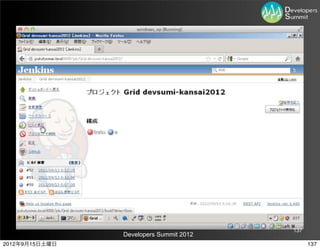
Jenkinsでテストを 実行させる 130 Developers Summit 2012 2012年9月15日土曜日 130
133.
Selenium Pluginが便利!
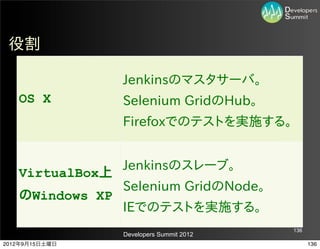
JenkinsサーバがHubになります! Hubを自動起動してくれます! JenkinsのスレーブをNodeとして 自動的にHubに登録してくれます! 131 Developers Summit 2012 2012年9月15日土曜日 131
134.
Jenkinsサーバ(マスタ)が
GNU/Linuxで あっても 132 Developers Summit 2012 2012年9月15日土曜日 132
135.
余ったWindowsマシンを
Jenkinsスレーブにして 133 Developers Summit 2012 2012年9月15日土曜日 133
136.
IEでのテストを
実行させよう! 134 Developers Summit 2012 2012年9月15日土曜日 134
137.
デモ
135 Developers Summit 2012 2012年9月15日土曜日 135
138.
役割
Jenkinsのマスタサーバ。 OS X Selenium GridのHub。 Firefoxでのテストを実施する。 Jenkinsのスレーブ。 VirtualBox上 Selenium GridのNode。 のWindows XP IEでのテストを実施する。 136 Developers Summit 2012 2012年9月15日土曜日 136
139.
137
Developers Summit 2012 2012年9月15日土曜日 137
140.
137
Developers Summit 2012 2012年9月15日土曜日 137
141.
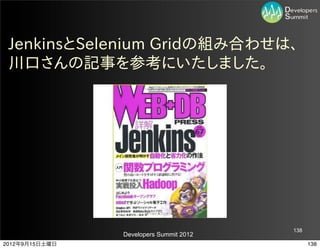
JenkinsとSelenium Gridの組み合わせは、 川口さんの記事を参考にいたしました。
138 Developers Summit 2012 2012年9月15日土曜日 138
142.
まとめ
139 Developers Summit 2012 2012年9月15日土曜日 139
143.
Jenkinsサイコー!(違
140 Developers Summit 2012 2012年9月15日土曜日 140
144.
ブラウザテストも
自動化できる (部分がある) 141 Developers Summit 2012 2012年9月15日土曜日 141
145.
めんどくさいことは
できる限りマシンに やらせよう 142 Developers Summit 2012 2012年9月15日土曜日 142
146.
今日のソースコード
Github https://github.com/jyukutyo/devsumi-kansai2012 https://github.com/jyukutyo/devsumi-kansai2012-Grid 143 Developers Summit 2012 2012年9月15日土曜日 143
147.
ご清聴
ありがとうございました! 144 Developers Summit 2012 2012年9月15日土曜日 144
Download


![サブミットしたら、
// XPathを使って要素を取得することもできる
WebElement loginButton =
driver.findElement(
By.xpath("//input[@type='submit']"));
// ボタンをクリックして、サブミットする
loginButton.click();
48
Developers Summit 2012
2012年9月15日土曜日 48](https://image.slidesharecdn.com/2012b3-120915073816-phpapp01/85/2012-B-3-49-320.jpg)