Formatting Your Thesis or Project Report The University Guidelines Manual and Engineering Style
Thesis and Dissertation OfficeUniversity Library, Room 501(562) 985-4013email: lib-thesis@csulb.eduhttp://www.csulb.edu/library/guide/serv/9 a.m. to 5 p.m.  Monday through FridayFormat Evaluators:Vivian Reed and Laurie WelchAdministrative Assistant:Sue Joshee
We’re here to help you prepare your manuscript according to the University Guidelines Manual and the formatting style guide approved by your department.The Format Evaluation ProcessSubmit your manuscript to the Thesis and Dissertation Office before 5 p.m. of the submission deadline date.  Be sure that: your manuscript is printed on standard printer paper, your signature page is complete with all signatures, your manuscript is in a manuscript (or thesis) box, and all three sections of the AUTHOR LOGIN are complete.
Formatters read through manuscripts on a first come first served basis.  Pages are flagged and corrections are noted on the pages.  It may take up to 4 weeks from when you submit your manuscript to when you receive an email to pick it up. Plan to submit as soon as possible if your official transcript with degree posting is required by a specific date for a graduate school application,  a job, a raise,  your leaving the country, or some other major change in your life.
Once you’ve made corrections, return the revised manuscript to the Thesis and Dissertation Office.  We recommend setting a 2 week turnaround time for yourself to insure completing the process within the term deadline.Role of the Thesis and Dissertation Office
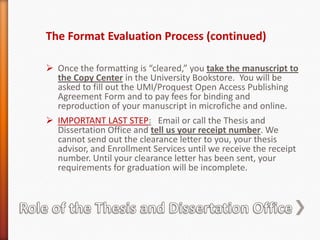
Role of the Thesis and Dissertation OfficeThe Format Evaluation Process (continued)Once the formatting is “cleared,” you take the manuscript to the Copy Center in the University Bookstore.  You will be asked to fill out the UMI/Proquest Open Access Publishing Agreement Form and to pay fees for binding and reproduction of your manuscript in microfiche and online.
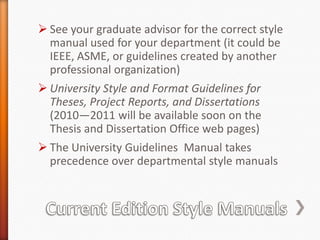
IMPORTANT LAST STEP:   Email or call the Thesis and Dissertation Office and tell us your receipt number. We cannot send out the clearance letter to you, your thesis advisor, and Enrollment Services until we receive the receipt number. Until your clearance letter has been sent, your requirements for graduation will be incomplete.See your graduate advisor for the correct style manual used for your department (it could be IEEE, ASME, or guidelines created by another professional organization)
University Style and Format Guidelines for Theses, Project Reports, and Dissertations (2010—2011 will be available soon on the Thesis and Dissertation Office web pages)
The University Guidelines  Manual takes precedence over departmental style manualsCurrent Edition Style Manuals
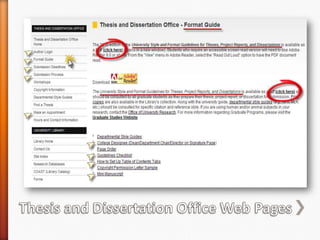
Thesis and Dissertation Office Web Pages
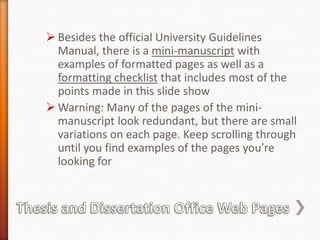
Thesis and Dissertation Office Web PagesBesides the official University Guidelines Manual, there is a mini-manuscript with examples of formatted pages as well as a formatting checklist that includes most of the points made in this slide show
Warning: Many of the pages of the mini-manuscript look redundant, but there are small variations on each page. Keep scrolling through until you find examples of the pages you’re looking forSubmit manuscripts  printed on 20 lb. (standard weight) printer paper in a thesis box
Only these 4 font styles allowed:  Times Roman, Times New Roman, Courier, or Courier New font in 12 pointfont size
Margins: 1 ½ INCH LEFT MARGIN IS USED THROUGHOUT THESIS; one inch margin on top, right, and bottom except on the first page of every major section where a two inch top margin is used
Use TWO SPACES AFTER PERIODS and other punctuation ending sentences and all colons
Center page numbers just ABOVE the one inch bottom margin (set footer to 1”) and match the font size and font style of page numbers with text
Use paragraph format with uniform double line-spacing(one empty line between two lines of text) with no additional line space between the text and chapter titles or subheads. Select text and set line spacing to “0 pt.” to eliminate wide blank spacesFormatting Essentials
Order of ElementsAbstract—If only one page, do not number, otherwise use Arabic  numerals for page numbers; 2 inch top margin for first page
Guard Sheet
Title Page
Signature Page
Acknowledgements—Use lowercase Roman numerals (iii) for page numbers; 2 inch top margin for first page
Table of Contents—Use lowercase Roman numerals; 2 inch top margin for first page
List of Tables, then List of Figures, and so on—lowercase Roman numerals; 2 inch top margin for first page of each
Chapters—Use Arabic numerals for page numbers; 2 inch top margin for first page of each chapter
Appendices—Each begins with a half-sheet title page
Bibliography or Reference List begins with a half-sheet title page; 2 inch top margin for first page
Guard SheetPreliminary Pages
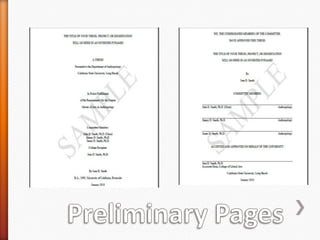
Check over your preliminary pages carefully. Refer to the University Guidelines Manual or check out the mini-manuscript online for visual examples of formatting for your title page (page 7 of the pdf) and signature page (page 10 of the pdf)
Use double line-spacing for the blocks of text, except use single-line spacing for the names of committee members on title page
The title of your manuscript on the abstract, title page, and signature page must match exactly in wording and line breaks and be formatted in an inverted pyramid (longest line first)
Your name must also match on those pages as it is listed in your official university recordsPreliminary Pages
Table of Contents
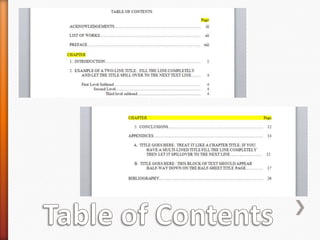
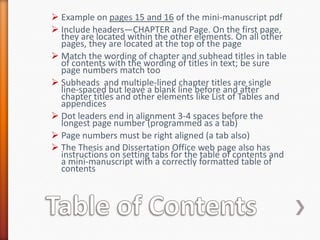
Table of ContentsExample on pages 15 and 16 of the mini-manuscript pdf

2011 engineering general

  • 1.
    Formatting Your Thesisor Project Report The University Guidelines Manual and Engineering Style
  • 2.
    Thesis and DissertationOfficeUniversity Library, Room 501(562) 985-4013email: lib-thesis@csulb.eduhttp://www.csulb.edu/library/guide/serv/9 a.m. to 5 p.m. Monday through FridayFormat Evaluators:Vivian Reed and Laurie WelchAdministrative Assistant:Sue Joshee
  • 3.
    We’re here tohelp you prepare your manuscript according to the University Guidelines Manual and the formatting style guide approved by your department.The Format Evaluation ProcessSubmit your manuscript to the Thesis and Dissertation Office before 5 p.m. of the submission deadline date. Be sure that: your manuscript is printed on standard printer paper, your signature page is complete with all signatures, your manuscript is in a manuscript (or thesis) box, and all three sections of the AUTHOR LOGIN are complete.
  • 4.
    Formatters read throughmanuscripts on a first come first served basis. Pages are flagged and corrections are noted on the pages. It may take up to 4 weeks from when you submit your manuscript to when you receive an email to pick it up. Plan to submit as soon as possible if your official transcript with degree posting is required by a specific date for a graduate school application, a job, a raise, your leaving the country, or some other major change in your life.
  • 5.
    Once you’ve madecorrections, return the revised manuscript to the Thesis and Dissertation Office. We recommend setting a 2 week turnaround time for yourself to insure completing the process within the term deadline.Role of the Thesis and Dissertation Office
  • 6.
    Role of theThesis and Dissertation OfficeThe Format Evaluation Process (continued)Once the formatting is “cleared,” you take the manuscript to the Copy Center in the University Bookstore. You will be asked to fill out the UMI/Proquest Open Access Publishing Agreement Form and to pay fees for binding and reproduction of your manuscript in microfiche and online.
  • 7.
    IMPORTANT LAST STEP: Email or call the Thesis and Dissertation Office and tell us your receipt number. We cannot send out the clearance letter to you, your thesis advisor, and Enrollment Services until we receive the receipt number. Until your clearance letter has been sent, your requirements for graduation will be incomplete.See your graduate advisor for the correct style manual used for your department (it could be IEEE, ASME, or guidelines created by another professional organization)
  • 8.
    University Style andFormat Guidelines for Theses, Project Reports, and Dissertations (2010—2011 will be available soon on the Thesis and Dissertation Office web pages)
  • 9.
    The University Guidelines Manual takes precedence over departmental style manualsCurrent Edition Style Manuals
  • 10.
    Thesis and DissertationOffice Web Pages
  • 11.
    Thesis and DissertationOffice Web PagesBesides the official University Guidelines Manual, there is a mini-manuscript with examples of formatted pages as well as a formatting checklist that includes most of the points made in this slide show
  • 12.
    Warning: Many ofthe pages of the mini-manuscript look redundant, but there are small variations on each page. Keep scrolling through until you find examples of the pages you’re looking forSubmit manuscripts printed on 20 lb. (standard weight) printer paper in a thesis box
  • 13.
    Only these 4font styles allowed: Times Roman, Times New Roman, Courier, or Courier New font in 12 pointfont size
  • 14.
    Margins: 1 ½INCH LEFT MARGIN IS USED THROUGHOUT THESIS; one inch margin on top, right, and bottom except on the first page of every major section where a two inch top margin is used
  • 15.
    Use TWO SPACESAFTER PERIODS and other punctuation ending sentences and all colons
  • 16.
    Center page numbersjust ABOVE the one inch bottom margin (set footer to 1”) and match the font size and font style of page numbers with text
  • 17.
    Use paragraph formatwith uniform double line-spacing(one empty line between two lines of text) with no additional line space between the text and chapter titles or subheads. Select text and set line spacing to “0 pt.” to eliminate wide blank spacesFormatting Essentials
  • 18.
    Order of ElementsAbstract—Ifonly one page, do not number, otherwise use Arabic numerals for page numbers; 2 inch top margin for first page
  • 19.
  • 20.
  • 21.
  • 22.
    Acknowledgements—Use lowercase Romannumerals (iii) for page numbers; 2 inch top margin for first page
  • 23.
    Table of Contents—Uselowercase Roman numerals; 2 inch top margin for first page
  • 24.
    List of Tables,then List of Figures, and so on—lowercase Roman numerals; 2 inch top margin for first page of each
  • 25.
    Chapters—Use Arabic numeralsfor page numbers; 2 inch top margin for first page of each chapter
  • 26.
    Appendices—Each begins witha half-sheet title page
  • 27.
    Bibliography or ReferenceList begins with a half-sheet title page; 2 inch top margin for first page
  • 28.
  • 29.
    Check over yourpreliminary pages carefully. Refer to the University Guidelines Manual or check out the mini-manuscript online for visual examples of formatting for your title page (page 7 of the pdf) and signature page (page 10 of the pdf)
  • 30.
    Use double line-spacingfor the blocks of text, except use single-line spacing for the names of committee members on title page
  • 31.
    The title ofyour manuscript on the abstract, title page, and signature page must match exactly in wording and line breaks and be formatted in an inverted pyramid (longest line first)
  • 32.
    Your name mustalso match on those pages as it is listed in your official university recordsPreliminary Pages
  • 33.
  • 34.
    Table of ContentsExampleon pages 15 and 16 of the mini-manuscript pdf
  • 35.
    Include headers—CHAPTER andPage. On the first page, they are located within the other elements. On all other pages, they are located at the top of the page
  • 36.
    Match the wordingof chapter and subhead titles in table of contents with the wording of titles in text; be sure page numbers match too
  • 37.
    Subheads andmultiple-lined chapter titles are single line-spaced but leave a blank line before and after chapter titles and other elements like List of Tables and appendices
  • 38.
    Dot leaders endin alignment 3-4 spaces before the longest page number (programmed as a tab)
  • 39.
    Page numbers mustbe right aligned (a tab also)
  • 40.
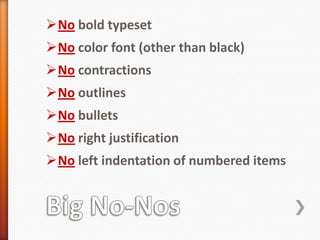
    The Thesis andDissertation Office web page also has instructions on setting tabs for the table of contents and a mini-manuscript with a correctly formatted table of contentsBig No-NosNo bold typeset
  • 41.
  • 42.
  • 43.
  • 44.
  • 45.
  • 46.
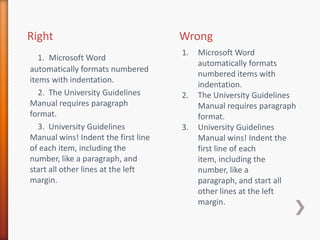
    No left indentationof numbered itemsRightWrongMicrosoft Word automatically formats numbered items with indentation.The University Guidelines Manual requires paragraph format.University Guidelines Manual wins! Indent the first line of each item, including the number, like a paragraph, and start all other lines at the left margin.1.Microsoft Word automatically formats numbered items with indentation. 2. The University Guidelines Manual requires paragraph format. 3. University Guidelines Manual wins! Indent the first line of each item, including the number, like a paragraph, and start all other lines at the left margin.
  • 47.
  • 48.
  • 49.
  • 50.
  • 51.
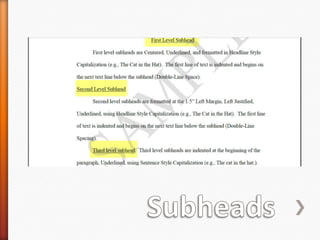
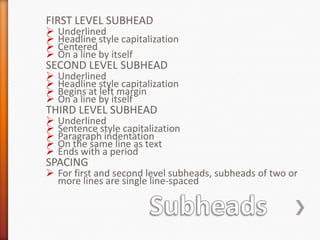
    On a lineby itself SECOND LEVEL SUBHEADUnderlined
  • 52.
  • 53.
  • 54.
    On a lineby itself THIRD LEVEL SUBHEADUnderlined
  • 55.
  • 56.
  • 57.
    On the sameline as text
  • 58.
    Ends with aperiodSPACINGFor first and second level subheads, subheads of two or more lines are single line-spacedSubheads
  • 59.
  • 60.
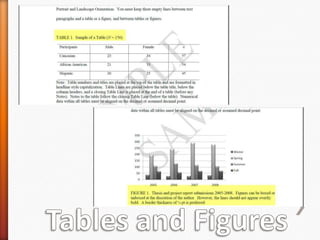
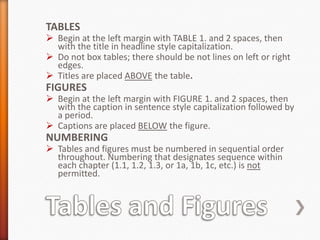
    Tables and FiguresTABLESBeginat the left margin with TABLE 1. and 2 spaces, then with the title in headline style capitalization.
  • 61.
    Do not boxtables; there should be not lines on left or right edges.
  • 62.
    Titles are placedABOVE the table.FIGURESBegin at the left margin with FIGURE 1. and 2 spaces, then with the caption in sentence style capitalization followed by a period.
  • 63.
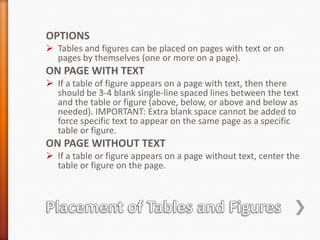
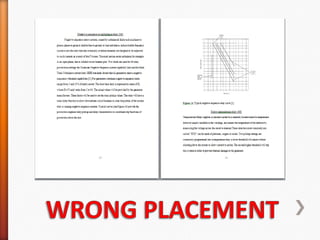
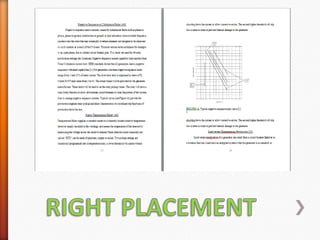
    Captions are placedBELOW the figure.NUMBERINGTables and figures must be numbered in sequential order throughout. Numbering that designates sequence within each chapter (1.1, 1.2, 1.3, or 1a, 1b, 1c, etc.) is not permitted.Placement of Tables and FiguresOPTIONSTables and figures can be placed on pages with text or on pages by themselves (oneor more on a page).ON PAGE WITH TEXTIf a table of figure appears on a page with text, then there should be 3-4 blank single-line spaced lines between the text and the table or figure (above, below, or above and below as needed). IMPORTANT: Extra blank space cannot be added to force specific text to appear on the same page as a specific table or figure.ON PAGE WITHOUT TEXTIf a table or figure appears on a page without text, center the table or figure on the page.WRONG PLACEMENT
  • 64.
  • 65.
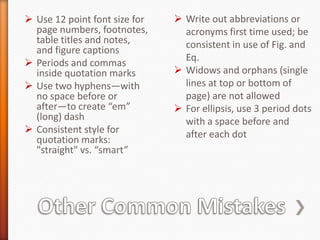
    Write out abbreviationsor acronyms first time used; be consistent in use of Fig. and Eq.
  • 66.
    Widows and orphans(single lines at top or bottom of page) are not allowed
  • 67.
    For ellipsis, use3 period dots with a space before and after each dot
  • 68.
    Use 12 pointfont size for page numbers, footnotes, table titles and notes, and figure captions
  • 69.
    Periods and commasinside quotation marks
  • 70.
    Use two hyphens—withno space before or after—to create “em” (long) dash
  • 71.
    Consistent style forquotation marks: "straight" vs. “smart”Other Common Mistakes
  • 72.
  • 73.
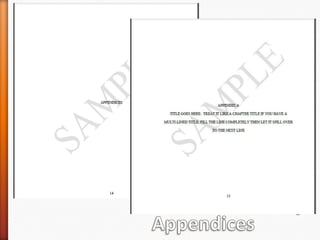
    Half-sheet title pagesare used to introduce appendices. Titles use all uppercase letters and double-line spacing and are centered on the page.
  • 74.
    If there isonly one appendix, begin the half-sheet title page with APPENDIX and then the title on the next line
  • 75.
    For more thanone appendix, begin with an APPENDICES half-sheet title page; the first appendix half-sheet title page begins with APPENDIX A and then the title on the next line
  • 76.
  • 77.
    Appendices maintain the1 ½ inch left margin; one inch top, right, and bottom marginsAppendices
  • 78.
  • 79.
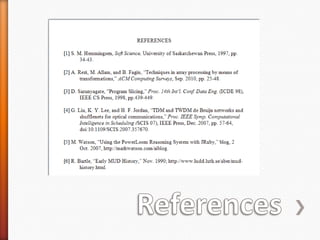
    Format each citationwith a hanging indent—first line (including number) begins at left margin with subsequent lines indented
  • 80.
    Single line-space withineach citation and leave a blank line between each citation
  • 81.
    Do not breakup a citation onto two pages. Move it to the next page if needed
  • 82.
    Format spacing consistently(single spacing after periods or colons is accepted in this section)
  • 83.
    If you usereference numbering—[1] or (1)—the numbers go inside punctuation, and references should be numbered in numerical order according to their order of appearance in the text
  • 84.
    Refer to asource by author or title of work in a sentence, not by the number Example: A key principle is explained in Smith’s dissertation [5]. NOT A key principle is explained in [5].References
  • 85.
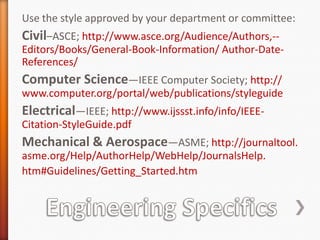
    Engineering SpecificsUse thestyle approved by your department or committee:Civil–ASCE; http://www.asce.org/Audience/Authors,--Editors/Books/General-Book-Information/ Author-Date-References/Computer Science—IEEE Computer Society; http:// www.computer.org/portal/web/publications/styleguideElectrical—IEEE; http://www.ijssst.info/info/IEEE-Citation-StyleGuide.pdfMechanical & Aerospace—ASME; http://journaltool. asme.org/Help/AuthorHelp/WebHelp/JournalsHelp.htm#Guidelines/Getting_Started.htm
  • 86.
    Approval Letter****ALL EngineeringStudents****Need to obtain an approval letter from Dr. BurkhardEnglert to submit with the thesis or project report
  • 87.
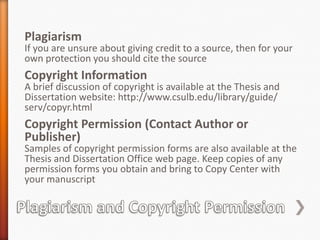
    PlagiarismIf you areunsure about giving credit to a source, then for your own protection you should cite the sourceCopyright InformationA brief discussion of copyright is available at the Thesis and Dissertation website: http://www.csulb.edu/library/guide/ serv/copyr.htmlCopyright Permission (Contact Author or Publisher)Samples of copyright permission forms are also available at the Thesis and Dissertation Office web page. Keep copies of any permission forms you obtain and bring to Copy Center with your manuscriptPlagiarism and Copyright Permission
  • 88.
    People often referto theses on the Proquest database, but do not base your own thesis formatting completely on these samples. Use the University Guidelines Manual.
  • 89.
    If you hirea typist or editor or formatter, make sure that they follow the appropriate guides. Agree on this from the beginning or you may find yourself having to pay twice to fix the problems caused by this miscommunication.Using Other Theses as Samples and Getting Outside Help
  • 90.
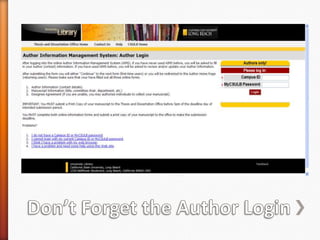
    Don’t Forget theAuthor Login
  • 91.
    Check our homepage prior to submitting your manuscript for the link to the online Author Login.
  • 92.
    All three sectionsof the Author Login must be complete before we can accept your manuscript for format evaluation. Contact us if you have problems entering information.
  • 93.
    You will receivean email verification after you complete the Author Login. Please check to be sure all the information is correct, especially email addresses.Don’t Forget the Author Login
  • 94.
    Don’t let yourfrustration level get too high. Contact us with any questions or problems. We are here to help.
  • 95.
    Many people hirea typist or editor or formatter if the task becomes too overwhelming.
  • 96.
    You are responsiblefor your manuscript being formatted in a professional manner that adheres to all university and departmental formatting guidelines. The manuscript should be formatted to the best of your ability when it is submitted, but there will be opportunities to correct errors after is it submitted.It’s Not the End of the World