


HORIZON REPORT
2009 K-12 Edition


The New Media Consortium
The Horizon Report: 2009 K-12 Edition
                                            is a publication of

                                    The New Media Consortium
                                               ——————————

             This publication was made possible through a grant from the Microsoft Corporation.

          Microsoft works with local, national, and international education communities to create
         technology, tools, programs, and solutions that help address education challenges, while
       improving teaching and learning opportunities. We believe that the evolving demands of the
       global economy make education vital to sustainable social and economic success. We also
     believe that education is a fundamental human right and is the single most important investment
                    in the future of individuals, communities, the nation, and the world.
                                 To learn more, see www.microsoft.com/education

                                               ——————————

     The Horizon Report: 2009 K-12 Edition was a collaboration between the New Media Consortium
     and the Consortium for School Networking (CoSN). Their critical participation in the production
        of this report and their strong support for the Horizon Project is gratefully acknowledged.
                              To learn more about CoSN visit www.cosn.org.

       The Horizon Project is a longstanding collaboration between the New Media Consortium and
                                  the EDUCAUSE Learning Initiative (ELI).

                                               ——————————

                                        © 2009, The New Media Consortium.

                                               ISBN 978-0-9765087-3-1

Permission is granted under a Creative Commons Attribution-NonCommercial-NoDerivs license to replicate
    and distribute this report freely for non-commercial purposes provided that it is distributed only in its
 entirety. To view a copy of this license, visit creativecommons.org/licenses/by-nc-nd/3.0/ or send a letter to
                 Creative Commons, 559 Nathan Abbott Way, Stanford, California 94305, USA.


                                                Citation
    Johnson, L., Levine, A., Smith, R., and Smythe, T. (2009). The 2009 Horizon Report: K-12 Edition.
                               Austin, Texas: The New Media Consortium.
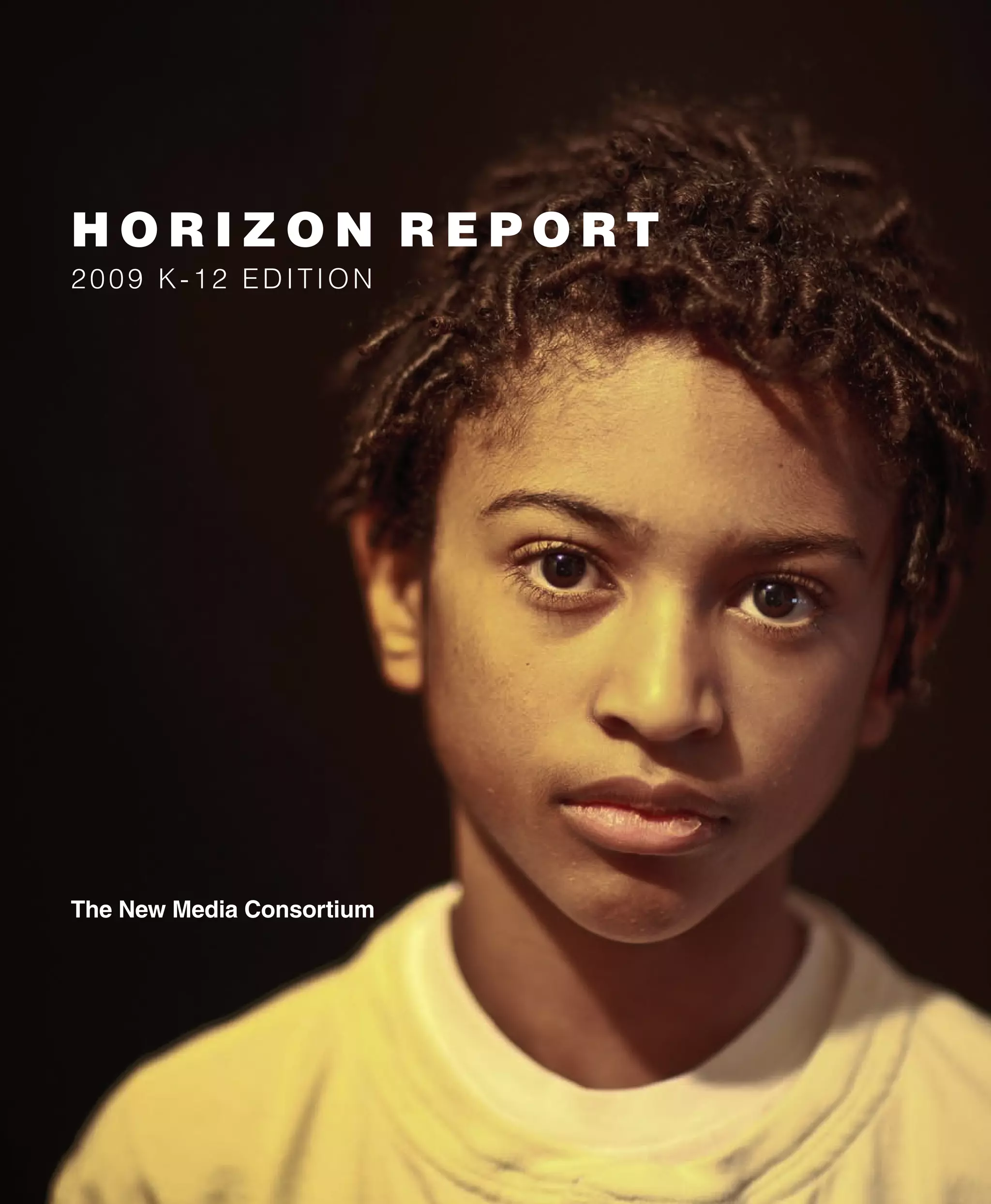
 Cover photograph: “Chapped Lips” by Vox_Efx on Flickr (http://www.flickr.com/photos/vox_efx/3186014896/). Creative Commons.
Ta b l E O f C O N T E N T s
Executive summary ....................................................................................................................................... 3
        ■ Technologies to Watch
        ■ Key Trends
        ■ Critical Challenges
        ■ The Horizon Project

Time-to-adoption: One Year or less
      Collaborative Environments ....................................................................................................................... 9
           ■ Overview
           ■ Relevance for Teaching, Learning, or Creative Expression
           ■ Collaborative Environments in Practice
           ■ For Further Reading

      Online Communication Tools ................................................................................................................... 13
          ■ Overview
          ■ Relevance for Teaching, Learning, or Creative Expression
          ■ Online Communication Tools in Practice
          ■ For Further Reading

Time-to-adoption: Two to Three Years
      Mobiles .................................................................................................................................................... 16
         ■ Overview
         ■ Relevance for Teaching, Learning, or Creative Expression
         ■ Mobiles in Practice
         ■ For Further Reading

      Cloud Computing..................................................................................................................................... 19
          ■ Overview
          ■ Relevance for Teaching, Learning, or Creative Expression
          ■ Clould Computing in Practice
          ■ For Further Reading

Time-to-adoption: four to five Years
      Smart Objects ......................................................................................................................................... 22
         ■ Overview
         ■ Relevance for Teaching, Learning, or Creative Expression
         ■ Smart Objects in Practice
         ■ For Further Reading

      The Personal Web ................................................................................................................................... 26
          ■ Overview
          ■ Relevance for Teaching, Learning, or Creative Expression
          ■ The Personal Web in Practice
          ■ For Further Reading

Methodology ................................................................................................................................................. 30
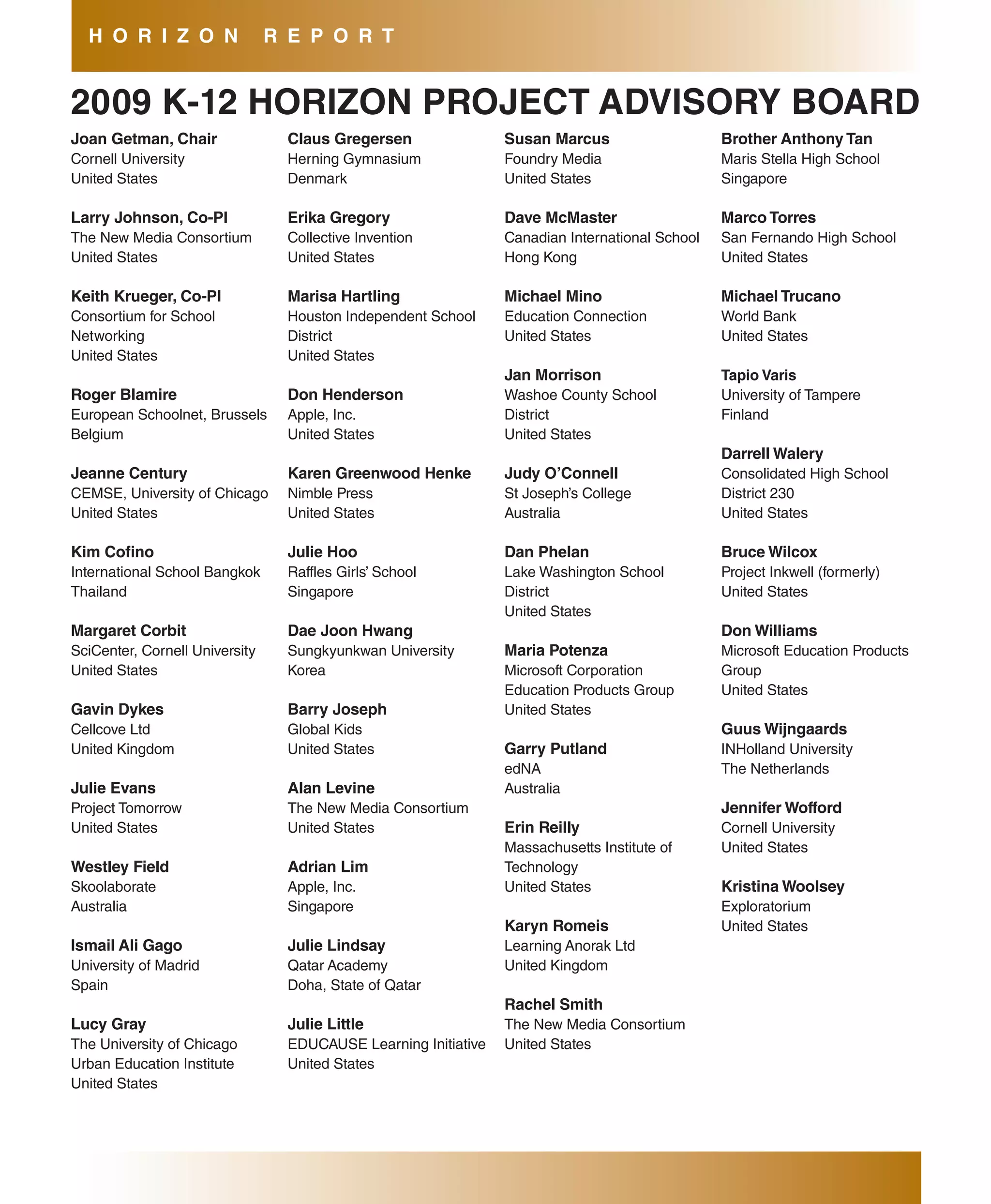
2009 K-12 Horizon Project advisory board ................................................................................................ 32


                                                        THE HORIZON REPORT: 20 09 K-12 EDITION                                                                 1
EXEC UTIV E s UM M aRY
The Horizon Report series is the product of the New      readings under each topic area are meant to provide
Media Consortium’s Horizon Project, an ongoing           practical models as well as access to more detailed
research project that seeks to identify and describe     information. Wherever possible, an effort was made
emerging technologies likely to have a large impact on   to highlight the innovative work going on among
teaching, learning, research, or creative expression     elementary, middle, and high schools around the
within education around the globe. This volume, the      world.
Horizon Report: 2009 K-12 Edition, is the second in      The format of the Horizon Report reflects the
a new series of regional and sector-based reports,       focus of the Horizon Project, which centers on the
and examines emerging technologies for their             applications of emerging technologies to teaching,
potential impact on and use in teaching, learning,       learning, research, and creative expression. Each
and creative expression within the environment of        topic opens with an overview to introduce the concept
pre-college education. The hope is that the report is    or technology involved and follows with a discussion
useful to educators worldwide, and the international     of the particular relevance of the topic to education or
composition of the Advisory Board reflects the care      creativity. Examples of how the technology is being
with which a global perspective was assembled.           — or could be — applied to those activities are given.
While there are many local factors affecting the         Each description is followed by an annotated list of
practice of education, there are also issues that        additional examples and readings which expand on
transcend regional boundaries, questions we all face     the discussion in the Report, as well as a link to the
in K-12 education, and it was with these in mind that    list of tagged resources collected by the Advisory
this report was created.                                 Board and other interested parties during the process
Each edition of the Horizon Report introduces six        of researching the topic areas. Many of the examples
emerging technologies or practices that are likely to    under each area feature the innovative work of NMC
enter mainstream use in the educational community        member institutions and their school partners.
within three adoption horizons over the next one
to five years. To identify these areas, the project      Technologies to Watch
has drawn on an ongoing conversation among               The technologies featured in this K-12 edition of
knowledgeable persons in the fields of business,         the Horizon Report are placed along three adoption
industry, and education; on published resources,         horizons that represent what the Advisory Board
current research, and practice; and on the expertise     considers likely timeframes for their entrance into
of both the NMC community and the communities of         mainstream use for teaching, learning, or creative
the members of the Horizon Project’s K-12 Advisory       applications in the K-12 environment. The first
Board, an international body of experts in education,    adoption horizon assumes the likelihood of entry
technology, and other fields. The Advisory Board,        into the mainstream of schools within the next year;
chosen to broadly represent a range of perspectives      the second, within two to three years; and the third,
in K-12 education, engages in a discussion around        within four to five years.
a set of research questions intended to surface          This edition was prepared concurrently with the
significant trends and challenges and to identify a      release of the 2009 Horizon Report, and it was
wide array of potential technologies for the Report.     natural that the Advisory Board considered the
Using a process detailed in the methodology section,     technologies presented there, along with a great
the Advisory Board comes to a consensus about the        many others, and they did, but with an eye toward
six topics that will appear here. The examples and       evaluating their likely adoption in K-12 schools. As


                                       THE HORIZON REPORT: 20 09 K-12 EDITION                               3
E X E C U T I V E             s U M M a R Y

the project got underway, there was considerable            On the far horizon we see smart objects and the
interest in seeing how similarly K-12 and higher            personal web. Smart object appliances aimed at
education were viewing emerging technology. As              consumers are appearing on the market, and the
it turned out, there is a considerable overlap, but         technology shows promise for linking physical objects
there are also clear distinctions. Assessment and           with rich caches of online content, but common use
filtering greatly impact the degree to which some           in schools is still several years away. The technology
technologies can be adopted in schools, which helps         was placed on the same horizon in the higher
to explain the considerable variation in adoption time      education edition of the 2009 Horizon Report. The
frames between the two sectors.                             personal web, on the other hand, is perceived as
                                                            being slightly closer to mainstream adoption in higher
The first two topics featured in this edition, collabora-
                                                            education than in grade schools; the topic appears
tive environments and online communication tools,
                                                            on the mid-term horizon for higher education.
are similar to topics that have appeared in past
Horizon Reports; both groups of technologies are            Two themes arose repeatedly during discussions
now standard in the digital toolset of postsecondary        of these technologies: assessment and filtering.
students. In many grade schools, on the other hand,         Assessment continues to present a challenge to
integrating these kinds of technologies into teaching       educators at all levels, particularly in the context of
and learning has proven difficult because of barriers       new media and collaborative work; evaluating student
such as policy constraints on using online tools, the       work that includes blogs, podcasts, and videos,
fact that many students do not bring laptops to school      or establishing how much an individual student
(as opposed to many college students, who do), and          contributed to or learned from a collaborative project,
policies that restrict Internet access in many schools.     is difficult. Further, translating assessments of this
We are starting to see the erosion of some of these         nature into the metrics measured by standardized
barriers as mobile devices become more capable              tests is not at all straightforward. The issue of
and as the value of these tools for collaborative           assessment touches every topic in this report.
work becomes more evident. Over the next year, we           Likewise, the practice of filtering — limiting the kinds
anticipate that both groups of technologies will begin      of online content and tools that students have access
to move into the mainstream of teaching practice.           to while at school — is intimately related to each of
                                                            these topics. At many schools today, the technologies
In the mid-term horizon are mobiles and cloud
                                                            named here cannot be used because they are blocked
computing. Though both appear in the 2009 Horizon
                                                            by content filters. The Advisory Board recognized the
Report as technologies that will become mainstream
                                                            need for new tools for filtering that do a better job of
in higher education, they are on the near-term
                                                            keeping objectionable content out of the way while
horizon for colleges and universities. The Advisory
                                                            allowing useful tools and content to be accessed.
Board’s estimate of two to three years as a likely
timeframe for their adoption in the K-12 sector is a        The body of the report describes each profiled
reflection of the fact that younger students are, at        technology in detail, including its relevance to
present, less likely than college-age students to carry     teaching, learning, and creative expression. Specific
mobile devices, especially Internet-capable ones —          examples that reflect the level of adoption as of the
although there is a growing trend that suggests this        writing of this report are also included, and a list of
will not always be the case — and that access to            suggested readings is provided for those who might
cloud-based applications is more difficult for younger      want further information. Taken together, our research
students for the same reasons that collaborative            indicates that each of these six technologies will
environments and online communication tools are             have a significant impact on schools within the next
often out of reach.                                         five years.
■	 Collaborative     Environments The         value         Applications that are developed to run in the
  placed on collaboration is increasing in the              cloud and take advantage of the ability to scale
  workplace as professionals are expected to work           up or down along with the number of users and
  across geographic and cultural boundaries more            storage demands are changing the way we think
  and more frequently. Many teachers recognize              about programs and files. Collaborative work,
  the importance of collaborative work and are              research, social networking, media sharing,
  finding that online tools to support it provide           virtual computers: all are enabled by applications
  them and their students with opportunities to             that live in the cloud.
  work creatively, develop teamwork skills, and tap       ■	 smart    Objects Smart objects combine a
  into the perspectives of people around the world          unique identifier with sensors and network
  with a wide range of experiences and skills that          access to link physical objects with a wealth of
  differ from their own.                                    virtual information. Some smart objects include
■	 Online Communication Tools      Communication            it all, combining the ability to sense themselves
  tools are a part of most students’ daily lives            and their surroundings with the ability to control
  outside of school. Instant messaging and                  a computer or access online content; others are
  online chats via desktop video conferencing are           merely everyday objects that have been tagged
  common means for social interaction with family           with a special code that connects them to the
  and friends. As technology provides ways for              virtual world. The underlying technologies that
  teachers to help shape the constructive use of            support smart objects are not new, but we are
  communication tools in the classroom, a new               now seeing new kinds of sensors, identifiers, and
  world of experiences is opening up for students.          applications with a much more generalizable set
  With most applications costing little or nothing          of functionalities.
  to implement, few other technologies available          ■	 The  Personal Web Finding and organizing
  today have the ability to remove geographic and           online content related to personal interests and
  time limitations from school environments more            learning objectives can be a difficult task, given
  quickly than online communication tools.                  the quantity of information on the web and the
■	 Mobiles
                                                            ease of adding more. Keeping track of one’s own
             Commonly carried by most college
                                                            contributions, and those of valued peers and
  students, many high school students, and a
                                                            colleagues, adds another layer of complexity.
  growing number of younger students, mobiles
                                                            There are a number of technologies that are used
  have been evolving rapidly in recent years. Multi-
                                                            to configure and manage the ways in which we
  touch interfaces, GPS capability, and the ability
                                                            view and use the Internet; taken together, this
  to run third-party applications make today’s
                                                            toolset is the personal web: a growing set of free
  mobile device an increasingly flexible tool that is
                                                            and simple tools and applications that let us create
  readily adapted to a wide range of tasks for social
                                                            customized, personal web-based environments
  networking, learning, and productivity. In some
                                                            that explicitly support our social, professional,
  places, mobile devices like the iPhone have
                                                            learning, and other activities.
  already begun to supplant portable computers
  as the Internet-capable device of choice.
                                                        Key Trends
■	 Cloud  Computing The rise of large-scale             In addition to the six technologies named above,
  “data farms” — large groups of networked              the K-12 Horizon Advisory Board also researched,
  servers — has made processing power and               identified, and ranked key trends affecting the practice
  storage capacity available in abundant quantities.    of teaching, learning, and creative expression in


                                     THE HORIZON REPORT: 20 09 K-12 EDITION                                 5
E X E C U T I V E            s U M M a R Y

K-12 schools. Through a review of current articles,            in the way they are represented to us. Students
interviews, papers, and research, the Board captured           are very familiar with the idea of “skinning” —
emerging or continuing trends they considered                  customizing the look and feel of — their virtual
important, and in the end, nearly 30 such trends               experiences. They expect and experience
were identified. Each was ranked according to how              personalized content in games and websites that
significant an impact they were likely to have on              is at odds with what they find in the classroom.
K-12 education in the next five years; the top five are      ■	 The way we think of learning environments is
presented below.                                               changing. Traditionally, a learning environment
  ■	 Technology   continues to profoundly affect the           has been a physical space, but the idea of what
    way we work, collaborate, communicate, and                 constitutes a learning environment is changing.
    succeed. Information technologies impact                   The “spaces” where students learn are becoming
    how people work, play, learn, socialize, and               more community-driven, interdisciplinary, and
    collaborate. Increasingly, technology skills are           supported by technologies that engage virtual
    also critical to success in almost every arena,            communication and collaboration. This changing
    and those who are more facile with technology              concept of the learning environment has clear
    will advance while those without access or skills          implications for schools, where learning is the
    will not. The digital divide, once seen as a factor        key focus of the space.
    of wealth, is now seen as a factor of education:         ■	 The perceived value of innovation and creativity
    those who have the opportunity to learn                    is increasing. Innovation is valued at the highest
    technology skills are in a better position to obtain       levels of business and must be embraced in
    and make use of technology than those who do               schools if students are to succeed beyond their
    not. Evolving occupations, multiple careers, and           formal education. The ways we design learning
    an increasingly mobile workforce contribute to             experiences must reflect the growing importance
    this trend.                                                of innovation and creativity as professional
  ■	 Technology     is    increasingly   a    means            skills.
    for empowering students, a method for
    communication and socializing, and a                   Critical Challenges
    ubiquitous, transparent part of their lives.           The K-12 Advisory Board also identified critical
    Technology is impacting our lives, and the lives       challenges facing schools as they seek to integrate
    of students, in new and expanding ways. Once           new technologies into the established structures of
    seen as an isolating influence, technology is now      teaching and learning environments. To develop the
    recognized as a primary way to stay in touch and       list of over thirty challenges facing schools today,
    take control of one’s own learning. Multisensory,      the Advisory Board reviewed current events, papers,
    ubiquitous, and interdisciplinary, technology          articles, and similar sources, ultimately ranking the
    is integrated into nearly everything we do. It         five challenges below as those most likely to affect
    gives students a public voice and a means to           teaching, learning, and creativity in the K-12 arena
    reach beyond the classroom for interaction and         over the next five years.
    exploration.                                             ■	 There is a growing need for formal instruction
  ■	 The web is an increasingly personal experience.           in key new skills, including information literacy,
    We have an unprecedented level of control                  visual literacy, and technological literacy. New
    over online content, not only in terms of the              skills are required of students in writing and
    information and activities that we select, but also        communication, different from those of even a
few years ago. Students and teachers both are             way that traditional practices are failing to do.
  finding it necessary to be technologically adept,       ■	 There   is a growing recognition that new
  to be able to collaborate on a global scale and
                                                            technologies must be adopted and used as
  to understand content and media design. Issues
                                                            an everyday part of classroom activities, but
  of assessment and integration of new literacies
                                                            effecting this change is difficult. Technology
  across the curriculum, and of teacher training,
                                                            tools that are part of everyday life for many
  are complicated by the overarching need for a
                                                            students and working professionals should be
  fuller understanding of what constitutes new
                                                            seen as core tools of the teaching profession
  literacy skills.
                                                            that teachers are required to master as any
■	 Students are different, but educational practice         professional would master the tools of his or
  and the material that supports it is changing             her trade. However, making such a profound
  only slowly. Schools are still using materials            shift in a well-established system is a difficult
  developed to teach the students of decades ago,           challenge. Professional development, intellectual
  but today’s students are actually very different in       interactions with peers, adequate training, and
  the way they think and work. Schools need to              preparation time — all scarce resources for
  adapt to current student needs and identify new           teachers — are necessary in abundance for
  learning models that are engaging to younger              such a shift to take place.
  generations. Many education professionals feel
                                                          ■	 A key challenge is the fundamental structure of
  that a shift to a more learner-centered model
  focused on the development of individual                  the K-12 education establishment. As long as
  potential instead of the imposition of a body             maintaining the basic elements of the existing
  of knowledge would lead to deeper and more                system remains the focus of efforts to support
  sustained learning across the curriculum. To              education, there will be resistance to any
  support such a change, both teaching practice             profound change in practice. Learners have
  and the tools used in the classroom must adapt.           increasing opportunities to take their education
  Assessment has also not kept pace with new                into their own hands, and options like informal
  modes of working, and must change along with              education, online education, and home-based
  teaching methods, tools, and materials.                   learning are attracting students away from
                                                            traditional educational settings. If the system
■	 Learning that incorporates real life experiences
                                                            is to remain relevant it must adapt, but major
  is not occurring enough and is undervalued
                                                            change comes hard in education.
  when it does take place. This challenge is an
  important one in K-12 schools, because it results     These trends and challenges reflect the impact of
  in a lack of engagement in learning on the part       emerging technologies and practices on our lives.They
  of students who are seeking some connection           demonstrate the change that is taking place in the way
  between their own lives and their experience in       we communicate, access information, and connect
  school. Use of technology tools that are already      with peers and colleagues. Taken as a whole, they
  familiar to students, project-based learning          frame the conversation around the potential impacts
  practices that incorporate real-life experiences,     of the six technologies and practices described in this
  and mentoring from community members                  special edition of the Horizon Report.
  are a few practices that support increased
  engagement. Practices like these may help             The Horizon Project
  retain students in school and prepare them for        Since the launch of the Horizon Project in March
  further education, careers, and citizenship in a      2002, the NMC has convened an ongoing series of


                                     THE HORIZON REPORT: 20 09 K-12 EDITION                                7
E X E C U T I V E            s U M M a R Y

conversations and dialogs with hundreds of tech-           organizations and a review of the literature with an eye
nology professionals, campus technologists,                toward spotting interesting emerging technologies.
faculty leaders from colleges and universities, and        When the cycle started, little was known, or even
representatives of leading corporations from more          could be known, about the appropriateness or
than two dozen countries. For the past six years,          efficacy of many of the emerging technologies for
these conversations have resulted in the publication       these purposes, as the Horizon Project expressly
each January of a globally focused report on               focuses on technologies not currently in widespread
emerging technologies relevant to higher education.        use in schools. For the current report, nearly 80 of
Each year, as the report is produced, an Advisory          these were initially considered.
Board engages in focused dialogs using a wide range        The 45 members of this year’s Advisory Board were
of articles, published and unpublished research,           purposely chosen to represent a broad spectrum of
papers, scholarly blogs, and websites. The result of       K-12 education, as well as key writers and thinkers
these dialogs is a list of the key technologies, trends,   from business and industry. They engaged in a
challenges, and issues that knowledgeable people           comprehensive review and analysis of research,
in technology industries, higher education, and            articles, papers, blogs, and interviews; discussed
museums are thinking about.                                existing applications, and brainstormed new ones;
Last year, for the first time, the NMC embarked on a       and ultimately ranked the items on the list of candidate
new series of regional and sector-based companion          technologies for their potential relevance to teaching,
editions of the Horizon Report, with the dual goals        learning, and creative expression. Much of this work
of understanding how technology is being absorbed          took place in and around a remarkable face-to-face
using a smaller lens, and also noting the contrasts        gathering in Dallas in January 2009, using a variety
between technology use in one area compared to             of tools specially purposed for the project; additional
another. This report, the Horizon Report: 2009 K-12        work took place online from January through the end
Edition, is the second of these new publications;          of February 2009. Work from the meeting as well as
the Horizon Report: 2008 Australia-New Zealand             the online discussions were captured and may be
Edition, released in the fall of 2008, was the first.      reviewed on the project wiki at http://horizon.nmc.
                                                           org/k12.
Like the global effort from which these emerged,
the K-12 project, referred to informally as Horizon.       For additional background on the Horizon K-12
K12, used qualitative research methods to identify         project, please see the section on methodology at
the technologies selected for inclusion in the             the end of the report.
report, beginning with a survey of the work of other
C O l l a b O R aT I V E E N V I R O N M E N T s
Time-to-adoption Horizon: One Year or less
Collaborative environments are virtual workplaces where students and teachers can communicate, share
information, and work together. A growing emphasis on collaboration in education — and an increasing
recognition that collaboration is the norm in many modern workplaces — has led more teachers to seek
tools to facilitate group interaction and teamwork in their classes. Online spaces designed to support groups
of students working together take many forms, from relatively simple tools that lend themselves to multiple
simultaneous authors all the way up to full-fledged classroom environments in both the flat web and the 3D
world of virtual environments. Collaborative environments provide the means for students to work with peers
both local and distant, practice creative teamwork, and develop peer relationships.

Overview
Collaborative environments exist in a myriad of forms.     pageflakes.com) let teachers set up workspaces
They can be simple web-based tools for collaborative       that include web feeds to pull in relevant resources,
work, social networking platforms, community               chat spaces — both synchronous and asynchronous,
websites,    classroom     management        systems,      forums, profiles, shared documents, calendars, music,
multiplayer gaming environments, or even virtual           and a host of other tools, all with a few clicks. Wikis
worlds. The common features that unite collaborative       can be used in the same way. Designed to be easy
environments are that multiple people can work within      to use, online collaborative environments like these
them at once; that users can leave evidence of their       make it very easy to create custom online classroom
thoughts, and reflections on the thoughts of others;       spaces for any subject.
and that they can support users in any location at         Collaboration within 3D virtual worlds and multiplayer
any time.                                                  gaming environments takes a slightly different form,
At one end of the spectrum are tools like Voicethread      as the participants’ interactions can be more along
(http://voicethread.com) that make it easy to collect      conversational lines, and shared products are often
multiple voices and viewpoints in a single media           virtual artifacts rather than text or other flat media.
package. Shared document editors like Adobe                Students often find these spaces very engaging.
Buzzword (http://www.adobe.com/acom/buzzword/),            Programs like HiFives (http://ced.ncsu.edu/hifives/)
Google Docs (http://docs.google.com), and wikis            and       GRADUATE          (http://wolfden.fi.ncsu.edu/
allow collaborators to author a single document            GRADUATE/Home.html) are designed to explore
simultaneously. Social networking tools like Facebook      how students might use such spaces to develop
(http://www.facebook.com) and MySpace (http://www.         skills in math, sciences, information technology, and
myspace.com) combine highly-customizable user              other STEM subjects. In these projects, teachers
profiles with collaborative tools; these spaces are        collaborate with students in university game design
aimed at social interaction rather than educational        programs using inexpensive gaming engine software
use, but they have nonetheless been used by teachers       to design environments and challenges for their 5th
and classes to create a shared online space. Users         – 8th grade classes. Similar efforts are underway by
can embed multimedia, including video, music, and          Global Kids (http://www.globalkids.org/) to investigate
images, into pages, tagging other users to associate       the use of the virtual world of Second Life™ for K-12
them with a given piece of work.                           education.
More fully-featured systems like Ning (http://ning.com),   Collaborative environments of all kinds extend the
Moodle (http://moodle.org), or PageFlakes (http://         classroom, eroding geographic and time limitations


                                        THE HORIZON REPORT: 20 09 K-12 EDITION                                9
O N E       Y E a R         O R      l E s s

that used to constrain academic interactions.                means for this, as are visual tools like Mindmeister
Students can work on group homework assignments              (http://mindmeister.com), a web application that
with their peers whether or not they are able to get         makes it easy to attach discussion points around a
together physically, and can receive feedback and            central issue. The map can be recorded and replayed
coaching from teachers outside of school hours, if           to review who contributed at each point; since it
both parties wish. The removal of such limitations           resides online, students can continue the discussion
is accompanied, however, by questions about the              from any Internet-enabled computer.
security of information shared online, a major concern       Online collaborative environments invite global
for schools. Protection of student work as well as the       initiatives. The Center for 21st Century Skills has
responsibility for keeping students in safe places           developed a space in the virtual world of Second Life
on the web — without limiting intellectual access to         called the International Virtual Collaboration Space to
high quality sites — are both challenges schools are         support students working with their peers around the
working to address.                                          world. Students in Finland and in Connecticut will be
                                                             using the space to design collaborative projects (see
Relevance for Teaching, learning,                            http://www.youtube.com/watch?v=K_1n3iNBsG8 for
or Creative Expression                                       a 7-minute video describing the space). Students
As noted above, collaborative environments foster            working in collaborative environments also have
teamwork and collaboration, but students can also            opportunities to connect with experts, professionals,
develop individual skills in such spaces. By practicing      researchers, and others beyond their classroom
critical thinking in a more or less public forum, students   walls. A collaboration between the LA MEDiA Quick
can benefit from seeing what their peers have to say         Start Collaborative based at Los Angeles Valley
and from critiquing each other’s work. In a world where      College, the California MEDiA Statewide CTE Hub,
factual information exists side by side with incorrect or    and partners in media production, film, and animation
misleading statements and opinions stated as facts,          has resulted in an online collaborative space where
students must learn to critically examine what they          students from kindergarten through college can
see and hear. Collaborative environments provide             work on film and media projects, receive feedback
workspaces in which such activities may take place           from other students and professionals, and maintain
in an open, constructive way, linked to classroom            a learning portfolio that follows them throughout
content. For example, social studies classes use             their education and career (see http://marypickford.
iCue (http://www.icue.com/), a site produced by NBC          com/images/stories/movies/la-media-promo-main-
News, to “collect” news stories, share them, and             sequence_h264_400kbs_640x480.mov).
reflect and respond to the perspectives presented by
                                                             The benefits of collaborative environments extend to
the news media.
                                                             professional interactions for teachers as well. Shared
Collaboration in an in-class setting presents teachers       professional spaces create opportunities for teachers
with the challenge of capturing and managing ideas           to dig deeper, ask questions of their colleagues,
that often come and go in student discussions at a           explore projects that others are doing, and engage
very fast pace. Such dialog is beneficial to students        in ongoing professional development wherever
and supports constructivist learning goals, but              they happen to be. Classroom 2.0 (http://www.
assessment can be difficult in real time. Collaborative      classroom20.com/) is a community of nearly 20,000
environments can be used to record such                      teachers that is supported by the Ning environment;
conversations in various ways, so that both teachers         the teachers can join interest groups within the
and students can revisit and review discussions              larger community, post and respond to questions,
throughout the school year. Blogs and wikis are ideal        share links, and take part in deep discussions about
integrating emerging web technologies into the          Collaborative Environments
practice of teaching. RezEd.org (http://rezed.org)      in Practice
uses a similar space for professional development       The following links provide examples of how
around teaching with virtual worlds, as does the Flat   collaborative environments are being used in
Classroom Project (http://flatclassroomproject.ning.    schools.
com/) for collaborative projects.
                                                        always learning: Projects
A sampling of applications of collaborative             http://mscofino.edublogs.org/projects/
environments across the curriculum includes the             At the International School Bangkok, students
following:                                                  in kindergarten through fifth grade collaborate
  ■	 language   arts Students at the International          with their peers around the world using a range
    School of Bangkok are part of a collaborative           of methods including social networking tools,
    community made up of students from four                 collaborative workspaces, blogs, wikis, and
    other schools around the world. Using blogs             microblogging tools.
    and podcasts to share their reading and writing     avatars
    strategies, they sharpen reading and writing        http://voicethread.com/share/235108/
    skills by collaboratively authoring class blogs         Students at the University of Southern
    and producing informative podcasts for other            California’s School of Cinematic Arts worked
    elementary school students.                             with a local school to integrate inexpensive,
  ■	 Natural sciences Students in New York City             easy collaboration tools into first and second
    and Chicago collaborated with researchers               grade classes. “Avatars” was created by second
    in the program I Dig Tanzania, a collaboration          graders using Voicethread to share their personal
    between Global Kids and the Field Museum of             avatars and express the reasons for their artistic
    Chicago’s Biodiversity Synthesis Center. Teen           choices.
    Second Life was used to support the students’       Connected.info
    collaboration and learning about paleontology       http://connected.info
    and Tanzanian culture (see http://www.                  Students at the Center for Advanced Research
    holymeatballs.org/2008/08/idt_i_dig_tanzania_           and Technology, a high school in Clovis,
    promo_video.html).                                      California, use Connected.info to collaborate on
  ■	 U.s.History An 8th grade history teacher at            assignments. Students can create blog posts,
    Del Mar Middle School in California uses a wiki         edit group wiki pages, contribute to discussion
    customized with primary source material, polls,         forums, and share notes online.
    videos, and images as a workspace for his           learning library
    students to investigate and analyze U.S. history.   http://www.newmedialiteracies.org/ll2/NMLLL.
    The students do research online, prepare their      html
    arguments collaboratively and singly in the wiki        Scheduled for release in May 2009, the Learning
    as homework, and then discuss their findings            Library presents a variety of interactive learning
    in class (see http://delmarhistory8.wikispaces.         challenges that are designed for students to
    com/).                                                  work through. The challenges are structured
                                                            to encourage practice and exploration in new
                                                            media literacy skills.


                                      THE HORIZON REPORT: 20 09 K-12 EDITION                             11
O N E           Y E a R             O R          l E s s

sWIfT                                                                           Edublogging: Instruction for the Digital age
http://www.swiftclassroom.com                                                   learner (PDf)
    SWIFT is a collaborative environment building                               http://bonsall.schoolwires .com/
    tool designed for teachers to quickly and easily                            15 12 10 9 2 6 2 12 5 4 7 7 / c w p / v i e w. a s p ?
    publish class websites. Teachers can make                                   A=3&Q=277322&C=55071
    updates quickly, stay in touch with parents,                                    (Jeffrey P. Felix, Ed.D.) This white paper is a
    and keep students informed of classroom                                         study of blogging use in K-12 schools in the
    assignments and policies. Several schools                                       United States. The author also considers teach-
    districts in the Puget Sound, Washington area                                   ers’ perceptions of how blogging is influencing
    and a few international schools in Africa use                                   their own instruction methods.
    SWIFT district-wide.
                                                                                Implementation study #3: Moodle
Youth Media Exchange                                                            http://www.k12opentech.org/implementation-
http://ymex.org/                                                                study-3-moodle
    Youth Media Exchanges is a partnership                                          (Steve Hargadon, K-12 Open Technologies,
    between Global Kids and TakingITglobal, in                                      17 January 2008.) This study reviews Moodle,
    association with the Asia Society. The groups                                   an open source collaborative online classroom
    use a social network to support youth in the U.S.                               environment, from the perspective of its
    and Asia as they develop 21st century learning                                  applicability to K-12.
    skills while collaborating on creative projects
                                                                                social Networks in Education
    based on global issues.
                                                                                http://socialnetworksined.wikispaces.com/
                                                                                    This wiki site hosts an updateable list of
for further Reading                                                                 social networks online that are used in school
The following articles and resources are                                            environments.
recommended for those who wish to learn more
about collaborative environments.                                               Top 10 Web 2.0 Tools for Young learners
                                                                                http://www.thejournal.com/articles/23898_1
Collaboration Tools
                                                                                    (Chris Riedel, T.H.E. JOURNAL, February 2009.)
h tt p : / / c o n n e c t . e d u c a u s e . e d u / L i b ra r y / E L I /
                                                                                    This article highlights ten high quality online
CollaborationTools/47200
                                                                                    tools, some of which use some social networking
      (Cyprien Lomas, Michael Burke, and Carrie
                                                                                    in the classrooms of younger students.
      Lee Page, EDUCAUSE Connect (White Paper),
      August 2008.) This white paper discusses col-                             Delicious: Collaborative Environments
      laboration tools used by students, ways that stu-                         http://delicious.com/tag/zk09+collabworkspaces
      dents already use them, and ways that faculty                                 (Tagged by K-12 Horizon Advisory Board and
      can leverage students’ familiarity with and use of                            friends, 2009). Follow this link to find additional
      collaboration tools to extend discourse beyond                                resources tagged for this topic and this edition of
      the classroom.                                                                the Horizon Report. To add to this list, simply tag
                                                                                    resources with “hzk09” and “collabworkspaces”
                                                                                    when you save them to Delicious.
O N l I N E C O M M U N I C aT I O N T O O l s
Time-to-adoption Horizon: One Year or less
As more professionals work from remote or distributed locations, the need for cheap, flexible communication
tools has grown. Recent technological developments are creating more ways for users to work anytime and
anywhere, and these new tools are finding their way into homes and classrooms as well. Online communication
tools put students in touch with distant family members, practicing experts, and their peers, wherever they may
be located. Desktop videoconferencing, instant messaging services, microblogging platforms, and voice-over-IP
clients facilitate connections and the dissemination of information between and among students and teachers,
keeping classroom communities in touch with each other on a more extensive basis than ever before.

Overview
The tools for remote communication that are used by        classroom management in order to optimize learning
professionals are easily adaptable to teaching and         and limit unhelpful communications.
learning, and indeed we are seeing an increase in          Programs like Skype (http://skype.com) allow free
classroom use of programs for that purpose. Such           online video conferencing, which many young
tools make it easy for students to move past the           people already use to communicate with their
classroom walls and connect with their peers around        extended families. Now a student in Jacksonville,
the world as well as giving them access to experts in      Florida may be as likely to speak to a peer in India
fields they are studying. Online communication tools       as to a grandparent in Minnesota. Desktop video
may be synchronous or asynchronous; based in text,         conferencing knocks down classroom walls and
audio or video; and enable one-to-one, one-to-many,        brings subject experts and co-learners from all
or many-to-many communications. Many may be                over the world into the classroom. Ustream (http://
used either from a computer or an Internet-enabled         www.ustream.tv) makes it easy to broadcast video
mobile phone, and some can be used from almost             to the web, either as a live event or as a recording,
any mobile phone.                                          pairing the broadcast with a chat window for remote
Brief, synchronous online communication through            participation. Such opportunities present great
instant messaging, and near-synchronous or                 advantages to students who are now expected
asynchronous conversations via Twitter (http://twitter.    to develop skills valued by the international work
com), a microblog application, allow dialogs that are      community such as communication skills and global
not bound by physical space or time limits. Meebo          and cultural awareness.
(http://meebo.com), a web-based instant messaging          Online communication tools developed with schools
aggregator, eliminates the need for schools to support     in mind offer additional features. Edmodo (http://
software from a variety of instant messaging vendors       edmodo.com) is a private microblogging platform
by enabling access to different accounts in one            that gives teachers and students a sheltered place
interface. There are mobile clients for both Twitter and   to manage classroom assignments and activities as
Meebo, meaning that access to text communications          well as engage in protected conversations. YackPack
is possible on the go as well. Synchronous online          (http://yackpack.com) combines live voice, a visual
communication through instant messaging is a               presence for speakers, text messaging, and the
part of many people’s daily lives, and this includes       ability to record and archive sessions in a friendly
K-12 students. Many schools are now beginning              interface designed for school use. There are many
to see instant messaging as a learning tool rather         tools like these available, and they continue to be
than a distraction. This requires new approaches to        developed day by day.


                                        THE HORIZON REPORT: 20 09 K-12 EDITION                            13
O N E       Y E a R        O R      l E s s


Relevance for Teaching, learning,                           conversation creates an instant reference: students at
or Creative Expression                                      Philadelphia’s Science Leadership Academy (SLA),
The value of online communication tools goes well           a public high school, use Ustream to view class
beyond social interaction. Access to these tools gives      discussions and presentations for study and review,
students an opportunity to experience learning in           or to make up for a missed class.
multiple ways, to develop a public voice, to make           The types of experiences made possible by online
connections with others around the world, and to            communication tools give students opportunities
compare their own ideas with those of their peers.          to learn in nontraditional ways. Debate, dialog,
The best moment to teach a student something                demonstration, conversation, and other means for
is the moment they are curious about it — but               exploring the many sides of a topic are all natural
what about when that moment happens outside                 ways to interact using these tools. While a shorthand
of classroom hours? Online communication tools              form of writing is commonly used in text messages,
create opportunities for “the teachable moment”             students still need to develop their ideas in order to
even if students are at home, at the mall, on a field       express them; and tools that make use of audio or
trip, or anywhere else. Students in Greenville, South       video encourage students to articulate their thoughts
Carolina can take part in live conversations anytime        clearly in order to be understood.
with their teacher through Gabbly (http://gabbly.           A sampling of applications for online communication
com), a chat widget that is embedded into their             tools across the curriculum includes the following:
teacher’s website. Anytime communication also helps
                                                              ■	 social  studies Students in Worcester,
make students available to teachers when needed.
                                                                Massachusetts used Skype to communicate
Teachers can manage classroom activities even
                                                                their experiences at the inauguration of
outside of classroom hours through synchronous,
                                                                President Barack Obama to fellow students in
two-way online communication that can provide time-
                                                                Massachusetts and Maine, and to a TV crew
sensitive information about projects and assignments
                                                                at WBZ in Boston, in real time. The middle and
and reach multiple students at once.
                                                                high school students at home asked questions
The combination of social interaction and meeting               using both video and chat in Skype.
an expert in a subject provides avenues for deep
                                                              ■	 Mathematics   A school in Salem, Oregon
learning, but student field trips are necessarily limited
                                                                uses YackPack in an ongoing math project
and not every opportunity can be followed. Desktop
                                                                called Math Scene Investigation (MSI). Students
videoconferencing offers unique solutions to these
                                                                use YackPack to collaborate on solving math
issues. While videoconferencing in the commercial
                                                                problems with a criminal investigation twist.
world has been around for quite some time, standard
equipment and technology requirements often                   ■	 History  A collaboration between The History
make that type of communication unfeasible for                  Channel, the New York Historical Society, Us-
schools. Web-based communication tools for video                tream.tv and Verizon brought American history
conferencing, which are often free and require only             expert, David McCullough, into classrooms via
a webcam and a moderately high speed internet                   Ustream’s desktop video conferencing service
connection, open up new opportunities for virtual               so students could talk with him about George
visits to relevant locations and for interactive                Washington on Presidents Day 2008.
conversations with specialists. Capturing such a
Online Communication Tools                                 for further Reading
in Practice                                                The following articles and resources are
The following examples provide snapshots of how            recommended for those who wish to learn more
online communication tools are being applied in            about online communication tools.
practice.
                                                           around the World with 80 school Projects
around the World 2008                                      http://langwitches.org/blog/2009/01/10/skype-
http://www.pvhs.k12.nj.us/atw/atwindex.asp                 interview-around-the-world-with-80-schools-project/
    An annual project at Passaic Valley High School             (Sylvia Tolisano, Langwitches, 10 January 2009.)
    in New Jersey connects students with their peers            The author, a technology integration facilitator in
    around the world using videoconferencing, email,            Jacksonville, Florida, is interviewed by Howard
    chat, and other online tools.                               Wolinsky about her use of Skype to facilitate
                                                                student interactions with 80 other schools
board Connect: anacortes school District board
                                                                around the world.
of Directors
http://board.asd103.org/                                   Edmodo is Twitter for Education
    Several districts in Washington state, including       http://mashable.com/2008/09/18/edmodo/
    the Anacortes School District, use an online               (Doriano“Paisano”Carter, Mashable, September
    communication tool called BoardConnect to                  2008.) This post describes Edmodo, a
    facilitate school board meetings and communicate           microblogging application that allows teachers to
    information to parents and teachers.                       communicate with groups of students anytime.
fishbowl 101                                               a live lesson on George Washington
http://learningandlaptops.blogspot.com/2006/10/            http://www.ustream.tv/blog/2008/02/13/500/
fishbowl-101.html                                              (Brad Hunstable,The Ustream.tv Blog, 13 February
    A Colorado teacher uses a process she calls                2008.) This blog post describes a live, interactive
    “the fishbowl,” in which an inner circle of students       online conversation between noted historian David
    discusses class material while an outer circle of          McCullough and students via Ustream.
    students live blogs the discussion and carries
                                                           Online Videoconferencing: Web Tools such as
    on one of their own in the blogs.
                                                           Ustream Make Video broadcasting accessible
NMl Mapping Think Tank                                     h tt p : / / w w w. a c c e s s my l i b ra r y. c o m / c o m s 2 /
http://projectnml.tumblr.com/                              summary_0286-34670276_ITM
    MIT’s project New Media Literacies (NML) used                (Gary Stager, District Administration, June 2008.)
    a Tumblr blog to collect resources, examples, and            This article provides an overview of major online
    ideas around applying new media literacies to                video technologies used in K-12 classrooms and
    geography. The blog was built as a conversation              examples of how they are used.
    among project members.                                 Delicious: Online Communication Tools
Zoey’s Room                                                http://delicious.com/tag/hzk09+commtools
http://www.zoeysroom.com/                                      (Tagged by K-12 Horizon Advisory Board and
    Zoey’s Room is an online community for middle              friends, 2009.) Follow this link to find additional
    school girls that fosters creativity in STEM               resources tagged for this topic and this edition of
    subjects. One of the features is a chat room               the Horizon Report. To add to this list, simply tag
    where girls can converse with “Fab Females,”               resources with “hzk09” and “commtools” when
    professional women who have careers in                     you save them to Delicious.
    science, technology, engineering, and math.


                                        THE HORIZON REPORT: 20 09 K-12 EDITION                                          15
MObIlEs
Time-to-adoption Horizon: Two to Three Years
It is becoming increasingly common for young people to own mobile devices. In the upper grades, it is
not at all unusual to find that students carry mobiles, even if they are not allowed to use them during class,
and younger students often carry them as well. The unprecedented evolution of these devices continues to
generate great interest, and their increasing capabilities make them more useful with each new generation of
devices. One recent feature — the ability to run third-party applications — represents a fundamental change
in the way we regard mobiles and opens the door to myriad uses for education, entertainment, productivity,
and social interaction.
Overview
Every edition of the Horizon Report since 2006              Internet over increasingly higher-speed 3G networks
has had something to say about mobiles. Mobiles             or by using wifi, and the capability for sensing motion
are ubiquitous to the point that they affect every          and orientation and reacting accordingly using built-
sector and every region. Over the past few years,           in accelerometers. Thanks to built-in GPS, these
mobiles have undergone a continual transformation,          new devices can locate themselves. They can run
becoming more capable and flexible with each new            robust applications, and they can communicate
release. The ability to record audio and video turned       with and control other devices. Most significantly,
them into portable multimedia devices; as storage           their manufacturers are working with the broader
capacity increased, they became keepers of our              community to open up the devices to all the innovation
family photos, phone books, and calendars; and now,         enabled by third-party developers.
geolocation, web browsing, and email have brought
                                                            The applications being developed have nothing to
much of the functionality of a laptop to the pocket-
                                                            do with making phone calls. Rather, they expand
sized devices. In countries like Japan, young people
                                                            the capacity of mobiles to keep us in touch with
equipped with mobiles often see no reason to own
                                                            information and activities that we want while we are
personal computers.
                                                            on the move. Third-party applications are very easy to
In a marketplace that turns out 1.2 billion new phones      acquire and install. Commonly priced at just under a
each year, innovation is fluid and ever-present. A          U.S. dollar, they include games, reference materials,
recent survey by the Pew Internet & American Life           tools for measuring and calculating, checklists,
Project predicts that by the year 2020, most people         reading material, productivity applications, social
across the world will be using a mobile device as their     networking tools, and more. In the elementary and
primary means for connecting to the Internet (http://       secondary sector, applications exist for nearly every
www.pewinternet.org/PPF/r/270/report_display.asp).          subject, from English to history, mathematics, and
It is clear that mobiles are already well on the way        science. The most common materials are designed
to becoming a universal tool for communication of           for reference and drill, but there are also creative
all kinds.                                                  applications for music and art, as well as calculators,
                                                            reading aids, language aids, and interactive games
About a year ago, another round of new developments
                                                            and simulations.
took place in the mobile markets — developments
that have resulted in a profound change in the way          Applications designed for mobiles can take advantage
we think about and interact with mobile devices. A          of built-in features like the microphone and the
new generation of mobiles appeared on the market            camera. Ocarina, for instance, is an application for
featuring multi-touch displays, the ability to access the   the iPhone that turns the phone into a flute that is
played by blowing into the microphone and tapping             teachers set up questions online and use a web page
buttons on the screen. BeeTagg Reader uses the                to tabulate, graph, and display the results to the class.
camera to snap a picture of a quick response (QR)             Students can see, for example, how their answers as
code, decoding it and displaying the associated               a class differ in pre- and post-quiz situations.
information.                                                  Third-party educational applications are readily
The rapid pace of innovation in this arena continues          available for the newest mobiles, and educational
to increase the potential of these little devices,            content is easy to find for almost every discipline.
challenging our ideas of how they should be used              More sophisticated tools that tap into the unique
and presenting additional options with each new               capabilities of mobile devices like the touch screen,
generation of mobiles. While there are policy                 the camera, the microphone, and the accelerometer
constraints that limit the use of mobiles in schools, it is   are quickly emerging. Language learners can look up
apparent that the devices and their new applications          words; practice listening, speaking, and writing; and
have been accepted in the mainstream. As more                 compare their pronunciation with a native speaker’s.
young people carry mobiles, some innovative schools           Graphing calculators display 3D graphs that can be
are beginning to consider how to use mobiles as               rotated with a finger on the touch screen or viewed
tools for K-12 education.                                     from different angles by tilting the phone. Detailed
                                                              reference materials for medicine or astronomy include
Relevance for Teaching, learning,                             the ability to supplement information and illustrations
or Creative Expression                                        with online sources. The variety and quality of
Mobiles are already in use as tools for education             educational content is growing at a fantastic pace.
on many college and university campuses. At the               A sampling of mobile applications across the
secondary level, nearly every student carries a               curriculum includes the following:
mobile device, making it a natural choice for content
                                                                ■	 Mathematics    In addition to applications
delivery and even field work and data capture. New
interfaces, the ability to connect to wifi and GPS in             for flash cards and simple drill practice, math
addition to a variety of cellular networks, and the               tools for mobiles like Kids’ Fraction Fun (http://
availability of third-party applications have created a           www.nscpartners.com/kidsmathfun62233) help
device with nearly infinite possibilities for education,          students practice skills they are learning in
networking, and personal productivity on the go. The              school in a game-like format on the iPod Touch.
combination of available applications and a device              ■	 science   Mobiles can be used to photograph
that they carry anyway provides an opportunity                    results of experiments in the lab or outdoors.
to introduce students to tools for study and time                 Students can take measurements using tools
management that will help them in later life. The                 like Seismometer (http://coneri.se/iphone/), or
implications for K-12 education are dramatic: the                 perform calculations with tools like ChemiCal
potential for mobile gaming and simulation, research              (http://www.twssworldwide.com/ChemiCal.html).
aids, field work, and tools for learning of all kinds is        ■	 art History Students in Bath, England, will be
there, awaiting development.
                                                                  using Mscape (http://mscapers.com) to create
Even mobiles that cannot run third-party applications             media maps of historical sites in and around the
can be used in the classroom. One of the simplest                 Holburne Museum and Sidney Gardens. Using
applications is to use short messaging system                     cameras and mobile devices, the students will
(SMS) messages to allow student response in place                 develop materials that can be used to raise
of expensive clicker systems. Products like Poll                  interest in the site among the community.
Everywhere (http://www.polleverywhere.com/) let


                                          THE HORIZON REPORT: 20 09 K-12 EDITION                                 17
T W O           T O        T H R E E              Y E a R s


Mobiles in Practice                                                          How Mobile Is Changing Our society
The following examples provide snapshots of how                              http://tarina.blogging.fi/2008/10/18/speaking-at-
mobile devices are being used in schools.                                    mobile-monday-amsterdam/
                                                                                 (Teemu Arina,Tarina, 18 October 2008.) This blog
Google Earth for iPhone
                                                                                 post explores the blurring boundary between
h tt p : / / go o g l e b l o g . b l o g s p o t . c o m / 2 0 0 8 / 10 /
                                                                                 mobile devices and computers and the potential
introducing-google-earth-for-iphone.html
                                                                                 future of what we now call mobiles.
      The iPhone version of Google Earth includes all
      the detail of the desktop version and is available                     iPhone: 3 features That Will Impact Education
      in 18 languages.                                                       http://www.edutechie.com/2007/06/iphone-3-
                                                                             features-that-will-impact-education/
Mobile MaaP
                                                                                 (Jeff VanDrimmelen, EduTechie.com, 12 June
http://maap.columbia.edu
                                                                                 2007 This blog post describes three features of
                                                                                      .)
    Columbia University’s Mapping the African
                                                                                 the iPhone — multi-touch display, widgets, and
    American Past (MAAP) website now includes a
                                                                                 iPhone applications with full Internet access —
    mobile version designed to be viewed using the
                                                                                 and explains why the author believes they will
    iPhone or iPod Touch.
                                                                                 make a difference for education in particular.
Panoramio
                                                                             Mobile learning in Classrooms of the future
http://android-developers.blogspot.com/2008/09/
                                                                             h t t p : / / w w w. c o n v e r g e m a g . c o m / s t o r y.
panoramio.html
                                                                             php?catid=421&storyid=108262
    Panoramio is an application for Android mobiles
                                                                                   (Suren Ramasubbu & Bruce Wilcox, Converge,
    that brings up a map of the user’s current location
                                                                                   September 2008.) This article describes the
    and then shows photographs that were taken in
                                                                                   potential of smart phones to revolutionize K12
    the area.
                                                                                   education.
ZooZbeat
                                                                             Voice in Google Mobile app: a Tipping Point for
http://www.zoozmobile.com/zoozbeat.htm
                                                                             the Web?
    ZooZBeat is an iPhone application featuring
                                                                             http://radar.oreilly.com/2008/11/voice-in-google-
    a gesture-based musical studio that is easy
                                                                             mobile-app-tipping-point.html
    enough for beginners and also robust enough for
                                                                                 (Tim O’Reilly, O’Reilly Radar, 18 November
    professional musicians.
                                                                                 2008.) This blog post discusses the release of
                                                                                 speech recognition for searching with Google
for further Reading                                                              Mobile App for iPhone and its implications for
The following articles and resources are
                                                                                 developing computing services designed to be
recommended for those who wish to learn more
                                                                                 native to phones.
about mobiles.
                                                                             Delicious: Mobiles
The Future of the Internet III
                                                                             http://delicious.com/tag/hzk09+mobile
http://www.pewinternet.org/PPF/r/270/report_
                                                                                 (Tagged by K-12 Horizon Advisory Board and
display.asp
                                                                                 friends, 2009.) Follow this link to find additional
    (Janna Anderson and Lee Rainie, Pew Internet
                                                                                 resources tagged for this topic and this edition of
    & American Life Project, December 14, 2008.)
                                                                                 the Horizon Report. To add to this list, simply tag
    This report describes the results of a survey
                                                                                 resources with “hzk09” and “mobile” when you
    of Internet leaders, activists, and analysts
                                                                                 save them to Delicious.
    assessing predictions about technology and its
    roles in the year 2020.
C lO U D C O M P U T I N G
Time-to-adoption Horizon: Two to Three Years
The cloud refers to computing resources resulting from very large “data farms” — specialized data centers that
host thousands of servers. Cloud computing uses the surplus resources to lower the cost and increase the
availability of disk storage and processing power to the point that anyone can obtain it, almost at a moment’s
notice, very cheaply. Applications that run in the cloud can scale up or down depending on immediate demand,
and many of us use such applications daily without even being aware that they are cloud-based. Image editors,
word processors, social networking tools, and more are always available. Accessed via a web browser, they are
often free and come with huge amounts of storage space for whatever we wish to keep there.The infrastructure
has improved to the point that the cloud is robust and reliable. As usage grows, the cloud is changing our ideas
about computing and communication.

Overview
The cloud is the term for networked computers that        and many, many personal web tools are cloud-
distribute processing power, applications, and large      based. Data storage is cheap in these environments
systems among many machines. Applications like            — pennies per gigabyte — so cheap that it is often
Flickr (http://www.flickr.com), Google (http://www.       provided in surprising quantities for free.
google.com), YouTube (http://www.youtube.com),            There are cloud-based counterparts to many common
and many others use the cloud as their platform, in       software tools from email to word processing and
the way that programs on a desktop computer use           spreadsheets. Specialized applications like Flickr
that single computer as a platform. Cloud-based           and YouTube provide options for hosting and sharing
applications do not run on a single computer; instead     media; tools for creating multimedia projects like Prezi
they are spread over a distributed cluster, using         (http://www.prezi.com) and Vuvox (http://www.vuvox.
storage space and computing resources from many           com) live in the cloud. There is no single computer, or
available machines as needed. “The cloud” denotes         even specific group of computers, that can be pointed
any group of computers used in this way and is not        to as housing these applications. To the end user, the
tied to a particular location or owner, though many       cloud is invisible, and the technology that supports
companies have proprietary clouds. “Amazon’s              the applications does not matter — the fact that the
cloud,” for instance, refers to the computers used to     applications are always available is key.
power Amazon.com; the capacity of those servers
                                                          The cloud does have certain drawbacks. Unlike
has been harnessed as the Elastic Compute Cloud
                                                          traditional software packages that can be installed
(EC2) and can be leased from Amazon for a variety
                                                          on a local computer and are available as long as
of purposes.
                                                          the operating system supports them, cloud-based
Cloud computing tools help us work, learn,                applications are services offered by companies and
communicate, and collaborate. Most of the                 service providers in real time. Entrusting your work
technologies featured in this edition of the Horizon      and data to the cloud is also a commitment of trust
Report are supported in some way by the cloud:            that the service provider will continue to be there,
collaborative environments and tools like Ning,           even in face of changing market and other conditions.
PageFlakes, Facebook, and Voicethread are                 Nonetheless, the economics of cloud computing
cloud applications; online communication tools            are increasingly compelling. For many institutions,
are supported by cloud resources; web-based               cloud computing offers a cost-effective solution to
counterparts to mobile applications run in the cloud;     the problem of how to provide services, data storage,


                                      THE HORIZON REPORT: 20 09 K-12 EDITION                                19
T W O       T O      T H R E E         Y E a R s

and computing power to a growing number of Internet         sliderocket.com), they can publish presentations and
users without investing capital in physical machines        slide shows. Further, it is very easy to share content
that need to be maintained and upgraded on-site.            created with these tools, both in terms of collaborating
                                                            on its creation and distributing the finished work.
Relevance for Teaching, learning,                           Browser-based applications are accessible for a
or Creative Expression                                      variety of computer and even mobile platforms,
The emergence of cloud-based applications is
                                                            making these tools available anywhere the Internet
causing a shift in the way we think about how we use
                                                            can be accessed. Already, cloud-based applications
software and store our files. The idea of data storage
                                                            are being used in schools to provide virtual computers
as something that can be separated from an individual
                                                            to students and staff without requiring each person to
computer is not unusual, but now it is becoming
                                                            own the latest laptop or desktop machine; a handful
common to consider applications in the same light.
                                                            of basic machines, provided they can access the
Instead of locking files and software inside a single
                                                            Internet and support a web browser, are all that is
computer, we are gradually moving both the products
                                                            needed for access to virtually unlimited data storage
of our work and the tools we use to accomplish it into
                                                            and programs of all kinds.
the cloud. Once there, applications and data are both
accessible from any computer, using tools that are          We are just beginning to see direct applications for
free or very inexpensive. Because they live on the          teaching and learning other than the simple availability
network, applications in the cloud make it easy to          of platform-independent tools and scalable data
share documents, collaboratively edit, and effectively      storage. This set of technologies has clear potential to
manage versions.                                            distribute applications across a wider set of devices
                                                            and greatly reduce the overall cost of computing. The
Cloud-based applications can provide students
and teachers with free or low-cost alternatives to          support for group work and collaboration at a distance
expensive, proprietary productivity tools. Schools          embedded in many cloud-based applications could
are beginning to take advantage of ready-made               be a benefit applicable to many learning situations.
applications hosted on a dynamic, ever-expanding            A sampling of applications of cloud computing across
cloud that enable end users to perform tasks that           the curriculum includes the following:
have traditionally required site licensing, installation,
                                                              ■	 Geography    Students can study real-time,
and maintenance of individual software packages.
                                                                real-world data with tools like Earthbrowser
Email, word processing, spreadsheets, presentations,
                                                                (http://www.earthbrowser.com). Earthbrowser
collaboration, media editing, and more can all be
                                                                combines a desktop interface with the data
done inside a web browser, while the software and
                                                                storage and computing power available in the
files are housed in the cloud.
                                                                cloud to create an interactive map populated
In addition to productivity applications, services like         with weather, geological, and other data.
Flickr, YouTube, and Blogger (http://www.blogger.
                                                              ■	 social       studies Using          cloud-based
com), as well as a host of other browser-based
                                                                visualization tools like GapMinder World (http://
applications, comprise a set of increasingly powerful
                                                                graphs.gapminder.org/world), students can
cloud-based tools for almost any task a user might
                                                                explore statistical information about income,
need to do. Applications like Splashup (http://www.
                                                                health, life expectancy, fertility rates, natural
splashup.com) or JayCut (http://www.jaycut.com)
                                                                resources, and more in a visual, interactive way.
make it easy for students to experiment with photo
and video editing. With tools like SlideShare (http://        ■	 science  Students in chemistry, physics,
www.slideshare.net) or SlideRocket (http://www.                 astronomy, biology, and computing use Socratica
(http://socratica.com), a “classroom in the cloud,” to            How Cloud Computing is Changing the World
     access — and create — study modules. Teachers                     http://www.businessweek.com/technology/
     can add modules as well, creating a growing,                      content/aug2008/tc2008082_445669.htm
     open resource that is available free of charge.                       (Rachael King, BusinessWeek, 4 August 2008.)
                                                                           This article describes a perceived shift in the way
Cloud Computing in Practice                                                we think about computing as more companies
The following examples provide snapshots of how                            begin to use cloud-based applications for
cloud computing is being applied in practice.                              communications and productivity tasks.
CloudTrip: Education                                                   The Cloudworker’s Creed
h t t p : / / w w w. c l o u d t r i p . c o m / i n d e x . p h p ?   http://www.ribbonfarm.com/20 08/10/23/the-
category=Education                                                     cloudworkers-creed/
      CloudTrip is a fledgling directory of cloud-                         (Venkatesh Rao, Ribbonfarm.Com, 23 October
      based applications, sorted into categories.                          2008.) This blog post introduces the concept of
      The Education listing includes applications for                      a cloudworker, the information professional of
      testing, student portfolios, digital storytelling,                   tomorrow.
      and more.                                                        Google Gears = No More Office/OpenOffice for
North Carolina school Takes to the Clouds with                         students
Virtual Desktops                                                       http://education.zdnet.com/?p=2052&tag=nl.
http://www.thejournal.com/articles/23377/                              e623
     A partnership between SimTone Corporation                             (Christopher Dawson, ZDNet Education, 26
     and Frank Porter Graham Elementary School in                          January 2009.) Google Gears synchronizes
     Chapel Hill, North Carolina, will leverage cloud                      offline and online versions of blogs and
     computing technologies to provide students and                        documents so that authors can edit offline,
     staff with virtual computers.                                         where drafts are saved locally until an Internet
                                                                           connection is present. This article discusses
Open science Grid
                                                                           some of the implications.
http://www.news.wisc.edu/12927
    The University of Wisconsin-Madison and                            Use of Cloud Computing applications and services
    several partner schools are working on a project                   http://www.pewinternet.org/PPF/r/262/report_
    to develop and expand a national Open Science                      display.asp
    Grid to provide computing power and data                               (John Horrigan, Pew Internet & American Life
    storage to solve large, data-intensive challenges                      Project, 12 September 2008.) This data memo
    in science.                                                            reports on the number of Internet users who
                                                                           are making use of cloud-based applications
science Clouds
                                                                           and services and reviews their expressed
http://workspace.globus.org/clouds/
                                                                           preferences.
    Science Clouds provides cloud computing
    resources to scientists in support of specific                     Delicious: Cloud Computing
    projects. Scientists may request time on the clouds                http://delicious.com/tag/hzk09+cloudcomputing
    in exchange for a short write-up of their project.                     (Tagged by K-12 Horizon Advisory Board and
                                                                           friends, 2009.) Follow this link to find additional
for further Reading                                                        resources tagged for this topic and this edition of
The following articles and resources are                                   the Horizon Report. To add to this list, simply tag
recommended for those who wish to learn more                               resources with “hzk09” and “cloudcomputing”
about cloud computing.                                                     when you save them to Delicious.


                                                 THE HORIZON REPORT: 20 09 K-12 EDITION                                 21
sMaRT ObjE CT s
Time-to-adoption Horizon: four to five Years
Smart objects link the virtual world and the real: a smart object “knows” about itself and its environment, and
can reveal what it is for, who owns it, where and how it was made, and what other objects in the world are like
it. A smart object can be tied to related information in a variety of media, placing itself within a rich context that
is made plain simply by following the connection. Smart objects can interact with one another, creating new
interfaces for controlling computers.There are many technologies that support smart objects, from simple printed
stickers to complex computing and sensor networks. In each case, whatever the underlying technology, smart
objects exist in the physical world but have some kind of virtual counterpart.The means to create, track, and use
smart objects has not yet entered the mainstream, but recent advances in identification technology have led to
some interesting proof-of-concept applications that suggest everyday uses are just down the road.

Overview
In the simplest sense, a smart object is any physical        appliances can contain smart chips that recognize
object that includes a unique identifier that can            their location and can call up local information about
track information about the object. More complex             weather conditions, traffic patterns, and the like.
smart objects may contain sensors and computers              Whatever the technology that makes a smart object
in addition to a unique identifier, but the sensor           smart, the thing that makes it interesting is how
and the computer may also be separate tools that             it connects the physical world with the world of
interact with a tagged object that has no electronic         information. A smart object carries with it much more
components. Radio-frequency identification (RFID)            information than is obvious to the eye: smart objects
tags and quick response (QR) codes can be attached           can be used to digitally manage physical things, to
to everyday things to turn them into smart objects, as       track them throughout their lifespan, and to annotate
can other means of identification like those that make       them with descriptions, opinions, instructions,
smartcards work. More sophisticated smart objects            warranties, tutorials, photographs, and any other kind
may look like blocks but contain computers and the           of contextual information imaginable. Smart objects
ability to sense position, proximity to other smart          that can be used to control computers are beginning
objects, light, heat, color, and so on.                      to enter the market, opening the door to a range of
Smart objects have been in use for point-of-sale             new interfaces shaped like everyday objects.
purchases, passport tracking, inventory management,          Web services like ShotCode (http://www.shotcode.
identification, and similar applications for quite some      com) and Kaywa (http://qrcode.kaywa.com/) let
time. RFID tags and smartcards “know” how much               anyone encode QR tags and print them out; they
money is in a user’s account, how to transfer the            can be placed on business cards, postcards, flyers,
correct amount to a retailer, how to deduct one trip         apparel, product tags, or anything else that can be
through a toll booth from a driver’s monthly pass,           printed. Anyone with a camera-enabled cell phone
which book is being checked out from a library,              can take a photo of the tag, analyze it, and decode
whether that patron currently has any overdue books,         the information, which could be a URL, an address,
and so on. QR codes can be generated online, printed         a phone number, or something similar. Taking smart
out, and attached to posters, telephone poles, t-shirts,     objects a step further, products like Tikitag (http://
and other everyday objects; once there, they can be          www.tikitag.com) and Violet’s Mir:ror (http://www.
read by camera-enabled mobiles to call up a host of          violet.net) make it easy and fun to attach scannable
information about the tagged object. Small household         stickers to household objects. When the object
is placed on or near a USB scanner attached to a            LEGO Mindstorms (http://mindstorms.lego.com)
personal computer, the tag is read and the computer         have been available for several years. Mindstorms
performs whatever actions the user has associated           kits combine LEGO bricks with sensors and a
with that particular tag, like launching a game or other    small, programmable computer “brain” to allow
application, or playing a certain music playlist.           builders to create smart sculptures that can sense
Emerging products like Siftables (http://www.siftables.     light, color, and motion and perform programmed
com) combine the sensor and computer inside the             actions in response. Other developing products,
smart object. Siftables are small, blocklike smart          such as Siftables, may turn out to have applications
objects that include a display and the ability to sense     for education: Siftables can contain numbers or
their own location and orientation and the proximity of     letters and can parse mathematical operations
other Siftables; they can play music, form words, and       and dictionary lists, so students can use them to
perform other actions, creating in effect a computer        practice math or spelling drillwork. Teachers are
interface that is made of building blocks. Poken (http://   also experimenting with using QR codes to deliver
www.doyoupoken.com) are small USB devices that can          homework assignments, or asking students to use
interact with one another to transmit and store a user      QR codes in class projects.
profile. Poken owners who meet in person simply touch       Libraries are an obvious place where smart objects
their poken together to exchange friend information
                                                            come in handy, and not only for obvious purposes like
on social networks they belong to, like Facebook or
                                                            collection tracking and checking materials in and out.
MySpace. Later, the new contacts are updated by
                                                            Some libraries are investigating further applications
connecting the poken to the owner’s computer.
                                                            of smart objects: a project called ThinkeringSpaces
Simple applications like these represent very early         from the Illinois Institute of Technology’s Institute
uses of smart objects in everyday life, and are             of Design (http://www.id.iit.edu/ThinkeringSpaces/)
significant because they are user-friendly and do not       combines physical and virtual components to
require a great deal of capital outlay or technological     produce an environment where physical objects, like
expertise. Future applications of smart object              books, can be annotated with contextual information
technology may further blur the distinction between         that is added manually or retrieved automatically.
physical objects and digital information. Sensors and       The information remains connected with the object
computers embedded in objects all around us may             and displays whenever the object is scanned, so that
change our concept of what a computer is: instead           when a patron places a book on the reader, he or
of a box under the desk, a computer may be all the          she can watch a recorded interview with the author,
objects on the desk.                                        call up other readers’ reviews, or leave a review of
                                                            his or her own.
Relevance for Teaching, learning,
or Creative Expression                                      Smart objects do not have to be located in the
Although smart objects have been in use in business         classroom to be useful. The CENSEI project at the
and industry for some time, it is only recently that        University of California, Los Angeles (http://censei.
it has become easy and cheap for students and               ucla.edu) aims to develop curricular units built around
teachers to create and use QR tags and smartcode            data collected from remote sensor networks; smart
stickers, or to acquire user-friendly smart objects with    objects placed in the field track climate and weather
embedded sensors. Products like Poken, Siftables,           changes, monitor water conditions, and take other
and Tikitags are making smart objects approachable          measurements that can be used in science classes.
and appealing, which is likely to impact their adoption     The units are aimed at middle-school students in
by young people and teachers.                               California.


                                         THE HORIZON REPORT: 20 09 K-12 EDITION                              23
f O U R        T O     f I V E      Y E a R s

Semapedia (http://semapedia.org), a collaborative         iPhone in Education: Using QR Codes in the
project that aims to connect tagged physical objects      Classroom
with online information in Wikipedia using QR codes,      http://olliebray.typepad.com/olliebraycom/2008/
suggests another potential use for smart objects in       11/iphone-in-education-using-qr-code-in-the-
the classroom. Students can create QR codes that          classroom.html
link to Wikipedia entries for local landmarks or areas        (Ollie Bray, OllieBray.com, 24 November 2008.)
of interest, print them out, and attach them on-site to       The author explains and demonstrates a way to
provide visitors with additional information.                 use QR codes to convey homework assignments
                                                              to students.
A sampling of applications for smart objects across
the curriculum includes the following:                    leapfrog Tag
  ■	 social
                                                          http://www.leapfrog.com/tag/
             studies Students examining tagged
                                                              The Tag by LeapFrog, aimed at very young
    cultural objects brought into the classroom
                                                              children, is a pen-shaped device that allows
    could use handheld devices like the iPod Touch
                                                              kids to interact with specially printed books and
    to call up a wealth of information, including
                                                              other materials. Children listen to the story, hear
    photographs, maps, video and audio recordings,
                                                              words pronounced, and play games by tapping
    related to the object they are holding.
                                                              the pen on the pages.
  ■	 local  History A school- or community-wide
                                                          siftables
    scavenger hunt might make use of QR codes
    or other smart tags to offer clues for participants   http://siftables.com/
    and direct them to certain locations. Combined             Watch the 7-minute video to see an overview
    with links to online information, the clues could          and demonstration of Siftables including clips of
    introduce students to historical events that took          children using them to play word games and to
    place in the vicinity.                                     create an interactive, illustrated story.

  ■	 Electronics
                                                          UW Team Researches a future filled with
                  In Philadelphia, community classes
    for young people and adults use pre-packaged          RfID Chips
    kits and the open-source Arduino platform to          http://seattletimes.nwsource.com/html/
    teach basic electronics concepts. Students bring      businesstechnology/2004316708_rfid31.html
    a laptop to class, but everything else is provided        (Kristi Heim, The Seattle Times, 31 March 2008.)
    for them to make experimental objects that can            Researchers at the University of Washington
    sense environmental conditions.                           are exploring the positive and negative aspects
                                                              of using RFID tags to track the movements
                                                              of people in a social setting — by tracking
smart Objects in Practice
                                                              themselves.
The following examples provide snapshots of how
smart objects are being applied in a variety of
contexts.
arduino
http://www.arduino.cc/
    Arduino is an open-source electronics prototyping
    platform that allows users to create objects that
    can sense and respond to the environment.
for further Reading                                     Thinkering spaces in libraries
The following articles and resources are                http://theshiftedlibrarian.com/archives/2008/
recommended for those who wish to learn more            06/17/thinkering-spaces-in-libraries.html
about smart objects.                                        (Jenny Levine, The Shifted Librarian, 17 June
                                                            2008.) This post, and the two that follow
High five the Panda to Connect Online
                                                            it, describe the library demonstration of
http://springwise.com/lifestyle_leisure/poken_
                                                            ThinkeringSpaces as seen by the author.
high-five_the_panda_to_c/
    (Jochem de Swart, Springwise.com, 2 February        Touch
    2009.) This article describes Pokens, small         http://www.nearfield.org/about
    USB devices that can swap social networking             Touch is a research project at the Oslo School
    information in face-to-face interactions.               of Architecture and Design that is investigating
                                                            the potential of near-field communication (NFC),
Internetting Every Thing, Everywhere,
                                                            a standard based on RFID and now being
all the Time
                                                            embedded in mobiles, for touch interactions with
http://edition.cnn.com/2008/TECH/11/02/
                                                            physical objects.
digitalbiz.rfid/
     (Cherise Fong, CNN.com/technology DigitalBiz,      Delicious: smart Objects
     November 2008.) This article describes the         http://delicious.com/tag/hzk09+smartobject
     Internet of things and illustrates some current        (Tagged by K-12 Horizon Advisory Board and
     examples of smart object technology.                   friends, 2009.) Follow this link to find additional
                                                            resources tagged for this topic and this edition of
The Net shapes Up to Get Physical
                                                            the Horizon Report. To add to this list, simply tag
http://www.guardian.co.uk/technology/2008/
                                                            resources with “hzk09” and “smartobject” when
oct/16/internet-of-things-ipv6
                                                            you save them to Delicious.
    (Sean Dodson, Guardian.co.uk, October 2008.)
    This article describes the Internet of things and
    discusses the technologies involved, as well as
    considering potential applications for networked
    smart objects.


                                      THE HORIZON REPORT: 20 09 K-12 EDITION                             25
THE PERsONal WEb
Time-to-adoption Horizon: four to five Years
Teachers using the Internet as a resource are as aware as anyone else that the amount of content available
on the web is staggering. Selecting valuable material to use in preparing lessons or to suggest as resources
for students is a time-consuming and sometimes frustrating task. The proliferation of content — both useful
and not — has been fueled in part by the ease of web publishing; it is easy to blog, tweet, post photos and
videos, comment on other blogs, create course websites, and post updates to social networks online. Another
issue goes hand-in-hand with the question of how to find useful material: the problem of how to keep track
of the various bits of content posted by colleagues, peers, friends, or even oneself. To deal with these issues,
readers and publishers of online content are assembling collections of tools, widgets, and services that handle
developing and organizing dynamic online content.Tools for tagging, aggregating, updating, and keeping track
of content assist today’s learners in creating and navigating a web that is increasingly tailored to their own
needs and interests: the personal web.

Overview
The personal web refers to both a collection of           interests and studies. The vast collection of content
technologies and a way of thinking about online           that makes up the web can be tamed, filtered, and
content. Described in the 2009 Horizon Report as          organized, and anyone can publish as much or as
part of a trend that began with simple innovations        little as they wish. Increasingly outside of school,
like personalized start pages, RSS aggregation,           the web experience is a personal one, tailored to the
and customizable widgets, the personal web is a           needs of the user; as schools become more open to
term coined to represent a collection of technologies     the techniques and toolsets, it will move into learning
that confer the ability to reorganize, configure and      environments as well.
manage online content rather than just viewing it; but    The challenges that relate to this set of technologies
part of the personal web is the underlying idea that      are primarily in the policy arena, and that is why it
web content can be sorted, displayed, and even built      has been placed on the far horizon. This is not a
upon according to an individual’s personal needs          reflection of the state of the technology; as noted
and interests.                                            above, the tools to facilitate the types of activities that
Simple tools to create customized, personal web-          take place around the personal web are here, readily
based environments to support social and academic         available, today. In fact, the underlying technology that
activities are easily available today, but their use in   supports the web has all but vanished for most users;
schools is severely hampered by access and filtering      all that is necessary is to know which tools to use,
policies. Tools that foster personal and social forms     and any task — from creating and distributing class
of learning and expression, though technically            materials, to organizing group work and team tasks,
unrelated, work together seamlessly without               to developing a library of resources that constantly
any need for complicated setup, thanks to open            refresh and update themselves — becomes point-
applications programming interfaces (APIs) and            and-click trivial.
easily integrated web feeds. Teachers are beginning       Policy decisions designed to protect students from
to see how they can easily create online spaces for       encountering potentially harmful content also limit
their classes that contain just the information they      access to valuable educational content. Inadequate
want their students to see. Students can create —         infrastructure and equipment also restrict access; in
and work in — online spaces that reflect their own        classrooms where there is a single computer, or in
schools where students can only use computers in              On the publishing side, students can use blogging tools
libraries or labs, there is little opportunity for students   to set up multimedia journals. Many photo and video
to curate or maintain evolving collections of online          sharing sites like Flickr, Picasa, YouTube, and Google
material.                                                     Video let authors embed media into their blogs with
                                                              a single click. Microblogging, the practice of posting
There is good news. As more teachers demonstrate
                                                              brief updates to services like Twitter, Facebook, and
the value of online collaborative environments and
                                                              others, is another way for students to reach out to
communication tools, and as more students create
                                                              peers and experts, or share their ideas about what
blogs, develop photo and video journals, and
                                                              they are learning or doing. Widgets for cross-posting
participate in social networks, policy may gradually
                                                              updates so that a statement entered on one service
change. As the value of providing Internet access to
                                                              appears on many others automatically extend the
students becomes more clear, infrastructure issues
                                                              audience, and a variety of tools are available for
will be addressed, and the personal web will be an
                                                              following the updates of others. The ease of online
accessible tool for students.
                                                              publishing, especially blogging, gives students a
                                                              place to voice their opinions, ideas, and research.
Relevance for Teaching, learning,
or Creative Expression                                        With all the options that are available for publishing
The tools of the personal web are ideal for research          content, it can be difficult for teachers to keep track
and learning. Teachers and students can tag,                  of student work, or for students to keep up with what
categorize, publish, and review work online quickly           their peers are publishing. Tagging is one method, as
and easily, without the need to understand or even            mentioned above; but tagging is time-consuming and
touch the underlying technologies. Rich, personal             relies on content being tagged with the same terms
resource collections can be set up using tags and             one uses to search. Aggregators are an easier way to
web feeds; they can be searched, annotated, and               collect and display content. Using web feeds, tools like
tailored to support any interest or subject. Delicious        Tumblr (http://www.tumblr.com) and Posterous (http://
(http://delicious.com) and Diigo (http://www.diigo.           www.posterous.com) pull bits of content together in
com) organize web links according to subject.                 a single place where updates appear automatically.
Viewers saving the links apply descriptive tags that          Students can use these tools to gather their work into an
can later be searched or browsed. While this is not a         online portfolio; whenever they add a tweet, blog post,
new concept, tagging online resources has become a            photo, or video to any online service they subscribe to,
common strategy among researchers. (Indeed, it is a           it will appear in their timeline. A teacher might create a
key strategy used in producing this report!)                  profile for his or her class to share; anyone in the class
                                                              could then add content to a single feed that would
Browser widgets — small tools that can be installed
                                                              update whenever new material is posted.
easily, often by simply dragging to the browser toolbar
— extend the functions of web browsers in dramatic            A sampling of applications of the personal web across
ways. One example, Zotero (http://www.zotero.org),            the curriculum includes the following:
is a reference tool that keeps bibliographic notes,             ■	 student   Research Using a custom social
summaries, and reader notes for web materials in                   networking application like Elgg (http://elgg.
much the same way an index card would, and Zotero                  org), teachers can create a class- or school-
also stores a link to the resource. Using resources like           wide student network where research links,
Zotero, Diigo, and Delicious, students can create a                discussions, notes, media files, and other
kind of personal online card catalog to support their              information can be shared in a protected
studies.                                                           environment.


                                          THE HORIZON REPORT: 20 09 K-12 EDITION                                  27
f O U R       T O     f I V E       Y E a R s

  ■	 Global Collaboration Middle school students          Omeka
    in Manitoba, Canada and their peers in South          http://omeka.org
    Africa support their learning with an “idea hive,”        Omeka is a free, open source, collections-based
    a loosely-coupled collection of personal tools            web publishing platform for teachers, scholars,
    to share photos, videos, blog posts, and other            librarians, archivists, museum professionals,
    selected content (see http://remoteaccess.                and cultural enthusiasts. Built and maintained by
    typepad.com).                                             the Center for New Media and History at George
  ■	 Reading
                                                              Mason University, Omeka is a robust publishing
               A North Carolina teacher allowed
                                                              tool for creating online resources.
    her students to select from a list of online texts,
    then asked them to take notes on the texts using      smaRThistory
    Diigo to demonstrate their mastery of reading         http://smarthistory.org
    strategies practiced in class (see http://isenet.         SmARThistory is an edited online art history
    ning.com/profiles/blogs/diigo-with-a-t wist-              resource to augment or replace traditional art
    reading).                                                 history texts. For a given artwork, smARThistory
                                                              brings together podcasts, video clips, images,
The Personal Web in Practice                                  links to other resources, and commentary,
The following examples provide snapshots of how               providing a rich context for the work.
the personal web is being applied in a variety of
contexts.                                                 for further Reading
eTwinning                                                 The following articles and resources are
http://www.etwinning.net                                  recommended for those who wish to learn more
    This website provides an easy way for European        about the personal web.
    schools to collaborate, define projects, have an      The art & Technique of Personal learning
    online workspace, and collect their resources         Networks
    in one spot. The schools form partnerships            http://bit.ly/david-warlick-pln
    with schools in other countries around shared             This workshop by David Warlick is designed
    projects.                                                 to help K-12 educators learn how to build and
Media Master: TransMedia Mapping                              sustain their own personal learning networks.
http://www.globalkids.org/?id=22                          The Evolution of Personal Publishing
    In the Global Kids Media Master Program,              http://www.readwriteweb.com/archives/the_
    students select a human rights issue and              evolution_of_personal_publ.php
    research it in blog posts, newspaper articles,            (Alex Iskold, ReadWriteWeb, December
    photos, videos and books. Using the Google                2007 This post traces different categories of
                                                                   .)
    MyMaps customizable mapping tools, the                    personal publishing – blogs, social networks,
    students create a multimedia map using the                and microblogs – and posits that each appeals
    sources they have found, adding comments as               to a different type of writer and fills a particular
    to why each piece of content is relevant to the           purpose in social publishing.
    issue.
Personal learning Environment Diagrams
http://edtechpost.wikispaces.com/PLE+Diagrams
    (Scott Leslie, EdTechPost, 2008.) The author
    has collected visual representations of various
    descriptions of personal learning environments,
    displaying them on a wiki page.
a Widget Onto the future
http://www.insidehighered.com/news/2008/12/08/
widgets
    (Andy Guess, Inside Higher Ed, 8 December
    2008.) This article describes widgets — tools
    for personalizing the information on a website
    — and provides examples of some developed
    expressly for education.
Delicious: The Personal Web
http://delicious.com/tag/hzk09+personalweb
    (Tagged by K-12 Horizon Advisory Board and
    friends, 2009.) Follow this link to find additional
    resources tagged for this topic and this edition of
    the Horizon Report. To add to this list, simply tag
    resources with “hzk09” and “personalweb” when
    you save them to Delicious.


                                       THE HORIZON REPORT: 20 09 K-12 EDITION   29
METHODO lO G Y
The process used to research and create the Horizon        of the literature — press clippings, reports, essays,
Report: 2009 K-12 Edition is very much rooted in the       and other materials — that pertains to emerging
methods used to develop the global edition of the          technology. Advisory Board members are provided
Horizon Report that is released each January. All          with an extensive set of background materials when
editions of the Horizon Report are produced using a        the project begins, and are then asked to comment on
carefully constructed process that is informed by both     them, identify those that seem especially worthwhile,
primary and secondary research. Nearly a hundred           and add to the set. The group discusses existing
technologies, as well as dozens of meaningful trends       applications of emerging technology and brainstorms
and challenges are examined for possible inclusion in      new ones. A key criterion for the inclusion of a topic
the report for each edition. Every report draws on the     is the potential relevance of the topic to teaching,
considerable expertise of an internationally renowned      learning, research, or creative expression. A carefully
Advisory Board that first generates a broad set of         selected set of RSS feeds from at least a dozen
important emerging technologies, challenges, and           relevant publications ensures that these background
trends, and then examines each of them in progressively    resources stay current as the project progresses, and
more detail, reducing the set until the final listing of   they are used to inform the thinking of the participants
technologies, trends, and challenges is selected.          throughout the process.
Much of the process takes place online, but when new       Following the review of the literature, the K-12
editions are created for the first time, a face-to-face    Advisory Board engaged in the central focus of the
meeting is often also part of the process, as a way        research — the five research questions that are at
to quickly build an engaged community among the            the core of the Horizon Project. These questions
advisors. All the work, wherever it occurs, is captured    were designed to elicit a comprehensive listing of
and placed in the Horizon Project wiki, which is           interesting technologies, challenges, and trends from
the project’s home on the web. The Horizon wiki is         the Advisory Board:
intended to be a completely transparent window to
                                                             1 What would you list among the established
the process, and contains the entire record of the
                                                               technologies that schools should all be using
research. The wiki for the K-12 Edition can be found
                                                               broadly today to support or enhance teaching,
at http://horizon.nmc.org/k12.
                                                               learning, or creative expression?
The procedure for selecting the topics that will be in
                                                             2 What technologies that have a solid user base
the report includes a modified Delphi process now
                                                               in consumer, entertainment, or other industries
refined over years of producing Horizon Reports, and
                                                               should schools be actively looking for ways to
it begins with the assembly of the Advisory Board.
                                                               apply?
The board as a whole is intended to represent a wide
range of backgrounds, nationalities, and interests, yet      3 What are the key emerging technologies you
each member brings a particularly relevant expertise.          see developing to the point that schools should
To date, more than 275 internationally recognized              begin to take notice during the next three to five
practitioners and experts have participated in a               years? What organizations or companies are
Horizon Project Advisory Board; in any given year, as          the leaders in these technologies?
many as half the members are new.                            4 What do you see as the key challenges related
Once the Advisory Board for a particular edition is            to teaching, learning, or creative expression that
constituted, their work begins with a systematic review        schools will face during the next five years?
5 What trends do you expect to have a significant        — defined for the purpose of the project as about
    impact on the ways in which schools approach           20% of institutions adopting it within the period
    our core missions of teaching, research, and           discussed. (This figure is based on the research of
    service?                                               Geoffrey A. Moore and refers to the critical mass of
                                                           adoptions needed for a technology to have a chance
One of the Advisory Board’s most important tasks is
                                                           of entering broad use.) These rankings are compiled
to answer these five questions as systematically and
                                                           into a collective set of responses, and inevitably, the
broadly as possible, so as to generate a large number
                                                           ones around which there is the most agreement are
of potential topics to consider. To help with this, past
                                                           quickly apparent.
Horizon Reports are revisited and the Advisory
Board is asked to comment on the current state of          From the more than 100 technologies originally
technologies, challenges, and trends identified in         considered for any report, the twelve that emerge
previous years, and to look for metatrends that that       at the top of the initial ranking process — four per
may be evident only across the results of multiple         adoption horizon — are further researched. Once
years.                                                     this “short list” is identified, the group, working with
                                                           both NMC staff and practitioners in the field, begins
At this point, the Advisory Board is asked to generate
                                                           to explore the ways in which these twelve important
as many new responses to the questions as possible,
                                                           technologies might be used in for teaching, learning,
and also to comment on the existing responses. The
                                                           research, and/or creative expression. A significant
regional and sector-based reports add one additional
                                                           amount of time is spent researching real and potential
step as a way to seed the responses: the topics
                                                           applications for each of the areas that would be of
from the short lists of the global and other regional
                                                           interest to practitioners.
editions for the current year are included in the list
of topics to consider. Once this work is done, usually     For every edition, when that work is done, each of
within just a few days, the Advisory Board moves to        these twelve “short list” items is written up in the
a unique consensus-building process that uses an           format of the Horizon Report. With the benefit of the
iterative Delphi-based methodology.                        full picture of how the topic will look in the report,
                                                           the “short list” is then ranked yet again, this time in
In the first step of this approach, the responses to
                                                           reverse. The six technologies and applications that
the research questions are systematically ranked
                                                           emerge are those detailed in the Horizon Report.
and placed into adoption horizons by each Advisory
Board member using a multi-vote system that allows         For additional detail on the project methodology or to
members to weight their selections. Each member            review the actual instrumentation, the ranking, and
is asked to also identify the timeframe during which       the interim products behind the report, please visit
they feel the technology would enter mainstream use        http://horizon.nmc.org/k12.


                                        THE HORIZON REPORT: 20 09 K-12 EDITION                               31
H O R I Z O N                 R E P O R T


2009 K-12 HORIZON PROjECT aDVIsORY bOaRD
joan Getman, Chair                Claus Gregersen                susan Marcus                    brother anthony Tan
Cornell University                Herning Gymnasium              Foundry Media                   Maris Stella High School
United States                     Denmark                        United States                   Singapore

larry johnson, Co-PI              Erika Gregory                  Dave McMaster                   Marco Torres
The New Media Consortium          Collective Invention           Canadian International School   San Fernando High School
United States                     United States                  Hong Kong                       United States

Keith Krueger, Co-PI              Marisa Hartling                Michael Mino                    Michael Trucano
Consortium for School             Houston Independent School     Education Connection            World Bank
Networking                        District                       United States                   United States
United States                     United States
                                                                 jan Morrison                    Tapio Varis
Roger blamire                     Don Henderson                  Washoe County School            University of Tampere
European Schoolnet, Brussels      Apple, Inc.                    District                        Finland
Belgium                           United States                  United States
                                                                                                 Darrell Walery
jeanne Century                    Karen Greenwood Henke          judy O’Connell                  Consolidated High School
CEMSE, University of Chicago      Nimble Press                   St Joseph’s College             District 230
United States                     United States                  Australia                       United States

Kim Cofino                        julie Hoo                      Dan Phelan                      bruce Wilcox
International School Bangkok      Raffles Girls’ School          Lake Washington School          Project Inkwell (formerly)
Thailand                          Singapore                      District                        United States
                                                                 United States
Margaret Corbit                   Dae joon Hwang                                                 Don Williams
SciCenter, Cornell University     Sungkyunkwan University        Maria Potenza                   Microsoft Education Products
United States                     Korea                          Microsoft Corporation           Group
                                                                 Education Products Group        United States
Gavin Dykes                       barry joseph                   United States
Cellcove Ltd                      Global Kids                                                    Guus Wijngaards
United Kingdom                    United States                  Garry Putland                   INHolland University
                                                                 edNA                            The Netherlands
julie Evans                       alan levine                    Australia
Project Tomorrow                  The New Media Consortium                                       jennifer Wofford
United States                     United States                  Erin Reilly                     Cornell University
                                                                 Massachusetts Institute of      United States
Westley field                     adrian lim                     Technology
Skoolaborate                      Apple, Inc.                    United States                   Kristina Woolsey
Australia                         Singapore                                                      Exploratorium
                                                                 Karyn Romeis                    United States
Ismail ali Gago                   julie lindsay                  Learning Anorak Ltd
University of Madrid              Qatar Academy                  United Kingdom
Spain                             Doha, State of Qatar
                                                                 Rachel smith
lucy Gray                         julie little                   The New Media Consortium
The University of Chicago         EDUCAUSE Learning Initiative   United States
Urban Education Institute         United States
United States
The New Media Consortium
s par k ing innovat ive le a r n i n g & c re a t i v i t y
             6101 West Courtyard Drive
              Building One, Suite 100
                 Austin, TX 78730
          t 512 445-4200 f 512 445-4205
                   www.nmc.org


              ISBN 978-0-9765087-3-1

2009 Horizon Report K12

  • 1.
    HORIZON REPORT 2009 K-12Edition The New Media Consortium
  • 2.
    The Horizon Report:2009 K-12 Edition is a publication of The New Media Consortium —————————— This publication was made possible through a grant from the Microsoft Corporation. Microsoft works with local, national, and international education communities to create technology, tools, programs, and solutions that help address education challenges, while improving teaching and learning opportunities. We believe that the evolving demands of the global economy make education vital to sustainable social and economic success. We also believe that education is a fundamental human right and is the single most important investment in the future of individuals, communities, the nation, and the world. To learn more, see www.microsoft.com/education —————————— The Horizon Report: 2009 K-12 Edition was a collaboration between the New Media Consortium and the Consortium for School Networking (CoSN). Their critical participation in the production of this report and their strong support for the Horizon Project is gratefully acknowledged. To learn more about CoSN visit www.cosn.org. The Horizon Project is a longstanding collaboration between the New Media Consortium and the EDUCAUSE Learning Initiative (ELI). —————————— © 2009, The New Media Consortium. ISBN 978-0-9765087-3-1 Permission is granted under a Creative Commons Attribution-NonCommercial-NoDerivs license to replicate and distribute this report freely for non-commercial purposes provided that it is distributed only in its entirety. To view a copy of this license, visit creativecommons.org/licenses/by-nc-nd/3.0/ or send a letter to Creative Commons, 559 Nathan Abbott Way, Stanford, California 94305, USA. Citation Johnson, L., Levine, A., Smith, R., and Smythe, T. (2009). The 2009 Horizon Report: K-12 Edition. Austin, Texas: The New Media Consortium. Cover photograph: “Chapped Lips” by Vox_Efx on Flickr (http://www.flickr.com/photos/vox_efx/3186014896/). Creative Commons.
  • 3.
    Ta b lE O f C O N T E N T s Executive summary ....................................................................................................................................... 3 ■ Technologies to Watch ■ Key Trends ■ Critical Challenges ■ The Horizon Project Time-to-adoption: One Year or less Collaborative Environments ....................................................................................................................... 9 ■ Overview ■ Relevance for Teaching, Learning, or Creative Expression ■ Collaborative Environments in Practice ■ For Further Reading Online Communication Tools ................................................................................................................... 13 ■ Overview ■ Relevance for Teaching, Learning, or Creative Expression ■ Online Communication Tools in Practice ■ For Further Reading Time-to-adoption: Two to Three Years Mobiles .................................................................................................................................................... 16 ■ Overview ■ Relevance for Teaching, Learning, or Creative Expression ■ Mobiles in Practice ■ For Further Reading Cloud Computing..................................................................................................................................... 19 ■ Overview ■ Relevance for Teaching, Learning, or Creative Expression ■ Clould Computing in Practice ■ For Further Reading Time-to-adoption: four to five Years Smart Objects ......................................................................................................................................... 22 ■ Overview ■ Relevance for Teaching, Learning, or Creative Expression ■ Smart Objects in Practice ■ For Further Reading The Personal Web ................................................................................................................................... 26 ■ Overview ■ Relevance for Teaching, Learning, or Creative Expression ■ The Personal Web in Practice ■ For Further Reading Methodology ................................................................................................................................................. 30 2009 K-12 Horizon Project advisory board ................................................................................................ 32 THE HORIZON REPORT: 20 09 K-12 EDITION 1
  • 5.
    EXEC UTIV Es UM M aRY The Horizon Report series is the product of the New readings under each topic area are meant to provide Media Consortium’s Horizon Project, an ongoing practical models as well as access to more detailed research project that seeks to identify and describe information. Wherever possible, an effort was made emerging technologies likely to have a large impact on to highlight the innovative work going on among teaching, learning, research, or creative expression elementary, middle, and high schools around the within education around the globe. This volume, the world. Horizon Report: 2009 K-12 Edition, is the second in The format of the Horizon Report reflects the a new series of regional and sector-based reports, focus of the Horizon Project, which centers on the and examines emerging technologies for their applications of emerging technologies to teaching, potential impact on and use in teaching, learning, learning, research, and creative expression. Each and creative expression within the environment of topic opens with an overview to introduce the concept pre-college education. The hope is that the report is or technology involved and follows with a discussion useful to educators worldwide, and the international of the particular relevance of the topic to education or composition of the Advisory Board reflects the care creativity. Examples of how the technology is being with which a global perspective was assembled. — or could be — applied to those activities are given. While there are many local factors affecting the Each description is followed by an annotated list of practice of education, there are also issues that additional examples and readings which expand on transcend regional boundaries, questions we all face the discussion in the Report, as well as a link to the in K-12 education, and it was with these in mind that list of tagged resources collected by the Advisory this report was created. Board and other interested parties during the process Each edition of the Horizon Report introduces six of researching the topic areas. Many of the examples emerging technologies or practices that are likely to under each area feature the innovative work of NMC enter mainstream use in the educational community member institutions and their school partners. within three adoption horizons over the next one to five years. To identify these areas, the project Technologies to Watch has drawn on an ongoing conversation among The technologies featured in this K-12 edition of knowledgeable persons in the fields of business, the Horizon Report are placed along three adoption industry, and education; on published resources, horizons that represent what the Advisory Board current research, and practice; and on the expertise considers likely timeframes for their entrance into of both the NMC community and the communities of mainstream use for teaching, learning, or creative the members of the Horizon Project’s K-12 Advisory applications in the K-12 environment. The first Board, an international body of experts in education, adoption horizon assumes the likelihood of entry technology, and other fields. The Advisory Board, into the mainstream of schools within the next year; chosen to broadly represent a range of perspectives the second, within two to three years; and the third, in K-12 education, engages in a discussion around within four to five years. a set of research questions intended to surface This edition was prepared concurrently with the significant trends and challenges and to identify a release of the 2009 Horizon Report, and it was wide array of potential technologies for the Report. natural that the Advisory Board considered the Using a process detailed in the methodology section, technologies presented there, along with a great the Advisory Board comes to a consensus about the many others, and they did, but with an eye toward six topics that will appear here. The examples and evaluating their likely adoption in K-12 schools. As THE HORIZON REPORT: 20 09 K-12 EDITION 3
  • 6.
    E X EC U T I V E s U M M a R Y the project got underway, there was considerable On the far horizon we see smart objects and the interest in seeing how similarly K-12 and higher personal web. Smart object appliances aimed at education were viewing emerging technology. As consumers are appearing on the market, and the it turned out, there is a considerable overlap, but technology shows promise for linking physical objects there are also clear distinctions. Assessment and with rich caches of online content, but common use filtering greatly impact the degree to which some in schools is still several years away. The technology technologies can be adopted in schools, which helps was placed on the same horizon in the higher to explain the considerable variation in adoption time education edition of the 2009 Horizon Report. The frames between the two sectors. personal web, on the other hand, is perceived as being slightly closer to mainstream adoption in higher The first two topics featured in this edition, collabora- education than in grade schools; the topic appears tive environments and online communication tools, on the mid-term horizon for higher education. are similar to topics that have appeared in past Horizon Reports; both groups of technologies are Two themes arose repeatedly during discussions now standard in the digital toolset of postsecondary of these technologies: assessment and filtering. students. In many grade schools, on the other hand, Assessment continues to present a challenge to integrating these kinds of technologies into teaching educators at all levels, particularly in the context of and learning has proven difficult because of barriers new media and collaborative work; evaluating student such as policy constraints on using online tools, the work that includes blogs, podcasts, and videos, fact that many students do not bring laptops to school or establishing how much an individual student (as opposed to many college students, who do), and contributed to or learned from a collaborative project, policies that restrict Internet access in many schools. is difficult. Further, translating assessments of this We are starting to see the erosion of some of these nature into the metrics measured by standardized barriers as mobile devices become more capable tests is not at all straightforward. The issue of and as the value of these tools for collaborative assessment touches every topic in this report. work becomes more evident. Over the next year, we Likewise, the practice of filtering — limiting the kinds anticipate that both groups of technologies will begin of online content and tools that students have access to move into the mainstream of teaching practice. to while at school — is intimately related to each of these topics. At many schools today, the technologies In the mid-term horizon are mobiles and cloud named here cannot be used because they are blocked computing. Though both appear in the 2009 Horizon by content filters. The Advisory Board recognized the Report as technologies that will become mainstream need for new tools for filtering that do a better job of in higher education, they are on the near-term keeping objectionable content out of the way while horizon for colleges and universities. The Advisory allowing useful tools and content to be accessed. Board’s estimate of two to three years as a likely timeframe for their adoption in the K-12 sector is a The body of the report describes each profiled reflection of the fact that younger students are, at technology in detail, including its relevance to present, less likely than college-age students to carry teaching, learning, and creative expression. Specific mobile devices, especially Internet-capable ones — examples that reflect the level of adoption as of the although there is a growing trend that suggests this writing of this report are also included, and a list of will not always be the case — and that access to suggested readings is provided for those who might cloud-based applications is more difficult for younger want further information. Taken together, our research students for the same reasons that collaborative indicates that each of these six technologies will environments and online communication tools are have a significant impact on schools within the next often out of reach. five years.
  • 7.
    ■ Collaborative Environments The value Applications that are developed to run in the placed on collaboration is increasing in the cloud and take advantage of the ability to scale workplace as professionals are expected to work up or down along with the number of users and across geographic and cultural boundaries more storage demands are changing the way we think and more frequently. Many teachers recognize about programs and files. Collaborative work, the importance of collaborative work and are research, social networking, media sharing, finding that online tools to support it provide virtual computers: all are enabled by applications them and their students with opportunities to that live in the cloud. work creatively, develop teamwork skills, and tap ■ smart Objects Smart objects combine a into the perspectives of people around the world unique identifier with sensors and network with a wide range of experiences and skills that access to link physical objects with a wealth of differ from their own. virtual information. Some smart objects include ■ Online Communication Tools Communication it all, combining the ability to sense themselves tools are a part of most students’ daily lives and their surroundings with the ability to control outside of school. Instant messaging and a computer or access online content; others are online chats via desktop video conferencing are merely everyday objects that have been tagged common means for social interaction with family with a special code that connects them to the and friends. As technology provides ways for virtual world. The underlying technologies that teachers to help shape the constructive use of support smart objects are not new, but we are communication tools in the classroom, a new now seeing new kinds of sensors, identifiers, and world of experiences is opening up for students. applications with a much more generalizable set With most applications costing little or nothing of functionalities. to implement, few other technologies available ■ The Personal Web Finding and organizing today have the ability to remove geographic and online content related to personal interests and time limitations from school environments more learning objectives can be a difficult task, given quickly than online communication tools. the quantity of information on the web and the ■ Mobiles ease of adding more. Keeping track of one’s own Commonly carried by most college contributions, and those of valued peers and students, many high school students, and a colleagues, adds another layer of complexity. growing number of younger students, mobiles There are a number of technologies that are used have been evolving rapidly in recent years. Multi- to configure and manage the ways in which we touch interfaces, GPS capability, and the ability view and use the Internet; taken together, this to run third-party applications make today’s toolset is the personal web: a growing set of free mobile device an increasingly flexible tool that is and simple tools and applications that let us create readily adapted to a wide range of tasks for social customized, personal web-based environments networking, learning, and productivity. In some that explicitly support our social, professional, places, mobile devices like the iPhone have learning, and other activities. already begun to supplant portable computers as the Internet-capable device of choice. Key Trends ■ Cloud Computing The rise of large-scale In addition to the six technologies named above, “data farms” — large groups of networked the K-12 Horizon Advisory Board also researched, servers — has made processing power and identified, and ranked key trends affecting the practice storage capacity available in abundant quantities. of teaching, learning, and creative expression in THE HORIZON REPORT: 20 09 K-12 EDITION 5
  • 8.
    E X EC U T I V E s U M M a R Y K-12 schools. Through a review of current articles, in the way they are represented to us. Students interviews, papers, and research, the Board captured are very familiar with the idea of “skinning” — emerging or continuing trends they considered customizing the look and feel of — their virtual important, and in the end, nearly 30 such trends experiences. They expect and experience were identified. Each was ranked according to how personalized content in games and websites that significant an impact they were likely to have on is at odds with what they find in the classroom. K-12 education in the next five years; the top five are ■ The way we think of learning environments is presented below. changing. Traditionally, a learning environment ■ Technology continues to profoundly affect the has been a physical space, but the idea of what way we work, collaborate, communicate, and constitutes a learning environment is changing. succeed. Information technologies impact The “spaces” where students learn are becoming how people work, play, learn, socialize, and more community-driven, interdisciplinary, and collaborate. Increasingly, technology skills are supported by technologies that engage virtual also critical to success in almost every arena, communication and collaboration. This changing and those who are more facile with technology concept of the learning environment has clear will advance while those without access or skills implications for schools, where learning is the will not. The digital divide, once seen as a factor key focus of the space. of wealth, is now seen as a factor of education: ■ The perceived value of innovation and creativity those who have the opportunity to learn is increasing. Innovation is valued at the highest technology skills are in a better position to obtain levels of business and must be embraced in and make use of technology than those who do schools if students are to succeed beyond their not. Evolving occupations, multiple careers, and formal education. The ways we design learning an increasingly mobile workforce contribute to experiences must reflect the growing importance this trend. of innovation and creativity as professional ■ Technology is increasingly a means skills. for empowering students, a method for communication and socializing, and a Critical Challenges ubiquitous, transparent part of their lives. The K-12 Advisory Board also identified critical Technology is impacting our lives, and the lives challenges facing schools as they seek to integrate of students, in new and expanding ways. Once new technologies into the established structures of seen as an isolating influence, technology is now teaching and learning environments. To develop the recognized as a primary way to stay in touch and list of over thirty challenges facing schools today, take control of one’s own learning. Multisensory, the Advisory Board reviewed current events, papers, ubiquitous, and interdisciplinary, technology articles, and similar sources, ultimately ranking the is integrated into nearly everything we do. It five challenges below as those most likely to affect gives students a public voice and a means to teaching, learning, and creativity in the K-12 arena reach beyond the classroom for interaction and over the next five years. exploration. ■ There is a growing need for formal instruction ■ The web is an increasingly personal experience. in key new skills, including information literacy, We have an unprecedented level of control visual literacy, and technological literacy. New over online content, not only in terms of the skills are required of students in writing and information and activities that we select, but also communication, different from those of even a
  • 9.
    few years ago.Students and teachers both are way that traditional practices are failing to do. finding it necessary to be technologically adept, ■ There is a growing recognition that new to be able to collaborate on a global scale and technologies must be adopted and used as to understand content and media design. Issues an everyday part of classroom activities, but of assessment and integration of new literacies effecting this change is difficult. Technology across the curriculum, and of teacher training, tools that are part of everyday life for many are complicated by the overarching need for a students and working professionals should be fuller understanding of what constitutes new seen as core tools of the teaching profession literacy skills. that teachers are required to master as any ■ Students are different, but educational practice professional would master the tools of his or and the material that supports it is changing her trade. However, making such a profound only slowly. Schools are still using materials shift in a well-established system is a difficult developed to teach the students of decades ago, challenge. Professional development, intellectual but today’s students are actually very different in interactions with peers, adequate training, and the way they think and work. Schools need to preparation time — all scarce resources for adapt to current student needs and identify new teachers — are necessary in abundance for learning models that are engaging to younger such a shift to take place. generations. Many education professionals feel ■ A key challenge is the fundamental structure of that a shift to a more learner-centered model focused on the development of individual the K-12 education establishment. As long as potential instead of the imposition of a body maintaining the basic elements of the existing of knowledge would lead to deeper and more system remains the focus of efforts to support sustained learning across the curriculum. To education, there will be resistance to any support such a change, both teaching practice profound change in practice. Learners have and the tools used in the classroom must adapt. increasing opportunities to take their education Assessment has also not kept pace with new into their own hands, and options like informal modes of working, and must change along with education, online education, and home-based teaching methods, tools, and materials. learning are attracting students away from traditional educational settings. If the system ■ Learning that incorporates real life experiences is to remain relevant it must adapt, but major is not occurring enough and is undervalued change comes hard in education. when it does take place. This challenge is an important one in K-12 schools, because it results These trends and challenges reflect the impact of in a lack of engagement in learning on the part emerging technologies and practices on our lives.They of students who are seeking some connection demonstrate the change that is taking place in the way between their own lives and their experience in we communicate, access information, and connect school. Use of technology tools that are already with peers and colleagues. Taken as a whole, they familiar to students, project-based learning frame the conversation around the potential impacts practices that incorporate real-life experiences, of the six technologies and practices described in this and mentoring from community members special edition of the Horizon Report. are a few practices that support increased engagement. Practices like these may help The Horizon Project retain students in school and prepare them for Since the launch of the Horizon Project in March further education, careers, and citizenship in a 2002, the NMC has convened an ongoing series of THE HORIZON REPORT: 20 09 K-12 EDITION 7
  • 10.
    E X EC U T I V E s U M M a R Y conversations and dialogs with hundreds of tech- organizations and a review of the literature with an eye nology professionals, campus technologists, toward spotting interesting emerging technologies. faculty leaders from colleges and universities, and When the cycle started, little was known, or even representatives of leading corporations from more could be known, about the appropriateness or than two dozen countries. For the past six years, efficacy of many of the emerging technologies for these conversations have resulted in the publication these purposes, as the Horizon Project expressly each January of a globally focused report on focuses on technologies not currently in widespread emerging technologies relevant to higher education. use in schools. For the current report, nearly 80 of Each year, as the report is produced, an Advisory these were initially considered. Board engages in focused dialogs using a wide range The 45 members of this year’s Advisory Board were of articles, published and unpublished research, purposely chosen to represent a broad spectrum of papers, scholarly blogs, and websites. The result of K-12 education, as well as key writers and thinkers these dialogs is a list of the key technologies, trends, from business and industry. They engaged in a challenges, and issues that knowledgeable people comprehensive review and analysis of research, in technology industries, higher education, and articles, papers, blogs, and interviews; discussed museums are thinking about. existing applications, and brainstormed new ones; Last year, for the first time, the NMC embarked on a and ultimately ranked the items on the list of candidate new series of regional and sector-based companion technologies for their potential relevance to teaching, editions of the Horizon Report, with the dual goals learning, and creative expression. Much of this work of understanding how technology is being absorbed took place in and around a remarkable face-to-face using a smaller lens, and also noting the contrasts gathering in Dallas in January 2009, using a variety between technology use in one area compared to of tools specially purposed for the project; additional another. This report, the Horizon Report: 2009 K-12 work took place online from January through the end Edition, is the second of these new publications; of February 2009. Work from the meeting as well as the Horizon Report: 2008 Australia-New Zealand the online discussions were captured and may be Edition, released in the fall of 2008, was the first. reviewed on the project wiki at http://horizon.nmc. org/k12. Like the global effort from which these emerged, the K-12 project, referred to informally as Horizon. For additional background on the Horizon K-12 K12, used qualitative research methods to identify project, please see the section on methodology at the technologies selected for inclusion in the the end of the report. report, beginning with a survey of the work of other
  • 11.
    C O ll a b O R aT I V E E N V I R O N M E N T s Time-to-adoption Horizon: One Year or less Collaborative environments are virtual workplaces where students and teachers can communicate, share information, and work together. A growing emphasis on collaboration in education — and an increasing recognition that collaboration is the norm in many modern workplaces — has led more teachers to seek tools to facilitate group interaction and teamwork in their classes. Online spaces designed to support groups of students working together take many forms, from relatively simple tools that lend themselves to multiple simultaneous authors all the way up to full-fledged classroom environments in both the flat web and the 3D world of virtual environments. Collaborative environments provide the means for students to work with peers both local and distant, practice creative teamwork, and develop peer relationships. Overview Collaborative environments exist in a myriad of forms. pageflakes.com) let teachers set up workspaces They can be simple web-based tools for collaborative that include web feeds to pull in relevant resources, work, social networking platforms, community chat spaces — both synchronous and asynchronous, websites, classroom management systems, forums, profiles, shared documents, calendars, music, multiplayer gaming environments, or even virtual and a host of other tools, all with a few clicks. Wikis worlds. The common features that unite collaborative can be used in the same way. Designed to be easy environments are that multiple people can work within to use, online collaborative environments like these them at once; that users can leave evidence of their make it very easy to create custom online classroom thoughts, and reflections on the thoughts of others; spaces for any subject. and that they can support users in any location at Collaboration within 3D virtual worlds and multiplayer any time. gaming environments takes a slightly different form, At one end of the spectrum are tools like Voicethread as the participants’ interactions can be more along (http://voicethread.com) that make it easy to collect conversational lines, and shared products are often multiple voices and viewpoints in a single media virtual artifacts rather than text or other flat media. package. Shared document editors like Adobe Students often find these spaces very engaging. Buzzword (http://www.adobe.com/acom/buzzword/), Programs like HiFives (http://ced.ncsu.edu/hifives/) Google Docs (http://docs.google.com), and wikis and GRADUATE (http://wolfden.fi.ncsu.edu/ allow collaborators to author a single document GRADUATE/Home.html) are designed to explore simultaneously. Social networking tools like Facebook how students might use such spaces to develop (http://www.facebook.com) and MySpace (http://www. skills in math, sciences, information technology, and myspace.com) combine highly-customizable user other STEM subjects. In these projects, teachers profiles with collaborative tools; these spaces are collaborate with students in university game design aimed at social interaction rather than educational programs using inexpensive gaming engine software use, but they have nonetheless been used by teachers to design environments and challenges for their 5th and classes to create a shared online space. Users – 8th grade classes. Similar efforts are underway by can embed multimedia, including video, music, and Global Kids (http://www.globalkids.org/) to investigate images, into pages, tagging other users to associate the use of the virtual world of Second Life™ for K-12 them with a given piece of work. education. More fully-featured systems like Ning (http://ning.com), Collaborative environments of all kinds extend the Moodle (http://moodle.org), or PageFlakes (http:// classroom, eroding geographic and time limitations THE HORIZON REPORT: 20 09 K-12 EDITION 9
  • 12.
    O N E Y E a R O R l E s s that used to constrain academic interactions. means for this, as are visual tools like Mindmeister Students can work on group homework assignments (http://mindmeister.com), a web application that with their peers whether or not they are able to get makes it easy to attach discussion points around a together physically, and can receive feedback and central issue. The map can be recorded and replayed coaching from teachers outside of school hours, if to review who contributed at each point; since it both parties wish. The removal of such limitations resides online, students can continue the discussion is accompanied, however, by questions about the from any Internet-enabled computer. security of information shared online, a major concern Online collaborative environments invite global for schools. Protection of student work as well as the initiatives. The Center for 21st Century Skills has responsibility for keeping students in safe places developed a space in the virtual world of Second Life on the web — without limiting intellectual access to called the International Virtual Collaboration Space to high quality sites — are both challenges schools are support students working with their peers around the working to address. world. Students in Finland and in Connecticut will be using the space to design collaborative projects (see Relevance for Teaching, learning, http://www.youtube.com/watch?v=K_1n3iNBsG8 for or Creative Expression a 7-minute video describing the space). Students As noted above, collaborative environments foster working in collaborative environments also have teamwork and collaboration, but students can also opportunities to connect with experts, professionals, develop individual skills in such spaces. By practicing researchers, and others beyond their classroom critical thinking in a more or less public forum, students walls. A collaboration between the LA MEDiA Quick can benefit from seeing what their peers have to say Start Collaborative based at Los Angeles Valley and from critiquing each other’s work. In a world where College, the California MEDiA Statewide CTE Hub, factual information exists side by side with incorrect or and partners in media production, film, and animation misleading statements and opinions stated as facts, has resulted in an online collaborative space where students must learn to critically examine what they students from kindergarten through college can see and hear. Collaborative environments provide work on film and media projects, receive feedback workspaces in which such activities may take place from other students and professionals, and maintain in an open, constructive way, linked to classroom a learning portfolio that follows them throughout content. For example, social studies classes use their education and career (see http://marypickford. iCue (http://www.icue.com/), a site produced by NBC com/images/stories/movies/la-media-promo-main- News, to “collect” news stories, share them, and sequence_h264_400kbs_640x480.mov). reflect and respond to the perspectives presented by The benefits of collaborative environments extend to the news media. professional interactions for teachers as well. Shared Collaboration in an in-class setting presents teachers professional spaces create opportunities for teachers with the challenge of capturing and managing ideas to dig deeper, ask questions of their colleagues, that often come and go in student discussions at a explore projects that others are doing, and engage very fast pace. Such dialog is beneficial to students in ongoing professional development wherever and supports constructivist learning goals, but they happen to be. Classroom 2.0 (http://www. assessment can be difficult in real time. Collaborative classroom20.com/) is a community of nearly 20,000 environments can be used to record such teachers that is supported by the Ning environment; conversations in various ways, so that both teachers the teachers can join interest groups within the and students can revisit and review discussions larger community, post and respond to questions, throughout the school year. Blogs and wikis are ideal share links, and take part in deep discussions about
  • 13.
    integrating emerging webtechnologies into the Collaborative Environments practice of teaching. RezEd.org (http://rezed.org) in Practice uses a similar space for professional development The following links provide examples of how around teaching with virtual worlds, as does the Flat collaborative environments are being used in Classroom Project (http://flatclassroomproject.ning. schools. com/) for collaborative projects. always learning: Projects A sampling of applications of collaborative http://mscofino.edublogs.org/projects/ environments across the curriculum includes the At the International School Bangkok, students following: in kindergarten through fifth grade collaborate ■ language arts Students at the International with their peers around the world using a range School of Bangkok are part of a collaborative of methods including social networking tools, community made up of students from four collaborative workspaces, blogs, wikis, and other schools around the world. Using blogs microblogging tools. and podcasts to share their reading and writing avatars strategies, they sharpen reading and writing http://voicethread.com/share/235108/ skills by collaboratively authoring class blogs Students at the University of Southern and producing informative podcasts for other California’s School of Cinematic Arts worked elementary school students. with a local school to integrate inexpensive, ■ Natural sciences Students in New York City easy collaboration tools into first and second and Chicago collaborated with researchers grade classes. “Avatars” was created by second in the program I Dig Tanzania, a collaboration graders using Voicethread to share their personal between Global Kids and the Field Museum of avatars and express the reasons for their artistic Chicago’s Biodiversity Synthesis Center. Teen choices. Second Life was used to support the students’ Connected.info collaboration and learning about paleontology http://connected.info and Tanzanian culture (see http://www. Students at the Center for Advanced Research holymeatballs.org/2008/08/idt_i_dig_tanzania_ and Technology, a high school in Clovis, promo_video.html). California, use Connected.info to collaborate on ■ U.s.History An 8th grade history teacher at assignments. Students can create blog posts, Del Mar Middle School in California uses a wiki edit group wiki pages, contribute to discussion customized with primary source material, polls, forums, and share notes online. videos, and images as a workspace for his learning library students to investigate and analyze U.S. history. http://www.newmedialiteracies.org/ll2/NMLLL. The students do research online, prepare their html arguments collaboratively and singly in the wiki Scheduled for release in May 2009, the Learning as homework, and then discuss their findings Library presents a variety of interactive learning in class (see http://delmarhistory8.wikispaces. challenges that are designed for students to com/). work through. The challenges are structured to encourage practice and exploration in new media literacy skills. THE HORIZON REPORT: 20 09 K-12 EDITION 11
  • 14.
    O N E Y E a R O R l E s s sWIfT Edublogging: Instruction for the Digital age http://www.swiftclassroom.com learner (PDf) SWIFT is a collaborative environment building http://bonsall.schoolwires .com/ tool designed for teachers to quickly and easily 15 12 10 9 2 6 2 12 5 4 7 7 / c w p / v i e w. a s p ? publish class websites. Teachers can make A=3&Q=277322&C=55071 updates quickly, stay in touch with parents, (Jeffrey P. Felix, Ed.D.) This white paper is a and keep students informed of classroom study of blogging use in K-12 schools in the assignments and policies. Several schools United States. The author also considers teach- districts in the Puget Sound, Washington area ers’ perceptions of how blogging is influencing and a few international schools in Africa use their own instruction methods. SWIFT district-wide. Implementation study #3: Moodle Youth Media Exchange http://www.k12opentech.org/implementation- http://ymex.org/ study-3-moodle Youth Media Exchanges is a partnership (Steve Hargadon, K-12 Open Technologies, between Global Kids and TakingITglobal, in 17 January 2008.) This study reviews Moodle, association with the Asia Society. The groups an open source collaborative online classroom use a social network to support youth in the U.S. environment, from the perspective of its and Asia as they develop 21st century learning applicability to K-12. skills while collaborating on creative projects social Networks in Education based on global issues. http://socialnetworksined.wikispaces.com/ This wiki site hosts an updateable list of for further Reading social networks online that are used in school The following articles and resources are environments. recommended for those who wish to learn more about collaborative environments. Top 10 Web 2.0 Tools for Young learners http://www.thejournal.com/articles/23898_1 Collaboration Tools (Chris Riedel, T.H.E. JOURNAL, February 2009.) h tt p : / / c o n n e c t . e d u c a u s e . e d u / L i b ra r y / E L I / This article highlights ten high quality online CollaborationTools/47200 tools, some of which use some social networking (Cyprien Lomas, Michael Burke, and Carrie in the classrooms of younger students. Lee Page, EDUCAUSE Connect (White Paper), August 2008.) This white paper discusses col- Delicious: Collaborative Environments laboration tools used by students, ways that stu- http://delicious.com/tag/zk09+collabworkspaces dents already use them, and ways that faculty (Tagged by K-12 Horizon Advisory Board and can leverage students’ familiarity with and use of friends, 2009). Follow this link to find additional collaboration tools to extend discourse beyond resources tagged for this topic and this edition of the classroom. the Horizon Report. To add to this list, simply tag resources with “hzk09” and “collabworkspaces” when you save them to Delicious.
  • 15.
    O N lI N E C O M M U N I C aT I O N T O O l s Time-to-adoption Horizon: One Year or less As more professionals work from remote or distributed locations, the need for cheap, flexible communication tools has grown. Recent technological developments are creating more ways for users to work anytime and anywhere, and these new tools are finding their way into homes and classrooms as well. Online communication tools put students in touch with distant family members, practicing experts, and their peers, wherever they may be located. Desktop videoconferencing, instant messaging services, microblogging platforms, and voice-over-IP clients facilitate connections and the dissemination of information between and among students and teachers, keeping classroom communities in touch with each other on a more extensive basis than ever before. Overview The tools for remote communication that are used by classroom management in order to optimize learning professionals are easily adaptable to teaching and and limit unhelpful communications. learning, and indeed we are seeing an increase in Programs like Skype (http://skype.com) allow free classroom use of programs for that purpose. Such online video conferencing, which many young tools make it easy for students to move past the people already use to communicate with their classroom walls and connect with their peers around extended families. Now a student in Jacksonville, the world as well as giving them access to experts in Florida may be as likely to speak to a peer in India fields they are studying. Online communication tools as to a grandparent in Minnesota. Desktop video may be synchronous or asynchronous; based in text, conferencing knocks down classroom walls and audio or video; and enable one-to-one, one-to-many, brings subject experts and co-learners from all or many-to-many communications. Many may be over the world into the classroom. Ustream (http:// used either from a computer or an Internet-enabled www.ustream.tv) makes it easy to broadcast video mobile phone, and some can be used from almost to the web, either as a live event or as a recording, any mobile phone. pairing the broadcast with a chat window for remote Brief, synchronous online communication through participation. Such opportunities present great instant messaging, and near-synchronous or advantages to students who are now expected asynchronous conversations via Twitter (http://twitter. to develop skills valued by the international work com), a microblog application, allow dialogs that are community such as communication skills and global not bound by physical space or time limits. Meebo and cultural awareness. (http://meebo.com), a web-based instant messaging Online communication tools developed with schools aggregator, eliminates the need for schools to support in mind offer additional features. Edmodo (http:// software from a variety of instant messaging vendors edmodo.com) is a private microblogging platform by enabling access to different accounts in one that gives teachers and students a sheltered place interface. There are mobile clients for both Twitter and to manage classroom assignments and activities as Meebo, meaning that access to text communications well as engage in protected conversations. YackPack is possible on the go as well. Synchronous online (http://yackpack.com) combines live voice, a visual communication through instant messaging is a presence for speakers, text messaging, and the part of many people’s daily lives, and this includes ability to record and archive sessions in a friendly K-12 students. Many schools are now beginning interface designed for school use. There are many to see instant messaging as a learning tool rather tools like these available, and they continue to be than a distraction. This requires new approaches to developed day by day. THE HORIZON REPORT: 20 09 K-12 EDITION 13
  • 16.
    O N E Y E a R O R l E s s Relevance for Teaching, learning, conversation creates an instant reference: students at or Creative Expression Philadelphia’s Science Leadership Academy (SLA), The value of online communication tools goes well a public high school, use Ustream to view class beyond social interaction. Access to these tools gives discussions and presentations for study and review, students an opportunity to experience learning in or to make up for a missed class. multiple ways, to develop a public voice, to make The types of experiences made possible by online connections with others around the world, and to communication tools give students opportunities compare their own ideas with those of their peers. to learn in nontraditional ways. Debate, dialog, The best moment to teach a student something demonstration, conversation, and other means for is the moment they are curious about it — but exploring the many sides of a topic are all natural what about when that moment happens outside ways to interact using these tools. While a shorthand of classroom hours? Online communication tools form of writing is commonly used in text messages, create opportunities for “the teachable moment” students still need to develop their ideas in order to even if students are at home, at the mall, on a field express them; and tools that make use of audio or trip, or anywhere else. Students in Greenville, South video encourage students to articulate their thoughts Carolina can take part in live conversations anytime clearly in order to be understood. with their teacher through Gabbly (http://gabbly. A sampling of applications for online communication com), a chat widget that is embedded into their tools across the curriculum includes the following: teacher’s website. Anytime communication also helps ■ social studies Students in Worcester, make students available to teachers when needed. Massachusetts used Skype to communicate Teachers can manage classroom activities even their experiences at the inauguration of outside of classroom hours through synchronous, President Barack Obama to fellow students in two-way online communication that can provide time- Massachusetts and Maine, and to a TV crew sensitive information about projects and assignments at WBZ in Boston, in real time. The middle and and reach multiple students at once. high school students at home asked questions The combination of social interaction and meeting using both video and chat in Skype. an expert in a subject provides avenues for deep ■ Mathematics A school in Salem, Oregon learning, but student field trips are necessarily limited uses YackPack in an ongoing math project and not every opportunity can be followed. Desktop called Math Scene Investigation (MSI). Students videoconferencing offers unique solutions to these use YackPack to collaborate on solving math issues. While videoconferencing in the commercial problems with a criminal investigation twist. world has been around for quite some time, standard equipment and technology requirements often ■ History A collaboration between The History make that type of communication unfeasible for Channel, the New York Historical Society, Us- schools. Web-based communication tools for video tream.tv and Verizon brought American history conferencing, which are often free and require only expert, David McCullough, into classrooms via a webcam and a moderately high speed internet Ustream’s desktop video conferencing service connection, open up new opportunities for virtual so students could talk with him about George visits to relevant locations and for interactive Washington on Presidents Day 2008. conversations with specialists. Capturing such a
  • 17.
    Online Communication Tools for further Reading in Practice The following articles and resources are The following examples provide snapshots of how recommended for those who wish to learn more online communication tools are being applied in about online communication tools. practice. around the World with 80 school Projects around the World 2008 http://langwitches.org/blog/2009/01/10/skype- http://www.pvhs.k12.nj.us/atw/atwindex.asp interview-around-the-world-with-80-schools-project/ An annual project at Passaic Valley High School (Sylvia Tolisano, Langwitches, 10 January 2009.) in New Jersey connects students with their peers The author, a technology integration facilitator in around the world using videoconferencing, email, Jacksonville, Florida, is interviewed by Howard chat, and other online tools. Wolinsky about her use of Skype to facilitate student interactions with 80 other schools board Connect: anacortes school District board around the world. of Directors http://board.asd103.org/ Edmodo is Twitter for Education Several districts in Washington state, including http://mashable.com/2008/09/18/edmodo/ the Anacortes School District, use an online (Doriano“Paisano”Carter, Mashable, September communication tool called BoardConnect to 2008.) This post describes Edmodo, a facilitate school board meetings and communicate microblogging application that allows teachers to information to parents and teachers. communicate with groups of students anytime. fishbowl 101 a live lesson on George Washington http://learningandlaptops.blogspot.com/2006/10/ http://www.ustream.tv/blog/2008/02/13/500/ fishbowl-101.html (Brad Hunstable,The Ustream.tv Blog, 13 February A Colorado teacher uses a process she calls 2008.) This blog post describes a live, interactive “the fishbowl,” in which an inner circle of students online conversation between noted historian David discusses class material while an outer circle of McCullough and students via Ustream. students live blogs the discussion and carries Online Videoconferencing: Web Tools such as on one of their own in the blogs. Ustream Make Video broadcasting accessible NMl Mapping Think Tank h tt p : / / w w w. a c c e s s my l i b ra r y. c o m / c o m s 2 / http://projectnml.tumblr.com/ summary_0286-34670276_ITM MIT’s project New Media Literacies (NML) used (Gary Stager, District Administration, June 2008.) a Tumblr blog to collect resources, examples, and This article provides an overview of major online ideas around applying new media literacies to video technologies used in K-12 classrooms and geography. The blog was built as a conversation examples of how they are used. among project members. Delicious: Online Communication Tools Zoey’s Room http://delicious.com/tag/hzk09+commtools http://www.zoeysroom.com/ (Tagged by K-12 Horizon Advisory Board and Zoey’s Room is an online community for middle friends, 2009.) Follow this link to find additional school girls that fosters creativity in STEM resources tagged for this topic and this edition of subjects. One of the features is a chat room the Horizon Report. To add to this list, simply tag where girls can converse with “Fab Females,” resources with “hzk09” and “commtools” when professional women who have careers in you save them to Delicious. science, technology, engineering, and math. THE HORIZON REPORT: 20 09 K-12 EDITION 15
  • 18.
    MObIlEs Time-to-adoption Horizon: Twoto Three Years It is becoming increasingly common for young people to own mobile devices. In the upper grades, it is not at all unusual to find that students carry mobiles, even if they are not allowed to use them during class, and younger students often carry them as well. The unprecedented evolution of these devices continues to generate great interest, and their increasing capabilities make them more useful with each new generation of devices. One recent feature — the ability to run third-party applications — represents a fundamental change in the way we regard mobiles and opens the door to myriad uses for education, entertainment, productivity, and social interaction. Overview Every edition of the Horizon Report since 2006 Internet over increasingly higher-speed 3G networks has had something to say about mobiles. Mobiles or by using wifi, and the capability for sensing motion are ubiquitous to the point that they affect every and orientation and reacting accordingly using built- sector and every region. Over the past few years, in accelerometers. Thanks to built-in GPS, these mobiles have undergone a continual transformation, new devices can locate themselves. They can run becoming more capable and flexible with each new robust applications, and they can communicate release. The ability to record audio and video turned with and control other devices. Most significantly, them into portable multimedia devices; as storage their manufacturers are working with the broader capacity increased, they became keepers of our community to open up the devices to all the innovation family photos, phone books, and calendars; and now, enabled by third-party developers. geolocation, web browsing, and email have brought The applications being developed have nothing to much of the functionality of a laptop to the pocket- do with making phone calls. Rather, they expand sized devices. In countries like Japan, young people the capacity of mobiles to keep us in touch with equipped with mobiles often see no reason to own information and activities that we want while we are personal computers. on the move. Third-party applications are very easy to In a marketplace that turns out 1.2 billion new phones acquire and install. Commonly priced at just under a each year, innovation is fluid and ever-present. A U.S. dollar, they include games, reference materials, recent survey by the Pew Internet & American Life tools for measuring and calculating, checklists, Project predicts that by the year 2020, most people reading material, productivity applications, social across the world will be using a mobile device as their networking tools, and more. In the elementary and primary means for connecting to the Internet (http:// secondary sector, applications exist for nearly every www.pewinternet.org/PPF/r/270/report_display.asp). subject, from English to history, mathematics, and It is clear that mobiles are already well on the way science. The most common materials are designed to becoming a universal tool for communication of for reference and drill, but there are also creative all kinds. applications for music and art, as well as calculators, reading aids, language aids, and interactive games About a year ago, another round of new developments and simulations. took place in the mobile markets — developments that have resulted in a profound change in the way Applications designed for mobiles can take advantage we think about and interact with mobile devices. A of built-in features like the microphone and the new generation of mobiles appeared on the market camera. Ocarina, for instance, is an application for featuring multi-touch displays, the ability to access the the iPhone that turns the phone into a flute that is
  • 19.
    played by blowinginto the microphone and tapping teachers set up questions online and use a web page buttons on the screen. BeeTagg Reader uses the to tabulate, graph, and display the results to the class. camera to snap a picture of a quick response (QR) Students can see, for example, how their answers as code, decoding it and displaying the associated a class differ in pre- and post-quiz situations. information. Third-party educational applications are readily The rapid pace of innovation in this arena continues available for the newest mobiles, and educational to increase the potential of these little devices, content is easy to find for almost every discipline. challenging our ideas of how they should be used More sophisticated tools that tap into the unique and presenting additional options with each new capabilities of mobile devices like the touch screen, generation of mobiles. While there are policy the camera, the microphone, and the accelerometer constraints that limit the use of mobiles in schools, it is are quickly emerging. Language learners can look up apparent that the devices and their new applications words; practice listening, speaking, and writing; and have been accepted in the mainstream. As more compare their pronunciation with a native speaker’s. young people carry mobiles, some innovative schools Graphing calculators display 3D graphs that can be are beginning to consider how to use mobiles as rotated with a finger on the touch screen or viewed tools for K-12 education. from different angles by tilting the phone. Detailed reference materials for medicine or astronomy include Relevance for Teaching, learning, the ability to supplement information and illustrations or Creative Expression with online sources. The variety and quality of Mobiles are already in use as tools for education educational content is growing at a fantastic pace. on many college and university campuses. At the A sampling of mobile applications across the secondary level, nearly every student carries a curriculum includes the following: mobile device, making it a natural choice for content ■ Mathematics In addition to applications delivery and even field work and data capture. New interfaces, the ability to connect to wifi and GPS in for flash cards and simple drill practice, math addition to a variety of cellular networks, and the tools for mobiles like Kids’ Fraction Fun (http:// availability of third-party applications have created a www.nscpartners.com/kidsmathfun62233) help device with nearly infinite possibilities for education, students practice skills they are learning in networking, and personal productivity on the go. The school in a game-like format on the iPod Touch. combination of available applications and a device ■ science Mobiles can be used to photograph that they carry anyway provides an opportunity results of experiments in the lab or outdoors. to introduce students to tools for study and time Students can take measurements using tools management that will help them in later life. The like Seismometer (http://coneri.se/iphone/), or implications for K-12 education are dramatic: the perform calculations with tools like ChemiCal potential for mobile gaming and simulation, research (http://www.twssworldwide.com/ChemiCal.html). aids, field work, and tools for learning of all kinds is ■ art History Students in Bath, England, will be there, awaiting development. using Mscape (http://mscapers.com) to create Even mobiles that cannot run third-party applications media maps of historical sites in and around the can be used in the classroom. One of the simplest Holburne Museum and Sidney Gardens. Using applications is to use short messaging system cameras and mobile devices, the students will (SMS) messages to allow student response in place develop materials that can be used to raise of expensive clicker systems. Products like Poll interest in the site among the community. Everywhere (http://www.polleverywhere.com/) let THE HORIZON REPORT: 20 09 K-12 EDITION 17
  • 20.
    T W O T O T H R E E Y E a R s Mobiles in Practice How Mobile Is Changing Our society The following examples provide snapshots of how http://tarina.blogging.fi/2008/10/18/speaking-at- mobile devices are being used in schools. mobile-monday-amsterdam/ (Teemu Arina,Tarina, 18 October 2008.) This blog Google Earth for iPhone post explores the blurring boundary between h tt p : / / go o g l e b l o g . b l o g s p o t . c o m / 2 0 0 8 / 10 / mobile devices and computers and the potential introducing-google-earth-for-iphone.html future of what we now call mobiles. The iPhone version of Google Earth includes all the detail of the desktop version and is available iPhone: 3 features That Will Impact Education in 18 languages. http://www.edutechie.com/2007/06/iphone-3- features-that-will-impact-education/ Mobile MaaP (Jeff VanDrimmelen, EduTechie.com, 12 June http://maap.columbia.edu 2007 This blog post describes three features of .) Columbia University’s Mapping the African the iPhone — multi-touch display, widgets, and American Past (MAAP) website now includes a iPhone applications with full Internet access — mobile version designed to be viewed using the and explains why the author believes they will iPhone or iPod Touch. make a difference for education in particular. Panoramio Mobile learning in Classrooms of the future http://android-developers.blogspot.com/2008/09/ h t t p : / / w w w. c o n v e r g e m a g . c o m / s t o r y. panoramio.html php?catid=421&storyid=108262 Panoramio is an application for Android mobiles (Suren Ramasubbu & Bruce Wilcox, Converge, that brings up a map of the user’s current location September 2008.) This article describes the and then shows photographs that were taken in potential of smart phones to revolutionize K12 the area. education. ZooZbeat Voice in Google Mobile app: a Tipping Point for http://www.zoozmobile.com/zoozbeat.htm the Web? ZooZBeat is an iPhone application featuring http://radar.oreilly.com/2008/11/voice-in-google- a gesture-based musical studio that is easy mobile-app-tipping-point.html enough for beginners and also robust enough for (Tim O’Reilly, O’Reilly Radar, 18 November professional musicians. 2008.) This blog post discusses the release of speech recognition for searching with Google for further Reading Mobile App for iPhone and its implications for The following articles and resources are developing computing services designed to be recommended for those who wish to learn more native to phones. about mobiles. Delicious: Mobiles The Future of the Internet III http://delicious.com/tag/hzk09+mobile http://www.pewinternet.org/PPF/r/270/report_ (Tagged by K-12 Horizon Advisory Board and display.asp friends, 2009.) Follow this link to find additional (Janna Anderson and Lee Rainie, Pew Internet resources tagged for this topic and this edition of & American Life Project, December 14, 2008.) the Horizon Report. To add to this list, simply tag This report describes the results of a survey resources with “hzk09” and “mobile” when you of Internet leaders, activists, and analysts save them to Delicious. assessing predictions about technology and its roles in the year 2020.
  • 21.
    C lO UD C O M P U T I N G Time-to-adoption Horizon: Two to Three Years The cloud refers to computing resources resulting from very large “data farms” — specialized data centers that host thousands of servers. Cloud computing uses the surplus resources to lower the cost and increase the availability of disk storage and processing power to the point that anyone can obtain it, almost at a moment’s notice, very cheaply. Applications that run in the cloud can scale up or down depending on immediate demand, and many of us use such applications daily without even being aware that they are cloud-based. Image editors, word processors, social networking tools, and more are always available. Accessed via a web browser, they are often free and come with huge amounts of storage space for whatever we wish to keep there.The infrastructure has improved to the point that the cloud is robust and reliable. As usage grows, the cloud is changing our ideas about computing and communication. Overview The cloud is the term for networked computers that and many, many personal web tools are cloud- distribute processing power, applications, and large based. Data storage is cheap in these environments systems among many machines. Applications like — pennies per gigabyte — so cheap that it is often Flickr (http://www.flickr.com), Google (http://www. provided in surprising quantities for free. google.com), YouTube (http://www.youtube.com), There are cloud-based counterparts to many common and many others use the cloud as their platform, in software tools from email to word processing and the way that programs on a desktop computer use spreadsheets. Specialized applications like Flickr that single computer as a platform. Cloud-based and YouTube provide options for hosting and sharing applications do not run on a single computer; instead media; tools for creating multimedia projects like Prezi they are spread over a distributed cluster, using (http://www.prezi.com) and Vuvox (http://www.vuvox. storage space and computing resources from many com) live in the cloud. There is no single computer, or available machines as needed. “The cloud” denotes even specific group of computers, that can be pointed any group of computers used in this way and is not to as housing these applications. To the end user, the tied to a particular location or owner, though many cloud is invisible, and the technology that supports companies have proprietary clouds. “Amazon’s the applications does not matter — the fact that the cloud,” for instance, refers to the computers used to applications are always available is key. power Amazon.com; the capacity of those servers The cloud does have certain drawbacks. Unlike has been harnessed as the Elastic Compute Cloud traditional software packages that can be installed (EC2) and can be leased from Amazon for a variety on a local computer and are available as long as of purposes. the operating system supports them, cloud-based Cloud computing tools help us work, learn, applications are services offered by companies and communicate, and collaborate. Most of the service providers in real time. Entrusting your work technologies featured in this edition of the Horizon and data to the cloud is also a commitment of trust Report are supported in some way by the cloud: that the service provider will continue to be there, collaborative environments and tools like Ning, even in face of changing market and other conditions. PageFlakes, Facebook, and Voicethread are Nonetheless, the economics of cloud computing cloud applications; online communication tools are increasingly compelling. For many institutions, are supported by cloud resources; web-based cloud computing offers a cost-effective solution to counterparts to mobile applications run in the cloud; the problem of how to provide services, data storage, THE HORIZON REPORT: 20 09 K-12 EDITION 19
  • 22.
    T W O T O T H R E E Y E a R s and computing power to a growing number of Internet sliderocket.com), they can publish presentations and users without investing capital in physical machines slide shows. Further, it is very easy to share content that need to be maintained and upgraded on-site. created with these tools, both in terms of collaborating on its creation and distributing the finished work. Relevance for Teaching, learning, Browser-based applications are accessible for a or Creative Expression variety of computer and even mobile platforms, The emergence of cloud-based applications is making these tools available anywhere the Internet causing a shift in the way we think about how we use can be accessed. Already, cloud-based applications software and store our files. The idea of data storage are being used in schools to provide virtual computers as something that can be separated from an individual to students and staff without requiring each person to computer is not unusual, but now it is becoming own the latest laptop or desktop machine; a handful common to consider applications in the same light. of basic machines, provided they can access the Instead of locking files and software inside a single Internet and support a web browser, are all that is computer, we are gradually moving both the products needed for access to virtually unlimited data storage of our work and the tools we use to accomplish it into and programs of all kinds. the cloud. Once there, applications and data are both accessible from any computer, using tools that are We are just beginning to see direct applications for free or very inexpensive. Because they live on the teaching and learning other than the simple availability network, applications in the cloud make it easy to of platform-independent tools and scalable data share documents, collaboratively edit, and effectively storage. This set of technologies has clear potential to manage versions. distribute applications across a wider set of devices and greatly reduce the overall cost of computing. The Cloud-based applications can provide students and teachers with free or low-cost alternatives to support for group work and collaboration at a distance expensive, proprietary productivity tools. Schools embedded in many cloud-based applications could are beginning to take advantage of ready-made be a benefit applicable to many learning situations. applications hosted on a dynamic, ever-expanding A sampling of applications of cloud computing across cloud that enable end users to perform tasks that the curriculum includes the following: have traditionally required site licensing, installation, ■ Geography Students can study real-time, and maintenance of individual software packages. real-world data with tools like Earthbrowser Email, word processing, spreadsheets, presentations, (http://www.earthbrowser.com). Earthbrowser collaboration, media editing, and more can all be combines a desktop interface with the data done inside a web browser, while the software and storage and computing power available in the files are housed in the cloud. cloud to create an interactive map populated In addition to productivity applications, services like with weather, geological, and other data. Flickr, YouTube, and Blogger (http://www.blogger. ■ social studies Using cloud-based com), as well as a host of other browser-based visualization tools like GapMinder World (http:// applications, comprise a set of increasingly powerful graphs.gapminder.org/world), students can cloud-based tools for almost any task a user might explore statistical information about income, need to do. Applications like Splashup (http://www. health, life expectancy, fertility rates, natural splashup.com) or JayCut (http://www.jaycut.com) resources, and more in a visual, interactive way. make it easy for students to experiment with photo and video editing. With tools like SlideShare (http:// ■ science Students in chemistry, physics, www.slideshare.net) or SlideRocket (http://www. astronomy, biology, and computing use Socratica
  • 23.
    (http://socratica.com), a “classroomin the cloud,” to How Cloud Computing is Changing the World access — and create — study modules. Teachers http://www.businessweek.com/technology/ can add modules as well, creating a growing, content/aug2008/tc2008082_445669.htm open resource that is available free of charge. (Rachael King, BusinessWeek, 4 August 2008.) This article describes a perceived shift in the way Cloud Computing in Practice we think about computing as more companies The following examples provide snapshots of how begin to use cloud-based applications for cloud computing is being applied in practice. communications and productivity tasks. CloudTrip: Education The Cloudworker’s Creed h t t p : / / w w w. c l o u d t r i p . c o m / i n d e x . p h p ? http://www.ribbonfarm.com/20 08/10/23/the- category=Education cloudworkers-creed/ CloudTrip is a fledgling directory of cloud- (Venkatesh Rao, Ribbonfarm.Com, 23 October based applications, sorted into categories. 2008.) This blog post introduces the concept of The Education listing includes applications for a cloudworker, the information professional of testing, student portfolios, digital storytelling, tomorrow. and more. Google Gears = No More Office/OpenOffice for North Carolina school Takes to the Clouds with students Virtual Desktops http://education.zdnet.com/?p=2052&tag=nl. http://www.thejournal.com/articles/23377/ e623 A partnership between SimTone Corporation (Christopher Dawson, ZDNet Education, 26 and Frank Porter Graham Elementary School in January 2009.) Google Gears synchronizes Chapel Hill, North Carolina, will leverage cloud offline and online versions of blogs and computing technologies to provide students and documents so that authors can edit offline, staff with virtual computers. where drafts are saved locally until an Internet connection is present. This article discusses Open science Grid some of the implications. http://www.news.wisc.edu/12927 The University of Wisconsin-Madison and Use of Cloud Computing applications and services several partner schools are working on a project http://www.pewinternet.org/PPF/r/262/report_ to develop and expand a national Open Science display.asp Grid to provide computing power and data (John Horrigan, Pew Internet & American Life storage to solve large, data-intensive challenges Project, 12 September 2008.) This data memo in science. reports on the number of Internet users who are making use of cloud-based applications science Clouds and services and reviews their expressed http://workspace.globus.org/clouds/ preferences. Science Clouds provides cloud computing resources to scientists in support of specific Delicious: Cloud Computing projects. Scientists may request time on the clouds http://delicious.com/tag/hzk09+cloudcomputing in exchange for a short write-up of their project. (Tagged by K-12 Horizon Advisory Board and friends, 2009.) Follow this link to find additional for further Reading resources tagged for this topic and this edition of The following articles and resources are the Horizon Report. To add to this list, simply tag recommended for those who wish to learn more resources with “hzk09” and “cloudcomputing” about cloud computing. when you save them to Delicious. THE HORIZON REPORT: 20 09 K-12 EDITION 21
  • 24.
    sMaRT ObjE CTs Time-to-adoption Horizon: four to five Years Smart objects link the virtual world and the real: a smart object “knows” about itself and its environment, and can reveal what it is for, who owns it, where and how it was made, and what other objects in the world are like it. A smart object can be tied to related information in a variety of media, placing itself within a rich context that is made plain simply by following the connection. Smart objects can interact with one another, creating new interfaces for controlling computers.There are many technologies that support smart objects, from simple printed stickers to complex computing and sensor networks. In each case, whatever the underlying technology, smart objects exist in the physical world but have some kind of virtual counterpart.The means to create, track, and use smart objects has not yet entered the mainstream, but recent advances in identification technology have led to some interesting proof-of-concept applications that suggest everyday uses are just down the road. Overview In the simplest sense, a smart object is any physical appliances can contain smart chips that recognize object that includes a unique identifier that can their location and can call up local information about track information about the object. More complex weather conditions, traffic patterns, and the like. smart objects may contain sensors and computers Whatever the technology that makes a smart object in addition to a unique identifier, but the sensor smart, the thing that makes it interesting is how and the computer may also be separate tools that it connects the physical world with the world of interact with a tagged object that has no electronic information. A smart object carries with it much more components. Radio-frequency identification (RFID) information than is obvious to the eye: smart objects tags and quick response (QR) codes can be attached can be used to digitally manage physical things, to to everyday things to turn them into smart objects, as track them throughout their lifespan, and to annotate can other means of identification like those that make them with descriptions, opinions, instructions, smartcards work. More sophisticated smart objects warranties, tutorials, photographs, and any other kind may look like blocks but contain computers and the of contextual information imaginable. Smart objects ability to sense position, proximity to other smart that can be used to control computers are beginning objects, light, heat, color, and so on. to enter the market, opening the door to a range of Smart objects have been in use for point-of-sale new interfaces shaped like everyday objects. purchases, passport tracking, inventory management, Web services like ShotCode (http://www.shotcode. identification, and similar applications for quite some com) and Kaywa (http://qrcode.kaywa.com/) let time. RFID tags and smartcards “know” how much anyone encode QR tags and print them out; they money is in a user’s account, how to transfer the can be placed on business cards, postcards, flyers, correct amount to a retailer, how to deduct one trip apparel, product tags, or anything else that can be through a toll booth from a driver’s monthly pass, printed. Anyone with a camera-enabled cell phone which book is being checked out from a library, can take a photo of the tag, analyze it, and decode whether that patron currently has any overdue books, the information, which could be a URL, an address, and so on. QR codes can be generated online, printed a phone number, or something similar. Taking smart out, and attached to posters, telephone poles, t-shirts, objects a step further, products like Tikitag (http:// and other everyday objects; once there, they can be www.tikitag.com) and Violet’s Mir:ror (http://www. read by camera-enabled mobiles to call up a host of violet.net) make it easy and fun to attach scannable information about the tagged object. Small household stickers to household objects. When the object
  • 25.
    is placed onor near a USB scanner attached to a LEGO Mindstorms (http://mindstorms.lego.com) personal computer, the tag is read and the computer have been available for several years. Mindstorms performs whatever actions the user has associated kits combine LEGO bricks with sensors and a with that particular tag, like launching a game or other small, programmable computer “brain” to allow application, or playing a certain music playlist. builders to create smart sculptures that can sense Emerging products like Siftables (http://www.siftables. light, color, and motion and perform programmed com) combine the sensor and computer inside the actions in response. Other developing products, smart object. Siftables are small, blocklike smart such as Siftables, may turn out to have applications objects that include a display and the ability to sense for education: Siftables can contain numbers or their own location and orientation and the proximity of letters and can parse mathematical operations other Siftables; they can play music, form words, and and dictionary lists, so students can use them to perform other actions, creating in effect a computer practice math or spelling drillwork. Teachers are interface that is made of building blocks. Poken (http:// also experimenting with using QR codes to deliver www.doyoupoken.com) are small USB devices that can homework assignments, or asking students to use interact with one another to transmit and store a user QR codes in class projects. profile. Poken owners who meet in person simply touch Libraries are an obvious place where smart objects their poken together to exchange friend information come in handy, and not only for obvious purposes like on social networks they belong to, like Facebook or collection tracking and checking materials in and out. MySpace. Later, the new contacts are updated by Some libraries are investigating further applications connecting the poken to the owner’s computer. of smart objects: a project called ThinkeringSpaces Simple applications like these represent very early from the Illinois Institute of Technology’s Institute uses of smart objects in everyday life, and are of Design (http://www.id.iit.edu/ThinkeringSpaces/) significant because they are user-friendly and do not combines physical and virtual components to require a great deal of capital outlay or technological produce an environment where physical objects, like expertise. Future applications of smart object books, can be annotated with contextual information technology may further blur the distinction between that is added manually or retrieved automatically. physical objects and digital information. Sensors and The information remains connected with the object computers embedded in objects all around us may and displays whenever the object is scanned, so that change our concept of what a computer is: instead when a patron places a book on the reader, he or of a box under the desk, a computer may be all the she can watch a recorded interview with the author, objects on the desk. call up other readers’ reviews, or leave a review of his or her own. Relevance for Teaching, learning, or Creative Expression Smart objects do not have to be located in the Although smart objects have been in use in business classroom to be useful. The CENSEI project at the and industry for some time, it is only recently that University of California, Los Angeles (http://censei. it has become easy and cheap for students and ucla.edu) aims to develop curricular units built around teachers to create and use QR tags and smartcode data collected from remote sensor networks; smart stickers, or to acquire user-friendly smart objects with objects placed in the field track climate and weather embedded sensors. Products like Poken, Siftables, changes, monitor water conditions, and take other and Tikitags are making smart objects approachable measurements that can be used in science classes. and appealing, which is likely to impact their adoption The units are aimed at middle-school students in by young people and teachers. California. THE HORIZON REPORT: 20 09 K-12 EDITION 23
  • 26.
    f O UR T O f I V E Y E a R s Semapedia (http://semapedia.org), a collaborative iPhone in Education: Using QR Codes in the project that aims to connect tagged physical objects Classroom with online information in Wikipedia using QR codes, http://olliebray.typepad.com/olliebraycom/2008/ suggests another potential use for smart objects in 11/iphone-in-education-using-qr-code-in-the- the classroom. Students can create QR codes that classroom.html link to Wikipedia entries for local landmarks or areas (Ollie Bray, OllieBray.com, 24 November 2008.) of interest, print them out, and attach them on-site to The author explains and demonstrates a way to provide visitors with additional information. use QR codes to convey homework assignments to students. A sampling of applications for smart objects across the curriculum includes the following: leapfrog Tag ■ social http://www.leapfrog.com/tag/ studies Students examining tagged The Tag by LeapFrog, aimed at very young cultural objects brought into the classroom children, is a pen-shaped device that allows could use handheld devices like the iPod Touch kids to interact with specially printed books and to call up a wealth of information, including other materials. Children listen to the story, hear photographs, maps, video and audio recordings, words pronounced, and play games by tapping related to the object they are holding. the pen on the pages. ■ local History A school- or community-wide siftables scavenger hunt might make use of QR codes or other smart tags to offer clues for participants http://siftables.com/ and direct them to certain locations. Combined Watch the 7-minute video to see an overview with links to online information, the clues could and demonstration of Siftables including clips of introduce students to historical events that took children using them to play word games and to place in the vicinity. create an interactive, illustrated story. ■ Electronics UW Team Researches a future filled with In Philadelphia, community classes for young people and adults use pre-packaged RfID Chips kits and the open-source Arduino platform to http://seattletimes.nwsource.com/html/ teach basic electronics concepts. Students bring businesstechnology/2004316708_rfid31.html a laptop to class, but everything else is provided (Kristi Heim, The Seattle Times, 31 March 2008.) for them to make experimental objects that can Researchers at the University of Washington sense environmental conditions. are exploring the positive and negative aspects of using RFID tags to track the movements of people in a social setting — by tracking smart Objects in Practice themselves. The following examples provide snapshots of how smart objects are being applied in a variety of contexts. arduino http://www.arduino.cc/ Arduino is an open-source electronics prototyping platform that allows users to create objects that can sense and respond to the environment.
  • 27.
    for further Reading Thinkering spaces in libraries The following articles and resources are http://theshiftedlibrarian.com/archives/2008/ recommended for those who wish to learn more 06/17/thinkering-spaces-in-libraries.html about smart objects. (Jenny Levine, The Shifted Librarian, 17 June 2008.) This post, and the two that follow High five the Panda to Connect Online it, describe the library demonstration of http://springwise.com/lifestyle_leisure/poken_ ThinkeringSpaces as seen by the author. high-five_the_panda_to_c/ (Jochem de Swart, Springwise.com, 2 February Touch 2009.) This article describes Pokens, small http://www.nearfield.org/about USB devices that can swap social networking Touch is a research project at the Oslo School information in face-to-face interactions. of Architecture and Design that is investigating the potential of near-field communication (NFC), Internetting Every Thing, Everywhere, a standard based on RFID and now being all the Time embedded in mobiles, for touch interactions with http://edition.cnn.com/2008/TECH/11/02/ physical objects. digitalbiz.rfid/ (Cherise Fong, CNN.com/technology DigitalBiz, Delicious: smart Objects November 2008.) This article describes the http://delicious.com/tag/hzk09+smartobject Internet of things and illustrates some current (Tagged by K-12 Horizon Advisory Board and examples of smart object technology. friends, 2009.) Follow this link to find additional resources tagged for this topic and this edition of The Net shapes Up to Get Physical the Horizon Report. To add to this list, simply tag http://www.guardian.co.uk/technology/2008/ resources with “hzk09” and “smartobject” when oct/16/internet-of-things-ipv6 you save them to Delicious. (Sean Dodson, Guardian.co.uk, October 2008.) This article describes the Internet of things and discusses the technologies involved, as well as considering potential applications for networked smart objects. THE HORIZON REPORT: 20 09 K-12 EDITION 25
  • 28.
    THE PERsONal WEb Time-to-adoptionHorizon: four to five Years Teachers using the Internet as a resource are as aware as anyone else that the amount of content available on the web is staggering. Selecting valuable material to use in preparing lessons or to suggest as resources for students is a time-consuming and sometimes frustrating task. The proliferation of content — both useful and not — has been fueled in part by the ease of web publishing; it is easy to blog, tweet, post photos and videos, comment on other blogs, create course websites, and post updates to social networks online. Another issue goes hand-in-hand with the question of how to find useful material: the problem of how to keep track of the various bits of content posted by colleagues, peers, friends, or even oneself. To deal with these issues, readers and publishers of online content are assembling collections of tools, widgets, and services that handle developing and organizing dynamic online content.Tools for tagging, aggregating, updating, and keeping track of content assist today’s learners in creating and navigating a web that is increasingly tailored to their own needs and interests: the personal web. Overview The personal web refers to both a collection of interests and studies. The vast collection of content technologies and a way of thinking about online that makes up the web can be tamed, filtered, and content. Described in the 2009 Horizon Report as organized, and anyone can publish as much or as part of a trend that began with simple innovations little as they wish. Increasingly outside of school, like personalized start pages, RSS aggregation, the web experience is a personal one, tailored to the and customizable widgets, the personal web is a needs of the user; as schools become more open to term coined to represent a collection of technologies the techniques and toolsets, it will move into learning that confer the ability to reorganize, configure and environments as well. manage online content rather than just viewing it; but The challenges that relate to this set of technologies part of the personal web is the underlying idea that are primarily in the policy arena, and that is why it web content can be sorted, displayed, and even built has been placed on the far horizon. This is not a upon according to an individual’s personal needs reflection of the state of the technology; as noted and interests. above, the tools to facilitate the types of activities that Simple tools to create customized, personal web- take place around the personal web are here, readily based environments to support social and academic available, today. In fact, the underlying technology that activities are easily available today, but their use in supports the web has all but vanished for most users; schools is severely hampered by access and filtering all that is necessary is to know which tools to use, policies. Tools that foster personal and social forms and any task — from creating and distributing class of learning and expression, though technically materials, to organizing group work and team tasks, unrelated, work together seamlessly without to developing a library of resources that constantly any need for complicated setup, thanks to open refresh and update themselves — becomes point- applications programming interfaces (APIs) and and-click trivial. easily integrated web feeds. Teachers are beginning Policy decisions designed to protect students from to see how they can easily create online spaces for encountering potentially harmful content also limit their classes that contain just the information they access to valuable educational content. Inadequate want their students to see. Students can create — infrastructure and equipment also restrict access; in and work in — online spaces that reflect their own classrooms where there is a single computer, or in
  • 29.
    schools where studentscan only use computers in On the publishing side, students can use blogging tools libraries or labs, there is little opportunity for students to set up multimedia journals. Many photo and video to curate or maintain evolving collections of online sharing sites like Flickr, Picasa, YouTube, and Google material. Video let authors embed media into their blogs with a single click. Microblogging, the practice of posting There is good news. As more teachers demonstrate brief updates to services like Twitter, Facebook, and the value of online collaborative environments and others, is another way for students to reach out to communication tools, and as more students create peers and experts, or share their ideas about what blogs, develop photo and video journals, and they are learning or doing. Widgets for cross-posting participate in social networks, policy may gradually updates so that a statement entered on one service change. As the value of providing Internet access to appears on many others automatically extend the students becomes more clear, infrastructure issues audience, and a variety of tools are available for will be addressed, and the personal web will be an following the updates of others. The ease of online accessible tool for students. publishing, especially blogging, gives students a place to voice their opinions, ideas, and research. Relevance for Teaching, learning, or Creative Expression With all the options that are available for publishing The tools of the personal web are ideal for research content, it can be difficult for teachers to keep track and learning. Teachers and students can tag, of student work, or for students to keep up with what categorize, publish, and review work online quickly their peers are publishing. Tagging is one method, as and easily, without the need to understand or even mentioned above; but tagging is time-consuming and touch the underlying technologies. Rich, personal relies on content being tagged with the same terms resource collections can be set up using tags and one uses to search. Aggregators are an easier way to web feeds; they can be searched, annotated, and collect and display content. Using web feeds, tools like tailored to support any interest or subject. Delicious Tumblr (http://www.tumblr.com) and Posterous (http:// (http://delicious.com) and Diigo (http://www.diigo. www.posterous.com) pull bits of content together in com) organize web links according to subject. a single place where updates appear automatically. Viewers saving the links apply descriptive tags that Students can use these tools to gather their work into an can later be searched or browsed. While this is not a online portfolio; whenever they add a tweet, blog post, new concept, tagging online resources has become a photo, or video to any online service they subscribe to, common strategy among researchers. (Indeed, it is a it will appear in their timeline. A teacher might create a key strategy used in producing this report!) profile for his or her class to share; anyone in the class could then add content to a single feed that would Browser widgets — small tools that can be installed update whenever new material is posted. easily, often by simply dragging to the browser toolbar — extend the functions of web browsers in dramatic A sampling of applications of the personal web across ways. One example, Zotero (http://www.zotero.org), the curriculum includes the following: is a reference tool that keeps bibliographic notes, ■ student Research Using a custom social summaries, and reader notes for web materials in networking application like Elgg (http://elgg. much the same way an index card would, and Zotero org), teachers can create a class- or school- also stores a link to the resource. Using resources like wide student network where research links, Zotero, Diigo, and Delicious, students can create a discussions, notes, media files, and other kind of personal online card catalog to support their information can be shared in a protected studies. environment. THE HORIZON REPORT: 20 09 K-12 EDITION 27
  • 30.
    f O UR T O f I V E Y E a R s ■ Global Collaboration Middle school students Omeka in Manitoba, Canada and their peers in South http://omeka.org Africa support their learning with an “idea hive,” Omeka is a free, open source, collections-based a loosely-coupled collection of personal tools web publishing platform for teachers, scholars, to share photos, videos, blog posts, and other librarians, archivists, museum professionals, selected content (see http://remoteaccess. and cultural enthusiasts. Built and maintained by typepad.com). the Center for New Media and History at George ■ Reading Mason University, Omeka is a robust publishing A North Carolina teacher allowed tool for creating online resources. her students to select from a list of online texts, then asked them to take notes on the texts using smaRThistory Diigo to demonstrate their mastery of reading http://smarthistory.org strategies practiced in class (see http://isenet. SmARThistory is an edited online art history ning.com/profiles/blogs/diigo-with-a-t wist- resource to augment or replace traditional art reading). history texts. For a given artwork, smARThistory brings together podcasts, video clips, images, The Personal Web in Practice links to other resources, and commentary, The following examples provide snapshots of how providing a rich context for the work. the personal web is being applied in a variety of contexts. for further Reading eTwinning The following articles and resources are http://www.etwinning.net recommended for those who wish to learn more This website provides an easy way for European about the personal web. schools to collaborate, define projects, have an The art & Technique of Personal learning online workspace, and collect their resources Networks in one spot. The schools form partnerships http://bit.ly/david-warlick-pln with schools in other countries around shared This workshop by David Warlick is designed projects. to help K-12 educators learn how to build and Media Master: TransMedia Mapping sustain their own personal learning networks. http://www.globalkids.org/?id=22 The Evolution of Personal Publishing In the Global Kids Media Master Program, http://www.readwriteweb.com/archives/the_ students select a human rights issue and evolution_of_personal_publ.php research it in blog posts, newspaper articles, (Alex Iskold, ReadWriteWeb, December photos, videos and books. Using the Google 2007 This post traces different categories of .) MyMaps customizable mapping tools, the personal publishing – blogs, social networks, students create a multimedia map using the and microblogs – and posits that each appeals sources they have found, adding comments as to a different type of writer and fills a particular to why each piece of content is relevant to the purpose in social publishing. issue.
  • 31.
    Personal learning EnvironmentDiagrams http://edtechpost.wikispaces.com/PLE+Diagrams (Scott Leslie, EdTechPost, 2008.) The author has collected visual representations of various descriptions of personal learning environments, displaying them on a wiki page. a Widget Onto the future http://www.insidehighered.com/news/2008/12/08/ widgets (Andy Guess, Inside Higher Ed, 8 December 2008.) This article describes widgets — tools for personalizing the information on a website — and provides examples of some developed expressly for education. Delicious: The Personal Web http://delicious.com/tag/hzk09+personalweb (Tagged by K-12 Horizon Advisory Board and friends, 2009.) Follow this link to find additional resources tagged for this topic and this edition of the Horizon Report. To add to this list, simply tag resources with “hzk09” and “personalweb” when you save them to Delicious. THE HORIZON REPORT: 20 09 K-12 EDITION 29
  • 32.
    METHODO lO GY The process used to research and create the Horizon of the literature — press clippings, reports, essays, Report: 2009 K-12 Edition is very much rooted in the and other materials — that pertains to emerging methods used to develop the global edition of the technology. Advisory Board members are provided Horizon Report that is released each January. All with an extensive set of background materials when editions of the Horizon Report are produced using a the project begins, and are then asked to comment on carefully constructed process that is informed by both them, identify those that seem especially worthwhile, primary and secondary research. Nearly a hundred and add to the set. The group discusses existing technologies, as well as dozens of meaningful trends applications of emerging technology and brainstorms and challenges are examined for possible inclusion in new ones. A key criterion for the inclusion of a topic the report for each edition. Every report draws on the is the potential relevance of the topic to teaching, considerable expertise of an internationally renowned learning, research, or creative expression. A carefully Advisory Board that first generates a broad set of selected set of RSS feeds from at least a dozen important emerging technologies, challenges, and relevant publications ensures that these background trends, and then examines each of them in progressively resources stay current as the project progresses, and more detail, reducing the set until the final listing of they are used to inform the thinking of the participants technologies, trends, and challenges is selected. throughout the process. Much of the process takes place online, but when new Following the review of the literature, the K-12 editions are created for the first time, a face-to-face Advisory Board engaged in the central focus of the meeting is often also part of the process, as a way research — the five research questions that are at to quickly build an engaged community among the the core of the Horizon Project. These questions advisors. All the work, wherever it occurs, is captured were designed to elicit a comprehensive listing of and placed in the Horizon Project wiki, which is interesting technologies, challenges, and trends from the project’s home on the web. The Horizon wiki is the Advisory Board: intended to be a completely transparent window to 1 What would you list among the established the process, and contains the entire record of the technologies that schools should all be using research. The wiki for the K-12 Edition can be found broadly today to support or enhance teaching, at http://horizon.nmc.org/k12. learning, or creative expression? The procedure for selecting the topics that will be in 2 What technologies that have a solid user base the report includes a modified Delphi process now in consumer, entertainment, or other industries refined over years of producing Horizon Reports, and should schools be actively looking for ways to it begins with the assembly of the Advisory Board. apply? The board as a whole is intended to represent a wide range of backgrounds, nationalities, and interests, yet 3 What are the key emerging technologies you each member brings a particularly relevant expertise. see developing to the point that schools should To date, more than 275 internationally recognized begin to take notice during the next three to five practitioners and experts have participated in a years? What organizations or companies are Horizon Project Advisory Board; in any given year, as the leaders in these technologies? many as half the members are new. 4 What do you see as the key challenges related Once the Advisory Board for a particular edition is to teaching, learning, or creative expression that constituted, their work begins with a systematic review schools will face during the next five years?
  • 33.
    5 What trendsdo you expect to have a significant — defined for the purpose of the project as about impact on the ways in which schools approach 20% of institutions adopting it within the period our core missions of teaching, research, and discussed. (This figure is based on the research of service? Geoffrey A. Moore and refers to the critical mass of adoptions needed for a technology to have a chance One of the Advisory Board’s most important tasks is of entering broad use.) These rankings are compiled to answer these five questions as systematically and into a collective set of responses, and inevitably, the broadly as possible, so as to generate a large number ones around which there is the most agreement are of potential topics to consider. To help with this, past quickly apparent. Horizon Reports are revisited and the Advisory Board is asked to comment on the current state of From the more than 100 technologies originally technologies, challenges, and trends identified in considered for any report, the twelve that emerge previous years, and to look for metatrends that that at the top of the initial ranking process — four per may be evident only across the results of multiple adoption horizon — are further researched. Once years. this “short list” is identified, the group, working with both NMC staff and practitioners in the field, begins At this point, the Advisory Board is asked to generate to explore the ways in which these twelve important as many new responses to the questions as possible, technologies might be used in for teaching, learning, and also to comment on the existing responses. The research, and/or creative expression. A significant regional and sector-based reports add one additional amount of time is spent researching real and potential step as a way to seed the responses: the topics applications for each of the areas that would be of from the short lists of the global and other regional interest to practitioners. editions for the current year are included in the list of topics to consider. Once this work is done, usually For every edition, when that work is done, each of within just a few days, the Advisory Board moves to these twelve “short list” items is written up in the a unique consensus-building process that uses an format of the Horizon Report. With the benefit of the iterative Delphi-based methodology. full picture of how the topic will look in the report, the “short list” is then ranked yet again, this time in In the first step of this approach, the responses to reverse. The six technologies and applications that the research questions are systematically ranked emerge are those detailed in the Horizon Report. and placed into adoption horizons by each Advisory Board member using a multi-vote system that allows For additional detail on the project methodology or to members to weight their selections. Each member review the actual instrumentation, the ranking, and is asked to also identify the timeframe during which the interim products behind the report, please visit they feel the technology would enter mainstream use http://horizon.nmc.org/k12. THE HORIZON REPORT: 20 09 K-12 EDITION 31
  • 34.
    H O RI Z O N R E P O R T 2009 K-12 HORIZON PROjECT aDVIsORY bOaRD joan Getman, Chair Claus Gregersen susan Marcus brother anthony Tan Cornell University Herning Gymnasium Foundry Media Maris Stella High School United States Denmark United States Singapore larry johnson, Co-PI Erika Gregory Dave McMaster Marco Torres The New Media Consortium Collective Invention Canadian International School San Fernando High School United States United States Hong Kong United States Keith Krueger, Co-PI Marisa Hartling Michael Mino Michael Trucano Consortium for School Houston Independent School Education Connection World Bank Networking District United States United States United States United States jan Morrison Tapio Varis Roger blamire Don Henderson Washoe County School University of Tampere European Schoolnet, Brussels Apple, Inc. District Finland Belgium United States United States Darrell Walery jeanne Century Karen Greenwood Henke judy O’Connell Consolidated High School CEMSE, University of Chicago Nimble Press St Joseph’s College District 230 United States United States Australia United States Kim Cofino julie Hoo Dan Phelan bruce Wilcox International School Bangkok Raffles Girls’ School Lake Washington School Project Inkwell (formerly) Thailand Singapore District United States United States Margaret Corbit Dae joon Hwang Don Williams SciCenter, Cornell University Sungkyunkwan University Maria Potenza Microsoft Education Products United States Korea Microsoft Corporation Group Education Products Group United States Gavin Dykes barry joseph United States Cellcove Ltd Global Kids Guus Wijngaards United Kingdom United States Garry Putland INHolland University edNA The Netherlands julie Evans alan levine Australia Project Tomorrow The New Media Consortium jennifer Wofford United States United States Erin Reilly Cornell University Massachusetts Institute of United States Westley field adrian lim Technology Skoolaborate Apple, Inc. United States Kristina Woolsey Australia Singapore Exploratorium Karyn Romeis United States Ismail ali Gago julie lindsay Learning Anorak Ltd University of Madrid Qatar Academy United Kingdom Spain Doha, State of Qatar Rachel smith lucy Gray julie little The New Media Consortium The University of Chicago EDUCAUSE Learning Initiative United States Urban Education Institute United States United States
  • 36.
    The New MediaConsortium s par k ing innovat ive le a r n i n g & c re a t i v i t y 6101 West Courtyard Drive Building One, Suite 100 Austin, TX 78730 t 512 445-4200 f 512 445-4205 www.nmc.org ISBN 978-0-9765087-3-1