Small BasicGames+ Programming== Fun
GoalsWhat, who, why, when/where, howMake a turtle move
Turtle square
Turtle spirograph
Extra credit – play with fractal, change values
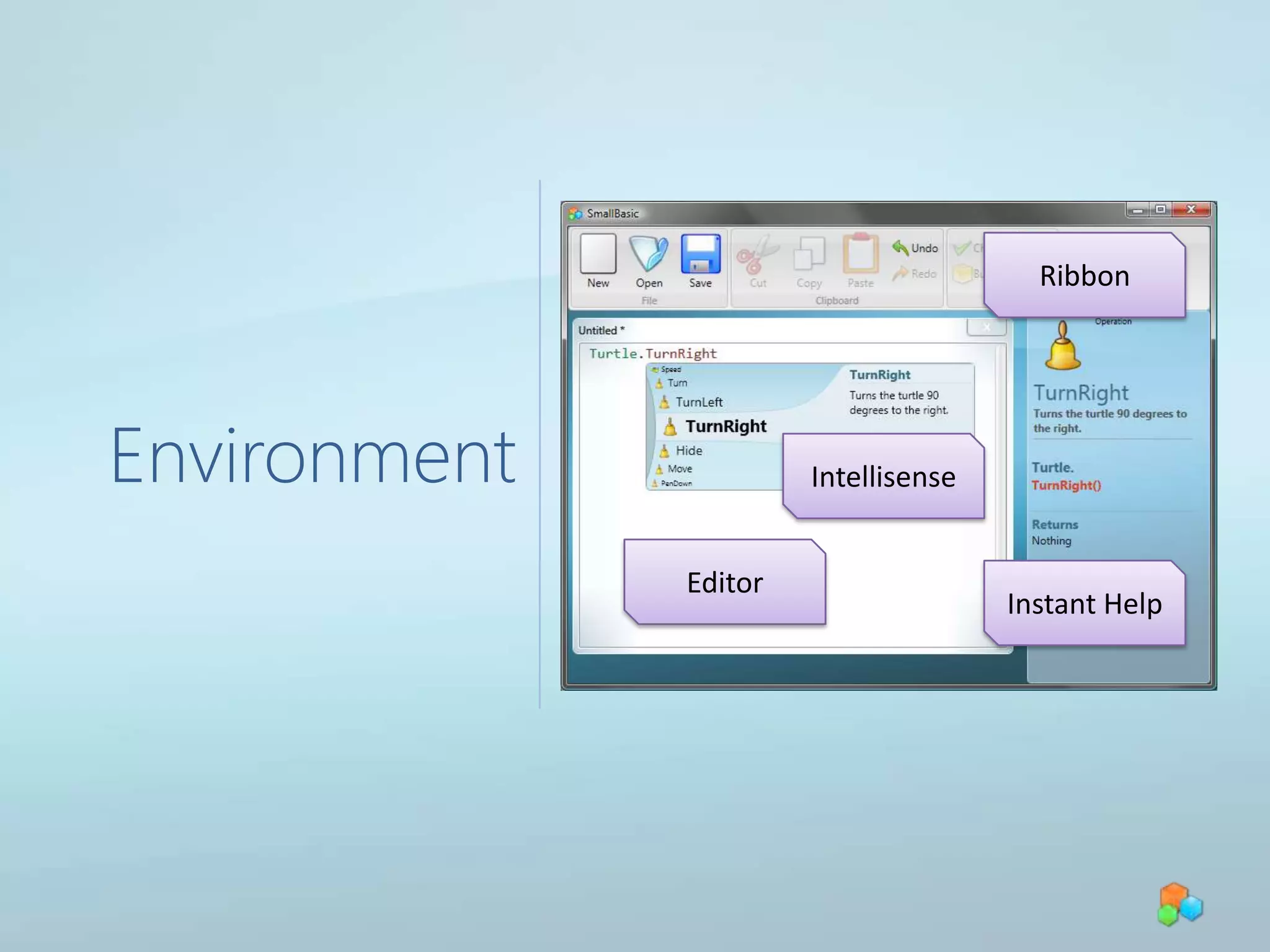
Next steps (learn more)EnvironmentRibbonIntellisenseEditorInstant Help
Stopping a running program
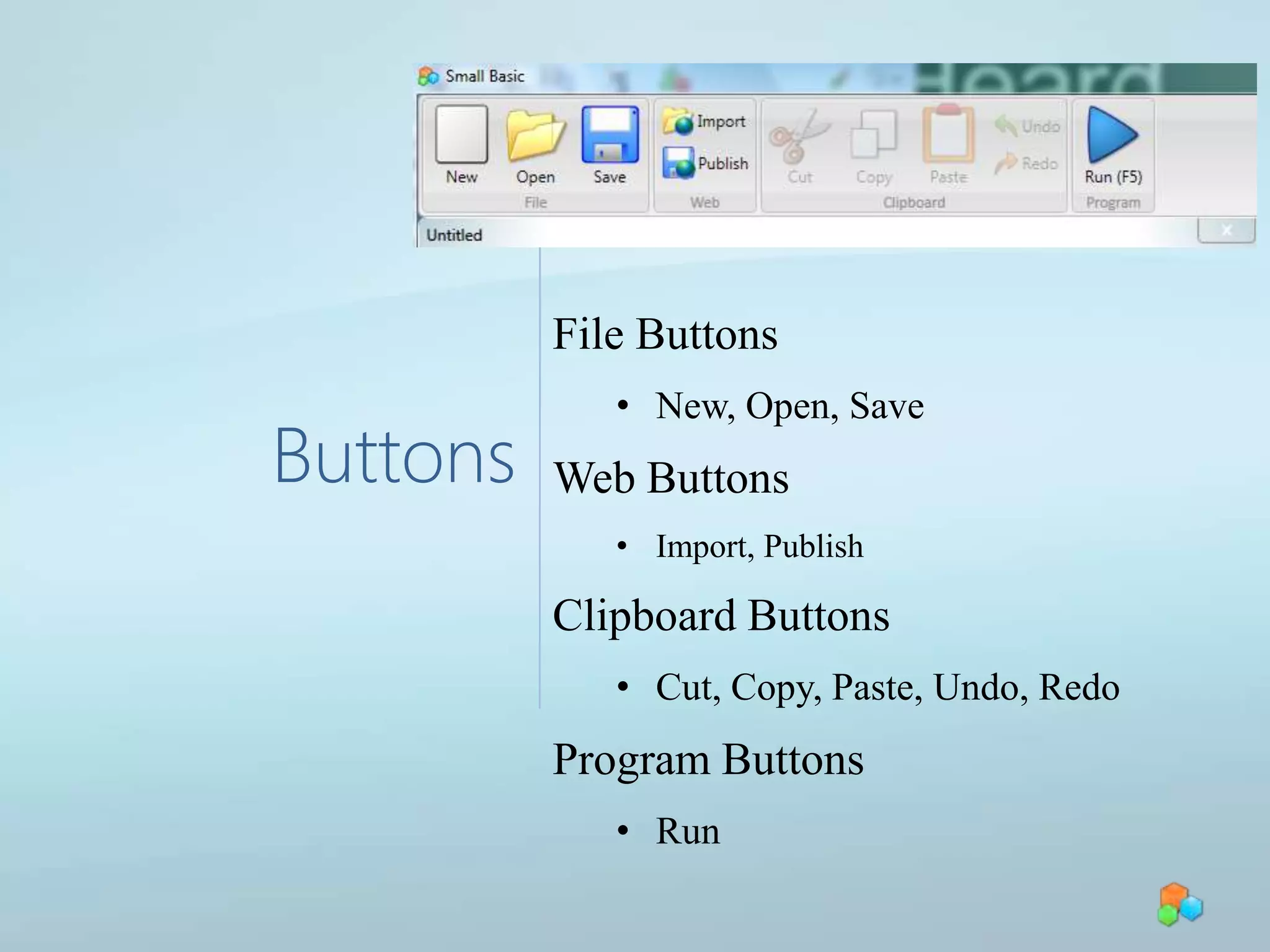
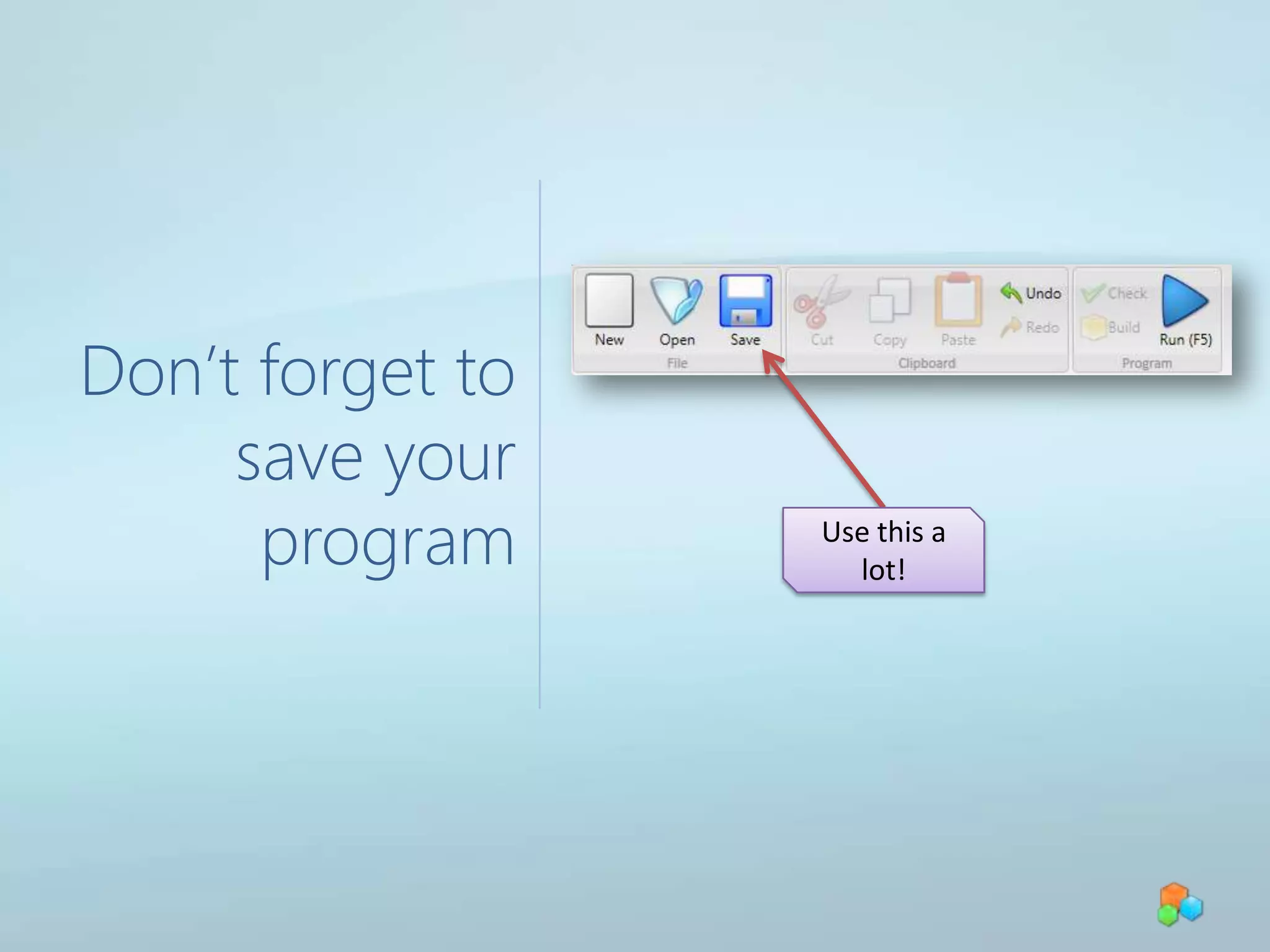
ButtonsFile ButtonsNew, Open, SaveWeb ButtonsImport, PublishClipboard ButtonsCut, Copy, Paste, Undo, RedoProgram ButtonsRunDon’t forget to save your programUse this a lot!
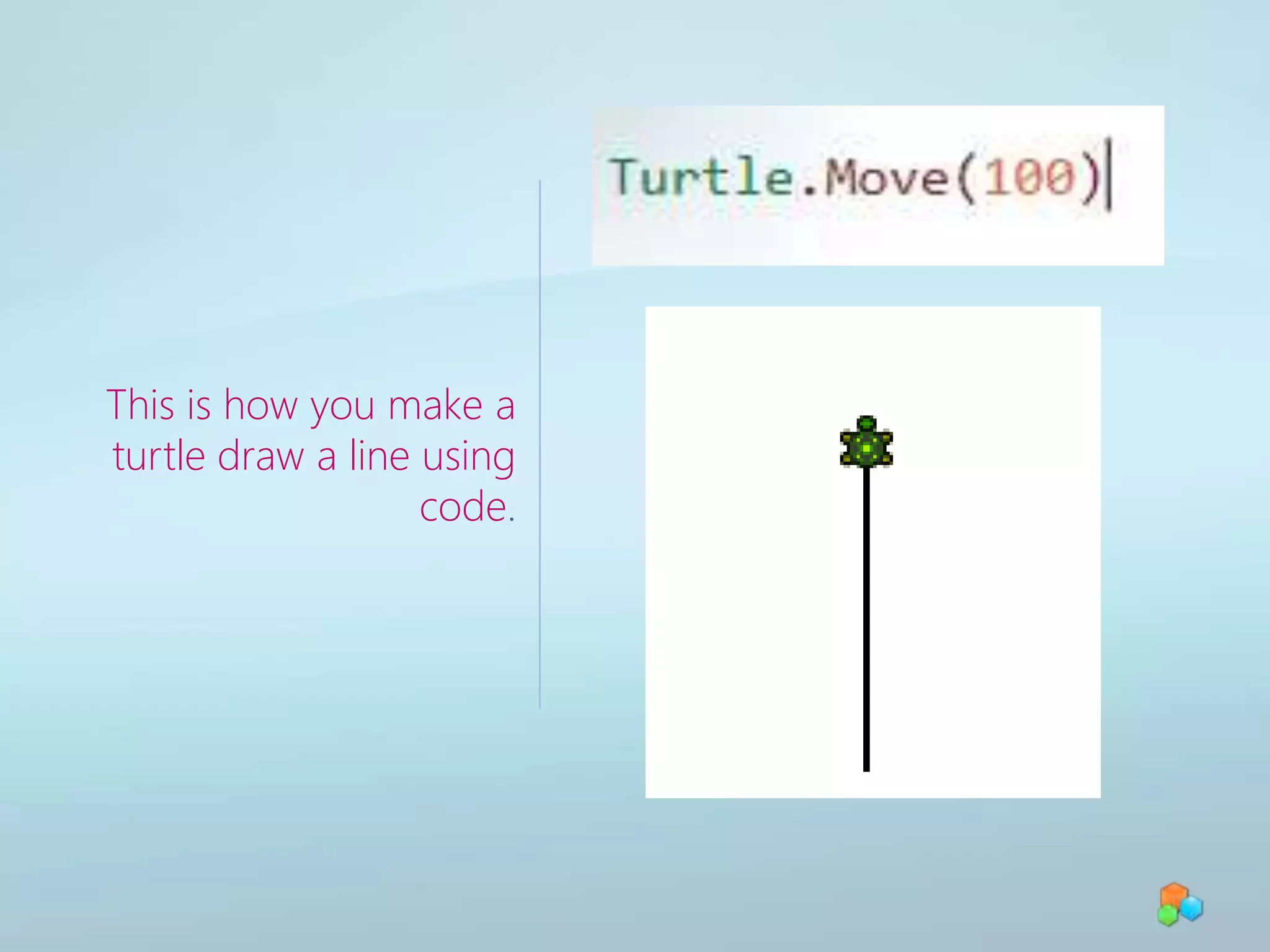
This is how you make a turtle draw a line using code.
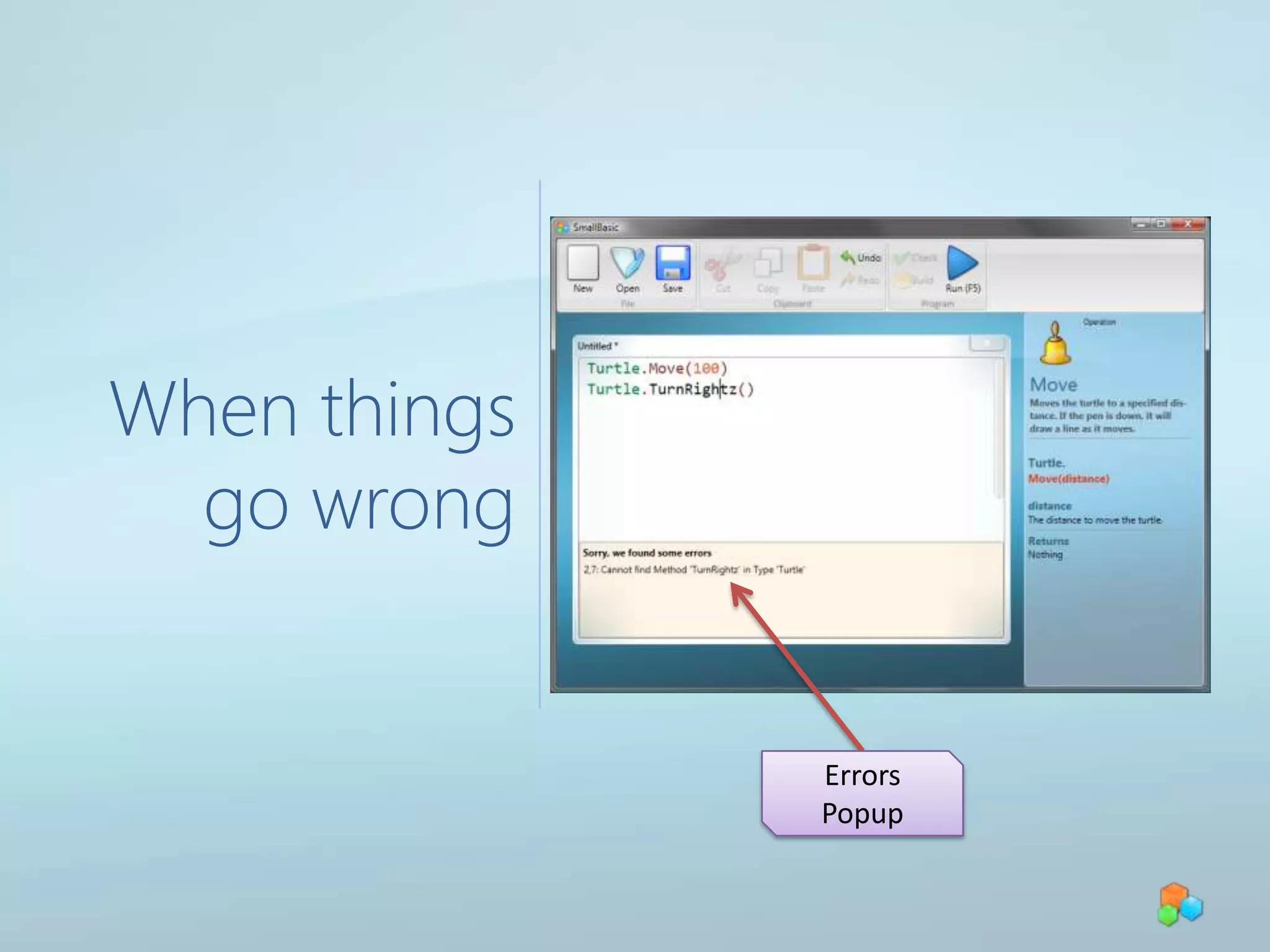
When things go wrongErrors Popup
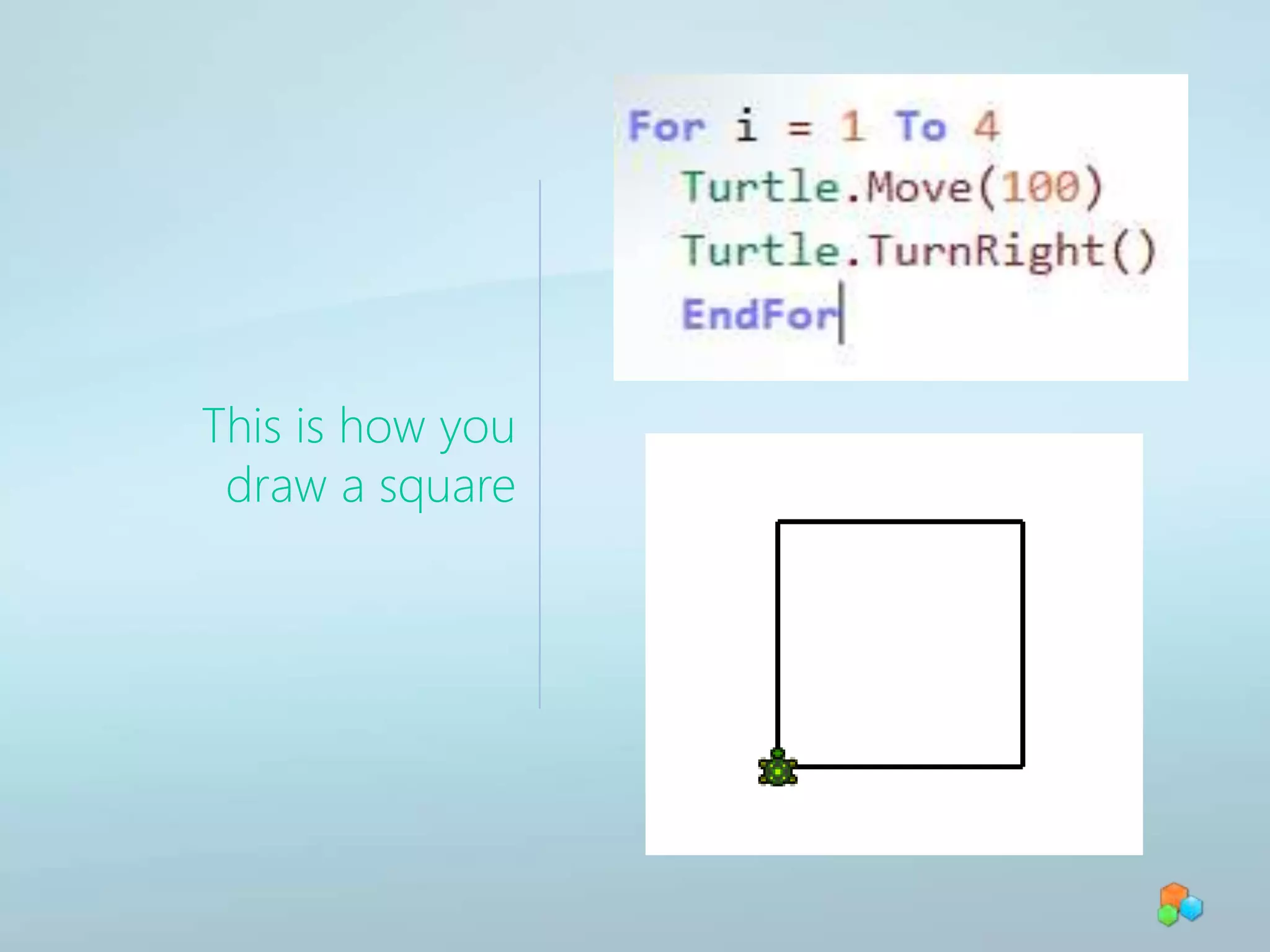
This is how you draw a square
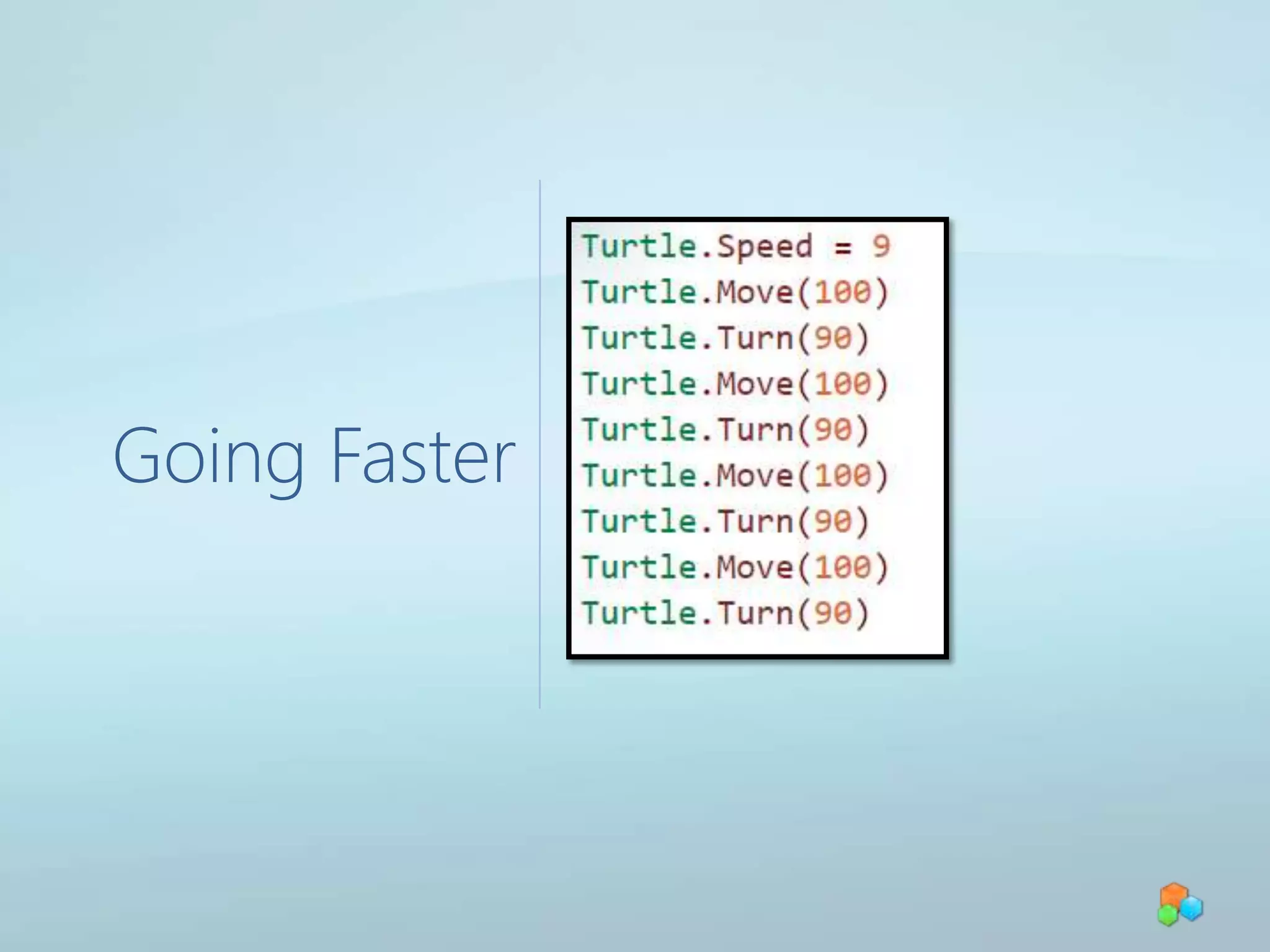
Going Faster
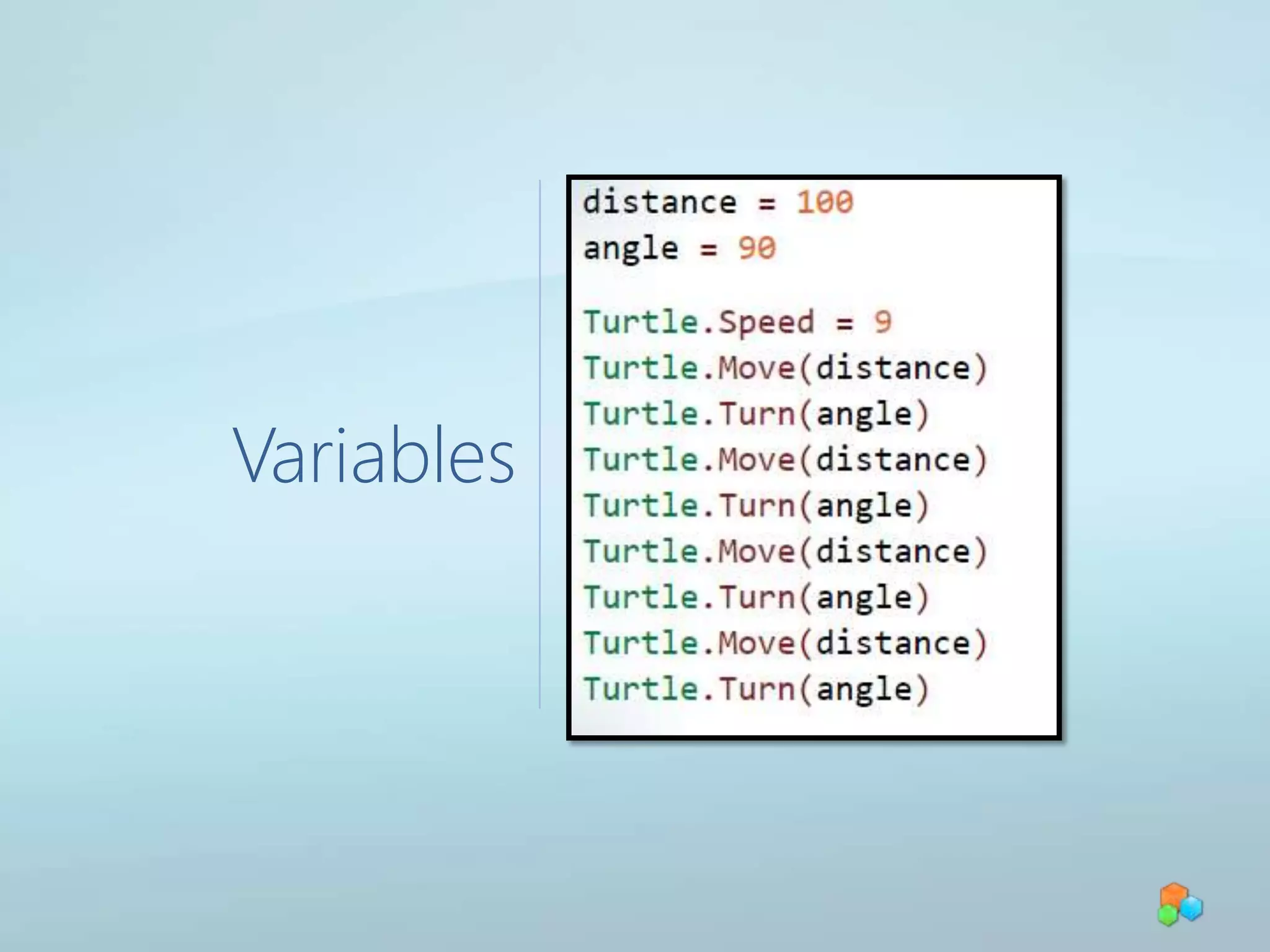
Variables
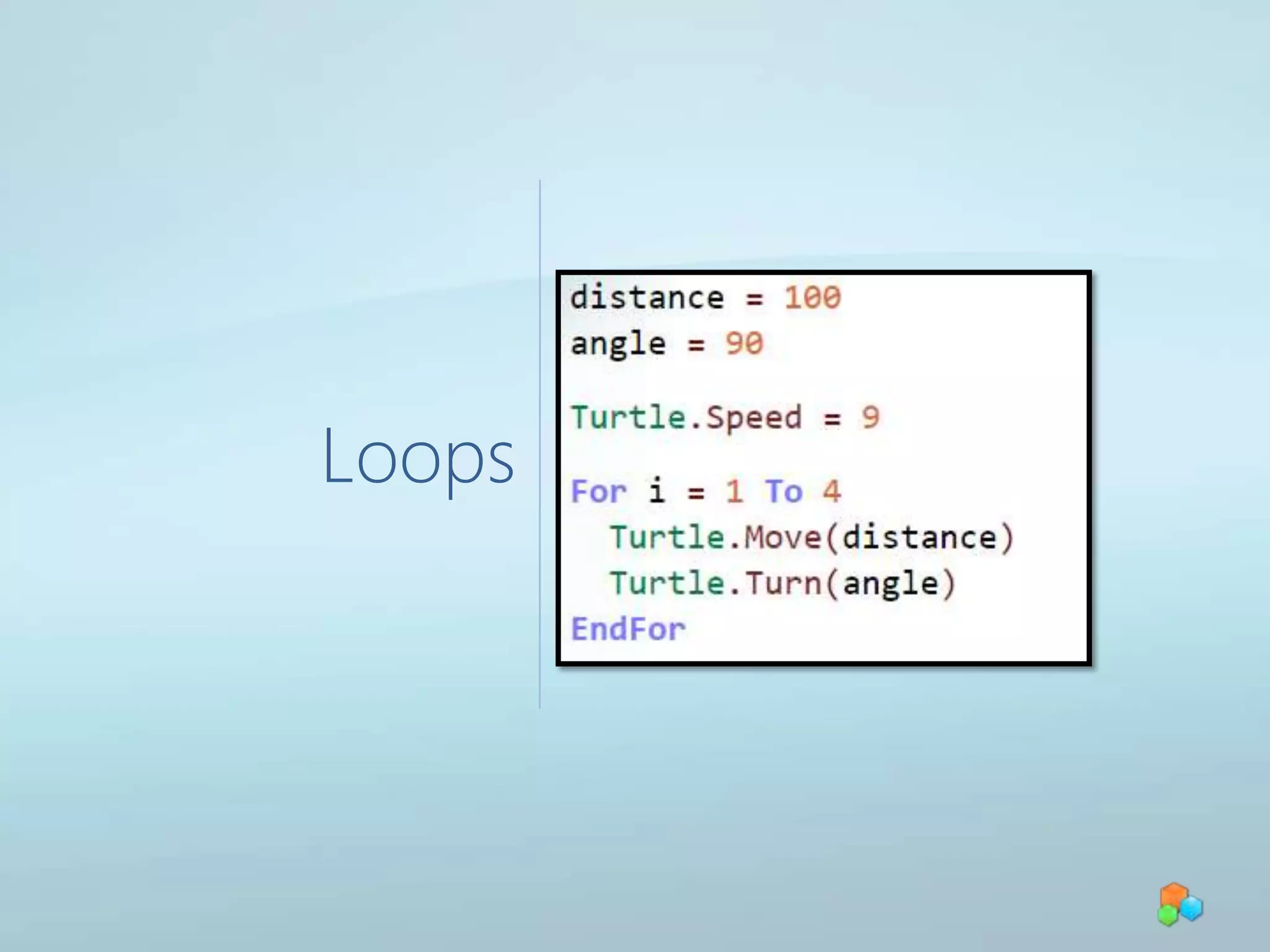
Loops
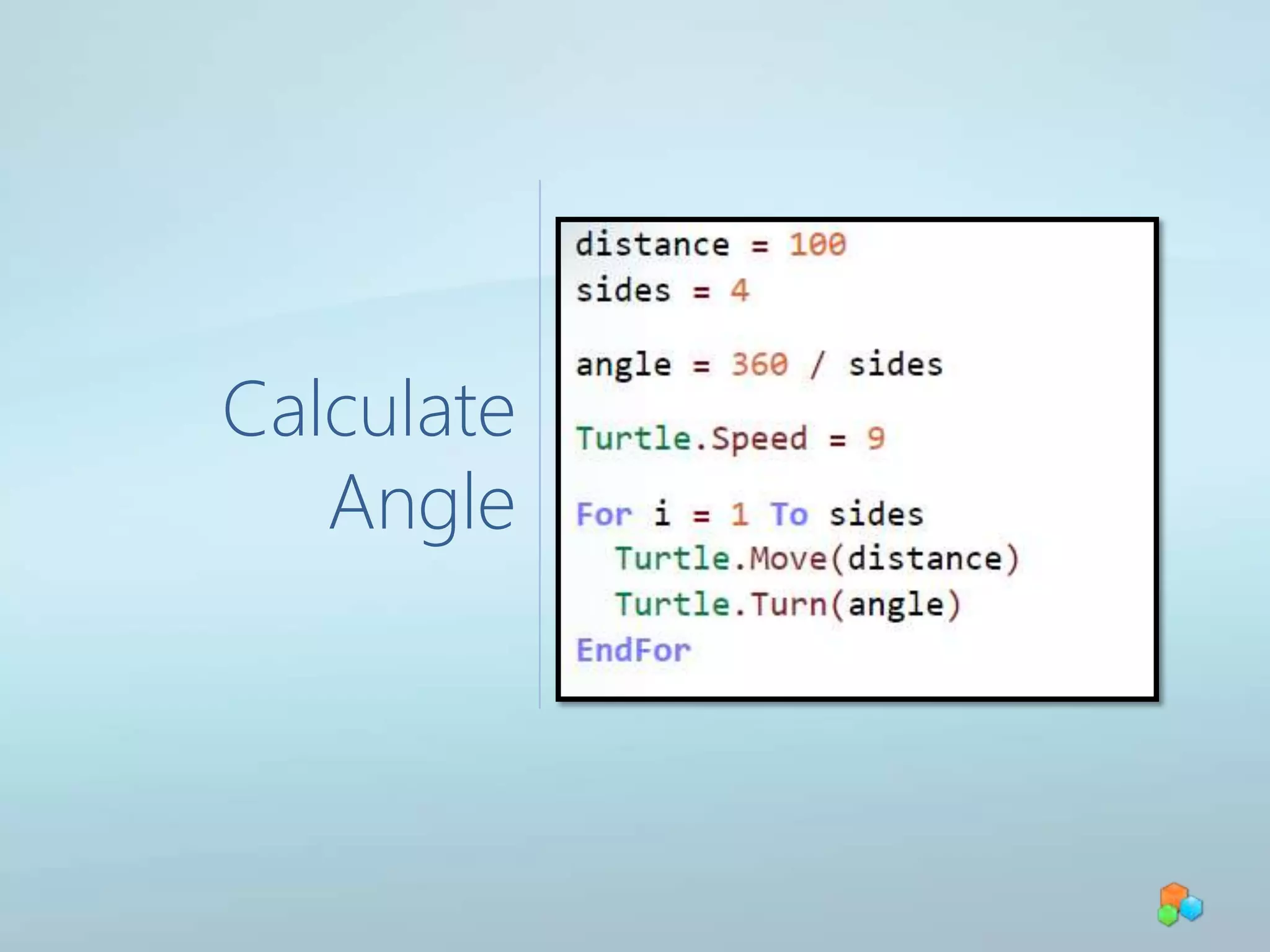
Calculate Angle
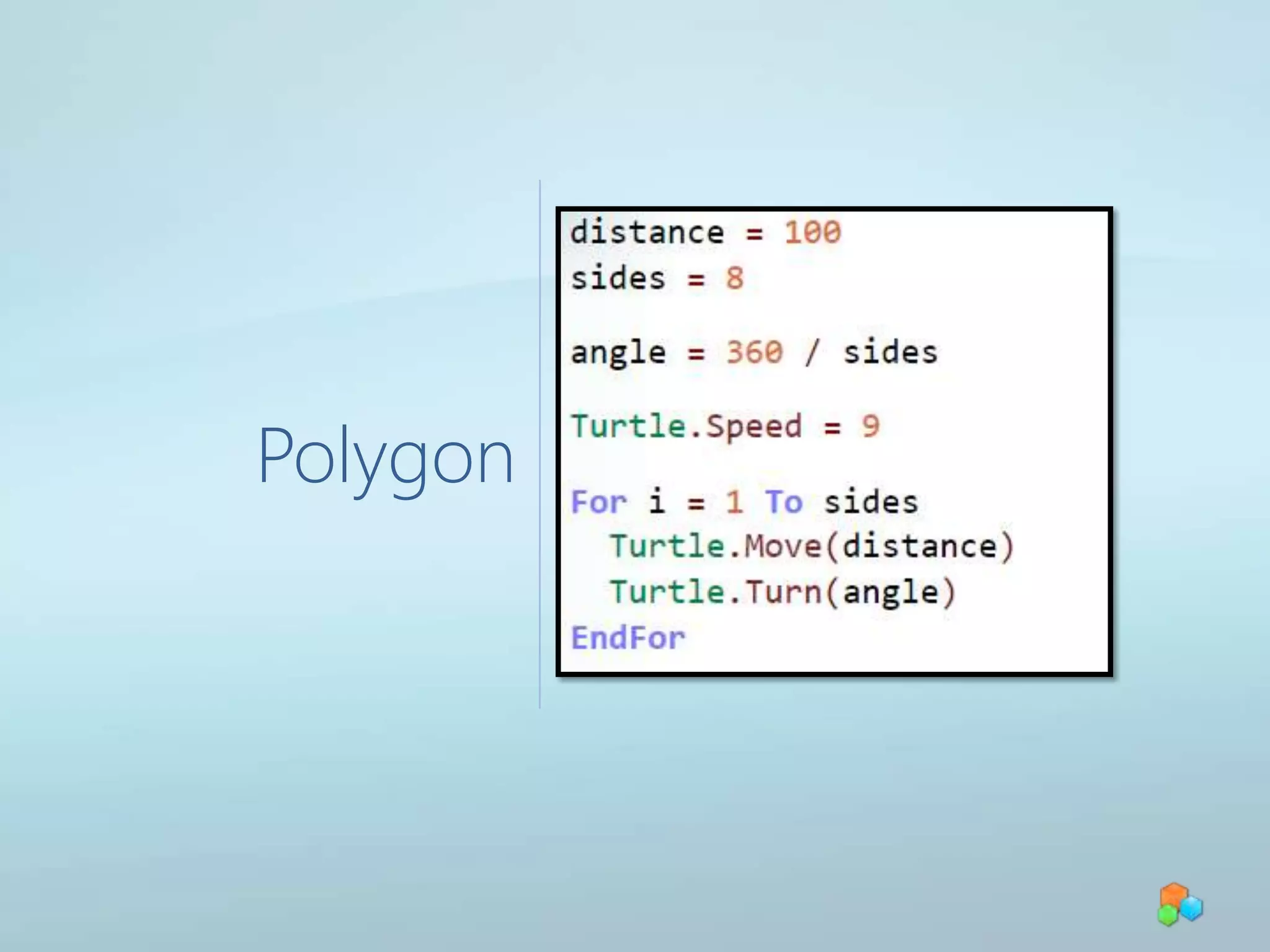
Polygon
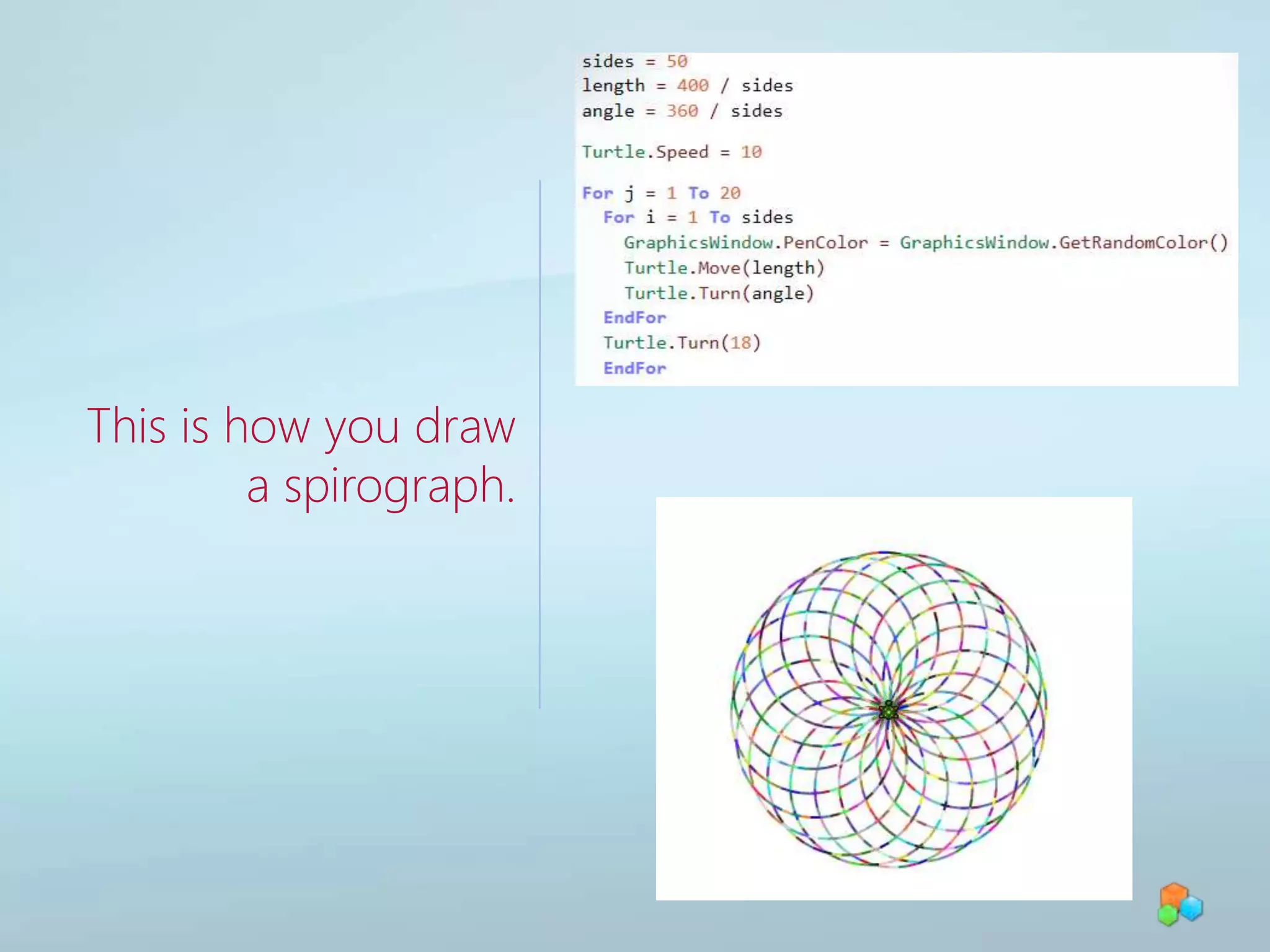
This is how you draw a spirograph.
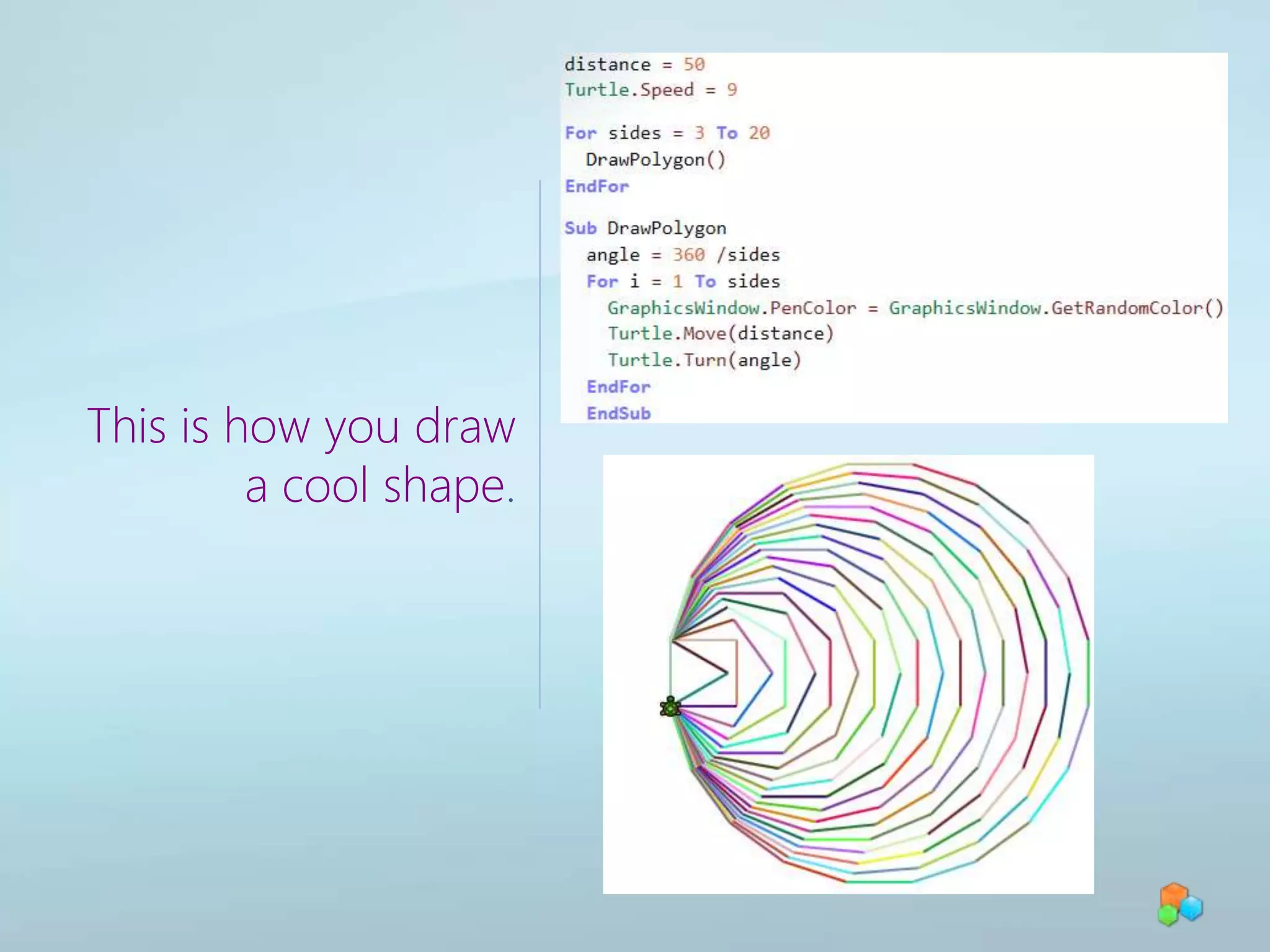
This is how you draw a cool shape.
Learn More…Watch the Small Basic site on DevLabs
Sync
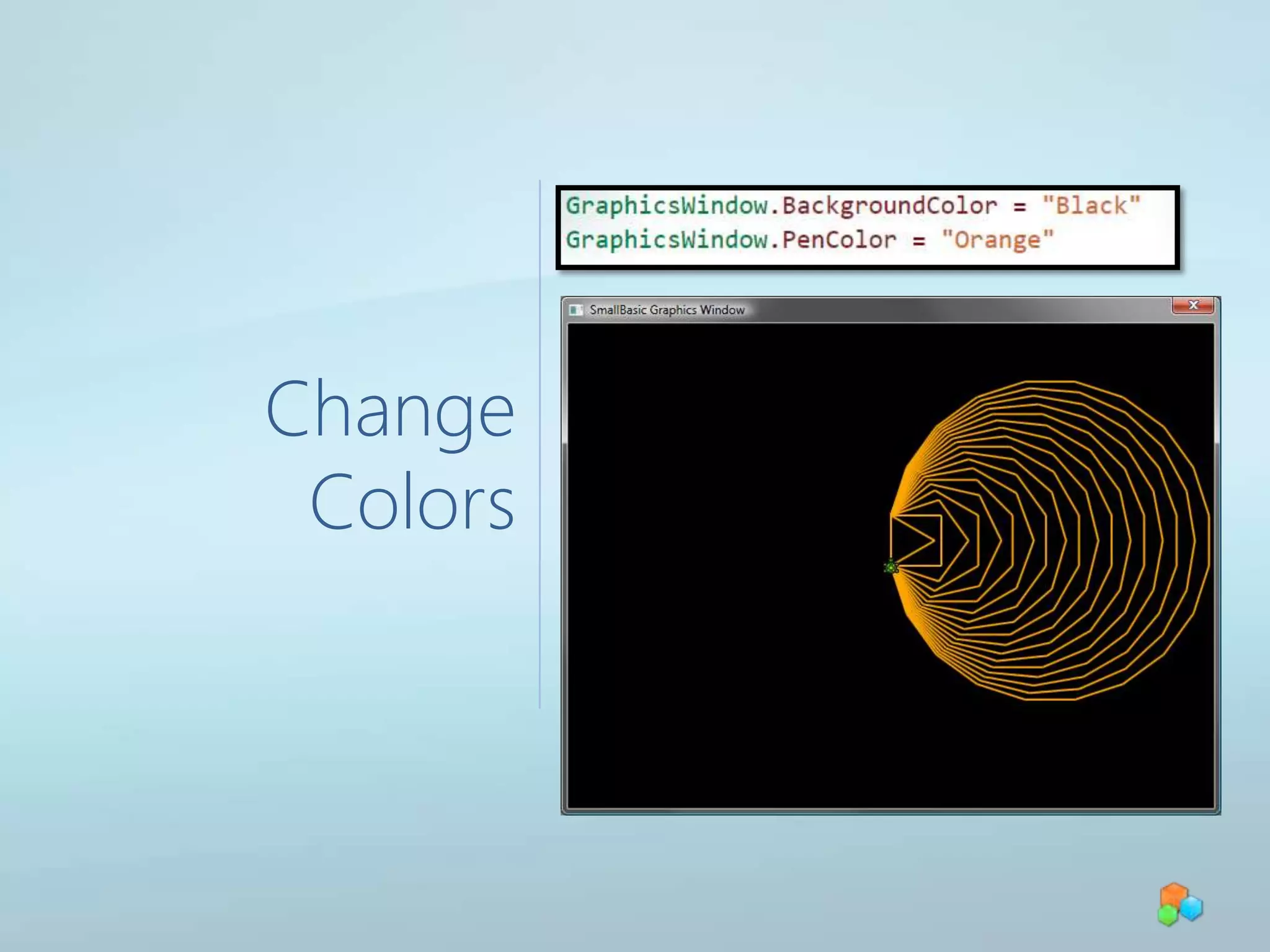
Change Colors
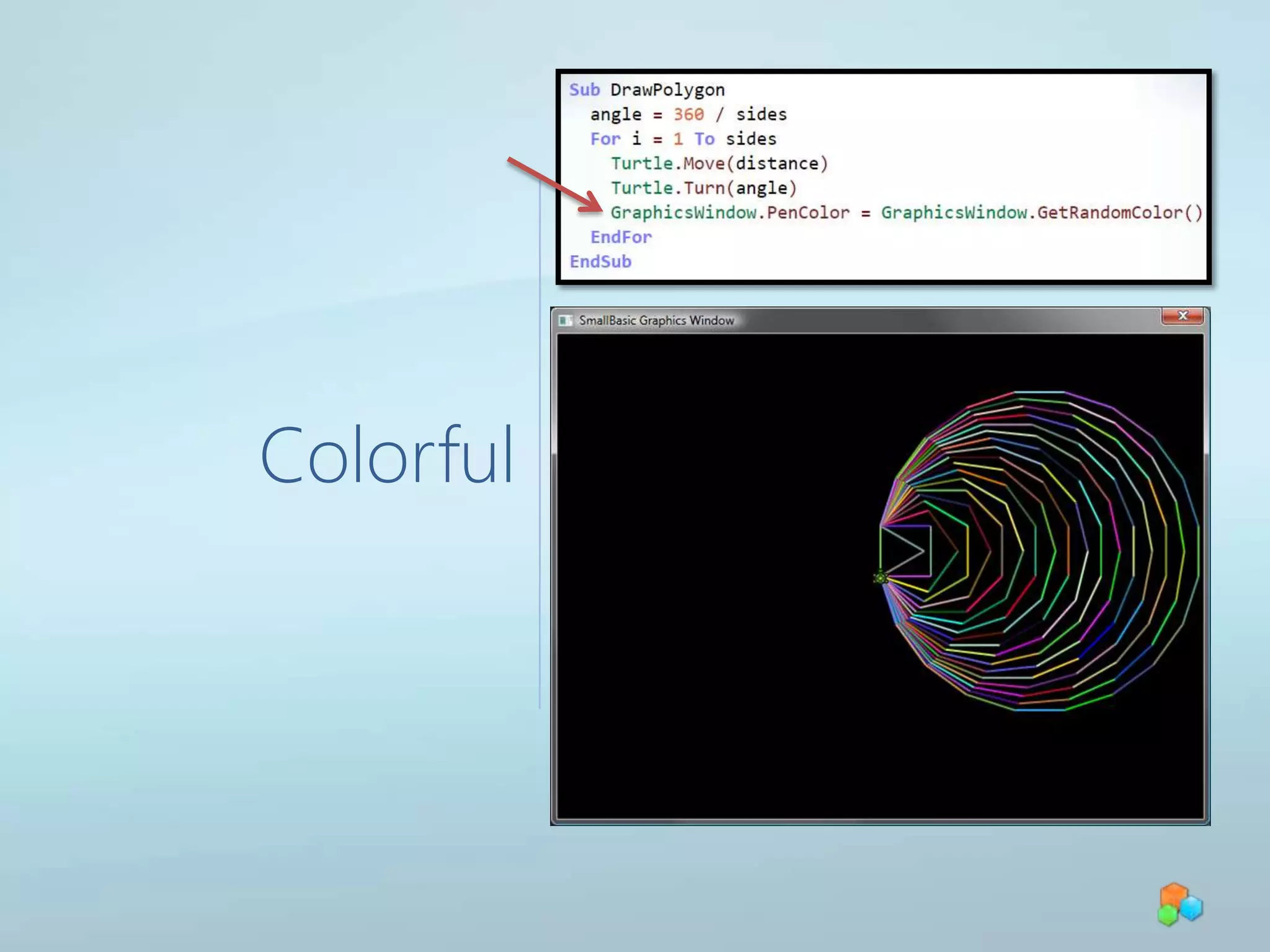
Colorful
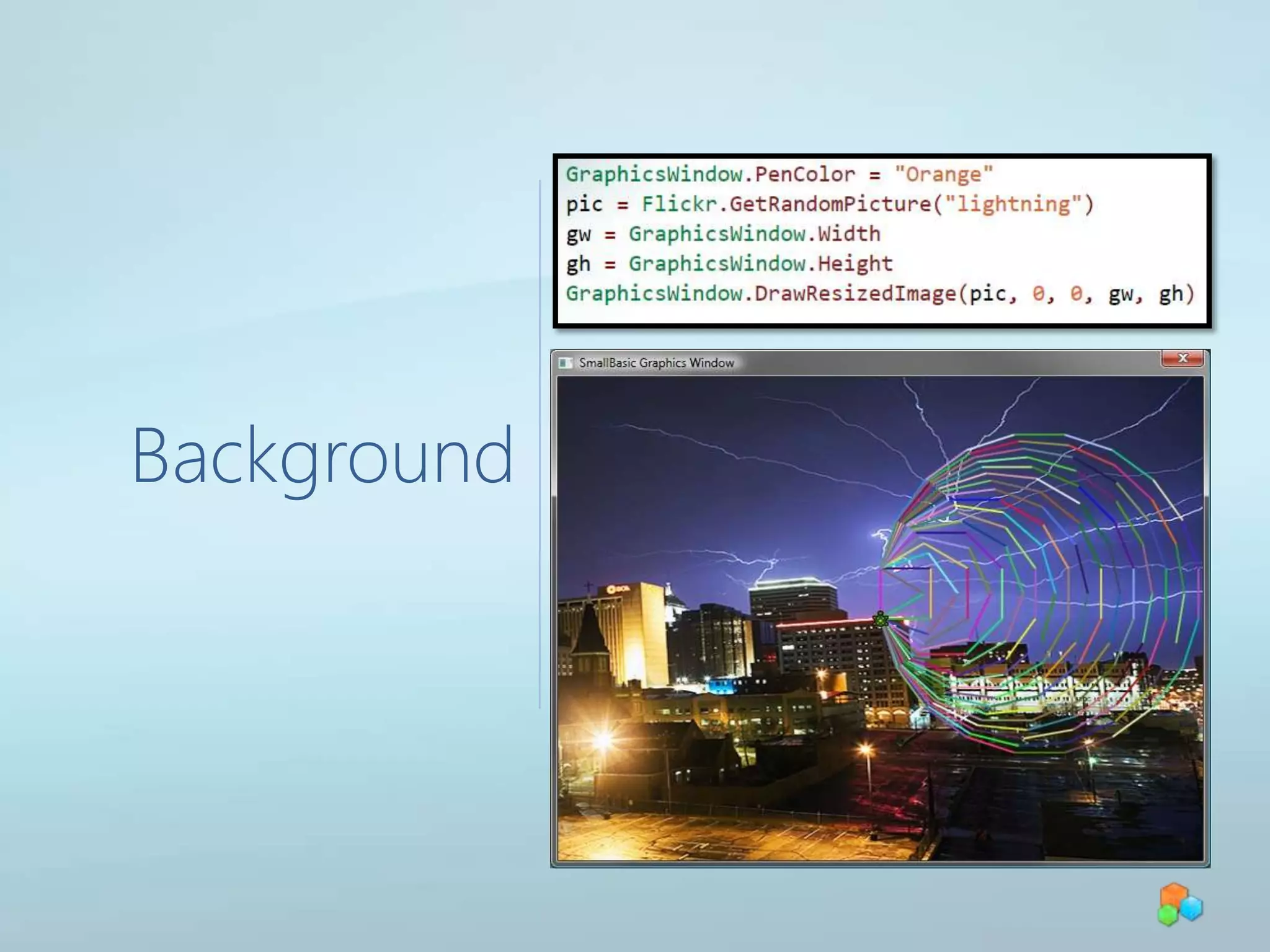
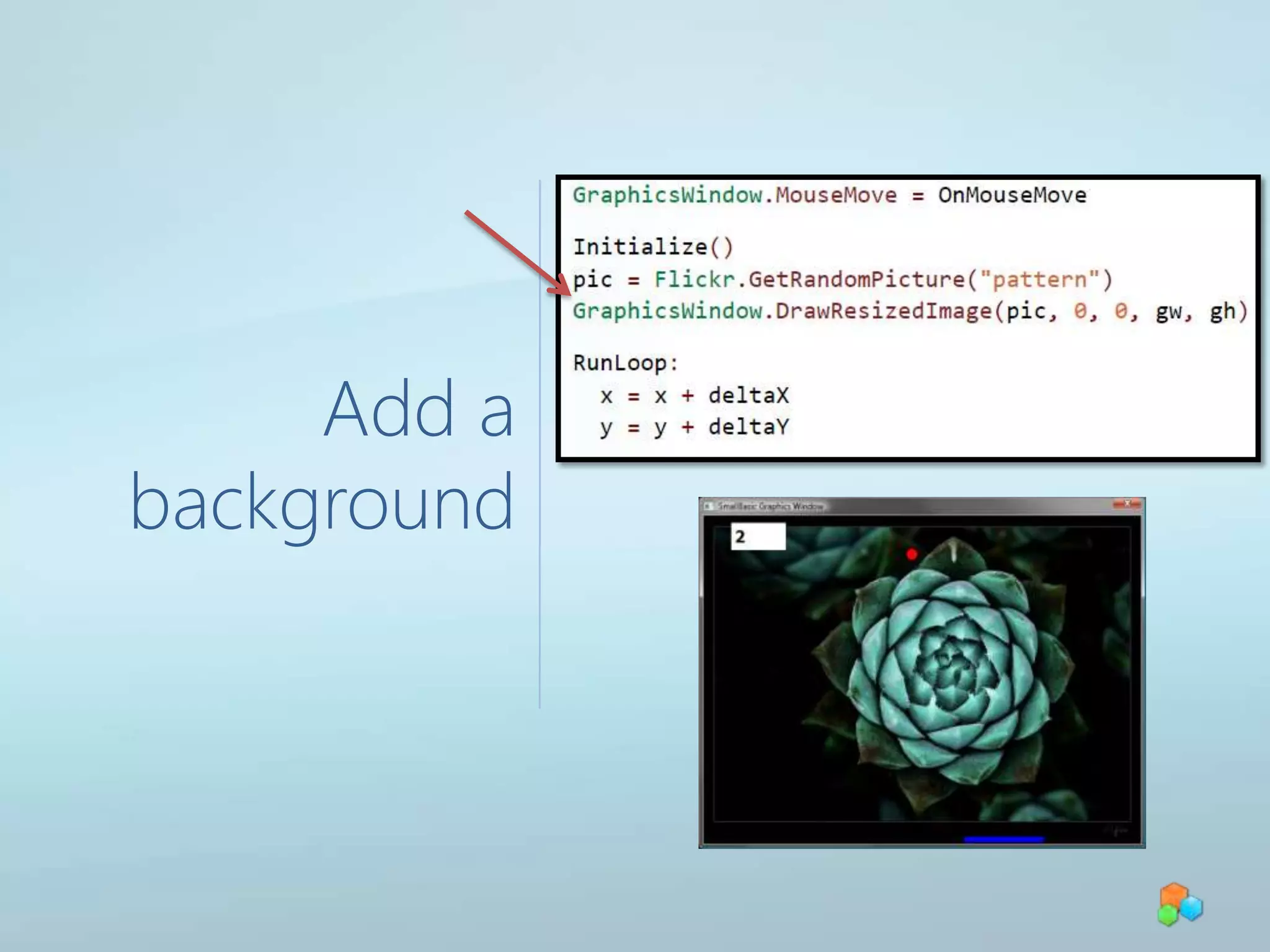
Background
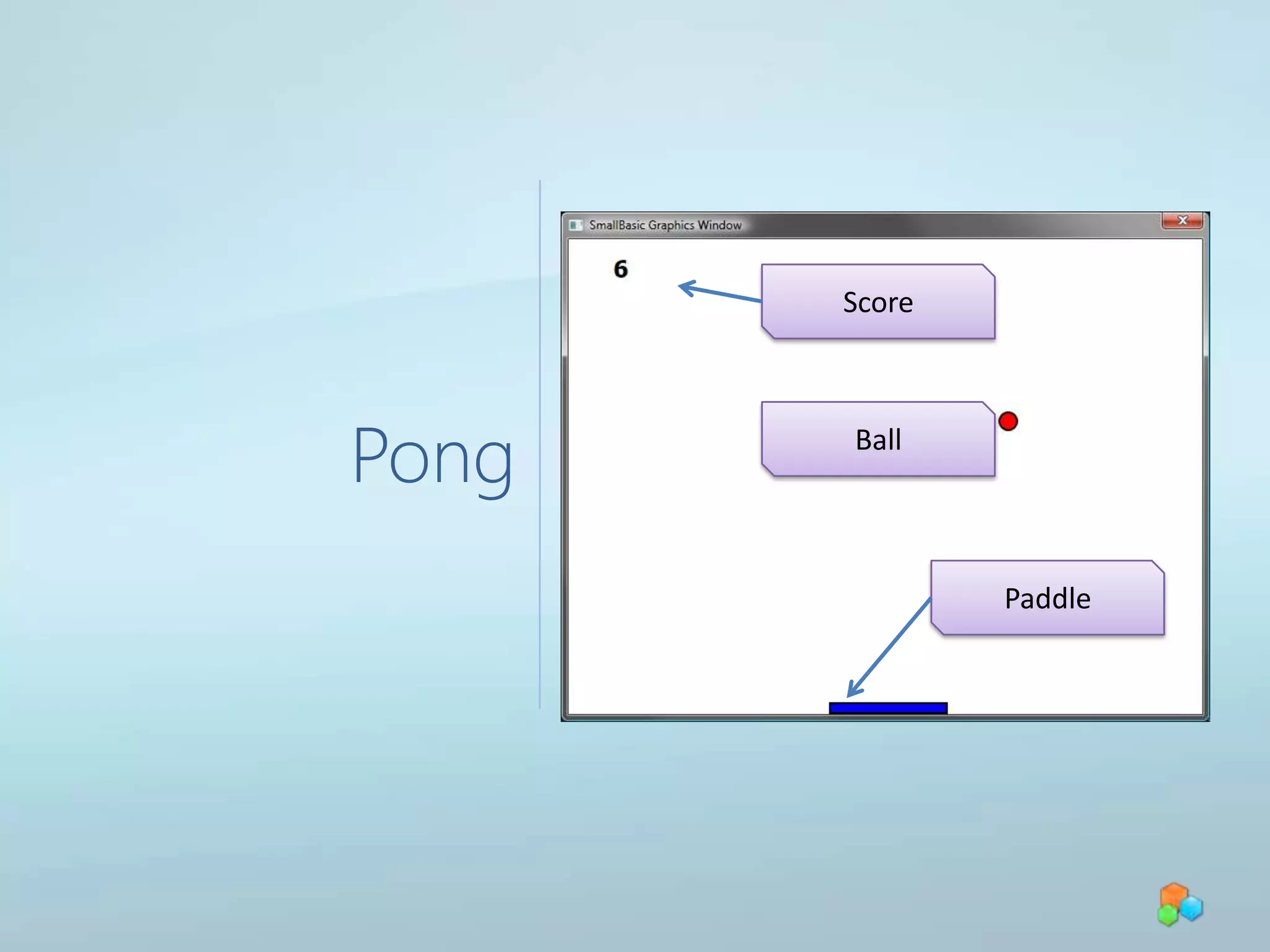
PongScoreBallPaddle
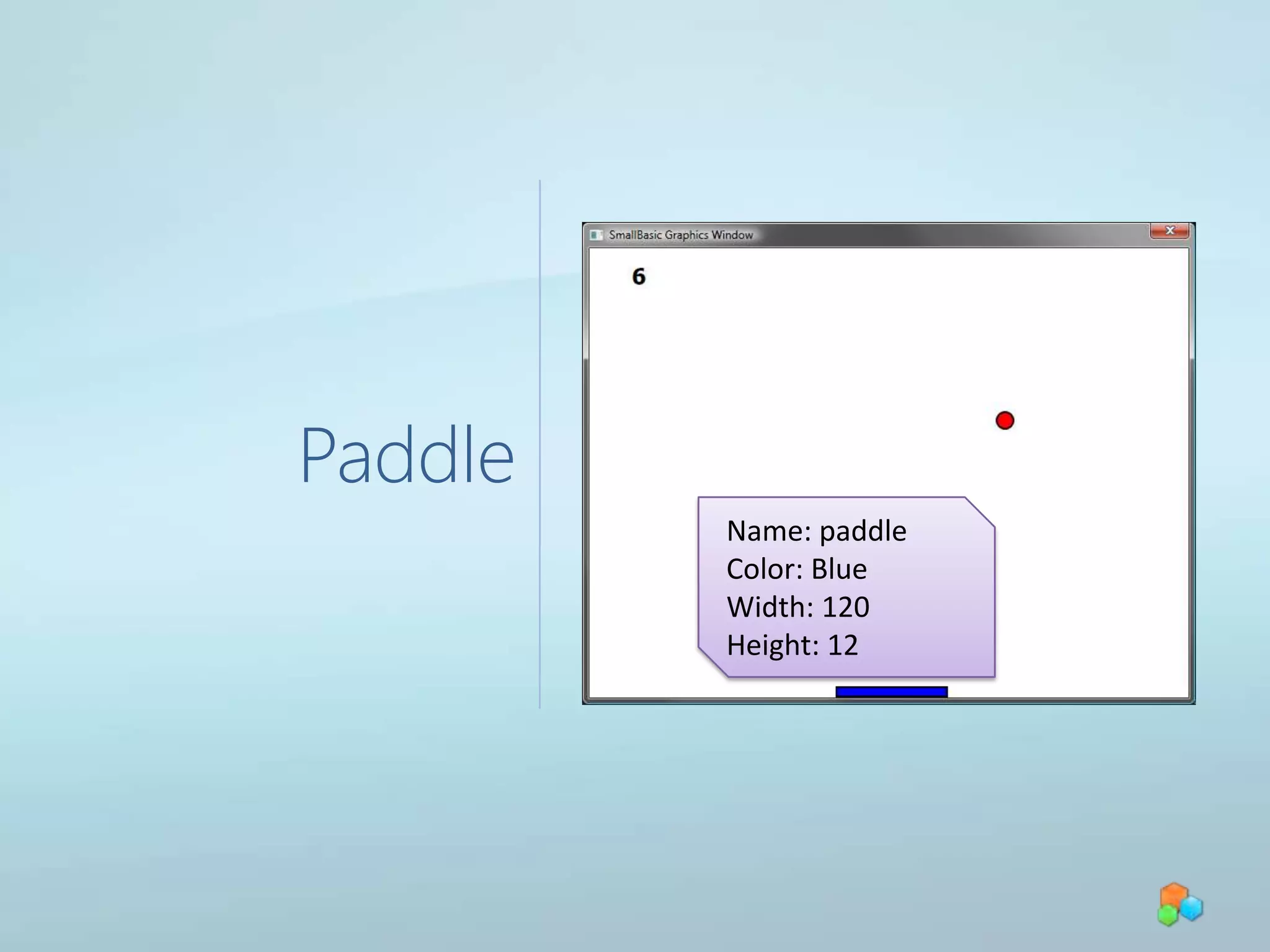
PaddleName: paddleColor: BlueWidth: 120Height: 12
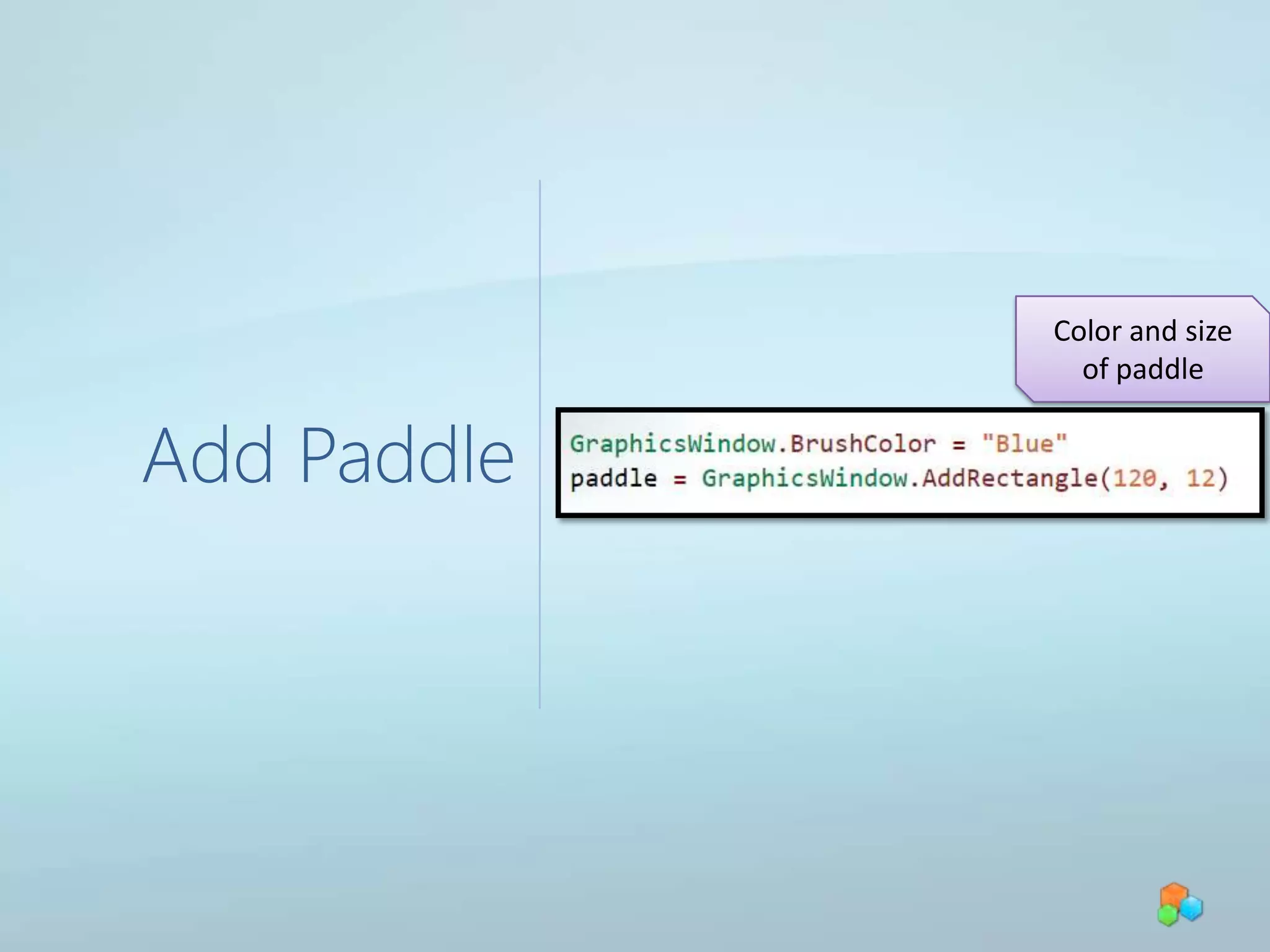
Add PaddleColor and size of paddle
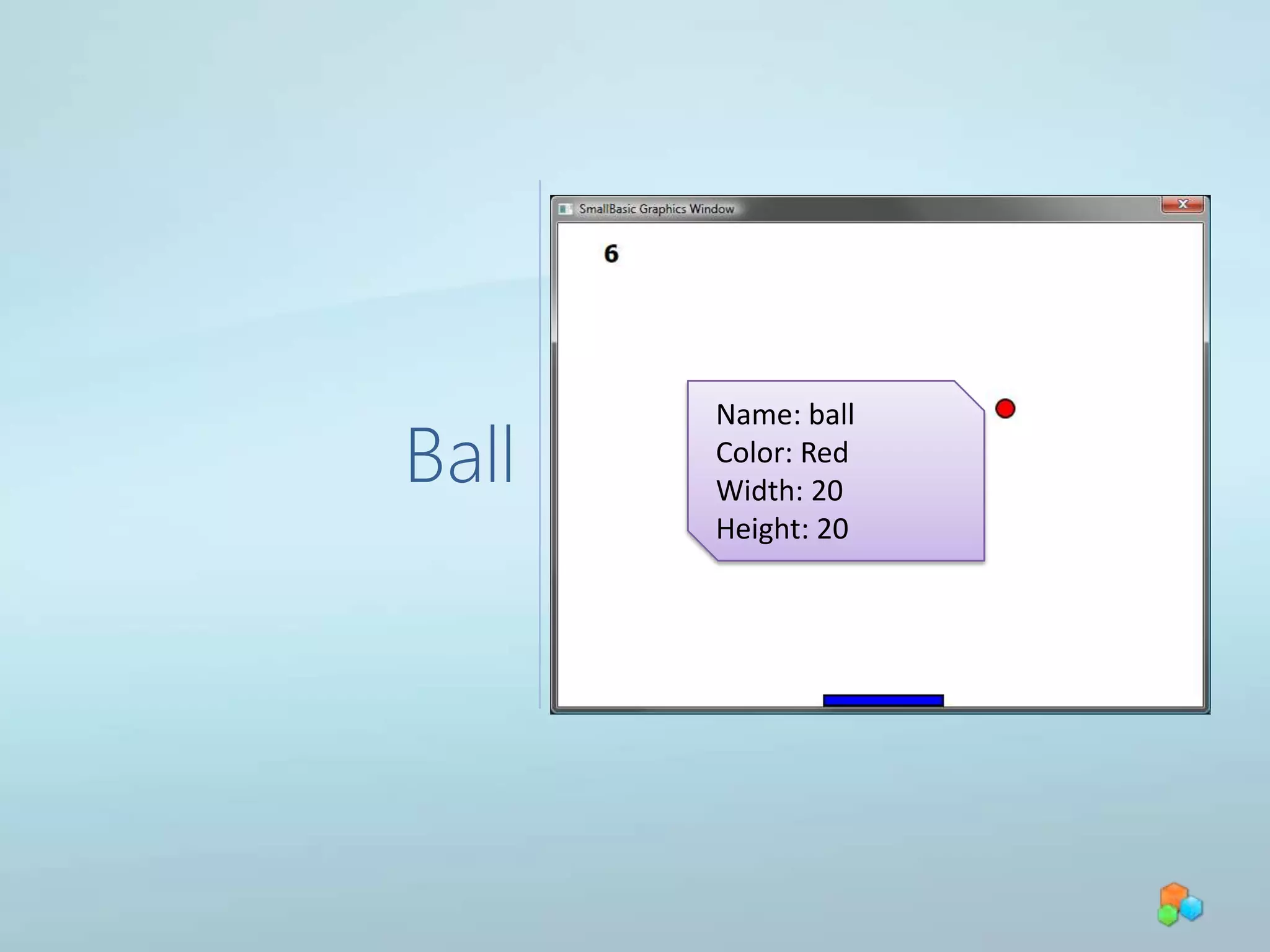
BallName: ballColor: RedWidth: 20Height: 20
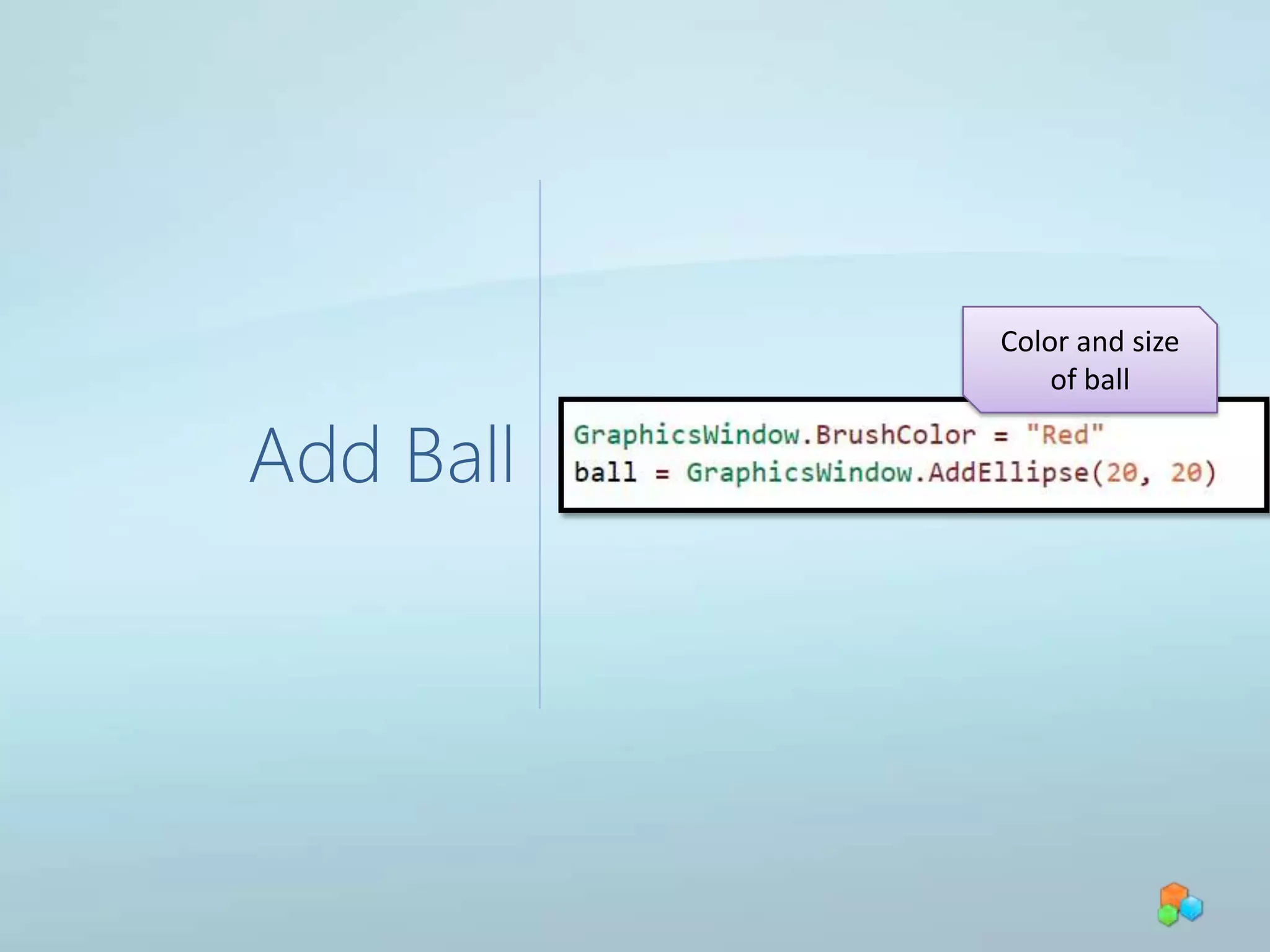
Add BallColor and size of ball
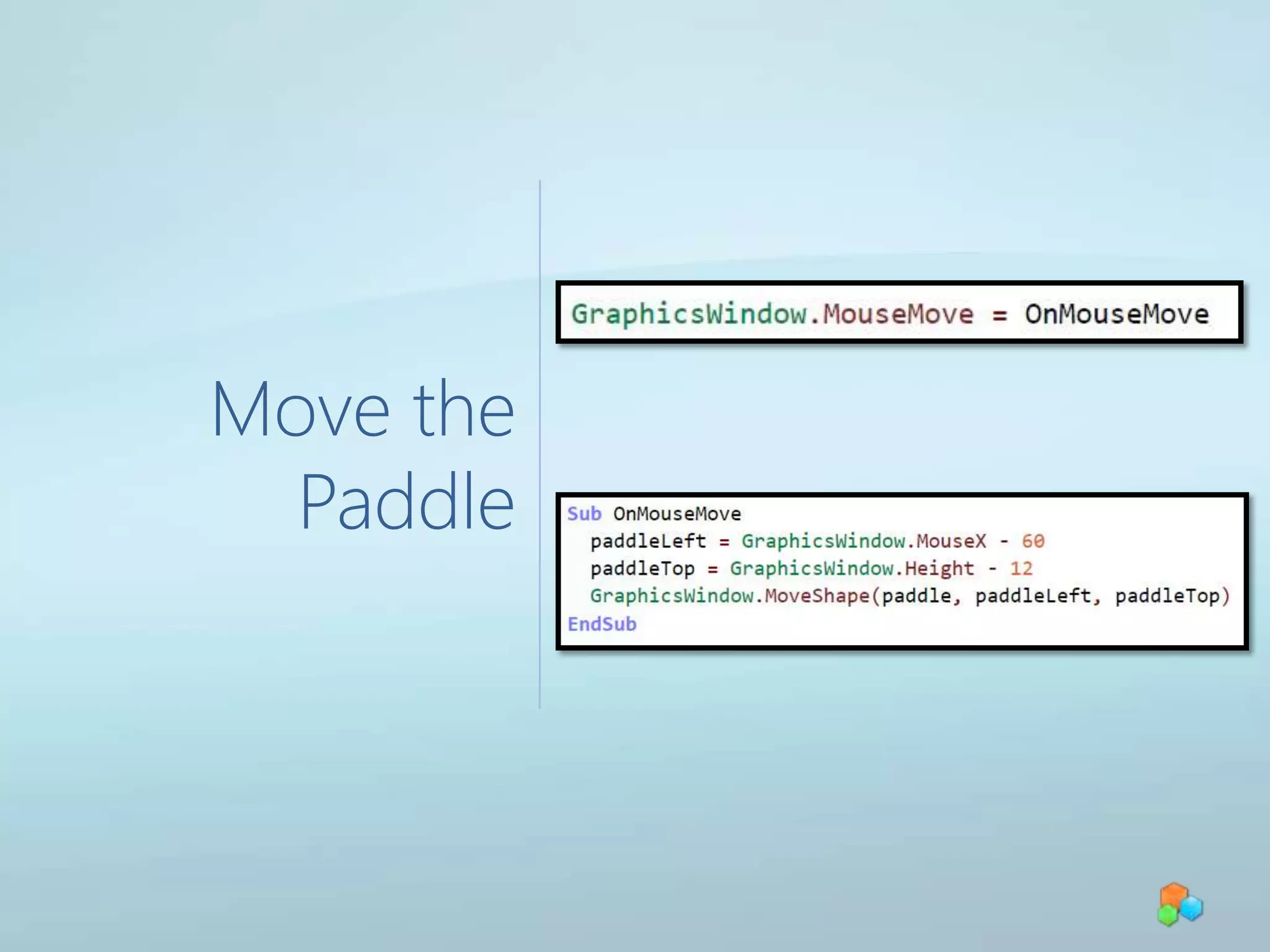
Move the Paddle
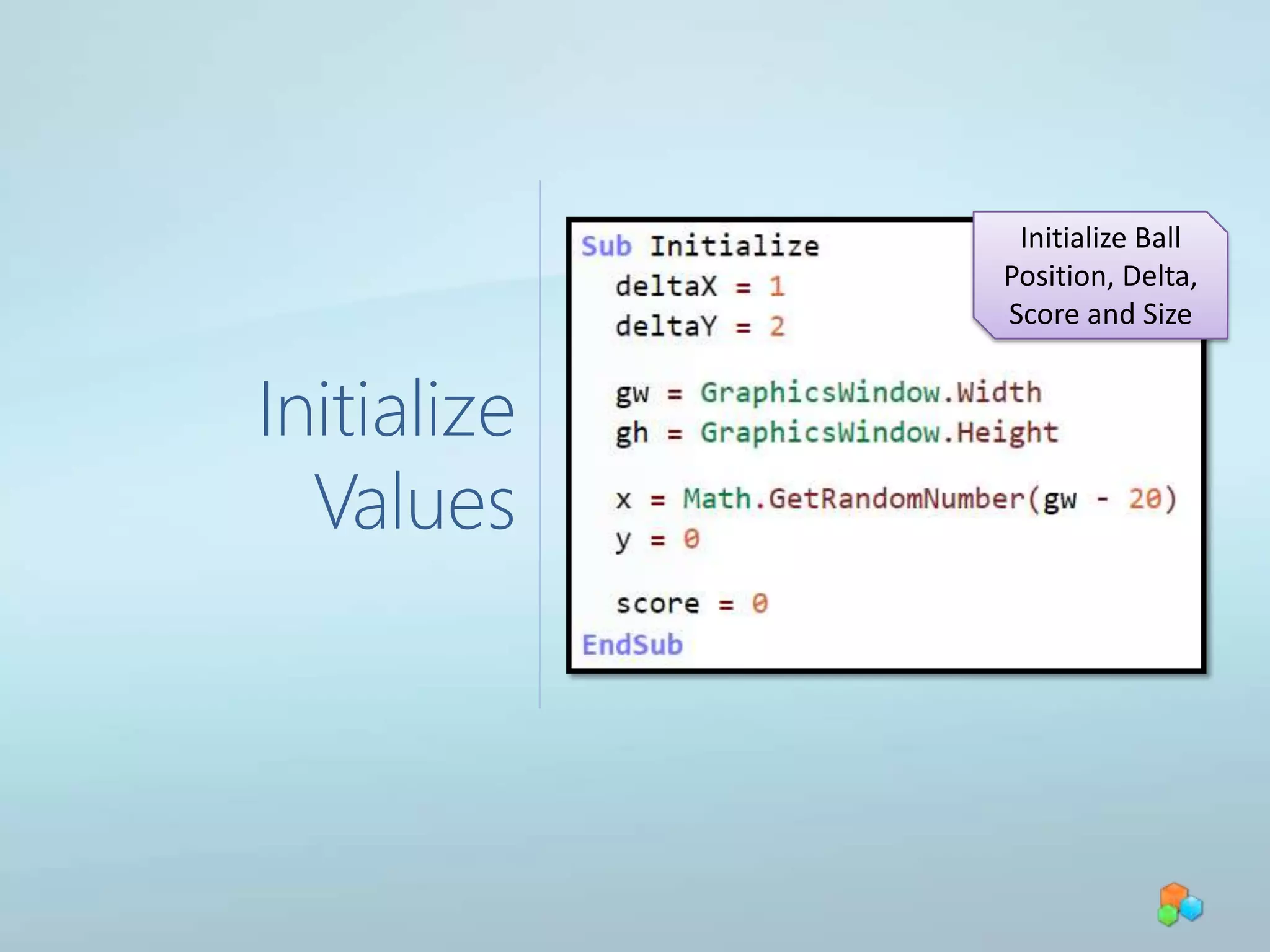
Initialize ValuesInitialize Ball Position, Delta, Score and Size
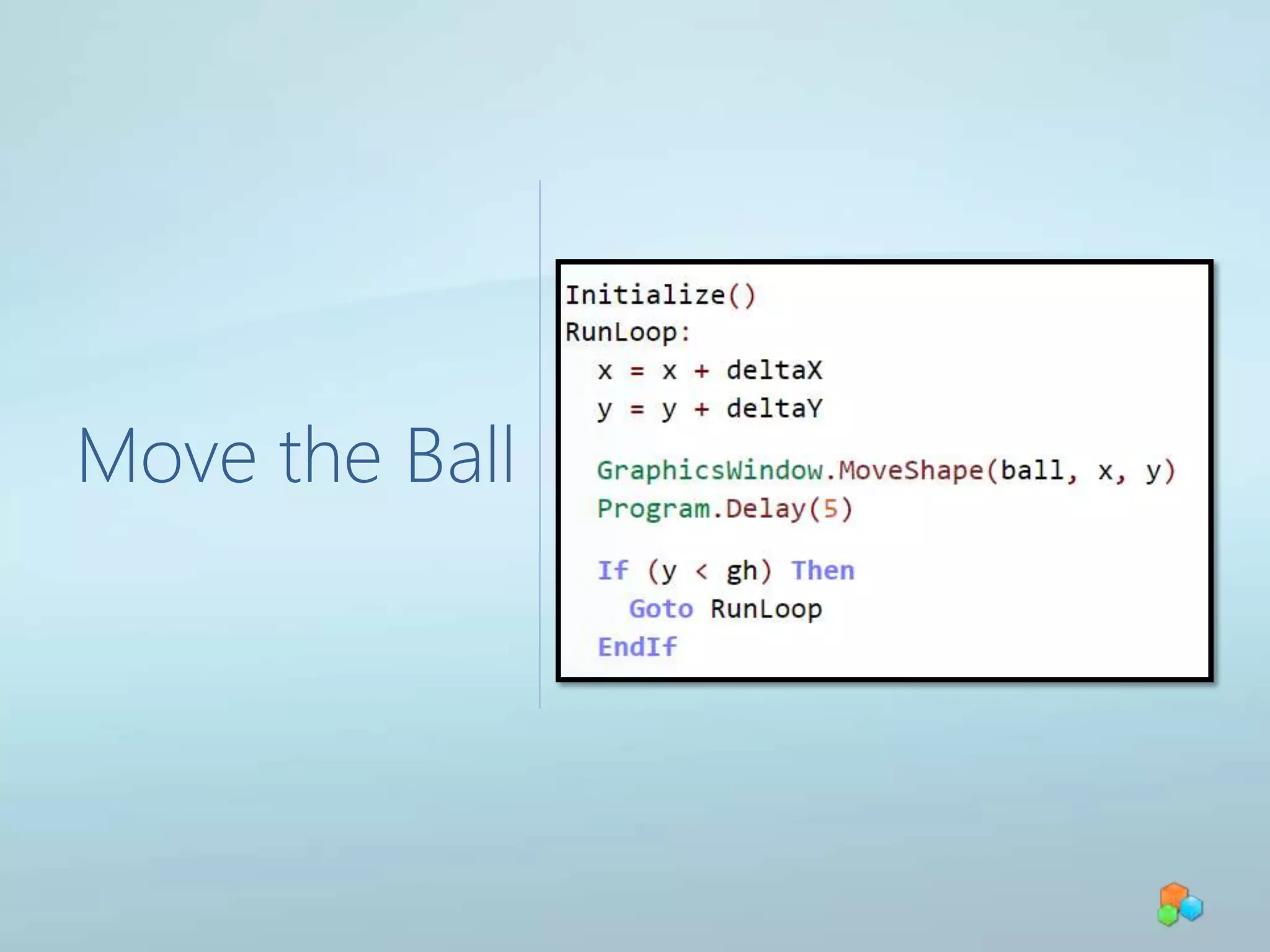
Move the Ball
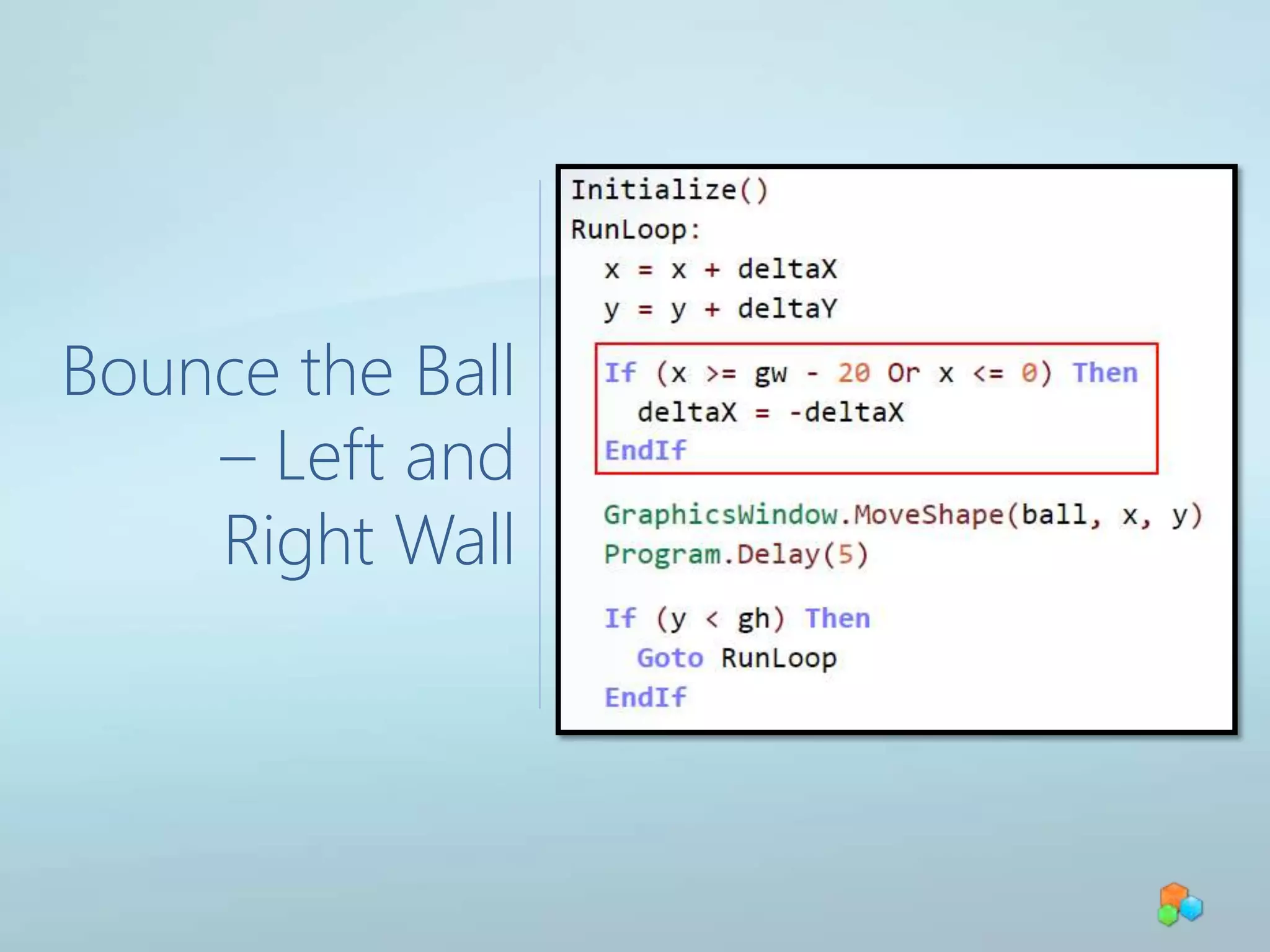
Bounce the Ball – Left and Right Wall
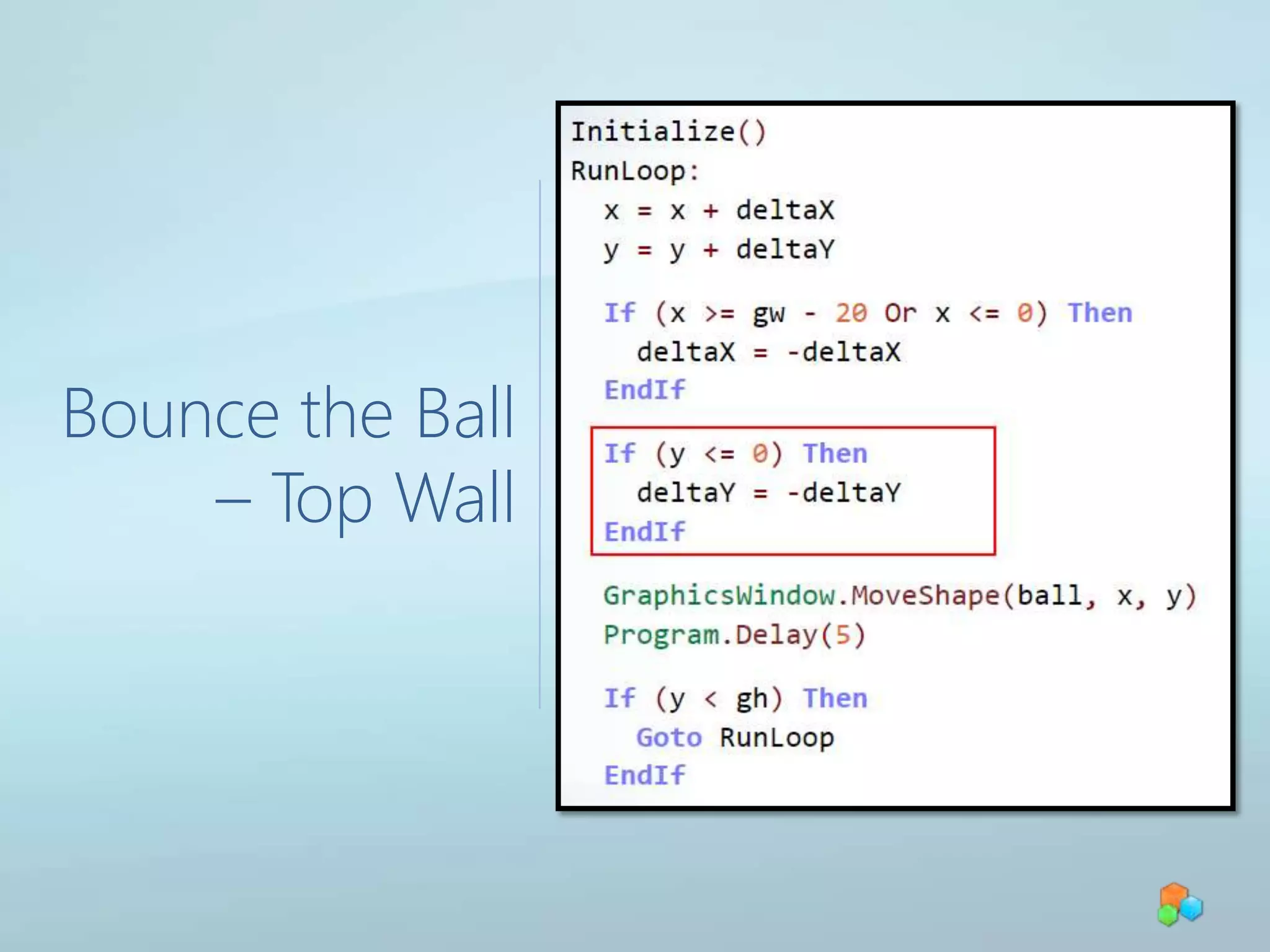
Bounce the Ball – Top Wall
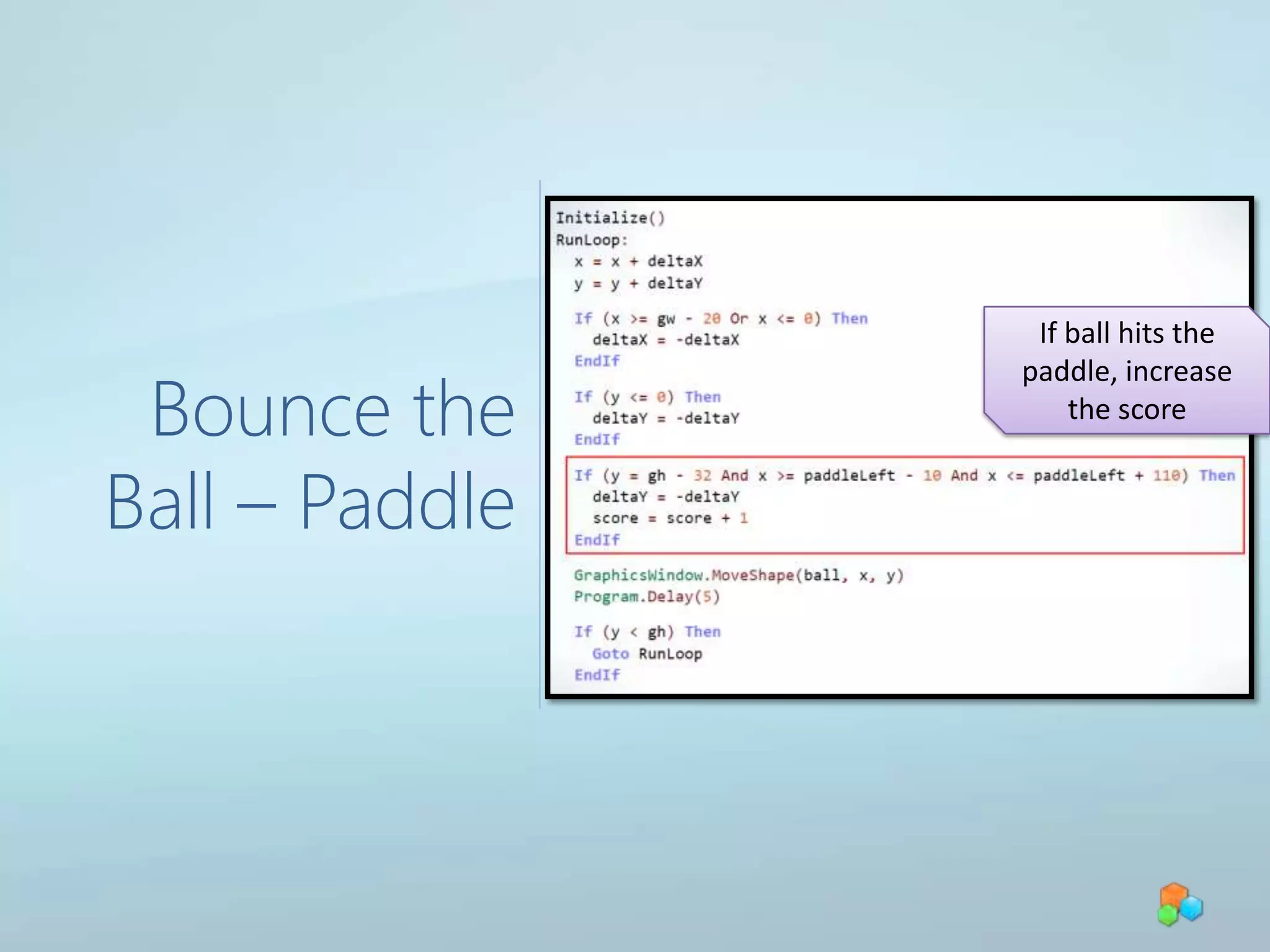
Bounce the Ball – PaddleIf ball hits the paddle, increase the score
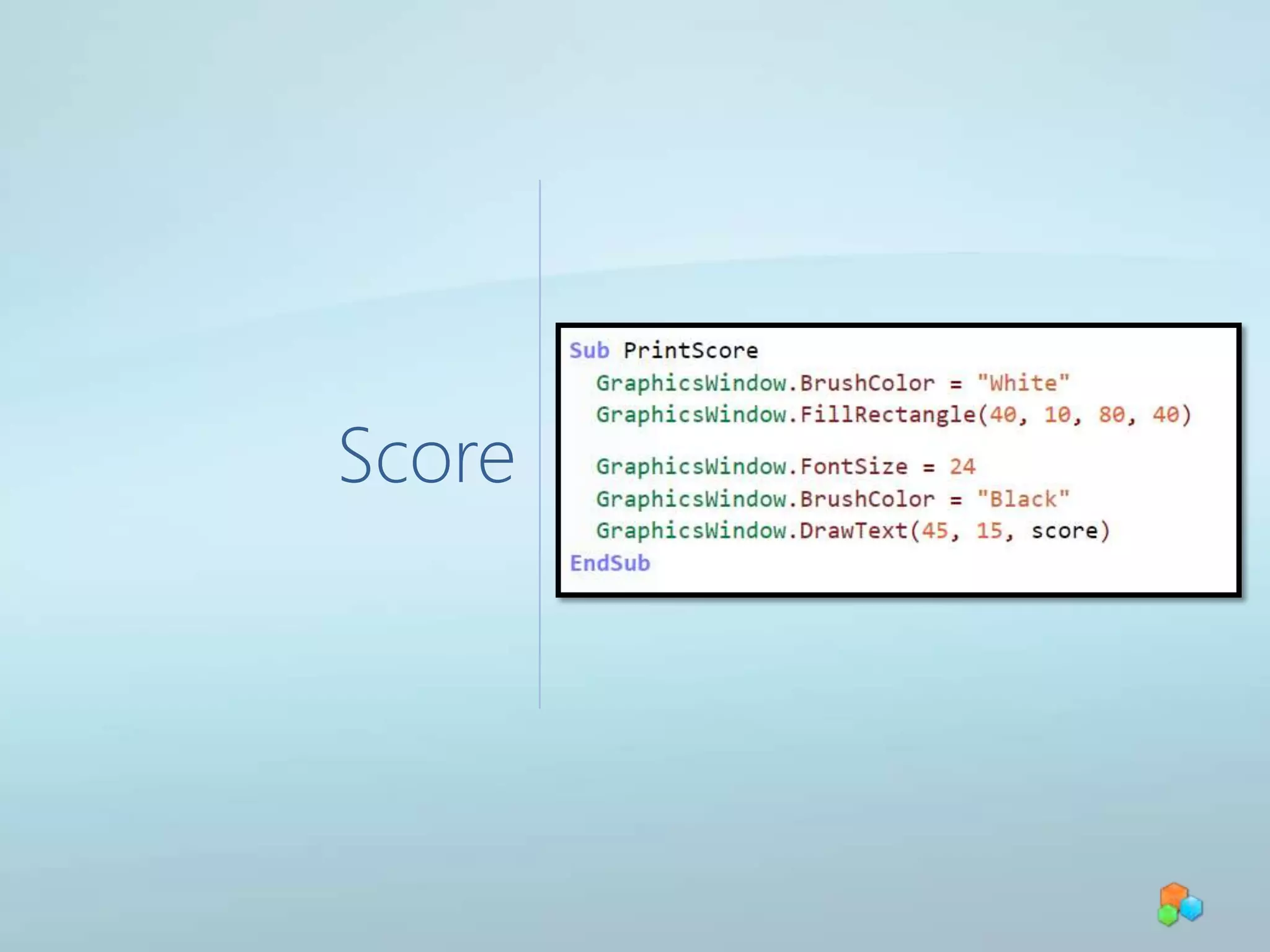
Score
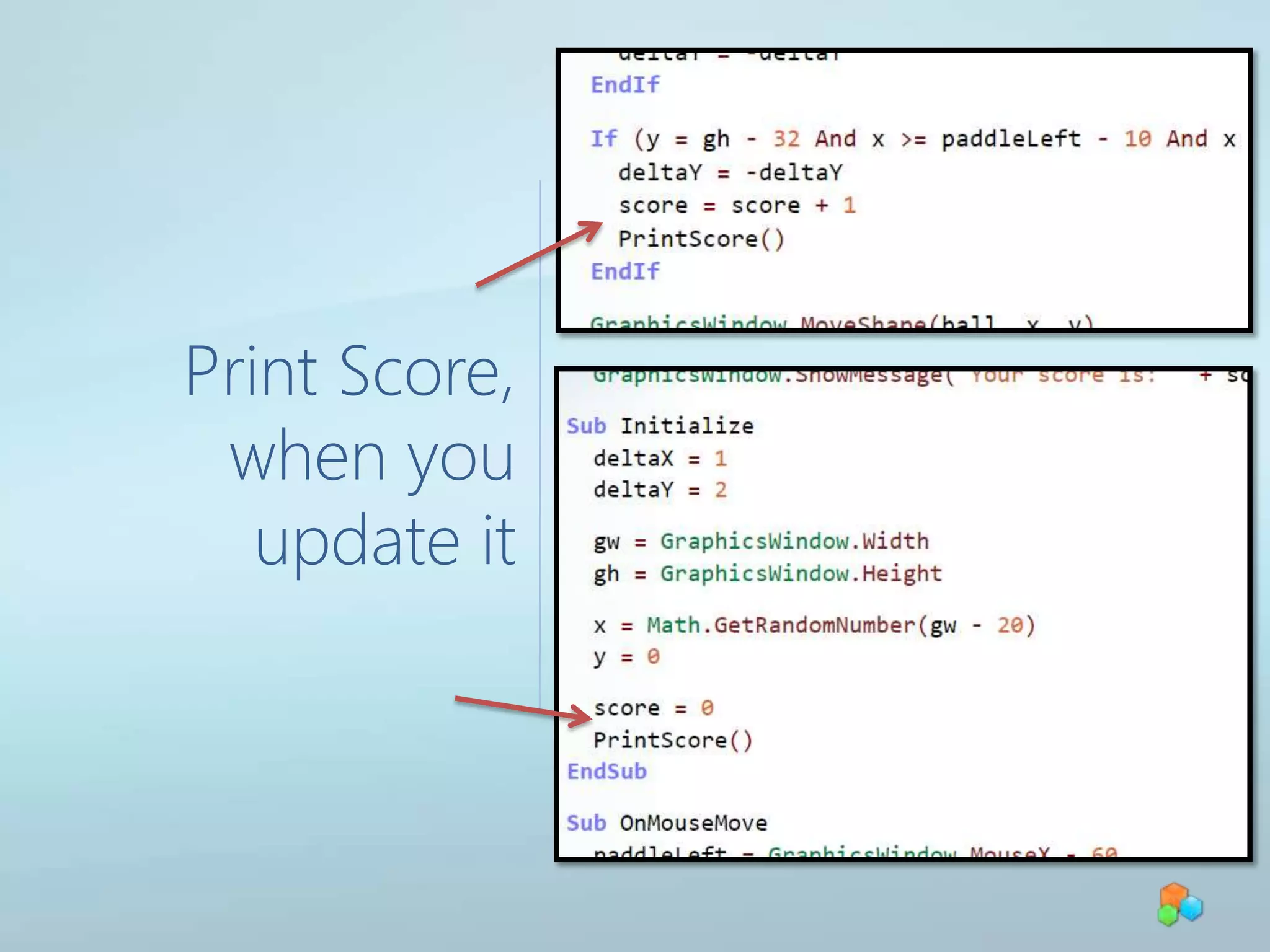
Print Score, when you update it
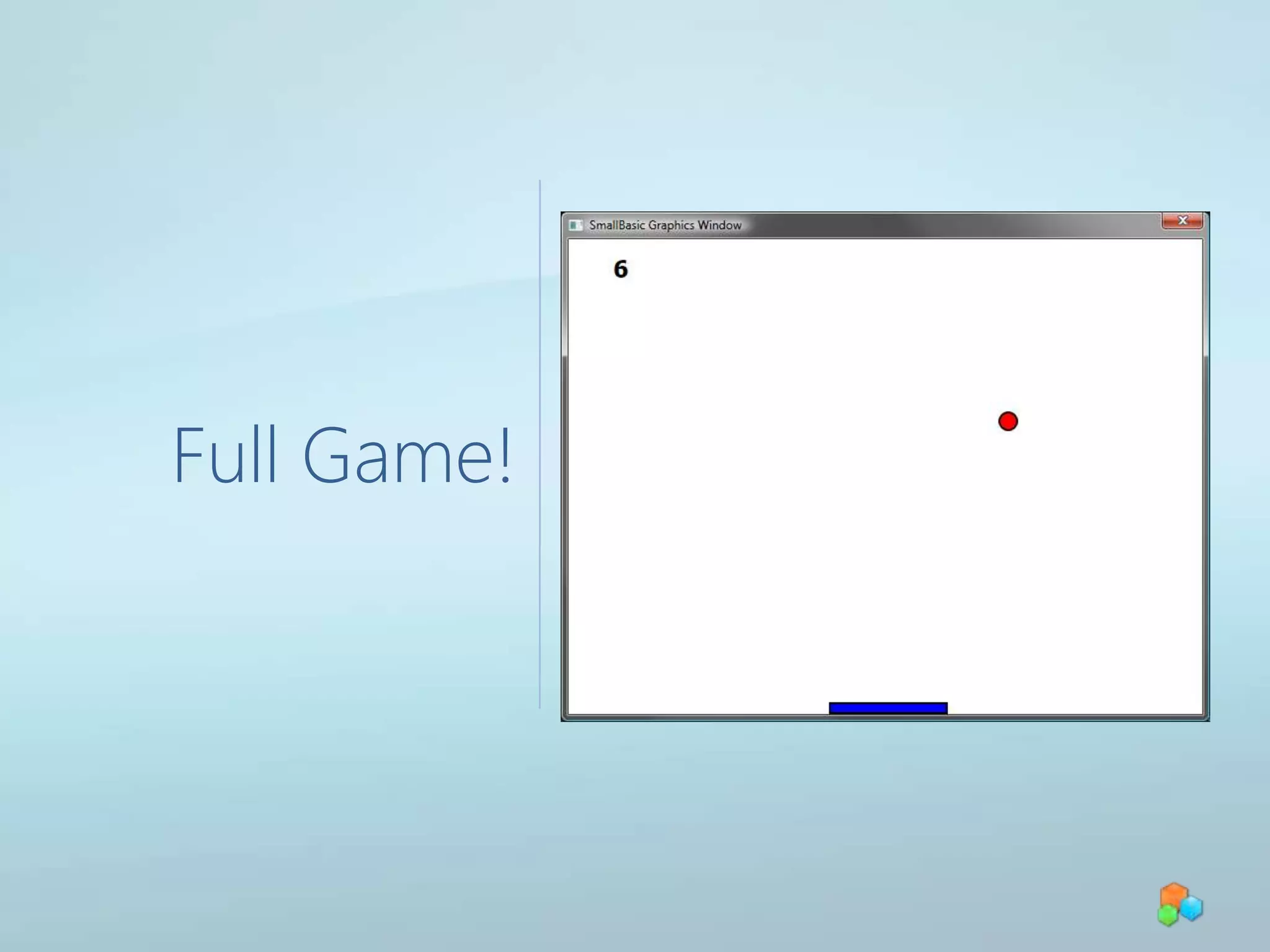
Full Game!
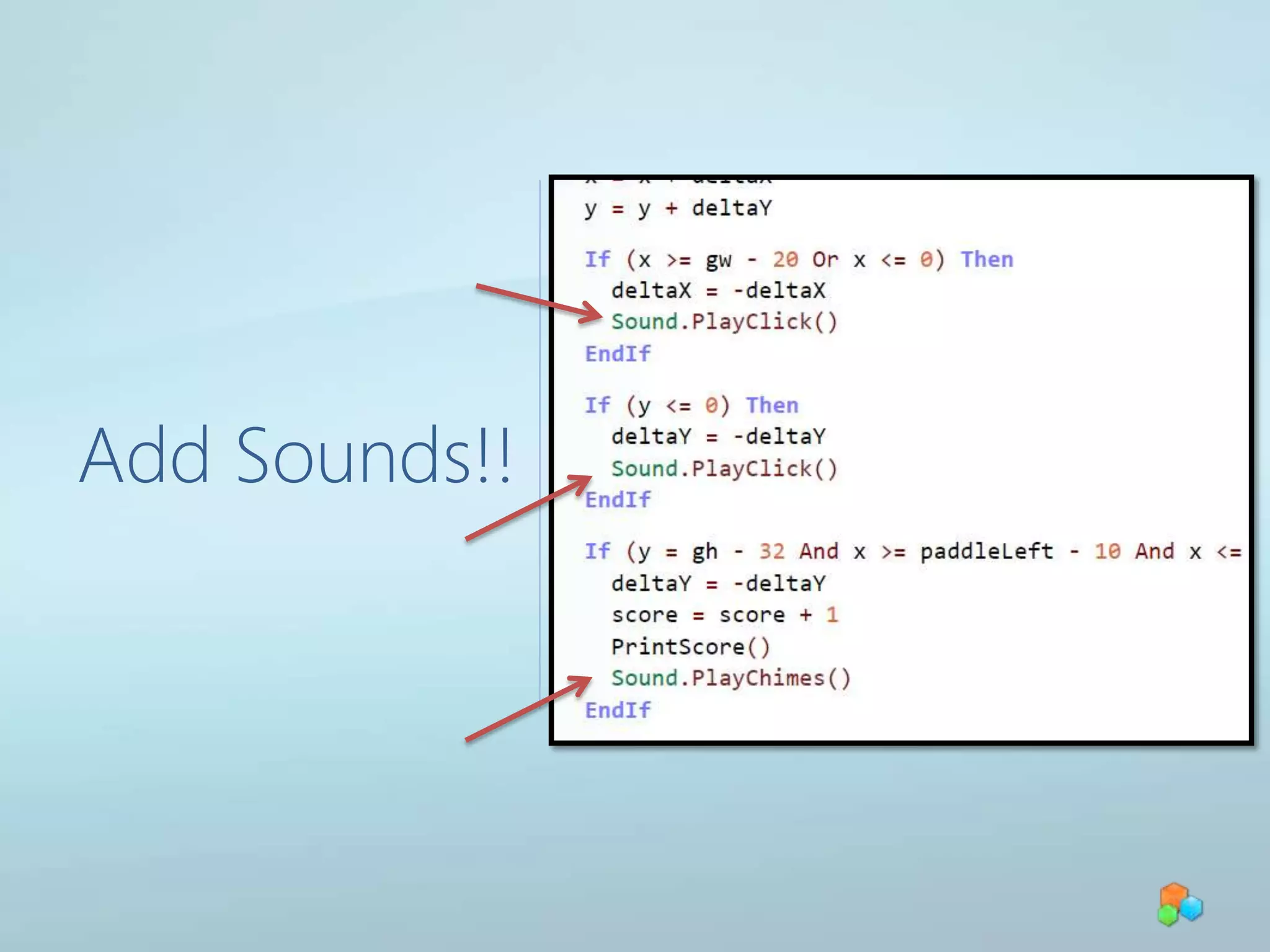
Add Sounds!!

2 Digi Girlz Small Basic

Editor's Notes

  • #10 Describe Turtle, Move, Turn.Turtle = ObjectMove = Operation
  • #11 Describe Properties (Speed)
  • #27 Pong_2.sb
  • #34 Pong_5.sb
  • #35 Pong_full.sb