THE ART OF
ASSEMBLY
LANGAUGE
PROGRAMMING
BY –
R.R.Bornare
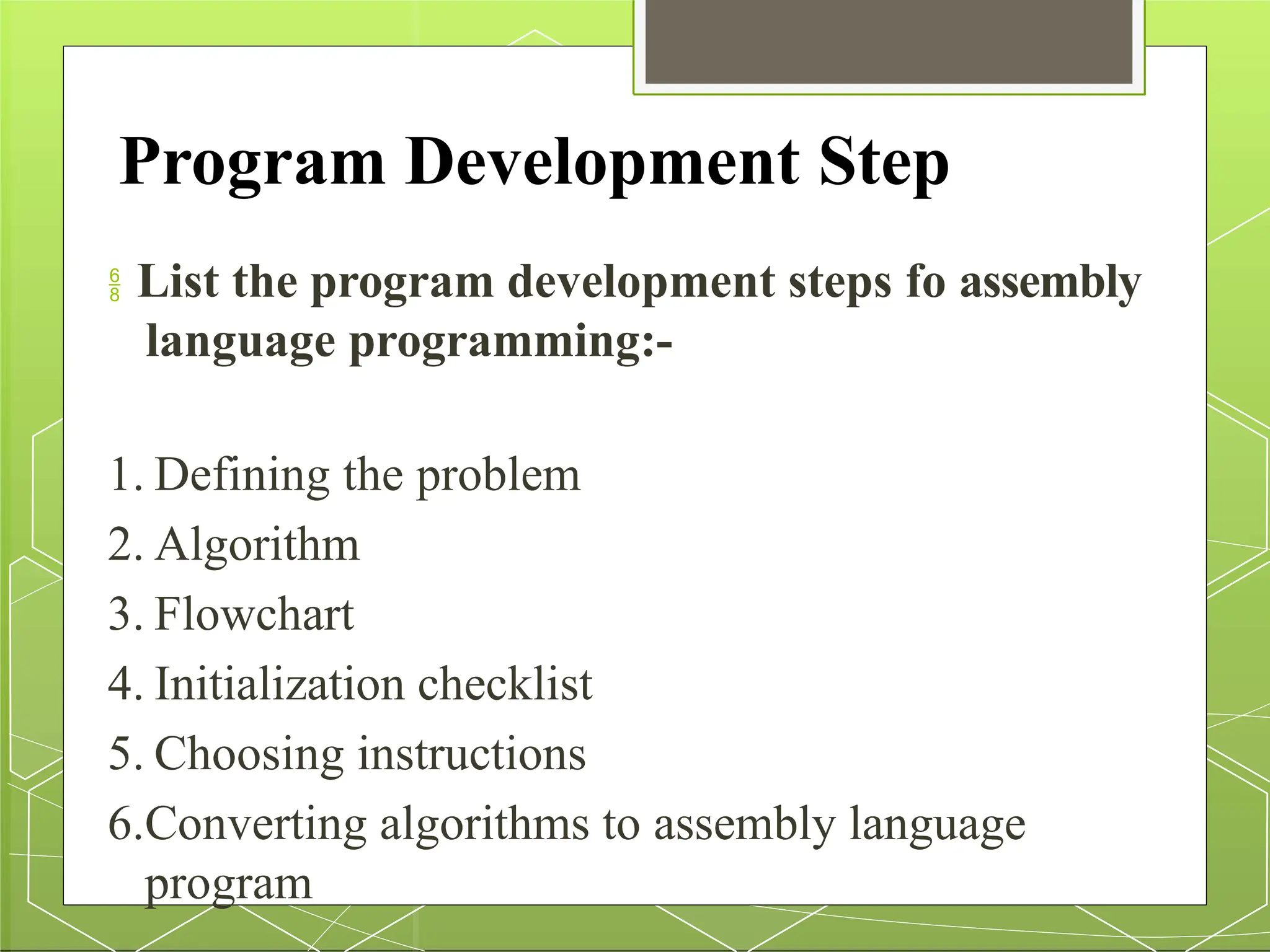
Program Development Step
 List the program development steps fo assembly
language programming:-
1. Defining the problem
2. Algorithm
3. Flowchart
4. Initialization checklist
5. Choosing instructions
6.Converting algorithms to assembly language
program
1. Defining the problem
The first step in writing program is to think very
carefully about the problem that you want to
solve.
At this point you need to write down
program but you must know what you would
like to do.
2. Algorithm
The formula or sequence of operation or tasks need
to perform by your program.
Can be specified as a step in general English
and is often called as algorithm.
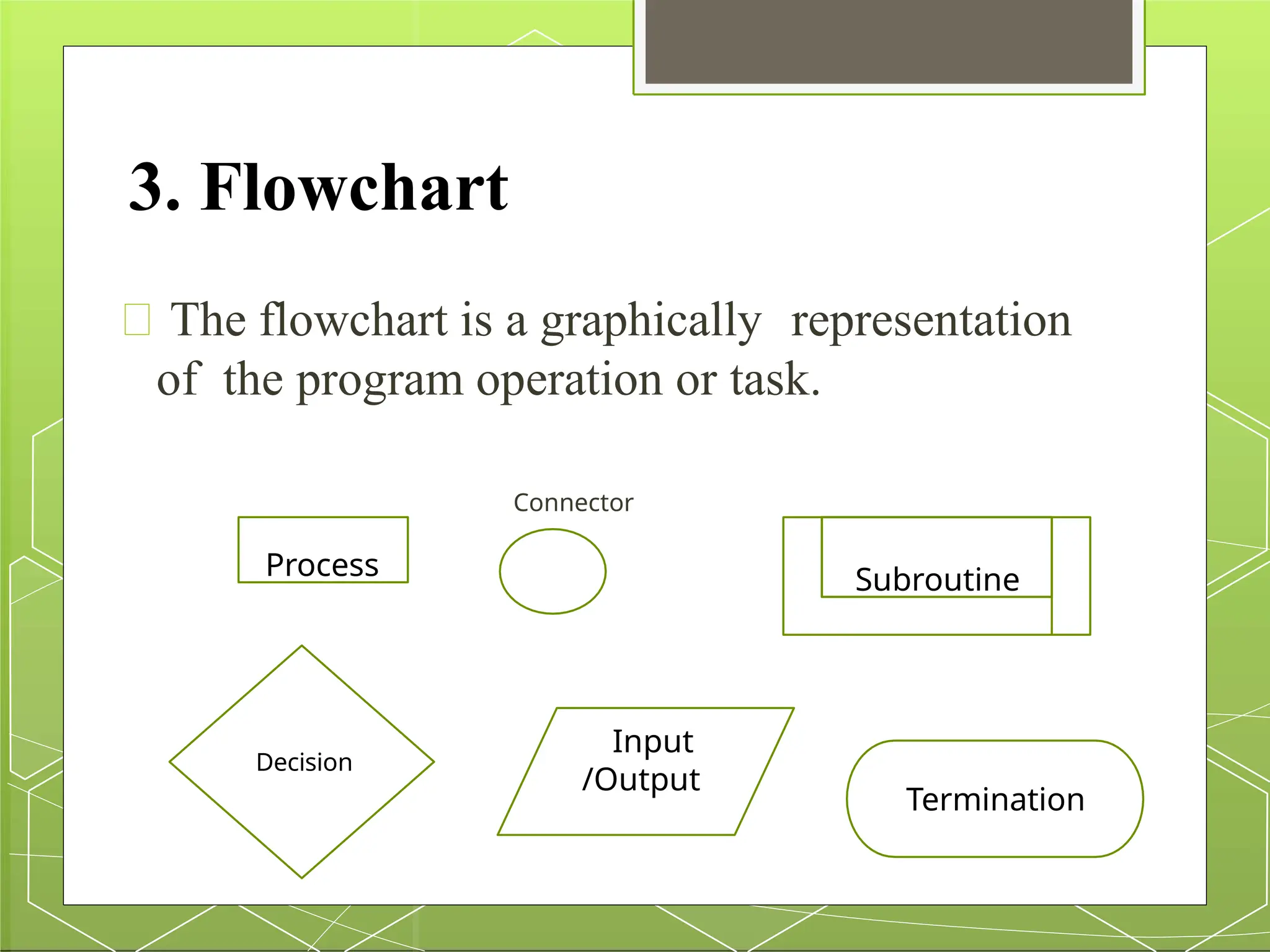
3. Flowchart
The flowchart is a graphically representation
of the program operation or task.
Connector
Process
Decision
Input
/Output
Subroutine
Termination
4. Initialization checklist
In program there are many Variables, Constants and
various Segment Registers, Flags, Stack,
Programmable ports etc. which must be initialize
properly.
The best way to initialization of task is to make
the checklist of the entire Variables, Constants and
various Segment Registers, Flags, Stack,
Programmable ports etc.
5. Choosing instructions
your
Choose proper instruction that
performs problems or task.
This is an important step, so you must
know entire instruction set of the
Microprocessor.
6. Converting algorithms to
assembly language
program
Select the instruction for the operation to
be performed.
In assembly language program, a first step is
to set up and declare the data structure.
Then write down the instruction required for
initialization at the start of the code screen.
Next determine the instructions required to
implement the major action in the
algorithm.
Assembly Language Program
Development tools
1. Editor
2. Assembler
3. Linker
4. Debugger
1.Editor
An editor is a program which helps to construct
ALP in right format so that the assembler will
translate it correctly to machine language.
So type program using Editor.
This form of program is called as
source program.
2.Assembler
Assembler is a program that translatesassembly
language program to the correct binary code.
It also generates the file called as object file
with extension .obj.
It also displays syntax errors in the program, if
any.
Example of Assembler are MASM (Microsoft
Macro Assembler.
3.Linker
It is a programming tool used to convert Object
code into executable program called .EXE
module.
It combines, if requested, more than one separated
assembled modules into one executable
module such as two or more assembly
programs or an assembly language with C
program.
4.Debugger
Debugger is a program that allows the execution
of program in single step mode under the
control of the user.
The errors in program can be located and
corrected using a debugger.
Debugger generates .exe file.
Program Development Process
1. Source file creation
2. Object code generation
3. Executable file creation
4. Program Running
5. Program Testing
6. Program Debugging
1 Source file creation:-
The source file is created and edited using
text editor and must have
extension .ASM.
2 Object code generation:-
The assembler is used to translate
assembly language source code to re-
locatable object code.
3 Executable file creation:-
Linker is used to create an executable
file.
4 Program Running:-
The executable file can be run by entering the
name of executable file on the prompt and by
passing ENTER key on the keyboard.
5 Program Testing:-
The result or output generated by the program
has to be tested for their validity.
If any error occurs in the result, then
program should be debug.
6 Program Debugging:-
The errors in the program can be located
using debugger.
The executable file of the program to be
debugged must be created with the
program debug option.
Assembler Directives and
Operator
Assembly language program supports a
number of reserve word i.e. key words that
enable control of program assembler and lists.
These words are called as a Assembler
Directives, acts only during the assembly of the
program.
So, directives are the statement that gives direction
to the assembler.
Directives are divided into various categories.
Data Definition Directives
DB : Define Bytes
DW : Define Words
DD : Define Double Word
DQ : Define Quad Word
DT : Define Ten Byte
STRUCT : Structure
Declaration
RECORD
EQU : Equate to
ORG : Originate
ALIGN : Alignment of
memory addresses.
EVEN : Align as even
DB:Define Bytes
DB - Define byte (8 bits)
It is used to declare a byte type variable of 8 bit.
It also can be used to declare an array of bytes.
The range of values that can be stored in a byte is
0 to 255 for unsigned numbers and –128 to +128
for signed numbers.
General form:-
 Name_Of_Variable DB → Initialization _Value(,s)

2 arts of assembly languge programming-converted.pptx

  • 1.
  • 2.
    Program Development Step List the program development steps fo assembly language programming:- 1. Defining the problem 2. Algorithm 3. Flowchart 4. Initialization checklist 5. Choosing instructions 6.Converting algorithms to assembly language program
  • 3.
    1. Defining theproblem The first step in writing program is to think very carefully about the problem that you want to solve. At this point you need to write down program but you must know what you would like to do.
  • 4.
    2. Algorithm The formulaor sequence of operation or tasks need to perform by your program. Can be specified as a step in general English and is often called as algorithm.
  • 5.
    3. Flowchart The flowchartis a graphically representation of the program operation or task. Connector Process Decision Input /Output Subroutine Termination
  • 6.
    4. Initialization checklist Inprogram there are many Variables, Constants and various Segment Registers, Flags, Stack, Programmable ports etc. which must be initialize properly. The best way to initialization of task is to make the checklist of the entire Variables, Constants and various Segment Registers, Flags, Stack, Programmable ports etc.
  • 7.
    5. Choosing instructions your Chooseproper instruction that performs problems or task. This is an important step, so you must know entire instruction set of the Microprocessor.
  • 8.
    6. Converting algorithmsto assembly language program Select the instruction for the operation to be performed. In assembly language program, a first step is to set up and declare the data structure. Then write down the instruction required for initialization at the start of the code screen. Next determine the instructions required to implement the major action in the algorithm.
  • 9.
    Assembly Language Program Developmenttools 1. Editor 2. Assembler 3. Linker 4. Debugger
  • 10.
    1.Editor An editor isa program which helps to construct ALP in right format so that the assembler will translate it correctly to machine language. So type program using Editor. This form of program is called as source program.
  • 11.
    2.Assembler Assembler is aprogram that translatesassembly language program to the correct binary code. It also generates the file called as object file with extension .obj. It also displays syntax errors in the program, if any. Example of Assembler are MASM (Microsoft Macro Assembler.
  • 12.
    3.Linker It is aprogramming tool used to convert Object code into executable program called .EXE module. It combines, if requested, more than one separated assembled modules into one executable module such as two or more assembly programs or an assembly language with C program.
  • 13.
    4.Debugger Debugger is aprogram that allows the execution of program in single step mode under the control of the user. The errors in program can be located and corrected using a debugger. Debugger generates .exe file.
  • 14.
    Program Development Process 1.Source file creation 2. Object code generation 3. Executable file creation 4. Program Running 5. Program Testing 6. Program Debugging
  • 15.
    1 Source filecreation:- The source file is created and edited using text editor and must have extension .ASM. 2 Object code generation:- The assembler is used to translate assembly language source code to re- locatable object code.
  • 16.
    3 Executable filecreation:- Linker is used to create an executable file. 4 Program Running:- The executable file can be run by entering the name of executable file on the prompt and by passing ENTER key on the keyboard.
  • 17.
    5 Program Testing:- Theresult or output generated by the program has to be tested for their validity. If any error occurs in the result, then program should be debug. 6 Program Debugging:- The errors in the program can be located using debugger. The executable file of the program to be debugged must be created with the program debug option.
  • 18.
    Assembler Directives and Operator Assemblylanguage program supports a number of reserve word i.e. key words that enable control of program assembler and lists. These words are called as a Assembler Directives, acts only during the assembly of the program. So, directives are the statement that gives direction to the assembler. Directives are divided into various categories.
  • 19.
    Data Definition Directives DB: Define Bytes DW : Define Words DD : Define Double Word DQ : Define Quad Word DT : Define Ten Byte STRUCT : Structure Declaration RECORD EQU : Equate to ORG : Originate ALIGN : Alignment of memory addresses. EVEN : Align as even
  • 20.
    DB:Define Bytes DB -Define byte (8 bits) It is used to declare a byte type variable of 8 bit. It also can be used to declare an array of bytes. The range of values that can be stored in a byte is 0 to 255 for unsigned numbers and –128 to +128 for signed numbers. General form:-  Name_Of_Variable DB → Initialization _Value(,s)