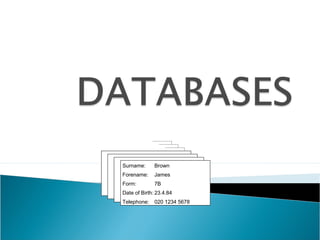
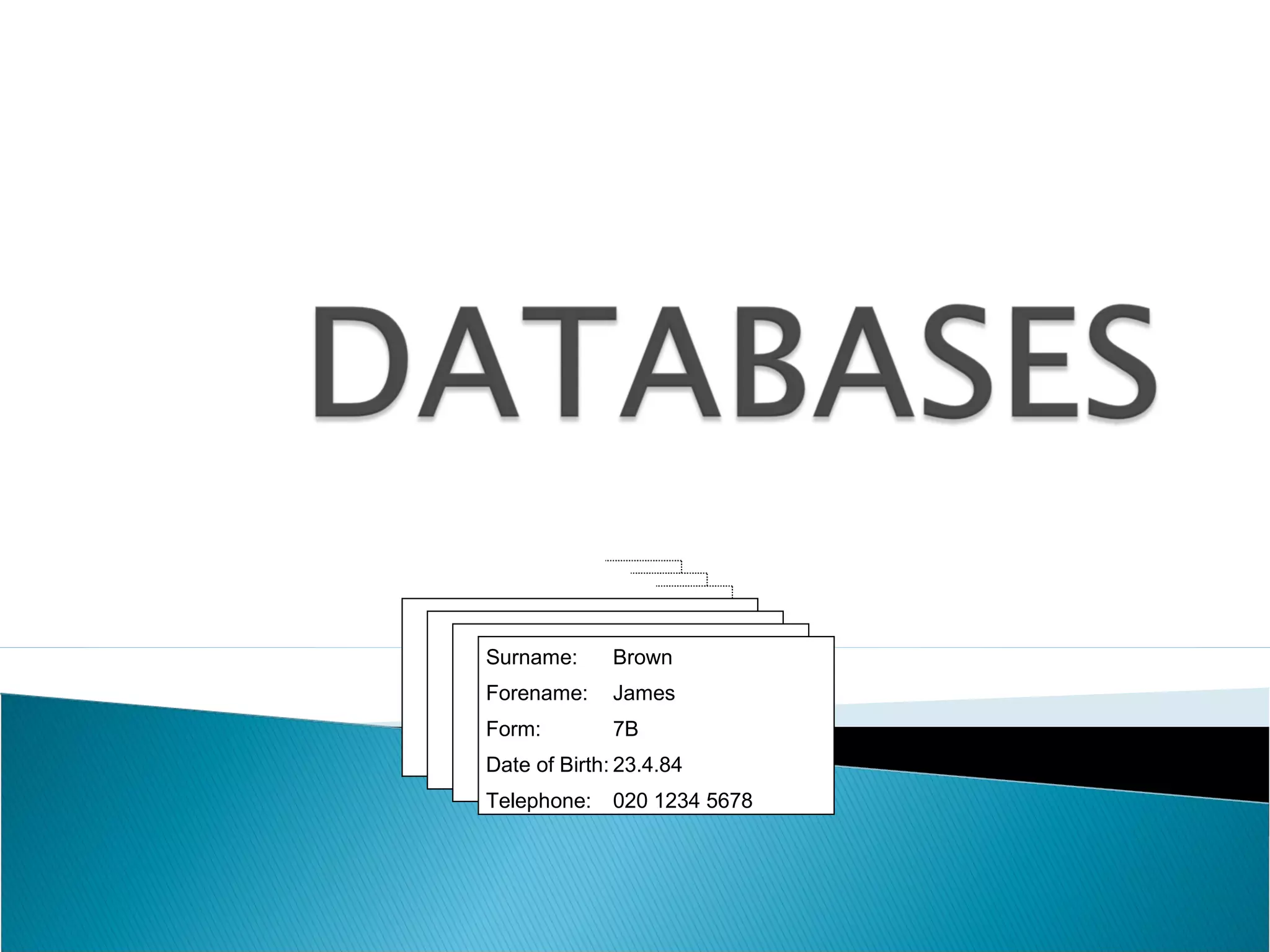
Surname:

Brown

Forename:

James

Form:

7B

Date of Birth: 23.4.84
Telephone:

020 1234 5678


A database is a collection of information.



You can have a very large one such as an
encyclopaedia on a CD-ROM, or a much
smaller one that you create yourself.
Library catalogues
 Football player statistics
 Argos catalogue shopping
 School pupil records
 Address book
 What could you use a database for? Try to
think of at least two ideas.



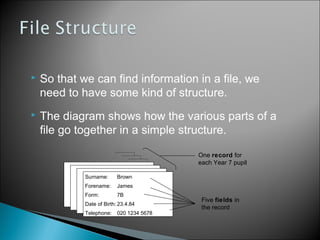
So that we can find information in a file, we
need to have some kind of structure.



The diagram shows how the various parts of a
file go together in a simple structure.
One record for
each Year 7 pupil
Surname:

Brown

Forename:

James

Form:

7B

Date of Birth: 23.4.84
Telephone:

020 1234 5678

Five fields in
the record


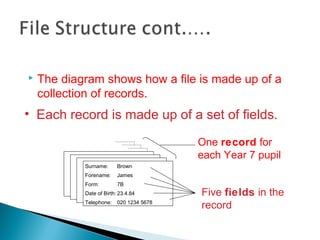
The diagram shows how a file is made up of a
collection of records.

• Each record is made up of a set of fields.
One record for
each Year 7 pupil
Surname:

Brown

Forename:

James

Form:

7B

Date of Birth: 23.4.84
Telephone:

020 1234 5678

Five fields in the
record
Microsoft Access
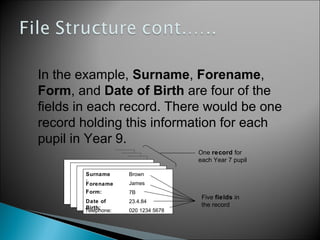
In the example, Surname, Forename,
Form, and Date of Birth are four of the
fields in each record. There would be one
record holding this information for each
pupil in Year 9.
One record for
each Year 7 pupil
Surname
:
Forename
:
Form:

Brown

Date of
Birth:
Telephone:

23.4.84

James
7B
020 1234 5678

Five fields in
the record


When you set up the fields you can say what
type of data the field will hold. The field type is
important when you sort the data into order.
Here are some common field types:



TEXT

• NUMBER
• DATES
A text field will hold any mixture of numbers
and letters.
Names are text and so are addresses, even
though the first line starts with a number.
Sorting a text field will be done using the
rules for alphabetical order.




This field type only holds numbers, you need
to think about this carefully in some cases.
For example, in the case of telephone numbers,
although we refer to them as phone numbers we do
not store them as numbers, or treat them as
numbers. (If someone asks your phone number you
say SIX, THREE, SEVEN, EIGHT, FIVE, not sixtythree thousand, seven hundred and eighty-five.)
Telephone numbers, especially long ones with dial
codes, should be stored as text.


If you want to sort information by a date like date
of birth, you need to store it as a date field. Dates
need to be sorted in a special way. Think about
how you would sort these dates into date order:

31/3/48, 1/4/97, 12/12/96, 11/12/96.



Which part of the date did you look at first?
If they were normal numbers, which part would
you look at first?


Computers are very accurate and this is why we use
them for storing information. Humans are not always
accurate and this can lead to problems!

 CHECK



YOUR DATA

The computer when sorting or searching will
always be accurate, but sometimes our mistakes
will make things look wrong. An example of an
error is as follows:
Extra
spac
e



John
Alfred
Bill
Jane
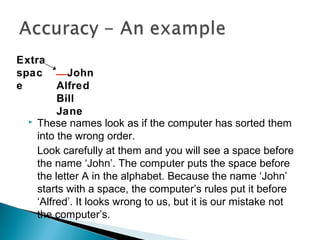
These names look as if the computer has sorted them
into the wrong order.
Look carefully at them and you will see a space before
the name ‘John’. The computer puts the space before
the letter A in the alphabet. Because the name ‘John’
starts with a space, the computer’s rules put it before
‘Alfred’. It looks wrong to us, but it is our mistake not
the computer’s.
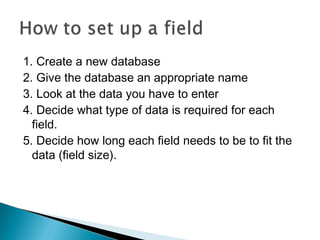
1. Create a new database
2. Give the database an appropriate name
3. Look at the data you have to enter
4. Decide what type of data is required for each
field.
5. Decide how long each field needs to be to fit the
data (field size).
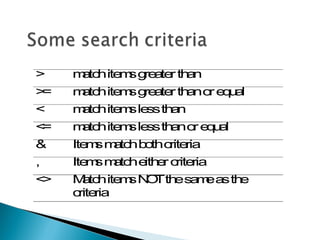
>

m tc ite s g a r th n
a h m re te a

>
=

m tc ite s g a r th no e u l
a h m re te a r q a

<

m tc ite s le s th n
a h m s a

<
=

m tc ite s le s th no e u l
a h m s a r qa

&

Ite s m tc b thc ria
m a h o rite

,

Ite s m tc e e c ria
m a h ith r rite

<
>

M tc ite s N Tth s m a th
a h m O e a e s e
c ria
rite

Databases Main Lesson 1

  • 1.
  • 2.
     A database isa collection of information.  You can have a very large one such as an encyclopaedia on a CD-ROM, or a much smaller one that you create yourself.
  • 3.
    Library catalogues  Footballplayer statistics  Argos catalogue shopping  School pupil records  Address book  What could you use a database for? Try to think of at least two ideas. 
  • 4.
     So that wecan find information in a file, we need to have some kind of structure.  The diagram shows how the various parts of a file go together in a simple structure. One record for each Year 7 pupil Surname: Brown Forename: James Form: 7B Date of Birth: 23.4.84 Telephone: 020 1234 5678 Five fields in the record
  • 5.
     The diagram showshow a file is made up of a collection of records. • Each record is made up of a set of fields. One record for each Year 7 pupil Surname: Brown Forename: James Form: 7B Date of Birth: 23.4.84 Telephone: 020 1234 5678 Five fields in the record
  • 6.
  • 7.
    In the example,Surname, Forename, Form, and Date of Birth are four of the fields in each record. There would be one record holding this information for each pupil in Year 9. One record for each Year 7 pupil Surname : Forename : Form: Brown Date of Birth: Telephone: 23.4.84 James 7B 020 1234 5678 Five fields in the record
  • 8.
     When you setup the fields you can say what type of data the field will hold. The field type is important when you sort the data into order. Here are some common field types:  TEXT • NUMBER • DATES
  • 9.
    A text fieldwill hold any mixture of numbers and letters. Names are text and so are addresses, even though the first line starts with a number. Sorting a text field will be done using the rules for alphabetical order.
  • 10.
      This field typeonly holds numbers, you need to think about this carefully in some cases. For example, in the case of telephone numbers, although we refer to them as phone numbers we do not store them as numbers, or treat them as numbers. (If someone asks your phone number you say SIX, THREE, SEVEN, EIGHT, FIVE, not sixtythree thousand, seven hundred and eighty-five.) Telephone numbers, especially long ones with dial codes, should be stored as text.
  • 11.
     If you wantto sort information by a date like date of birth, you need to store it as a date field. Dates need to be sorted in a special way. Think about how you would sort these dates into date order: 31/3/48, 1/4/97, 12/12/96, 11/12/96.   Which part of the date did you look at first? If they were normal numbers, which part would you look at first?
  • 12.
     Computers are veryaccurate and this is why we use them for storing information. Humans are not always accurate and this can lead to problems!  CHECK  YOUR DATA The computer when sorting or searching will always be accurate, but sometimes our mistakes will make things look wrong. An example of an error is as follows:
  • 13.
    Extra spac e  John Alfred Bill Jane These names lookas if the computer has sorted them into the wrong order. Look carefully at them and you will see a space before the name ‘John’. The computer puts the space before the letter A in the alphabet. Because the name ‘John’ starts with a space, the computer’s rules put it before ‘Alfred’. It looks wrong to us, but it is our mistake not the computer’s.
  • 14.
    1. Create anew database 2. Give the database an appropriate name 3. Look at the data you have to enter 4. Decide what type of data is required for each field. 5. Decide how long each field needs to be to fit the data (field size).
  • 15.
    > m tc ites g a r th n a h m re te a > = m tc ite s g a r th no e u l a h m re te a r q a < m tc ite s le s th n a h m s a < = m tc ite s le s th no e u l a h m s a r qa & Ite s m tc b thc ria m a h o rite , Ite s m tc e e c ria m a h ith r rite < > M tc ite s N Tth s m a th a h m O e a e s e c ria rite