Download to read offline
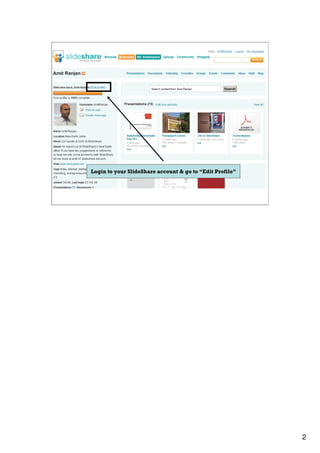


Social AutoShare allows users to automatically publish their SlideShare activity like uploads, comments, and favorites to connected social media accounts like Facebook and Twitter. Users login to their SlideShare account, connect their Facebook and Twitter accounts through APIs without sharing passwords, then configure what types of activities to automatically share and save the settings. AutoShare provides options to connect or disconnect accounts, select which activities to publish, and customizable publish text will be available soon.


![RSS & Google Reader [Handout]](https://cdn.slidesharecdn.com/ss_thumbnails/rss-handout-110322083154-phpapp02-thumbnail.jpg?width=640&height=640&fit=bounds)


![Facebook Strategies [for Realtors] Seminar 092011](https://cdn.slidesharecdn.com/ss_thumbnails/embracehomeloansfacebookstrategiesseminar092011-13290007432013-phpapp02-120211165626-phpapp02-thumbnail.jpg?width=640&height=640&fit=bounds)


