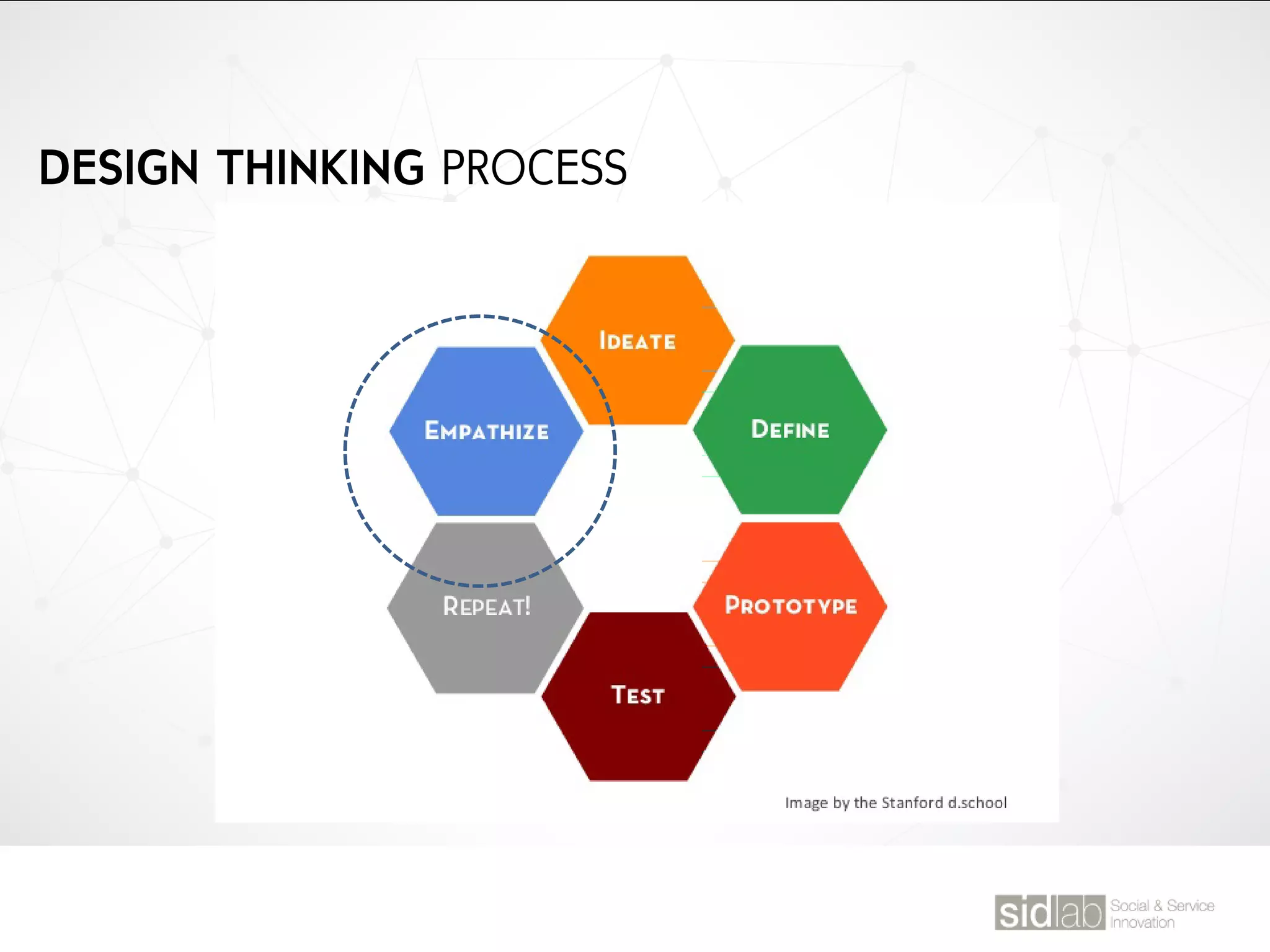
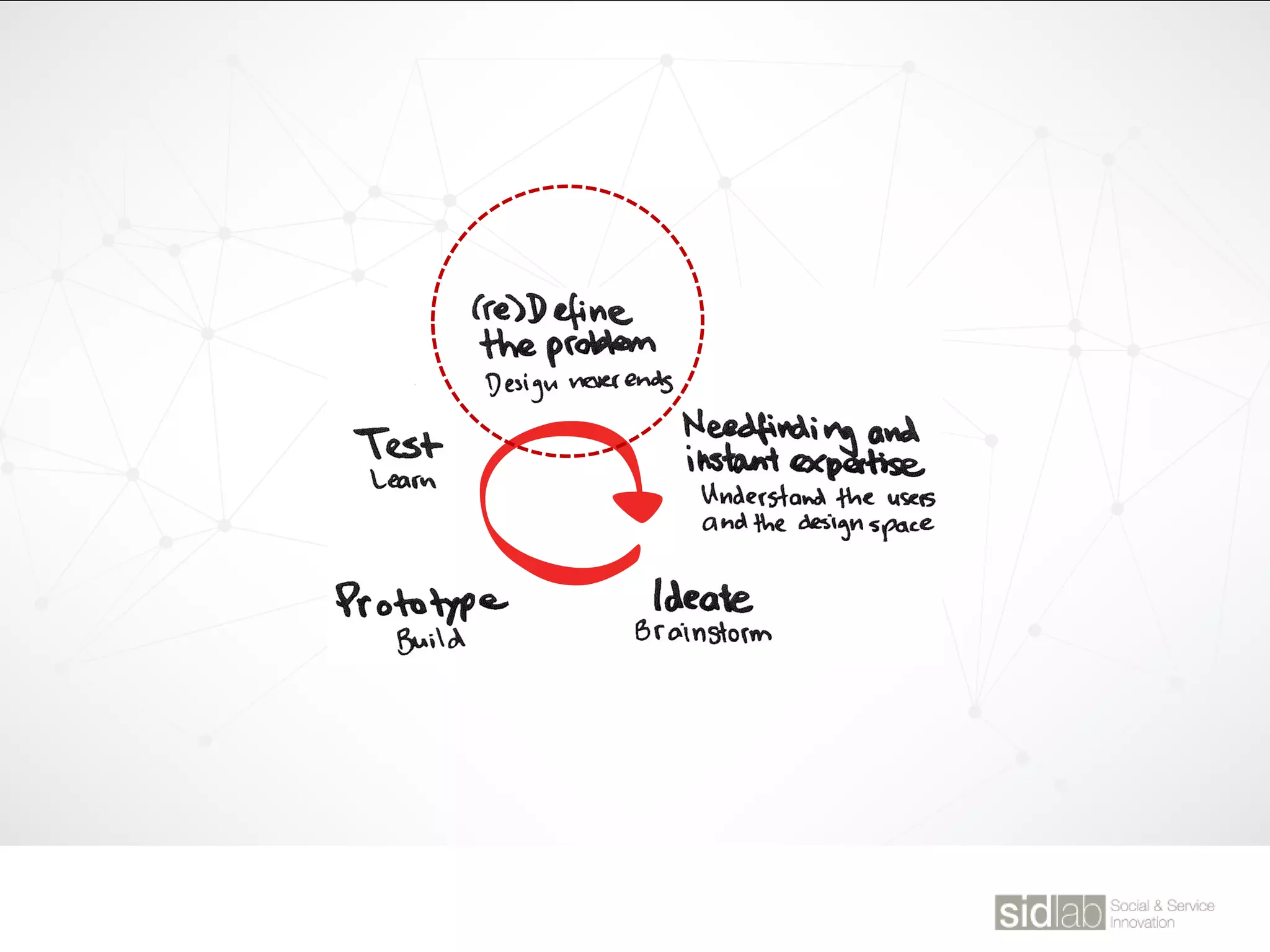
DESIGN THINKING PROCESS
DESIGN THINGKING KGIT FALL SEMESTER @ JYLEE
TODAY’S AGENDA
Data Abstraction
CLASS 10
대상으로부터 공통되는 특성이나 속성을 추출하여 파악하는 작용.
우리의 사고처리 과정에서 대상의 가장 중요한 특징을 단순화시켜 파악하여
수많이 처리해야 할 정보들을 축소시킴. 이러한 단순화 과정을 통해 특징을
파악하려는 작용이 추상화로써, 이를 위해 대상물의 불필요한 요소들을
걸러내고 핵심을 추출하는 “필터링”과정을 거치게 됨.
“ 추상화는 필터링이다”
복잡한 실체의 불필요한 부분은 걸러내고, 유의미한 핵심만을 추출하는 과정
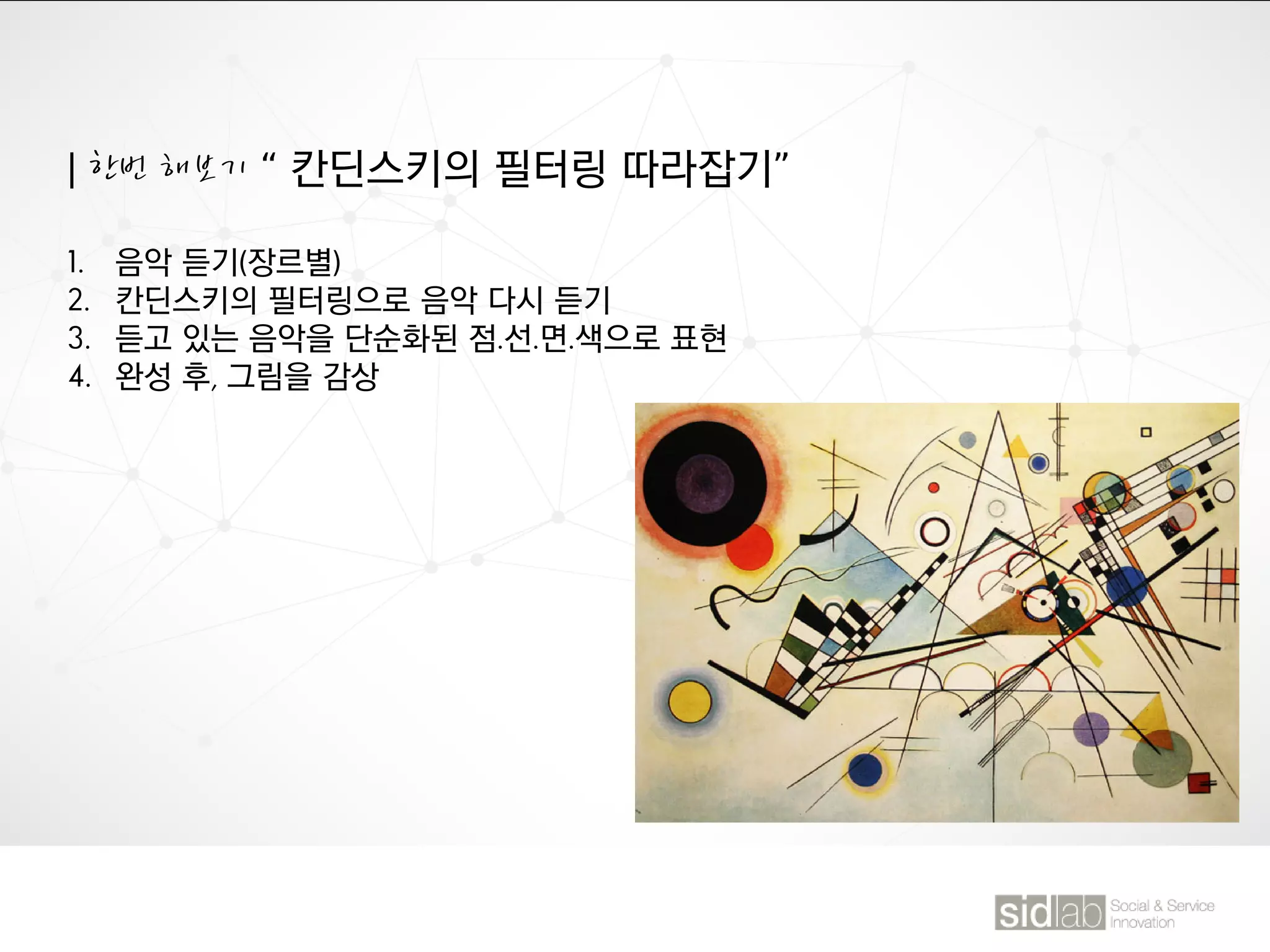
| 한번 해보기 “ 칸딘스키의 필터링 따라잡기”
1. 음악 듣기(장르별)
2. 칸딘스키의 필터링으로 음악 다시 듣기
3. 듣고 있는 음악을 단순화된 점.선.면.색으로 표현
4. 완성 후, 그림을 감상
직선 : 빠르고 경쾌한 리듬
곡선: 느리고 조용한 리듬
색조: 음색
색상: 멜로디
채도: 음의 크기
명도: 음의 여운
| 한번 해보기 “ 추출하기”
구슬이 서말이라도 꿰어야 보배. 형태를 단순화한 구슬들을 핵심이라는 실로
퀘어야 한다. 핵심 추출 해보기
1. 신문기사를 읽고, 내용을 포괄하는
헤드라인을 작성
2. 원래 기사의 헤드라인과 비교
FOR THIS WEEK.
SERVICE SAFARI
① 제품/서비스를 경험하는 순간이나 관찰하는 장면 사진을 찍으세요.
② 그 관찰 대상 또는 경험에 대해 간단하게 기록해 주세요.
FOR THIS WEEK.
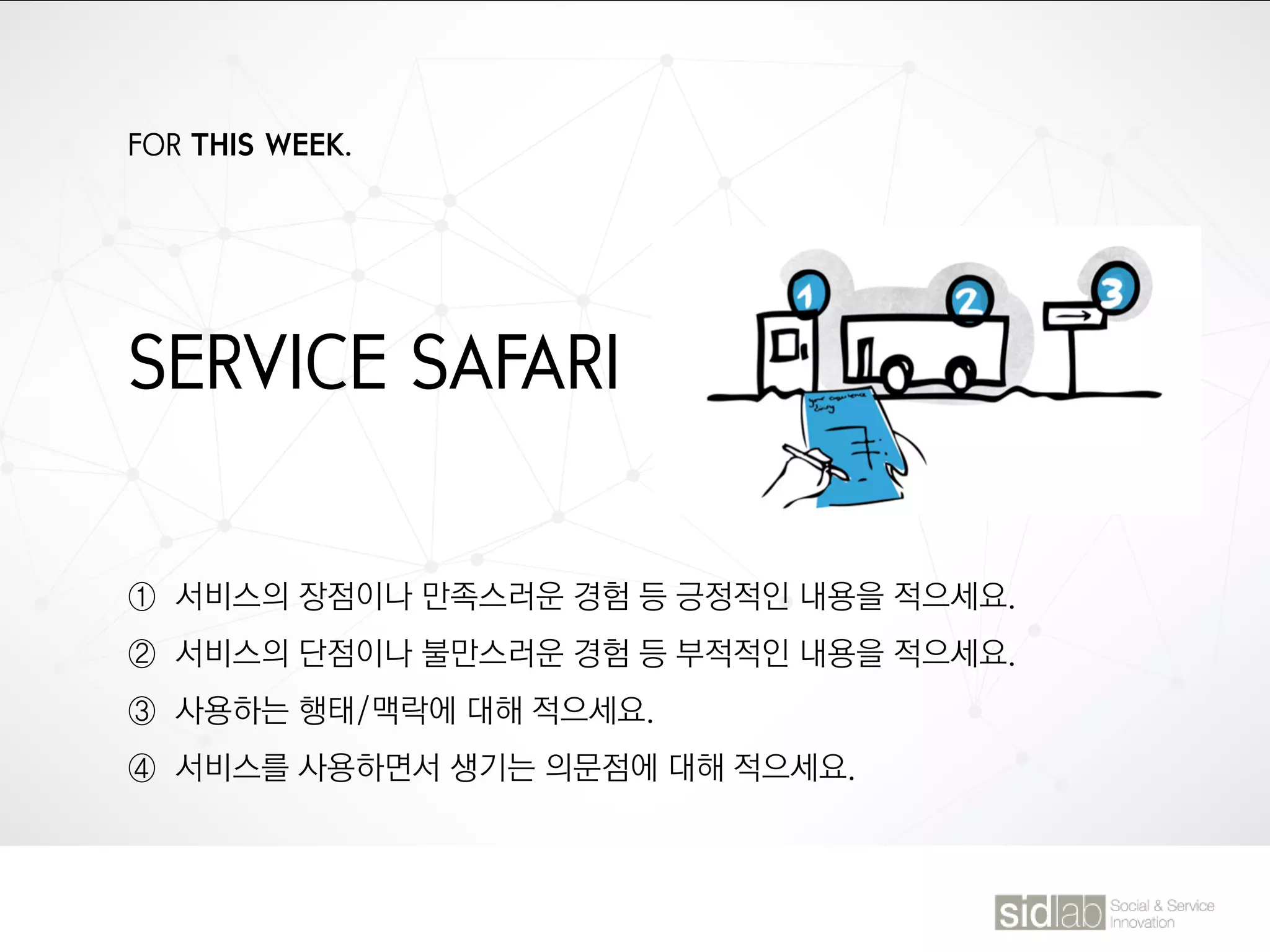
SERVICE SAFARI
① 서비스의 장점이나 만족스러운 경험 등 긍정적인 내용을 적으세요.
② 서비스의 단점이나 불만스러운 경험 등 부적적인 내용을 적으세요.
③ 사용하는 행태/맥락에 대해 적으세요.
④ 서비스를 사용하면서 생기는 의문점에 대해 적으세요.
01. Mapping Tools
[Affinity Diagram]
The affinity diagram is a creative process used for gathering and organizing
large amounts of data, ideas and insights by evidencing their natural
correlations.
1) Affinity Diagram
Affinity Chart, KJ Method, 친화도법(親化圖法)
* It was created in the 1960s by Japanese anthropologist Jiro Kawakita.
| Mapping Tools
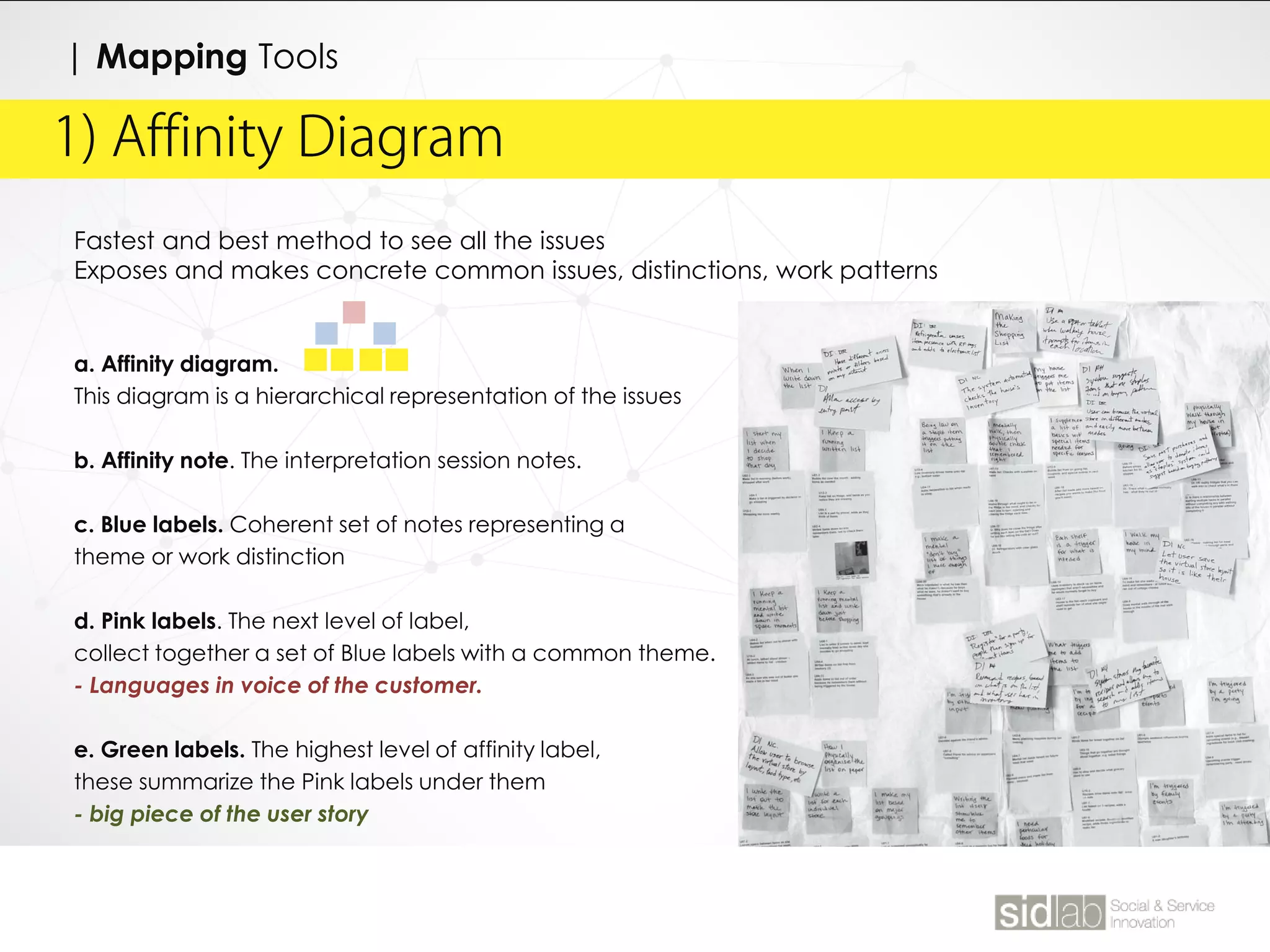
Fastest and best method to see all the issues
Exposes and makes concrete common issues, distinctions, work patterns
a. Affinity diagram.
This diagram is a hierarchical representation of the issues
b. Affinity note. The interpretation session notes.
c. Blue labels. Coherent set of notes representing a
theme or work distinction
d. Pink labels. The next level of label,
collect together a set of Blue labels with a common theme.
- Languages in voice of the customer.
e. Green labels. The highest level of affinity label,
these summarize the Pink labels under them
- big piece of the user story
1) Affinity Diagram
| Mapping Tools
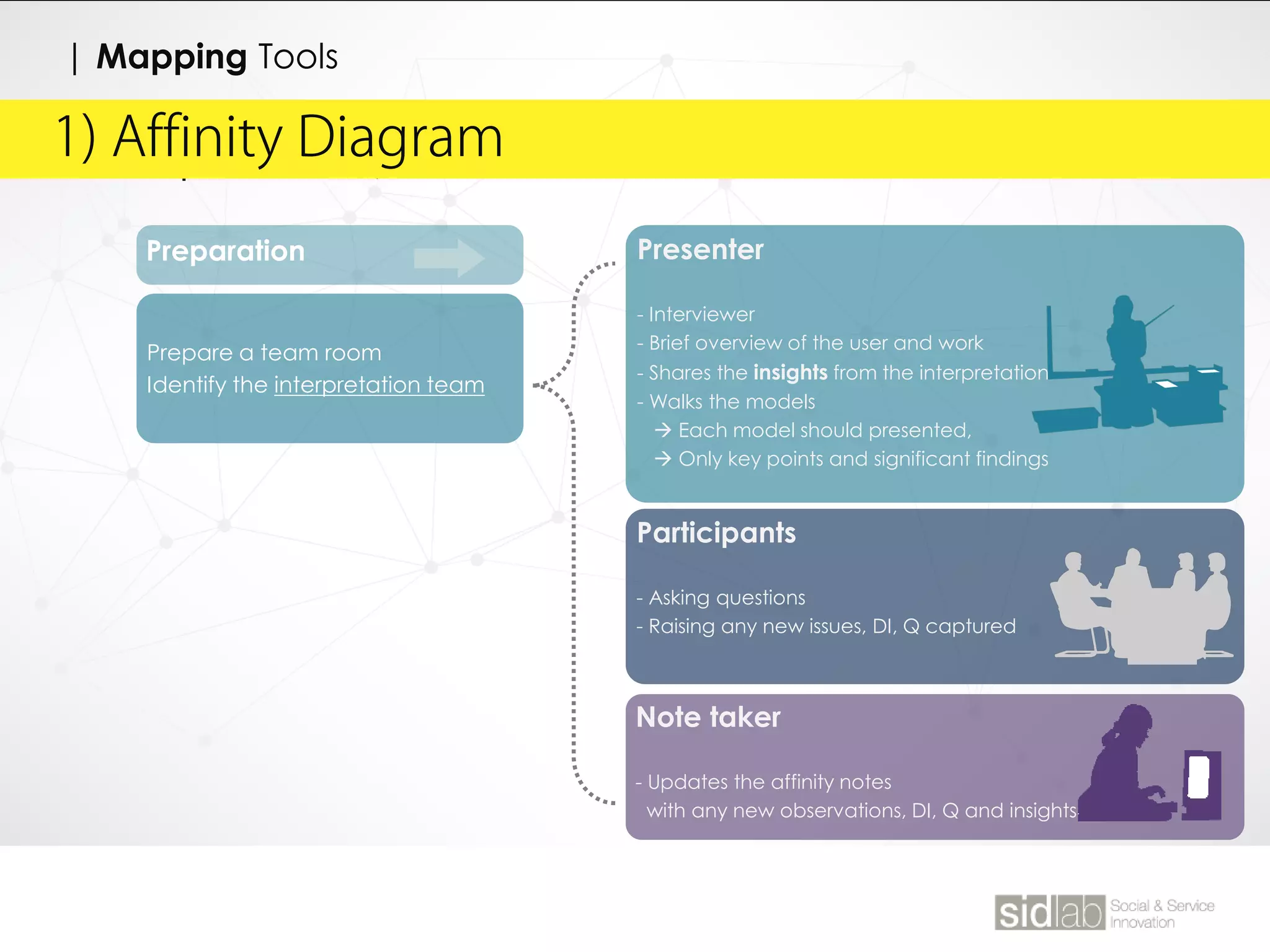
Preparation
Prepare a team room
Identify the interpretation team
| Affinity Diagram
Presenter
- Interviewer
- Brief overview of the user and work
- Shares the insights from the interpretation
- Walks the models
 Each model should presented,
 Only key points and significant findings
Participants
- Asking questions
- Raising any new issues, DI, Q captured
Note taker
- Updates the affinity notes
with any new observations, DI, Q and insights
1) Affinity Diagram
| Mapping Tools
| Affinity Diagram1) Affinity Diagram
| Mapping Tools
1. During Interpretation
a. Identify the role ( Interviewers, Note taker, Interpretation team)
b. Capture the user profile (Separate document from Affinity notes)
c. Capture affinity notes
d. Capture insights
DO RECORDS
• Interpretation of events, use of artifacts, problems, and
opportunities
• Important characteristic of the work
• Breakdowns in the work
• Cultural influence
• Design ideas (Flag with DI)
• Questions for future interviews (Q)
• Insightful customer quotes
DO NOT RECORDS
• Demographics
• Other information represented on work model
| Affinity Diagram1) Affinity Diagram
| Mapping Methodologies
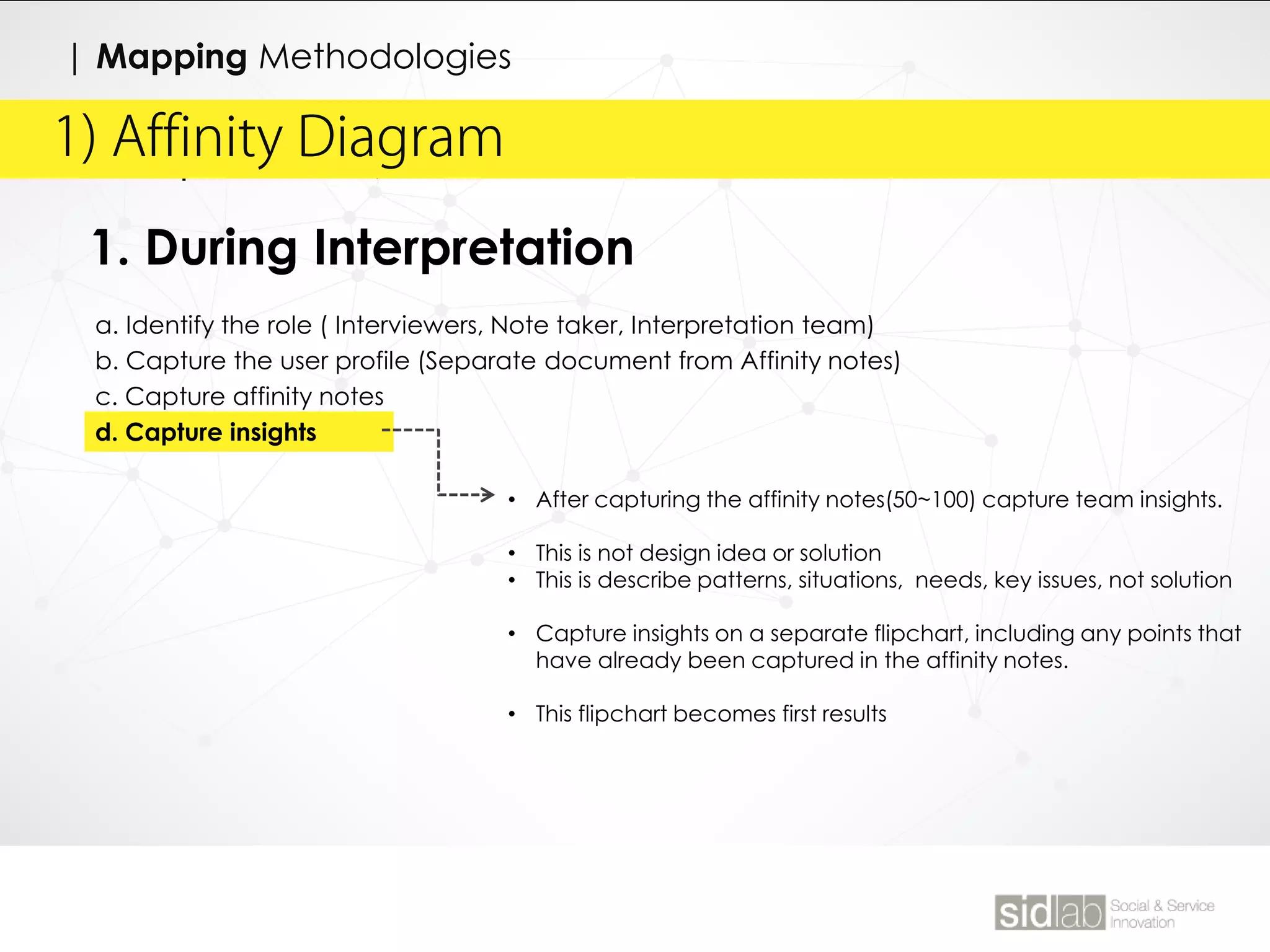
1. During Interpretation
a. Identify the role ( Interviewers, Note taker, Interpretation team)
b. Capture the user profile (Separate document from Affinity notes)
c. Capture affinity notes
d. Capture insights
• After capturing the affinity notes(50~100) capture team insights.
• This is not design idea or solution
• This is describe patterns, situations, needs, key issues, not solution
• Capture insights on a separate flipchart, including any points that
have already been captured in the affinity notes.
• This flipchart becomes first results
1) Affinity Diagram
| Mapping Methodologies
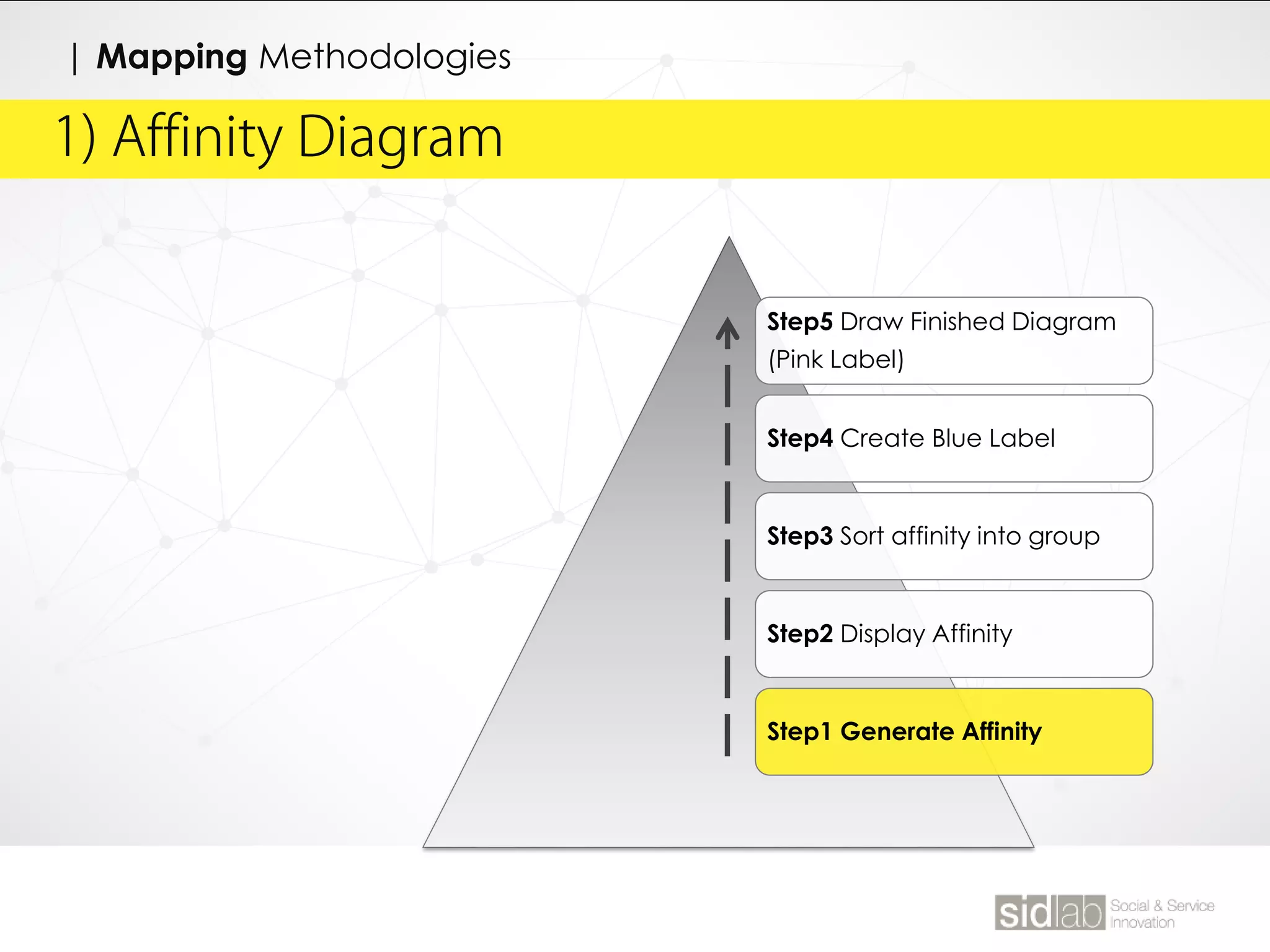
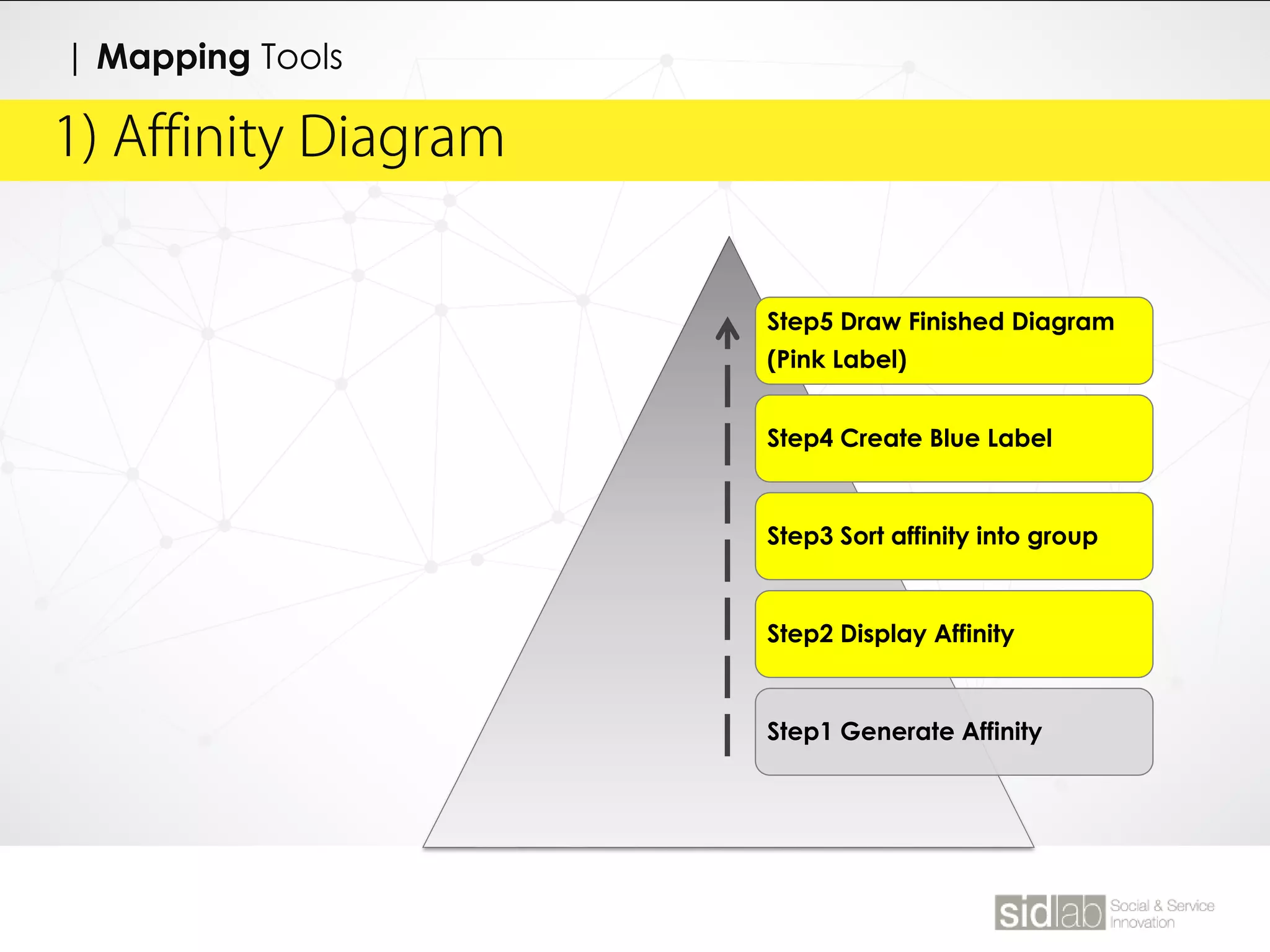
Step5 Draw Finished Diagram
(Pink Label)
Step4 Create Blue Label
Step3 Sort affinity into group
Step2 Display Affinity
Step1 Generate Affinity
Session 1
Affinity Note
40 Notes
For 5min
| Affinity Diagram1) Affinity Diagram
| Mapping Tools
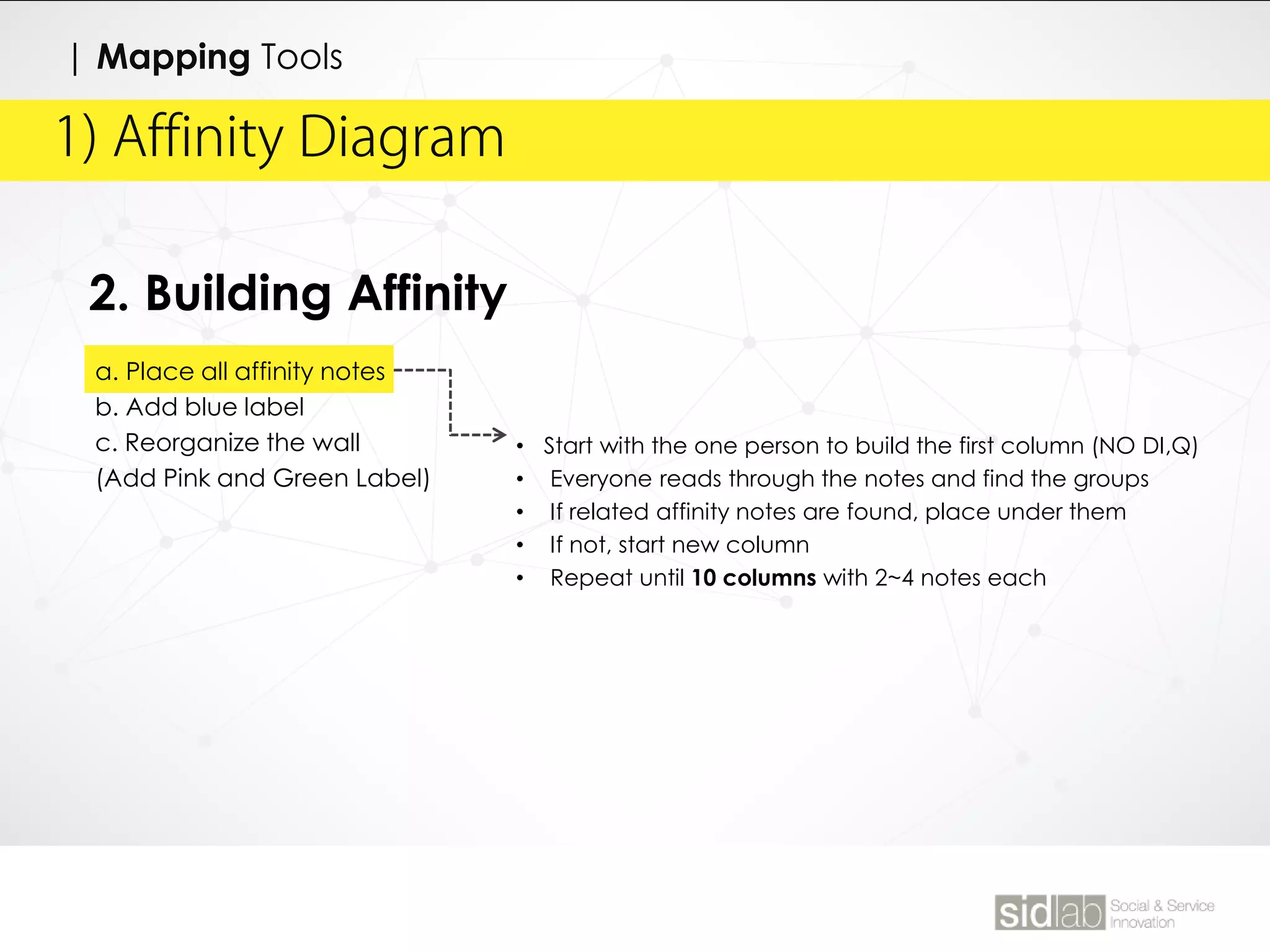
2. Building Affinity
a. Place all affinity notes
b. Add blue label
c. Reorganize the wall
(Add Pink and Green Label)
• Start with the one person to build the first column (NO DI,Q)
• Everyone reads through the notes and find the groups
• If related affinity notes are found, place under them
• If not, start new column
• Repeat until 10 columns with 2~4 notes each
| Affinity Diagram1) Affinity Diagram
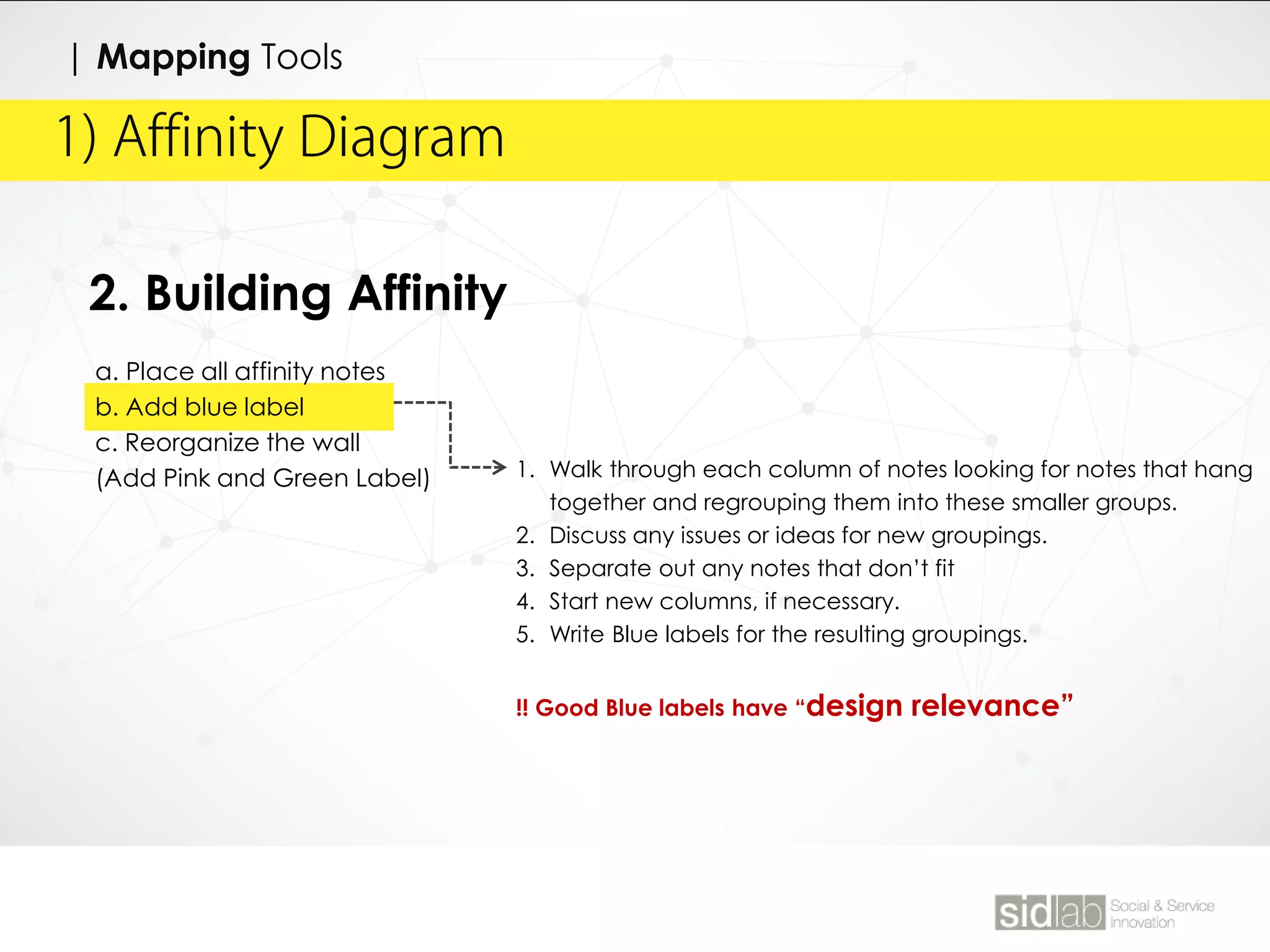
2. Building Affinity
a. Place all affinity notes
b. Add blue label
c. Reorganize the wall
(Add Pink and Green Label) 1. Walk through each column of notes looking for notes that hang
together and regrouping them into these smaller groups.
2. Discuss any issues or ideas for new groupings.
3. Separate out any notes that don’t fit
4. Start new columns, if necessary.
5. Write Blue labels for the resulting groupings.
!! Good Blue labels have “design relevance”
| Mapping Tools
| Affinity Diagram1) Affinity Diagram
2. Building Affinity
a. Place all affinity notes
b. Add blue label
c. Reorganize the wall
(Add Pink and Green Label)
1. Reorganize the wall
2. Restructure the Blue labels to eliminate redundancies and write
your final Blue labels.
3. Create coherent Pink groupings by grouping like Blue labels
together and write the Pink Label (3~6 Blue label underneath)
!!Good Pink labels reveal key issues in the data
| Mapping Tools
| Affinity Diagram1) Affinity Diagram
Step5 Draw Finished Diagram
(Pink Label)
Step4 Create Blue Label
Step3 Sort affinity into group
Step2 Display Affinity
Step1 Generate Affinity
| Mapping Tools

10 dt observation

  • 2.
  • 4.
  • 5.
  • 7.
    DESIGN THINGKING KGITFALL SEMESTER @ JYLEE
  • 8.
    TODAY’S AGENDA Data Abstraction CLASS10 대상으로부터 공통되는 특성이나 속성을 추출하여 파악하는 작용. 우리의 사고처리 과정에서 대상의 가장 중요한 특징을 단순화시켜 파악하여 수많이 처리해야 할 정보들을 축소시킴. 이러한 단순화 과정을 통해 특징을 파악하려는 작용이 추상화로써, 이를 위해 대상물의 불필요한 요소들을 걸러내고 핵심을 추출하는 “필터링”과정을 거치게 됨.
  • 9.
    “ 추상화는 필터링이다” 복잡한실체의 불필요한 부분은 걸러내고, 유의미한 핵심만을 추출하는 과정
  • 10.
    | 한번 해보기“ 칸딘스키의 필터링 따라잡기” 1. 음악 듣기(장르별) 2. 칸딘스키의 필터링으로 음악 다시 듣기 3. 듣고 있는 음악을 단순화된 점.선.면.색으로 표현 4. 완성 후, 그림을 감상
  • 11.
    직선 : 빠르고경쾌한 리듬 곡선: 느리고 조용한 리듬 색조: 음색 색상: 멜로디 채도: 음의 크기 명도: 음의 여운
  • 12.
    | 한번 해보기“ 추출하기” 구슬이 서말이라도 꿰어야 보배. 형태를 단순화한 구슬들을 핵심이라는 실로 퀘어야 한다. 핵심 추출 해보기 1. 신문기사를 읽고, 내용을 포괄하는 헤드라인을 작성 2. 원래 기사의 헤드라인과 비교
  • 13.
    FOR THIS WEEK. SERVICESAFARI ① 제품/서비스를 경험하는 순간이나 관찰하는 장면 사진을 찍으세요. ② 그 관찰 대상 또는 경험에 대해 간단하게 기록해 주세요.
  • 14.
    FOR THIS WEEK. SERVICESAFARI ① 서비스의 장점이나 만족스러운 경험 등 긍정적인 내용을 적으세요. ② 서비스의 단점이나 불만스러운 경험 등 부적적인 내용을 적으세요. ③ 사용하는 행태/맥락에 대해 적으세요. ④ 서비스를 사용하면서 생기는 의문점에 대해 적으세요.
  • 15.
  • 16.
    The affinity diagramis a creative process used for gathering and organizing large amounts of data, ideas and insights by evidencing their natural correlations. 1) Affinity Diagram Affinity Chart, KJ Method, 친화도법(親化圖法) * It was created in the 1960s by Japanese anthropologist Jiro Kawakita. | Mapping Tools
  • 17.
    Fastest and bestmethod to see all the issues Exposes and makes concrete common issues, distinctions, work patterns a. Affinity diagram. This diagram is a hierarchical representation of the issues b. Affinity note. The interpretation session notes. c. Blue labels. Coherent set of notes representing a theme or work distinction d. Pink labels. The next level of label, collect together a set of Blue labels with a common theme. - Languages in voice of the customer. e. Green labels. The highest level of affinity label, these summarize the Pink labels under them - big piece of the user story 1) Affinity Diagram | Mapping Tools
  • 18.
    Preparation Prepare a teamroom Identify the interpretation team | Affinity Diagram Presenter - Interviewer - Brief overview of the user and work - Shares the insights from the interpretation - Walks the models  Each model should presented,  Only key points and significant findings Participants - Asking questions - Raising any new issues, DI, Q captured Note taker - Updates the affinity notes with any new observations, DI, Q and insights 1) Affinity Diagram | Mapping Tools
  • 19.
    | Affinity Diagram1)Affinity Diagram | Mapping Tools 1. During Interpretation a. Identify the role ( Interviewers, Note taker, Interpretation team) b. Capture the user profile (Separate document from Affinity notes) c. Capture affinity notes d. Capture insights DO RECORDS • Interpretation of events, use of artifacts, problems, and opportunities • Important characteristic of the work • Breakdowns in the work • Cultural influence • Design ideas (Flag with DI) • Questions for future interviews (Q) • Insightful customer quotes DO NOT RECORDS • Demographics • Other information represented on work model
  • 20.
    | Affinity Diagram1)Affinity Diagram | Mapping Methodologies 1. During Interpretation a. Identify the role ( Interviewers, Note taker, Interpretation team) b. Capture the user profile (Separate document from Affinity notes) c. Capture affinity notes d. Capture insights • After capturing the affinity notes(50~100) capture team insights. • This is not design idea or solution • This is describe patterns, situations, needs, key issues, not solution • Capture insights on a separate flipchart, including any points that have already been captured in the affinity notes. • This flipchart becomes first results
  • 21.
    1) Affinity Diagram |Mapping Methodologies Step5 Draw Finished Diagram (Pink Label) Step4 Create Blue Label Step3 Sort affinity into group Step2 Display Affinity Step1 Generate Affinity
  • 22.
  • 23.
    | Affinity Diagram1)Affinity Diagram | Mapping Tools 2. Building Affinity a. Place all affinity notes b. Add blue label c. Reorganize the wall (Add Pink and Green Label) • Start with the one person to build the first column (NO DI,Q) • Everyone reads through the notes and find the groups • If related affinity notes are found, place under them • If not, start new column • Repeat until 10 columns with 2~4 notes each
  • 24.
    | Affinity Diagram1)Affinity Diagram 2. Building Affinity a. Place all affinity notes b. Add blue label c. Reorganize the wall (Add Pink and Green Label) 1. Walk through each column of notes looking for notes that hang together and regrouping them into these smaller groups. 2. Discuss any issues or ideas for new groupings. 3. Separate out any notes that don’t fit 4. Start new columns, if necessary. 5. Write Blue labels for the resulting groupings. !! Good Blue labels have “design relevance” | Mapping Tools
  • 25.
    | Affinity Diagram1)Affinity Diagram 2. Building Affinity a. Place all affinity notes b. Add blue label c. Reorganize the wall (Add Pink and Green Label) 1. Reorganize the wall 2. Restructure the Blue labels to eliminate redundancies and write your final Blue labels. 3. Create coherent Pink groupings by grouping like Blue labels together and write the Pink Label (3~6 Blue label underneath) !!Good Pink labels reveal key issues in the data | Mapping Tools
  • 26.
    | Affinity Diagram1)Affinity Diagram Step5 Draw Finished Diagram (Pink Label) Step4 Create Blue Label Step3 Sort affinity into group Step2 Display Affinity Step1 Generate Affinity | Mapping Tools