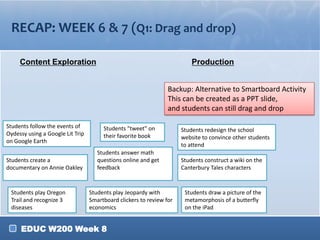
RECAP: WEEK 6 & 7 (Q1: Drag and drop)
Content Exploration

Production
Backup: Alternative to Smartboard Activity
This can be created as a PPT slide,
and students can still drag and drop

Students follow the events of
Oydessy using a Google Lit Trip
on Google Earth
Students create a
documentary on Annie Oakley

Students play Oregon
Trail and recognize 3
diseases

Students "tweet" on
their favorite book
Students answer math
questions online and get
feedback

Students play Jeopardy with
Smartboard clickers to review for
economics

EDUC W200 Week 8

Students redesign the school
website to convince other students
to attend
Students construct a wiki on the
Canterbury Tales characters

Students draw a picture of the
metamorphosis of a butterfly
on the iPad
RECAP: WEEK 6 & 7 (Clicker Activity)
Q2: When designing a production task, what do you
think might be most challenging in your subject area?
A. Provide adequate resources to help the students gain the
knowledge in the first place
B. Providing guidance or facilitation to students
C. Giving students enough time to work in class
D. Facilitating group work
Backup
Poll Anywhere:
E. Finding a good cheap and easy tool
http://www.polleverywhere.
F. Grading
com/multiple_choice_polls/d
K67C25emiNQVlJ
EDUC W200 Week 8
RECAP: WEEK 6 & 7 (Clicker Activity)
Q3: When you created the Webquest, which part was
most difficult for you?
A.
B.
C.
D.
E.

Coming up with an engaging Introduction
Crafting an appropriate production Task
Finding appropriate resources for the Process page
Putting the Process page together
Drawing up the rubric for the Evaluation page, assessing
Backup
the production task
Poll Anywhere:
http://www.polleverywhere.
com/multiple_choice_polls/d
K67C25emiNQVlJ

EDUC W200 Week 8
RECAP: WEEK 6 & 7 (Clicker Activity)
Q4: Based on your exploration of Skype, do you think
you will use Skype in your classroom?
A. Yes
B. Maybe
C. No
Backup
Poll Anywhere:
http://www.polleverywhere.
com/multiple_choice_polls/d
K67C25emiNQVlJ
EDUC W200 Week 8
AGENDA
1. Communication Tasks
2. Tools for Communication Tasks
3. TIP #8: Compare & Contrast:
Communication/Collaboration Tools
4. Case Analysis Workshop
5. Teacher Website Workshop: Google
Calendar
6. What Happens after Case Analysis:
Case Artifacts
EDUC W200 Week 8

1. review

  • 1.
    RECAP: WEEK 6& 7 (Q1: Drag and drop) Content Exploration Production Backup: Alternative to Smartboard Activity This can be created as a PPT slide, and students can still drag and drop Students follow the events of Oydessy using a Google Lit Trip on Google Earth Students create a documentary on Annie Oakley Students play Oregon Trail and recognize 3 diseases Students "tweet" on their favorite book Students answer math questions online and get feedback Students play Jeopardy with Smartboard clickers to review for economics EDUC W200 Week 8 Students redesign the school website to convince other students to attend Students construct a wiki on the Canterbury Tales characters Students draw a picture of the metamorphosis of a butterfly on the iPad
  • 2.
    RECAP: WEEK 6& 7 (Clicker Activity) Q2: When designing a production task, what do you think might be most challenging in your subject area? A. Provide adequate resources to help the students gain the knowledge in the first place B. Providing guidance or facilitation to students C. Giving students enough time to work in class D. Facilitating group work Backup Poll Anywhere: E. Finding a good cheap and easy tool http://www.polleverywhere. F. Grading com/multiple_choice_polls/d K67C25emiNQVlJ EDUC W200 Week 8
  • 3.
    RECAP: WEEK 6& 7 (Clicker Activity) Q3: When you created the Webquest, which part was most difficult for you? A. B. C. D. E. Coming up with an engaging Introduction Crafting an appropriate production Task Finding appropriate resources for the Process page Putting the Process page together Drawing up the rubric for the Evaluation page, assessing Backup the production task Poll Anywhere: http://www.polleverywhere. com/multiple_choice_polls/d K67C25emiNQVlJ EDUC W200 Week 8
  • 4.
    RECAP: WEEK 6& 7 (Clicker Activity) Q4: Based on your exploration of Skype, do you think you will use Skype in your classroom? A. Yes B. Maybe C. No Backup Poll Anywhere: http://www.polleverywhere. com/multiple_choice_polls/d K67C25emiNQVlJ EDUC W200 Week 8
  • 5.
    AGENDA 1. Communication Tasks 2.Tools for Communication Tasks 3. TIP #8: Compare & Contrast: Communication/Collaboration Tools 4. Case Analysis Workshop 5. Teacher Website Workshop: Google Calendar 6. What Happens after Case Analysis: Case Artifacts EDUC W200 Week 8

Editor's Notes

  • #2 For Q1: DownloadWeek8_Recap_Question.notebook (on Oncourse Weekly presentation > Week 8)Q2 can be done with Smartboard Clickers (skip the next page) orCo:lor(see: next page)