ECEN 449 – Microprocessor System Design


                 Review of C Programming


Texas A&M University                       1
Objectives of this Lecture Unit

• Review C programming basics
   – Refresh programming skills


Texas A&M University              2
Basic C program structure
# include <stdio.h>
main()
{
  printf (“Hello worldn”);
}

•   Compilation of a program:
     gcc –o hello hello.c --- produces hello as the executable file
     --o specifies the name of the executable file
•   Other flags:
     – Wall – turn on all warnings, useful for debugging purposes
     – o2 – turn optimization on
     – ansi –use ANSI C


Texas A&M University                                                  3
Basic Program Structure

• C programs consist of at least one main() function
   – Can have other functions as needed
• Functions can return values or return nothing
   – void function1 (int arg1, float arg2)
       • Takes an integer as first argument, float as second input
       • Returns no output
   – void function1 (arg1, arg2)
       • int arg1, float arg2;
       • Alternate description of the same function
   – int function2 ()
       • Takes no input, but returns an integer


Texas A&M University                                                 4
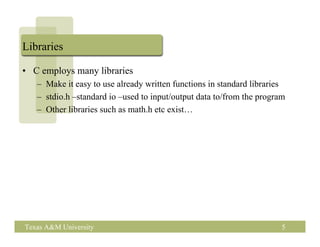
Libraries

• C employs many libraries
   – Make it easy to use already written functions in standard libraries
   – stdio.h –standard io –used to input/output data to/from the program
   – Other libraries such as math.h etc exist…


Texas A&M University                                                   5
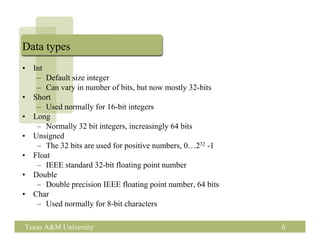
Data types
•   Int
     – Default size integer
     – Can vary in number of bits, but now mostly 32-bits
•   Short
     – Used normally for 16-bit integers
•   Long
     – Normally 32 bit integers, increasingly 64 bits
•   Unsigned
     – The 32 bits are used for positive numbers, 0…232 -1
•   Float
     – IEEE standard 32-bit floating point number
•   Double
     – Double precision IEEE floating point number, 64 bits
•   Char
     – Used normally for 8-bit characters

Texas A&M University                                          6
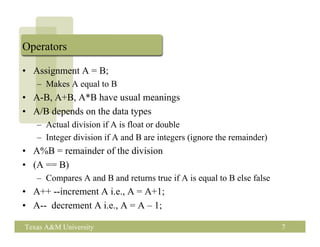
Operators

• Assignment A = B;
   – Makes A equal to B
• A-B, A+B, A*B have usual meanings
• A/B depends on the data types
   – Actual division if A is float or double
   – Integer division if A and B are integers (ignore the remainder)
• A%B = remainder of the division
• (A == B)
   – Compares A and B and returns true if A is equal to B else false
• A++ --increment A i.e., A = A+1;
• A-- decrement A i.e., A = A – 1;

Texas A&M University                                                   7
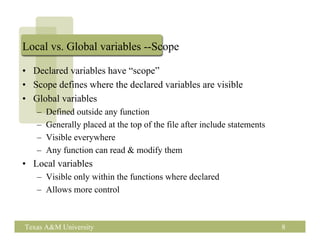
Local vs. Global variables --Scope

• Declared variables have “scope”
• Scope defines where the declared variables are visible
• Global variables
   –   Defined outside any function
   –   Generally placed at the top of the file after include statements
   –   Visible everywhere
   –   Any function can read & modify them
• Local variables
   – Visible only within the functions where declared
   – Allows more control


Texas A&M University                                                      8
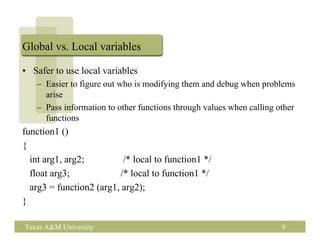
Global vs. Local variables

• Safer to use local variables
   – Easier to figure out who is modifying them and debug when problems
     arise
   – Pass information to other functions through values when calling other
     functions
function1 ()
{
  int arg1, arg2;         /* local to function1 */
  float arg3;            /* local to function1 */
  arg3 = function2 (arg1, arg2);
}

Texas A&M University                                                  9
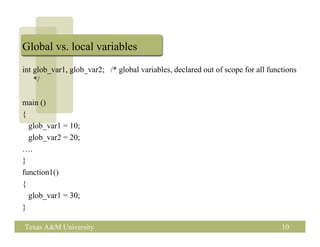
Global vs. local variables
int glob_var1, glob_var2; /* global variables, declared out of scope for all functions
    */

main ()
{
  glob_var1 = 10;
  glob_var2 = 20;
….
}
function1()
{
  glob_var1 = 30;
}

Texas A&M University                                                             10
define

• # define REDDY-PHONE-NUM 8457598
   – Just like a variable, but can’t be changed
   – Visible to everyone
• # define SUM(A, B) A+B
   –   Where ever SUM is used it is replaced with +
   –   For example SUM(3,4) = 3+4
   –   Can be easier to read
   –   Macro function
   –   This is different from a function call
• #define string1 “Aggies Rule”


Texas A&M University                                  11
Loops

• for (i=0; i< 100; i++)
   a[i] = i;

   Another way of doing the same thing:
   i =0;
   while (i <100)
   {
     a[i] = i;
     i++;
   }


Texas A&M University                      12
Arrays & Pointers

• int A[100];
• Declares A as an array of 100 integers from A[0], A[1]…A[99].
• If A[0] is at location 4000 in memory, A[1] is at 4004, A[2] is at
  4008 and so on
   – When int is 4 bytes long
   – Data is stored consecutively in memory
• This gives an alternate way of accessing arrays through pointers
• Pointer is the address where a variable is located
• &A[0] indicates the address of A[0]


Texas A&M University                                                 13
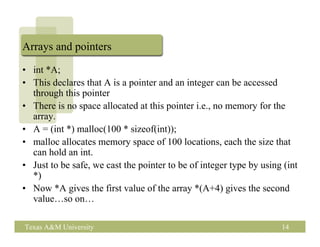
Arrays and pointers

• int *A;
• This declares that A is a pointer and an integer can be accessed
  through this pointer
• There is no space allocated at this pointer i.e., no memory for the
  array.
• A = (int *) malloc(100 * sizeof(int));
• malloc allocates memory space of 100 locations, each the size that
  can hold an int.
• Just to be safe, we cast the pointer to be of integer type by using (int
  *)
• Now *A gives the first value of the array *(A+4) gives the second
  value…so on…

Texas A&M University                                                 14
Pointers

• Pointers are very general
• They can point to integers, floats, chars, arrays, structures,
  functions etc..
• Use the following to be safe:
• int *A, *B; float *C;
  A = malloc (100 * sizeof(int));
  B = (int *) (A + 1); /* B points to A[1] */
        Casting (int *) is safer even though not needed here…
  C = (float *) A[1]; /* what does this say? */


Texas A&M University                                               15
Structures

•  A lot of times we want to group a number of things together.
•  Use struct..
•  Say we want a record of each student for this class
•  Struct student {
       string name[30];
       int uin;
       int score_hw[4];
       int score_exam[2];
       float score_lab[5];
      };
Struct student 449_students[50];

Texas A&M University                                              16
Structures

• 449_students[0] is the structure holding the first students’
  information.
• Individual elements can be accessed by 449_students[0].name,
  449_students[0].uin…etc..
• If you have a pointer to the structure use 449_studentsp->name,
  449_studentsp->uin etc…


Texas A&M University                                                17
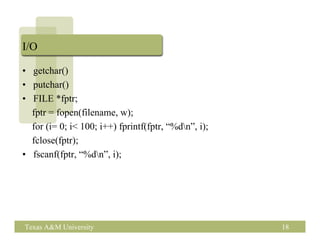
I/O

• getchar()
• putchar()
• FILE *fptr;
  fptr = fopen(filename, w);
  for (i= 0; i< 100; i++) fprintf(fptr, “%dn”, i);
  fclose(fptr);
• fscanf(fptr, “%dn”, i);


Texas A&M University                                  18
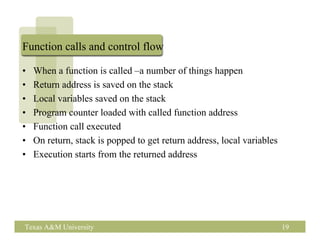
Function calls and control flow

•   When a function is called –a number of things happen
•   Return address is saved on the stack
•   Local variables saved on the stack
•   Program counter loaded with called function address
•   Function call executed
•   On return, stack is popped to get return address, local variables
•   Execution starts from the returned address


Texas A&M University                                                    19
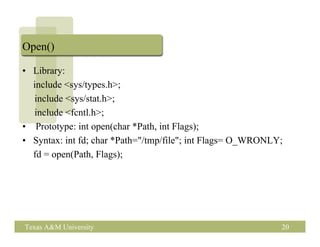
Open()

• Library:
  include <sys/types.h>;
  include <sys/stat.h>;
  include <fcntl.h>;
• Prototype: int open(char *Path, int Flags);
• Syntax: int fd; char *Path="/tmp/file"; int Flags= O_WRONLY;
  fd = open(Path, Flags);


Texas A&M University                                         20
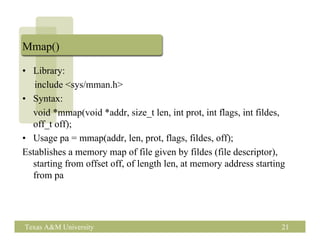
Mmap()

• Library:
   include <sys/mman.h>
• Syntax:
  void *mmap(void *addr, size_t len, int prot, int flags, int fildes,
  off_t off);
• Usage pa = mmap(addr, len, prot, flags, fildes, off);
Establishes a memory map of file given by fildes (file descriptor),
  starting from offset off, of length len, at memory address starting
  from pa


Texas A&M University                                                21
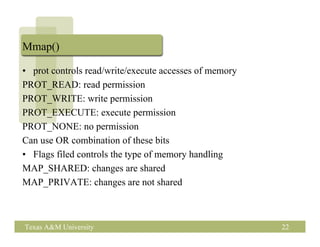
Mmap()

• prot controls read/write/execute accesses of memory
PROT_READ: read permission
PROT_WRITE: write permission
PROT_EXECUTE: execute permission
PROT_NONE: no permission
Can use OR combination of these bits
• Flags filed controls the type of memory handling
MAP_SHARED: changes are shared
MAP_PRIVATE: changes are not shared


Texas A&M University                                    22

1 c prog1

  • 1.
    ECEN 449 –Microprocessor System Design Review of C Programming Texas A&M University 1
  • 2.
    Objectives of thisLecture Unit • Review C programming basics – Refresh programming skills Texas A&M University 2
  • 3.
    Basic C programstructure # include <stdio.h> main() { printf (“Hello worldn”); } • Compilation of a program: gcc –o hello hello.c --- produces hello as the executable file --o specifies the name of the executable file • Other flags: – Wall – turn on all warnings, useful for debugging purposes – o2 – turn optimization on – ansi –use ANSI C Texas A&M University 3
  • 4.
    Basic Program Structure •C programs consist of at least one main() function – Can have other functions as needed • Functions can return values or return nothing – void function1 (int arg1, float arg2) • Takes an integer as first argument, float as second input • Returns no output – void function1 (arg1, arg2) • int arg1, float arg2; • Alternate description of the same function – int function2 () • Takes no input, but returns an integer Texas A&M University 4
  • 5.
    Libraries • C employsmany libraries – Make it easy to use already written functions in standard libraries – stdio.h –standard io –used to input/output data to/from the program – Other libraries such as math.h etc exist… Texas A&M University 5
  • 6.
    Data types • Int – Default size integer – Can vary in number of bits, but now mostly 32-bits • Short – Used normally for 16-bit integers • Long – Normally 32 bit integers, increasingly 64 bits • Unsigned – The 32 bits are used for positive numbers, 0…232 -1 • Float – IEEE standard 32-bit floating point number • Double – Double precision IEEE floating point number, 64 bits • Char – Used normally for 8-bit characters Texas A&M University 6
  • 7.
    Operators • Assignment A= B; – Makes A equal to B • A-B, A+B, A*B have usual meanings • A/B depends on the data types – Actual division if A is float or double – Integer division if A and B are integers (ignore the remainder) • A%B = remainder of the division • (A == B) – Compares A and B and returns true if A is equal to B else false • A++ --increment A i.e., A = A+1; • A-- decrement A i.e., A = A – 1; Texas A&M University 7
  • 8.
    Local vs. Globalvariables --Scope • Declared variables have “scope” • Scope defines where the declared variables are visible • Global variables – Defined outside any function – Generally placed at the top of the file after include statements – Visible everywhere – Any function can read & modify them • Local variables – Visible only within the functions where declared – Allows more control Texas A&M University 8
  • 9.
    Global vs. Localvariables • Safer to use local variables – Easier to figure out who is modifying them and debug when problems arise – Pass information to other functions through values when calling other functions function1 () { int arg1, arg2; /* local to function1 */ float arg3; /* local to function1 */ arg3 = function2 (arg1, arg2); } Texas A&M University 9
  • 10.
    Global vs. localvariables int glob_var1, glob_var2; /* global variables, declared out of scope for all functions */ main () { glob_var1 = 10; glob_var2 = 20; …. } function1() { glob_var1 = 30; } Texas A&M University 10
  • 11.
    define • # defineREDDY-PHONE-NUM 8457598 – Just like a variable, but can’t be changed – Visible to everyone • # define SUM(A, B) A+B – Where ever SUM is used it is replaced with + – For example SUM(3,4) = 3+4 – Can be easier to read – Macro function – This is different from a function call • #define string1 “Aggies Rule” Texas A&M University 11
  • 12.
    Loops • for (i=0;i< 100; i++) a[i] = i; Another way of doing the same thing: i =0; while (i <100) { a[i] = i; i++; } Texas A&M University 12
  • 13.
    Arrays & Pointers •int A[100]; • Declares A as an array of 100 integers from A[0], A[1]…A[99]. • If A[0] is at location 4000 in memory, A[1] is at 4004, A[2] is at 4008 and so on – When int is 4 bytes long – Data is stored consecutively in memory • This gives an alternate way of accessing arrays through pointers • Pointer is the address where a variable is located • &A[0] indicates the address of A[0] Texas A&M University 13
  • 14.
    Arrays and pointers •int *A; • This declares that A is a pointer and an integer can be accessed through this pointer • There is no space allocated at this pointer i.e., no memory for the array. • A = (int *) malloc(100 * sizeof(int)); • malloc allocates memory space of 100 locations, each the size that can hold an int. • Just to be safe, we cast the pointer to be of integer type by using (int *) • Now *A gives the first value of the array *(A+4) gives the second value…so on… Texas A&M University 14
  • 15.
    Pointers • Pointers arevery general • They can point to integers, floats, chars, arrays, structures, functions etc.. • Use the following to be safe: • int *A, *B; float *C; A = malloc (100 * sizeof(int)); B = (int *) (A + 1); /* B points to A[1] */ Casting (int *) is safer even though not needed here… C = (float *) A[1]; /* what does this say? */ Texas A&M University 15
  • 16.
    Structures • Alot of times we want to group a number of things together. • Use struct.. • Say we want a record of each student for this class • Struct student { string name[30]; int uin; int score_hw[4]; int score_exam[2]; float score_lab[5]; }; Struct student 449_students[50]; Texas A&M University 16
  • 17.
    Structures • 449_students[0] isthe structure holding the first students’ information. • Individual elements can be accessed by 449_students[0].name, 449_students[0].uin…etc.. • If you have a pointer to the structure use 449_studentsp->name, 449_studentsp->uin etc… Texas A&M University 17
  • 18.
    I/O • getchar() • putchar() •FILE *fptr; fptr = fopen(filename, w); for (i= 0; i< 100; i++) fprintf(fptr, “%dn”, i); fclose(fptr); • fscanf(fptr, “%dn”, i); Texas A&M University 18
  • 19.
    Function calls andcontrol flow • When a function is called –a number of things happen • Return address is saved on the stack • Local variables saved on the stack • Program counter loaded with called function address • Function call executed • On return, stack is popped to get return address, local variables • Execution starts from the returned address Texas A&M University 19
  • 20.
    Open() • Library: include <sys/types.h>; include <sys/stat.h>; include <fcntl.h>; • Prototype: int open(char *Path, int Flags); • Syntax: int fd; char *Path="/tmp/file"; int Flags= O_WRONLY; fd = open(Path, Flags); Texas A&M University 20
  • 21.
    Mmap() • Library: include <sys/mman.h> • Syntax: void *mmap(void *addr, size_t len, int prot, int flags, int fildes, off_t off); • Usage pa = mmap(addr, len, prot, flags, fildes, off); Establishes a memory map of file given by fildes (file descriptor), starting from offset off, of length len, at memory address starting from pa Texas A&M University 21
  • 22.
    Mmap() • prot controlsread/write/execute accesses of memory PROT_READ: read permission PROT_WRITE: write permission PROT_EXECUTE: execute permission PROT_NONE: no permission Can use OR combination of these bits • Flags filed controls the type of memory handling MAP_SHARED: changes are shared MAP_PRIVATE: changes are not shared Texas A&M University 22