Communicating Usability Problems   Dr. Davide Bolchini University of Lugano - Switzerland
Relevance Discovering usability breakdowns is just half of the work Communicating problems  effectively to the relevant stakeholders is crucial for the success of the mandate An excellent usability analysis may fail if the communication fails
Overall Communication Goals Stakeholders are  convinced of the gravity  of the usability problems They can gather all the necessary elements to  orchestrate the proper strategies  for fixing them HABIT CHANGE “ I thought it was good, you convinced me we have hard problems to work on”.
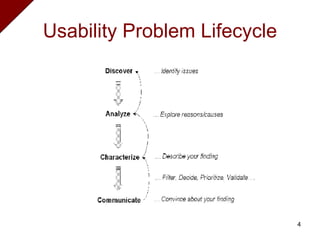
Usability Problem Lifecycle
Some Guidelines Separation of concerns Abstraction level Extendibility Authority Technicality Prioritization
Separation of concerns Decouple a usability problem into the various  design dimensions  it is concerned with (content, navigation, semiotics, graphics, etc.) Distinguishing between problems which are  requirements-independent  and problems  depending on the purpose of the application  (e.g. scenarios supported).
Abstraction Level Keep a consistent level of  granularity Moving  from general to specific Do NOT abruptly mix  details  (easy to fix) with  strategic issues  (re-think, re-engineering).
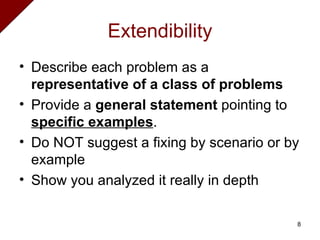
Extendibility Describe each problem as a  representative of a class of problems Provide a  general statement  pointing to  specific examples . Do NOT suggest a fixing by scenario or by example Show you analyzed it really in depth
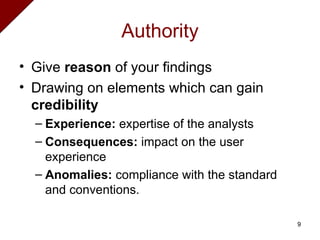
Authority Give  reason  of your findings Drawing on elements which can gain  credibility Experience:  expertise of the analysts Consequences:  impact on the user experience Anomalies:  compliance with the standard and conventions.
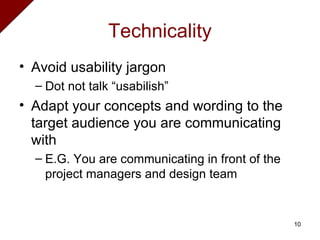
Technicality Avoid usability jargon Dot not talk “usabilish” Adapt your concepts and wording to the target audience you are communicating with E.G.  You are communicating in front of the project managers and design team
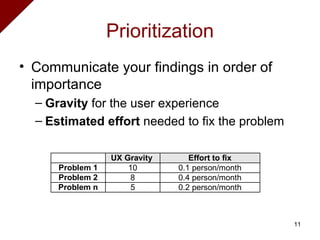
Prioritization Communicate your findings in order of importance Gravity  for the user experience Estimated effort  needed to fix the problem
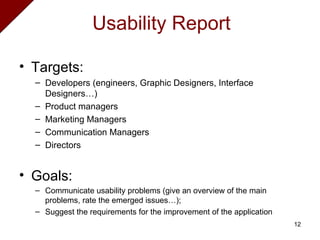
Targets:  Developers (engineers, Graphic Designers, Interface Designers…) Product managers Marketing Managers Communication Managers Directors Goals: Communicate usability problems (give an overview of the main problems, rate the emerged issues…);  Suggest the requirements for the improvement of the application Usability Report
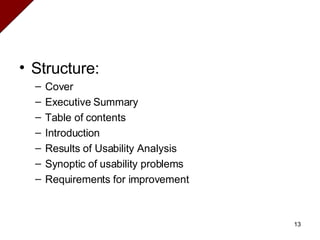
Structure: Cover Executive Summary  Table of contents  Introduction  Results of Usability Analysis Synoptic of usability problems  Requirements for improvement
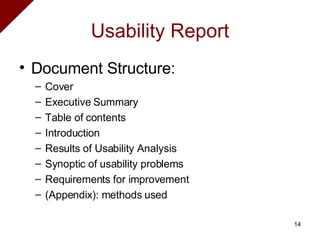
Usability Report Document Structure: Cover Executive Summary  Table of contents  Introduction  Results of Usability Analysis Synoptic of usability problems  Requirements for improvement (Appendix): methods used
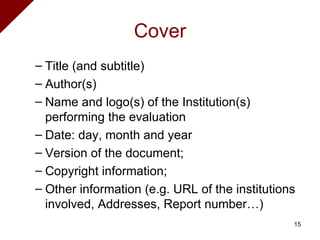
Cover Title (and subtitle) Author(s) Name and logo(s) of the Institution(s) performing the evaluation Date: day, month and year Version of the document;  Copyright information;  Other information (e.g. URL of the institutions involved, Addresses, Report number…)
Executive Summary It is addressed to people that does not have time to read the entire report It should present the  key findings  in a very clear and convincing way 1 page  is usually enough It is  NOT the table of content in prose the description of the work the organization of the team
Table of Content It is the index to the main sections of the document and the corresponding page number Salient titles are key to convey the overall flow of the report Is not a detailed outline Max 1-2 pages
Introduction It may describe: (explicit) goals and spirit of the report expected results and how they can be used It cites the methodology and tools used (pointing to an appendix)
Results of usability analysis It may consist of different  subsections E.g. according to the type of findings and methods used Inspection vs user testing Illustrate  in detail the usability problems found Ground  them properly and demonstrates their importance Use (commented)  screen shots  to vividly show the problems
Results of usability analysis Present  problems by dimension  (content, navigation, semiotics) Insert also  positive findings   Distinguish among  expert opinions, user opinions and user findings   User testing Results – Include  quantitative  data   Express your annoyance  tactfully
Requirements for improvement Describe your  recommendations  for improving the application in close relation to the usability problems illustrated. Your are not (yet) in charge of the redesign Let designers do their work Express  requirements  (what need to be reflected upon) and  NOT design solutions  (what should be replaced with what) Your suggestions should not be felt as mandatory by the designers This content can be highlighted while describing the usability problems or in a section apart
Synopsis of usability problems It shows the main usability problems found the corresponding requirements for improvement Table formats are preferred Show priority and gravity for the problems here Organize them by dimensions
References Bolchini, D., Colazzo, S., Guidelines for Describing Usability Problems in Proc. HCII 2005 International Conference on Human-Computer Interaction, Las Vegas, USA, 2005. Jakob Nielsen,  www.useit.com Bruce Tognazzini,  www.asktog.com

Communicating Usability Problems

  • 1.
    Communicating Usability Problems Dr. Davide Bolchini University of Lugano - Switzerland
  • 2.
    Relevance Discovering usabilitybreakdowns is just half of the work Communicating problems effectively to the relevant stakeholders is crucial for the success of the mandate An excellent usability analysis may fail if the communication fails
  • 3.
    Overall Communication GoalsStakeholders are convinced of the gravity of the usability problems They can gather all the necessary elements to orchestrate the proper strategies for fixing them HABIT CHANGE “ I thought it was good, you convinced me we have hard problems to work on”.
  • 4.
  • 5.
    Some Guidelines Separationof concerns Abstraction level Extendibility Authority Technicality Prioritization
  • 6.
    Separation of concernsDecouple a usability problem into the various design dimensions it is concerned with (content, navigation, semiotics, graphics, etc.) Distinguishing between problems which are requirements-independent and problems depending on the purpose of the application (e.g. scenarios supported).
  • 7.
    Abstraction Level Keepa consistent level of granularity Moving from general to specific Do NOT abruptly mix details (easy to fix) with strategic issues (re-think, re-engineering).
  • 8.
    Extendibility Describe eachproblem as a representative of a class of problems Provide a general statement pointing to specific examples . Do NOT suggest a fixing by scenario or by example Show you analyzed it really in depth
  • 9.
    Authority Give reason of your findings Drawing on elements which can gain credibility Experience: expertise of the analysts Consequences: impact on the user experience Anomalies: compliance with the standard and conventions.
  • 10.
    Technicality Avoid usabilityjargon Dot not talk “usabilish” Adapt your concepts and wording to the target audience you are communicating with E.G. You are communicating in front of the project managers and design team
  • 11.
    Prioritization Communicate yourfindings in order of importance Gravity for the user experience Estimated effort needed to fix the problem
  • 12.
    Targets: Developers(engineers, Graphic Designers, Interface Designers…) Product managers Marketing Managers Communication Managers Directors Goals: Communicate usability problems (give an overview of the main problems, rate the emerged issues…); Suggest the requirements for the improvement of the application Usability Report
  • 13.
    Structure: Cover ExecutiveSummary Table of contents Introduction Results of Usability Analysis Synoptic of usability problems Requirements for improvement
  • 14.
    Usability Report DocumentStructure: Cover Executive Summary Table of contents Introduction Results of Usability Analysis Synoptic of usability problems Requirements for improvement (Appendix): methods used
  • 15.
    Cover Title (andsubtitle) Author(s) Name and logo(s) of the Institution(s) performing the evaluation Date: day, month and year Version of the document; Copyright information; Other information (e.g. URL of the institutions involved, Addresses, Report number…)
  • 16.
    Executive Summary Itis addressed to people that does not have time to read the entire report It should present the key findings in a very clear and convincing way 1 page is usually enough It is NOT the table of content in prose the description of the work the organization of the team
  • 17.
    Table of ContentIt is the index to the main sections of the document and the corresponding page number Salient titles are key to convey the overall flow of the report Is not a detailed outline Max 1-2 pages
  • 18.
    Introduction It maydescribe: (explicit) goals and spirit of the report expected results and how they can be used It cites the methodology and tools used (pointing to an appendix)
  • 19.
    Results of usabilityanalysis It may consist of different subsections E.g. according to the type of findings and methods used Inspection vs user testing Illustrate in detail the usability problems found Ground them properly and demonstrates their importance Use (commented) screen shots to vividly show the problems
  • 20.
    Results of usabilityanalysis Present problems by dimension (content, navigation, semiotics) Insert also positive findings Distinguish among expert opinions, user opinions and user findings User testing Results – Include quantitative data Express your annoyance tactfully
  • 21.
    Requirements for improvementDescribe your recommendations for improving the application in close relation to the usability problems illustrated. Your are not (yet) in charge of the redesign Let designers do their work Express requirements (what need to be reflected upon) and NOT design solutions (what should be replaced with what) Your suggestions should not be felt as mandatory by the designers This content can be highlighted while describing the usability problems or in a section apart
  • 22.
    Synopsis of usabilityproblems It shows the main usability problems found the corresponding requirements for improvement Table formats are preferred Show priority and gravity for the problems here Organize them by dimensions
  • 23.
    References Bolchini, D.,Colazzo, S., Guidelines for Describing Usability Problems in Proc. HCII 2005 International Conference on Human-Computer Interaction, Las Vegas, USA, 2005. Jakob Nielsen, www.useit.com Bruce Tognazzini, www.asktog.com