



with Dr. Bridget Yaden, PLU
And
Paris Granville, Bellevue SD
Your
Intention
Purpose
To explore ways to help students understand
the target language that don’t involve English.
What is Comprehensible Input?
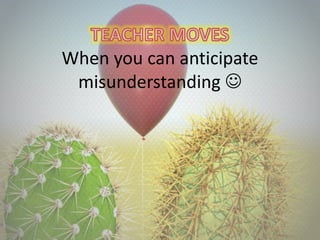
When you can anticipate
misunderstanding 
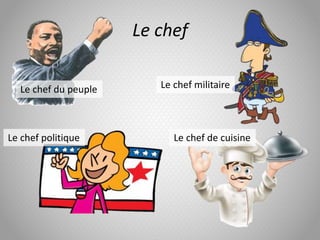
Le chef
Le chef du peuple Le chef militaire
Le chef politique Le chef de cuisine
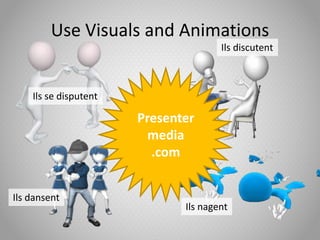
Use Visuals and Animations
Ils se disputent
Ils discutent
Ils dansent
Ils nagent
Presenter
media
.com
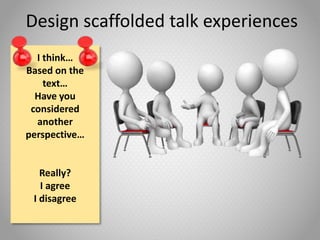
Design scaffolded talk experiences
I think…
Based on the
text…
Have you
considered
another
perspective…
Really?
I agree
I disagree
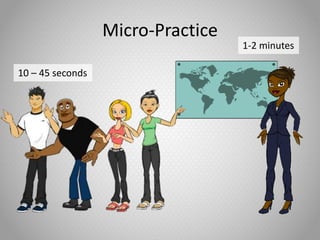
Micro-Practice
1-2 minutes
10 – 45 seconds
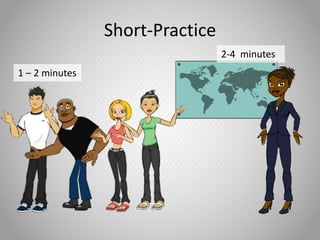
Short-Practice
2-4 minutes
1 – 2 minutes
When you get the confused looks 
Body Language
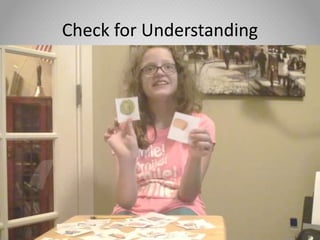
Check for Understanding
Empower students to construct
meaning 
Teach Students Strategies for requesting
clarification and assistance
Use instruction time to practice
scaffolded expression
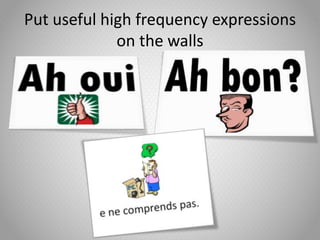
Put useful high frequency expressions
on the walls
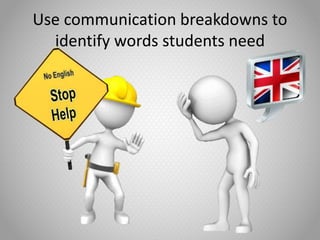
Use communication breakdowns to
identify words students need
Teacher MOVES!
Add your ideas to the chat window
Steven Crawford Bellevue High School
with Dr. Bridget Yaden, PLU
And
Paris Granville, Bellevue SD
Click mouse in slide show mode to advance the animation on
this slide. You can add your slide information in this text
area.
1
2
3
4
7
5
6
8
Add your text information here.
Fill the Tank
Click mouse once to reveal icons and there numbers
Note* If you would like less numbers and icons, start with
deleting the number 1 text and icon and delete up from there.
You will need to renumber after you finish deleting. You can
double mouse click on the icons number to change it.
You can add
your text
information
here.
Add a title here. Add a title here.
You can add
your text
information
here.
Add a title here.
You can add
your text
information
here.
Add a title here.
You can add
your text
information
here.
Add a title here.
You can add
your text
information
here.
Add a title here.
You can add
your text
information
here.
Add a title here.
You can add
your text
information
here.
Add a title here.
You can add
your text
information
here.
Add a title here.
You can add
your text
information
here.
Add a title here.
You can add
your text
information
here.
Add a title here.
You can add
your text
information
here.
Add a title here.
You can add your
text information
here.
Add a title here.
You can add your
text information
here.
Add a title here.
You can add your
text information
here.
Add a title here.
You can add your
text information
here.
Add a title here.
You can add your text
information here.
Add a title here.
You can add your text
information here.
Add a title here.
You can add your text
information here.
Add a title here.
You can add your text information
here.
Add a title here.
You can add your text information
here.
1
2
3
4
7
5
6
8
Add your text information here.
?
Think Tank Questions
Click mouse once to reveal, & another click to take away questions
Idea catch ON!
Click to advance animation
Idea catch ON!
Animation plays automatically
Idea Light On
Click mouse to advance animation
The light is in
the off
position. You
can add your
text here.
The light is in
the off
position. You
can add your
text here.
Add a line of text here.
From Off to On
Click mouse to advance slide animation. This slide is made to work with the side below or stand alone.
Add a line of text here.
From Off to On
Click mouse to advance slide animation. This slide is made to work with the side below or stand alone.
Add a line of text here.
From Off to On
Click mouse to advance slide animation
Template Elements
Look below how to change accent colors.
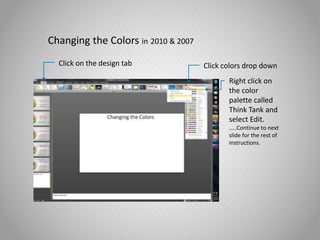
Changing the Colors in 2010 & 2007
Click on the design tab Click colors drop down
Right click on
the color
palette called
Think Tank and
select Edit.
…..Continue to next
slide for the rest of
instructions.
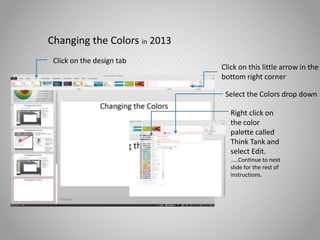
Changing the Colors in 2013
Click on the design tab
Click on this little arrow in the
bottom right corner
Right click on
the color
palette called
Think Tank and
select Edit.
…..Continue to next
slide for the rest of
instructions.
Select the Colors drop down
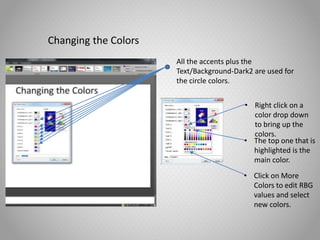
Changing the Colors
All the accents plus the
Text/Background-Dark2 are used for
the circle colors.
• Right click on a
color drop down
to bring up the
colors.
• The top one that is
highlighted is the
main color.
• Click on More
Colors to edit RBG
values and select
new colors.

02 comprehensible input

  • 1.
    with Dr. BridgetYaden, PLU And Paris Granville, Bellevue SD
  • 2.
    Your Intention Purpose To explore waysto help students understand the target language that don’t involve English.
  • 3.
  • 4.
    When you cananticipate misunderstanding 
  • 5.
    Le chef Le chefdu peuple Le chef militaire Le chef politique Le chef de cuisine
  • 6.
    Use Visuals andAnimations Ils se disputent Ils discutent Ils dansent Ils nagent Presenter media .com
  • 7.
    Design scaffolded talkexperiences I think… Based on the text… Have you considered another perspective… Really? I agree I disagree
  • 8.
  • 9.
  • 10.
    When you getthe confused looks 
  • 11.
  • 12.
  • 13.
    Empower students toconstruct meaning 
  • 14.
    Teach Students Strategiesfor requesting clarification and assistance
  • 15.
    Use instruction timeto practice scaffolded expression
  • 16.
    Put useful highfrequency expressions on the walls
  • 17.
    Use communication breakdownsto identify words students need
  • 18.
    Teacher MOVES! Add yourideas to the chat window
  • 19.
  • 20.
    with Dr. BridgetYaden, PLU And Paris Granville, Bellevue SD
  • 21.
    Click mouse inslide show mode to advance the animation on this slide. You can add your slide information in this text area.
  • 22.
    1 2 3 4 7 5 6 8 Add your textinformation here. Add your text information here. Add your text information here. Add your text information here. Add your text information here. Add your text information here. Add your text information here. Add your text information here. Fill the Tank Click mouse once to reveal icons and there numbers Note* If you would like less numbers and icons, start with deleting the number 1 text and icon and delete up from there. You will need to renumber after you finish deleting. You can double mouse click on the icons number to change it.
  • 23.
    You can add yourtext information here. Add a title here. Add a title here. You can add your text information here. Add a title here. You can add your text information here. Add a title here. You can add your text information here. Add a title here. You can add your text information here. Add a title here. You can add your text information here.
  • 24.
    Add a titlehere. You can add your text information here. Add a title here. You can add your text information here. Add a title here. You can add your text information here. Add a title here. You can add your text information here. Add a title here. You can add your text information here.
  • 25.
    Add a titlehere. You can add your text information here. Add a title here. You can add your text information here. Add a title here. You can add your text information here. Add a title here. You can add your text information here.
  • 26.
    Add a titlehere. You can add your text information here. Add a title here. You can add your text information here. Add a title here. You can add your text information here.
  • 27.
    Add a titlehere. You can add your text information here. Add a title here. You can add your text information here.
  • 28.
    1 2 3 4 7 5 6 8 Add your textinformation here. Add your text information here. Add your text information here. Add your text information here. Add your text information here. Add your text information here. Add your text information here. Add your text information here. ? Think Tank Questions Click mouse once to reveal, & another click to take away questions
  • 29.
    Idea catch ON! Clickto advance animation
  • 30.
    Idea catch ON! Animationplays automatically
  • 31.
    Idea Light On Clickmouse to advance animation The light is in the off position. You can add your text here. The light is in the off position. You can add your text here.
  • 32.
    Add a lineof text here. From Off to On Click mouse to advance slide animation. This slide is made to work with the side below or stand alone.
  • 33.
    Add a lineof text here. From Off to On Click mouse to advance slide animation. This slide is made to work with the side below or stand alone.
  • 34.
    Add a lineof text here. From Off to On Click mouse to advance slide animation
  • 35.
    Template Elements Look belowhow to change accent colors.
  • 36.
    Changing the Colorsin 2010 & 2007 Click on the design tab Click colors drop down Right click on the color palette called Think Tank and select Edit. …..Continue to next slide for the rest of instructions.
  • 37.
    Changing the Colorsin 2013 Click on the design tab Click on this little arrow in the bottom right corner Right click on the color palette called Think Tank and select Edit. …..Continue to next slide for the rest of instructions. Select the Colors drop down
  • 38.
    Changing the Colors Allthe accents plus the Text/Background-Dark2 are used for the circle colors. • Right click on a color drop down to bring up the colors. • The top one that is highlighted is the main color. • Click on More Colors to edit RBG values and select new colors.

Editor's Notes

  • #5 False cognates – difficult to pronounce
  • #7 Presentermedia.com
  • #8 Scaffold communication with sentence starters
  • #15 Brain strom ways to do this
  • #16 Rather than just practicing rote exercises
  • #17 Or make a cardstock copy for them and keep them on hand or tape them to the desks. Don’t teach the school supplies, but do teach and reteach these. Make sure to include reaction words that
  • #20 Click mouse to advance animation