Jeffrey Snover | Distinguished Engineer & Lead Architect
Jason Helmick | Senior Technologist, Concentrated
Technology
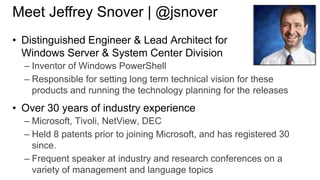
Meet Jeffrey Snover | @jsnover
• Distinguished Engineer & Lead Architect for
Windows Server & System Center Division
– Inventor of Windows PowerShell
– Responsible for setting long term technical vision for these
products and running the technology planning for the releases

• Over 30 years of industry experience
– Microsoft, Tivoli, NetView, DEC
– Held 8 patents prior to joining Microsoft, and has registered 30
since.
– Frequent speaker at industry and research conferences on a
variety of management and language topics
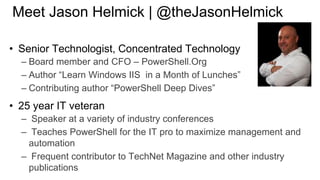
Meet Jason Helmick | @theJasonHelmick
• Senior Technologist, Concentrated Technology
– Board member and CFO – PowerShell.Org
– Author “Learn Windows IIS in a Month of Lunches”
– Contributing author “PowerShell Deep Dives”

• 25 year IT veteran
– Speaker at a variety of industry conferences
– Teaches PowerShell for the IT pro to maximize management and
automation
– Frequent contributor to TechNet Magazine and other industry
publications
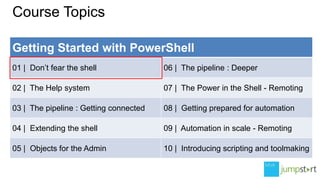
Course Topics
Getting Started with PowerShell
01 | Don’t fear the shell

06 | The pipeline : Deeper

02 | The Help system

07 | The Power in the Shell - Remoting

03 | The pipeline : Getting connected

08 | Getting prepared for automation

04 | Extending the shell

09 | Automation in scale - Remoting

05 | Objects for the Admin

10 | Introducing scripting and toolmaking
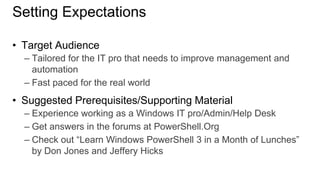
Setting Expectations
• Target Audience
– Tailored for the IT pro that needs to improve management and
automation
– Fast paced for the real world

• Suggested Prerequisites/Supporting Material
– Experience working as a Windows IT pro/Admin/Help Desk
– Get answers in the forums at PowerShell.Org
– Check out “Learn Windows PowerShell 3 in a Month of Lunches”
by Don Jones and Jeffery Hicks
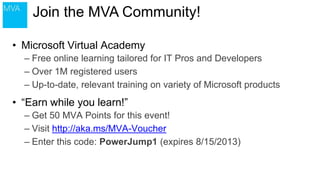
Join the MVA Community!
• Microsoft Virtual Academy
– Free online learning tailored for IT Pros and Developers
– Over 1M registered users
– Up-to-date, relevant training on variety of Microsoft products

• “Earn while you learn!”
– Get 50 MVA Points for this event!
– Visit http://aka.ms/MVA-Voucher
– Enter this code: PowerJump1 (expires 8/15/2013)
01 | Don’t fear the shell
Jeffrey Snover | Distinguished Engineer & Lead Architect
Jason Helmick | Senior Technologist, Concentrated
Technology
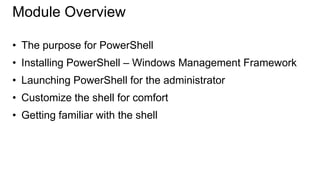
Module Overview
• The purpose for PowerShell

• Installing PowerShell – Windows Management Framework
• Launching PowerShell for the administrator
• Customize the shell for comfort
• Getting familiar with the shell
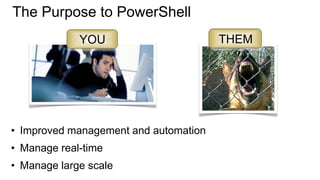
The Purpose to PowerShell
YOU

• Improved management and automation

• Manage real-time
• Manage large scale

THEM
Installing PowerShell – Windows Management
Framework
• PowerShell V3 – Windows 8 and Server 2012
• PowerShell V2 – Windows 7 and Server 2008

• Download the Windows Management Framework 3.0 at
• http://www.microsoft.com/enus/download/details.aspx?id=34595
• Windows XP and Server 2003 can run V2
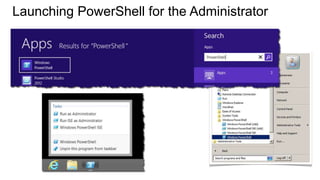
Launching PowerShell for the Administrator
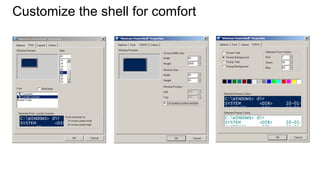
Customize the shell for comfort
Getting familiar with the shell
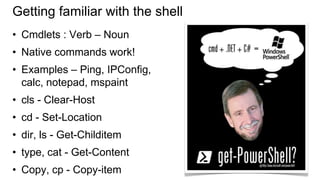
• Cmdlets : Verb – Noun

• Native commands work!
• Examples – Ping, IPConfig,
calc, notepad, mspaint

• cls - Clear-Host
• cd - Set-Location

• dir, ls - Get-Childitem
• type, cat - Get-Content
• Copy, cp - Copy-item
Questions or comments?
©2013 Microsoft Corporation. All rights reserved. Microsoft, Windows, Office, Azure, System Center, Dynamics and other product names are or may be registered trademarks and/or trademarks in the
U.S. and/or other countries. The information herein is for informational purposes only and represents the current view of Microsoft Corporation as of the date of this presentation. Because Microsoft
must respond to changing market conditions, it should not be interpreted to be a commitment on the part of Microsoft, and Microsoft cannot guarantee the accuracy of any information provided after
the date of this presentation. MICROSOFT MAKES NO WARRANTIES, EXPRESS, IMPLIED OR STATUTORY, AS TO THE INFORMATION IN THIS PRESENTATION.

01 dont fear the shell 1

  • 1.
    Jeffrey Snover |Distinguished Engineer & Lead Architect Jason Helmick | Senior Technologist, Concentrated Technology
  • 2.
    Meet Jeffrey Snover| @jsnover • Distinguished Engineer & Lead Architect for Windows Server & System Center Division – Inventor of Windows PowerShell – Responsible for setting long term technical vision for these products and running the technology planning for the releases • Over 30 years of industry experience – Microsoft, Tivoli, NetView, DEC – Held 8 patents prior to joining Microsoft, and has registered 30 since. – Frequent speaker at industry and research conferences on a variety of management and language topics
  • 3.
    Meet Jason Helmick| @theJasonHelmick • Senior Technologist, Concentrated Technology – Board member and CFO – PowerShell.Org – Author “Learn Windows IIS in a Month of Lunches” – Contributing author “PowerShell Deep Dives” • 25 year IT veteran – Speaker at a variety of industry conferences – Teaches PowerShell for the IT pro to maximize management and automation – Frequent contributor to TechNet Magazine and other industry publications
  • 4.
    Course Topics Getting Startedwith PowerShell 01 | Don’t fear the shell 06 | The pipeline : Deeper 02 | The Help system 07 | The Power in the Shell - Remoting 03 | The pipeline : Getting connected 08 | Getting prepared for automation 04 | Extending the shell 09 | Automation in scale - Remoting 05 | Objects for the Admin 10 | Introducing scripting and toolmaking
  • 5.
    Setting Expectations • TargetAudience – Tailored for the IT pro that needs to improve management and automation – Fast paced for the real world • Suggested Prerequisites/Supporting Material – Experience working as a Windows IT pro/Admin/Help Desk – Get answers in the forums at PowerShell.Org – Check out “Learn Windows PowerShell 3 in a Month of Lunches” by Don Jones and Jeffery Hicks
  • 6.
    Join the MVACommunity! • Microsoft Virtual Academy – Free online learning tailored for IT Pros and Developers – Over 1M registered users – Up-to-date, relevant training on variety of Microsoft products • “Earn while you learn!” – Get 50 MVA Points for this event! – Visit http://aka.ms/MVA-Voucher – Enter this code: PowerJump1 (expires 8/15/2013)
  • 7.
    01 | Don’tfear the shell Jeffrey Snover | Distinguished Engineer & Lead Architect Jason Helmick | Senior Technologist, Concentrated Technology
  • 8.
    Module Overview • Thepurpose for PowerShell • Installing PowerShell – Windows Management Framework • Launching PowerShell for the administrator • Customize the shell for comfort • Getting familiar with the shell
  • 9.
    The Purpose toPowerShell YOU • Improved management and automation • Manage real-time • Manage large scale THEM
  • 10.
    Installing PowerShell –Windows Management Framework • PowerShell V3 – Windows 8 and Server 2012 • PowerShell V2 – Windows 7 and Server 2008 • Download the Windows Management Framework 3.0 at • http://www.microsoft.com/enus/download/details.aspx?id=34595 • Windows XP and Server 2003 can run V2
  • 11.
    Launching PowerShell forthe Administrator
  • 12.
  • 13.
    Getting familiar withthe shell • Cmdlets : Verb – Noun • Native commands work! • Examples – Ping, IPConfig, calc, notepad, mspaint • cls - Clear-Host • cd - Set-Location • dir, ls - Get-Childitem • type, cat - Get-Content • Copy, cp - Copy-item
  • 14.
  • 15.
    ©2013 Microsoft Corporation.All rights reserved. Microsoft, Windows, Office, Azure, System Center, Dynamics and other product names are or may be registered trademarks and/or trademarks in the U.S. and/or other countries. The information herein is for informational purposes only and represents the current view of Microsoft Corporation as of the date of this presentation. Because Microsoft must respond to changing market conditions, it should not be interpreted to be a commitment on the part of Microsoft, and Microsoft cannot guarantee the accuracy of any information provided after the date of this presentation. MICROSOFT MAKES NO WARRANTIES, EXPRESS, IMPLIED OR STATUTORY, AS TO THE INFORMATION IN THIS PRESENTATION.