Creating Figures for Scientific
Publications
© AJE
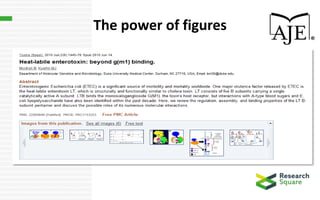
The power of figures
Figure quality is a paper’s
“Suit and Tie”
• Before a journal reviewer or colleague even begins
reading your paper, they have formed an opinion about
the quality of your work.
• Your figures reflect your overall effort in experimental
design, technical execution, and attention to detail.
• “A picture is worth a thousand words”
Outline
• The Starting Materials
• Assembling your figures
• Making an Impact with Color
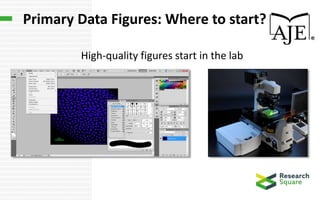
Primary Data Figures: Where to start?
High-quality figures start in the lab
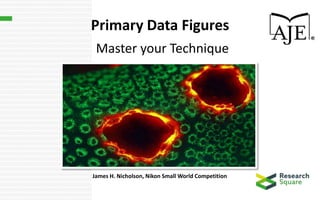
Primary Data Figures
Master your Technique
James H. Nicholson, Nikon Small World Competition
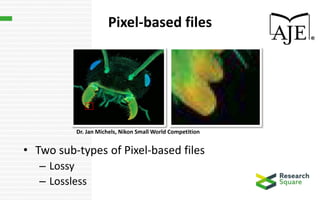
Pixel-based files
• Two sub-types of Pixel-based files
– Lossy
– Lossless
Dr. Jan Michels, Nikon Small World Competition
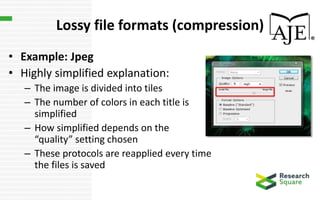
Lossy file formats (compression)
• Example: Jpeg
• Highly simplified explanation:
– The image is divided into tiles
– The number of colors in each title is
simplified
– How simplified depends on the
“quality” setting chosen
– These protocols are reapplied every time
the files is saved
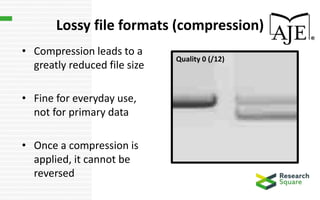
OriginalQuality 4(/12)
Lossy file formats (compression)
• Compression leads to a
greatly reduced file size
• Fine for everyday use,
not for primary data
• Once a compression is
applied, it cannot be
reversed
Quality 2 (/12)Quality 0 (/12)
Lossless files
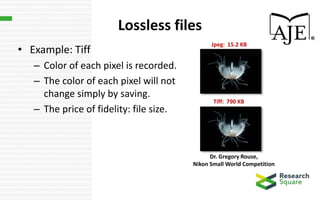
• Example: Tiff
– Color of each pixel is recorded.
– The color of each pixel will not
change simply by saving.
– The price of fidelity: file size.
Dr. Gregory Rouse,
Nikon Small World Competition
Jpeg: 15.2 KB
Tiff: 790 KB
Lossless versus Lossy files
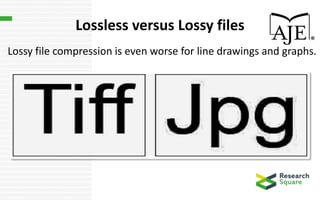
Lossy file compression is even worse for line drawings and graphs.
LZW Lossless file compression
• Efficient storage, no information loss
• Highly simplified explanation: Replaces a pixel color with
a short code throughout the whole the image
LZW Lossless file compression
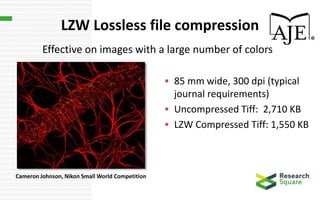
Effective on images with a large number of colors
 85 mm wide, 300 dpi (typical
journal requirements)
 Uncompressed Tiff: 2,710 KB
 LZW Compressed Tiff: 1,550 KB
Cameron Johnson, Nikon Small World Competition
LZW Lossless file compression
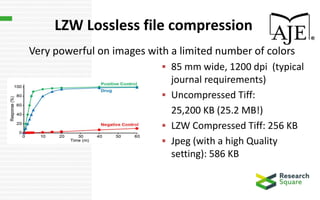
Very powerful on images with a limited number of colors
 85 mm wide, 1200 dpi (typical
journal requirements)
 Uncompressed Tiff:
25,200 KB (25.2 MB!)
 LZW Compressed Tiff: 256 KB
 Jpeg (with a high Quality
setting): 586 KB
Outline
• The Starting Materials
• Assembling your figures
• Making an Impact with Color
Figure Creation Rule #1
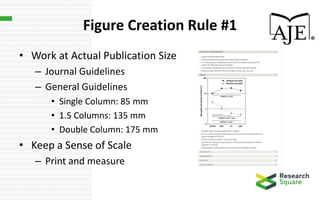
• Work at Actual Publication Size
– Journal Guidelines
– General Guidelines
• Single Column: 85 mm
• 1.5 Columns: 135 mm
• Double Column: 175 mm
• Keep a Sense of Scale
– Print and measure
Figure Creation Rule #2
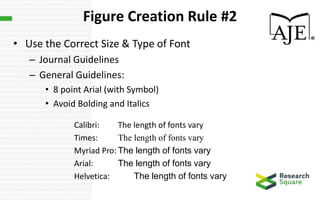
• Use the Correct Size & Type of Font
– Journal Guidelines
– General Guidelines:
• 8 point Arial (with Symbol)
• Avoid Bolding and Italics
Calibri: The length of fonts vary
Times: The length of fonts vary
Myriad Pro: The length of fonts vary
Arial: The length of fonts vary
Helvetica: The length of fonts vary
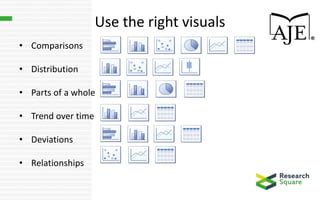
Use the right visuals
• Comparisons
• Distribution
• Parts of a whole
• Trend over time
• Deviations
• Relationships
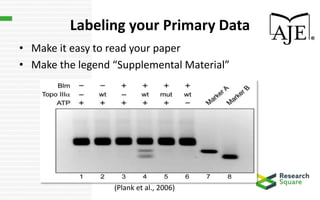
Labeling your Primary Data
• Make it easy to read your paper
• Make the legend “Supplemental Material”
(Plank et al., 2006)
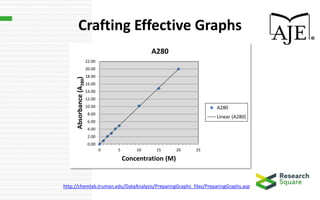
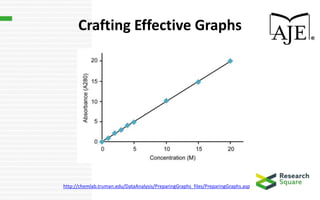
Crafting Effective Graphs
http://chemlab.truman.edu/DataAnalysis/PreparingGraphs_files/PreparingGraphs.asp
0.00
2.00
4.00
6.00
8.00
10.00
12.00
14.00
16.00
18.00
20.00
22.00
0 5 10 15 20 25
Absorbance(A280)
Concentration (M)
A280
A280
Linear (A280)
Crafting Effective Graphs
http://chemlab.truman.edu/DataAnalysis/PreparingGraphs_files/PreparingGraphs.asp
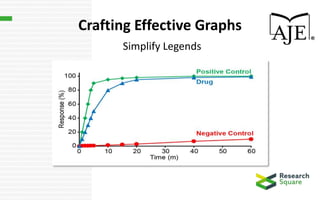
Crafting Effective Graphs
Simplify Legends
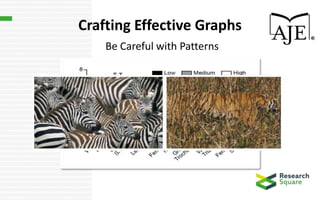
Crafting Effective Graphs
Be Careful with Patterns
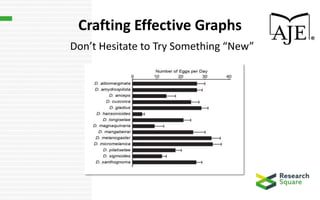
Crafting Effective Graphs
Don’t Hesitate to Try Something “New”
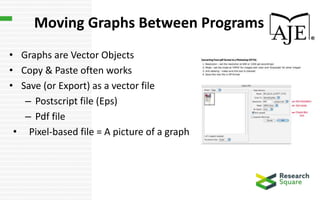
Moving Graphs Between Programs
• Graphs are Vector Objects
• Copy & Paste often works
• Save (or Export) as a vector file
– Postscript file (Eps)
– Pdf file
• Pixel-based file = A picture of a graph
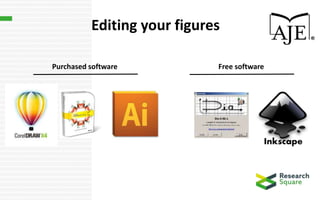
Editing your figures
Purchased software Free software
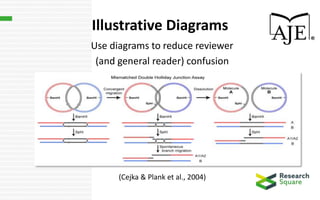
Illustrative Diagrams
Use diagrams to reduce reviewer
(and general reader) confusion
(Cejka & Plank et al., 2004)
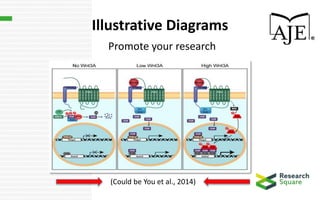
Illustrative Diagrams
Promote your research
(Could be You et al., 2014)
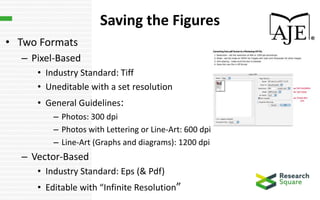
Saving the Figures
• Two Formats
– Pixel-Based
• Industry Standard: Tiff
• Uneditable with a set resolution
• General Guidelines:
– Photos: 300 dpi
– Photos with Lettering or Line-Art: 600 dpi
– Line-Art (Graphs and diagrams): 1200 dpi
– Vector-Based
• Industry Standard: Eps (& Pdf)
• Editable with “Infinite Resolution”
Outline
• The Starting Materials
• Assembling your figures
• Making an Impact with Color
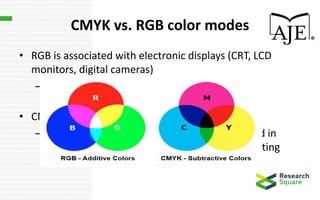
CMYK vs. RGB color modes
• RGB is associated with electronic displays (CRT, LCD
monitors, digital cameras)
– Red, Green and Blue are used to create colors
perceived
• CMYK is used by printers
– Cyan, magenta, yellow and black are combined in
various amounts to create all colors when printing
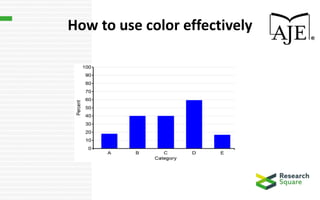
How to use color effectively
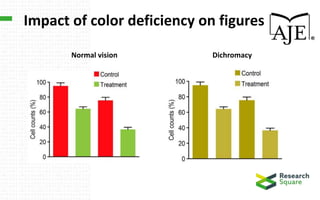
Impact of color deficiency on figures
DichromacyNormal vision
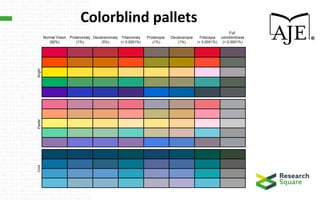
Colorblind pallets
BrightPastelCool
Full
colorblindness
(< 0.0001%)
Tritanomaly
(< 0.0001%)
Deuteranomaly
(5%)
Protanomaly
(1%)
Tritanopia
(< 0.0001%)
Deuteranopia
(1%)
Protanopia
(1%)
Normal Vision
(92%)
AJE Figure Services
Figure Formatting
• Send us your figures, and
our outstanding team will
make them look great for
publication
Custom Illustration
• Our team will create great
figures from your data or a
sketch
Send an e-mail to support@aje.com for a quote
Special thanks to Dr. Michele Avissar-Whiting and
Dr. Stacie Meaux!
© AJE

AJE Figures Workshop USP

  • 1.
    Creating Figures forScientific Publications © AJE
  • 2.
    The power offigures
  • 3.
    Figure quality isa paper’s “Suit and Tie” • Before a journal reviewer or colleague even begins reading your paper, they have formed an opinion about the quality of your work. • Your figures reflect your overall effort in experimental design, technical execution, and attention to detail. • “A picture is worth a thousand words”
  • 4.
    Outline • The StartingMaterials • Assembling your figures • Making an Impact with Color
  • 5.
    Primary Data Figures:Where to start? High-quality figures start in the lab
  • 6.
    Primary Data Figures Masteryour Technique James H. Nicholson, Nikon Small World Competition
  • 7.
    Pixel-based files • Twosub-types of Pixel-based files – Lossy – Lossless Dr. Jan Michels, Nikon Small World Competition
  • 8.
    Lossy file formats(compression) • Example: Jpeg • Highly simplified explanation: – The image is divided into tiles – The number of colors in each title is simplified – How simplified depends on the “quality” setting chosen – These protocols are reapplied every time the files is saved
  • 9.
    OriginalQuality 4(/12) Lossy fileformats (compression) • Compression leads to a greatly reduced file size • Fine for everyday use, not for primary data • Once a compression is applied, it cannot be reversed Quality 2 (/12)Quality 0 (/12)
  • 10.
    Lossless files • Example:Tiff – Color of each pixel is recorded. – The color of each pixel will not change simply by saving. – The price of fidelity: file size. Dr. Gregory Rouse, Nikon Small World Competition Jpeg: 15.2 KB Tiff: 790 KB
  • 11.
    Lossless versus Lossyfiles Lossy file compression is even worse for line drawings and graphs.
  • 12.
    LZW Lossless filecompression • Efficient storage, no information loss • Highly simplified explanation: Replaces a pixel color with a short code throughout the whole the image
  • 13.
    LZW Lossless filecompression Effective on images with a large number of colors  85 mm wide, 300 dpi (typical journal requirements)  Uncompressed Tiff: 2,710 KB  LZW Compressed Tiff: 1,550 KB Cameron Johnson, Nikon Small World Competition
  • 14.
    LZW Lossless filecompression Very powerful on images with a limited number of colors  85 mm wide, 1200 dpi (typical journal requirements)  Uncompressed Tiff: 25,200 KB (25.2 MB!)  LZW Compressed Tiff: 256 KB  Jpeg (with a high Quality setting): 586 KB
  • 15.
    Outline • The StartingMaterials • Assembling your figures • Making an Impact with Color
  • 16.
    Figure Creation Rule#1 • Work at Actual Publication Size – Journal Guidelines – General Guidelines • Single Column: 85 mm • 1.5 Columns: 135 mm • Double Column: 175 mm • Keep a Sense of Scale – Print and measure
  • 17.
    Figure Creation Rule#2 • Use the Correct Size & Type of Font – Journal Guidelines – General Guidelines: • 8 point Arial (with Symbol) • Avoid Bolding and Italics Calibri: The length of fonts vary Times: The length of fonts vary Myriad Pro: The length of fonts vary Arial: The length of fonts vary Helvetica: The length of fonts vary
  • 18.
    Use the rightvisuals • Comparisons • Distribution • Parts of a whole • Trend over time • Deviations • Relationships
  • 19.
    Labeling your PrimaryData • Make it easy to read your paper • Make the legend “Supplemental Material” (Plank et al., 2006)
  • 20.
  • 21.
  • 22.
  • 23.
    Crafting Effective Graphs BeCareful with Patterns
  • 24.
    Crafting Effective Graphs Don’tHesitate to Try Something “New”
  • 25.
    Moving Graphs BetweenPrograms • Graphs are Vector Objects • Copy & Paste often works • Save (or Export) as a vector file – Postscript file (Eps) – Pdf file • Pixel-based file = A picture of a graph
  • 26.
    Editing your figures Purchasedsoftware Free software
  • 27.
    Illustrative Diagrams Use diagramsto reduce reviewer (and general reader) confusion (Cejka & Plank et al., 2004)
  • 28.
    Illustrative Diagrams Promote yourresearch (Could be You et al., 2014)
  • 29.
    Saving the Figures •Two Formats – Pixel-Based • Industry Standard: Tiff • Uneditable with a set resolution • General Guidelines: – Photos: 300 dpi – Photos with Lettering or Line-Art: 600 dpi – Line-Art (Graphs and diagrams): 1200 dpi – Vector-Based • Industry Standard: Eps (& Pdf) • Editable with “Infinite Resolution”
  • 30.
    Outline • The StartingMaterials • Assembling your figures • Making an Impact with Color
  • 31.
    CMYK vs. RGBcolor modes • RGB is associated with electronic displays (CRT, LCD monitors, digital cameras) – Red, Green and Blue are used to create colors perceived • CMYK is used by printers – Cyan, magenta, yellow and black are combined in various amounts to create all colors when printing
  • 32.
    How to usecolor effectively
  • 33.
    Impact of colordeficiency on figures DichromacyNormal vision
  • 34.
    Colorblind pallets BrightPastelCool Full colorblindness (< 0.0001%) Tritanomaly (<0.0001%) Deuteranomaly (5%) Protanomaly (1%) Tritanopia (< 0.0001%) Deuteranopia (1%) Protanopia (1%) Normal Vision (92%)
  • 35.
    AJE Figure Services FigureFormatting • Send us your figures, and our outstanding team will make them look great for publication Custom Illustration • Our team will create great figures from your data or a sketch Send an e-mail to support@aje.com for a quote Special thanks to Dr. Michele Avissar-Whiting and Dr. Stacie Meaux! © AJE

Editor's Notes