Social Media for Teaching & Learning Learning Technology Center [email_address]   Sharon Stoerger [email_address]
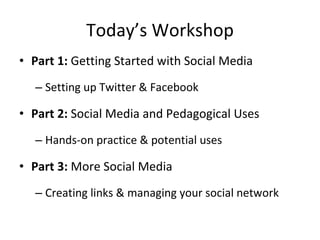
Today’s Workshop Part 1:  Getting Started with Social Media Setting up Twitter & Facebook Part 2:  Social Media and Pedagogical Uses Hands-on practice & potential uses Part 3:  More Social Media Creating links & managing your social network
PART 1: GETTING STARTED WITH SOCIAL MEDIA
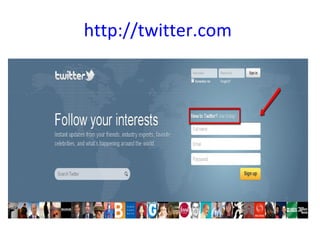
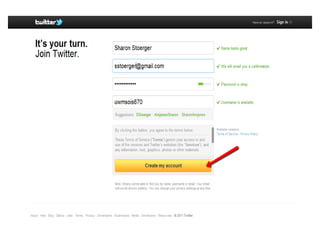
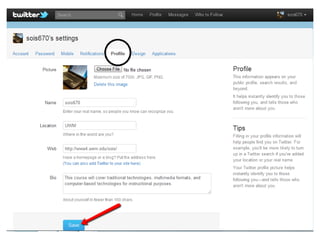
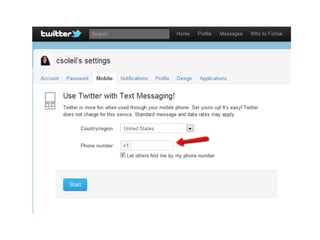
Setting up your Twitter account!
http://twitter.com


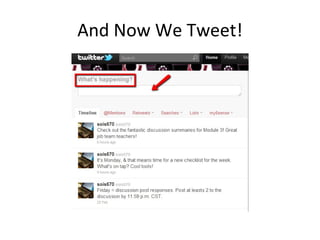
And Now We Tweet!
MICRO & MACRO USES OF TWITTER
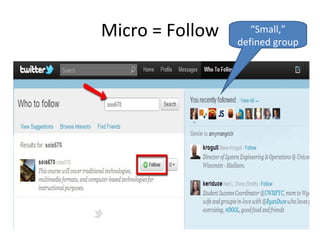
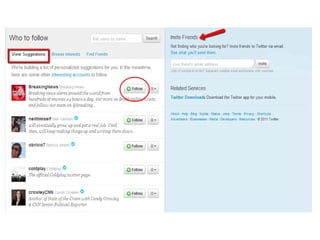
Micro = Follow “ Small,” defined group
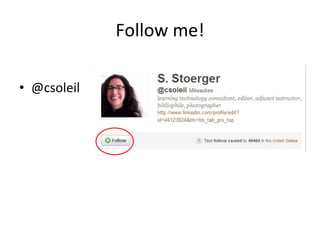
Follow me! @csoleil
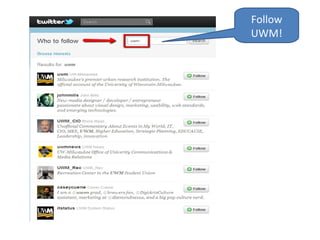
Follow UWM!
 
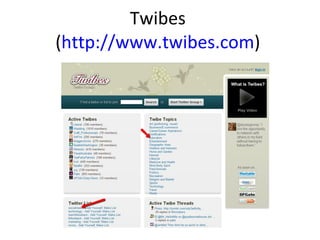
Twibes  ( http://www.twibes.com )
 
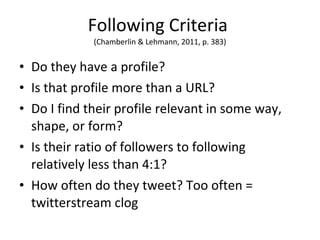
Following Criteria  (Chamberlin & Lehmann, 2011, p. 383) Do they have a profile? Is that profile more than a URL? Do I find their profile relevant in some way, shape, or form? Is their ratio of followers to following relatively less than 4:1? How often do they tweet? Too often = twitterstream clog
Macro = Hashtags Broadcast   broad audience Tweet using hashtag… #ltcsome
More Hashtags! #edtech #higheredtech #learnchat #edusocmedia #socmedia #socialmedia #sachat #iamuwm Mega Education Hashtag List: http://www.cybraryman.com/edhashtags.html
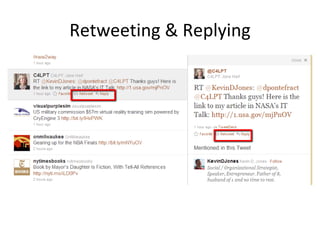
Retweeting & Replying
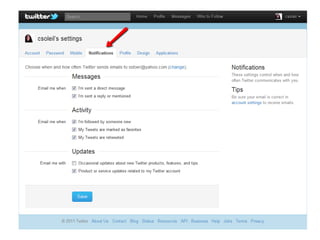
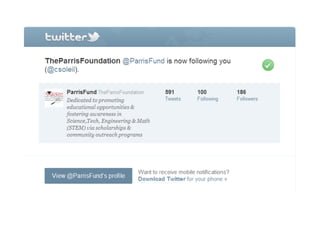
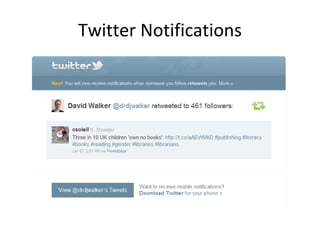
Twitter Notifications
LET’S SET UP A FACEBOOK FAN PAGE!
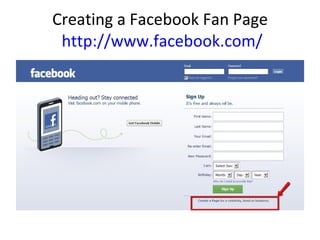
Creating a Facebook Fan Page  http://www.facebook.com/
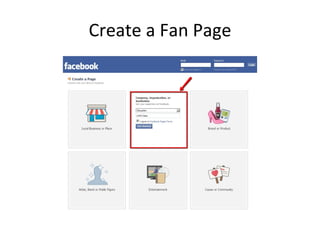
Create a Fan Page
 
Using Facebook in the Classroom Supplementary materials Videos Articles Websites Discussions Community building inside/outside classroom New student “recruitment”
WHAT IS SOCIAL MEDIA? What are you using? Why are you using it?
Social Media Revolution http://youtu.be/3SuNx0UrnEo
SOCIAL MEDIA AND PEDAGOGICAL USES
Why Social Media? Popular – students AND instructors are there Reach beyond the classroom Interact with “experts” Professional development Teacher-centered    student-centered
Students LOVE Technology http://www.onlineeducation.net/students-love-tech
Educational Uses of Social Media Announcements & supplemental information Live microblogging Connections/PLNs (e.g., Siemens, 2004) Collect real world data Polling  Group activities/backchannel communication Other?
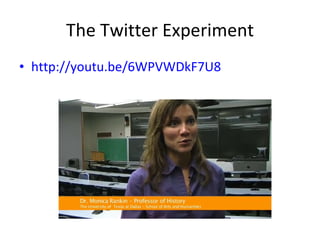
The Twitter Experiment http://youtu.be/6WPVWDkF7U8
UWM and Facebook http://youtu.be/ZFfJXexaW0U
MANAGING YOUR SOCIAL MEDIA
TO LINK OR NOT TO LINK…THAT IS THE QUESTION
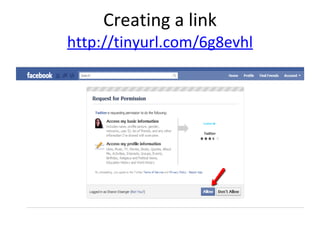
Creating a link http://tinyurl.com/6g8evhl
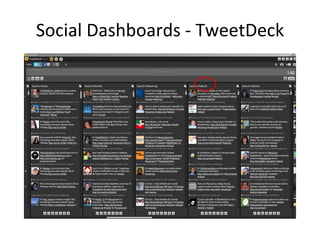
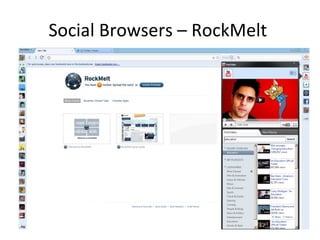
Linking Alternatives Social Dashboards TweetDeck ( http://www.tweetdeck.com/ ) HootSuite ( http://hootsuite.com/ ) Social Browsers RockMelt ( http://www.rockmelt.com/ ) Fizzik ( http://www.fizzik.com/ ) Real Time News Twazzup.com ( http://www.twazzup.com/ )
Why Social Dashboards and Browsers? One post – multiple social media Hashtags (e.g., #edtech) Class discussions Conferences Webinars Real time Monitor multiple conversations at a glance
Social Dashboards - TweetDeck
Social Browsers – RockMelt
Archiving Social Media Content Twapper Keeper ( http://twapperkeeper.com ) The Archivist ( http://archivist.visitmix.com/ )
Other Things to Consider Costs  Appropriate social media Privacy Best practices Evaluating impact
Departing Guidelines (Dunlap & Lowenthal, 2009) Establish relevance for students Recommend people to follow Model effective use Encourage students’ active/ongoing participation Integrate into assessments Continue to actively participate
Questions? [email_address] Sharon Stoerger [email_address]
Additional Resources UWM Social Media Grant project  http://uwmsocialmedia.wikispaces.com Presentation and Data http://uwmsocialmedia.wikispaces.com/Presentations+by+Tanya Set-up Instructions http://uwmsocialmedia.wikispaces.com/Howtosocialmedia10 Creating a Twitter Account  http://tinyurl.com/4lkdkj3   Creating a Facebook Fan Page http://www.facebook.com/pages/create.php

Social Media for Teaching and Learning

  • 1.
    Social Media forTeaching & Learning Learning Technology Center [email_address] Sharon Stoerger [email_address]
  • 2.
    Today’s Workshop Part1: Getting Started with Social Media Setting up Twitter & Facebook Part 2: Social Media and Pedagogical Uses Hands-on practice & potential uses Part 3: More Social Media Creating links & managing your social network
  • 3.
    PART 1: GETTINGSTARTED WITH SOCIAL MEDIA
  • 4.
    Setting up yourTwitter account!
  • 5.
  • 6.
  • 7.
  • 8.
  • 9.
  • 10.
    And Now WeTweet!
  • 11.
    MICRO & MACROUSES OF TWITTER
  • 12.
    Micro = Follow“ Small,” defined group
  • 13.
  • 14.
  • 15.
  • 16.
    Twibes (http://www.twibes.com )
  • 17.
  • 18.
    Following Criteria (Chamberlin & Lehmann, 2011, p. 383) Do they have a profile? Is that profile more than a URL? Do I find their profile relevant in some way, shape, or form? Is their ratio of followers to following relatively less than 4:1? How often do they tweet? Too often = twitterstream clog
  • 19.
    Macro = HashtagsBroadcast  broad audience Tweet using hashtag… #ltcsome
  • 20.
    More Hashtags! #edtech#higheredtech #learnchat #edusocmedia #socmedia #socialmedia #sachat #iamuwm Mega Education Hashtag List: http://www.cybraryman.com/edhashtags.html
  • 21.
  • 22.
  • 23.
    LET’S SET UPA FACEBOOK FAN PAGE!
  • 24.
    Creating a FacebookFan Page http://www.facebook.com/
  • 25.
  • 26.
  • 27.
    Using Facebook inthe Classroom Supplementary materials Videos Articles Websites Discussions Community building inside/outside classroom New student “recruitment”
  • 28.
    WHAT IS SOCIALMEDIA? What are you using? Why are you using it?
  • 29.
    Social Media Revolutionhttp://youtu.be/3SuNx0UrnEo
  • 30.
    SOCIAL MEDIA ANDPEDAGOGICAL USES
  • 31.
    Why Social Media?Popular – students AND instructors are there Reach beyond the classroom Interact with “experts” Professional development Teacher-centered  student-centered
  • 32.
    Students LOVE Technologyhttp://www.onlineeducation.net/students-love-tech
  • 33.
    Educational Uses ofSocial Media Announcements & supplemental information Live microblogging Connections/PLNs (e.g., Siemens, 2004) Collect real world data Polling Group activities/backchannel communication Other?
  • 34.
    The Twitter Experimenthttp://youtu.be/6WPVWDkF7U8
  • 35.
    UWM and Facebookhttp://youtu.be/ZFfJXexaW0U
  • 36.
  • 37.
    TO LINK ORNOT TO LINK…THAT IS THE QUESTION
  • 38.
    Creating a linkhttp://tinyurl.com/6g8evhl
  • 39.
    Linking Alternatives SocialDashboards TweetDeck ( http://www.tweetdeck.com/ ) HootSuite ( http://hootsuite.com/ ) Social Browsers RockMelt ( http://www.rockmelt.com/ ) Fizzik ( http://www.fizzik.com/ ) Real Time News Twazzup.com ( http://www.twazzup.com/ )
  • 40.
    Why Social Dashboardsand Browsers? One post – multiple social media Hashtags (e.g., #edtech) Class discussions Conferences Webinars Real time Monitor multiple conversations at a glance
  • 41.
  • 42.
  • 43.
    Archiving Social MediaContent Twapper Keeper ( http://twapperkeeper.com ) The Archivist ( http://archivist.visitmix.com/ )
  • 44.
    Other Things toConsider Costs Appropriate social media Privacy Best practices Evaluating impact
  • 45.
    Departing Guidelines (Dunlap& Lowenthal, 2009) Establish relevance for students Recommend people to follow Model effective use Encourage students’ active/ongoing participation Integrate into assessments Continue to actively participate
  • 46.
    Questions? [email_address] SharonStoerger [email_address]
  • 47.
    Additional Resources UWMSocial Media Grant project http://uwmsocialmedia.wikispaces.com Presentation and Data http://uwmsocialmedia.wikispaces.com/Presentations+by+Tanya Set-up Instructions http://uwmsocialmedia.wikispaces.com/Howtosocialmedia10 Creating a Twitter Account http://tinyurl.com/4lkdkj3 Creating a Facebook Fan Page http://www.facebook.com/pages/create.php

Editor's Notes