In this presentation
Productivitylifehacks
• Check the weather
Networking and internet
lifehacks
• Ping a website
• Find the network address of
every device on your network
• Find out the details of a
domain name
System lifehacks
• Change the screenshot
format
• Show hidden files in Finder
• Show the folder path in Finder
• Strip out unnecessary system
animations
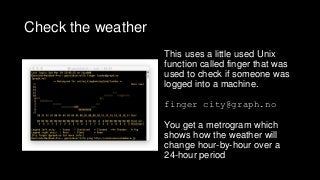
Check the weather
Thisuses a little used Unix
function called finger that was
used to check if someone was
logged into a machine.
finger city@graph.no
You get a metrogram which
shows how the weather will
change hour-by-hour over a
24-hour period
Ping a website
Theping command can come in handy for a couple of
circumstances. Firstly, checking if your ’net connection works by
pinging a stalwart of the web like Yahoo! or the BBC. It can also
be used as an initial diagnostic for a website
ping yahoo.com (note: no http:// in this command)
It will continue pinging the website until you press ‘ctrl’ + ‘c’ keys
7.
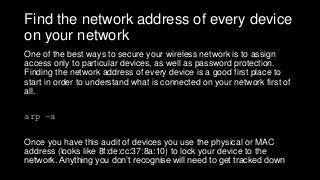
Find the networkaddress of every device
on your network
One of the best ways to secure your wireless network is to assign
access only to particular devices, as well as password protection.
Finding the network address of every device is a good first place to
start in order to understand what is connected on your network first of
all.
arp –a
Once you have this audit of devices you use the physical or MAC
address (looks like 8f:de:cc:37:8a:10) to lock your device to the
network. Anything you don’t recognise will need to get tracked down
8.
Get the detailsof a domain name
Understand where a website is hosted and contact details of the
administrator of the site.
whois renaissancechambara.jp
There is additional information available on this record such as
the age of the domain and renewal date
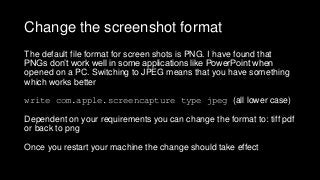
Change the screenshotformat
The default file format for screen shots is PNG. I have found that
PNGs don’t work well in some applications like PowerPoint when
opened on a PC. Switching to JPEG means that you have something
which works better
write com.apple.screencapture type jpeg (all lower case)
Dependent on your requirements you can change the format to: tiff pdf
or back to png
Once you restart your machine the change should take effect
11.
Show hidden filesin the Finder
OS X Finder hides a number of files by default (primarily so that
users don’t delete anything important). If you really know what
you are doing…
defaults write com.apple.finder AppleShowAllFiles TRUE
You can go back to normal again by
defaults write com.apple.finder AppleShowAllFiles FALSE
12.
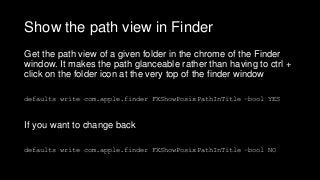
Show the pathview in Finder
Get the path view of a given folder in the chrome of the Finder
window. It makes the path glanceable rather than having to ctrl +
click on the folder icon at the very top of the finder window
defaults write com.apple.finder FXShowPosixPathInTitle –bool YES
If you want to change back
defaults write com.apple.finder FXShowPosixPathInTitle –bool NO
13.
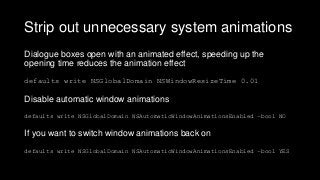
Strip out unnecessarysystem animations
Dialogue boxes open with an animated effect, speeding up the
opening time reduces the animation effect
defaults write NSGlobalDomain NSWindowResizeTime 0.01
Disable automatic window animations
defaults write NSGlobalDomain NSAutomaticWindowAnimationsEnabled –bool NO
If you want to switch window animations back on
defaults write NSGlobalDomain NSAutomaticWindowAnimationsEnabled –bool YES
14.
About me
Amazon authorpage: amzn.to/1SeO5Il
LinkedIn page: linkedin.com/in/gedcarroll
About: renaissancechambara.jp/about
Blog: renaissancechambara.jp
Email address found here: scr.im/renaissance
Twitter account: @r_c
Sina Weibo: renaissancechambara
WeChat