






Attack Monitoring Using ELK
@Null Bachav
@prajalkulkarni
@mehimansu
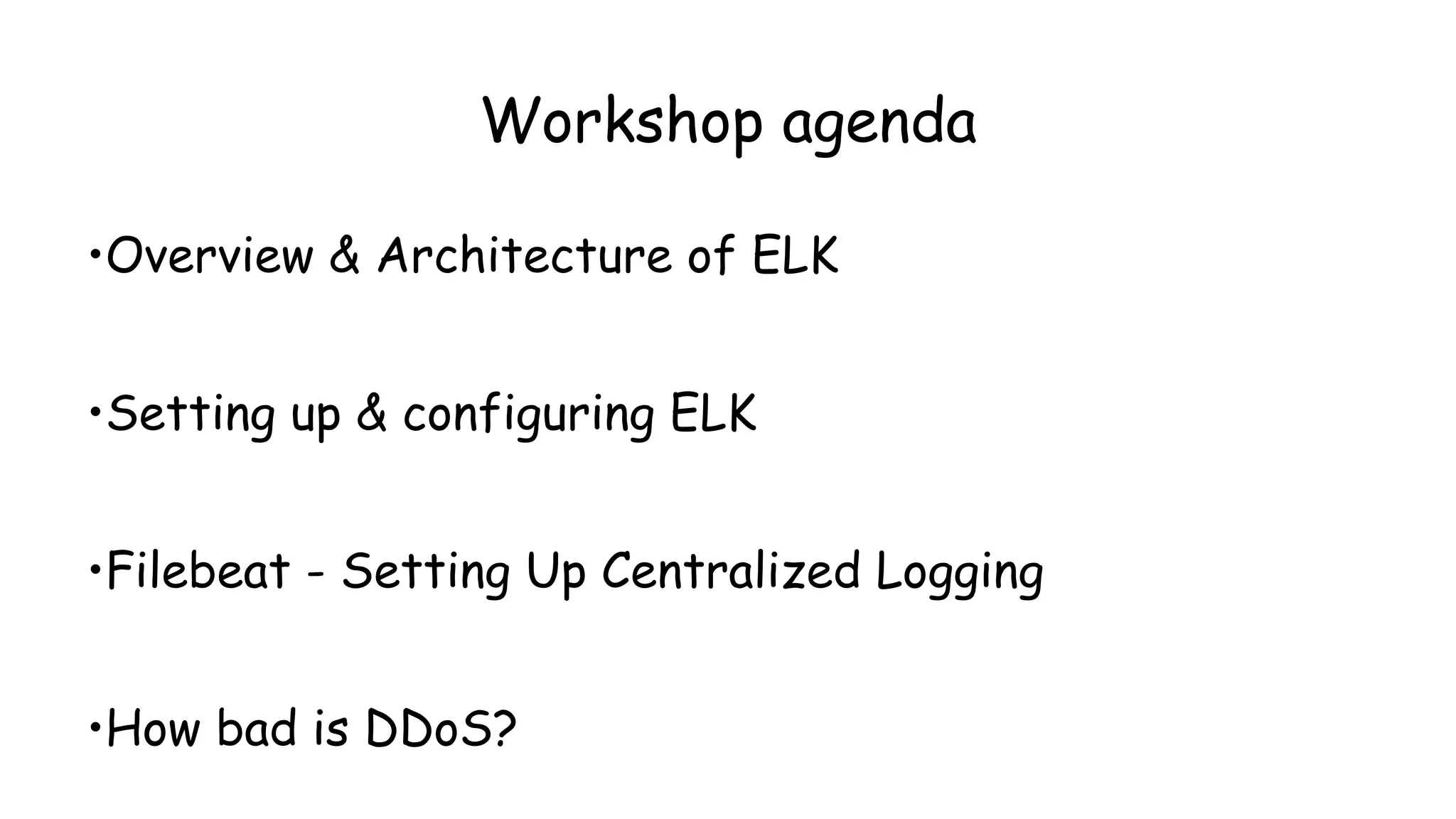
Workshop agenda
•Overview & Architecture of ELK
•Setting up & configuring ELK
•Filebeat - Setting Up Centralized Logging
•How bad is DDoS?
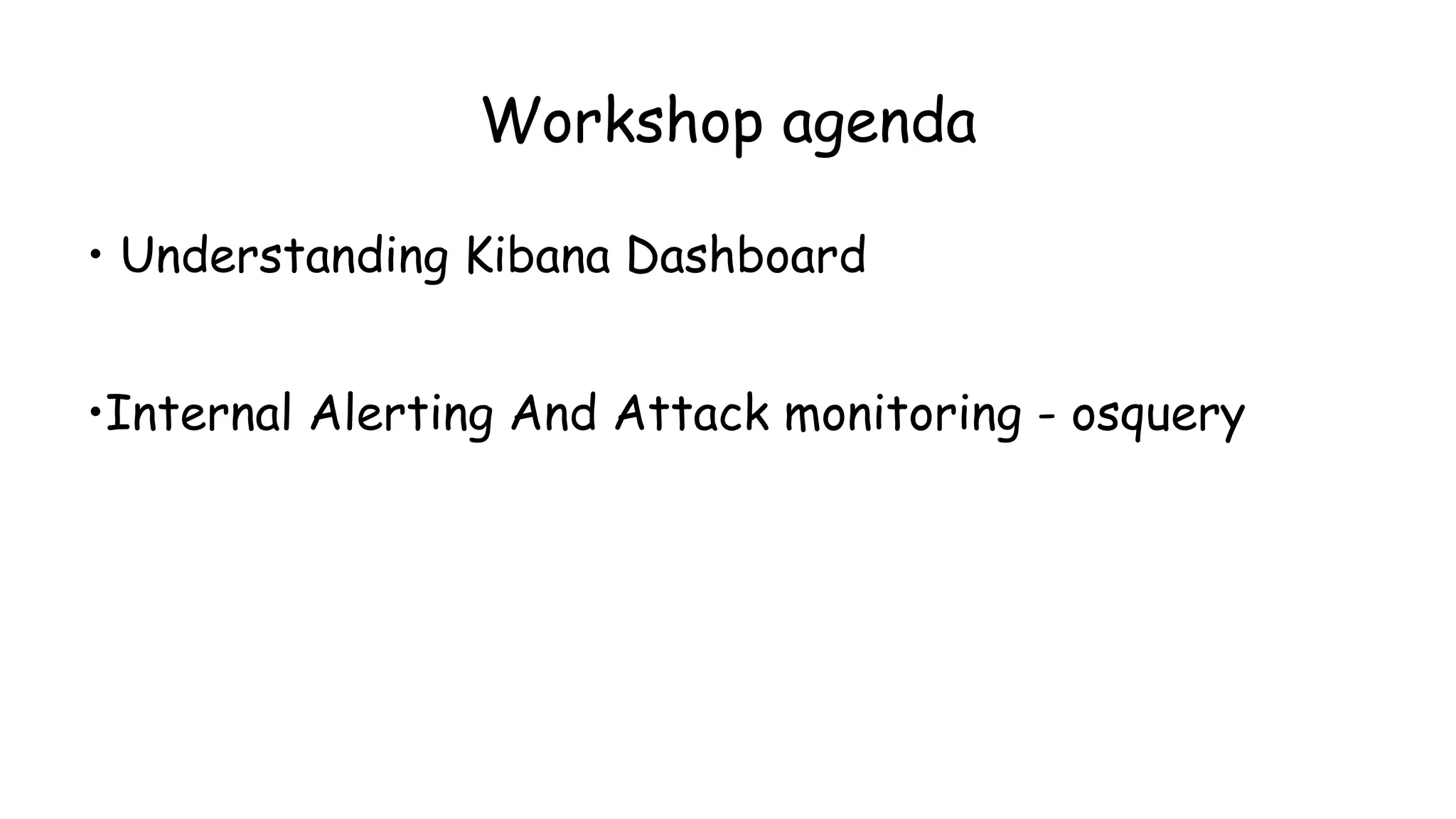
Workshop agenda
• Understanding Kibana Dashboard
•Internal Alerting And Attack monitoring - osquery
● ELK pre-installed
● Custom scripts/config/plugins
● Nikto, Hping3
What your vm contains?
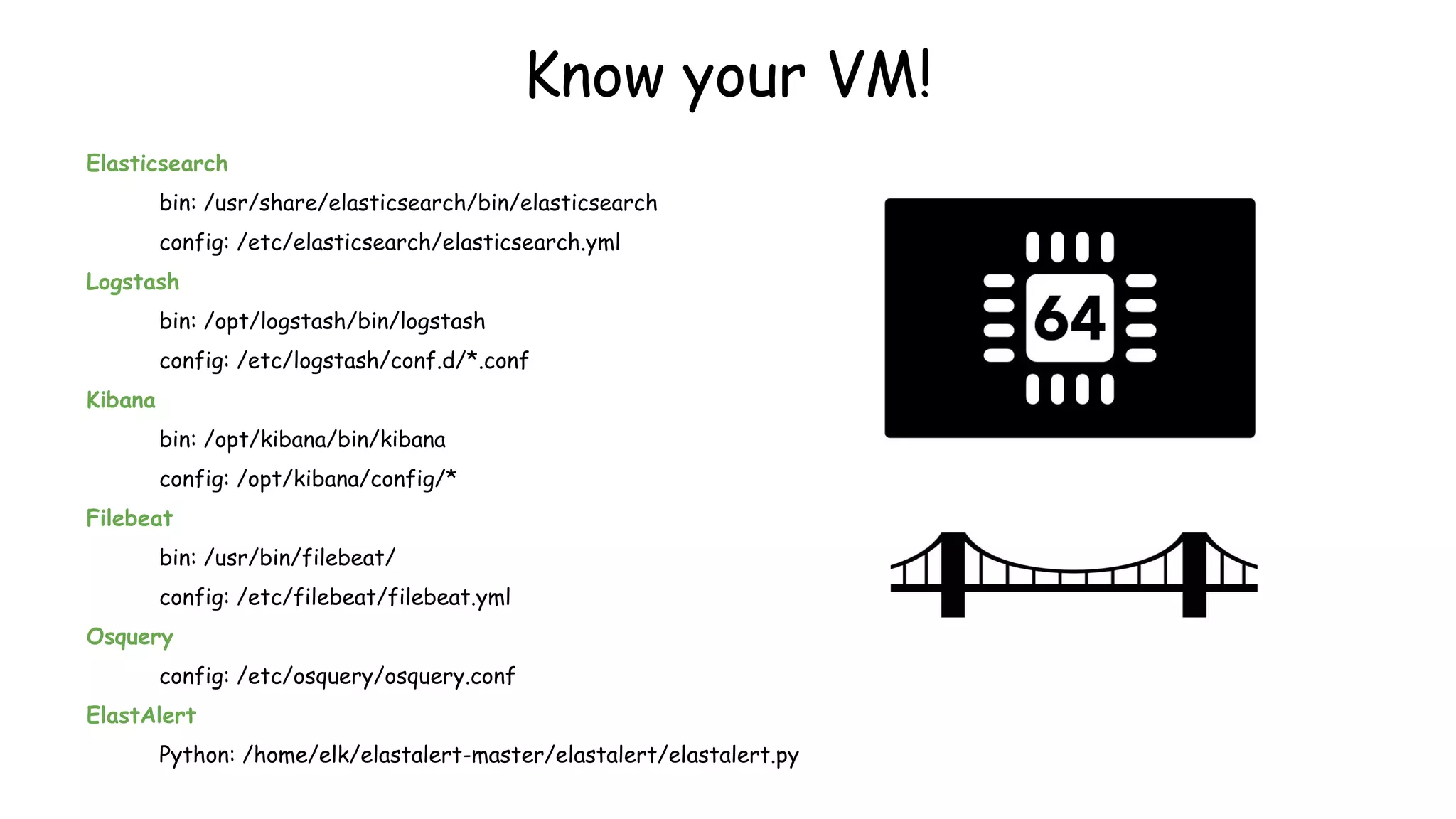
Elasticsearch
bin: /usr/share/elasticsearch/bin/elasticsearch
config: /etc/elasticsearch/elasticsearch.yml
Logstash
bin: /opt/logstash/bin/logstash
config: /etc/logstash/conf.d/*.conf
Kibana
bin: /opt/kibana/bin/kibana
config: /opt/kibana/config/*
Filebeat
bin: /usr/bin/filebeat/
config: /etc/filebeat/filebeat.yml
Osquery
config: /etc/osquery/osquery.conf
ElastAlert
Python: /home/elk/elastalert-master/elastalert/elastalert.py
Know your VM!
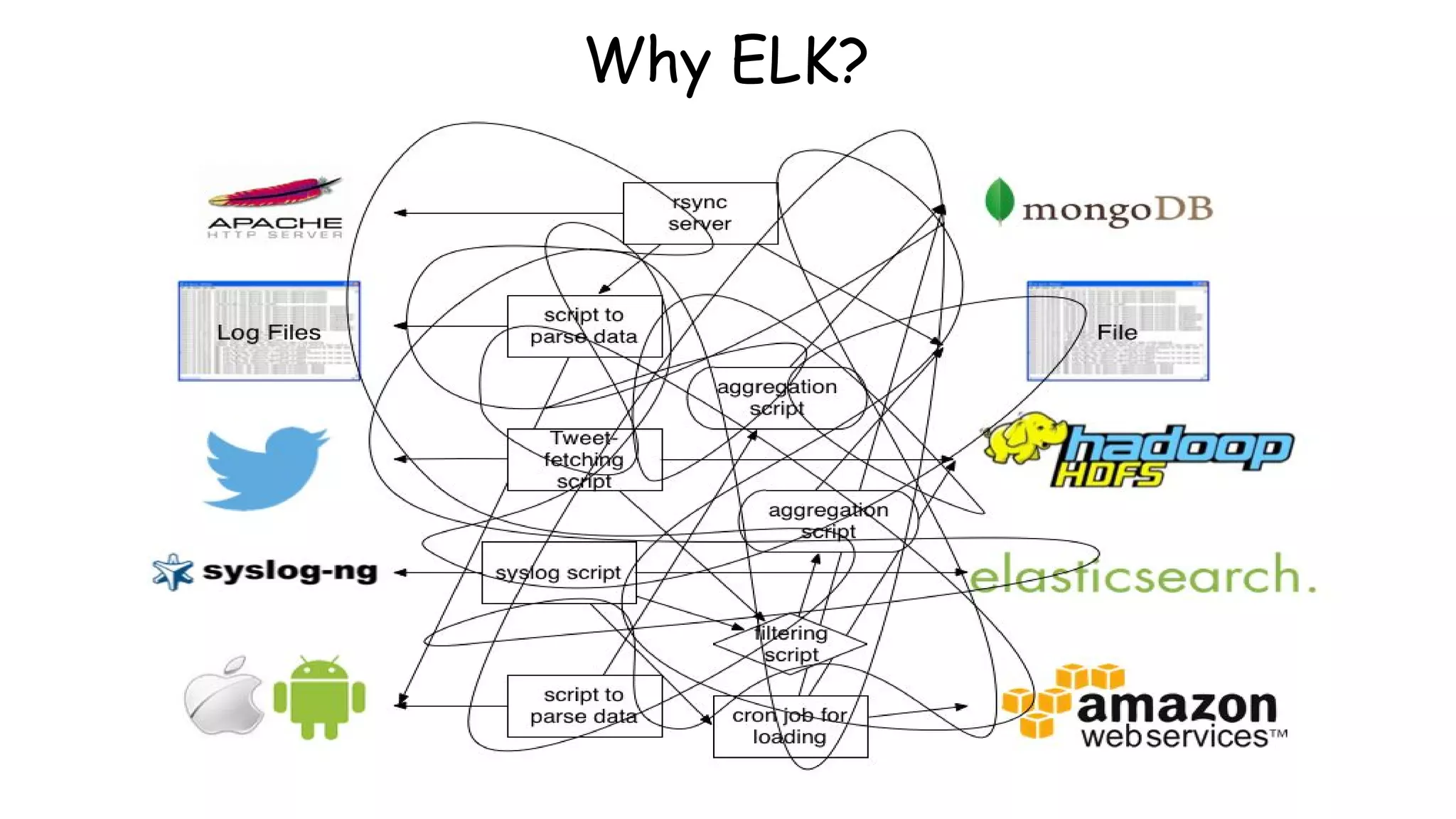
Why ELK?
Why ELK?
Old School
● grep/sed/awk/cut/sort
● manually analyze the output
ELK
● define endpoints(input/output)
● correlate patterns
● store data(search and visualize)
● Symantec Security Information Manager
● Splunk
● HP/Arcsight
● Tripwire
● NetIQ
● Quest Software
● IBM/Q1 Labs
● Novell
● Enterprise Security Manager
● Alienvault
Other SIEM Market Solutions!
History of ElasticSearch!
- Developed by Shay banon
- Version 1 was called as Compass -2004
- Fully Developed over apache Lucene!
- Necessity to scale Compass resulted in rewriting
most of its code and renaming it to ElasticSearch!
- Version 1 was released in 2010
- Raised first Funding in 2014 !
Apache Lucene!
- Free open source search engine library written in
java
- Author : Doug Cutting
- Were mostly used or still in use by many ecom
websites.
- Useful in optimizing speed and performance in
finding relevant docs on every search query.
- An index of 10K documents can be queried within
milliseconds
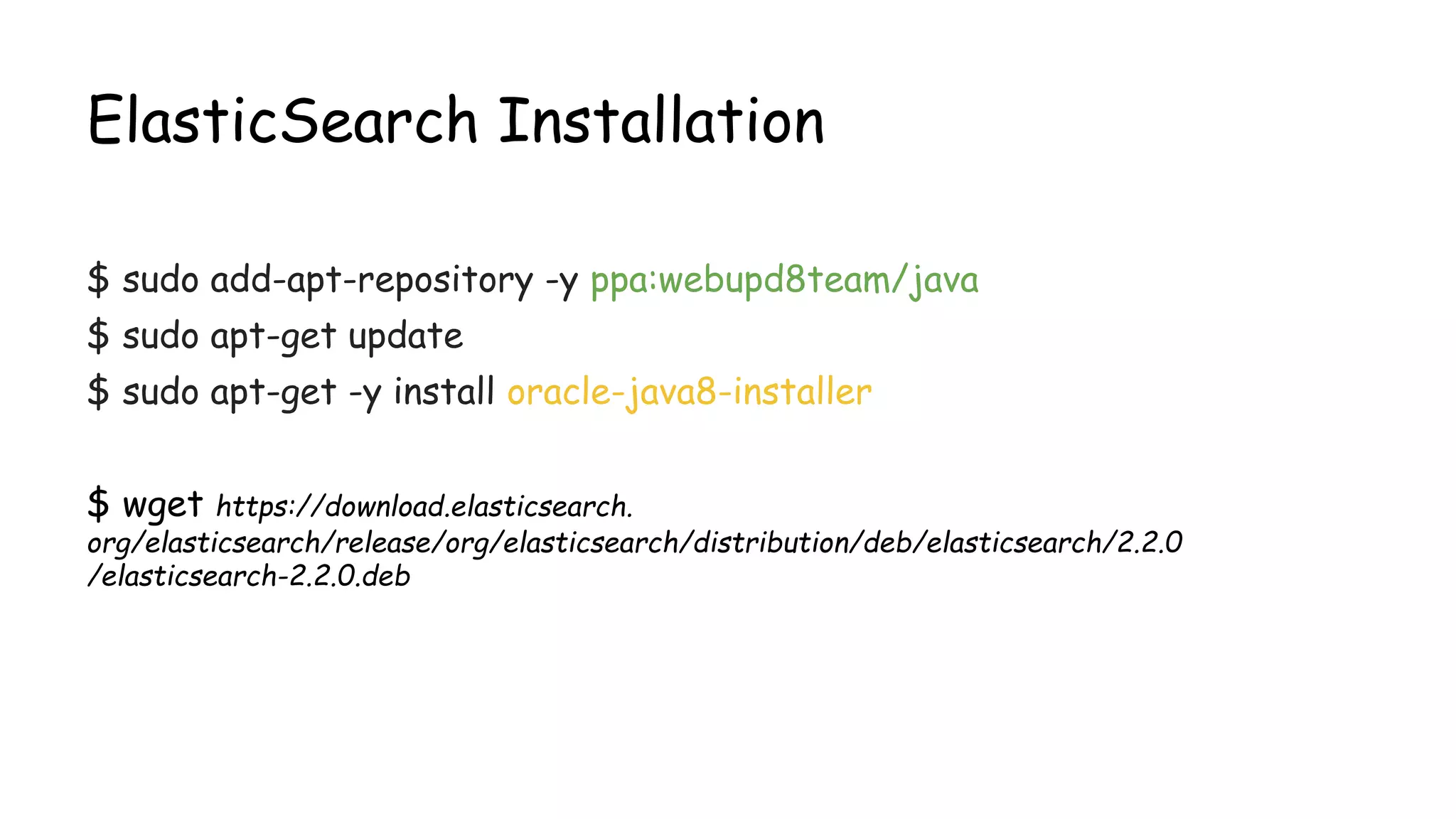
ElasticSearch Installation
$ sudo add-apt-repository -y ppa:webupd8team/java
$ sudo apt-get update
$ sudo apt-get -y install oracle-java8-installer
$ wget https://download.elasticsearch.
org/elasticsearch/release/org/elasticsearch/distribution/deb/elasticsearch/2.2.0
/elasticsearch-2.2.0.deb
Overview of Elasticsearch
•Open source search server written in Java, over Apache lucene library.
•Used to index any kind of heterogeneous data
•Enables real-time ability to search through index
•Has a REST API web-interface with JSON output
Terminologies of Elasticsearch!
Cluster
● A cluster is a collection of one or more nodes (servers) that together
holds your entire data and provides federated indexing and search
capabilities across all nodes
● A cluster is identified by a unique name which by default is
"elasticsearch"
Terminologies of Elasticsearch!
Node
● It is an elasticsearch instance (a java process)
● A node is created when a elasticsearch instance is started
● A random Marvel Charater name is allocated by default
Terminologies of Elasticsearch!
Index
● An index is a collection of documents that have somewhat similar
characteristics. eg:customer data, product catalog
● Very crucial while performing indexing, search, update, and delete
operations against the documents in it
● One can define as many indexes in one single cluster
Document
● It is the most basic unit of information which can be indexed
● It is expressed in json (key:value) pair. ‘{“user”:”nullcon”}’
● Every Document gets associated with a type and a unique id.
Terminologies of Elasticsearch!
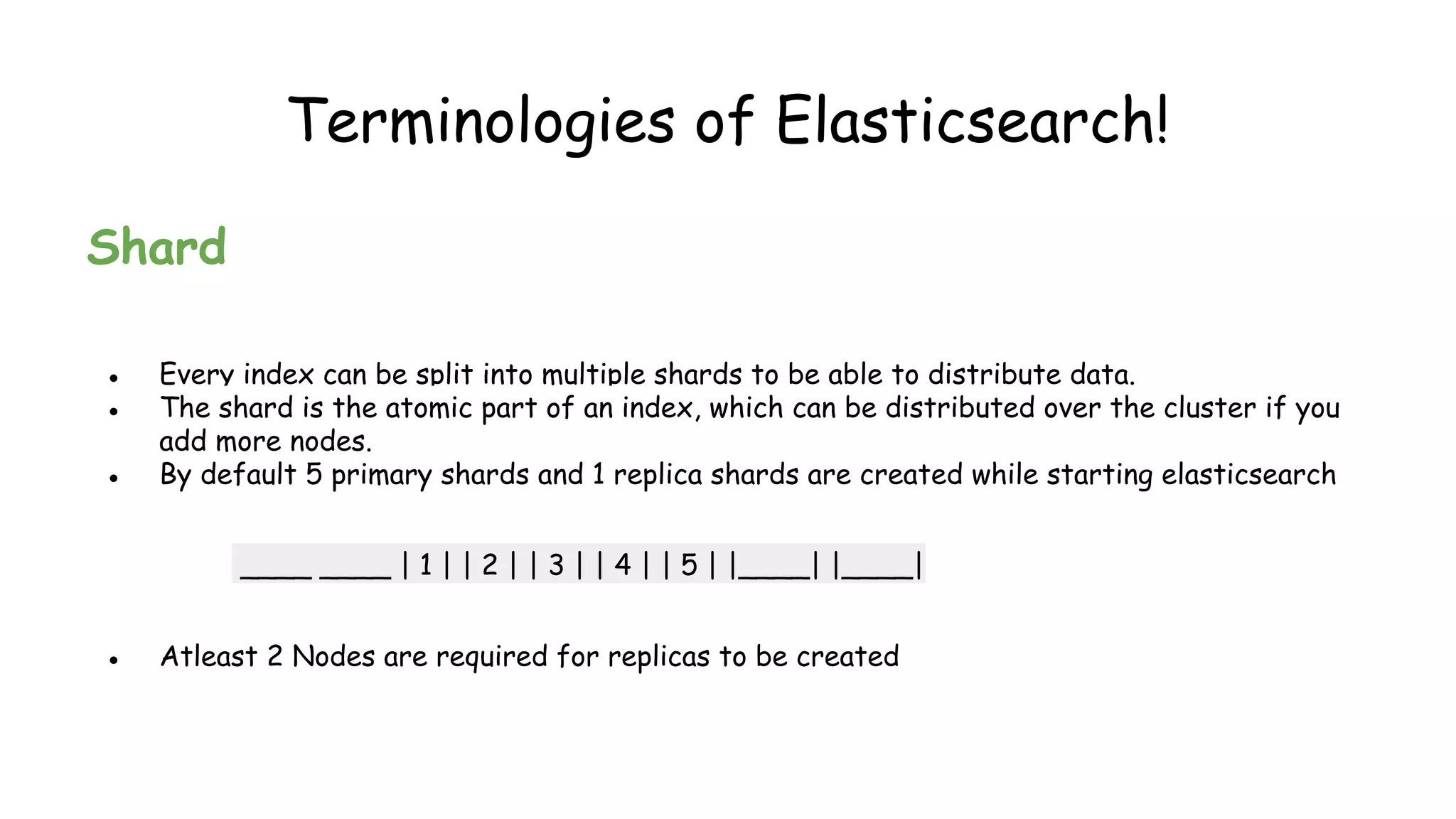
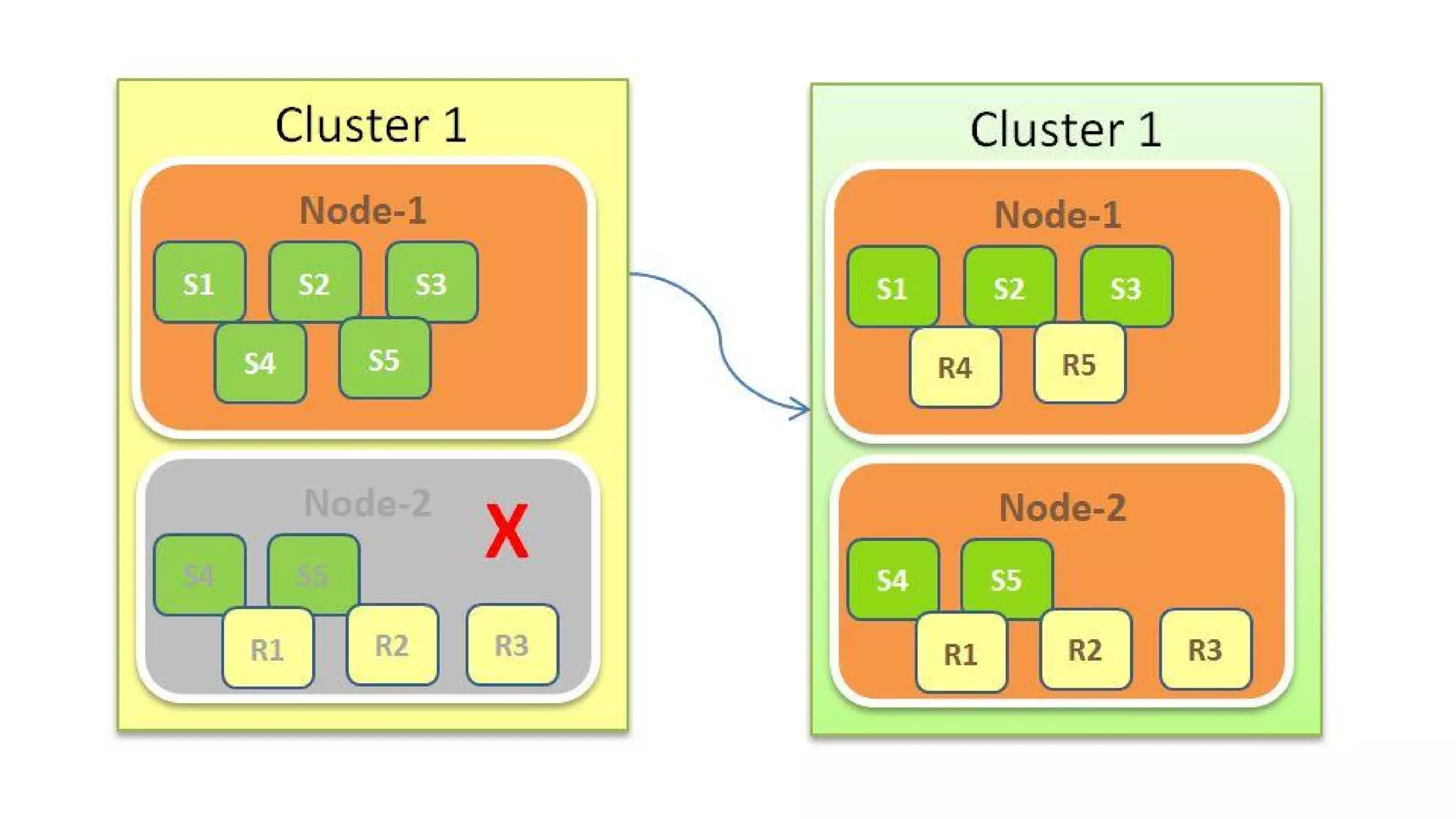
Shard
● Every index can be split into multiple shards to be able to distribute data.
● The shard is the atomic part of an index, which can be distributed over the cluster if you
add more nodes.
● By default 5 primary shards and 1 replica shards are created while starting elasticsearch
____ ____ | 1 | | 2 | | 3 | | 4 | | 5 | |____| |____|
● Atleast 2 Nodes are required for replicas to be created
edit elasticsearch.yml
$ sudo nano /etc/elasticsearch/elasticsearch.yml
ctrl+w search for ”cluster.name”
Change the cluster name to elastic_yourname
ctrl+x Y
Now start ElasticSearch sudo service elasticsearch restart
Verifying Elasticsearch Installation
$curl –XGET http://localhost:9200
Expected Output:
{
"status" : 200,
"name" : "Edwin Jarvis",
"cluster_name" : "elastic_yourname",
"version" : {
"number" : "2.2.0",
"build_hash" : "927caff6f05403e936c20bf4529f144f0c89fd8c",
"build_timestamp" : "2016-1-27T14:11:12Z",
"build_snapshot" : false,
"lucene_version" : "5.4.1"
},
"tagline" : "You Know, for Search"
}
Plugins of Elasticsearch
head
./plugin install mobz/elasticsearch-head
HQ
./plugin install royrusso/elasticsearch-HQ
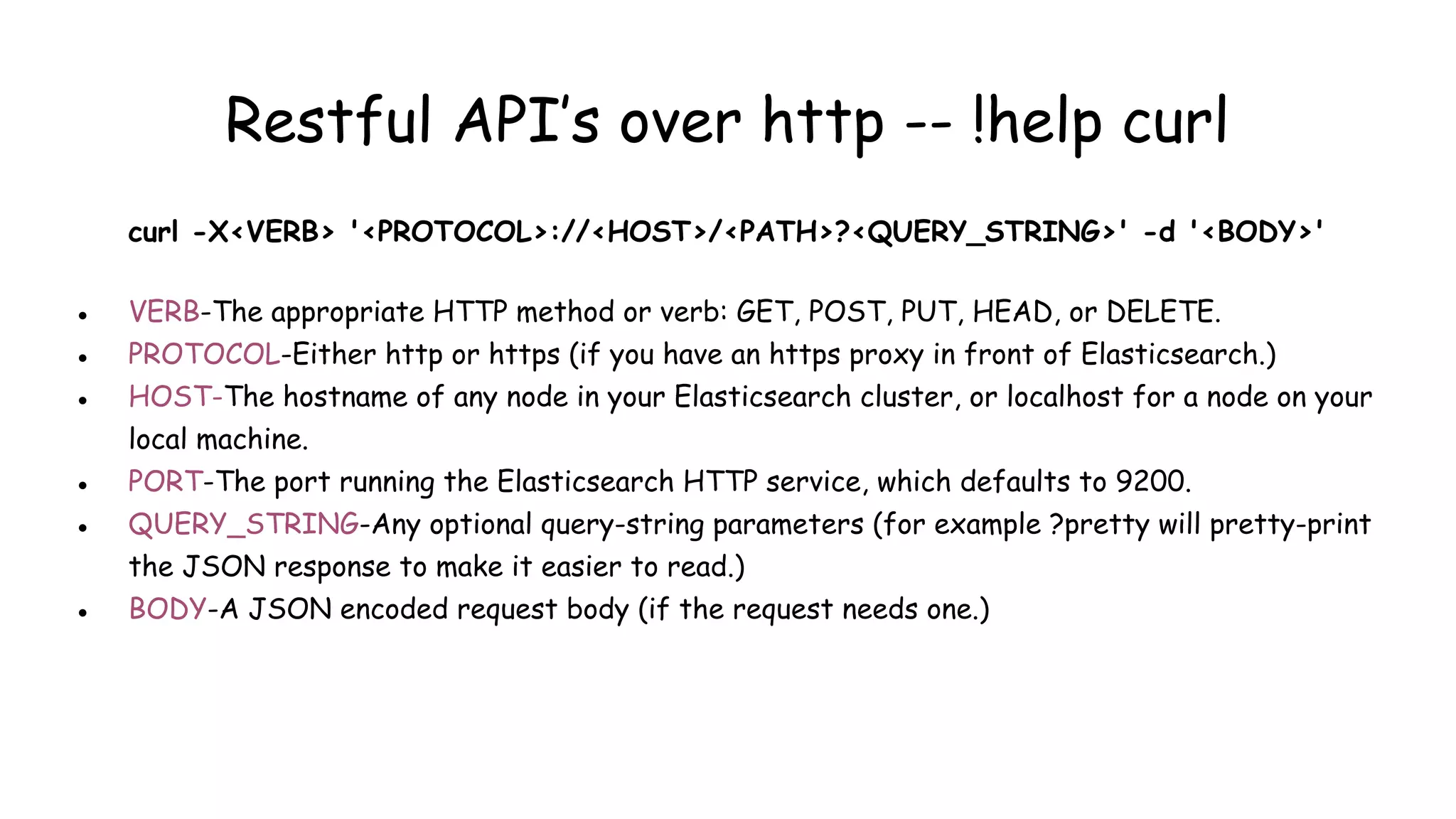
Restful API’s over http -- !help curl
curl -X<VERB> '<PROTOCOL>://<HOST>/<PATH>?<QUERY_STRING>' -d '<BODY>'
● VERB-The appropriate HTTP method or verb: GET, POST, PUT, HEAD, or DELETE.
● PROTOCOL-Either http or https (if you have an https proxy in front of Elasticsearch.)
● HOST-The hostname of any node in your Elasticsearch cluster, or localhost for a node on your
local machine.
● PORT-The port running the Elasticsearch HTTP service, which defaults to 9200.
● QUERY_STRING-Any optional query-string parameters (for example ?pretty will pretty-print
the JSON response to make it easier to read.)
● BODY-A JSON encoded request body (if the request needs one.)
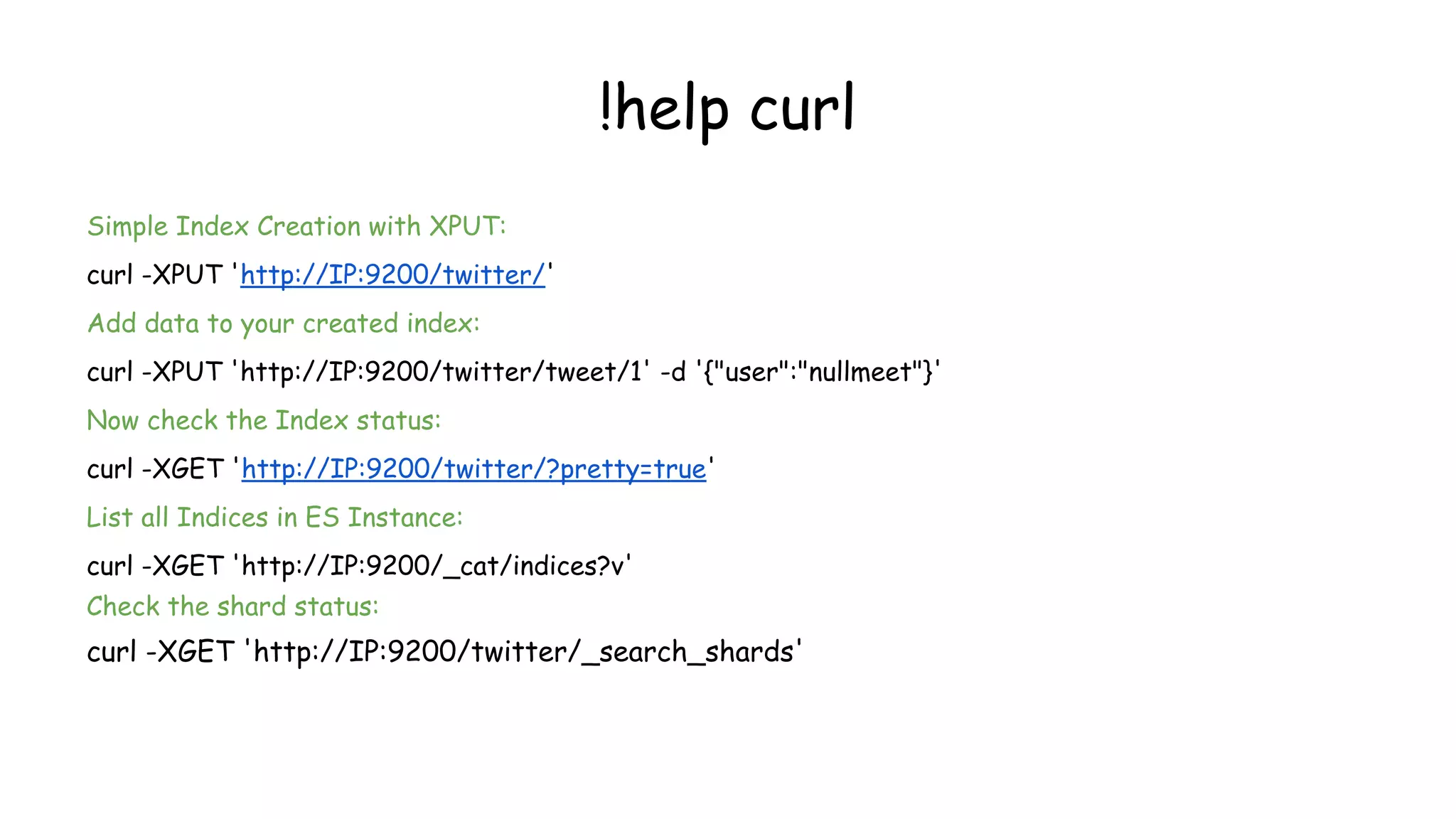
!help curl
Simple Index Creation with XPUT:
curl -XPUT 'http://IP:9200/twitter/'
Add data to your created index:
curl -XPUT 'http://IP:9200/twitter/tweet/1' -d '{"user":"nullmeet"}'
Now check the Index status:
curl -XGET 'http://IP:9200/twitter/?pretty=true'
List all Indices in ES Instance:
curl -XGET 'http://IP:9200/_cat/indices?v'
Check the shard status:
curl -XGET 'http://IP:9200/twitter/_search_shards'
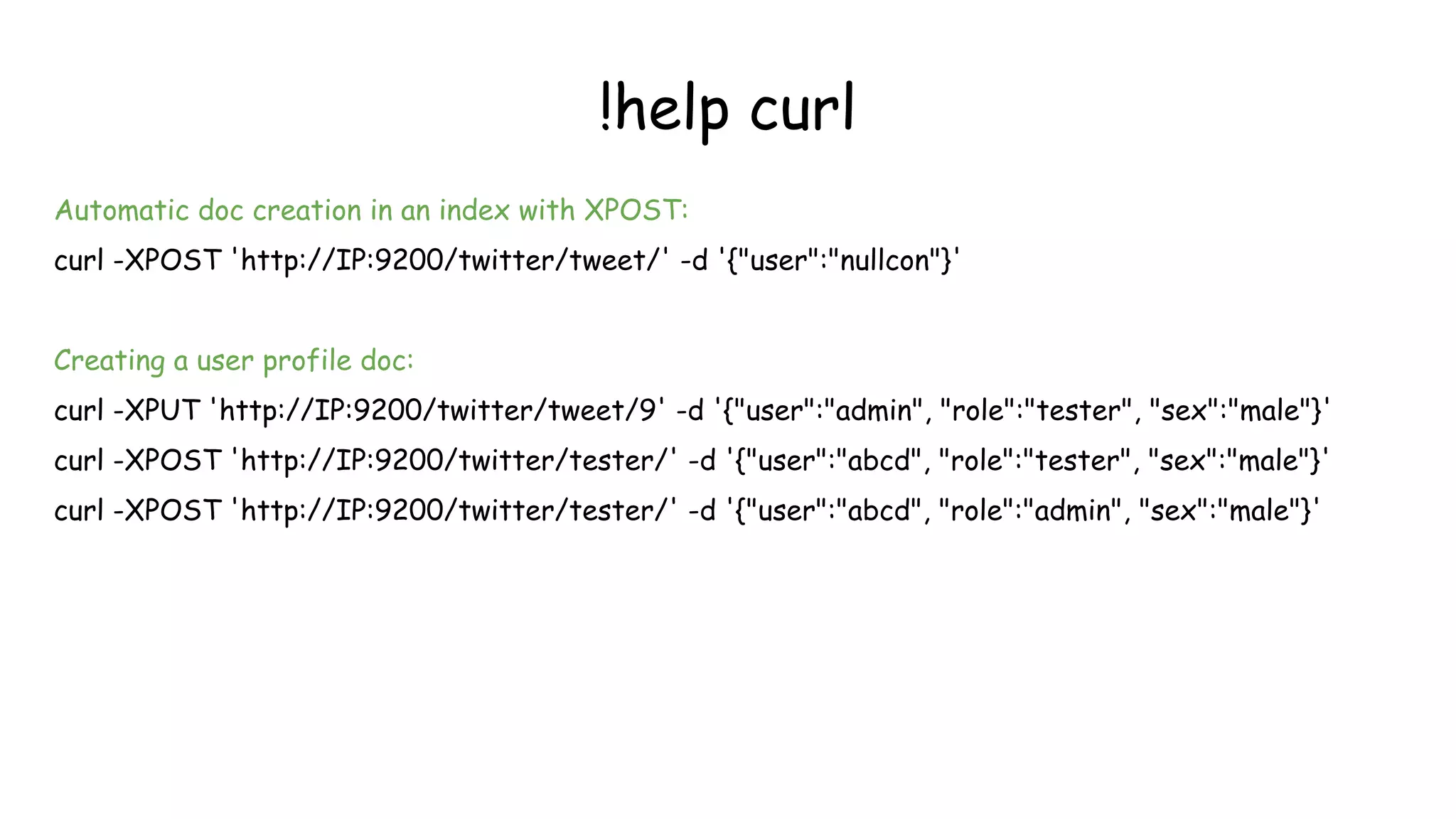
!help curl
Automatic doc creation in an index with XPOST:
curl -XPOST 'http://IP:9200/twitter/tweet/' -d '{"user":"nullcon"}'
Creating a user profile doc:
curl -XPUT 'http://IP:9200/twitter/tweet/9' -d '{"user":"admin", "role":"tester", "sex":"male"}'
curl -XPOST 'http://IP:9200/twitter/tester/' -d '{"user":"abcd", "role":"tester", "sex":"male"}'
curl -XPOST 'http://IP:9200/twitter/tester/' -d '{"user":"abcd", "role":"admin", "sex":"male"}'
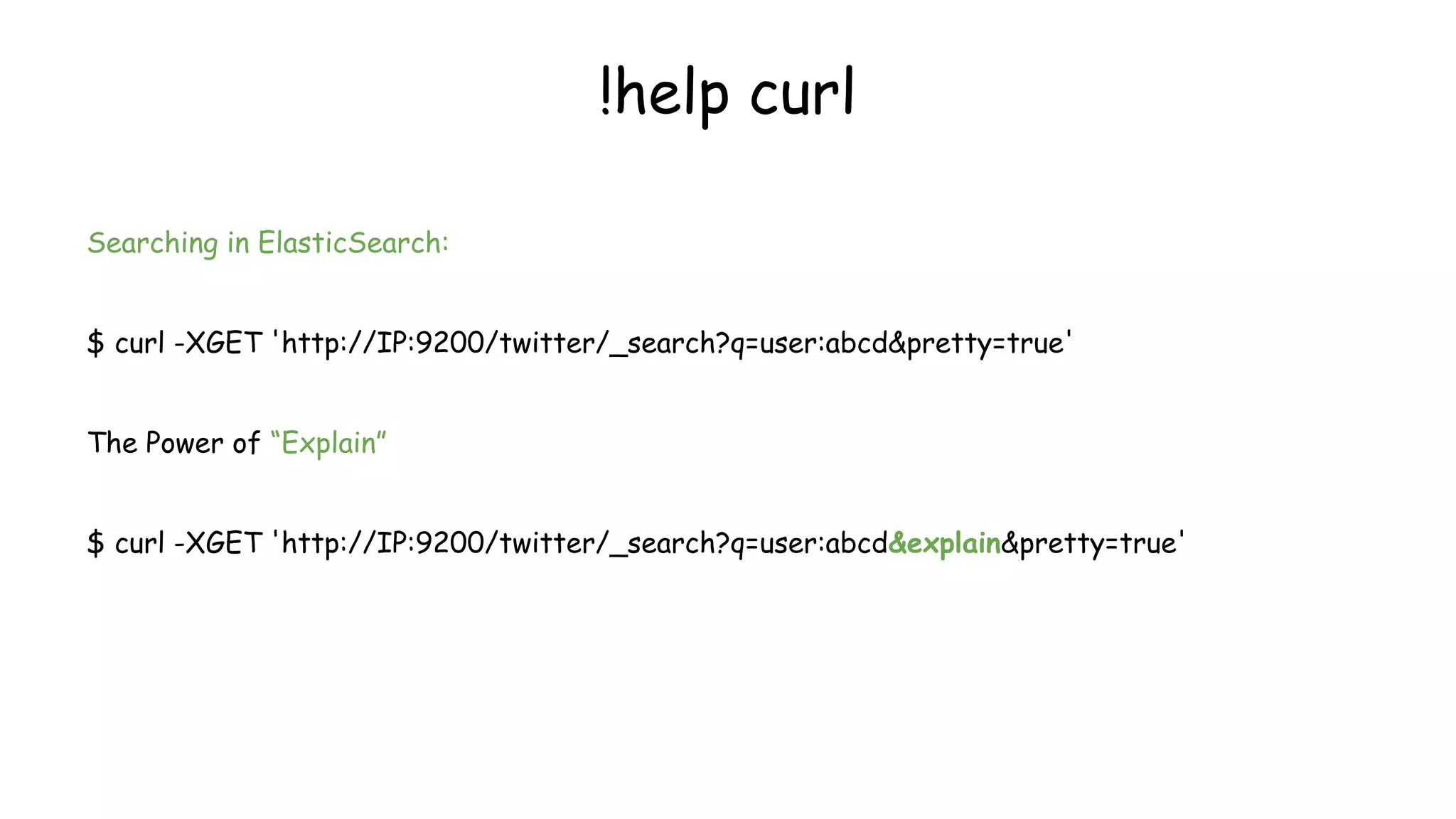
Searching in ElasticSearch:
$ curl -XGET 'http://IP:9200/twitter/_search?q=user:abcd&pretty=true'
The Power of “Explain”
$ curl -XGET 'http://IP:9200/twitter/_search?q=user:abcd&explain&pretty=true'
!help curl
!help curl
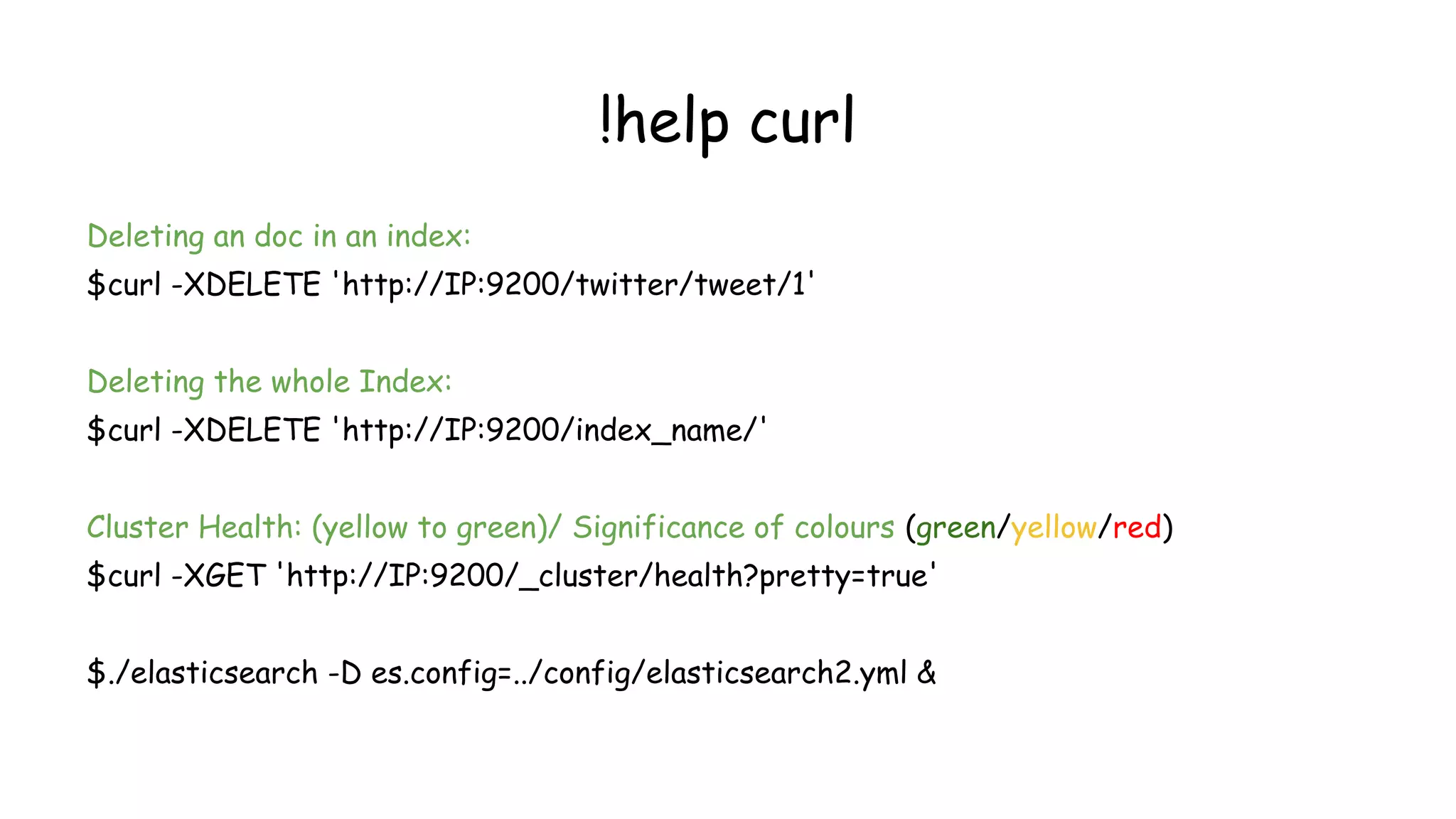
Deleting an doc in an index:
$curl -XDELETE 'http://IP:9200/twitter/tweet/1'
Deleting the whole Index:
$curl -XDELETE 'http://IP:9200/index_name/'
Cluster Health: (yellow to green)/ Significance of colours (green/yellow/red)
$curl -XGET 'http://IP:9200/_cluster/health?pretty=true'
$./elasticsearch -D es.config=../config/elasticsearch2.yml &
Overview of Logstash
•Framework for managing logs
•Founded by Jordan Sissel
•Mainly consists of 3 components:
● input : passing logs to process them into machine understandable
format(file,lumberjack,beat).
● filters: set of conditionals to perform specific action on a event(grok,
geoip).
● output: decision maker for processed event/log(elasticsearch,file)
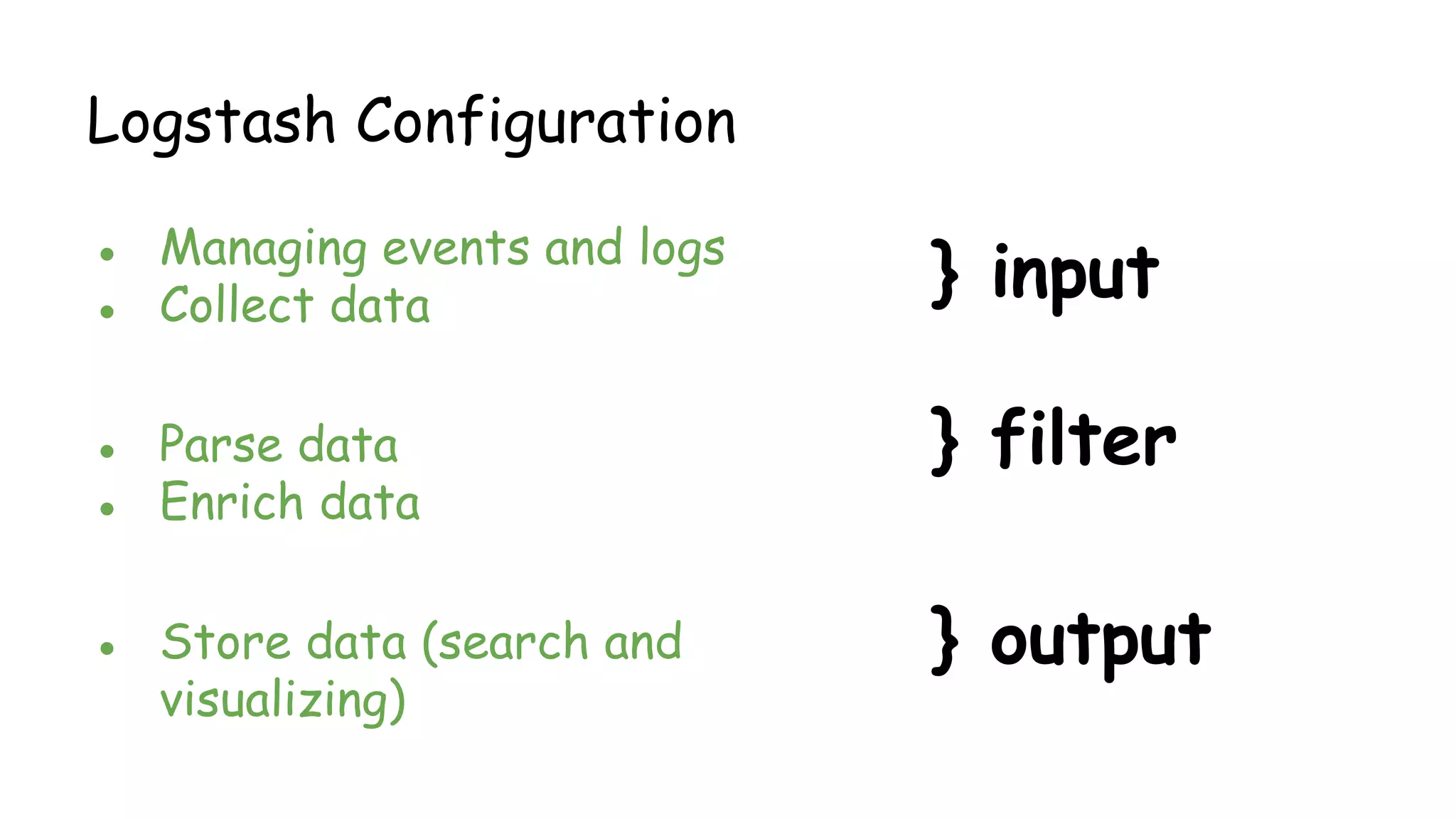
Logstash Configuration
● Managing events and logs
● Collect data
● Parse data
● Enrich data
● Store data (search and
visualizing)
} input
} filter
} output
Logstash Input Plugins
collectd drupal_dblog elasticsearch
eventlog exec file ganglia gelf gemfire
generator graphite heroku imap irc jmx
log4j beat pipe puppet_facter
rabbitmq redis relp s3 snmptrap sqlite
sqs stdin stomp syslog tcp twitter udp
unix varnishlog websocket wmi xmpp
zenoss zeromq
Logstash Filter Plugins
advisor, alter, anonymize, checksum, cidr, cipher, clone,
collate, csv, date, dns, drop, elapsed, elasticsearch,
environment, extractnumbers, fingerprint, gelfify,
geoip, grep, grok, grokdiscovery, i18n, json,
json_encode, kv, metaevent, metrics, multiline, mutate,
noop, prune, punct, railsparallelrequest, range, ruby,
sleep, split, sumnumbers, syslog_pri, throttle, translate,
unique, urldecode, useragent, uuid, wms, wmts, xml,
zeromq
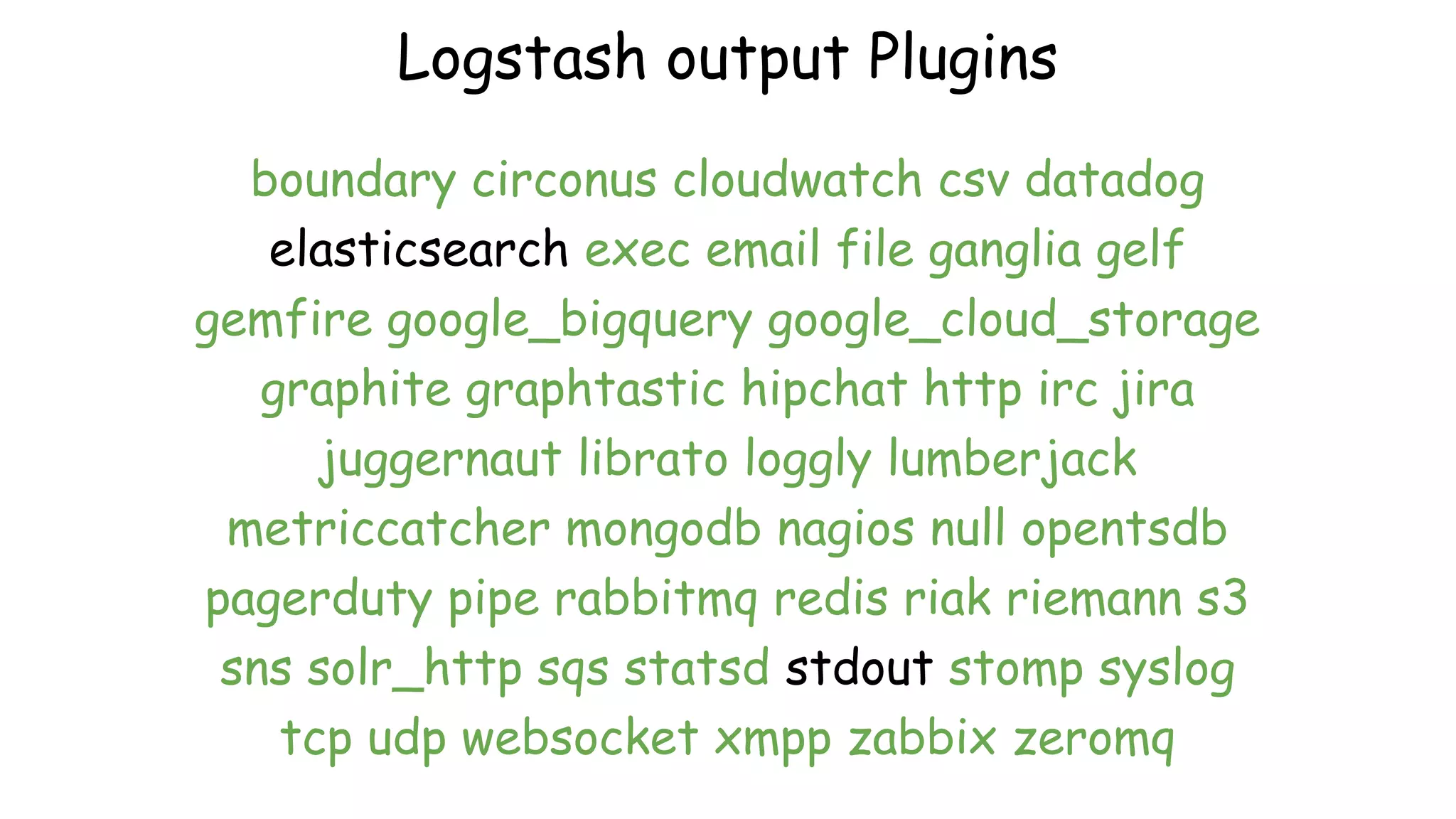
Logstash output Plugins
boundary circonus cloudwatch csv datadog
elasticsearch exec email file ganglia gelf
gemfire google_bigquery google_cloud_storage
graphite graphtastic hipchat http irc jira
juggernaut librato loggly lumberjack
metriccatcher mongodb nagios null opentsdb
pagerduty pipe rabbitmq redis riak riemann s3
sns solr_http sqs statsd stdout stomp syslog
tcp udp websocket xmpp zabbix zeromq
Installing & Configuring Logstash
$cd ~
$wget https://download.elastic.
co/logstash/logstash/packages/debian/logstash_2.2.2-1_all.deb
$dpkg -i logstash_2.2.2-1_all.deb
•Starting logstash! --- /opt/logstash/bin
$ sudo ./logstash -f [Location].conf
•Lets start the most basic setup
…continued
run this!
./logstash -e 'input { stdin { } } output
{elasticsearch {hosts => ["IP:9200"] } }'
Check head plugin
http://IP:9200/_plugin/head
Setup - Apache access.log
input {
file {
path => "/var/log/apache2/access.log"
type => "apache"
}
}
output {
elasticsearch { hosts => ["IP:9200"] }
stdout { codec => json }
}
Apache logs!
Let’s do it for syslog!
2 File input configuration!
input {
file {
path => "/var/log/syslog"
type => "syslog"
}
file {
path => "/var/log/apache2/access.log"
type => "apache"
}
}
output {
elasticsearch { hosts => ["IP:9200"] }
stdout { codec => rubydebug }
}
Logstash Filters!!
input {
file {
path => "/var/log/apache2/access.log"
type => "apache"
}
}
filter {
grok {
match => { "message" => "%{COMBINEDAPACHELOG}" }
}
}
output {
elasticsearch { hosts => ["IP:9200"] }
stdout { codec => json }
}
•Powerful front-end dashboard for visualizing indexed information from
elastic cluster.
•Capable to providing historical data in form of graphs,charts,etc.
•Enables real-time search of indexed information.
Overview of Kibana
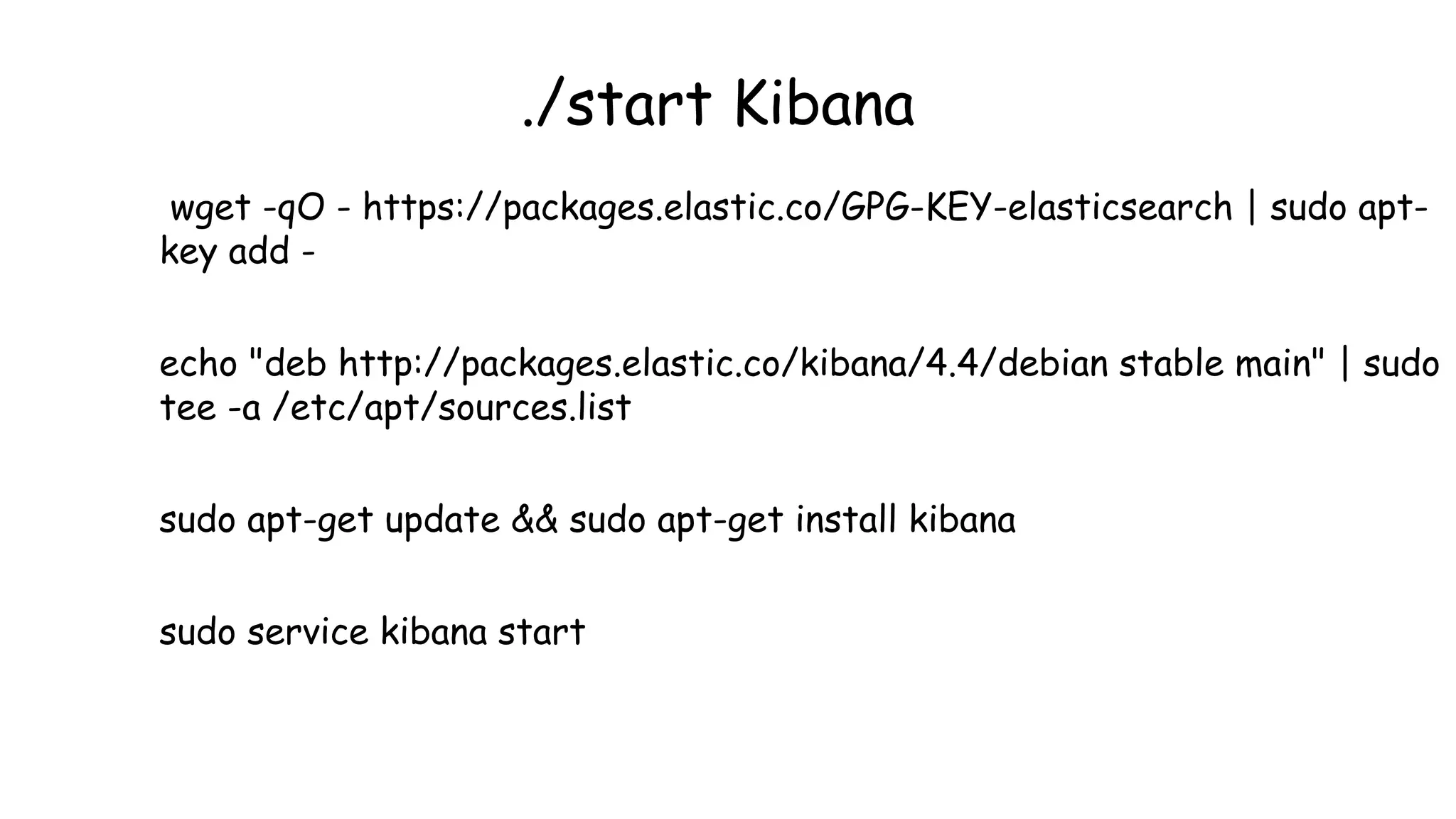
./start Kibana
wget -qO - https://packages.elastic.co/GPG-KEY-elasticsearch | sudo apt-
key add -
echo "deb http://packages.elastic.co/kibana/4.4/debian stable main" | sudo
tee -a /etc/apt/sources.list
sudo apt-get update && sudo apt-get install kibana
sudo service kibana start
Basic ELK Setup
Understanding Grok
Why grok?
actual regex to parse apache logs
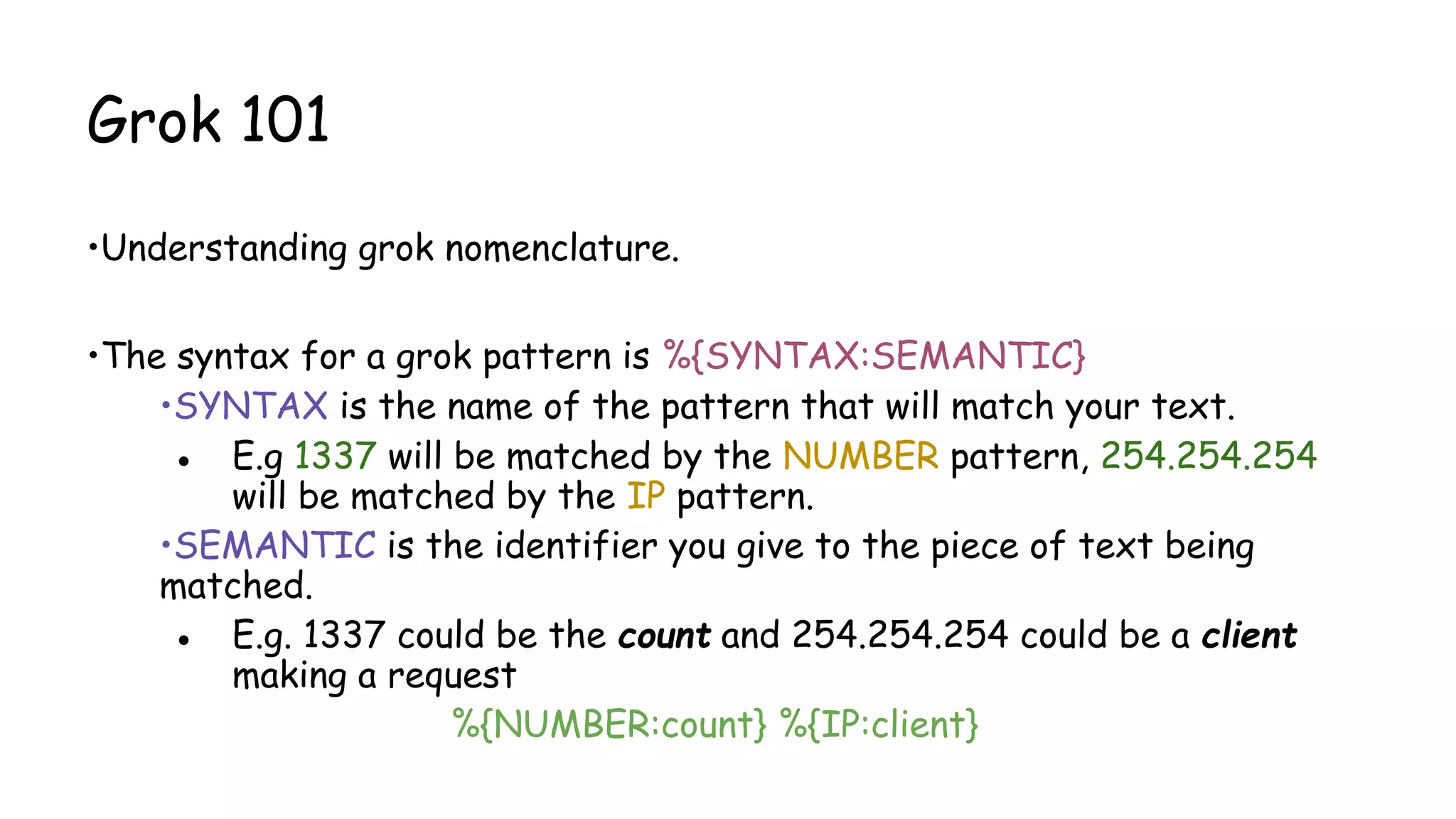
Grok 101
•Understanding grok nomenclature.
•The syntax for a grok pattern is %{SYNTAX:SEMANTIC}
•SYNTAX is the name of the pattern that will match your text.
● E.g 1337 will be matched by the NUMBER pattern, 254.254.254
will be matched by the IP pattern.
•SEMANTIC is the identifier you give to the piece of text being
matched.
● E.g. 1337 could be the count and 254.254.254 could be a client
making a request
%{NUMBER:count} %{IP:client}
Grok 101…(continued)
• Common Grok Patterns:
• %{WORD:alphabet} e.g Nullcon
• %{INT:numeric} e.g. 1337
•%{NOTSPACE:pattern_until_space} e.g. Nullcon Goa
•%{GREEDYDATA:anything} e.g. $Nullcon@Goa_2016
Grok 101…(continued)
Let’s work out GROK for below:
● 192.168.1.101
● 192.168.1.101:8080
● [15:30:00]
● [03/08/2016]
● [08/March/2016:14:12:13 +0000]
Playing with grok filters
•Apache access.log event:
123.249.19.22 - - [08/Mar/2016:14:12:13 +0000] "GET /manager/html HTTP/1.1" 404 448
"-" "Mozilla/3.0 (compatible; Indy Library)"
•Matching grok:
%{IPV4} %{USER:ident} %{USER:auth} [%{HTTPDATE:timestamp}] "(?:%{WORD:verb} %
{NOTSPACE:request}(?: HTTP/%{NUMBER:httpversion})?)" %{NUMBER:response} (?:%
{NUMBER:bytes}|-)
•Things can get even more simpler using grok:
%{COMBINEDAPACHELOG}
Logstash V/S Fluentd
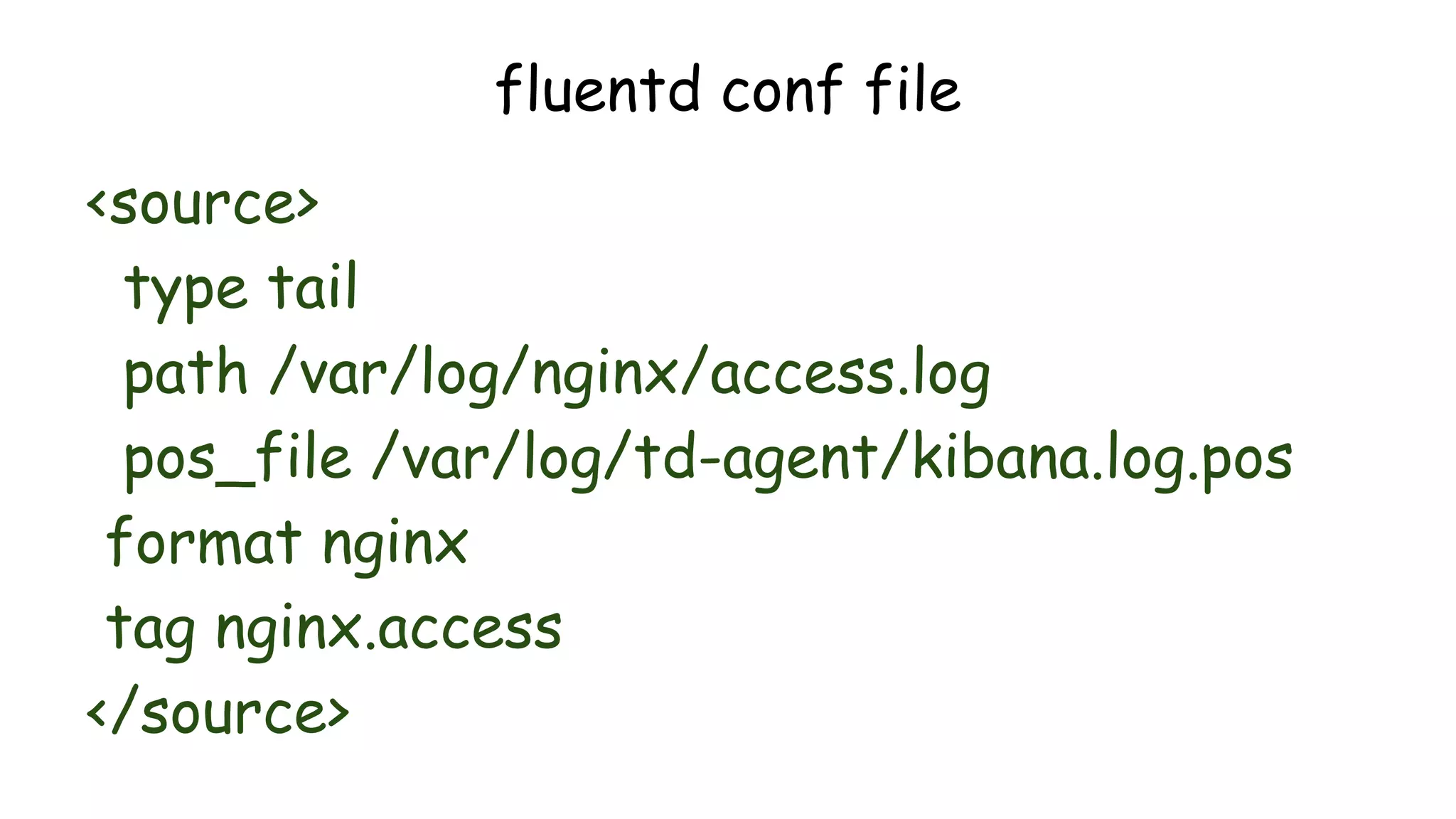
fluentd conf file
<source>
type tail
path /var/log/nginx/access.log
pos_file /var/log/td-agent/kibana.log.pos
format nginx
tag nginx.access
</source>
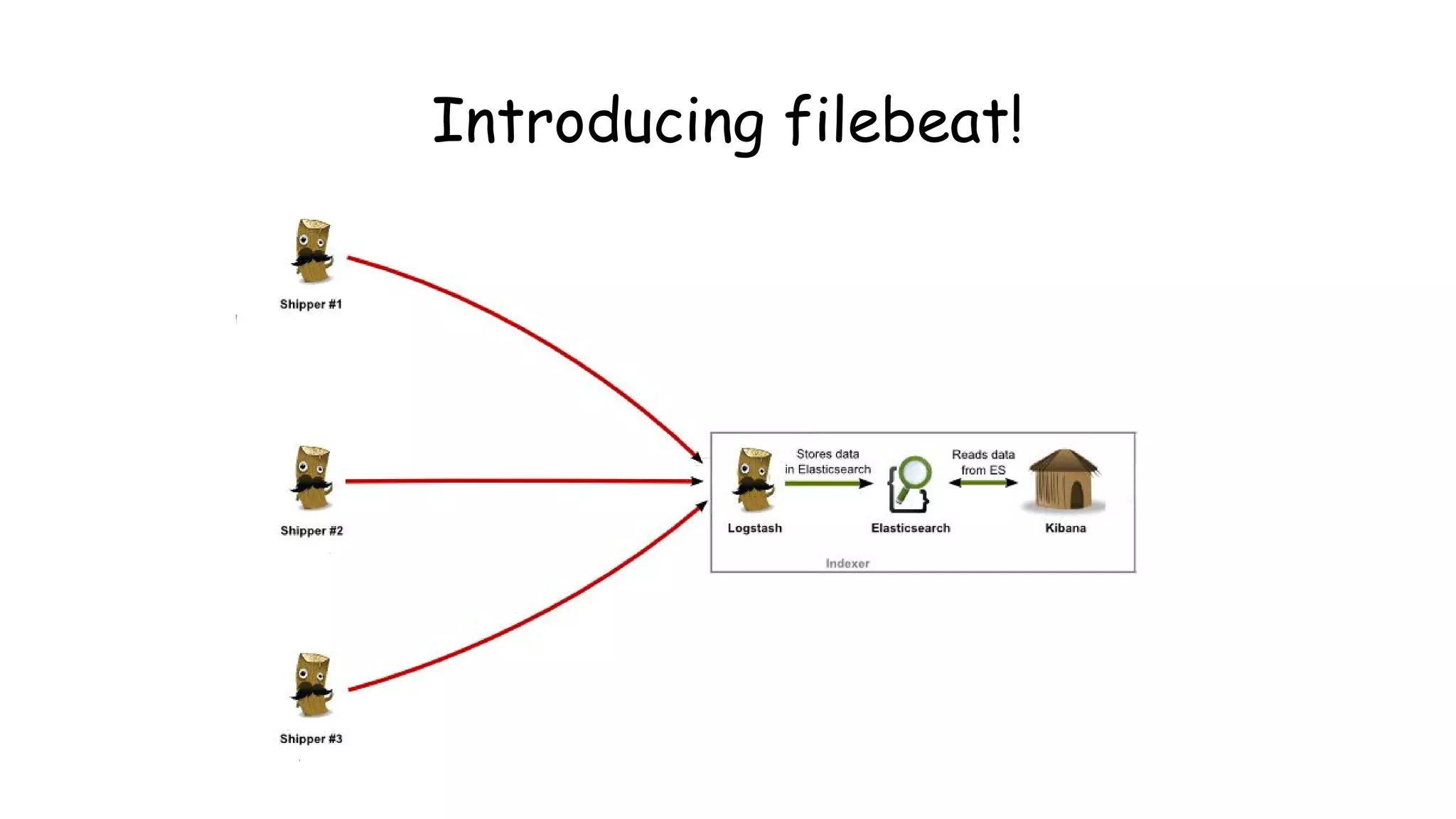
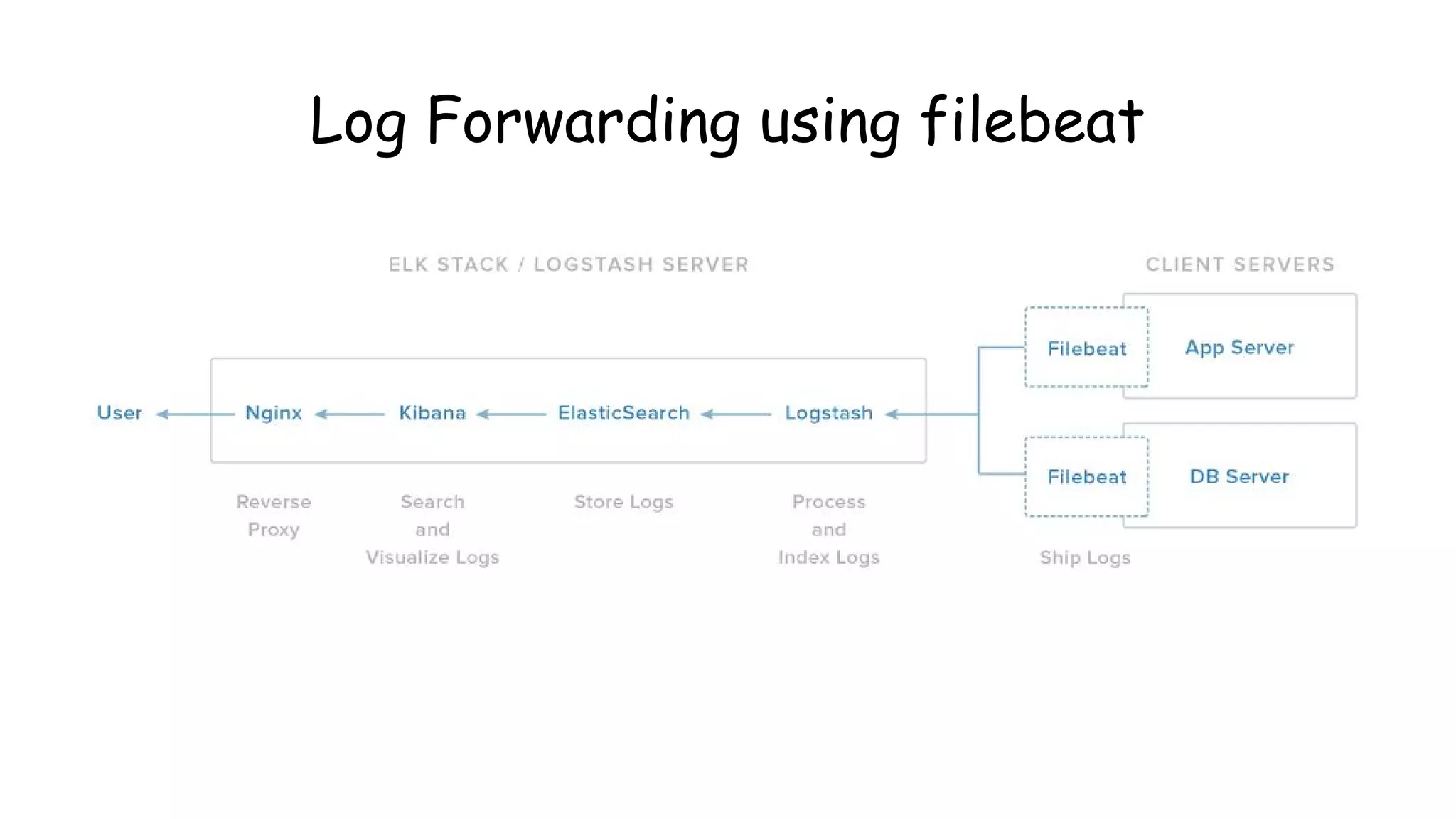
Introducing filebeat!
Log Forwarding using filebeat
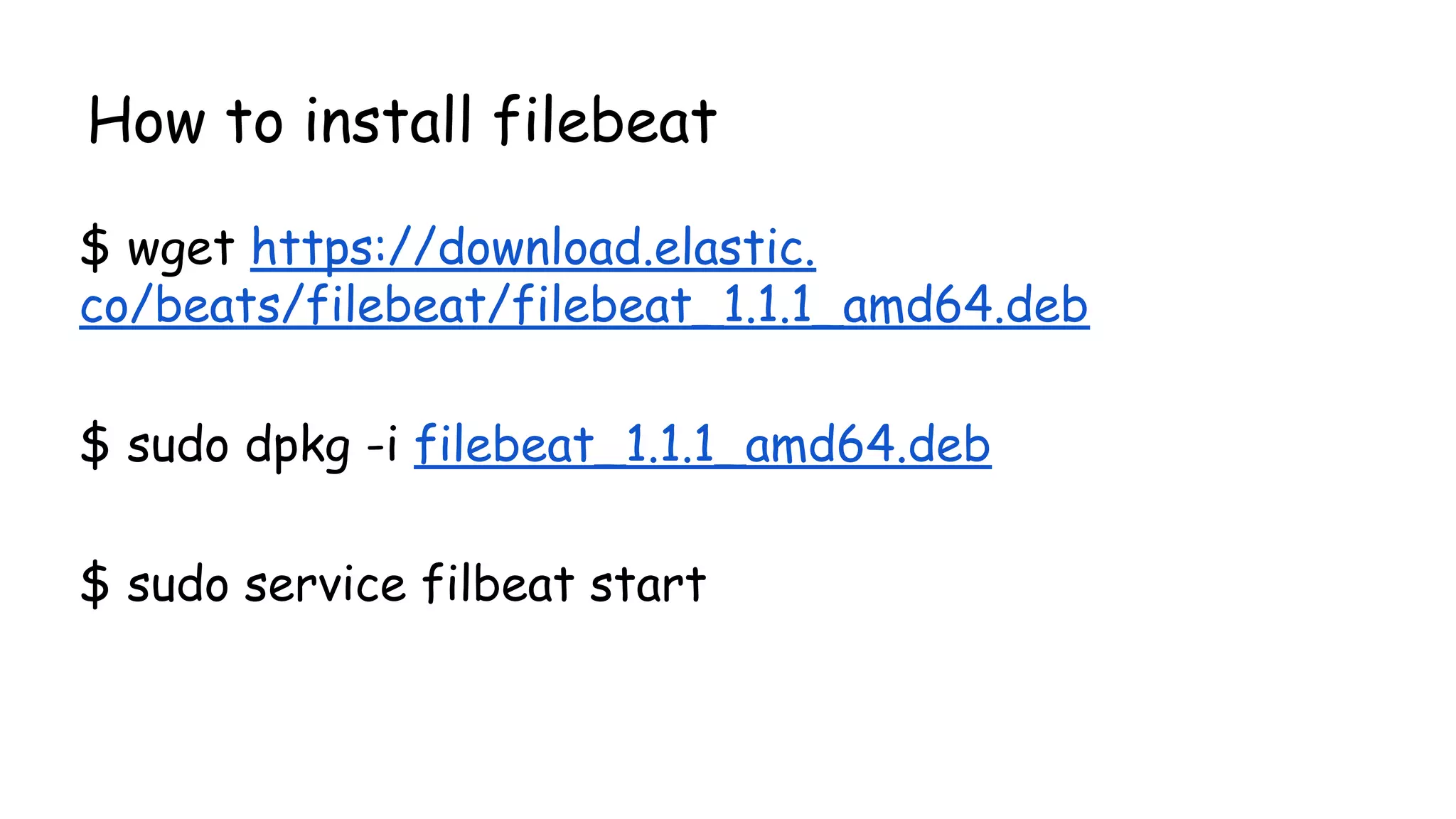
How to install filebeat
$ wget https://download.elastic.
co/beats/filebeat/filebeat_1.1.1_amd64.deb
$ sudo dpkg -i filebeat_1.1.1_amd64.deb
$ sudo service filbeat start
Shippers and Indexers!
#### Filebeat ####
filebeat:
prospectors:
-
paths:
- /var/log/apache2/access.log
input_type: log
document_type: beat
registry_file: /var/lib/filebeat/registry
#### Output ####
output:
### Logstash as output
logstash:
hosts: ["INDEXER-IP:5044"]
#### Logging #####
logging:
to_files: true
files:
path: /var/log/filebeat
name: filebeat
rotateeverybytes: 10485760 # = 10MB
level: error
filebeat-shipper Setup
$sudo nano /etc/filebeat/filebeat.yml
logstash server(indexer) config -/etc/logstash/beat_indexer.conf
input {
beats {
port => 5044
}
}
filter {
if [type] == "beat" {
grok {
match => { "message" => "%
{COMBINEDAPACHELOG}" }
}
date {
match => [ "timestamp" ,
"dd/MMM/yyyy:HH:mm:ss Z" ]
}
}
}
output {
elasticsearch {
hosts => ["localhost:9200"]
}
}
How Does your company mitigate DoS?
Identifying DoS patterns
-Identifying DoS patterns is trivial.
- Any traffic that tends to exhaust your connection pool
would result in DoS.
- Traffic need not be volumetric
DoS Examples!
-Layer 7 attacks:
-Slowloris : GET /index.php HTTP/1.1[CRLF]
-SlowRead : syn->syn,ack->ack->{win:98bytes}
-XMLRPC Attack
-Layer 4 attacks:
-SynFlood
-Zero window scan {window size: 0}
-Amplification attacks
Logs to Rescue
● "HEAD / HTTP/1.1" 301 5.000 0 "-" "-" - -
● "GET / HTTP/1.1" 408 0 "-" "-"
● **SYN Flood to Host** SourceIP, 3350->> DestIP, 80
● SourceIP - - [09/Mar/2014:11:05:27 -0400] "GET /?4137049=6431829 HTTP/1.0" 403 0 "-
" "WordPress/3.8; http://www.victim.com"
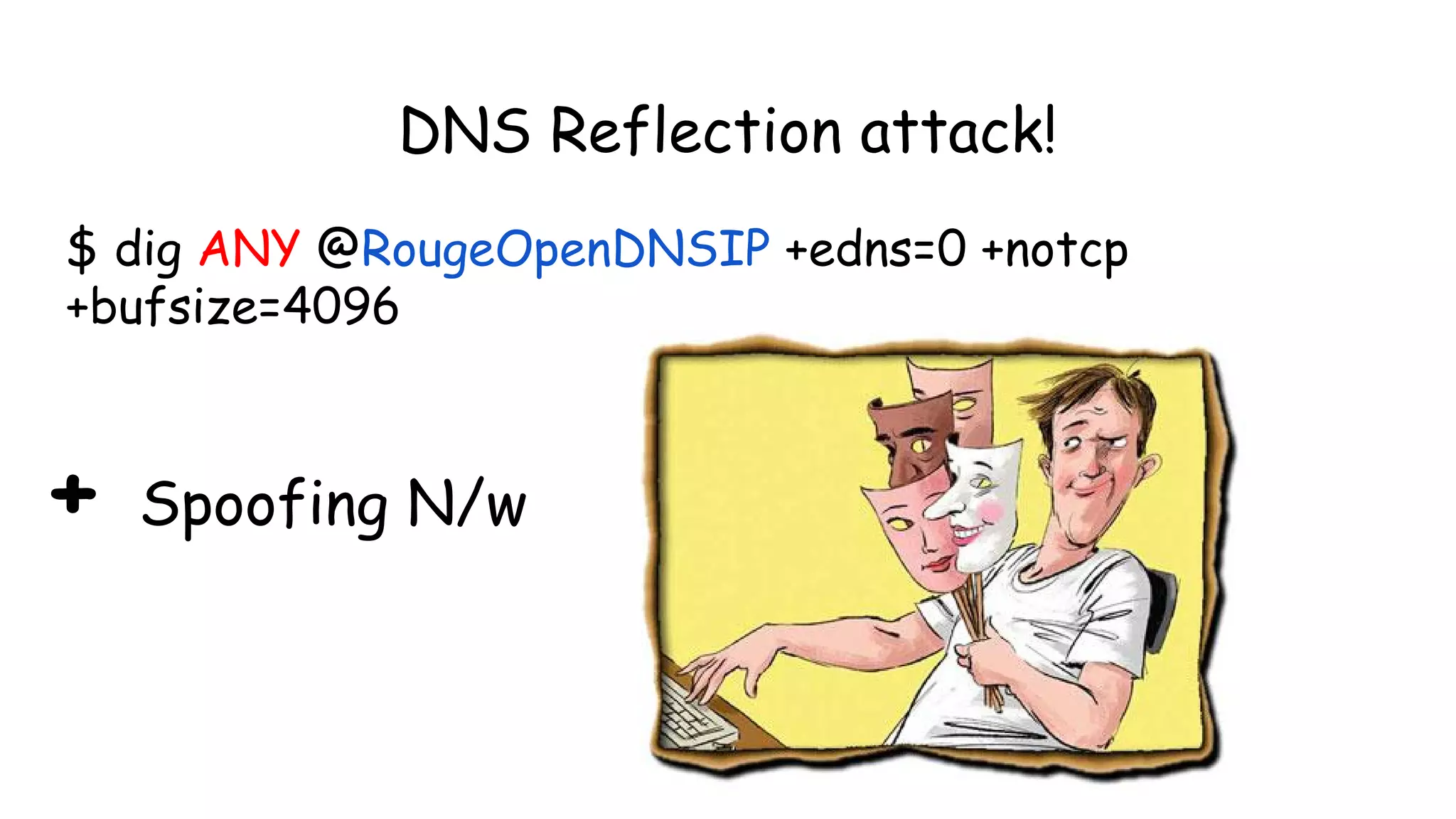
DNS Reflection attack!
$ dig ANY @RougeOpenDNSIP +edns=0 +notcp
+bufsize=4096
+ Spoofing N/w
http://map.norsecorp.com/
SynFlood Demo
hping3
Attacker:
$ sudo hping3 -i u1 -S -p 80 192.168.1.1
Victim:
$ tcpdump -n -i eth0 'tcp[13] & 2 !=0'
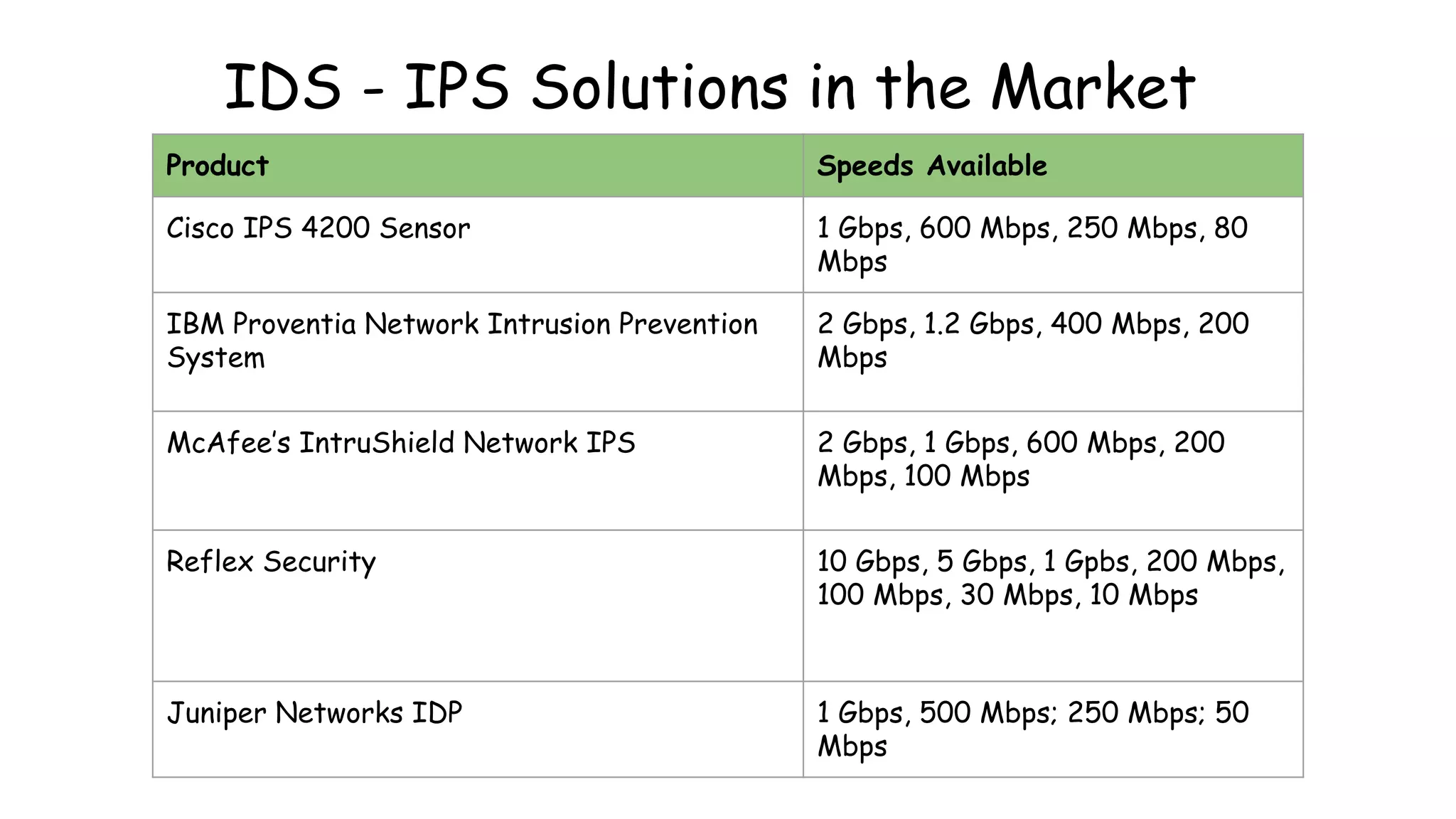
IDS - IPS Solutions in the Market
Product Speeds Available
Cisco IPS 4200 Sensor 1 Gbps, 600 Mbps, 250 Mbps, 80
Mbps
IBM Proventia Network Intrusion Prevention
System
2 Gbps, 1.2 Gbps, 400 Mbps, 200
Mbps
McAfee’s IntruShield Network IPS 2 Gbps, 1 Gbps, 600 Mbps, 200
Mbps, 100 Mbps
Reflex Security 10 Gbps, 5 Gbps, 1 Gpbs, 200 Mbps,
100 Mbps, 30 Mbps, 10 Mbps
Juniper Networks IDP 1 Gbps, 500 Mbps; 250 Mbps; 50
Mbps
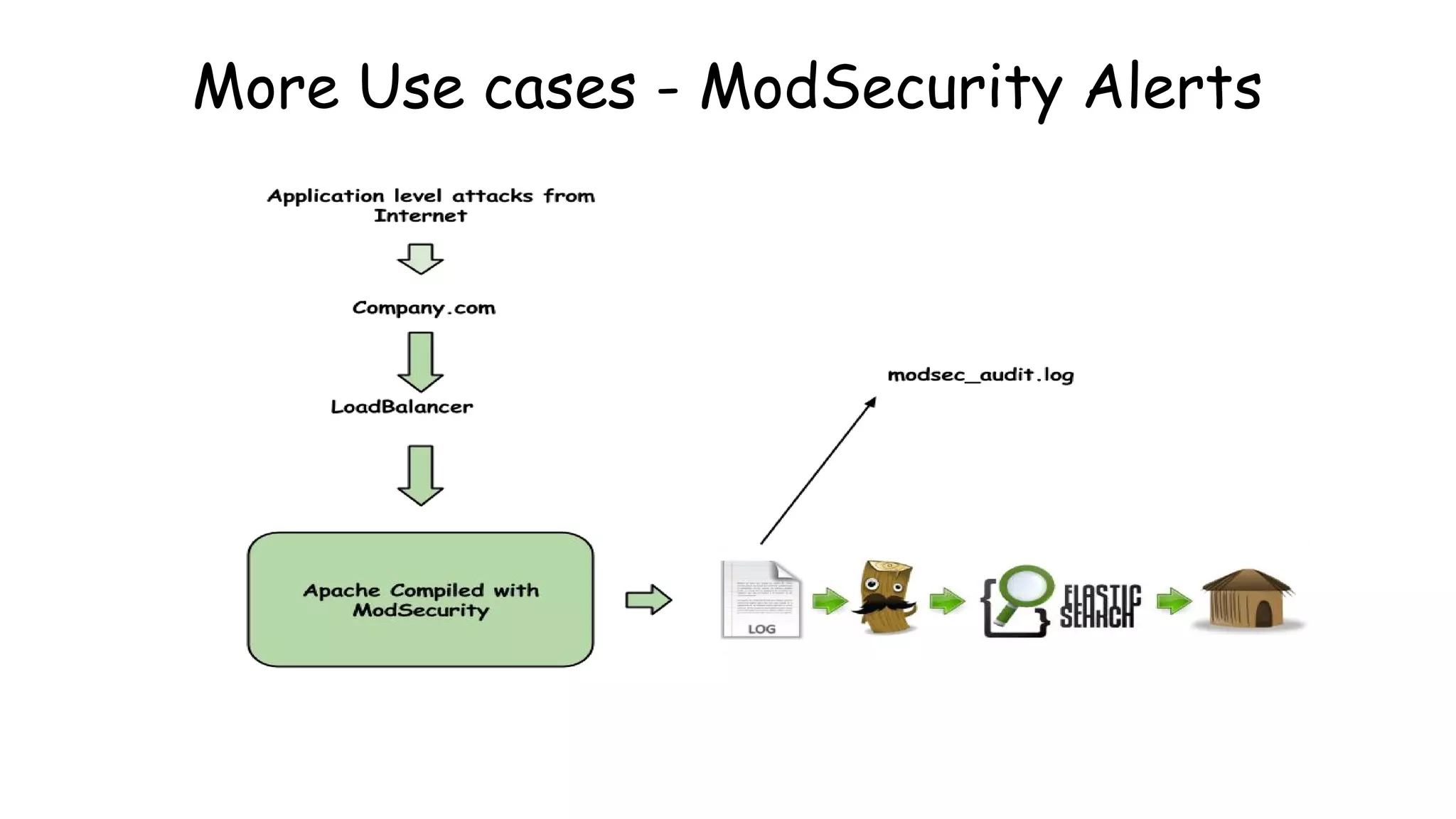
More Use cases - ModSecurity Alerts
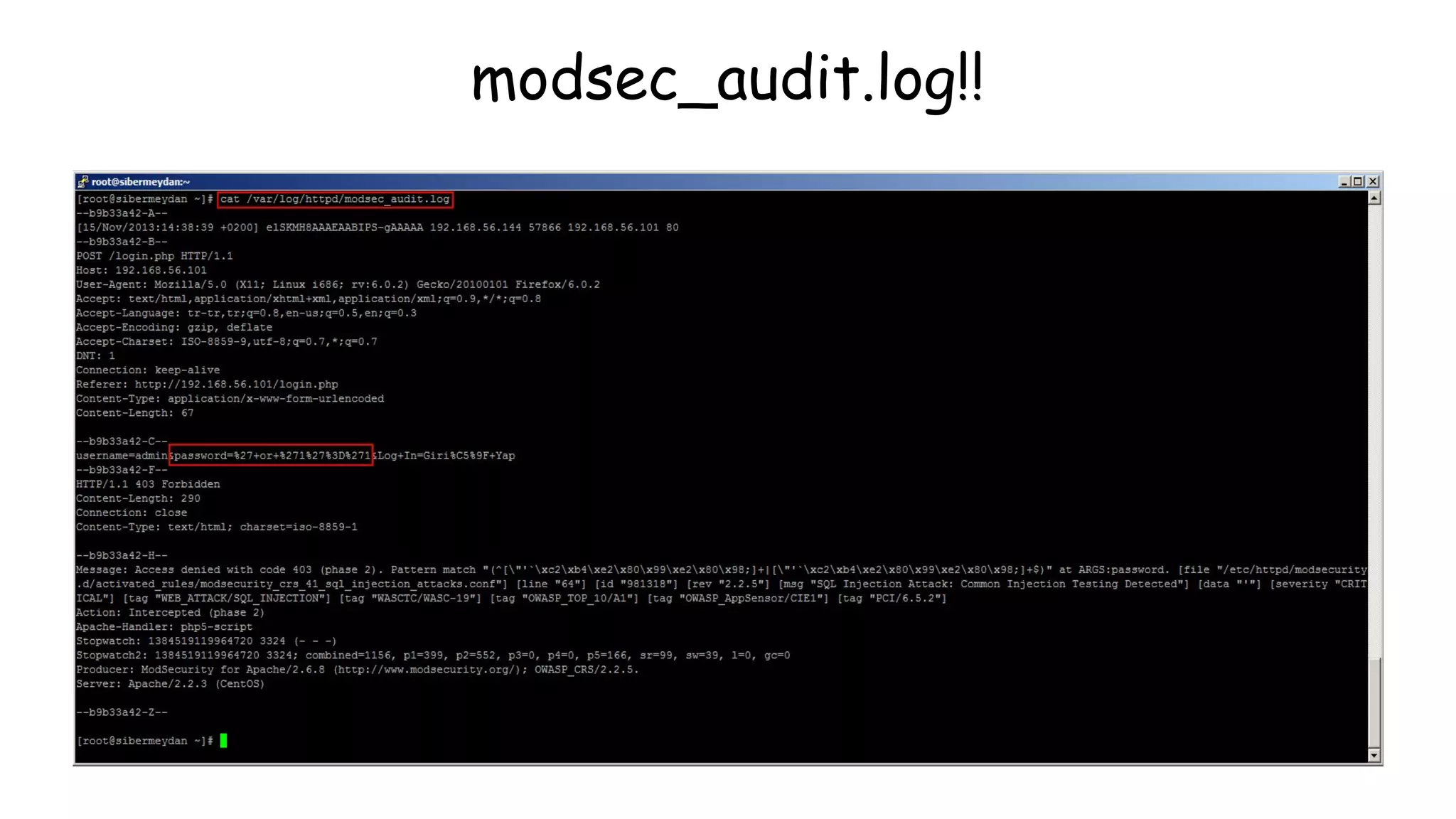
modsec_audit.log!!
Logtash grok to rescue!
https://github.com/bitsofinfo/logstash-modsecurity
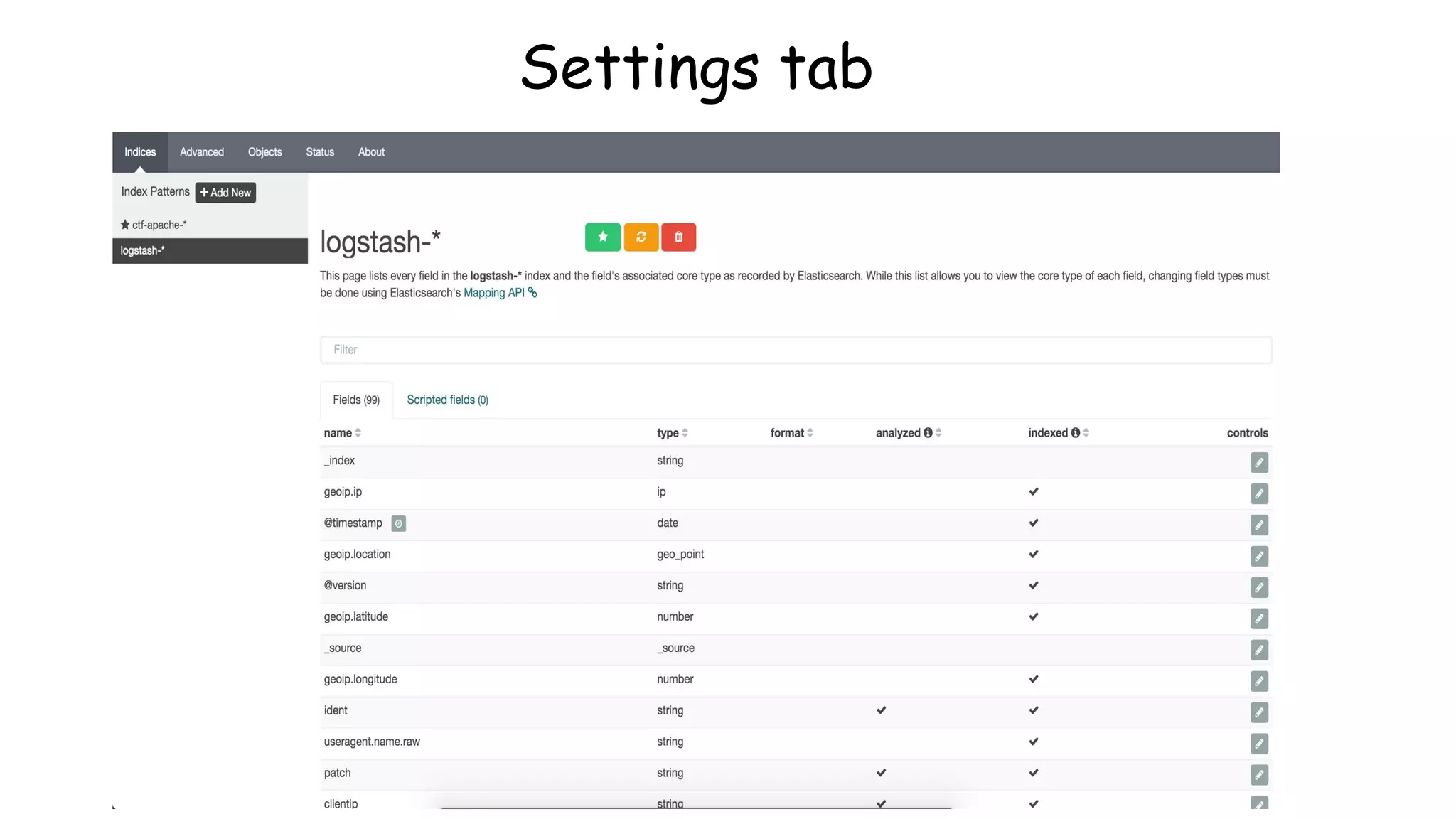
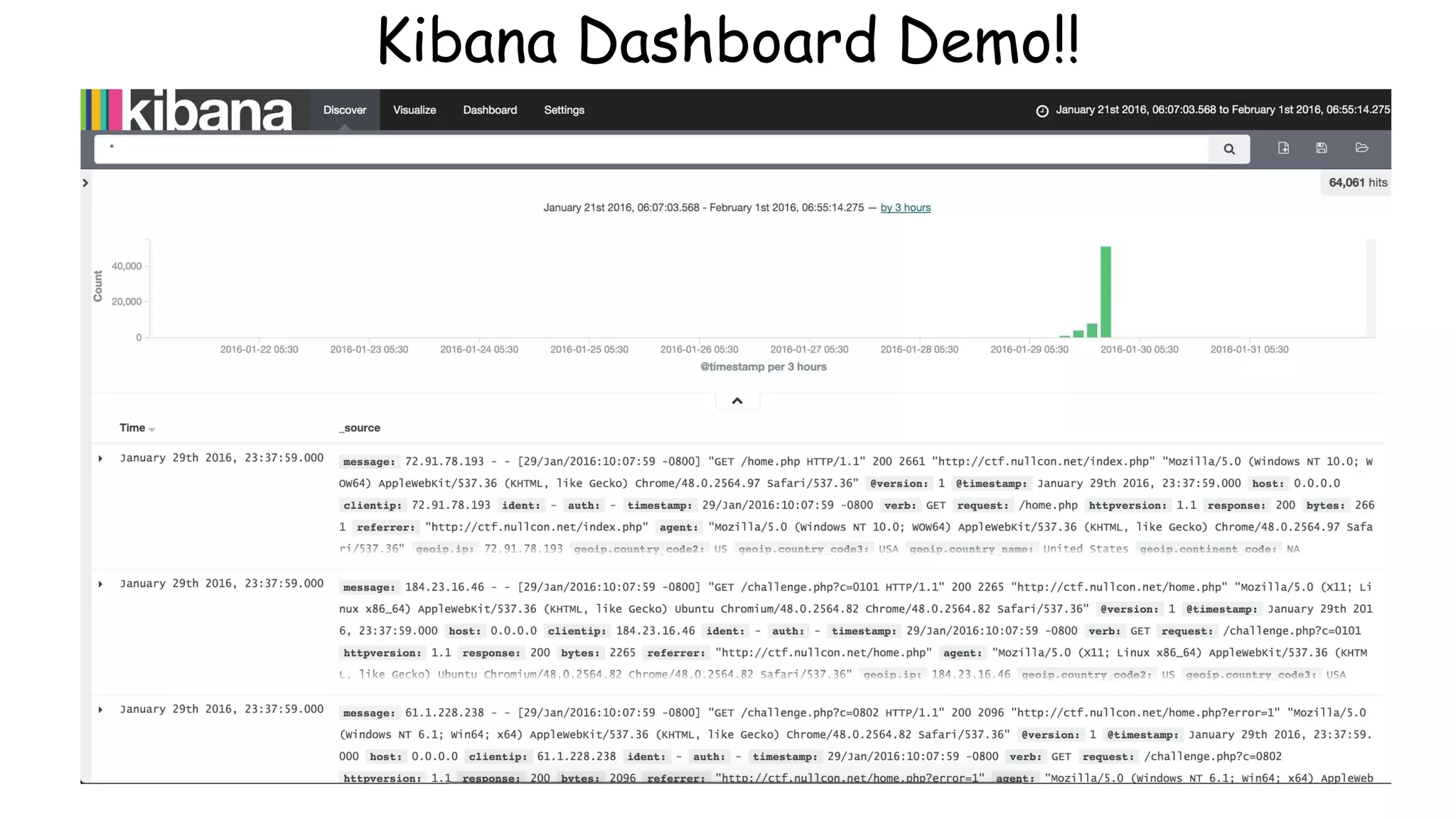
Kibana Overview
● Queries ES instance
● Visualization capabilities on top of the content
indexed on an Elasticsearch cluster.
● create bar, line and scatter plots, or pie charts
and maps on top of large volumes
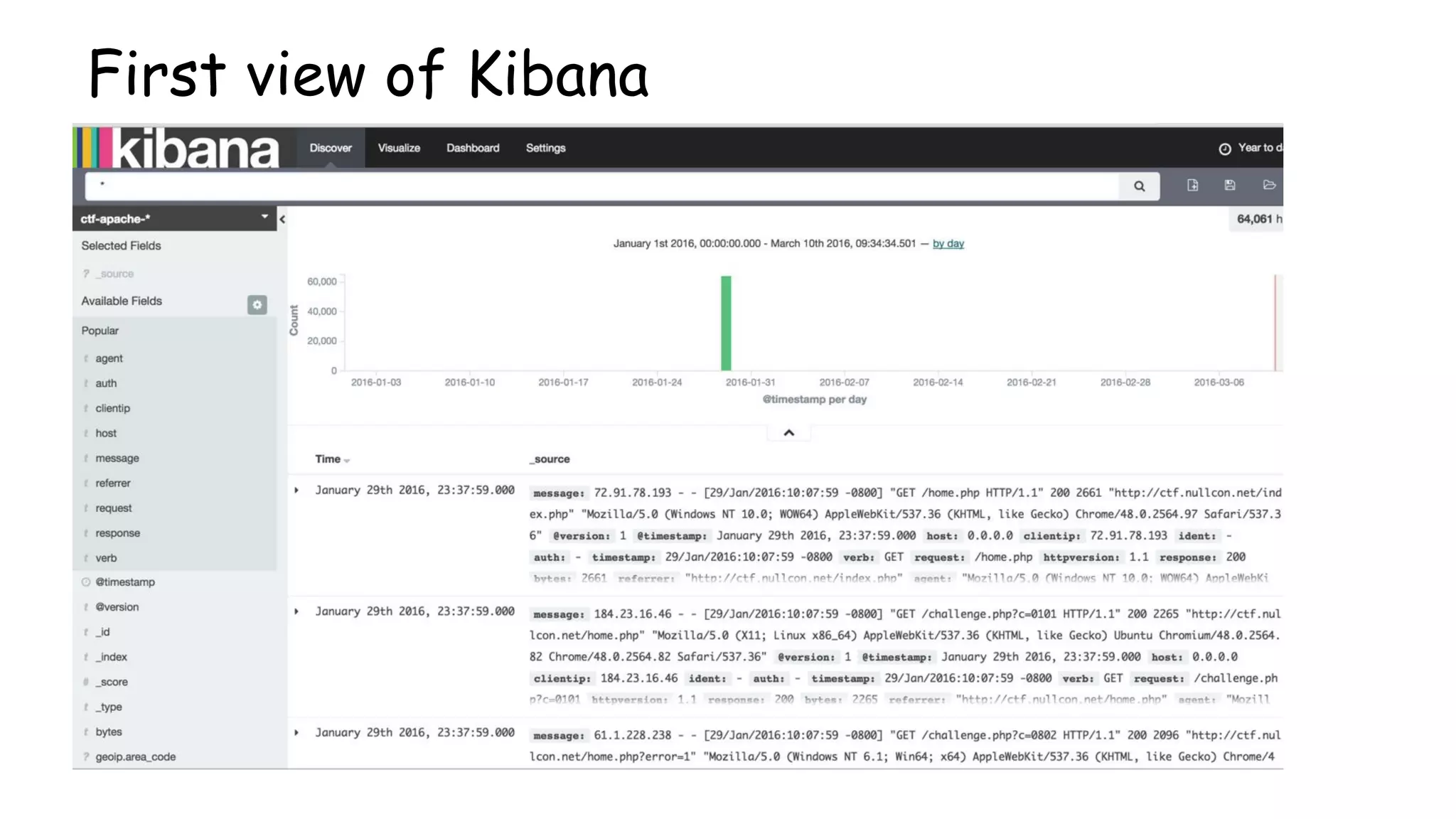
First view of Kibana
Settings tab
Kibana Dashboard Demo!!
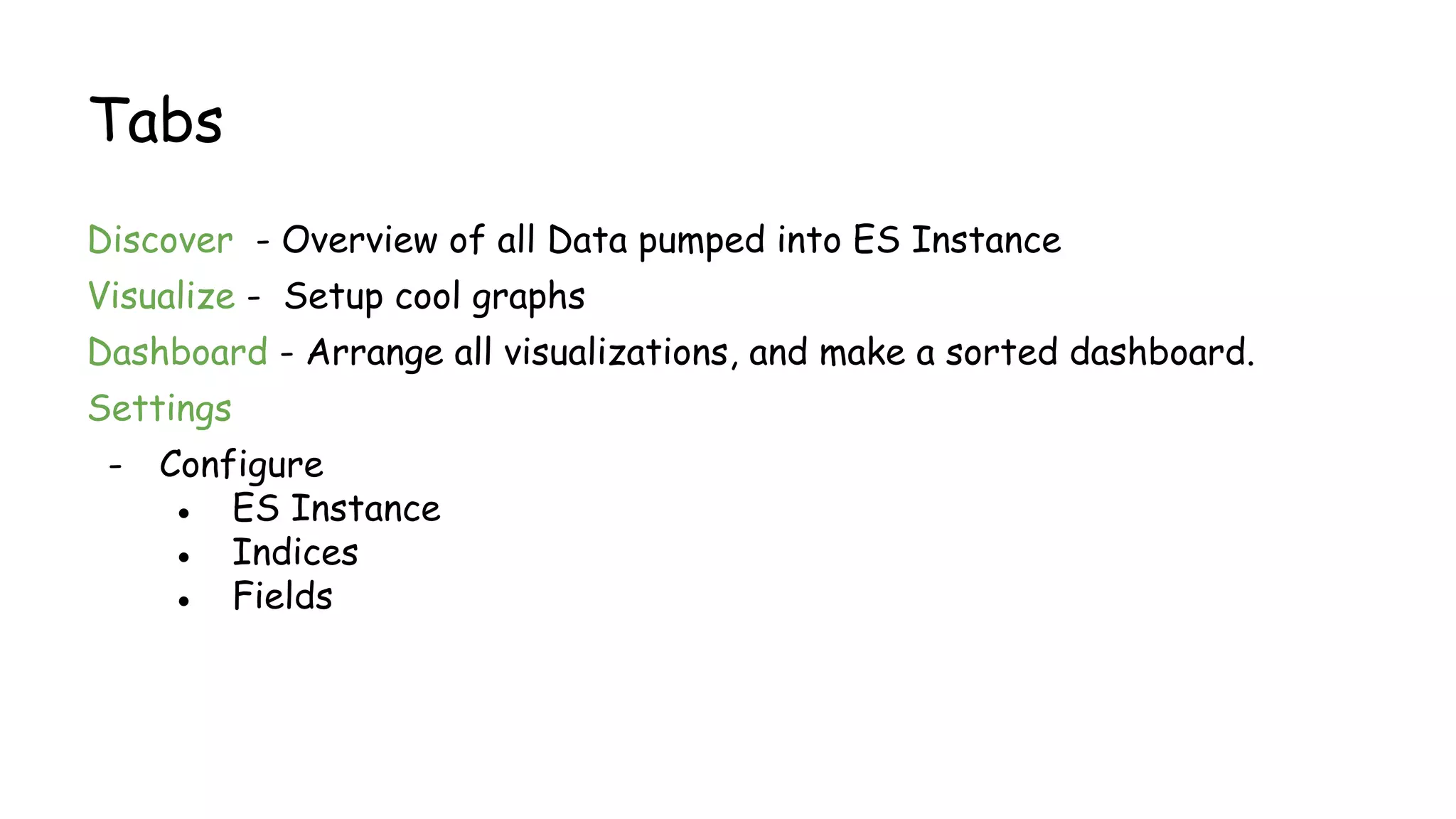
Tabs
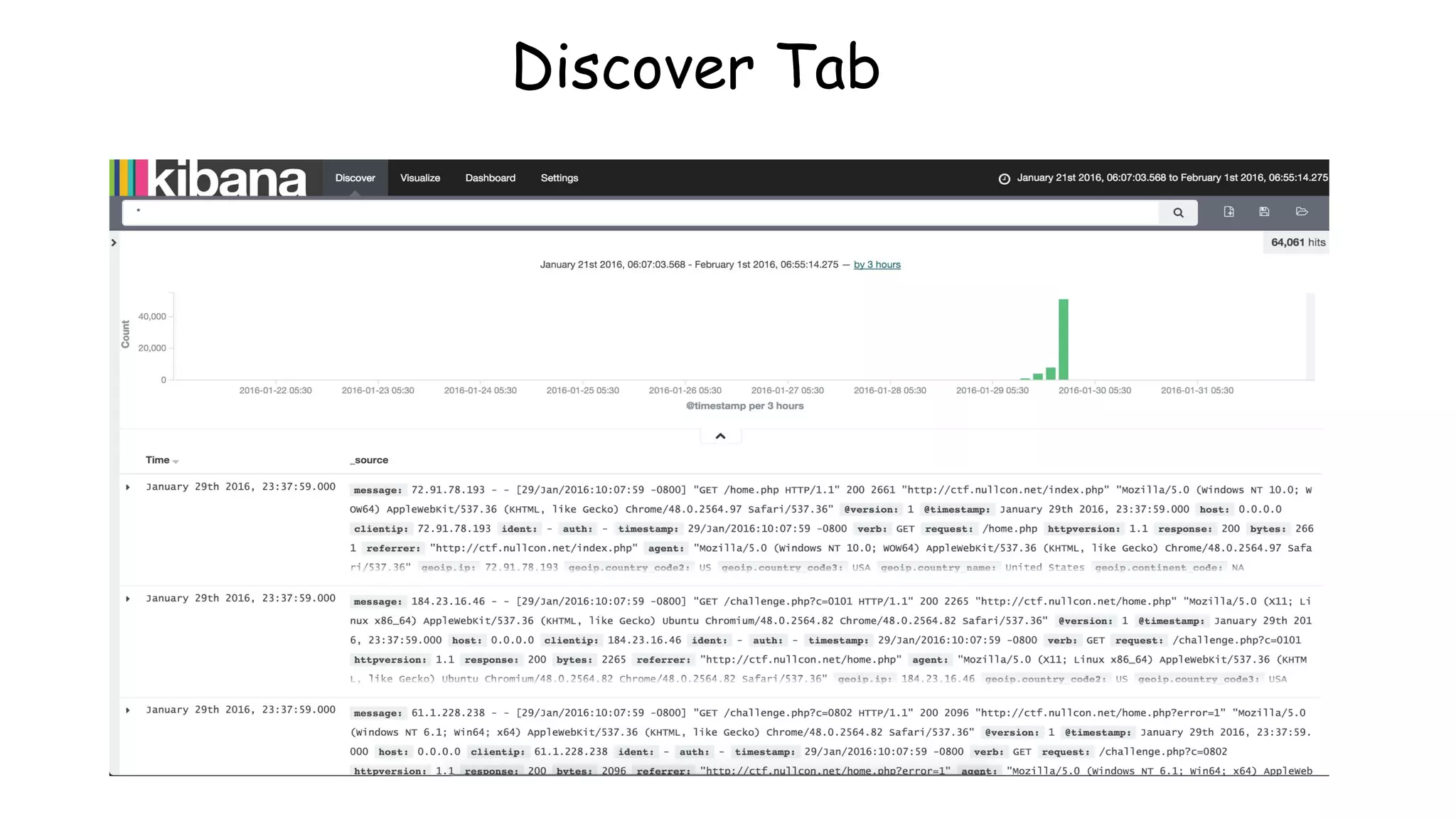
Discover - Overview of all Data pumped into ES Instance
Visualize - Setup cool graphs
Dashboard - Arrange all visualizations, and make a sorted dashboard.
Settings
- Configure
● ES Instance
● Indices
● Fields
Discover Tab
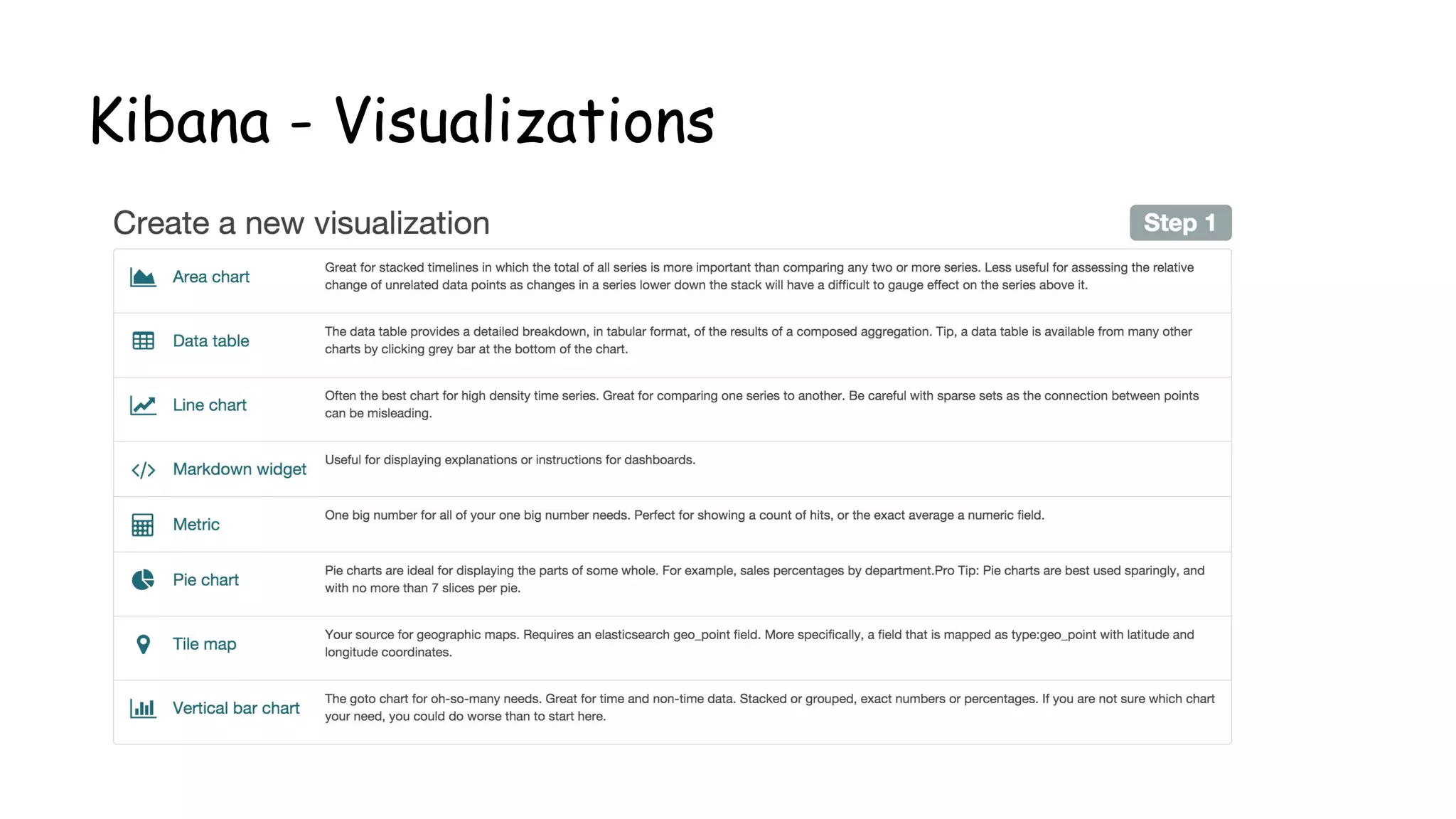
Kibana - Visualizations
Different Visualizations
● Area Chart
● Data Table
● Line Chart
● Markdown Widget
● Metric
● Pie Chart
● Tile Map
● Vertical bar Chart
Kibana - Sample Visualization
X-Axis and Y-Axis Important Fields
Y Axis
○ Count
○ Average
○ Unique Count
○ Sum
X - Axis
○ Date Histogram
○ Filter
○ Term
○ Sum
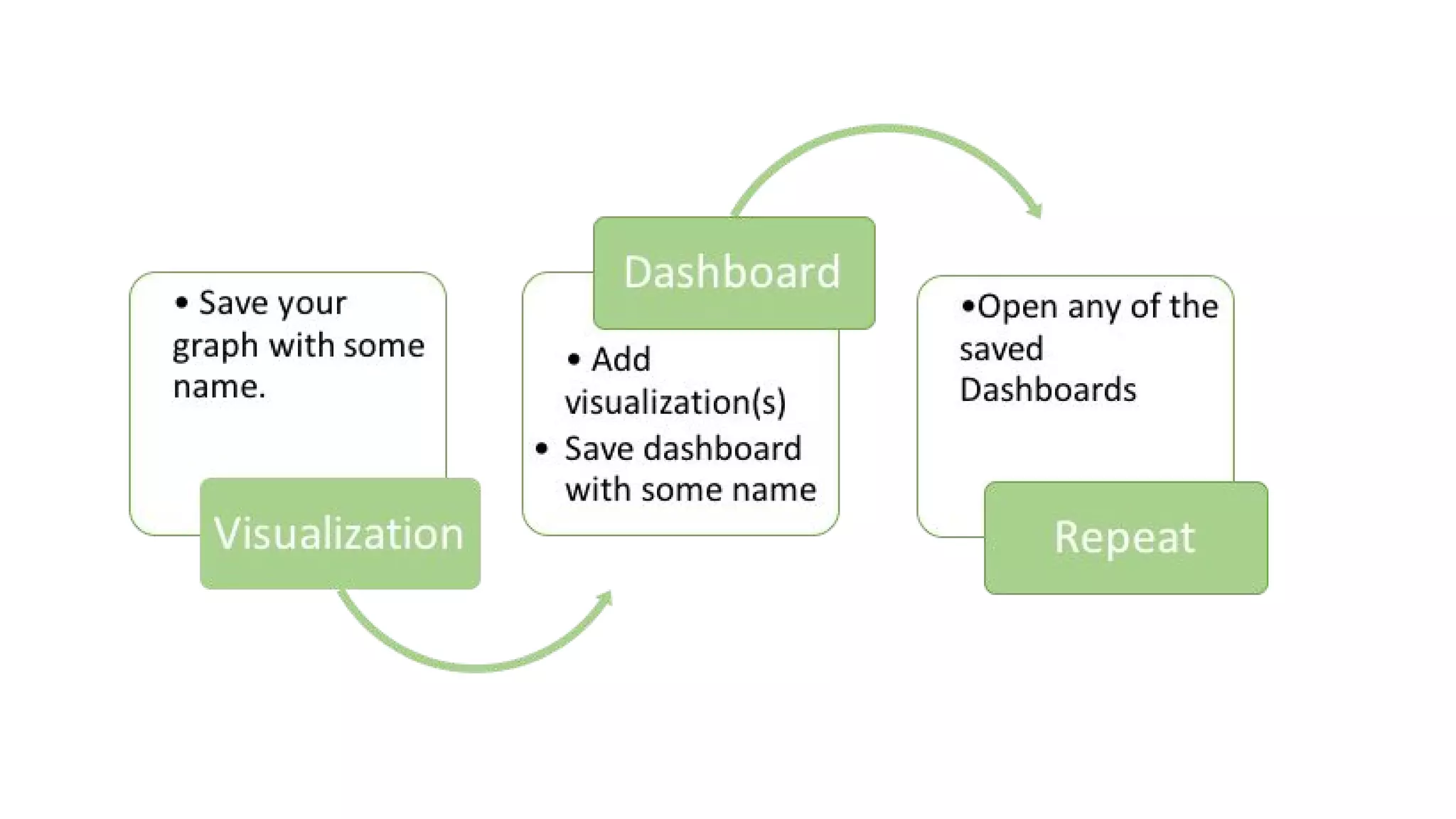
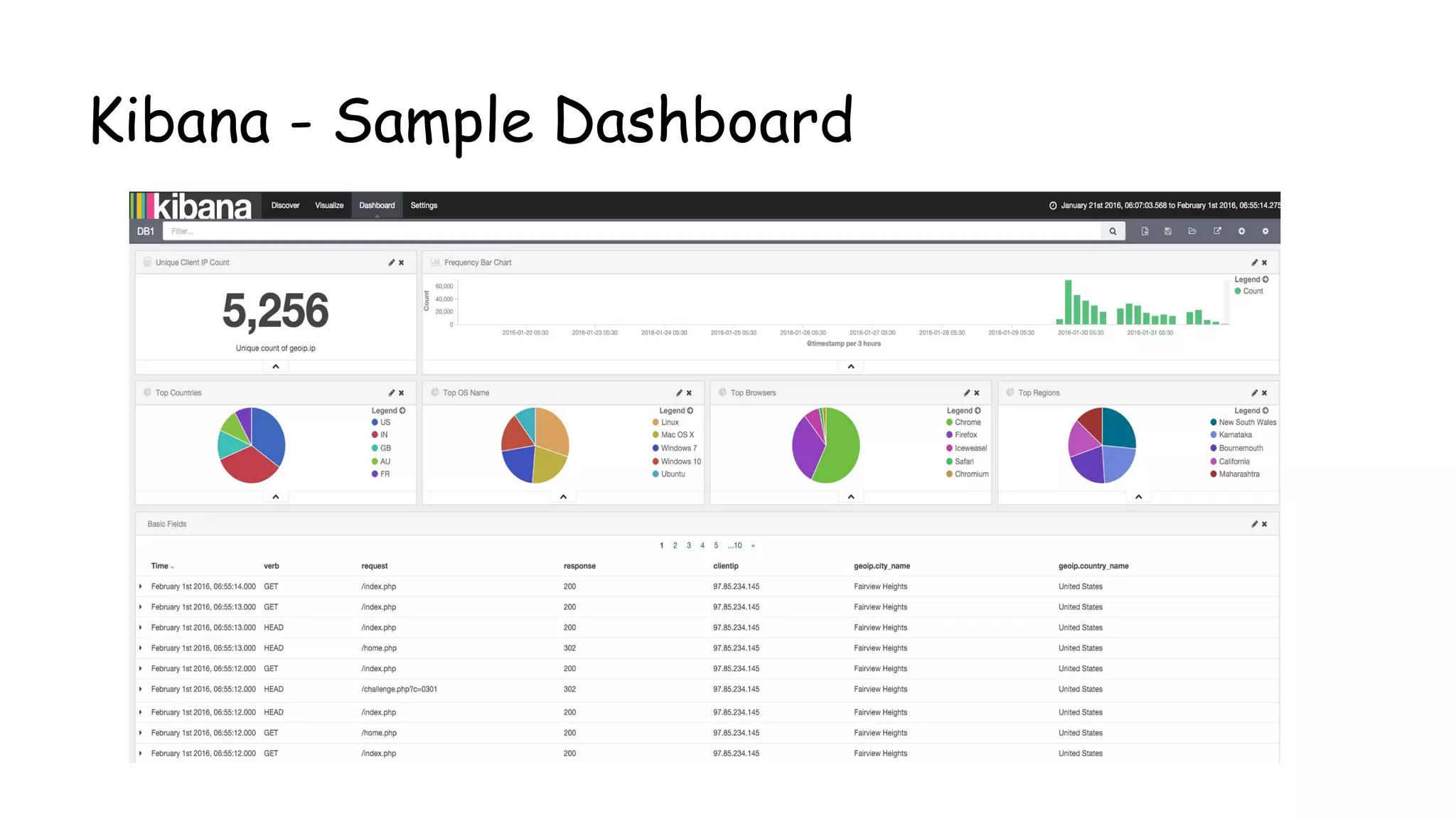
Dashboard
● Collection of Visualizations
● Go to Dashboards, add Visualizations,
Save.
● Repeat.
Kibana - Sample Dashboard
What Next?
Dashboards are cool - They show you everything.
Wait What? They are lazy.
We need ALERTING 24 / 7 /365 days.
Basic Attack Alert!
How to alert?
Alert based on IP count / UA Count
Open monitor.py
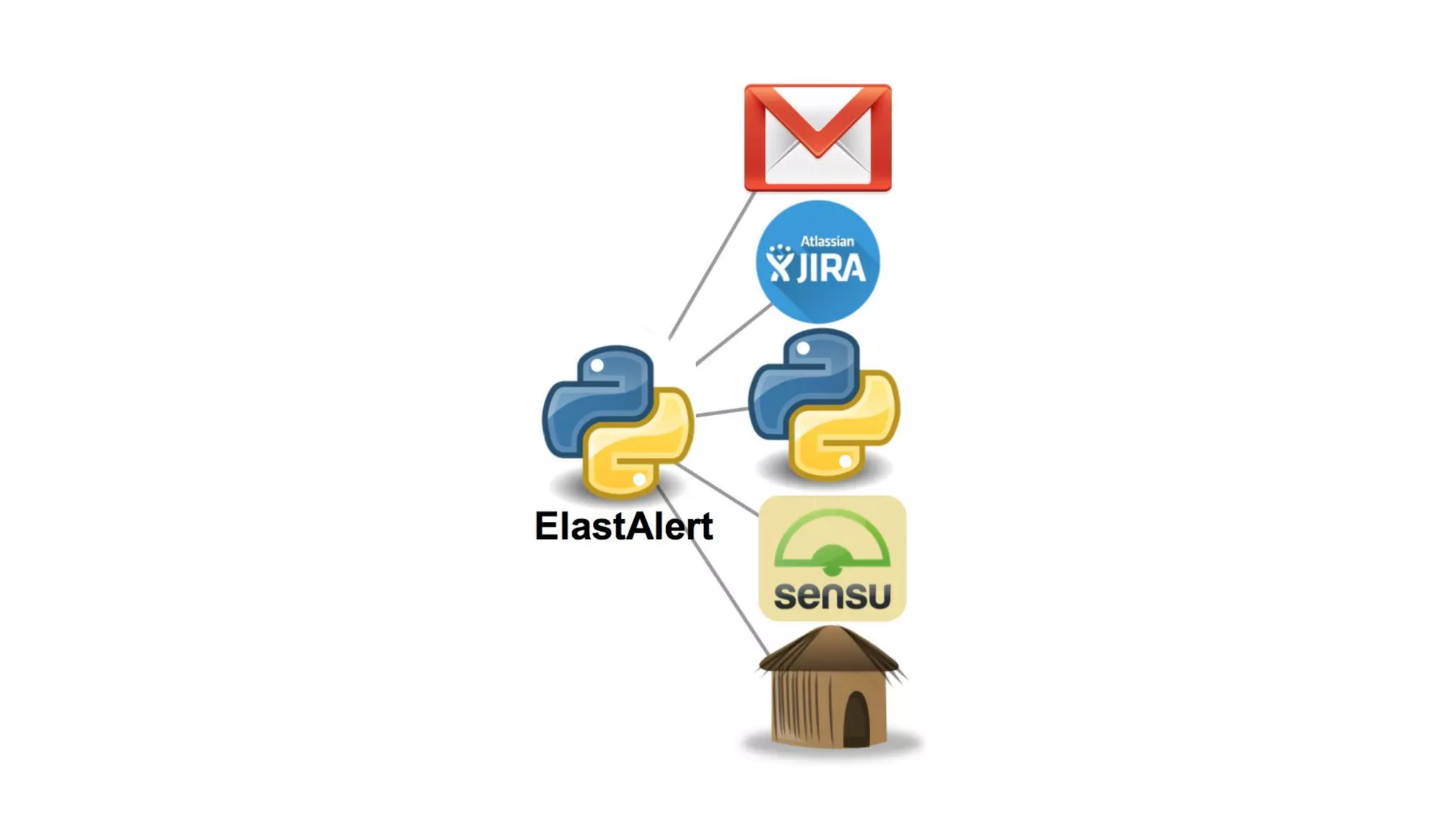
An ELK architecture for Security Monitoring & Alerting
Overview
•Alerting Framework for ElasticSearch Events
•Queries ES instance periodically
•Checks for a Match
•If match { create Alert;}
•Supports Alerts on Kibana, Email, Command, JIRA, etc.
•Highly Scalable
Flow Diagram - Elast Alert
Installation
git clone https://github.com/Yelp/elastalert.git
mv config.yaml.example config.yaml
Modify config.yaml
pip install -r requirements.txt
python -m elastalert.elastalert --verbose --rule rules/frequency.yaml
Config.yaml – The backbone
Main configuration file for multiple settings.
Key Value pair based configuration.
● ES_host
● Buffer_time
● Use_terms_query
● Rules_folder
● Run_every
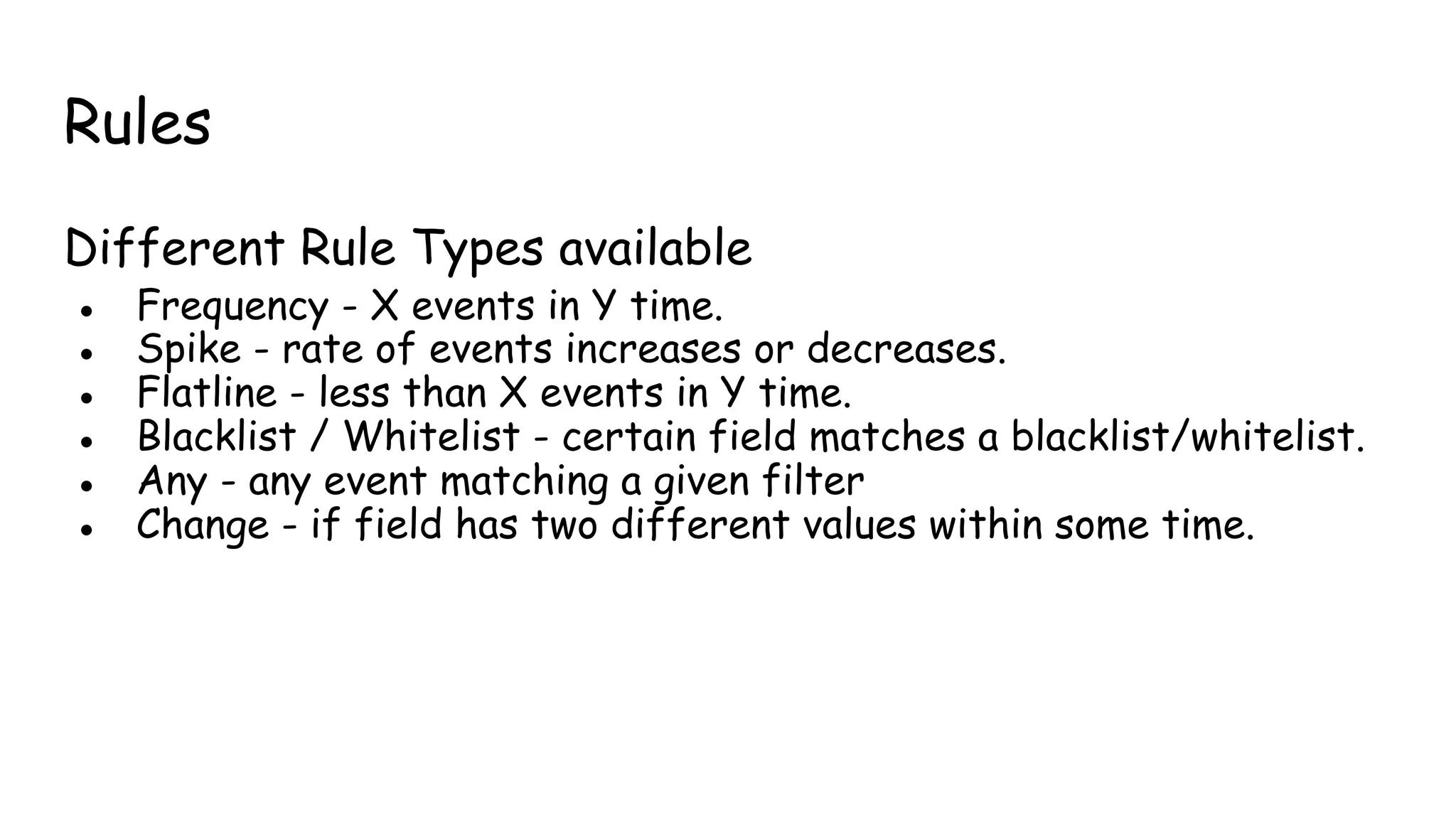
Rules
Different Rule Types available
● Frequency - X events in Y time.
● Spike - rate of events increases or decreases.
● Flatline - less than X events in Y time.
● Blacklist / Whitelist - certain field matches a blacklist/whitelist.
● Any - any event matching a given filter
● Change - if field has two different values within some time.
Rules Config
● All rules reside in a folder.
● Rules_folder in config.yaml
● Important Configurations
○ type: Rule type to be used (eg. Frequency / spike / etc.)
○ index: (eg. Logstash-*)
○ filter: (eg. term: n host:’xyzhostname’)
○ num_events: (eg. 10)
○ timeframe: [hours / minutes / seconds / days] (eg. Hours: 3)
○ alert: (eg. Email / JIRA / Command / etc.)
So far we discussed about “external threats”, but
what about “internal threats”?
Understanding osquery
● Open source project from Facebook Security Team.
● osquery exposes an operating system as a lightweight, high-performance relational database.
● With osquery, your system acts as “database” and “tables” represents concepts as running
process, packages installed, open network connections, etc...
● Two operational modes:
○ osqueryi - CLI interface
○ sudo service osquery restart - daemon service
Understanding osquery
● Tables power osquery, they represent OS details as SQL tables
Installing osquery
$ sudo apt-key adv --keyserver keyserver.ubuntu.com --recv-keys
1484120AC4E9F8A1A577AEEE97A80C63C9D8B80B
$ sudo add-apt-repository "deb [arch=amd64] https://osquery-packages.s3.
amazonaws.com/trusty trusty main"
$ sudo apt-get update
$ sudo apt-get install osquery
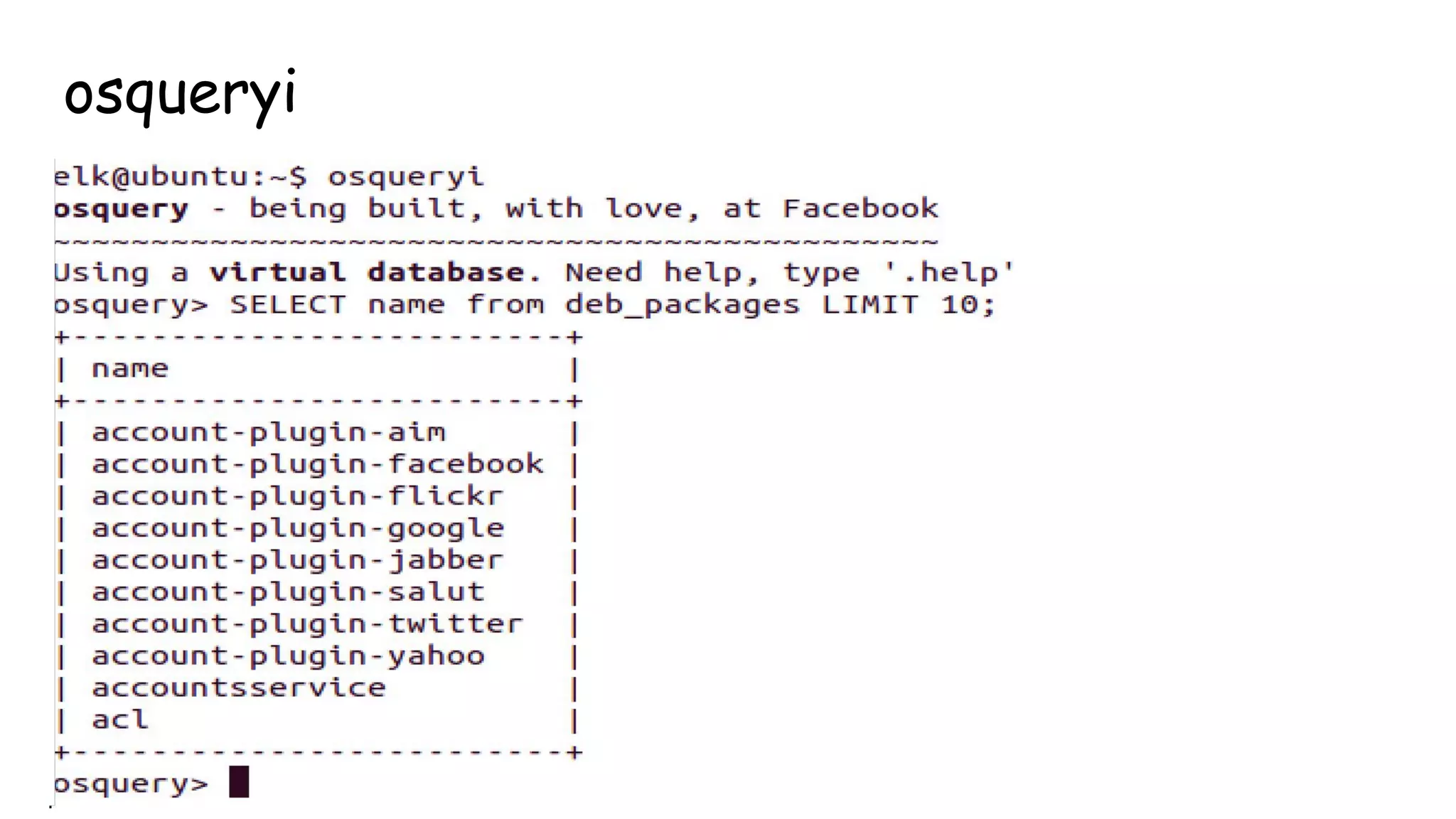
osqueryi
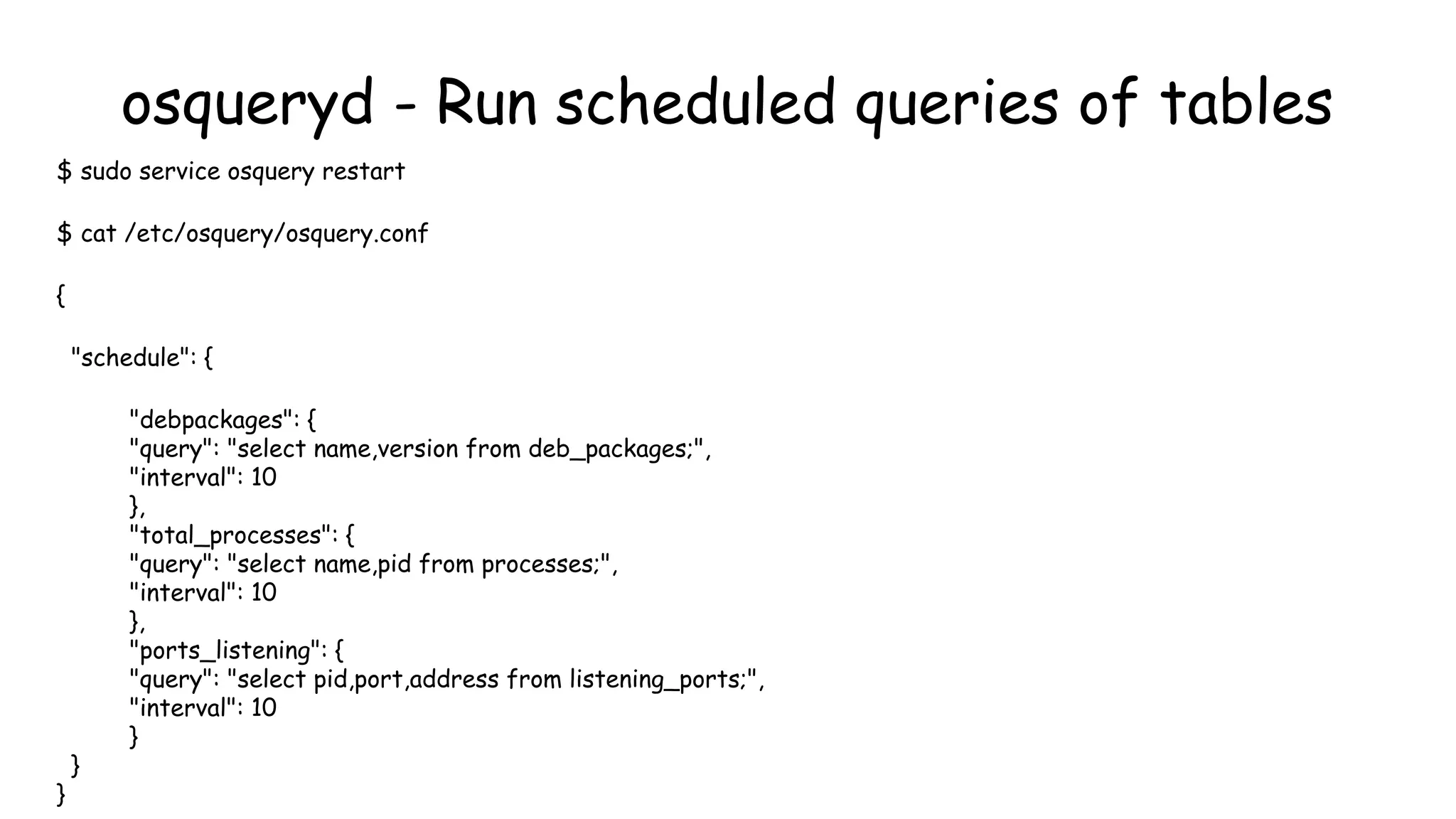
osqueryd - Run scheduled queries of tables
$ sudo service osquery restart
$ cat /etc/osquery/osquery.conf
{
"schedule": {
"debpackages": {
"query": "select name,version from deb_packages;",
"interval": 10
},
"total_processes": {
"query": "select name,pid from processes;",
"interval": 10
},
"ports_listening": {
"query": "select pid,port,address from listening_ports;",
"interval": 10
}
}
}
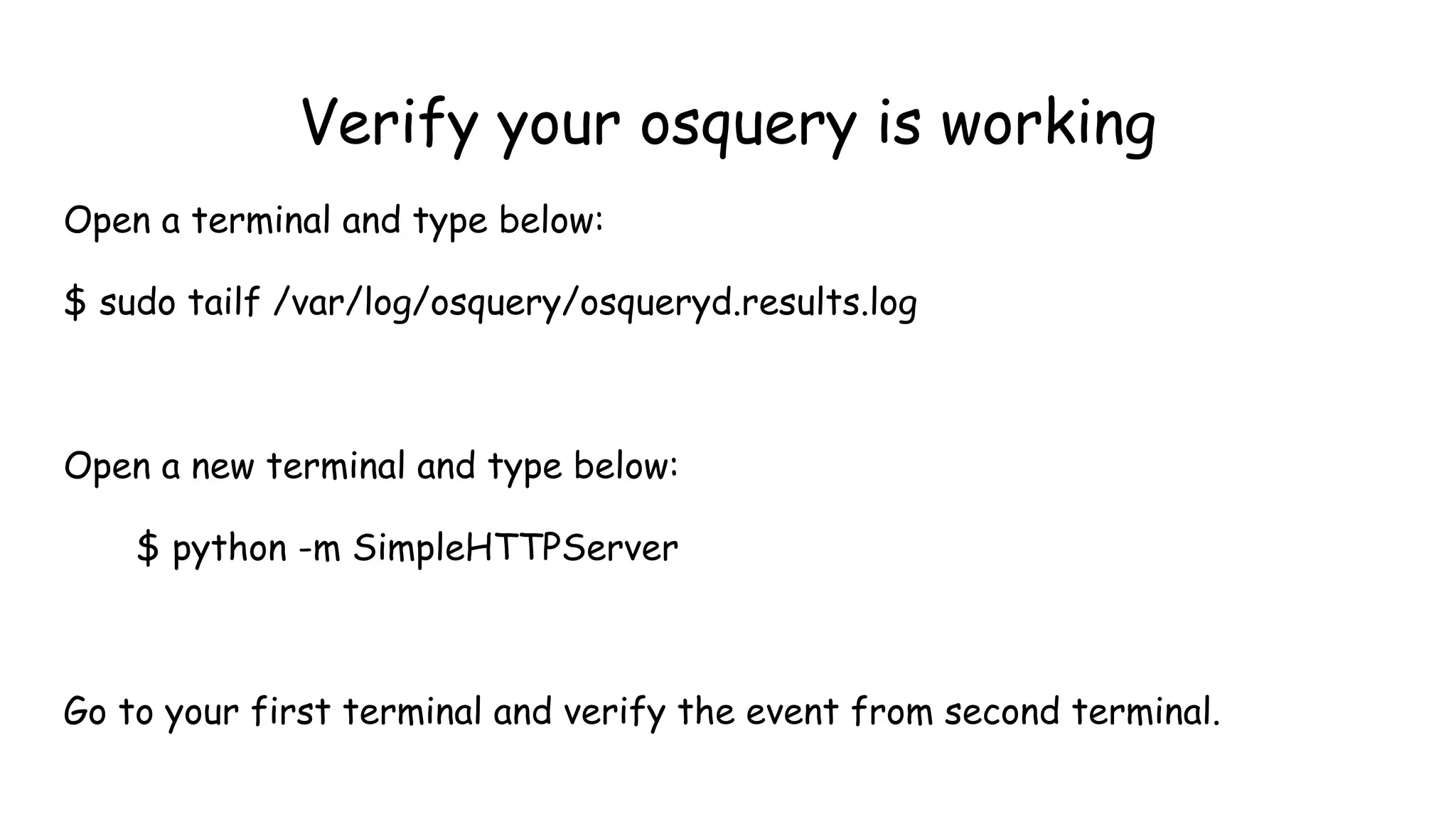
Verify your osquery is working
Open a terminal and type below:
$ sudo tailf /var/log/osquery/osqueryd.results.log
Open a new terminal and type below:
$ python -m SimpleHTTPServer
Go to your first terminal and verify the event from second terminal.
Thanks for your time!

Null Bachaav - May 07 Attack Monitoring workshop.

  • 1.
    Attack Monitoring UsingELK @Null Bachav @prajalkulkarni @mehimansu
  • 3.
    Workshop agenda •Overview &Architecture of ELK •Setting up & configuring ELK •Filebeat - Setting Up Centralized Logging •How bad is DDoS?
  • 4.
    Workshop agenda • UnderstandingKibana Dashboard •Internal Alerting And Attack monitoring - osquery
  • 5.
    ● ELK pre-installed ●Custom scripts/config/plugins ● Nikto, Hping3 What your vm contains?
  • 6.
    Elasticsearch bin: /usr/share/elasticsearch/bin/elasticsearch config: /etc/elasticsearch/elasticsearch.yml Logstash bin:/opt/logstash/bin/logstash config: /etc/logstash/conf.d/*.conf Kibana bin: /opt/kibana/bin/kibana config: /opt/kibana/config/* Filebeat bin: /usr/bin/filebeat/ config: /etc/filebeat/filebeat.yml Osquery config: /etc/osquery/osquery.conf ElastAlert Python: /home/elk/elastalert-master/elastalert/elastalert.py Know your VM!
  • 7.
  • 8.
    Why ELK? Old School ●grep/sed/awk/cut/sort ● manually analyze the output ELK ● define endpoints(input/output) ● correlate patterns ● store data(search and visualize)
  • 9.
    ● Symantec SecurityInformation Manager ● Splunk ● HP/Arcsight ● Tripwire ● NetIQ ● Quest Software ● IBM/Q1 Labs ● Novell ● Enterprise Security Manager ● Alienvault Other SIEM Market Solutions!
  • 10.
    History of ElasticSearch! -Developed by Shay banon - Version 1 was called as Compass -2004 - Fully Developed over apache Lucene! - Necessity to scale Compass resulted in rewriting most of its code and renaming it to ElasticSearch! - Version 1 was released in 2010 - Raised first Funding in 2014 !
  • 11.
    Apache Lucene! - Freeopen source search engine library written in java - Author : Doug Cutting - Were mostly used or still in use by many ecom websites. - Useful in optimizing speed and performance in finding relevant docs on every search query. - An index of 10K documents can be queried within milliseconds
  • 12.
    ElasticSearch Installation $ sudoadd-apt-repository -y ppa:webupd8team/java $ sudo apt-get update $ sudo apt-get -y install oracle-java8-installer $ wget https://download.elasticsearch. org/elasticsearch/release/org/elasticsearch/distribution/deb/elasticsearch/2.2.0 /elasticsearch-2.2.0.deb
  • 13.
    Overview of Elasticsearch •Opensource search server written in Java, over Apache lucene library. •Used to index any kind of heterogeneous data •Enables real-time ability to search through index •Has a REST API web-interface with JSON output
  • 14.
    Terminologies of Elasticsearch! Cluster ●A cluster is a collection of one or more nodes (servers) that together holds your entire data and provides federated indexing and search capabilities across all nodes ● A cluster is identified by a unique name which by default is "elasticsearch"
  • 15.
    Terminologies of Elasticsearch! Node ●It is an elasticsearch instance (a java process) ● A node is created when a elasticsearch instance is started ● A random Marvel Charater name is allocated by default
  • 16.
    Terminologies of Elasticsearch! Index ●An index is a collection of documents that have somewhat similar characteristics. eg:customer data, product catalog ● Very crucial while performing indexing, search, update, and delete operations against the documents in it ● One can define as many indexes in one single cluster
  • 17.
    Document ● It isthe most basic unit of information which can be indexed ● It is expressed in json (key:value) pair. ‘{“user”:”nullcon”}’ ● Every Document gets associated with a type and a unique id. Terminologies of Elasticsearch!
  • 18.
    Terminologies of Elasticsearch! Shard ●Every index can be split into multiple shards to be able to distribute data. ● The shard is the atomic part of an index, which can be distributed over the cluster if you add more nodes. ● By default 5 primary shards and 1 replica shards are created while starting elasticsearch ____ ____ | 1 | | 2 | | 3 | | 4 | | 5 | |____| |____| ● Atleast 2 Nodes are required for replicas to be created
  • 19.
    edit elasticsearch.yml $ sudonano /etc/elasticsearch/elasticsearch.yml ctrl+w search for ”cluster.name” Change the cluster name to elastic_yourname ctrl+x Y Now start ElasticSearch sudo service elasticsearch restart
  • 20.
    Verifying Elasticsearch Installation $curl–XGET http://localhost:9200 Expected Output: { "status" : 200, "name" : "Edwin Jarvis", "cluster_name" : "elastic_yourname", "version" : { "number" : "2.2.0", "build_hash" : "927caff6f05403e936c20bf4529f144f0c89fd8c", "build_timestamp" : "2016-1-27T14:11:12Z", "build_snapshot" : false, "lucene_version" : "5.4.1" }, "tagline" : "You Know, for Search" }
  • 21.
    Plugins of Elasticsearch head ./plugininstall mobz/elasticsearch-head HQ ./plugin install royrusso/elasticsearch-HQ
  • 22.
    Restful API’s overhttp -- !help curl curl -X<VERB> '<PROTOCOL>://<HOST>/<PATH>?<QUERY_STRING>' -d '<BODY>' ● VERB-The appropriate HTTP method or verb: GET, POST, PUT, HEAD, or DELETE. ● PROTOCOL-Either http or https (if you have an https proxy in front of Elasticsearch.) ● HOST-The hostname of any node in your Elasticsearch cluster, or localhost for a node on your local machine. ● PORT-The port running the Elasticsearch HTTP service, which defaults to 9200. ● QUERY_STRING-Any optional query-string parameters (for example ?pretty will pretty-print the JSON response to make it easier to read.) ● BODY-A JSON encoded request body (if the request needs one.)
  • 23.
    !help curl Simple IndexCreation with XPUT: curl -XPUT 'http://IP:9200/twitter/' Add data to your created index: curl -XPUT 'http://IP:9200/twitter/tweet/1' -d '{"user":"nullmeet"}' Now check the Index status: curl -XGET 'http://IP:9200/twitter/?pretty=true' List all Indices in ES Instance: curl -XGET 'http://IP:9200/_cat/indices?v' Check the shard status: curl -XGET 'http://IP:9200/twitter/_search_shards'
  • 24.
    !help curl Automatic doccreation in an index with XPOST: curl -XPOST 'http://IP:9200/twitter/tweet/' -d '{"user":"nullcon"}' Creating a user profile doc: curl -XPUT 'http://IP:9200/twitter/tweet/9' -d '{"user":"admin", "role":"tester", "sex":"male"}' curl -XPOST 'http://IP:9200/twitter/tester/' -d '{"user":"abcd", "role":"tester", "sex":"male"}' curl -XPOST 'http://IP:9200/twitter/tester/' -d '{"user":"abcd", "role":"admin", "sex":"male"}'
  • 25.
    Searching in ElasticSearch: $curl -XGET 'http://IP:9200/twitter/_search?q=user:abcd&pretty=true' The Power of “Explain” $ curl -XGET 'http://IP:9200/twitter/_search?q=user:abcd&explain&pretty=true' !help curl
  • 26.
    !help curl Deleting andoc in an index: $curl -XDELETE 'http://IP:9200/twitter/tweet/1' Deleting the whole Index: $curl -XDELETE 'http://IP:9200/index_name/' Cluster Health: (yellow to green)/ Significance of colours (green/yellow/red) $curl -XGET 'http://IP:9200/_cluster/health?pretty=true' $./elasticsearch -D es.config=../config/elasticsearch2.yml &
  • 28.
    Overview of Logstash •Frameworkfor managing logs •Founded by Jordan Sissel •Mainly consists of 3 components: ● input : passing logs to process them into machine understandable format(file,lumberjack,beat). ● filters: set of conditionals to perform specific action on a event(grok, geoip). ● output: decision maker for processed event/log(elasticsearch,file)
  • 29.
    Logstash Configuration ● Managingevents and logs ● Collect data ● Parse data ● Enrich data ● Store data (search and visualizing) } input } filter } output
  • 30.
    Logstash Input Plugins collectddrupal_dblog elasticsearch eventlog exec file ganglia gelf gemfire generator graphite heroku imap irc jmx log4j beat pipe puppet_facter rabbitmq redis relp s3 snmptrap sqlite sqs stdin stomp syslog tcp twitter udp unix varnishlog websocket wmi xmpp zenoss zeromq
  • 31.
    Logstash Filter Plugins advisor,alter, anonymize, checksum, cidr, cipher, clone, collate, csv, date, dns, drop, elapsed, elasticsearch, environment, extractnumbers, fingerprint, gelfify, geoip, grep, grok, grokdiscovery, i18n, json, json_encode, kv, metaevent, metrics, multiline, mutate, noop, prune, punct, railsparallelrequest, range, ruby, sleep, split, sumnumbers, syslog_pri, throttle, translate, unique, urldecode, useragent, uuid, wms, wmts, xml, zeromq
  • 32.
    Logstash output Plugins boundarycirconus cloudwatch csv datadog elasticsearch exec email file ganglia gelf gemfire google_bigquery google_cloud_storage graphite graphtastic hipchat http irc jira juggernaut librato loggly lumberjack metriccatcher mongodb nagios null opentsdb pagerduty pipe rabbitmq redis riak riemann s3 sns solr_http sqs statsd stdout stomp syslog tcp udp websocket xmpp zabbix zeromq
  • 33.
    Installing & ConfiguringLogstash $cd ~ $wget https://download.elastic. co/logstash/logstash/packages/debian/logstash_2.2.2-1_all.deb $dpkg -i logstash_2.2.2-1_all.deb
  • 34.
    •Starting logstash! ---/opt/logstash/bin $ sudo ./logstash -f [Location].conf •Lets start the most basic setup …continued
  • 35.
    run this! ./logstash -e'input { stdin { } } output {elasticsearch {hosts => ["IP:9200"] } }' Check head plugin http://IP:9200/_plugin/head
  • 36.
    Setup - Apacheaccess.log input { file { path => "/var/log/apache2/access.log" type => "apache" } } output { elasticsearch { hosts => ["IP:9200"] } stdout { codec => json } } Apache logs!
  • 37.
    Let’s do itfor syslog!
  • 38.
    2 File inputconfiguration! input { file { path => "/var/log/syslog" type => "syslog" } file { path => "/var/log/apache2/access.log" type => "apache" } } output { elasticsearch { hosts => ["IP:9200"] } stdout { codec => rubydebug } }
  • 39.
    Logstash Filters!! input { file{ path => "/var/log/apache2/access.log" type => "apache" } } filter { grok { match => { "message" => "%{COMBINEDAPACHELOG}" } } } output { elasticsearch { hosts => ["IP:9200"] } stdout { codec => json } }
  • 40.
    •Powerful front-end dashboardfor visualizing indexed information from elastic cluster. •Capable to providing historical data in form of graphs,charts,etc. •Enables real-time search of indexed information. Overview of Kibana
  • 41.
    ./start Kibana wget -qO- https://packages.elastic.co/GPG-KEY-elasticsearch | sudo apt- key add - echo "deb http://packages.elastic.co/kibana/4.4/debian stable main" | sudo tee -a /etc/apt/sources.list sudo apt-get update && sudo apt-get install kibana sudo service kibana start
  • 42.
  • 45.
    Understanding Grok Why grok? actualregex to parse apache logs
  • 46.
    Grok 101 •Understanding groknomenclature. •The syntax for a grok pattern is %{SYNTAX:SEMANTIC} •SYNTAX is the name of the pattern that will match your text. ● E.g 1337 will be matched by the NUMBER pattern, 254.254.254 will be matched by the IP pattern. •SEMANTIC is the identifier you give to the piece of text being matched. ● E.g. 1337 could be the count and 254.254.254 could be a client making a request %{NUMBER:count} %{IP:client}
  • 47.
    Grok 101…(continued) • CommonGrok Patterns: • %{WORD:alphabet} e.g Nullcon • %{INT:numeric} e.g. 1337 •%{NOTSPACE:pattern_until_space} e.g. Nullcon Goa •%{GREEDYDATA:anything} e.g. $Nullcon@Goa_2016
  • 48.
    Grok 101…(continued) Let’s workout GROK for below: ● 192.168.1.101 ● 192.168.1.101:8080 ● [15:30:00] ● [03/08/2016] ● [08/March/2016:14:12:13 +0000]
  • 49.
    Playing with grokfilters •Apache access.log event: 123.249.19.22 - - [08/Mar/2016:14:12:13 +0000] "GET /manager/html HTTP/1.1" 404 448 "-" "Mozilla/3.0 (compatible; Indy Library)" •Matching grok: %{IPV4} %{USER:ident} %{USER:auth} [%{HTTPDATE:timestamp}] "(?:%{WORD:verb} % {NOTSPACE:request}(?: HTTP/%{NUMBER:httpversion})?)" %{NUMBER:response} (?:% {NUMBER:bytes}|-) •Things can get even more simpler using grok: %{COMBINEDAPACHELOG}
  • 50.
  • 51.
    fluentd conf file <source> typetail path /var/log/nginx/access.log pos_file /var/log/td-agent/kibana.log.pos format nginx tag nginx.access </source>
  • 52.
  • 53.
  • 54.
    How to installfilebeat $ wget https://download.elastic. co/beats/filebeat/filebeat_1.1.1_amd64.deb $ sudo dpkg -i filebeat_1.1.1_amd64.deb $ sudo service filbeat start
  • 55.
  • 56.
    #### Filebeat #### filebeat: prospectors: - paths: -/var/log/apache2/access.log input_type: log document_type: beat registry_file: /var/lib/filebeat/registry #### Output #### output: ### Logstash as output logstash: hosts: ["INDEXER-IP:5044"] #### Logging ##### logging: to_files: true files: path: /var/log/filebeat name: filebeat rotateeverybytes: 10485760 # = 10MB level: error filebeat-shipper Setup $sudo nano /etc/filebeat/filebeat.yml
  • 57.
    logstash server(indexer) config-/etc/logstash/beat_indexer.conf input { beats { port => 5044 } } filter { if [type] == "beat" { grok { match => { "message" => "% {COMBINEDAPACHELOG}" } } date { match => [ "timestamp" , "dd/MMM/yyyy:HH:mm:ss Z" ] } } } output { elasticsearch { hosts => ["localhost:9200"] } }
  • 58.
    How Does yourcompany mitigate DoS?
  • 59.
    Identifying DoS patterns -IdentifyingDoS patterns is trivial. - Any traffic that tends to exhaust your connection pool would result in DoS. - Traffic need not be volumetric
  • 60.
    DoS Examples! -Layer 7attacks: -Slowloris : GET /index.php HTTP/1.1[CRLF] -SlowRead : syn->syn,ack->ack->{win:98bytes} -XMLRPC Attack -Layer 4 attacks: -SynFlood -Zero window scan {window size: 0} -Amplification attacks
  • 61.
    Logs to Rescue ●"HEAD / HTTP/1.1" 301 5.000 0 "-" "-" - - ● "GET / HTTP/1.1" 408 0 "-" "-" ● **SYN Flood to Host** SourceIP, 3350->> DestIP, 80 ● SourceIP - - [09/Mar/2014:11:05:27 -0400] "GET /?4137049=6431829 HTTP/1.0" 403 0 "- " "WordPress/3.8; http://www.victim.com"
  • 62.
    DNS Reflection attack! $dig ANY @RougeOpenDNSIP +edns=0 +notcp +bufsize=4096 + Spoofing N/w
  • 63.
  • 64.
    SynFlood Demo hping3 Attacker: $ sudohping3 -i u1 -S -p 80 192.168.1.1 Victim: $ tcpdump -n -i eth0 'tcp[13] & 2 !=0'
  • 65.
    IDS - IPSSolutions in the Market Product Speeds Available Cisco IPS 4200 Sensor 1 Gbps, 600 Mbps, 250 Mbps, 80 Mbps IBM Proventia Network Intrusion Prevention System 2 Gbps, 1.2 Gbps, 400 Mbps, 200 Mbps McAfee’s IntruShield Network IPS 2 Gbps, 1 Gbps, 600 Mbps, 200 Mbps, 100 Mbps Reflex Security 10 Gbps, 5 Gbps, 1 Gpbs, 200 Mbps, 100 Mbps, 30 Mbps, 10 Mbps Juniper Networks IDP 1 Gbps, 500 Mbps; 250 Mbps; 50 Mbps
  • 66.
    More Use cases- ModSecurity Alerts
  • 67.
  • 68.
    Logtash grok torescue! https://github.com/bitsofinfo/logstash-modsecurity
  • 70.
    Kibana Overview ● QueriesES instance ● Visualization capabilities on top of the content indexed on an Elasticsearch cluster. ● create bar, line and scatter plots, or pie charts and maps on top of large volumes
  • 71.
  • 72.
  • 73.
  • 74.
    Tabs Discover - Overviewof all Data pumped into ES Instance Visualize - Setup cool graphs Dashboard - Arrange all visualizations, and make a sorted dashboard. Settings - Configure ● ES Instance ● Indices ● Fields
  • 75.
  • 76.
  • 77.
    Different Visualizations ● AreaChart ● Data Table ● Line Chart ● Markdown Widget ● Metric ● Pie Chart ● Tile Map ● Vertical bar Chart
  • 78.
    Kibana - SampleVisualization
  • 79.
    X-Axis and Y-AxisImportant Fields Y Axis ○ Count ○ Average ○ Unique Count ○ Sum X - Axis ○ Date Histogram ○ Filter ○ Term ○ Sum
  • 80.
    Dashboard ● Collection ofVisualizations ● Go to Dashboards, add Visualizations, Save. ● Repeat.
  • 82.
    Kibana - SampleDashboard
  • 83.
    What Next? Dashboards arecool - They show you everything. Wait What? They are lazy. We need ALERTING 24 / 7 /365 days.
  • 84.
    Basic Attack Alert! Howto alert? Alert based on IP count / UA Count
  • 85.
  • 86.
    An ELK architecturefor Security Monitoring & Alerting
  • 88.
    Overview •Alerting Framework forElasticSearch Events •Queries ES instance periodically •Checks for a Match •If match { create Alert;} •Supports Alerts on Kibana, Email, Command, JIRA, etc. •Highly Scalable
  • 89.
    Flow Diagram -Elast Alert
  • 90.
    Installation git clone https://github.com/Yelp/elastalert.git mvconfig.yaml.example config.yaml Modify config.yaml pip install -r requirements.txt python -m elastalert.elastalert --verbose --rule rules/frequency.yaml
  • 91.
    Config.yaml – Thebackbone Main configuration file for multiple settings. Key Value pair based configuration. ● ES_host ● Buffer_time ● Use_terms_query ● Rules_folder ● Run_every
  • 92.
    Rules Different Rule Typesavailable ● Frequency - X events in Y time. ● Spike - rate of events increases or decreases. ● Flatline - less than X events in Y time. ● Blacklist / Whitelist - certain field matches a blacklist/whitelist. ● Any - any event matching a given filter ● Change - if field has two different values within some time.
  • 93.
    Rules Config ● Allrules reside in a folder. ● Rules_folder in config.yaml ● Important Configurations ○ type: Rule type to be used (eg. Frequency / spike / etc.) ○ index: (eg. Logstash-*) ○ filter: (eg. term: n host:’xyzhostname’) ○ num_events: (eg. 10) ○ timeframe: [hours / minutes / seconds / days] (eg. Hours: 3) ○ alert: (eg. Email / JIRA / Command / etc.)
  • 94.
    So far wediscussed about “external threats”, but what about “internal threats”?
  • 96.
    Understanding osquery ● Opensource project from Facebook Security Team. ● osquery exposes an operating system as a lightweight, high-performance relational database. ● With osquery, your system acts as “database” and “tables” represents concepts as running process, packages installed, open network connections, etc... ● Two operational modes: ○ osqueryi - CLI interface ○ sudo service osquery restart - daemon service
  • 97.
    Understanding osquery ● Tablespower osquery, they represent OS details as SQL tables
  • 98.
    Installing osquery $ sudoapt-key adv --keyserver keyserver.ubuntu.com --recv-keys 1484120AC4E9F8A1A577AEEE97A80C63C9D8B80B $ sudo add-apt-repository "deb [arch=amd64] https://osquery-packages.s3. amazonaws.com/trusty trusty main" $ sudo apt-get update $ sudo apt-get install osquery
  • 99.
  • 100.
    osqueryd - Runscheduled queries of tables $ sudo service osquery restart $ cat /etc/osquery/osquery.conf { "schedule": { "debpackages": { "query": "select name,version from deb_packages;", "interval": 10 }, "total_processes": { "query": "select name,pid from processes;", "interval": 10 }, "ports_listening": { "query": "select pid,port,address from listening_ports;", "interval": 10 } } }
  • 101.
    Verify your osqueryis working Open a terminal and type below: $ sudo tailf /var/log/osquery/osqueryd.results.log Open a new terminal and type below: $ python -m SimpleHTTPServer Go to your first terminal and verify the event from second terminal.
  • 102.