






Perry Wirth
•   BS Management Information Systems
•   10+ Years web experience
•   Accenture
     – Services – BPO
     – Client Service Liaison for Global CPG
•   Created over 20 Joomla! Sites
•   Own a martial arts academy (3 sites)
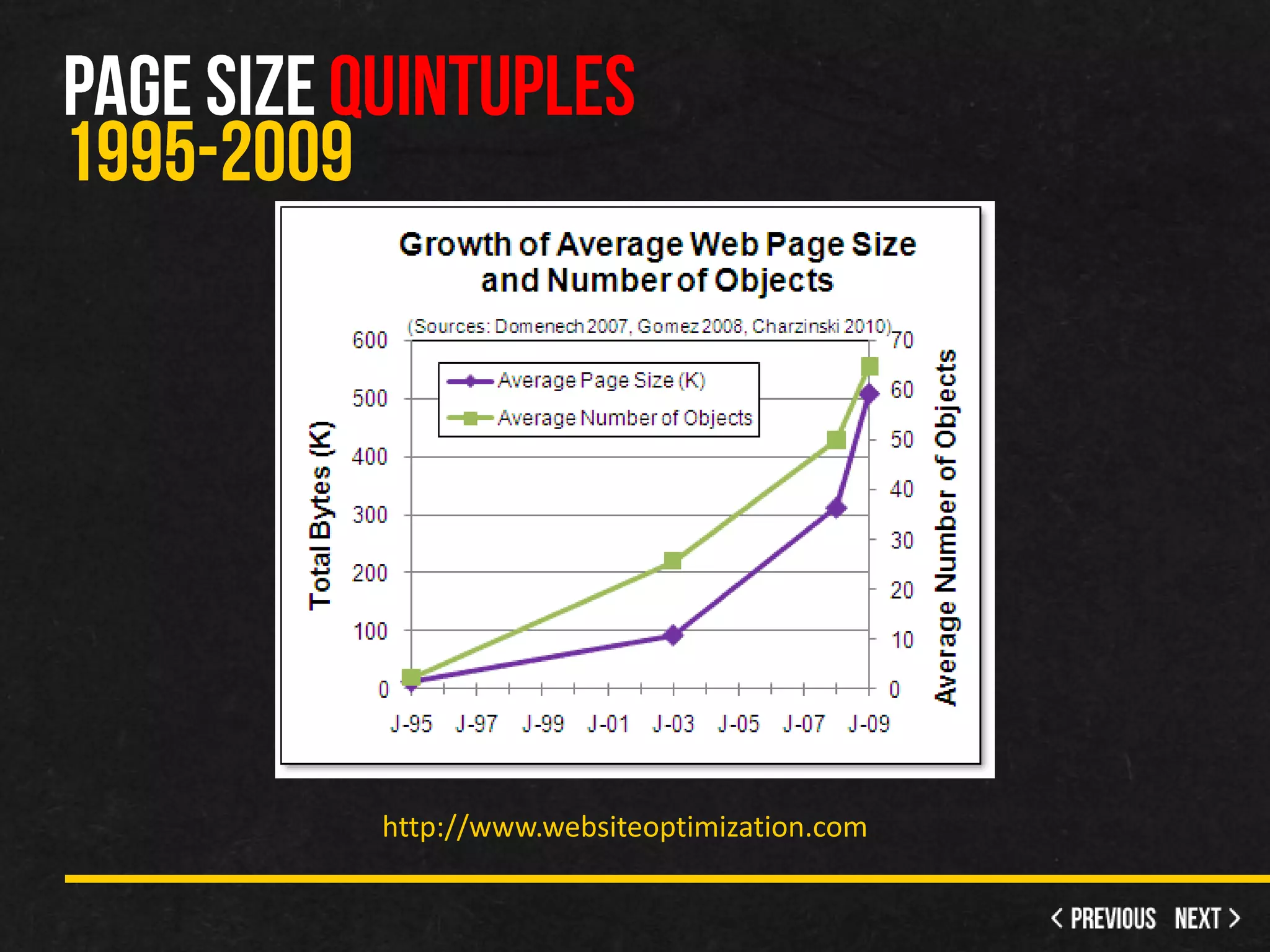
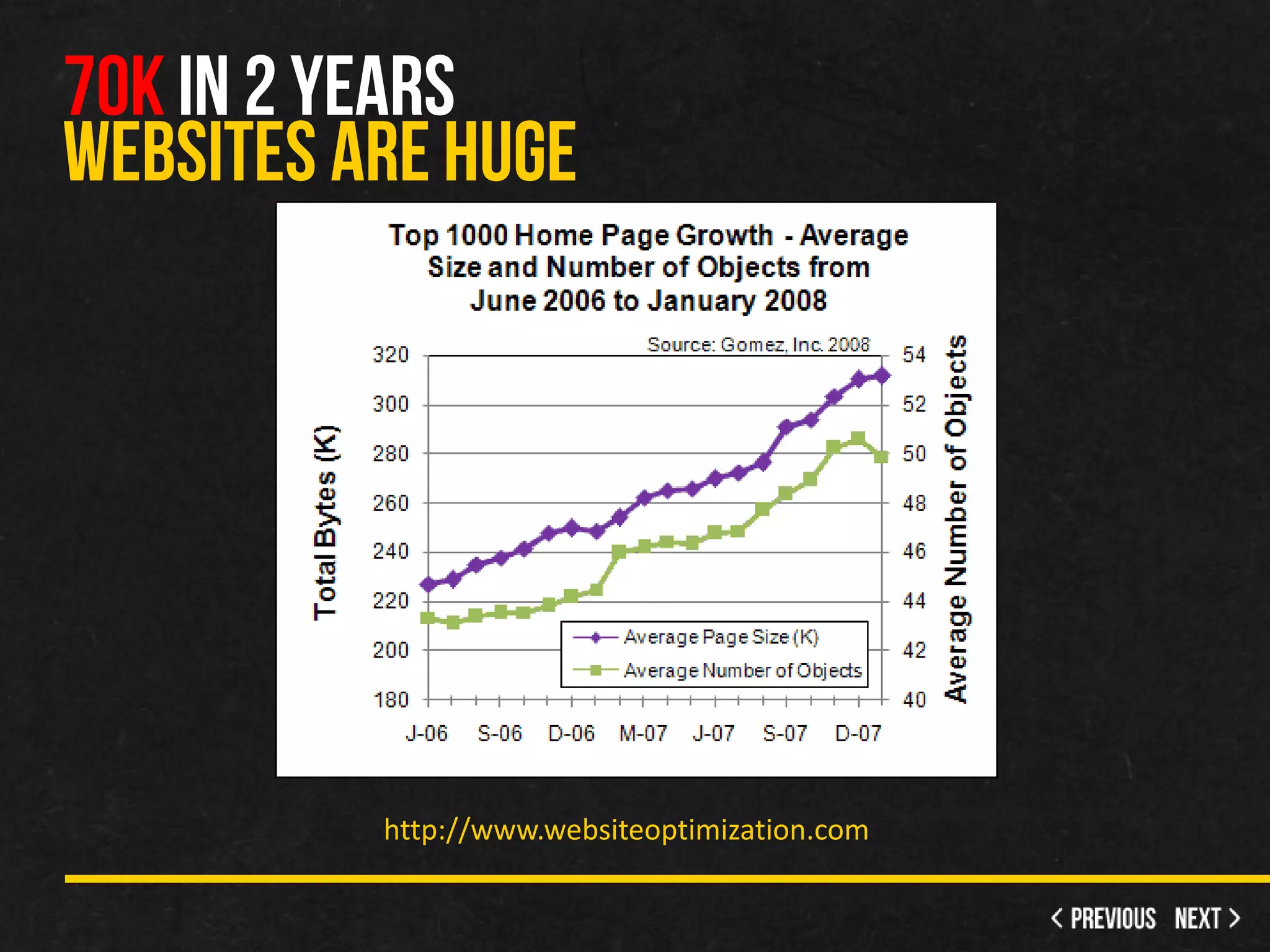
http://www.websiteoptimization.com
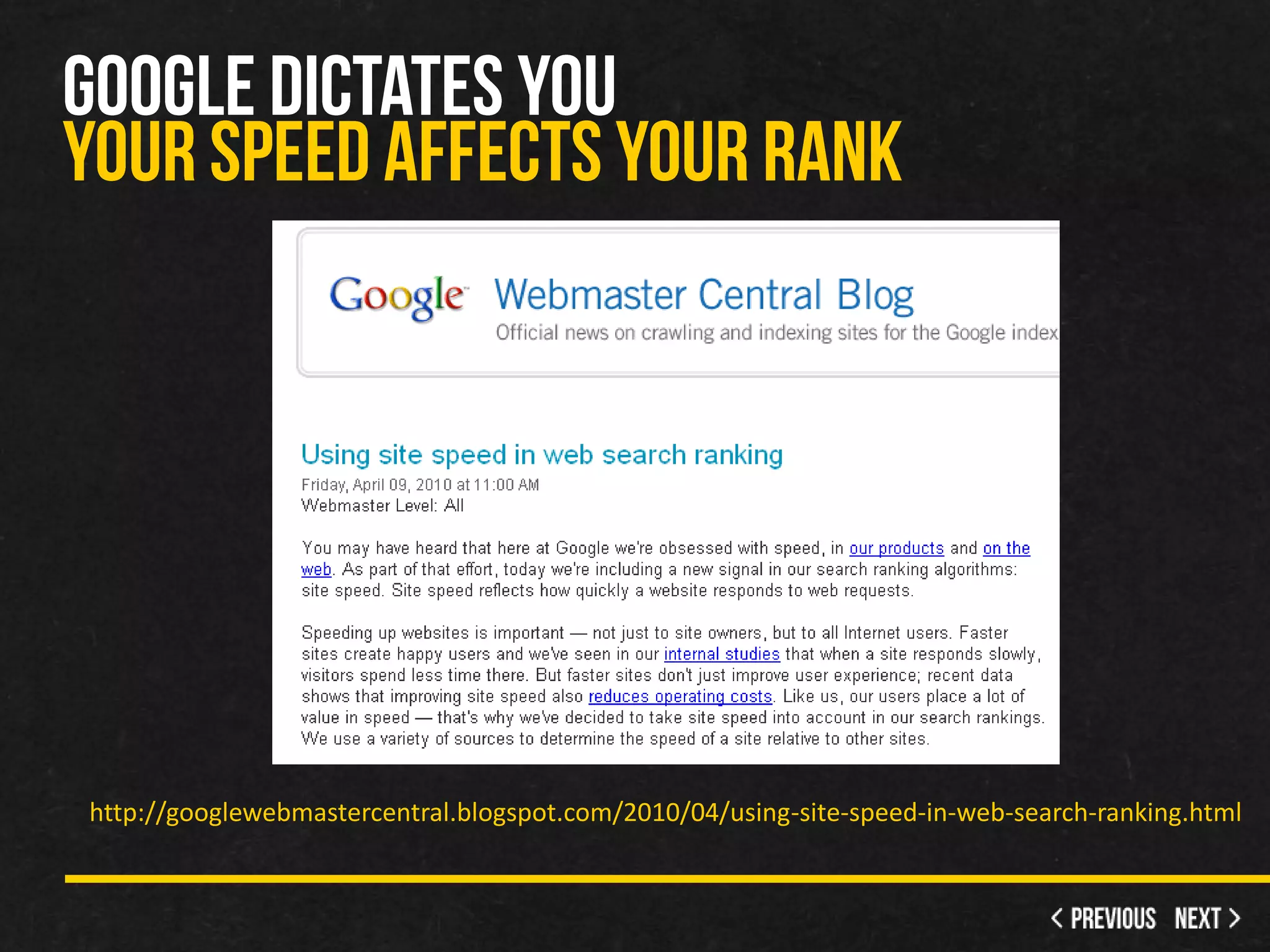
http://googlewebmastercentral.blogspot.com/2010/04/using-site-speed-in-web-search-ranking.html
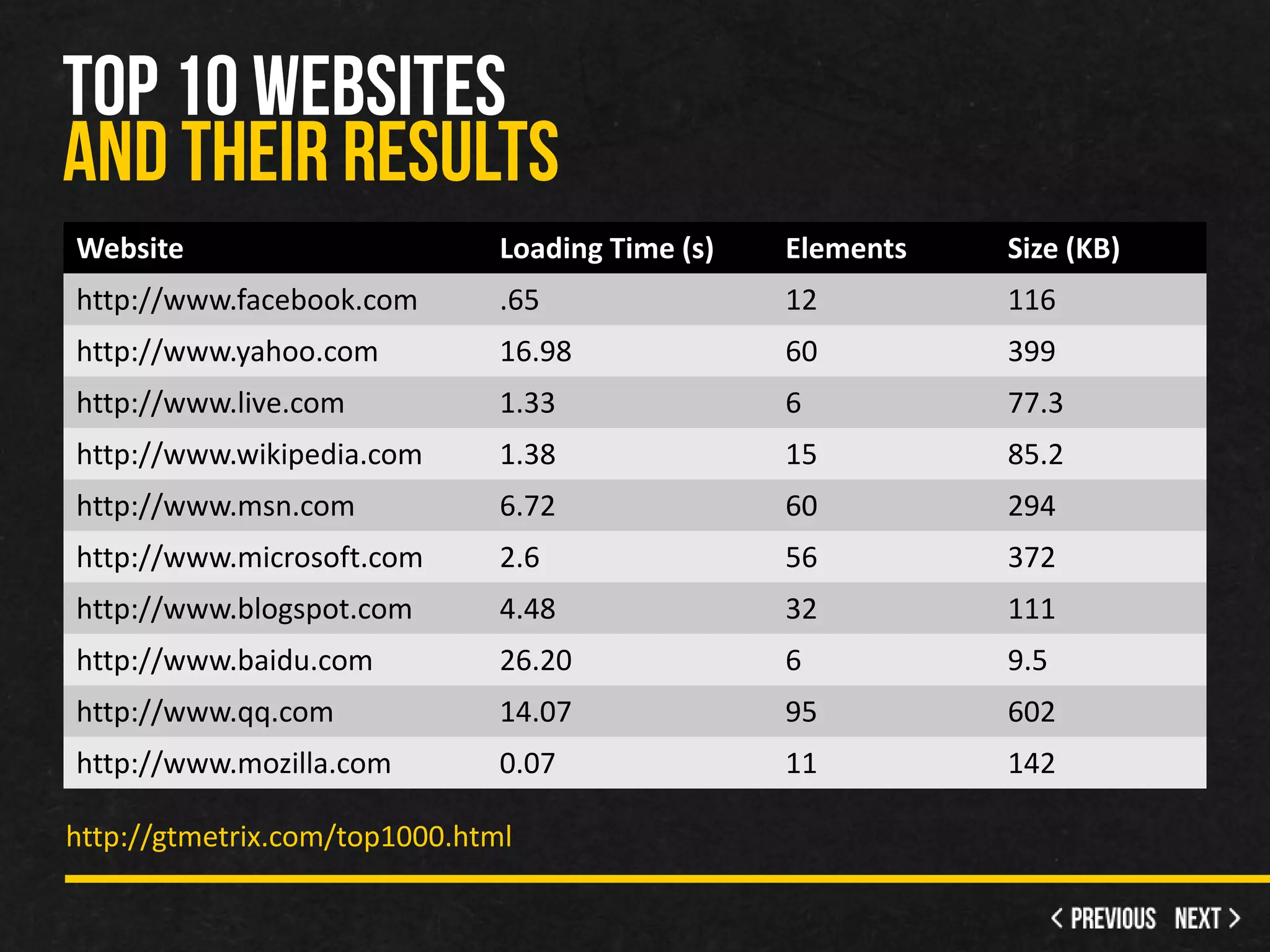
Website                        Loading Time (s)   Elements   Size (KB)
http://www.facebook.com        .65                12         116
http://www.yahoo.com           16.98              60         399
http://www.live.com            1.33               6          77.3
http://www.wikipedia.com       1.38               15         85.2
http://www.msn.com             6.72               60         294
http://www.microsoft.com       2.6                56         372
http://www.blogspot.com        4.48               32         111
http://www.baidu.com           26.20              6          9.5
http://www.qq.com              14.07              95         602
http://www.mozilla.com         0.07               11         142

http://gtmetrix.com/top1000.html
•   FireBug
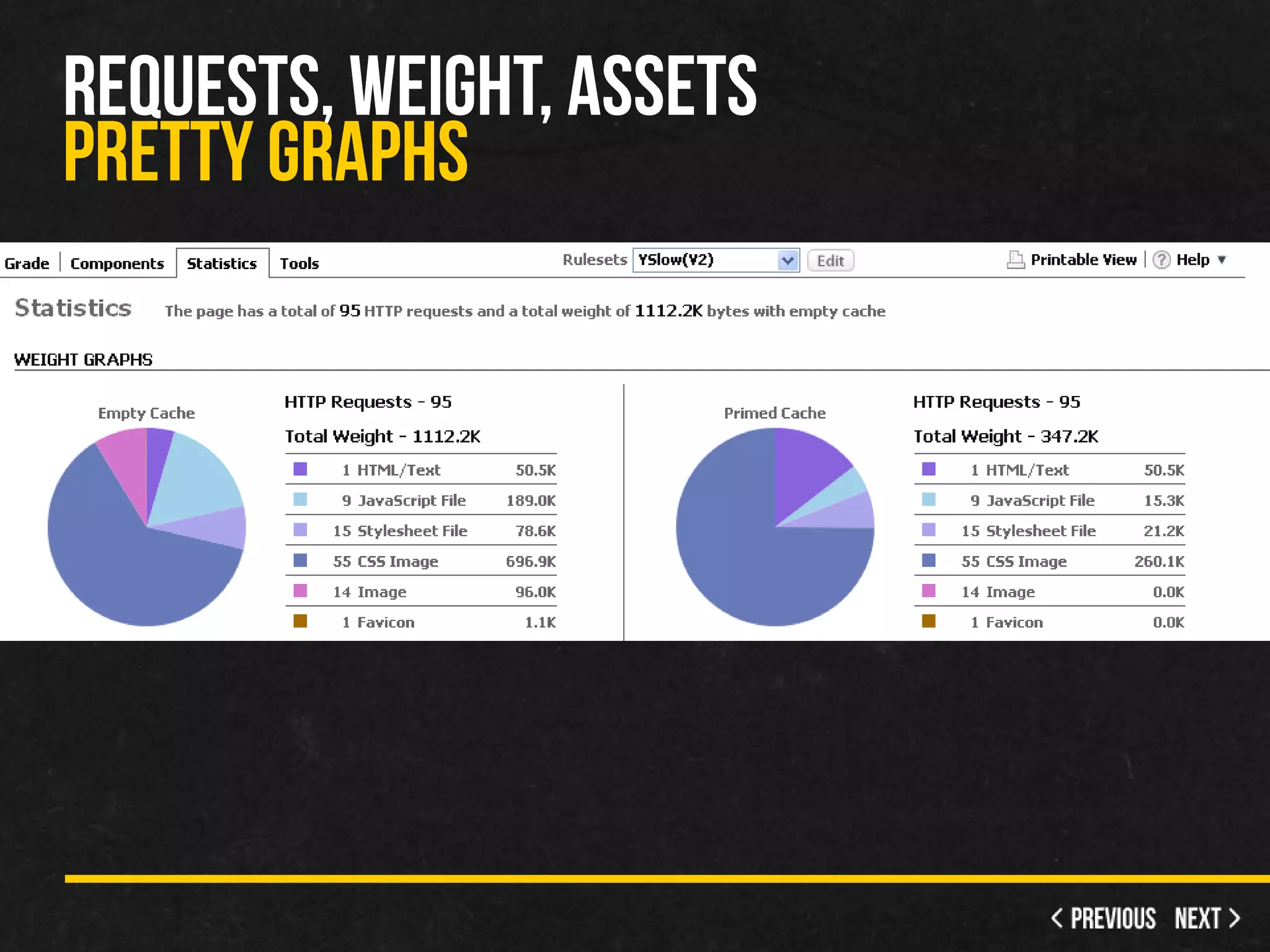
     – YSlow
     – Google Page Speed
•   Chrome Speed Tracer
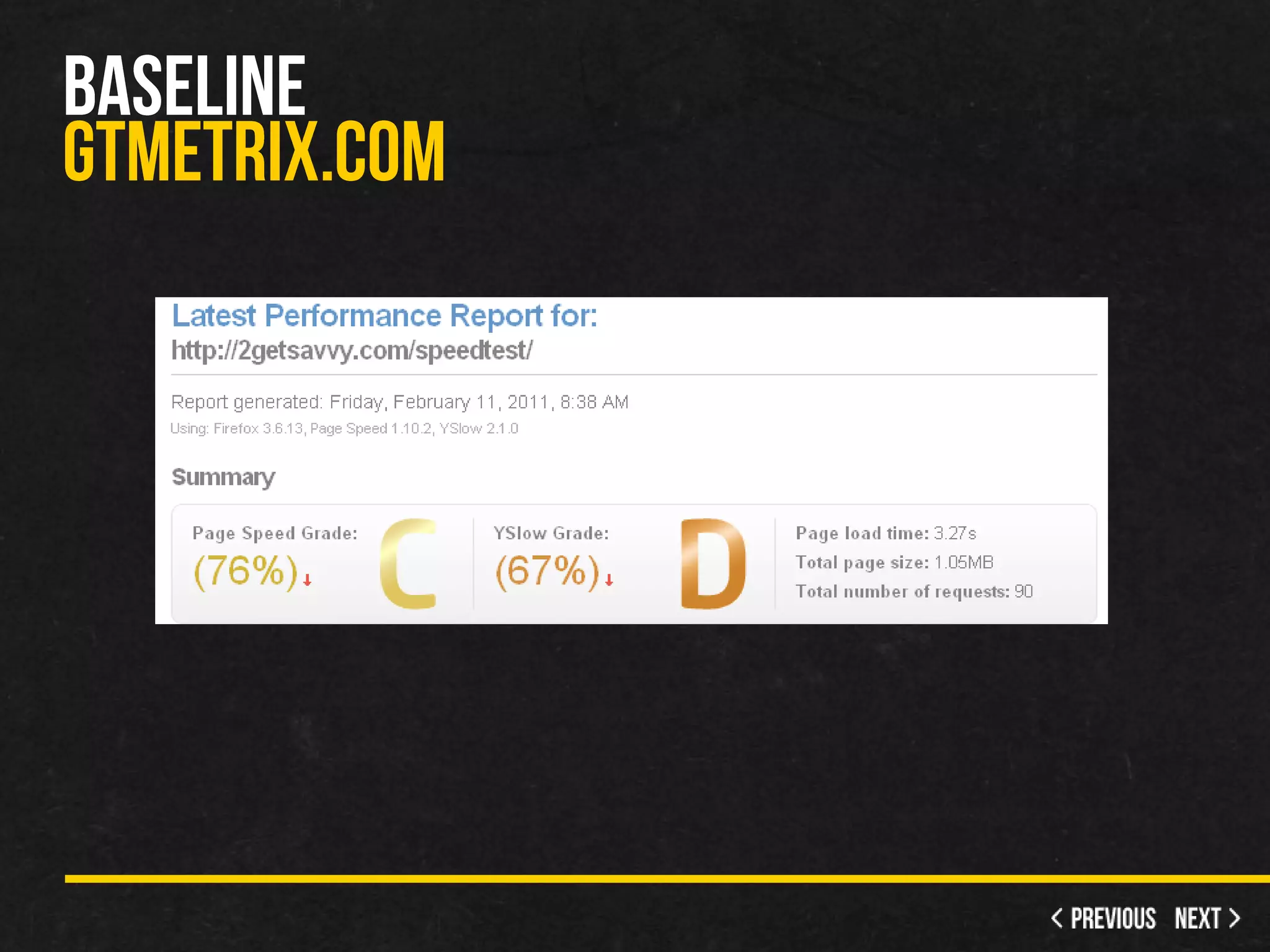
•   GT Metrix - Score and history
•   webpagetest.org
•   Your eyes
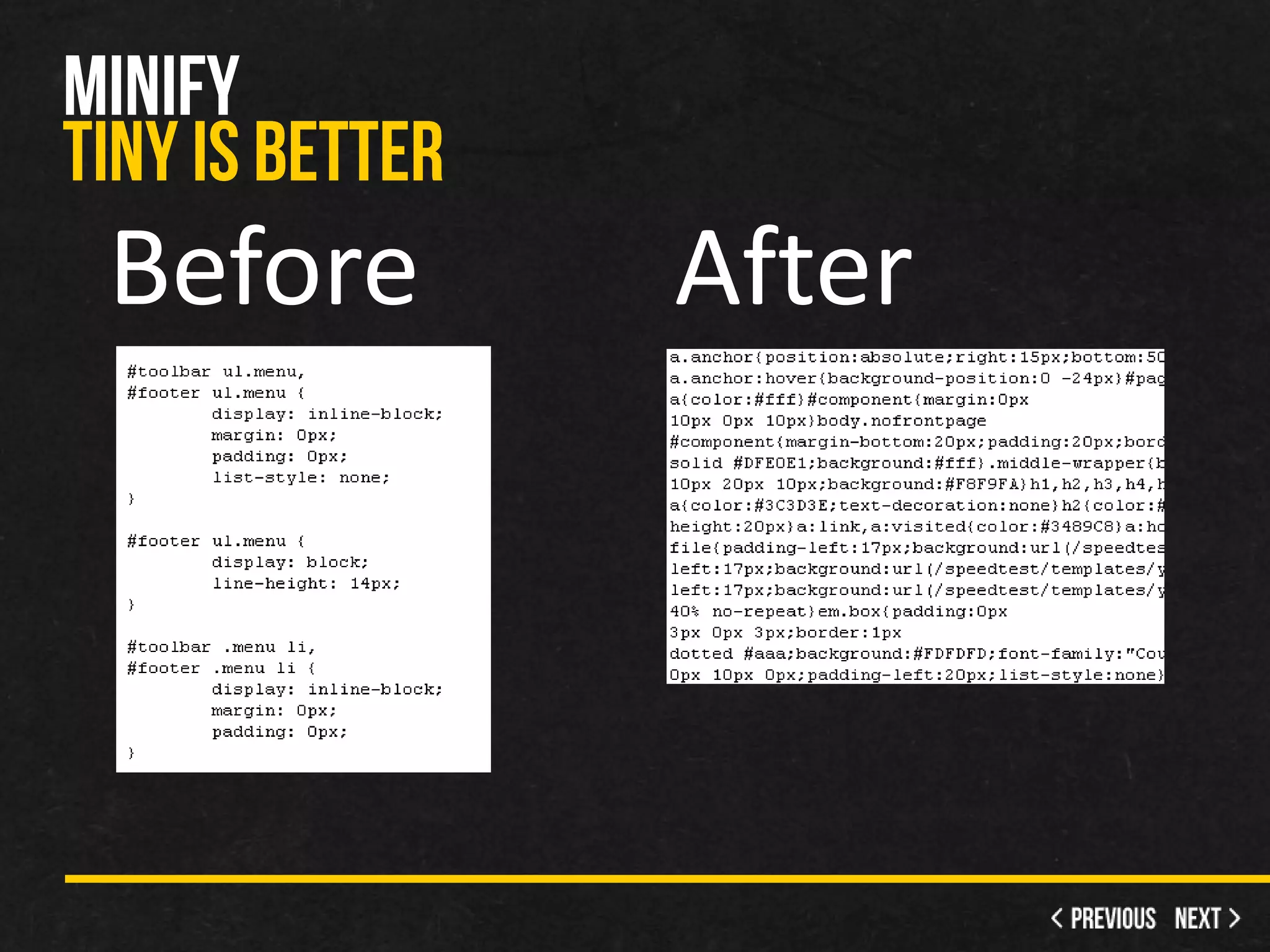
•   Minify
     – Take out white space = smaller file size
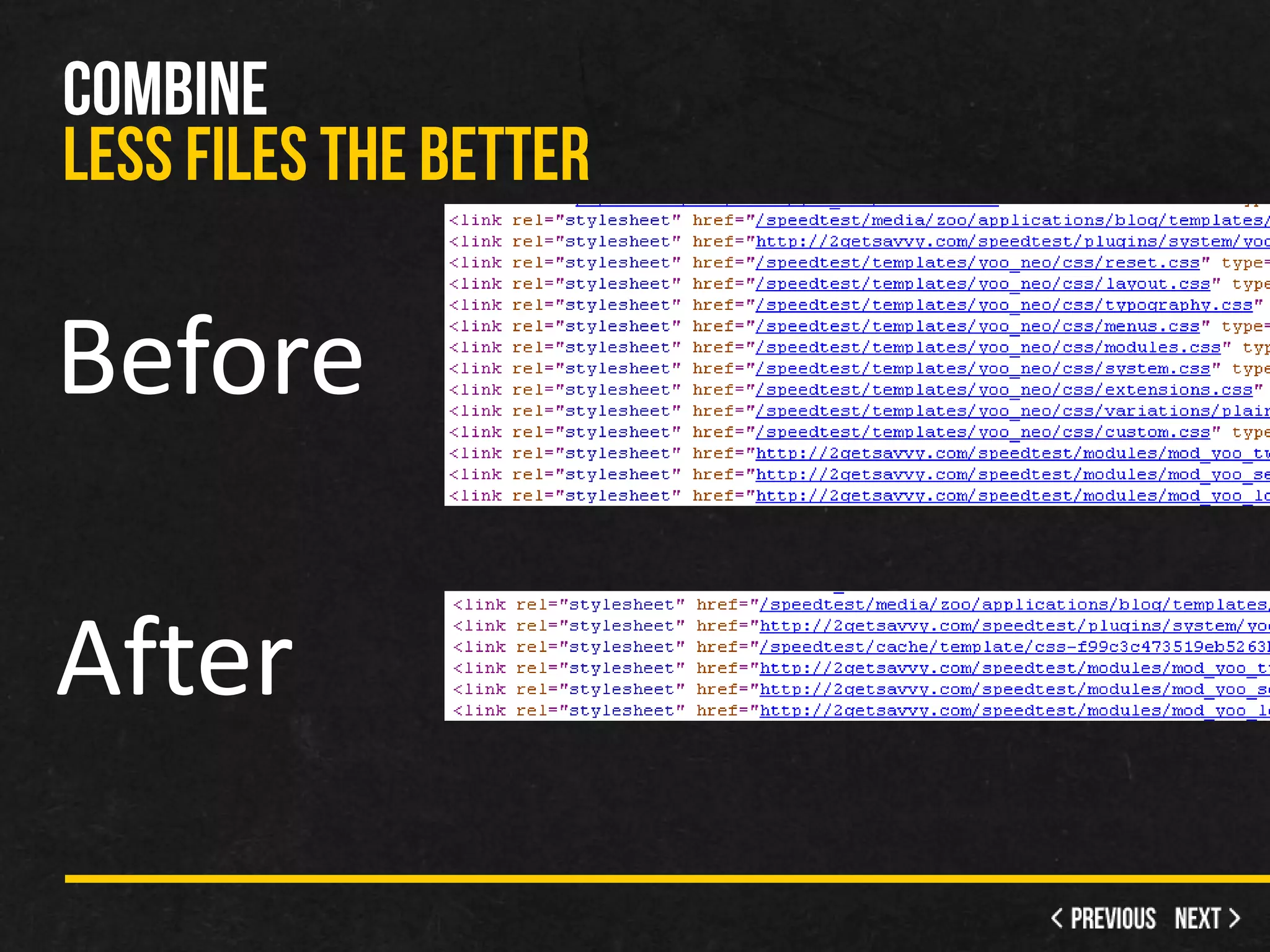
•   Combine CSS and JS into 1 file (or about)
     – Less requests for the client
•   Compress
     – GZip
•   Cache
     – Keep everything in memory
•   Optimize Images
     – Resize, quality and compress
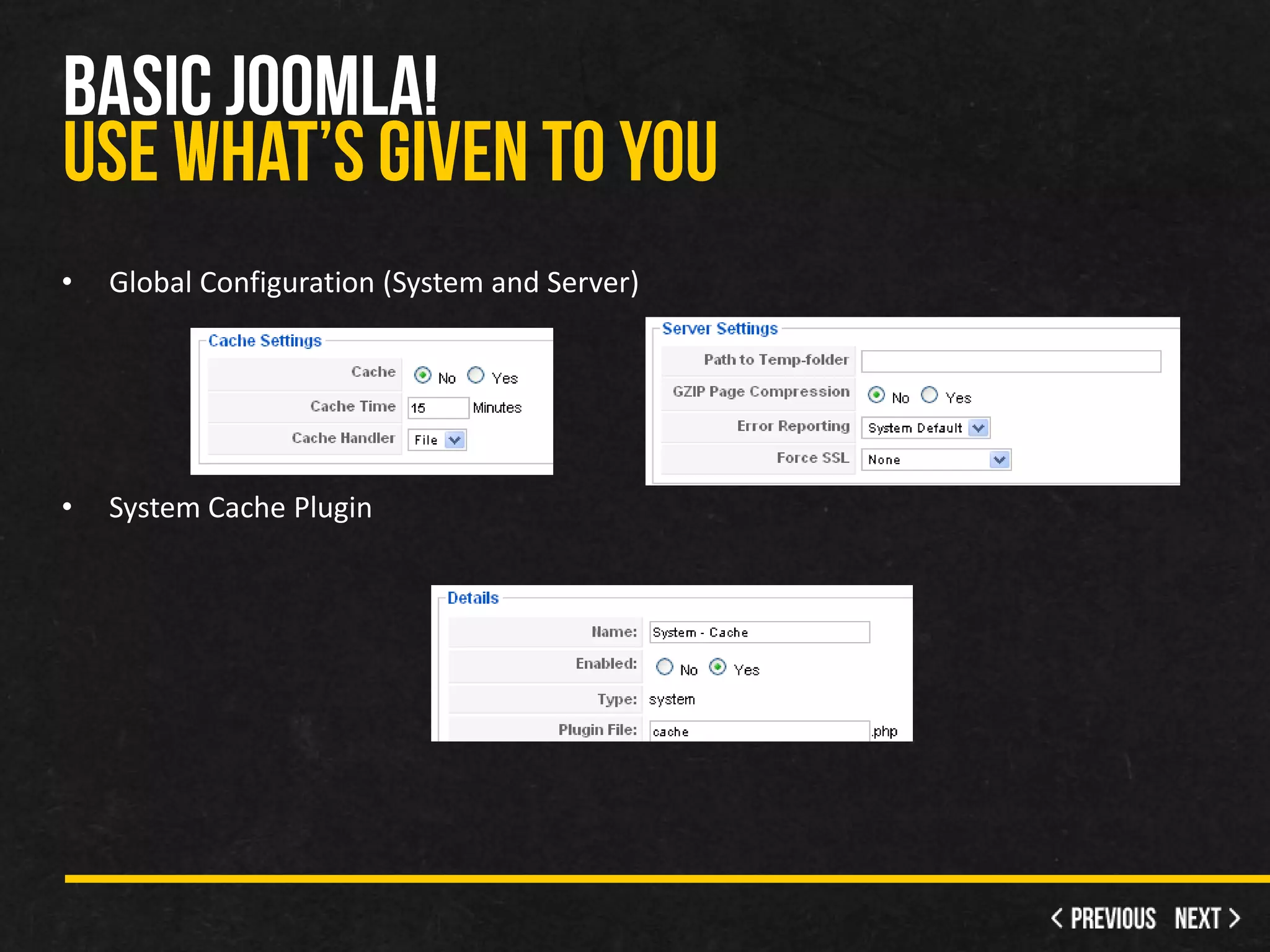
•   Global Configuration (System and Server)


•   System Cache Plugin
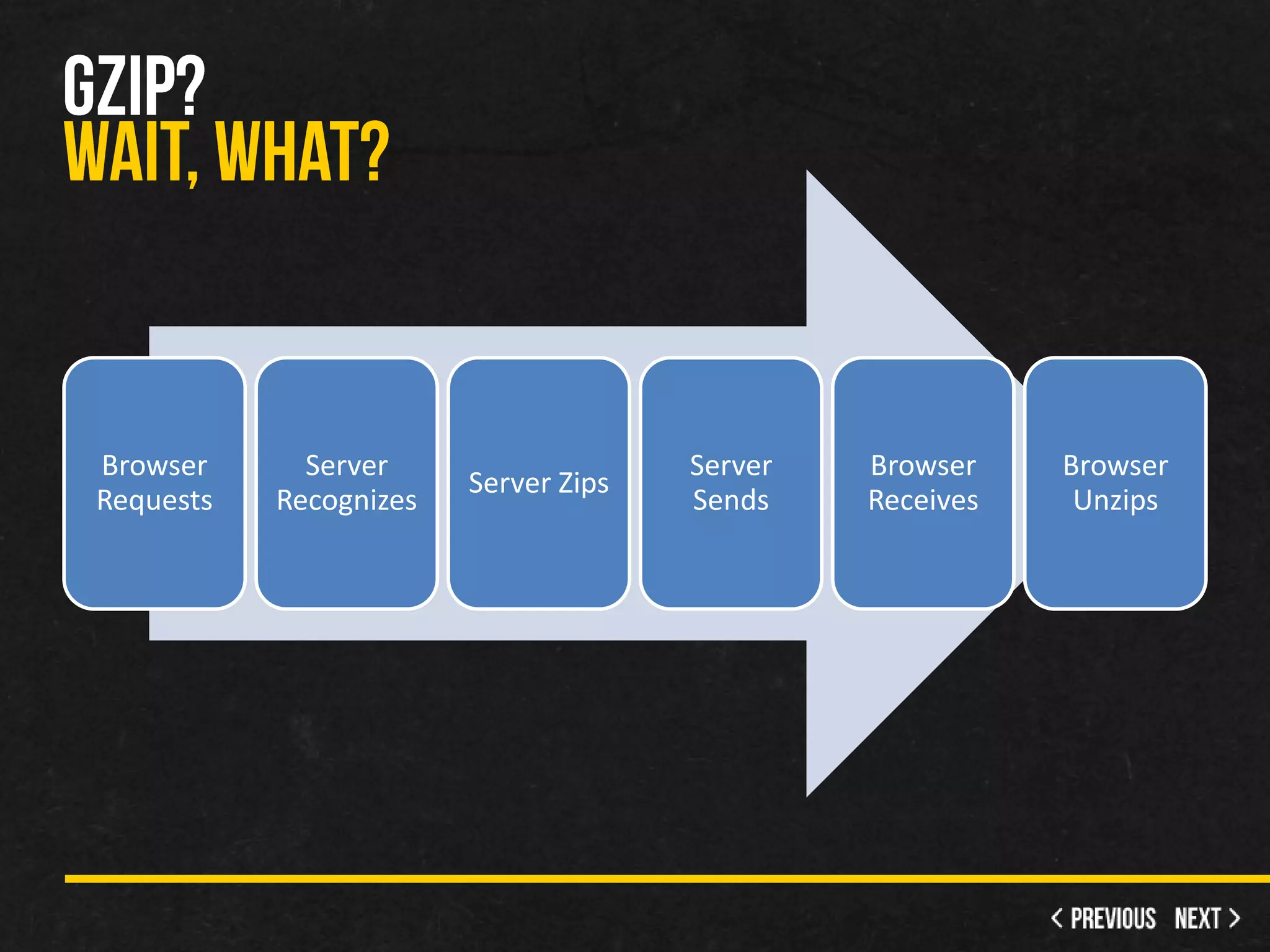
Browser      Server                   Server   Browser    Browser
                        Server Zips
Requests   Recognizes                 Sends    Receives    Unzips
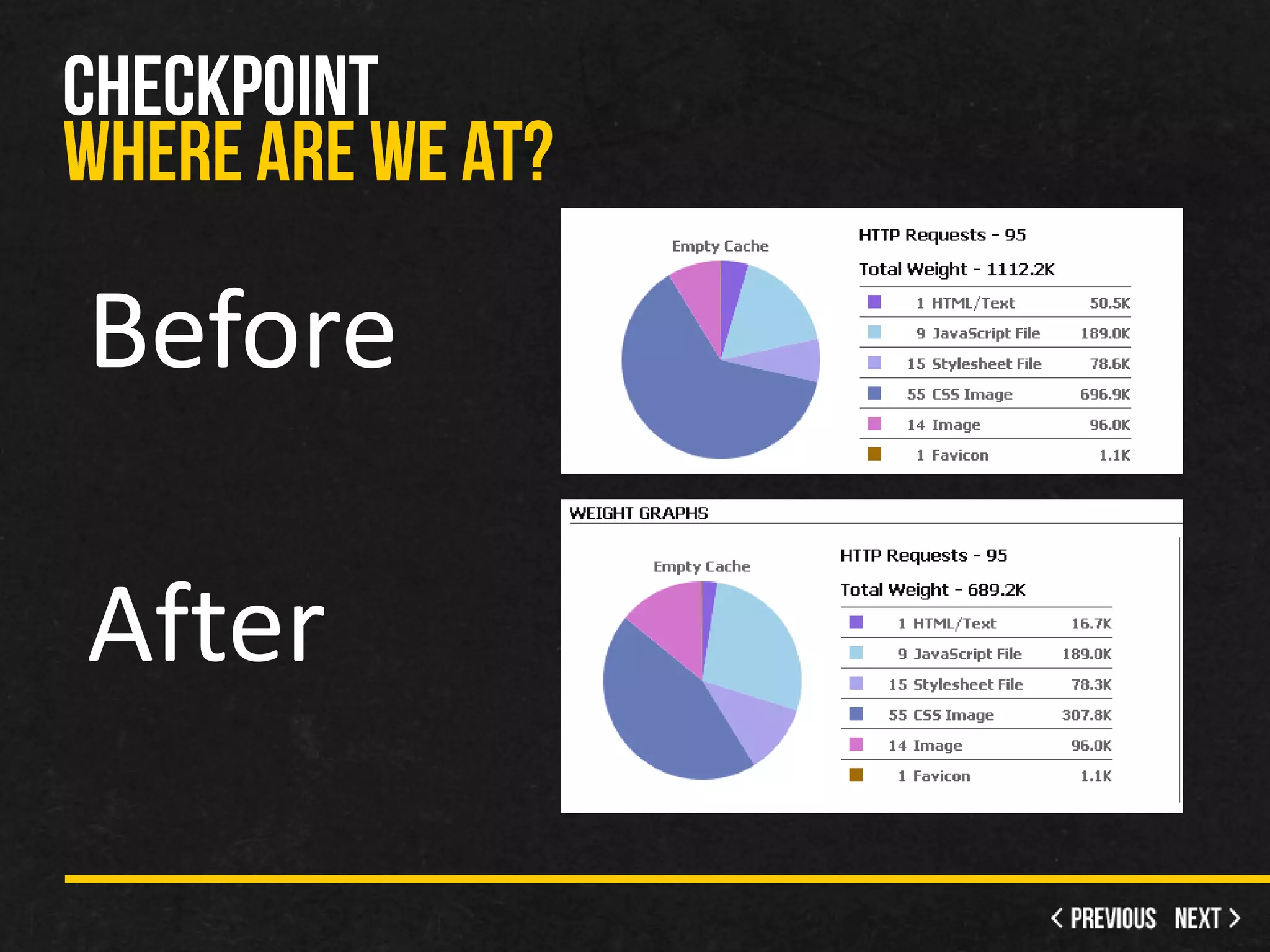
Before

After
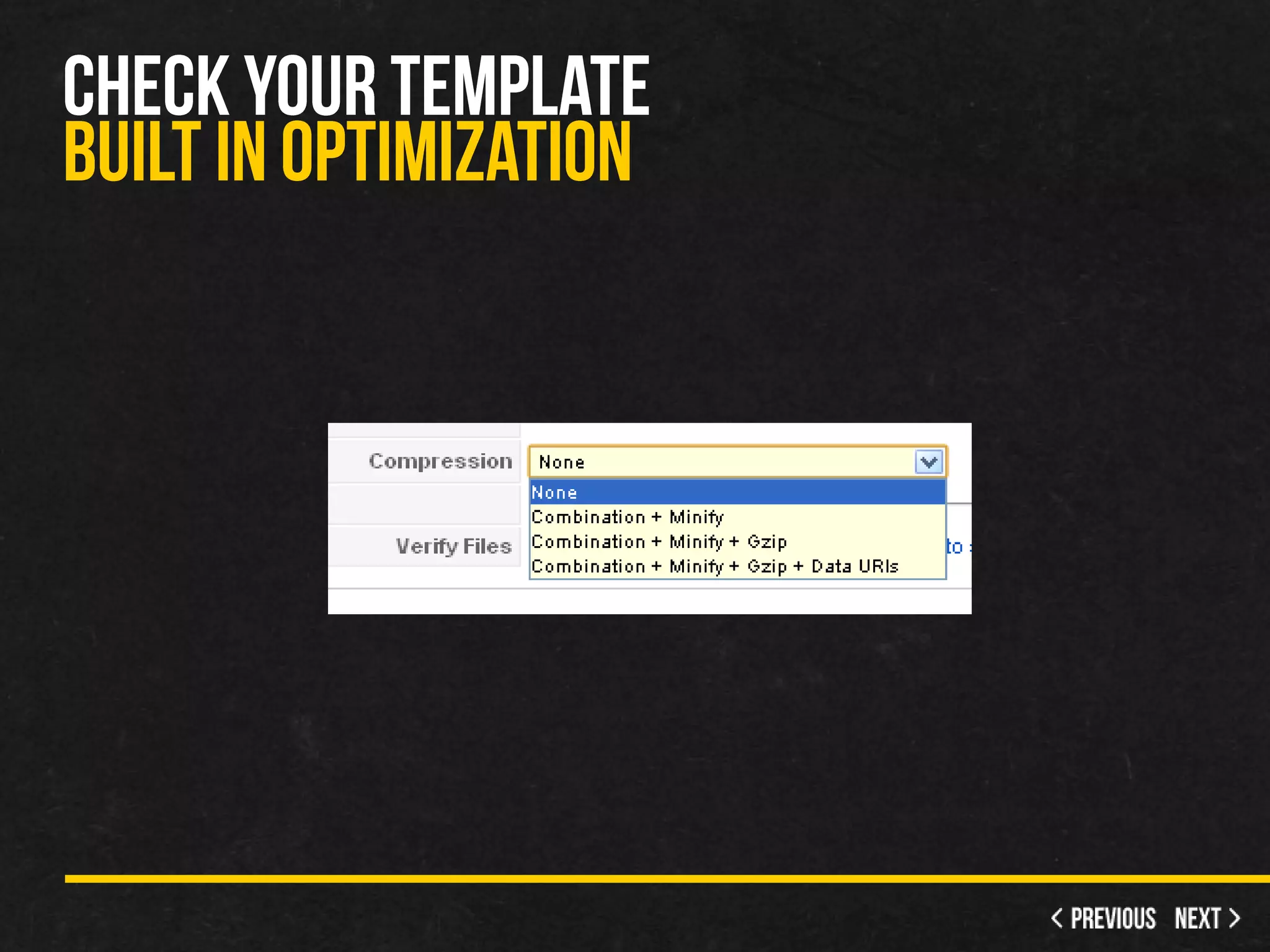
•   Only does template, not components or system files
•   Data URIs
     – Doesn’t work in IE 7 and below
     – Turns the images into raw data, less requests
•   Gzip template files
     – Similar to zipping a file on your computer
Before   After
Before

After
•   Choose the best format
     – Photos=JPG, Flat Colors=PNG
•   Check the quality and adjust
•   Resize before uploading
•   Sprites when possible
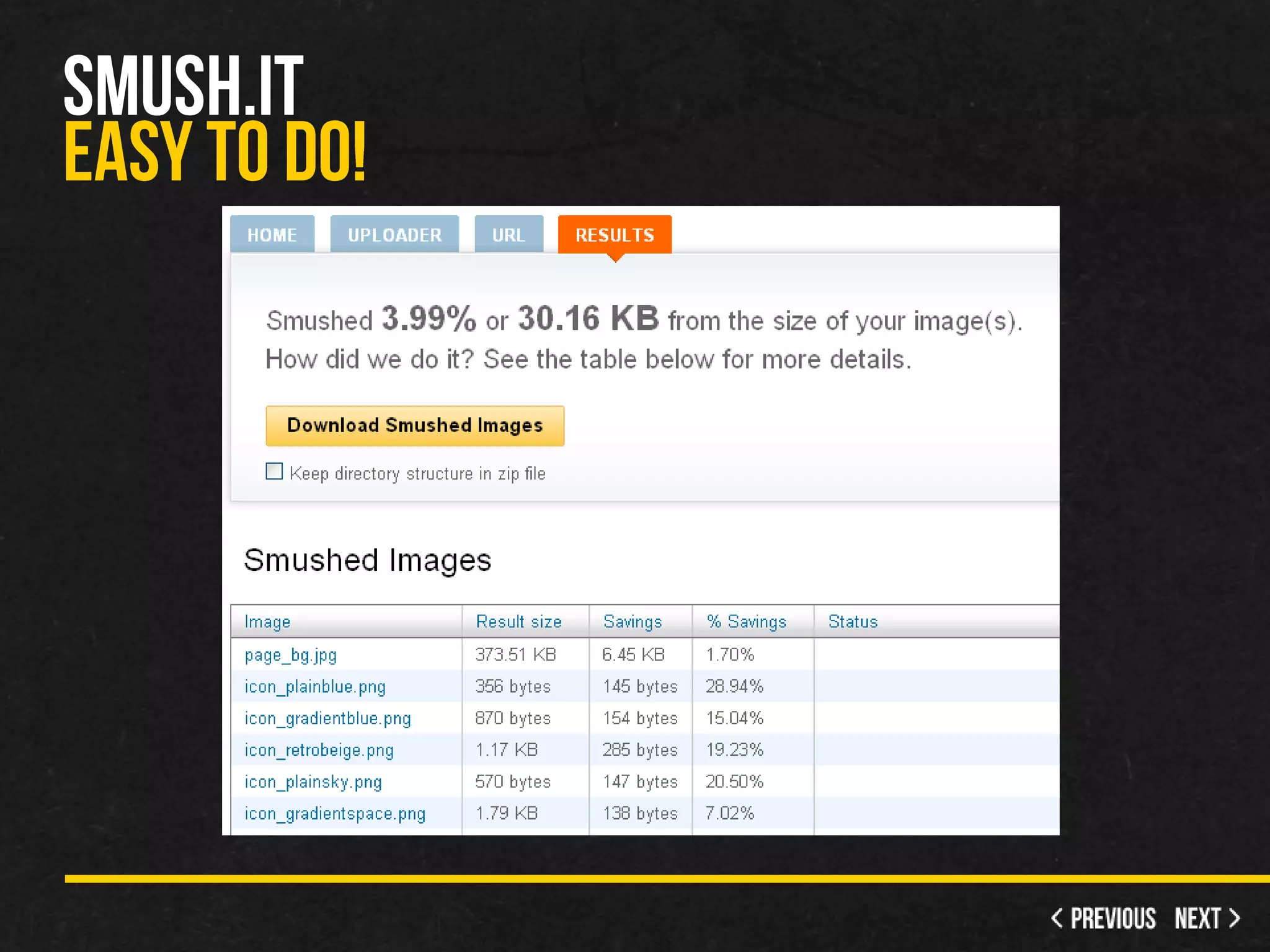
•   Smush.it - Lossless compression
     – YSlow >> Tools >> All Smush.it
•   RIOT - Radical Image Optimization Tool
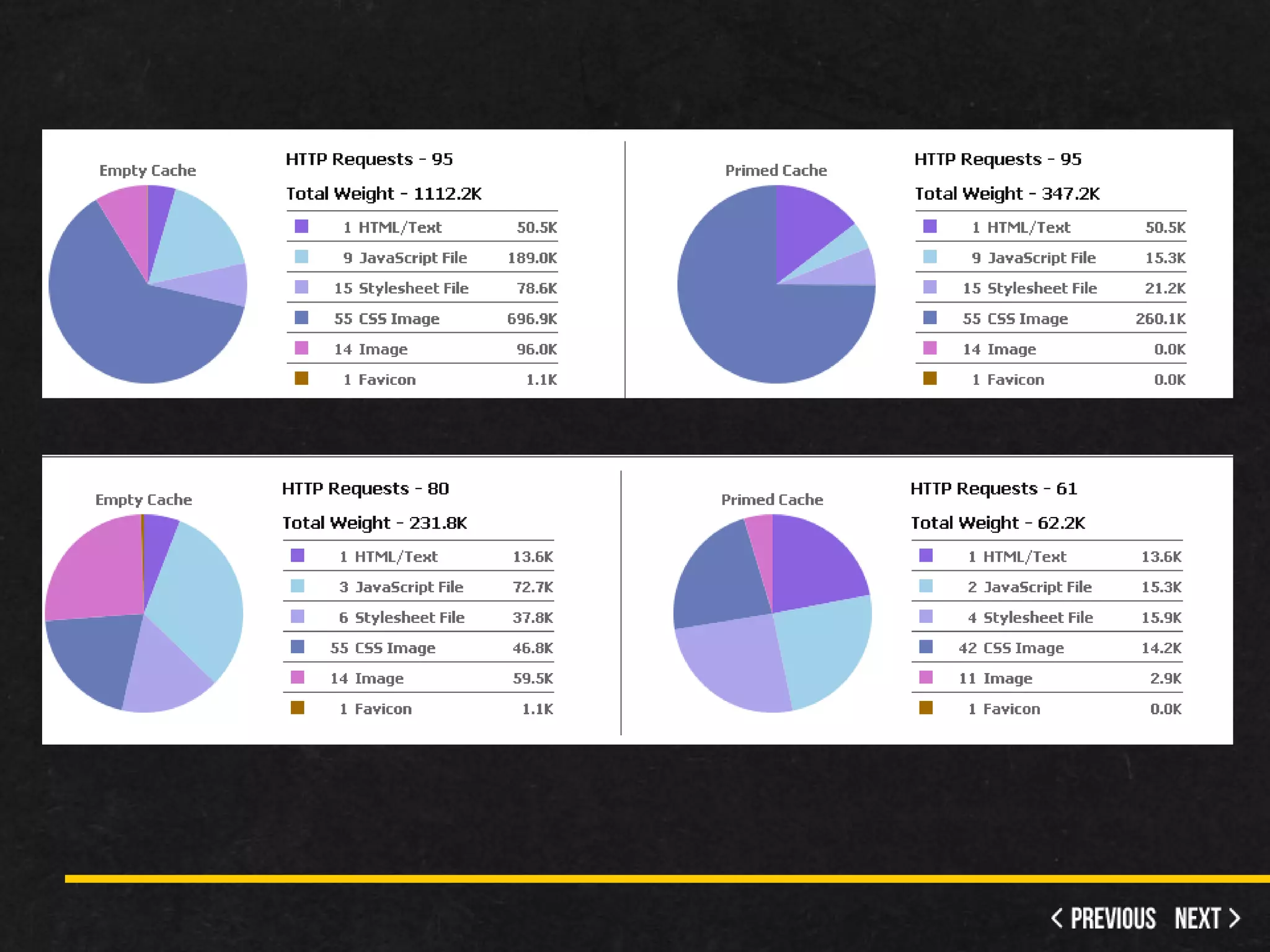
•   Enabled the following…
     – Global Config Cache
     – Global Config GZIP
     – System Cache
     – YooTheme’s maximum optimization
         • minify + gzip + combination + data URIs
     – Optimized Images
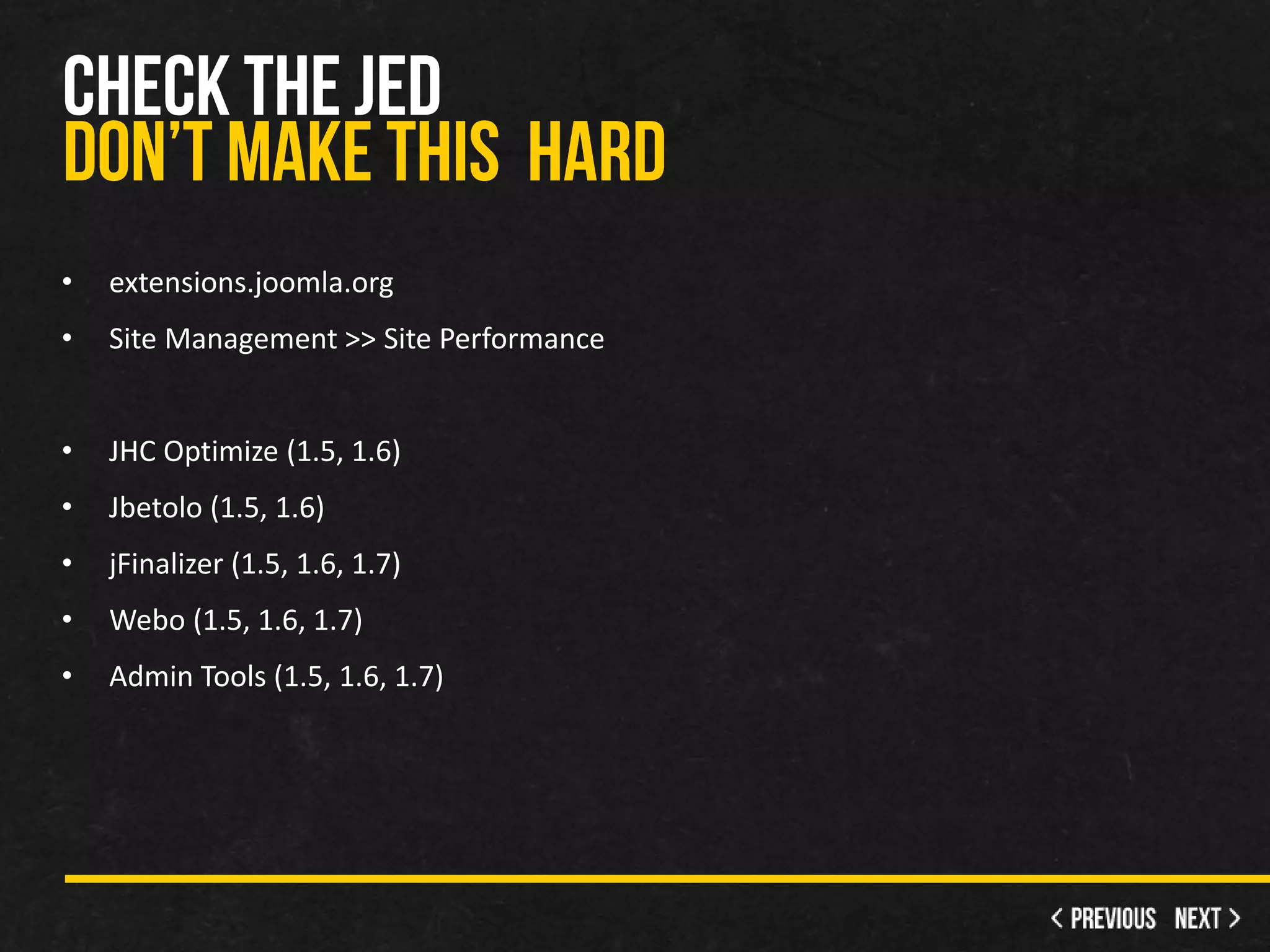
•   extensions.joomla.org
•   Site Management >> Site Performance


•   JHC Optimize (1.5, 1.6)
•   Jbetolo (1.5, 1.6)
•   jFinalizer (1.5, 1.6, 1.7)
•   Webo (1.5, 1.6, 1.7)
•   Admin Tools (1.5, 1.6, 1.7)
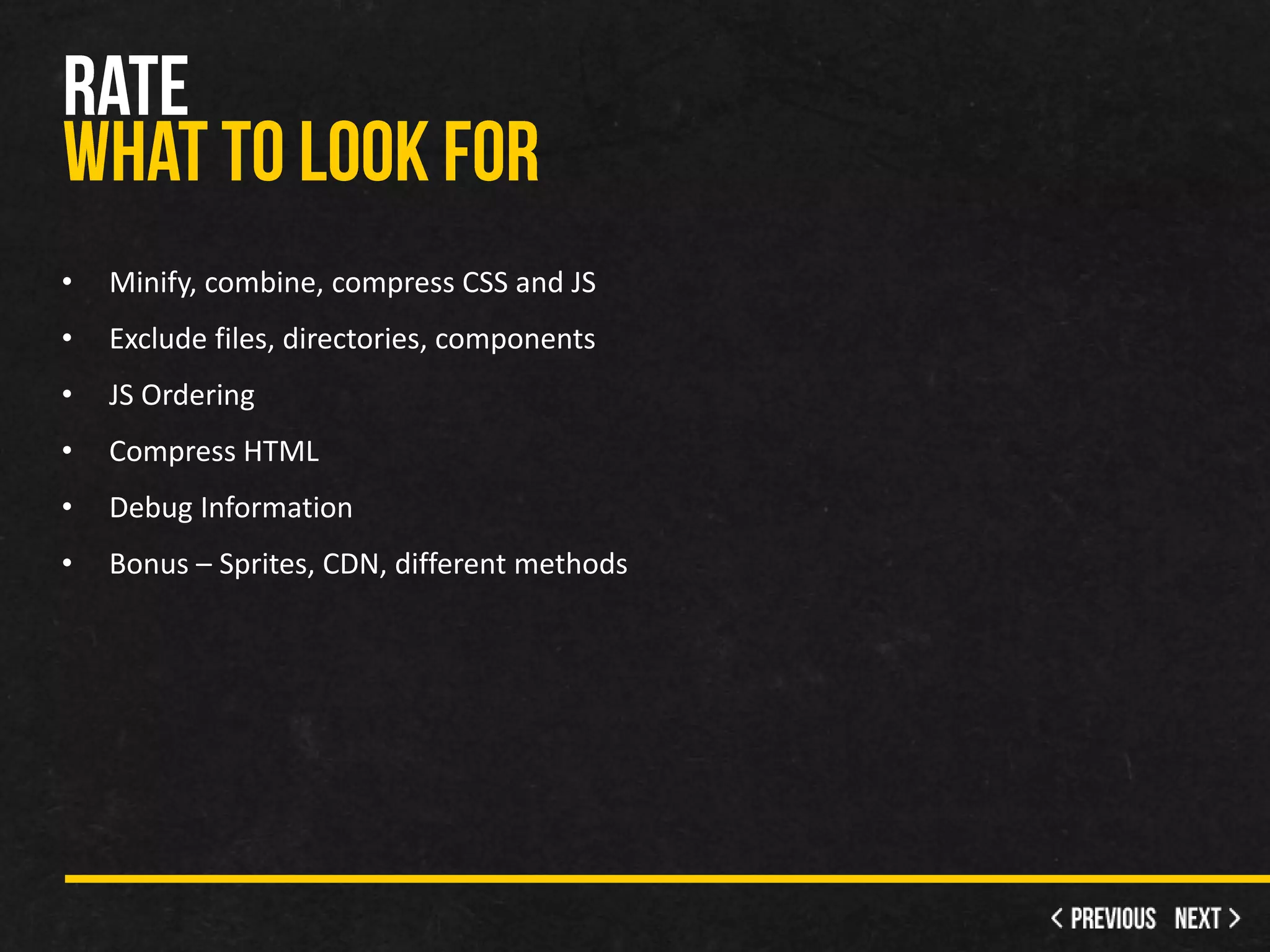
•   Minify, combine, compress CSS and JS
•   Exclude files, directories, components
•   JS Ordering
•   Compress HTML
•   Debug Information
•   Bonus – Sprites, CDN, different methods
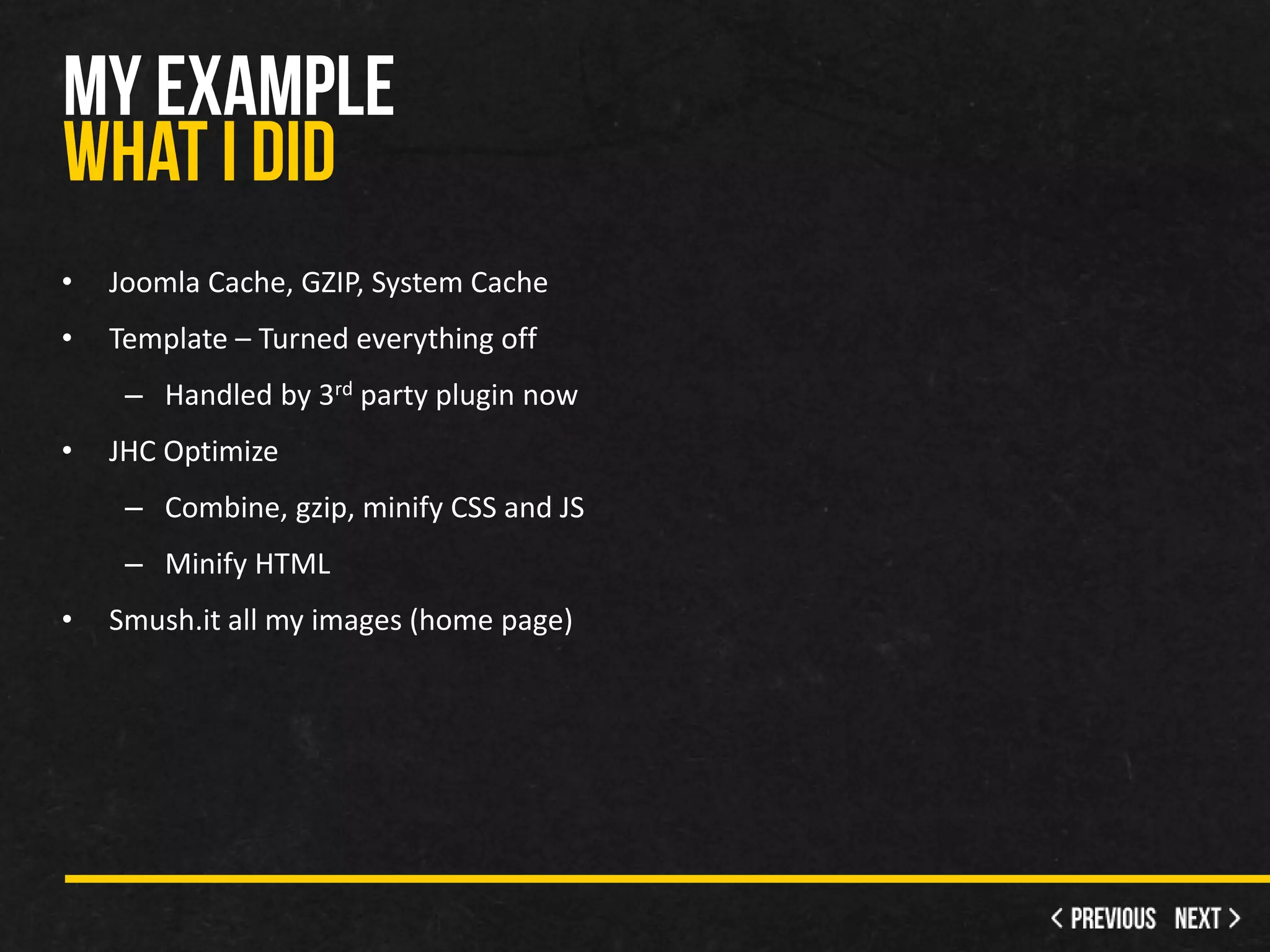
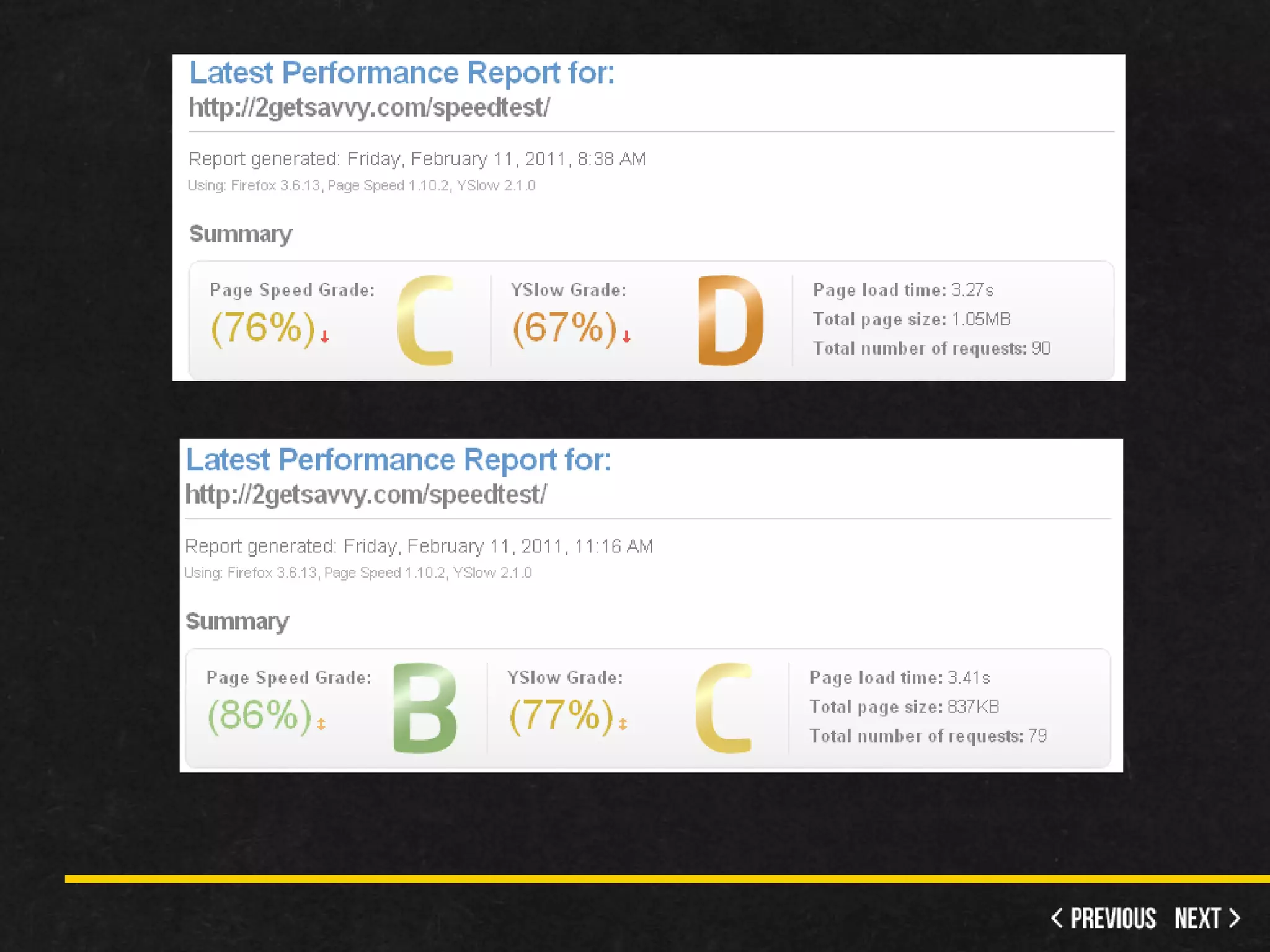
•   Joomla Cache, GZIP, System Cache
•   Template – Turned everything off
     – Handled by 3rd party plugin now
•   JHC Optimize
     – Combine, gzip, minify CSS and JS
     – Minify HTML
•   Smush.it all my images (home page)
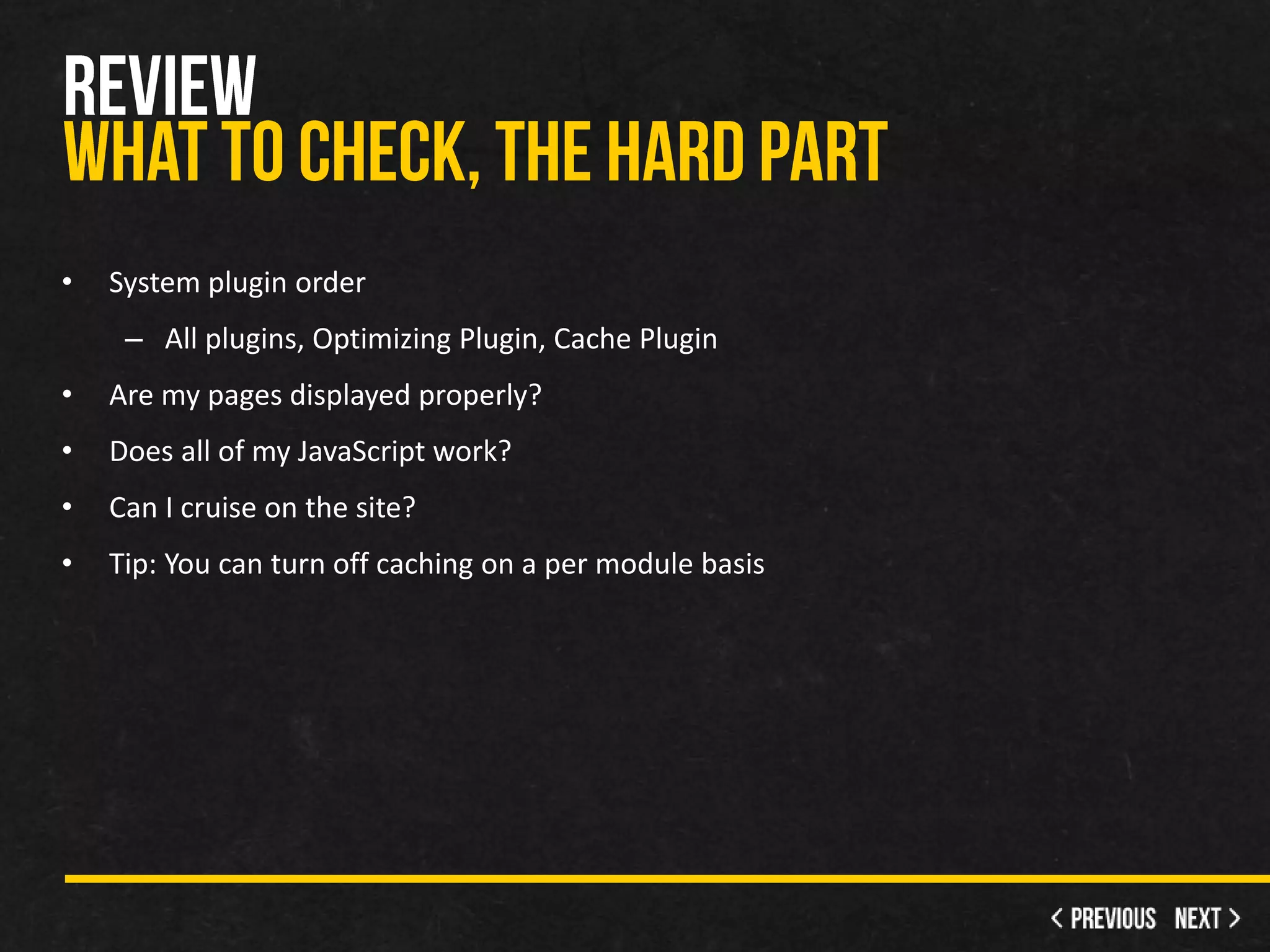
•   System plugin order
     – All plugins, Optimizing Plugin, Cache Plugin
•   Are my pages displayed properly?
•   Does all of my JavaScript work?
•   Can I cruise on the site?
•   Tip: You can turn off caching on a per module basis
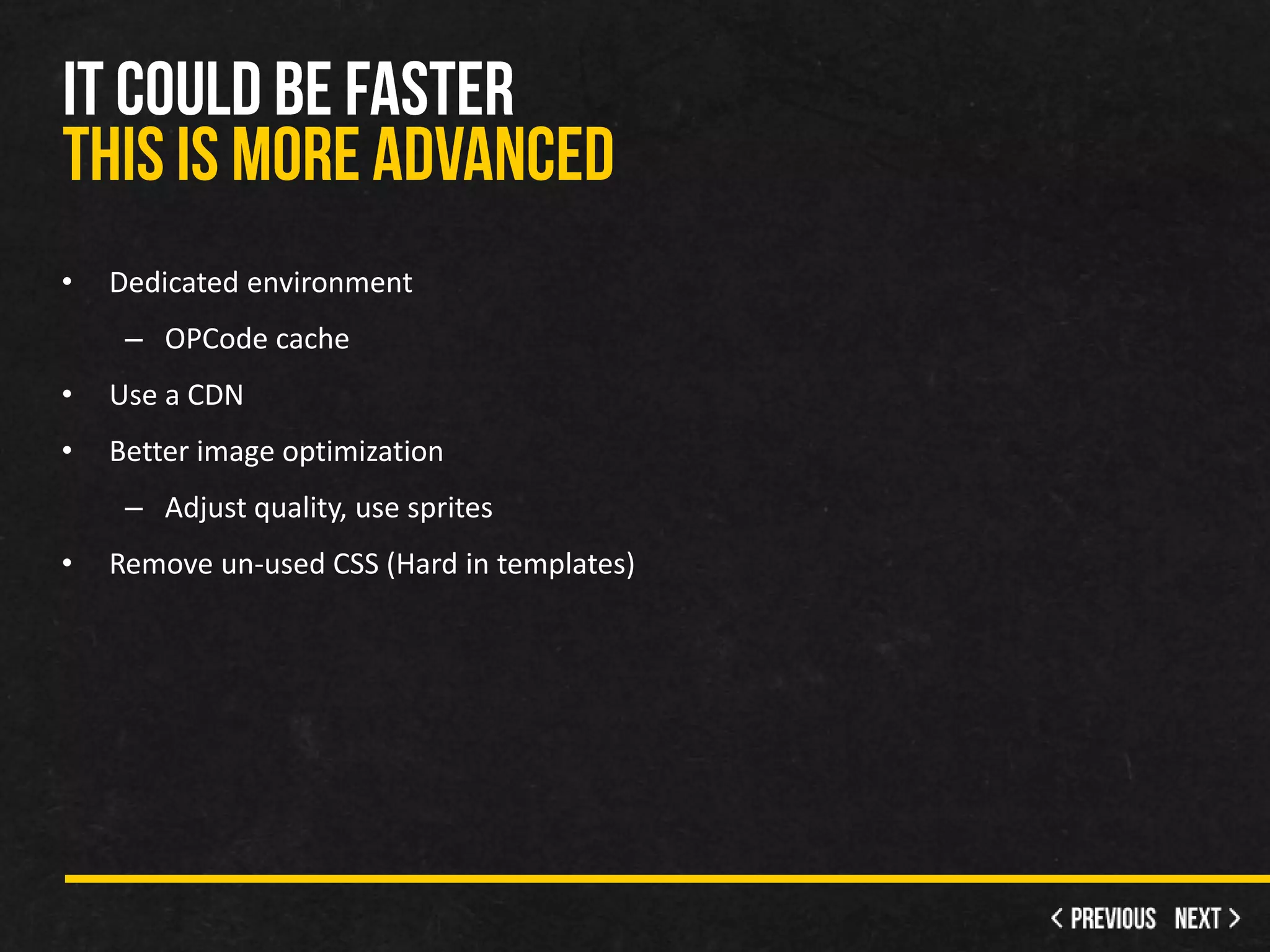
•   Dedicated environment
     – OPCode cache
•   Use a CDN
•   Better image optimization
     – Adjust quality, use sprites
•   Remove un-used CSS (Hard in templates)
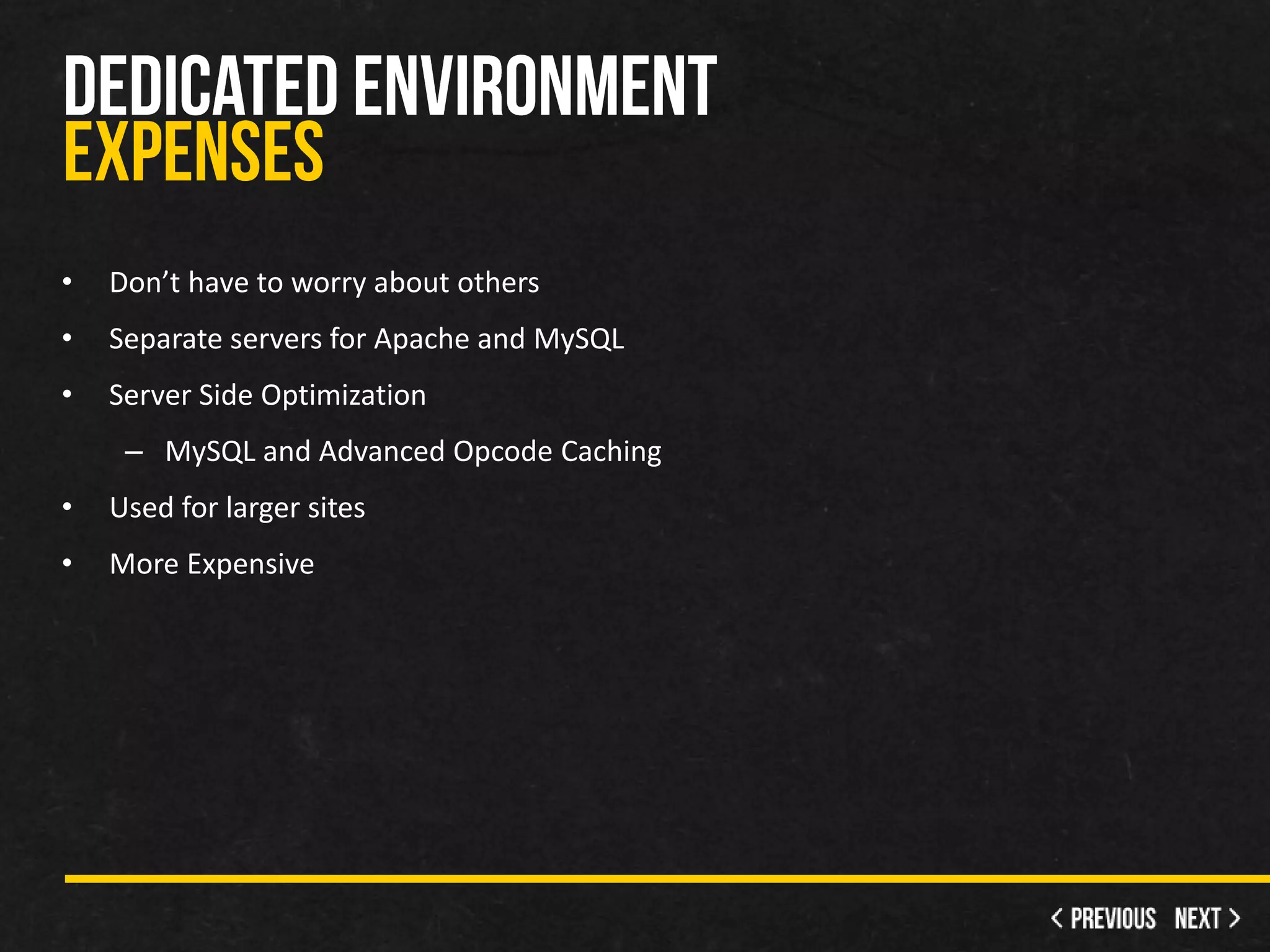
•   Don’t have to worry about others
•   Separate servers for Apache and MySQL
•   Server Side Optimization
     – MySQL and Advanced Opcode Caching
•   Used for larger sites
•   More Expensive
•   Serve on a cloud
•   Many servers send you the files
•   Helps with proximity
•   Speedy multimedia
•   Monthly Fees
•   Do the previously mentioned
•   Look into CSS Sprites
•   Greatly reduces requests
•   Some extensions help
•   Involved higher skills to be done manually
•   Large issue with CMS
•   Plugins the pages
•   CSS/JS only used on specific pages
•   Increases files size
•   Increases requests
•   Live with it, but disable what your not using
•   http://googlewebmastercentral.blogspot.com/2010/04/using-site-speed-in-web-
    search-ranking.html
•   http://developer.yahoo.com/performance/rules.html
•   http://www.webpagetest.org/
•   http://gtmetrix.com/
•   http://www.smushit.com/ysmush.it/
•   http://www.whatsmyip.org/http_compression/
•   http://getfirebug.com/
•   http://developer.yahoo.com/yslow/
•   http://code.google.com/speed/page-speed/

Joomla Site Optimization

  • 1.
  • 3.
    BS Management Information Systems • 10+ Years web experience • Accenture – Services – BPO – Client Service Liaison for Global CPG • Created over 20 Joomla! Sites • Own a martial arts academy (3 sites)
  • 4.
  • 5.
  • 7.
  • 8.
    Website Loading Time (s) Elements Size (KB) http://www.facebook.com .65 12 116 http://www.yahoo.com 16.98 60 399 http://www.live.com 1.33 6 77.3 http://www.wikipedia.com 1.38 15 85.2 http://www.msn.com 6.72 60 294 http://www.microsoft.com 2.6 56 372 http://www.blogspot.com 4.48 32 111 http://www.baidu.com 26.20 6 9.5 http://www.qq.com 14.07 95 602 http://www.mozilla.com 0.07 11 142 http://gtmetrix.com/top1000.html
  • 9.
    FireBug – YSlow – Google Page Speed • Chrome Speed Tracer • GT Metrix - Score and history • webpagetest.org • Your eyes
  • 13.
    Minify – Take out white space = smaller file size • Combine CSS and JS into 1 file (or about) – Less requests for the client • Compress – GZip • Cache – Keep everything in memory • Optimize Images – Resize, quality and compress
  • 14.
    Global Configuration (System and Server) • System Cache Plugin
  • 15.
    Browser Server Server Browser Browser Server Zips Requests Recognizes Sends Receives Unzips
  • 16.
  • 18.
    Only does template, not components or system files • Data URIs – Doesn’t work in IE 7 and below – Turns the images into raw data, less requests • Gzip template files – Similar to zipping a file on your computer
  • 19.
    Before After
  • 20.
  • 21.
    Choose the best format – Photos=JPG, Flat Colors=PNG • Check the quality and adjust • Resize before uploading • Sprites when possible • Smush.it - Lossless compression – YSlow >> Tools >> All Smush.it • RIOT - Radical Image Optimization Tool
  • 23.
    Enabled the following… – Global Config Cache – Global Config GZIP – System Cache – YooTheme’s maximum optimization • minify + gzip + combination + data URIs – Optimized Images
  • 27.
    extensions.joomla.org • Site Management >> Site Performance • JHC Optimize (1.5, 1.6) • Jbetolo (1.5, 1.6) • jFinalizer (1.5, 1.6, 1.7) • Webo (1.5, 1.6, 1.7) • Admin Tools (1.5, 1.6, 1.7)
  • 28.
    Minify, combine, compress CSS and JS • Exclude files, directories, components • JS Ordering • Compress HTML • Debug Information • Bonus – Sprites, CDN, different methods
  • 29.
    Joomla Cache, GZIP, System Cache • Template – Turned everything off – Handled by 3rd party plugin now • JHC Optimize – Combine, gzip, minify CSS and JS – Minify HTML • Smush.it all my images (home page)
  • 30.
    System plugin order – All plugins, Optimizing Plugin, Cache Plugin • Are my pages displayed properly? • Does all of my JavaScript work? • Can I cruise on the site? • Tip: You can turn off caching on a per module basis
  • 33.
    Dedicated environment – OPCode cache • Use a CDN • Better image optimization – Adjust quality, use sprites • Remove un-used CSS (Hard in templates)
  • 34.
    Don’t have to worry about others • Separate servers for Apache and MySQL • Server Side Optimization – MySQL and Advanced Opcode Caching • Used for larger sites • More Expensive
  • 35.
    Serve on a cloud • Many servers send you the files • Helps with proximity • Speedy multimedia • Monthly Fees
  • 36.
    Do the previously mentioned • Look into CSS Sprites • Greatly reduces requests • Some extensions help • Involved higher skills to be done manually
  • 37.
    Large issue with CMS • Plugins the pages • CSS/JS only used on specific pages • Increases files size • Increases requests • Live with it, but disable what your not using
  • 38.
    http://googlewebmastercentral.blogspot.com/2010/04/using-site-speed-in-web- search-ranking.html • http://developer.yahoo.com/performance/rules.html • http://www.webpagetest.org/ • http://gtmetrix.com/ • http://www.smushit.com/ysmush.it/ • http://www.whatsmyip.org/http_compression/ • http://getfirebug.com/ • http://developer.yahoo.com/yslow/ • http://code.google.com/speed/page-speed/

Editor's Notes

  • #5 Just from 2003-2009 Page size quintuples (5.4x larger)
  • #7 You have 4 second for your page to load before users loose interestGoogle uses page speed in their ranking
  • #11 Neo from YooTheme(Warp 5)Twitter FeedFront Page Slide ShowCCK (Zoo)Image Backgroundsh404SEFMenus
  • #15 Things to know about cache…Turn it off when optimizingUpdates on your site will take a time to applyOnly extends to public usersFile is the most basic one (If you are in a shared environment)Other types if your host offers them and you are in a dedicated environment OPCode Cache – APC, Xcache, eAcceleratorGzipReduces by about 70%Based if the browser supports it (IE 7 < Do not90% of todays doSystem and some components have checks if it is supported or not by the clientSystem Cache Plugin can cause troubles More for static sites