Documentation with Sphinx
 http://sphinx-doc.org/index.html

           2013/1/21
           Jimmy Lai
    r97922028 [at] ntu.edu.tw
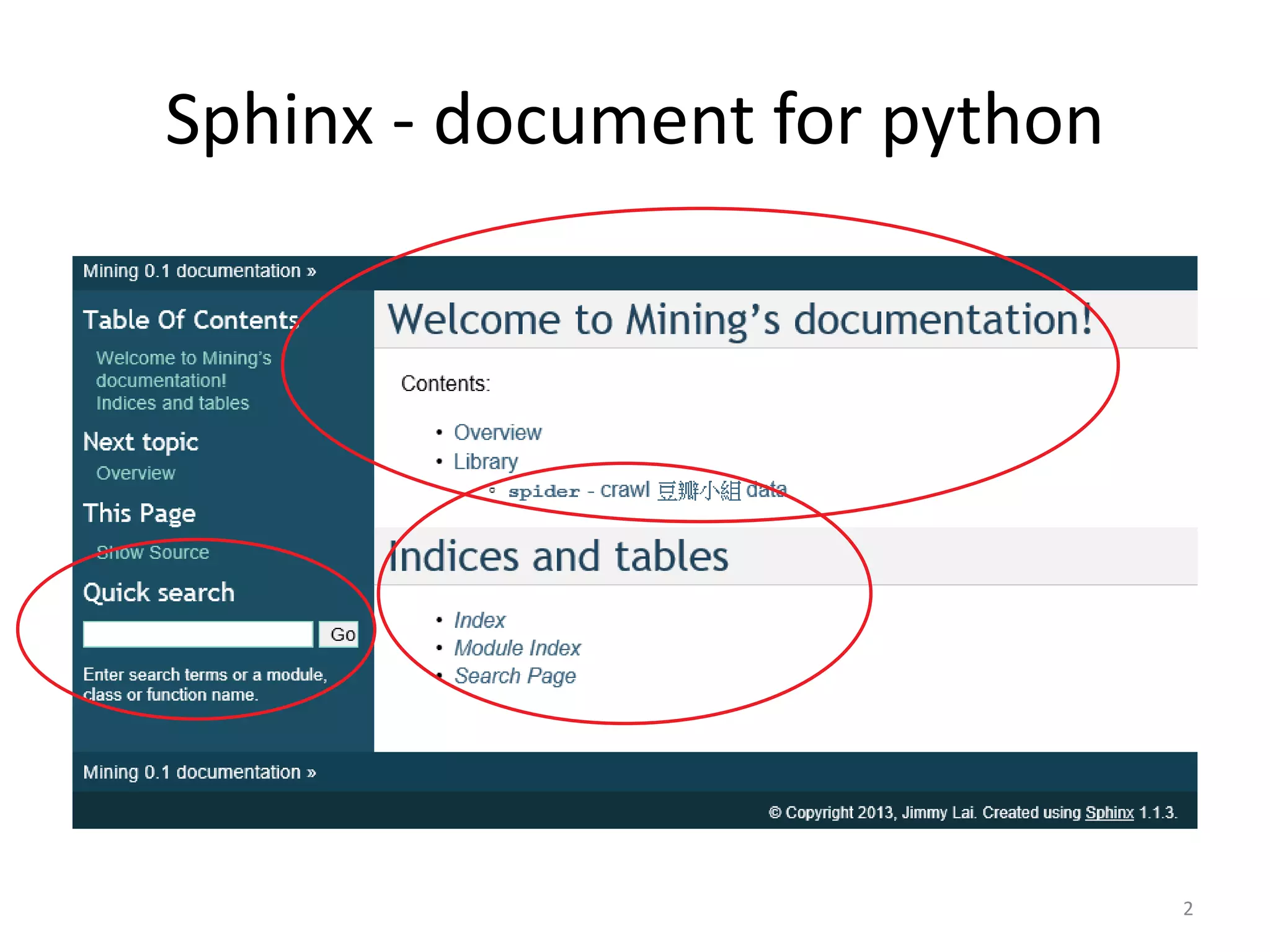
Sphinx - document for python


                               2
Outline
•   Setup
•   Document type
•   reStructuredText
•   autodoc – document in code comment
•   Make PDF


                                         3
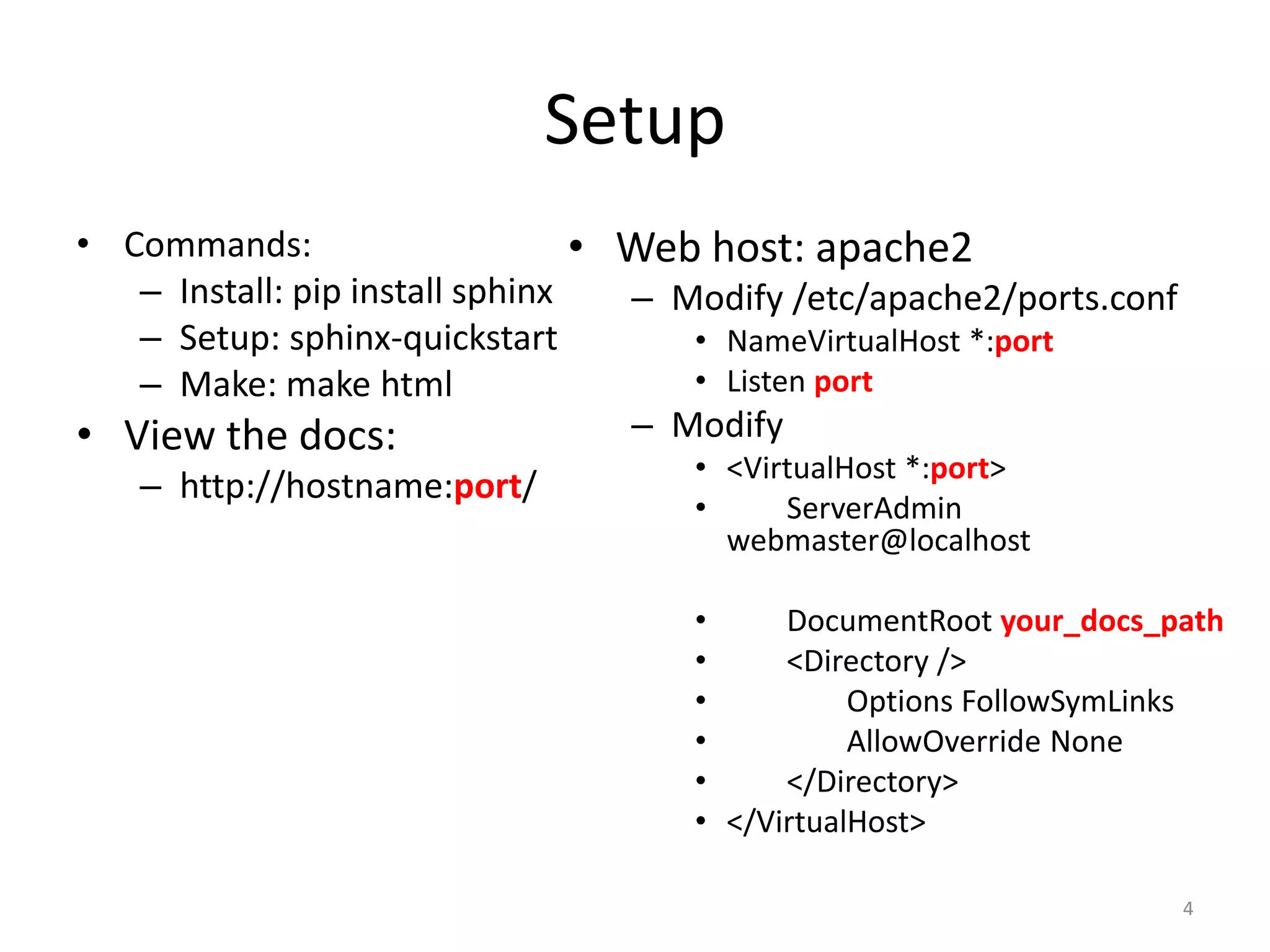
Setup
• Commands:                      • Web host: apache2
   – Install: pip install sphinx   – Modify /etc/apache2/ports.conf
   – Setup: sphinx-quickstart         • NameVirtualHost *:port
   – Make: make html                  • Listen port
• View the docs:                   – Modify
                                     • <VirtualHost *:port>
   – http://hostname:port/
                                     •     ServerAdmin
                                       webmaster@localhost

                                     •     DocumentRoot your_docs_path
                                     •     <Directory />
                                     •          Options FollowSymLinks
                                     •          AllowOverride None
                                     •     </Directory>
                                     • </VirtualHost>

                                                                      4
Document type
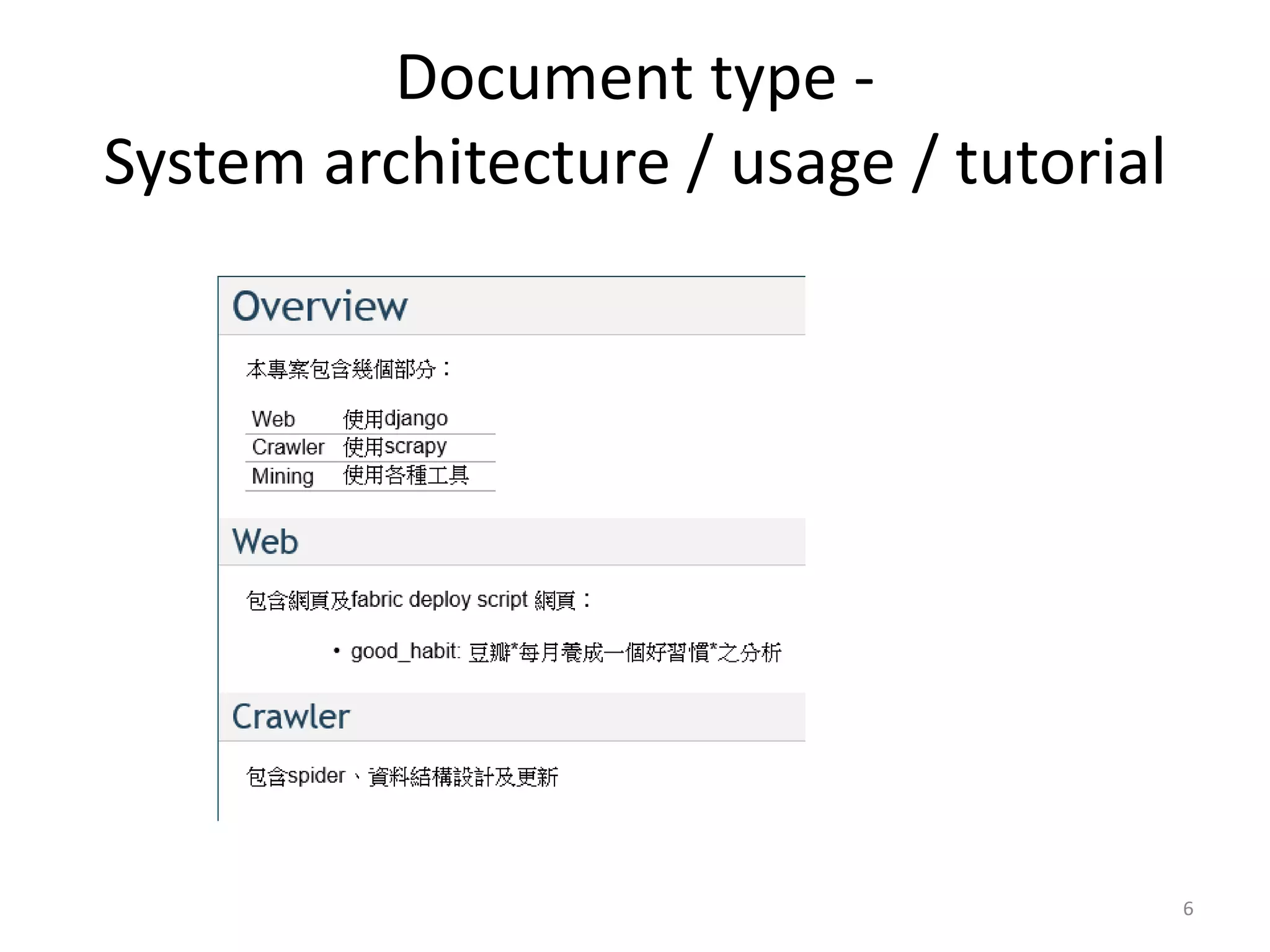
• System architecture / usage / tutorial

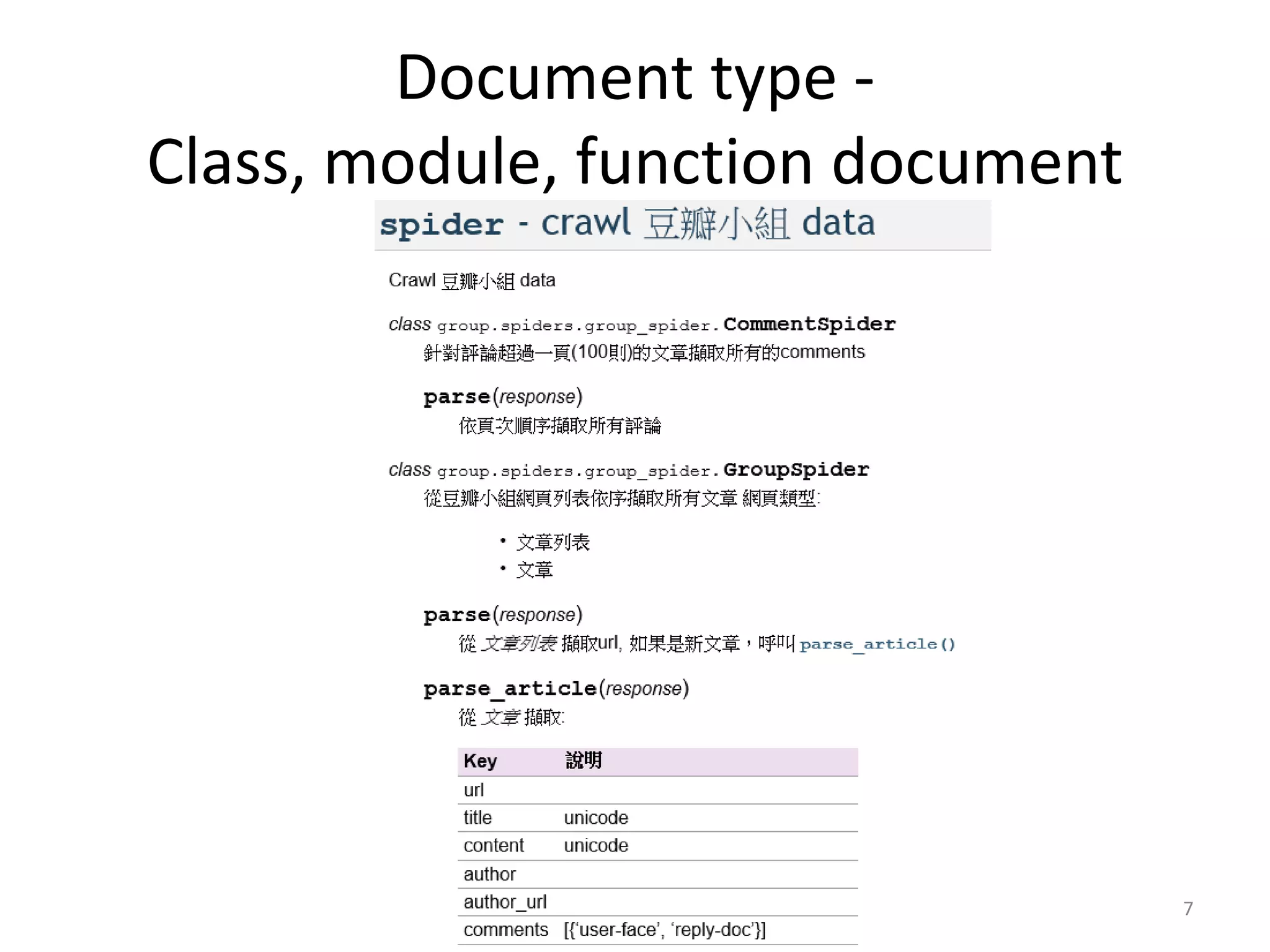
• Class, module, function document


                                           5
Document type -
System architecture / usage / tutorial


                                         6
Document type -
Class, module, function document


                                   7
reStructuredText
• http://docutils.sourceforge.net/docs/ref/rst/restructuredtext.html

• Wiki-like syntax
• Examples:
    – Bold: **word**
    – Bullet list: -
    – Enumerated list: #
    – Title: =============
    – Function: :py:func:`function`

                                                                       8
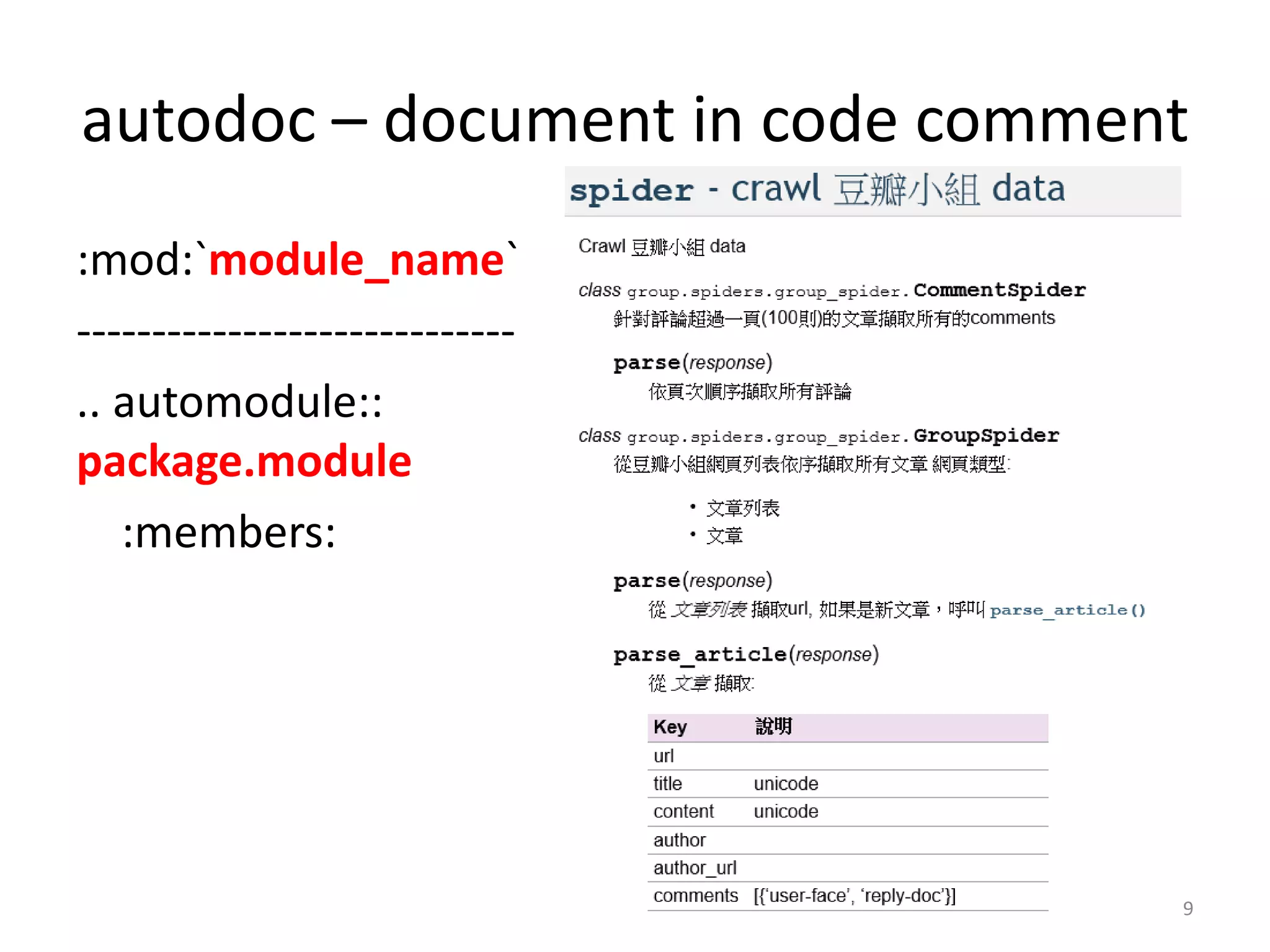
autodoc – document in code comment
:mod:`module_name`
-----------------------------
.. automodule::
package.module
   :members:


                                 9
Make PDF
•   Process:                                    Edit conf.py
     – make latex                               latex_elements = {
     – xelatex prject_name.tex                  'preamble': '''
          •    Install xelatex in advance
                                                   usepackage{xeCJK}
                                                   usepackage{indentfirst}
                                                   setlength{parindent}{2em}
                                                   setCJKmainfont[BoldFont=LiHeiPro,
                                                ItalicFont=BiauKai]{LiHeiPro}
                                                   setCJKmonofont[Scale=0.9]{BiauKai}

                                                setCJKfamilyfont{song}[BoldFont=LiSung
                                                Light]{LiSungLight}

                                                setCJKfamilyfont{sf}[BoldFont=LiSungLig
                                                ht]{LiSungLight}
                                                  ''',
                                                }

                                                                                         10

Documentation with sphinx @ PyHug

  • 1.
    Documentation with Sphinx http://sphinx-doc.org/index.html 2013/1/21 Jimmy Lai r97922028 [at] ntu.edu.tw
  • 2.
    Sphinx - documentfor python 2
  • 3.
    Outline • Setup • Document type • reStructuredText • autodoc – document in code comment • Make PDF 3
  • 4.
    Setup • Commands: • Web host: apache2 – Install: pip install sphinx – Modify /etc/apache2/ports.conf – Setup: sphinx-quickstart • NameVirtualHost *:port – Make: make html • Listen port • View the docs: – Modify • <VirtualHost *:port> – http://hostname:port/ • ServerAdmin webmaster@localhost • DocumentRoot your_docs_path • <Directory /> • Options FollowSymLinks • AllowOverride None • </Directory> • </VirtualHost> 4
  • 5.
    Document type • Systemarchitecture / usage / tutorial • Class, module, function document 5
  • 6.
    Document type - Systemarchitecture / usage / tutorial 6
  • 7.
    Document type - Class,module, function document 7
  • 8.
    reStructuredText • http://docutils.sourceforge.net/docs/ref/rst/restructuredtext.html • Wiki-likesyntax • Examples: – Bold: **word** – Bullet list: - – Enumerated list: # – Title: ============= – Function: :py:func:`function` 8
  • 9.
    autodoc – documentin code comment :mod:`module_name` ----------------------------- .. automodule:: package.module :members: 9
  • 10.
    Make PDF • Process: Edit conf.py – make latex latex_elements = { – xelatex prject_name.tex 'preamble': ''' • Install xelatex in advance usepackage{xeCJK} usepackage{indentfirst} setlength{parindent}{2em} setCJKmainfont[BoldFont=LiHeiPro, ItalicFont=BiauKai]{LiHeiPro} setCJKmonofont[Scale=0.9]{BiauKai} setCJKfamilyfont{song}[BoldFont=LiSung Light]{LiSungLight} setCJKfamilyfont{sf}[BoldFont=LiSungLig ht]{LiSungLight} ''', } 10