Download to read offline
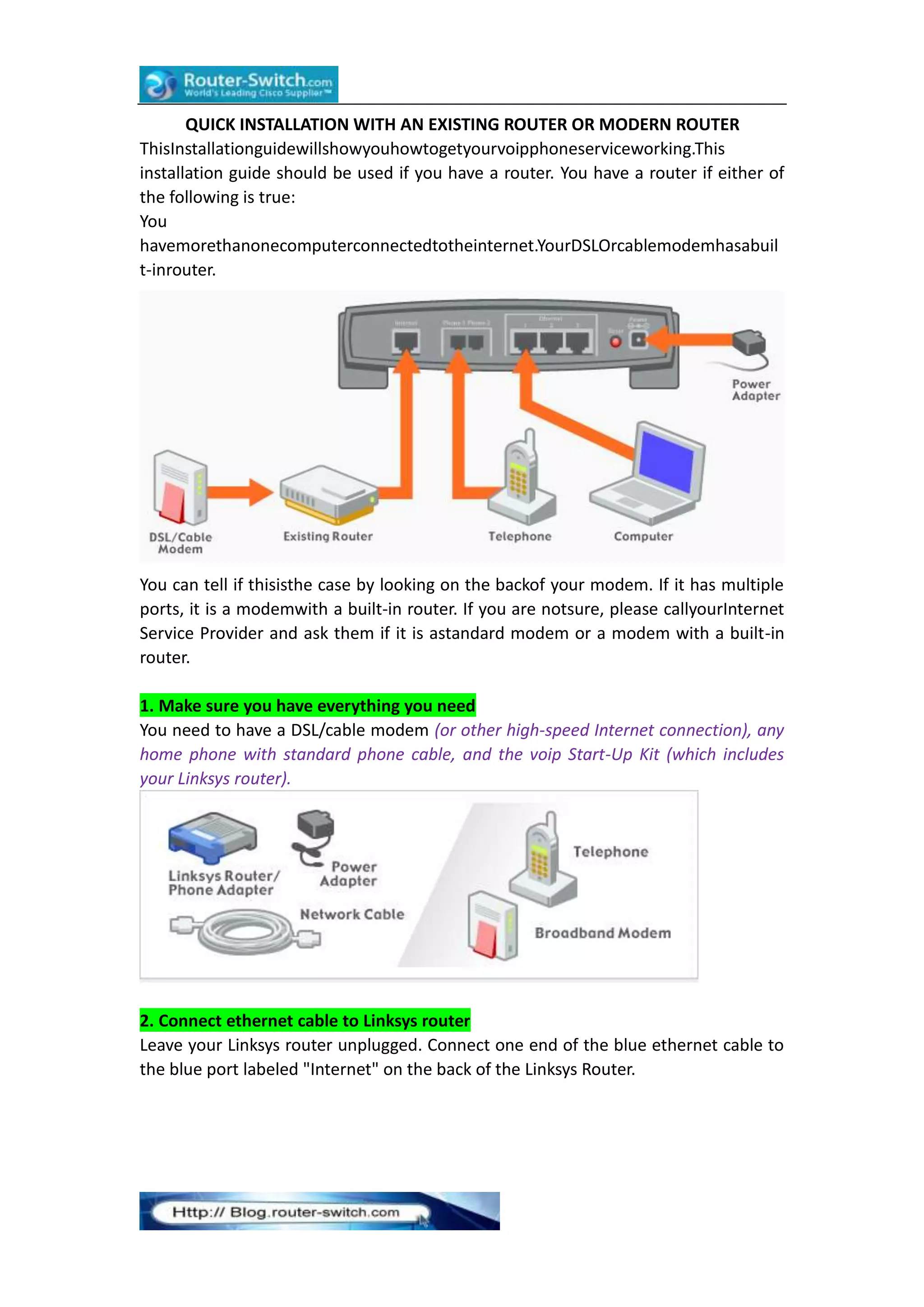
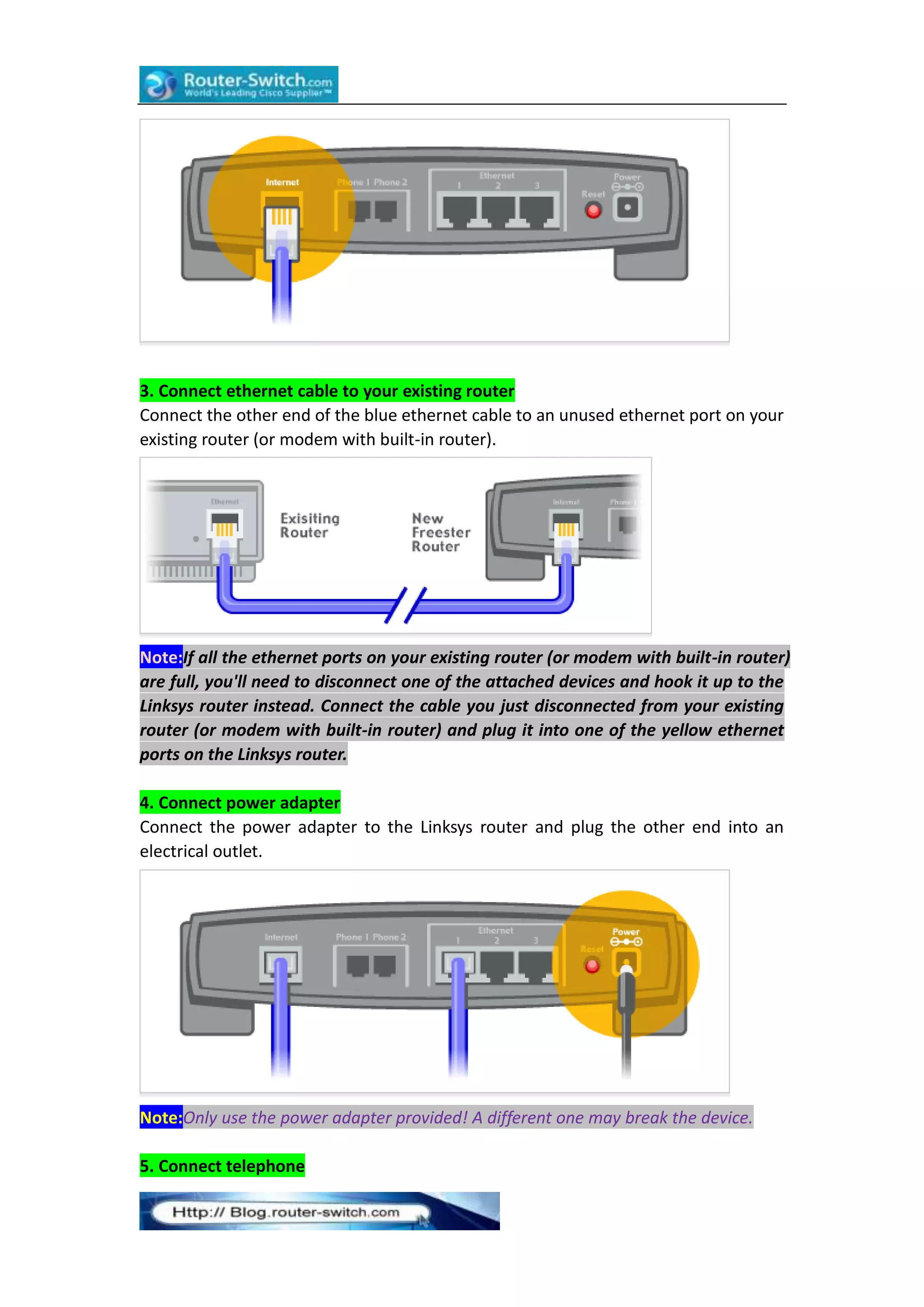
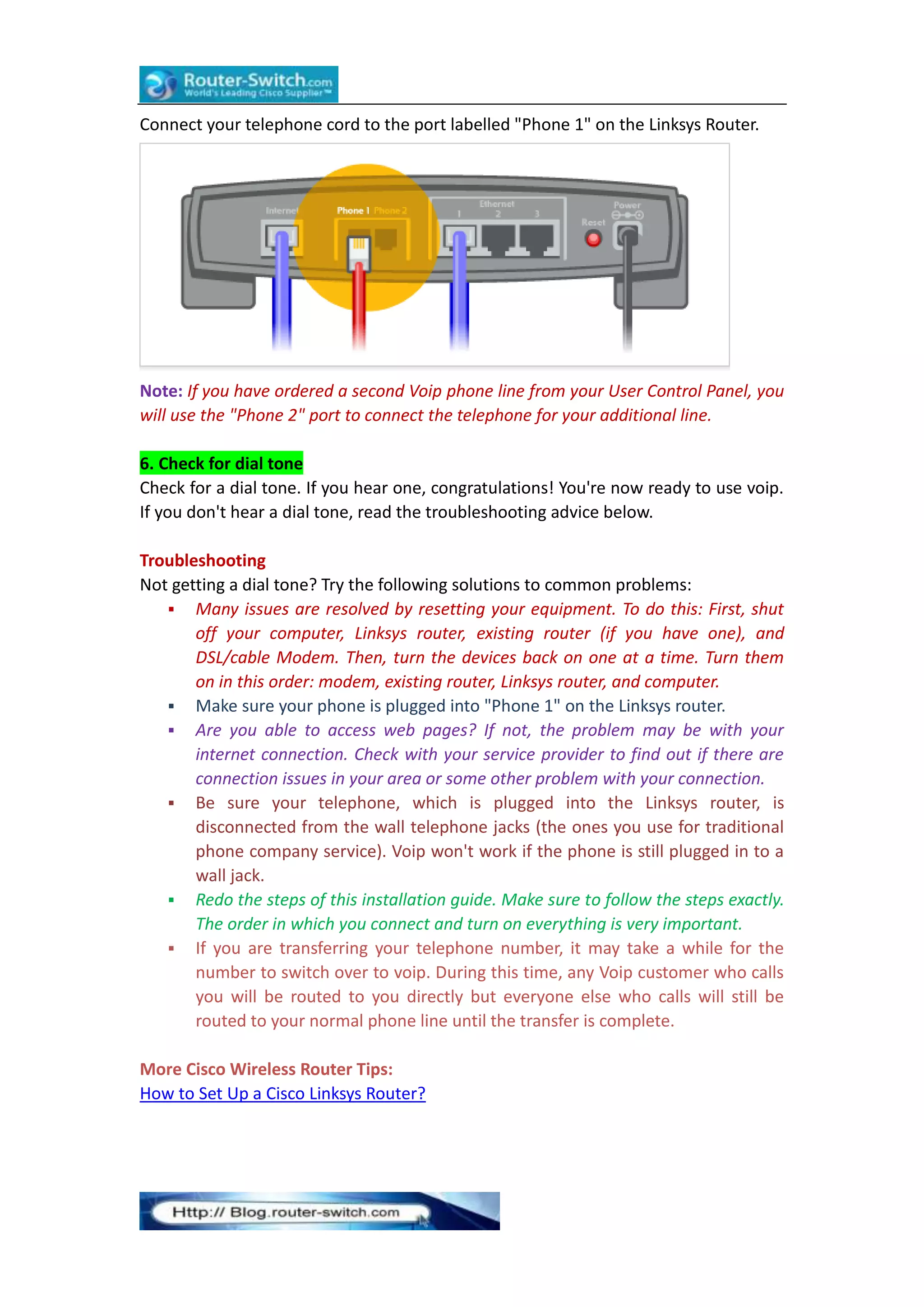

This document provides instructions for installing VoIP phone service using an existing router. It involves connecting an ethernet cable from the internet port on a Linksys router to an unused port on the existing router. Another ethernet cable connects the Linksys router to the phone. The phone is then plugged into the Linksys router to provide a dial tone once the devices are powered on in the correct order. Troubleshooting tips are provided if no dial tone is heard, such as resetting equipment and checking internet connectivity.


![Vibe Coding vs. Spec-Driven Development [Free Meetup]](https://cdn.slidesharecdn.com/ss_thumbnails/vibecodingvsspecdrivendevelopment-251209105622-43f455e7-thumbnail.jpg?width=640&height=640&fit=bounds)


