More sophisticated behavior
Using library classes to implement
some more advanced functionality
5.0
2
Main concepts to be covered
• Using library classes
• Reading documentation
Objects First with Java - A Practical Introduction using BlueJ, © David J. Barnes, Michael Kölling
3
The Java class library
• Thousands of classes.
• Tens of thousands of methods.
• Many useful classes that make life
much easier.
• Library classes are often inter-
related.
• Arranged into packages.
Objects First with Java - A Practical Introduction using BlueJ, © David J. Barnes, Michael Kölling
4
Working with the library
• A competent Java programmer must
be able to work with the libraries.
• You should:
• know some important classes by name;
• know how to find out about other
classes.
• Remember:
• we only need to know the interface, not
the implementation.
Objects First with Java - A Practical Introduction using BlueJ, © David J. Barnes, Michael Kölling
5
A Technical Support System
• A textual, interactive dialog system
• Idea based on ‘Eliza’ by Joseph
Weizenbaum (MIT, 1960s)
• Explore tech-support-complete …
Objects First with Java - A Practical Introduction using BlueJ, © David J. Barnes, Michael Kölling
6
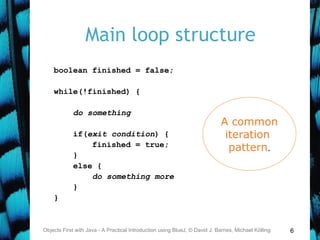
Main loop structure
boolean finished = false;
while(!finished) {
do something
if(exit condition) {
finished = true;
}
else {
do something more
}
}
Objects First with Java - A Practical Introduction using BlueJ, © David J. Barnes, Michael Kölling
A common
iteration
pattern.
7
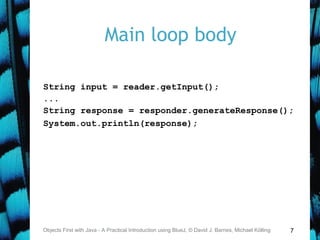
Main loop body
String input = reader.getInput();
...
String response = responder.generateResponse();
System.out.println(response);
Objects First with Java - A Practical Introduction using BlueJ, © David J. Barnes, Michael Kölling
8
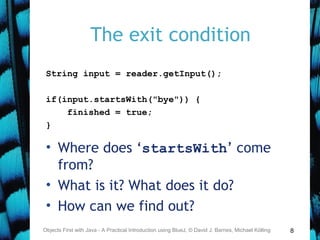
The exit condition
String input = reader.getInput();
if(input.startsWith("bye")) {
finished = true;
}
• Where does ‘startsWith’ come
from?
• What is it? What does it do?
• How can we find out?
Objects First with Java - A Practical Introduction using BlueJ, © David J. Barnes, Michael Kölling
9
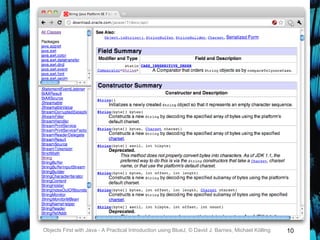
Reading class documentation
• Documentation of the Java libraries
in HTML format;
• Readable in a web browser
• Class API: Application Programmers’
Interface
• Interface description for all library
classes
Objects First with Java - A Practical Introduction using BlueJ, © David J. Barnes, Michael Kölling
10Objects First with Java - A Practical Introduction using BlueJ, © David J. Barnes, Michael Kölling
11
Interface vs implementation
The documentation includes
• the name of the class;
• a general description of the class;
• a list of constructors and methods
• return values and parameters for
constructors and methods
• a description of the purpose of each
constructor and method
the interface of the class
Objects First with Java - A Practical Introduction using BlueJ, © David J. Barnes, Michael Kölling
12
Interface vs implementation
The documentation does not include
• private fields (most fields are private)
• private methods
• the bodies (source code) of methods
the implementation of the class
Objects First with Java - A Practical Introduction using BlueJ, © David J. Barnes, Michael Kölling
13
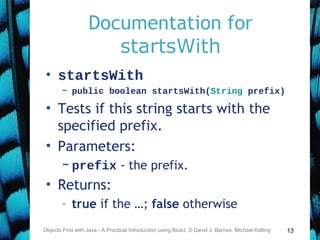
Documentation for
startsWith
• startsWith
– public boolean startsWith(String prefix)
• Tests if this string starts with the
specified prefix.
• Parameters:
– prefix - the prefix.
• Returns:
– true if the …; false otherwise
Objects First with Java - A Practical Introduction using BlueJ, © David J. Barnes, Michael Kölling
14
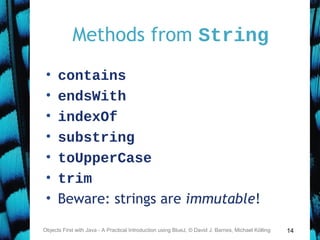
Methods from String
• contains
• endsWith
• indexOf
• substring
• toUpperCase
• trim
• Beware: strings are immutable!
Objects First with Java - A Practical Introduction using BlueJ, © David J. Barnes, Michael Kölling
15
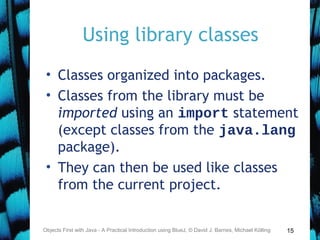
Using library classes
• Classes organized into packages.
• Classes from the library must be
imported using an import statement
(except classes from the java.lang
package).
• They can then be used like classes
from the current project.
Objects First with Java - A Practical Introduction using BlueJ, © David J. Barnes, Michael Kölling
16
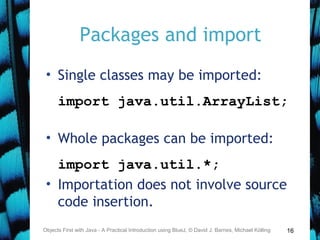
Packages and import
• Single classes may be imported:
import java.util.ArrayList;
• Whole packages can be imported:
import java.util.*;
• Importation does not involve source
code insertion.
Objects First with Java - A Practical Introduction using BlueJ, © David J. Barnes, Michael Kölling
17
Using Random
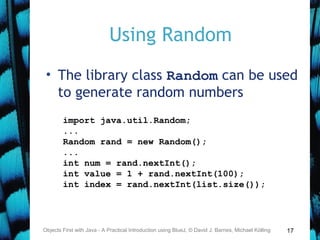
• The library class Random can be used
to generate random numbers
Objects First with Java - A Practical Introduction using BlueJ, © David J. Barnes, Michael Kölling
import java.util.Random;
...
Random rand = new Random();
...
int num = rand.nextInt();
int value = 1 + rand.nextInt(100);
int index = rand.nextInt(list.size());
18
Selecting random responses
Objects First with Java - A Practical Introduction using BlueJ, © David J. Barnes, Michael Kölling
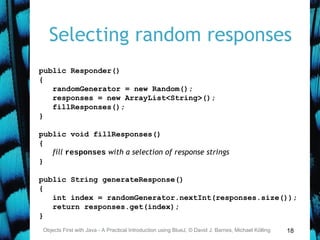
public Responder()
{
randomGenerator = new Random();
responses = new ArrayList<String>();
fillResponses();
}
public void fillResponses()
{
fill responses with a selection of response strings
}
public String generateResponse()
{
int index = randomGenerator.nextInt(responses.size());
return responses.get(index);
}
19
Parameterized classes
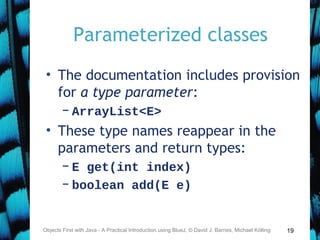
• The documentation includes provision
for a type parameter:
– ArrayList<E>
• These type names reappear in the
parameters and return types:
– E get(int index)
– boolean add(E e)
Objects First with Java - A Practical Introduction using BlueJ, © David J. Barnes, Michael Kölling
20
Parameterized classes
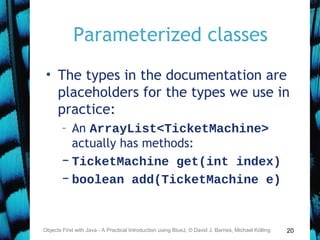
• The types in the documentation are
placeholders for the types we use in
practice:
– An ArrayList<TicketMachine>
actually has methods:
– TicketMachine get(int index)
– boolean add(TicketMachine e)
Objects First with Java - A Practical Introduction using BlueJ, © David J. Barnes, Michael Kölling
21
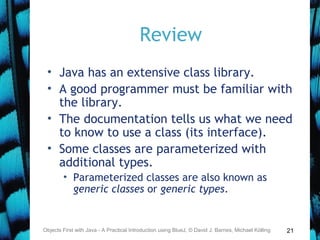
Review
• Java has an extensive class library.
• A good programmer must be familiar with
the library.
• The documentation tells us what we need
to know to use a class (its interface).
• Some classes are parameterized with
additional types.
• Parameterized classes are also known as
generic classes or generic types.
Objects First with Java - A Practical Introduction using BlueJ, © David J. Barnes, Michael Kölling
More sophisticated behavior
Using library classes to implement
some more advanced functionality
23
Main concepts to be covered
• Further library classes
• Set
• Map
• Writing documentation
• javadoc
Objects First with Java - A Practical Introduction using BlueJ, © David J. Barnes, Michael Kölling
24
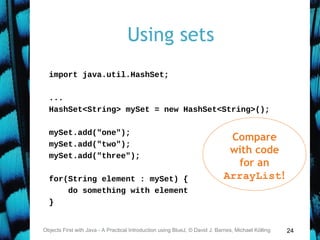
Using sets
import java.util.HashSet;
...
HashSet<String> mySet = new HashSet<String>();
mySet.add("one");
mySet.add("two");
mySet.add("three");
for(String element : mySet) {
do something with element
}
Objects First with Java - A Practical Introduction using BlueJ, © David J. Barnes, Michael Kölling
Compare
with code
for an
ArrayList!
25
Tokenising Strings
public HashSet<String> getInput()
{
System.out.print("> ");
String inputLine =
reader.nextLine().trim().toLowerCase();
String[] wordArray = inputLine.split(" ");
HashSet<String> words = new HashSet<String>();
for(String word : wordArray) {
words.add(word);
}
return words;
}
Objects First with Java - A Practical Introduction using BlueJ, © David J. Barnes, Michael Kölling
26
Maps
• Maps are collections that contain
pairs of values.
• Pairs consist of a key and a value.
• Lookup works by supplying a key, and
retrieving a value.
• Example: a telephone book.
Objects First with Java - A Practical Introduction using BlueJ, © David J. Barnes, Michael Kölling
27
Using maps
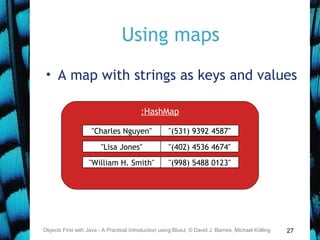
• A map with strings as keys and values
Objects First with Java - A Practical Introduction using BlueJ, © David J. Barnes, Michael Kölling
"Charles Nguyen"
:HashMap
"(531) 9392 4587"
"Lisa Jones" "(402) 4536 4674"
"William H. Smith" "(998) 5488 0123"
28
Using maps
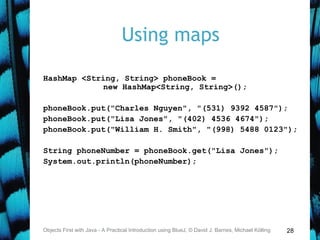
HashMap <String, String> phoneBook =
new HashMap<String, String>();
phoneBook.put("Charles Nguyen", "(531) 9392 4587");
phoneBook.put("Lisa Jones", "(402) 4536 4674");
phoneBook.put("William H. Smith", "(998) 5488 0123");
String phoneNumber = phoneBook.get("Lisa Jones");
System.out.println(phoneNumber);
Objects First with Java - A Practical Introduction using BlueJ, © David J. Barnes, Michael Kölling
29
List, Map and Set
• Alternative ways to group objects.
• Varying implementations available:
– ArrayList, LinkedList
– HashSet, TreeSet
• But HashMap is unrelated to
HashSet, despite similar names.
• The second word reveals
organizational relatedness.
Objects First with Java - A Practical Introduction using BlueJ, © David J. Barnes, Michael Kölling
30
Writing class documentation
• Your own classes should be
documented the same way library
classes are.
• Other people should be able to use
your class without reading the
implementation.
• Make your class a potential 'library
class'!
Objects First with Java - A Practical Introduction using BlueJ, © David J. Barnes, Michael Kölling
31
Elements of documentation
Documentation for a class should include:
• the class name
• a comment describing the overall purpose
and characteristics of the class
• a version number
• the authors’ names
• documentation for each constructor and
each method
Objects First with Java - A Practical Introduction using BlueJ, © David J. Barnes, Michael Kölling
32
Elements of documentation
The documentation for each constructor and
method should include:
• the name of the method
• the return type
• the parameter names and types
• a description of the purpose and function
of the method
• a description of each parameter
• a description of the value returned
Objects First with Java - A Practical Introduction using BlueJ, © David J. Barnes, Michael Kölling
33
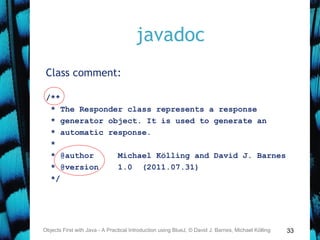
javadoc
Class comment:
/**
* The Responder class represents a response
* generator object. It is used to generate an
* automatic response.
*
* @author Michael Kölling and David J. Barnes
* @version 1.0 (2011.07.31)
*/
Objects First with Java - A Practical Introduction using BlueJ, © David J. Barnes, Michael Kölling
34
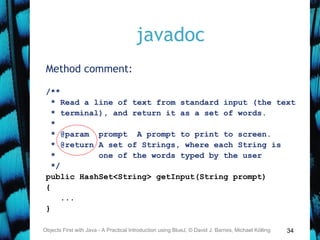
javadoc
Method comment:
/**
* Read a line of text from standard input (the text
* terminal), and return it as a set of words.
*
* @param prompt A prompt to print to screen.
* @return A set of Strings, where each String is
* one of the words typed by the user
*/
public HashSet<String> getInput(String prompt)
{
...
}
Objects First with Java - A Practical Introduction using BlueJ, © David J. Barnes, Michael Kölling
35
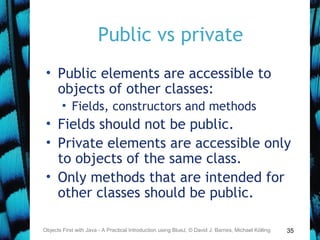
Public vs private
• Public elements are accessible to
objects of other classes:
• Fields, constructors and methods
• Fields should not be public.
• Private elements are accessible only
to objects of the same class.
• Only methods that are intended for
other classes should be public.
Objects First with Java - A Practical Introduction using BlueJ, © David J. Barnes, Michael Kölling
36
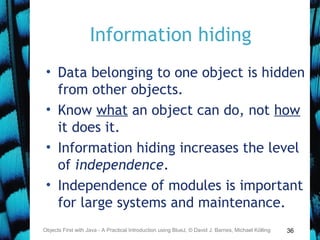
Information hiding
• Data belonging to one object is hidden
from other objects.
• Know what an object can do, not how
it does it.
• Information hiding increases the level
of independence.
• Independence of modules is important
for large systems and maintenance.
Objects First with Java - A Practical Introduction using BlueJ, © David J. Barnes, Michael Kölling
37
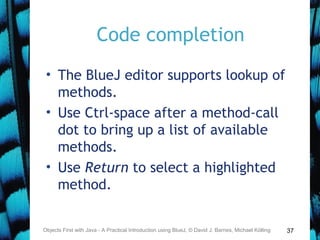
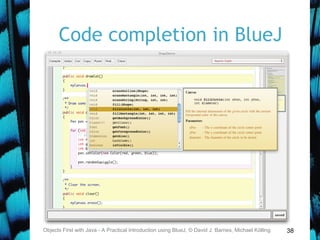
Code completion
• The BlueJ editor supports lookup of
methods.
• Use Ctrl-space after a method-call
dot to bring up a list of available
methods.
• Use Return to select a highlighted
method.
Objects First with Java - A Practical Introduction using BlueJ, © David J. Barnes, Michael Kölling
38
Code completion in BlueJ
Objects First with Java - A Practical Introduction using BlueJ, © David J. Barnes, Michael Kölling
39
Review
• Java has an extensive class library.
• A good programmer must be familiar with
the library.
• The documentation tells us what we need
to know to use a class (interface).
• The implementation is hidden (information
hiding).
• We document our classes so that the
interface can be read on its own (class
comment, method comments).
Objects First with Java - A Practical Introduction using BlueJ, © David J. Barnes, Michael Kölling
Class and constant variables
Objects First with Java - A Practical Introduction using BlueJ, © David J. Barnes, Michael Kölling
41
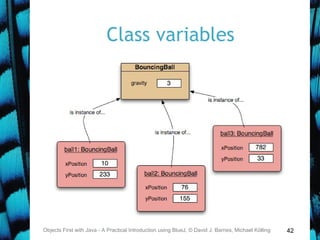
Class variables
• A class variable is shared between all
instances of the class.
• In fact, it belongs to the class and
exists independent of any instances.
• Designated by the static keyword.
• Public static variables are accessed
via the class name; e.g.:
– Thermometer.boilingPoint
Objects First with Java - A Practical Introduction using BlueJ, © David J. Barnes, Michael Kölling
42
Class variables
Objects First with Java - A Practical Introduction using BlueJ, © David J. Barnes, Michael Kölling
43
Constants
• A variable, once set, can have its
value fixed.
• Designated by the final keyword.
– final int max = list.size();
• Final fields must be set in their
declaration or the constructor.
• Combing static and final is
common.
Objects First with Java - A Practical Introduction using BlueJ, © David J. Barnes, Michael Kölling
44
Class constants
• static: class variable
• final: constant
private static final int gravity = 3;
• Public visibility is less of an issue
with final fields.
• Upper-case names often used for
class constants:
public static final int BOILING_POINT = 100;
Objects First with Java - A Practical Introduction using BlueJ, © David J. Barnes, Michael Kölling

O fchapter05

  • 1.
    More sophisticated behavior Usinglibrary classes to implement some more advanced functionality 5.0
  • 2.
    2 Main concepts tobe covered • Using library classes • Reading documentation Objects First with Java - A Practical Introduction using BlueJ, © David J. Barnes, Michael Kölling
  • 3.
    3 The Java classlibrary • Thousands of classes. • Tens of thousands of methods. • Many useful classes that make life much easier. • Library classes are often inter- related. • Arranged into packages. Objects First with Java - A Practical Introduction using BlueJ, © David J. Barnes, Michael Kölling
  • 4.
    4 Working with thelibrary • A competent Java programmer must be able to work with the libraries. • You should: • know some important classes by name; • know how to find out about other classes. • Remember: • we only need to know the interface, not the implementation. Objects First with Java - A Practical Introduction using BlueJ, © David J. Barnes, Michael Kölling
  • 5.
    5 A Technical SupportSystem • A textual, interactive dialog system • Idea based on ‘Eliza’ by Joseph Weizenbaum (MIT, 1960s) • Explore tech-support-complete … Objects First with Java - A Practical Introduction using BlueJ, © David J. Barnes, Michael Kölling
  • 6.
    6 Main loop structure booleanfinished = false; while(!finished) { do something if(exit condition) { finished = true; } else { do something more } } Objects First with Java - A Practical Introduction using BlueJ, © David J. Barnes, Michael Kölling A common iteration pattern.
  • 7.
    7 Main loop body Stringinput = reader.getInput(); ... String response = responder.generateResponse(); System.out.println(response); Objects First with Java - A Practical Introduction using BlueJ, © David J. Barnes, Michael Kölling
  • 8.
    8 The exit condition Stringinput = reader.getInput(); if(input.startsWith("bye")) { finished = true; } • Where does ‘startsWith’ come from? • What is it? What does it do? • How can we find out? Objects First with Java - A Practical Introduction using BlueJ, © David J. Barnes, Michael Kölling
  • 9.
    9 Reading class documentation •Documentation of the Java libraries in HTML format; • Readable in a web browser • Class API: Application Programmers’ Interface • Interface description for all library classes Objects First with Java - A Practical Introduction using BlueJ, © David J. Barnes, Michael Kölling
  • 10.
    10Objects First withJava - A Practical Introduction using BlueJ, © David J. Barnes, Michael Kölling
  • 11.
    11 Interface vs implementation Thedocumentation includes • the name of the class; • a general description of the class; • a list of constructors and methods • return values and parameters for constructors and methods • a description of the purpose of each constructor and method the interface of the class Objects First with Java - A Practical Introduction using BlueJ, © David J. Barnes, Michael Kölling
  • 12.
    12 Interface vs implementation Thedocumentation does not include • private fields (most fields are private) • private methods • the bodies (source code) of methods the implementation of the class Objects First with Java - A Practical Introduction using BlueJ, © David J. Barnes, Michael Kölling
  • 13.
    13 Documentation for startsWith • startsWith –public boolean startsWith(String prefix) • Tests if this string starts with the specified prefix. • Parameters: – prefix - the prefix. • Returns: – true if the …; false otherwise Objects First with Java - A Practical Introduction using BlueJ, © David J. Barnes, Michael Kölling
  • 14.
    14 Methods from String •contains • endsWith • indexOf • substring • toUpperCase • trim • Beware: strings are immutable! Objects First with Java - A Practical Introduction using BlueJ, © David J. Barnes, Michael Kölling
  • 15.
    15 Using library classes •Classes organized into packages. • Classes from the library must be imported using an import statement (except classes from the java.lang package). • They can then be used like classes from the current project. Objects First with Java - A Practical Introduction using BlueJ, © David J. Barnes, Michael Kölling
  • 16.
    16 Packages and import •Single classes may be imported: import java.util.ArrayList; • Whole packages can be imported: import java.util.*; • Importation does not involve source code insertion. Objects First with Java - A Practical Introduction using BlueJ, © David J. Barnes, Michael Kölling
  • 17.
    17 Using Random • Thelibrary class Random can be used to generate random numbers Objects First with Java - A Practical Introduction using BlueJ, © David J. Barnes, Michael Kölling import java.util.Random; ... Random rand = new Random(); ... int num = rand.nextInt(); int value = 1 + rand.nextInt(100); int index = rand.nextInt(list.size());
  • 18.
    18 Selecting random responses ObjectsFirst with Java - A Practical Introduction using BlueJ, © David J. Barnes, Michael Kölling public Responder() { randomGenerator = new Random(); responses = new ArrayList<String>(); fillResponses(); } public void fillResponses() { fill responses with a selection of response strings } public String generateResponse() { int index = randomGenerator.nextInt(responses.size()); return responses.get(index); }
  • 19.
    19 Parameterized classes • Thedocumentation includes provision for a type parameter: – ArrayList<E> • These type names reappear in the parameters and return types: – E get(int index) – boolean add(E e) Objects First with Java - A Practical Introduction using BlueJ, © David J. Barnes, Michael Kölling
  • 20.
    20 Parameterized classes • Thetypes in the documentation are placeholders for the types we use in practice: – An ArrayList<TicketMachine> actually has methods: – TicketMachine get(int index) – boolean add(TicketMachine e) Objects First with Java - A Practical Introduction using BlueJ, © David J. Barnes, Michael Kölling
  • 21.
    21 Review • Java hasan extensive class library. • A good programmer must be familiar with the library. • The documentation tells us what we need to know to use a class (its interface). • Some classes are parameterized with additional types. • Parameterized classes are also known as generic classes or generic types. Objects First with Java - A Practical Introduction using BlueJ, © David J. Barnes, Michael Kölling
  • 22.
    More sophisticated behavior Usinglibrary classes to implement some more advanced functionality
  • 23.
    23 Main concepts tobe covered • Further library classes • Set • Map • Writing documentation • javadoc Objects First with Java - A Practical Introduction using BlueJ, © David J. Barnes, Michael Kölling
  • 24.
    24 Using sets import java.util.HashSet; ... HashSet<String>mySet = new HashSet<String>(); mySet.add("one"); mySet.add("two"); mySet.add("three"); for(String element : mySet) { do something with element } Objects First with Java - A Practical Introduction using BlueJ, © David J. Barnes, Michael Kölling Compare with code for an ArrayList!
  • 25.
    25 Tokenising Strings public HashSet<String>getInput() { System.out.print("> "); String inputLine = reader.nextLine().trim().toLowerCase(); String[] wordArray = inputLine.split(" "); HashSet<String> words = new HashSet<String>(); for(String word : wordArray) { words.add(word); } return words; } Objects First with Java - A Practical Introduction using BlueJ, © David J. Barnes, Michael Kölling
  • 26.
    26 Maps • Maps arecollections that contain pairs of values. • Pairs consist of a key and a value. • Lookup works by supplying a key, and retrieving a value. • Example: a telephone book. Objects First with Java - A Practical Introduction using BlueJ, © David J. Barnes, Michael Kölling
  • 27.
    27 Using maps • Amap with strings as keys and values Objects First with Java - A Practical Introduction using BlueJ, © David J. Barnes, Michael Kölling "Charles Nguyen" :HashMap "(531) 9392 4587" "Lisa Jones" "(402) 4536 4674" "William H. Smith" "(998) 5488 0123"
  • 28.
    28 Using maps HashMap <String,String> phoneBook = new HashMap<String, String>(); phoneBook.put("Charles Nguyen", "(531) 9392 4587"); phoneBook.put("Lisa Jones", "(402) 4536 4674"); phoneBook.put("William H. Smith", "(998) 5488 0123"); String phoneNumber = phoneBook.get("Lisa Jones"); System.out.println(phoneNumber); Objects First with Java - A Practical Introduction using BlueJ, © David J. Barnes, Michael Kölling
  • 29.
    29 List, Map andSet • Alternative ways to group objects. • Varying implementations available: – ArrayList, LinkedList – HashSet, TreeSet • But HashMap is unrelated to HashSet, despite similar names. • The second word reveals organizational relatedness. Objects First with Java - A Practical Introduction using BlueJ, © David J. Barnes, Michael Kölling
  • 30.
    30 Writing class documentation •Your own classes should be documented the same way library classes are. • Other people should be able to use your class without reading the implementation. • Make your class a potential 'library class'! Objects First with Java - A Practical Introduction using BlueJ, © David J. Barnes, Michael Kölling
  • 31.
    31 Elements of documentation Documentationfor a class should include: • the class name • a comment describing the overall purpose and characteristics of the class • a version number • the authors’ names • documentation for each constructor and each method Objects First with Java - A Practical Introduction using BlueJ, © David J. Barnes, Michael Kölling
  • 32.
    32 Elements of documentation Thedocumentation for each constructor and method should include: • the name of the method • the return type • the parameter names and types • a description of the purpose and function of the method • a description of each parameter • a description of the value returned Objects First with Java - A Practical Introduction using BlueJ, © David J. Barnes, Michael Kölling
  • 33.
    33 javadoc Class comment: /** * TheResponder class represents a response * generator object. It is used to generate an * automatic response. * * @author Michael Kölling and David J. Barnes * @version 1.0 (2011.07.31) */ Objects First with Java - A Practical Introduction using BlueJ, © David J. Barnes, Michael Kölling
  • 34.
    34 javadoc Method comment: /** * Reada line of text from standard input (the text * terminal), and return it as a set of words. * * @param prompt A prompt to print to screen. * @return A set of Strings, where each String is * one of the words typed by the user */ public HashSet<String> getInput(String prompt) { ... } Objects First with Java - A Practical Introduction using BlueJ, © David J. Barnes, Michael Kölling
  • 35.
    35 Public vs private •Public elements are accessible to objects of other classes: • Fields, constructors and methods • Fields should not be public. • Private elements are accessible only to objects of the same class. • Only methods that are intended for other classes should be public. Objects First with Java - A Practical Introduction using BlueJ, © David J. Barnes, Michael Kölling
  • 36.
    36 Information hiding • Databelonging to one object is hidden from other objects. • Know what an object can do, not how it does it. • Information hiding increases the level of independence. • Independence of modules is important for large systems and maintenance. Objects First with Java - A Practical Introduction using BlueJ, © David J. Barnes, Michael Kölling
  • 37.
    37 Code completion • TheBlueJ editor supports lookup of methods. • Use Ctrl-space after a method-call dot to bring up a list of available methods. • Use Return to select a highlighted method. Objects First with Java - A Practical Introduction using BlueJ, © David J. Barnes, Michael Kölling
  • 38.
    38 Code completion inBlueJ Objects First with Java - A Practical Introduction using BlueJ, © David J. Barnes, Michael Kölling
  • 39.
    39 Review • Java hasan extensive class library. • A good programmer must be familiar with the library. • The documentation tells us what we need to know to use a class (interface). • The implementation is hidden (information hiding). • We document our classes so that the interface can be read on its own (class comment, method comments). Objects First with Java - A Practical Introduction using BlueJ, © David J. Barnes, Michael Kölling
  • 40.
    Class and constantvariables Objects First with Java - A Practical Introduction using BlueJ, © David J. Barnes, Michael Kölling
  • 41.
    41 Class variables • Aclass variable is shared between all instances of the class. • In fact, it belongs to the class and exists independent of any instances. • Designated by the static keyword. • Public static variables are accessed via the class name; e.g.: – Thermometer.boilingPoint Objects First with Java - A Practical Introduction using BlueJ, © David J. Barnes, Michael Kölling
  • 42.
    42 Class variables Objects Firstwith Java - A Practical Introduction using BlueJ, © David J. Barnes, Michael Kölling
  • 43.
    43 Constants • A variable,once set, can have its value fixed. • Designated by the final keyword. – final int max = list.size(); • Final fields must be set in their declaration or the constructor. • Combing static and final is common. Objects First with Java - A Practical Introduction using BlueJ, © David J. Barnes, Michael Kölling
  • 44.
    44 Class constants • static:class variable • final: constant private static final int gravity = 3; • Public visibility is less of an issue with final fields. • Upper-case names often used for class constants: public static final int BOILING_POINT = 100; Objects First with Java - A Practical Introduction using BlueJ, © David J. Barnes, Michael Kölling