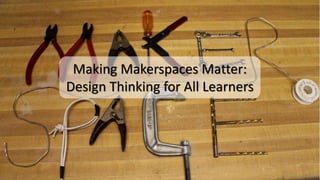
Making Makerspaces Matter:
Design Thinking for All Learners
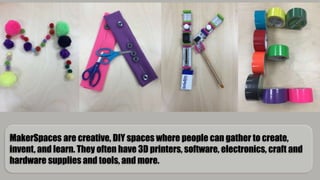
MakerSpaces are creative, DIY spaces where people can gather to create,
invent, and learn. They often have 3D printers, software, electronics, craft and
hardware supplies and tools, and more.
• Little Bits
• Cubelets
• Spheros
• Puff Ball Lancher
Centers
• Makey Makey
• Squishy Circuits
• Q-ba Maze
Elementary Program
• Focused on students in co-taught
classes
• Small group of students in a social
skills group
• Expanded to integrated classrooms,
FACES program, and MakerMondays
(afterschool program)
Target Students
Middle School Program
• Focused on students in self-contained
classes
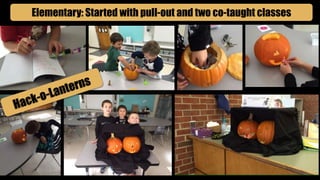
Elementary: Started with pull-out and two co-taught classes
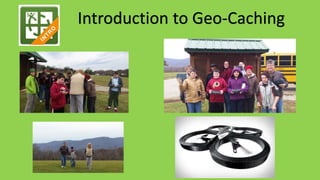
Introduction to Geo-Caching
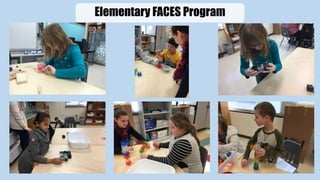
Elementary FACES Program
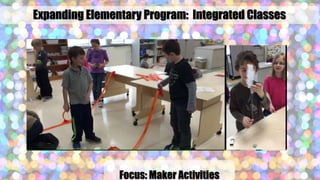
Focus: Maker Activities
Expanding Elementary Program: Integrated Classes
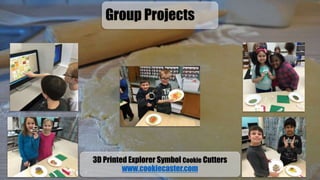
3D Printed Explorer Symbol Cookie Cutters
www.cookiecaster.com
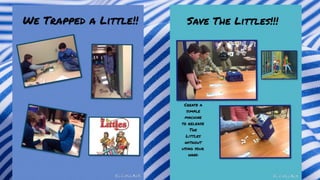
Group Projects
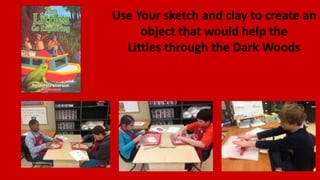
Use Your sketch and clay to create an
object that would help the
Littles through the Dark Woods
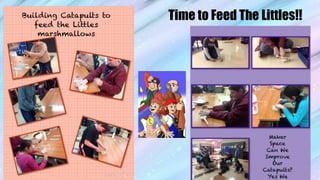
Time to Feed The Littles!!
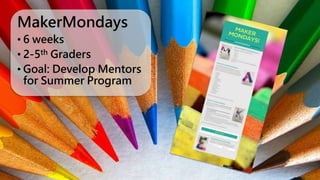
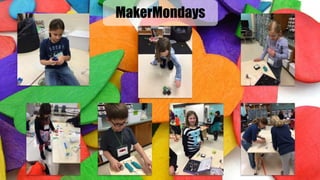
MakerMondays
• 6 weeks
• 2-5th Graders
• Goal: Develop Mentors
for Summer Program
MakerMondays
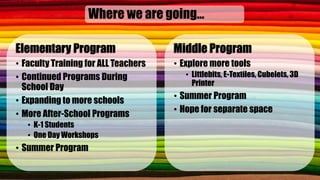
Where we are going…
Elementary Program
• Faculty Training for ALL Teachers
• Continued Programs During
School Day
• Expanding to more schools
• More After-School Programs
• K-1 Students
• One Day Workshops
• Summer Program
Middle Program
• Explore more tools
• Littlebits, E-Textiles, Cubelets, 3D
Printer
• Summer Program
• Hope for separate space
Tina Coffey
Instructional Technology Resource Teacher
Roanoke County Schools
Email: tcoffey@rcs.k12.va.us
Jessica McClung
Director of Special Education and Pupil
Personnel Services
Roanoke County Schools
Email: jmmclung@rcs.k12.va.us
Patricia Gentry
Special Education Teacher
Roanoke County Schools
Email: pgentry@rcs.k12.va.us
Meg Swecker
Coordinator of Technology Integration
Roanoke County Schools
Email: mswecker@rcs.k12.va.us
Download Presentation
And More Info
www.stemcrazyteachers.com

Making Makerspaces Matter: Design Thinking for All Learners (VCEC15)

  • 1.
    Making Makerspaces Matter: DesignThinking for All Learners
  • 2.
    MakerSpaces are creative,DIY spaces where people can gather to create, invent, and learn. They often have 3D printers, software, electronics, craft and hardware supplies and tools, and more.
  • 3.
    • Little Bits •Cubelets • Spheros • Puff Ball Lancher Centers • Makey Makey • Squishy Circuits • Q-ba Maze
  • 4.
    Elementary Program • Focusedon students in co-taught classes • Small group of students in a social skills group • Expanded to integrated classrooms, FACES program, and MakerMondays (afterschool program) Target Students Middle School Program • Focused on students in self-contained classes
  • 6.
    Elementary: Started withpull-out and two co-taught classes
  • 9.
  • 10.
  • 11.
    Focus: Maker Activities ExpandingElementary Program: Integrated Classes
  • 12.
    3D Printed ExplorerSymbol Cookie Cutters www.cookiecaster.com Group Projects
  • 13.
    Use Your sketchand clay to create an object that would help the Littles through the Dark Woods
  • 15.
    Time to FeedThe Littles!!
  • 16.
    MakerMondays • 6 weeks •2-5th Graders • Goal: Develop Mentors for Summer Program
  • 17.
  • 18.
    Where we aregoing… Elementary Program • Faculty Training for ALL Teachers • Continued Programs During School Day • Expanding to more schools • More After-School Programs • K-1 Students • One Day Workshops • Summer Program Middle Program • Explore more tools • Littlebits, E-Textiles, Cubelets, 3D Printer • Summer Program • Hope for separate space
  • 19.
    Tina Coffey Instructional TechnologyResource Teacher Roanoke County Schools Email: tcoffey@rcs.k12.va.us Jessica McClung Director of Special Education and Pupil Personnel Services Roanoke County Schools Email: jmmclung@rcs.k12.va.us Patricia Gentry Special Education Teacher Roanoke County Schools Email: pgentry@rcs.k12.va.us Meg Swecker Coordinator of Technology Integration Roanoke County Schools Email: mswecker@rcs.k12.va.us Download Presentation And More Info www.stemcrazyteachers.com

Editor's Notes

  • #2 Introductions – 2 min
  • #3 What are Makerspaces and how they are different than Children’s Engineering. – 5 min max
  • #4 5-7 minutes per station = 35-50 minutes
  • #5 2 min.
  • #6 Middle– feel free to move this first…just add something about it being how you started…
  • #7 Elementary 1 : Started with pull-out social skills group and two specific co-taught 4th grade classes
  • #9 Elementary Slide 2 (pull out)
  • #11 1:20 min video
  • #12 Elementary Slide 3 Encouraged “MAKER” activities (8 second video and 12 sec video)
  • #13 Elementary Slide 4 Class Groups
  • #18 1 minute video
  • #19 We can combine three slides into one with this.