Usable forms
Caroline Jarrett
FORMS
CONTENT
A bit about me:
Caroline Jarrett
My paid-for work:
Consultancy: www.effortmark.co.uk
Training: www.usabilitythatworks.com
My free stuff:
Forms advice: www.formsthatwork.com
Editing tips: www.editingthatworks.com
Columns: www.usabilitynews.com
“Caroline’s Corner”
Our feelings towards forms can vary
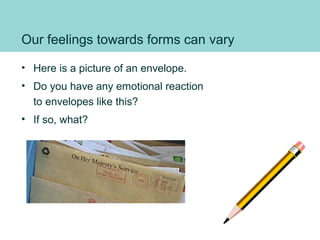
• Here is a picture of an envelope.
• Do you have any emotional reaction
to envelopes like this?
• If so, what?
Three layers
of the form
Relationship:
why your organisation has a form
why your user fills it in
Conversation:
the questions and answers
Appearance:
what it looks like
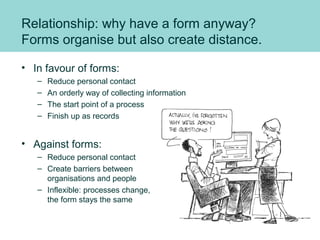
Relationship: why have a form anyway?
Forms organise but also create distance.
• In favour of forms:
– Reduce personal contact
– An orderly way of collecting information
– The start point of a process
– Finish up as records
• Against forms:
– Reduce personal contact
– Create barriers between
organisations and people
– Inflexible: processes change,
the form stays the same
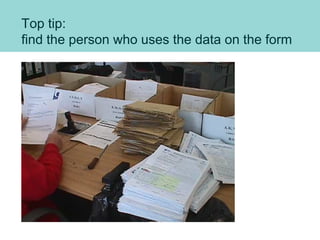
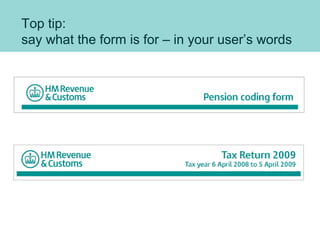
Top tip:
find the person who uses the data on the form
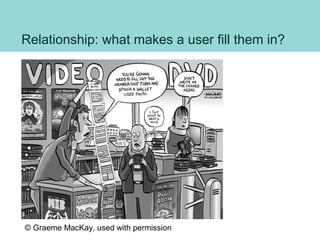
Relationship: what makes a user fill them in?
© Graeme MacKay, used with permission
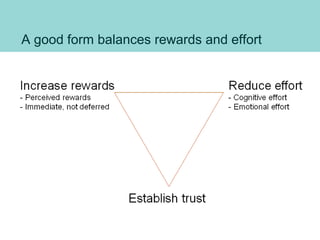
A good form balances rewards and effort
Top tip:
say what the form is for – in your user’s words
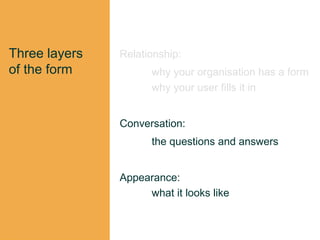
Three layers
of the form
Relationship:
why your organisation has a form
why your user fills it in
Conversation:
the questions and answers
Appearance:
what it looks like
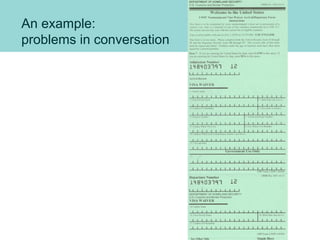
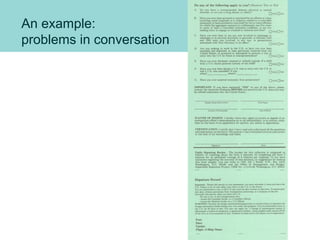
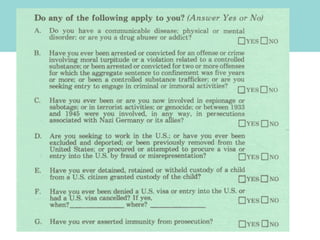
An example:
problems in conversation
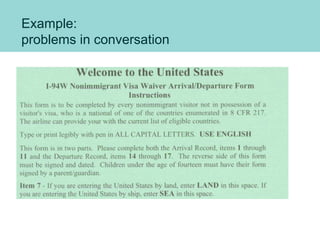
Example:
problems in conversation
An example:
problems in conversation
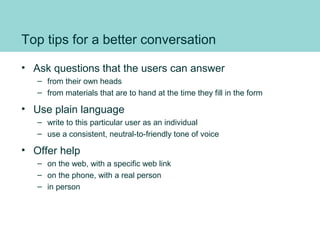
Top tips for a better conversation
• Ask questions that the users can answer
– from their own heads
– from materials that are to hand at the time they fill in the form
• Use plain language
– write to this particular user as an individual
– use a consistent, neutral-to-friendly tone of voice
• Offer help
– on the web, with a specific web link
– on the phone, with a real person
– in person
Three layers
of the form
Relationship:
why your organisation has a form
why your user fills it in
Conversation:
the questions and answers
Appearance:
what it looks like
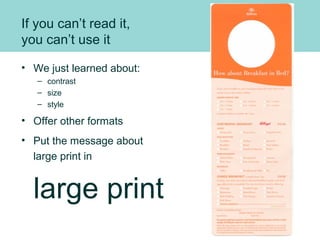
If you can’t read it,
you can’t use it
• We just learned about:
– contrast
– size
– style
• Offer other formats
• Put the message about
large print in
large print
Reading is different from using
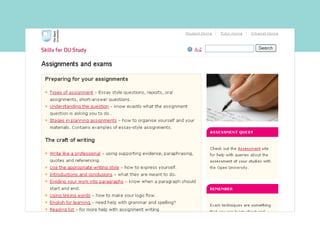
• I will give you ONE of these two tasks:
– “Look for something to help you plan your assignment”
– “Find out how to contact the Open University”
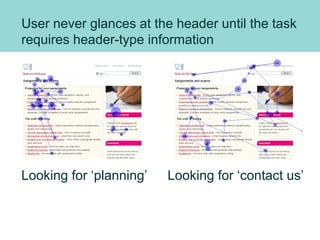
User never glances at the header until the task
requires header-type information
Looking for ‘contact us’Looking for ‘planning’
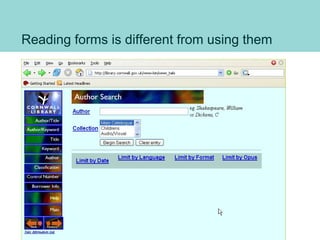
Reading forms is different from using them
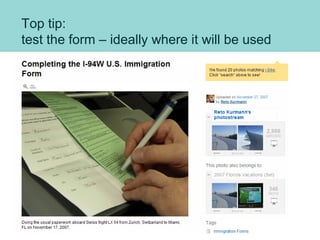
Top tip:
test the form – ideally where it will be used
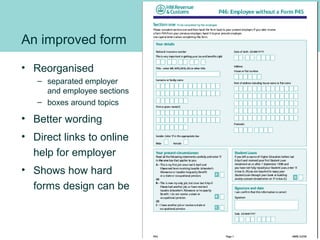
An improved form
• Reorganised
– separated employer
and employee sections
– boxes around topics
• Better wording
• Direct links to online
help for employer
• Shows how hard
forms design can be
Questions? Caroline Jarrett
carolinej@effortmark.co.uk
01525 370379
I’m a consultant, hire me:
Consultancy: www.effortmark.co.uk
Training: www.usabilitythatworks.com
Free stuff:
Forms advice: www.formsthatwork.com
Editing: www.editingthatworks.com
Columns: www.usabilitynews.com
“Caroline’s Corner”

Usable forms Media Trust 2010

  • 1.
  • 2.
    A bit aboutme: Caroline Jarrett My paid-for work: Consultancy: www.effortmark.co.uk Training: www.usabilitythatworks.com My free stuff: Forms advice: www.formsthatwork.com Editing tips: www.editingthatworks.com Columns: www.usabilitynews.com “Caroline’s Corner”
  • 3.
    Our feelings towardsforms can vary • Here is a picture of an envelope. • Do you have any emotional reaction to envelopes like this? • If so, what?
  • 4.
    Three layers of theform Relationship: why your organisation has a form why your user fills it in Conversation: the questions and answers Appearance: what it looks like
  • 5.
    Relationship: why havea form anyway? Forms organise but also create distance. • In favour of forms: – Reduce personal contact – An orderly way of collecting information – The start point of a process – Finish up as records • Against forms: – Reduce personal contact – Create barriers between organisations and people – Inflexible: processes change, the form stays the same
  • 6.
    Top tip: find theperson who uses the data on the form
  • 7.
    Relationship: what makesa user fill them in? © Graeme MacKay, used with permission
  • 8.
    A good formbalances rewards and effort
  • 9.
    Top tip: say whatthe form is for – in your user’s words
  • 10.
    Three layers of theform Relationship: why your organisation has a form why your user fills it in Conversation: the questions and answers Appearance: what it looks like
  • 11.
  • 12.
  • 13.
  • 15.
    Top tips fora better conversation • Ask questions that the users can answer – from their own heads – from materials that are to hand at the time they fill in the form • Use plain language – write to this particular user as an individual – use a consistent, neutral-to-friendly tone of voice • Offer help – on the web, with a specific web link – on the phone, with a real person – in person
  • 16.
    Three layers of theform Relationship: why your organisation has a form why your user fills it in Conversation: the questions and answers Appearance: what it looks like
  • 17.
    If you can’tread it, you can’t use it • We just learned about: – contrast – size – style • Offer other formats • Put the message about large print in large print
  • 18.
    Reading is differentfrom using • I will give you ONE of these two tasks: – “Look for something to help you plan your assignment” – “Find out how to contact the Open University”
  • 20.
    User never glancesat the header until the task requires header-type information Looking for ‘contact us’Looking for ‘planning’
  • 21.
    Reading forms isdifferent from using them
  • 22.
    Top tip: test theform – ideally where it will be used
  • 23.
    An improved form •Reorganised – separated employer and employee sections – boxes around topics • Better wording • Direct links to online help for employer • Shows how hard forms design can be
  • 24.
    Questions? Caroline Jarrett carolinej@effortmark.co.uk 01525370379 I’m a consultant, hire me: Consultancy: www.effortmark.co.uk Training: www.usabilitythatworks.com Free stuff: Forms advice: www.formsthatwork.com Editing: www.editingthatworks.com Columns: www.usabilitynews.com “Caroline’s Corner”