Lessons learned from writing
300,000 LINES OF
INFRASTRUCTURE CODE
It’s time for a confession:
DevOps is still in the stone ages

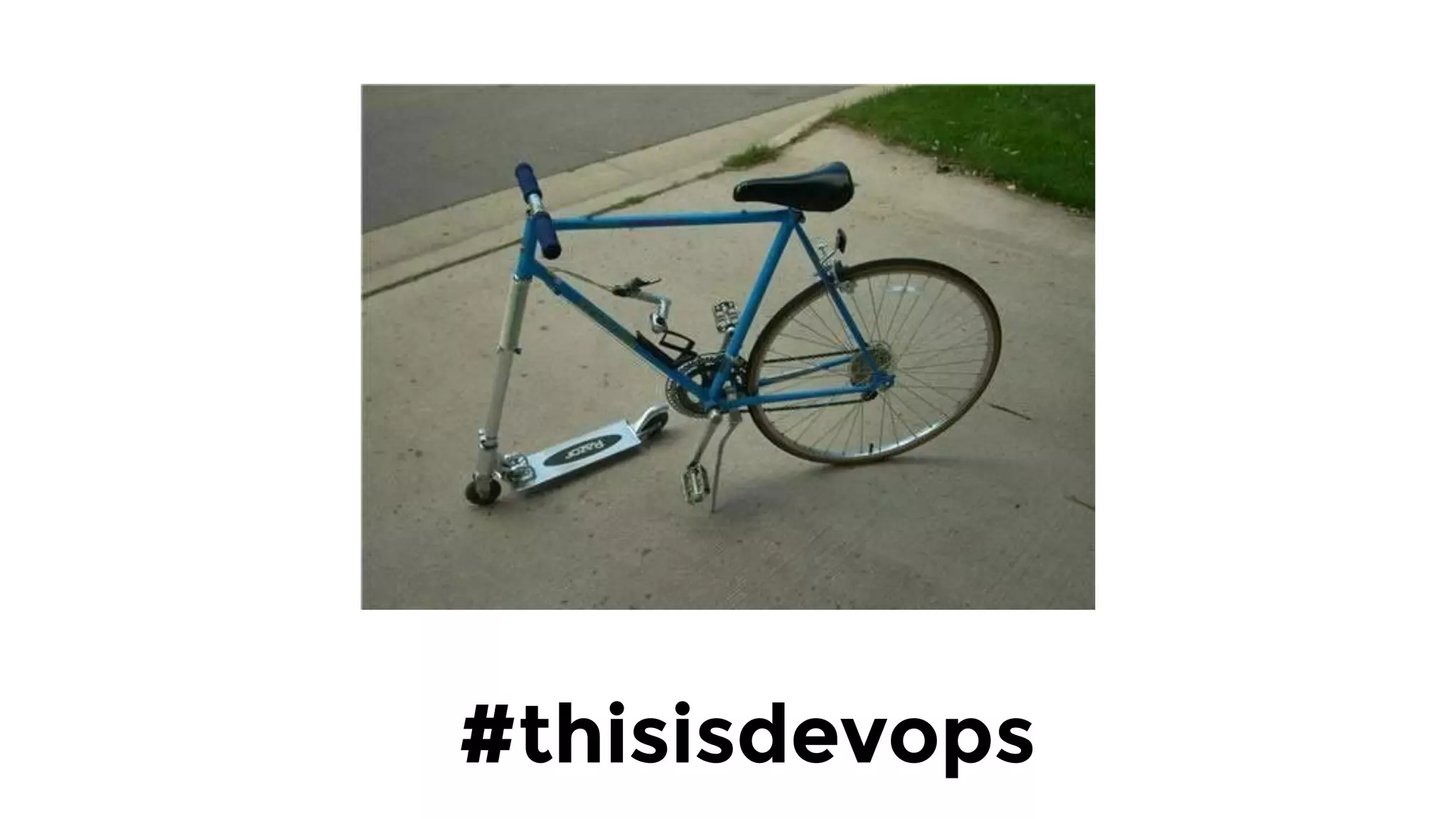
We are trying to build this…
Using this.
If you just read the headlines, it
all sounds so cutting edge…
Kubernetes, Docker, serverless, microservices,
infrastructure as code, distributed tracing, big
data systems, data warehouses, data lakes,
chaos engineering, zero-trust architecture,
streaming architecture, immutable
infrastructure, service discovery, service
meshes, NoSQL, NewSQL, ChatOps, HugOps,
NoOps, DevSecOpsLeanSREAgileWTFBBQ, …
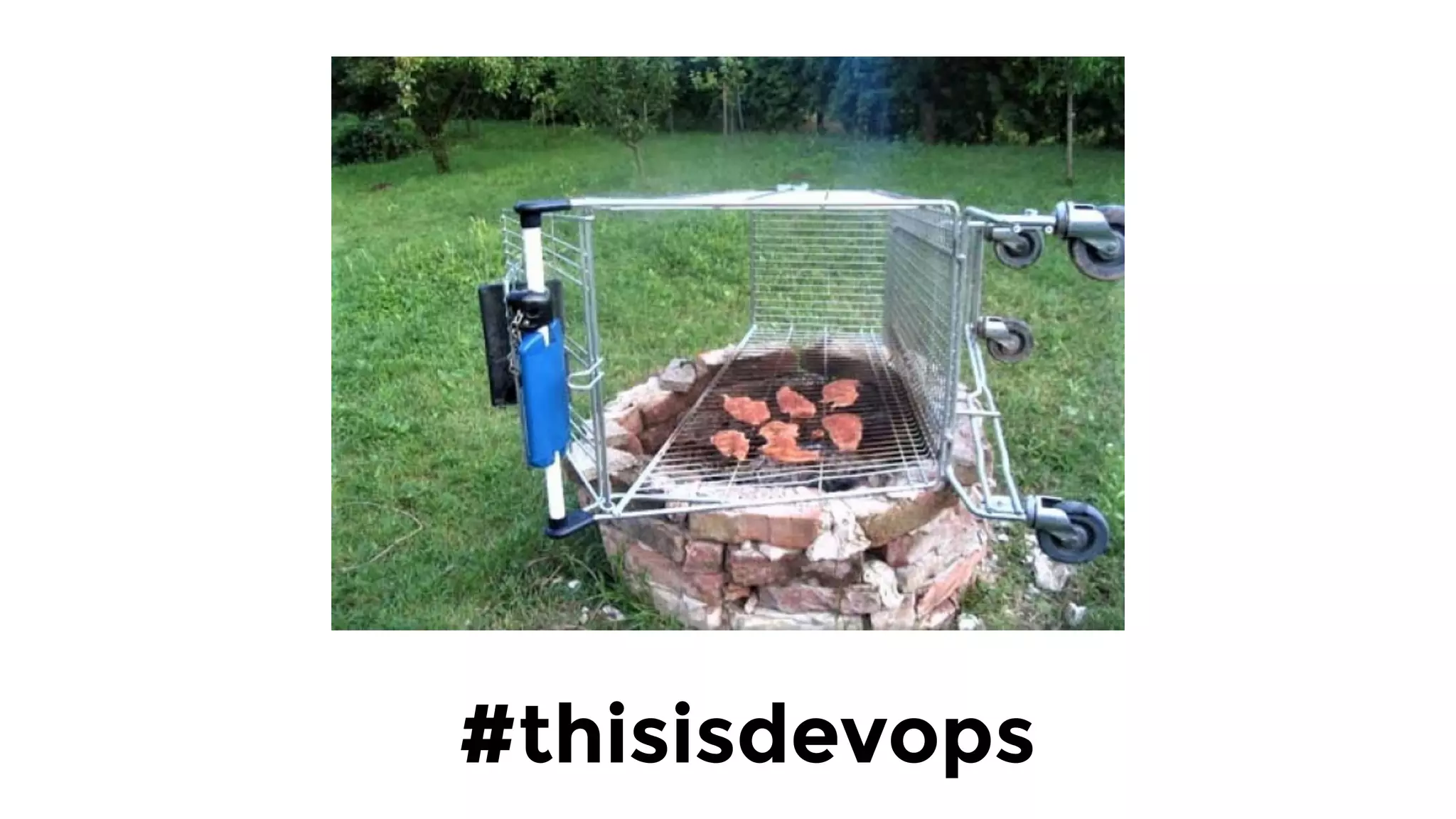
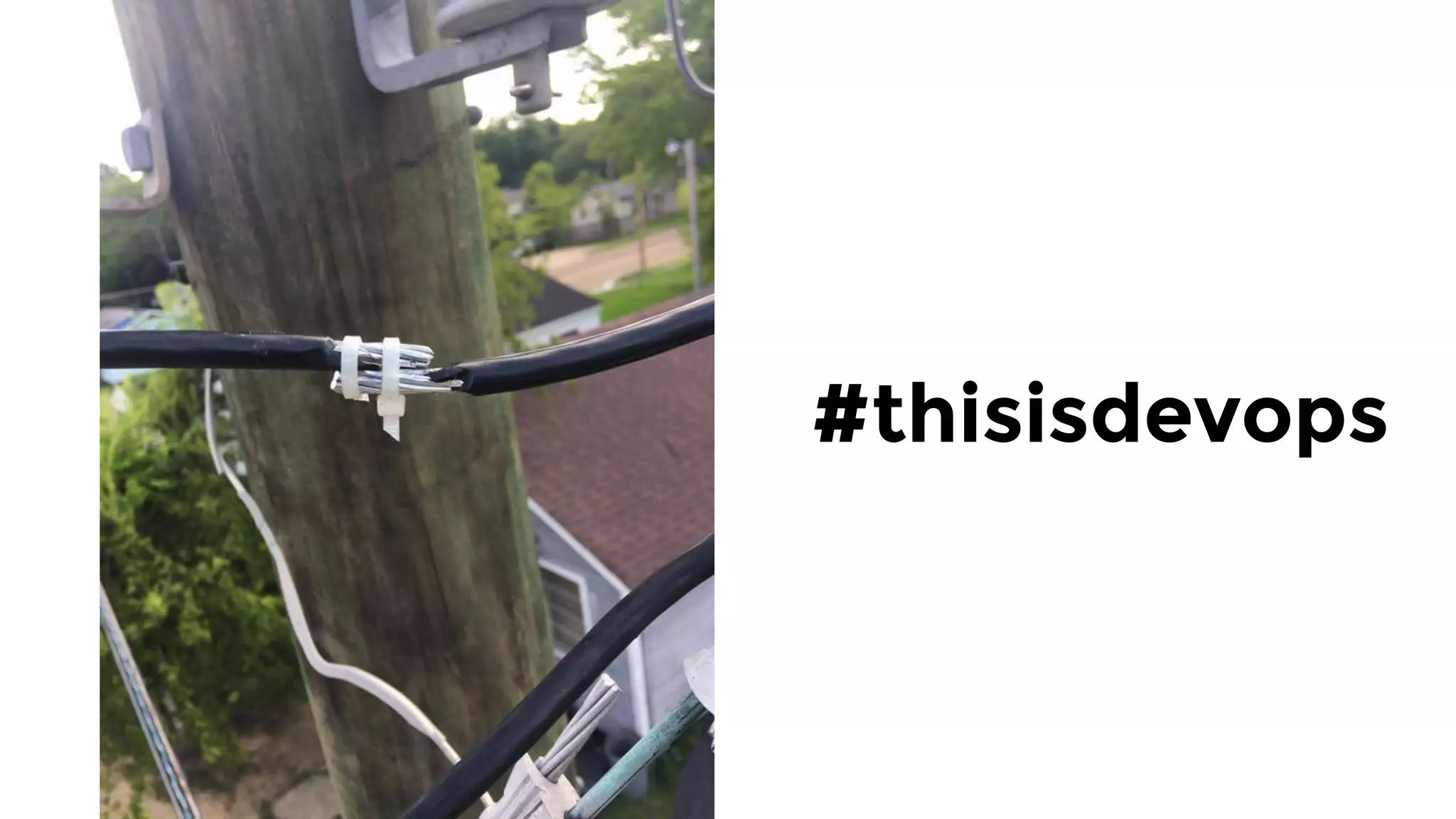
But to me, it doesn’t feel
cutting edge. It feels more like…
#thisisdevops
#thisisdevops
#thisisdevops
#thisisdevops
Here’s something we don’t
admit often enough:
Building production-grade
infrastructure is hard.
And stressful.
And time consuming.
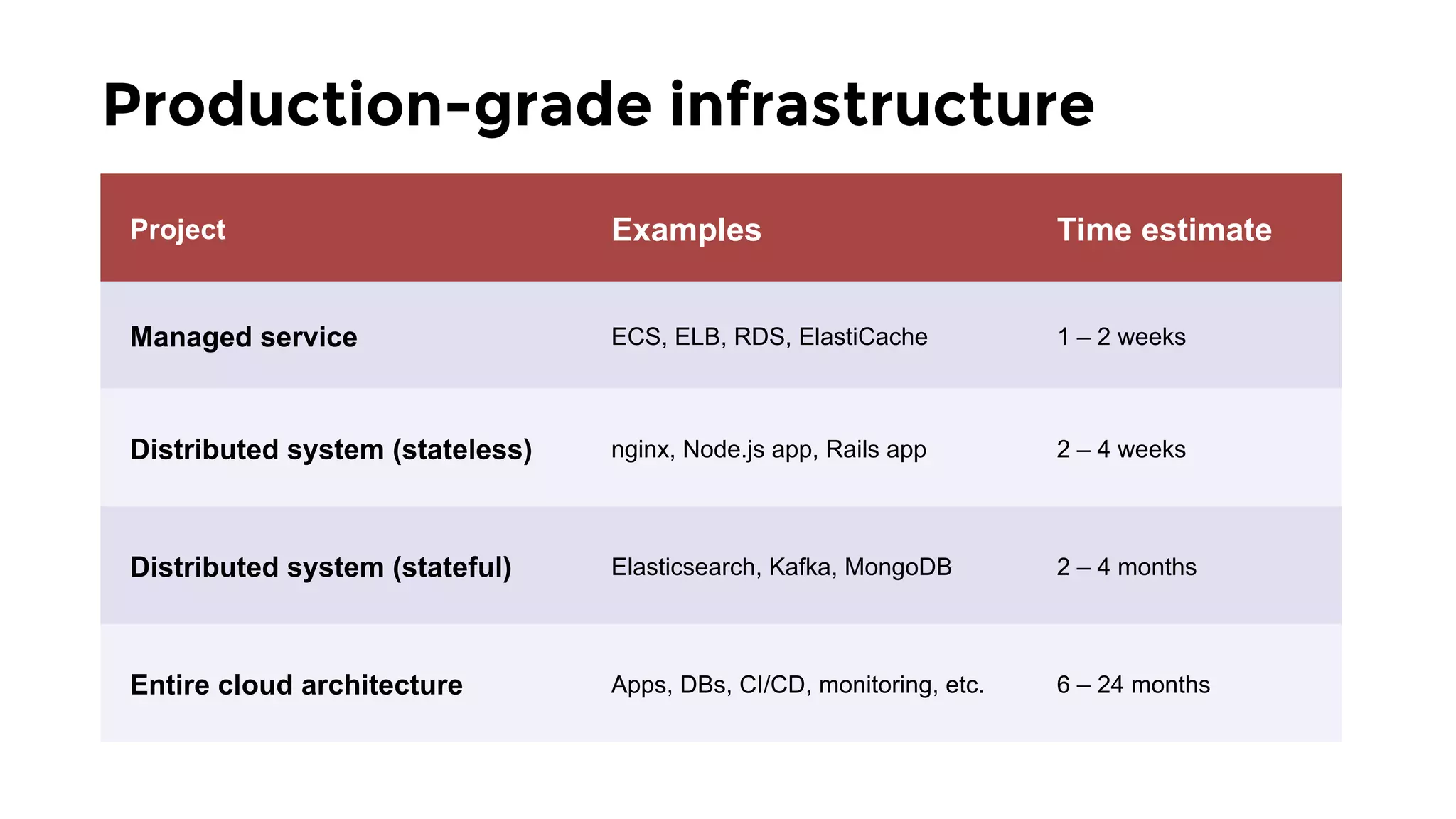
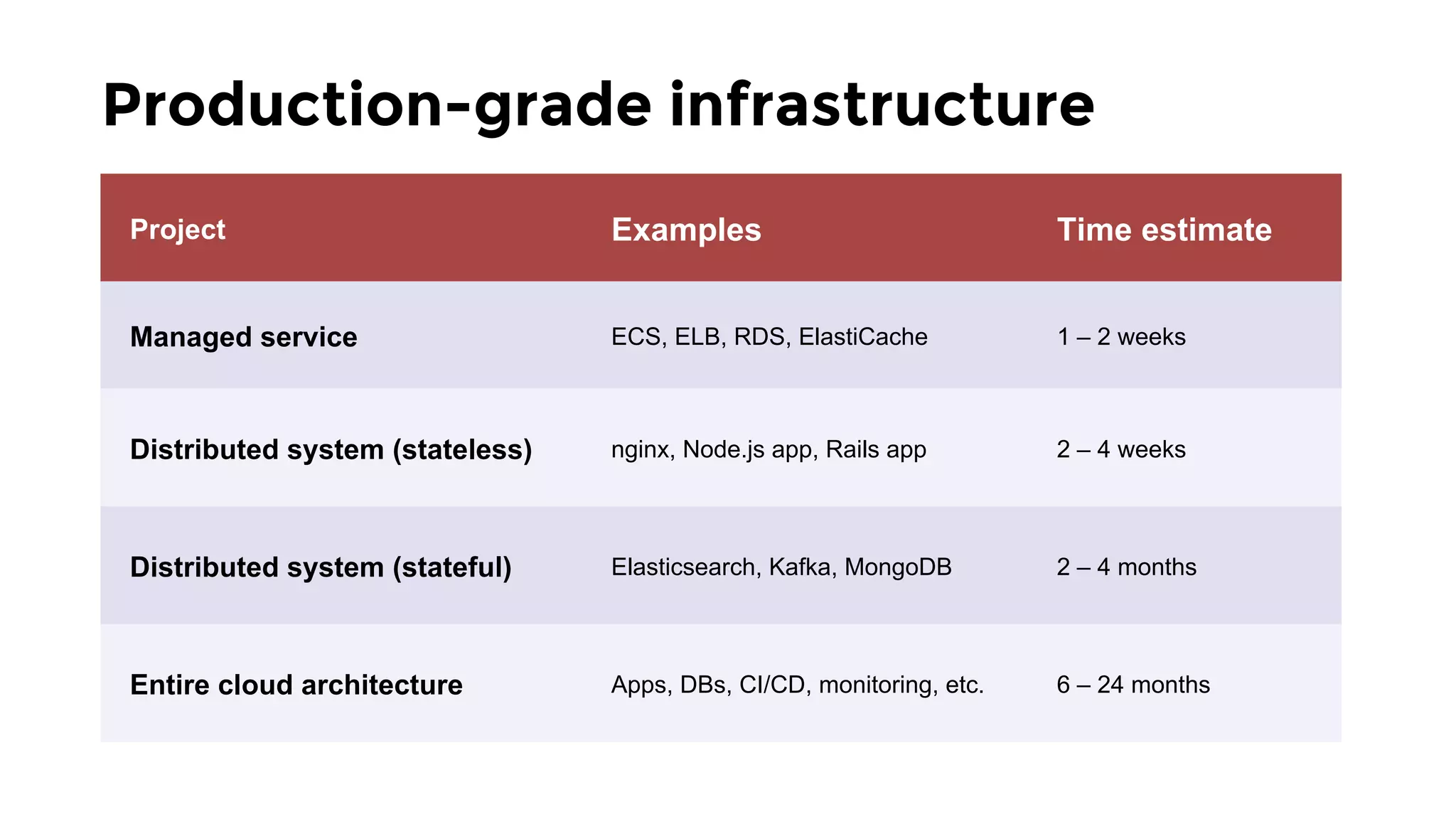
Some rough numbers:
Production-grade infrastructure
Project Examples Time estimate
Managed service ECS, ELB, RDS, ElastiCache 1 – 2 weeks
Distributed system (stateless) nginx, Node.js app, Rails app 2 – 4 weeks
Distributed system (stateful) Elasticsearch, Kafka, MongoDB 2 – 4 months
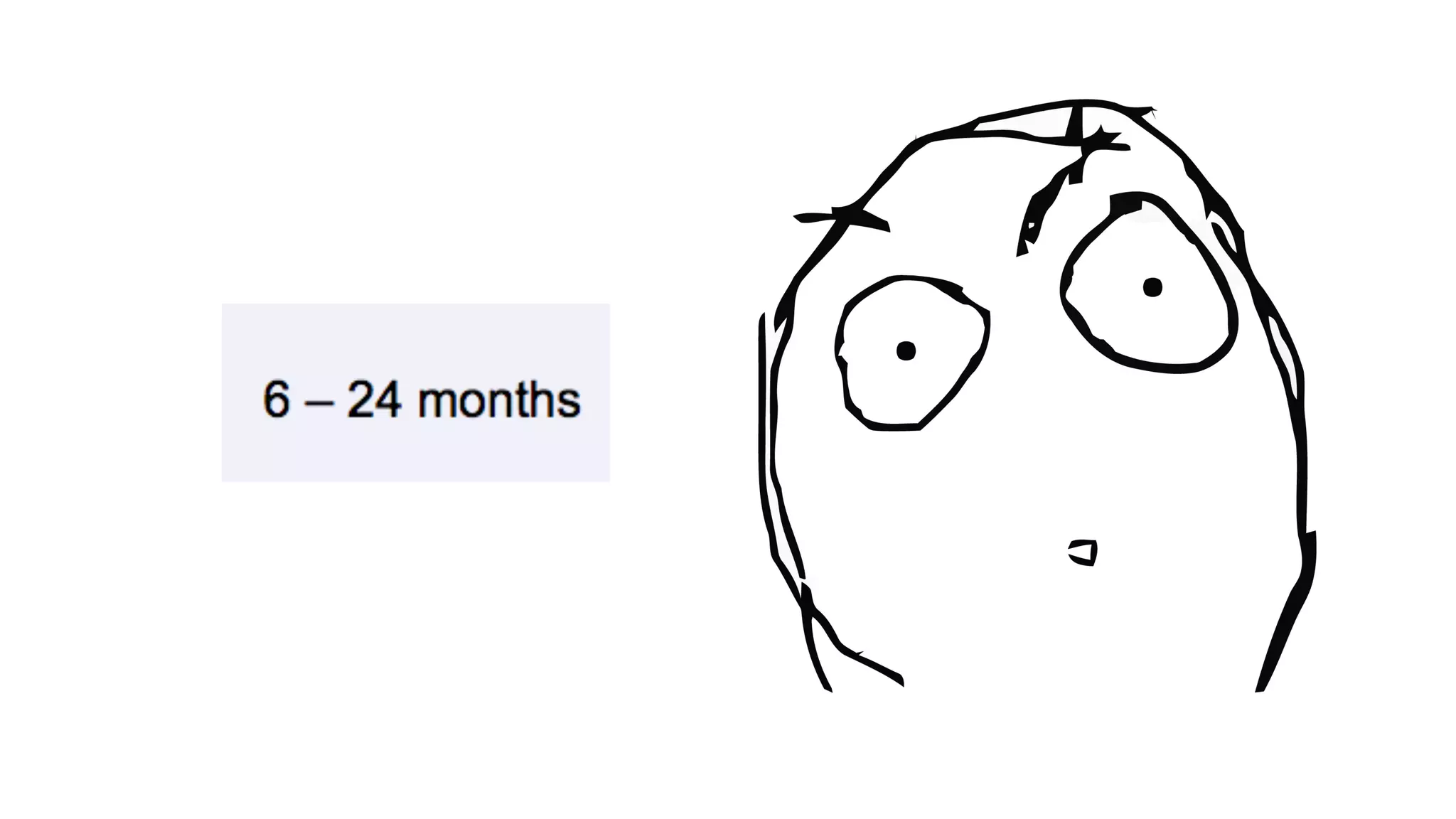
Entire cloud architecture Apps, DBs, CI/CD, monitoring, etc. 6 – 24 months
Fortunately, it’s getting a 
little bit better
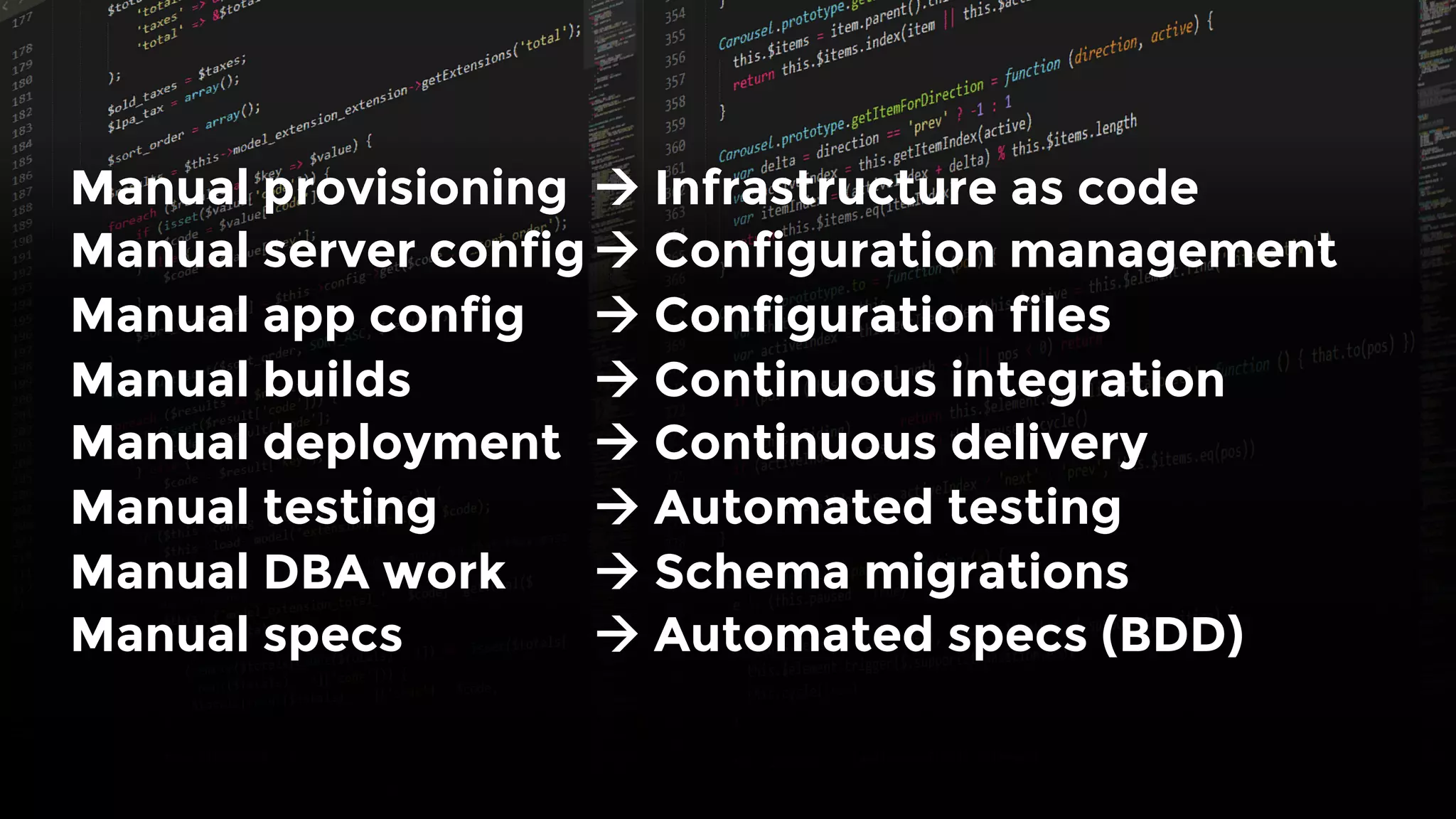
One trend I love: manage
(almost) everything as code
Manual provisioning 
à Infrastructure as code
Manual server config
à Configuration management
Manual app config 
à Configuration files
Manual builds 
 
à Continuous integration
Manual deployment 
à Continuous delivery
Manual testing
 
à Automated testing
Manual DBA work 
à Schema migrations
Manual specs 
 
à Automated specs (BDD)
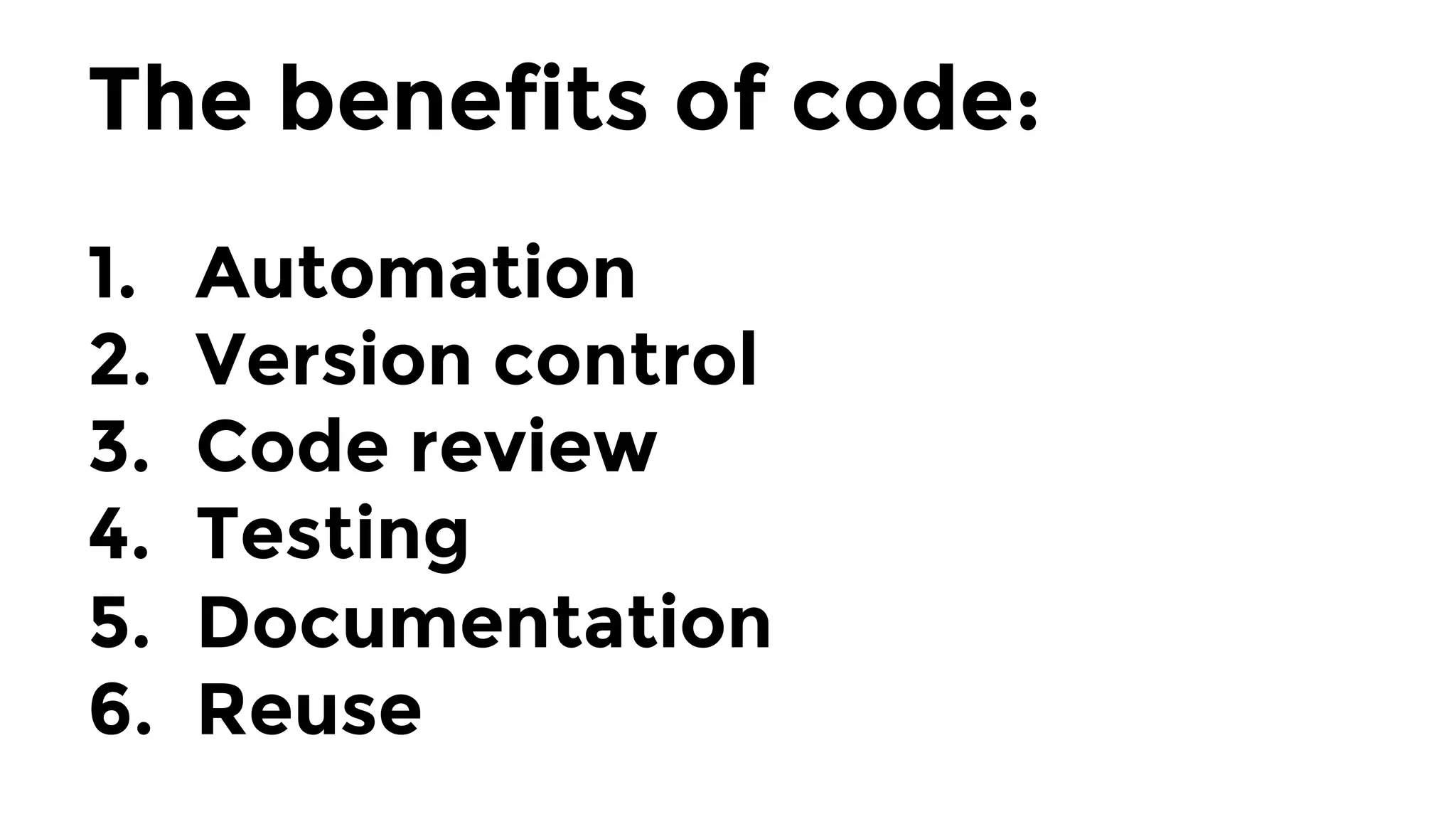
The benefits of code:

1.  Automation
2.  Version control
3.  Code review
4.  Testing
5.  Documentation
6.  Reuse
At Gruntwork, 
we’ve created a
reusable library of
infrastructure code
Primarily written in Terraform, Go,
Python, and Bash
Off-the-shelf, battle-tested solutions for AWS, Docker, VPCs, VPN,
MySQL, Postgres, Couchbase, ElasticSearch, Kafka, ZooKeeper,
Monitoring, Alerting, secrets management, CI, CD, DNS, …
The library is used in production
by hundreds of customers
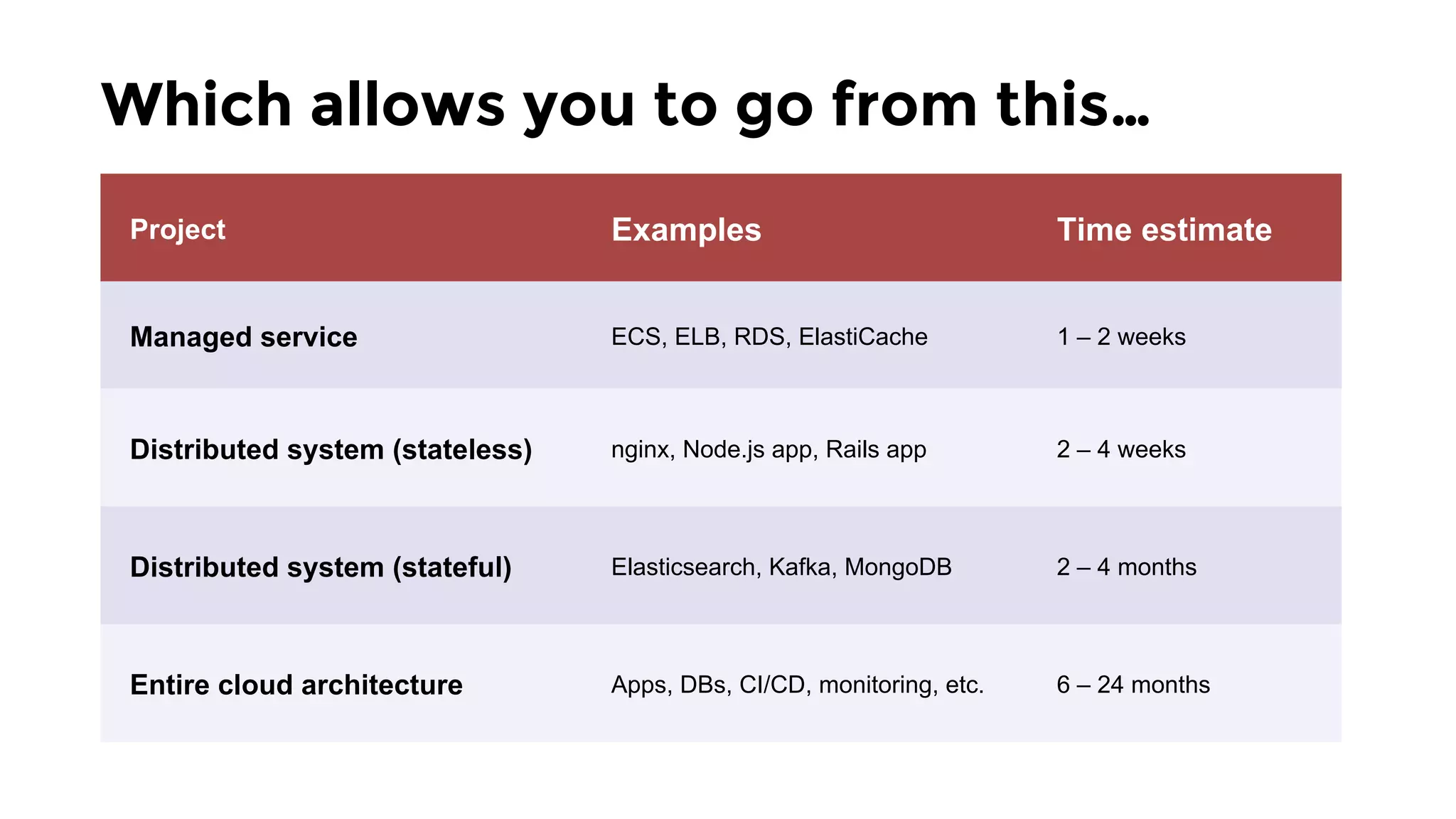
Which allows you to go from this…
Project Examples Time estimate
Managed service ECS, ELB, RDS, ElastiCache 1 – 2 weeks
Distributed system (stateless) nginx, Node.js app, Rails app 2 – 4 weeks
Distributed system (stateful) Elasticsearch, Kafka, MongoDB 2 – 4 months
Entire cloud architecture Apps, DBs, CI/CD, monitoring, etc. 6 – 24 months
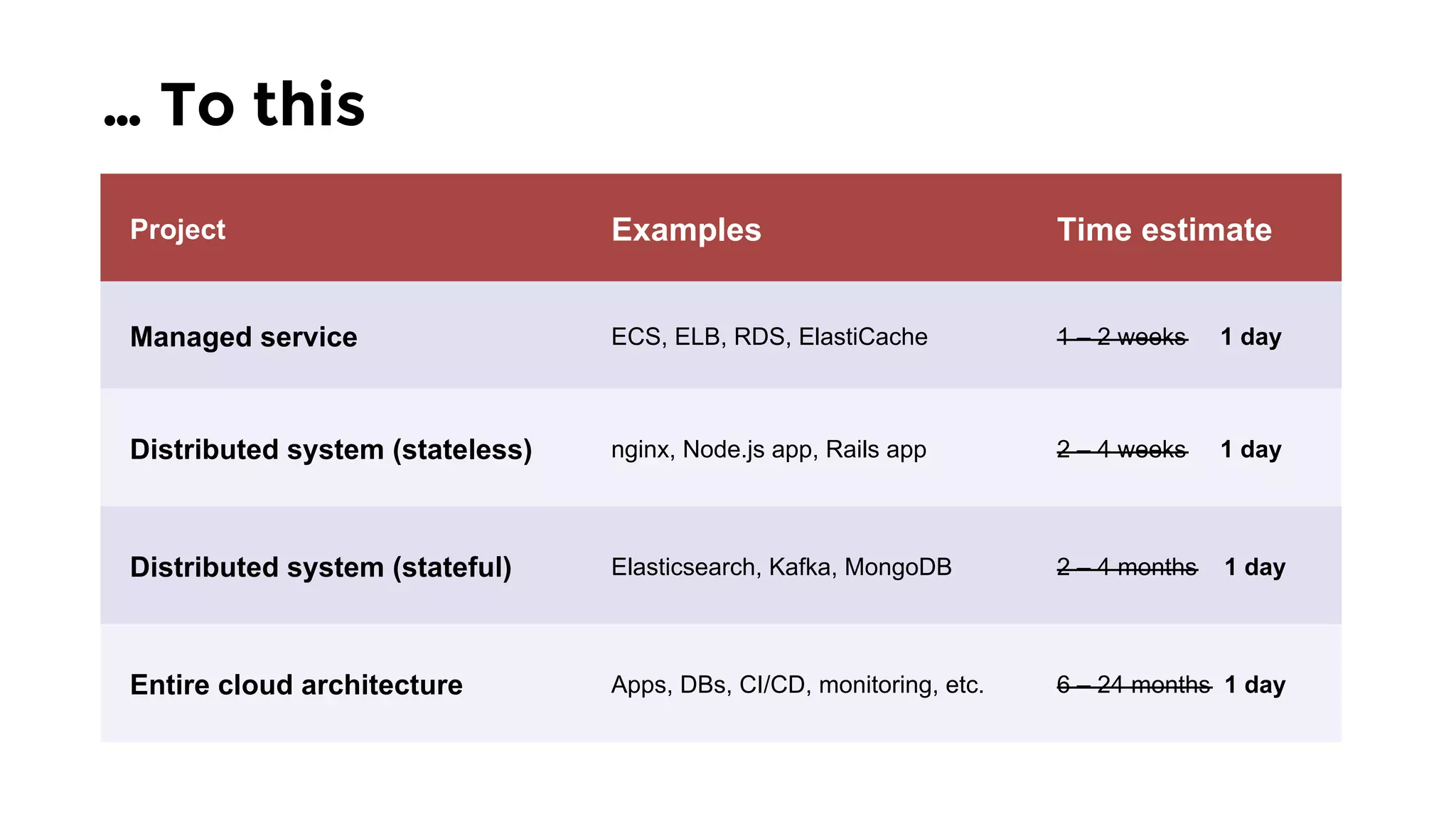
… To this
Project Examples Time estimate
Managed service ECS, ELB, RDS, ElastiCache 1 – 2 weeks 1 day
Distributed system (stateless) nginx, Node.js app, Rails app 2 – 4 weeks 1 day
Distributed system (stateful) Elasticsearch, Kafka, MongoDB 2 – 4 months 1 day
Entire cloud architecture Apps, DBs, CI/CD, monitoring, etc. 6 – 24 months 1 day
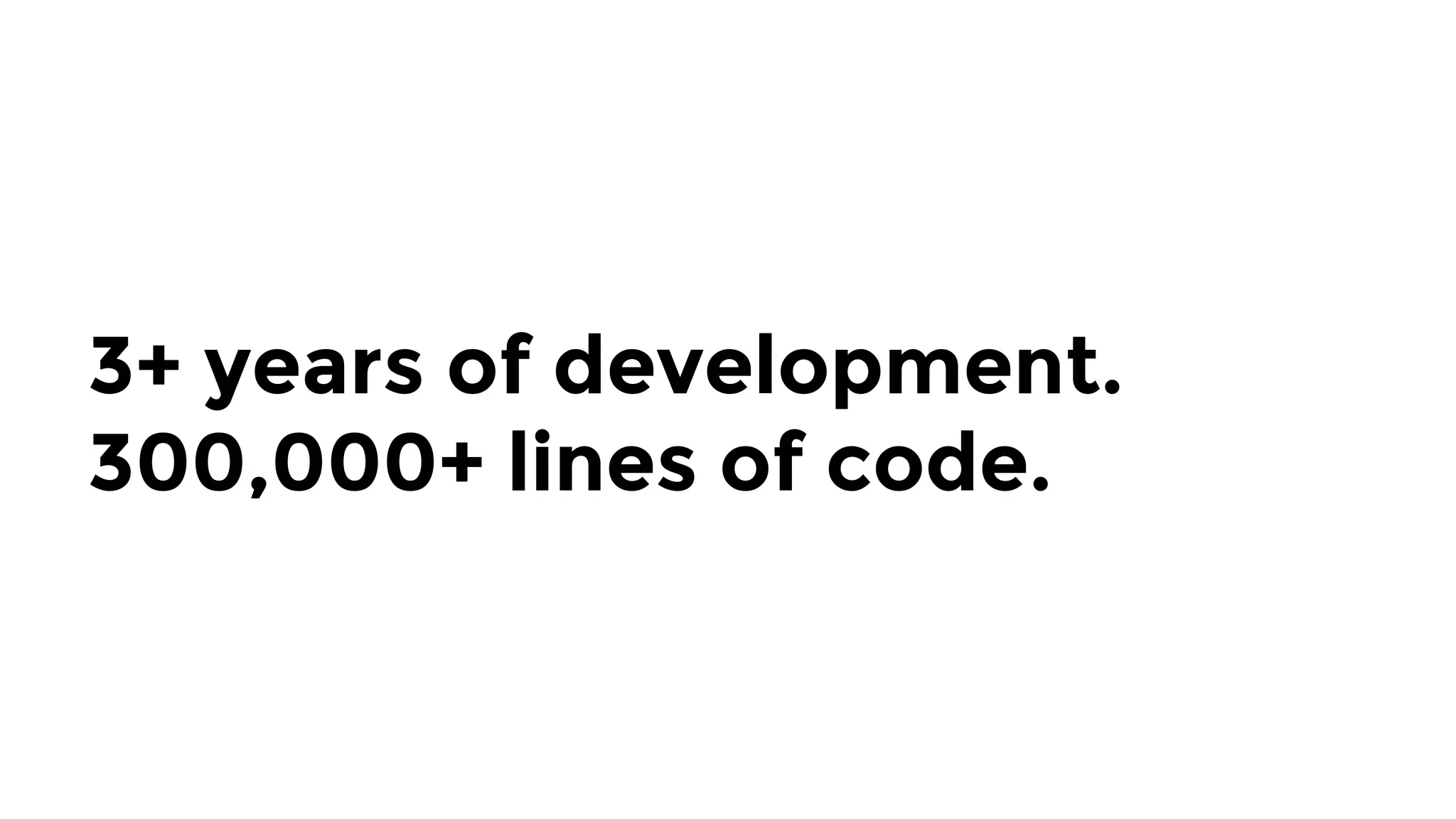
3+ years of development.
300,000+ lines of code.
In this talk, I’ll share what we
learned along the way!
I’m
Yevgeniy
Brikman
ybrikman.com
Co-founder of
Gruntwork
gruntwork.io
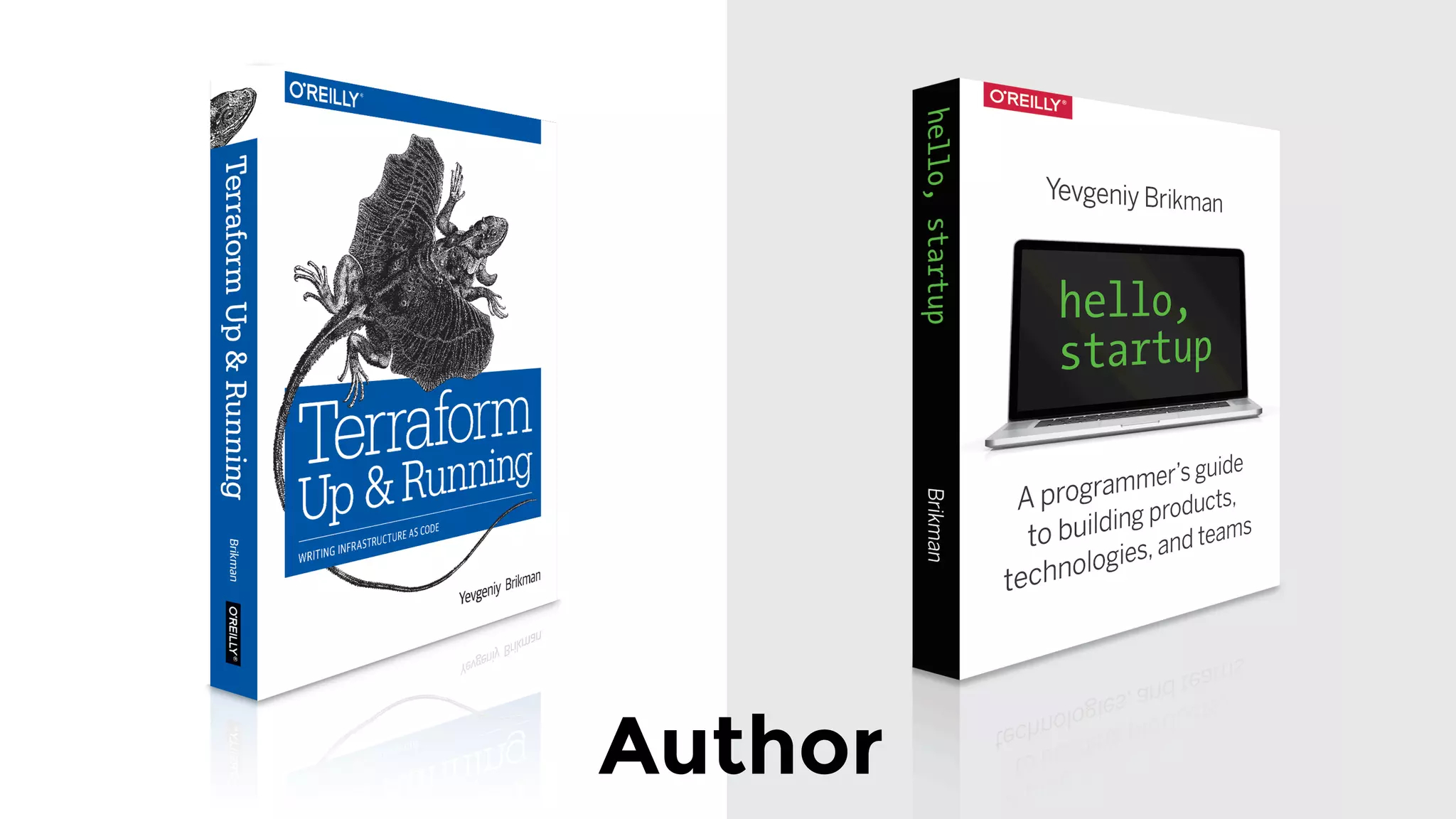
Author
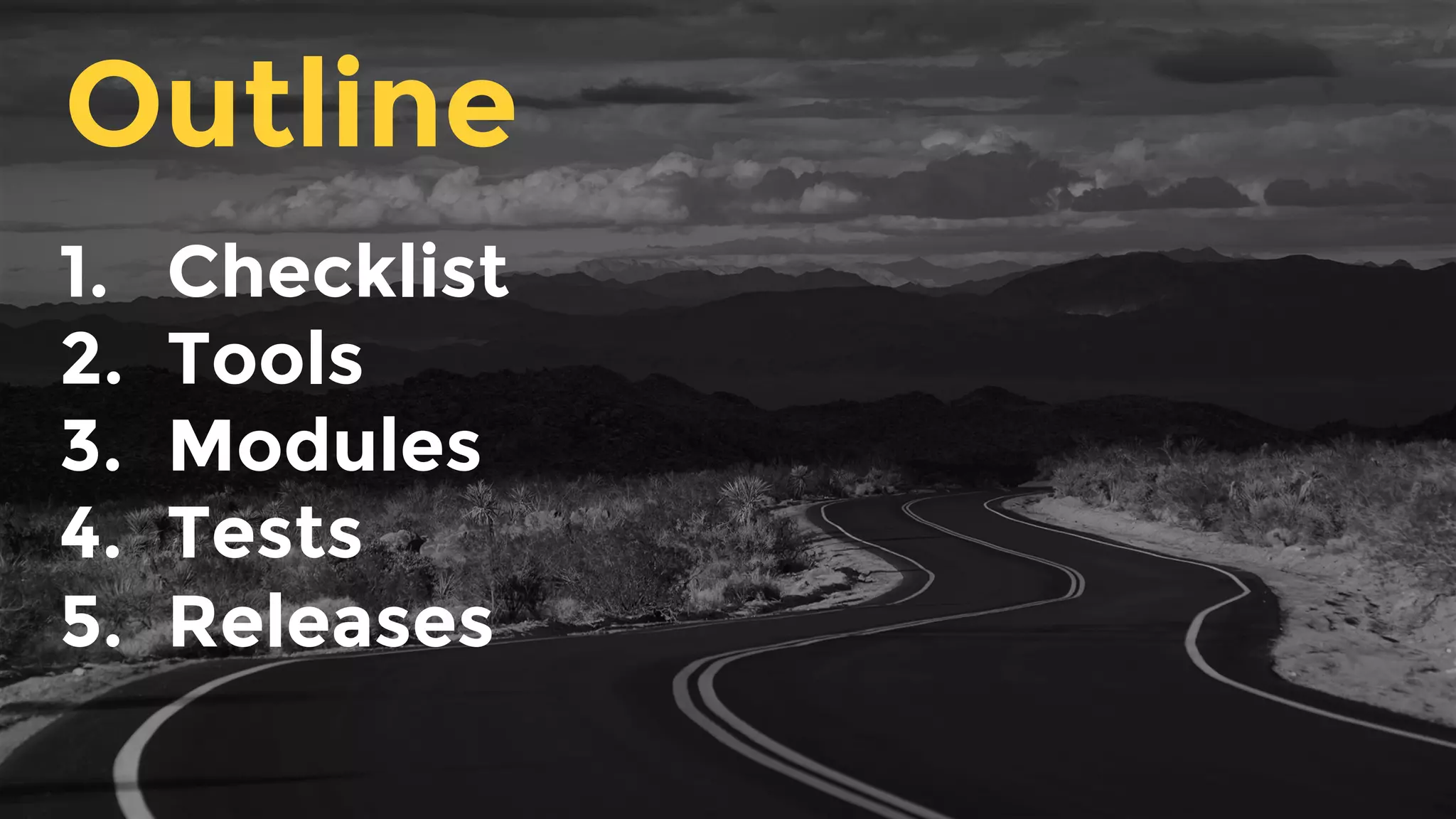
1.  Checklist
2.  Tools
3.  Modules
4.  Tests
5.  Releases
Outline
1.  Checklist
2.  Tools
3.  Modules
4.  Tests
5.  Releases
Outline
Production-grade infrastructure
Project Examples Time estimate
Managed service ECS, ELB, RDS, ElastiCache 1 – 2 weeks
Distributed system (stateless) nginx, Node.js app, Rails app 2 – 4 weeks
Distributed system (stateful) Elasticsearch, Kafka, MongoDB 2 – 4 months
Entire cloud architecture Apps, DBs, CI/CD, monitoring, etc. 6 – 24 months
How can it possibly take that
long??
Two main reasons:
Reason it takes so long #1: 
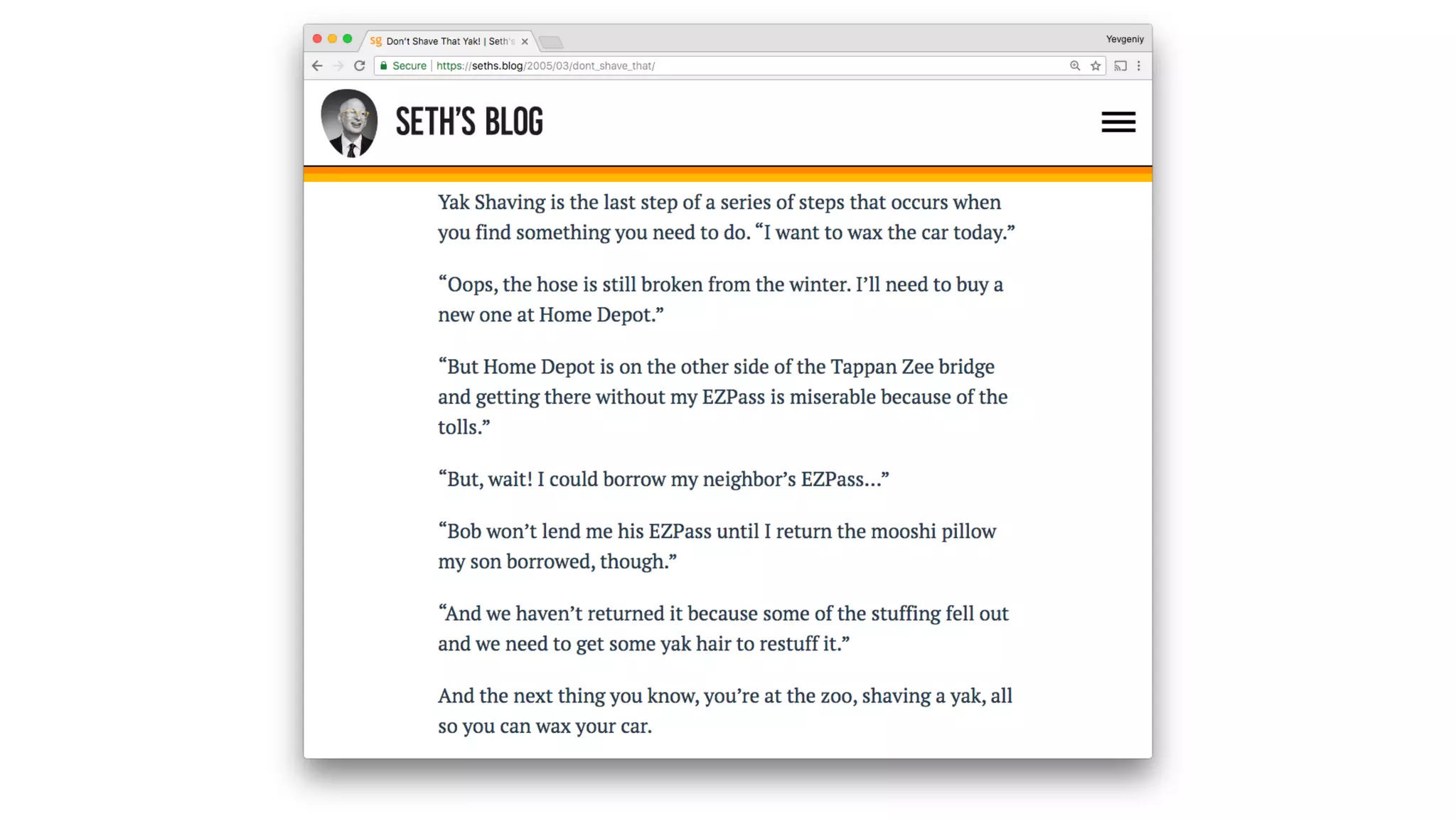
Yak shaving
Yak shaving: a seemingly
endless series of small tasks
you have to do before you
can do what you actually
want.
Reason it takes so long #2: 
It’s a long checklist!
Introducing: 

The production-grade
infrastructure checklist
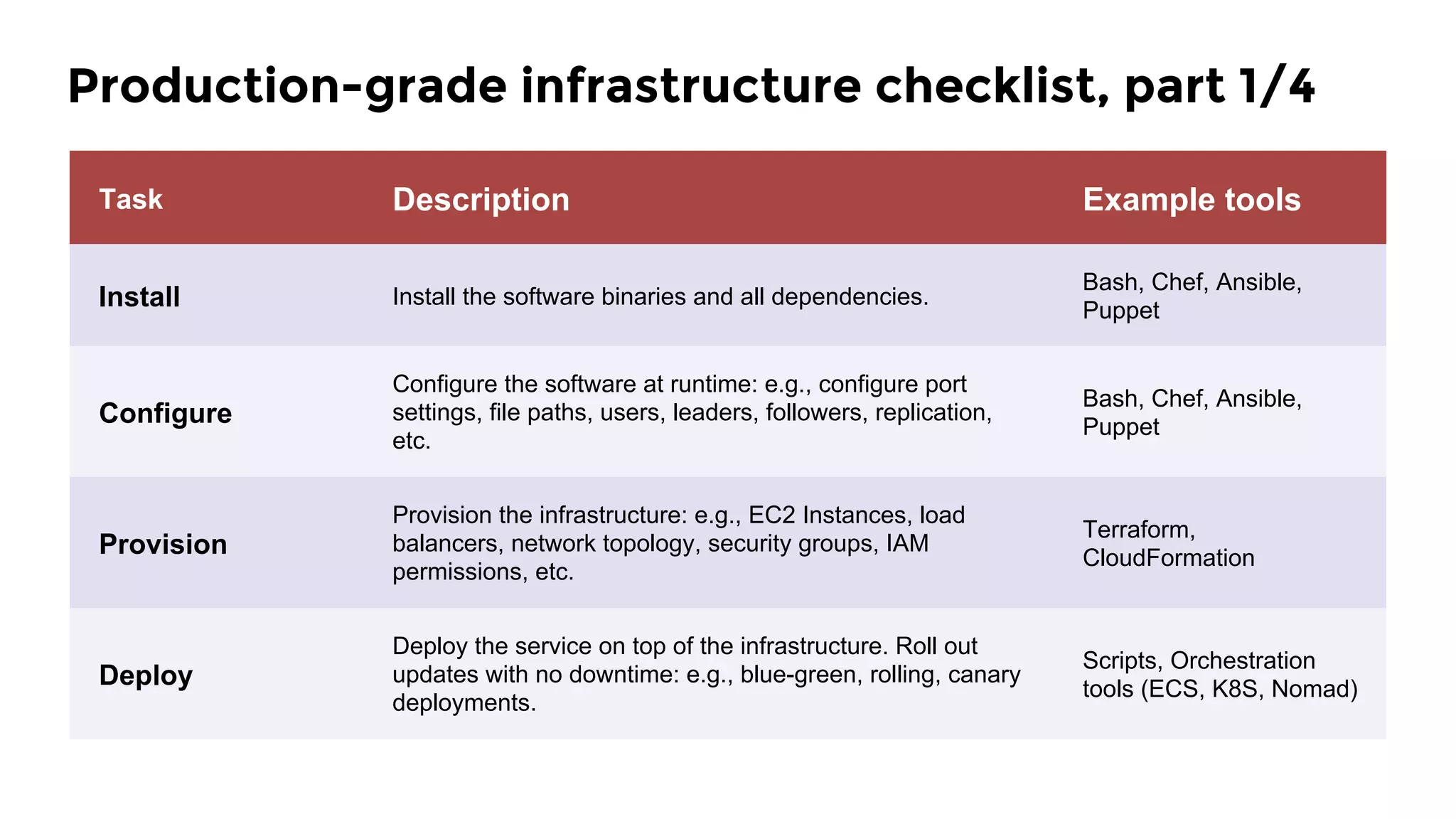
Task Description Example tools
Install Install the software binaries and all dependencies.
Bash, Chef, Ansible,
Puppet
Configure
Configure the software at runtime: e.g., configure port
settings, file paths, users, leaders, followers, replication,
etc.
Bash, Chef, Ansible,
Puppet
Provision
Provision the infrastructure: e.g., EC2 Instances, load
balancers, network topology, security groups, IAM
permissions, etc.
Terraform,
CloudFormation
Deploy
Deploy the service on top of the infrastructure. Roll out
updates with no downtime: e.g., blue-green, rolling, canary
deployments.
Scripts, Orchestration
tools (ECS, K8S, Nomad)
Production-grade infrastructure checklist, part 1/4
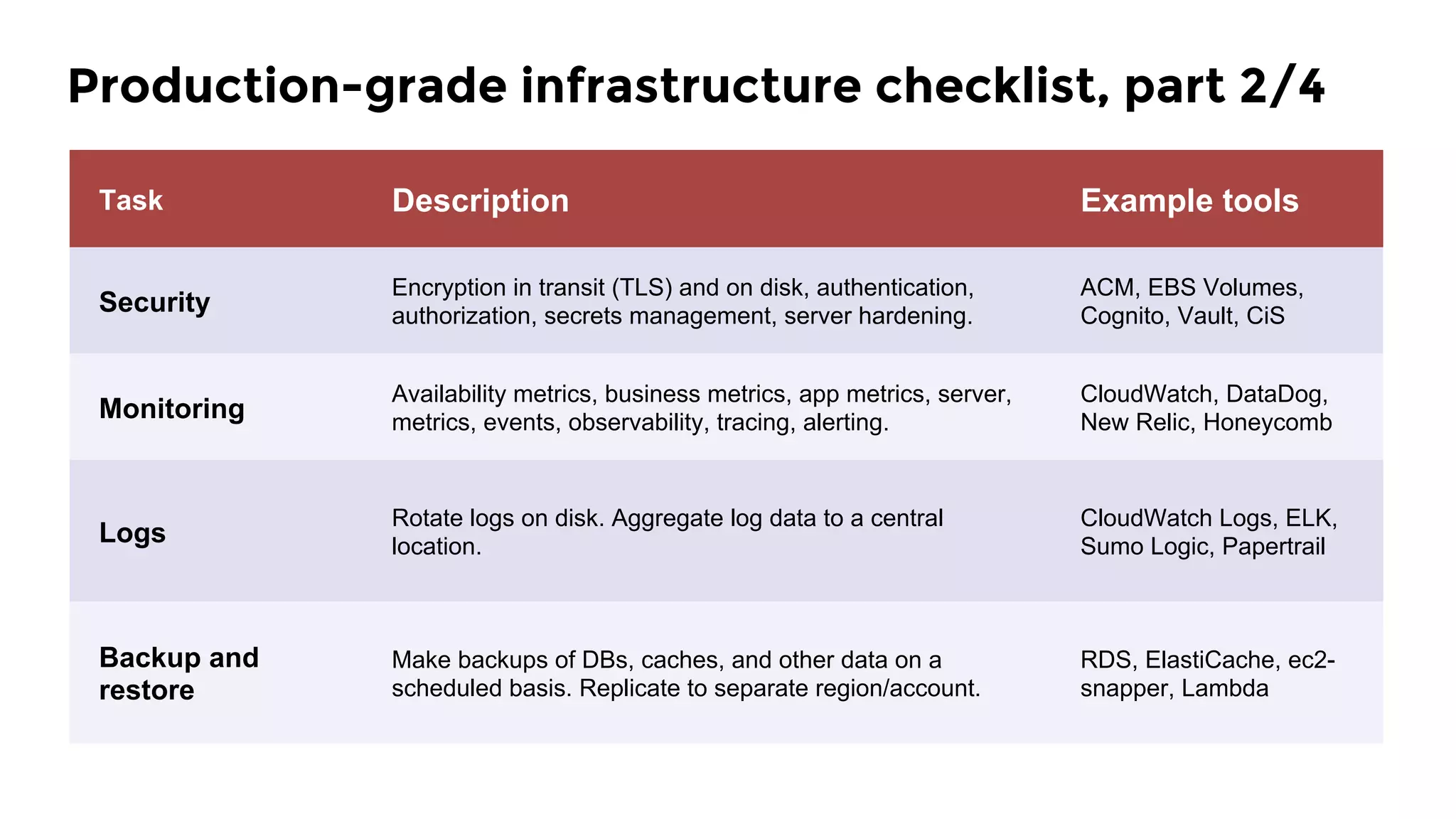
Task Description Example tools
Security
Encryption in transit (TLS) and on disk, authentication,
authorization, secrets management, server hardening.
ACM, EBS Volumes,
Cognito, Vault, CiS
Monitoring
Availability metrics, business metrics, app metrics, server,
metrics, events, observability, tracing, alerting.
CloudWatch, DataDog,
New Relic, Honeycomb
Logs
Rotate logs on disk. Aggregate log data to a central
location.
CloudWatch Logs, ELK,
Sumo Logic, Papertrail
Backup and
restore
Make backups of DBs, caches, and other data on a
scheduled basis. Replicate to separate region/account.
RDS, ElastiCache, ec2-
snapper, Lambda
Production-grade infrastructure checklist, part 2/4
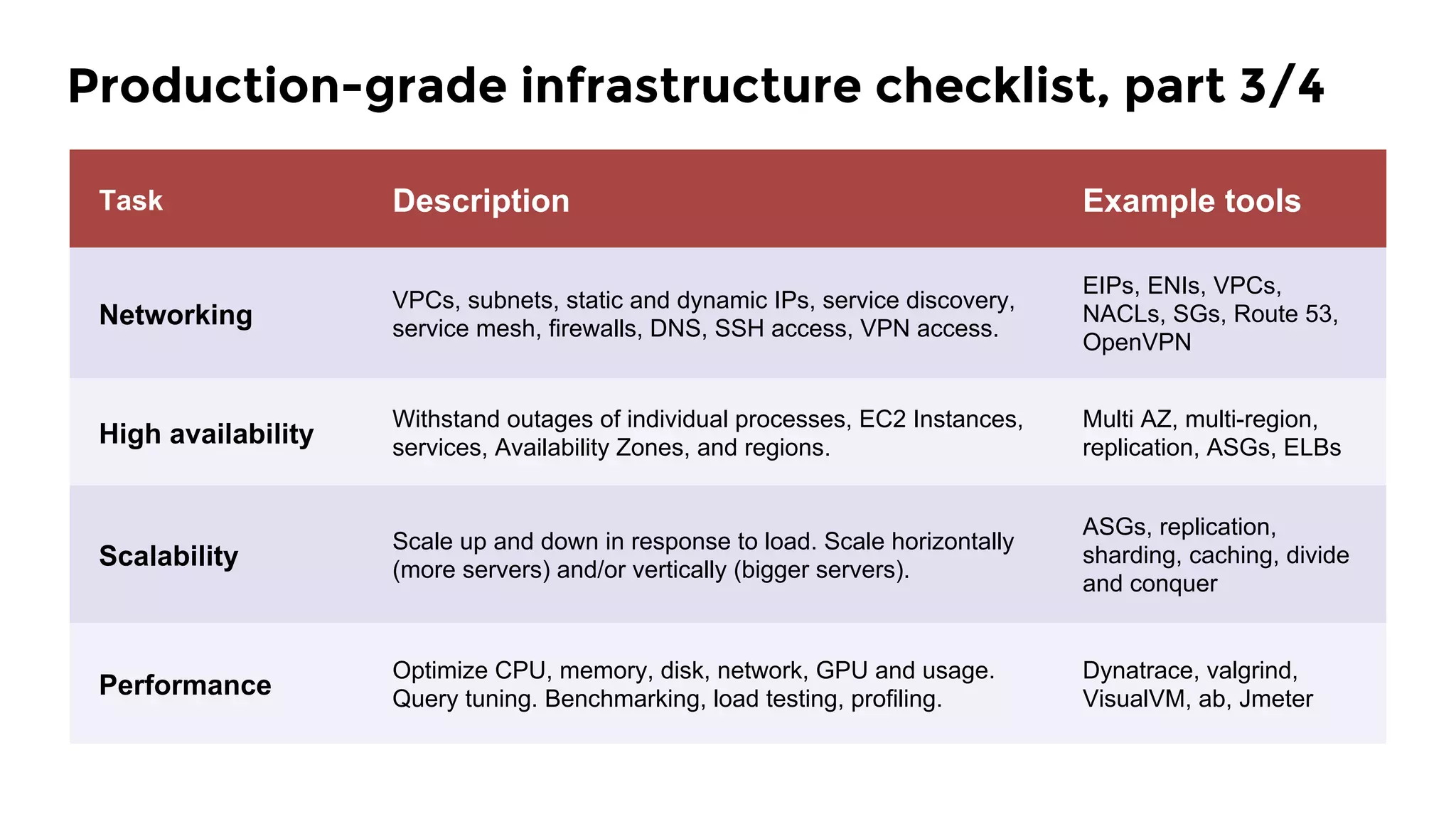
Task Description Example tools
Networking
VPCs, subnets, static and dynamic IPs, service discovery,
service mesh, firewalls, DNS, SSH access, VPN access.
EIPs, ENIs, VPCs,
NACLs, SGs, Route 53,
OpenVPN
High availability
Withstand outages of individual processes, EC2 Instances,
services, Availability Zones, and regions.
Multi AZ, multi-region,
replication, ASGs, ELBs
Scalability
Scale up and down in response to load. Scale horizontally
(more servers) and/or vertically (bigger servers).
ASGs, replication,
sharding, caching, divide
and conquer
Performance
Optimize CPU, memory, disk, network, GPU and usage.
Query tuning. Benchmarking, load testing, profiling.
Dynatrace, valgrind,
VisualVM, ab, Jmeter
Production-grade infrastructure checklist, part 3/4
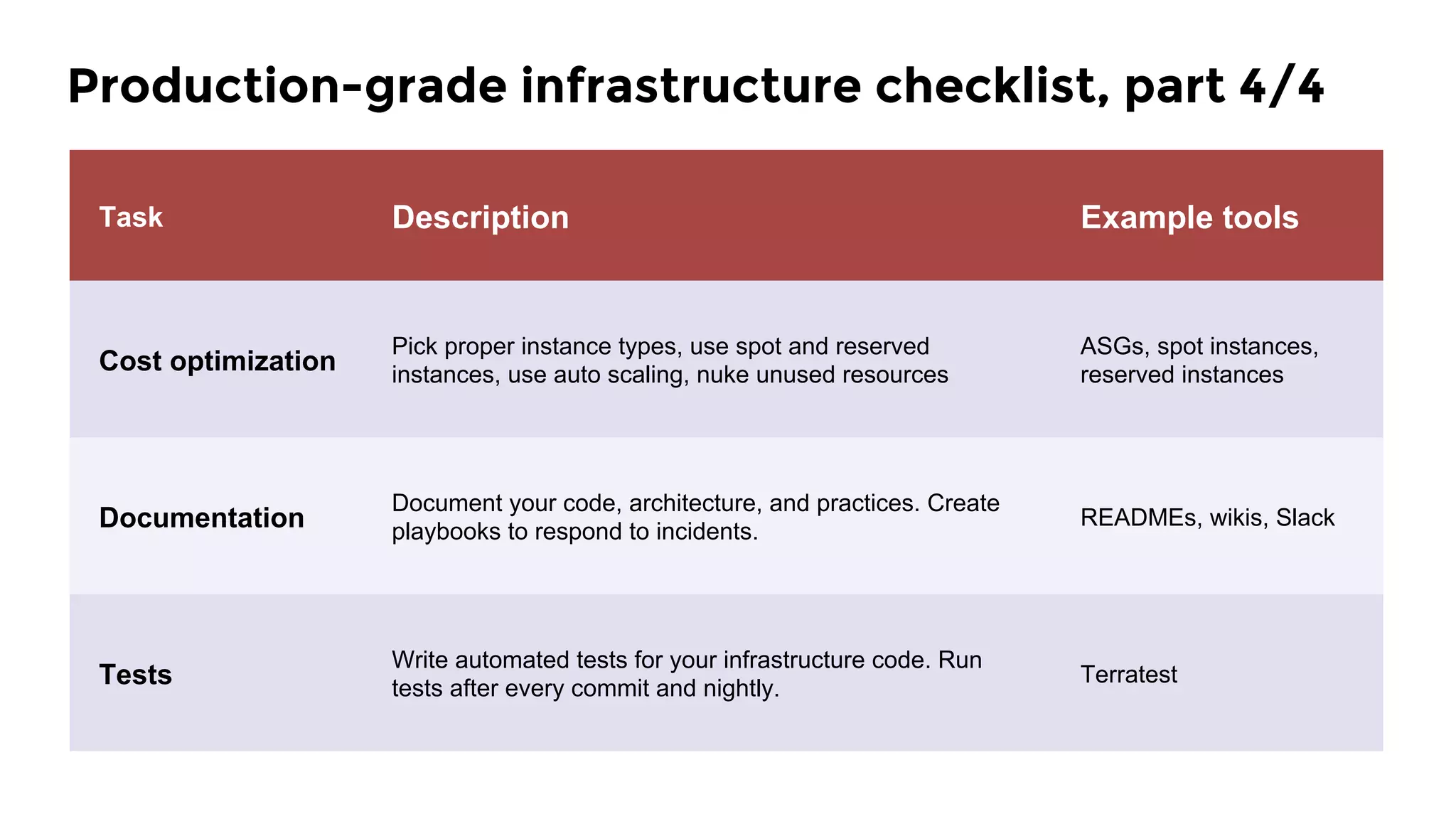
Task Description Example tools
Cost optimization
Pick proper instance types, use spot and reserved
instances, use auto scaling, nuke unused resources
ASGs, spot instances,
reserved instances
Documentation
Document your code, architecture, and practices. Create
playbooks to respond to incidents.
READMEs, wikis, Slack
Tests
Write automated tests for your infrastructure code. Run
tests after every commit and nightly.
Terratest
Production-grade infrastructure checklist, part 4/4
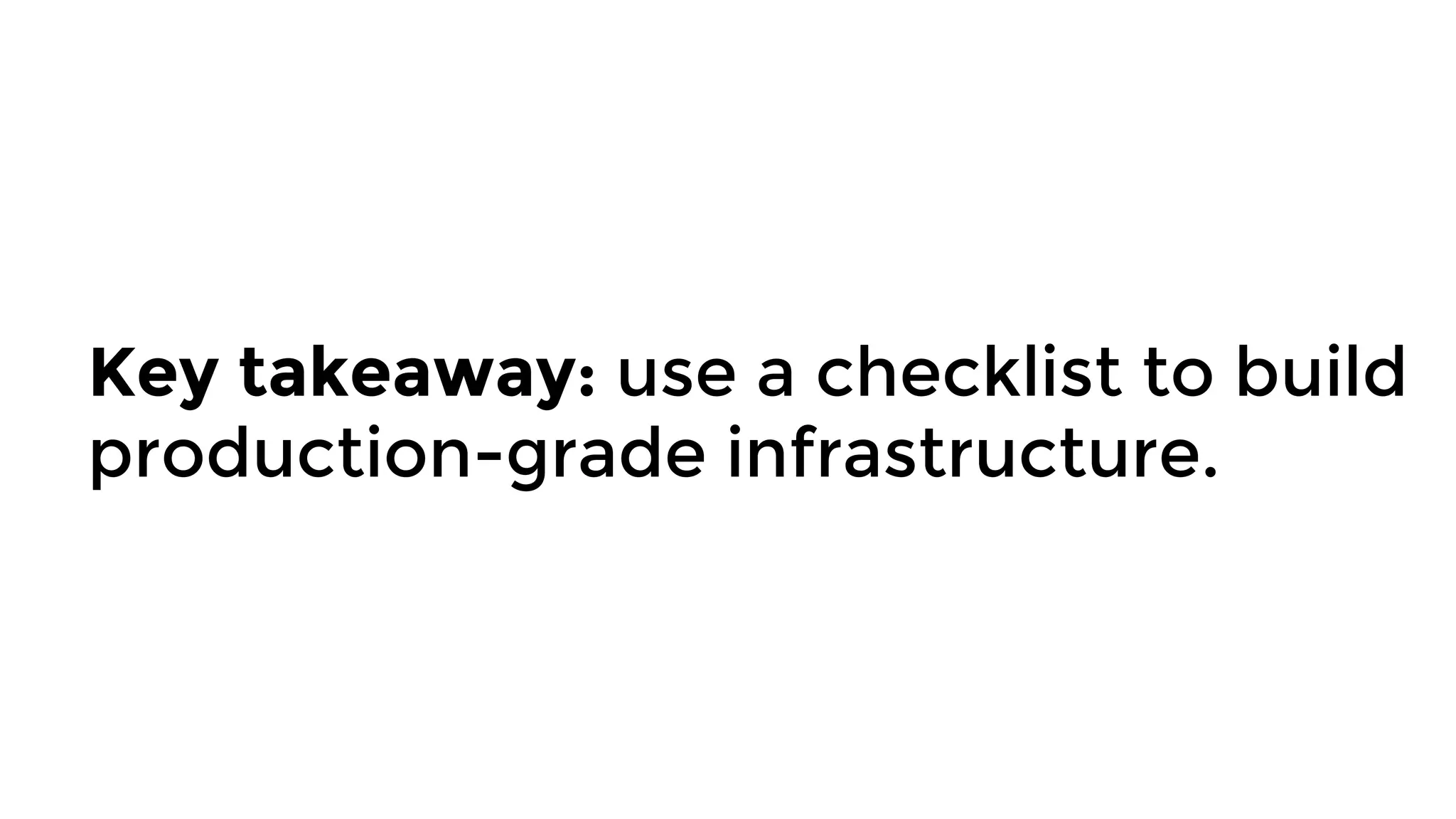
Key takeaway: use a checklist to build
production-grade infrastructure.
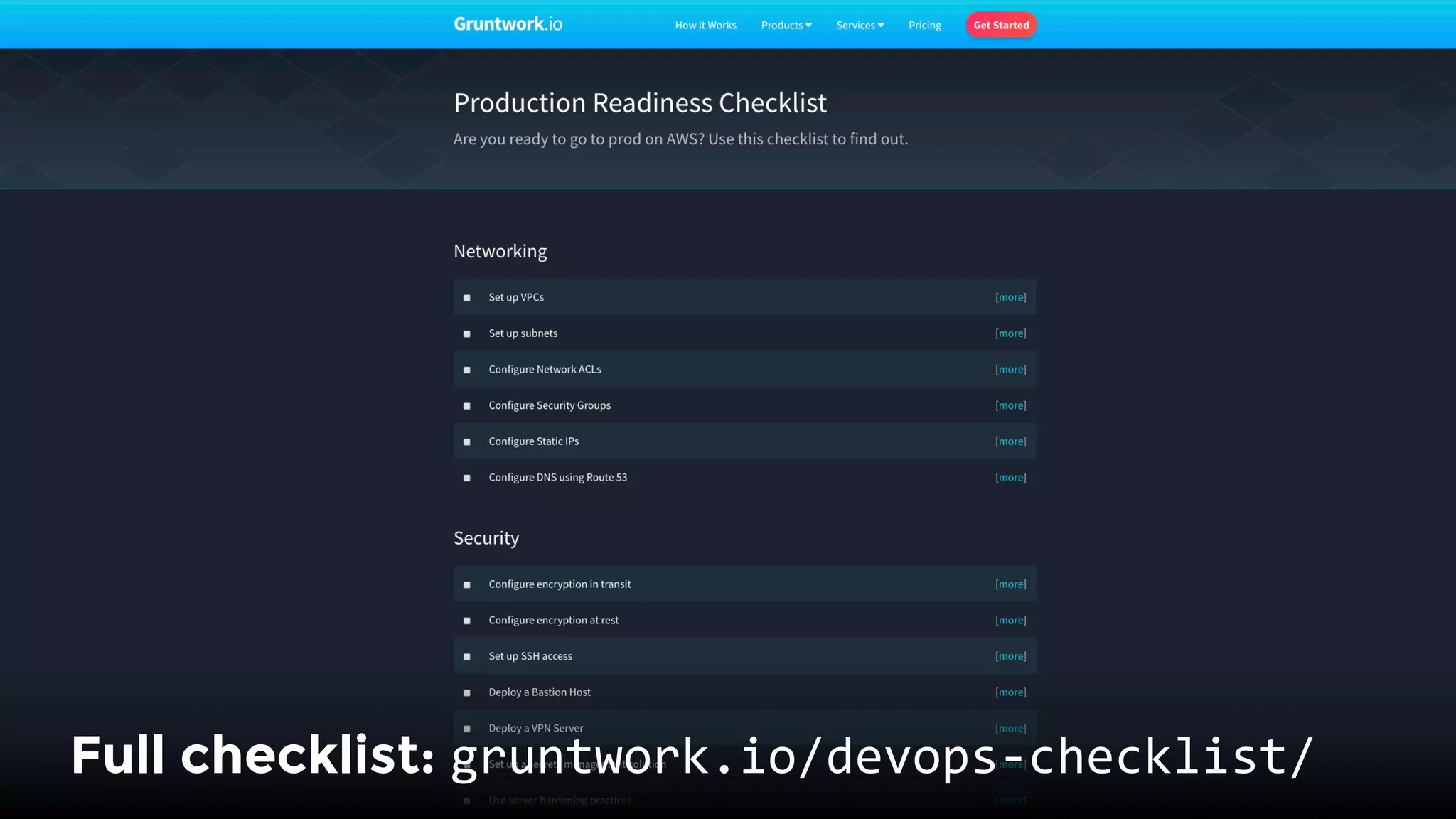
Full checklist: gruntwork.io/devops-checklist/
1.  Checklist
2.  Tools
3.  Modules
4.  Tests
5.  Releases
Outline
What tools do you use to
implement that checklist?
We prefer tools that:

1.  Define infrastructure as code
2.  Are open source & popular
3.  Support multiple providers
4.  Support reuse & composition
5.  Require no extra infrastructure
6.  Support immutable infrastructure
Here’s the toolset we’ve found
most effective as of 2018:
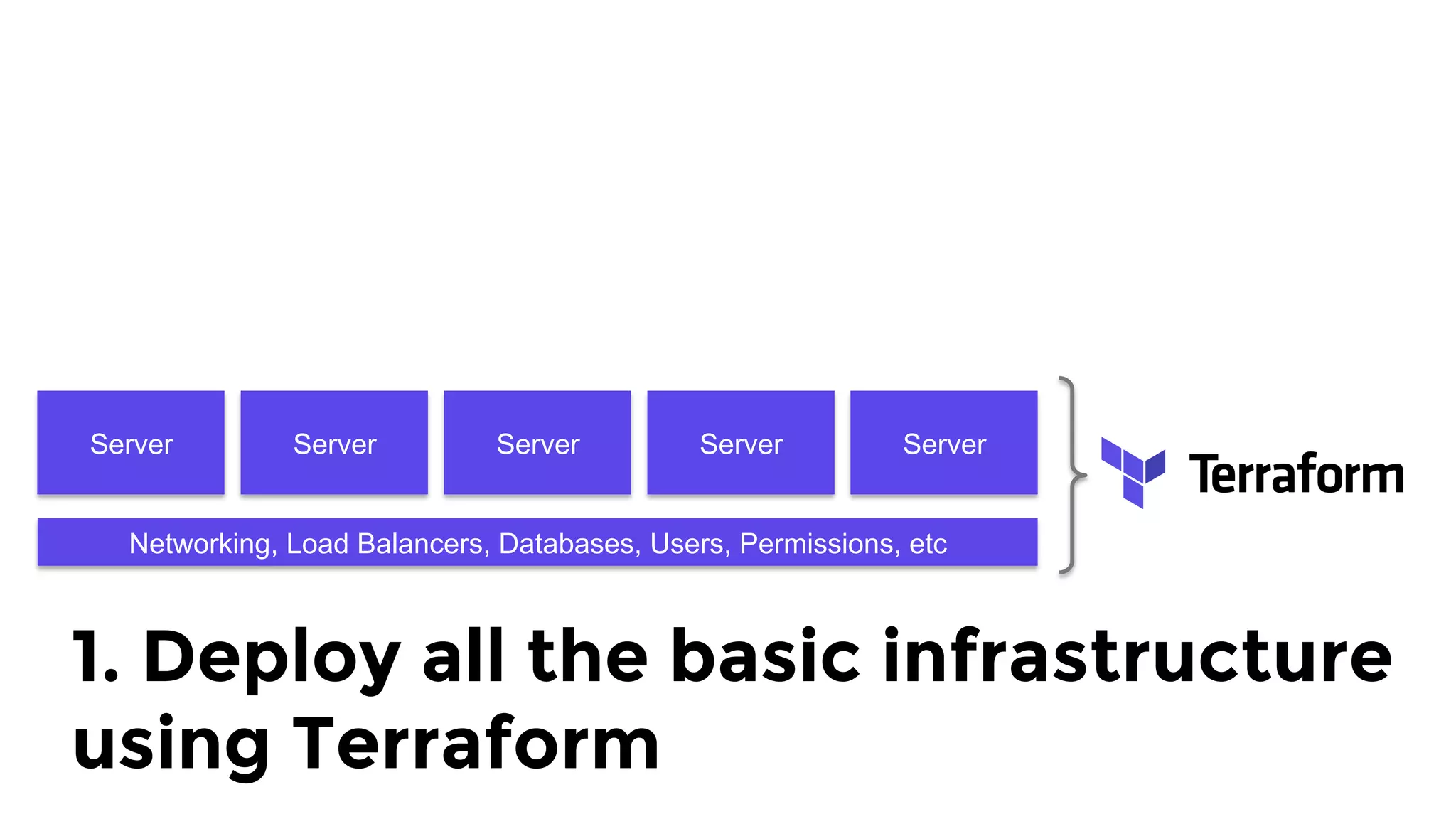
Server Server Server Server Server
Networking, Load Balancers, Databases, Users, Permissions, etc
1. Deploy all the basic infrastructure
using Terraform
Server Server Server Server Server
Networking, Load Balancers, Databases, Users, Permissions, etc
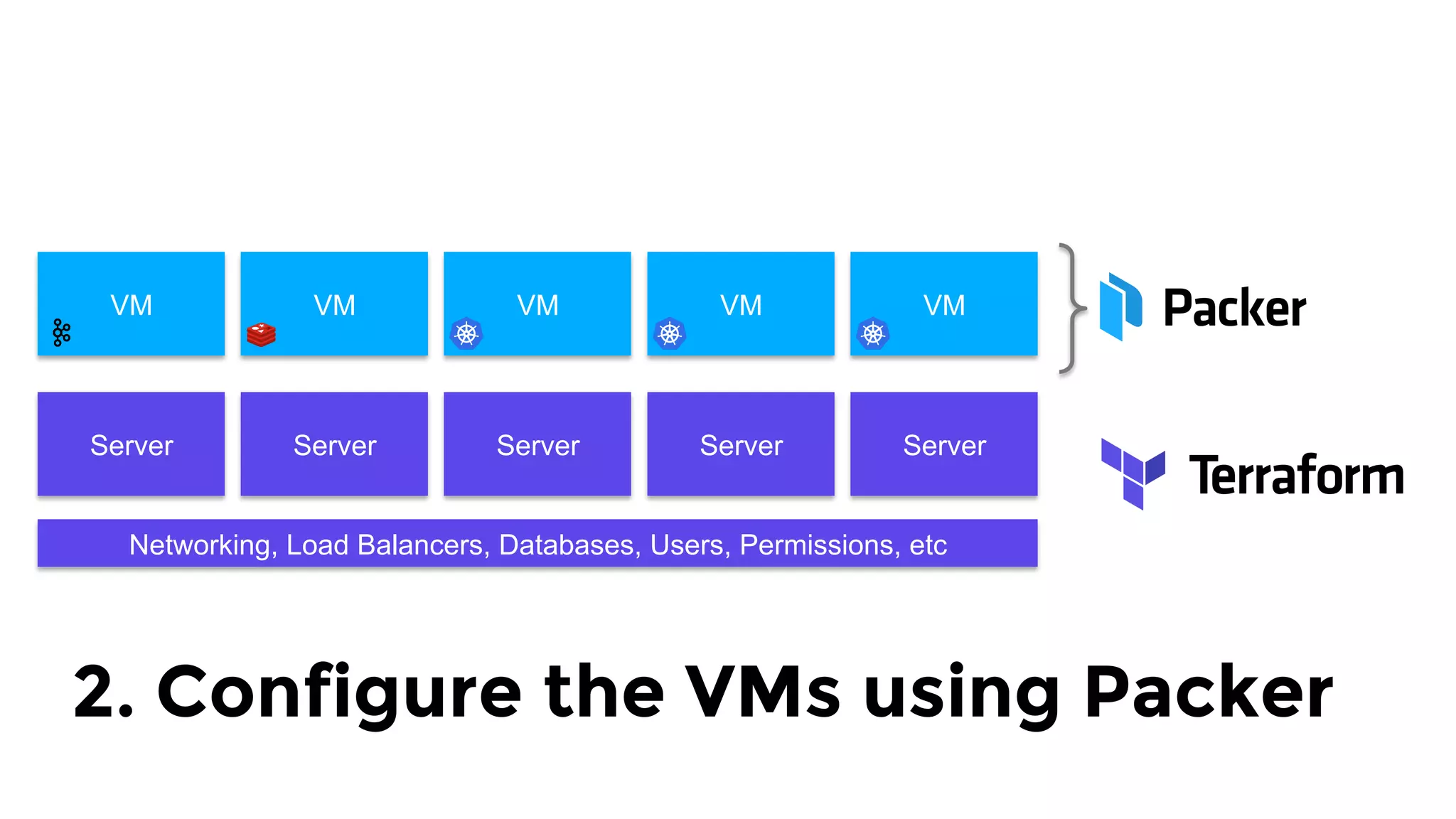
VM VM VM VM VM
2. Configure the VMs using Packer
Server Server Server Server Server
Networking, Load Balancers, Databases, Users, Permissions, etc
VM VM VM VM VM
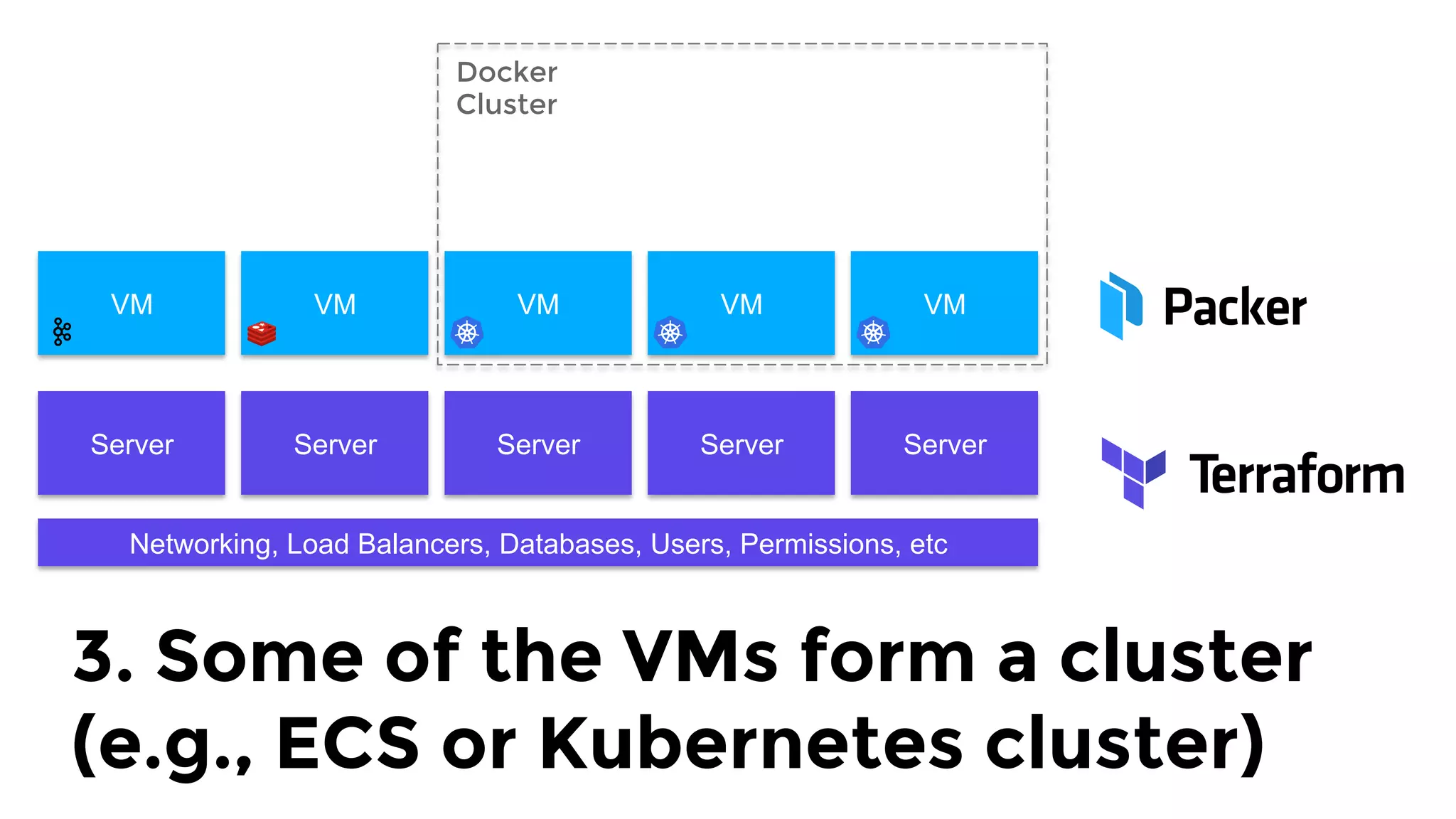
Docker 
Cluster
3. Some of the VMs form a cluster
(e.g., ECS or Kubernetes cluster)
Server Server Server Server Server
Networking, Load Balancers, Databases, Users, Permissions, etc
VM VM VM VM VM
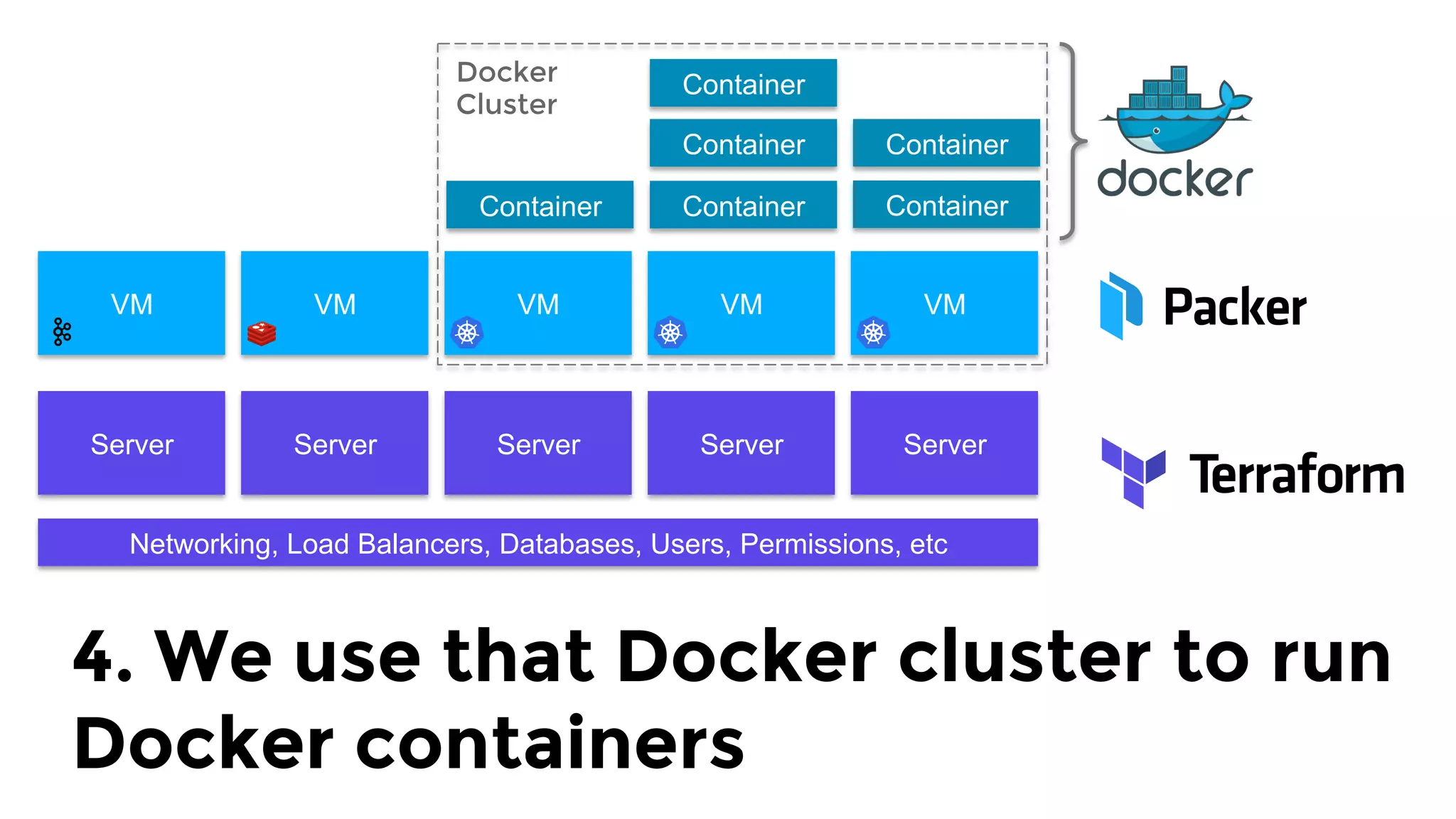
Docker 
Cluster
Container Container
Container
Container
Container
Container
4. We use that Docker cluster to run
Docker containers
Server Server Server Server Server
Networking, Load Balancers, Databases, Users, Permissions, etc
VM VM VM VM VM
Docker 
Cluster
Container Container
Container
Container
Container
Container
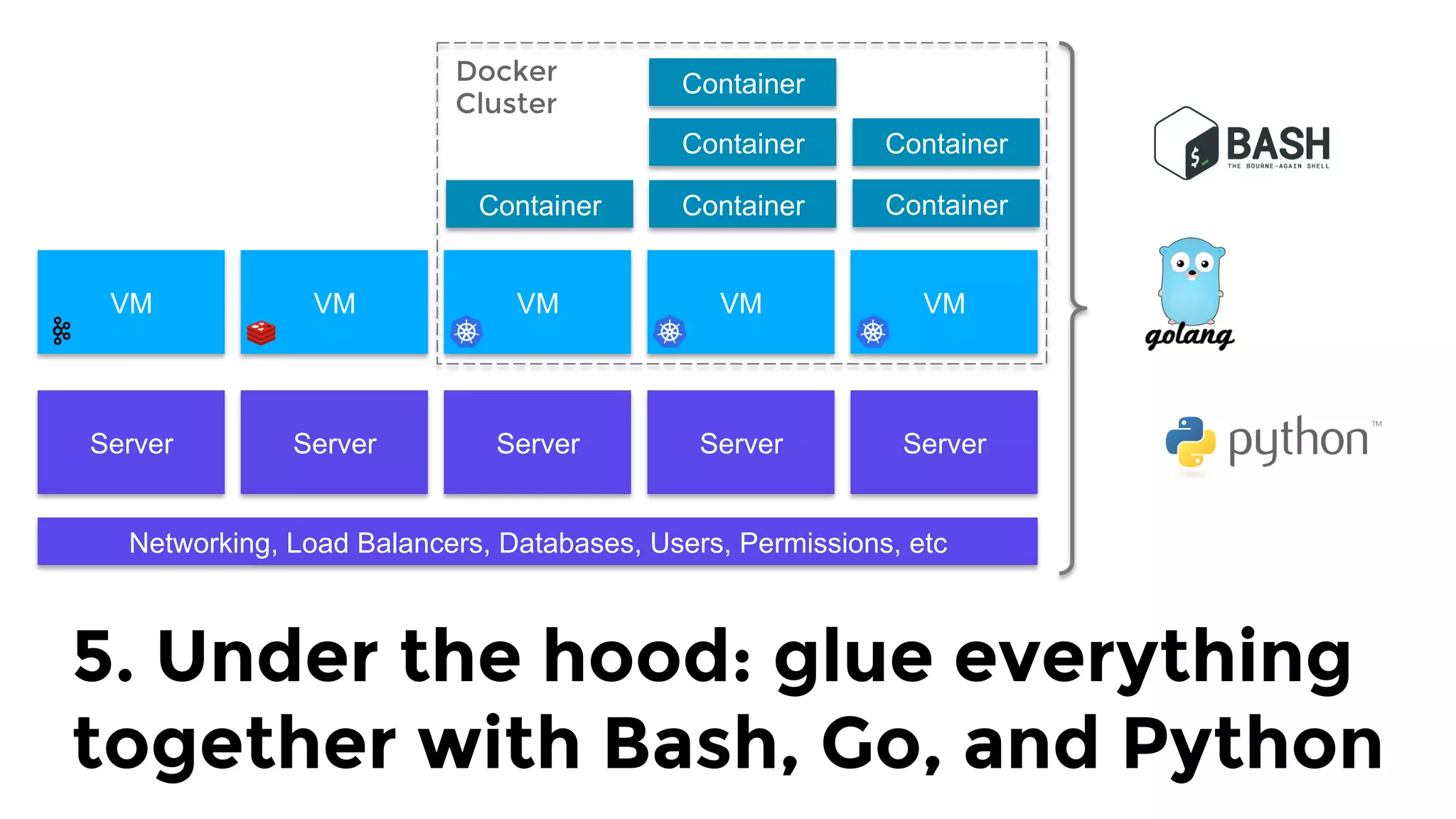
5. Under the hood: glue everything
together with Bash, Go, and Python
Important note:
We find these tools useful…
But tools are not enough.
You must change behavior too.
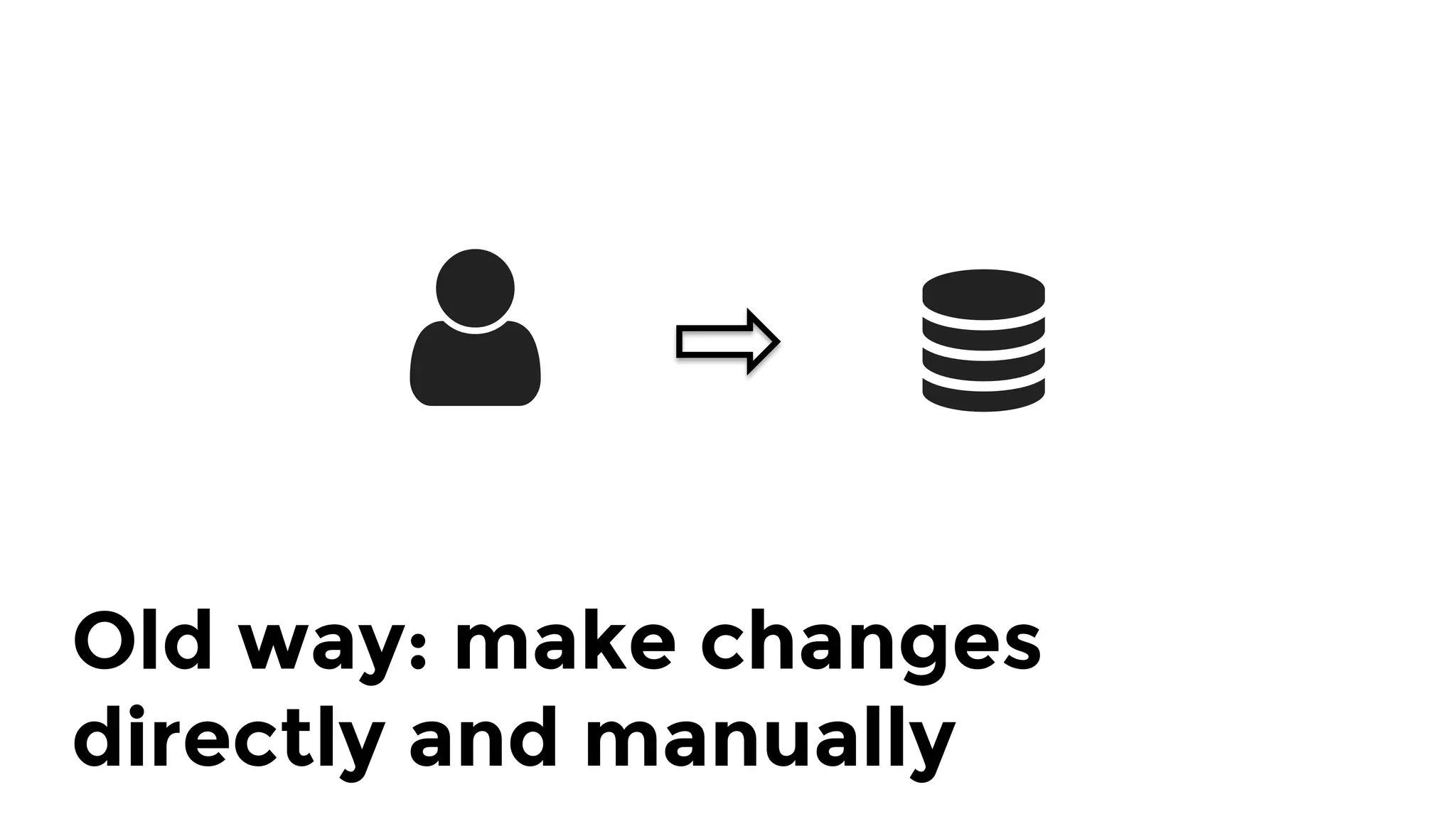
Old way: make changes 
directly and manually
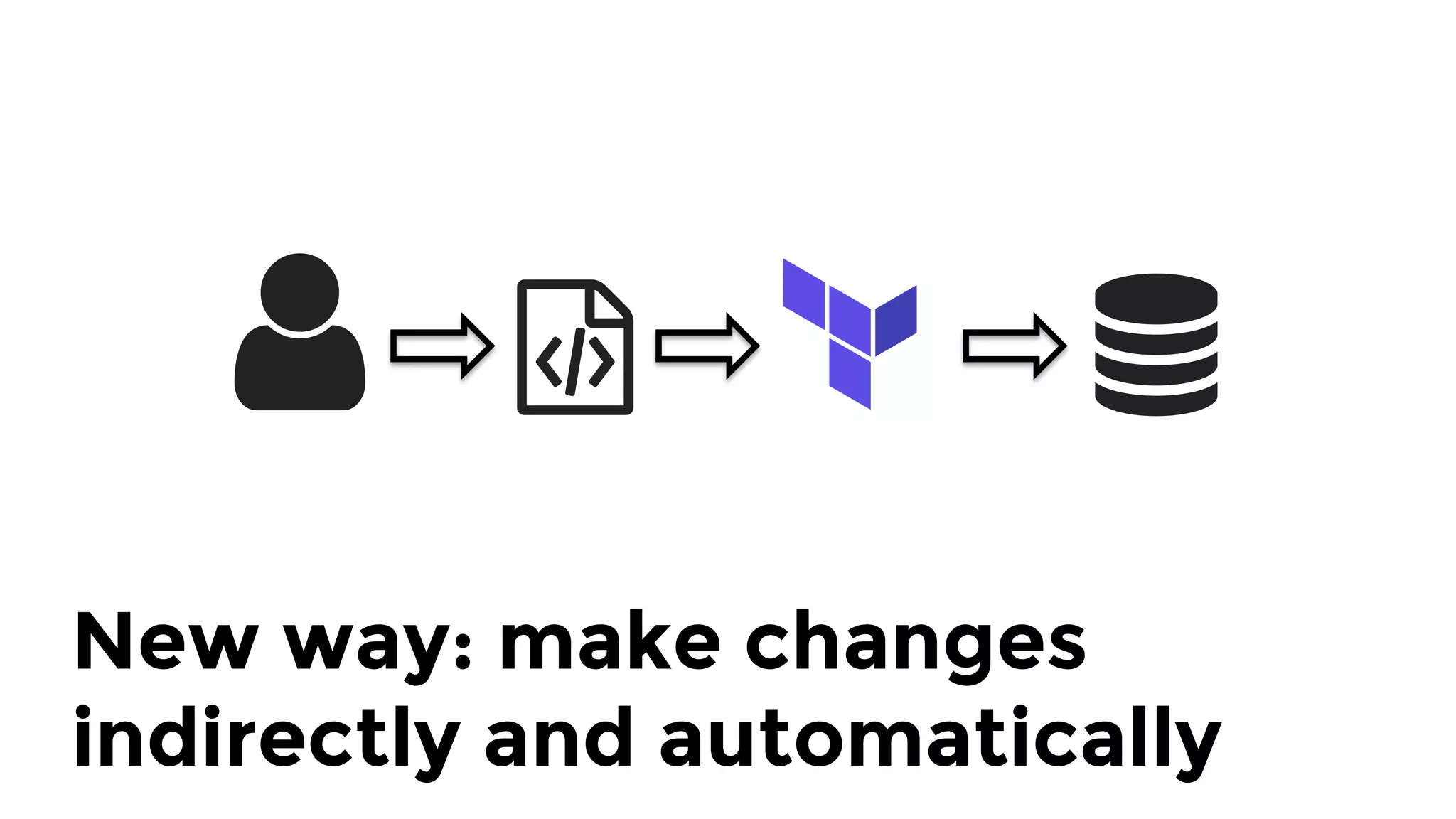
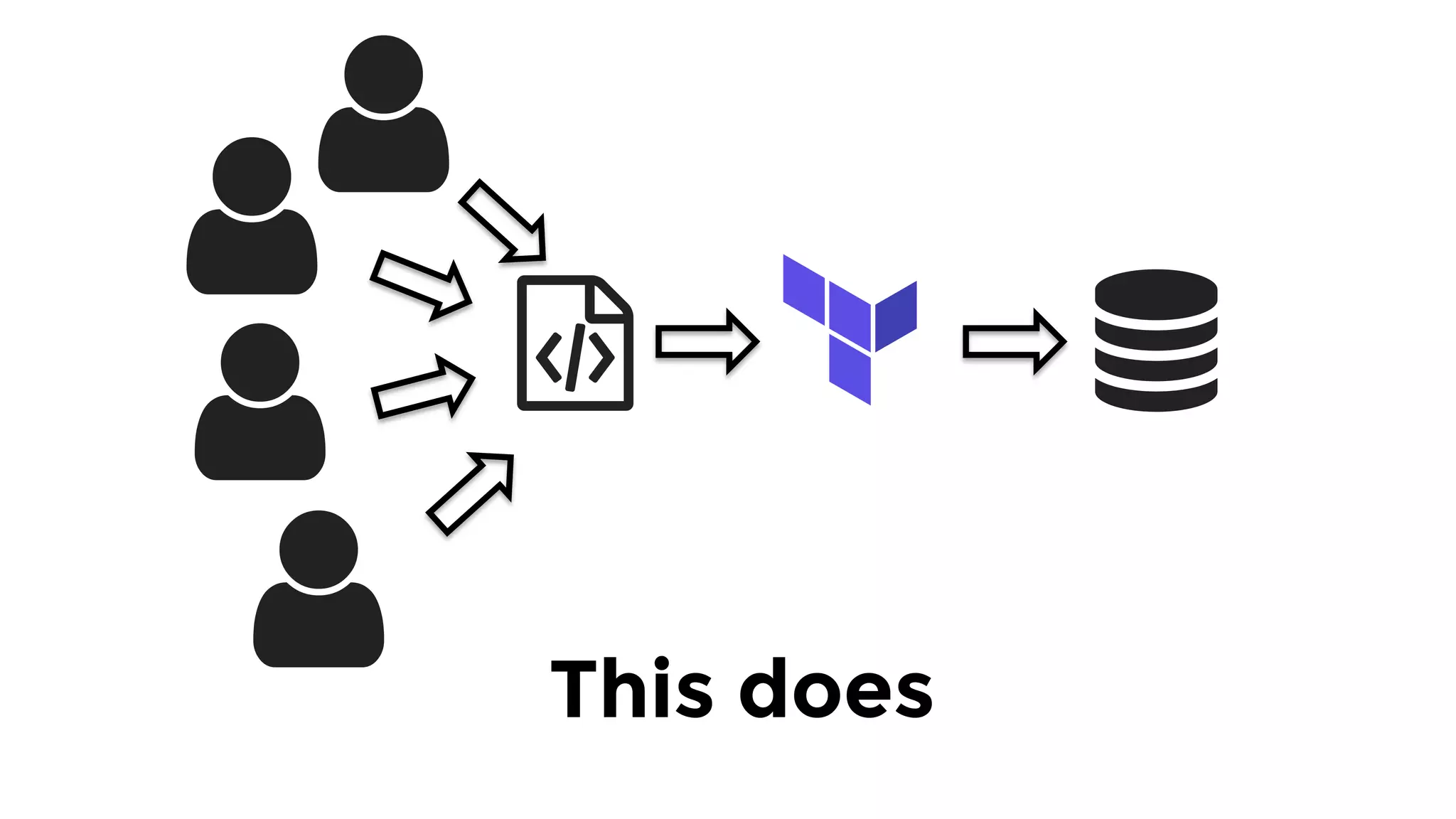
New way: make changes
indirectly and automatically
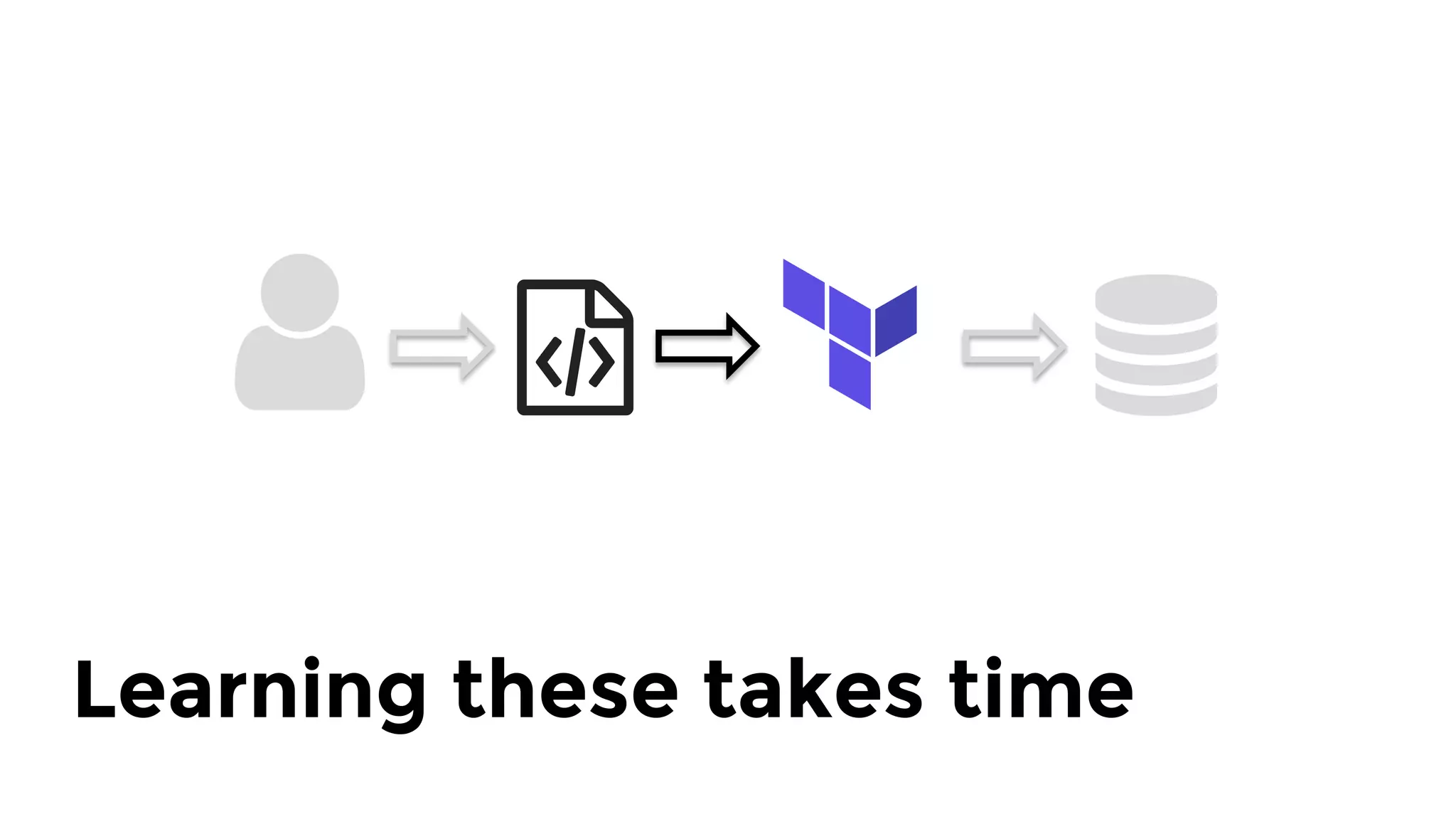
Learning these takes time
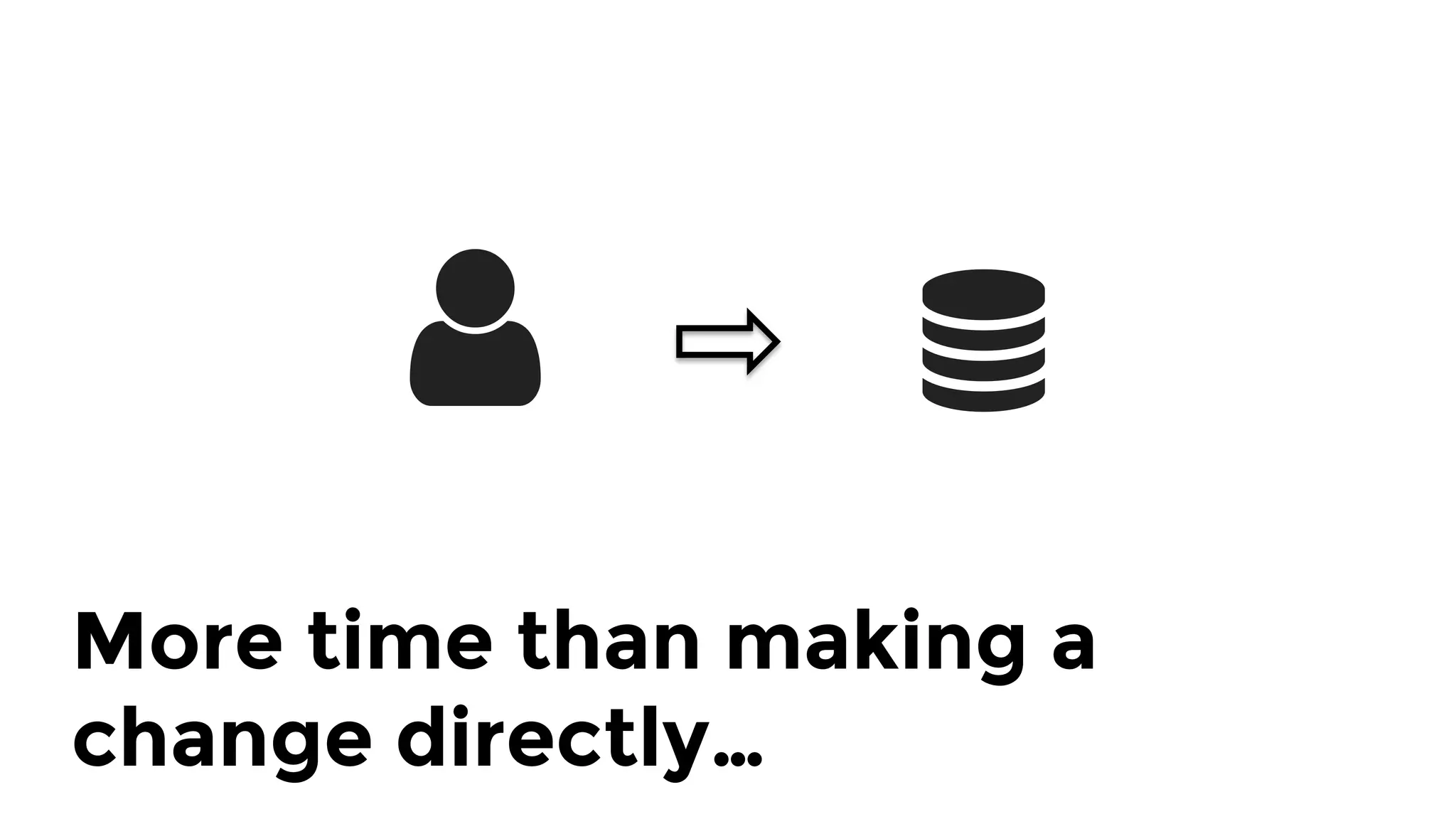
More time than making a
change directly…
If you make changes manually,
the code will not reflect reality.
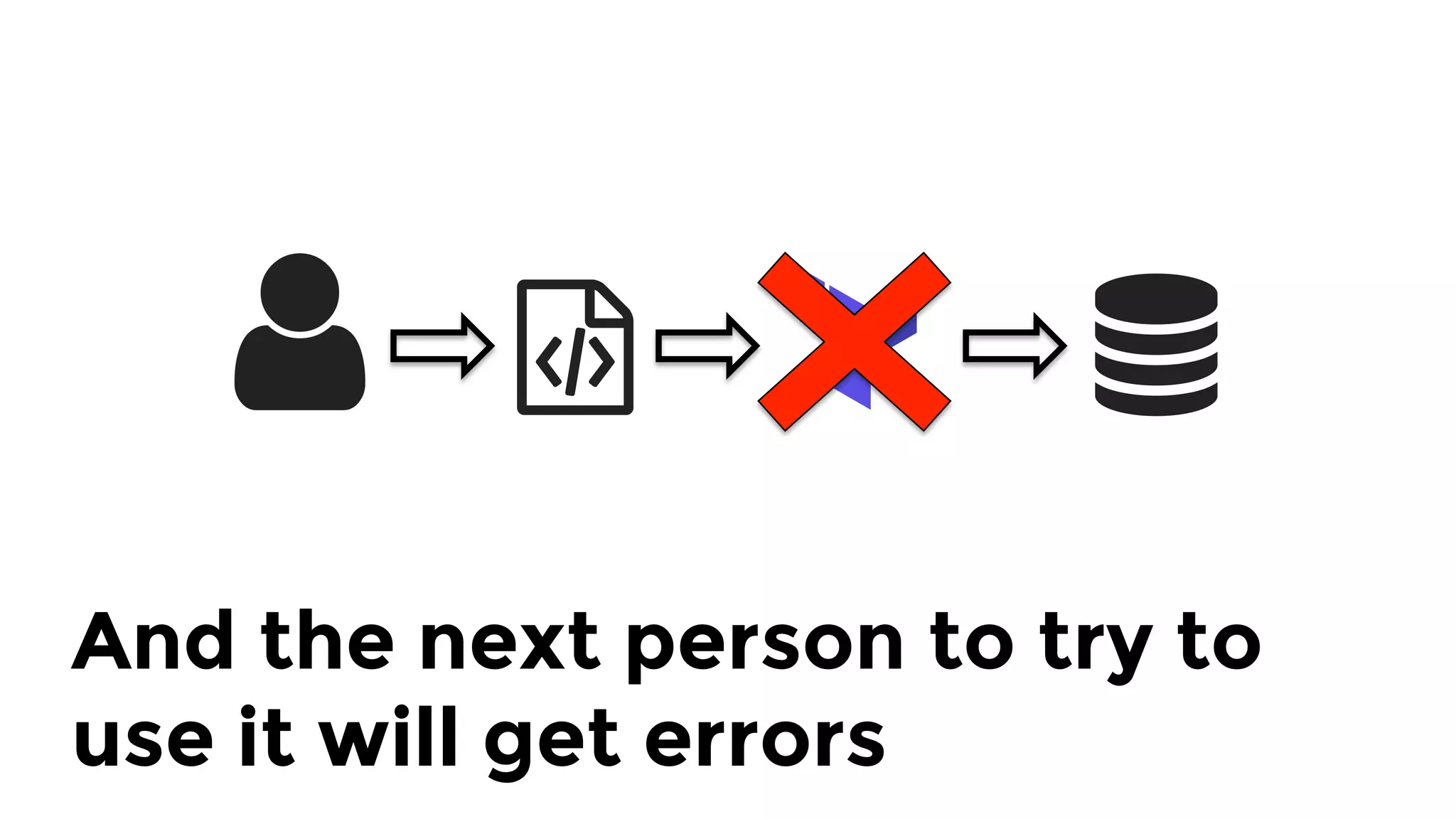
And the next person to try to
use it will get errors
So then they’ll fall back and
make manual changes
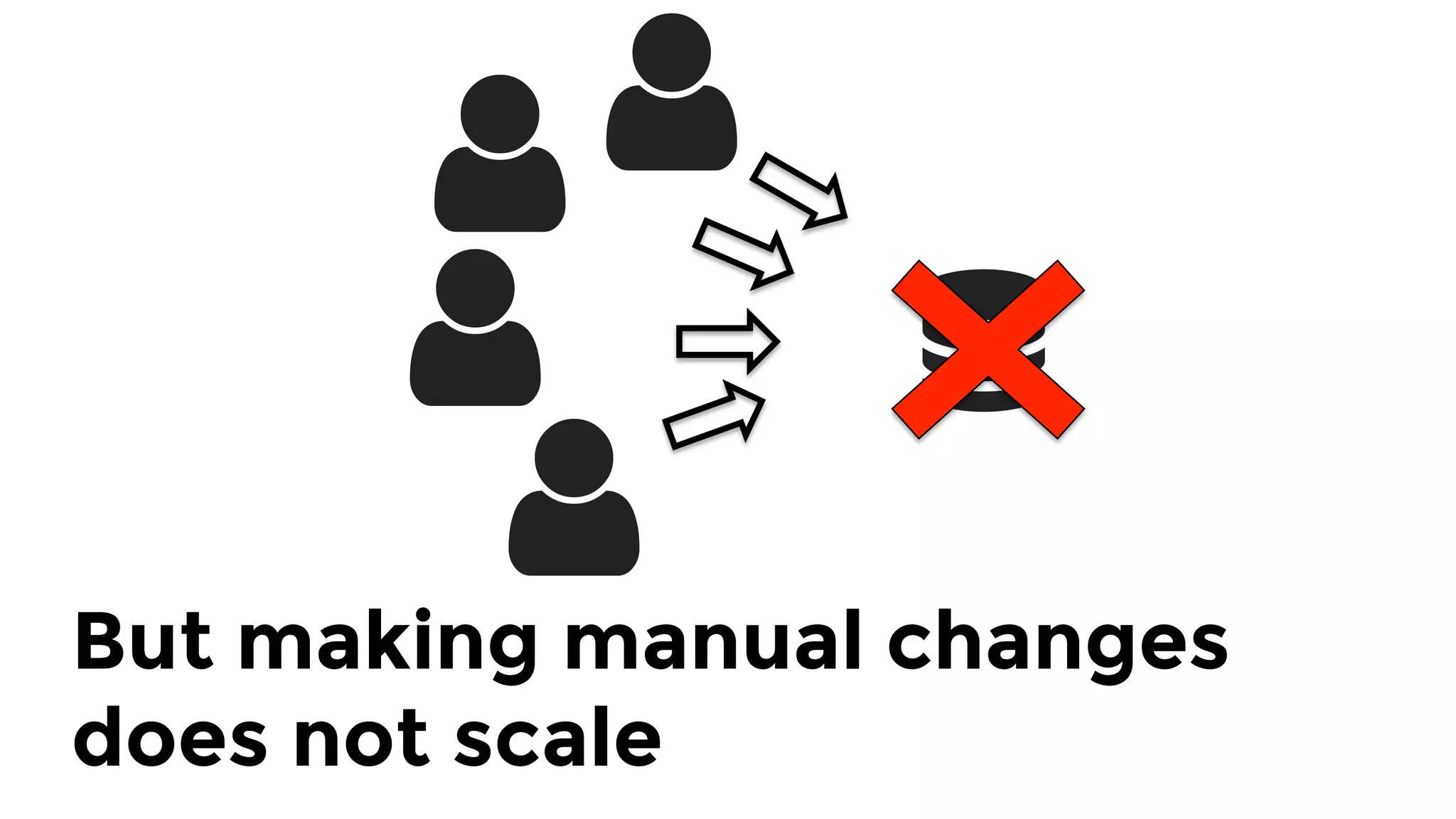
But making manual changes
does not scale
This does
Key takeaway: tools are not enough.
You also need to change behavior.
1.  Checklist
2.  Tools
3.  Modules
4.  Tests
5.  Releases
Outline
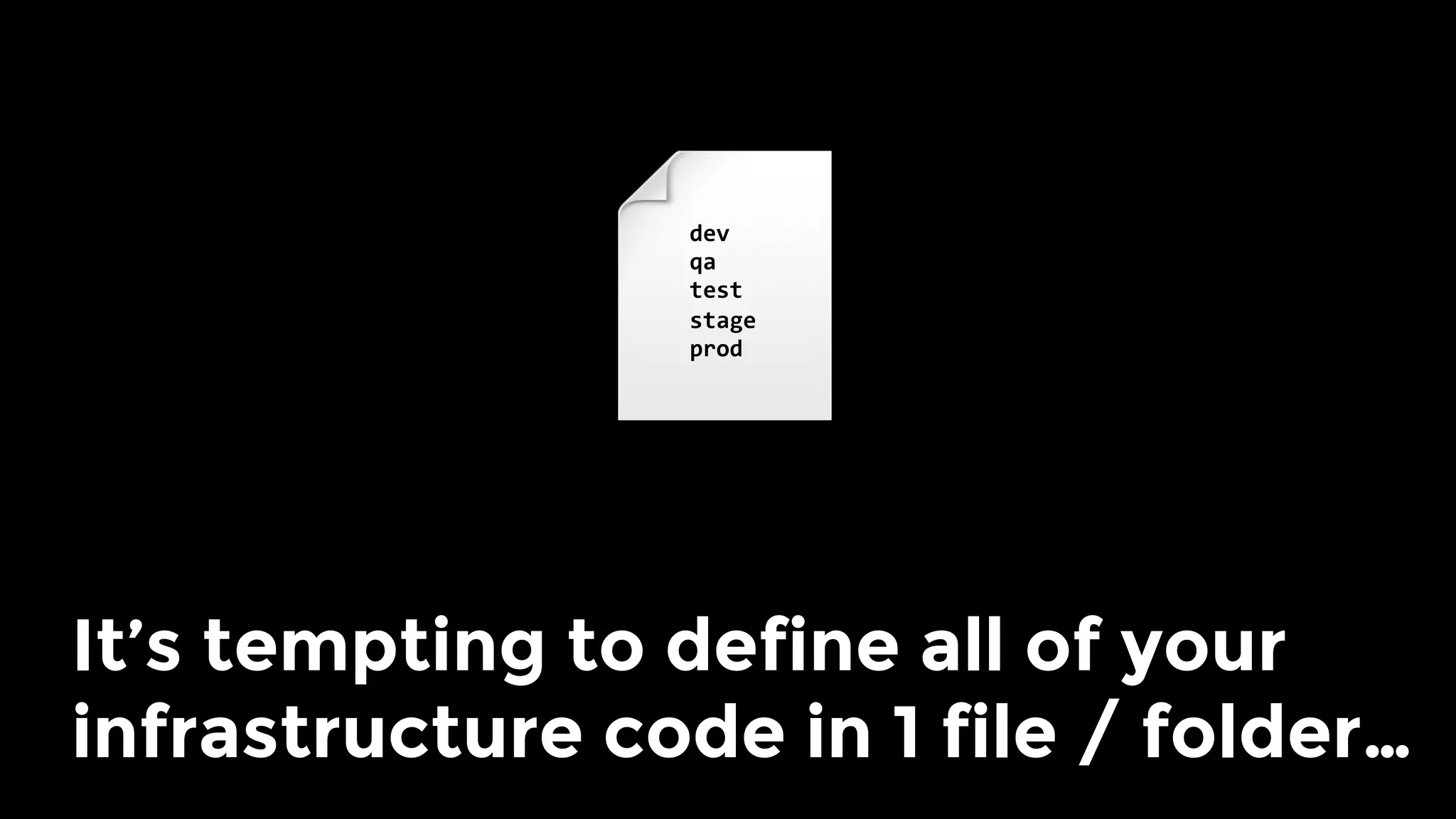
It’s tempting to define all of your
infrastructure code in 1 file / folder…
dev	
qa	
test	
stage	
prod
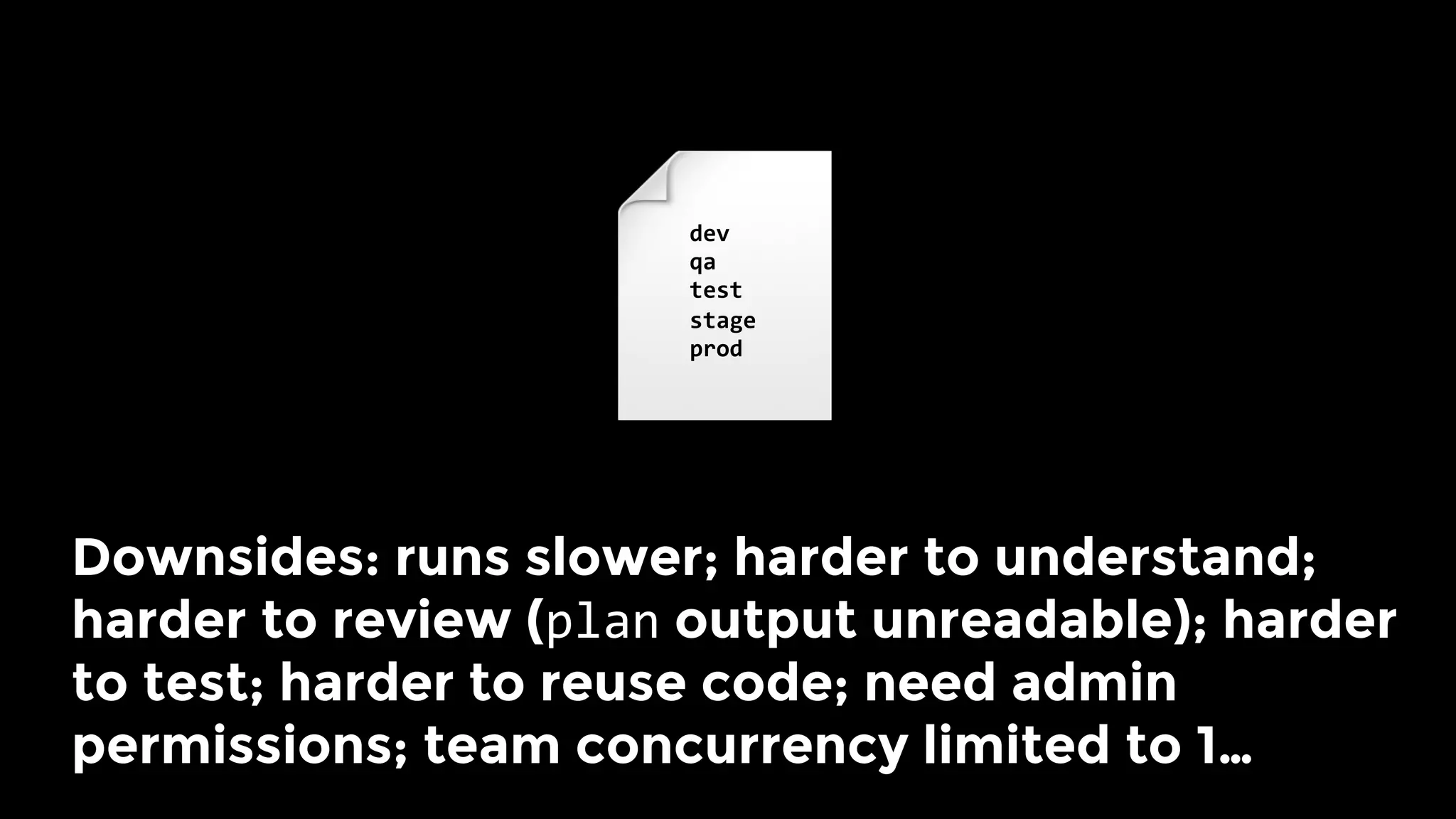
Downsides: runs slower; harder to understand;
harder to review (plan output unreadable); harder
to test; harder to reuse code; need admin
permissions; team concurrency limited to 1… 
dev	
qa	
test	
stage	
prod
Also, a mistake anywhere could
break everything!
dev	
qa	
test	
stage	
prod
Large modules considered harmful.
dev	
qa	
test	
stage	
prod
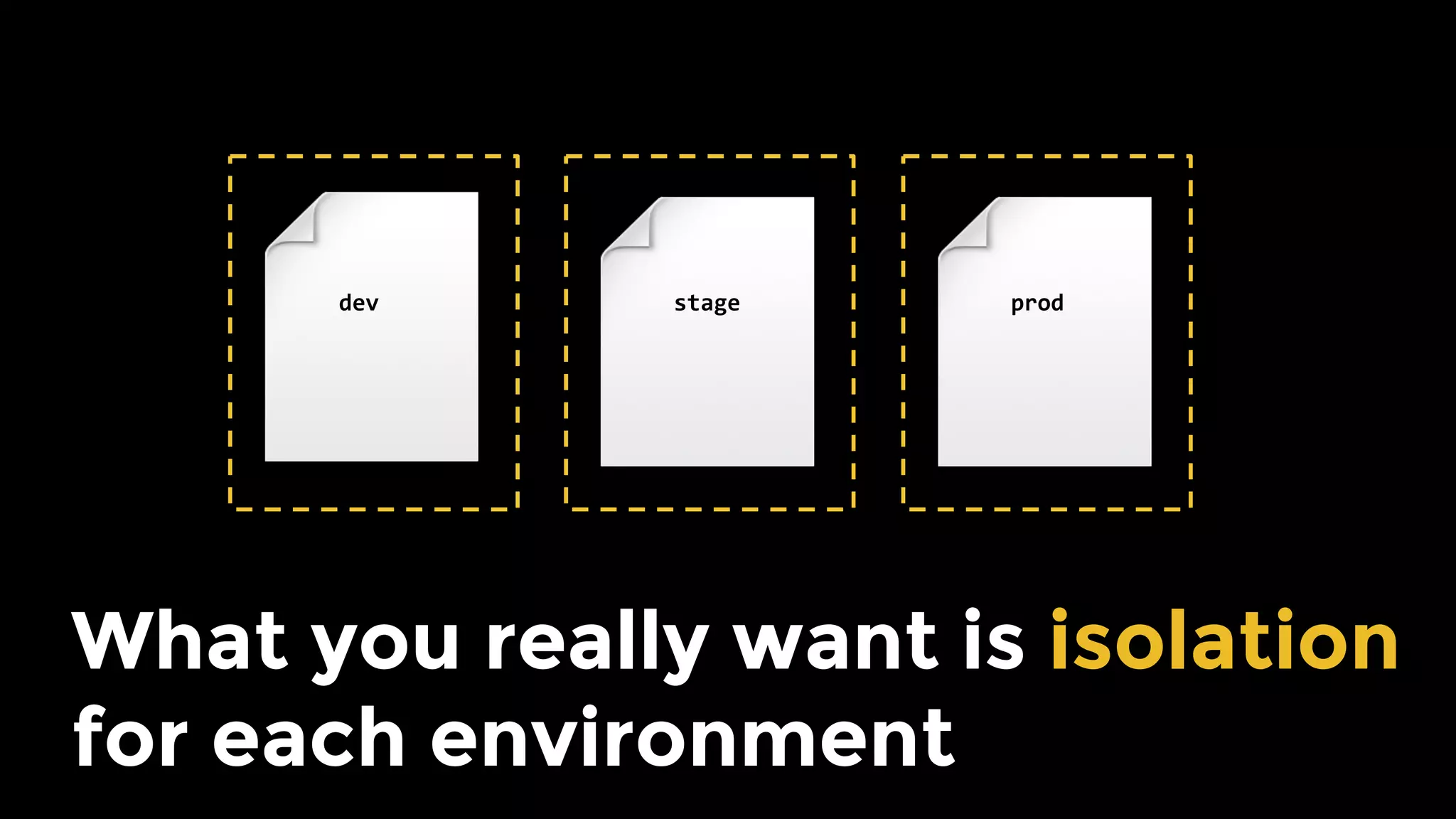
What you really want is isolation
for each environment
dev	 stage	 prod
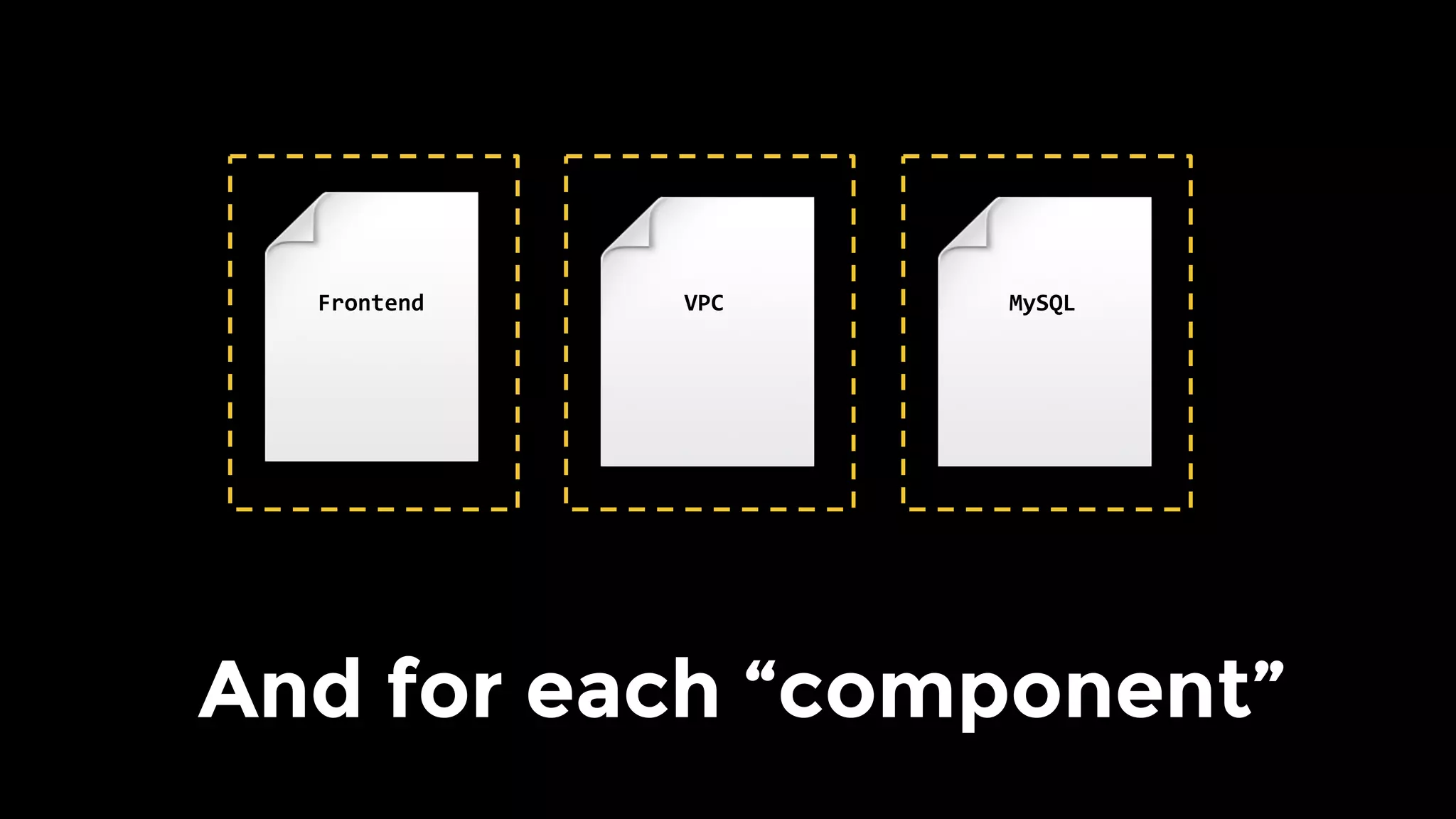
And for each “component”
MySQL	VPC	Frontend
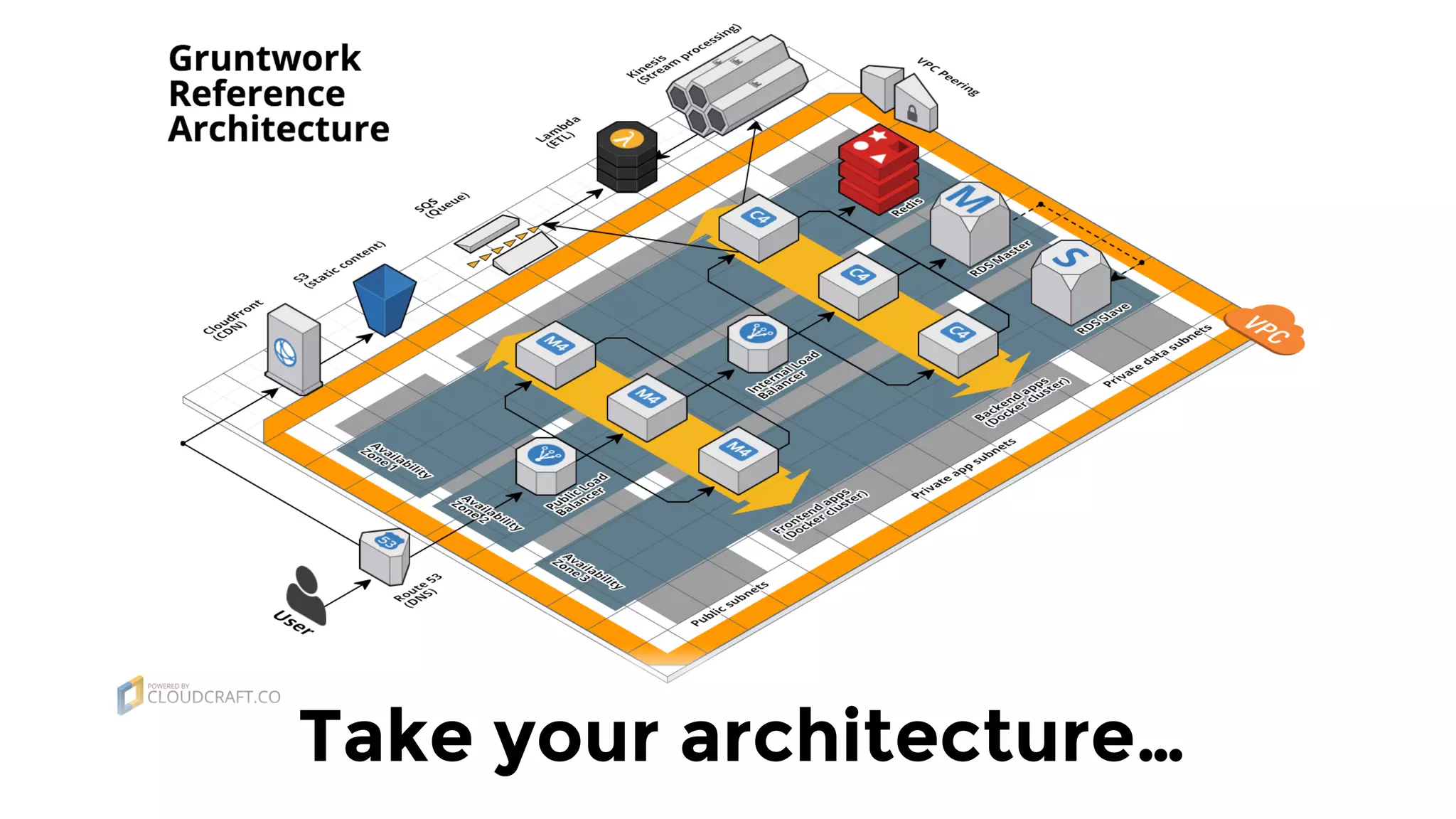
Take your architecture…
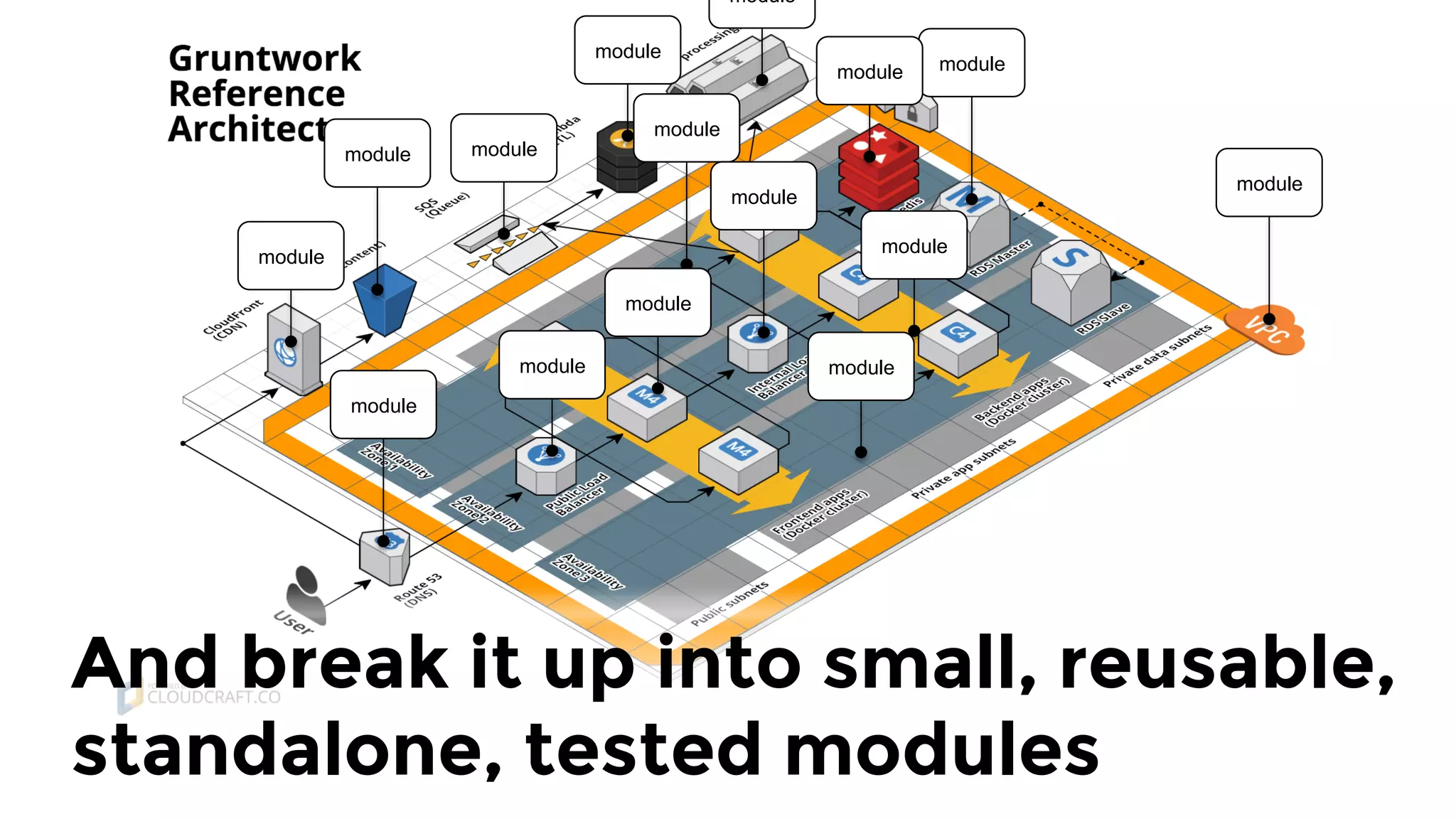
And break it up into small, reusable,
standalone, tested modules
module
module
module
module
module
module
module
module
module
module
module
module
module module
module
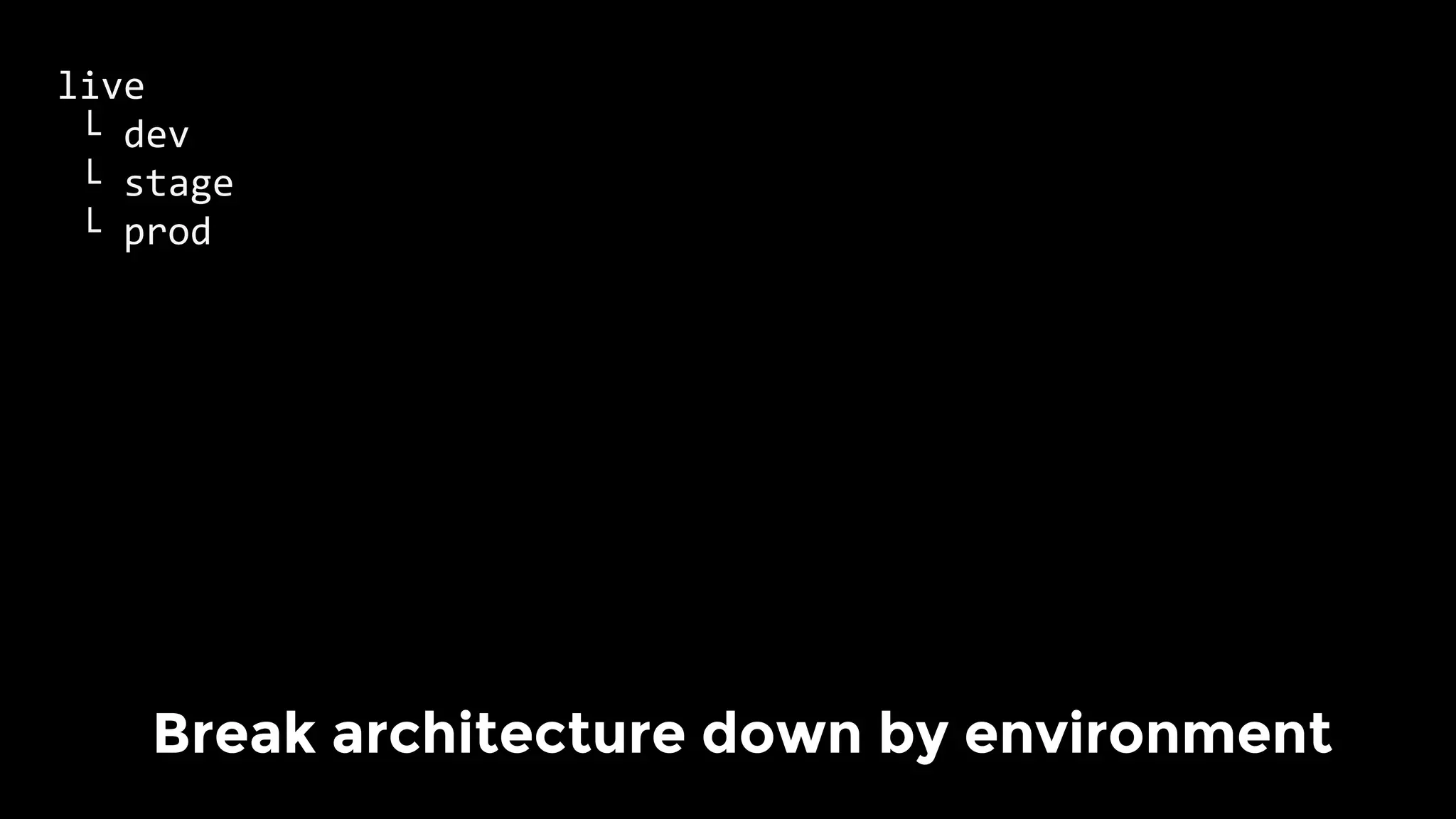
live	
	└	dev	
	└	stage	
	└	prod		
	
Break architecture down by environment
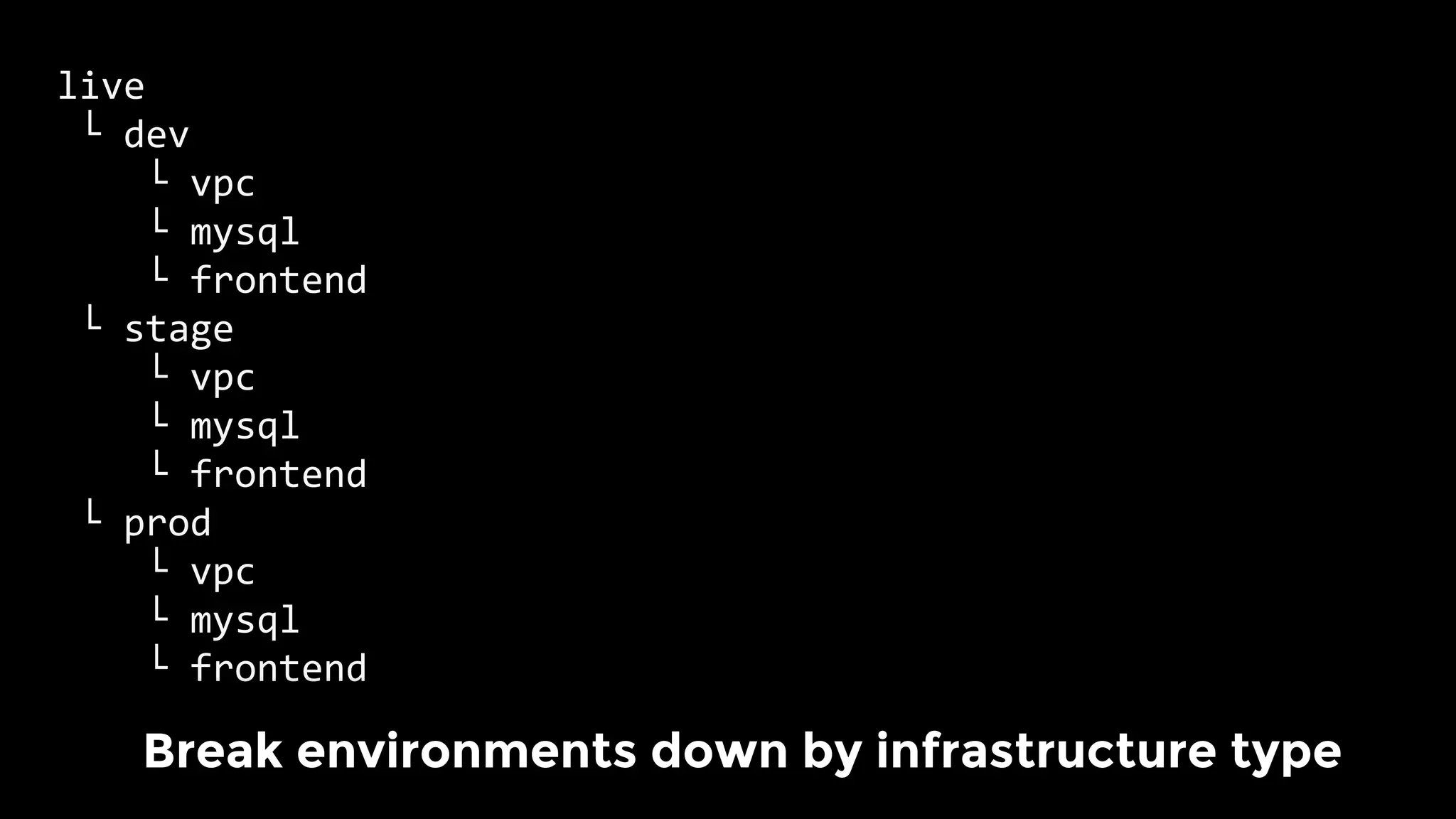
live	
	└	dev	
				└	vpc	
				└	mysql			
				└	frontend	
	└	stage	
				└	vpc	
				└	mysql			
				└	frontend	
	└	prod		
				└	vpc	
				└	mysql			
				└	frontend	
	
Break environments down by infrastructure type
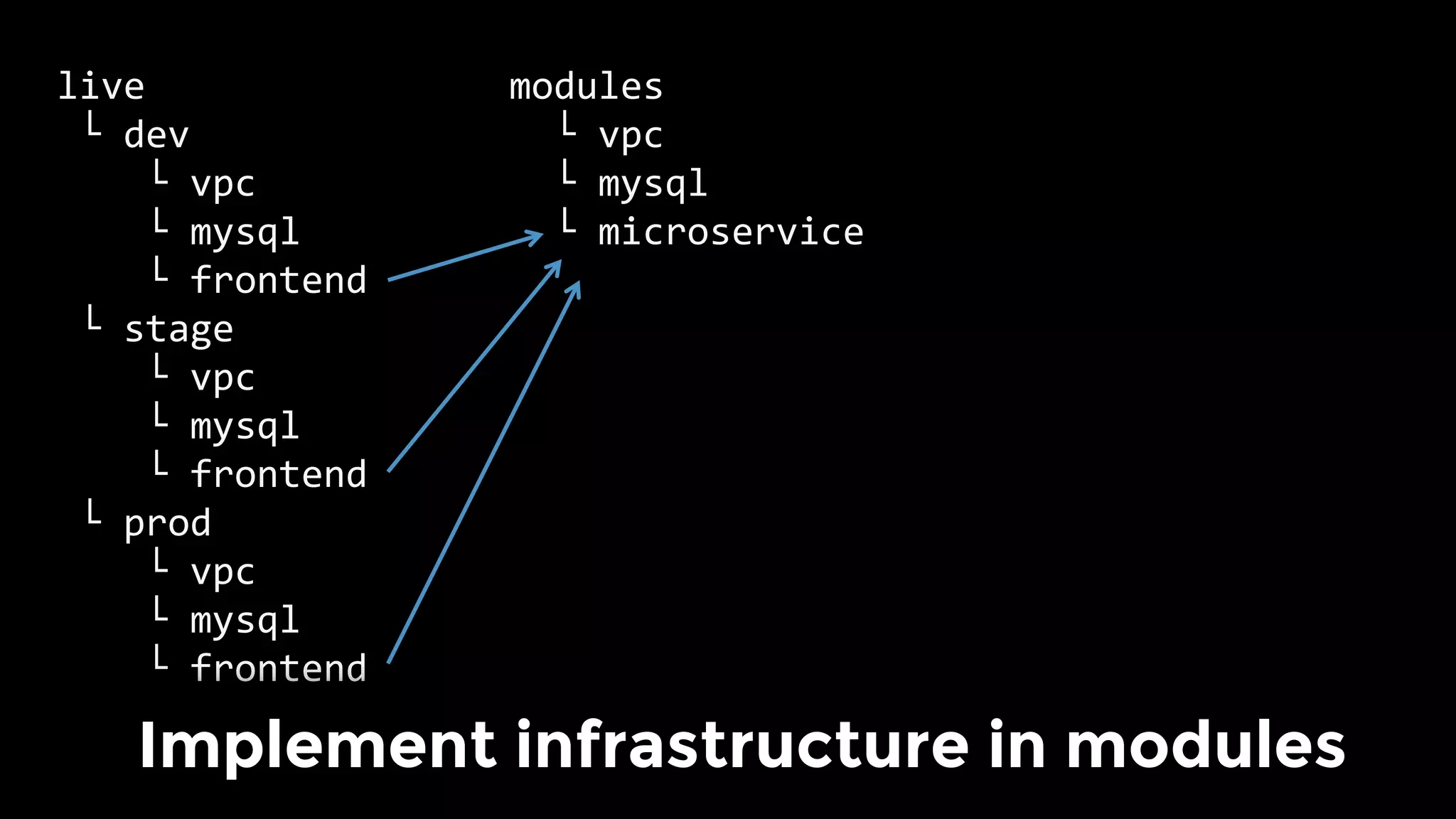
live	
	└	dev	
				└	vpc	
				└	mysql			
				└	frontend	
	└	stage	
				└	vpc	
				└	mysql			
				└	frontend	
	└	prod		
				└	vpc	
				└	mysql			
				└	frontend	
	
modules	
		└	vpc	
		└	mysql			
		└	microservice	
					
	
Implement infrastructure in modules
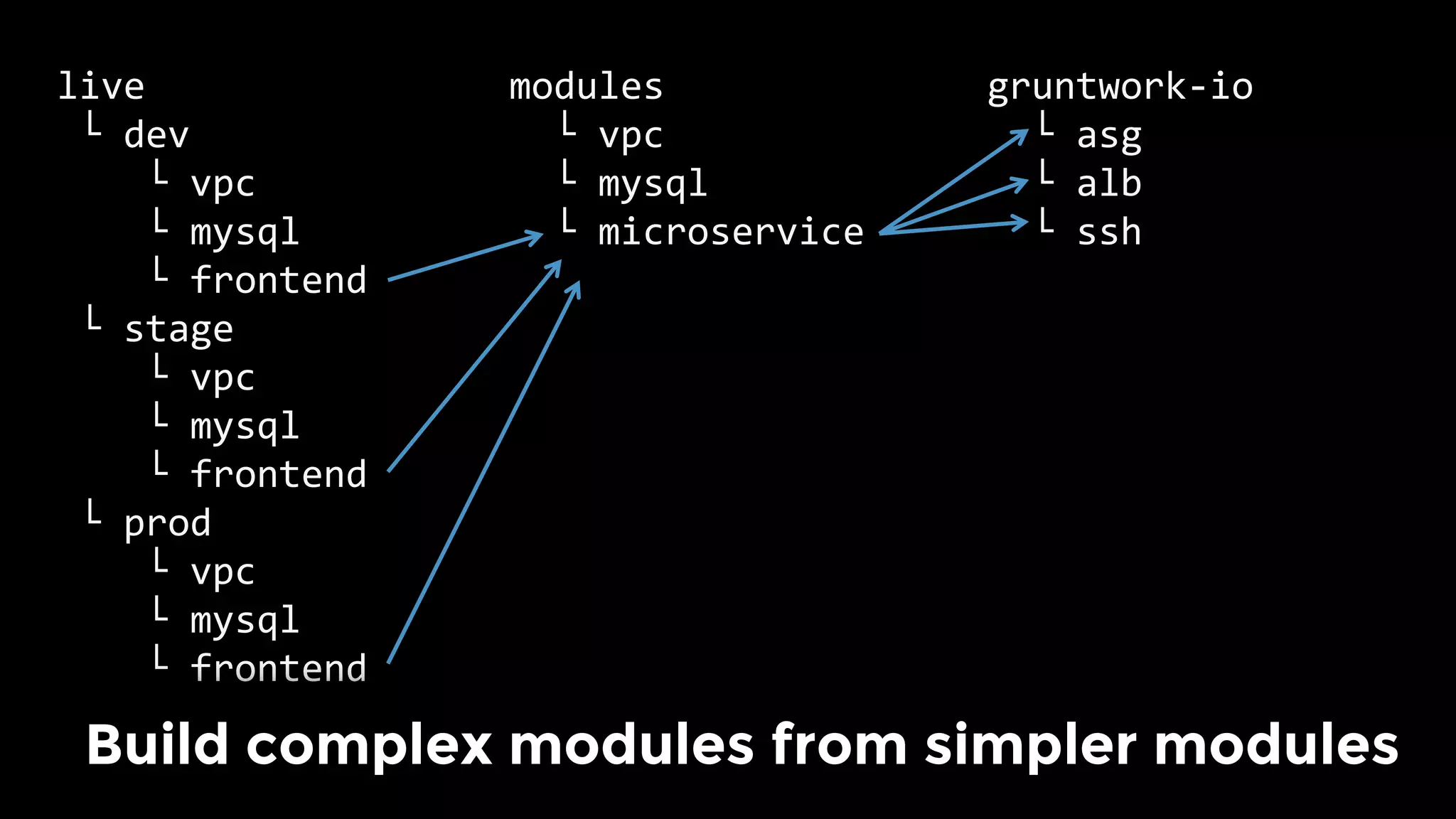
gruntwork-io	
		└	asg	
		└	alb	
		└	ssh	
					
	
live	
	└	dev	
				└	vpc	
				└	mysql			
				└	frontend	
	└	stage	
				└	vpc	
				└	mysql			
				└	frontend	
	└	prod		
				└	vpc	
				└	mysql			
				└	frontend	
	
modules	
		└	vpc	
		└	mysql			
		└	microservice	
					
	
Build complex modules from simpler modules
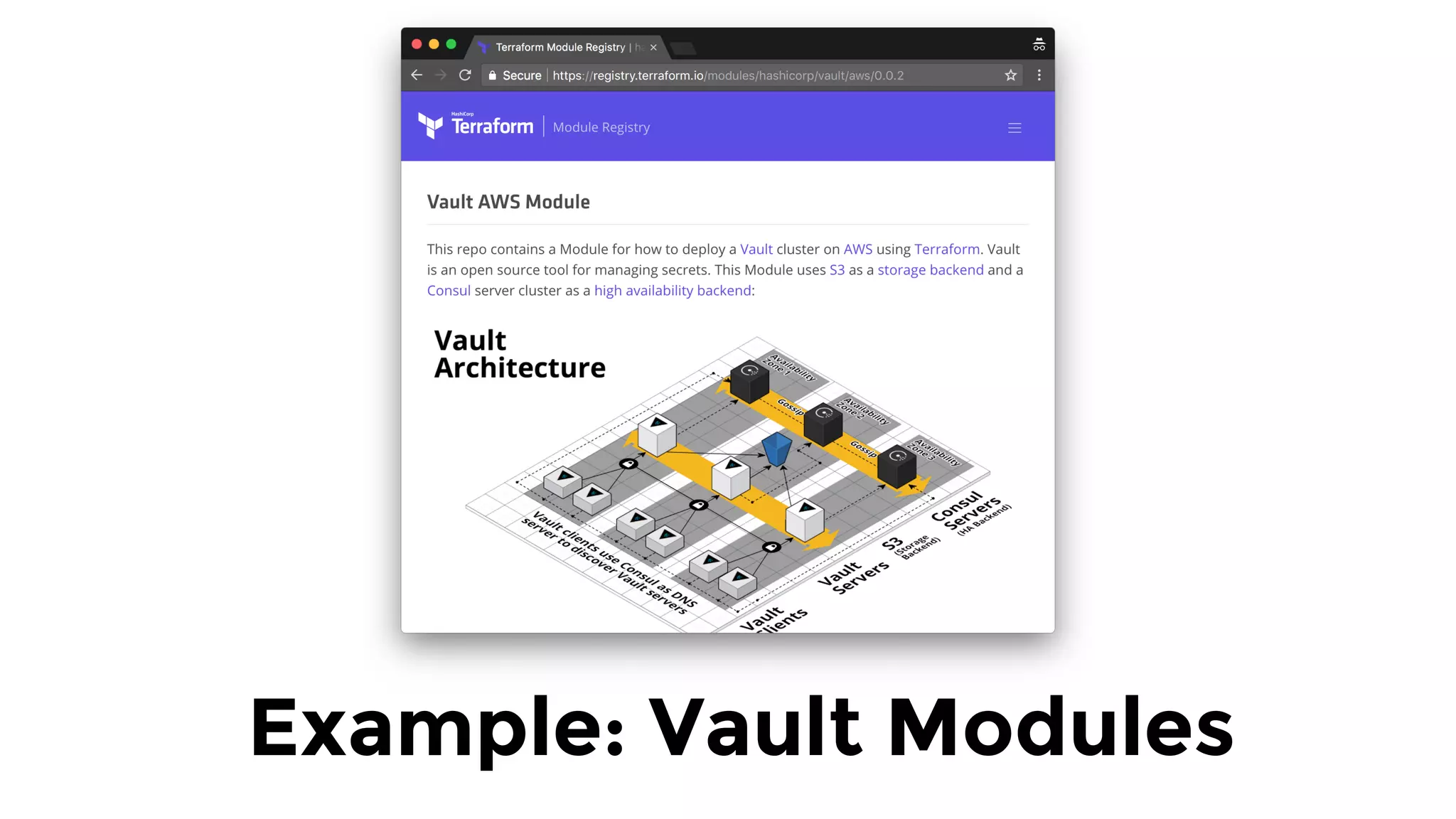
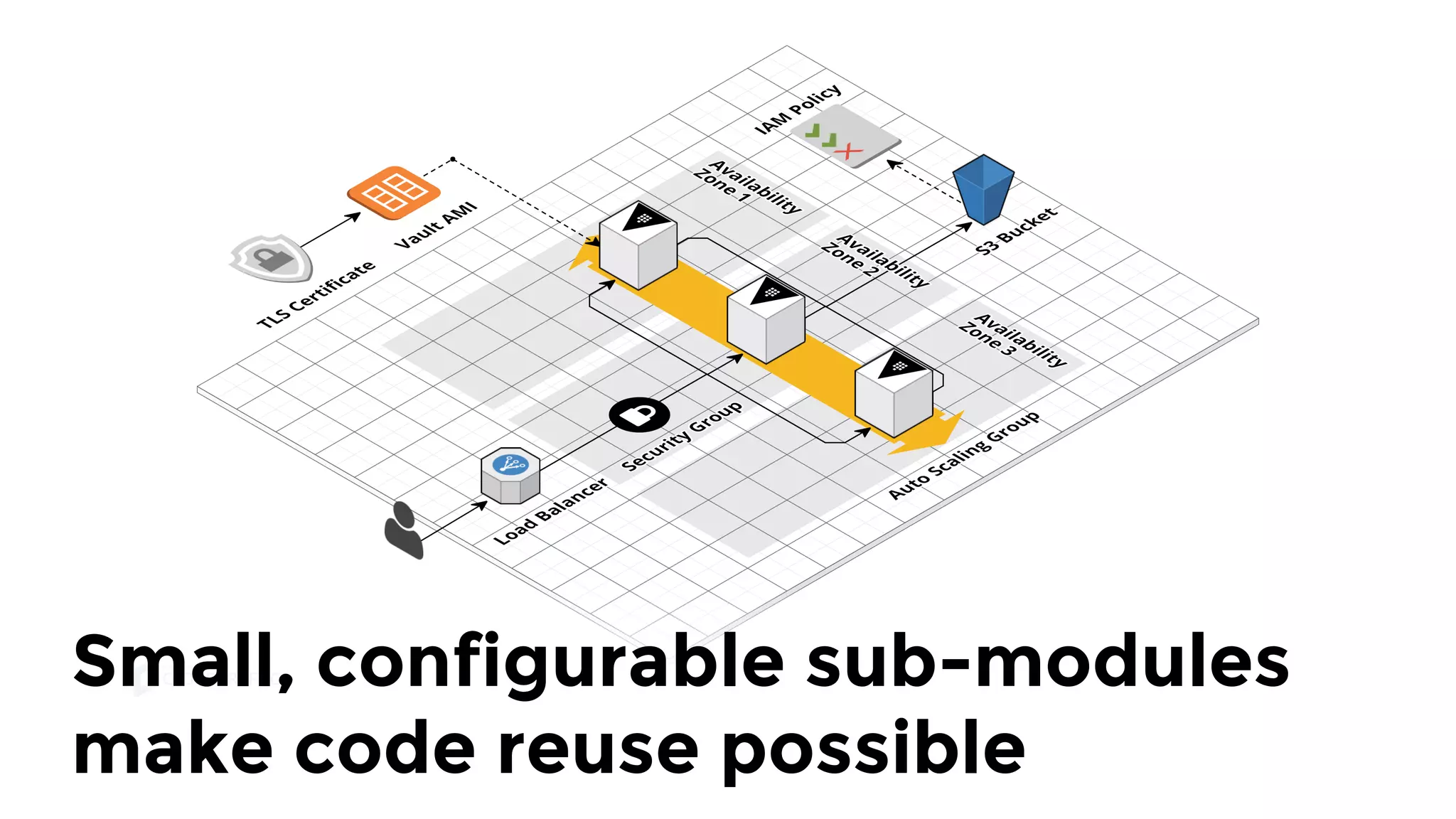
Example: Vault Modules
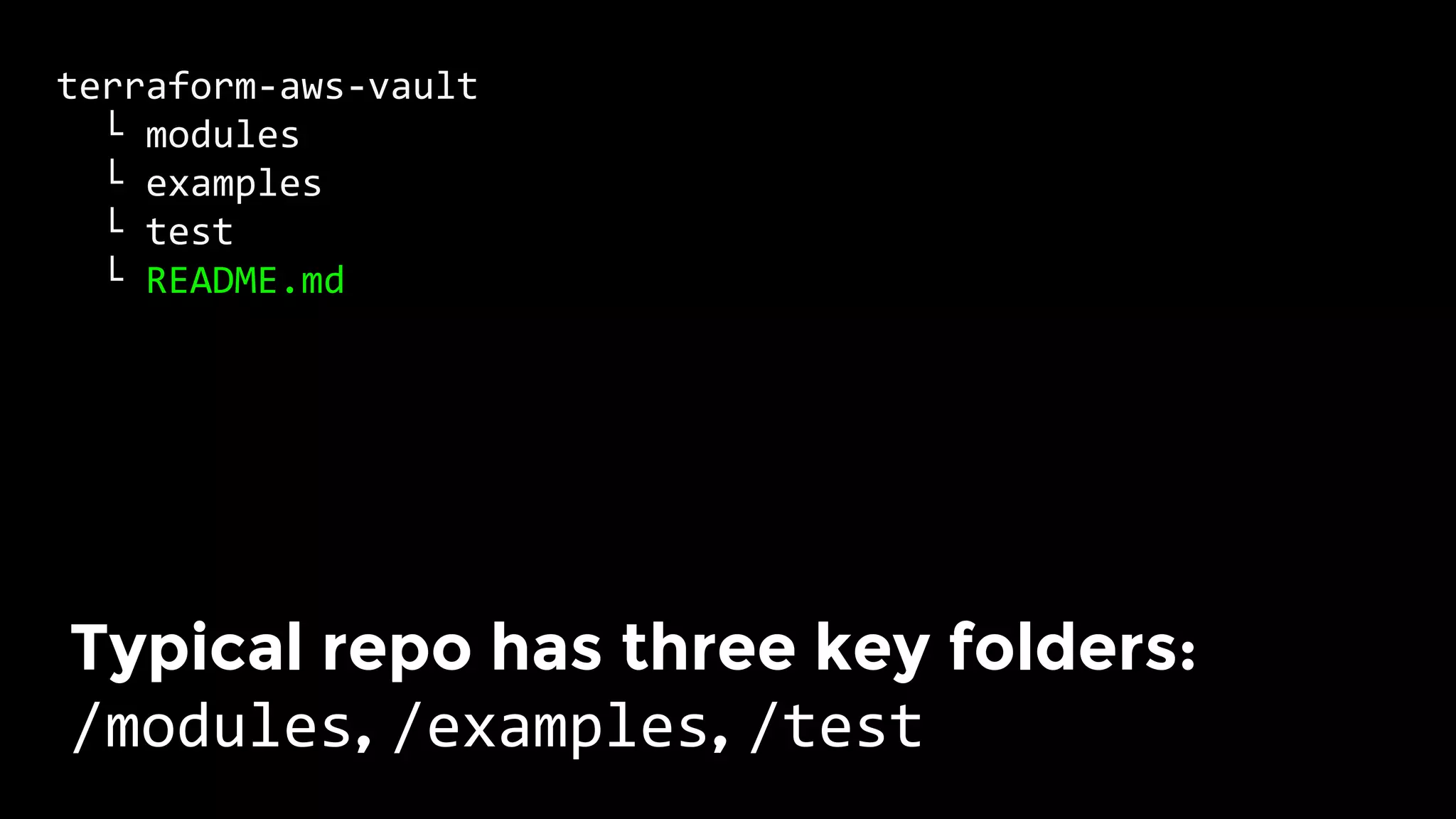
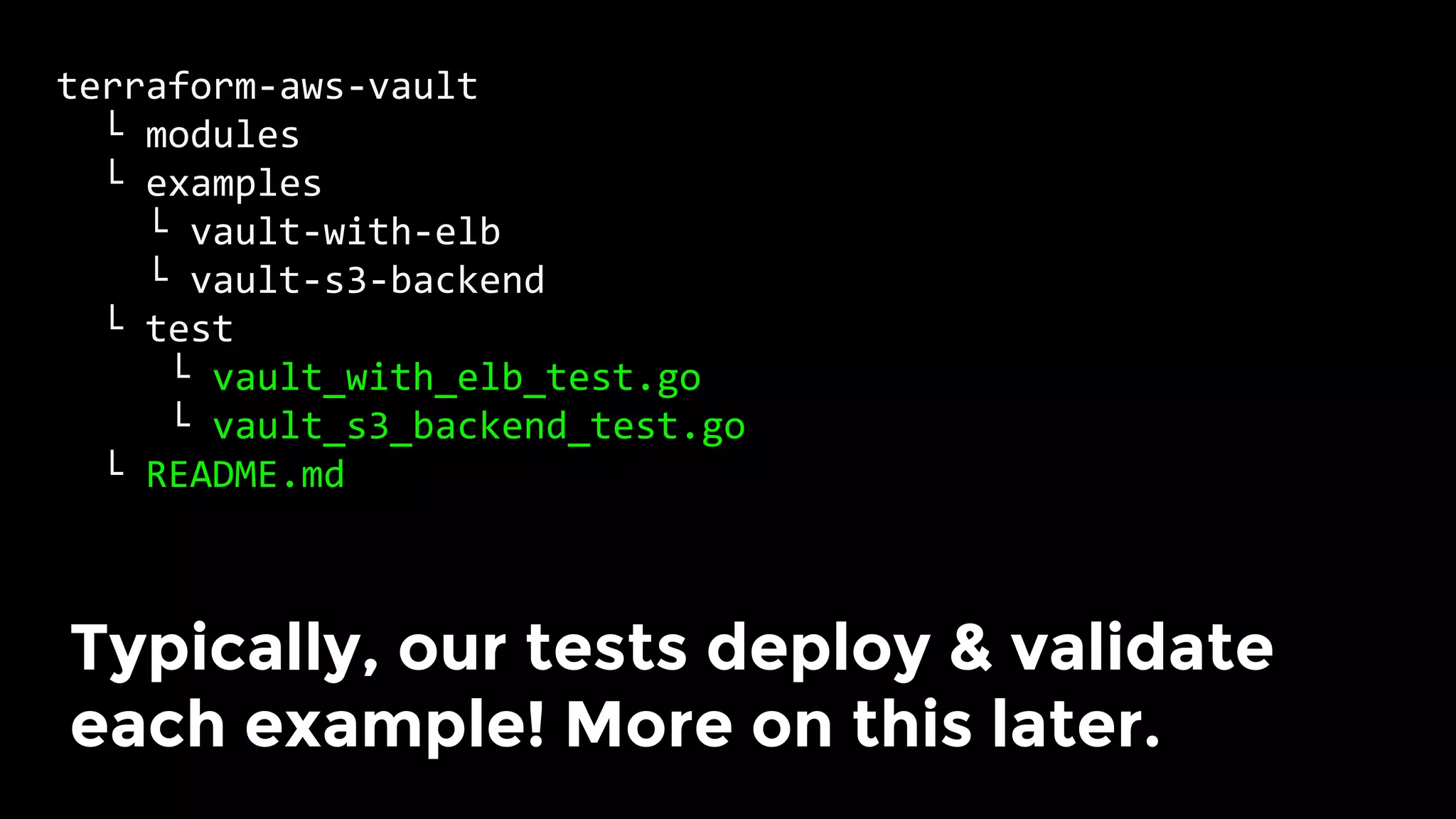
terraform-aws-vault	
		└	modules	
		└	examples	
		└	test	
		└	README.md	
Typical repo has three key folders: 
/modules, /examples, /test
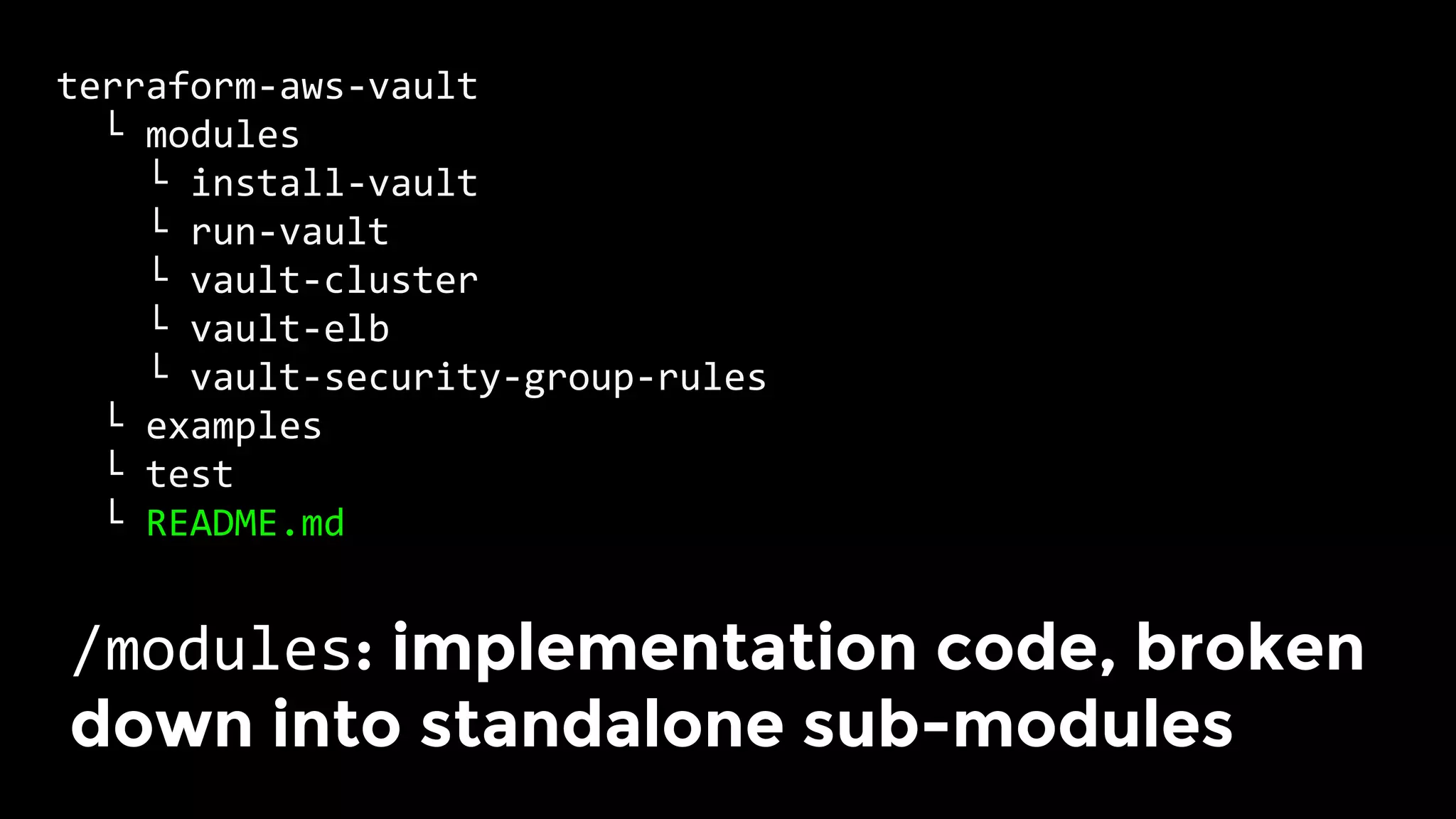
terraform-aws-vault	
		└	modules	
				└	install-vault	
				└	run-vault	
				└	vault-cluster	
				└	vault-elb	
				└	vault-security-group-rules	
		└	examples	
		└	test	
		└	README.md	
/modules: implementation code, broken
down into standalone sub-modules
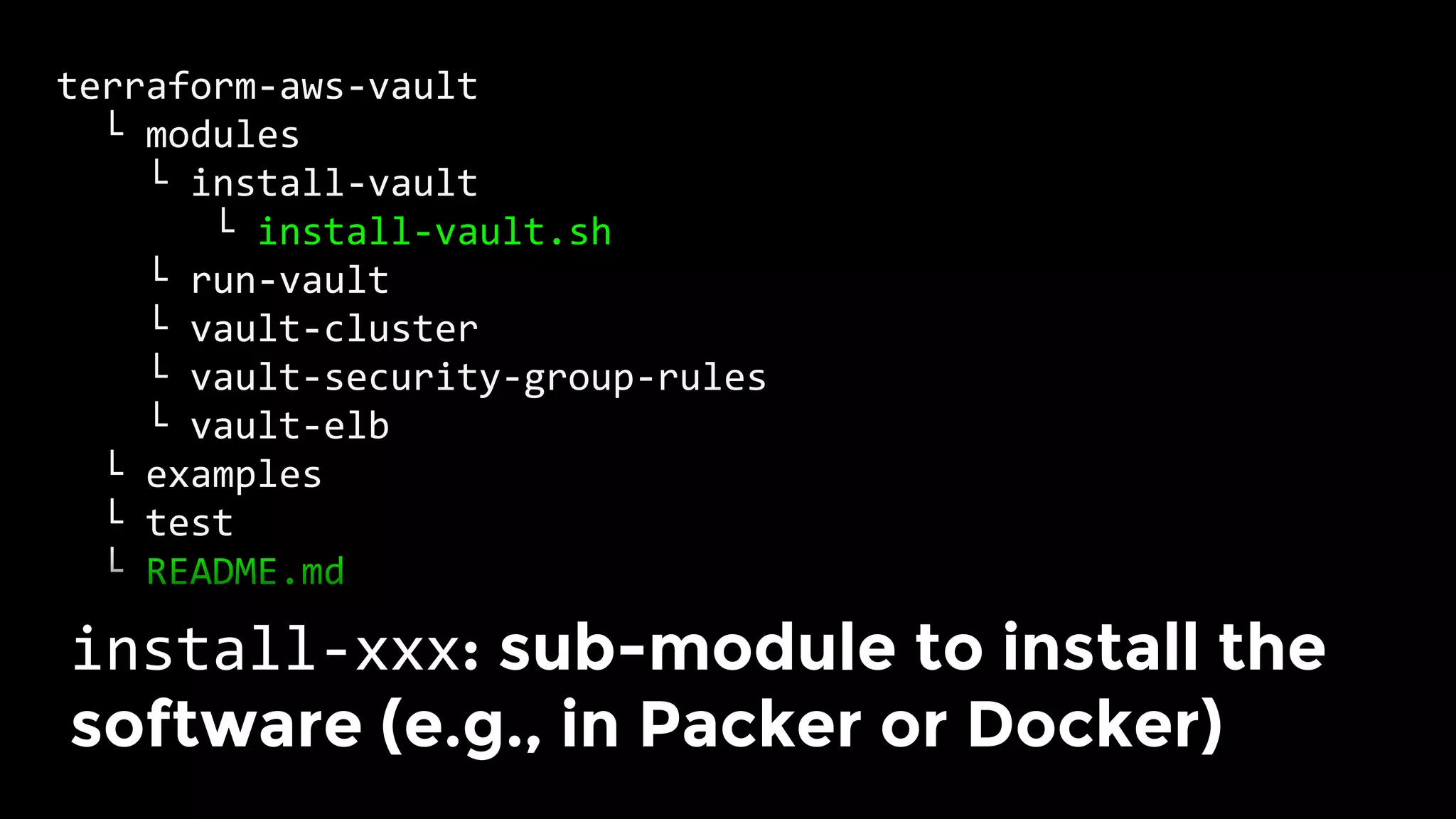
terraform-aws-vault	
		└	modules	
				└	install-vault	
							└	install-vault.sh	
				└	run-vault	
				└	vault-cluster	
				└	vault-security-group-rules	
				└	vault-elb	
		└	examples	
		└	test	
		└	README.md	
install-xxx: sub-module to install the
software (e.g., in Packer or Docker)
terraform-aws-vault	
		└	modules	
				└	install-vault	
				└	run-vault	
							└	run-vault.sh	
				└	vault-cluster	
				└	vault-security-group-rules	
				└	vault-elb	
		└	examples	
		└	test	
		└	README.md	
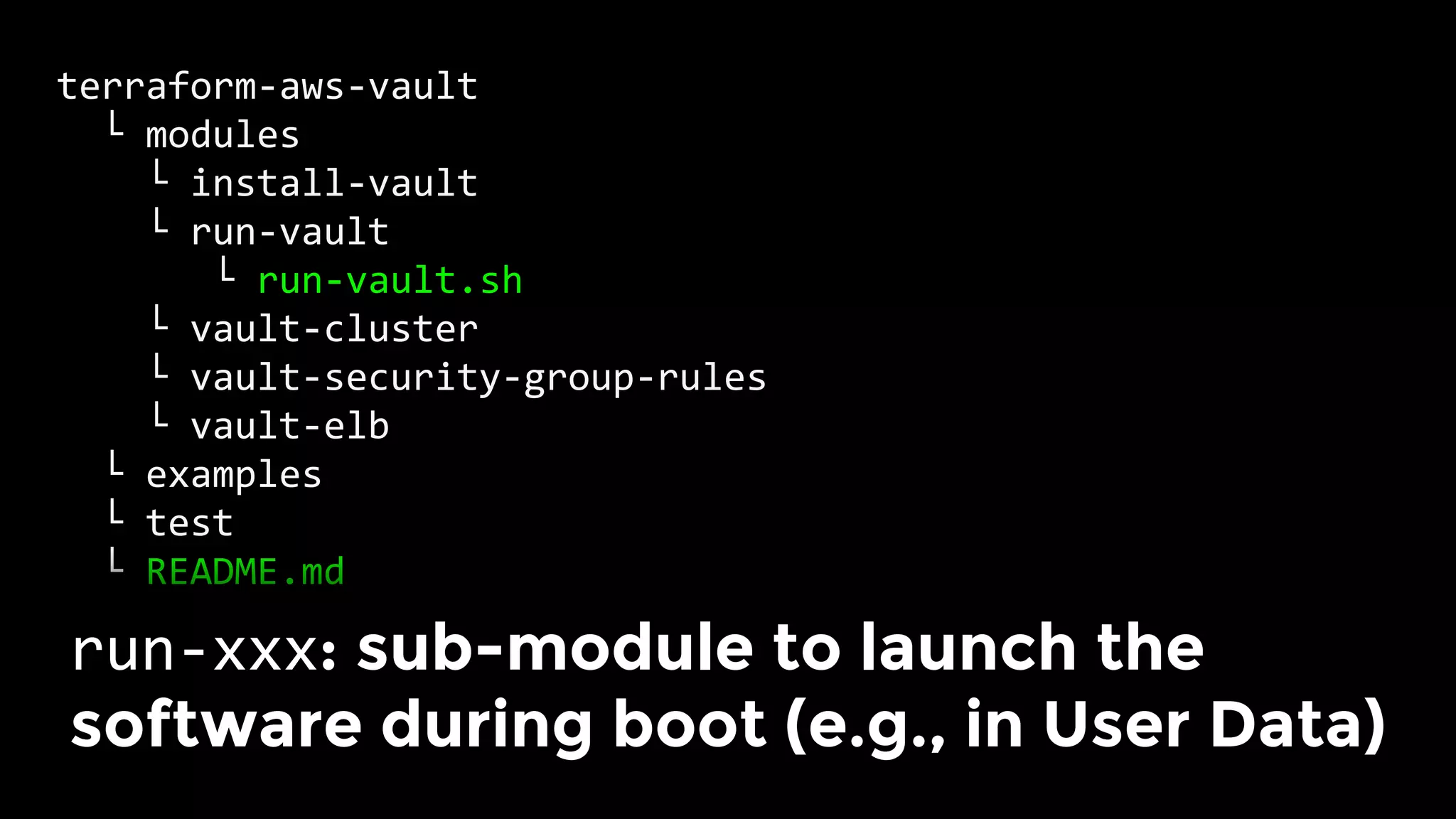
run-xxx: sub-module to launch the
software during boot (e.g., in User Data)
terraform-aws-vault	
		└	modules	
				└	install-vault	
				└	run-vault	
				└	vault-cluster	
							└	main.tf	
				└	vault-security-group-rules	
				└	vault-elb	
		└	examples	
		└	test	
		└	README.md	
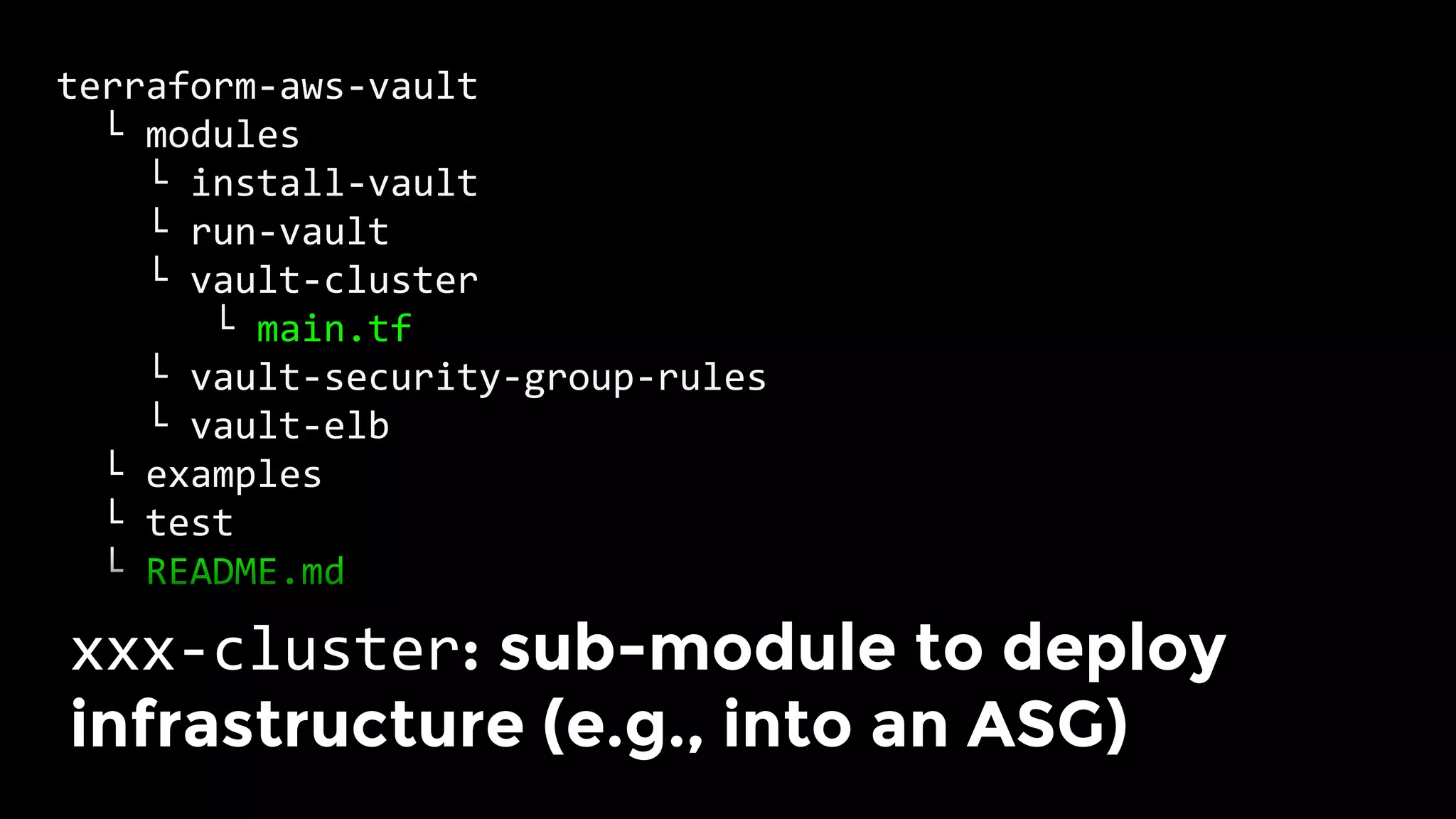
xxx-cluster: sub-module to deploy
infrastructure (e.g., into an ASG)
terraform-aws-vault	
		└	modules	
				└	install-vault	
				└	run-vault	
				└	vault-cluster	
				└	vault-security-group-rules	
							└	main.tf	
				└	vault-elb	
							└	main.tf	
		└	examples	
		└	test	
		└	README.md	
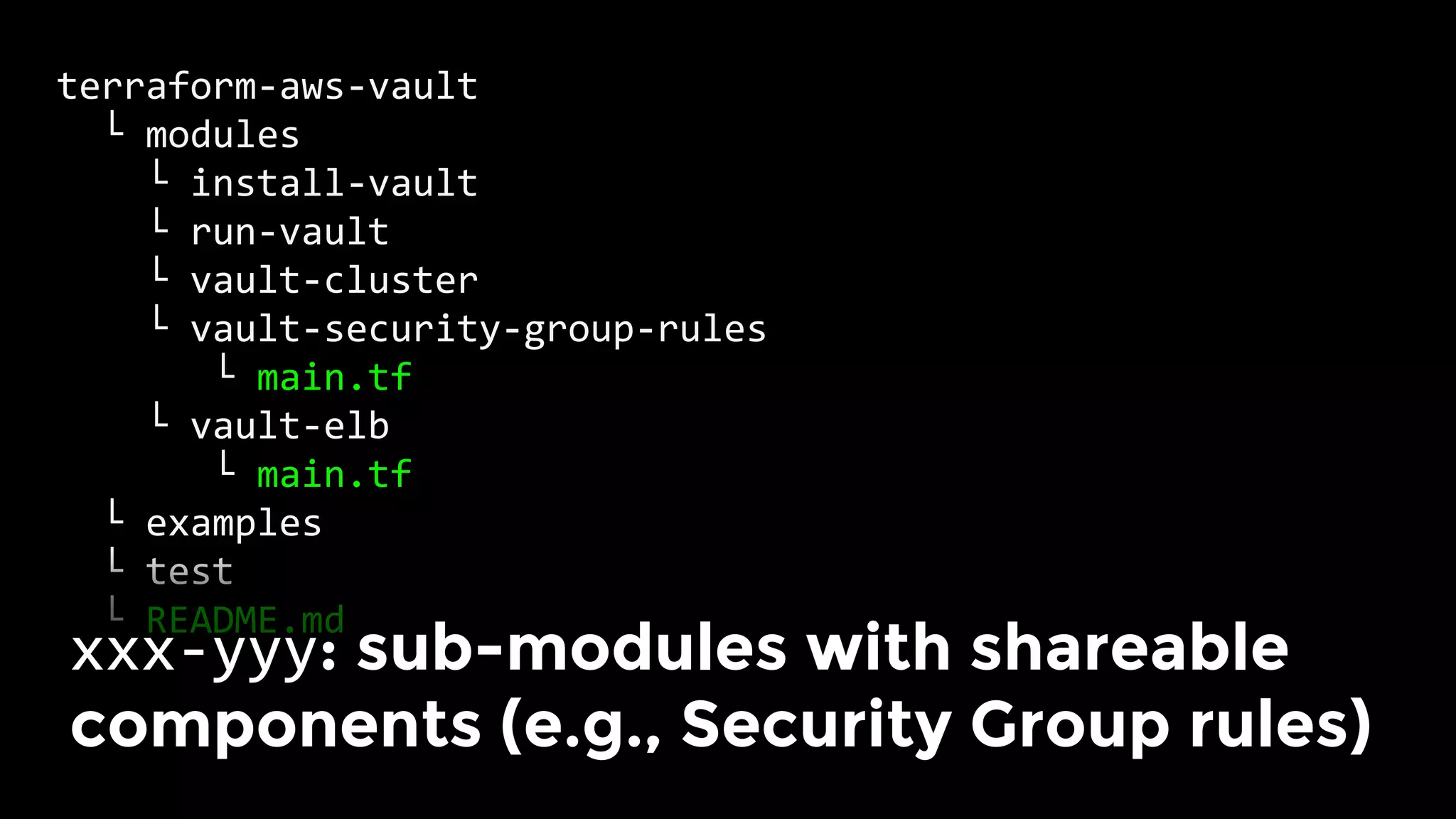
xxx-yyy: sub-modules with shareable
components (e.g., Security Group rules)
variable	"cluster_name"	{	
		description	=	"Name	to	use	for	the	Vault	cluster"	
}	
	
variable	"vpc_id"	{	
		description	=	"ID	of	the	VPC	to	use"	
}	
	
variable	"allowed_inbound_cidr_blocks"	{	
		description	=	"IPs	allowed	to	connect	to	Vault"	
		type								=	"list"	
}	
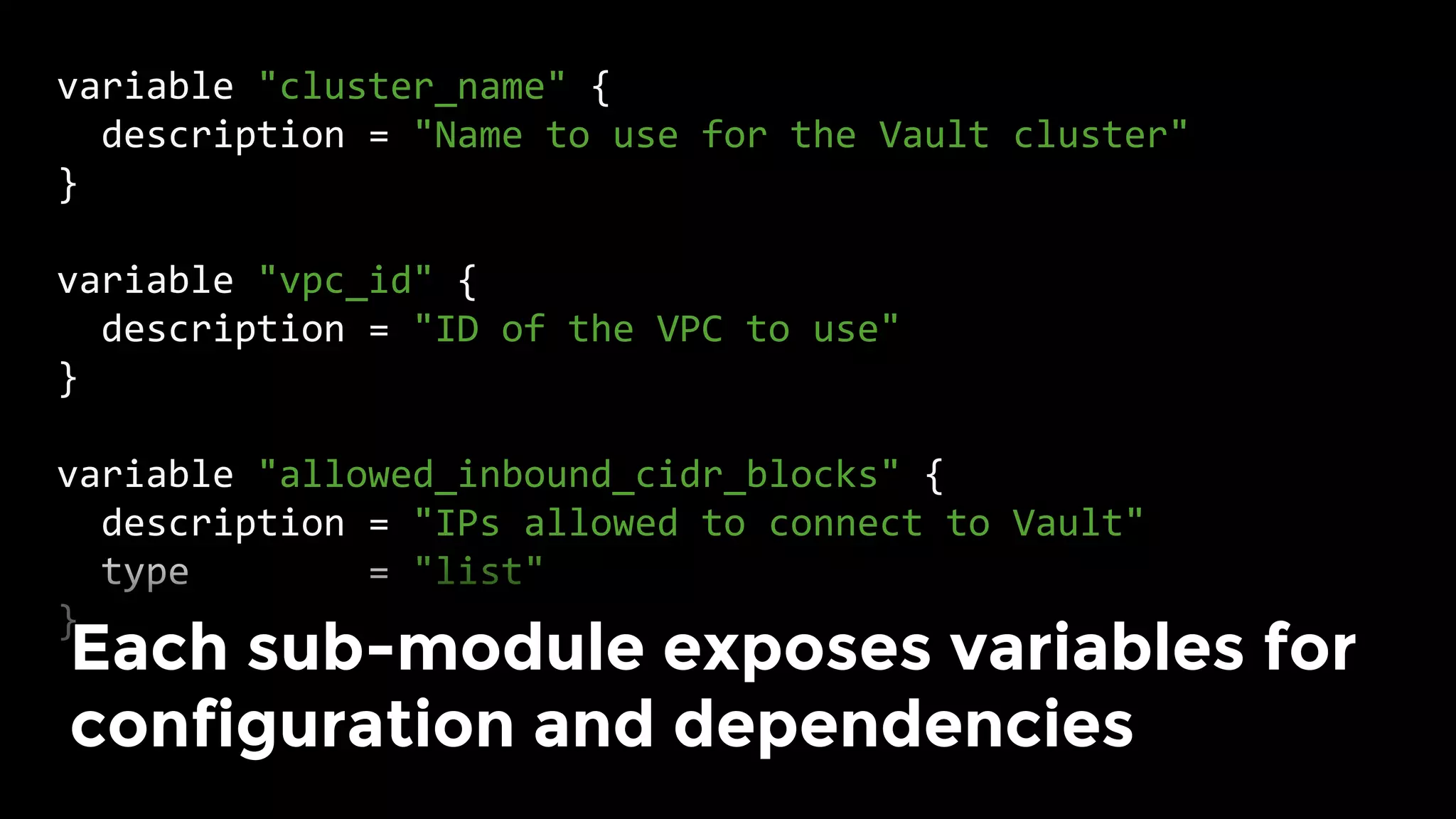
Each sub-module exposes variables for
configuration and dependencies
Small, configurable sub-modules
make code reuse possible
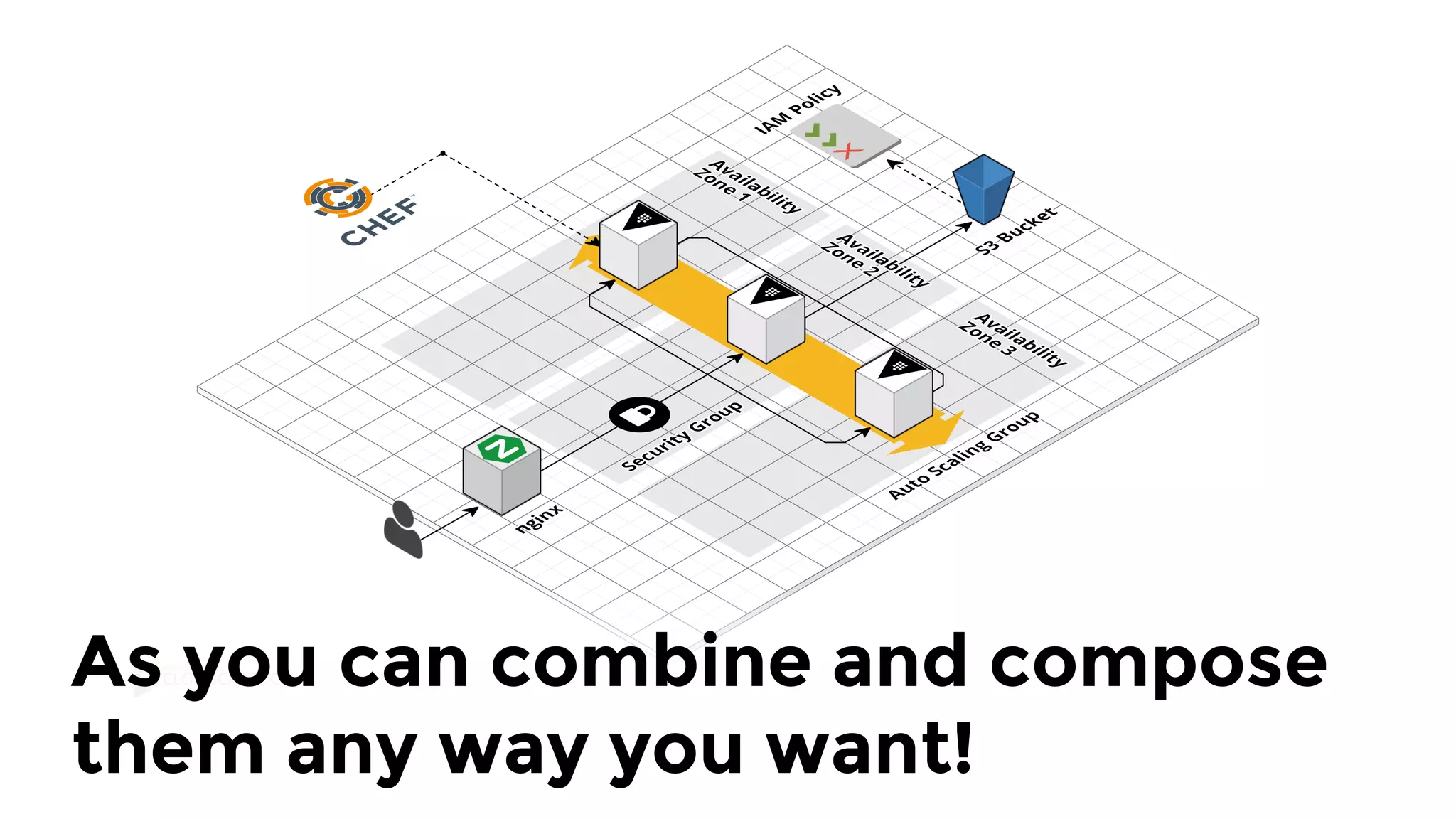
As you can combine and compose
them any way you want!
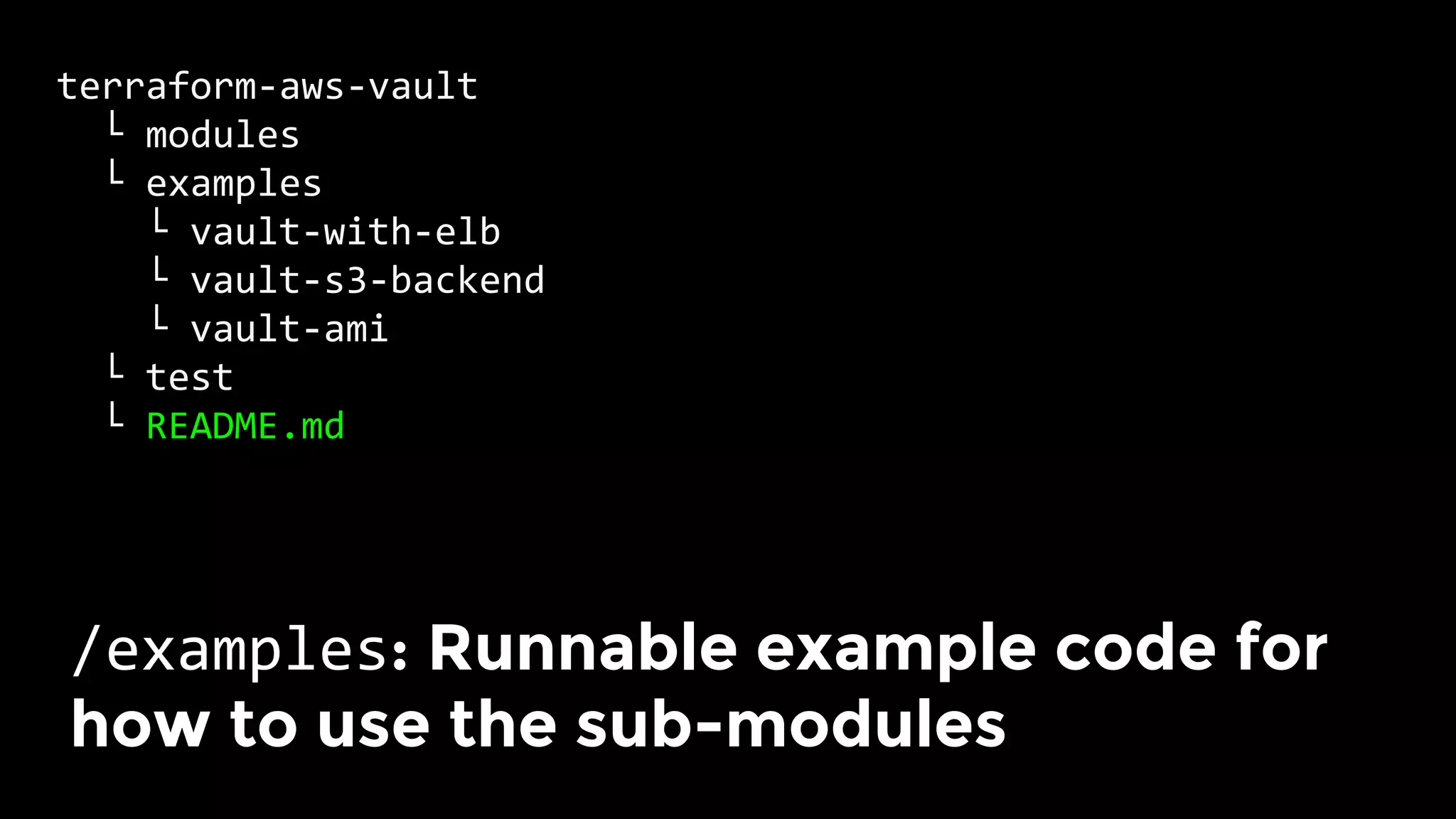
terraform-aws-vault	
		└	modules	
		└	examples	
				└	vault-with-elb	
				└	vault-s3-backend	
				└	vault-ami	
		└	test	
		└	README.md	
/examples: Runnable example code for
how to use the sub-modules
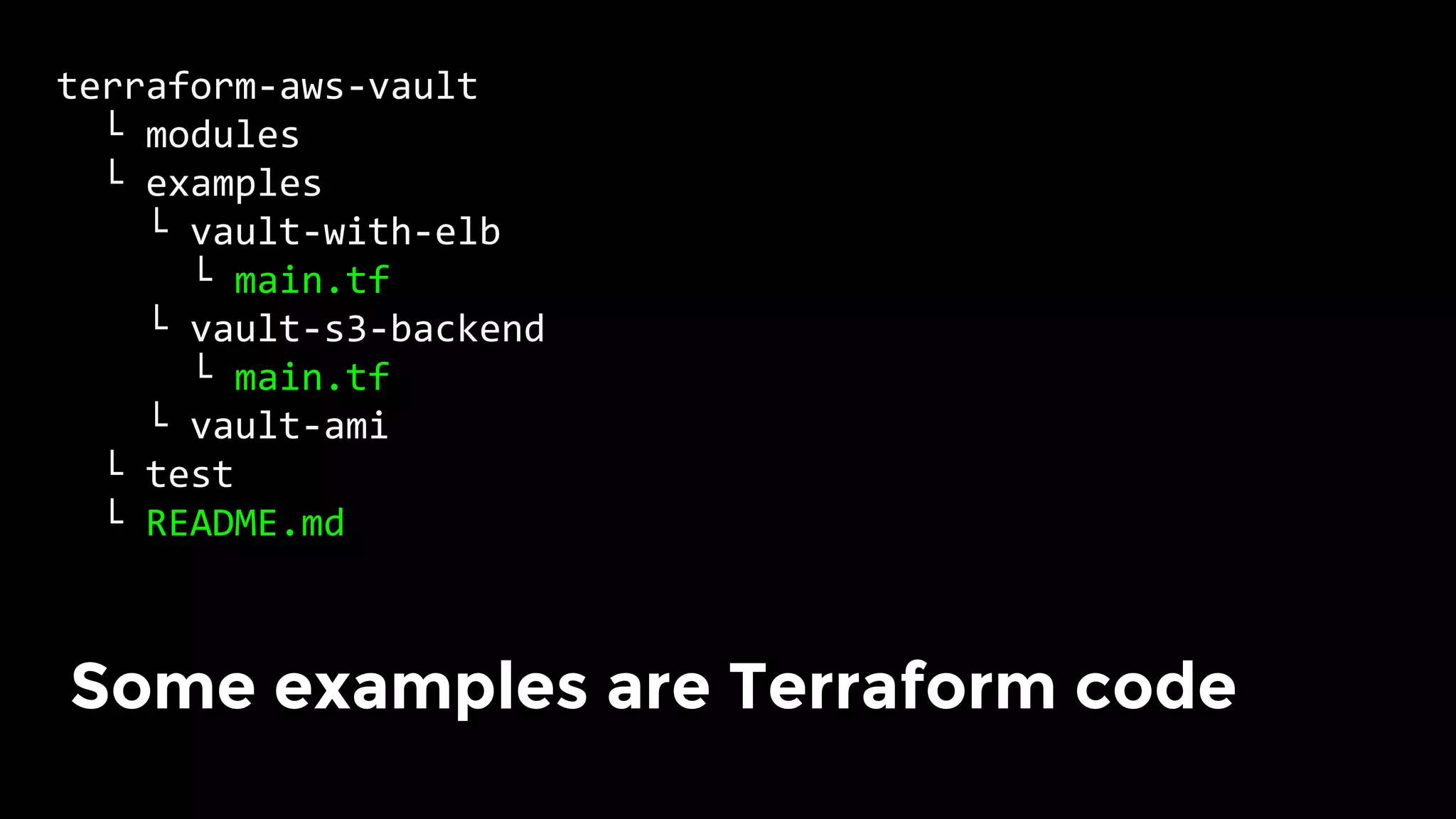
terraform-aws-vault	
		└	modules	
		└	examples	
				└	vault-with-elb	
						└	main.tf	
				└	vault-s3-backend	
						└	main.tf	
				└	vault-ami	
		└	test	
		└	README.md	
Some examples are Terraform code
terraform-aws-vault	
		└	modules	
		└	examples	
				└	vault-with-elb	
				└	vault-s3-backend	
				└	vault-ami	
							└	vault.json	
		└	test	
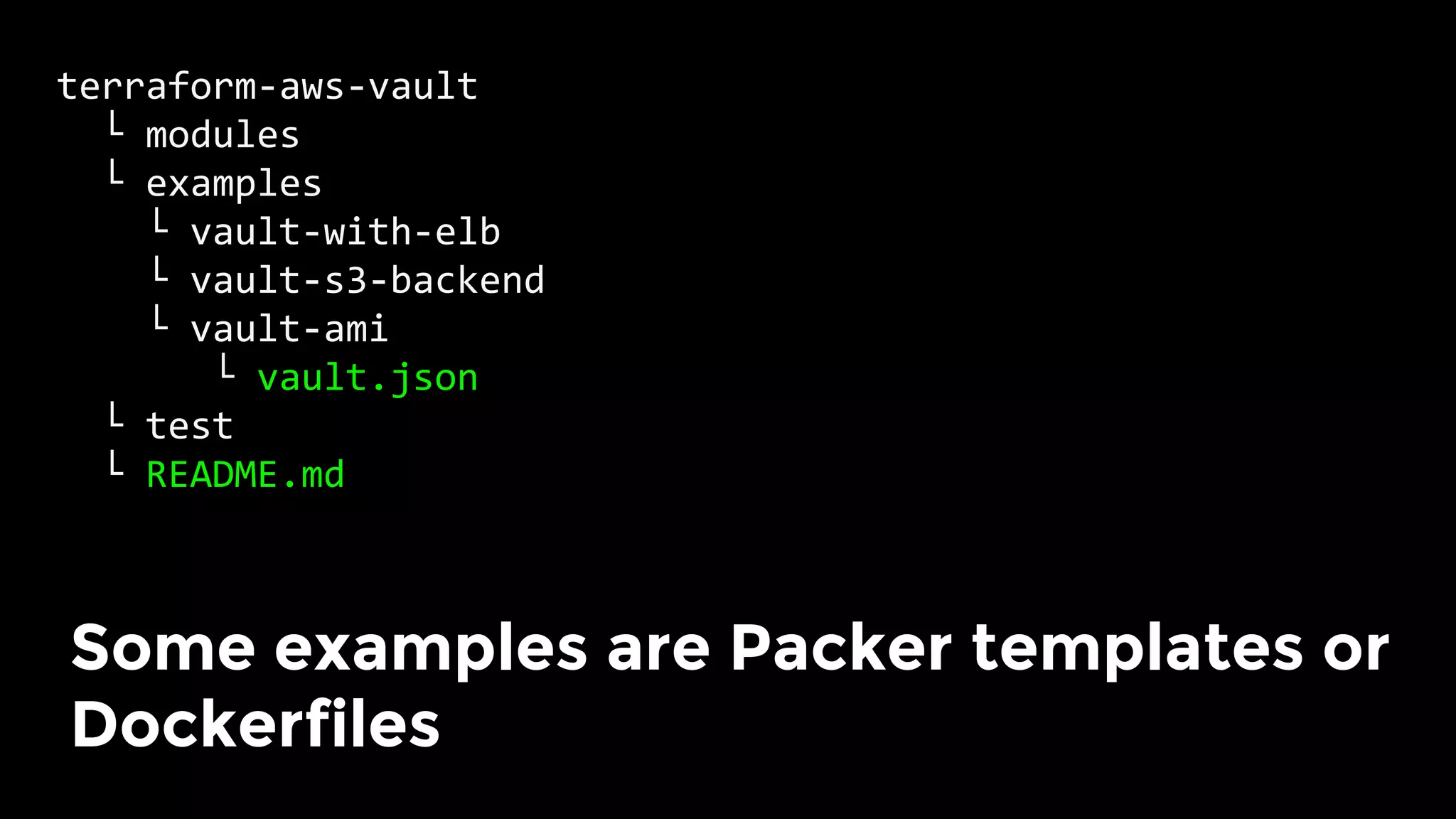
		└	README.md	
Some examples are Packer templates or
Dockerfiles
terraform-aws-vault	
		└	modules	
		└	examples	
		└	test	
					└	vault_with_elb_test.go	
					└	vault_s3_backend_test.go	
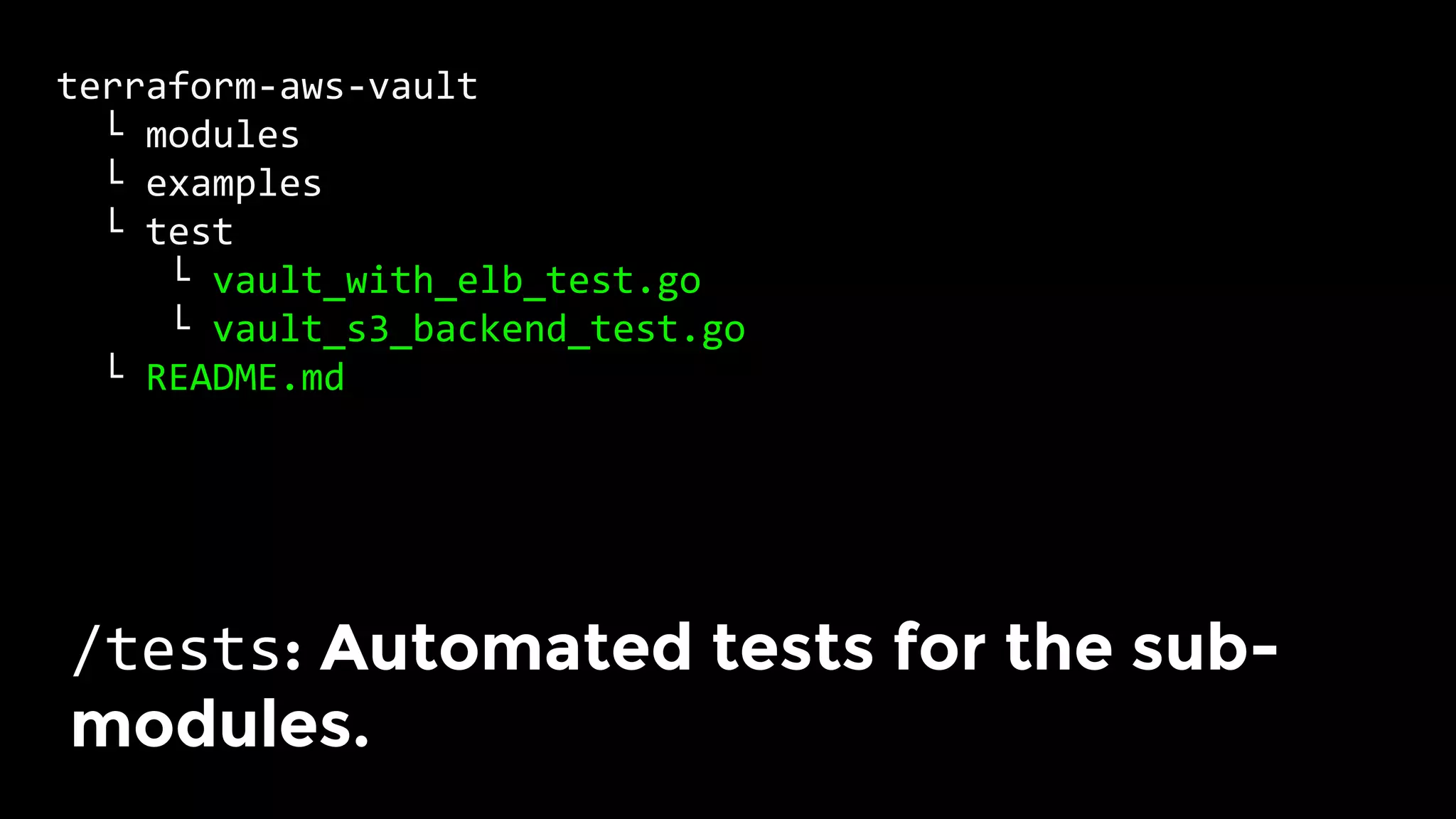
		└	README.md	
/tests: Automated tests for the sub-
modules.
terraform-aws-vault	
		└	modules	
		└	examples	
				└	vault-with-elb	
				└	vault-s3-backend	
		└	test	
					└	vault_with_elb_test.go	
					└	vault_s3_backend_test.go	
		└	README.md	
Typically, our tests deploy & validate
each example! More on this later.
Key takeaway: build infrastructure
from small, composable modules.
1.  Checklist
2.  Tools
3.  Modules
4.  Tests
5.  Releases
Outline
Infrastructure code rots very
quickly.
Infrastructure code rots very
quickly.
Infrastructure code without
automated tests is broken.
For general-purpose languages, we
can run unit tests on localhost
For infrastructure as code tools,
there is no “localhost” or “unit”
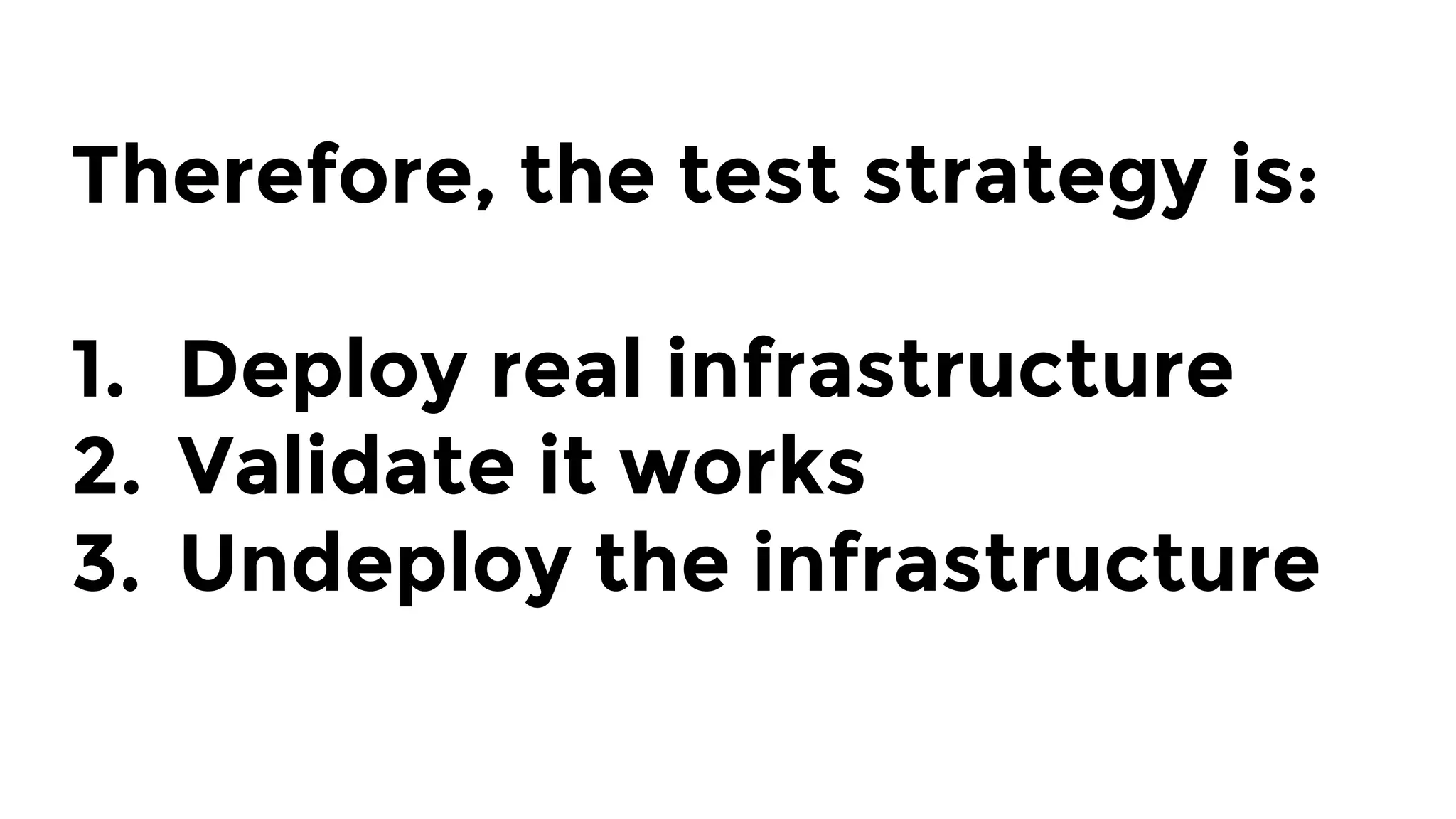
Therefore, the test strategy is:

1.  Deploy real infrastructure
2.  Validate it works
3.  Undeploy the infrastructure
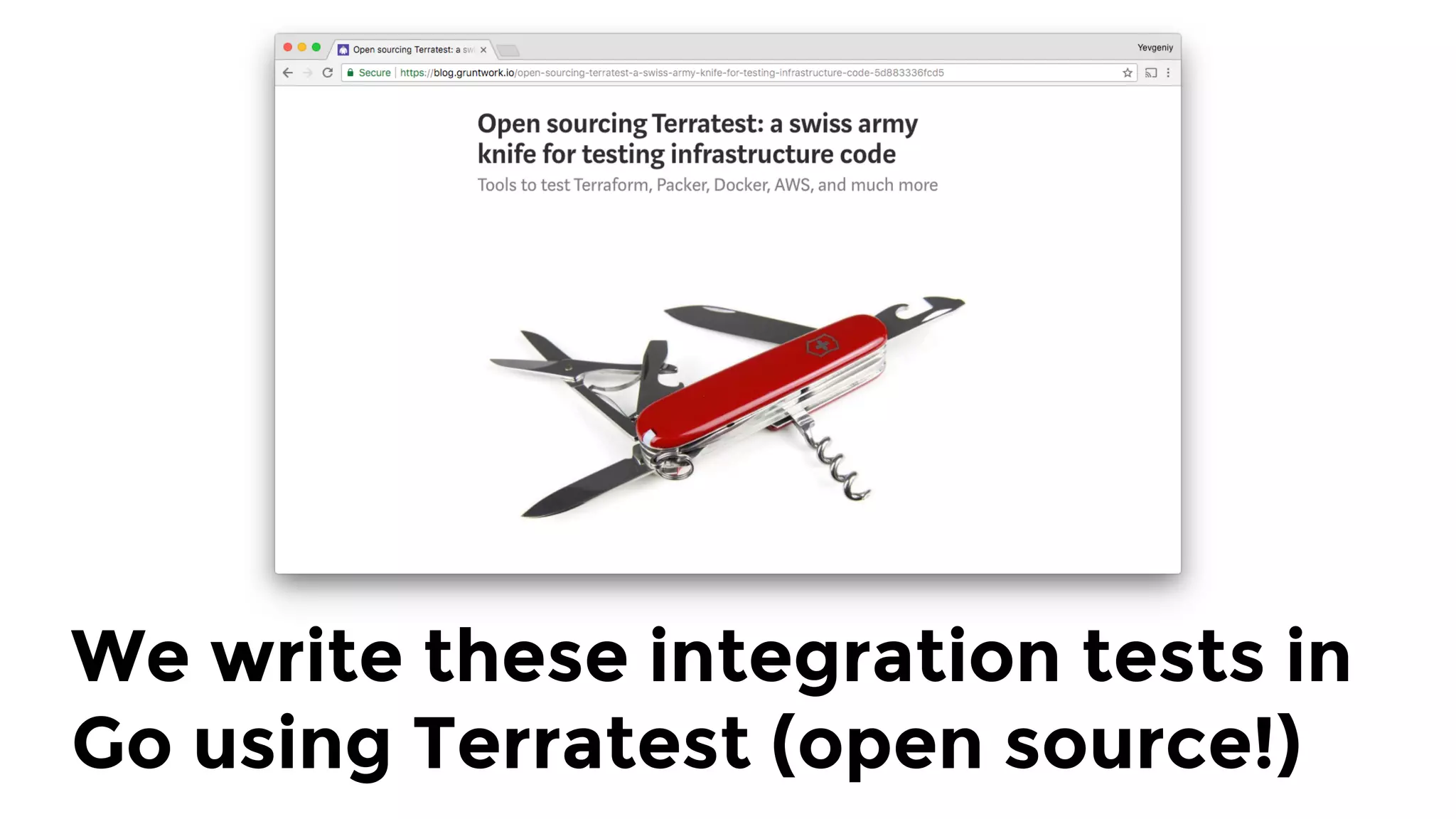
We write these integration tests in
Go using Terratest (open source!)
Terratest philosophy: how
would you test it manually?
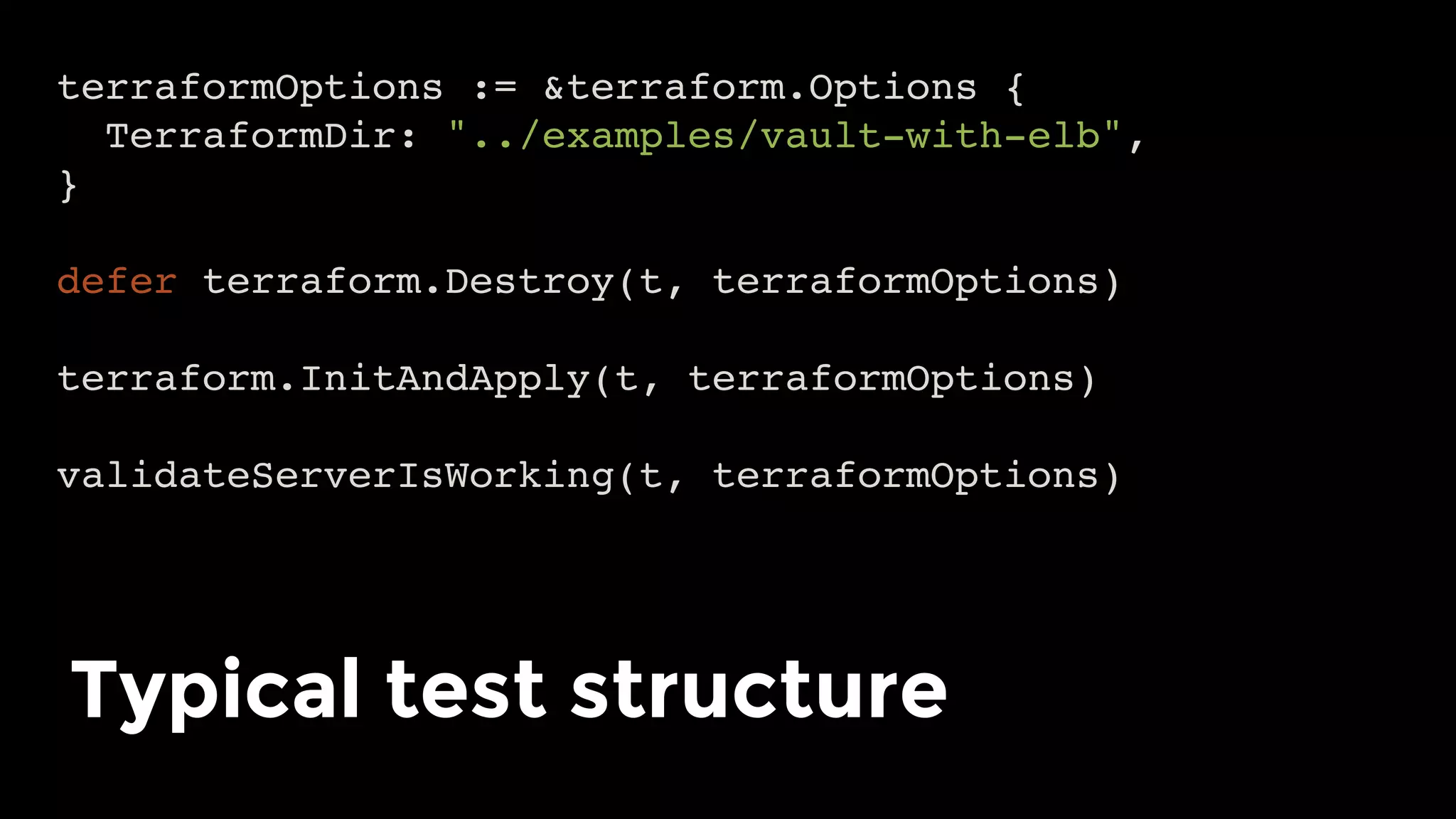
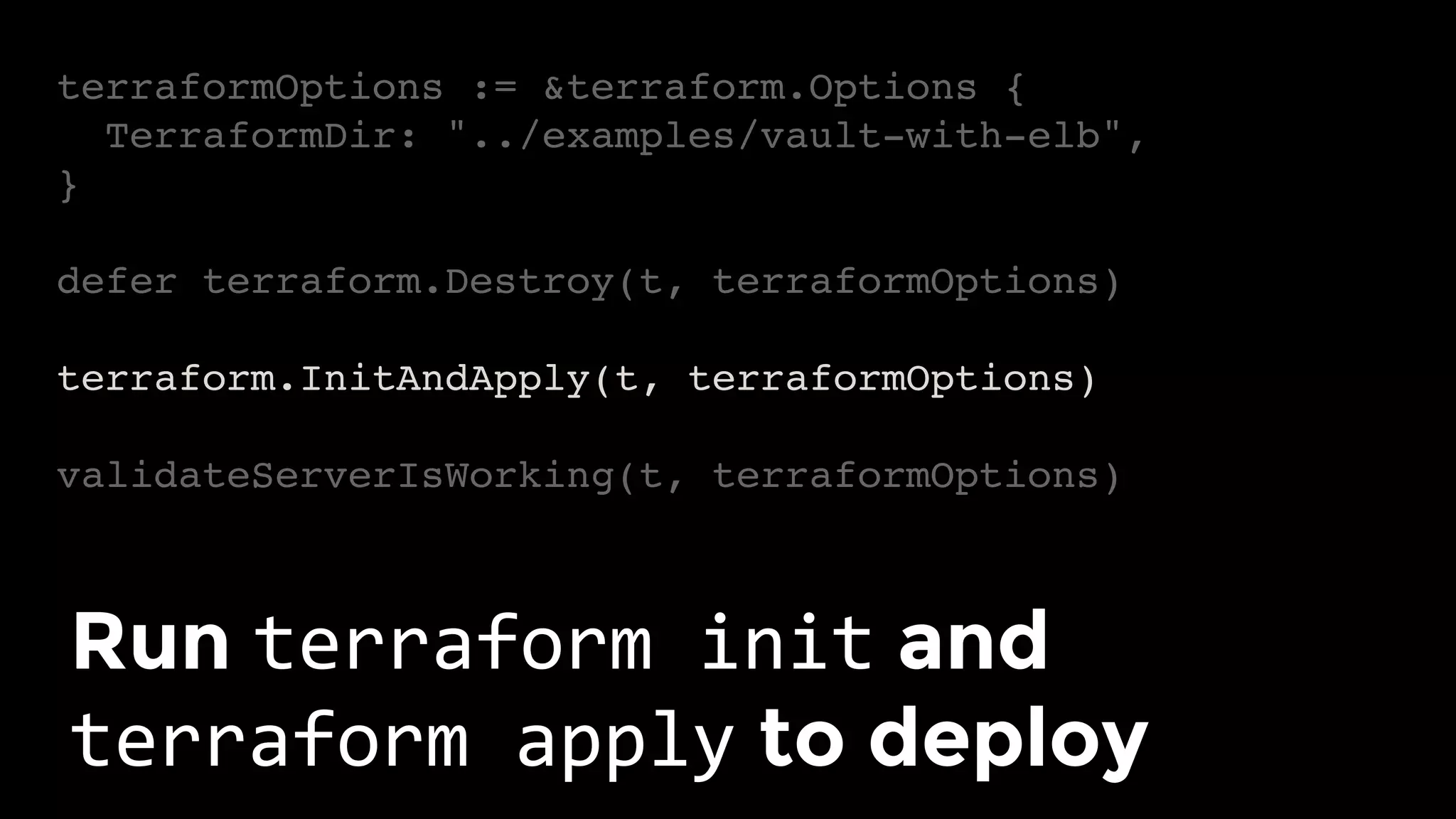
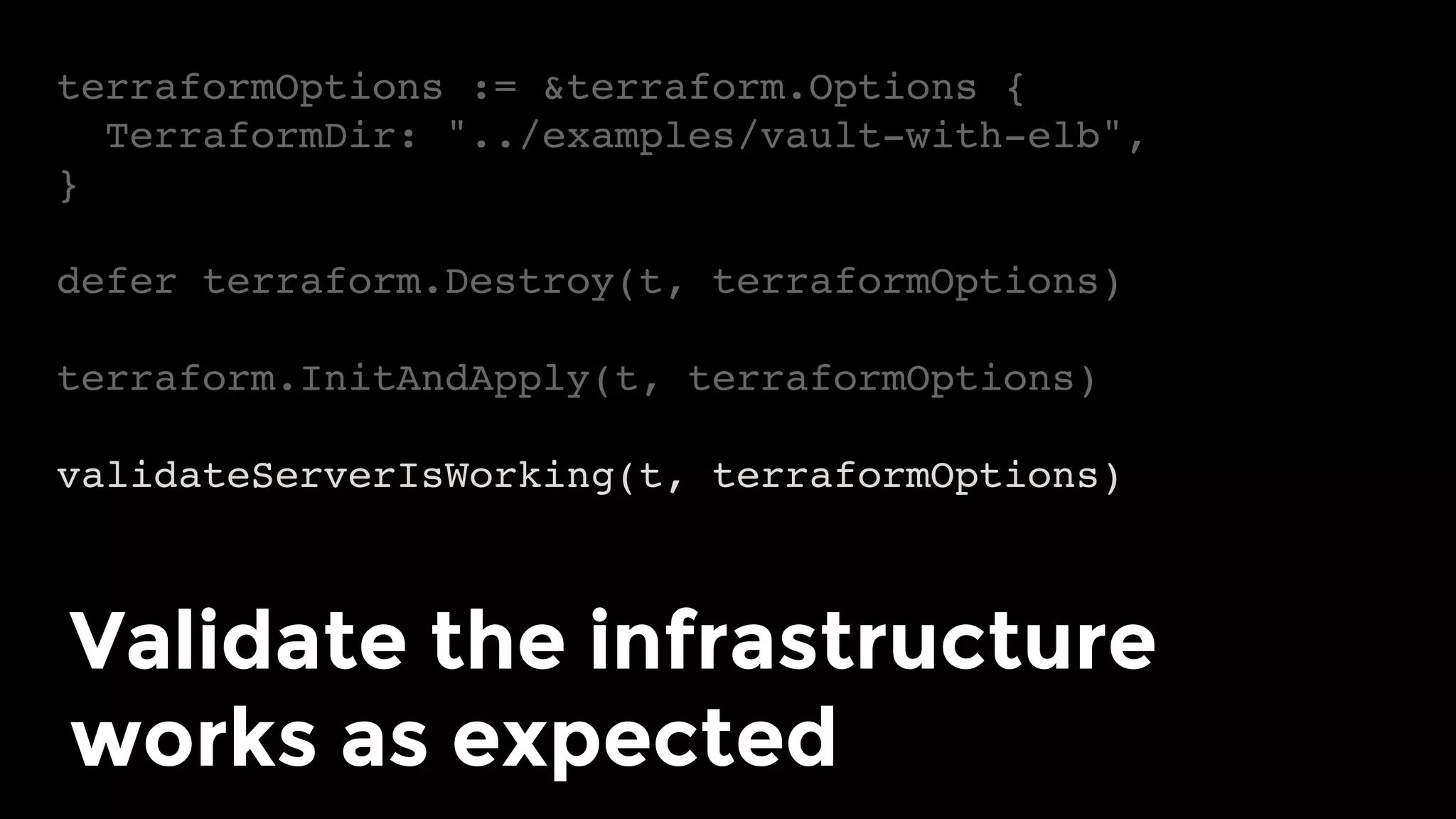
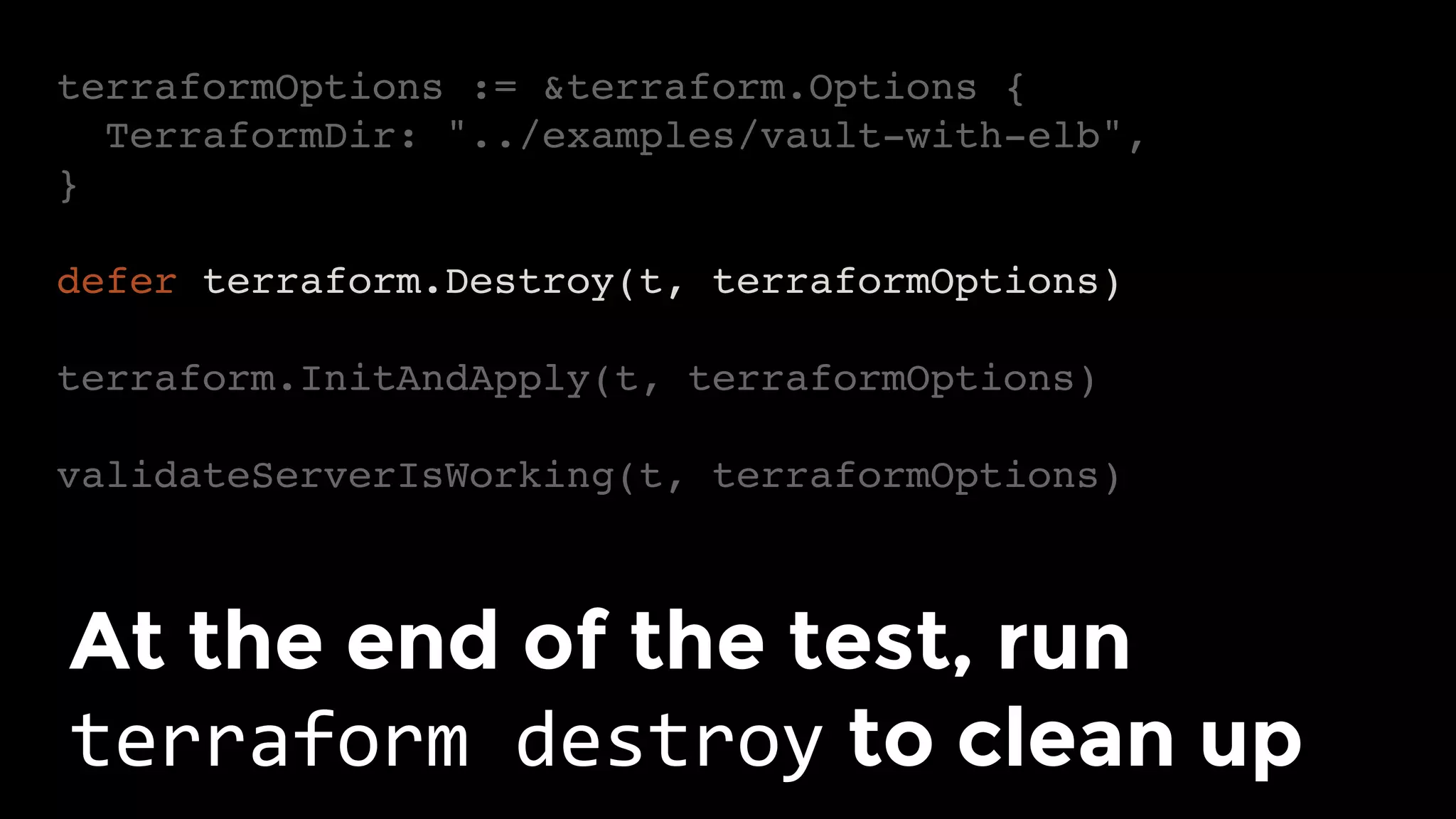
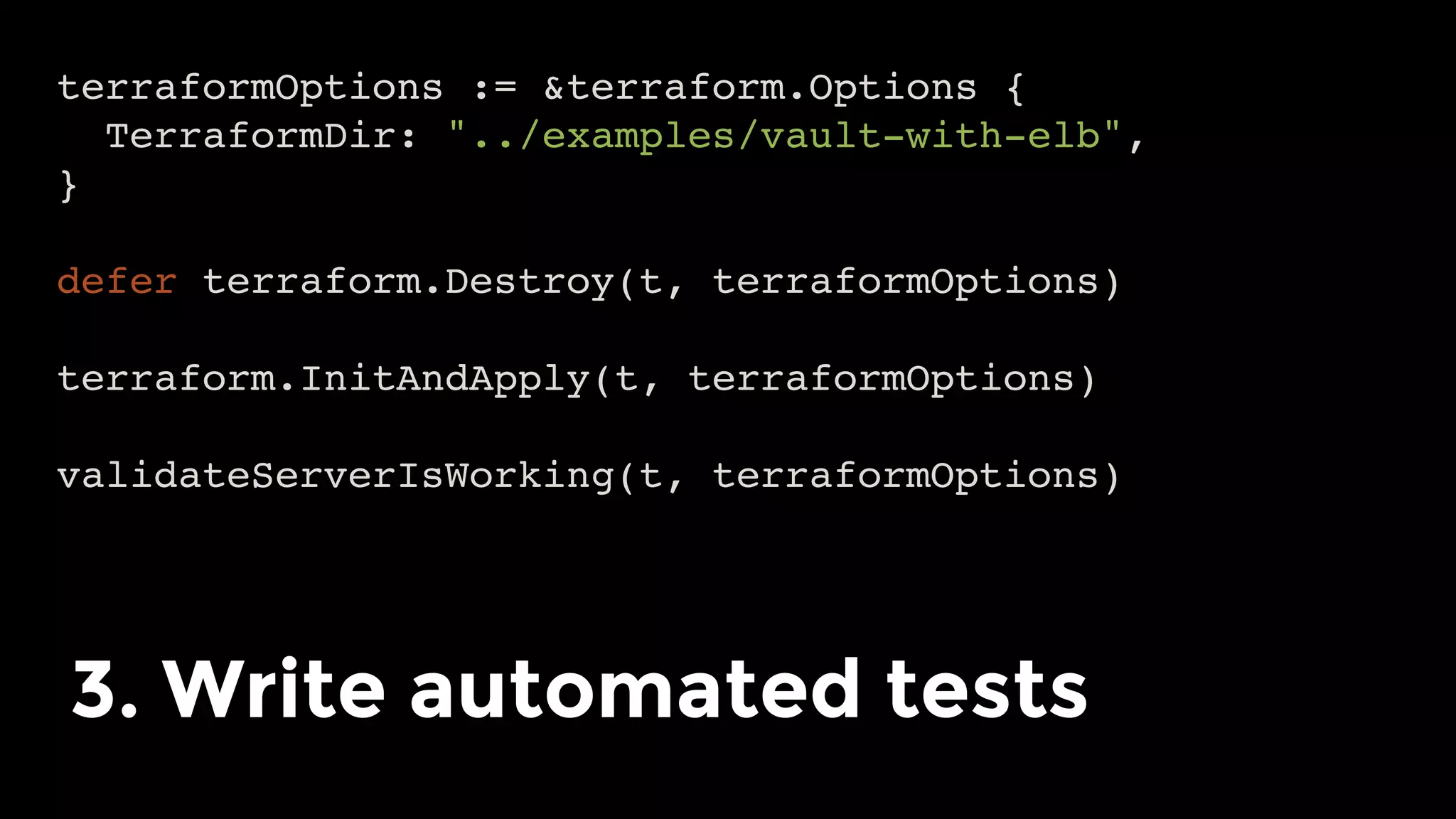
terraformOptions := &terraform.Options {
TerraformDir: "../examples/vault-with-elb",
}
defer terraform.Destroy(t, terraformOptions)
terraform.InitAndApply(t, terraformOptions)
validateServerIsWorking(t, terraformOptions)
Typical test structure
terraformOptions := &terraform.Options {
TerraformDir: "../examples/vault-with-elb",
}
defer terraform.Destroy(t, terraformOptions)
terraform.InitAndApply(t, terraformOptions)
validateServerIsWorking(t, terraformOptions)
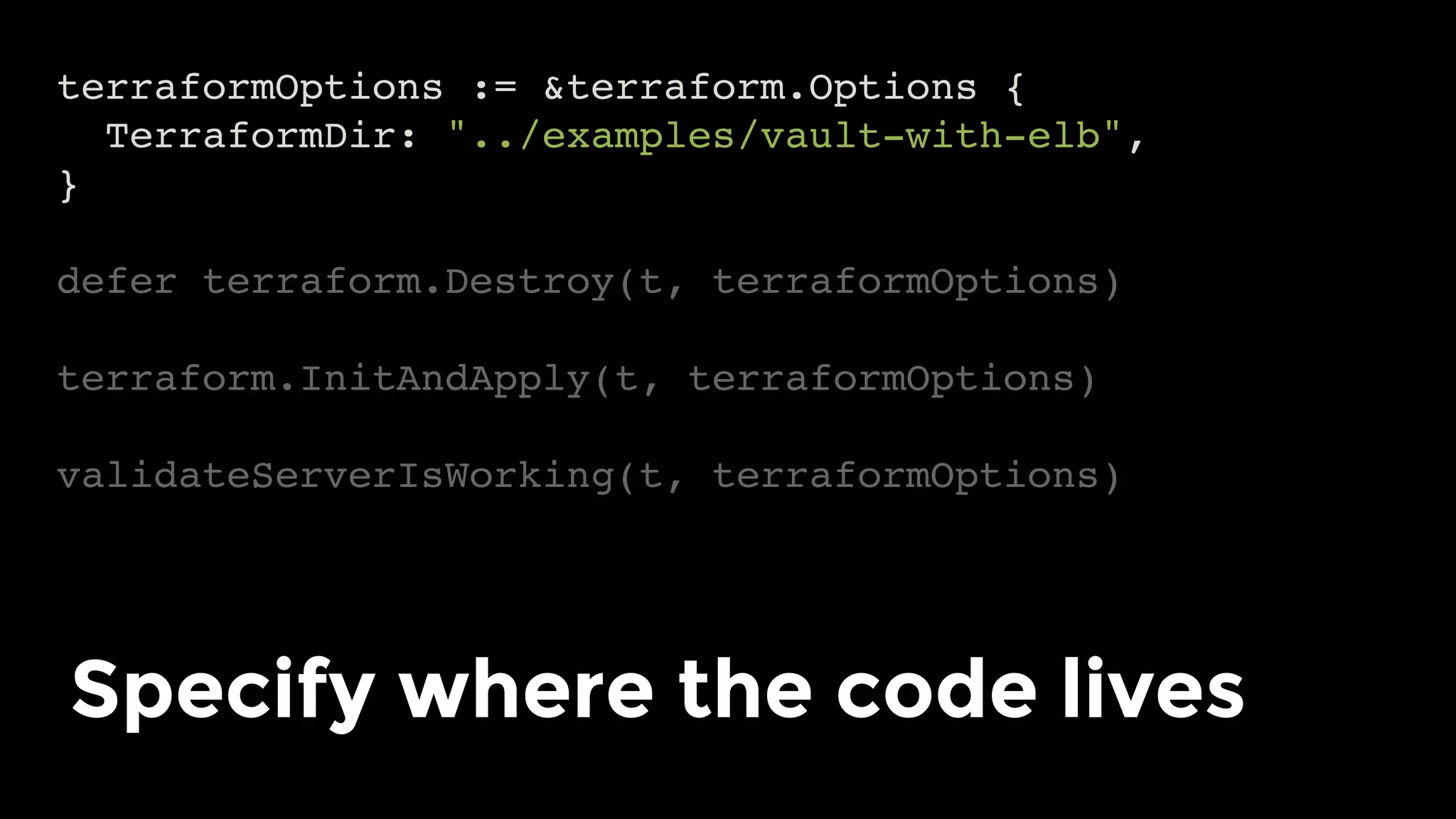
Specify where the code lives
terraformOptions := &terraform.Options {
TerraformDir: "../examples/vault-with-elb",
}
defer terraform.Destroy(t, terraformOptions)
terraform.InitAndApply(t, terraformOptions)
validateServerIsWorking(t, terraformOptions)
Run terraform	init and
terraform	apply to deploy
terraformOptions := &terraform.Options {
TerraformDir: "../examples/vault-with-elb",
}
defer terraform.Destroy(t, terraformOptions)
terraform.InitAndApply(t, terraformOptions)
validateServerIsWorking(t, terraformOptions)
Validate the infrastructure
works as expected
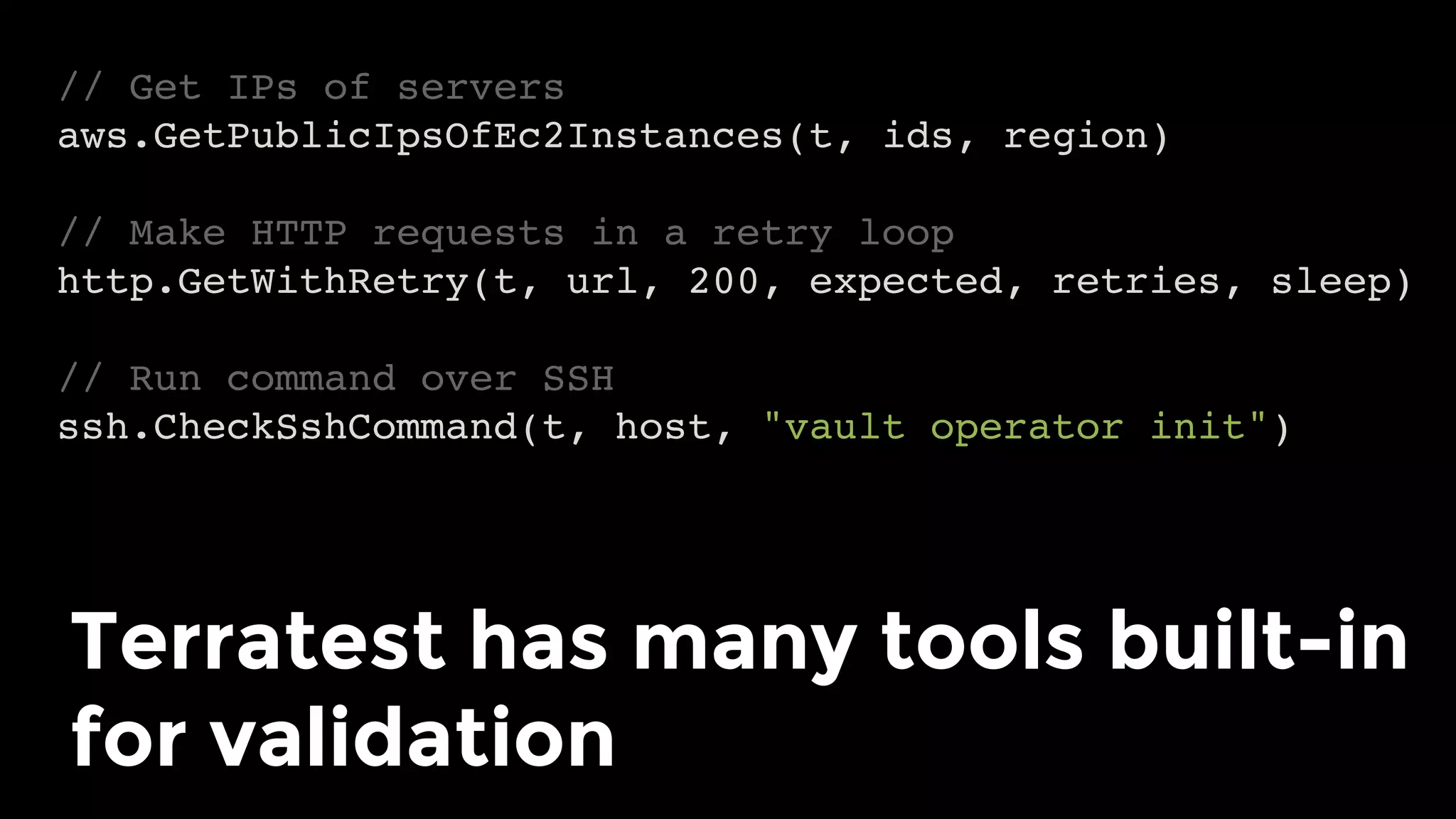
// Get IPs of servers
aws.GetPublicIpsOfEc2Instances(t, ids, region)
// Make HTTP requests in a retry loop
http.GetWithRetry(t, url, 200, expected, retries, sleep)
// Run command over SSH
ssh.CheckSshCommand(t, host, "vault operator init")
Terratest has many tools built-in
for validation
terraformOptions := &terraform.Options {
TerraformDir: "../examples/vault-with-elb",
}
defer terraform.Destroy(t, terraformOptions)
terraform.InitAndApply(t, terraformOptions)
validateServerIsWorking(t, terraformOptions)
At the end of the test, run
terraform	destroy to clean up
Note: tests create and destroy
lots of resources!
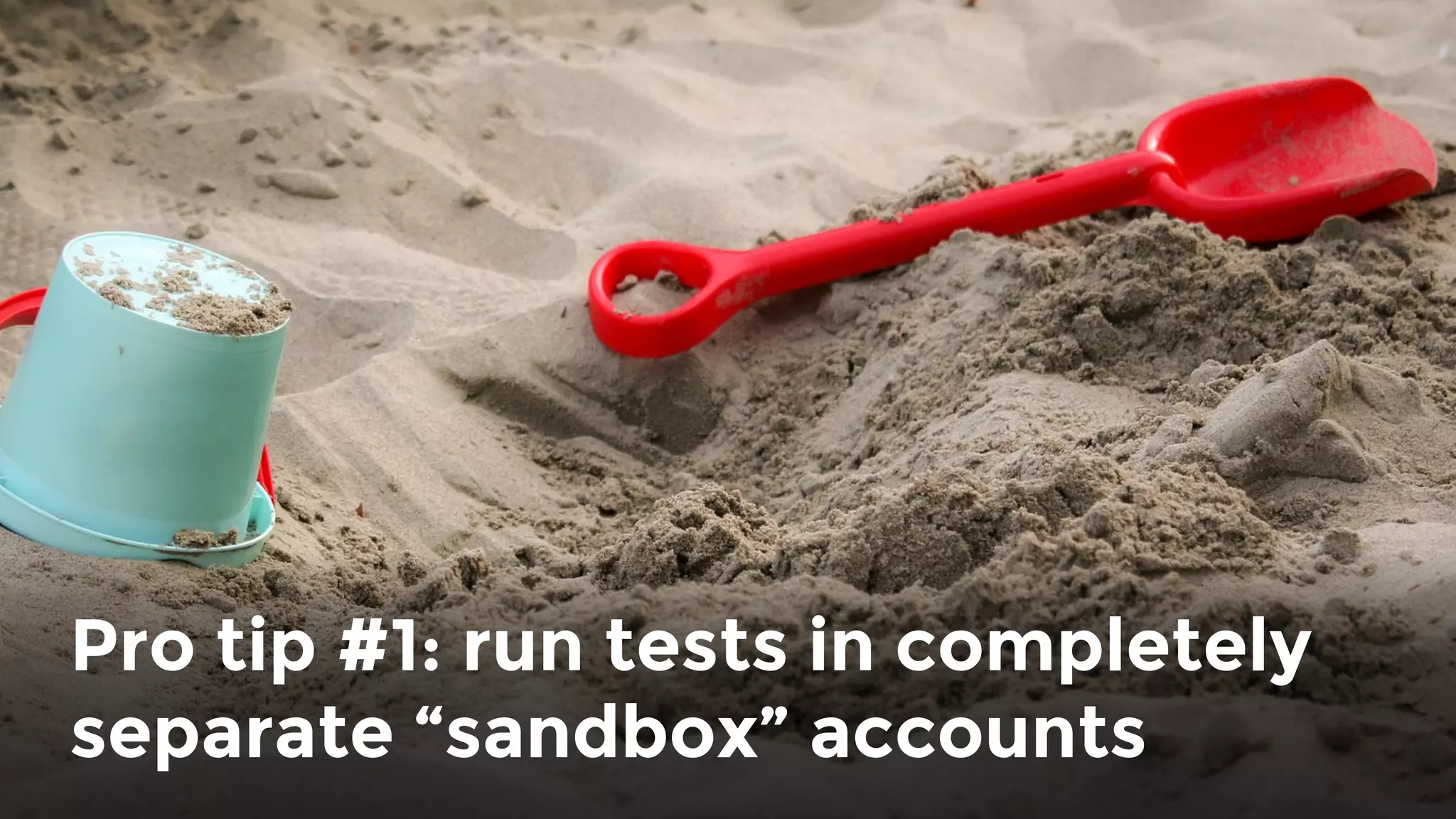
Pro tip #1: run tests in completely
separate “sandbox” accounts
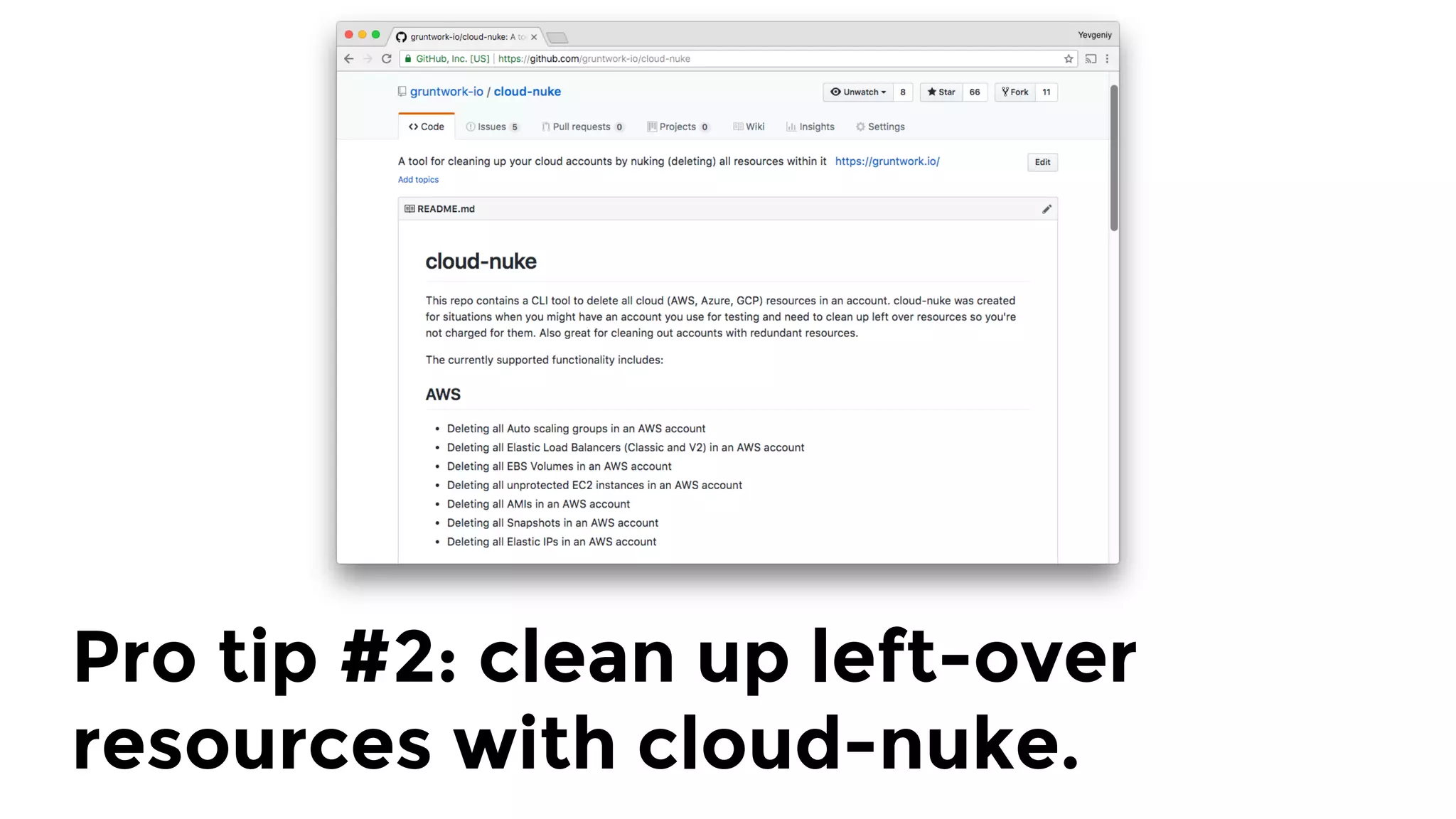
Pro tip #2: clean up left-over
resources with cloud-nuke.
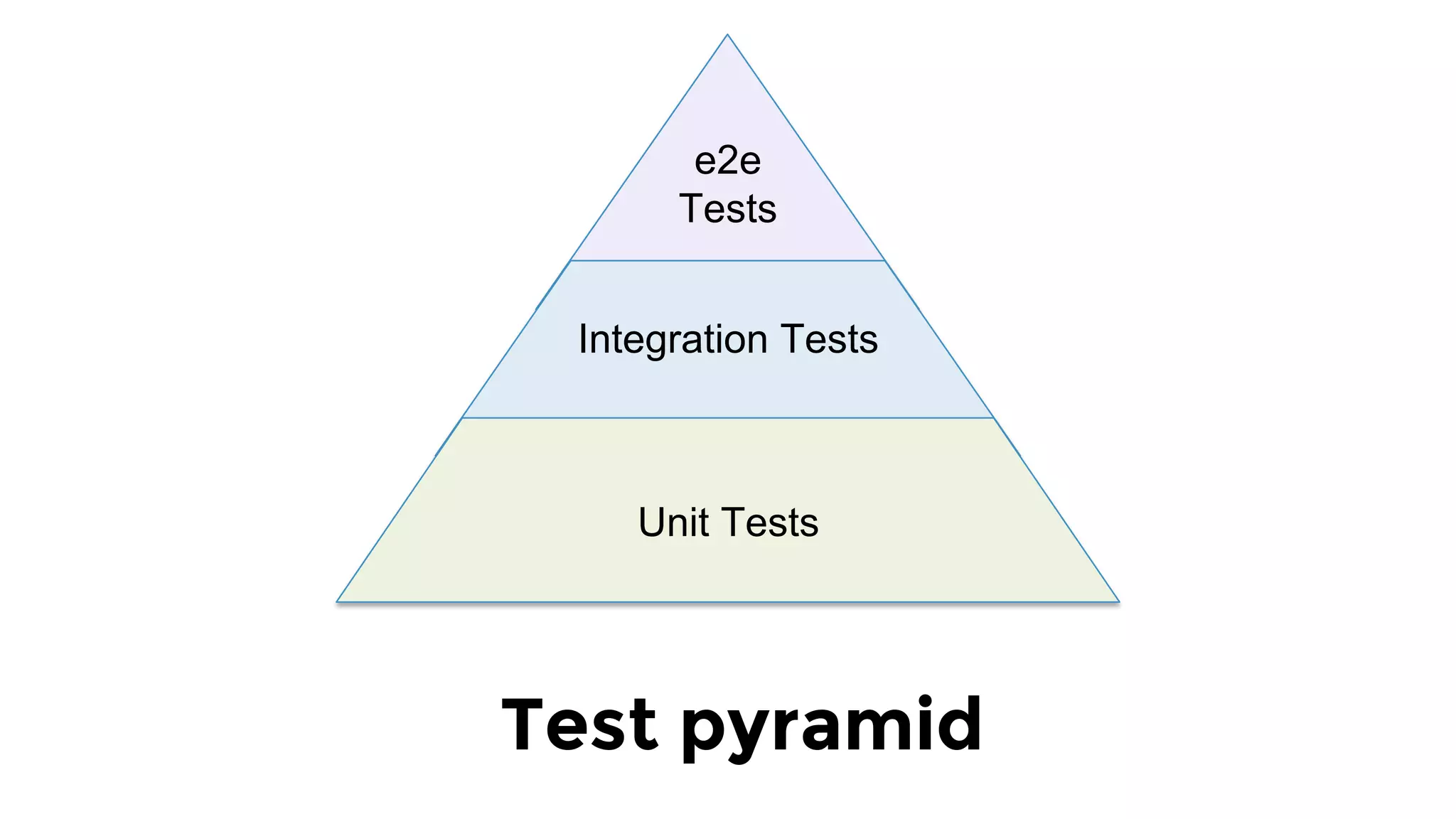
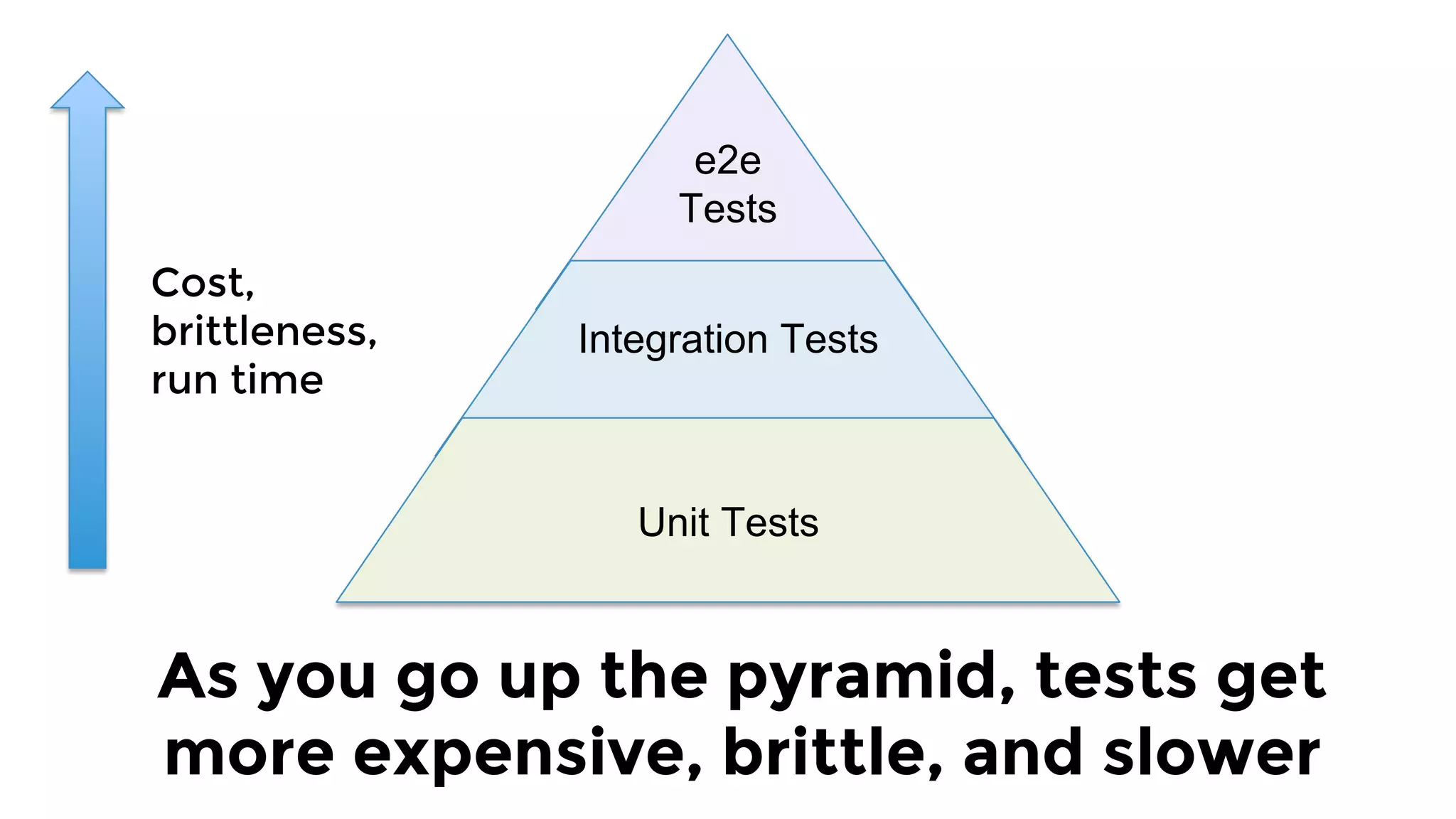
e2e
Tests
Test pyramid
Integration Tests
Unit Tests
As you go up the pyramid, tests get
more expensive, brittle, and slower
Cost,
brittleness,
run time
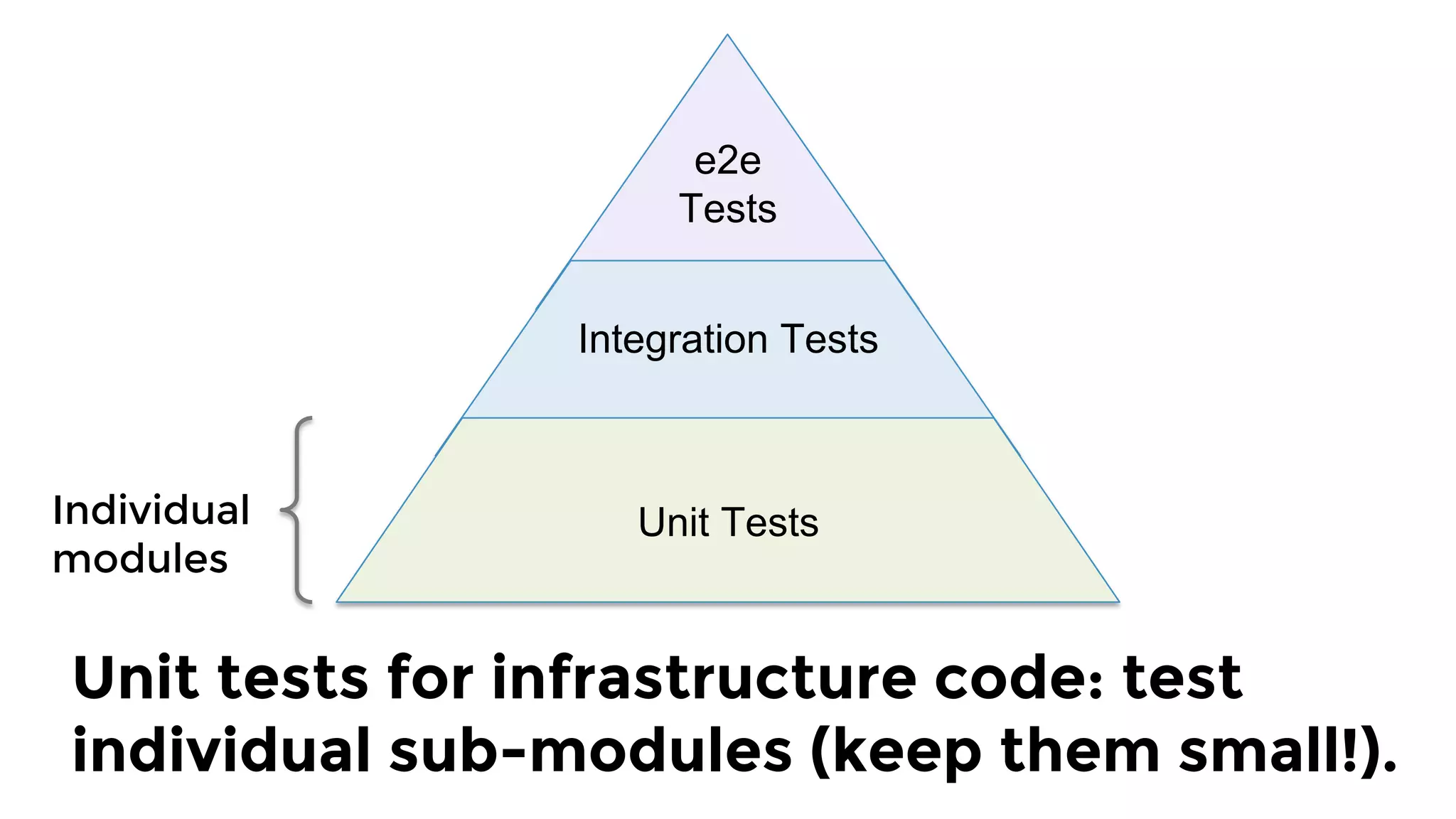
e2e
Tests
Integration Tests
Unit Tests
How the test pyramid works
with infrastructure code:
Individual 
modules
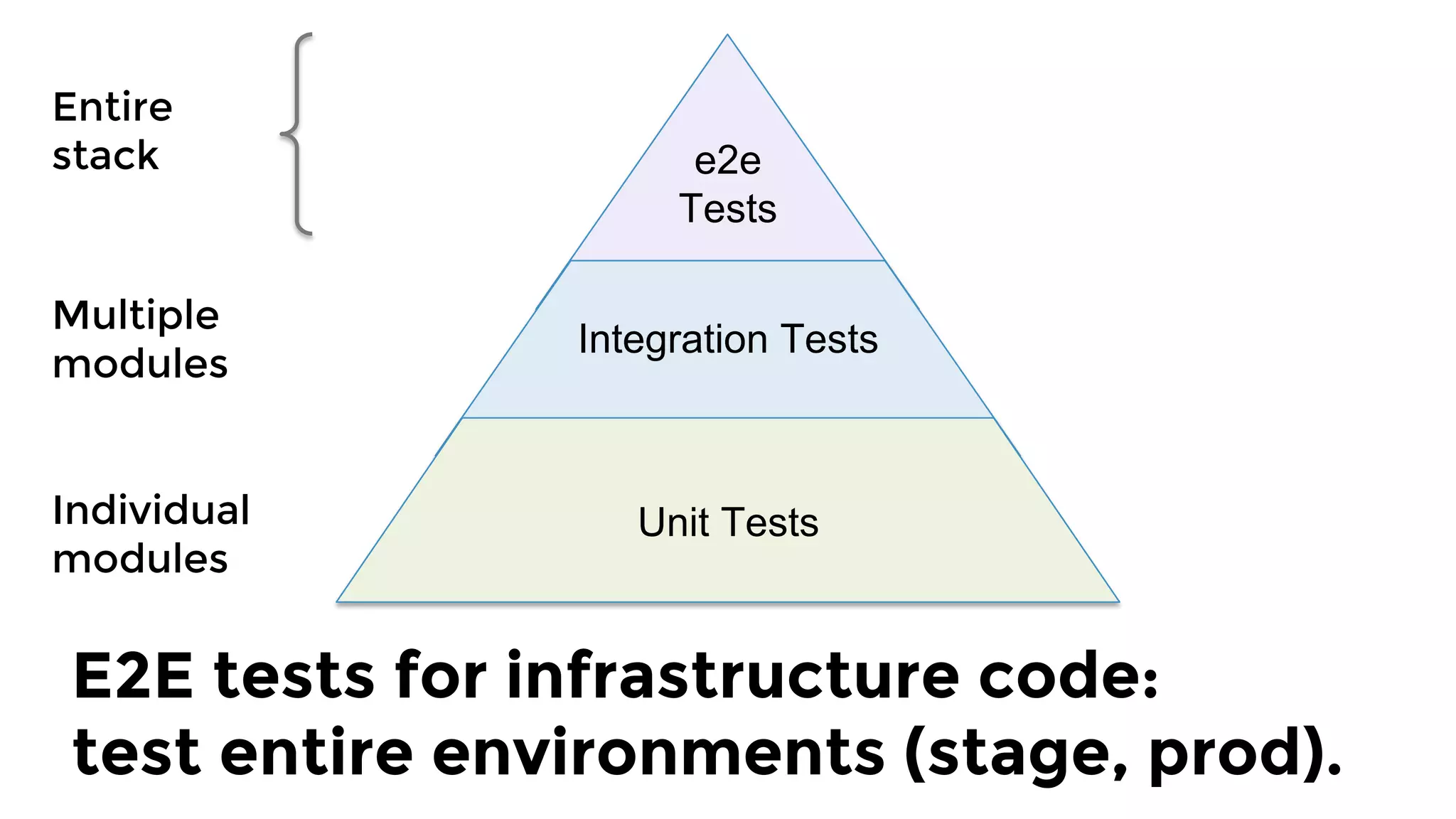
Unit tests for infrastructure code: test
individual sub-modules (keep them small!).
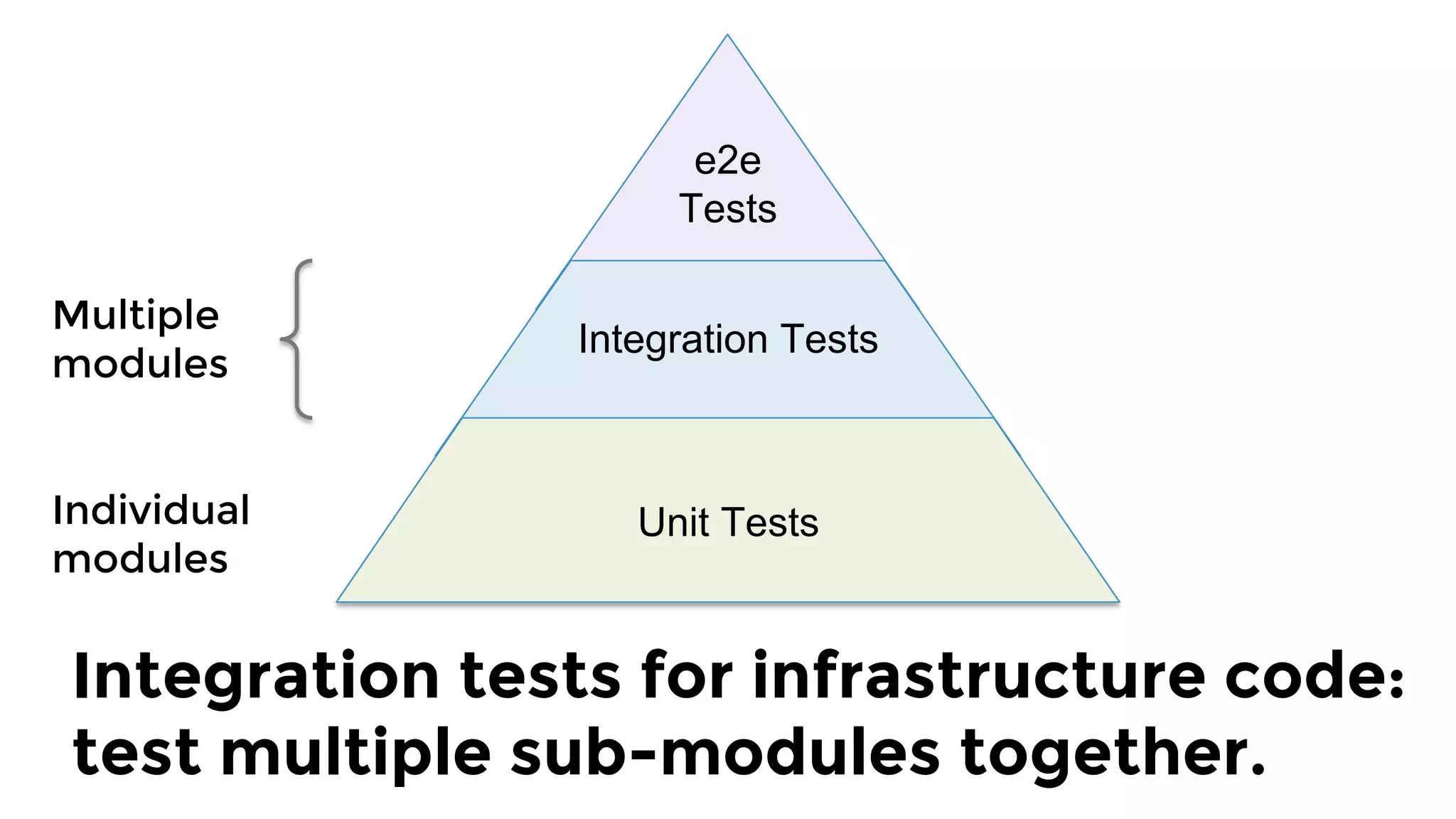
e2e
Tests
Integration Tests
Unit Tests
Multiple
modules
Integration tests for infrastructure code:
test multiple sub-modules together.
Individual 
modules
e2e
Tests
Integration Tests
Unit Tests
Entire
stack
E2E tests for infrastructure code: 
test entire environments (stage, prod).
Individual 
modules
e2e
Tests
Integration Tests
Unit Tests
Multiple
modules
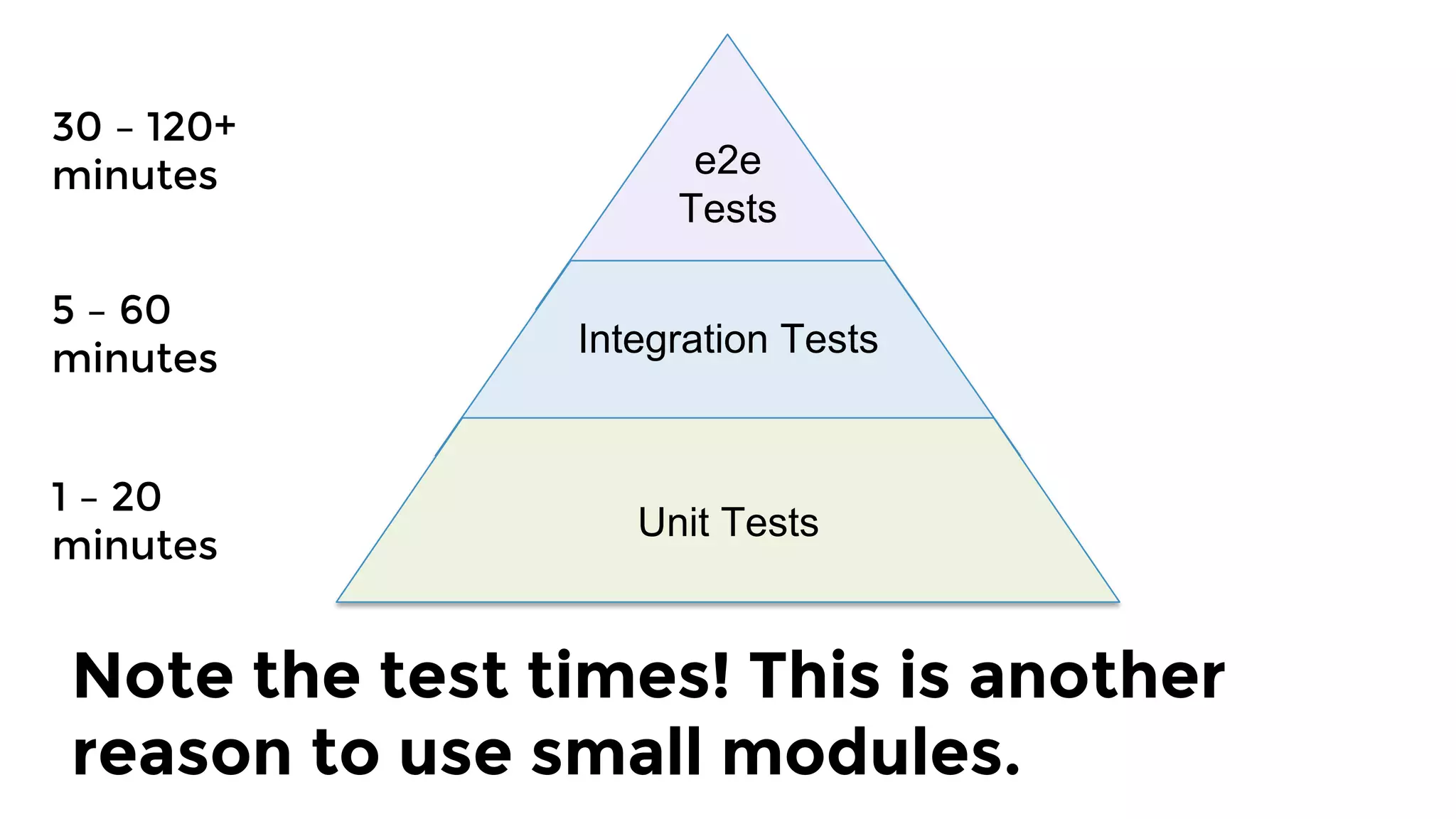
30 – 120+ 
minutes
5 – 60
minutes
Note the test times! This is another
reason to use small modules.
1 – 20 
minutes
e2e
Tests
Integration Tests
Unit Tests
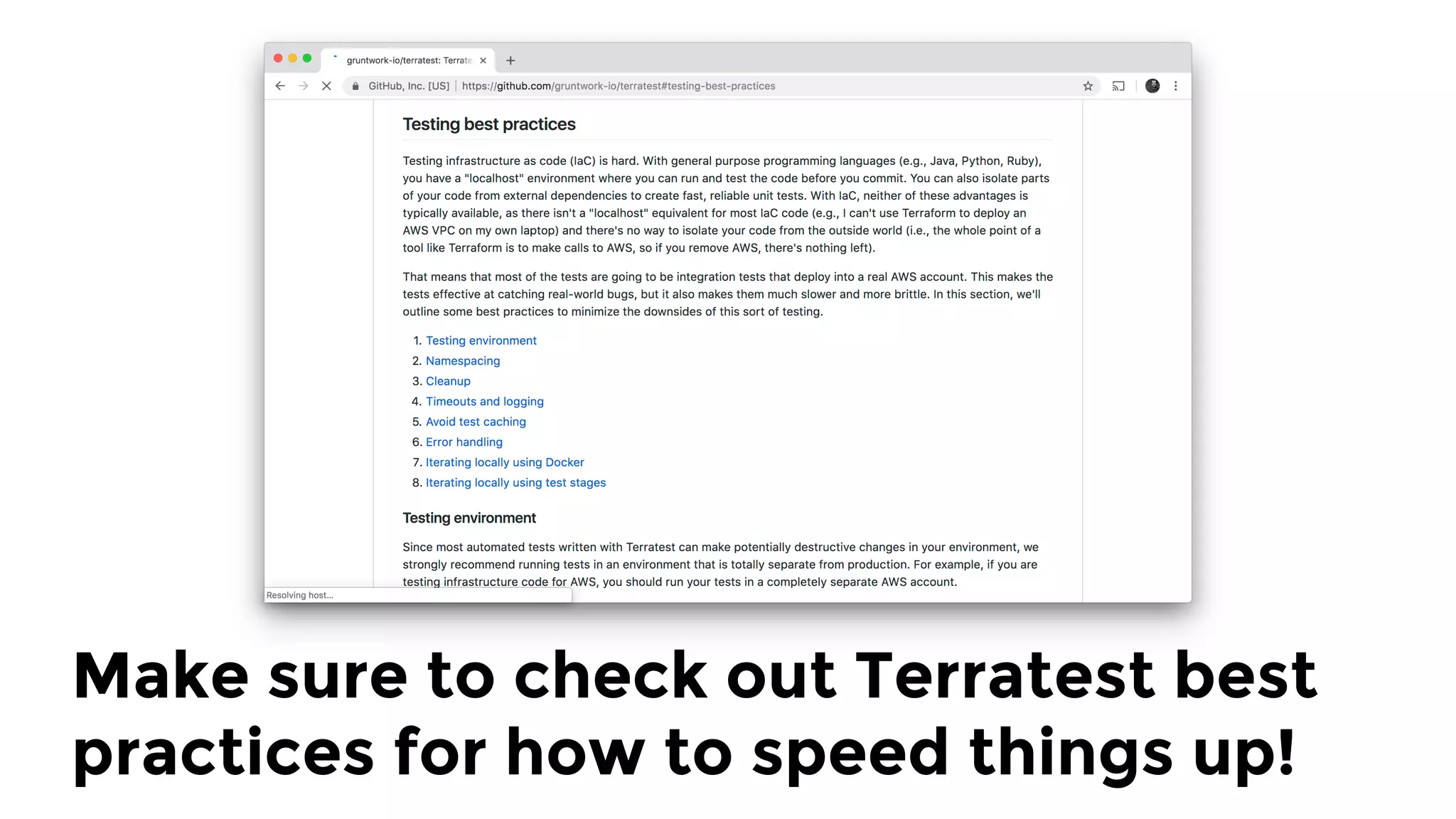
Make sure to check out Terratest best
practices for how to speed things up!
Key takeaway: infrastructure code
without automated tests is broken.
1.  Checklist
2.  Tools
3.  Modules
4.  Tests
5.  Releases
Outline
Let’s put it all together:
checklist, tools, modules, tests
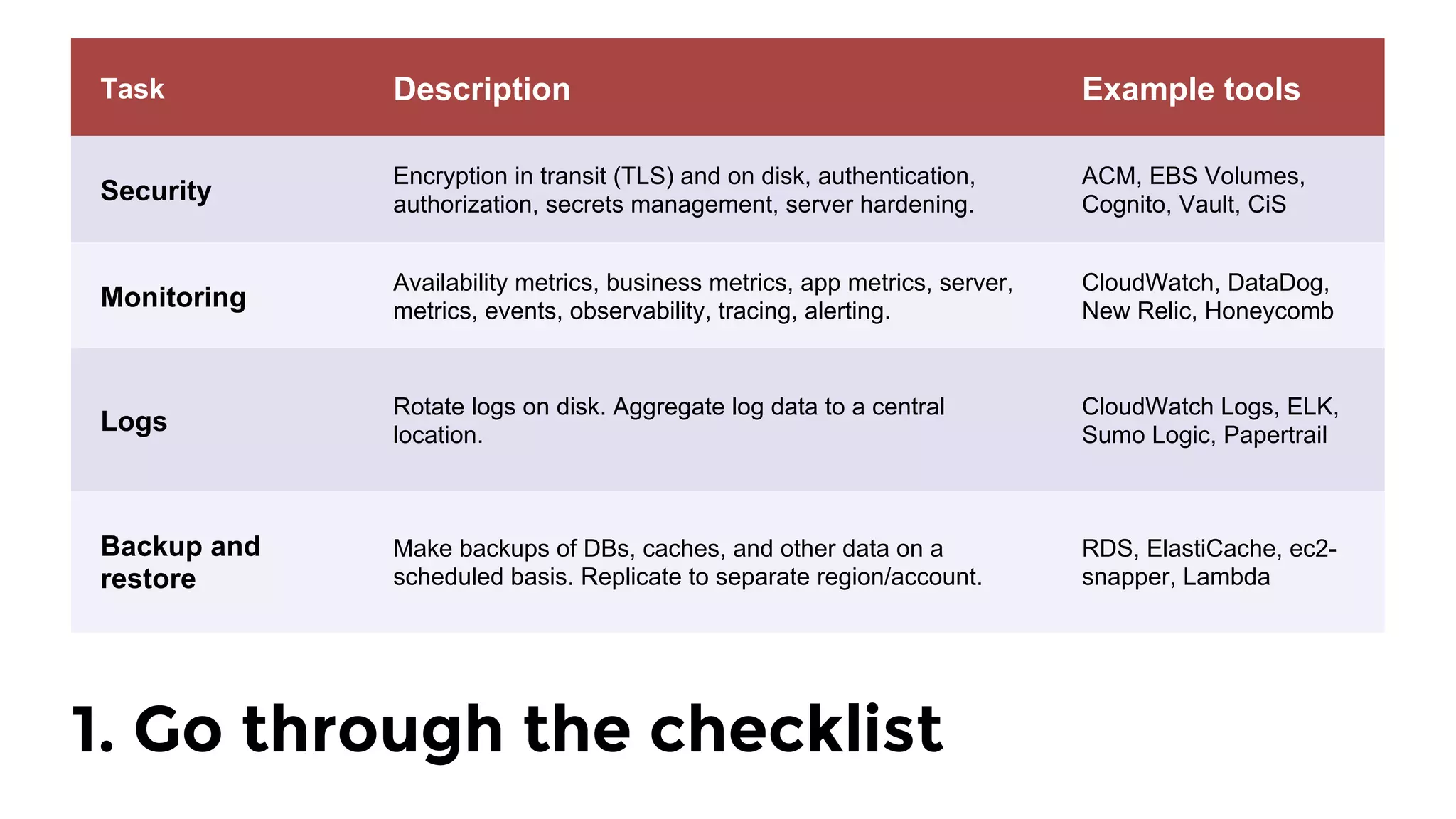
1. Go through the checklist
Task Description Example tools
Security
Encryption in transit (TLS) and on disk, authentication,
authorization, secrets management, server hardening.
ACM, EBS Volumes,
Cognito, Vault, CiS
Monitoring
Availability metrics, business metrics, app metrics, server,
metrics, events, observability, tracing, alerting.
CloudWatch, DataDog,
New Relic, Honeycomb
Logs
Rotate logs on disk. Aggregate log data to a central
location.
CloudWatch Logs, ELK,
Sumo Logic, Papertrail
Backup and
restore
Make backups of DBs, caches, and other data on a
scheduled basis. Replicate to separate region/account.
RDS, ElastiCache, ec2-
snapper, Lambda
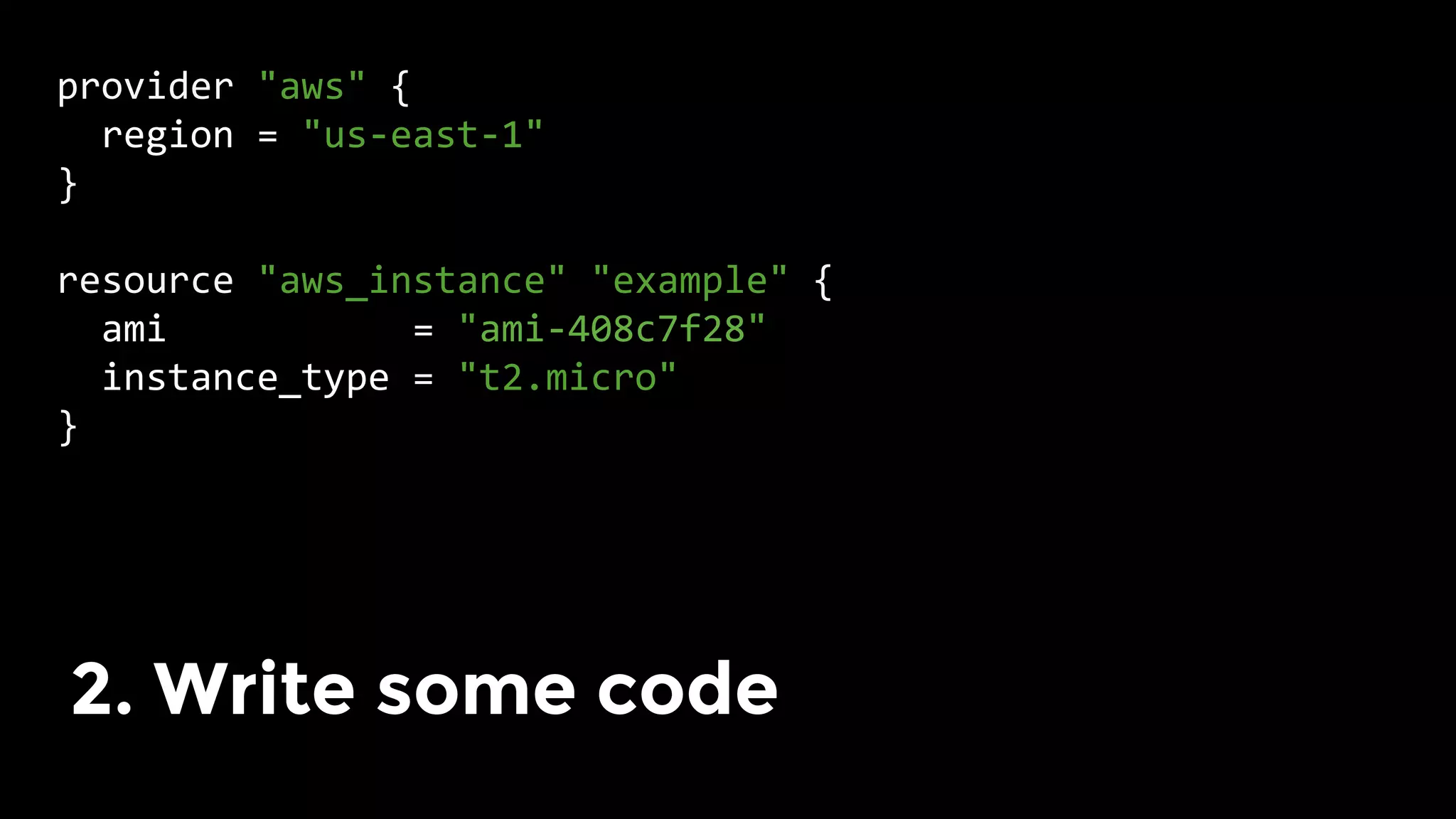
provider	"aws"	{	
		region	=	"us-east-1"	
}	
	
resource	"aws_instance"	"example"	{	
		ami											=	"ami-408c7f28"	
		instance_type	=	"t2.micro"	
}	
	
2. Write some code
terraformOptions := &terraform.Options {
TerraformDir: "../examples/vault-with-elb",
}
defer terraform.Destroy(t, terraformOptions)
terraform.InitAndApply(t, terraformOptions)
validateServerIsWorking(t, terraformOptions)
3. Write automated tests
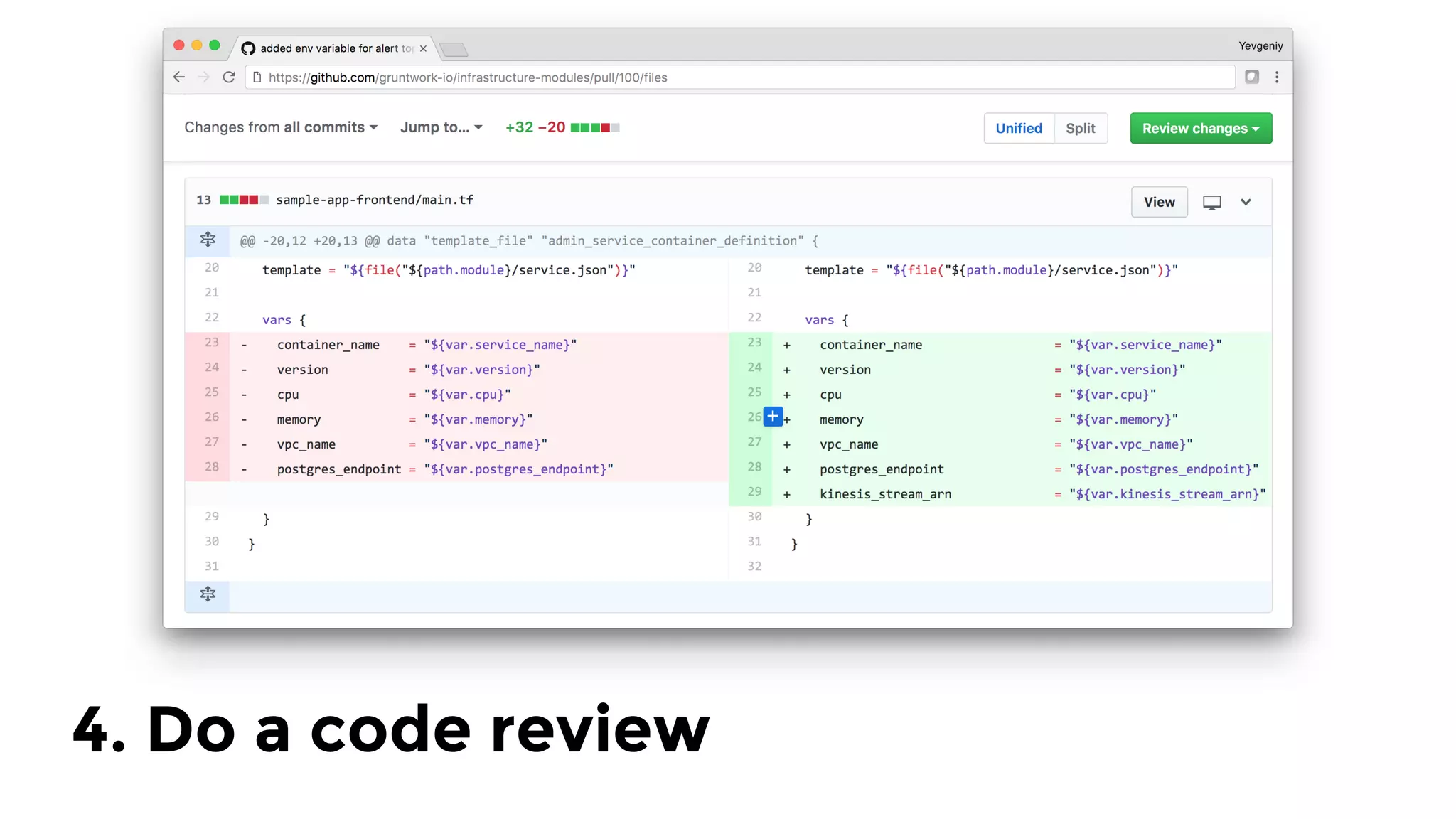
4. Do a code review
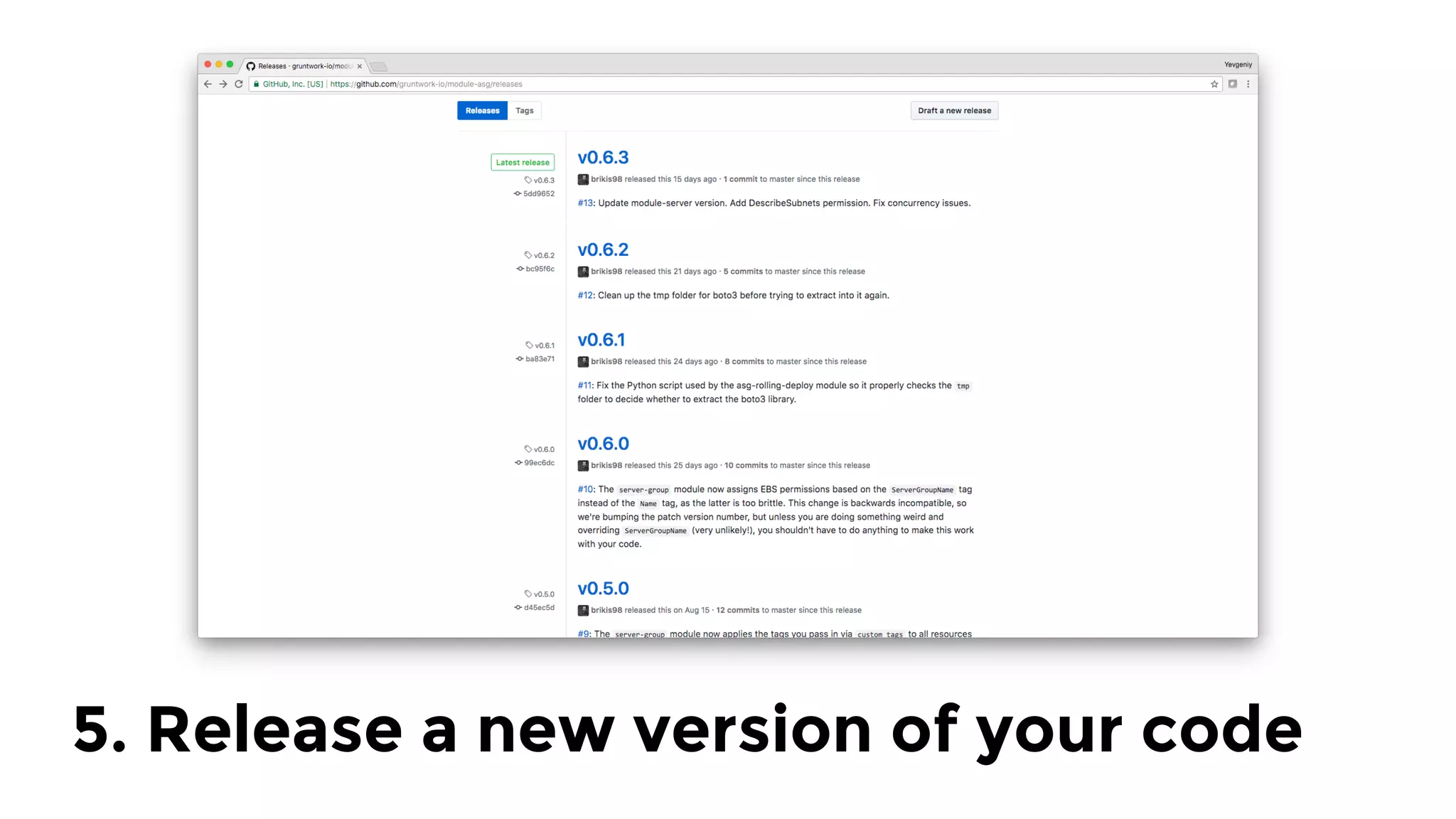
5. Release a new version of your code
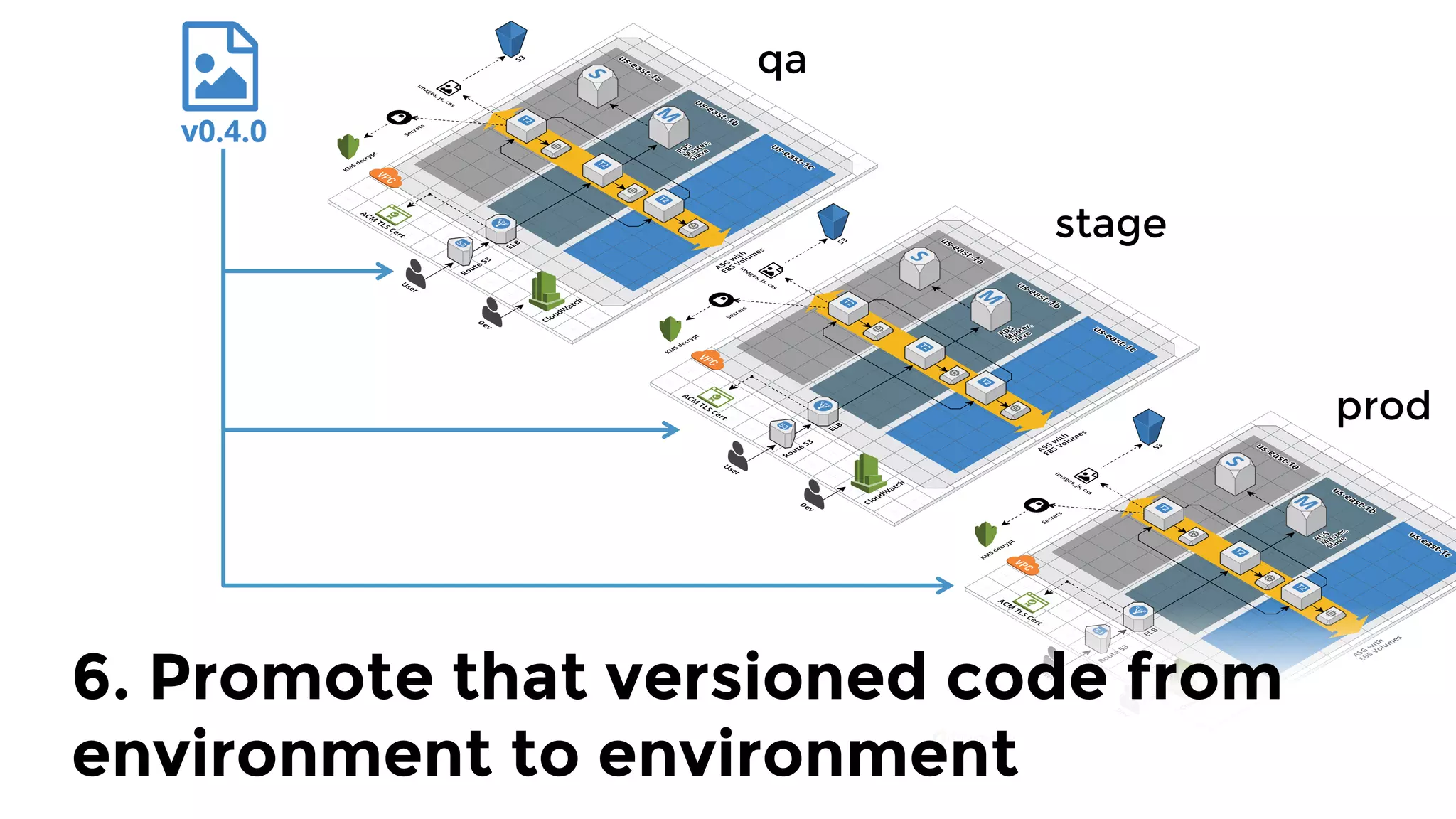
qa
stage
prod
6. Promote that versioned code from
environment to environment
Key takeaway:
Before…	
…After
Questions?
info@gruntwork.io

Lessons learned from writing over 300,000 lines of infrastructure code