Streaming ETL
From rdbms to dashboard with Kafka and KSQL
Björn Rost
Things I am good at
•Oracle (and relational) databases
•Performance
•High-Availability
•PL/SQL and ETL
•Replication
•Exadata
•Automation/DevOps
•Linux and Solaris
•VMs and solaris containers
© 2016 Pythian 11
Things I am getting good at
•Kafka and streaming
•Cloud and cloud native data processing
•Dataflow, bigquery
•Machine learning
•docker
© 2016 Pythian 12
Things I am not good at
And have limited interest in
•“real” programming
•Especially java
•GUIs
•Coming up with meaningful demos
© 2016 Pythian 13
ABOUT PYTHIAN
Pythian’s 400+ IT professionals help
companies adopt
and manage disruptive technologies
to better compete
© 2016 Pythian 14
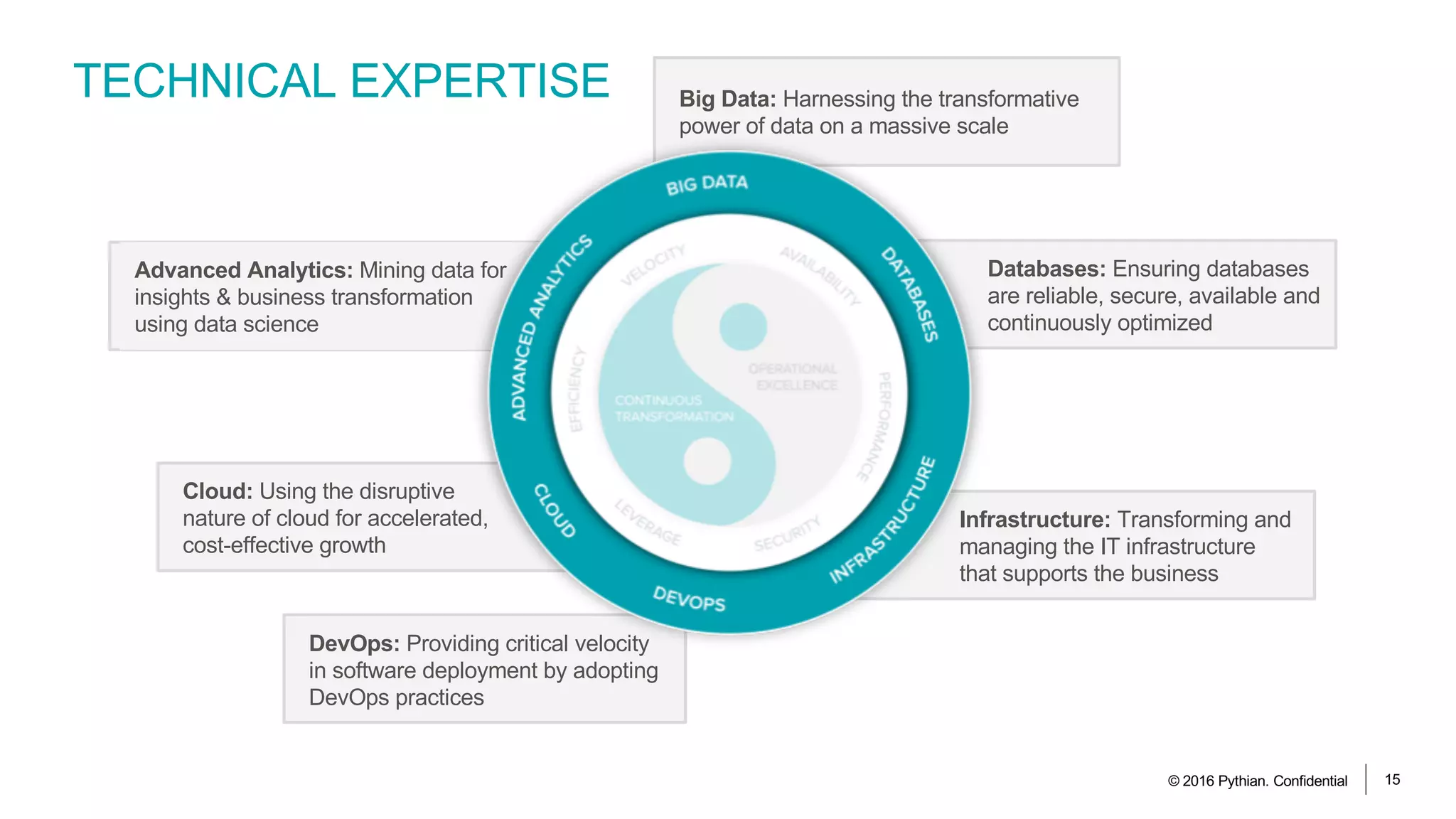
TECHNICAL EXPERTISE
© 2016 Pythian. Confidential 15
Infrastructure: Transforming and
managing the IT infrastructure
that supports the business
DevOps: Providing critical velocity
in software deployment by adopting
DevOps practices
Cloud: Using the disruptive
nature of cloud for accelerated,
cost-effective growth
Databases: Ensuring databases
are reliable, secure, available and
continuously optimized
Big Data: Harnessing the transformative
power of data on a massive scale
Advanced Analytics: Mining data for
insights & business transformation
using data science
© 2016 Pythian 16
assumptions
•You know more about kafka than me
•Today you do not want to hear much
about how great Oracle is
AGENDA
• Motivation / what are we going to build here?
• Getting rdbms data into kafka
• streaming ETL and KSQL
• Feeding kafka into grafana
• Demo time! (or Q&A)
© 2016 Pythian 17
motivation (noun)
/məʊtɪˈveɪʃ(ə)n/
AKA: how to tease you enough to pay attention through the next 42 mintues
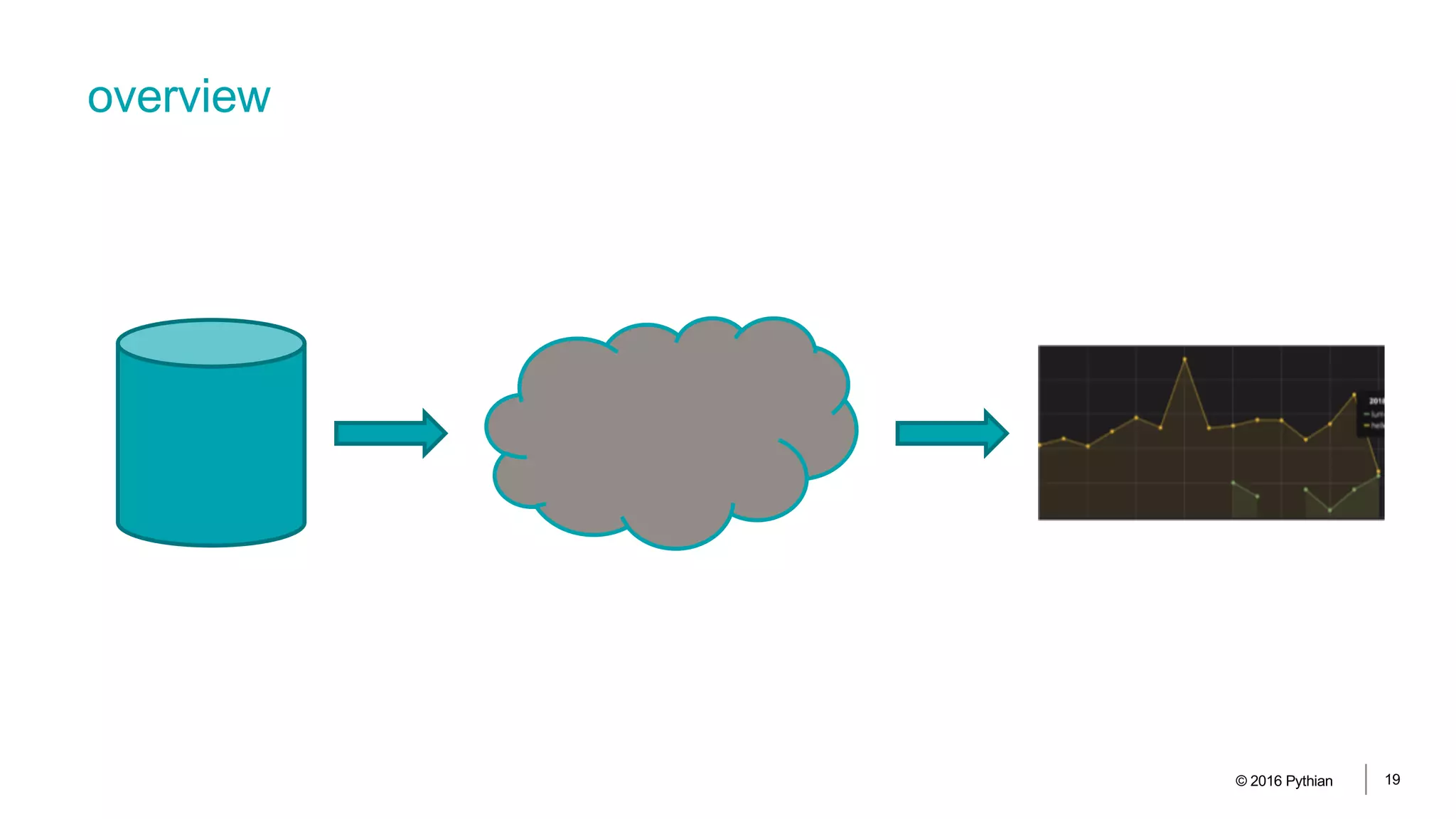
overview
© 2016 Pythian 19
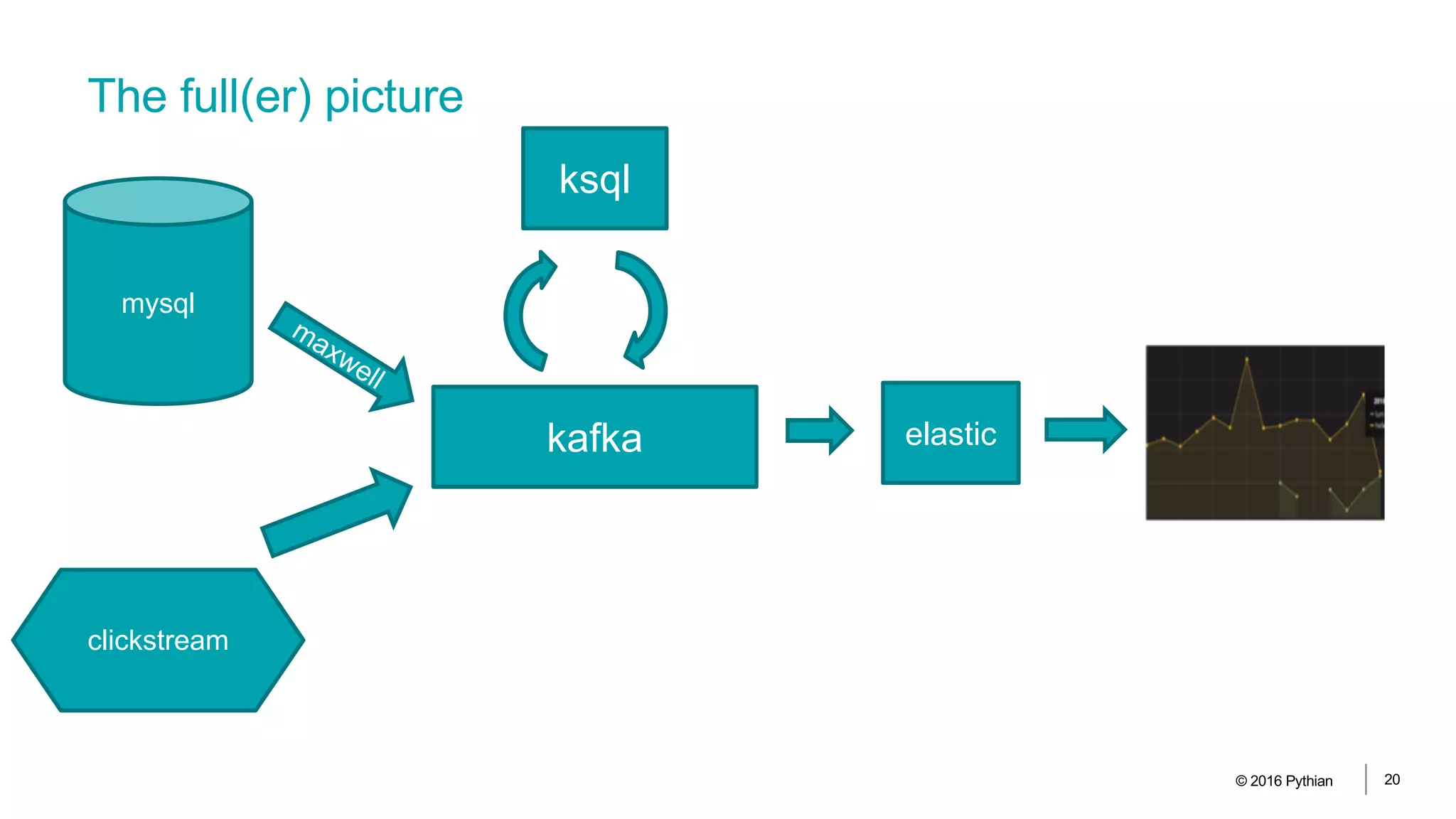
The full(er) picture
© 2016 Pythian 20
mysql
maxwell
kafka
ksql
elastic
clickstream
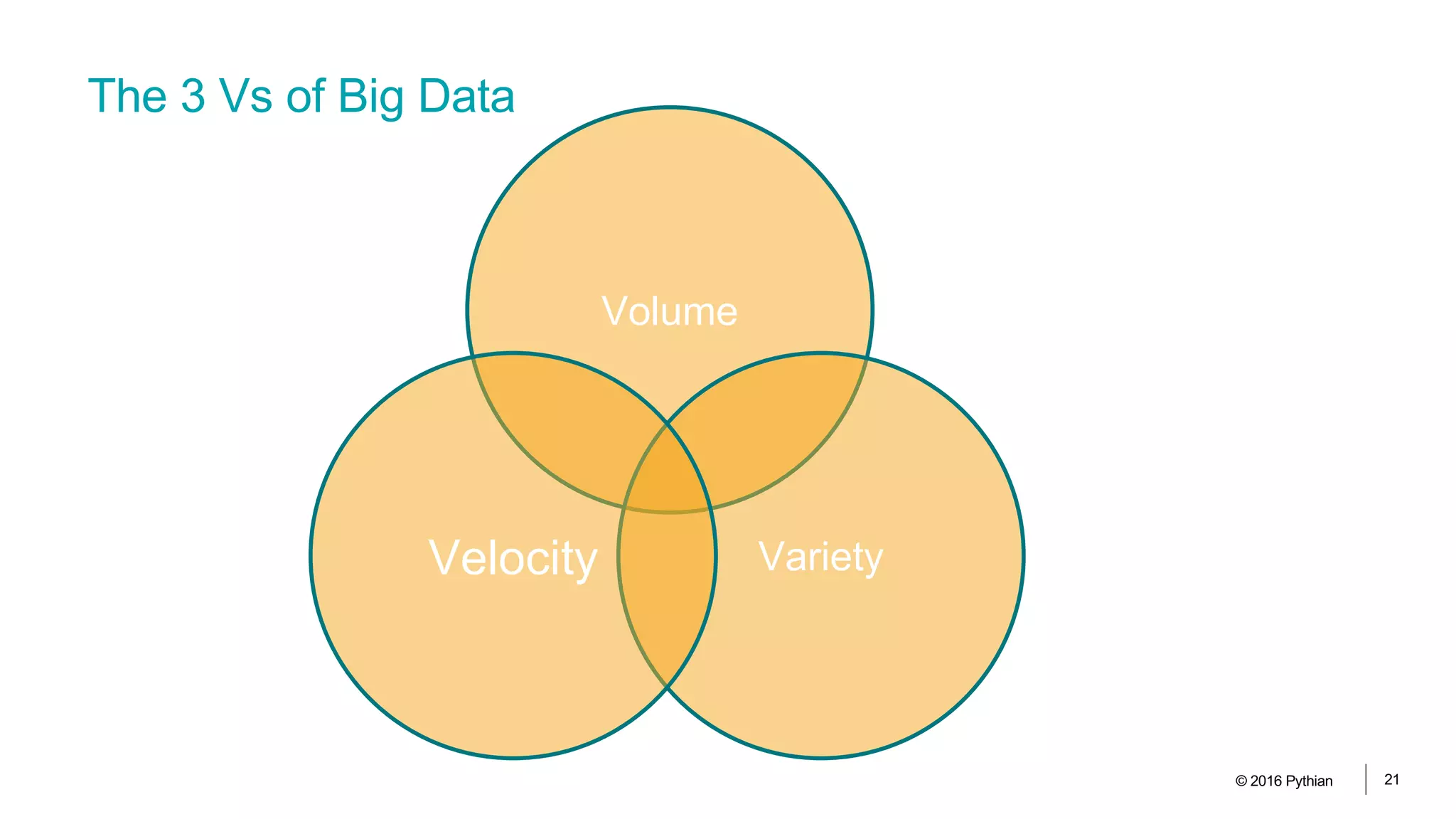
The 3 Vs of Big Data
© 2016 Pythian 21
Volume
VarietyVelocity
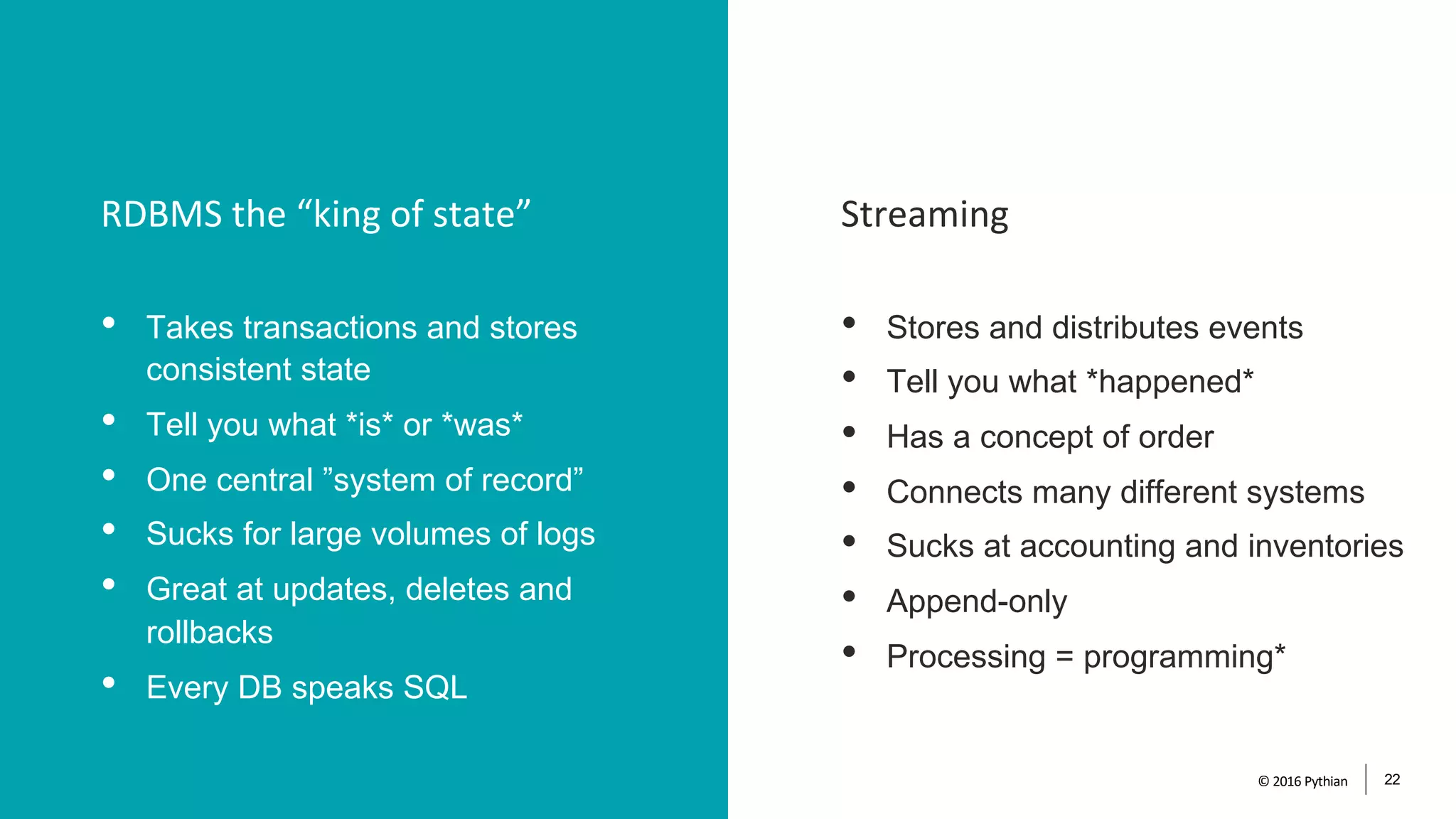
StreamingRDBMS the “king of state”
© 2016 Pythian 22
• Takes transactions and stores
consistent state
• Tell you what *is* or *was*
• One central ”system of record”
• Sucks for large volumes of logs
• Great at updates, deletes and
rollbacks
• Every DB speaks SQL
• Stores and distributes events
• Tell you what *happened*
• Has a concept of order
• Connects many different systems
• Sucks at accounting and inventories
• Append-only
• Processing = programming*
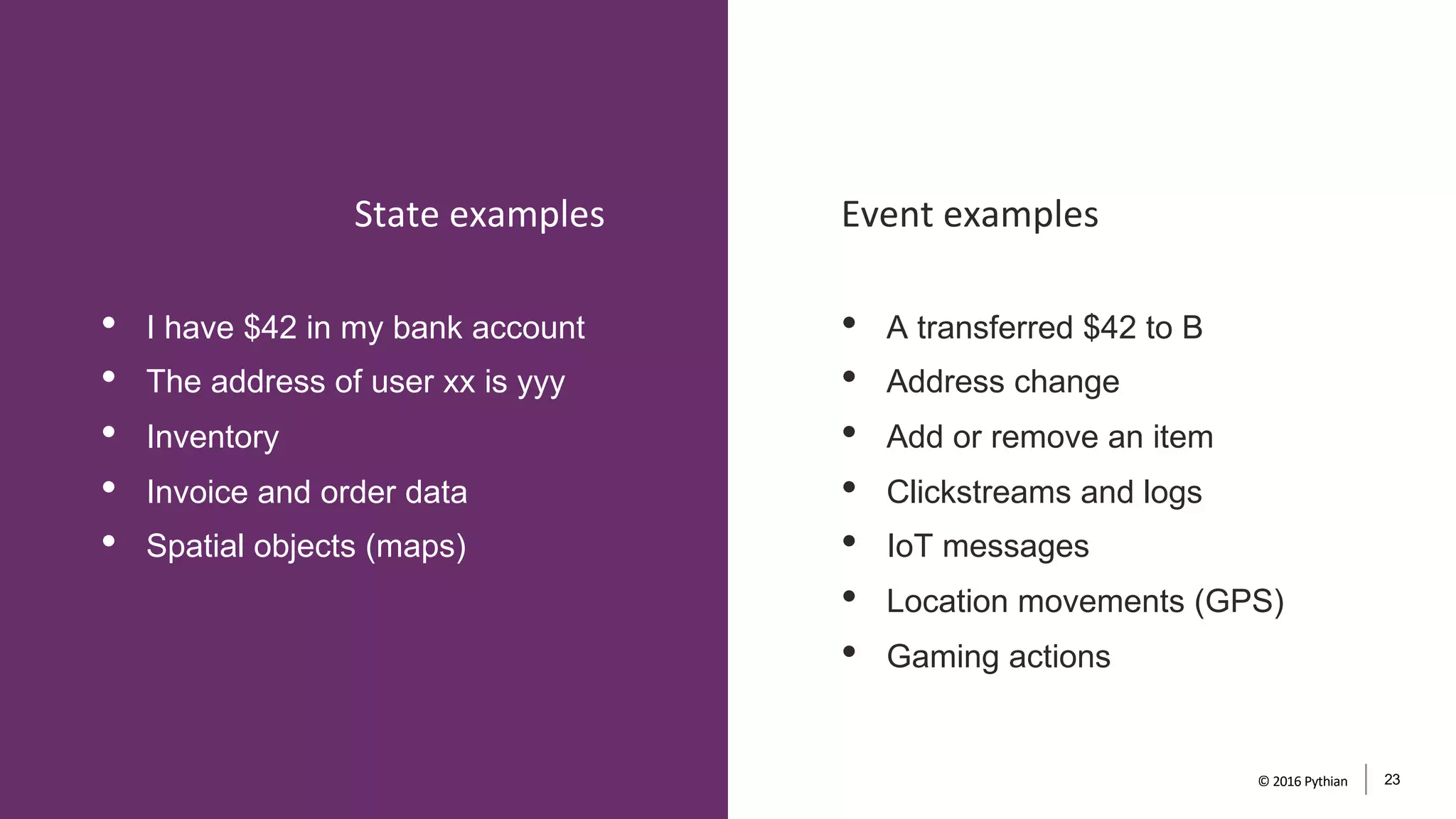
• I have $42 in my bank account
• The address of user xx is yyy
• Inventory
• Invoice and order data
• Spatial objects (maps)
• A transferred $42 to B
• Address change
• Add or remove an item
• Clickstreams and logs
• IoT messages
• Location movements (GPS)
• Gaming actions
Event examplesState examples
© 2016 Pythian 23
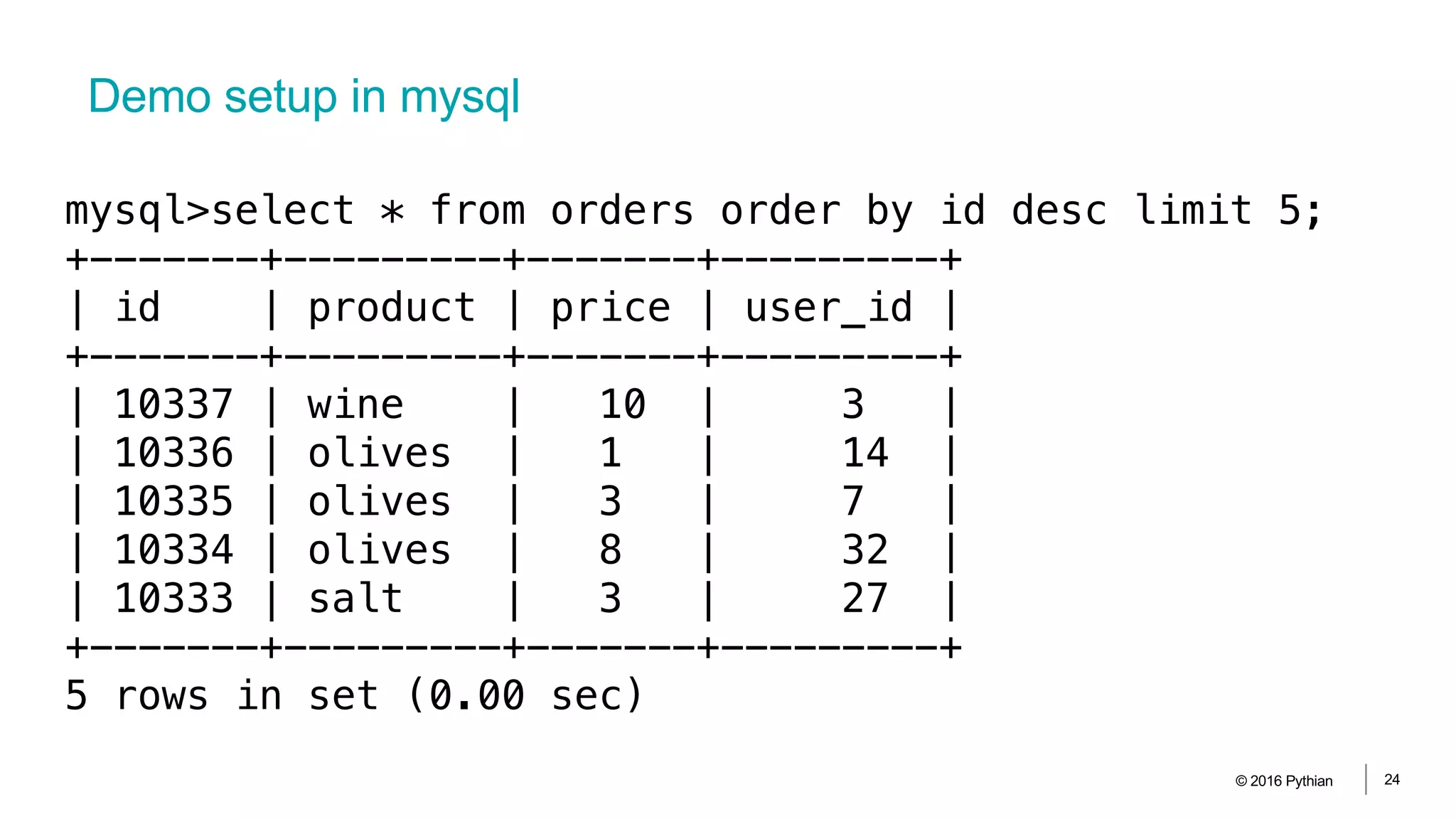
Demo setup in mysql
© 2016 Pythian 24
mysql>select * from orders order by id desc limit 5;
+-------+---------+-------+---------+
| id | product | price | user_id |
+-------+---------+-------+---------+
| 10337 | wine | 10 | 3 |
| 10336 | olives | 1 | 14 |
| 10335 | olives | 3 | 7 |
| 10334 | olives | 8 | 32 |
| 10333 | salt | 3 | 27 |
+-------+---------+-------+---------+
5 rows in set (0.00 sec)
rdbms -> kafka
© 2016 Pythian 25
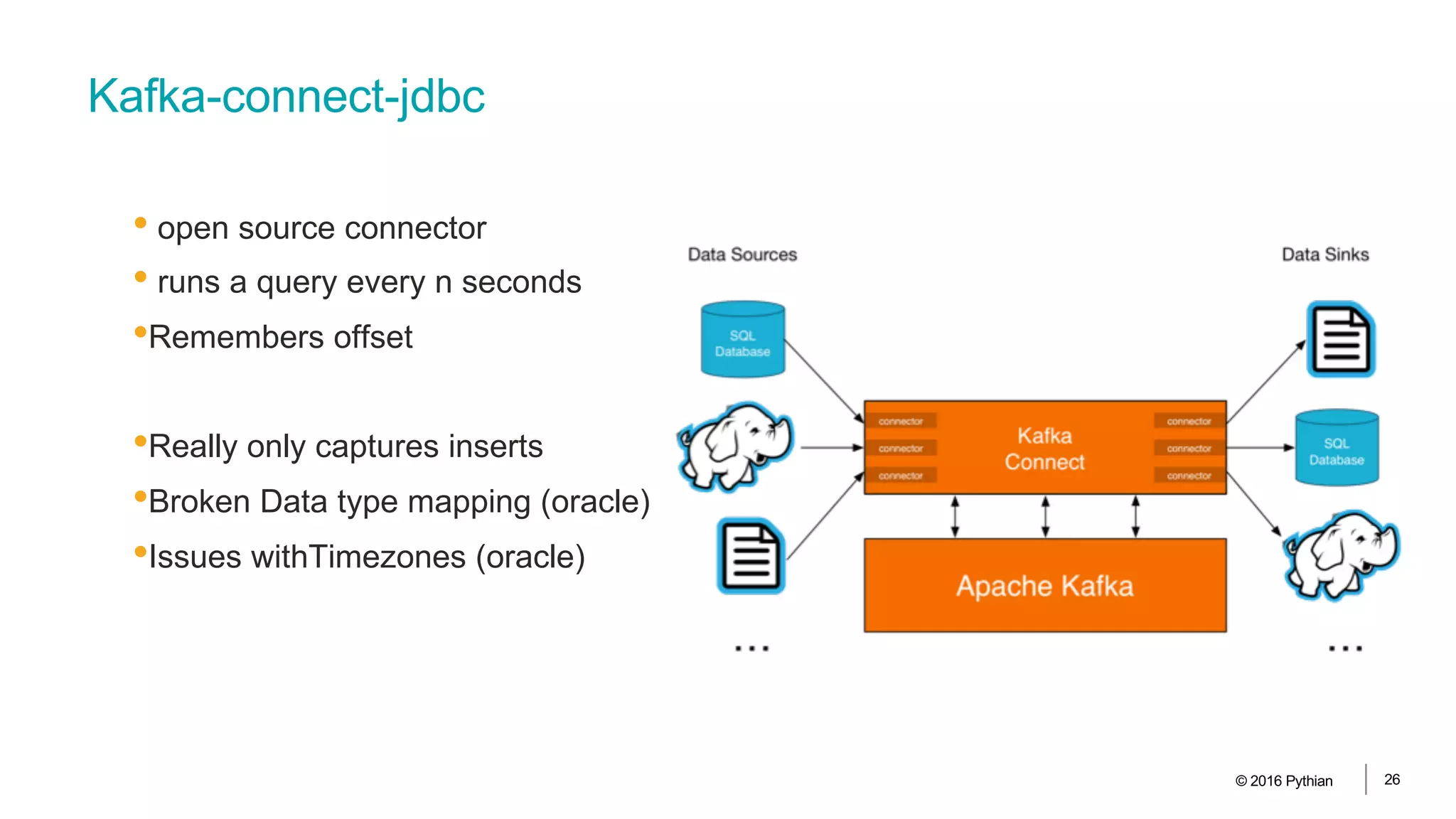
Kafka-connect-jdbc
• open source connector
• runs a query every n seconds
•Remembers offset
•Really only captures inserts
•Broken Data type mapping (oracle)
•Issues withTimezones (oracle)
© 2016 Pythian 26
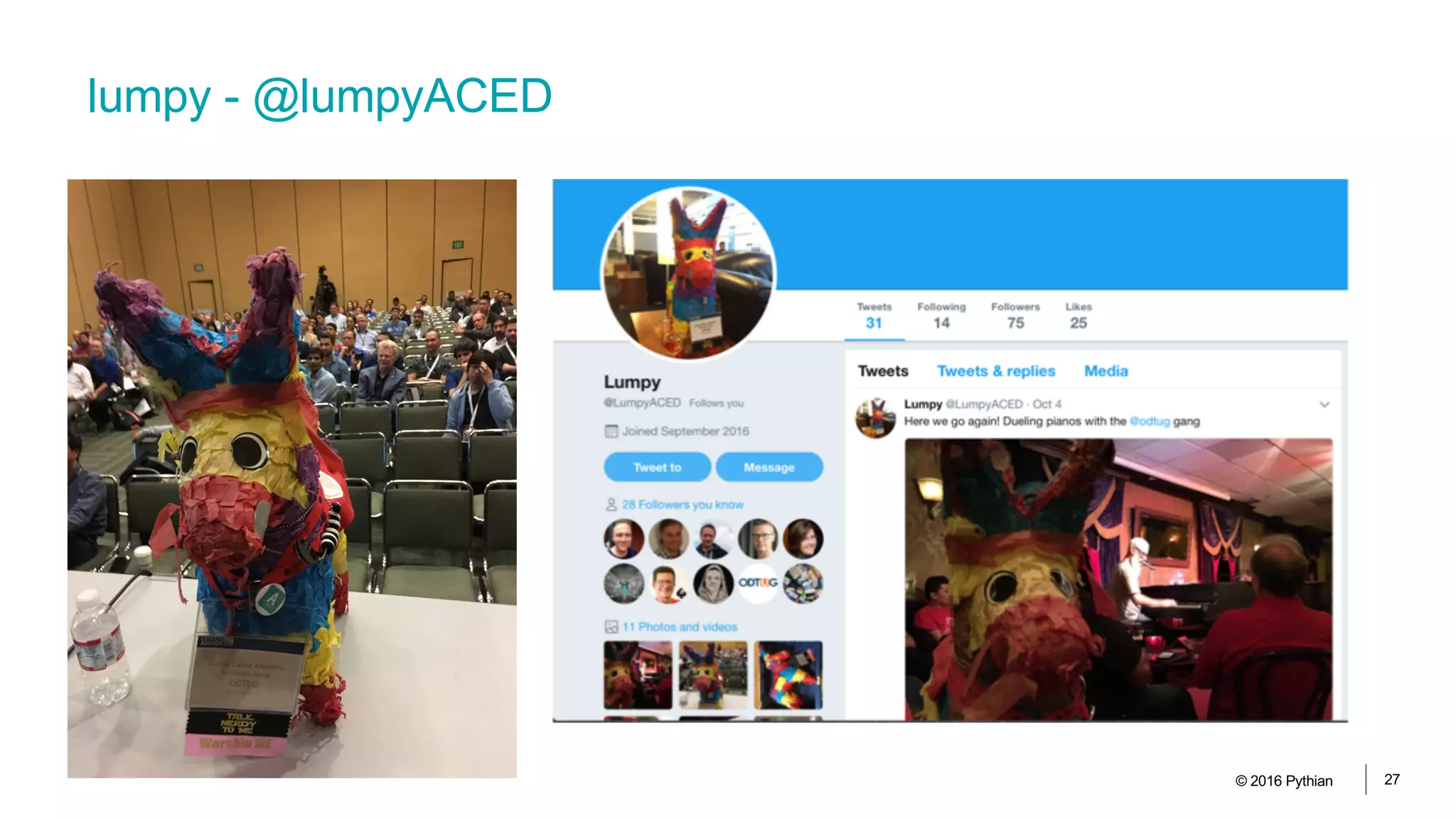
lumpy - @lumpyACED
© 2016 Pythian 27
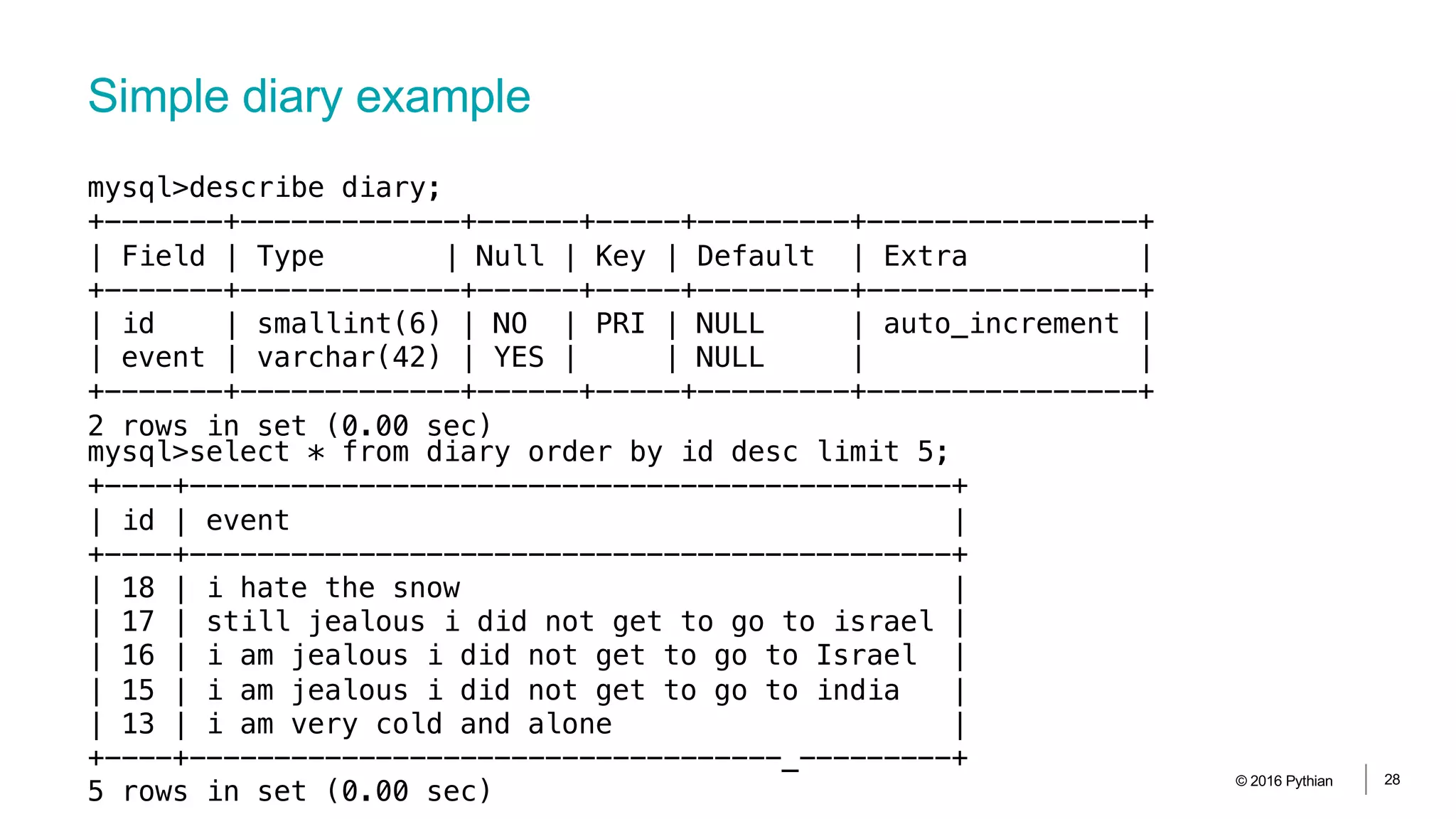
Simple diary example
© 2016 Pythian 28
mysql>describe diary;
+-------+-------------+------+-----+---------+----------------+
| Field | Type | Null | Key | Default | Extra |
+-------+-------------+------+-----+---------+----------------+
| id | smallint(6) | NO | PRI | NULL | auto_increment |
| event | varchar(42) | YES | | NULL | |
+-------+-------------+------+-----+---------+----------------+
2 rows in set (0.00 sec)
mysql>select * from diary order by id desc limit 5;
+----+---------------------------------------------+
| id | event |
+----+---------------------------------------------+
| 18 | i hate the snow |
| 17 | still jealous i did not get to go to israel |
| 16 | i am jealous i did not get to go to Israel |
| 15 | i am jealous i did not get to go to india |
| 13 | i am very cold and alone |
+----+-----------------------------------_---------+
5 rows in set (0.00 sec)
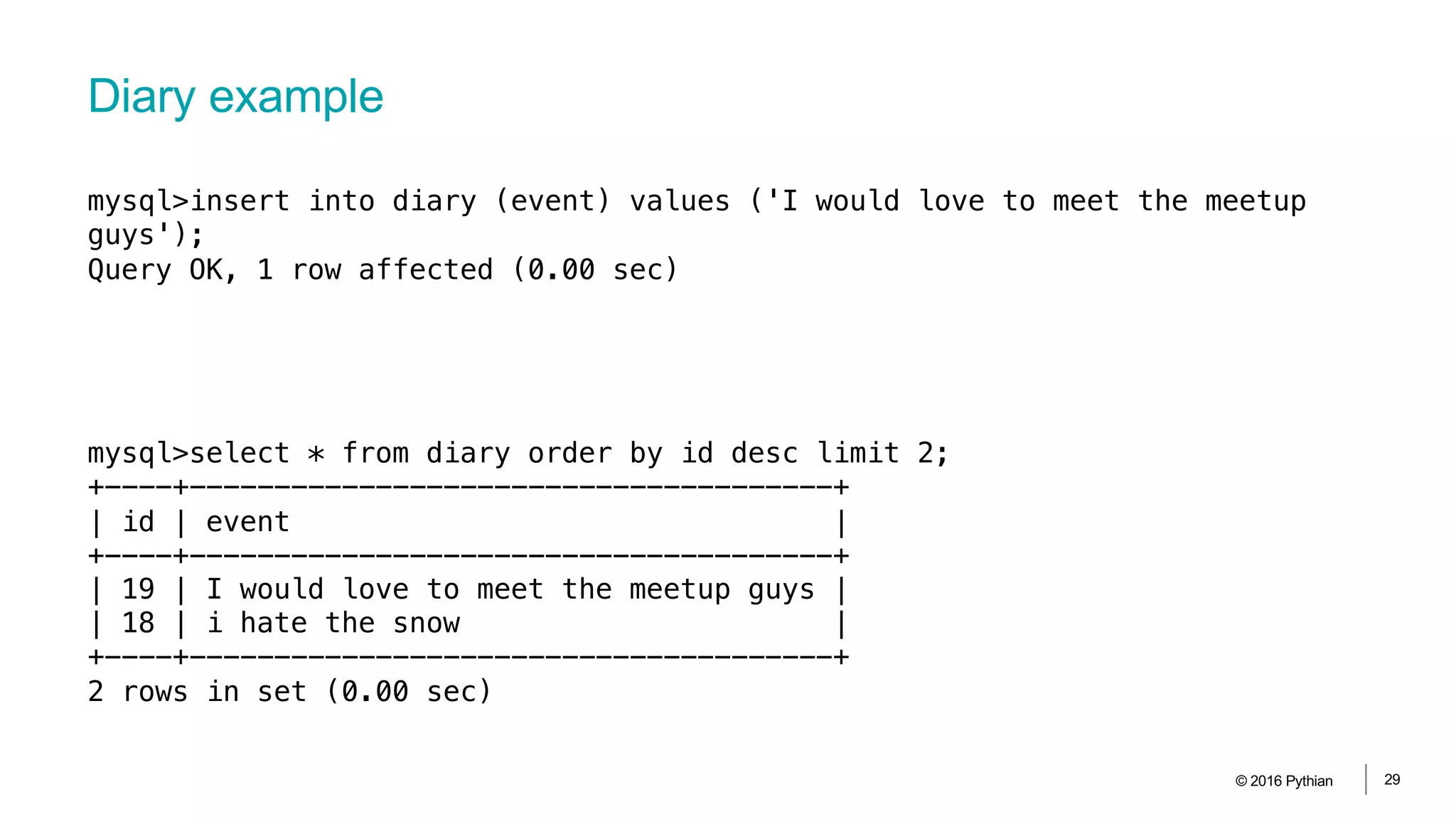
Diary example
© 2016 Pythian 29
mysql>insert into diary (event) values ('I would love to meet the meetup
guys');
Query OK, 1 row affected (0.00 sec)
mysql>select * from diary order by id desc limit 2;
+----+--------------------------------------+
| id | event |
+----+--------------------------------------+
| 19 | I would love to meet the meetup guys |
| 18 | i hate the snow |
+----+--------------------------------------+
2 rows in set (0.00 sec)
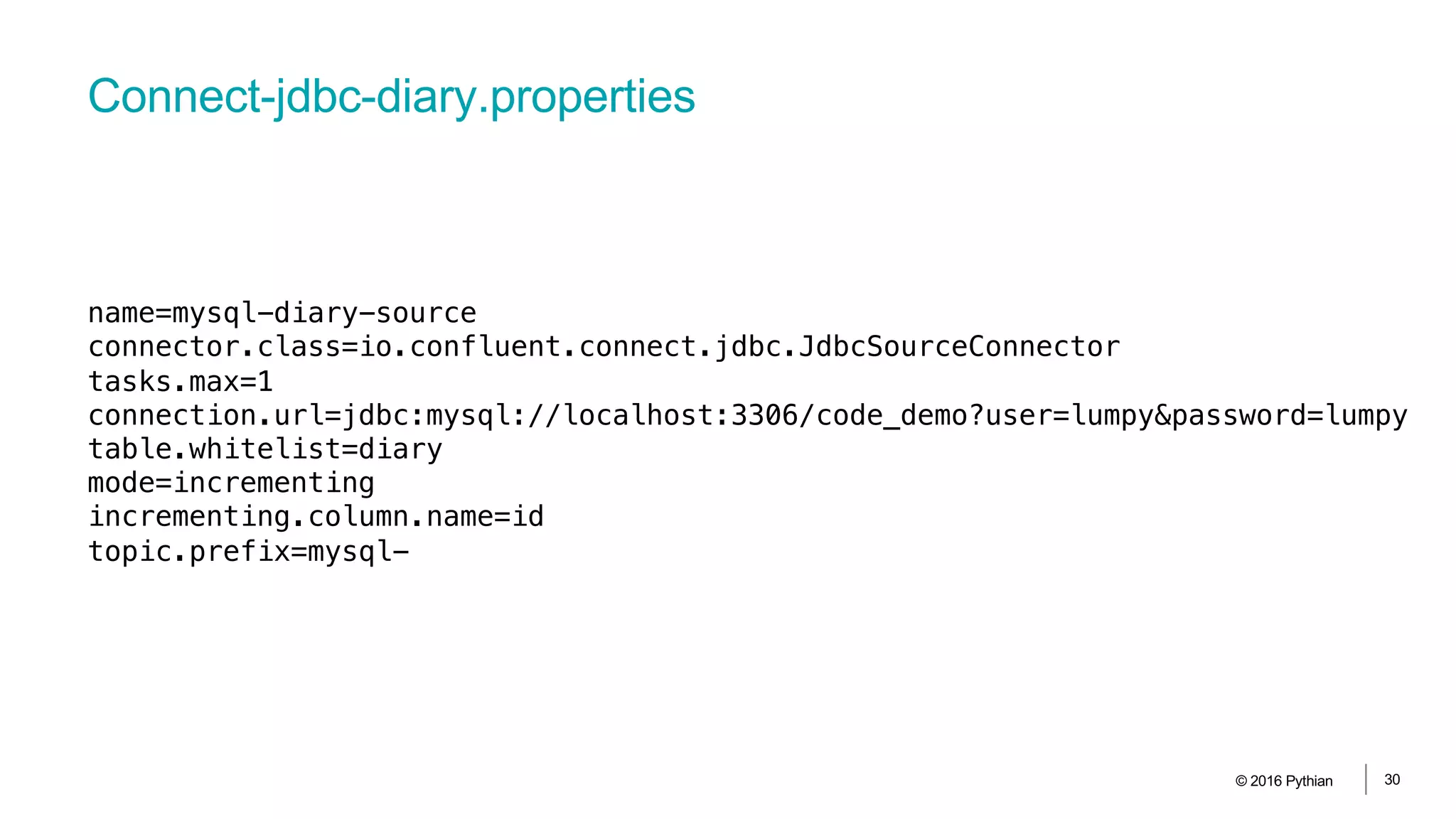
Connect-jdbc-diary.properties
© 2016 Pythian 30
name=mysql-diary-source
connector.class=io.confluent.connect.jdbc.JdbcSourceConnector
tasks.max=1
connection.url=jdbc:mysql://localhost:3306/code_demo?user=lumpy&password=lumpy
table.whitelist=diary
mode=incrementing
incrementing.column.name=id
topic.prefix=mysql-
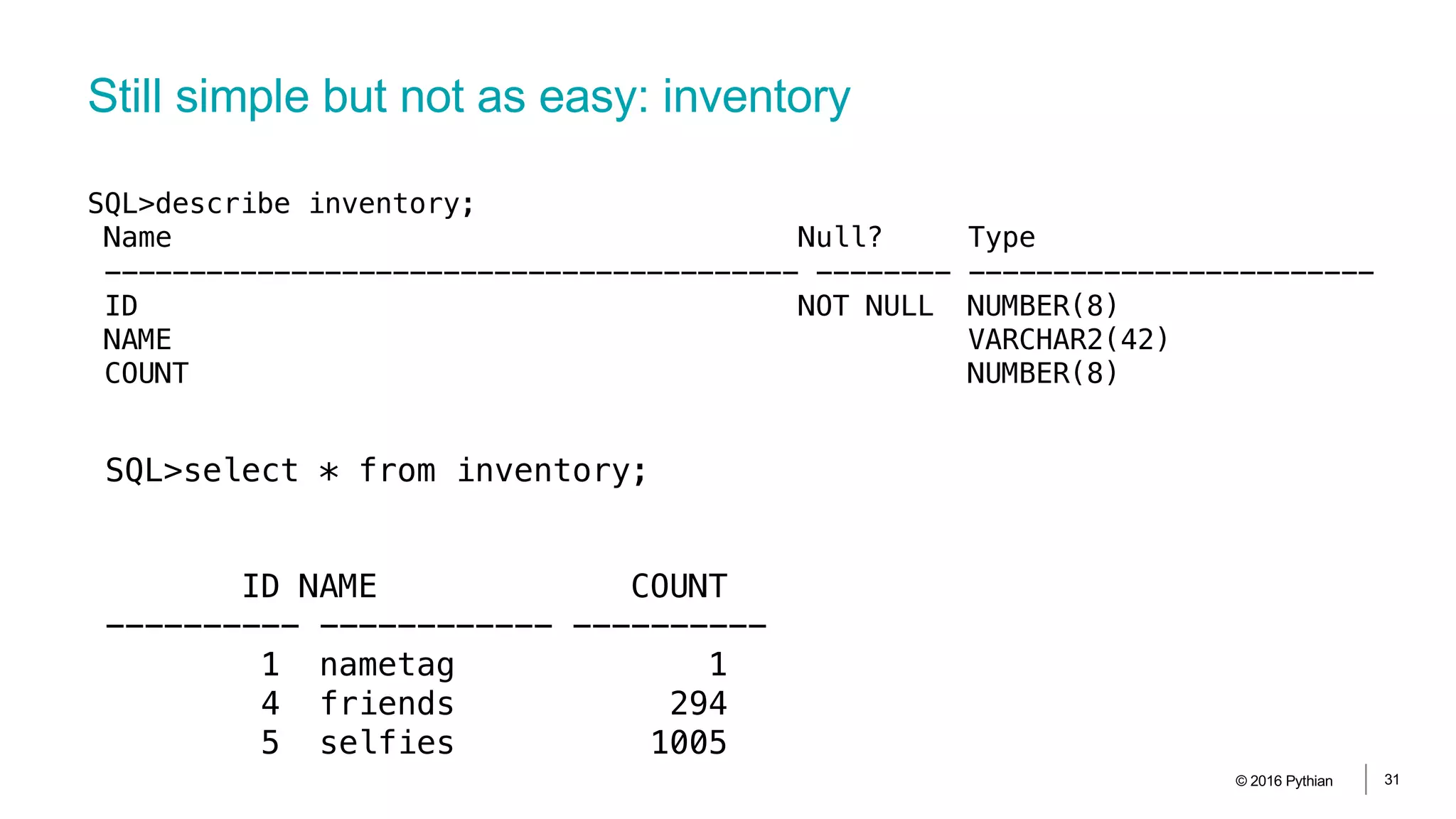
Still simple but not as easy: inventory
© 2016 Pythian 31
SQL>describe inventory;
Name Null? Type
----------------------------------------- -------- ------------------------
ID NOT NULL NUMBER(8)
NAME VARCHAR2(42)
COUNT NUMBER(8)
SQL>select * from inventory;
ID NAME COUNT
---------- ------------ ----------
1 nametag 1
4 friends 294
5 selfies 1005
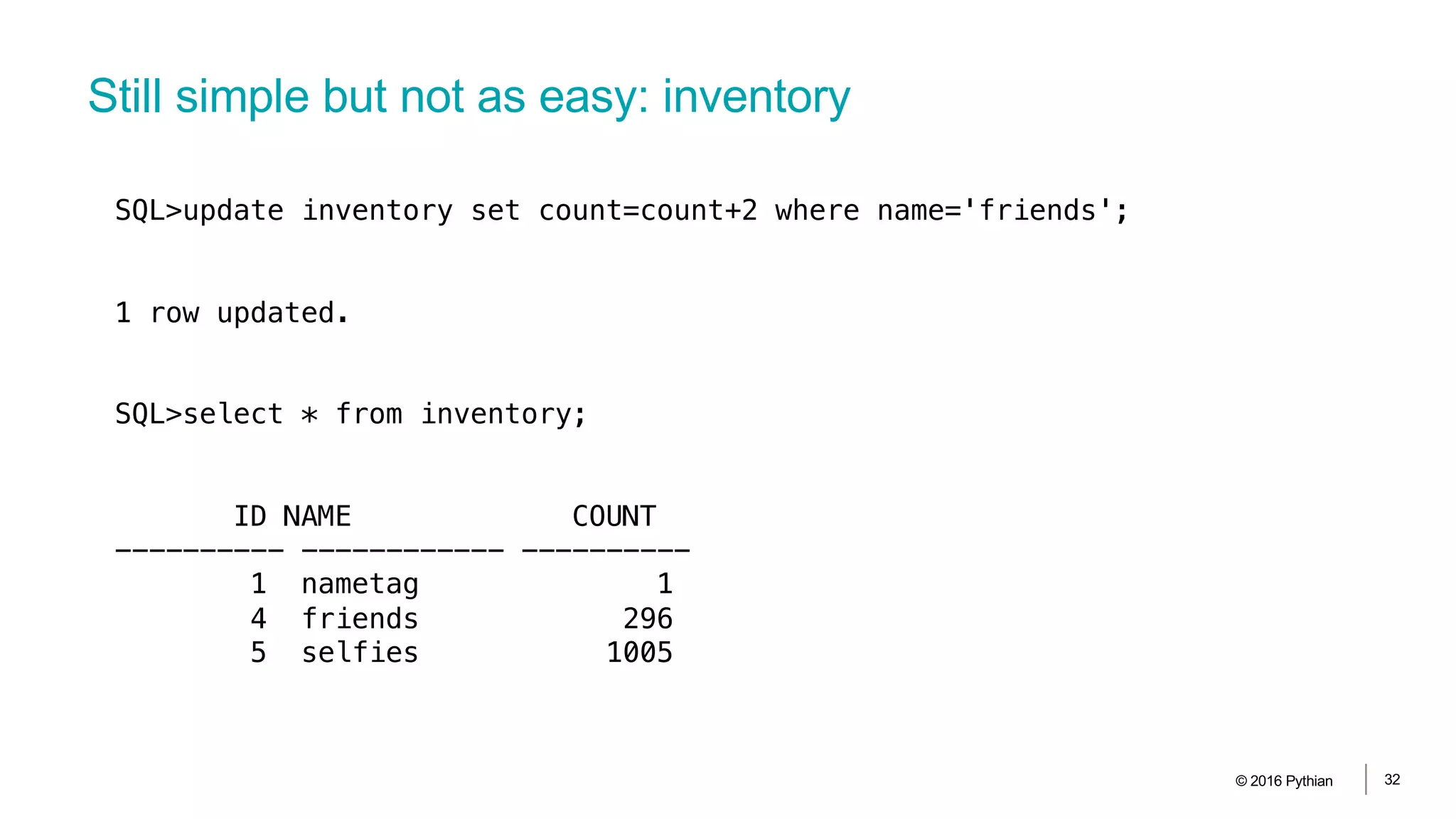
Still simple but not as easy: inventory
© 2016 Pythian 32
SQL>update inventory set count=count+2 where name='friends';
1 row updated.
SQL>select * from inventory;
ID NAME COUNT
---------- ------------ ----------
1 nametag 1
4 friends 296
5 selfies 1005
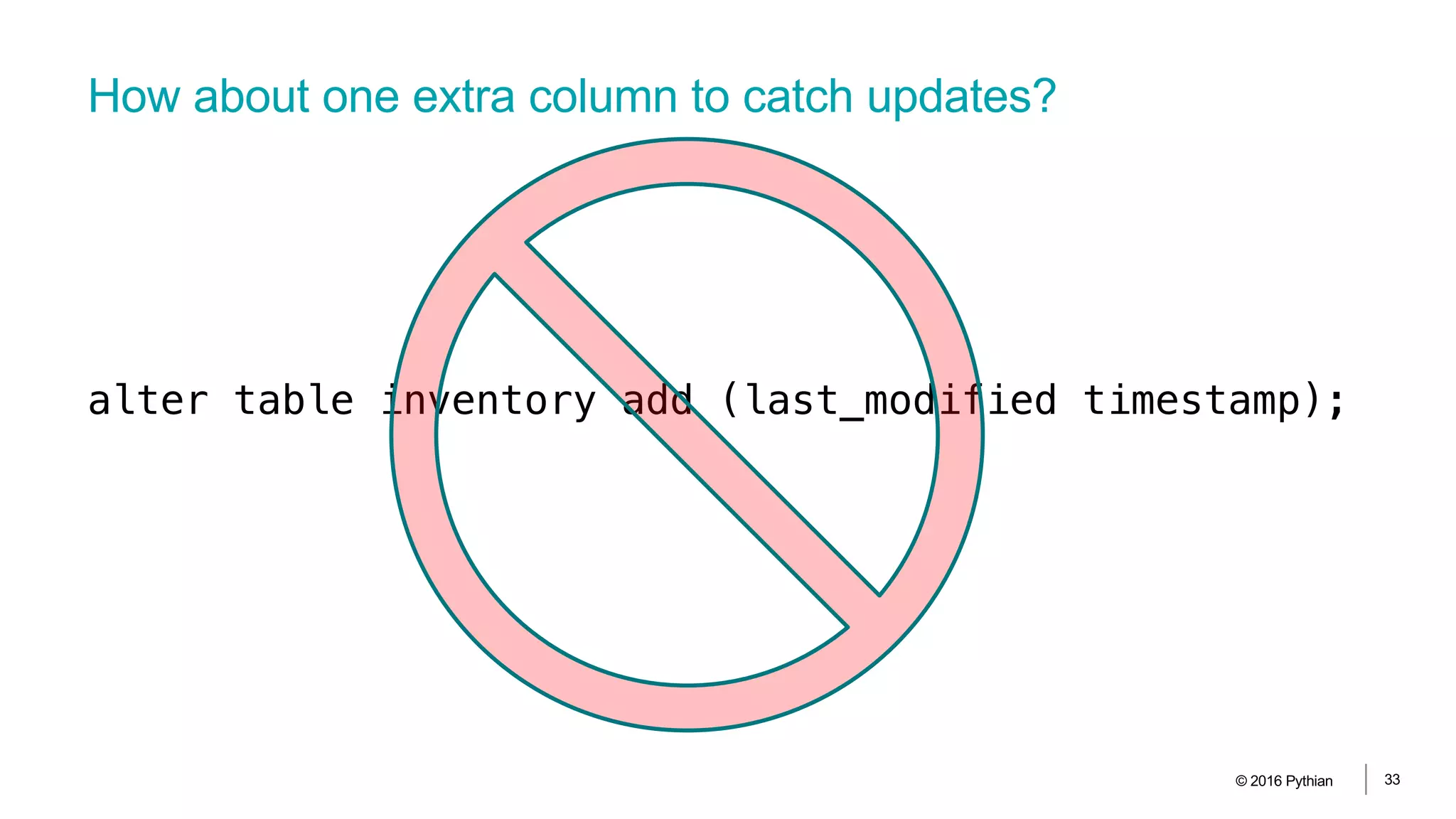
How about one extra column to catch updates?
© 2016 Pythian 33
alter table inventory add (last_modified timestamp);
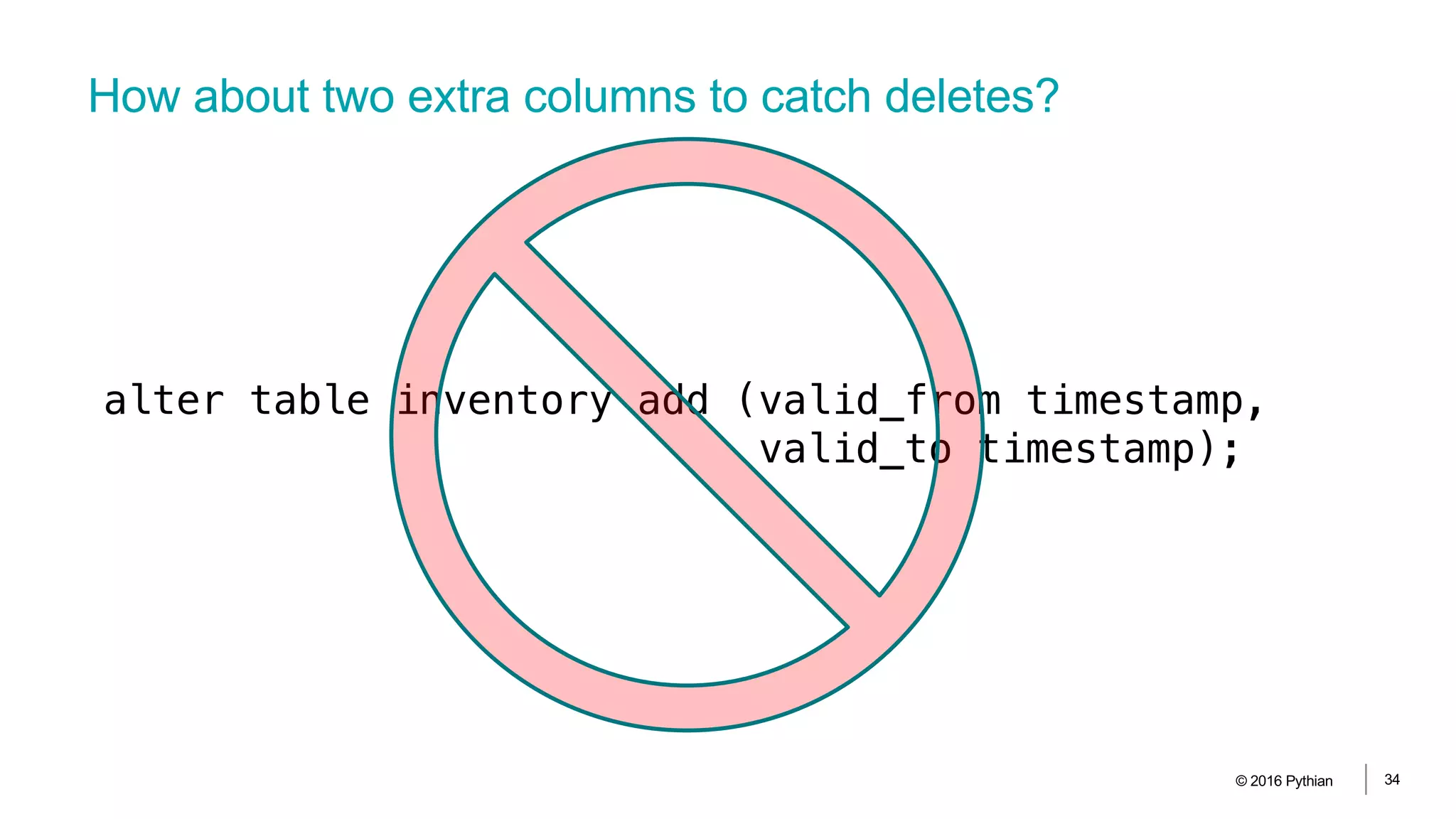
How about two extra columns to catch deletes?
© 2016 Pythian 34
alter table inventory add (valid_from timestamp,
valid_to timestamp);
© 2016 Pythian 35
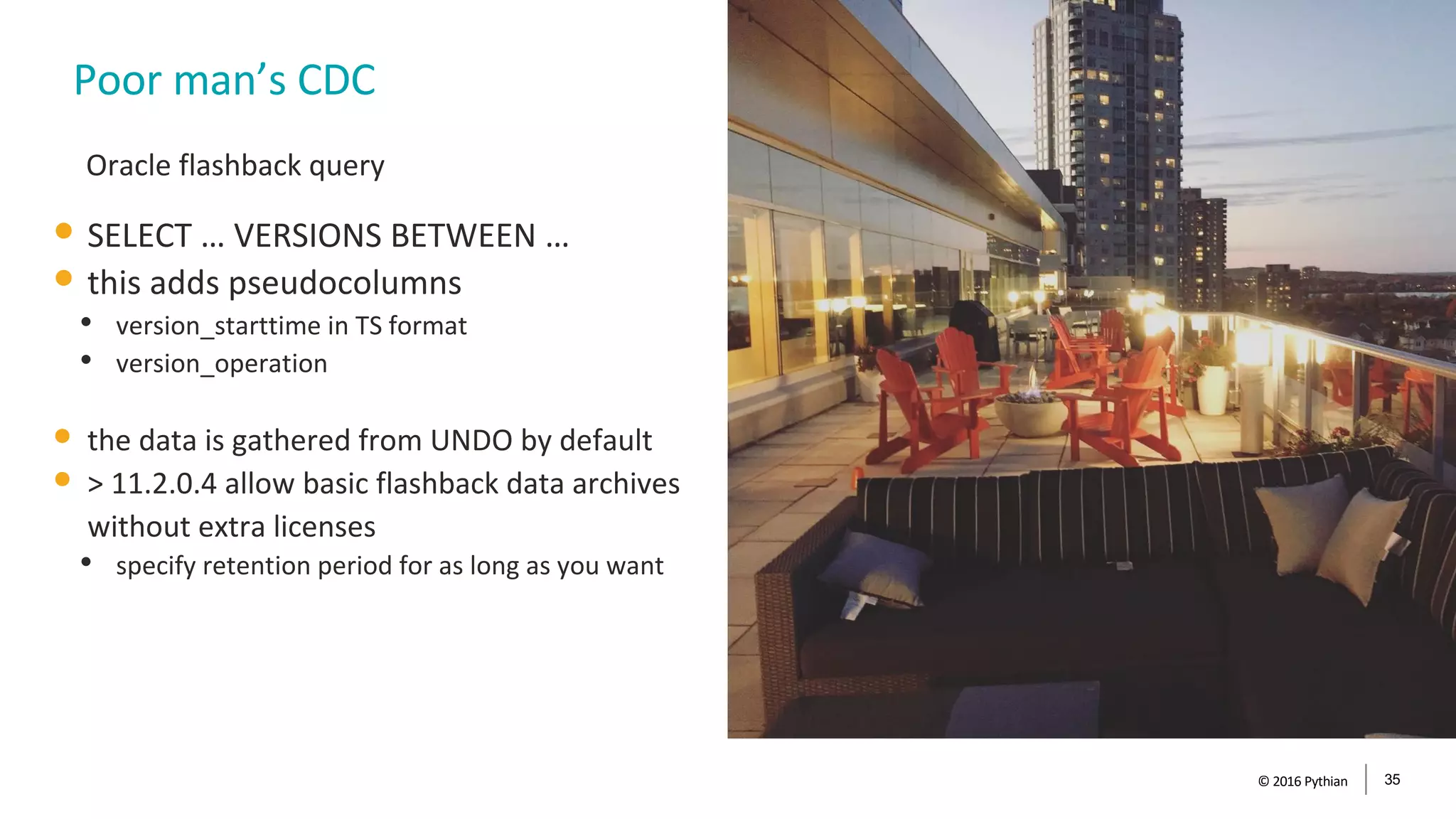
Poor man’s CDC
• SELECT … VERSIONS BETWEEN …
• this adds pseudocolumns
• version_starttime in TS format
• version_operation
• the data is gathered from UNDO by default
• > 11.2.0.4 allow basic flashback data archives
without extra licenses
• specify retention period for as long as you want
Oracle flashback query
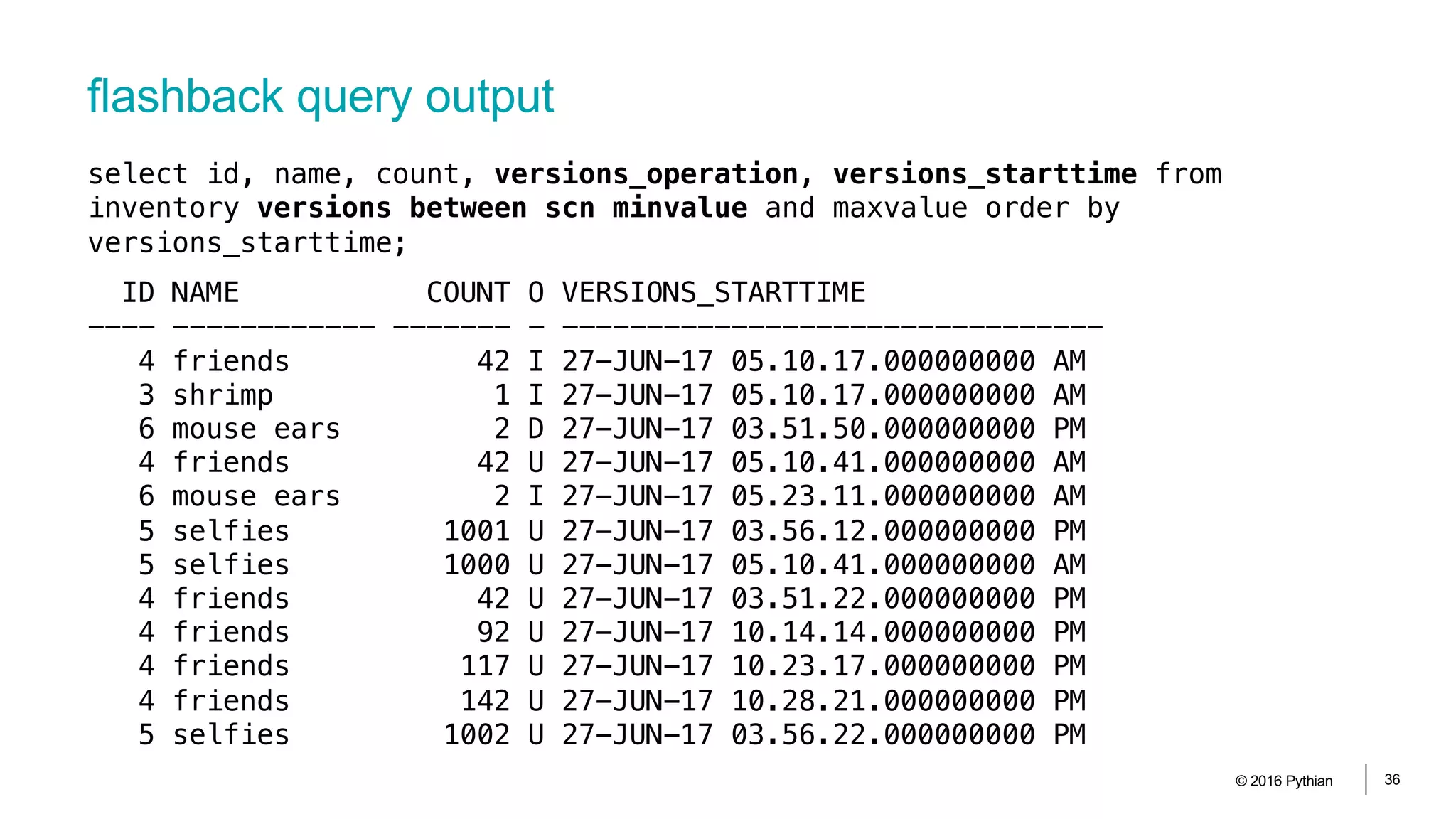
flashback query output
© 2016 Pythian 36
ID NAME COUNT O VERSIONS_STARTTIME
---- ------------ ------- - --------------------------------
4 friends 42 I 27-JUN-17 05.10.17.000000000 AM
3 shrimp 1 I 27-JUN-17 05.10.17.000000000 AM
6 mouse ears 2 D 27-JUN-17 03.51.50.000000000 PM
4 friends 42 U 27-JUN-17 05.10.41.000000000 AM
6 mouse ears 2 I 27-JUN-17 05.23.11.000000000 AM
5 selfies 1001 U 27-JUN-17 03.56.12.000000000 PM
5 selfies 1000 U 27-JUN-17 05.10.41.000000000 AM
4 friends 42 U 27-JUN-17 03.51.22.000000000 PM
4 friends 92 U 27-JUN-17 10.14.14.000000000 PM
4 friends 117 U 27-JUN-17 10.23.17.000000000 PM
4 friends 142 U 27-JUN-17 10.28.21.000000000 PM
5 selfies 1002 U 27-JUN-17 03.56.22.000000000 PM
select id, name, count, versions_operation, versions_starttime from
inventory versions between scn minvalue and maxvalue order by
versions_starttime;
© 2016 Pythian 37
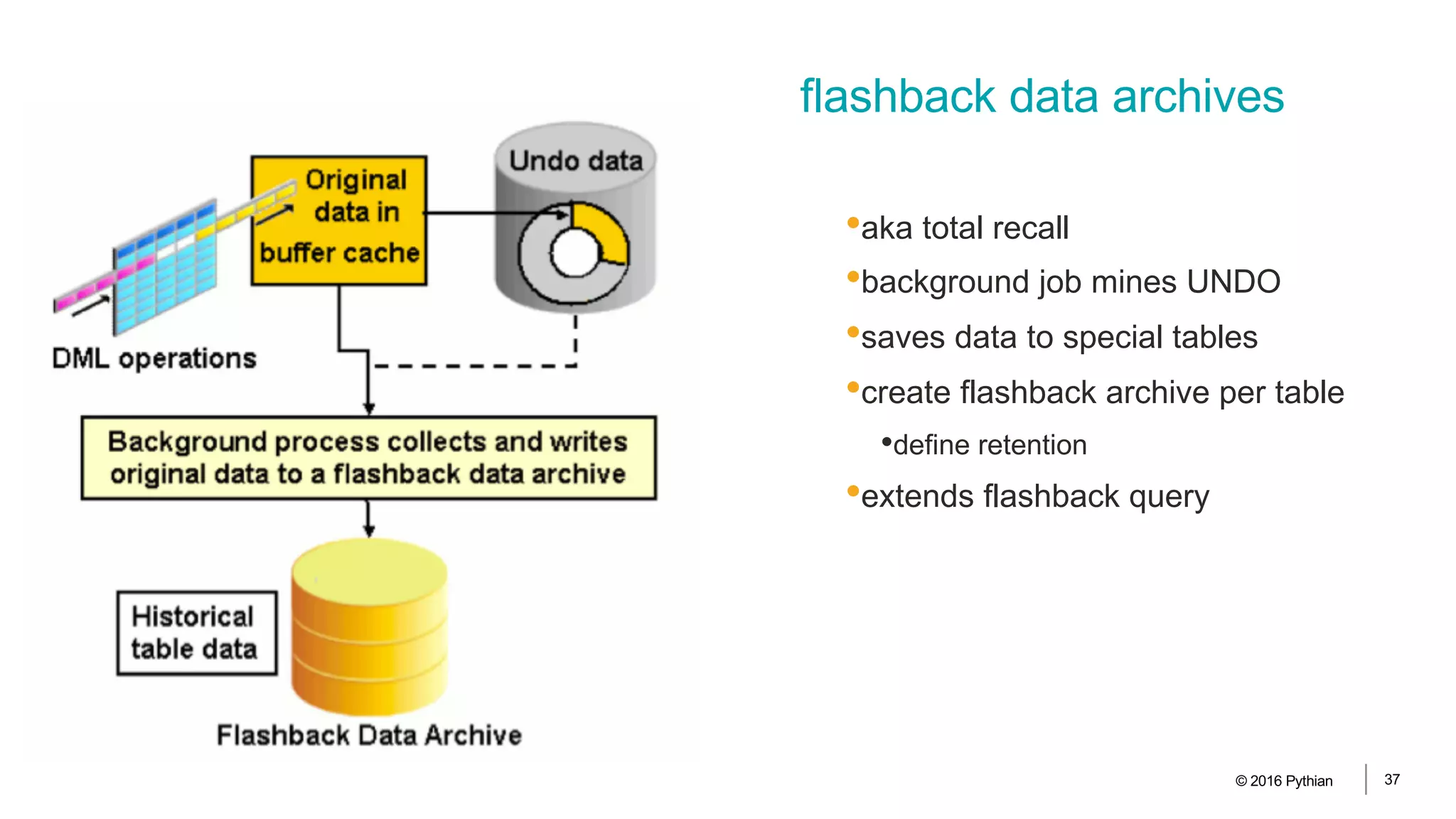
•aka total recall
•background job mines UNDO
•saves data to special tables
•create flashback archive per table
•define retention
•extends flashback query
flashback data archives
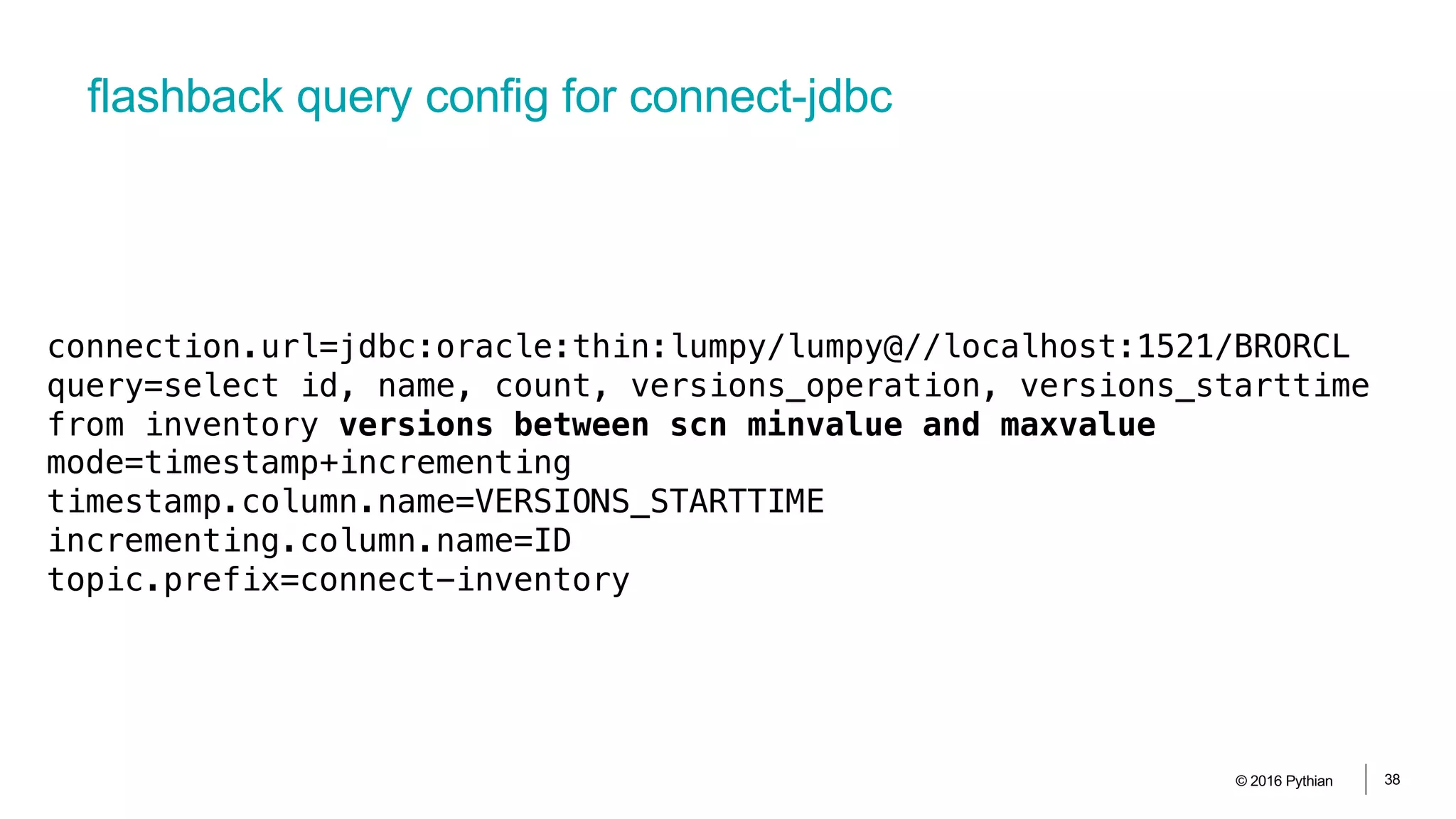
flashback query config for connect-jdbc
© 2016 Pythian 38
connection.url=jdbc:oracle:thin:lumpy/lumpy@//localhost:1521/BRORCL
query=select id, name, count, versions_operation, versions_starttime
from inventory versions between scn minvalue and maxvalue
mode=timestamp+incrementing
timestamp.column.name=VERSIONS_STARTTIME
incrementing.column.name=ID
topic.prefix=connect-inventory
Using DB tx logs
© 2016 Pythian 39
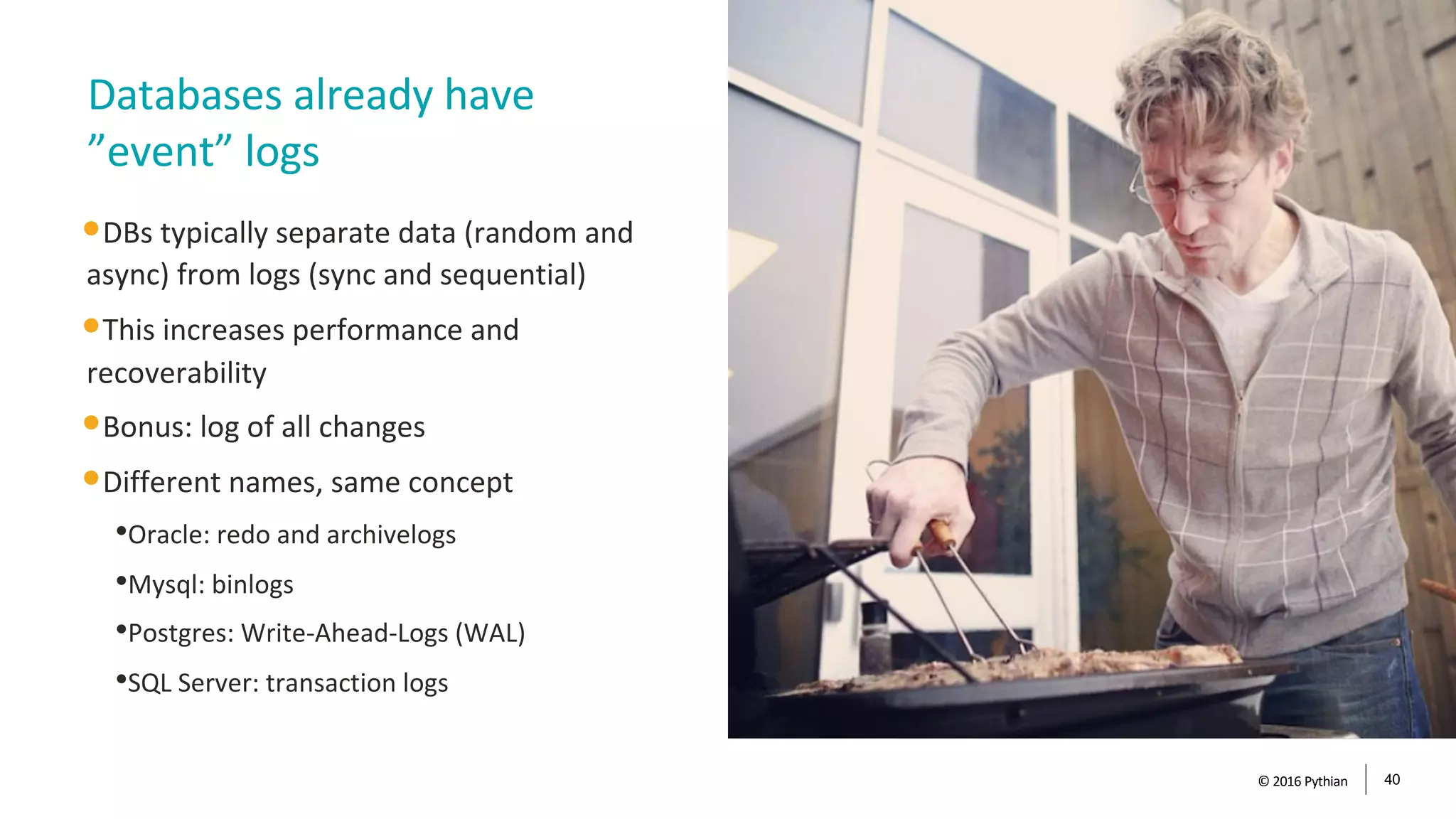
•DBs typically separate data (random and
async) from logs (sync and sequential)
•This increases performance and
recoverability
•Bonus: log of all changes
•Different names, same concept
•Oracle: redo and archivelogs
•Mysql: binlogs
•Postgres: Write-Ahead-Logs (WAL)
•SQL Server: transaction logs
Databases already have
”event” logs
© 2016 Pythian 40
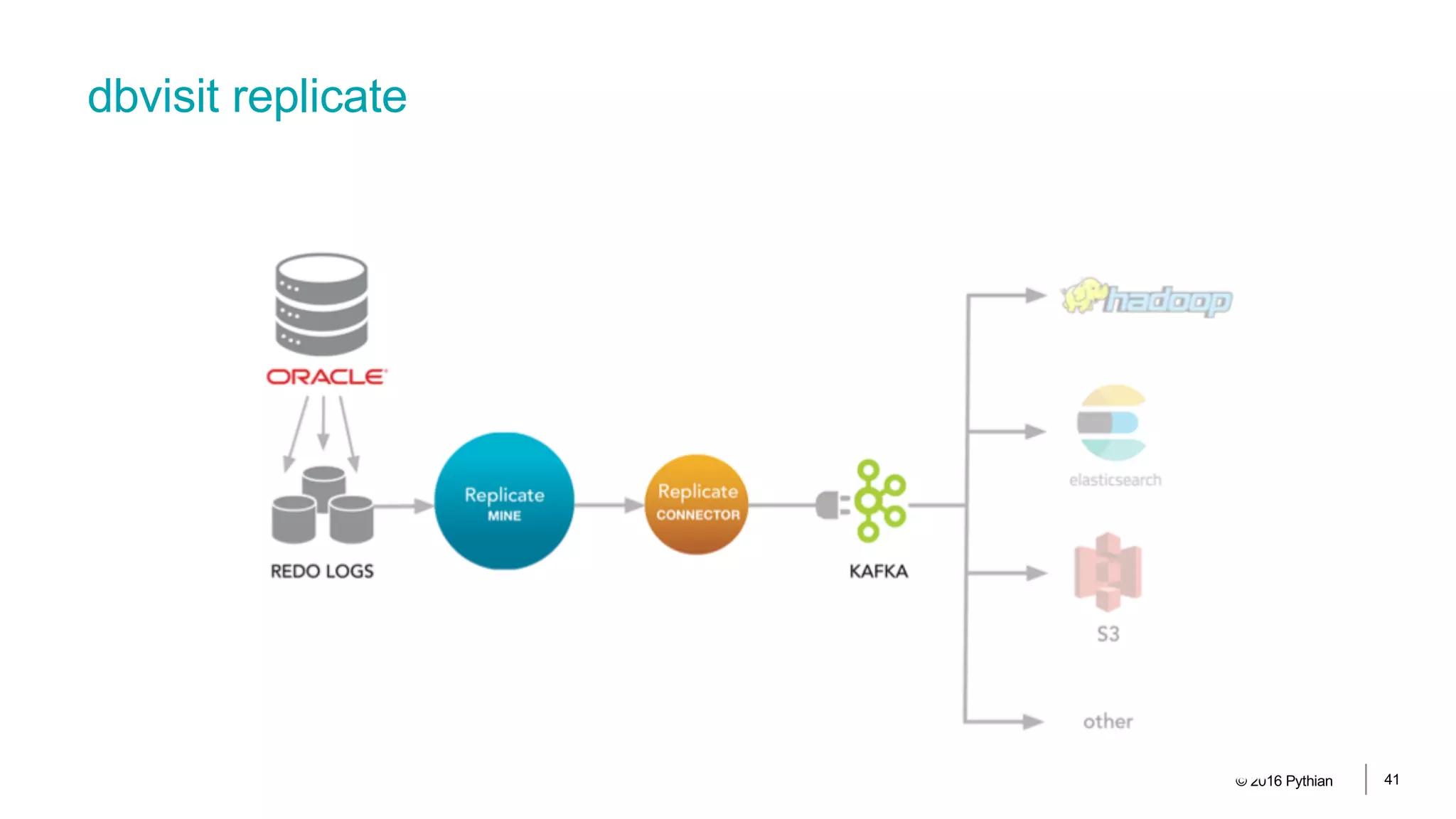
dbvisit replicate
© 2016 Pythian 41
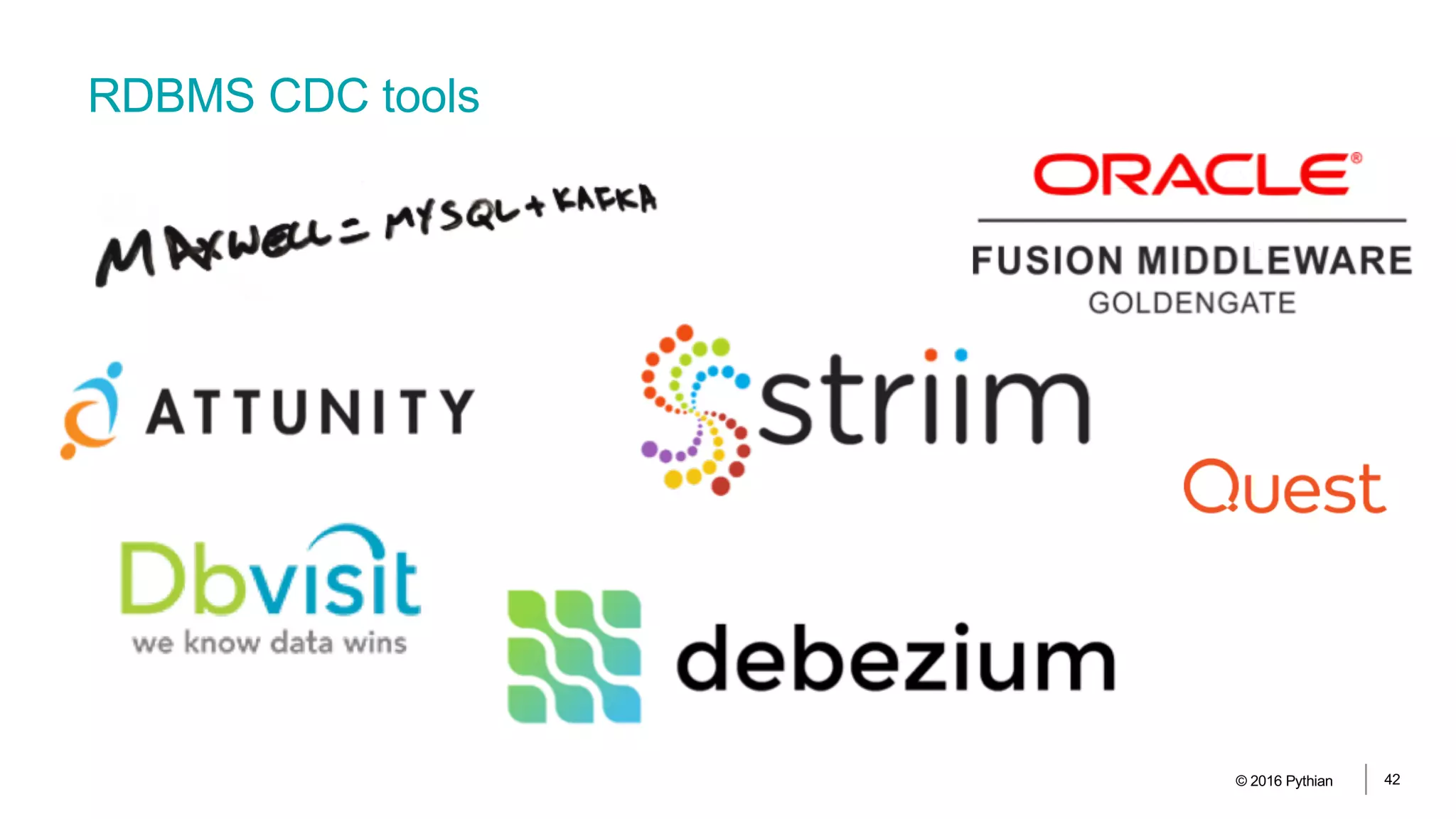
RDBMS CDC tools
© 2016 Pythian 42
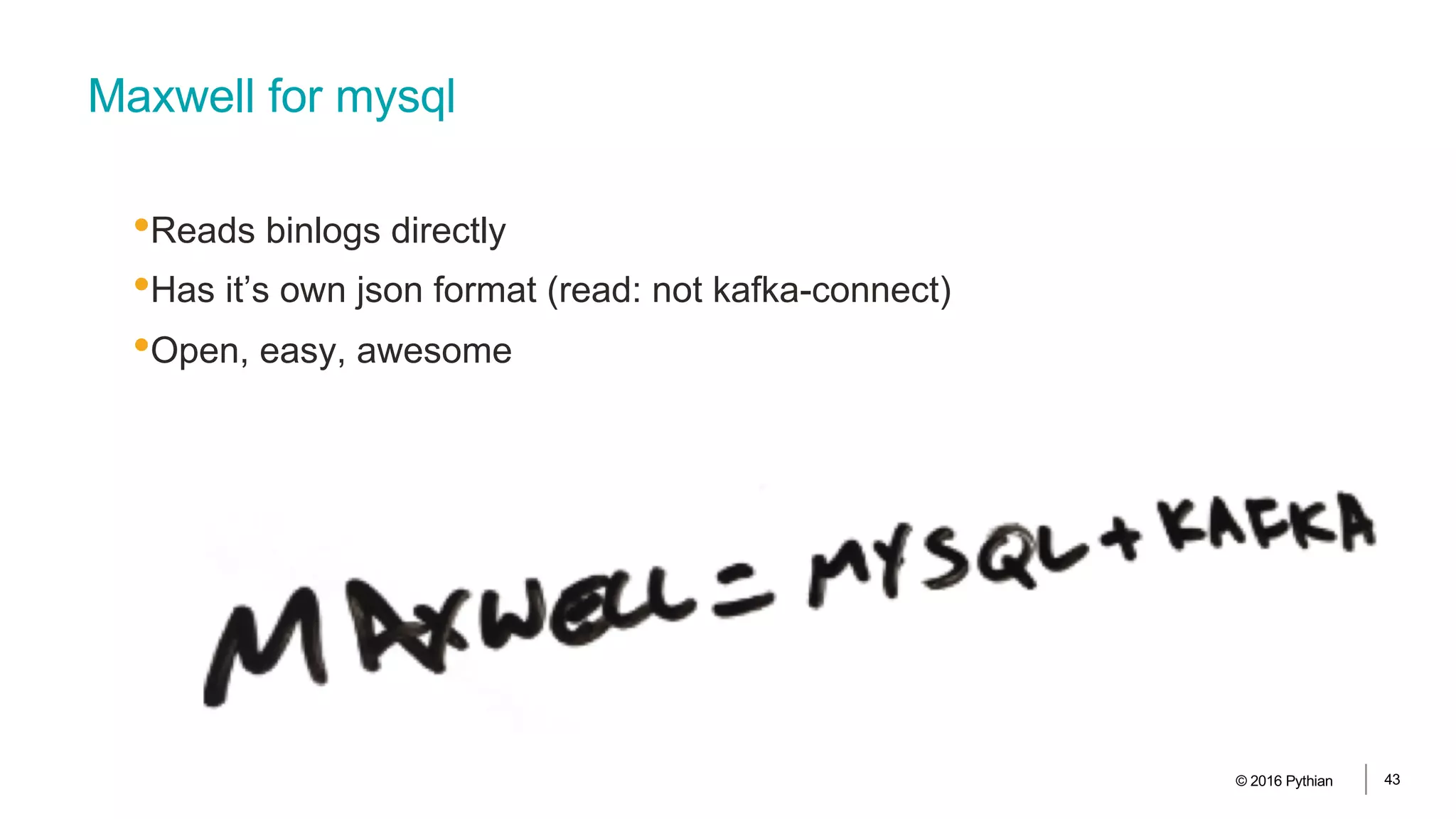
Maxwell for mysql
•Reads binlogs directly
•Has it’s own json format (read: not kafka-connect)
•Open, easy, awesome
© 2016 Pythian 43
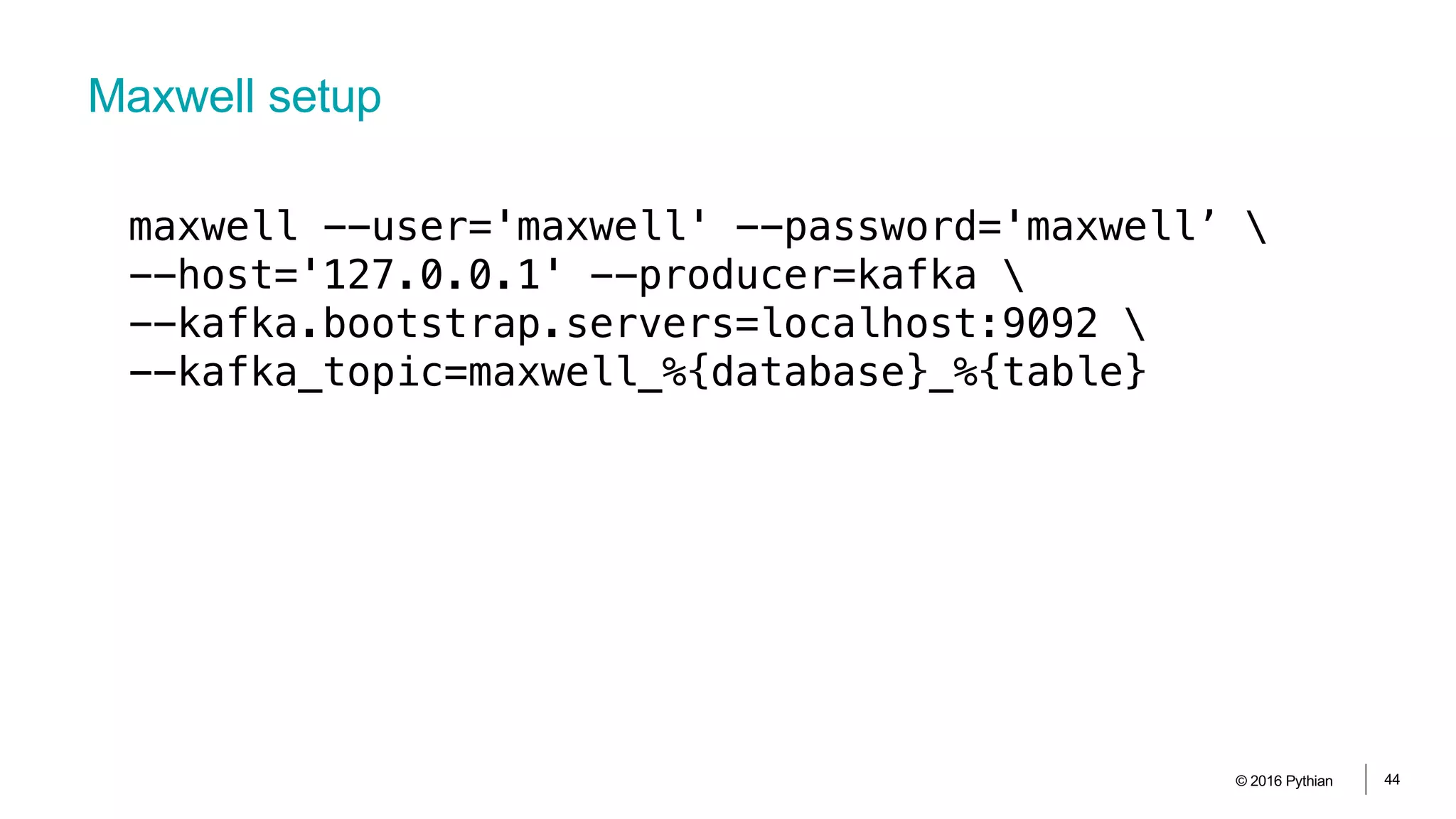
Maxwell setup
© 2016 Pythian 44
maxwell --user='maxwell' --password='maxwell’ 
--host='127.0.0.1' --producer=kafka 
--kafka.bootstrap.servers=localhost:9092 
--kafka_topic=maxwell_%{database}_%{table}
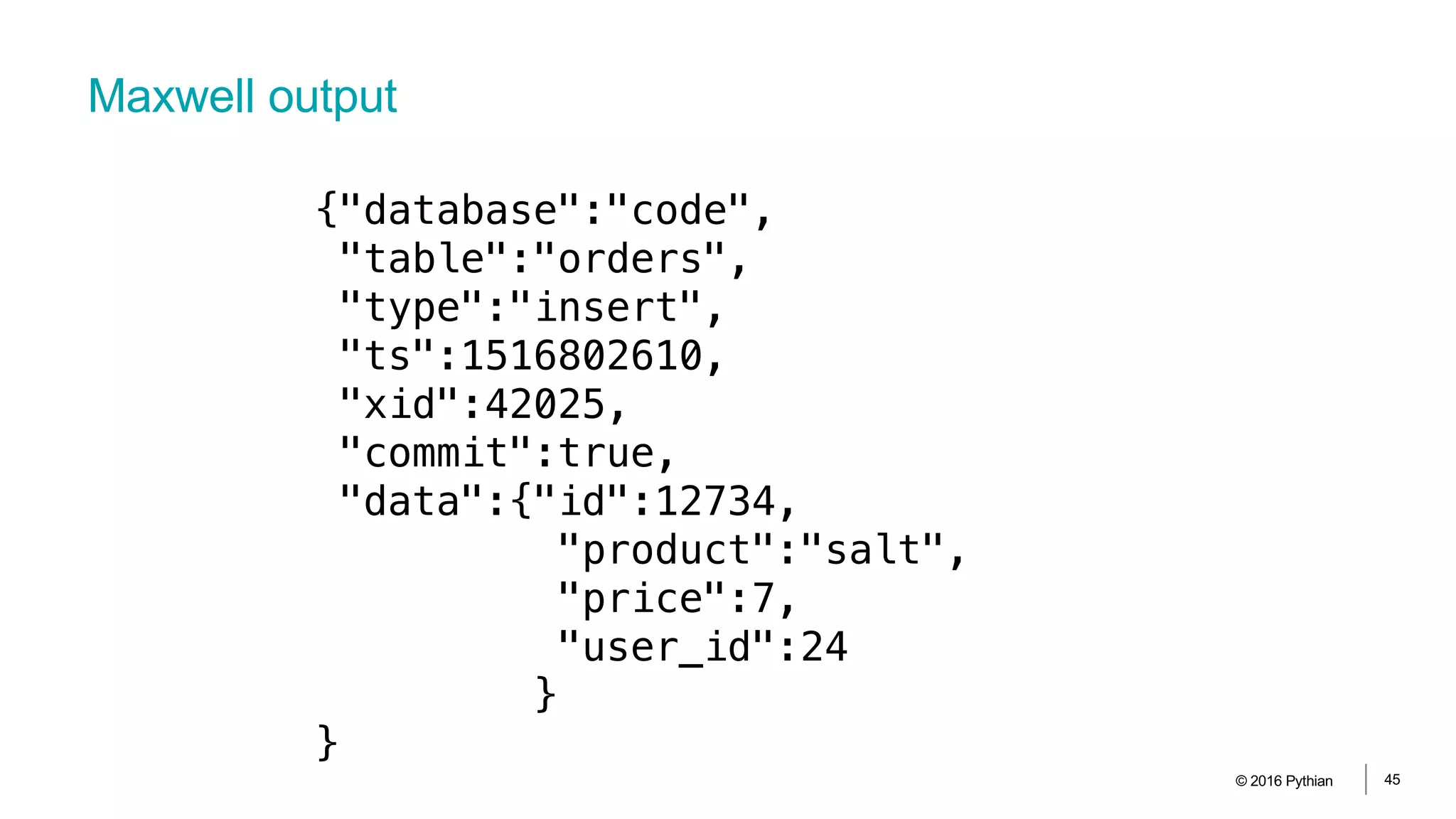
Maxwell output
© 2016 Pythian 45
{"database":"code",
"table":"orders",
"type":"insert",
"ts":1516802610,
"xid":42025,
"commit":true,
"data":{"id":12734,
"product":"salt",
"price":7,
"user_id":24
}
}
Data processing
© 2016 Pythian 46
© 2016 Pythian 47
•Transform raw data from
transactional systems
•Store it again optimized for
analytics and reports
•Star-schema
•Aggregates and roll-ups
•Runs in batches, typically nighlty
ETL for traditional analytics
•In-memory
•Column stores
•Report in real-time
•Decision-support
•Machine learning and AI
•New data sources
•Clickstream
•IoT
•Big Data
© 2016 Pythian 48
Hot topics in analytics
KSQL and Event Stream Processing
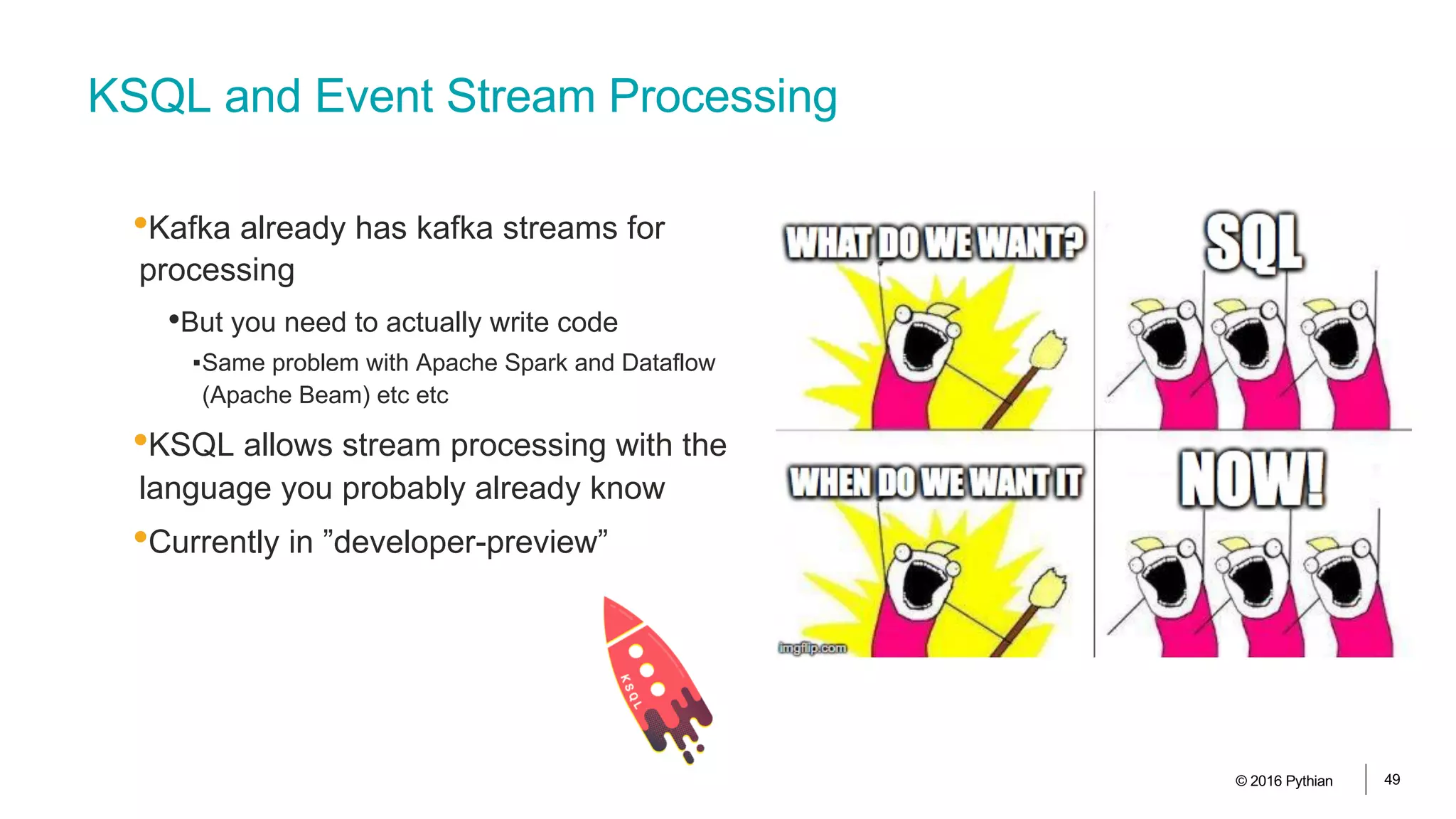
•Kafka already has kafka streams for
processing
•But you need to actually write code
▪Same problem with Apache Spark and Dataflow
(Apache Beam) etc etc
•KSQL allows stream processing with the
language you probably already know
•Currently in ”developer-preview”
© 2016 Pythian 49
What’s the deal with streaming data processing?
© 2016 Pythian 50
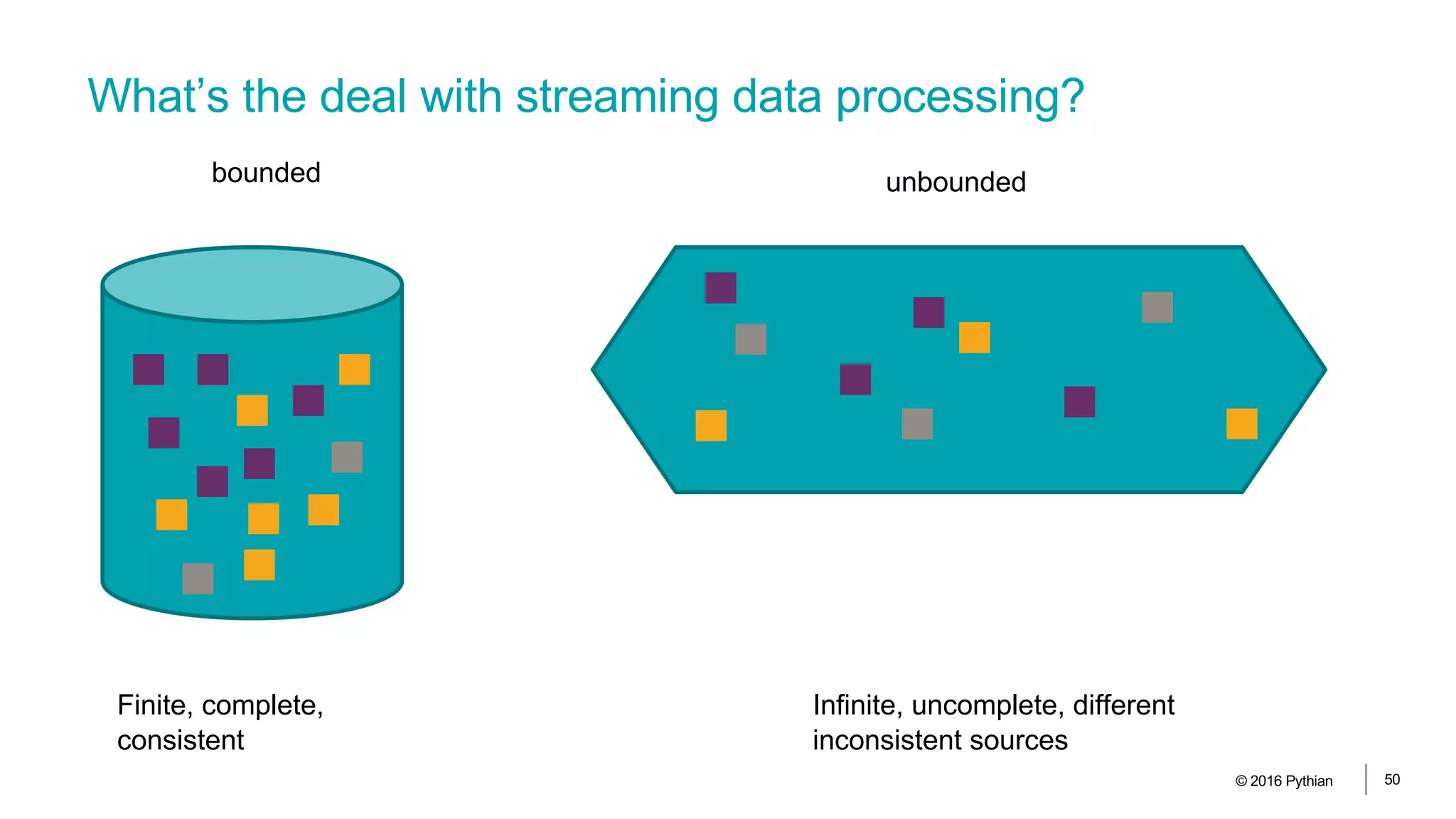
bounded unbounded
Finite, complete,
consistent
Infinite, uncomplete, different
inconsistent sources
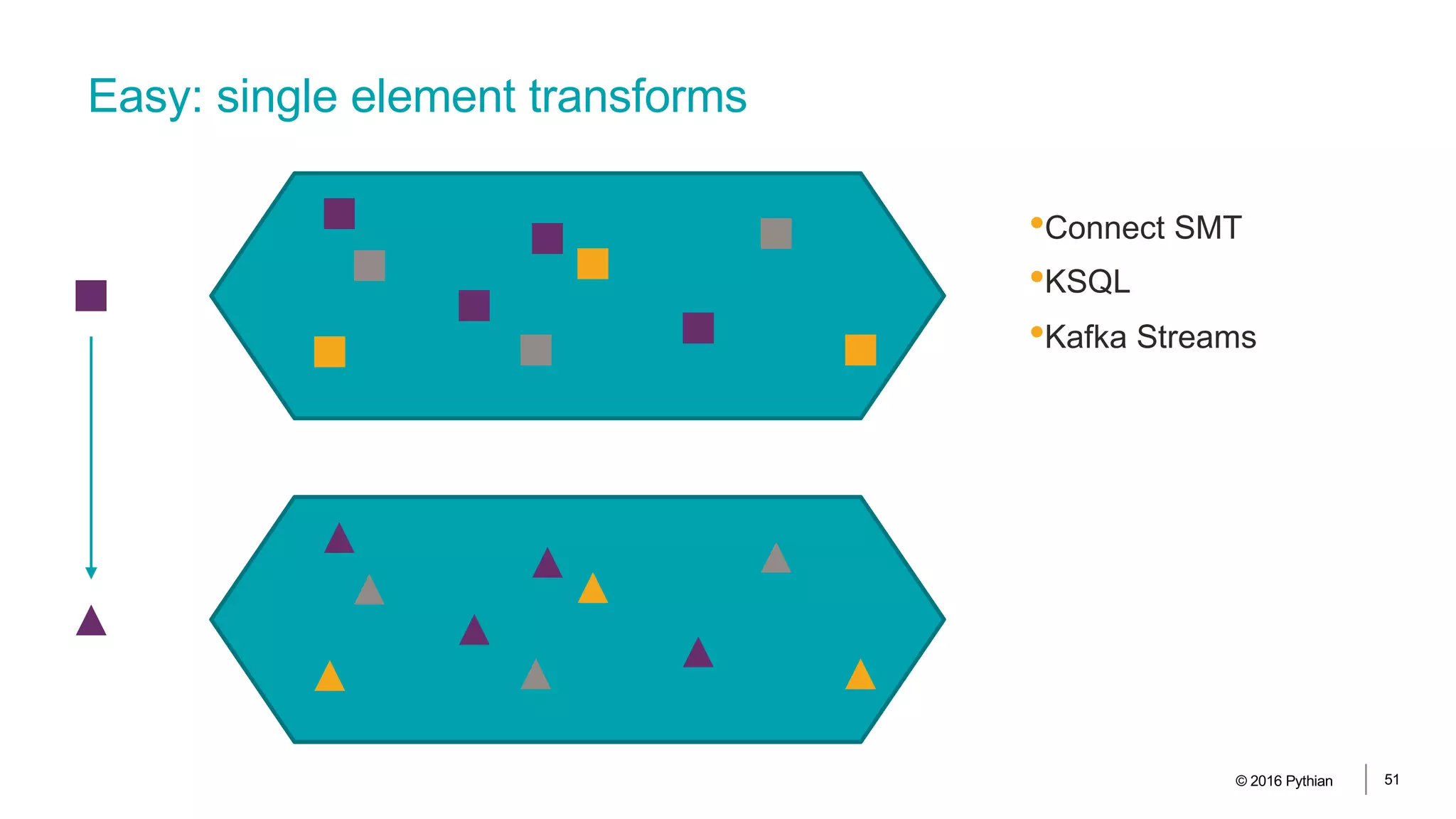
Easy: single element transforms
•Connect SMT
•KSQL
•Kafka Streams
© 2016 Pythian 51
Creating stream from topic and transforms
© 2016 Pythian 52
create stream orders_raw (data map(varchar, varchar))
with (kafka_topic = 'maxwell_code_orders', value_format = 'JSON’);
ksql>describe orders_raw;
Field | Type
------------------------------------------------
ROWTIME | BIGINT (system)
ROWKEY | VARCHAR(STRING) (system)
DATA | MAP[VARCHAR(STRING),VARCHAR(STRING)]
------------------------------------------------
Creating stream from topic and transforms
© 2016 Pythian 53
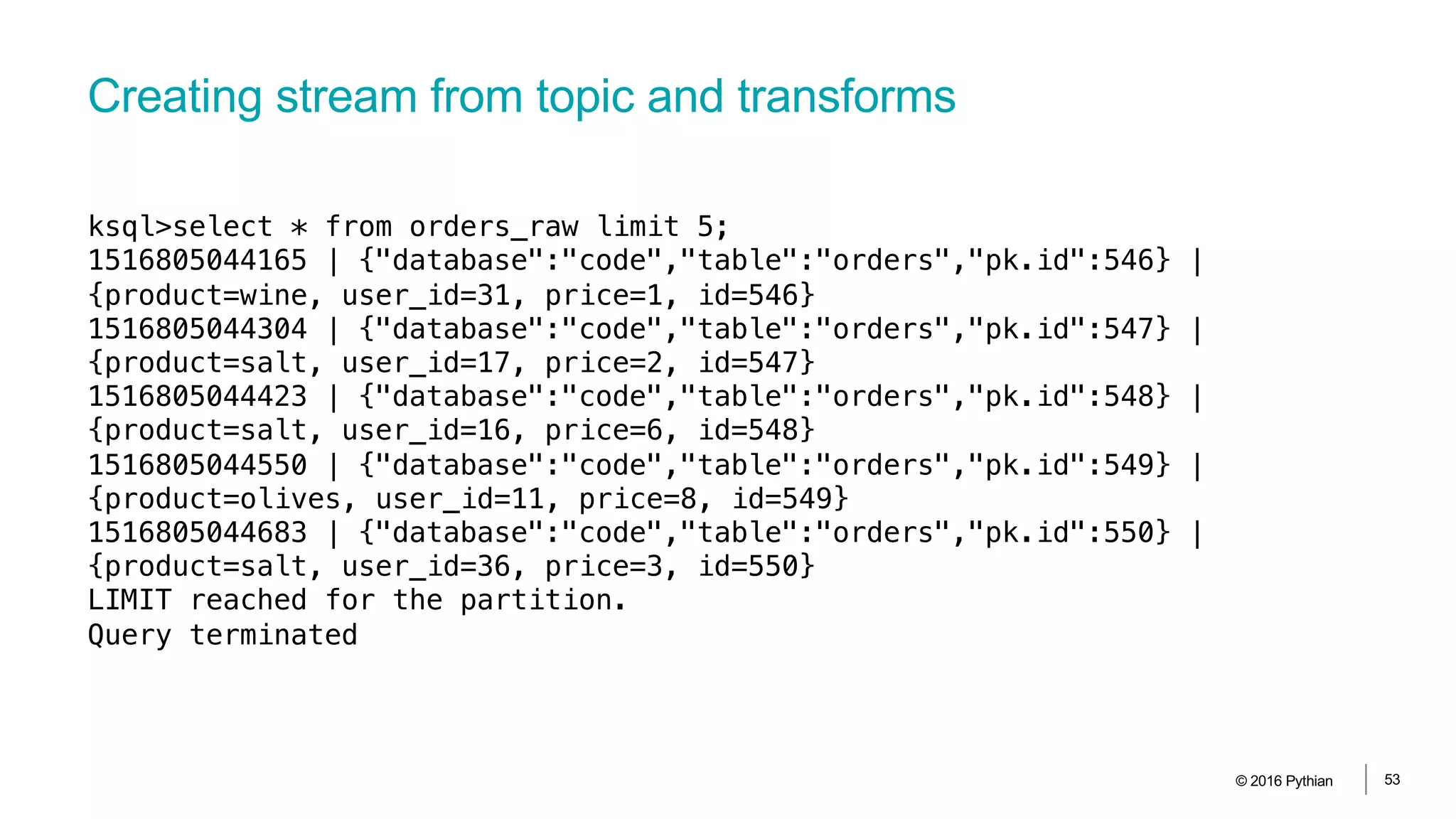
ksql>select * from orders_raw limit 5;
1516805044165 | {"database":"code","table":"orders","pk.id":546} |
{product=wine, user_id=31, price=1, id=546}
1516805044304 | {"database":"code","table":"orders","pk.id":547} |
{product=salt, user_id=17, price=2, id=547}
1516805044423 | {"database":"code","table":"orders","pk.id":548} |
{product=salt, user_id=16, price=6, id=548}
1516805044550 | {"database":"code","table":"orders","pk.id":549} |
{product=olives, user_id=11, price=8, id=549}
1516805044683 | {"database":"code","table":"orders","pk.id":550} |
{product=salt, user_id=36, price=3, id=550}
LIMIT reached for the partition.
Query terminated
Creating stream from topic and transforms
© 2016 Pythian 54
create stream orders_flat as select data['id'] as id,
data['product'] as product,
data['price'] as price,
data['user_id'] as user_id
from orders_raw;
ksql>describe orders_flat;
Field | Type
-------------------------------------
ROWTIME | BIGINT (system)
ROWKEY | VARCHAR(STRING) (system)
ID | VARCHAR(STRING)
PRODUCT | VARCHAR(STRING)
PRICE | VARCHAR(STRING)
USER_ID | VARCHAR(STRING)
-------------------------------------
Creating stream from topic and transforms
© 2016 Pythian 55
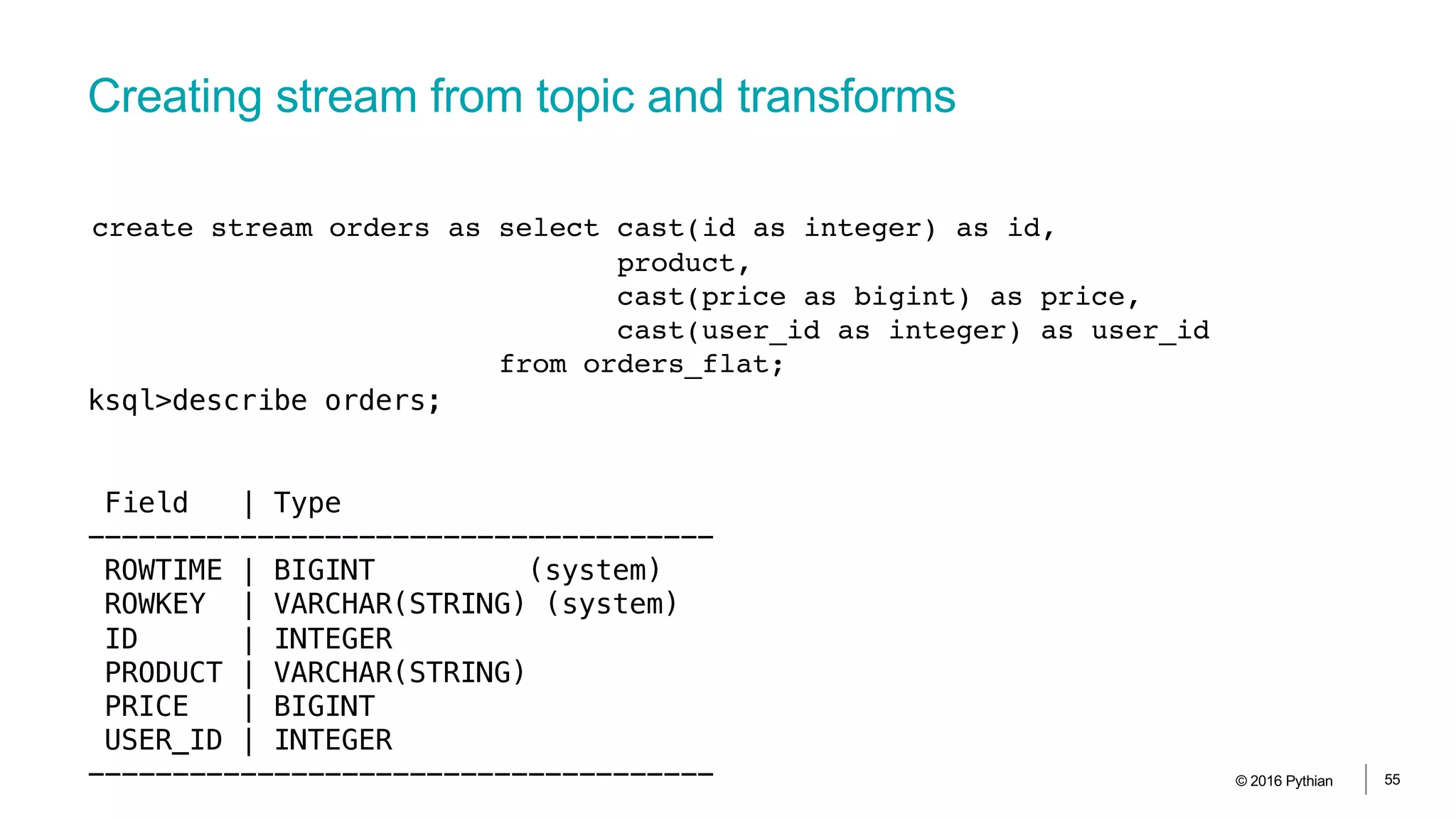
create stream orders as select cast(id as integer) as id,
product,
cast(price as bigint) as price,
cast(user_id as integer) as user_id
from orders_flat;
ksql>describe orders;
Field | Type
-------------------------------------
ROWTIME | BIGINT (system)
ROWKEY | VARCHAR(STRING) (system)
ID | INTEGER
PRODUCT | VARCHAR(STRING)
PRICE | BIGINT
USER_ID | INTEGER
-------------------------------------
Creating stream from topic and transforms
© 2016 Pythian 56
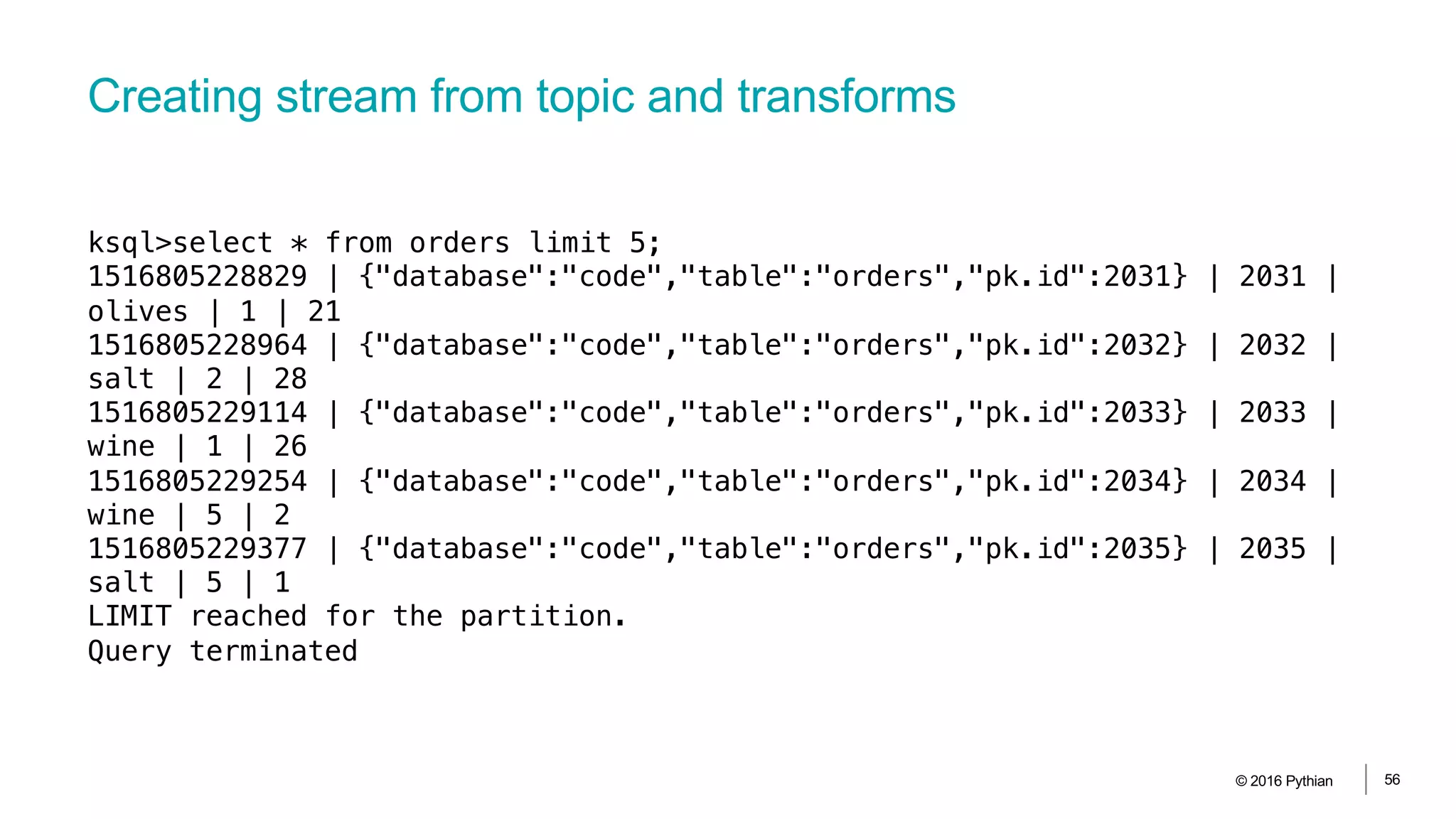
ksql>select * from orders limit 5;
1516805228829 | {"database":"code","table":"orders","pk.id":2031} | 2031 |
olives | 1 | 21
1516805228964 | {"database":"code","table":"orders","pk.id":2032} | 2032 |
salt | 2 | 28
1516805229114 | {"database":"code","table":"orders","pk.id":2033} | 2033 |
wine | 1 | 26
1516805229254 | {"database":"code","table":"orders","pk.id":2034} | 2034 |
wine | 5 | 2
1516805229377 | {"database":"code","table":"orders","pk.id":2035} | 2035 |
salt | 5 | 1
LIMIT reached for the partition.
Query terminated
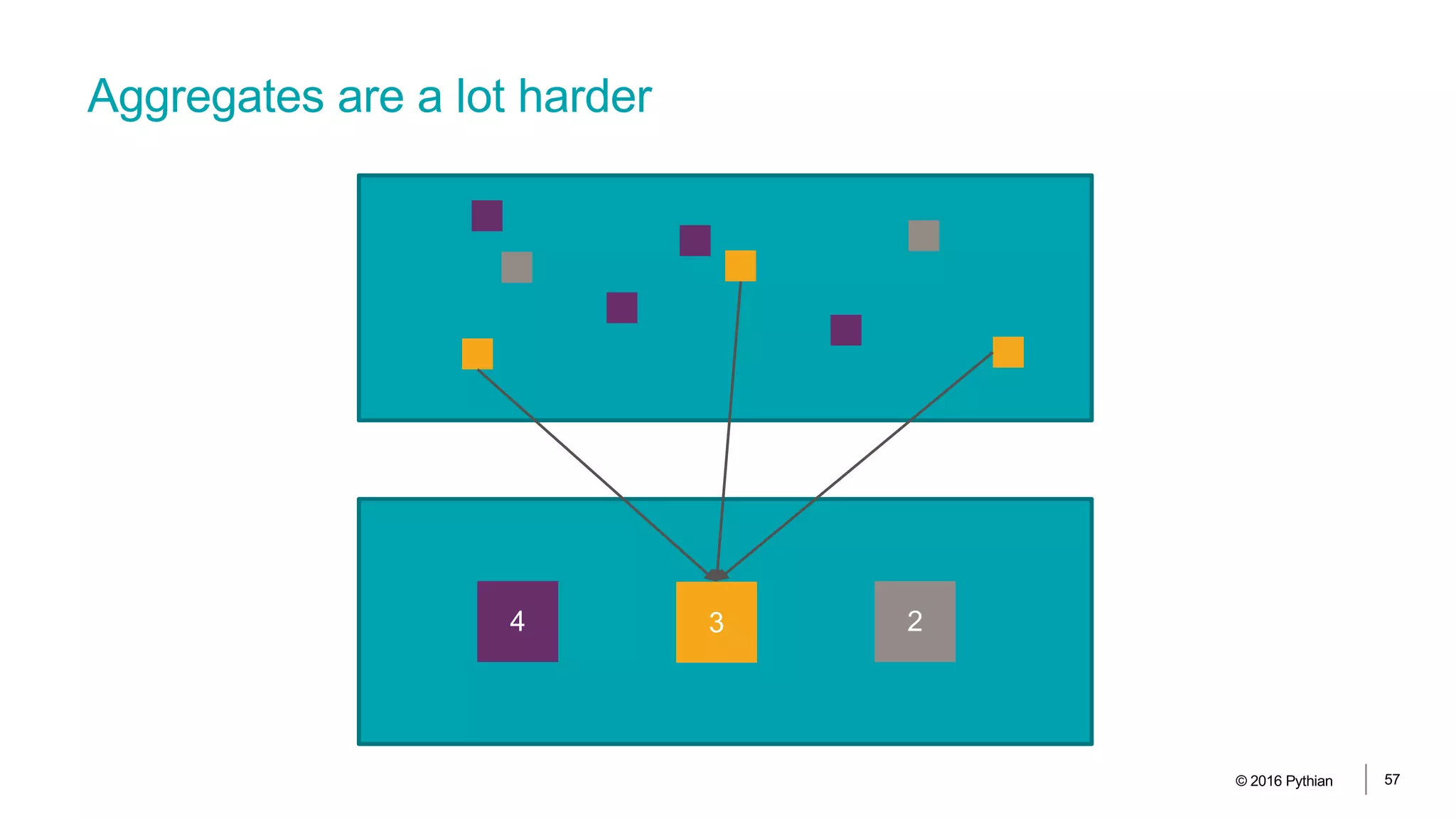
Aggregates are a lot harder
© 2016 Pythian 57
4 3 2
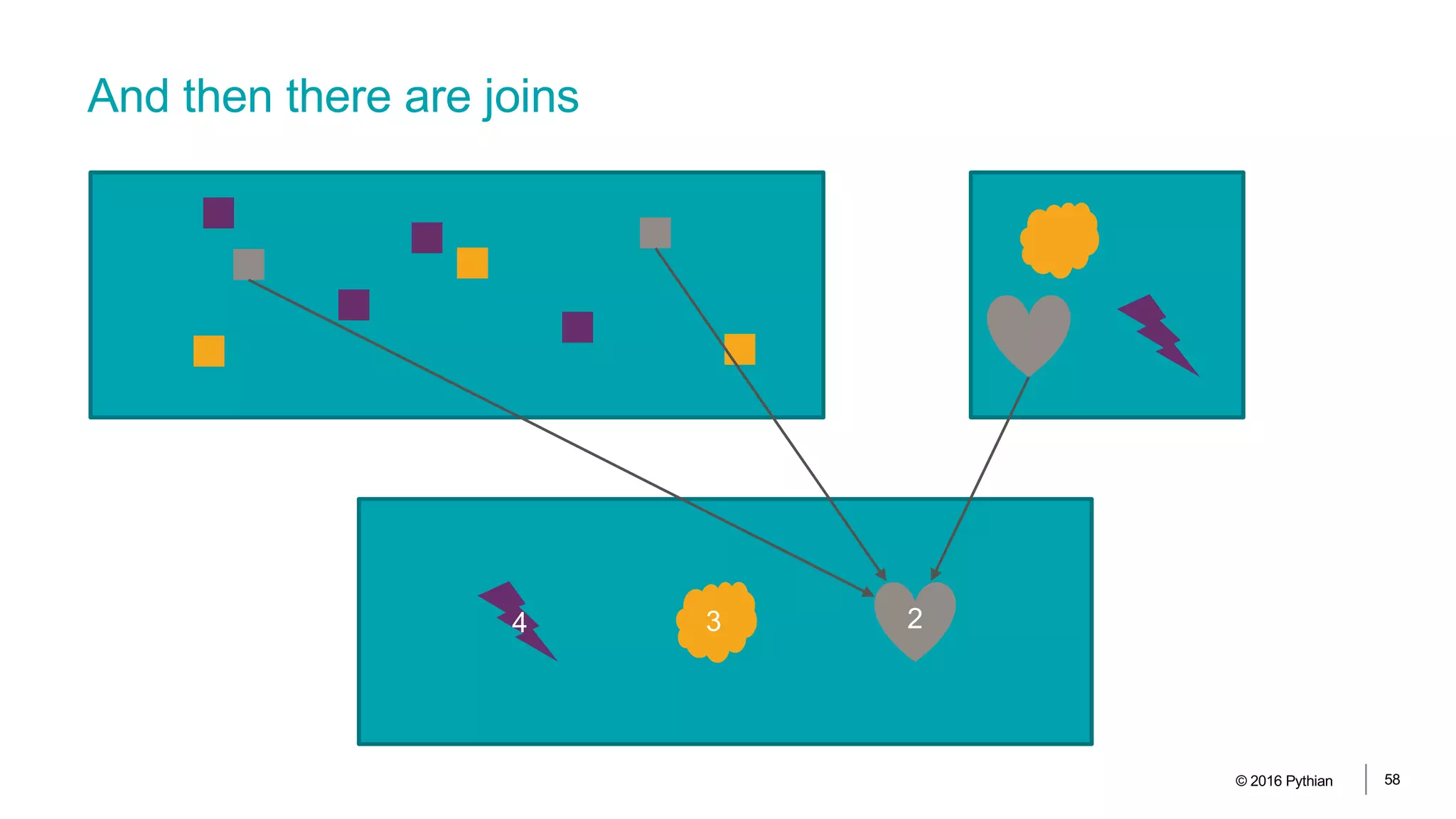
And then there are joins
© 2016 Pythian 58
4 3 2
© 2016 Pythian 59
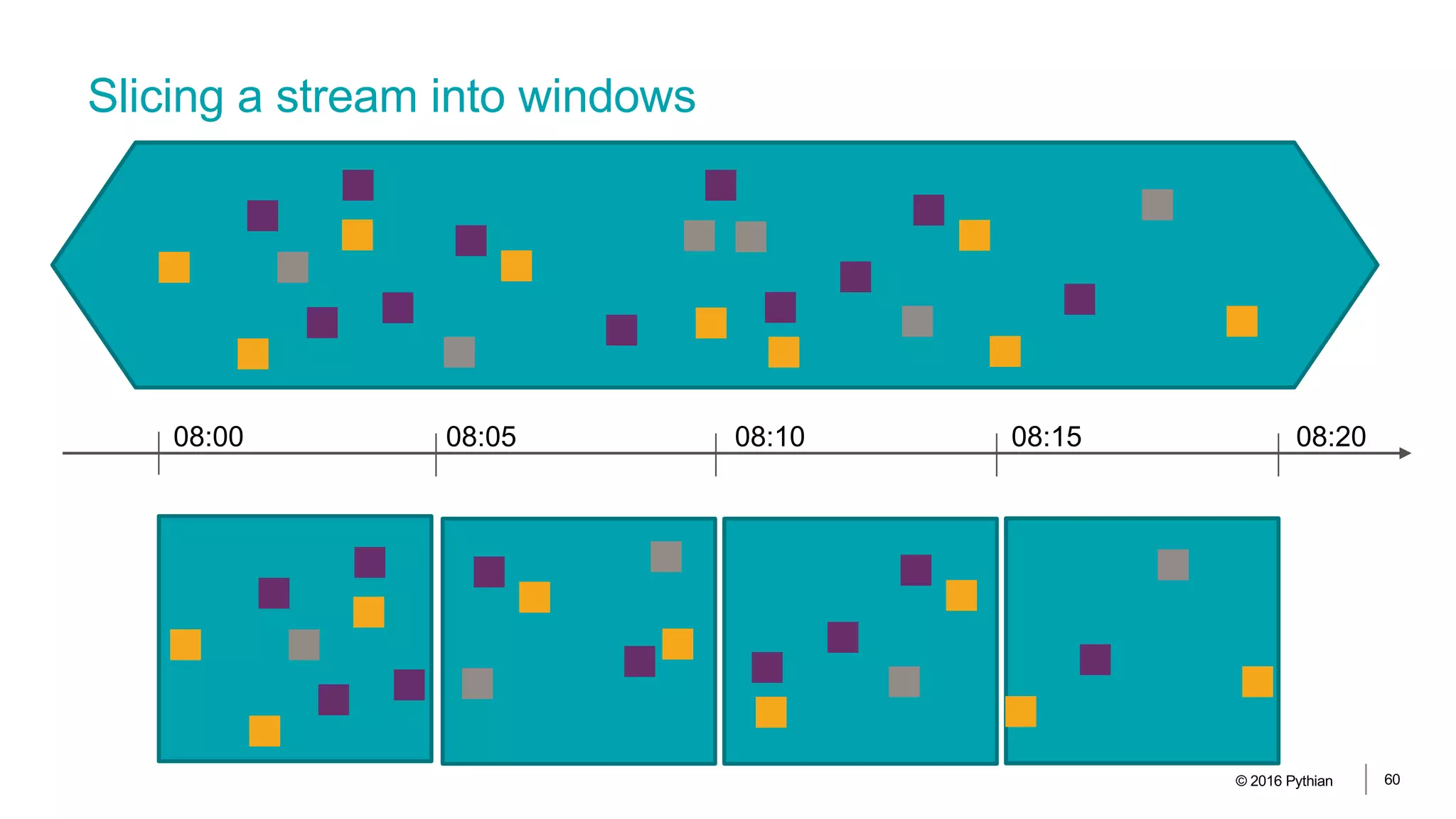
Slicing a stream into windows
© 2016 Pythian 60
08:00 08:05 08:10 08:15 08:20
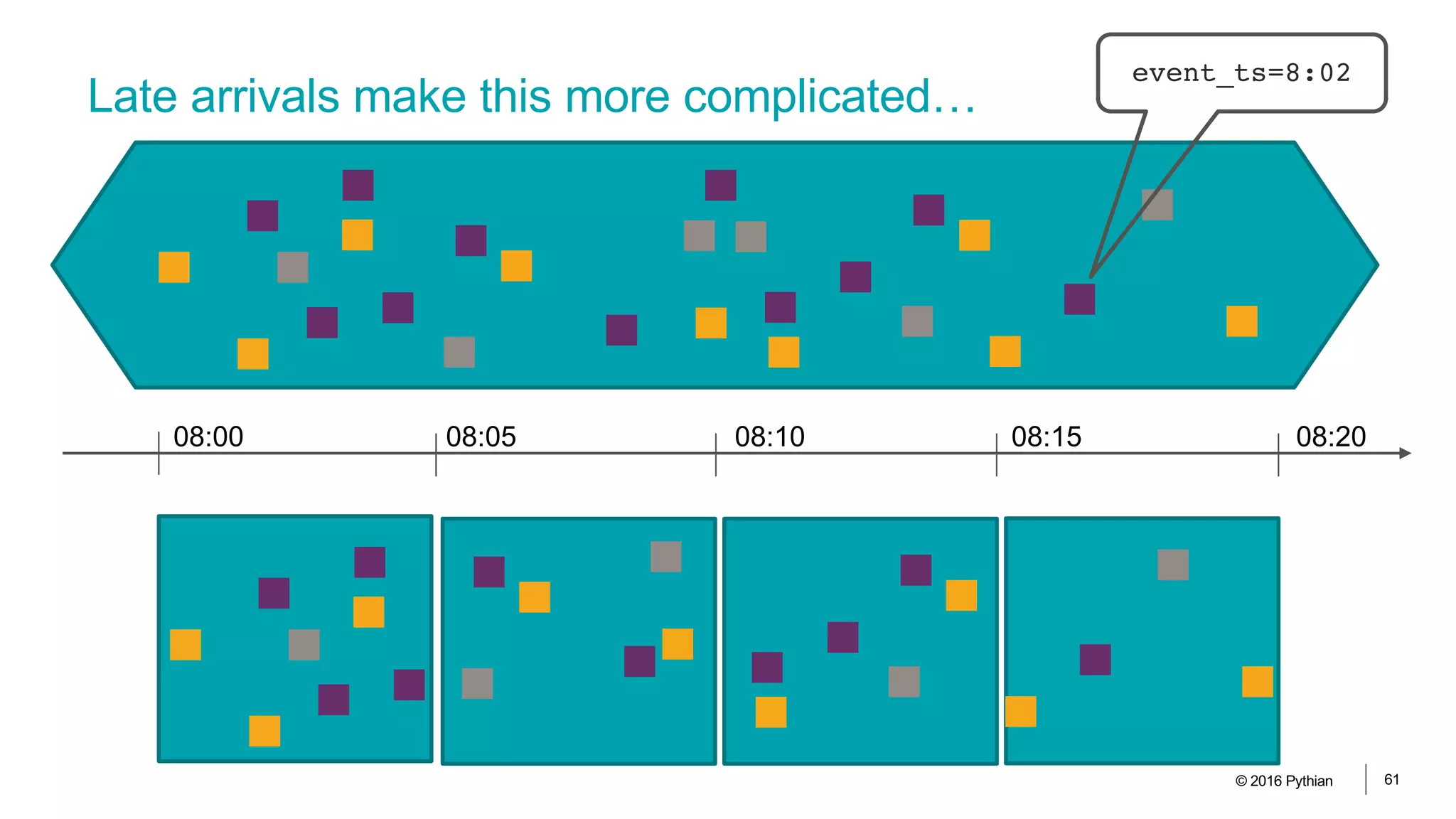
Late arrivals make this more complicated…
© 2016 Pythian 61
08:00 08:05 08:10 08:15 08:20
event_ts=8:02
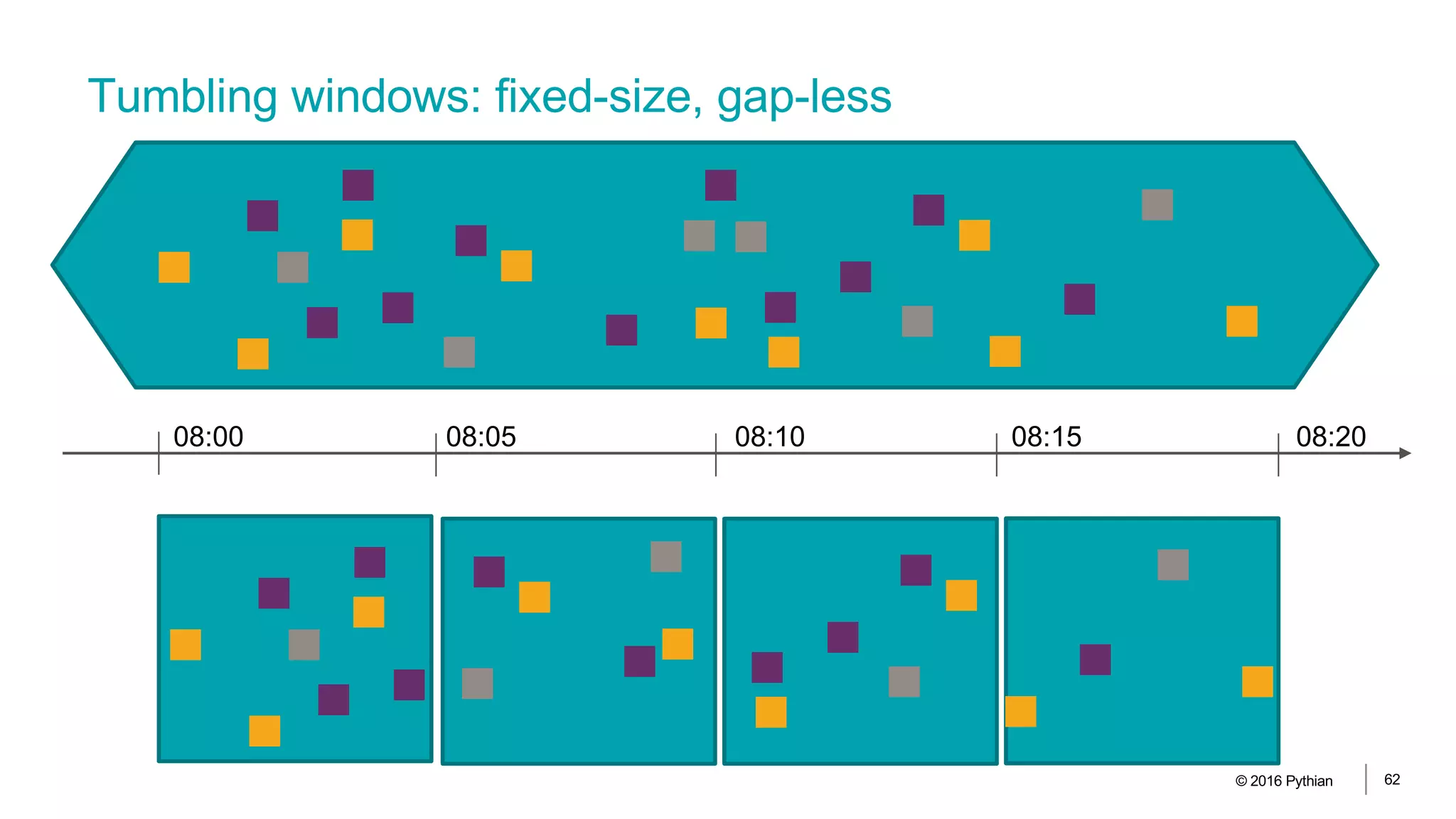
Tumbling windows: fixed-size, gap-less
© 2016 Pythian 62
08:00 08:05 08:10 08:15 08:20
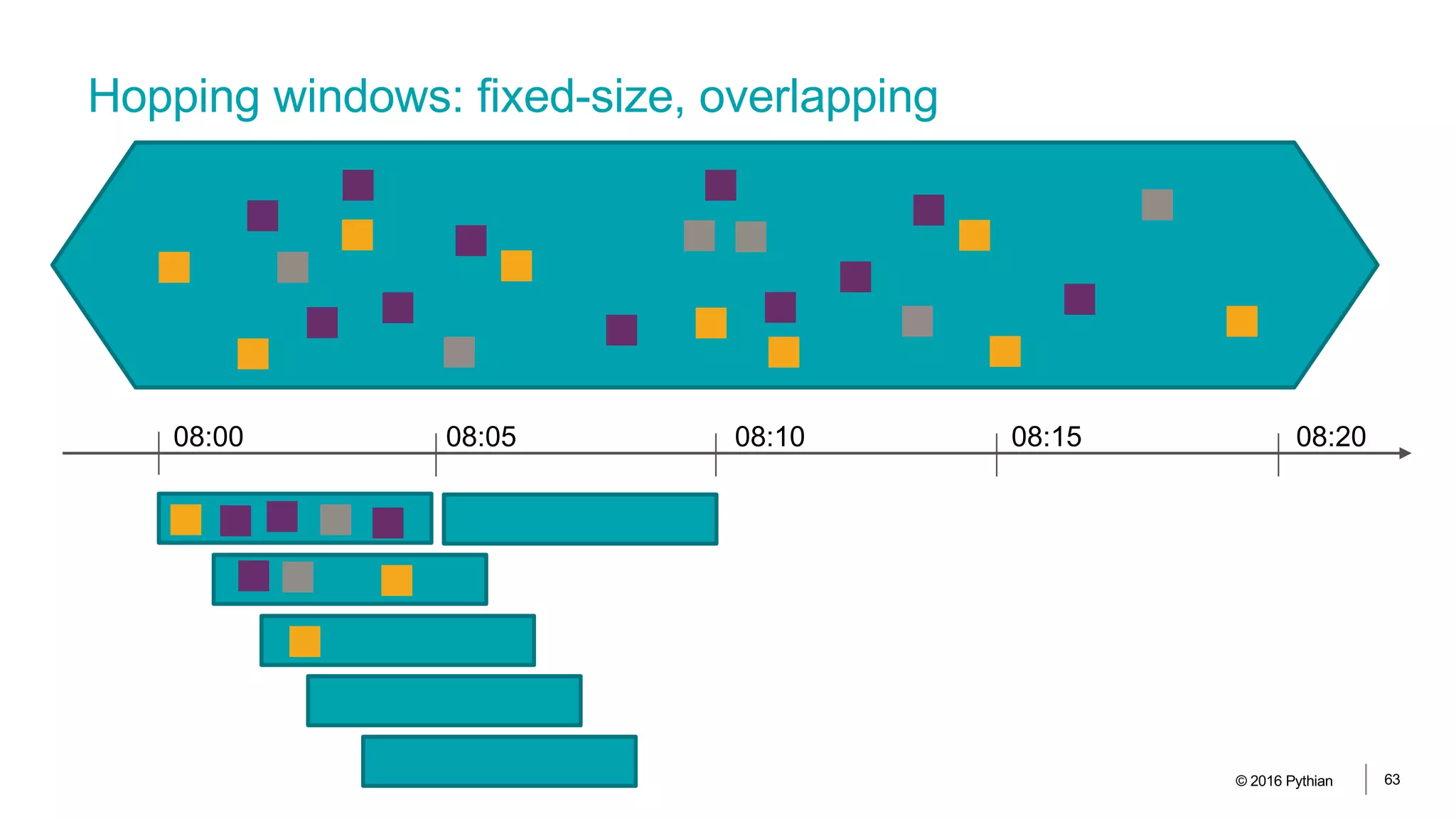
Hopping windows: fixed-size, overlapping
© 2016 Pythian 63
08:00 08:05 08:10 08:15 08:20
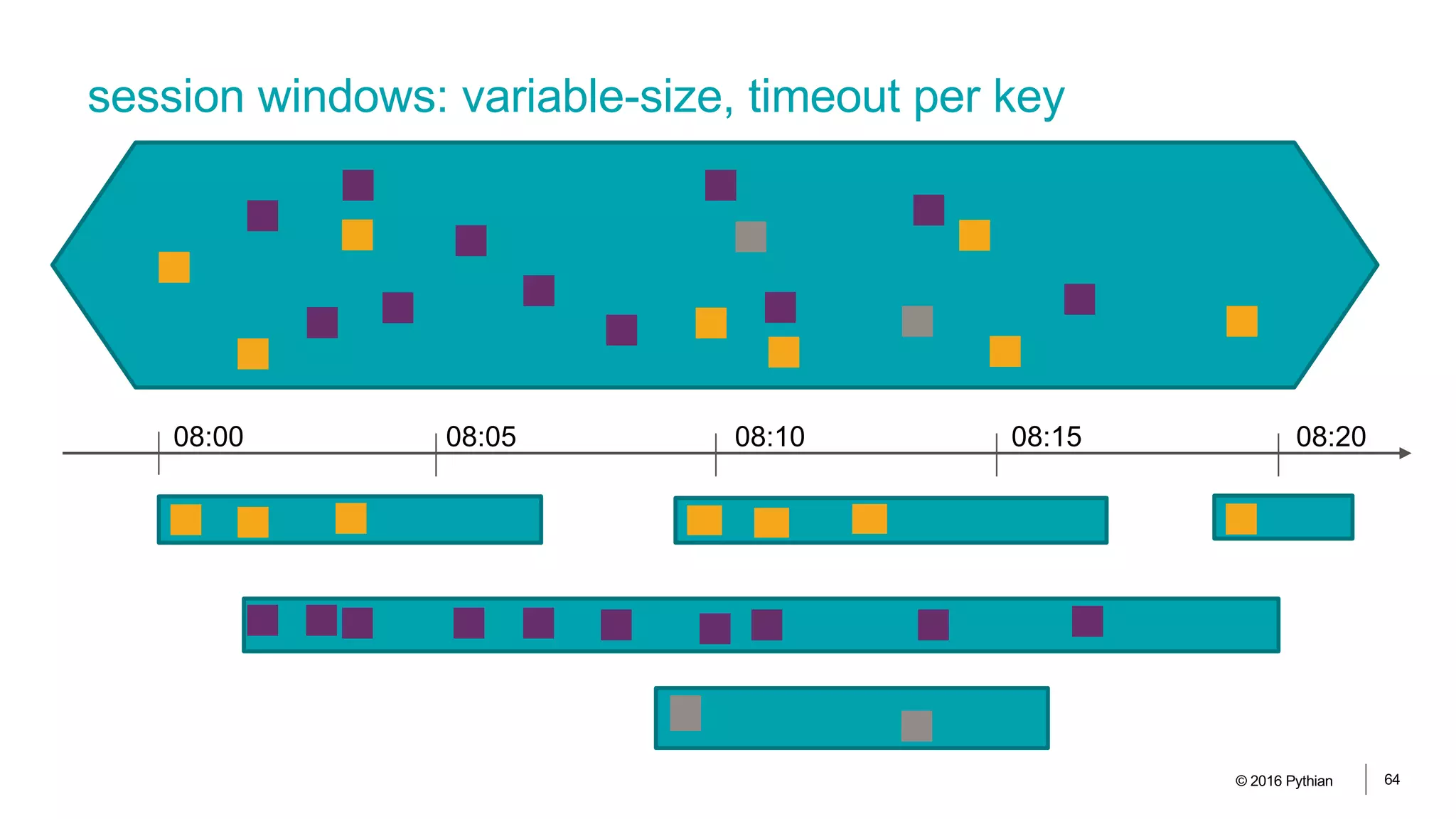
session windows: variable-size, timeout per key
© 2016 Pythian 64
08:00 08:05 08:10 08:15 08:20
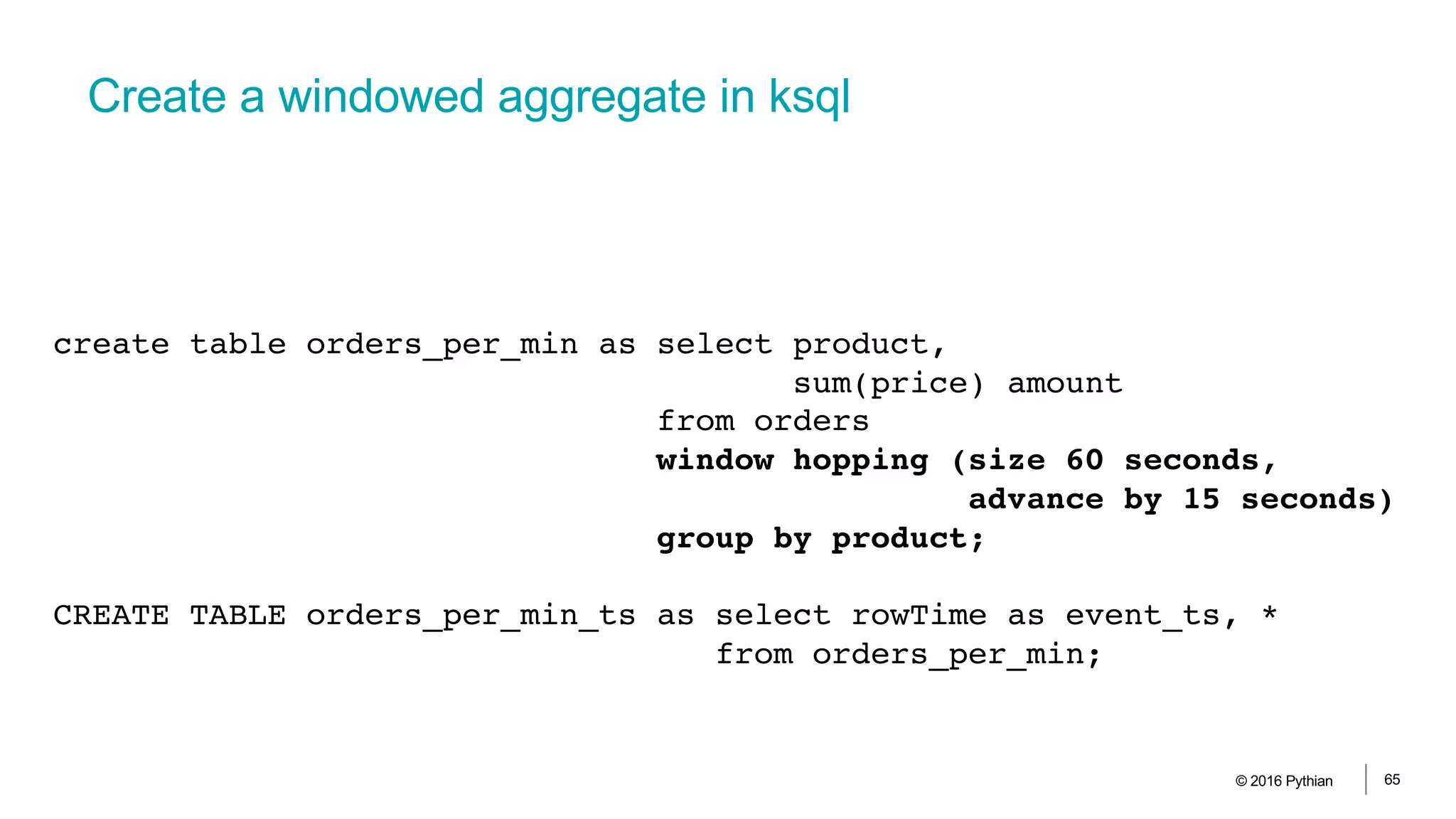
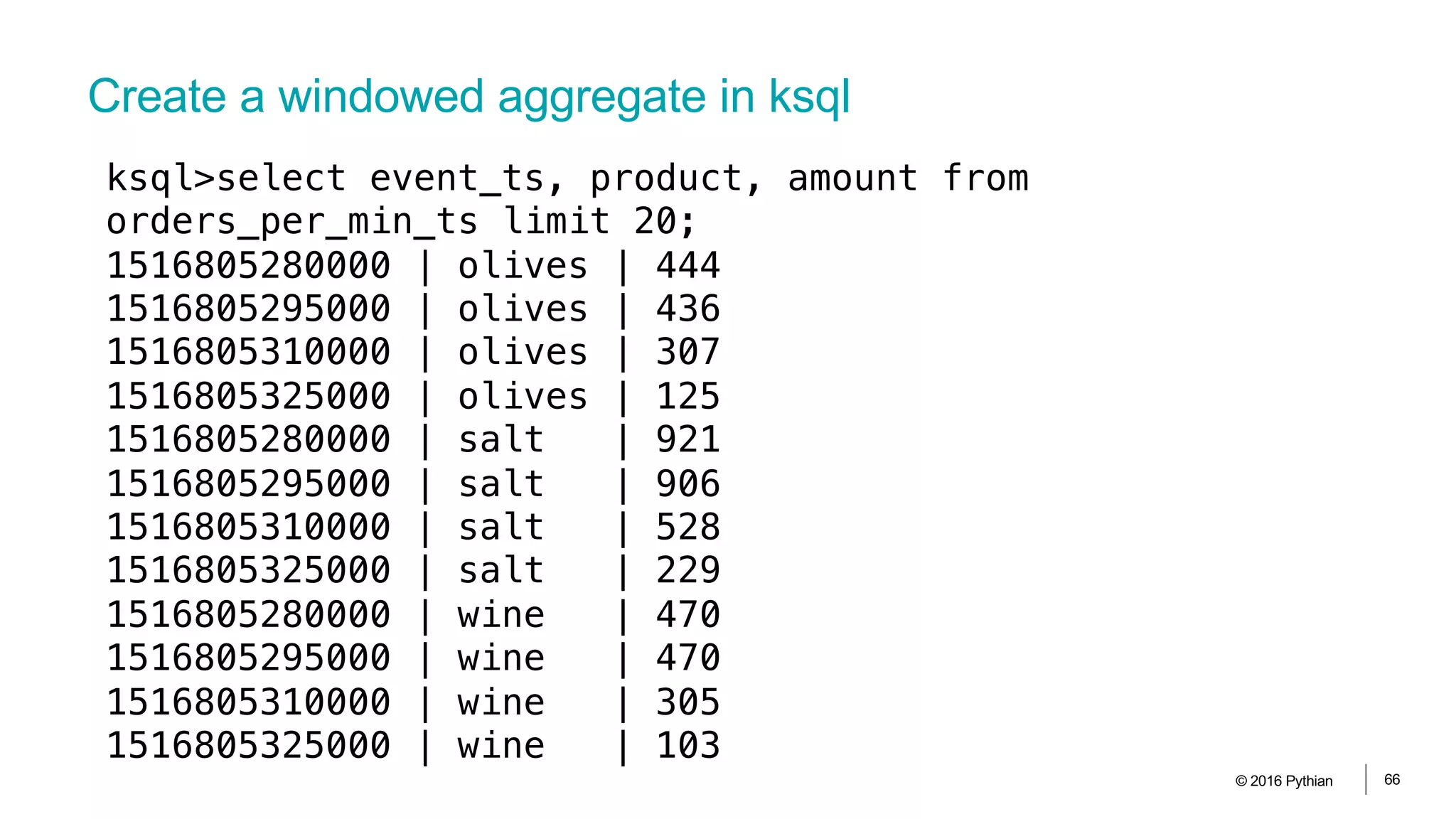
Create a windowed aggregate in ksql
© 2016 Pythian 65
create table orders_per_min as select product,
sum(price) amount
from orders
window hopping (size 60 seconds,
advance by 15 seconds)
group by product;
CREATE TABLE orders_per_min_ts as select rowTime as event_ts, *
from orders_per_min;
Create a windowed aggregate in ksql
© 2016 Pythian 66
ksql>select event_ts, product, amount from
orders_per_min_ts limit 20;
1516805280000 | olives | 444
1516805295000 | olives | 436
1516805310000 | olives | 307
1516805325000 | olives | 125
1516805280000 | salt | 921
1516805295000 | salt | 906
1516805310000 | salt | 528
1516805325000 | salt | 229
1516805280000 | wine | 470
1516805295000 | wine | 470
1516805310000 | wine | 305
1516805325000 | wine | 103
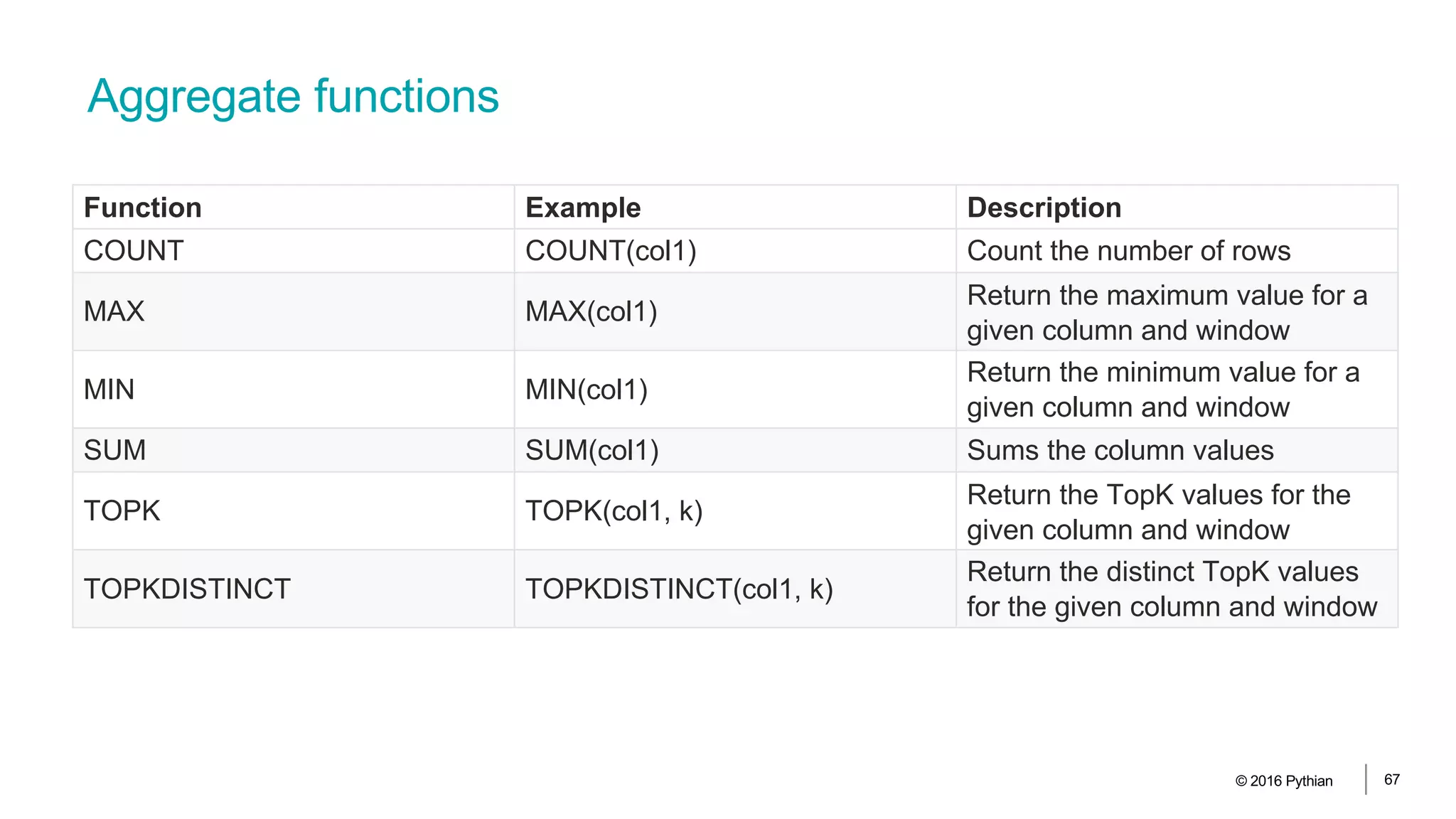
Aggregate functions
© 2016 Pythian 67
Function Example Description
COUNT COUNT(col1) Count the number of rows
MAX MAX(col1)
Return the maximum value for a
given column and window
MIN MIN(col1)
Return the minimum value for a
given column and window
SUM SUM(col1) Sums the column values
TOPK TOPK(col1, k)
Return the TopK values for the
given column and window
TOPKDISTINCT TOPKDISTINCT(col1, k)
Return the distinct TopK values
for the given column and window
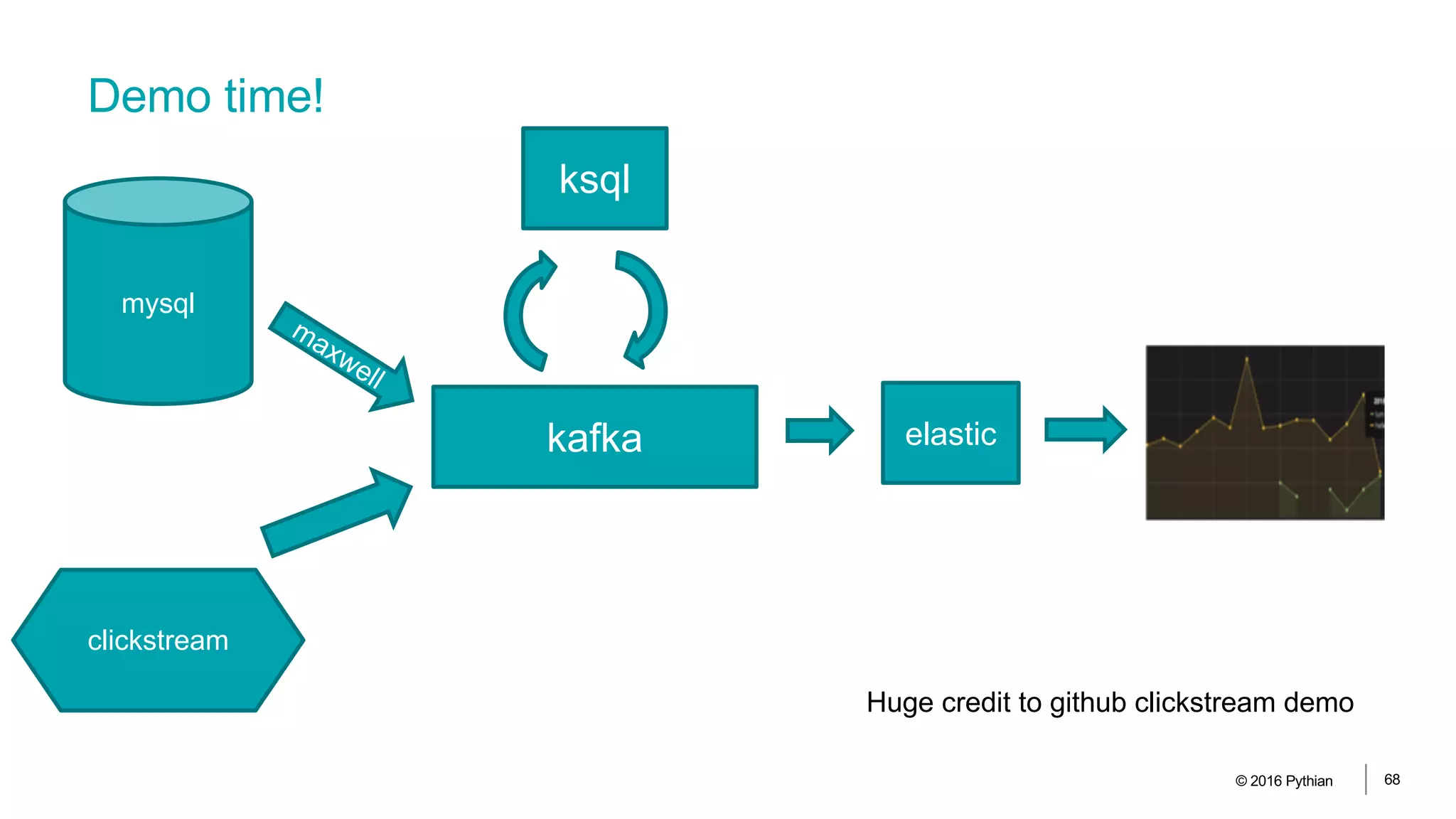
Demo time!
© 2016 Pythian 68
mysql
maxwell
kafka
ksql
elastic
clickstream
Huge credit to github clickstream demo
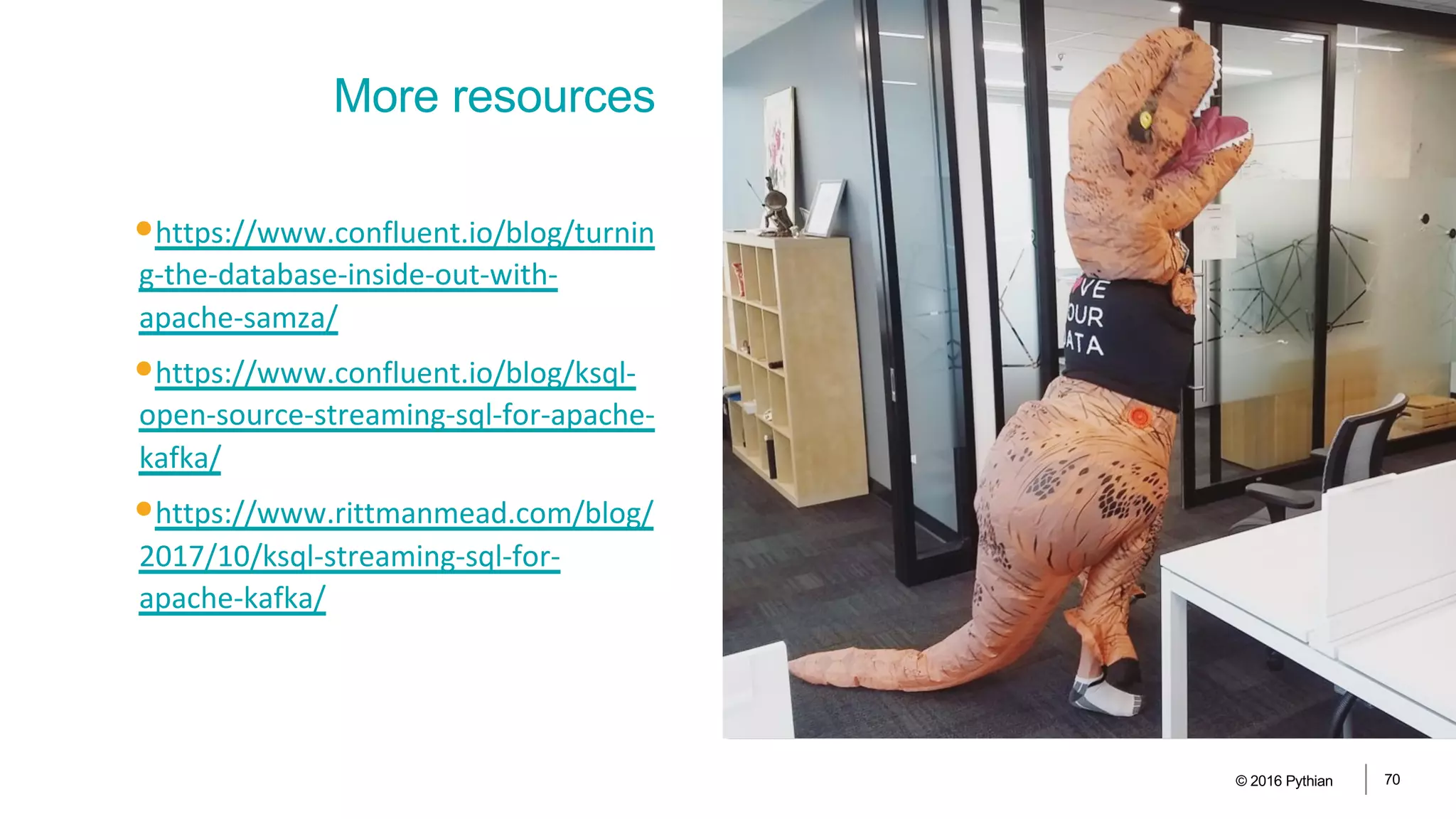
•https://www.confluent.io/blog/turnin
g-the-database-inside-out-with-
apache-samza/
•https://www.confluent.io/blog/ksql-
open-source-streaming-sql-for-apache-
kafka/
•https://www.rittmanmead.com/blog/
2017/10/ksql-streaming-sql-for-
apache-kafka/
© 2016 Pythian 70
More resources
•RDBMS also want to speak “stream”
•Stream processing is coming fast and
is here to stay
•KSQL is something to be excited
about
© 2016 Pythian 71
Summary
https://github.com/bjoernrost/mysql-ksql-etl-demo
THANK YOU
Paragraph
72© 2016 Pythian

Streaming ETL - from RDBMS to Dashboard with KSQL

  • 1.
    Streaming ETL From rdbmsto dashboard with Kafka and KSQL Björn Rost
  • 2.
    Things I amgood at •Oracle (and relational) databases •Performance •High-Availability •PL/SQL and ETL •Replication •Exadata •Automation/DevOps •Linux and Solaris •VMs and solaris containers © 2016 Pythian 11
  • 3.
    Things I amgetting good at •Kafka and streaming •Cloud and cloud native data processing •Dataflow, bigquery •Machine learning •docker © 2016 Pythian 12
  • 4.
    Things I amnot good at And have limited interest in •“real” programming •Especially java •GUIs •Coming up with meaningful demos © 2016 Pythian 13
  • 5.
    ABOUT PYTHIAN Pythian’s 400+IT professionals help companies adopt and manage disruptive technologies to better compete © 2016 Pythian 14
  • 6.
    TECHNICAL EXPERTISE © 2016Pythian. Confidential 15 Infrastructure: Transforming and managing the IT infrastructure that supports the business DevOps: Providing critical velocity in software deployment by adopting DevOps practices Cloud: Using the disruptive nature of cloud for accelerated, cost-effective growth Databases: Ensuring databases are reliable, secure, available and continuously optimized Big Data: Harnessing the transformative power of data on a massive scale Advanced Analytics: Mining data for insights & business transformation using data science
  • 7.
    © 2016 Pythian16 assumptions •You know more about kafka than me •Today you do not want to hear much about how great Oracle is
  • 8.
    AGENDA • Motivation /what are we going to build here? • Getting rdbms data into kafka • streaming ETL and KSQL • Feeding kafka into grafana • Demo time! (or Q&A) © 2016 Pythian 17
  • 9.
    motivation (noun) /məʊtɪˈveɪʃ(ə)n/ AKA: howto tease you enough to pay attention through the next 42 mintues
  • 10.
  • 11.
    The full(er) picture ©2016 Pythian 20 mysql maxwell kafka ksql elastic clickstream
  • 12.
    The 3 Vsof Big Data © 2016 Pythian 21 Volume VarietyVelocity
  • 13.
    StreamingRDBMS the “kingof state” © 2016 Pythian 22 • Takes transactions and stores consistent state • Tell you what *is* or *was* • One central ”system of record” • Sucks for large volumes of logs • Great at updates, deletes and rollbacks • Every DB speaks SQL • Stores and distributes events • Tell you what *happened* • Has a concept of order • Connects many different systems • Sucks at accounting and inventories • Append-only • Processing = programming*
  • 14.
    • I have$42 in my bank account • The address of user xx is yyy • Inventory • Invoice and order data • Spatial objects (maps) • A transferred $42 to B • Address change • Add or remove an item • Clickstreams and logs • IoT messages • Location movements (GPS) • Gaming actions Event examplesState examples © 2016 Pythian 23
  • 15.
    Demo setup inmysql © 2016 Pythian 24 mysql>select * from orders order by id desc limit 5; +-------+---------+-------+---------+ | id | product | price | user_id | +-------+---------+-------+---------+ | 10337 | wine | 10 | 3 | | 10336 | olives | 1 | 14 | | 10335 | olives | 3 | 7 | | 10334 | olives | 8 | 32 | | 10333 | salt | 3 | 27 | +-------+---------+-------+---------+ 5 rows in set (0.00 sec)
  • 16.
    rdbms -> kafka ©2016 Pythian 25
  • 17.
    Kafka-connect-jdbc • open sourceconnector • runs a query every n seconds •Remembers offset •Really only captures inserts •Broken Data type mapping (oracle) •Issues withTimezones (oracle) © 2016 Pythian 26
  • 18.
    lumpy - @lumpyACED ©2016 Pythian 27
  • 19.
    Simple diary example ©2016 Pythian 28 mysql>describe diary; +-------+-------------+------+-----+---------+----------------+ | Field | Type | Null | Key | Default | Extra | +-------+-------------+------+-----+---------+----------------+ | id | smallint(6) | NO | PRI | NULL | auto_increment | | event | varchar(42) | YES | | NULL | | +-------+-------------+------+-----+---------+----------------+ 2 rows in set (0.00 sec) mysql>select * from diary order by id desc limit 5; +----+---------------------------------------------+ | id | event | +----+---------------------------------------------+ | 18 | i hate the snow | | 17 | still jealous i did not get to go to israel | | 16 | i am jealous i did not get to go to Israel | | 15 | i am jealous i did not get to go to india | | 13 | i am very cold and alone | +----+-----------------------------------_---------+ 5 rows in set (0.00 sec)
  • 20.
    Diary example © 2016Pythian 29 mysql>insert into diary (event) values ('I would love to meet the meetup guys'); Query OK, 1 row affected (0.00 sec) mysql>select * from diary order by id desc limit 2; +----+--------------------------------------+ | id | event | +----+--------------------------------------+ | 19 | I would love to meet the meetup guys | | 18 | i hate the snow | +----+--------------------------------------+ 2 rows in set (0.00 sec)
  • 21.
    Connect-jdbc-diary.properties © 2016 Pythian30 name=mysql-diary-source connector.class=io.confluent.connect.jdbc.JdbcSourceConnector tasks.max=1 connection.url=jdbc:mysql://localhost:3306/code_demo?user=lumpy&password=lumpy table.whitelist=diary mode=incrementing incrementing.column.name=id topic.prefix=mysql-
  • 22.
    Still simple butnot as easy: inventory © 2016 Pythian 31 SQL>describe inventory; Name Null? Type ----------------------------------------- -------- ------------------------ ID NOT NULL NUMBER(8) NAME VARCHAR2(42) COUNT NUMBER(8) SQL>select * from inventory; ID NAME COUNT ---------- ------------ ---------- 1 nametag 1 4 friends 294 5 selfies 1005
  • 23.
    Still simple butnot as easy: inventory © 2016 Pythian 32 SQL>update inventory set count=count+2 where name='friends'; 1 row updated. SQL>select * from inventory; ID NAME COUNT ---------- ------------ ---------- 1 nametag 1 4 friends 296 5 selfies 1005
  • 24.
    How about oneextra column to catch updates? © 2016 Pythian 33 alter table inventory add (last_modified timestamp);
  • 25.
    How about twoextra columns to catch deletes? © 2016 Pythian 34 alter table inventory add (valid_from timestamp, valid_to timestamp);
  • 26.
    © 2016 Pythian35 Poor man’s CDC • SELECT … VERSIONS BETWEEN … • this adds pseudocolumns • version_starttime in TS format • version_operation • the data is gathered from UNDO by default • > 11.2.0.4 allow basic flashback data archives without extra licenses • specify retention period for as long as you want Oracle flashback query
  • 27.
    flashback query output ©2016 Pythian 36 ID NAME COUNT O VERSIONS_STARTTIME ---- ------------ ------- - -------------------------------- 4 friends 42 I 27-JUN-17 05.10.17.000000000 AM 3 shrimp 1 I 27-JUN-17 05.10.17.000000000 AM 6 mouse ears 2 D 27-JUN-17 03.51.50.000000000 PM 4 friends 42 U 27-JUN-17 05.10.41.000000000 AM 6 mouse ears 2 I 27-JUN-17 05.23.11.000000000 AM 5 selfies 1001 U 27-JUN-17 03.56.12.000000000 PM 5 selfies 1000 U 27-JUN-17 05.10.41.000000000 AM 4 friends 42 U 27-JUN-17 03.51.22.000000000 PM 4 friends 92 U 27-JUN-17 10.14.14.000000000 PM 4 friends 117 U 27-JUN-17 10.23.17.000000000 PM 4 friends 142 U 27-JUN-17 10.28.21.000000000 PM 5 selfies 1002 U 27-JUN-17 03.56.22.000000000 PM select id, name, count, versions_operation, versions_starttime from inventory versions between scn minvalue and maxvalue order by versions_starttime;
  • 28.
    © 2016 Pythian37 •aka total recall •background job mines UNDO •saves data to special tables •create flashback archive per table •define retention •extends flashback query flashback data archives
  • 29.
    flashback query configfor connect-jdbc © 2016 Pythian 38 connection.url=jdbc:oracle:thin:lumpy/lumpy@//localhost:1521/BRORCL query=select id, name, count, versions_operation, versions_starttime from inventory versions between scn minvalue and maxvalue mode=timestamp+incrementing timestamp.column.name=VERSIONS_STARTTIME incrementing.column.name=ID topic.prefix=connect-inventory
  • 30.
    Using DB txlogs © 2016 Pythian 39
  • 31.
    •DBs typically separatedata (random and async) from logs (sync and sequential) •This increases performance and recoverability •Bonus: log of all changes •Different names, same concept •Oracle: redo and archivelogs •Mysql: binlogs •Postgres: Write-Ahead-Logs (WAL) •SQL Server: transaction logs Databases already have ”event” logs © 2016 Pythian 40
  • 32.
  • 33.
    RDBMS CDC tools ©2016 Pythian 42
  • 34.
    Maxwell for mysql •Readsbinlogs directly •Has it’s own json format (read: not kafka-connect) •Open, easy, awesome © 2016 Pythian 43
  • 35.
    Maxwell setup © 2016Pythian 44 maxwell --user='maxwell' --password='maxwell’ --host='127.0.0.1' --producer=kafka --kafka.bootstrap.servers=localhost:9092 --kafka_topic=maxwell_%{database}_%{table}
  • 36.
    Maxwell output © 2016Pythian 45 {"database":"code", "table":"orders", "type":"insert", "ts":1516802610, "xid":42025, "commit":true, "data":{"id":12734, "product":"salt", "price":7, "user_id":24 } }
  • 37.
  • 38.
    © 2016 Pythian47 •Transform raw data from transactional systems •Store it again optimized for analytics and reports •Star-schema •Aggregates and roll-ups •Runs in batches, typically nighlty ETL for traditional analytics
  • 39.
    •In-memory •Column stores •Report inreal-time •Decision-support •Machine learning and AI •New data sources •Clickstream •IoT •Big Data © 2016 Pythian 48 Hot topics in analytics
  • 40.
    KSQL and EventStream Processing •Kafka already has kafka streams for processing •But you need to actually write code ▪Same problem with Apache Spark and Dataflow (Apache Beam) etc etc •KSQL allows stream processing with the language you probably already know •Currently in ”developer-preview” © 2016 Pythian 49
  • 41.
    What’s the dealwith streaming data processing? © 2016 Pythian 50 bounded unbounded Finite, complete, consistent Infinite, uncomplete, different inconsistent sources
  • 42.
    Easy: single elementtransforms •Connect SMT •KSQL •Kafka Streams © 2016 Pythian 51
  • 43.
    Creating stream fromtopic and transforms © 2016 Pythian 52 create stream orders_raw (data map(varchar, varchar)) with (kafka_topic = 'maxwell_code_orders', value_format = 'JSON’); ksql>describe orders_raw; Field | Type ------------------------------------------------ ROWTIME | BIGINT (system) ROWKEY | VARCHAR(STRING) (system) DATA | MAP[VARCHAR(STRING),VARCHAR(STRING)] ------------------------------------------------
  • 44.
    Creating stream fromtopic and transforms © 2016 Pythian 53 ksql>select * from orders_raw limit 5; 1516805044165 | {"database":"code","table":"orders","pk.id":546} | {product=wine, user_id=31, price=1, id=546} 1516805044304 | {"database":"code","table":"orders","pk.id":547} | {product=salt, user_id=17, price=2, id=547} 1516805044423 | {"database":"code","table":"orders","pk.id":548} | {product=salt, user_id=16, price=6, id=548} 1516805044550 | {"database":"code","table":"orders","pk.id":549} | {product=olives, user_id=11, price=8, id=549} 1516805044683 | {"database":"code","table":"orders","pk.id":550} | {product=salt, user_id=36, price=3, id=550} LIMIT reached for the partition. Query terminated
  • 45.
    Creating stream fromtopic and transforms © 2016 Pythian 54 create stream orders_flat as select data['id'] as id, data['product'] as product, data['price'] as price, data['user_id'] as user_id from orders_raw; ksql>describe orders_flat; Field | Type ------------------------------------- ROWTIME | BIGINT (system) ROWKEY | VARCHAR(STRING) (system) ID | VARCHAR(STRING) PRODUCT | VARCHAR(STRING) PRICE | VARCHAR(STRING) USER_ID | VARCHAR(STRING) -------------------------------------
  • 46.
    Creating stream fromtopic and transforms © 2016 Pythian 55 create stream orders as select cast(id as integer) as id, product, cast(price as bigint) as price, cast(user_id as integer) as user_id from orders_flat; ksql>describe orders; Field | Type ------------------------------------- ROWTIME | BIGINT (system) ROWKEY | VARCHAR(STRING) (system) ID | INTEGER PRODUCT | VARCHAR(STRING) PRICE | BIGINT USER_ID | INTEGER -------------------------------------
  • 47.
    Creating stream fromtopic and transforms © 2016 Pythian 56 ksql>select * from orders limit 5; 1516805228829 | {"database":"code","table":"orders","pk.id":2031} | 2031 | olives | 1 | 21 1516805228964 | {"database":"code","table":"orders","pk.id":2032} | 2032 | salt | 2 | 28 1516805229114 | {"database":"code","table":"orders","pk.id":2033} | 2033 | wine | 1 | 26 1516805229254 | {"database":"code","table":"orders","pk.id":2034} | 2034 | wine | 5 | 2 1516805229377 | {"database":"code","table":"orders","pk.id":2035} | 2035 | salt | 5 | 1 LIMIT reached for the partition. Query terminated
  • 48.
    Aggregates are alot harder © 2016 Pythian 57 4 3 2
  • 49.
    And then thereare joins © 2016 Pythian 58 4 3 2
  • 50.
  • 51.
    Slicing a streaminto windows © 2016 Pythian 60 08:00 08:05 08:10 08:15 08:20
  • 52.
    Late arrivals makethis more complicated… © 2016 Pythian 61 08:00 08:05 08:10 08:15 08:20 event_ts=8:02
  • 53.
    Tumbling windows: fixed-size,gap-less © 2016 Pythian 62 08:00 08:05 08:10 08:15 08:20
  • 54.
    Hopping windows: fixed-size,overlapping © 2016 Pythian 63 08:00 08:05 08:10 08:15 08:20
  • 55.
    session windows: variable-size,timeout per key © 2016 Pythian 64 08:00 08:05 08:10 08:15 08:20
  • 56.
    Create a windowedaggregate in ksql © 2016 Pythian 65 create table orders_per_min as select product, sum(price) amount from orders window hopping (size 60 seconds, advance by 15 seconds) group by product; CREATE TABLE orders_per_min_ts as select rowTime as event_ts, * from orders_per_min;
  • 57.
    Create a windowedaggregate in ksql © 2016 Pythian 66 ksql>select event_ts, product, amount from orders_per_min_ts limit 20; 1516805280000 | olives | 444 1516805295000 | olives | 436 1516805310000 | olives | 307 1516805325000 | olives | 125 1516805280000 | salt | 921 1516805295000 | salt | 906 1516805310000 | salt | 528 1516805325000 | salt | 229 1516805280000 | wine | 470 1516805295000 | wine | 470 1516805310000 | wine | 305 1516805325000 | wine | 103
  • 58.
    Aggregate functions © 2016Pythian 67 Function Example Description COUNT COUNT(col1) Count the number of rows MAX MAX(col1) Return the maximum value for a given column and window MIN MIN(col1) Return the minimum value for a given column and window SUM SUM(col1) Sums the column values TOPK TOPK(col1, k) Return the TopK values for the given column and window TOPKDISTINCT TOPKDISTINCT(col1, k) Return the distinct TopK values for the given column and window
  • 59.
    Demo time! © 2016Pythian 68 mysql maxwell kafka ksql elastic clickstream Huge credit to github clickstream demo
  • 60.
  • 61.
    •RDBMS also wantto speak “stream” •Stream processing is coming fast and is here to stay •KSQL is something to be excited about © 2016 Pythian 71 Summary https://github.com/bjoernrost/mysql-ksql-etl-demo
  • 62.