Camera ShotsDigital I AM PoetryVideo ProductionsMrs. McMath
Camera shotsThe Camera Shots you shoot in your videos can convey the mood and meaning of what you are trying to convey in your video.Terminology can change between video production environment.Following are examples we will use for this class.The subject in these shots is the boy.
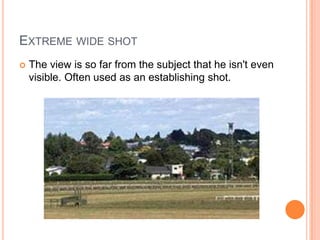
Extreme wide shotThe view is so far from the subject that he isn't even visible. Often used as an establishing shot.
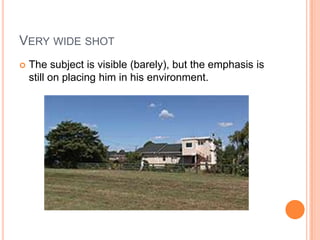
Very wide shotThe subject is visible (barely), but the emphasis is still on placing him in his environment.
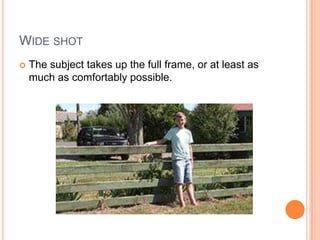
Wide shotThe subject takes up the full frame, or at least as much as comfortably possible.
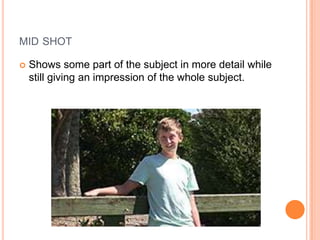
mid shotShows some part of the subject in more detail while still giving an impression of the whole subject.
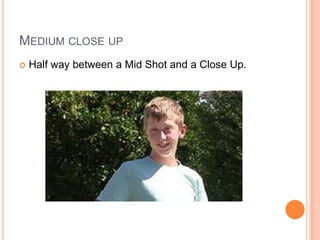
Medium close upHalf way between a Mid Shot and a Close Up.
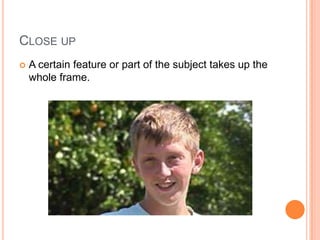
Close upA certain feature or part of the subject takes up the whole frame.
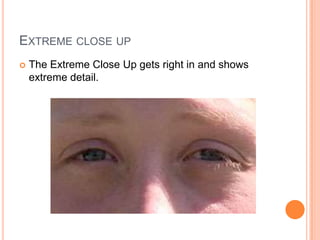
Extreme close upThe Extreme Close Up gets right in and shows extreme detail.
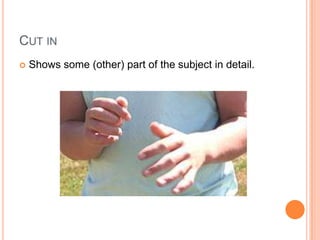
Cut inShows some (other) part of the subject in detail.
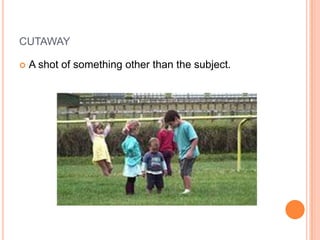
cutawayA shot of something other than the subject.
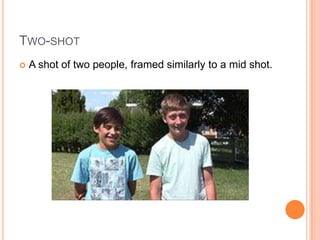
Two-shotA shot of two people, framed similarly to a mid shot.
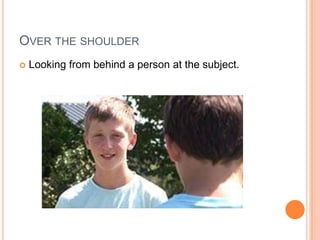
Over the shoulderLooking from behind a person at the subject.
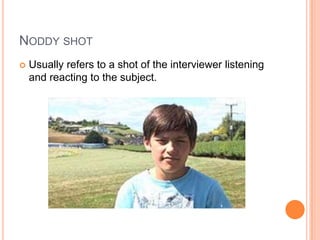
Noddy shotUsually refers to a shot of the interviewer listening and reacting to the subject.
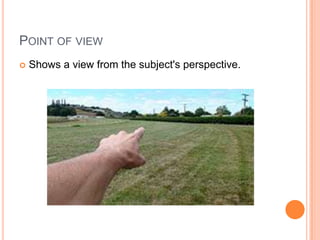
Point of viewShows a view from the subject's perspective.
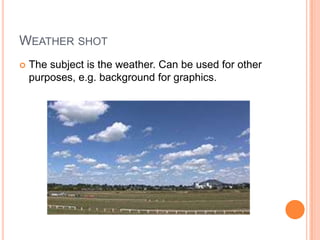
Weather shotThe subject is the weather. Can be used for other purposes, e.g. background for graphics.
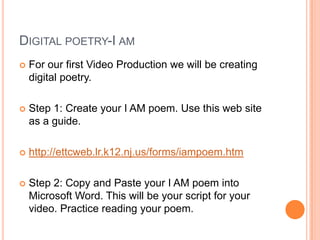
Digital poetry-I amFor our first Video Production we will be creating digital poetry.Step 1: Create your I AM poem. Use this web site as a guide.http://ettcweb.lr.k12.nj.us/forms/iampoem.htmStep 2: Copy and Paste your I AM poem into Microsoft Word. This will be your script for your video. Practice reading your poem.
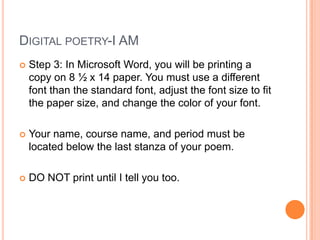
Digital poetry-I AMStep 3: In Microsoft Word, you will be printing a copy on 8 ½ x 14 paper. You must use a different font than the standard font, adjust the font size to fit the paper size, and change the color of your font.Your name, course name, and period must be located below the last stanza of your poem.DO NOT print until I tell you too.
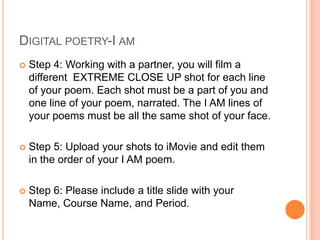
Digital poetry-I amStep 4: Working with a partner, you will film a different  EXTREME CLOSE UP shot for each line of your poem. Each shot must be a part of you and one line of your poem, narrated. The I AM lines of your poems must be all the same shot of your face.Step 5: Upload your shots to iMovie and edit them in the order of your I AM poem.Step 6: Please include a title slide with your Name, Course Name, and Period.
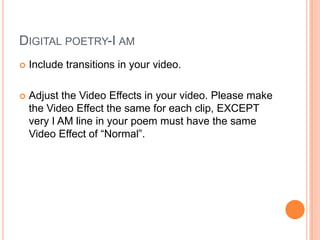
Digital poetry-I amInclude transitions in your video.Adjust the Video Effects in your video. Please make the Video Effect the same for each clip, EXCEPT very I AM line in your poem must have the same Video Effect of “Normal”.
Let’s get started! Have fun and create beautiful work!

Camera Shots and Digital Poetry

  • 1.
    Camera ShotsDigital IAM PoetryVideo ProductionsMrs. McMath
  • 2.
    Camera shotsThe CameraShots you shoot in your videos can convey the mood and meaning of what you are trying to convey in your video.Terminology can change between video production environment.Following are examples we will use for this class.The subject in these shots is the boy.
  • 3.
    Extreme wide shotTheview is so far from the subject that he isn't even visible. Often used as an establishing shot.
  • 4.
    Very wide shotThesubject is visible (barely), but the emphasis is still on placing him in his environment.
  • 5.
    Wide shotThe subjecttakes up the full frame, or at least as much as comfortably possible.
  • 6.
    mid shotShows somepart of the subject in more detail while still giving an impression of the whole subject.
  • 7.
    Medium close upHalfway between a Mid Shot and a Close Up.
  • 8.
    Close upA certainfeature or part of the subject takes up the whole frame.
  • 9.
    Extreme close upTheExtreme Close Up gets right in and shows extreme detail.
  • 10.
    Cut inShows some(other) part of the subject in detail.
  • 11.
    cutawayA shot ofsomething other than the subject.
  • 12.
    Two-shotA shot oftwo people, framed similarly to a mid shot.
  • 13.
    Over the shoulderLookingfrom behind a person at the subject.
  • 14.
    Noddy shotUsually refersto a shot of the interviewer listening and reacting to the subject.
  • 15.
    Point of viewShowsa view from the subject's perspective.
  • 16.
    Weather shotThe subjectis the weather. Can be used for other purposes, e.g. background for graphics.
  • 17.
    Digital poetry-I amForour first Video Production we will be creating digital poetry.Step 1: Create your I AM poem. Use this web site as a guide.http://ettcweb.lr.k12.nj.us/forms/iampoem.htmStep 2: Copy and Paste your I AM poem into Microsoft Word. This will be your script for your video. Practice reading your poem.
  • 18.
    Digital poetry-I AMStep3: In Microsoft Word, you will be printing a copy on 8 ½ x 14 paper. You must use a different font than the standard font, adjust the font size to fit the paper size, and change the color of your font.Your name, course name, and period must be located below the last stanza of your poem.DO NOT print until I tell you too.
  • 19.
    Digital poetry-I amStep4: Working with a partner, you will film a different EXTREME CLOSE UP shot for each line of your poem. Each shot must be a part of you and one line of your poem, narrated. The I AM lines of your poems must be all the same shot of your face.Step 5: Upload your shots to iMovie and edit them in the order of your I AM poem.Step 6: Please include a title slide with your Name, Course Name, and Period.
  • 20.
    Digital poetry-I amIncludetransitions in your video.Adjust the Video Effects in your video. Please make the Video Effect the same for each clip, EXCEPT very I AM line in your poem must have the same Video Effect of “Normal”.
  • 21.
    Let’s get started!Have fun and create beautiful work!