

Introducing the 
Digital Repository for Museum Collections 
Dan Gillean 
Jesús García Crespo
2011 - 2013 
BACKGROUND
STORAGE archivematica DAM 
TMS 
MANAGER 
BACKGROUND
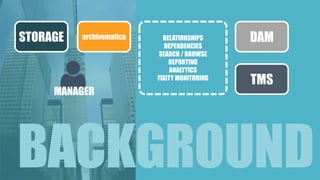
STORAGE archivematica DAM 
TMS 
MANAGER 
RELATIONSHIPS 
DEPENDENCIES 
SEARCH / BROWSE 
REPORTING 
ANALYTICS 
FIXITY MONITORING 
BACKGROUND
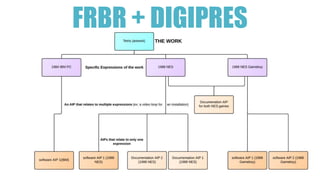
FRBR + DIGIPRES
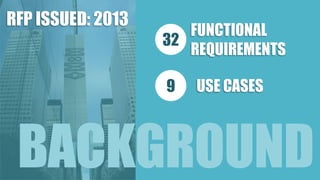
RFP ISSUED: 2013 
32 
9 
FUNCTIONAL 
REQUIREMENTS 
USE CASES 
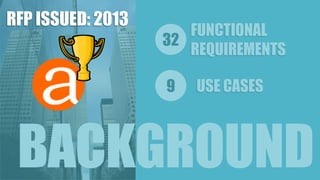
BACKGROUND
32 
9 
FUNCTIONAL 
REQUIREMENTS 
USE CASES 
RFP ISSUED: 2013 
BACKGROUND
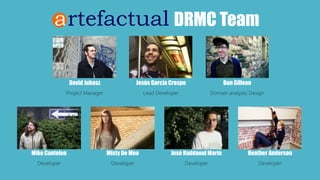
DRMC Team 
Jesús García Crespo 
Lead Developer 
David Juhasz 
Project Manager 
Dan Gillean 
Domain analysis; Design 
Mike Cantelon 
Developer 
Misty De Meo 
Developer 
José RaddaouiMarín 
Developer 
Heather Anderson 
Developer
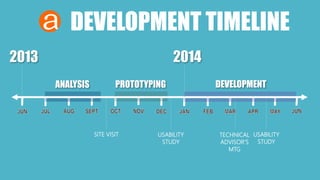
DEVELOPMENT TIMELINE 
2013 2014 
ANALYSIS PROTOTYPING DEVELOPMENT 
SITE VISIT USABILITY 
STUDY 
TECHNICAL 
ADVISOR’S 
MTG 
USABILITY 
STUDY
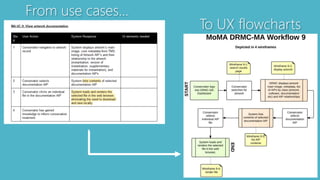
From use cases… 
To UX flowcharts
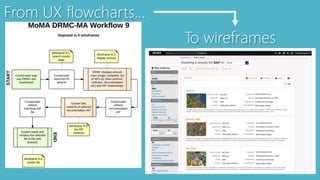
From UX flowcharts… 
To wireframes
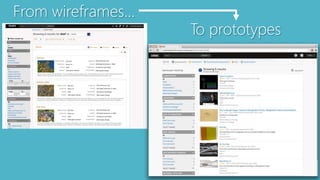
From wireframes… 
To prototypes
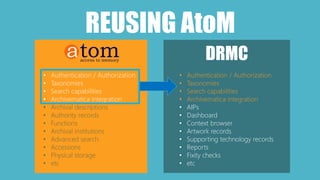
REUSING AtoM 
DRMC 
• Authentication / Authorization 
• Taxonomies 
• Search capabilities 
• Archivematica integration 
• Archival descriptions 
• Authority records 
• Functions 
• Archival institutions 
• Advanced search 
• Accessions 
• Physical storage 
• etc 
• Authentication / Authorization 
• Taxonomies 
• Search capabilities 
• Archivematica integration 
• AIPs 
• Dashboard 
• Context browser 
• Artwork records 
• Supporting technology records 
• Reports 
• Fixity checks 
• etc
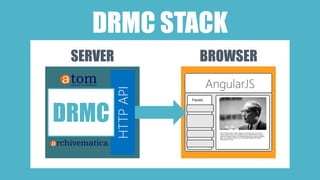
DRMC STACK 
SERVER BROWSER 
HTTP API 
DRMC 
AngularJS
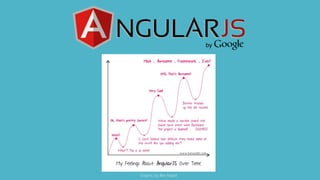
Graphic by Ben Nadel
DECLARATIVE DATA BINDING 
<div class="fixity-status"> 
<p>Most recent fixity checks</p> 
<ul> 
<li 
ng-repeat="item in latestFixityChecks" 
ng-class="{ 'fixity-ok': !item.failed, 'fixity-err': item.failed }"> 
AIP UUID {{ item.aip.name }} {{ item.aip.uuid }} <br /> 
Duration: {{ item.duration }} seconds <br /> 
<span class="fixty-err-msg" ng-if="item.failed"> 
{{ item.error }} 
</span> 
</li> 
</ul> 
</div>
DECLARATIVE DATA BINDING 
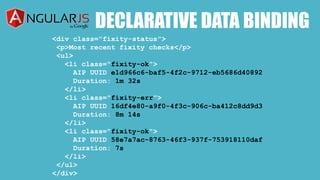
<div class="fixity-status"> 
<p>Most recent fixity checks</p> 
<ul> 
<li class="fixity-ok"> 
AIP UUID e1d966c6-baf5-4f2c-9712-eb5686d40892 
Duration: 1m 32s 
</li> 
<li class="fixity-err"> 
AIP UUID 16df4e80-a9f0-4f3c-906c-ba412c8dd9d3 
Duration: 8m 14s 
</li> 
<li class="fixity-ok"> 
AIP UUID 58e7a7ac-8763-46f3-937f-753918110daf 
Duration: 7s 
</li> 
</ul> 
</div>
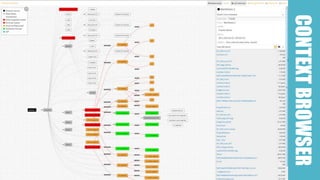
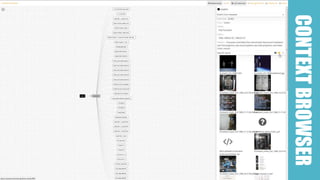
CONTEXT BROWSER
CONTEXT BROWSER
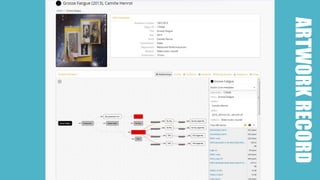
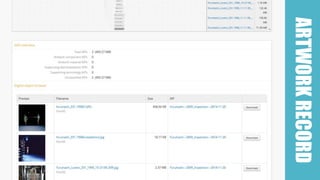
ARTWORK RECORD
ARTWORK RECORD
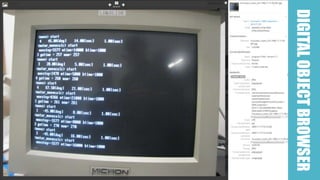
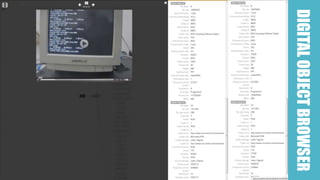
DIGITAL OBJECT BROWSER
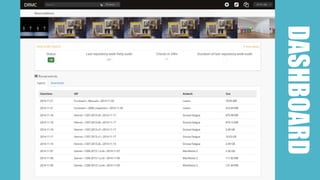
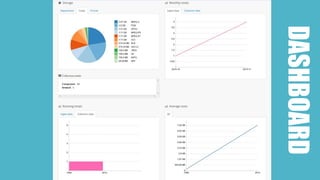
DASHBOARD
DASHBOARD
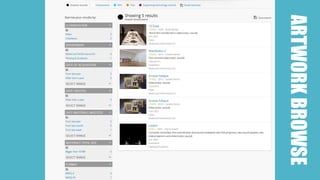
ARTWORK BROWSE
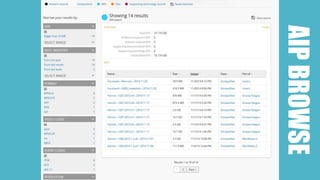
AIP BROWSE
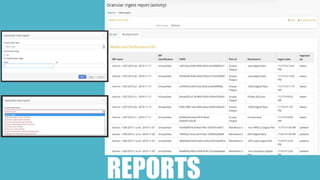
REPORTS
WHAT’S NEXT? 
• Rebrand 
• Public demo site 
• Abstract MoMA-specific code 
• Open source angularJS app 
• Prep website 
• Release API documentation 
• Create screencasts 
• Find development partners
INTERESTED? 
info@artefactual.com 
Thanks!

Introducing the Digital Repository for Museum Collections (DRMC)

  • 1.
    Introducing the DigitalRepository for Museum Collections Dan Gillean Jesús García Crespo
  • 2.
    2011 - 2013 BACKGROUND
  • 3.
    STORAGE archivematica DAM TMS MANAGER BACKGROUND
  • 4.
    STORAGE archivematica DAM TMS MANAGER RELATIONSHIPS DEPENDENCIES SEARCH / BROWSE REPORTING ANALYTICS FIXITY MONITORING BACKGROUND
  • 5.
  • 6.
    RFP ISSUED: 2013 32 9 FUNCTIONAL REQUIREMENTS USE CASES BACKGROUND
  • 7.
    32 9 FUNCTIONAL REQUIREMENTS USE CASES RFP ISSUED: 2013 BACKGROUND
  • 8.
    DRMC Team JesúsGarcía Crespo Lead Developer David Juhasz Project Manager Dan Gillean Domain analysis; Design Mike Cantelon Developer Misty De Meo Developer José RaddaouiMarín Developer Heather Anderson Developer
  • 9.
    DEVELOPMENT TIMELINE 20132014 ANALYSIS PROTOTYPING DEVELOPMENT SITE VISIT USABILITY STUDY TECHNICAL ADVISOR’S MTG USABILITY STUDY
  • 10.
    From use cases… To UX flowcharts
  • 11.
    From UX flowcharts… To wireframes
  • 12.
  • 13.
    REUSING AtoM DRMC • Authentication / Authorization • Taxonomies • Search capabilities • Archivematica integration • Archival descriptions • Authority records • Functions • Archival institutions • Advanced search • Accessions • Physical storage • etc • Authentication / Authorization • Taxonomies • Search capabilities • Archivematica integration • AIPs • Dashboard • Context browser • Artwork records • Supporting technology records • Reports • Fixity checks • etc
  • 14.
    DRMC STACK SERVERBROWSER HTTP API DRMC AngularJS
  • 15.
  • 16.
    DECLARATIVE DATA BINDING <div class="fixity-status"> <p>Most recent fixity checks</p> <ul> <li ng-repeat="item in latestFixityChecks" ng-class="{ 'fixity-ok': !item.failed, 'fixity-err': item.failed }"> AIP UUID {{ item.aip.name }} {{ item.aip.uuid }} <br /> Duration: {{ item.duration }} seconds <br /> <span class="fixty-err-msg" ng-if="item.failed"> {{ item.error }} </span> </li> </ul> </div>
  • 17.
    DECLARATIVE DATA BINDING <div class="fixity-status"> <p>Most recent fixity checks</p> <ul> <li class="fixity-ok"> AIP UUID e1d966c6-baf5-4f2c-9712-eb5686d40892 Duration: 1m 32s </li> <li class="fixity-err"> AIP UUID 16df4e80-a9f0-4f3c-906c-ba412c8dd9d3 Duration: 8m 14s </li> <li class="fixity-ok"> AIP UUID 58e7a7ac-8763-46f3-937f-753918110daf Duration: 7s </li> </ul> </div>
  • 18.
  • 19.
  • 20.
  • 21.
  • 22.
  • 23.
  • 24.
  • 25.
  • 26.
  • 27.
  • 28.
  • 29.
    WHAT’S NEXT? •Rebrand • Public demo site • Abstract MoMA-specific code • Open source angularJS app • Prep website • Release API documentation • Create screencasts • Find development partners
  • 30.

Editor's Notes

  • #9 Artefactual is a small open source web development company of about 16 people Our main projects are AtoM, a web-based application for standards-based archival arrangement, description, and acess; and Archivematica, a web-based digital preservation system. We’ve had 7 members of our team focused on development of the DRMC, with participation from other team members at various points. David Juhasz has acted as Project Manager throughout this project, While Jesus Garcia Crespo is our Systems Architect and Lead Developer I have been responsible for Domain Analysis and User Interface design Mike Cantelon has done both Front and back end development throughout the project Misty De Meo has built our fixity checker app, and worked on Archivematica integration and development Jose Raddaoui Marin has developed much of the Elasticsearch architecture and REST endpoints Heather has done a lot of the front-end work in Angular
  • #11 This slide depicts an example of how the process followed from phase one to phase two. The image in the top right depicts one of the use cases that MoMA had outlined as a requirement for DRMC functionality – in essence, a conservator searches for a work, finds it and navigates to it, and then browses the files contained within an associated AIP. The first thing we did was to take these text-based use cases, and transform them into workflows – shown in the bottom left-hand corner. This helped us to understand the use case visually, and to be able to determine for each task what steps the user would take, and what corresponding actions would be performed by the application. Based on these, we could then determine how many wireframes we felt would be necessary to illustrate the interface as each action took place. The top images in the middle and on the right show two examples of the wireframes produced from this workflow – the first depicts a sample of the search results, while the image on the right shows an example of the digital object browser used to explore files contained within an AIP. Below are images of the application as it was a month ago – mid development. Many elements have been developed almost exactly as they were in the original wireframes, while other elements have changed based on the flexibility of the agile model – testing, feedback, evolution. We felt that this combination of approaches – that is, a long and well-considered planning phase, combined with an agile and flexible development methodology – has given us a strong base from which to work, while still retaining the ability for us to adapt and account for new ideas.
  • #12 This slide depicts an example of how the process followed from phase one to phase two. The image in the top right depicts one of the use cases that MoMA had outlined as a requirement for DRMC functionality – in essence, a conservator searches for a work, finds it and navigates to it, and then browses the files contained within an associated AIP. The first thing we did was to take these text-based use cases, and transform them into workflows – shown in the bottom left-hand corner. This helped us to understand the use case visually, and to be able to determine for each task what steps the user would take, and what corresponding actions would be performed by the application. Based on these, we could then determine how many wireframes we felt would be necessary to illustrate the interface as each action took place. The top images in the middle and on the right show two examples of the wireframes produced from this workflow – the first depicts a sample of the search results, while the image on the right shows an example of the digital object browser used to explore files contained within an AIP. Below are images of the application as it was a month ago – mid development. Many elements have been developed almost exactly as they were in the original wireframes, while other elements have changed based on the flexibility of the agile model – testing, feedback, evolution. We felt that this combination of approaches – that is, a long and well-considered planning phase, combined with an agile and flexible development methodology – has given us a strong base from which to work, while still retaining the ability for us to adapt and account for new ideas.
  • #13 This slide depicts an example of how the process followed from phase one to phase two. The image in the top right depicts one of the use cases that MoMA had outlined as a requirement for DRMC functionality – in essence, a conservator searches for a work, finds it and navigates to it, and then browses the files contained within an associated AIP. The first thing we did was to take these text-based use cases, and transform them into workflows – shown in the bottom left-hand corner. This helped us to understand the use case visually, and to be able to determine for each task what steps the user would take, and what corresponding actions would be performed by the application. Based on these, we could then determine how many wireframes we felt would be necessary to illustrate the interface as each action took place. The top images in the middle and on the right show two examples of the wireframes produced from this workflow – the first depicts a sample of the search results, while the image on the right shows an example of the digital object browser used to explore files contained within an AIP. Below are images of the application as it was a month ago – mid development. Many elements have been developed almost exactly as they were in the original wireframes, while other elements have changed based on the flexibility of the agile model – testing, feedback, evolution. We felt that this combination of approaches – that is, a long and well-considered planning phase, combined with an agile and flexible development methodology – has given us a strong base from which to work, while still retaining the ability for us to adapt and account for new ideas.