CASE STUDY: REVENTION, INC.
Samsung Solid-State Drives Enable
Ultra-Reliable Point of Sale Terminals
for Restaurants and Bars
OVERVIEW
Customer Need
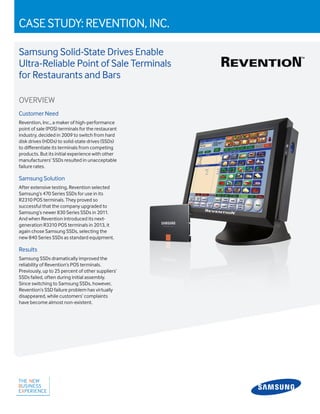
Revention, Inc., a maker of high-performance
point of sale (POS) terminals for the restaurant
industry, decided in 2009 to switch from hard
disk drives (HDDs) to solid-state drives (SSDs)
to differentiate its terminals from competing
products. But its initial experience with other
manufacturers’ SSDs resulted in unacceptable
failure rates.
Samsung Solution
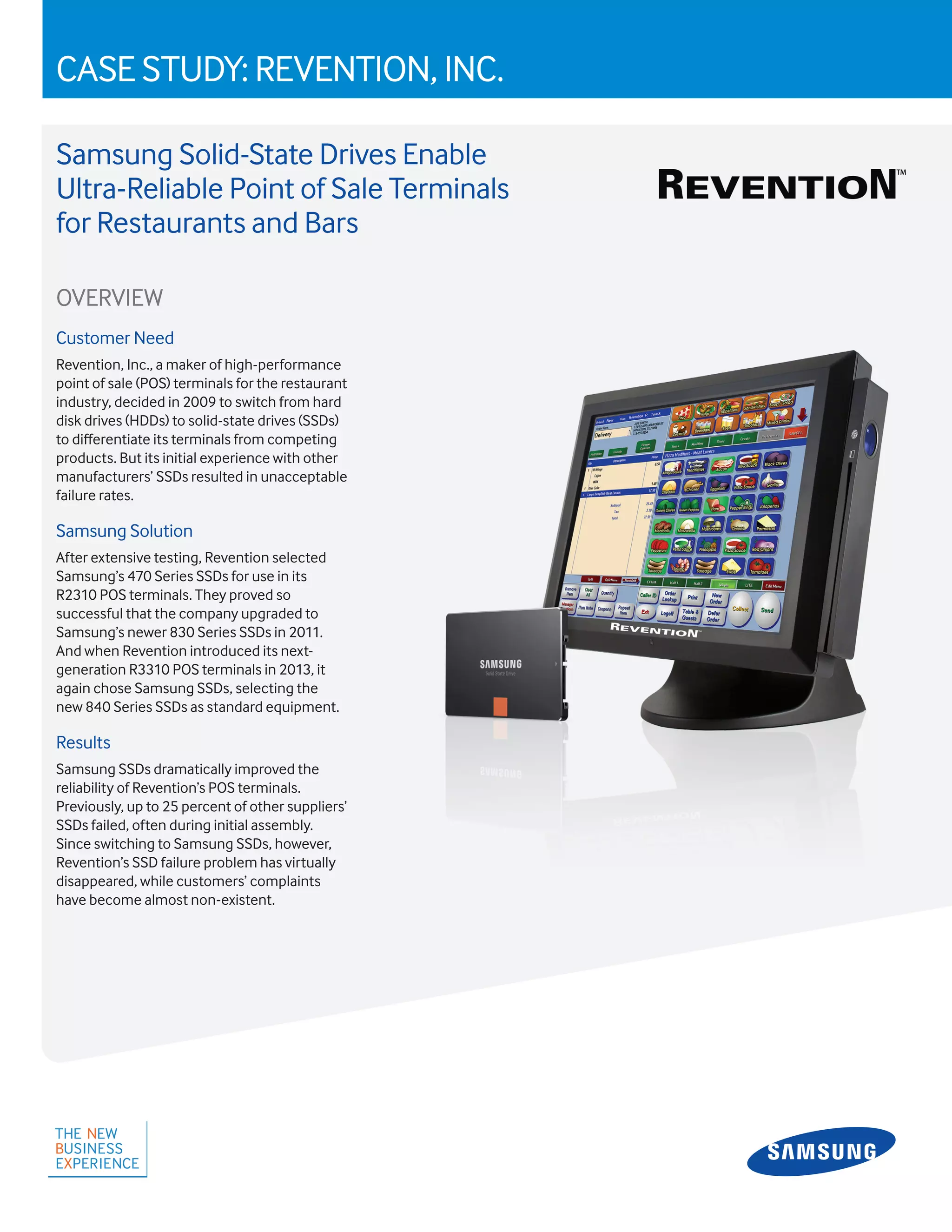
After extensive testing, Revention selected
Samsung’s 470 Series SSDs for use in its
R2310 POS terminals. They proved so
successful that the company upgraded to
Samsung’s newer 830 Series SSDs in 2011.
And when Revention introduced its next-
generation R3310 POS terminals in 2013, it
again chose Samsung SSDs, selecting the
new 840 Series SSDs as standard equipment.
Results
Samsung SSDs dramatically improved the
reliability of Revention’s POS terminals.
Previously, up to 25 percent of other suppliers’
SSDs failed, often during initial assembly.
Since switching to Samsung SSDs, however,
Revention’s SSD failure problem has virtually
disappeared, while customers’ complaints
have become almost non-existent.
2
THECUSTOMER
Revention,Inc.
Revention,Inc.,amakerofhigh-
performancepointofsale(POS)
terminals,hasbeenridingthegrowth
waveinrestauranttechnology.
Foundedin2003,theHouston,TX-
basedcompanyhasgrownrapidlyto
nearly$16millioninannualsales.Its
intuitive,easy-to-usesoftwareand
high-performancePOSterminals
provideacompleterestaurant-
managementsolution,whichhas
attractedaloyalfollowingamong
multi-unitchainsandindependent
pizzeriaoperators.Now,theprivately
heldcompanyisexpandingitsproduct
offeringstoservethefastcasualand
quick-servicerestaurantmarkets,as
wellasbarsandnightclubs.
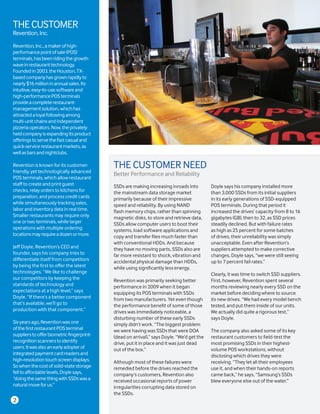
Revention is known for its customer-
friendly, yet technologically advanced
POS terminals, which allow restaurant
staff to create and print guest
checks, relay orders to kitchens for
preparation, and process credit cards
while simultaneously tracking sales,
labor and inventory data in real time.
Smaller restaurants may require only
one or two terminals, while larger
operations with multiple ordering
locationsmayrequireadozenormore.
Jeff Doyle, Revention’s CEO and
founder, says his company tries to
differentiate itself from competitors
by being the first to offer the latest
technologies. “We like to challenge
our competitors by keeping the
standards of technology and
expectations at a high level,” says
Doyle. “If there’s a better component
that’s available, we’ll go to
production with that component.”
Sixyearsago,Reventionwasone
ofthefirstrestaurantPOSterminal
supplierstoofferbiometricfingerprint-
recognitionscannerstoidentify
users.Itwasalsoanearlyadopterof
integratedpaymentcardreadersand
high-resolutiontouchscreendisplays.
Sowhenthecostofsolid-statestorage
felltoaffordablelevels,Doylesays,
“doingthesamethingwithSSDswasa
naturalmoveforus.”
SSDs are making increasing inroads into
the mainstream data storage market
primarily because of their impressive
speed and reliability. By using NAND
flash memory chips, rather than spinning
magnetic disks, to store and retrieve data,
SSDs allow computer users to boot their
systems, load software applications and
copy and transfer files much faster than
with conventional HDDs. And because
they have no moving parts, SSDs also are
far more resistant to shock, vibration and
accidental physical damage than HDDs,
while using significantly less energy.
Revention was primarily seeking better
performance in 2009 when it began
equipping its POS terminals with SSDs
from two manufacturers. Yet even though
the performance benefit of some of those
drives was immediately noticeable, a
disturbing number of these early SSDs
simply didn’t work. “The biggest problem
we were having was SSDs that were DOA
(dead on arrival),” says Doyle. “We’d get the
drive, put it in place and it was just dead
out of the box.”
Although most of these failures were
remedied before the drives reached the
company’s customers, Revention also
received occasional reports of power
irregularities corrupting data stored on
the SSDs.
Doyle says his company installed more
than 3,000 SSDs from its initial suppliers
in its early generations of SSD-equipped
POS terminals. During that period it
increased the drives’ capacity from 8 to 16
gigabytes (GB), then to 32, as SSD prices
steadily declined. But with failure rates
as high as 25 percent for some batches
of drives, their unreliability was simply
unacceptable. Even after Revention’s
suppliers attempted to make corrective
changes, Doyle says, “we were still seeing
up to 7 percent fail rates.”
Clearly, it was time to switch SSD suppliers.
First, however, Revention spent several
months reviewing nearly every SSD on the
market before deciding where to source
its new drives. “We had every model bench
tested, and put them inside of our units.
We actually did quite a rigorous test,”
says Doyle.
The company also asked some of its key
restaurant customers to field-test the
most promising SSDs in their highest-
volume POS workstations, without
disclosing which drives they were
receiving. “They let all their employees
use it, and when their hands-on reports
came back,” he says, “Samsung’s SSDs
blew everyone else out of the water.”
THE CUSTOMER NEED
Better Performance and Reliability
As the world’s largest maker of computer
memory chips and the largest global
supplier of consumer SSDs, Samsung
has unrivaled experience with solid-
state storage technology. Samsung is
the only SSD supplier to make its own
SSD memory and controller chips, and
this unique, integrated manufacturing
capability gives it full control of
every component, resulting in high
performance and reliability.
Revention started using Samsung’s 470
Series SSDs in its flagship line of R2310
POS terminals in early 2011 and later that
year switched to Samsung’s newer 830
Series SSDs. The SSDs’ 64 GB capacity
was twice as large as the previous SSDs
used by company, and their speed and
responsiveness drew rave reviews from
customers. “Overall, we’ve seen a major
performance gain. It’s probably twice the
performance that we had on hard drives,”
says Doyle.
But the most notable difference has been
the dramatic improvement in reliability.
Doyle says that out of the roughly 5,000
terminals shipped with Samsung SSDs
through early 2013, only two have
experienced SSD problems. “We’ve had
almost no failure issues with Samsung
SSDs,” he says. “We don’t have many
vendors with a perfect track record, but I
can honestly say that we’ve had a nearly
perfect track record with Samsung.”
The new drives also appear to have
resolved the problem of data losses
caused by power irregularities. “Those
issues have almost completely gone
away,” he says. “Samsung SSDs have
made our issues in the field go to where
they’re almost non-existent.”
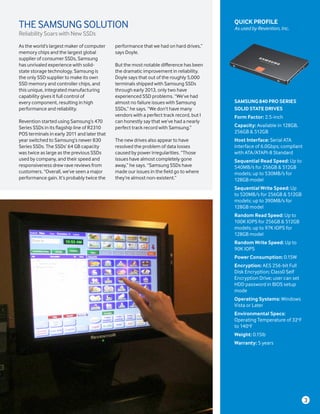
QUICK PROFILE
As used by Revention, Inc.
SAMSUNG 840 PRO SERIES
SOLID STATE DRIVES
Form Factor: 2.5-inch
Capacity: Available in 128GB,
256GB & 512GB
Host Interface: Serial ATA
interface of 6.0Gbps; compliant
with ATA/ATAPI-8 Standard
Sequential Read Speed: Up to
540MB/s for 256GB & 512GB
models; up to 530MB/s for
128GB model
Sequential Write Speed: Up
to 520MB/s for 256GB & 512GB
models; up to 390MB/s for
128GB model
Random Read Speed: Up to
100K IOPS for 256GB & 512GB
models; up to 97K IOPS for
128GB model
Random Write Speed: Up to
90K IOPS
Power Consumption: 0.15W
Encryption: AES 256-bit Full
Disk Encryption; Class0 Self
Encryption Drive; user can set
HDD password in BIOS setup
mode
Operating Systems: Windows
Vista or Later
Environmental Specs:
Operating Temperature of 32o
F
to 140o
F
Weight: 0.15lb
Warranty: 5 years
THE SAMSUNG SOLUTION
Reliability Soars with New SSDs
3
“We’ve had a nearly
perfect track record
with Samsung.”
– Jeff Doyle
President, Revention, Inc.
© 2013 Samsung Electronics America, Inc. All rights reserved. Samsung is a registered trademark of Samsung Electronics Co., Ltd. All products,
logos and brand names are trademarks or registered trademarks of their respective companies. Screen images simulated. This case study is for
informationalpurposesonly. Samsungmakesnowarranties, express orimplied, in this case study.
Learn more 1-866-SAM4BIZ | samsung.com/business | @SamsungBizUSA
THE RESULTS
SSDs Allow Fast, Last-Minute Software Updates
Revention used to pre-load SSDs with
its standard software package and
then install the drives in POS terminals
during manufacturing. But this proved
to be too inflexible, frequently requiring
technicians to unbox and reconfigure
systems before shipping to customers.
Now it typically waits until the terminals
are installed at the customers’ premises
before plugging in the SSDs. That
allows the company to wait until the
last possible moment to customize
or make changes to meet customers’
configuration requirements.
Revention uses high-volume imaging
systems to install and configure software
on multiple SSDs at the same time. And
because software can be loaded much
faster onto SSDs than HDDs, the imaging
process now takes far less time than
when the company relied on HDDs. “SSD
imaging time is literally five to eight
times faster than with hard drives,” says
Doyle. “When you’re doing something
30 times a day and you’re shaving off
15 minutes each time, it’s just a major
difference that’s allowed us to flex and
move faster.”
Besides improved productivity, the faster
software installation process has allowed
Revention to avoid buying additional
imaging systems to meet the demands
of its growing business. “We were going
to have to buy more imaging systems,
which was a sizeable investment,” Doyle
says. “But with SSDs, we haven’t had to.”
He says it has been two years now since
the company bought additional imaging
systems, each of which cost about
$10,000.
Doyle concedes that Revention probably
could have saved 15 to 20 percent by
choosing less-expensive SSDs from
other manufacturers. “But they didn’t
come anywhere close to the quality that
we were seeing with Samsung,” he says.
With about 60 percent of his customers
now using terminals equipped with
Samsung SSDs, Doyle says he’s
very pleased with the performance,
productivity and reliability that Samsung
SSDs have brought to his company’s
products. “I don’t think there’s a better
offering out there that would meet our
needs,” he says.
Not surprisingly, when Revention was
developing its next-generation R3310
line of POS terminals for introduction
in early 2013, it again chose Samsung
SSDs – selecting 128GB capacity 840
series SSDs as standard equipment. And
for good measure, the company also has
recently upgraded all of its executives’
laptop computers with Samsung SSDs.
“Obviously, we’re big on performance
here,” Doyle says. “We don’t want to
be one-upped by the competition, so
everything we do is fast. And we feel like
everything we’ve put in place, including
Samsung SSDs, is a part of that.”

Samsung Solid-State Drives Enable Ultra-Reliable Point of Sale Terminals for Restaurants and Bars

  • 1.
    CASE STUDY: REVENTION,INC. Samsung Solid-State Drives Enable Ultra-Reliable Point of Sale Terminals for Restaurants and Bars OVERVIEW Customer Need Revention, Inc., a maker of high-performance point of sale (POS) terminals for the restaurant industry, decided in 2009 to switch from hard disk drives (HDDs) to solid-state drives (SSDs) to differentiate its terminals from competing products. But its initial experience with other manufacturers’ SSDs resulted in unacceptable failure rates. Samsung Solution After extensive testing, Revention selected Samsung’s 470 Series SSDs for use in its R2310 POS terminals. They proved so successful that the company upgraded to Samsung’s newer 830 Series SSDs in 2011. And when Revention introduced its next- generation R3310 POS terminals in 2013, it again chose Samsung SSDs, selecting the new 840 Series SSDs as standard equipment. Results Samsung SSDs dramatically improved the reliability of Revention’s POS terminals. Previously, up to 25 percent of other suppliers’ SSDs failed, often during initial assembly. Since switching to Samsung SSDs, however, Revention’s SSD failure problem has virtually disappeared, while customers’ complaints have become almost non-existent.
  • 2.
    2 THECUSTOMER Revention,Inc. Revention,Inc.,amakerofhigh- performancepointofsale(POS) terminals,hasbeenridingthegrowth waveinrestauranttechnology. Foundedin2003,theHouston,TX- basedcompanyhasgrownrapidlyto nearly$16millioninannualsales.Its intuitive,easy-to-usesoftwareand high-performancePOSterminals provideacompleterestaurant- managementsolution,whichhas attractedaloyalfollowingamong multi-unitchainsandindependent pizzeriaoperators.Now,theprivately heldcompanyisexpandingitsproduct offeringstoservethefastcasualand quick-servicerestaurantmarkets,as wellasbarsandnightclubs. Revention is knownfor its customer- friendly, yet technologically advanced POS terminals, which allow restaurant staff to create and print guest checks, relay orders to kitchens for preparation, and process credit cards while simultaneously tracking sales, labor and inventory data in real time. Smaller restaurants may require only one or two terminals, while larger operations with multiple ordering locationsmayrequireadozenormore. Jeff Doyle, Revention’s CEO and founder, says his company tries to differentiate itself from competitors by being the first to offer the latest technologies. “We like to challenge our competitors by keeping the standards of technology and expectations at a high level,” says Doyle. “If there’s a better component that’s available, we’ll go to production with that component.” Sixyearsago,Reventionwasone ofthefirstrestaurantPOSterminal supplierstoofferbiometricfingerprint- recognitionscannerstoidentify users.Itwasalsoanearlyadopterof integratedpaymentcardreadersand high-resolutiontouchscreendisplays. Sowhenthecostofsolid-statestorage felltoaffordablelevels,Doylesays, “doingthesamethingwithSSDswasa naturalmoveforus.” SSDs are making increasing inroads into the mainstream data storage market primarily because of their impressive speed and reliability. By using NAND flash memory chips, rather than spinning magnetic disks, to store and retrieve data, SSDs allow computer users to boot their systems, load software applications and copy and transfer files much faster than with conventional HDDs. And because they have no moving parts, SSDs also are far more resistant to shock, vibration and accidental physical damage than HDDs, while using significantly less energy. Revention was primarily seeking better performance in 2009 when it began equipping its POS terminals with SSDs from two manufacturers. Yet even though the performance benefit of some of those drives was immediately noticeable, a disturbing number of these early SSDs simply didn’t work. “The biggest problem we were having was SSDs that were DOA (dead on arrival),” says Doyle. “We’d get the drive, put it in place and it was just dead out of the box.” Although most of these failures were remedied before the drives reached the company’s customers, Revention also received occasional reports of power irregularities corrupting data stored on the SSDs. Doyle says his company installed more than 3,000 SSDs from its initial suppliers in its early generations of SSD-equipped POS terminals. During that period it increased the drives’ capacity from 8 to 16 gigabytes (GB), then to 32, as SSD prices steadily declined. But with failure rates as high as 25 percent for some batches of drives, their unreliability was simply unacceptable. Even after Revention’s suppliers attempted to make corrective changes, Doyle says, “we were still seeing up to 7 percent fail rates.” Clearly, it was time to switch SSD suppliers. First, however, Revention spent several months reviewing nearly every SSD on the market before deciding where to source its new drives. “We had every model bench tested, and put them inside of our units. We actually did quite a rigorous test,” says Doyle. The company also asked some of its key restaurant customers to field-test the most promising SSDs in their highest- volume POS workstations, without disclosing which drives they were receiving. “They let all their employees use it, and when their hands-on reports came back,” he says, “Samsung’s SSDs blew everyone else out of the water.” THE CUSTOMER NEED Better Performance and Reliability
  • 3.
    As the world’slargest maker of computer memory chips and the largest global supplier of consumer SSDs, Samsung has unrivaled experience with solid- state storage technology. Samsung is the only SSD supplier to make its own SSD memory and controller chips, and this unique, integrated manufacturing capability gives it full control of every component, resulting in high performance and reliability. Revention started using Samsung’s 470 Series SSDs in its flagship line of R2310 POS terminals in early 2011 and later that year switched to Samsung’s newer 830 Series SSDs. The SSDs’ 64 GB capacity was twice as large as the previous SSDs used by company, and their speed and responsiveness drew rave reviews from customers. “Overall, we’ve seen a major performance gain. It’s probably twice the performance that we had on hard drives,” says Doyle. But the most notable difference has been the dramatic improvement in reliability. Doyle says that out of the roughly 5,000 terminals shipped with Samsung SSDs through early 2013, only two have experienced SSD problems. “We’ve had almost no failure issues with Samsung SSDs,” he says. “We don’t have many vendors with a perfect track record, but I can honestly say that we’ve had a nearly perfect track record with Samsung.” The new drives also appear to have resolved the problem of data losses caused by power irregularities. “Those issues have almost completely gone away,” he says. “Samsung SSDs have made our issues in the field go to where they’re almost non-existent.” QUICK PROFILE As used by Revention, Inc. SAMSUNG 840 PRO SERIES SOLID STATE DRIVES Form Factor: 2.5-inch Capacity: Available in 128GB, 256GB & 512GB Host Interface: Serial ATA interface of 6.0Gbps; compliant with ATA/ATAPI-8 Standard Sequential Read Speed: Up to 540MB/s for 256GB & 512GB models; up to 530MB/s for 128GB model Sequential Write Speed: Up to 520MB/s for 256GB & 512GB models; up to 390MB/s for 128GB model Random Read Speed: Up to 100K IOPS for 256GB & 512GB models; up to 97K IOPS for 128GB model Random Write Speed: Up to 90K IOPS Power Consumption: 0.15W Encryption: AES 256-bit Full Disk Encryption; Class0 Self Encryption Drive; user can set HDD password in BIOS setup mode Operating Systems: Windows Vista or Later Environmental Specs: Operating Temperature of 32o F to 140o F Weight: 0.15lb Warranty: 5 years THE SAMSUNG SOLUTION Reliability Soars with New SSDs 3
  • 4.
    “We’ve had anearly perfect track record with Samsung.” – Jeff Doyle President, Revention, Inc. © 2013 Samsung Electronics America, Inc. All rights reserved. Samsung is a registered trademark of Samsung Electronics Co., Ltd. All products, logos and brand names are trademarks or registered trademarks of their respective companies. Screen images simulated. This case study is for informationalpurposesonly. Samsungmakesnowarranties, express orimplied, in this case study. Learn more 1-866-SAM4BIZ | samsung.com/business | @SamsungBizUSA THE RESULTS SSDs Allow Fast, Last-Minute Software Updates Revention used to pre-load SSDs with its standard software package and then install the drives in POS terminals during manufacturing. But this proved to be too inflexible, frequently requiring technicians to unbox and reconfigure systems before shipping to customers. Now it typically waits until the terminals are installed at the customers’ premises before plugging in the SSDs. That allows the company to wait until the last possible moment to customize or make changes to meet customers’ configuration requirements. Revention uses high-volume imaging systems to install and configure software on multiple SSDs at the same time. And because software can be loaded much faster onto SSDs than HDDs, the imaging process now takes far less time than when the company relied on HDDs. “SSD imaging time is literally five to eight times faster than with hard drives,” says Doyle. “When you’re doing something 30 times a day and you’re shaving off 15 minutes each time, it’s just a major difference that’s allowed us to flex and move faster.” Besides improved productivity, the faster software installation process has allowed Revention to avoid buying additional imaging systems to meet the demands of its growing business. “We were going to have to buy more imaging systems, which was a sizeable investment,” Doyle says. “But with SSDs, we haven’t had to.” He says it has been two years now since the company bought additional imaging systems, each of which cost about $10,000. Doyle concedes that Revention probably could have saved 15 to 20 percent by choosing less-expensive SSDs from other manufacturers. “But they didn’t come anywhere close to the quality that we were seeing with Samsung,” he says. With about 60 percent of his customers now using terminals equipped with Samsung SSDs, Doyle says he’s very pleased with the performance, productivity and reliability that Samsung SSDs have brought to his company’s products. “I don’t think there’s a better offering out there that would meet our needs,” he says. Not surprisingly, when Revention was developing its next-generation R3310 line of POS terminals for introduction in early 2013, it again chose Samsung SSDs – selecting 128GB capacity 840 series SSDs as standard equipment. And for good measure, the company also has recently upgraded all of its executives’ laptop computers with Samsung SSDs. “Obviously, we’re big on performance here,” Doyle says. “We don’t want to be one-upped by the competition, so everything we do is fast. And we feel like everything we’ve put in place, including Samsung SSDs, is a part of that.”