Security Monkey Netflix’s Open Source Cloud Security Tracking System 
Ryan Hodgin 
@rhodgin
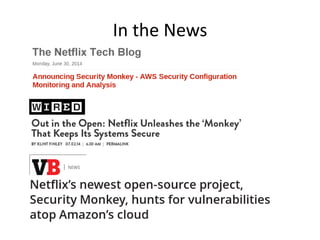
In the News
Background 
•Project started in 2011 to monitor security policies for Netflix’s AWS accounts (before AWS CloudTrail and CloudWatch) 
•Discussed in blog posts and tech conferences 2011-2013 
•Used inside Netflix to manage several dozen AWS accounts 
•Part of the Simian Army set of projects
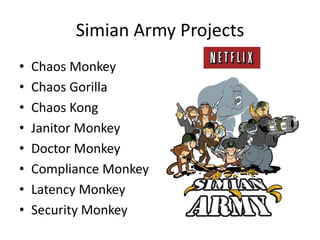
Simian Army Projects 
•Chaos Monkey 
•Chaos Gorilla 
•Chaos Kong 
•Janitor Monkey 
•Doctor Monkey 
•Compliance Monkey 
•Latency Monkey 
•Security Monkey
Security Monkey Key Features 
•Accesses AWS Cloud Resources through API calls and inspects them 
•Notifies team of changes or issues found 
•Maintains a history of settings 
•Provides a user interface to view issues and history 
•Allows for justification to be provided and tracked 
•Supports creation of new rules (code based) 
•Works across accounts (dozens for Netflix)
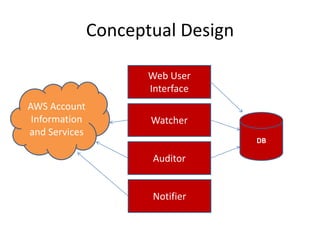
Conceptual Design 
DB 
Web User Interface 
Watcher 
Auditor 
Notifier 
AWS Account Information and Services
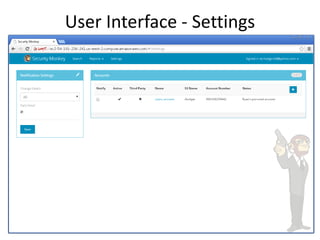
User Interface - Settings
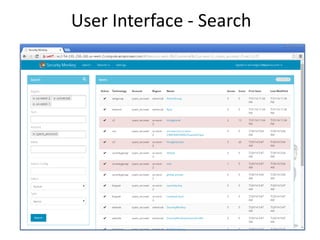
User Interface - Search
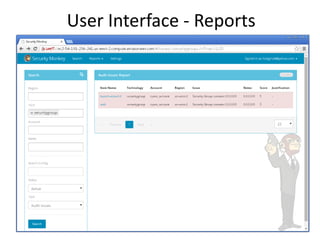
User Interface - Reports
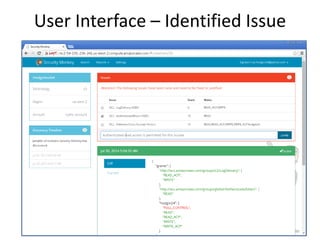
User Interface – Identified Issue
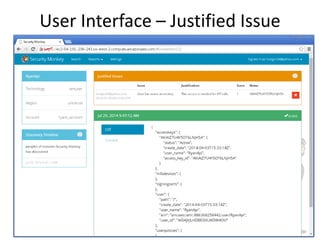
User Interface – Justified Issue
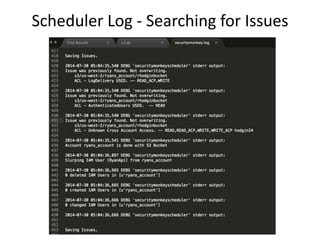
Scheduler Log - Searching for Issues
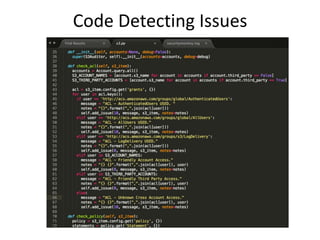
Code Detecting Issues
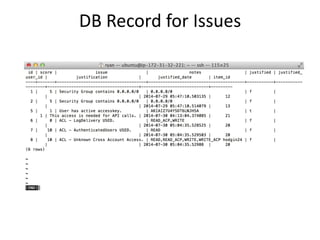
DB Record for Issues
Security Monkey Technology 
•Written in Python 2.7 
•Flask Web Development Framework 
•AngularJS and Dart User Interface 
•Boto python AWS client 
•SQLAlchemy python DB client 
•Nginx proxy 
•PostgreSQL for DB storage 
•Runs on Ubuntu Linux and OS X
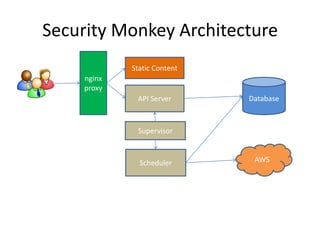
Security Monkey Architecture 
Database 
nginx proxy 
API Server 
Scheduler 
AWS 
Static Content 
Supervisor
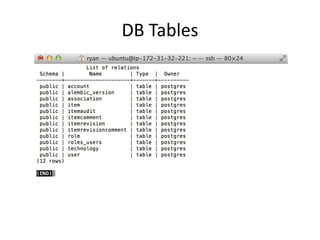
DB Tables
AWS Services Currently Watched 
•Identity and Access Management 
•Security Groups – EC2 and RDS 
•Simple Storage Service (S3) 
•Elastic Load Balancers 
•Simple Notification Service (SNS) 
•Simple Queue Service (SQS)
AWS Services Currently Audited 
•Identity and Access Management – User Only 
•Security Groups – EC2 and RDS 
•Simple Storage Service (S3) 
•Simple Notification Service (SNS)
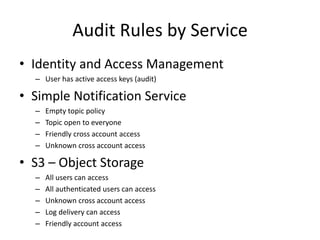
Audit Rules by Service 
•Identity and Access Management 
–User has active access keys (audit) 
•Simple Notification Service 
–Empty topic policy 
–Topic open to everyone 
–Friendly cross account access 
–Unknown cross account access 
•S3 – Object Storage 
–All users can access 
–All authenticated users can access 
–Unknown cross account access 
–Log delivery can access 
–Friendly account access
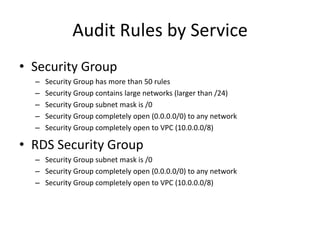
Audit Rules by Service 
•Security Group 
–Security Group has more than 50 rules 
–Security Group contains large networks (larger than /24) 
–Security Group subnet mask is /0 
–Security Group completely open (0.0.0.0/0) to any network 
–Security Group completely open to VPC (10.0.0.0/8) 
•RDS Security Group 
–Security Group subnet mask is /0 
–Security Group completely open (0.0.0.0/0) to any network 
–Security Group completely open to VPC (10.0.0.0/8)
Questions

Netflix security monkey overview

  • 1.
    Security Monkey Netflix’sOpen Source Cloud Security Tracking System Ryan Hodgin @rhodgin
  • 2.
  • 3.
    Background •Project startedin 2011 to monitor security policies for Netflix’s AWS accounts (before AWS CloudTrail and CloudWatch) •Discussed in blog posts and tech conferences 2011-2013 •Used inside Netflix to manage several dozen AWS accounts •Part of the Simian Army set of projects
  • 4.
    Simian Army Projects •Chaos Monkey •Chaos Gorilla •Chaos Kong •Janitor Monkey •Doctor Monkey •Compliance Monkey •Latency Monkey •Security Monkey
  • 5.
    Security Monkey KeyFeatures •Accesses AWS Cloud Resources through API calls and inspects them •Notifies team of changes or issues found •Maintains a history of settings •Provides a user interface to view issues and history •Allows for justification to be provided and tracked •Supports creation of new rules (code based) •Works across accounts (dozens for Netflix)
  • 6.
    Conceptual Design DB Web User Interface Watcher Auditor Notifier AWS Account Information and Services
  • 7.
  • 8.
  • 9.
  • 10.
    User Interface –Identified Issue
  • 11.
    User Interface –Justified Issue
  • 12.
    Scheduler Log -Searching for Issues
  • 13.
  • 14.
  • 15.
    Security Monkey Technology •Written in Python 2.7 •Flask Web Development Framework •AngularJS and Dart User Interface •Boto python AWS client •SQLAlchemy python DB client •Nginx proxy •PostgreSQL for DB storage •Runs on Ubuntu Linux and OS X
  • 16.
    Security Monkey Architecture Database nginx proxy API Server Scheduler AWS Static Content Supervisor
  • 17.
  • 18.
    AWS Services CurrentlyWatched •Identity and Access Management •Security Groups – EC2 and RDS •Simple Storage Service (S3) •Elastic Load Balancers •Simple Notification Service (SNS) •Simple Queue Service (SQS)
  • 19.
    AWS Services CurrentlyAudited •Identity and Access Management – User Only •Security Groups – EC2 and RDS •Simple Storage Service (S3) •Simple Notification Service (SNS)
  • 20.
    Audit Rules byService •Identity and Access Management –User has active access keys (audit) •Simple Notification Service –Empty topic policy –Topic open to everyone –Friendly cross account access –Unknown cross account access •S3 – Object Storage –All users can access –All authenticated users can access –Unknown cross account access –Log delivery can access –Friendly account access
  • 21.
    Audit Rules byService •Security Group –Security Group has more than 50 rules –Security Group contains large networks (larger than /24) –Security Group subnet mask is /0 –Security Group completely open (0.0.0.0/0) to any network –Security Group completely open to VPC (10.0.0.0/8) •RDS Security Group –Security Group subnet mask is /0 –Security Group completely open (0.0.0.0/0) to any network –Security Group completely open to VPC (10.0.0.0/8)
  • 22.