FLOW CHART

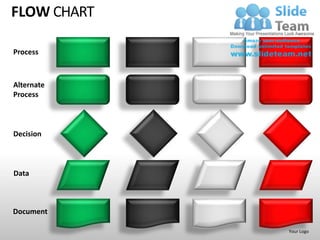
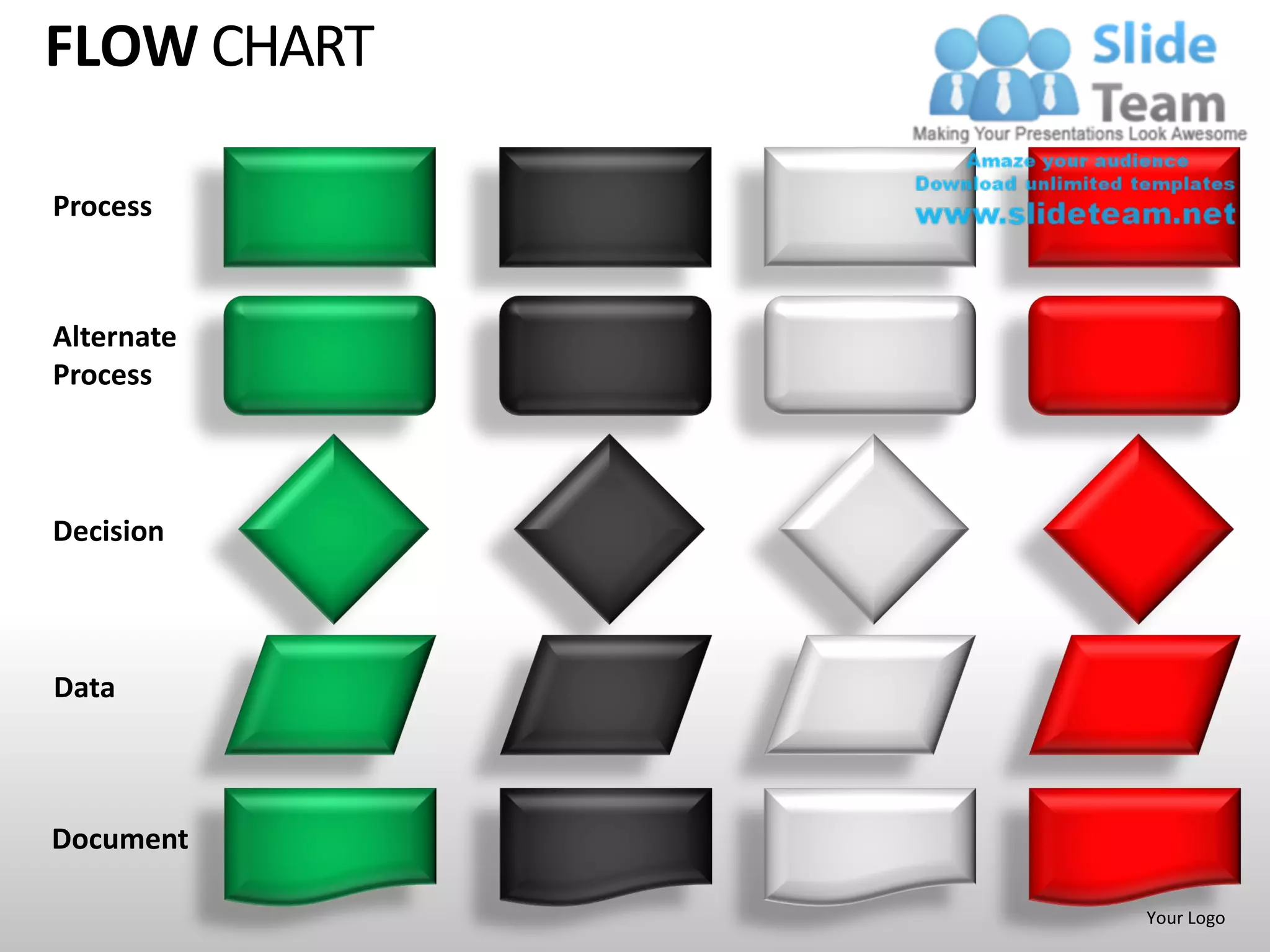
Process


Alternate
Process


Decision


Data


Document

             Your Logo
FLOW CHART

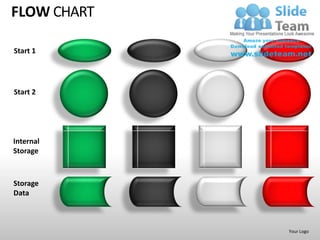
Start 1


Start 2


Internal
Storage


Storage
Data


             Your Logo
FLOW CHART

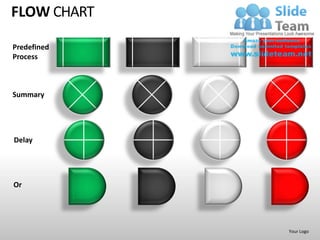
Predefined
Process


Summary


Delay


Or


             Your Logo
FLOW CHART

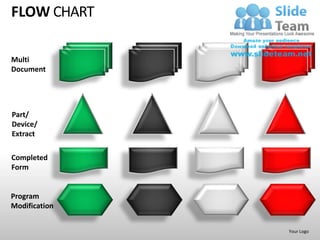
Multi
Document


Part/
Device/
Extract

Completed
Form


Program
Modification


               Your Logo
FLOW CHART
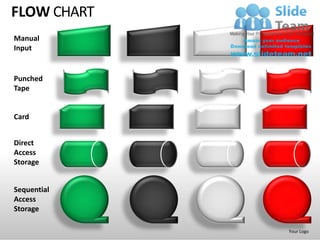
Manual
Input


Punched
Tape


Card


Direct
Access
Storage


Sequential
Access
Storage

             Your Logo
FLOW CHART

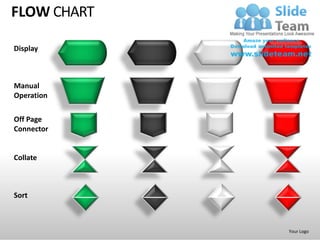
Display


Manual
Operation

Off Page
Connector


Collate


Sort


             Your Logo
FLOW CHART

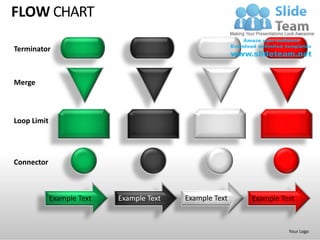
Terminator


Merge


Loop Limit


Connector


             Example Text   Example Text   Example Text   Example Text


                                                                    Your Logo
FLOW CHART


             Your Logo
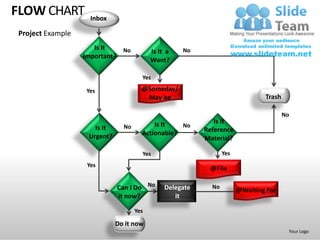
FLOW CHART          Inbox

Project Example
                     Is It   No                     No
                                          Is It a
                  Important?
                                          Want?

                                      Yes

                  Yes                 @Someday/
                                       May be                                  Trash

                                                                                       No
                                          Is It              Is It
                     Is It     No                 No
                                      Actionable?         Reference
                   Urgent?                                Material?

                                      Yes                        Yes
                   Yes
                                                           @File

                             Can I Do No       Delegate     No
                                                                       @Waiting For
                             it now?              it

                                    Yes

                             Do it now
                                                                                        Your Logo
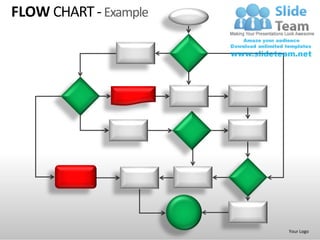
FLOW CHART - Example


                       Your Logo
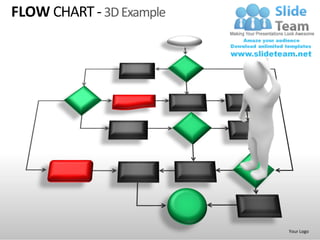
FLOW CHART - 3D Example


                          Your Logo
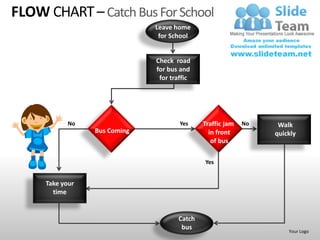
FLOW CHART – Catch Bus For School
                              Leave home
                               for School


                              Check road
                              for bus and
                               for traffic


            No                        Yes    Traffic jam   No    Walk
                 Bus Coming                    in front         quickly
                                                of bus

                                             Yes


     Take your
       time


                                     Catch
                                      bus                           Your Logo
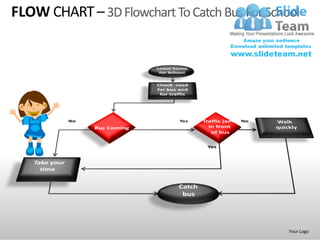
FLOW CHART – 3D Flowchart To Catch Bus For School


                                               Your Logo
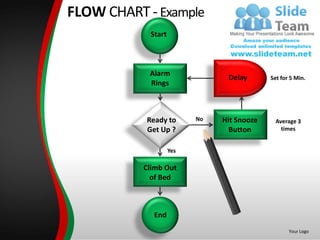
FLOW CHART - Example
FLOW CHART
Process Flowchart
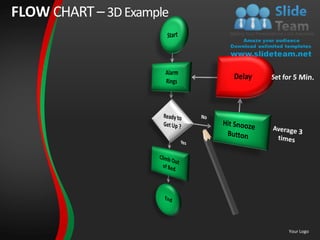
                     Start
Example


                     Alarm
                                         Delay       Set for 5 Min.
                     Rings


                    Ready to       No   Hit Snooze     Average 3
                    Get Up ?              Button         times


                             Yes

                    Climb Out
                      of Bed


                      End
                                                            Your Logo
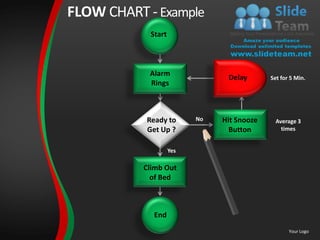
FLOW CHART - Example
            Start


            Alarm
                                Delay       Set for 5 Min.
            Rings


           Ready to       No   Hit Snooze     Average 3
           Get Up ?              Button         times


                    Yes

           Climb Out
             of Bed


             End
                                                   Your Logo
FLOW CHART – 3D Example


                          Your Logo
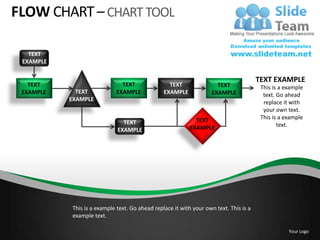
FLOW CHART – CHART TOOL

   TEXT
 EXAMPLE

                                                                                       TEXT EXAMPLE
   TEXT                       TEXT                TEXT                TEXT              This is a example
 EXAMPLE     TEXT           EXAMPLE             EXAMPLE             EXAMPLE              text. Go ahead
           EXAMPLE
                                                                                         replace it with
                                                                                         your own text.
                                                             TEXT                       This is a example
                               TEXT                                                            text.
                             EXAMPLE                       EXAMPLE


           This is a example text. Go ahead replace it with your own text. This is a
           example text.

                                                                                                   Your Logo
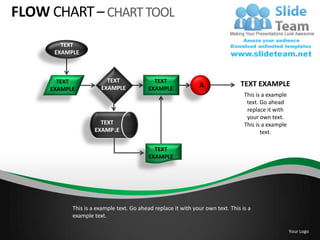
FLOW CHART – CHART TOOL
        TEXT
      EXAMPLE


       TEXT             TEXT                TEXT
                      EXAMPLE                                 A                TEXT EXAMPLE
     EXAMPLE                              EXAMPLE
                                                                                 This is a example
                                                                                  text. Go ahead
                                                                                  replace it with
                                                                                  your own text.
                      TEXT                                                       This is a example
                    EXAMPLE                                                             text.

                                            TEXT
                                          EXAMPLE


           This is a example text. Go ahead replace it with your own text. This is a
           example text.

                                                                                                     Your Logo
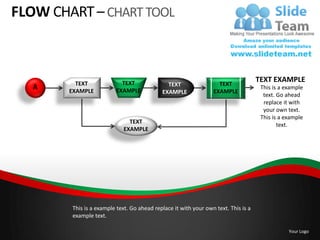
FLOW CHART – CHART TOOL


          TEXT             TEXT                                    TEXT
                                                                                    TEXT EXAMPLE
   A                                          TEXT                                   This is a example
        EXAMPLE          EXAMPLE            EXAMPLE              EXAMPLE
                                                                                      text. Go ahead
                                                                                      replace it with
                                                                                      your own text.
                                                                                     This is a example
                              TEXT
                                                                                            text.
                            EXAMPLE


        This is a example text. Go ahead replace it with your own text. This is a
        example text.

                                                                                                Your Logo
FLOW CHART – START TO FINISH
     1       TEXT
           EXAMPLE


           TEXT             TEXT            TEXT
                                                           B             TEXT EXAMPLE
   2     EXAMPLE          EXAMPLE         EXAMPLE
                                                                          This is a example
                                                                           text. Go ahead
                                                                           replace it with
                                                                           your own text.
                          TEXT                                            This is a example
                        EXAMPLE                                                  text.

                                            TEXT
                                          EXAMPLE


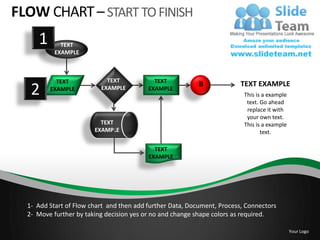
  1- Add Start of Flow chart and then add further Data, Document, Process, Connectors
  2- Move further by taking decision yes or no and change shape colors as required.

                                                                                              Your Logo
FLOW CHART


             Your Logo
FLOW CHART


             Your Logo
FLOW CHART


             Your Logo
FLOW CHART – CONVERT TO 3D FLOW CHART

 1                               2                             3


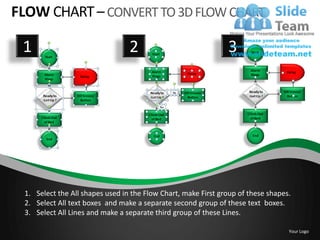
 1. Select the All shapes used in the Flow Chart, make First group of these shapes.
 2. Select All text boxes and make a separate second group of these text boxes.
 3. Select All Lines and make a separate third group of these Lines.

                                                                                  Your Logo
FLOW CHART
                                                        3
 1                             2


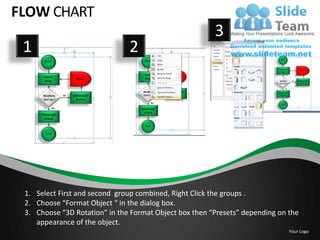
 1. Select First and second group combined, Right Click the groups .
 2. Choose “Format Object “ in the dialog box.
 3. Choose “3D Rotation” in the Format Object box then “Presets” depending on the
    appearance of the object.
                                                                              Your Logo
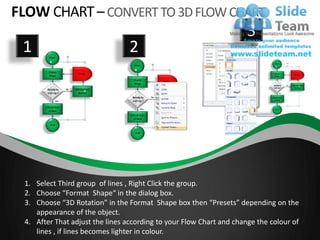
FLOW CHART – CONVERT TO 3D FLOW CHART
                                                                     3
 1                               2


 1. Select Third group of lines , Right Click the group.
 2. Choose “Format Shape“ in the dialog box.
 3. Choose “3D Rotation” in the Format Shape box then “Presets” depending on the
    appearance of the object.
 4. After That adjust the lines according to your Flow Chart and change the colour of
    lines , if lines becomes lighter in colour.
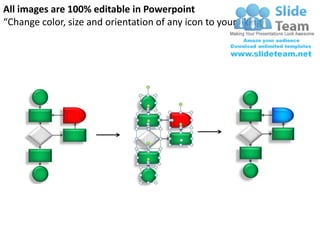
All images are 100% editable in Powerpoint
“Change color, size and orientation of any icon to your liking”
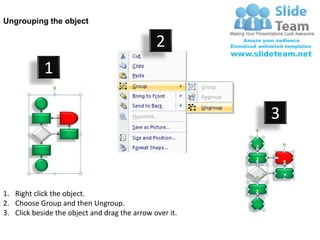
Ungrouping the object

                                               2
            1

                                                         3


1. Right click the object.
2. Choose Group and then Ungroup.
3. Click beside the object and drag the arrow over it.
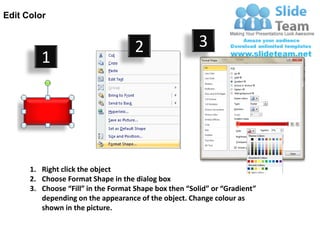
Edit Color


                                     2                  3
         1


      1. Right click the object
      2. Choose Format Shape in the dialog box
      3. Choose “Fill” in the Format Shape box then “Solid” or “Gradient”
         depending on the appearance of the object. Change colour as
         shown in the picture.

Flow chart powerpoint presentation slides ppt templates

  • 1.
  • 2.
    FLOW CHART Start 1 Start2 Internal Storage Storage Data Your Logo
  • 3.
  • 4.
  • 5.
  • 6.
  • 7.
    FLOW CHART Terminator Merge Loop Limit Connector Example Text Example Text Example Text Example Text Your Logo
  • 8.
    FLOW CHART Your Logo
  • 9.
    FLOW CHART Inbox Project Example Is It No No Is It a Important? Want? Yes Yes @Someday/ May be Trash No Is It Is It Is It No No Actionable? Reference Urgent? Material? Yes Yes Yes @File Can I Do No Delegate No @Waiting For it now? it Yes Do it now Your Logo
  • 10.
    FLOW CHART -Example Your Logo
  • 11.
    FLOW CHART -3D Example Your Logo
  • 12.
    FLOW CHART –Catch Bus For School Leave home for School Check road for bus and for traffic No Yes Traffic jam No Walk Bus Coming in front quickly of bus Yes Take your time Catch bus Your Logo
  • 13.
    FLOW CHART –3D Flowchart To Catch Bus For School Your Logo
  • 14.
    FLOW CHART -Example FLOW CHART Process Flowchart Start Example Alarm Delay Set for 5 Min. Rings Ready to No Hit Snooze Average 3 Get Up ? Button times Yes Climb Out of Bed End Your Logo
  • 15.
    FLOW CHART -Example Start Alarm Delay Set for 5 Min. Rings Ready to No Hit Snooze Average 3 Get Up ? Button times Yes Climb Out of Bed End Your Logo
  • 16.
    FLOW CHART –3D Example Your Logo
  • 17.
    FLOW CHART –CHART TOOL TEXT EXAMPLE TEXT EXAMPLE TEXT TEXT TEXT TEXT This is a example EXAMPLE TEXT EXAMPLE EXAMPLE EXAMPLE text. Go ahead EXAMPLE replace it with your own text. TEXT This is a example TEXT text. EXAMPLE EXAMPLE This is a example text. Go ahead replace it with your own text. This is a example text. Your Logo
  • 18.
    FLOW CHART –CHART TOOL TEXT EXAMPLE TEXT TEXT TEXT EXAMPLE A TEXT EXAMPLE EXAMPLE EXAMPLE This is a example text. Go ahead replace it with your own text. TEXT This is a example EXAMPLE text. TEXT EXAMPLE This is a example text. Go ahead replace it with your own text. This is a example text. Your Logo
  • 19.
    FLOW CHART –CHART TOOL TEXT TEXT TEXT TEXT EXAMPLE A TEXT This is a example EXAMPLE EXAMPLE EXAMPLE EXAMPLE text. Go ahead replace it with your own text. This is a example TEXT text. EXAMPLE This is a example text. Go ahead replace it with your own text. This is a example text. Your Logo
  • 20.
    FLOW CHART –START TO FINISH 1 TEXT EXAMPLE TEXT TEXT TEXT B TEXT EXAMPLE 2 EXAMPLE EXAMPLE EXAMPLE This is a example text. Go ahead replace it with your own text. TEXT This is a example EXAMPLE text. TEXT EXAMPLE 1- Add Start of Flow chart and then add further Data, Document, Process, Connectors 2- Move further by taking decision yes or no and change shape colors as required. Your Logo
  • 21.
    FLOW CHART Your Logo
  • 22.
    FLOW CHART Your Logo
  • 23.
    FLOW CHART Your Logo
  • 24.
    FLOW CHART –CONVERT TO 3D FLOW CHART 1 2 3 1. Select the All shapes used in the Flow Chart, make First group of these shapes. 2. Select All text boxes and make a separate second group of these text boxes. 3. Select All Lines and make a separate third group of these Lines. Your Logo
  • 25.
    FLOW CHART 3 1 2 1. Select First and second group combined, Right Click the groups . 2. Choose “Format Object “ in the dialog box. 3. Choose “3D Rotation” in the Format Object box then “Presets” depending on the appearance of the object. Your Logo
  • 26.
    FLOW CHART –CONVERT TO 3D FLOW CHART 3 1 2 1. Select Third group of lines , Right Click the group. 2. Choose “Format Shape“ in the dialog box. 3. Choose “3D Rotation” in the Format Shape box then “Presets” depending on the appearance of the object. 4. After That adjust the lines according to your Flow Chart and change the colour of lines , if lines becomes lighter in colour.
  • 27.
    All images are100% editable in Powerpoint “Change color, size and orientation of any icon to your liking”
  • 28.
    Ungrouping the object 2 1 3 1. Right click the object. 2. Choose Group and then Ungroup. 3. Click beside the object and drag the arrow over it.
  • 29.
    Edit Color 2 3 1 1. Right click the object 2. Choose Format Shape in the dialog box 3. Choose “Fill” in the Format Shape box then “Solid” or “Gradient” depending on the appearance of the object. Change colour as shown in the picture.