An Institutional Approach
Dr W. Rod Cullen
Senior Lecturer in Learning and Teaching Technologies
Technology Enhanced Learning Team
Apps for Teaching and Learning:
JISC Experts Meeting 4th Nov 2021
COVID19 Global Pandemic
Man Met shifts to primarily online
delivery
Uni-wide Accelerated Digital
Education Project
• Included the Roll out MS Teams
• No native quizzing and polling
• Rudimentary White Board
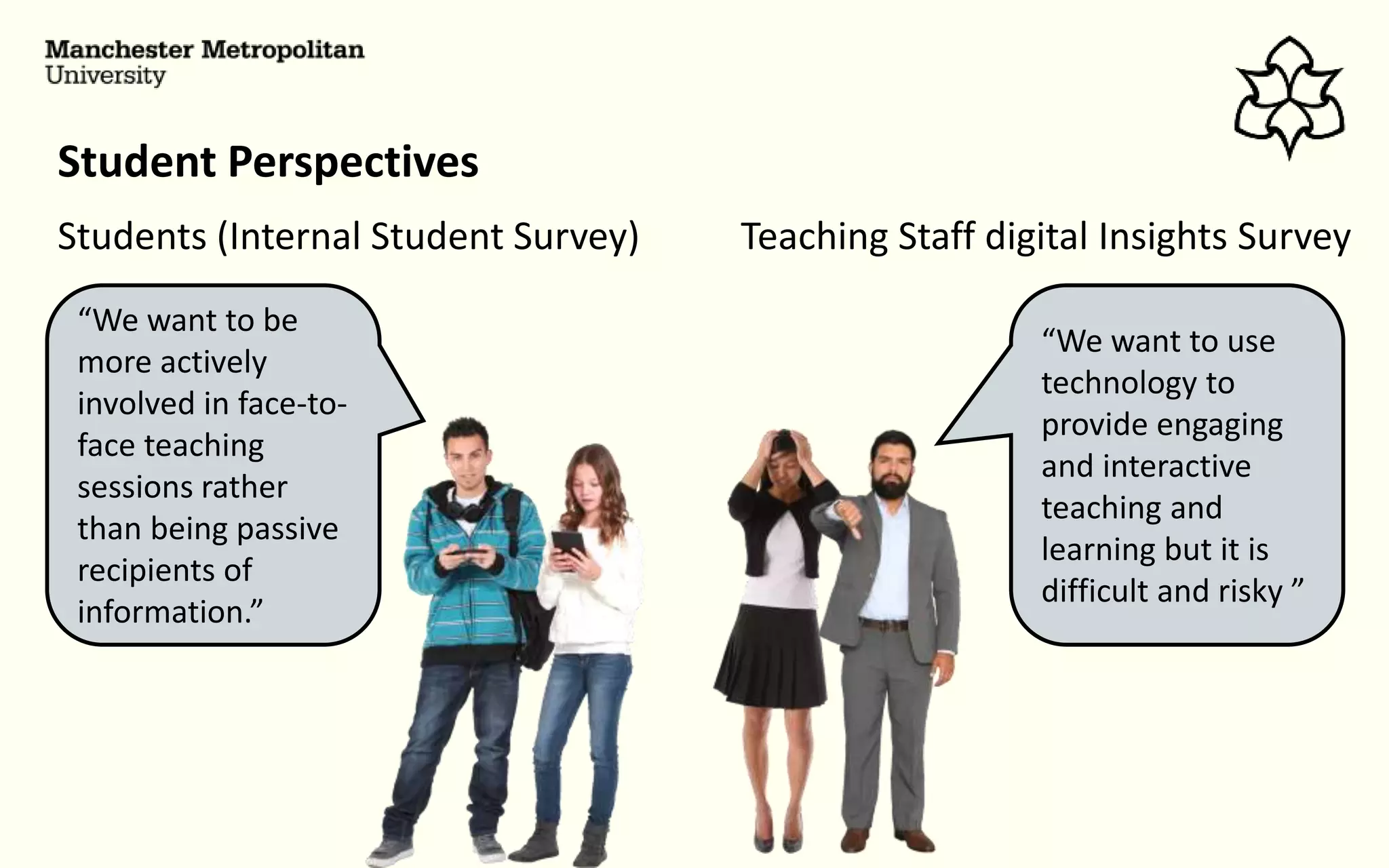
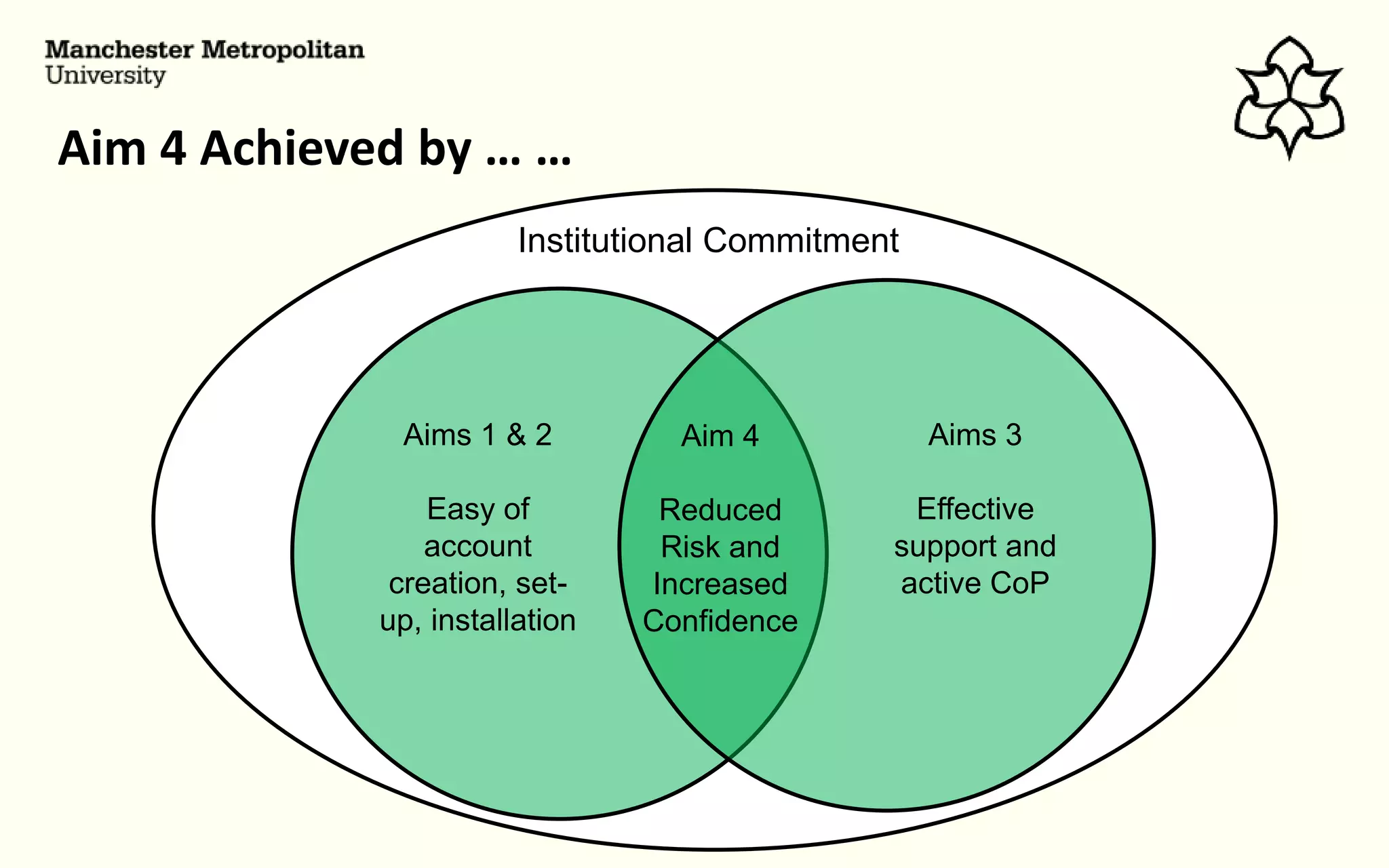
Student Perspectives
Students (Internal Student Survey) Teaching Staff digital Insights Survey
“We want to be
more actively
involved in face-to-
face teaching
sessions rather
than being passive
recipients of
information.”
“We want to use
technology to
provide engaging
and interactive
teaching and
learning but it is
difficult and risky ”
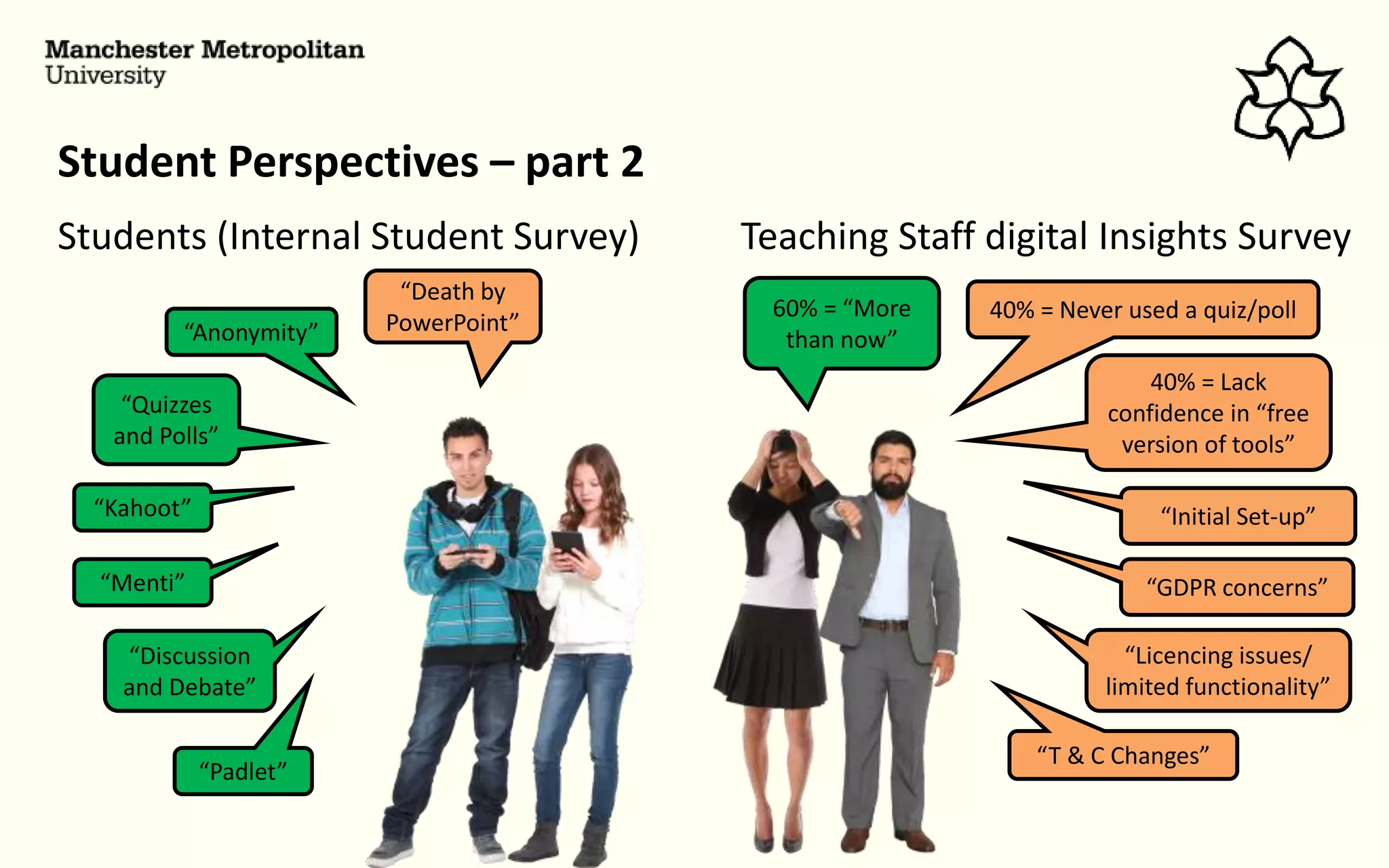
Student Perspectives – part 2
Students (Internal Student Survey) Teaching Staff digital Insights Survey
“Kahoot”
“Menti”
“Quizzes
and Polls”
“Anonymity”
“Discussion
and Debate”
“Padlet”
“Death by
PowerPoint”
60% = “More
than now”
40% = Never used a quiz/poll
40% = Lack
confidence in “free
version of tools”
“GDPR concerns”
“Licencing issues/
limited functionality”
“T & C Changes”
“Initial Set-up”
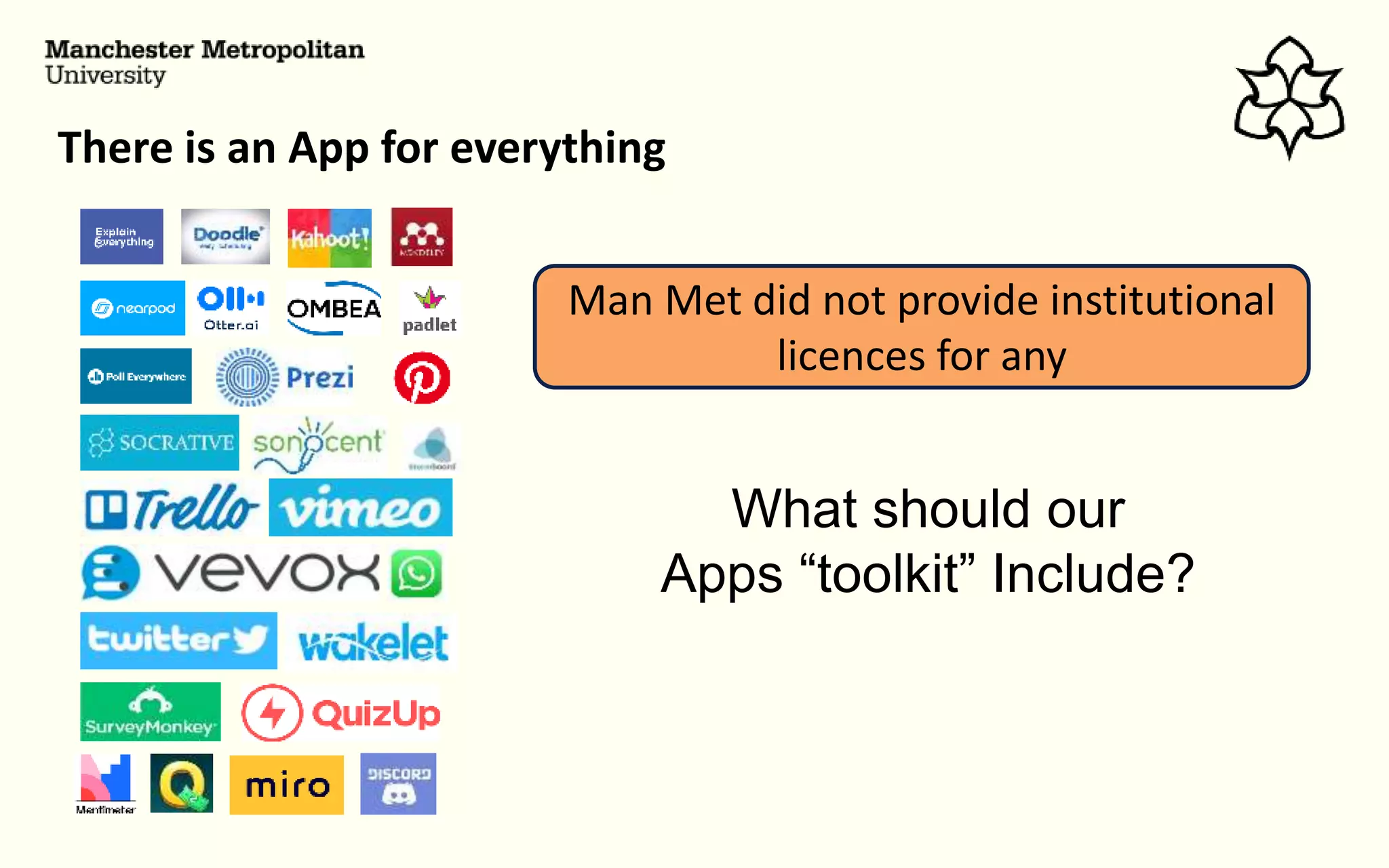
There is an App for everything
Man Met did not provide institutional
licences for any
What should our
Apps “toolkit” Include?
Activity Type Sub-type
1. Personal Learning Note taking/ management
Resource collation/ management
2. Presentation delivery Traditional delivery
Student-paced, student device delivery
3. Tutor Questioning Simple objective testing e.g. MCQs/Quizzes
Complex objective testing
Gamified objective testing
Free text response questions
Surveying/opinion seeking questions
4. Collaborative Tasks Creation, Ideas generation, brainstorming, collation
Planning
Working on shared documents
Peer Review/assessment
5. Student Questioning Students posing questions to tutors
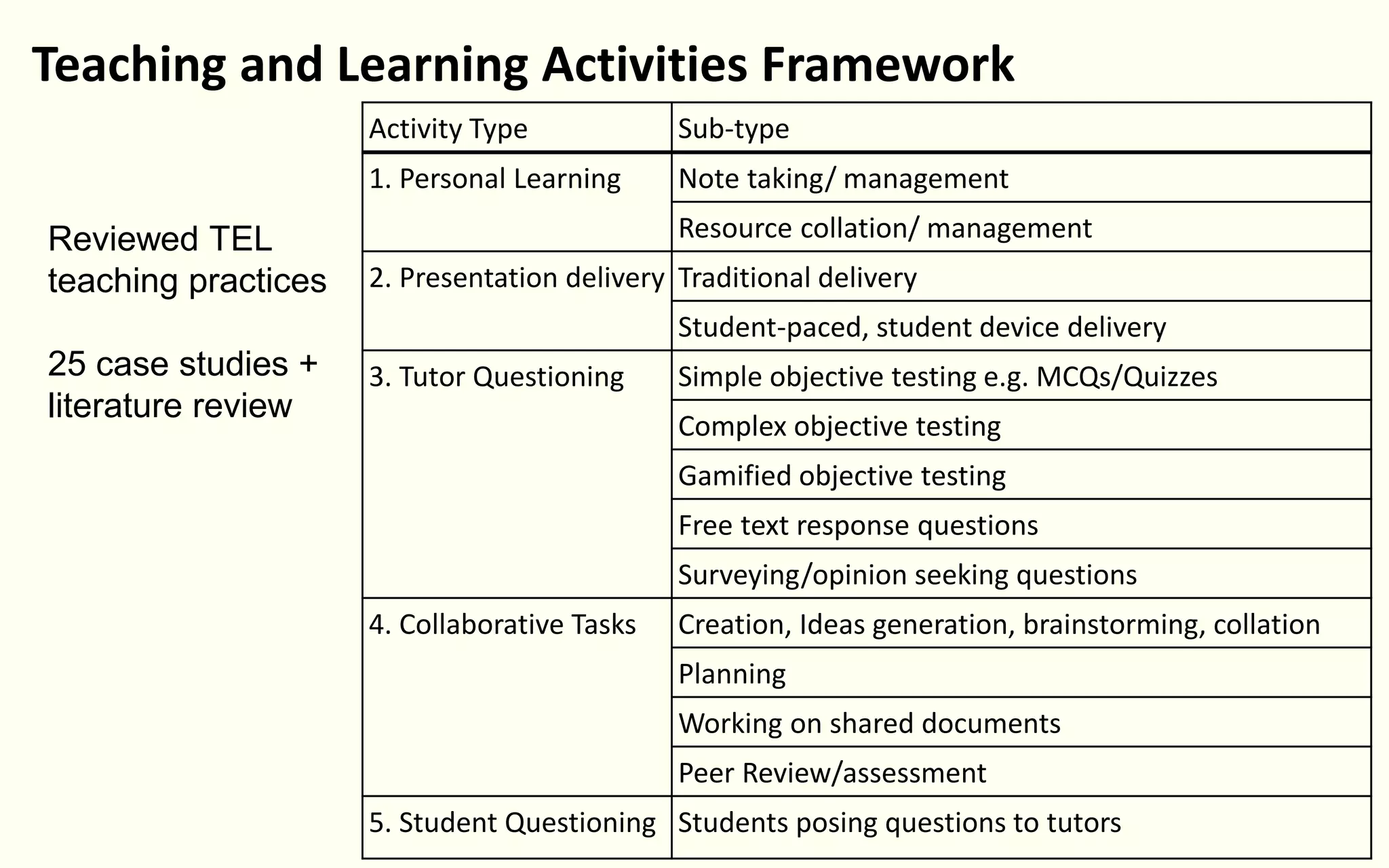
Teaching and Learning Activities Framework
Reviewed TEL
teaching practices
25 case studies +
literature review
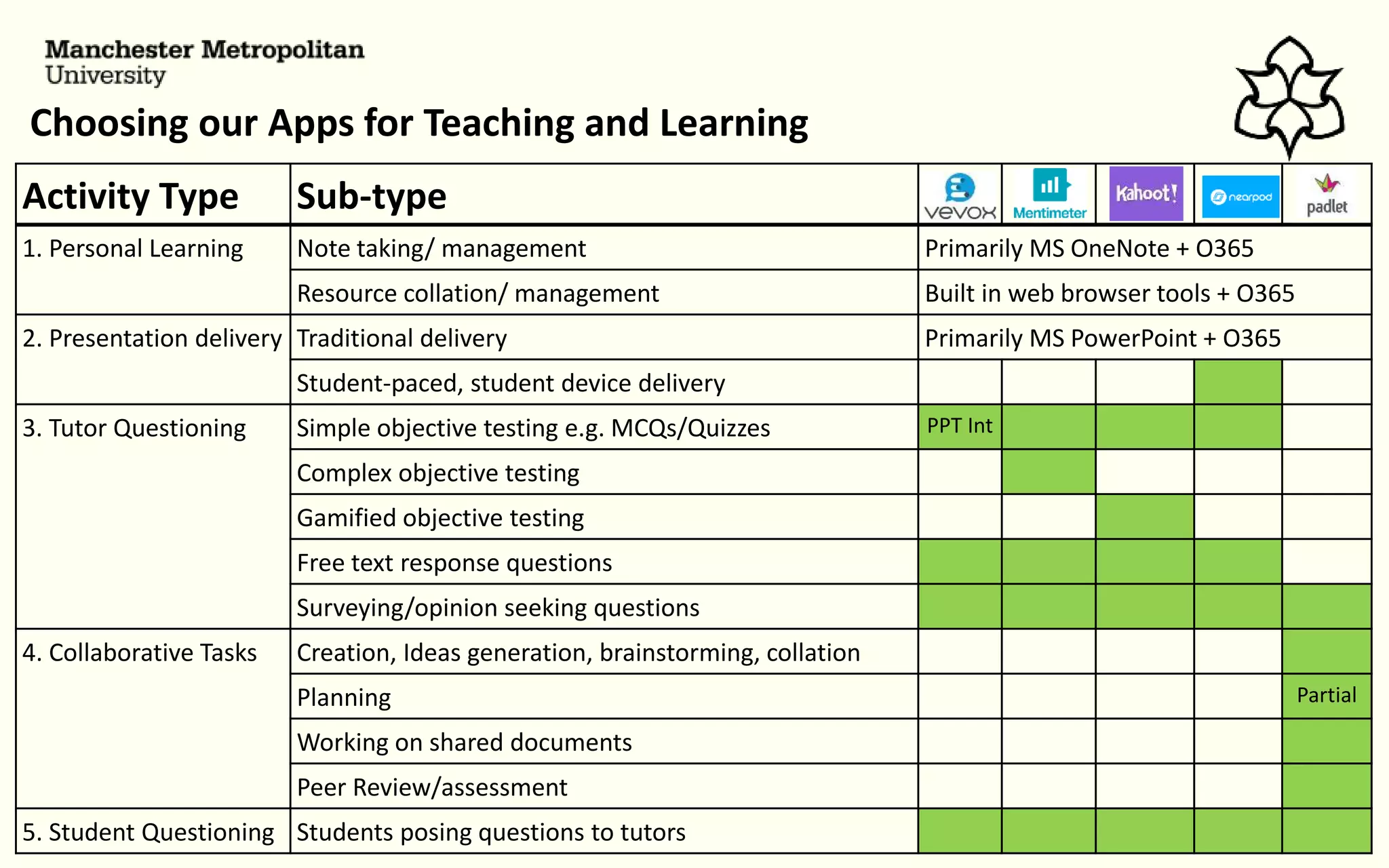
Choosing our Apps for Teaching and Learning
Activity Type Sub-type
1. Personal Learning Note taking/ management Primarily MS OneNote + O365
Resource collation/ management Built in web browser tools + O365
2. Presentation delivery Traditional delivery Primarily MS PowerPoint + O365
Student-paced, student device delivery
3. Tutor Questioning Simple objective testing e.g. MCQs/Quizzes PPT Int
Complex objective testing
Gamified objective testing
Free text response questions
Surveying/opinion seeking questions
4. Collaborative Tasks Creation, Ideas generation, brainstorming, collation
Planning Partial
Working on shared documents
Peer Review/assessment
5. Student Questioning Students posing questions to tutors
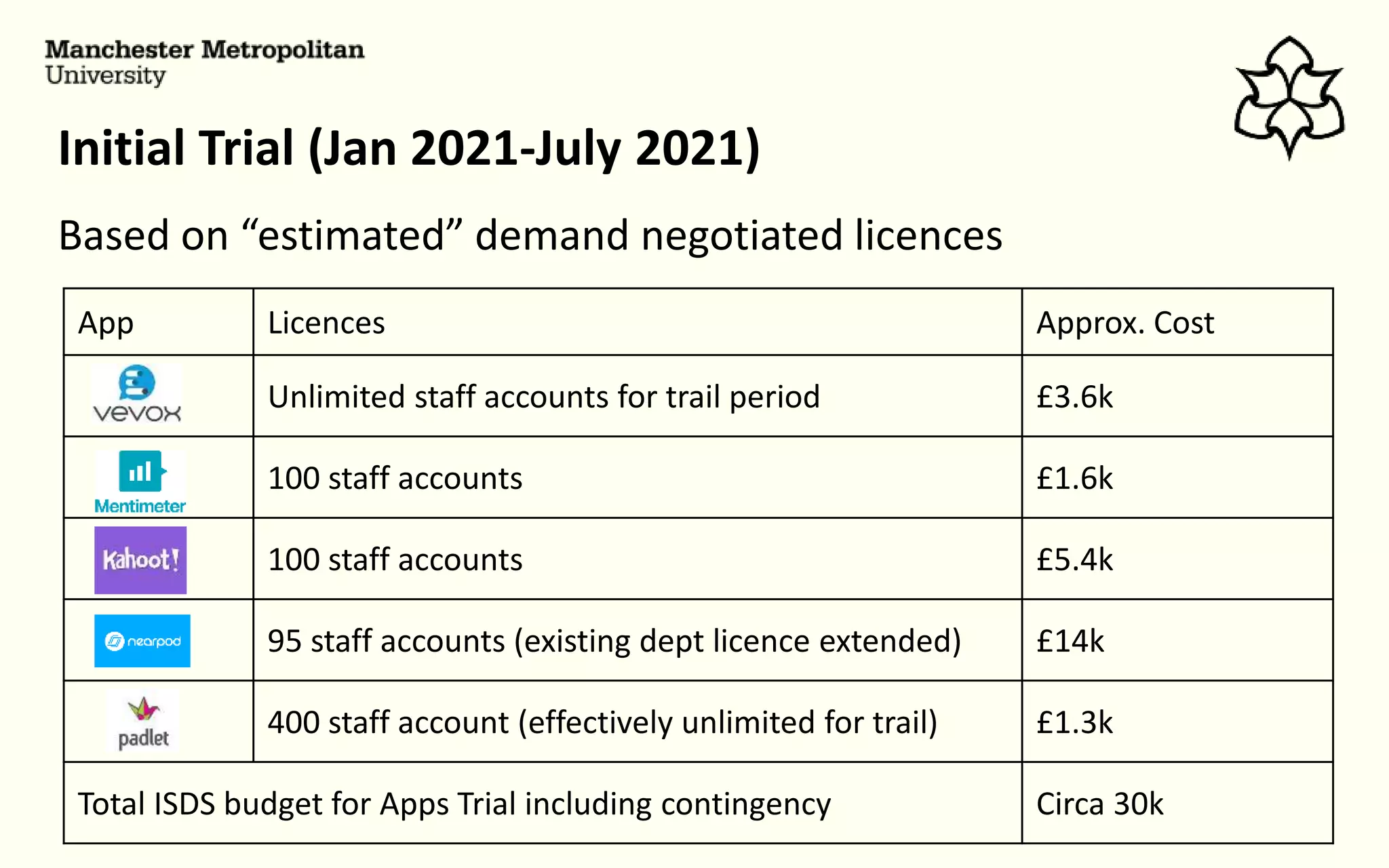
Initial Trial (Jan 2021-July 2021)
Based on “estimated” demand negotiated licences
App Licences Approx. Cost
Unlimited staff accounts for trail period £3.6k
100 staff accounts £1.6k
100 staff accounts £5.4k
95 staff accounts (existing dept licence extended) £14k
400 staff account (effectively unlimited for trail) £1.3k
Total ISDS budget for Apps Trial including contingency Circa 30k
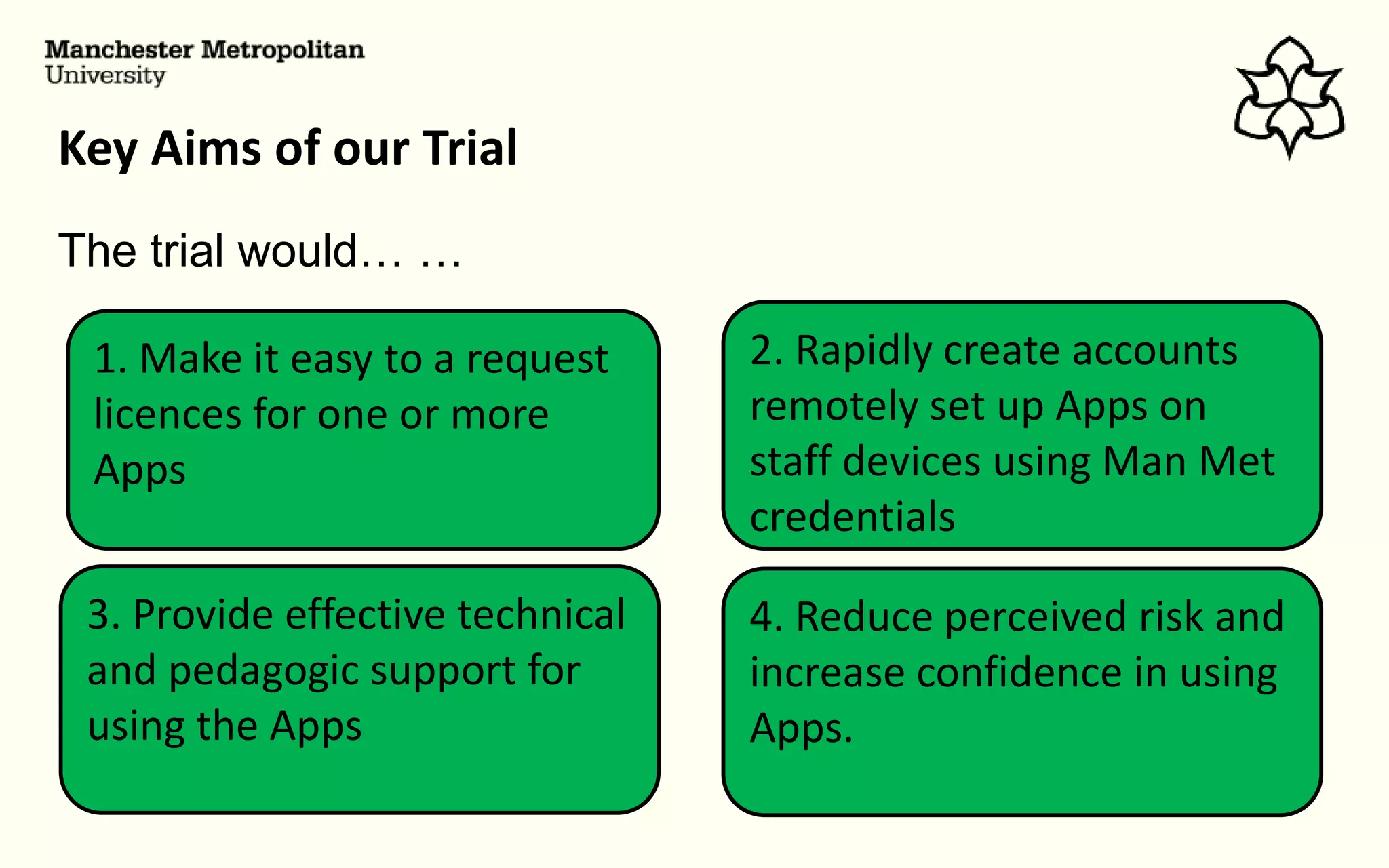
Key Aims of our Trial
3. Provide effective technical
and pedagogic support for
using the Apps
2. Rapidly create accounts
remotely set up Apps on
staff devices using Man Met
credentials
1. Make it easy to a request
licences for one or more
Apps
4. Reduce perceived risk and
increase confidence in using
Apps.
The trial would… …
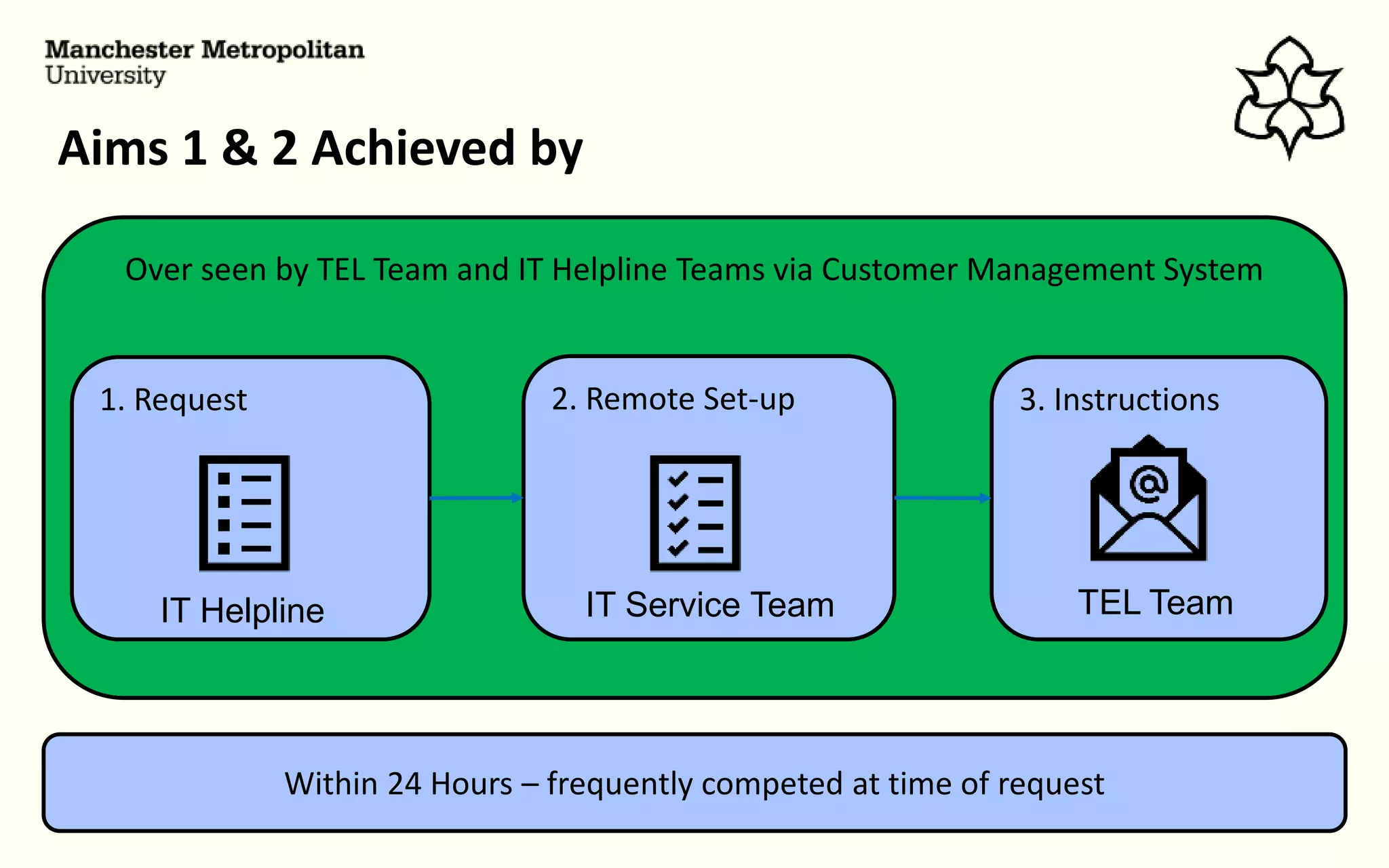
Over seen by TEL Team and IT Helpline Teams via Customer Management System
Aims 1 & 2 Achieved by
1. Request 2. Remote Set-up 3. Instructions
Within 24 Hours – frequently competed at time of request
IT Helpline IT Service Team TEL Team
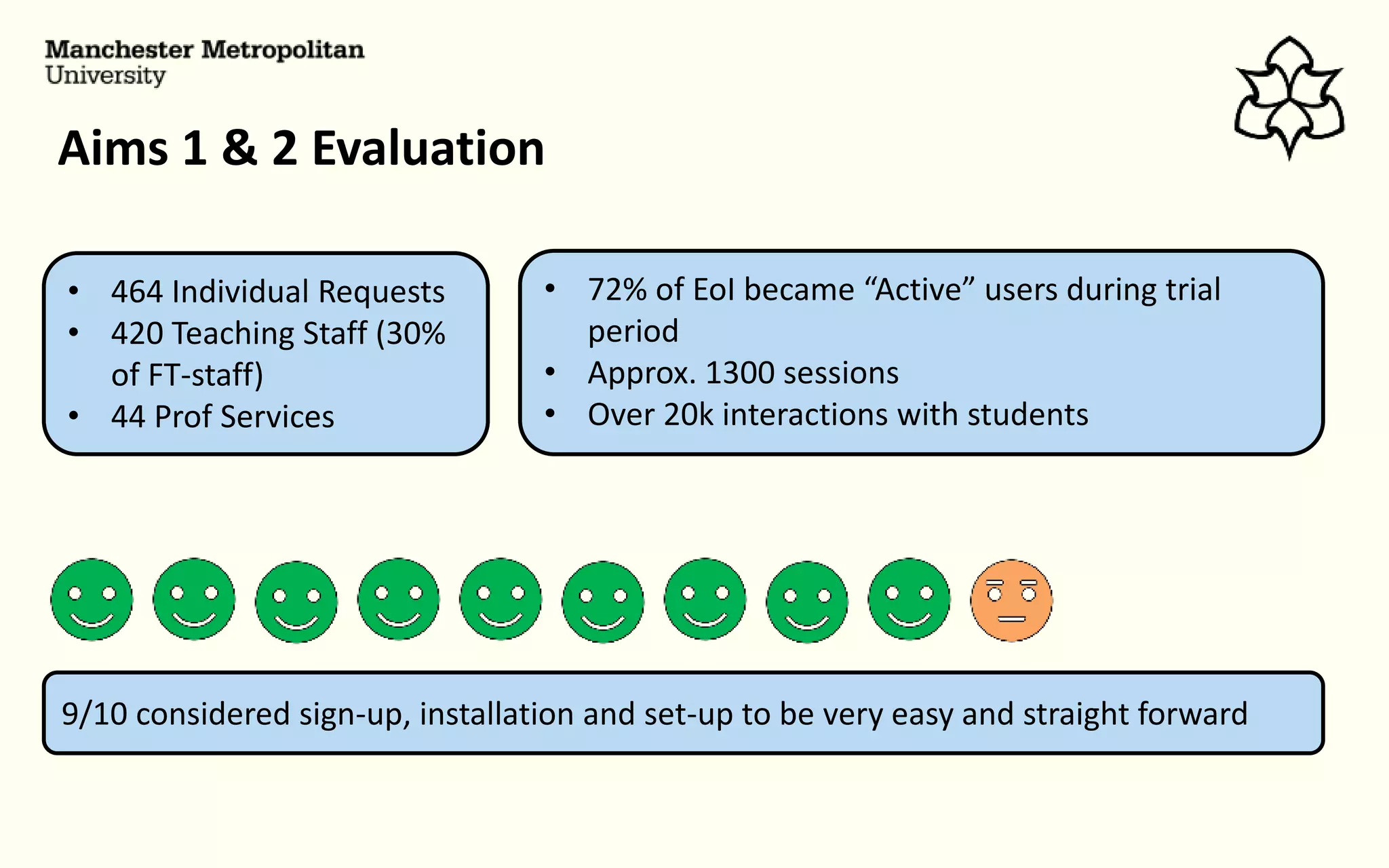
Aims 1 & 2 Evaluation
• 464 Individual Requests
• 420 Teaching Staff (30%
of FT-staff)
• 44 Prof Services
9/10 considered sign-up, installation and set-up to be very easy and straight forward
• 72% of EoI became “Active” users during trial
period
• Approx. 1300 sessions
• Over 20k interactions with students
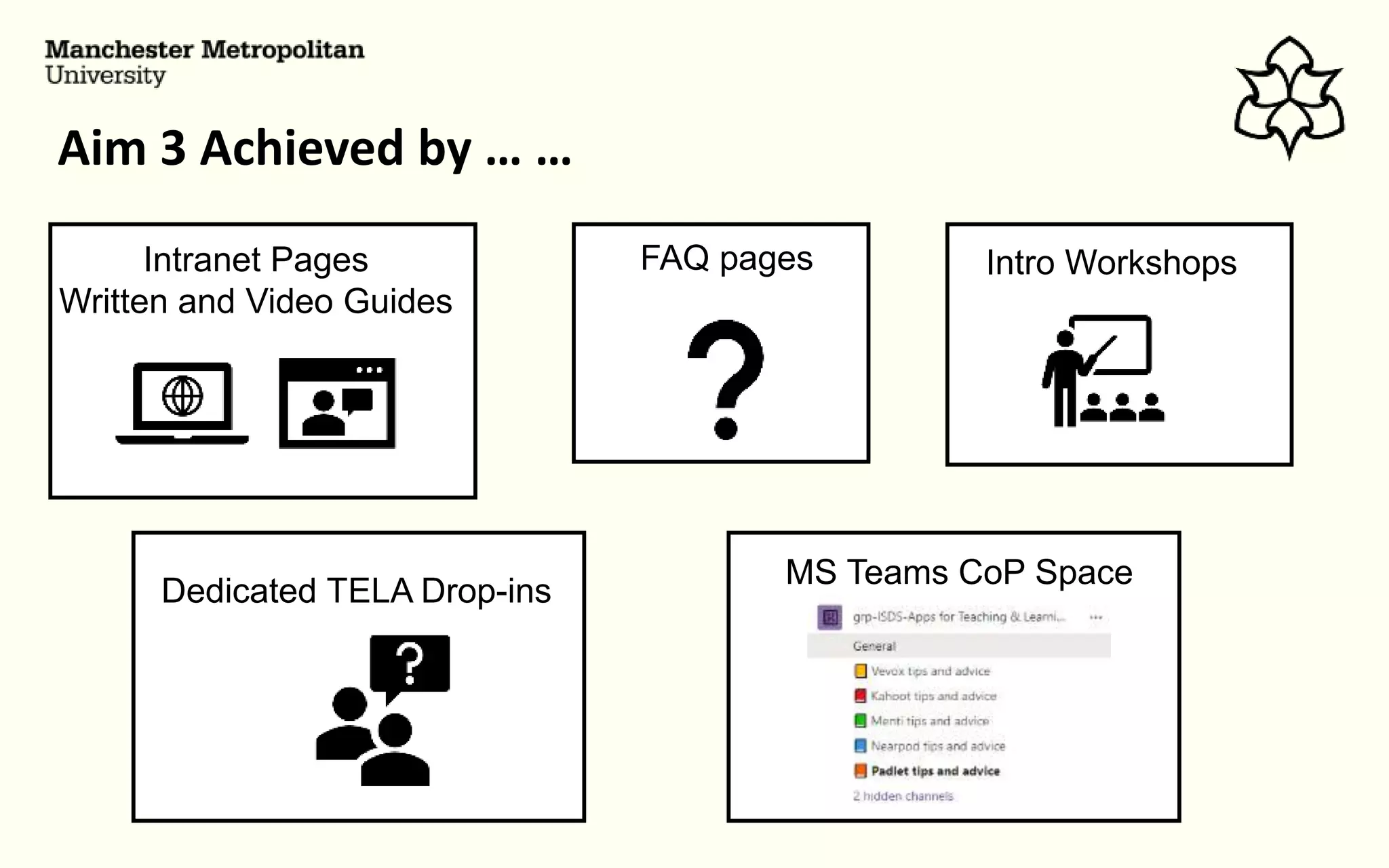
Aim 3 Achieved by … …
FAQ pages Intro Workshops
Dedicated TELA Drop-ins
MS Teams CoP Space
Intranet Pages
Written and Video Guides
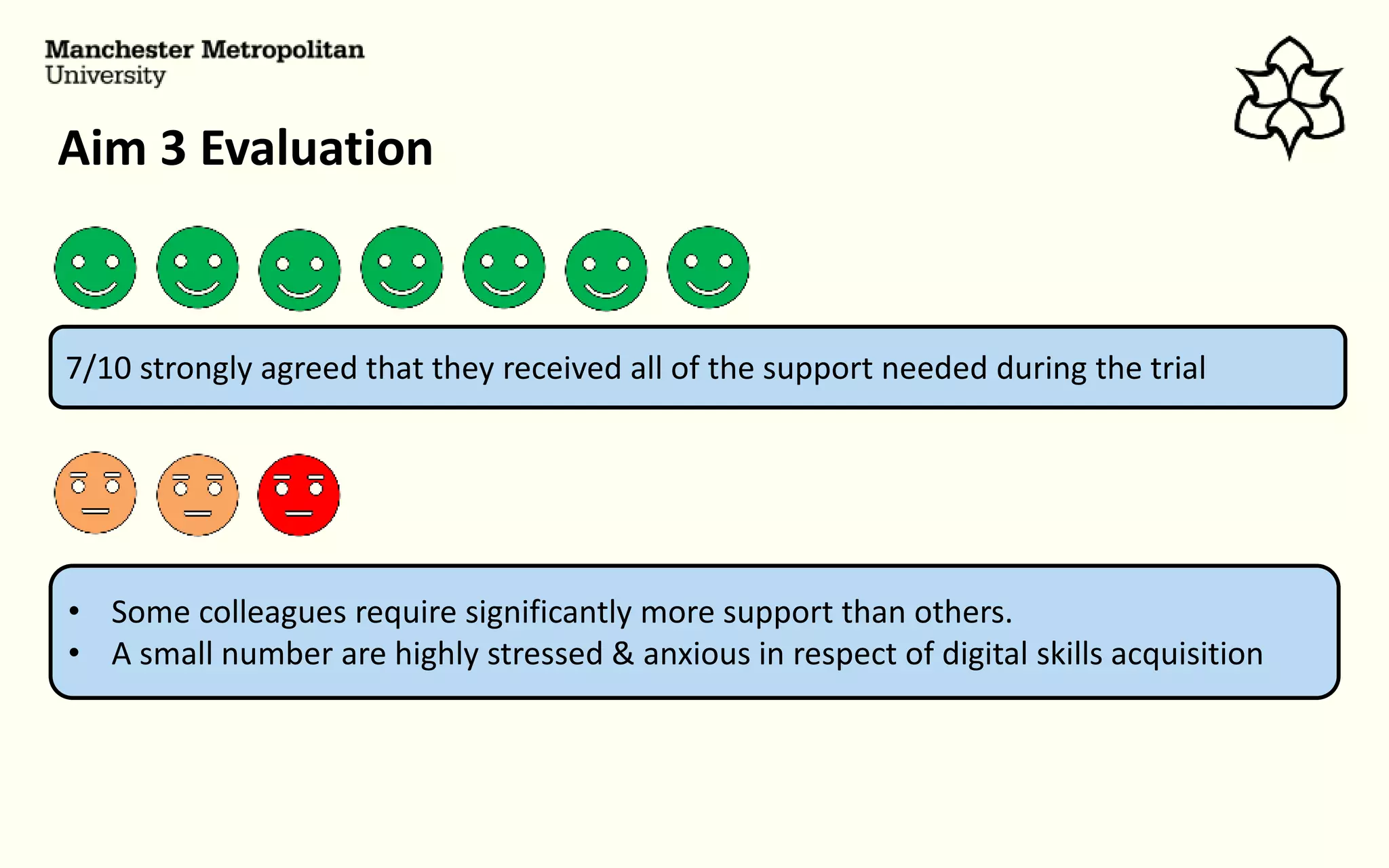
Aim 3 Evaluation
7/10 strongly agreed that they received all of the support needed during the trial
• Some colleagues require significantly more support than others.
• A small number are highly stressed & anxious in respect of digital skills acquisition
Aim 4 Achieved by … …
Aims 1 & 2
Easy of
account
creation, set-
up, installation
Aims 3
Effective
support and
active CoP
Aim 4
Reduced
Risk and
Increased
Confidence
Institutional Commitment
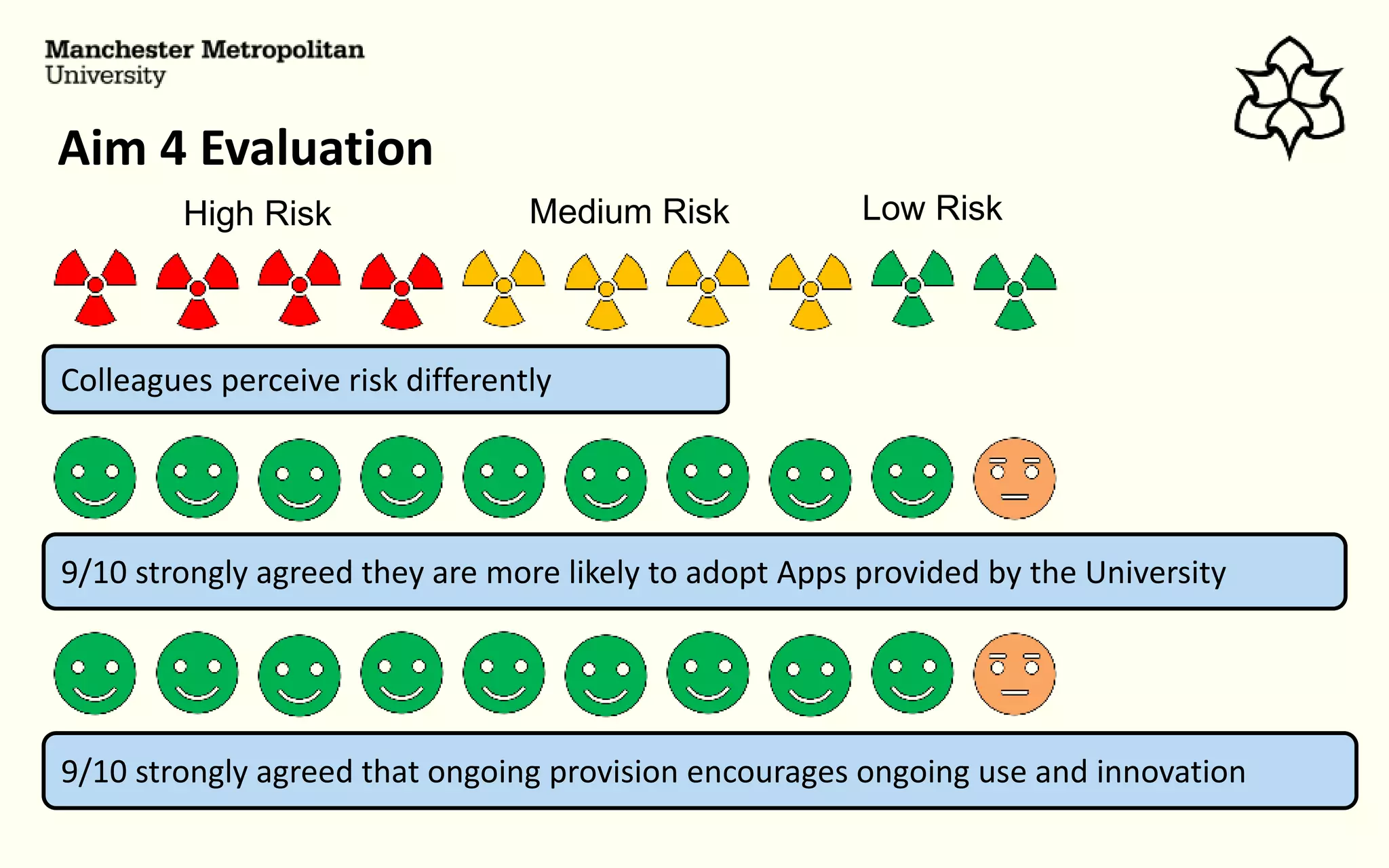
Aim 4 Evaluation
9/10 strongly agreed they are more likely to adopt Apps provided by the University
Colleagues perceive risk differently
High Risk Medium Risk Low Risk
9/10 strongly agreed that ongoing provision encourages ongoing use and innovation
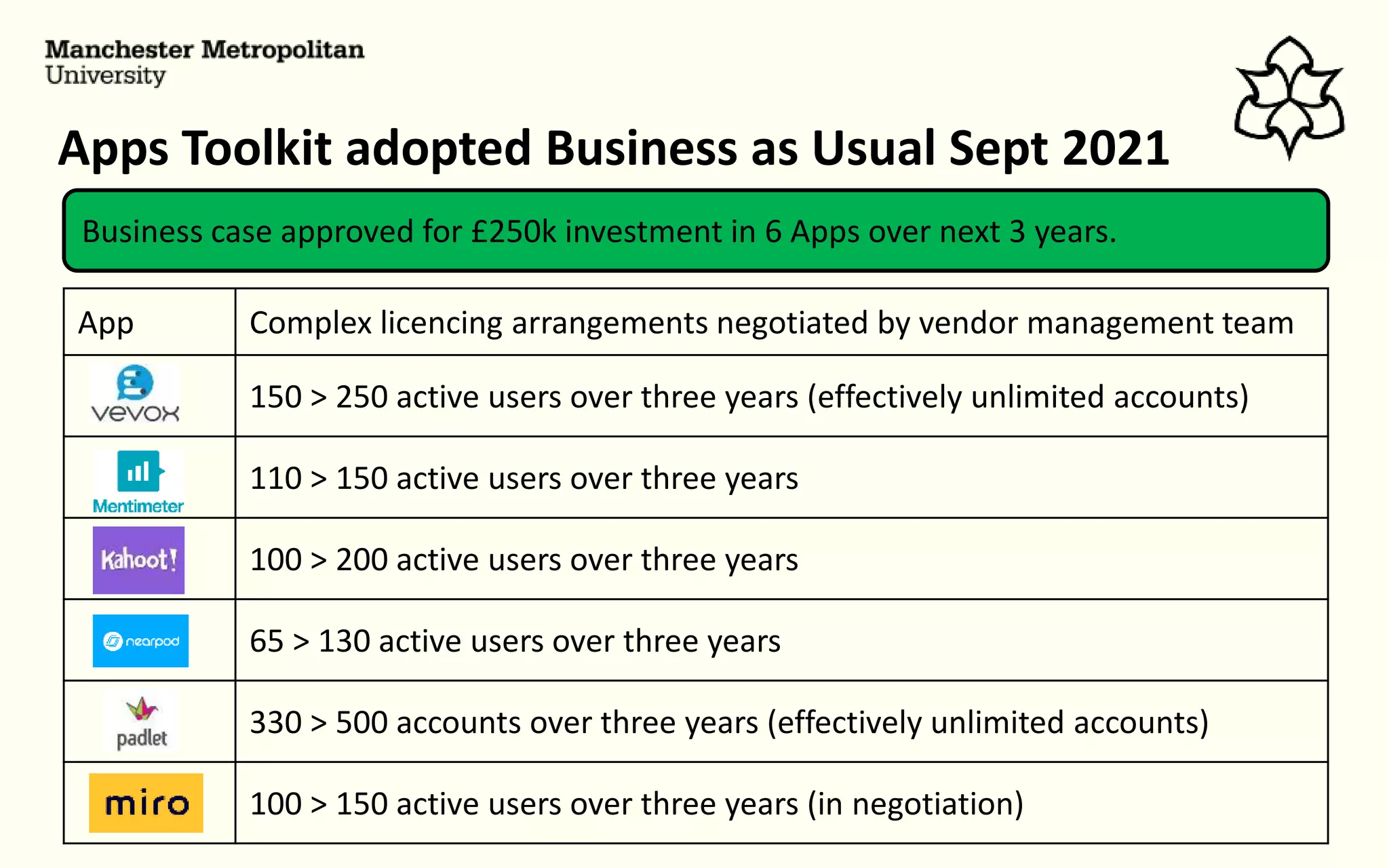
Apps Toolkit adopted Business as Usual Sept 2021
Business case approved for £250k investment in 6 Apps over next 3 years.
App Complex licencing arrangements negotiated by vendor management team
150 > 250 active users over three years (effectively unlimited accounts)
110 > 150 active users over three years
100 > 200 active users over three years
65 > 130 active users over three years
330 > 500 accounts over three years (effectively unlimited accounts)
100 > 150 active users over three years (in negotiation)
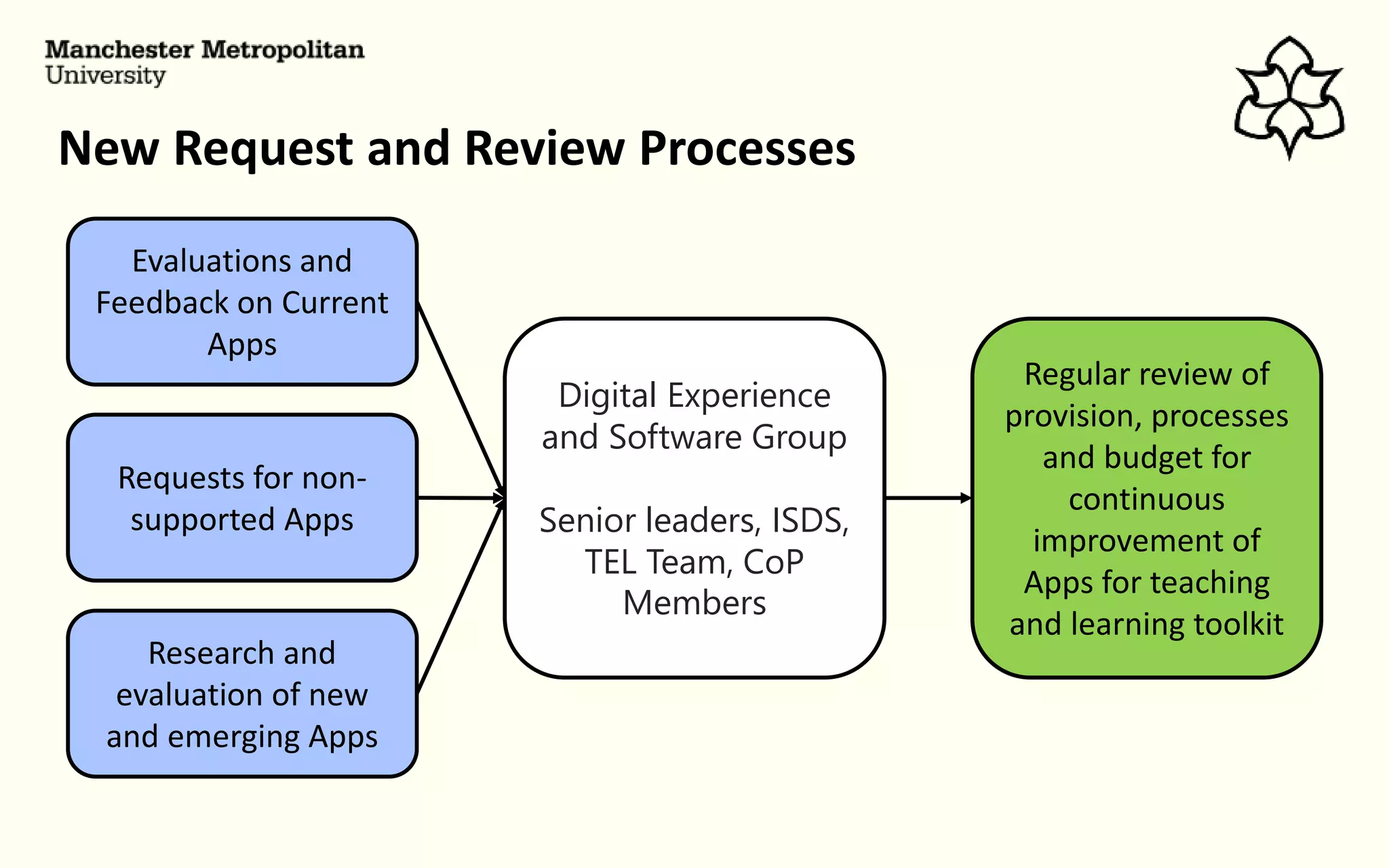
New Request and Review Processes
Digital Experience
and Software Group
Senior leaders, ISDS,
TEL Team, CoP
Members
Evaluations and
Feedback on Current
Apps
Requests for non-
supported Apps
Research and
evaluation of new
and emerging Apps
Regular review of
provision, processes
and budget for
continuous
improvement of
Apps for teaching
and learning toolkit
A note on inclusivity and accessibility
We know there are challenges
TEL App Experts
• User/CoP feedback
• Accessibility and
inclusivity focus groups
feedback
App Vendor
Monthly feedback meetings
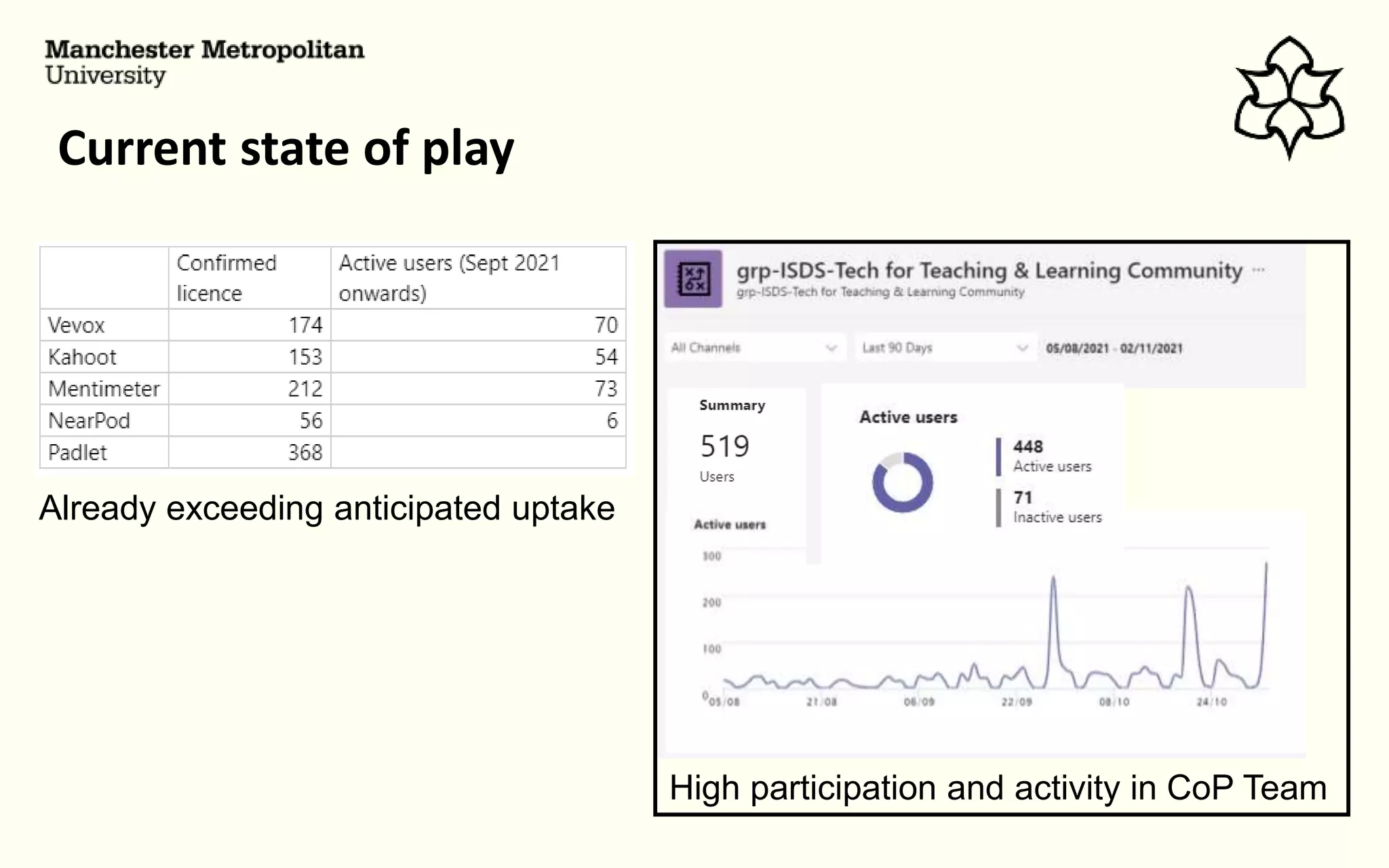
Current state of play
Already exceeding anticipated uptake
High participation and activity in CoP Team
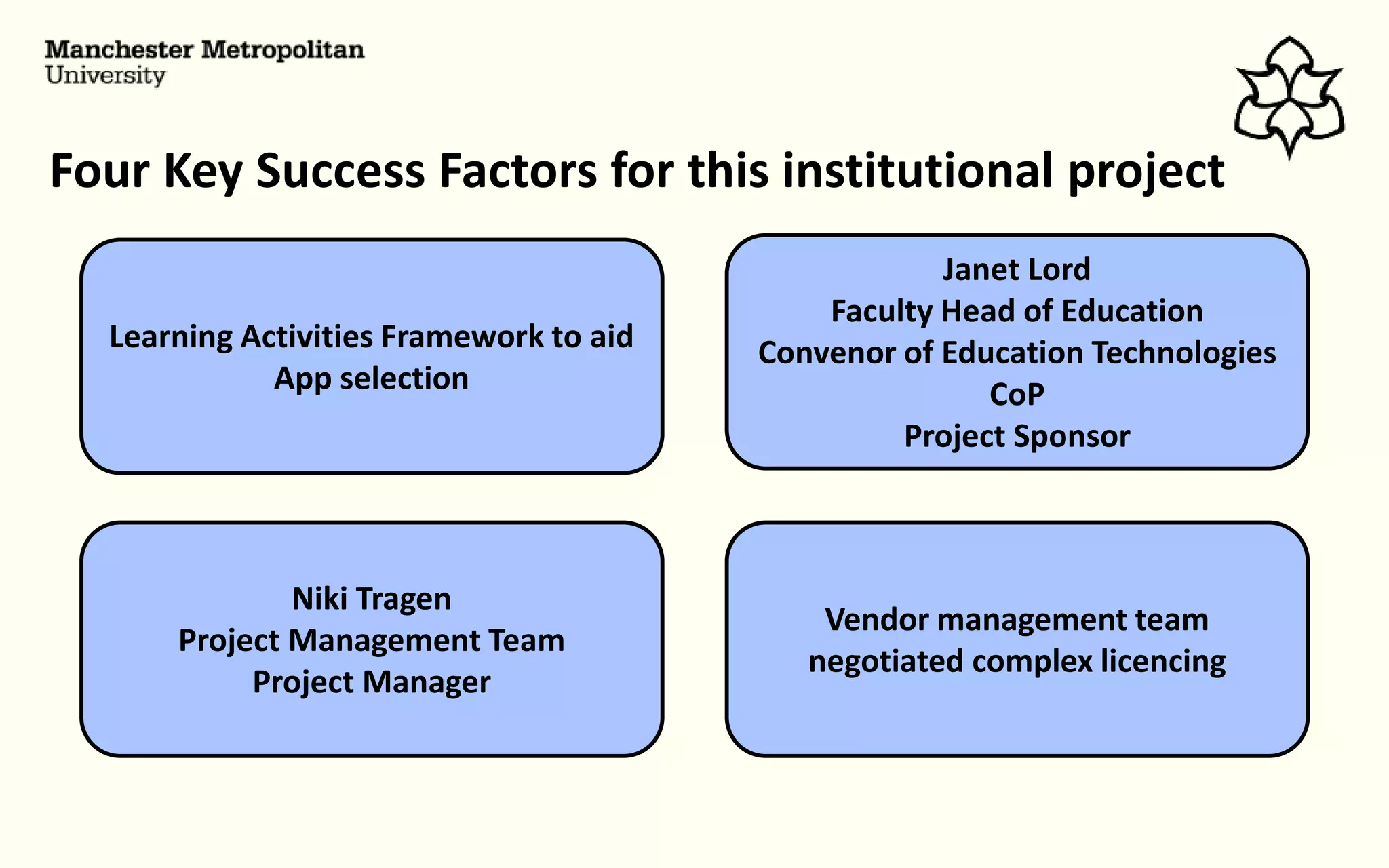
Four Key Success Factors for this institutional project
Janet Lord
Faculty Head of Education
Convenor of Education Technologies
CoP
Project Sponsor
Niki Tragen
Project Management Team
Project Manager
Learning Activities Framework to aid
App selection
Vendor management team
negotiated complex licencing
Thanks for listening
Rod Cullen
r.cullen@mmu.ac.uk

Apps for teaching and learning: An institutional approach

  • 1.
    An Institutional Approach DrW. Rod Cullen Senior Lecturer in Learning and Teaching Technologies Technology Enhanced Learning Team Apps for Teaching and Learning: JISC Experts Meeting 4th Nov 2021
  • 2.
    COVID19 Global Pandemic ManMet shifts to primarily online delivery Uni-wide Accelerated Digital Education Project • Included the Roll out MS Teams • No native quizzing and polling • Rudimentary White Board
  • 3.
    Student Perspectives Students (InternalStudent Survey) Teaching Staff digital Insights Survey “We want to be more actively involved in face-to- face teaching sessions rather than being passive recipients of information.” “We want to use technology to provide engaging and interactive teaching and learning but it is difficult and risky ”
  • 4.
    Student Perspectives –part 2 Students (Internal Student Survey) Teaching Staff digital Insights Survey “Kahoot” “Menti” “Quizzes and Polls” “Anonymity” “Discussion and Debate” “Padlet” “Death by PowerPoint” 60% = “More than now” 40% = Never used a quiz/poll 40% = Lack confidence in “free version of tools” “GDPR concerns” “Licencing issues/ limited functionality” “T & C Changes” “Initial Set-up”
  • 5.
    There is anApp for everything Man Met did not provide institutional licences for any What should our Apps “toolkit” Include?
  • 6.
    Activity Type Sub-type 1.Personal Learning Note taking/ management Resource collation/ management 2. Presentation delivery Traditional delivery Student-paced, student device delivery 3. Tutor Questioning Simple objective testing e.g. MCQs/Quizzes Complex objective testing Gamified objective testing Free text response questions Surveying/opinion seeking questions 4. Collaborative Tasks Creation, Ideas generation, brainstorming, collation Planning Working on shared documents Peer Review/assessment 5. Student Questioning Students posing questions to tutors Teaching and Learning Activities Framework Reviewed TEL teaching practices 25 case studies + literature review
  • 7.
    Choosing our Appsfor Teaching and Learning Activity Type Sub-type 1. Personal Learning Note taking/ management Primarily MS OneNote + O365 Resource collation/ management Built in web browser tools + O365 2. Presentation delivery Traditional delivery Primarily MS PowerPoint + O365 Student-paced, student device delivery 3. Tutor Questioning Simple objective testing e.g. MCQs/Quizzes PPT Int Complex objective testing Gamified objective testing Free text response questions Surveying/opinion seeking questions 4. Collaborative Tasks Creation, Ideas generation, brainstorming, collation Planning Partial Working on shared documents Peer Review/assessment 5. Student Questioning Students posing questions to tutors
  • 8.
    Initial Trial (Jan2021-July 2021) Based on “estimated” demand negotiated licences App Licences Approx. Cost Unlimited staff accounts for trail period £3.6k 100 staff accounts £1.6k 100 staff accounts £5.4k 95 staff accounts (existing dept licence extended) £14k 400 staff account (effectively unlimited for trail) £1.3k Total ISDS budget for Apps Trial including contingency Circa 30k
  • 9.
    Key Aims ofour Trial 3. Provide effective technical and pedagogic support for using the Apps 2. Rapidly create accounts remotely set up Apps on staff devices using Man Met credentials 1. Make it easy to a request licences for one or more Apps 4. Reduce perceived risk and increase confidence in using Apps. The trial would… …
  • 10.
    Over seen byTEL Team and IT Helpline Teams via Customer Management System Aims 1 & 2 Achieved by 1. Request 2. Remote Set-up 3. Instructions Within 24 Hours – frequently competed at time of request IT Helpline IT Service Team TEL Team
  • 11.
    Aims 1 &2 Evaluation • 464 Individual Requests • 420 Teaching Staff (30% of FT-staff) • 44 Prof Services 9/10 considered sign-up, installation and set-up to be very easy and straight forward • 72% of EoI became “Active” users during trial period • Approx. 1300 sessions • Over 20k interactions with students
  • 12.
    Aim 3 Achievedby … … FAQ pages Intro Workshops Dedicated TELA Drop-ins MS Teams CoP Space Intranet Pages Written and Video Guides
  • 13.
    Aim 3 Evaluation 7/10strongly agreed that they received all of the support needed during the trial • Some colleagues require significantly more support than others. • A small number are highly stressed & anxious in respect of digital skills acquisition
  • 14.
    Aim 4 Achievedby … … Aims 1 & 2 Easy of account creation, set- up, installation Aims 3 Effective support and active CoP Aim 4 Reduced Risk and Increased Confidence Institutional Commitment
  • 15.
    Aim 4 Evaluation 9/10strongly agreed they are more likely to adopt Apps provided by the University Colleagues perceive risk differently High Risk Medium Risk Low Risk 9/10 strongly agreed that ongoing provision encourages ongoing use and innovation
  • 16.
    Apps Toolkit adoptedBusiness as Usual Sept 2021 Business case approved for £250k investment in 6 Apps over next 3 years. App Complex licencing arrangements negotiated by vendor management team 150 > 250 active users over three years (effectively unlimited accounts) 110 > 150 active users over three years 100 > 200 active users over three years 65 > 130 active users over three years 330 > 500 accounts over three years (effectively unlimited accounts) 100 > 150 active users over three years (in negotiation)
  • 17.
    New Request andReview Processes Digital Experience and Software Group Senior leaders, ISDS, TEL Team, CoP Members Evaluations and Feedback on Current Apps Requests for non- supported Apps Research and evaluation of new and emerging Apps Regular review of provision, processes and budget for continuous improvement of Apps for teaching and learning toolkit
  • 18.
    A note oninclusivity and accessibility We know there are challenges TEL App Experts • User/CoP feedback • Accessibility and inclusivity focus groups feedback App Vendor Monthly feedback meetings
  • 19.
    Current state ofplay Already exceeding anticipated uptake High participation and activity in CoP Team
  • 20.
    Four Key SuccessFactors for this institutional project Janet Lord Faculty Head of Education Convenor of Education Technologies CoP Project Sponsor Niki Tragen Project Management Team Project Manager Learning Activities Framework to aid App selection Vendor management team negotiated complex licencing
  • 21.
    Thanks for listening RodCullen r.cullen@mmu.ac.uk

Editor's Notes

  • #2 I’ll start with some context Manchester Met is a large Post-92 institution with nearly 40 thousand students and about 1500 full-time teaching staff. I work here in the central TEL Team and have had a lead role in implementing an institutional approach to providing Apps for teaching and learning that we believe enhances active learning experiences for our students.
  • #3 At Man Met the shift to online teaching included the rapid roll of MS Teams as part of uni-wide accelerated Digital Education project. Although this was welcome, at that time MS Teams didn’t provide any native quizzing and polling and only had an rudimentary Whiteboard tool.
  • #4 We knew that many of our students wanted to be more actively involved in “live” teaching sessions rather than being passive recipients of information. We also knew that teaching colleagues wanted to use more technology in their teaching but were reluctant to use non-institutionally supported technologies. Our students particularly criticised Death by PowerPoint experiences
  • #5 And favoured engaging sessions with quizzes, polls and discussion type activities. Apps like Kahoot, Mentimeter and Padlet were features of this feedback. However, using “free tools” challenged teachers with instal issues on their admin restricted devices, GDPR concerns, limited functionality, and rapid changes to T & C’s.
  • #6 Although there is pretty much an App for everything, at that time Man Met didn’t institutionally licence any. We knew that it was not possible to licence for everything centrally so we needed to ask “What Apps should our “toolkit” include?” Fortunately we had already started to think about this before the Pandemic.
  • #7 In an extensive review of classroom teaching practices, we had developed a Teaching and Learning Activities Framework that identified 5 main activity types that utilise Apps Personal Learning Presentation delivery Tutor Questioning Collaborative Task Student questioning The actvities were further categorised into sub-types.
  • #8 This framework allowed us to match activities to set of 5 Apps Vevox – for Simple objective testing Mentimenter – for more complex objective testing Kahoot – for gameified quizzing Padlet – covers the majority of collaborative activities And Nearpod – provides for student paced deliver and multiple activity types
  • #9 With the help of our vendor management team we negotiation licences based on “estimated” demand but had small budget contingency to increase if required. Vendor management teams also formally addressed any GDPR issues. Licencing models varied considerably so these are approximate figures but the total budget was under 30k.
  • #10 The trail aimed to 1. Make it easy to a request licences for one or more Apps 2. Rapidly create accounts and set them up on staff devices using Man Met credentials 3. Provide effective technical and pedagogic support 4. And reduce perceived risk and increase confidence in using them. Put simply we wanted to make things very easy
  • #11 Requests were made via our main IT Helpline Customer Management System. These were passed via the CRM to our IT Services Teams who created Single Sign accounts and remotely installed Apps (where required) on staff allocated devices. On completion staff were emailed account details and TEL Team guidance. Normally this would take less than 24 hours.
  • #12 Approx. 30% of all teaching staff requested licences. 72% of these became active users during the trial leading to over 1300 active learning sessions with an estimated 20 thousand student interactions. 9 out of 10 staff surveyed considered sign-up, installation and set-up to be very easy and straight forward
  • #13 Extensive supporting resources were provided including written and video guides, FAQ pages and a programme of interactive workshops. The most effective were bookable Apps specific drop in sessions with our TEL Team and a high active Community of Practice Space on Teams which had over 300 active participants.
  • #14 7/10 participants reported that the wide range of support met or exceeded their expectations and needs. While some colleagues felt that although useful support was available they needed something more specific and personalised. A small number considered that they simply struggled to grasp the basic digital skills needed to use the tools effectively in their practice.
  • #15 We were confident that by showing an institutional commitment, making acquisition and set up simple and providing effective support as part of an active community of practice we would reduce perceptions of risk and increase colleagues confidence to use Apps in their practice. We were aware that colleagues perceived the risk of using free Apps differently.
  • #16  Some were confident enough to use them regardless while the majority were more cautious. However, 9/10 colleagues strongly agreed that they were both more likely to adopt and continue to use institutionally provided Apps in their practice. There was a strong feeling that this was something the university should be doing.
  • #17 A business case was accepted to take the Apps toolkit into Business as Usual starting in September. We have a 250k budget over three years for the 5 original App plus Miro to fill an activity gap identified in feedback. Our vendor management team negotiated complex licencing arrangements based on active users and an anticipated increasing user base.
  • #18 A new development is a high level oversight group, The Digital Experience and Software Group made up of senior leaders and importantly active members of the Apps CoP. This group will scrutinise ongoing feedback on the toolkit and any requests for new Apps and regularly review the processes and budget for continuous improvement of Apps for teaching and learning toolkit.
  • #19 We know that there are accessibility issues with the toolkit but we have taken the decision to work with the vendors to improve this rather than not to use them. Our nominated App experts are meeting monthly with Vendor reps to provide feedback and suggest improvements. We believe we are making progress in this way.
  • #20 Uptake of licences since September has exceeded our expectations and even at this relative early stage in the term lots of sessions have taken place. Over 500 colleagues have joined our CoP Teams space 85% of these have actively engaged in the last three months.
  • #21 I finish with 4 key success factors The learning activities framework helped us to select an appropriate toolkit. We had a senior Project Sponsor in Janet Lord who was highly engaged in the project. We had a full-time professional project manager in Niki Tragen. And we had a Vendor management team who did some tough and complex negotiating.