Three amigos
Bitbucket + Jenkins + Docker
@dani_qa @maryu_es
Bitbucket
▸ Revision control system
▸ Web-based hosting system
▸ Based in Mercurial
1
Who is who?
Jenkins
▸ Open source automation server
▸ Many plugins
▸ Used to develop CI and CD process
Docker
▸ Deploy apps inside software containers
▸ Use dockerfiles (*.yml)
Technology
▸ Avoid human errors
▸ Quick responses to fix tests
▸ Avoid blocks executing tests
2
Why?
Our motivation Business
▸ Fast, fast and a bit more fast
▸ Increase release iterations
▸ Reduce time to deploy User stories
Resources
▸ Avoid executing automated tests manually
▸ Avoid envs full dedicated to run tests
▸ Saving cost executing requests on demand
Flashback
Back to the past
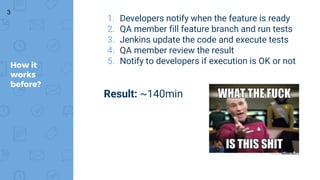
1. Developers notify when the feature is ready
2. QA member fill feature branch and run tests
3. Jenkins update the code and execute tests
4. QA member review the result
5. Notify to developers if execution is OK or notHow it
works
before?
3
Result: ~140min
What did we
want?
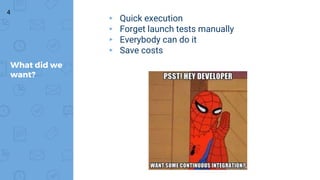
▸ Quick execution
▸ Forget launch tests manually
▸ Everybody can do it
▸ Save costs
4
Trial and error
Iterate is the key
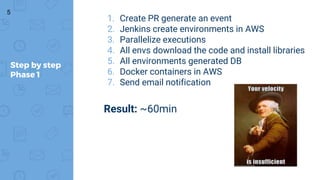
1. Create PR generate an event
2. Jenkins create environments in AWS
3. Parallelize executions
4. All envs download the code and install libraries
5. All environments generated DB
6. Docker containers in AWS
7. Send email notification
Step by step
Phase 1
5
Result: ~60min
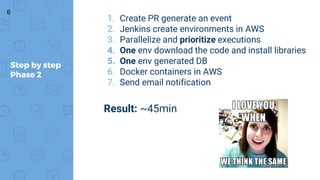
1. Create PR generate an event
2. Jenkins create environments in AWS
3. Parallelize and prioritize executions
4. One env download the code and install libraries
5. One env generated DB
6. Docker containers in AWS
7. Send email notification
Step by step
Phase 2
6
Result: ~45min
How does it
works?
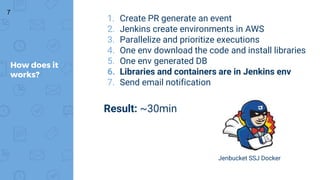
1. Create PR generate an event
2. Jenkins create environments in AWS
3. Parallelize and prioritize executions
4. One env download the code and install libraries
5. One env generated DB
6. Libraries and containers are in Jenkins env
7. Send email notification
7
Result: ~30min
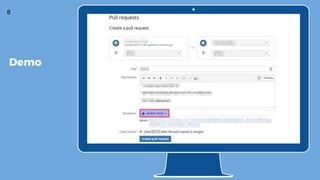
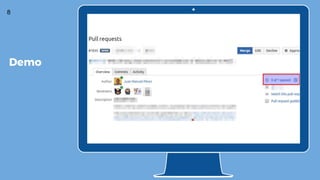
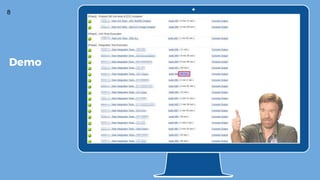
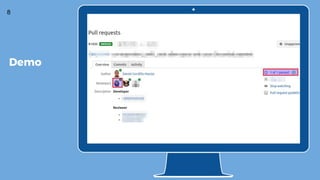
Jenbucket SSJ Docker
8
Demo
8
Demo
8
Demo
8
Demo
Go to the future
Next hites
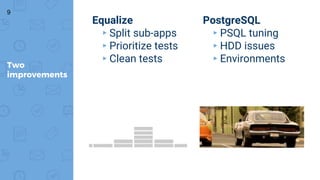
Equalize
▸Split sub-apps
▸Prioritize tests
▸Clean tests
Two
improvements
PostgreSQL
▸PSQL tuning
▸HDD issues
▸Environments
9
“A deployment pipeline is, in essence, an
automated implementation of your
application’s build, deploy, test, and release
process.
Every organization will have differences
in the implementation of their deployment
pipelines, depending on their value-stream
for releasing software, but the principles
that govern them do not vary.”
10
https://www.meetup.com/es/malaga-python/ https://www.meetup.com/es/agile-malaga/
Friendly Meetups
Any question?

Three amigos: Bitbucket + Jenkins + Docker

  • 1.
    Three amigos Bitbucket +Jenkins + Docker @dani_qa @maryu_es
  • 2.
    Bitbucket ▸ Revision controlsystem ▸ Web-based hosting system ▸ Based in Mercurial 1 Who is who? Jenkins ▸ Open source automation server ▸ Many plugins ▸ Used to develop CI and CD process Docker ▸ Deploy apps inside software containers ▸ Use dockerfiles (*.yml)
  • 3.
    Technology ▸ Avoid humanerrors ▸ Quick responses to fix tests ▸ Avoid blocks executing tests 2 Why? Our motivation Business ▸ Fast, fast and a bit more fast ▸ Increase release iterations ▸ Reduce time to deploy User stories Resources ▸ Avoid executing automated tests manually ▸ Avoid envs full dedicated to run tests ▸ Saving cost executing requests on demand
  • 4.
  • 5.
    1. Developers notifywhen the feature is ready 2. QA member fill feature branch and run tests 3. Jenkins update the code and execute tests 4. QA member review the result 5. Notify to developers if execution is OK or notHow it works before? 3 Result: ~140min
  • 6.
    What did we want? ▸Quick execution ▸ Forget launch tests manually ▸ Everybody can do it ▸ Save costs 4
  • 7.
  • 8.
    1. Create PRgenerate an event 2. Jenkins create environments in AWS 3. Parallelize executions 4. All envs download the code and install libraries 5. All environments generated DB 6. Docker containers in AWS 7. Send email notification Step by step Phase 1 5 Result: ~60min
  • 9.
    1. Create PRgenerate an event 2. Jenkins create environments in AWS 3. Parallelize and prioritize executions 4. One env download the code and install libraries 5. One env generated DB 6. Docker containers in AWS 7. Send email notification Step by step Phase 2 6 Result: ~45min
  • 10.
    How does it works? 1.Create PR generate an event 2. Jenkins create environments in AWS 3. Parallelize and prioritize executions 4. One env download the code and install libraries 5. One env generated DB 6. Libraries and containers are in Jenkins env 7. Send email notification 7 Result: ~30min Jenbucket SSJ Docker
  • 11.
  • 12.
  • 13.
  • 14.
  • 15.
    Go to thefuture Next hites
  • 16.
    Equalize ▸Split sub-apps ▸Prioritize tests ▸Cleantests Two improvements PostgreSQL ▸PSQL tuning ▸HDD issues ▸Environments 9
  • 17.
    “A deployment pipelineis, in essence, an automated implementation of your application’s build, deploy, test, and release process. Every organization will have differences in the implementation of their deployment pipelines, depending on their value-stream for releasing software, but the principles that govern them do not vary.” 10
  • 18.
  • 19.