Community IT Innovators Webinar Series


      Smart Data Backups
            Presenter:
        Matthew Eshleman

           March 21, 2013
Webinar Tips

•Ask questions
 Post questions via chat
f


•Interact
 Respond to polls during webinar
ff


•Focus
 Avoid multitasking. You may just miss the
 best part of the presentation : )
About Community IT
Community IT Innovators partners with nonprofits to help them solve
their strategic & day-to-day IT challenges.
Strategic
Proactive approach so you can make IT decisions that support your
mission and grow with you

Collaborative
Team of over 40 staff who empower you to make informed IT
choices

Invested
We are committed to supporting your mission, and take care of
your IT network as if it were our own

Nonprofit focus
Worked with over 900 nonprofits since 1993
About the Presenter

  Matthew Eshleman
  Chief Technology Officer
  Community IT Innovators
  meshleman@communityit.com
  202-449-6711
  @meshleman
Agenda

•Defining some terms
•Telling some stories
 - Mismatch in expectations
 - The cloud ≠ backup
 - Lack of training
•Developing a Backup Strategy
•Our Approach
Poll – Organization Size

Organization Staff Size
-Under 5 staff
-6-15 staff
-16-40 staff
-41-100 staff
-Over 100 staff
Poll – DR/BC Readiness

•Disaster Recovery/Business Continuity
 Readiness
 - No plan in place
 - Basic Plan
 - Extensive Plan
 - In Place & Tested
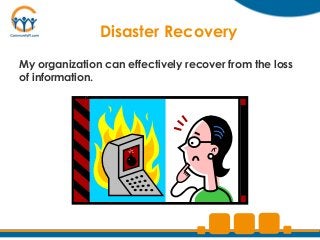
Disaster Recovery
My organization can effectively recover from the loss
of information.
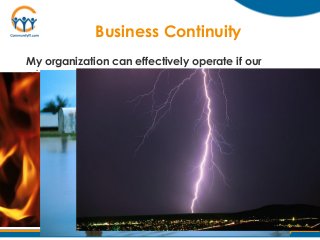
Business Continuity
My organization can effectively operate if our
primary data system is unavailable
Business Continuity
How long can we be down?
Disaster Recovery
How quickly can we restore
  information & access?
Data Retention
 How far do we need to go back?
Typical Retention
 - Email: 1 Year
 - Files: 7 Years
 - Financial Info: Forever
Disaster Recovery Concepts

Recovery Point Objective (RPO)
Point in time from which data can
be restored

“How much data can I lose?”
Disaster Recovery Concepts

Recovery Time Objective (RTO)
Time required to recover the data

“How long can my data be
unavailable?”
Additional Concepts
•Uptime
Expectation of access to data
“The 5 9s”…available 99.999% of the time

•Retention
How much data is retained over time
…and how frequently

•Geo-redundancy
Business Continuity

My organization can continue to function in
the event of a disaster…

•Fire
•Earthquake
•Flood
•Civil Unrest
•Sabotage
Business Continuity

•   Power outage
•   Internet outage
•   Carelessness
•   Hardware failure
•   Improper training
•   Etc…
Poll: How long could you be without Email?

 • 1 hour
 • 1 day
 • 4 days
 • 1 week
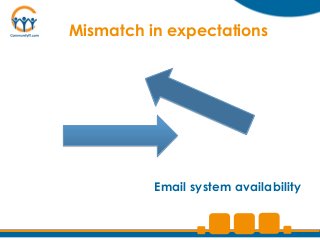
Mismatch in expectations


          Email system availability
Lessons Learned

• Ask the BOARD

• Really test the hypothesis
Backing Up the Cloud?

If you have Cloud Systems, are they backed
up automatically?
  • Yes
  • No
  • Manually
  • I Don’t Know
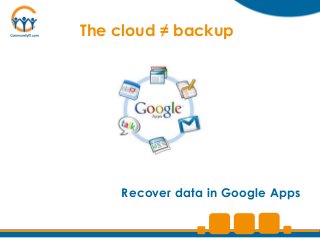
The cloud ≠ backup


    Recover data in Google Apps
Lessons Learned

•Lots of cloud service providers aren’t
 automatically backing up your data

•Retention period may not meet your
 business requirements
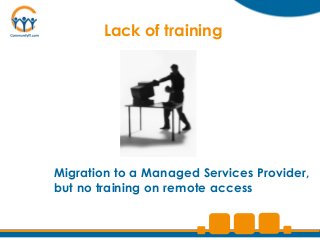
Lack of training


Migration to a Managed Services Provider,
but no training on remote access
Lessons Learned


•A new system is great, but people
 need to know how to use it

•Be sure to have you DR/BC plan in
 multiple places
DEVELOP A BACKUP STRATEGY
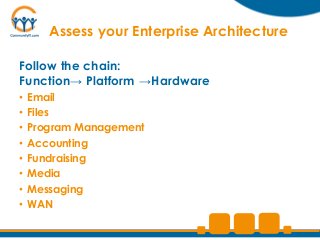
Assess your Enterprise Architecture

Follow the chain:
Function→ Platform →Hardware
•   Email
•   Files
•   Program Management
•   Accounting
•   Fundraising
•   Media
•   Messaging
•   WAN
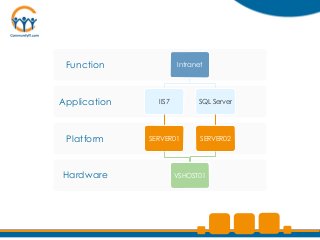
Function              Intranet


Application     IIS7         SQL Server


 Platform     SERVER01        SERVER02


Hardware               VSHOST01
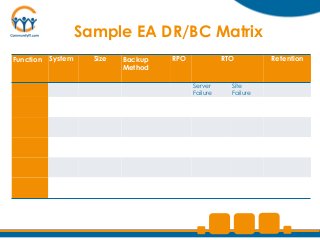
Sample EA DR/BC Matrix
Function   System     Size   Backup   RPO             RTO         Retention
                             Method

                                            Server      Site
                                            Failure     Failure
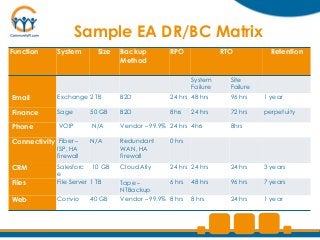
Sample EA DR/BC Matrix
Function     System       Size   Backup         RPO               RTO           Retention
                                 Method

                                                        System      Site
                                                        Failure     Failure
Email        Exchange 2 TB       B2D            24 hrs 48 hrs       96 hrs    1 year

Finance      Sage       50 GB    B2D            8hrs    24 hrs      72 hrs    perpetuity

Phone         VOIP      N/A      Vendor – 99.9% 24 hrs 4hrs         8hrs

Connectivity Fiber –    N/A      Redundant      0 hrs
             ISP, HA             WAN, HA
             firewall            firewall
CRM          Salesforc 10 GB     Cloud Ally     24 hrs 24 hrs       24 hrs    3 years
             e
Files        File Server 1 TB    Tape –         6 hrs   48 hrs      96 hrs    7 years
                                 NTBackup
Web          Convio     40 GB    Vendor – 99.9% 8 hrs   8 hrs       24 hrs    1 year
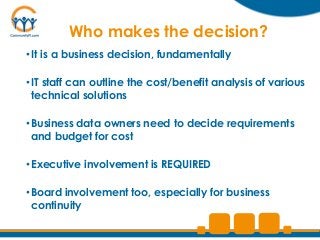
Who makes the decision?
• It is a business decision, fundamentally

• IT staff can outline the cost/benefit analysis of various
  technical solutions

• Business data owners need to decide requirements
  and budget for cost

• Executive involvement is REQUIRED

• Board involvement too, especially for business
  continuity
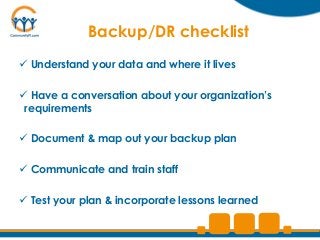
Backup/DR checklist
 Understand your data and where it lives

 Have a conversation about your organization’s
 requirements

 Document & map out your backup plan

 Communicate and train staff

 Test your plan & incorporate lessons learned
OUR APPROACH
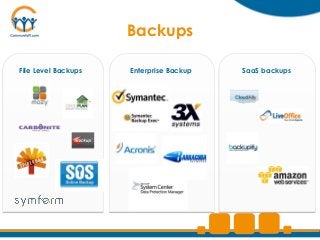
Backups

File Level Backups   Enterprise Backup   SaaS backups
Next Generation Backup
Flexible backups

Configurable retention

Secure & encrypted Cloud Storage

Warm spare Disaster Recovery Site
Trends

•More services in the cloud

•More BYOD

•Data sprawl

•Digital Asset Management
Key Takeaways


• Develop your Enterprise Architecture
• Understand your Recovery Point and Recovery Time
  Objectives (RPO & RTO)
• Out of sight ≠ out of mind
  –http://support.google.com/docs/bin/answer.py?hl
   =en&answer=1704883
• You’re only as good as your last restore
Q&A?
Upcoming Webinar

April 25: Best of NTEN
Aha Moments from the Nonprofit Technology
Conference

Presenters:
Johan Hammerstrom, COO
Matthew Eshleman, CTO
Next Steps

• Connect with us
 Twitter, Google+, Linkedin and Facebook
 http://www.communityit.com


• Provide feedback
 Short survey after you exit the webinar. Be sure to include any
 questions that were not answered.


• Missed anything?
 Link to slides & recording will be emailed to you.

Community IT Innovators - Smart Data Backups

  • 1.
    Community IT InnovatorsWebinar Series Smart Data Backups Presenter: Matthew Eshleman March 21, 2013
  • 2.
    Webinar Tips •Ask questions Post questions via chat f •Interact Respond to polls during webinar ff •Focus Avoid multitasking. You may just miss the best part of the presentation : )
  • 3.
    About Community IT CommunityIT Innovators partners with nonprofits to help them solve their strategic & day-to-day IT challenges. Strategic Proactive approach so you can make IT decisions that support your mission and grow with you Collaborative Team of over 40 staff who empower you to make informed IT choices Invested We are committed to supporting your mission, and take care of your IT network as if it were our own Nonprofit focus Worked with over 900 nonprofits since 1993
  • 4.
    About the Presenter Matthew Eshleman Chief Technology Officer Community IT Innovators meshleman@communityit.com 202-449-6711 @meshleman
  • 5.
    Agenda •Defining some terms •Tellingsome stories - Mismatch in expectations - The cloud ≠ backup - Lack of training •Developing a Backup Strategy •Our Approach
  • 6.
    Poll – OrganizationSize Organization Staff Size -Under 5 staff -6-15 staff -16-40 staff -41-100 staff -Over 100 staff
  • 7.
    Poll – DR/BCReadiness •Disaster Recovery/Business Continuity Readiness - No plan in place - Basic Plan - Extensive Plan - In Place & Tested
  • 8.
    Disaster Recovery My organizationcan effectively recover from the loss of information.
  • 9.
    Business Continuity My organizationcan effectively operate if our primary data system is unavailable
  • 10.
  • 11.
    Disaster Recovery How quicklycan we restore information & access?
  • 12.
    Data Retention Howfar do we need to go back? Typical Retention - Email: 1 Year - Files: 7 Years - Financial Info: Forever
  • 13.
    Disaster Recovery Concepts RecoveryPoint Objective (RPO) Point in time from which data can be restored “How much data can I lose?”
  • 14.
    Disaster Recovery Concepts RecoveryTime Objective (RTO) Time required to recover the data “How long can my data be unavailable?”
  • 15.
    Additional Concepts •Uptime Expectation ofaccess to data “The 5 9s”…available 99.999% of the time •Retention How much data is retained over time …and how frequently •Geo-redundancy
  • 16.
    Business Continuity My organizationcan continue to function in the event of a disaster… •Fire •Earthquake •Flood •Civil Unrest •Sabotage
  • 17.
    Business Continuity • Power outage • Internet outage • Carelessness • Hardware failure • Improper training • Etc…
  • 18.
    Poll: How longcould you be without Email? • 1 hour • 1 day • 4 days • 1 week
  • 19.
    Mismatch in expectations Email system availability
  • 20.
    Lessons Learned • Askthe BOARD • Really test the hypothesis
  • 21.
    Backing Up theCloud? If you have Cloud Systems, are they backed up automatically? • Yes • No • Manually • I Don’t Know
  • 22.
    The cloud ≠backup Recover data in Google Apps
  • 23.
    Lessons Learned •Lots ofcloud service providers aren’t automatically backing up your data •Retention period may not meet your business requirements
  • 24.
    Lack of training Migrationto a Managed Services Provider, but no training on remote access
  • 25.
    Lessons Learned •A newsystem is great, but people need to know how to use it •Be sure to have you DR/BC plan in multiple places
  • 26.
  • 27.
    Assess your EnterpriseArchitecture Follow the chain: Function→ Platform →Hardware • Email • Files • Program Management • Accounting • Fundraising • Media • Messaging • WAN
  • 28.
    Function Intranet Application IIS7 SQL Server Platform SERVER01 SERVER02 Hardware VSHOST01
  • 29.
    Sample EA DR/BCMatrix Function System Size Backup RPO RTO Retention Method Server Site Failure Failure
  • 30.
    Sample EA DR/BCMatrix Function System Size Backup RPO RTO Retention Method System Site Failure Failure Email Exchange 2 TB B2D 24 hrs 48 hrs 96 hrs 1 year Finance Sage 50 GB B2D 8hrs 24 hrs 72 hrs perpetuity Phone VOIP N/A Vendor – 99.9% 24 hrs 4hrs 8hrs Connectivity Fiber – N/A Redundant 0 hrs ISP, HA WAN, HA firewall firewall CRM Salesforc 10 GB Cloud Ally 24 hrs 24 hrs 24 hrs 3 years e Files File Server 1 TB Tape – 6 hrs 48 hrs 96 hrs 7 years NTBackup Web Convio 40 GB Vendor – 99.9% 8 hrs 8 hrs 24 hrs 1 year
  • 31.
    Who makes thedecision? • It is a business decision, fundamentally • IT staff can outline the cost/benefit analysis of various technical solutions • Business data owners need to decide requirements and budget for cost • Executive involvement is REQUIRED • Board involvement too, especially for business continuity
  • 32.
    Backup/DR checklist  Understandyour data and where it lives  Have a conversation about your organization’s requirements  Document & map out your backup plan  Communicate and train staff  Test your plan & incorporate lessons learned
  • 33.
  • 34.
    Backups File Level Backups Enterprise Backup SaaS backups
  • 35.
    Next Generation Backup Flexiblebackups Configurable retention Secure & encrypted Cloud Storage Warm spare Disaster Recovery Site
  • 36.
    Trends •More services inthe cloud •More BYOD •Data sprawl •Digital Asset Management
  • 37.
    Key Takeaways • Developyour Enterprise Architecture • Understand your Recovery Point and Recovery Time Objectives (RPO & RTO) • Out of sight ≠ out of mind –http://support.google.com/docs/bin/answer.py?hl =en&answer=1704883 • You’re only as good as your last restore
  • 38.
  • 39.
    Upcoming Webinar April 25:Best of NTEN Aha Moments from the Nonprofit Technology Conference Presenters: Johan Hammerstrom, COO Matthew Eshleman, CTO
  • 40.
    Next Steps • Connectwith us Twitter, Google+, Linkedin and Facebook http://www.communityit.com • Provide feedback Short survey after you exit the webinar. Be sure to include any questions that were not answered. • Missed anything? Link to slides & recording will be emailed to you.