WordPress Security


         Brad Williams
         WebDevStudios.com
Who Am I?
Who Am I?


I’m the guy that has to follow Matt
Who Am I?

Brad Williams
CEO & Co-Founder, WebDevStudios.com
Organizer NJ WordPress Meetup
Co-Host SitePoint Podcast
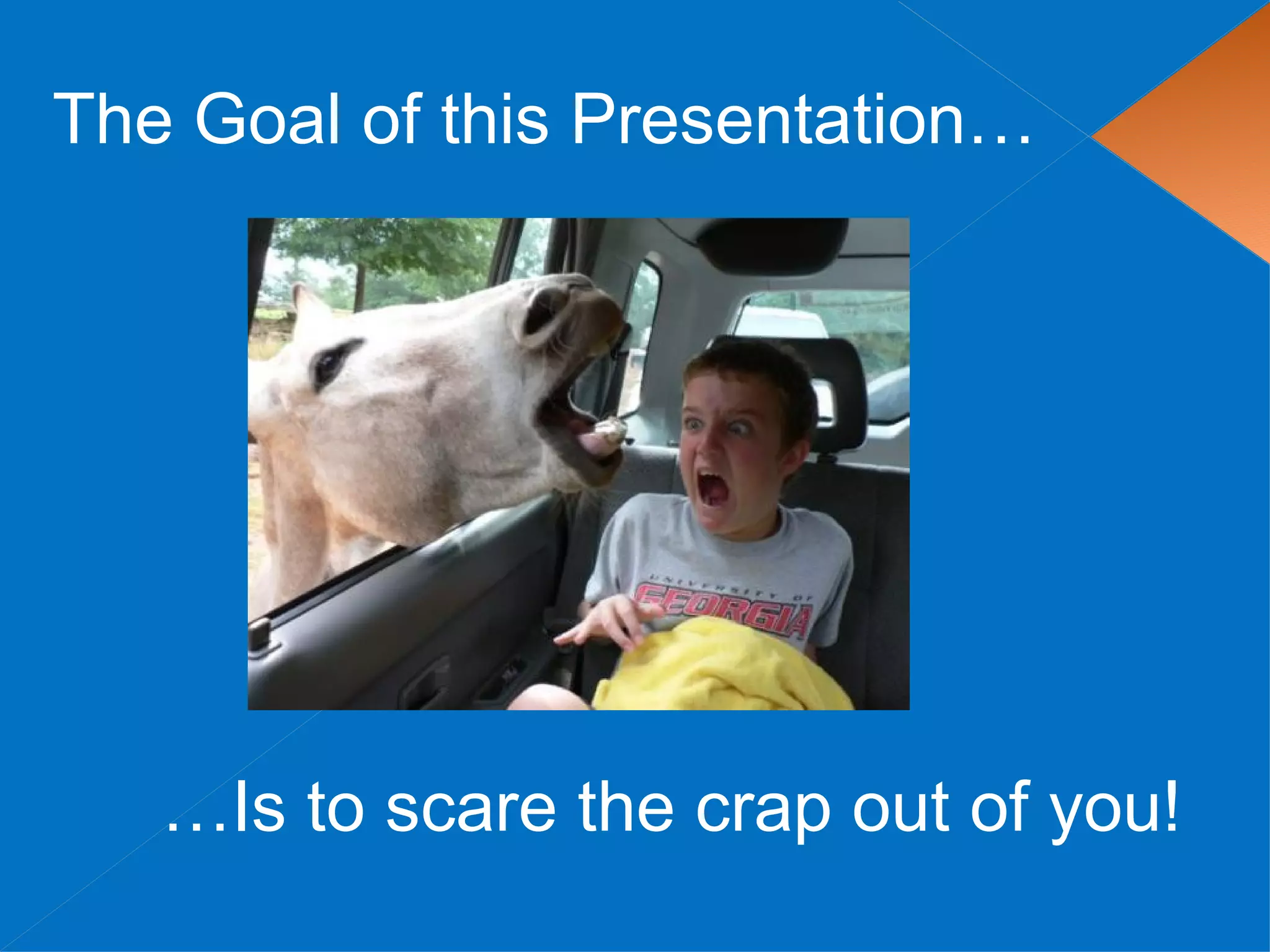
The Goal of this Presentation…


   …Is to scare the crap out of you!
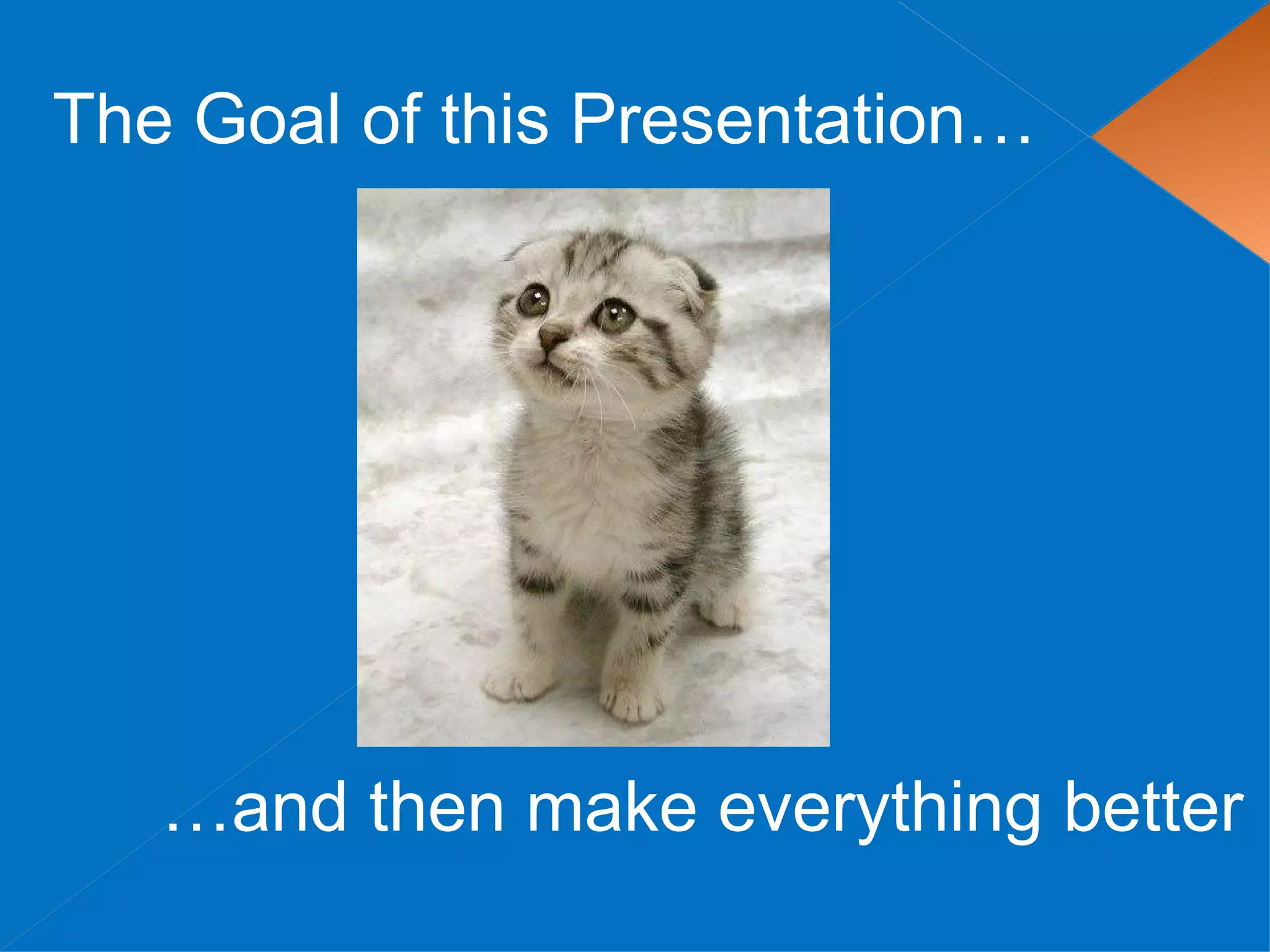
The Goal of this Presentation…


   …and then make everything better
Topics

 Example  Link Injection Hack
 Securing your WordPress Website
 Recommended Plugins
The Scary
Link Injection

Hacker bots look for known exploits (SQL Injection, folder perms, etc).
           This allows them to insert spam files/links into
          your WordPress Themes, plugins, and core files.
Example

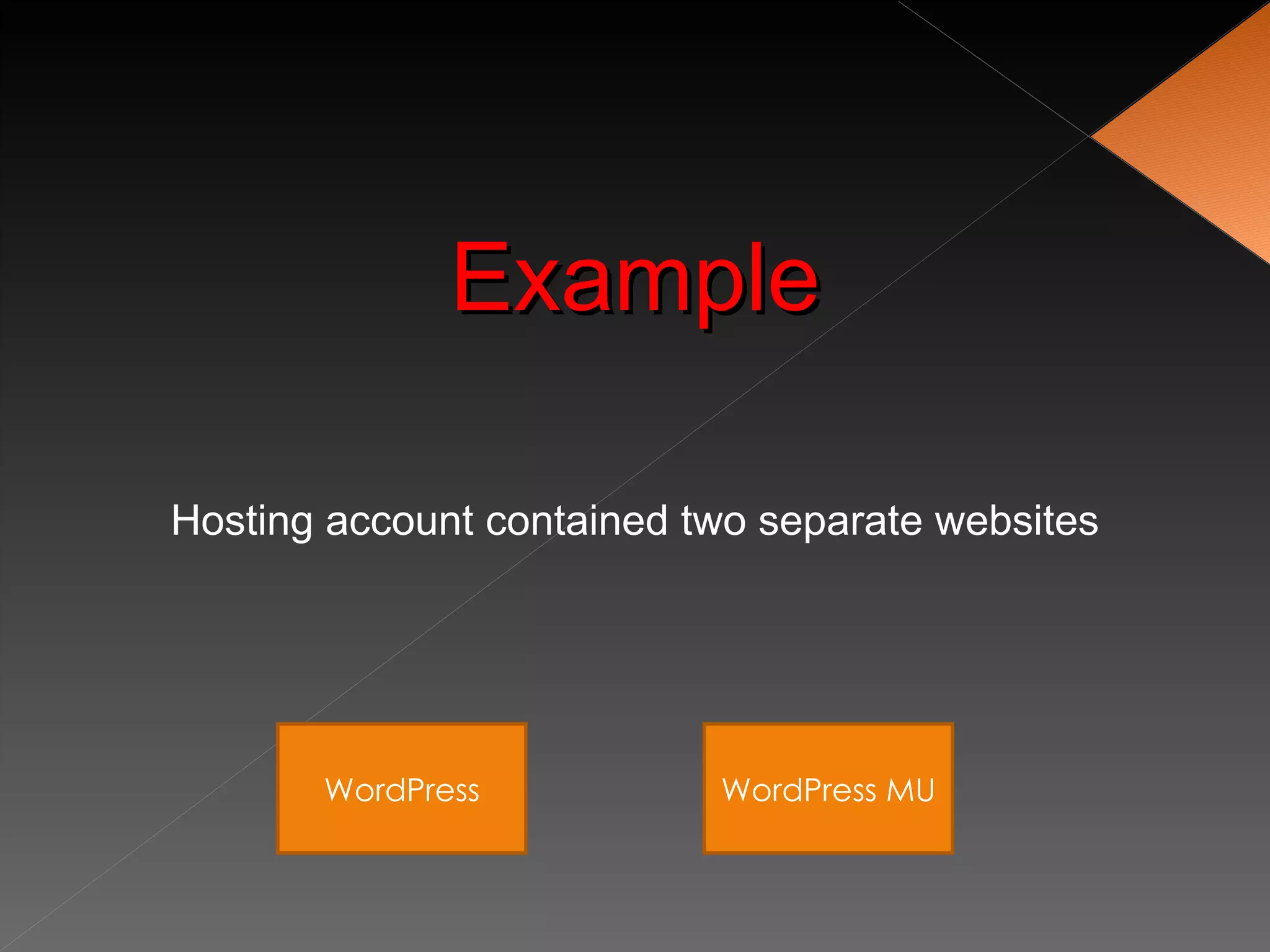
Hosting account contained two separate websites


       WordPress           WordPress MU
Example

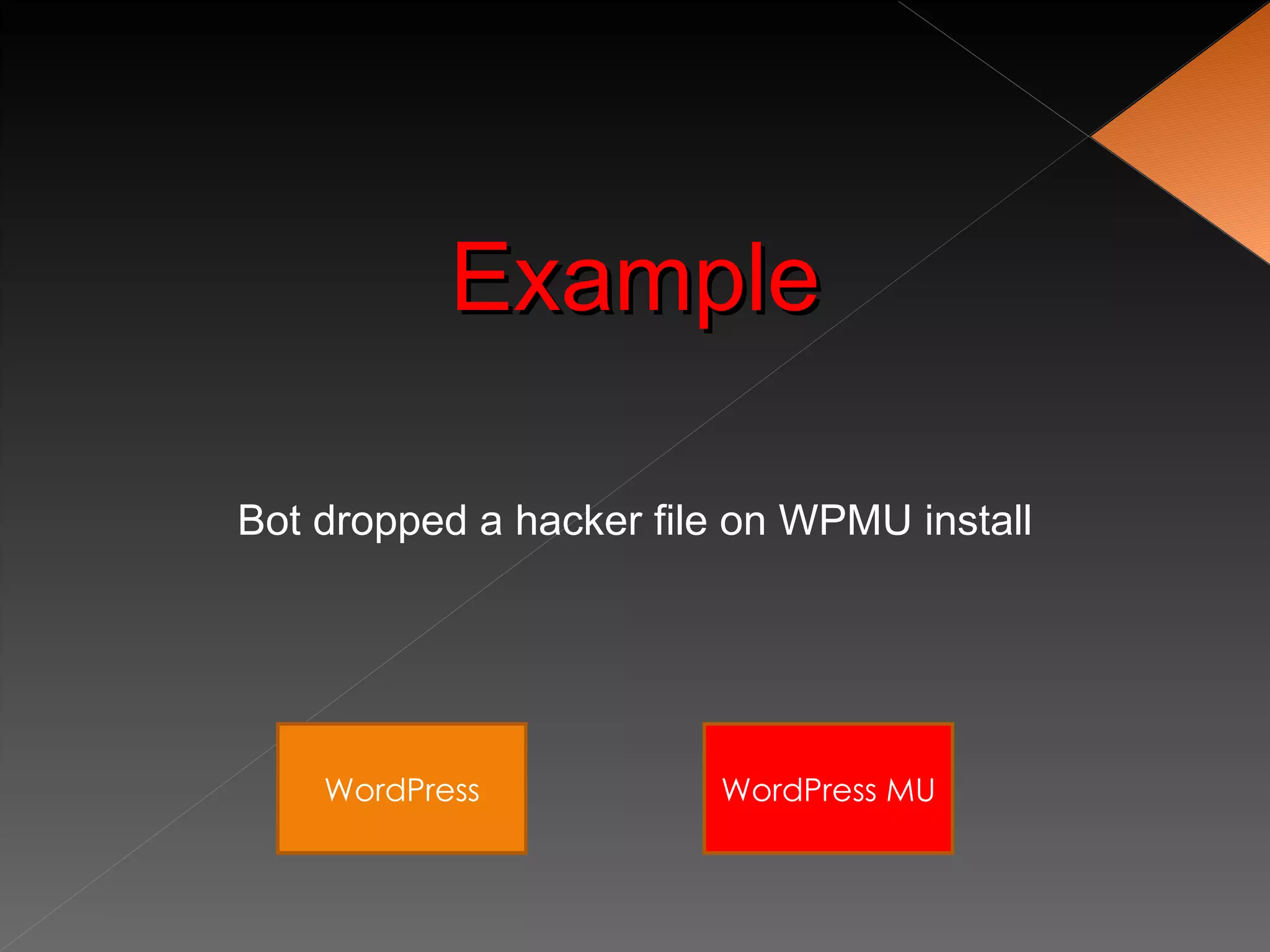
Bot dropped a hacker file on WPMU install


    WordPress           WordPress MU
Example

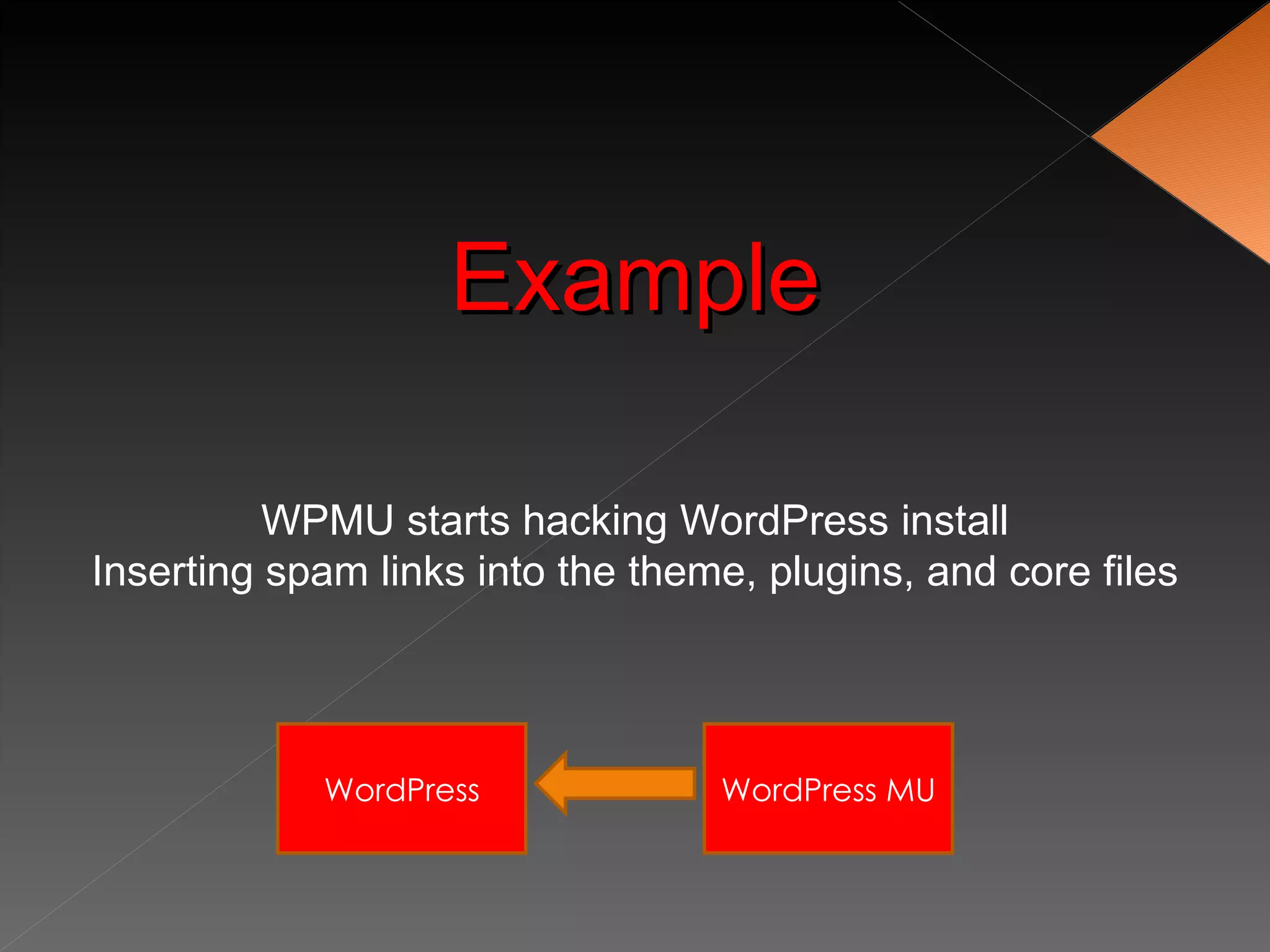
          WPMU starts hacking WordPress install
Inserting spam links into the theme, plugins, and core files


            WordPress             WordPress MU
Example
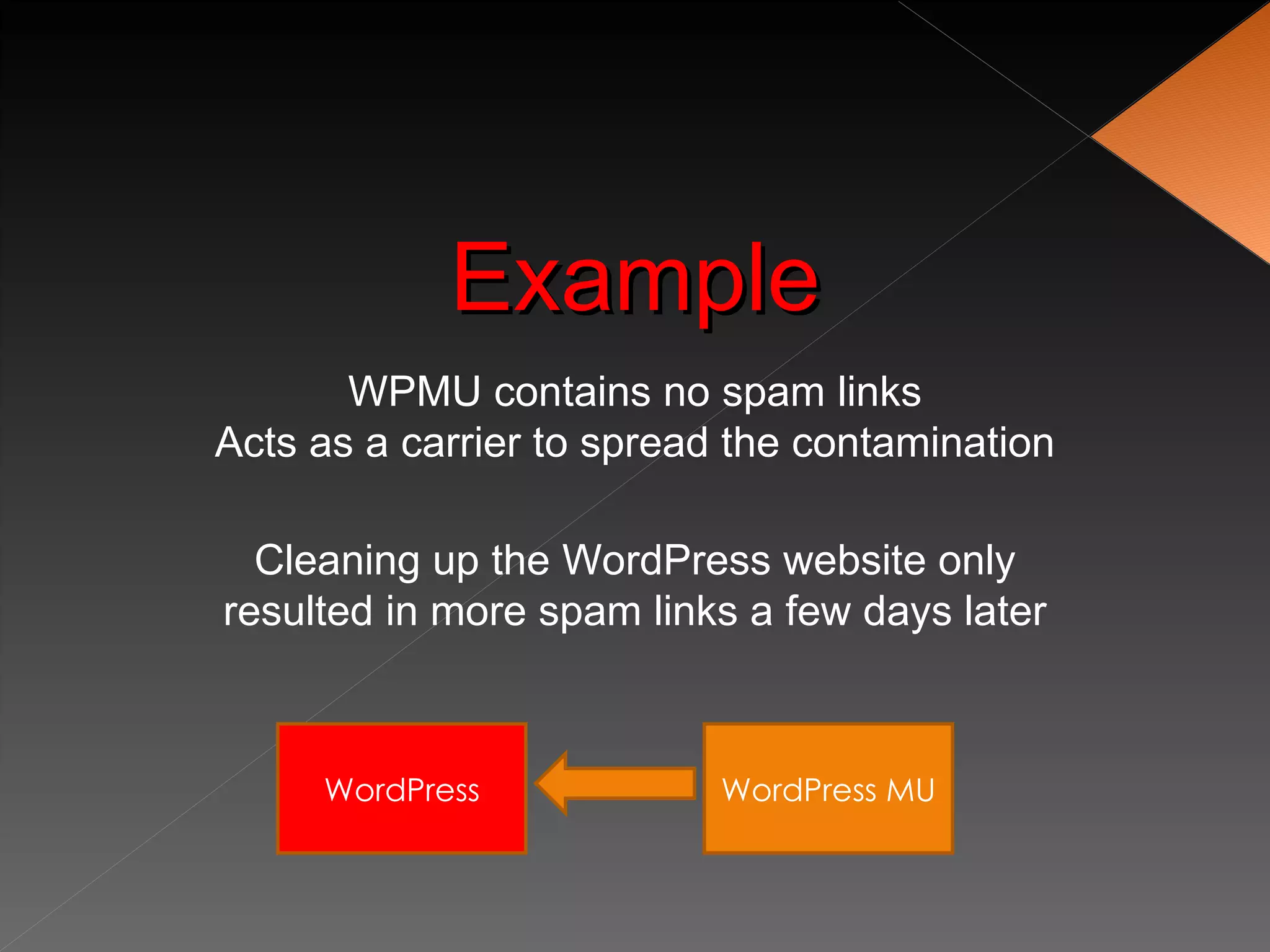
       WPMU contains no spam links
Acts as a carrier to spread the contamination

  Cleaning up the WordPress website only
resulted in more spam links a few days later


     WordPress             WordPress MU
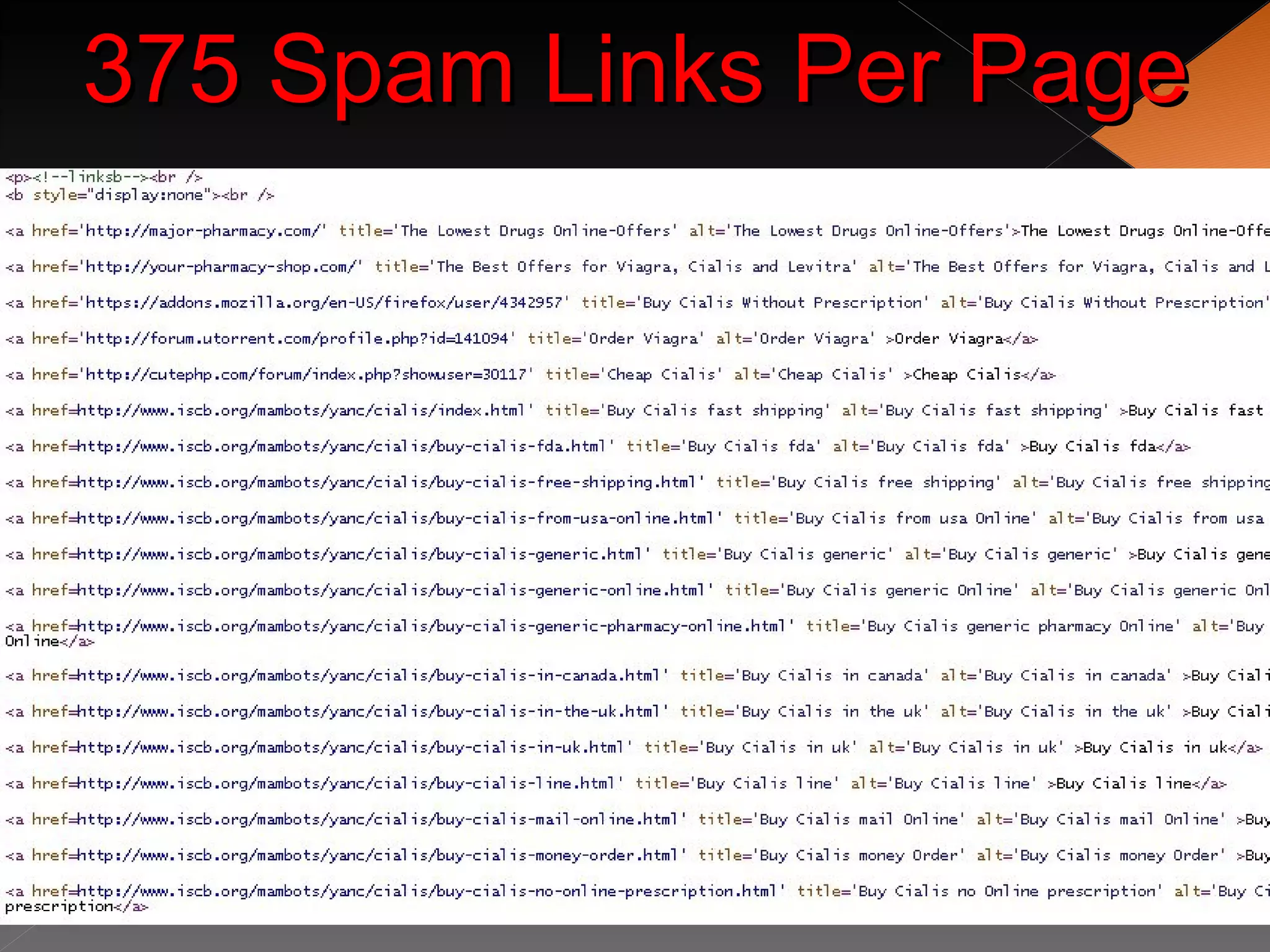
375 Spam Links Per Page
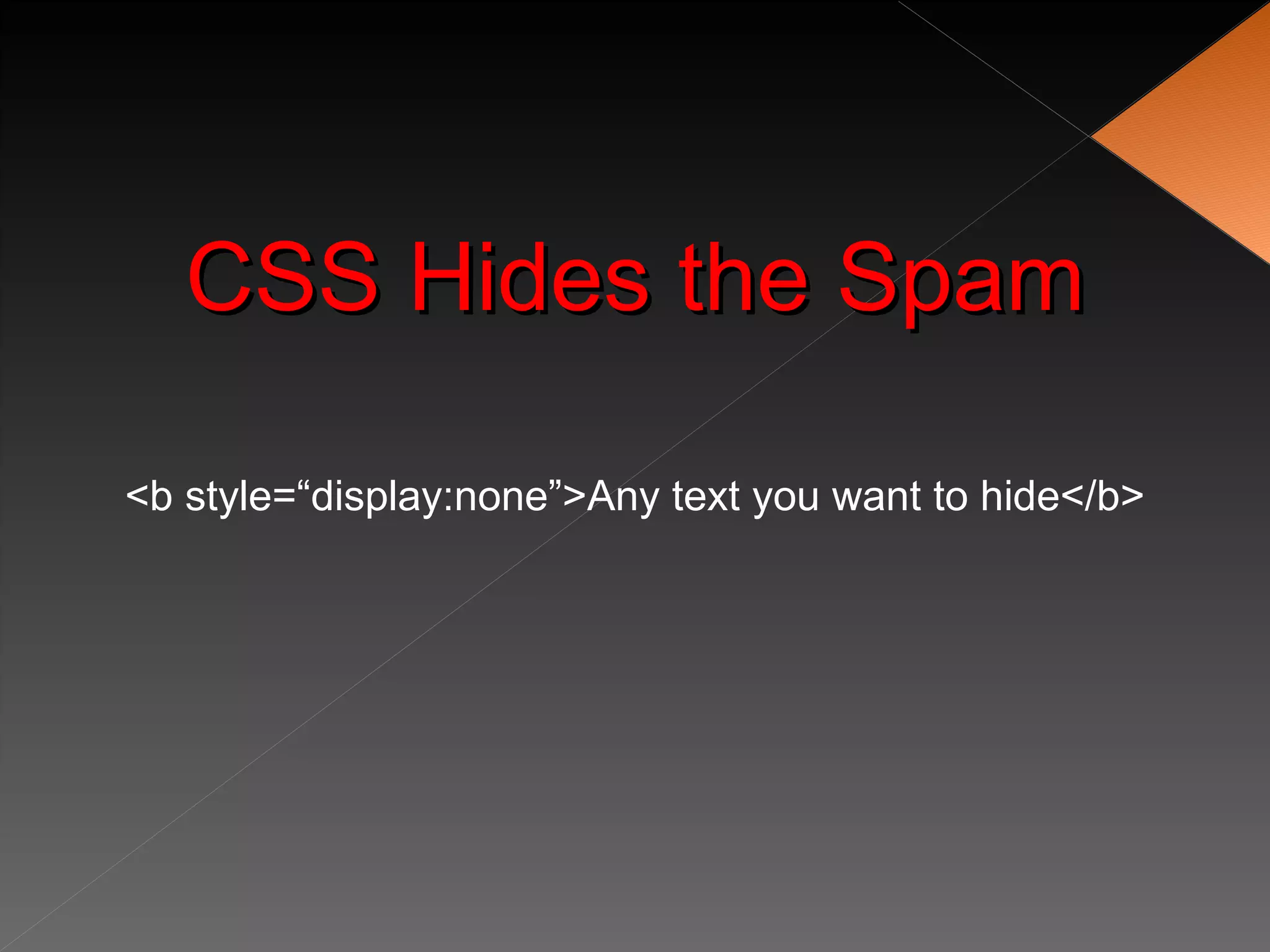
CSS Hides the Spam

<b style=“display:none”>Any text you want to hide</b>
Aftermath
         • Website was dropped by Google completely
         • Pagerank went from 6 to 5
         • Hack also infected phpBB forum
         • Organic traffic for “viagra” started showing up


Hack happened in April 2009, website has still not fully recovered in search engines
Scared Yet?
Securing WordPress
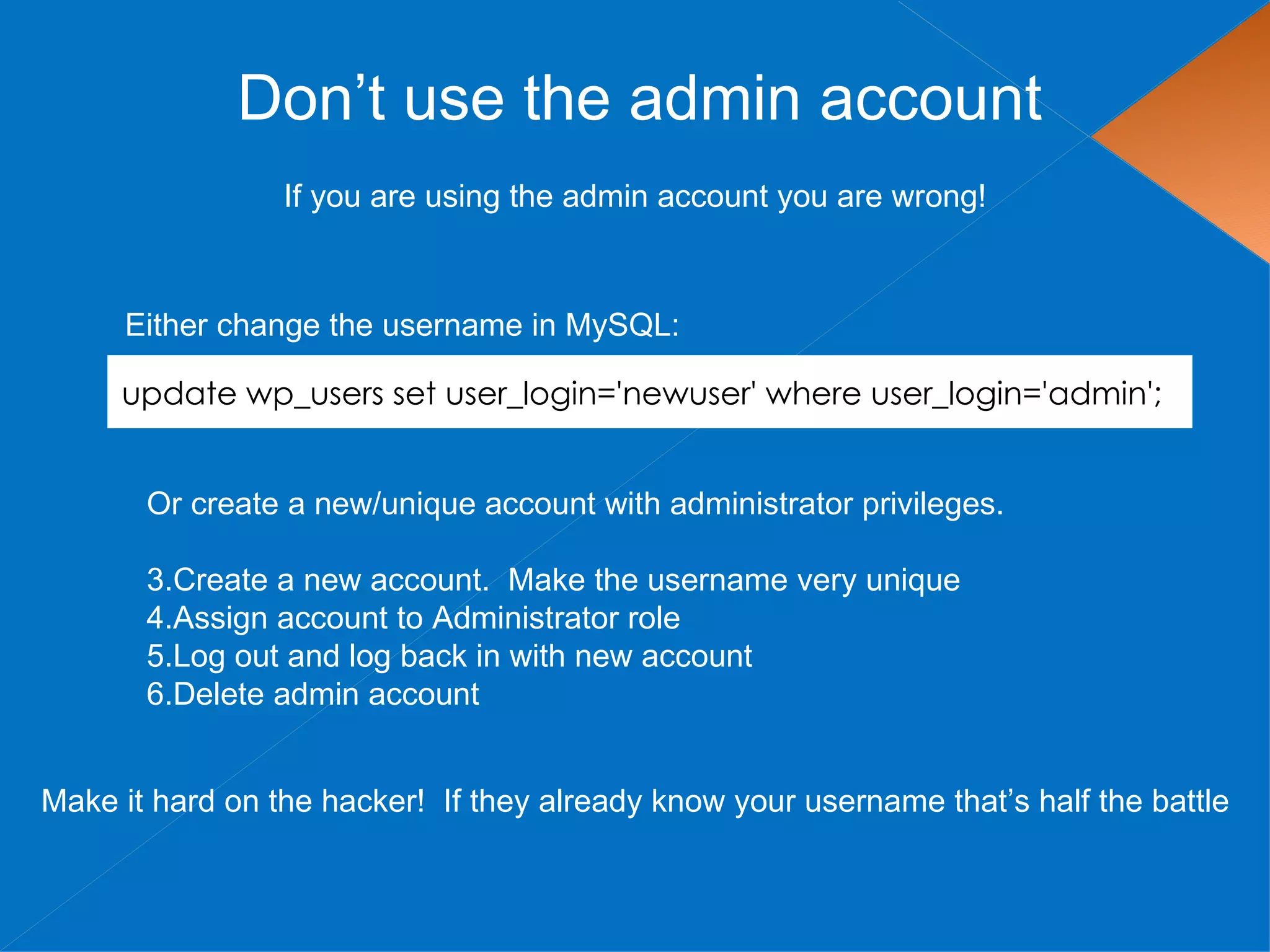
Don’t use the admin account
                 If you are using the admin account you are wrong!


     Either change the username in MySQL:

     update wp_users set user_login='newuser' where user_login='admin';


       Or create a new/unique account with administrator privileges.

       3.Create a new account. Make the username very unique
       4.Assign account to Administrator role
       5.Log out and log back in with new account
       6.Delete admin account


Make it hard on the hacker! If they already know your username that’s half the battle
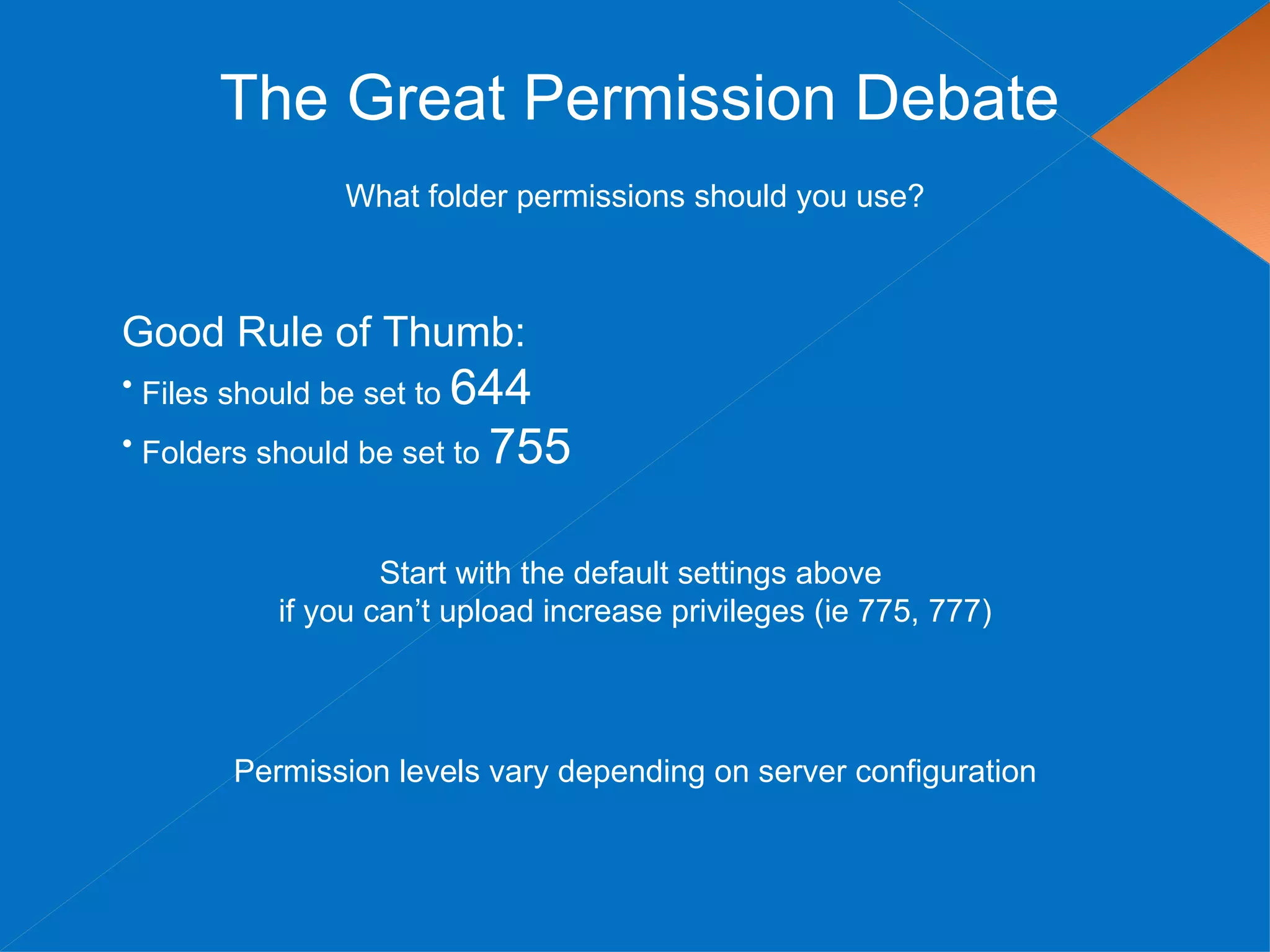
The Great Permission Debate
               What folder permissions should you use?


Good Rule of Thumb:
• Files should be set to 644
• Folders should be set to 755


                  Start with the default settings above
          if you can’t upload increase privileges (ie 775, 777)


       Permission levels vary depending on server configuration
The Great Permission Debate

Permissions can be set via FTP


Or via shell access with the following commands

find [your path here] -type d -exec chmod 755 {} ;
find [your path here] -type f -exec chmod 644 {} ;
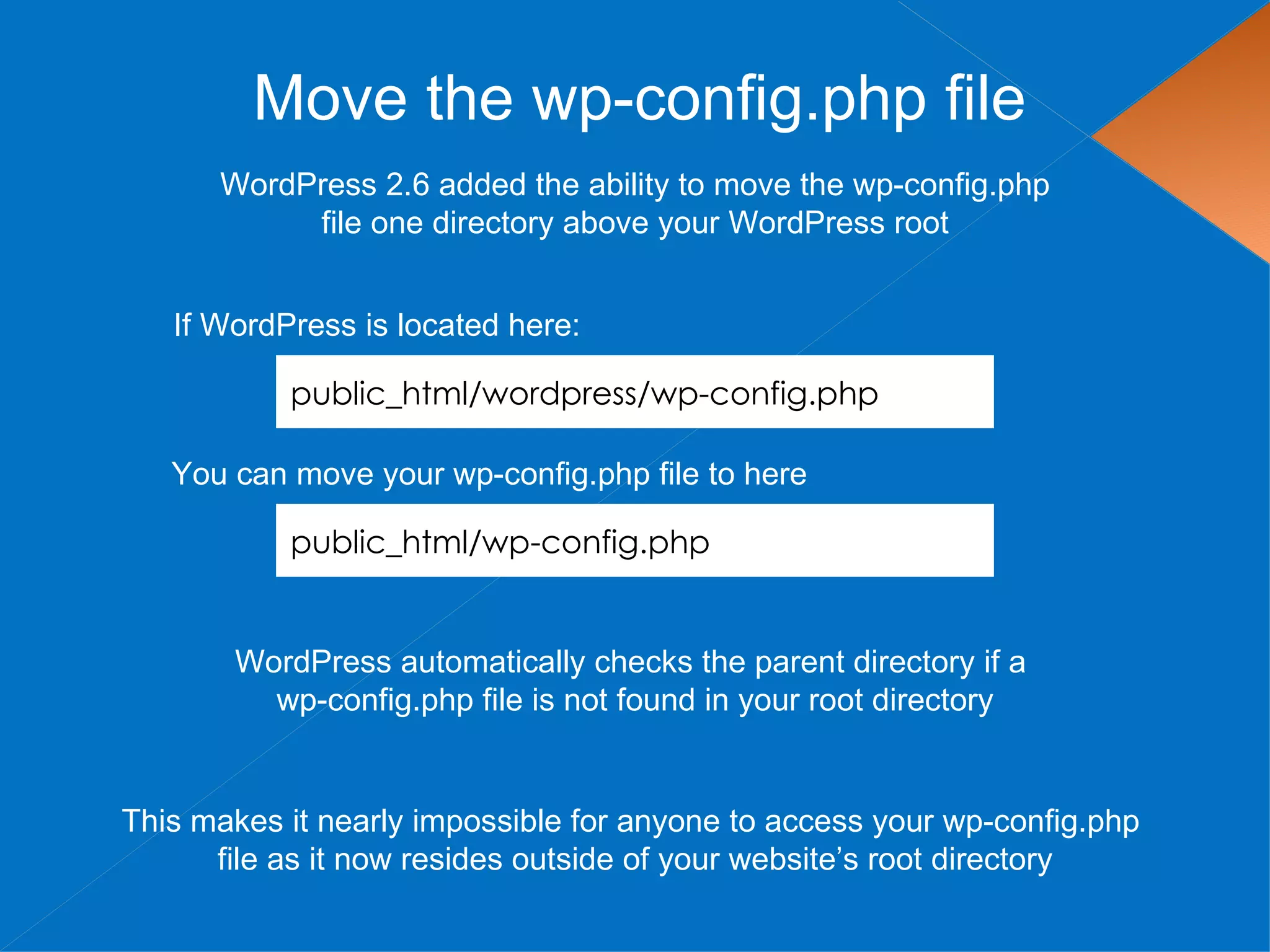
Move the wp-config.php file
      WordPress 2.6 added the ability to move the wp-config.php
           file one directory above your WordPress root


   If WordPress is located here:

           public_html/wordpress/wp-config.php

   You can move your wp-config.php file to here

           public_html/wp-config.php


       WordPress automatically checks the parent directory if a
         wp-config.php file is not found in your root directory


This makes it nearly impossible for anyone to access your wp-config.php
      file as it now resides outside of your website’s root directory
Move the wp-content Directory
        WordPress 2.6 added the ability to move the wp-content directory


1. Move your wp-content directory
2. Make two additions to wp-config.php

define( 'WP_CONTENT_DIR', $_SERVER['DOCUMENT_ROOT'] . '/blog/wp-content' );
define( 'WP_CONTENT_URL', 'http://domain.com/blog/wp-content');


 If you have compatibility issues with plugins there are two optional settings

define( 'WP_PLUGIN_DIR', $_SERVER['DOCUMENT_ROOT'] . '/blog/wp-content/plugins' );
define( 'WP_PLUGIN_URL', 'http://domain.com/blog/wp-content/plugins');


          If hackers can’t find your wp-content folder, they can’t hack it!
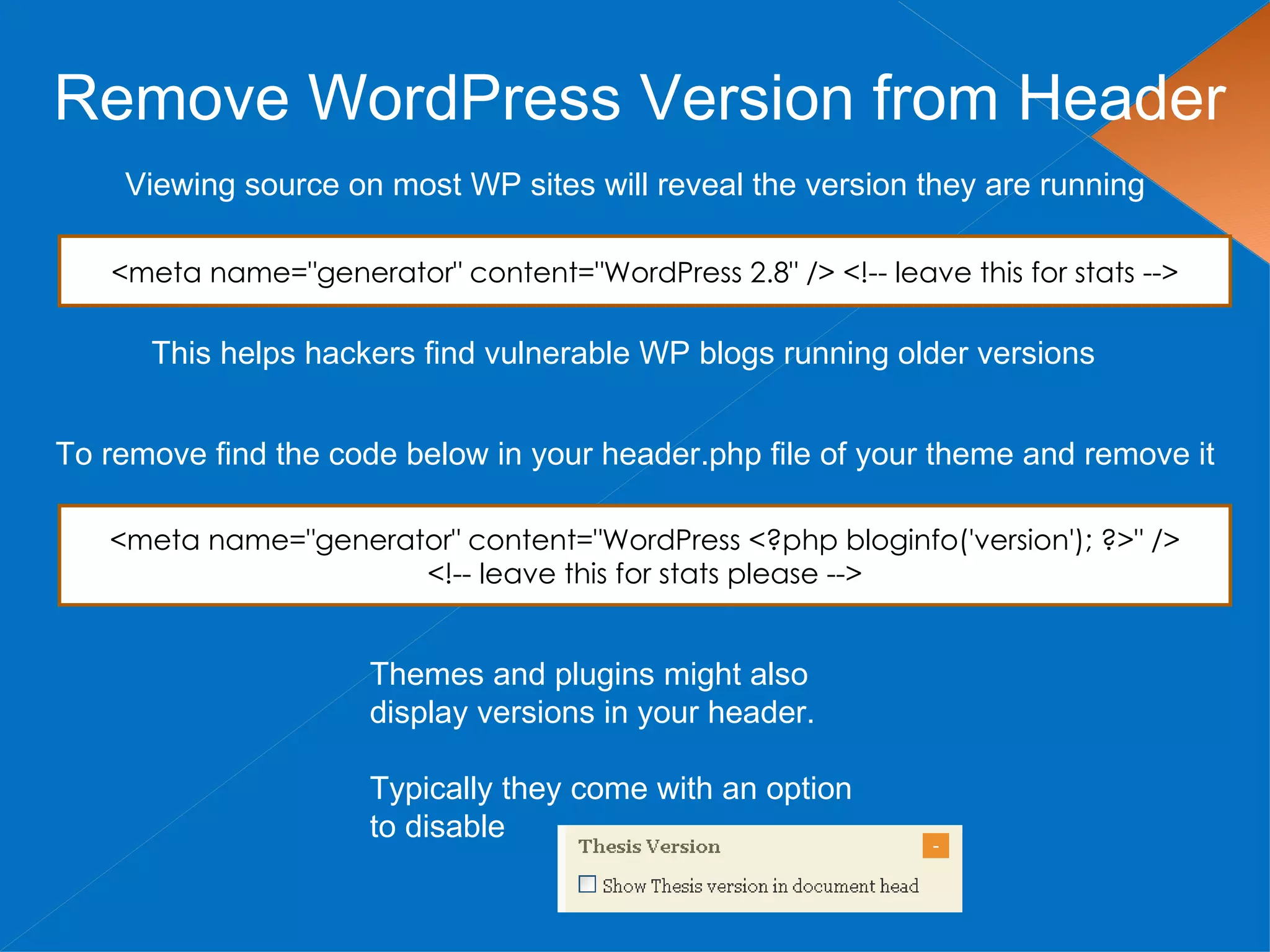
Remove WordPress Version from Header
    Viewing source on most WP sites will reveal the version they are running

   <meta name="generator" content="WordPress 2.8" /> <!-- leave this for stats -->

      This helps hackers find vulnerable WP blogs running older versions


To remove find the code below in your header.php file of your theme and remove it

   <meta name="generator" content="WordPress <?php bloginfo('version'); ?>" />
                      <!-- leave this for stats please -->


                      Themes and plugins might also
                      display versions in your header.

                      Typically they come with an option
                      to disable
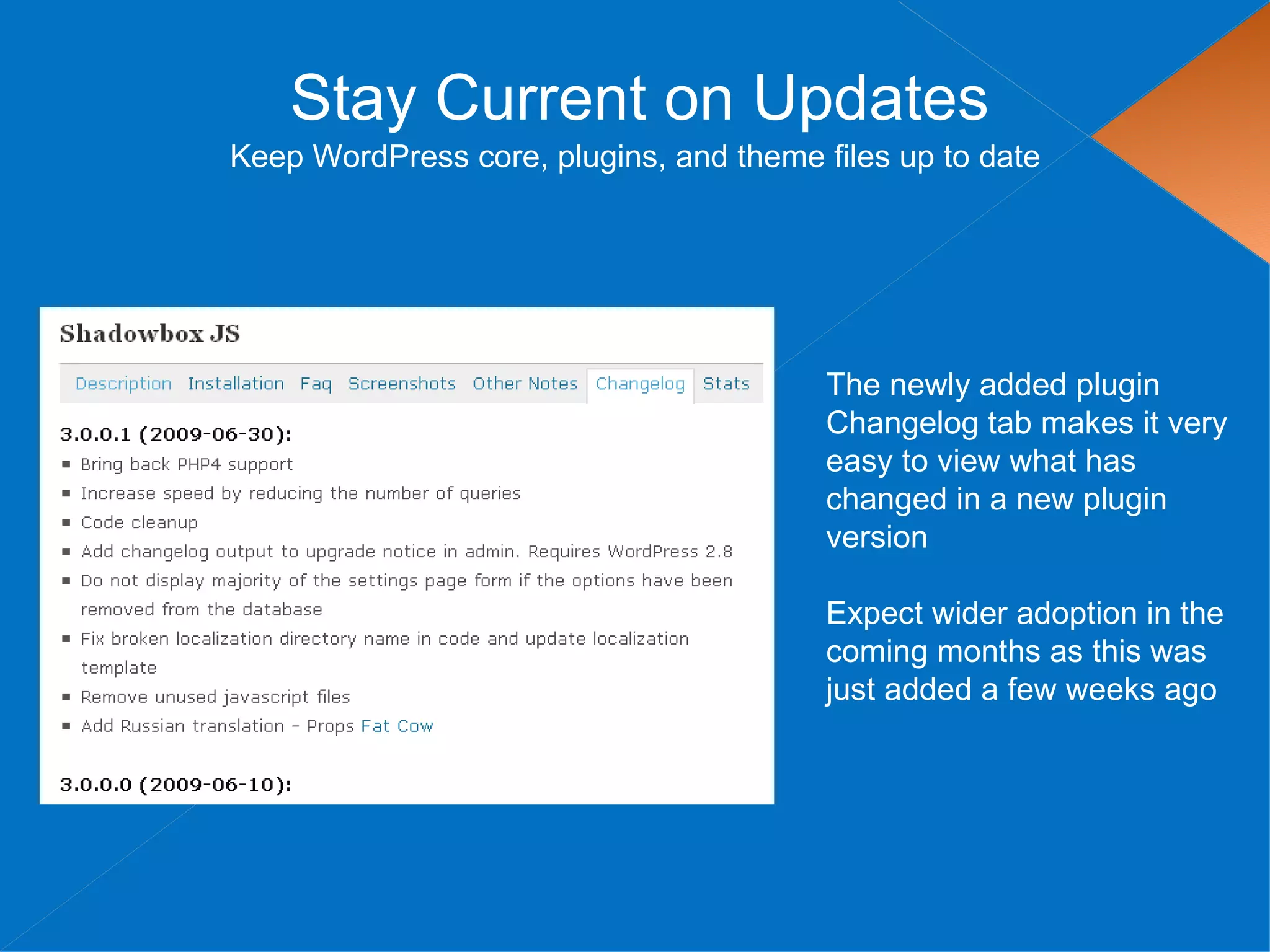
Stay Current on Updates
Keep WordPress core, plugins, and theme files up to date


                                         The newly added plugin
                                         Changelog tab makes it very
                                         easy to view what has
                                         changed in a new plugin
                                         version

                                         Expect wider adoption in the
                                         coming months as this was
                                         just added a few weeks ago
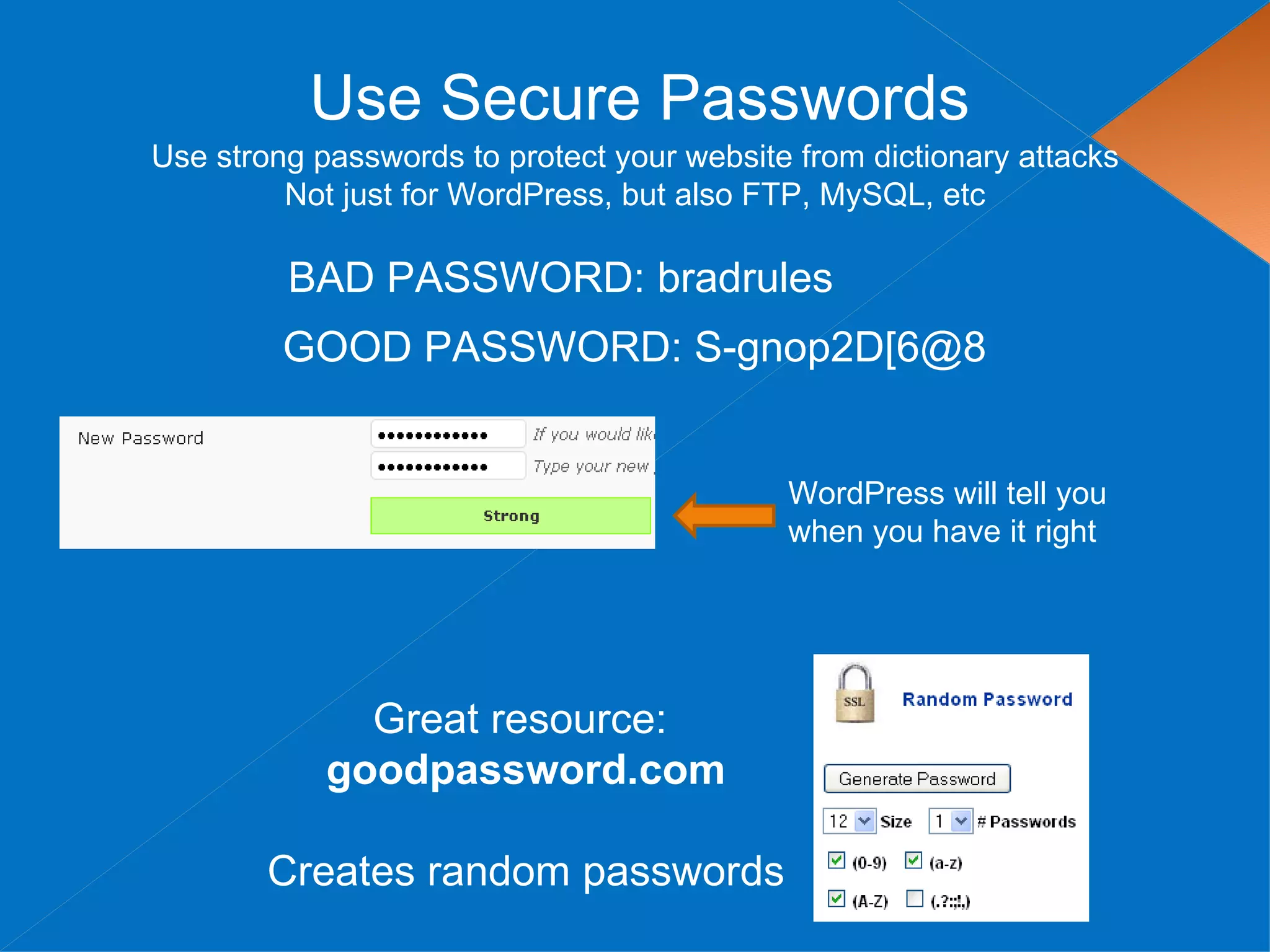
Use Secure Passwords
Use strong passwords to protect your website from dictionary attacks
         Not just for WordPress, but also FTP, MySQL, etc

         BAD PASSWORD: bradrules
         GOOD PASSWORD: S-gnop2D[6@8


                                            WordPress will tell you
                                            when you have it right


              Great resource:
            goodpassword.com

        Creates random passwords
Use Secret Keys
            A secret key is a hashing salt which makes your site harder to
                 hack by adding random elements to the password.

1. Edit wp-config.php
2. Visit this URL to get your secret keys: https://api.wordpress.org/secret-key/1.1

BEFORE
 define('AUTH_KEY', 'put your unique phrase here');
 define('SECURE_AUTH_KEY', 'put your unique phrase here');
 define('LOGGED_IN_KEY', 'put your unique phrase here');
 define('NONCE_KEY', 'put your unique phrase here');


AFTER
 define('AUTH_KEY', '<6R=V1:Hak 6x0`yZ*teE PaG-kw9;|5yS]f%*D0VV+stO9lq?QuV]VR*dy,ggZB');
 define('SECURE_AUTH_KEY', 'MduY%x#o!P?6n`[4LU~Ca/,:_mMp++j|om3J`8A{-qStd WVGvaa),9|U{n({>FB');
 define('LOGGED_IN_KEY', '`l:8,+O+@Z,!7F+. = )YmhGaYjV6@~rq:1W0^/uK& MSoo==v(a EOM}oM;4J,V');
 define('NONCE_KEY', 'KOWQmp~[[z{+Q=n(7-ZlI/+:#Rw-1l|2GSNrpO +VX6)tYN)Bj;s3yy4:OQTD9`r');


                    You can add/change secret keys at anytime.
   This will invalidate all existing cookies and require your users to login again
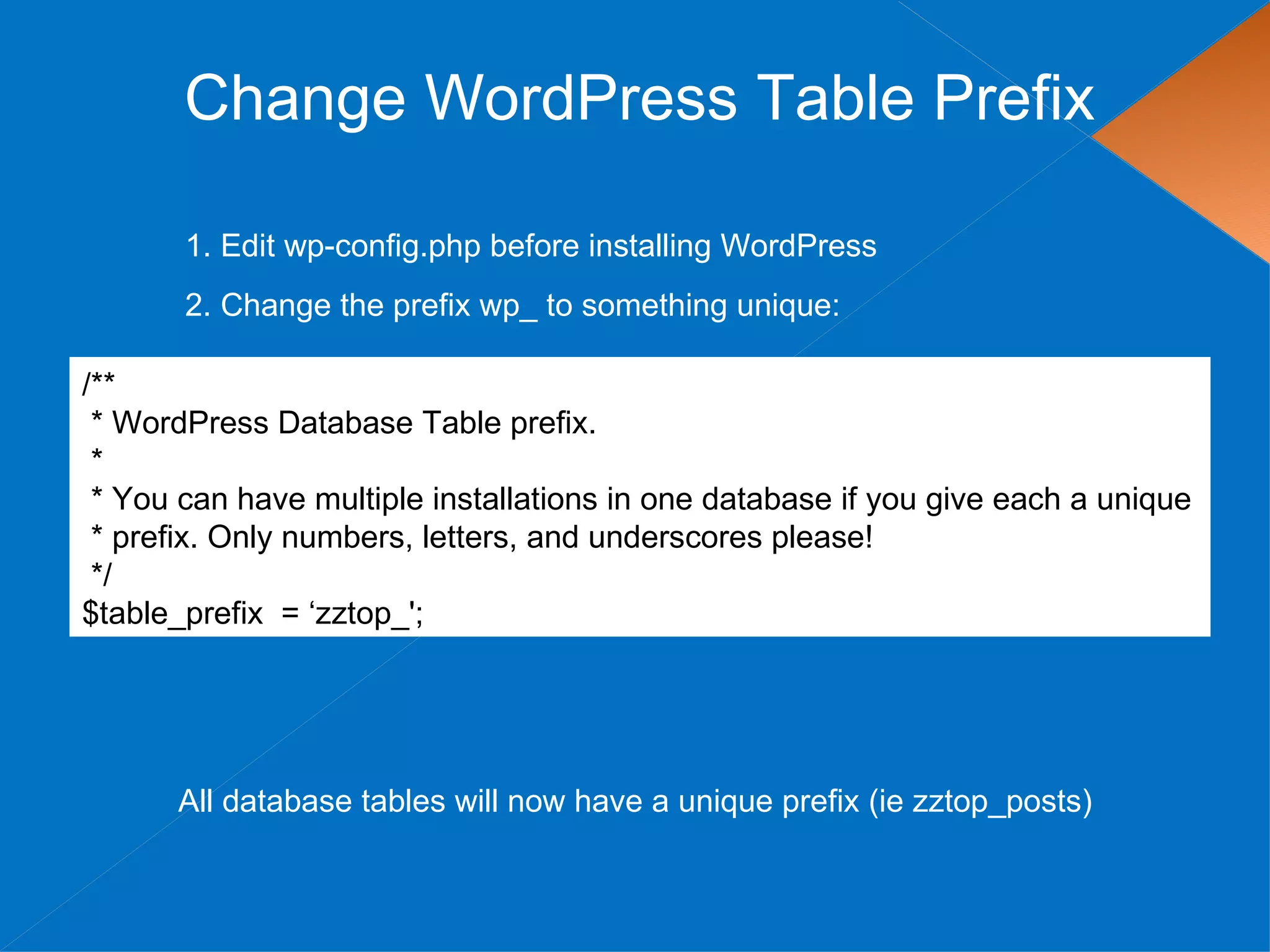
Change WordPress Table Prefix

       1. Edit wp-config.php before installing WordPress
       2. Change the prefix wp_ to something unique:

/**
 * WordPress Database Table prefix.
 *
 * You can have multiple installations in one database if you give each a unique
 * prefix. Only numbers, letters, and underscores please!
 */
$table_prefix = ‘zztop_';


      All database tables will now have a unique prefix (ie zztop_posts)
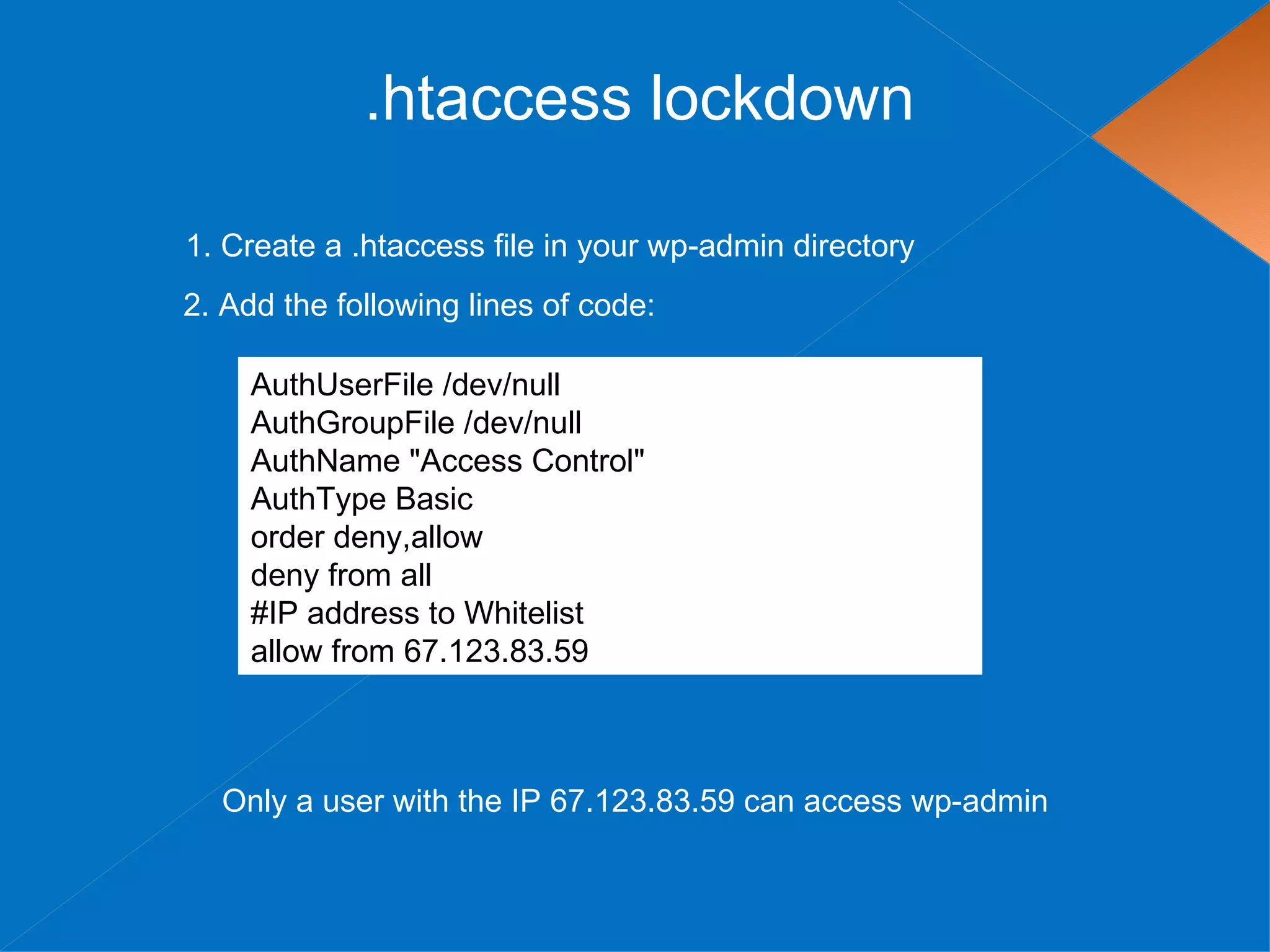
.htaccess lockdown

1. Create a .htaccess file in your wp-admin directory
2. Add the following lines of code:

    AuthUserFile /dev/null
    AuthGroupFile /dev/null
    AuthName "Access Control"
    AuthType Basic
    order deny,allow
    deny from all
    #IP address to Whitelist
    allow from 67.123.83.59


  Only a user with the IP 67.123.83.59 can access wp-admin
Recommended Security Plugins
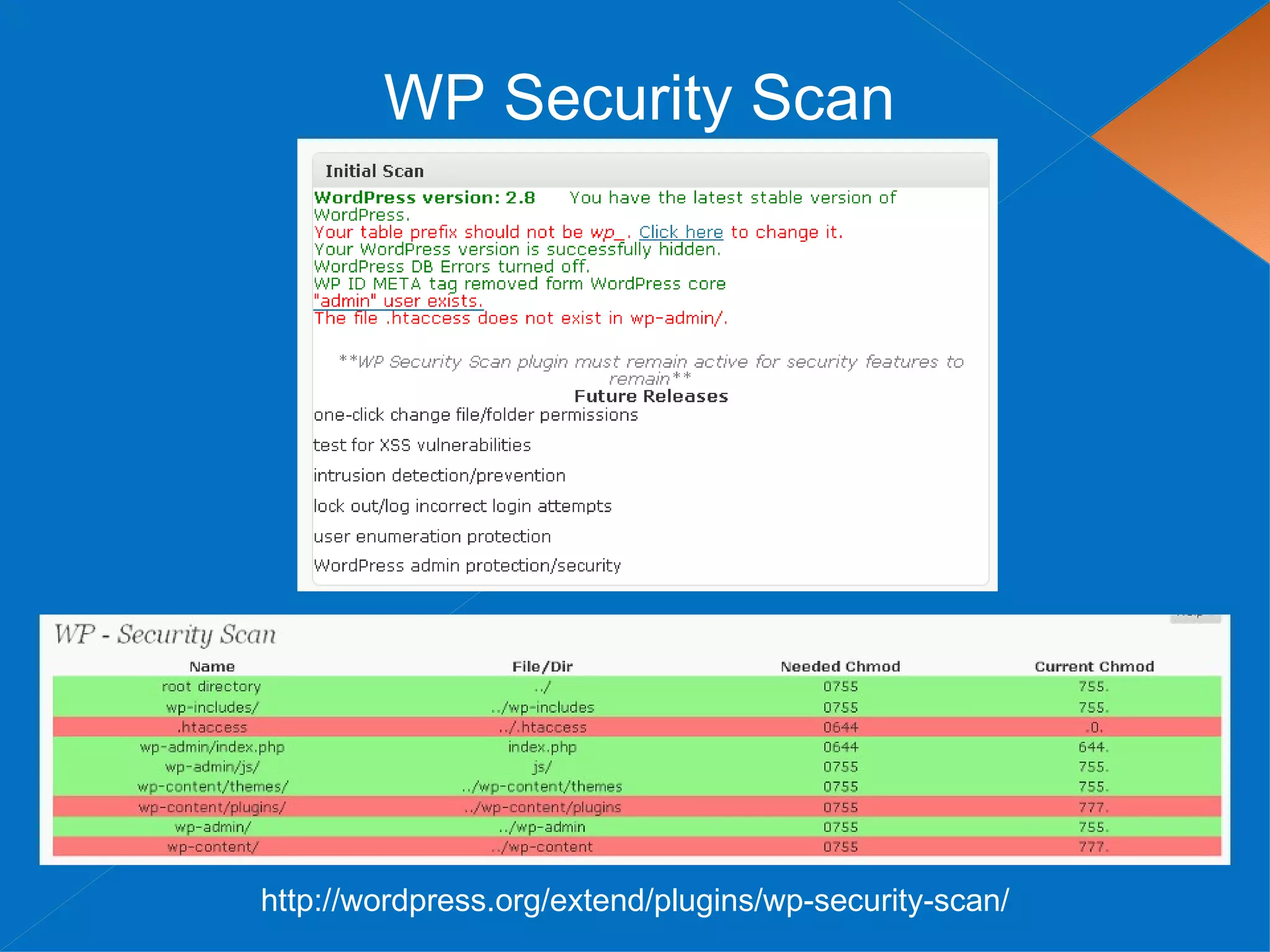
WP Security Scan


http://wordpress.org/extend/plugins/wp-security-scan/
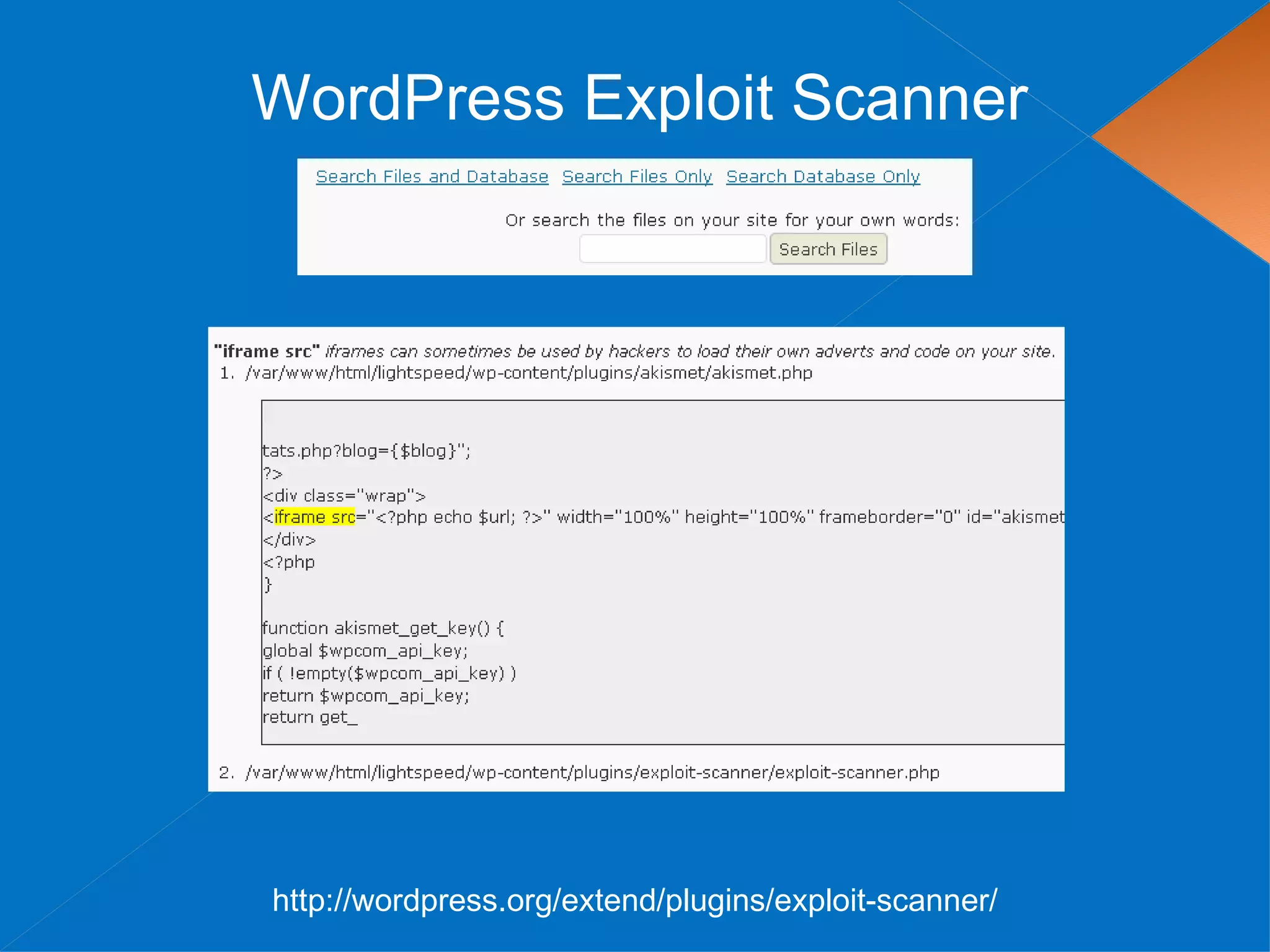
WordPress Exploit Scanner


http://wordpress.org/extend/plugins/exploit-scanner/
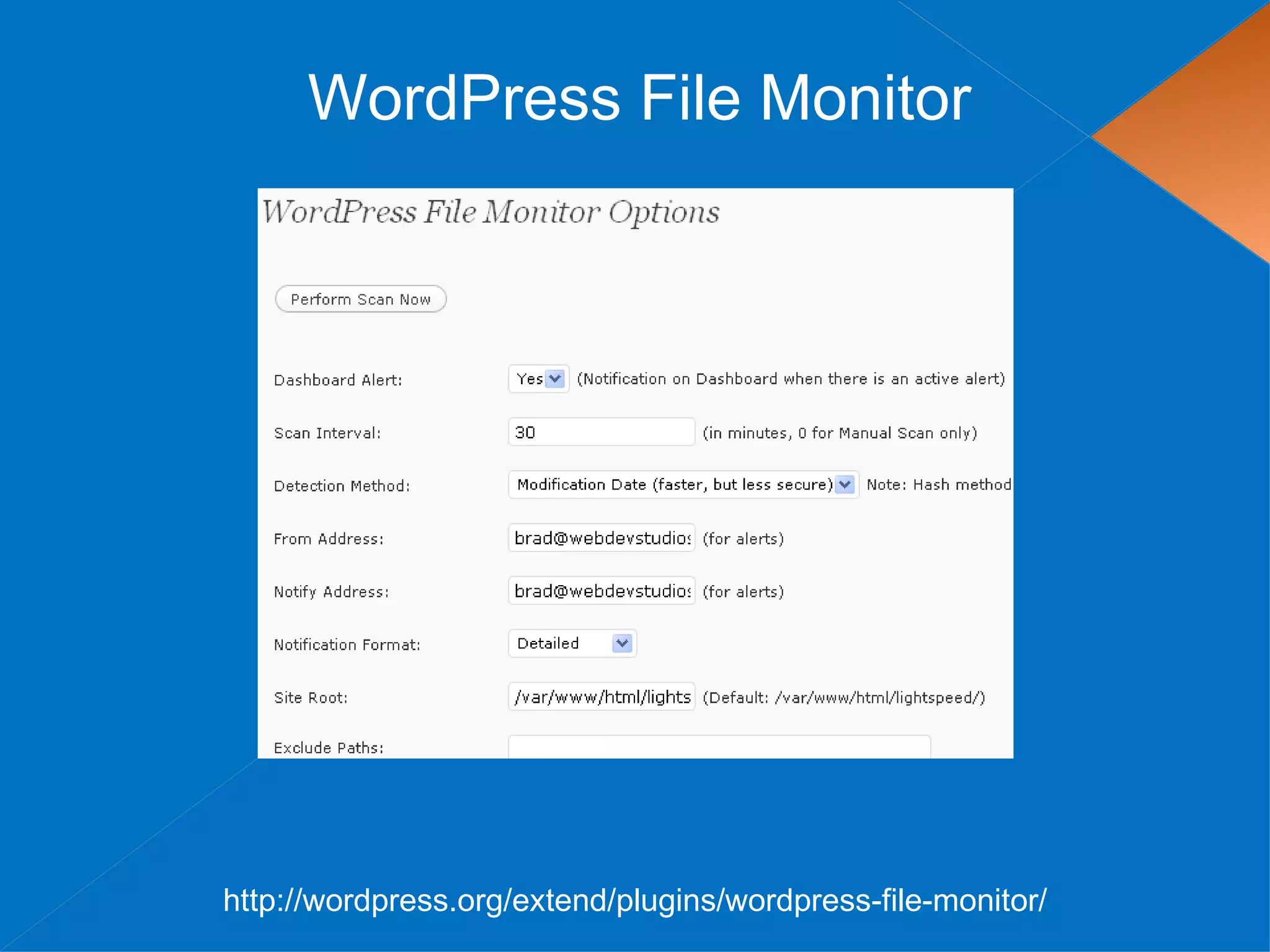
WordPress File Monitor


http://wordpress.org/extend/plugins/wordpress-file-monitor/
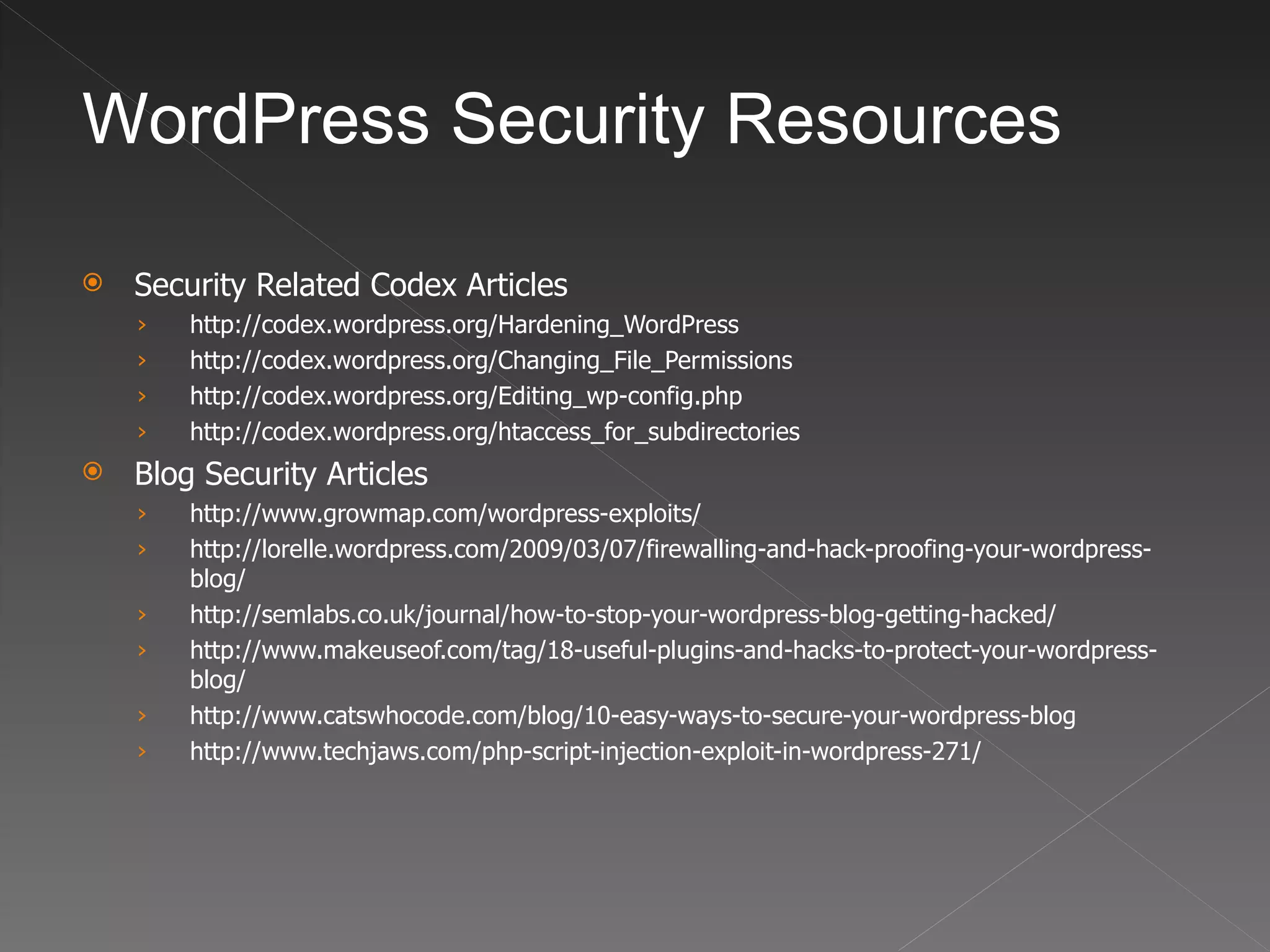
WordPress Security Resources

   Security Related Codex Articles
    ›   http://codex.wordpress.org/Hardening_WordPress
    ›   http://codex.wordpress.org/Changing_File_Permissions
    ›   http://codex.wordpress.org/Editing_wp-config.php
    ›   http://codex.wordpress.org/htaccess_for_subdirectories
   Blog Security Articles
    ›   http://www.growmap.com/wordpress-exploits/
    ›   http://lorelle.wordpress.com/2009/03/07/firewalling-and-hack-proofing-your-wordpress-
        blog/
    ›   http://semlabs.co.uk/journal/how-to-stop-your-wordpress-blog-getting-hacked/
    ›   http://www.makeuseof.com/tag/18-useful-plugins-and-hacks-to-protect-your-wordpress-
        blog/
    ›   http://www.catswhocode.com/blog/10-easy-ways-to-secure-your-wordpress-blog
    ›   http://www.techjaws.com/php-script-injection-exploit-in-wordpress-271/
Contact

Brad Williams
brad@webdevstudios.com

Blog: strangework.com
@williamsba
IRC: WDS-Brad

Everywhere else: williamsba

WordPress Security

  • 1.
    WordPress Security Brad Williams WebDevStudios.com
  • 2.
  • 3.
    Who Am I? I’mthe guy that has to follow Matt
  • 4.
    Who Am I? BradWilliams CEO & Co-Founder, WebDevStudios.com Organizer NJ WordPress Meetup Co-Host SitePoint Podcast
  • 5.
    The Goal ofthis Presentation…
  • 6.
    The Goal ofthis Presentation… …Is to scare the crap out of you!
  • 7.
    The Goal ofthis Presentation… …and then make everything better
  • 9.
    Topics  Example Link Injection Hack  Securing your WordPress Website  Recommended Plugins
  • 10.
  • 11.
    Link Injection Hacker botslook for known exploits (SQL Injection, folder perms, etc). This allows them to insert spam files/links into your WordPress Themes, plugins, and core files.
  • 12.
    Example Hosting account containedtwo separate websites WordPress WordPress MU
  • 13.
    Example Bot dropped ahacker file on WPMU install WordPress WordPress MU
  • 14.
    Example WPMU starts hacking WordPress install Inserting spam links into the theme, plugins, and core files WordPress WordPress MU
  • 15.
    Example WPMU contains no spam links Acts as a carrier to spread the contamination Cleaning up the WordPress website only resulted in more spam links a few days later WordPress WordPress MU
  • 16.
  • 17.
    CSS Hides theSpam <b style=“display:none”>Any text you want to hide</b>
  • 18.
    Aftermath • Website was dropped by Google completely • Pagerank went from 6 to 5 • Hack also infected phpBB forum • Organic traffic for “viagra” started showing up Hack happened in April 2009, website has still not fully recovered in search engines
  • 19.
  • 21.
  • 22.
    Don’t use theadmin account If you are using the admin account you are wrong! Either change the username in MySQL: update wp_users set user_login='newuser' where user_login='admin'; Or create a new/unique account with administrator privileges. 3.Create a new account. Make the username very unique 4.Assign account to Administrator role 5.Log out and log back in with new account 6.Delete admin account Make it hard on the hacker! If they already know your username that’s half the battle
  • 23.
    The Great PermissionDebate What folder permissions should you use? Good Rule of Thumb: • Files should be set to 644 • Folders should be set to 755 Start with the default settings above if you can’t upload increase privileges (ie 775, 777) Permission levels vary depending on server configuration
  • 24.
    The Great PermissionDebate Permissions can be set via FTP Or via shell access with the following commands find [your path here] -type d -exec chmod 755 {} ; find [your path here] -type f -exec chmod 644 {} ;
  • 25.
    Move the wp-config.phpfile WordPress 2.6 added the ability to move the wp-config.php file one directory above your WordPress root If WordPress is located here: public_html/wordpress/wp-config.php You can move your wp-config.php file to here public_html/wp-config.php WordPress automatically checks the parent directory if a wp-config.php file is not found in your root directory This makes it nearly impossible for anyone to access your wp-config.php file as it now resides outside of your website’s root directory
  • 26.
    Move the wp-contentDirectory WordPress 2.6 added the ability to move the wp-content directory 1. Move your wp-content directory 2. Make two additions to wp-config.php define( 'WP_CONTENT_DIR', $_SERVER['DOCUMENT_ROOT'] . '/blog/wp-content' ); define( 'WP_CONTENT_URL', 'http://domain.com/blog/wp-content'); If you have compatibility issues with plugins there are two optional settings define( 'WP_PLUGIN_DIR', $_SERVER['DOCUMENT_ROOT'] . '/blog/wp-content/plugins' ); define( 'WP_PLUGIN_URL', 'http://domain.com/blog/wp-content/plugins'); If hackers can’t find your wp-content folder, they can’t hack it!
  • 27.
    Remove WordPress Versionfrom Header Viewing source on most WP sites will reveal the version they are running <meta name="generator" content="WordPress 2.8" /> <!-- leave this for stats --> This helps hackers find vulnerable WP blogs running older versions To remove find the code below in your header.php file of your theme and remove it <meta name="generator" content="WordPress <?php bloginfo('version'); ?>" /> <!-- leave this for stats please --> Themes and plugins might also display versions in your header. Typically they come with an option to disable
  • 28.
    Stay Current onUpdates Keep WordPress core, plugins, and theme files up to date The newly added plugin Changelog tab makes it very easy to view what has changed in a new plugin version Expect wider adoption in the coming months as this was just added a few weeks ago
  • 29.
    Use Secure Passwords Usestrong passwords to protect your website from dictionary attacks Not just for WordPress, but also FTP, MySQL, etc BAD PASSWORD: bradrules GOOD PASSWORD: S-gnop2D[6@8 WordPress will tell you when you have it right Great resource: goodpassword.com Creates random passwords
  • 30.
    Use Secret Keys A secret key is a hashing salt which makes your site harder to hack by adding random elements to the password. 1. Edit wp-config.php 2. Visit this URL to get your secret keys: https://api.wordpress.org/secret-key/1.1 BEFORE define('AUTH_KEY', 'put your unique phrase here'); define('SECURE_AUTH_KEY', 'put your unique phrase here'); define('LOGGED_IN_KEY', 'put your unique phrase here'); define('NONCE_KEY', 'put your unique phrase here'); AFTER define('AUTH_KEY', '<6R=V1:Hak 6x0`yZ*teE PaG-kw9;|5yS]f%*D0VV+stO9lq?QuV]VR*dy,ggZB'); define('SECURE_AUTH_KEY', 'MduY%x#o!P?6n`[4LU~Ca/,:_mMp++j|om3J`8A{-qStd WVGvaa),9|U{n({>FB'); define('LOGGED_IN_KEY', '`l:8,+O+@Z,!7F+. = )YmhGaYjV6@~rq:1W0^/uK& MSoo==v(a EOM}oM;4J,V'); define('NONCE_KEY', 'KOWQmp~[[z{+Q=n(7-ZlI/+:#Rw-1l|2GSNrpO +VX6)tYN)Bj;s3yy4:OQTD9`r'); You can add/change secret keys at anytime. This will invalidate all existing cookies and require your users to login again
  • 31.
    Change WordPress TablePrefix 1. Edit wp-config.php before installing WordPress 2. Change the prefix wp_ to something unique: /** * WordPress Database Table prefix. * * You can have multiple installations in one database if you give each a unique * prefix. Only numbers, letters, and underscores please! */ $table_prefix = ‘zztop_'; All database tables will now have a unique prefix (ie zztop_posts)
  • 32.
    .htaccess lockdown 1. Createa .htaccess file in your wp-admin directory 2. Add the following lines of code: AuthUserFile /dev/null AuthGroupFile /dev/null AuthName "Access Control" AuthType Basic order deny,allow deny from all #IP address to Whitelist allow from 67.123.83.59 Only a user with the IP 67.123.83.59 can access wp-admin
  • 34.
  • 35.
  • 36.
  • 37.
  • 38.
    WordPress Security Resources  Security Related Codex Articles › http://codex.wordpress.org/Hardening_WordPress › http://codex.wordpress.org/Changing_File_Permissions › http://codex.wordpress.org/Editing_wp-config.php › http://codex.wordpress.org/htaccess_for_subdirectories  Blog Security Articles › http://www.growmap.com/wordpress-exploits/ › http://lorelle.wordpress.com/2009/03/07/firewalling-and-hack-proofing-your-wordpress- blog/ › http://semlabs.co.uk/journal/how-to-stop-your-wordpress-blog-getting-hacked/ › http://www.makeuseof.com/tag/18-useful-plugins-and-hacks-to-protect-your-wordpress- blog/ › http://www.catswhocode.com/blog/10-easy-ways-to-secure-your-wordpress-blog › http://www.techjaws.com/php-script-injection-exploit-in-wordpress-271/
  • 39.