Cleaner APIs, Cleaner UIs
with Visage
Stephen Chin
Chief Agile Methodologist – GXS
http://steveonjava.com/
Tweet: @steveonjava
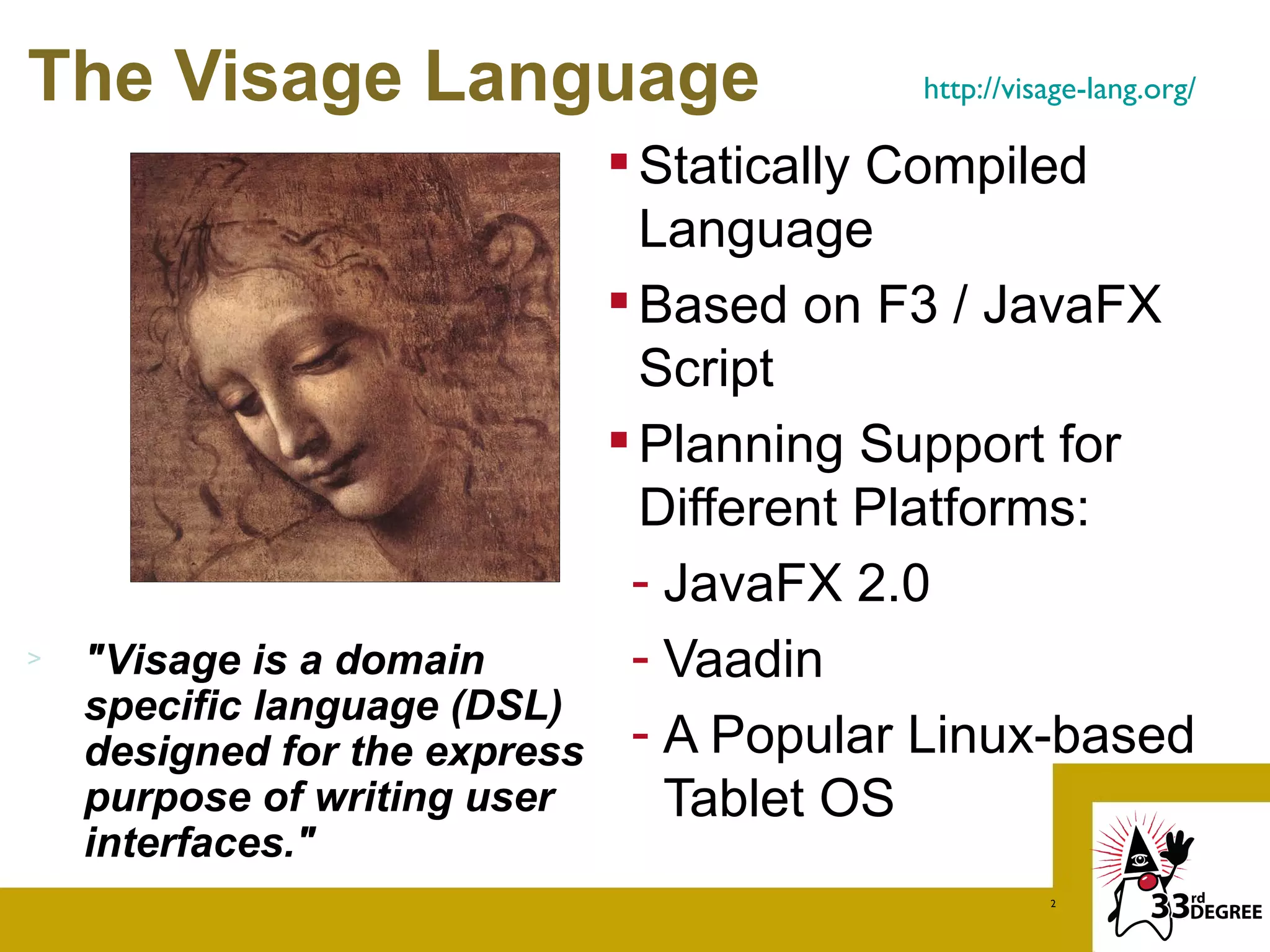
The Visage Language                      http://visage-lang.org/

                              Statically Compiled
                               Language
                              Based on F3 / JavaFX
                               Script
                              Planning Support for
                               Different Platforms:
                              - JavaFX 2.0
>   "Visage is a domain       - Vaadin
    specific language (DSL)
    designed for the express  - A Popular Linux-based
    purpose of writing user     Tablet OS
    interfaces."
                                                   2
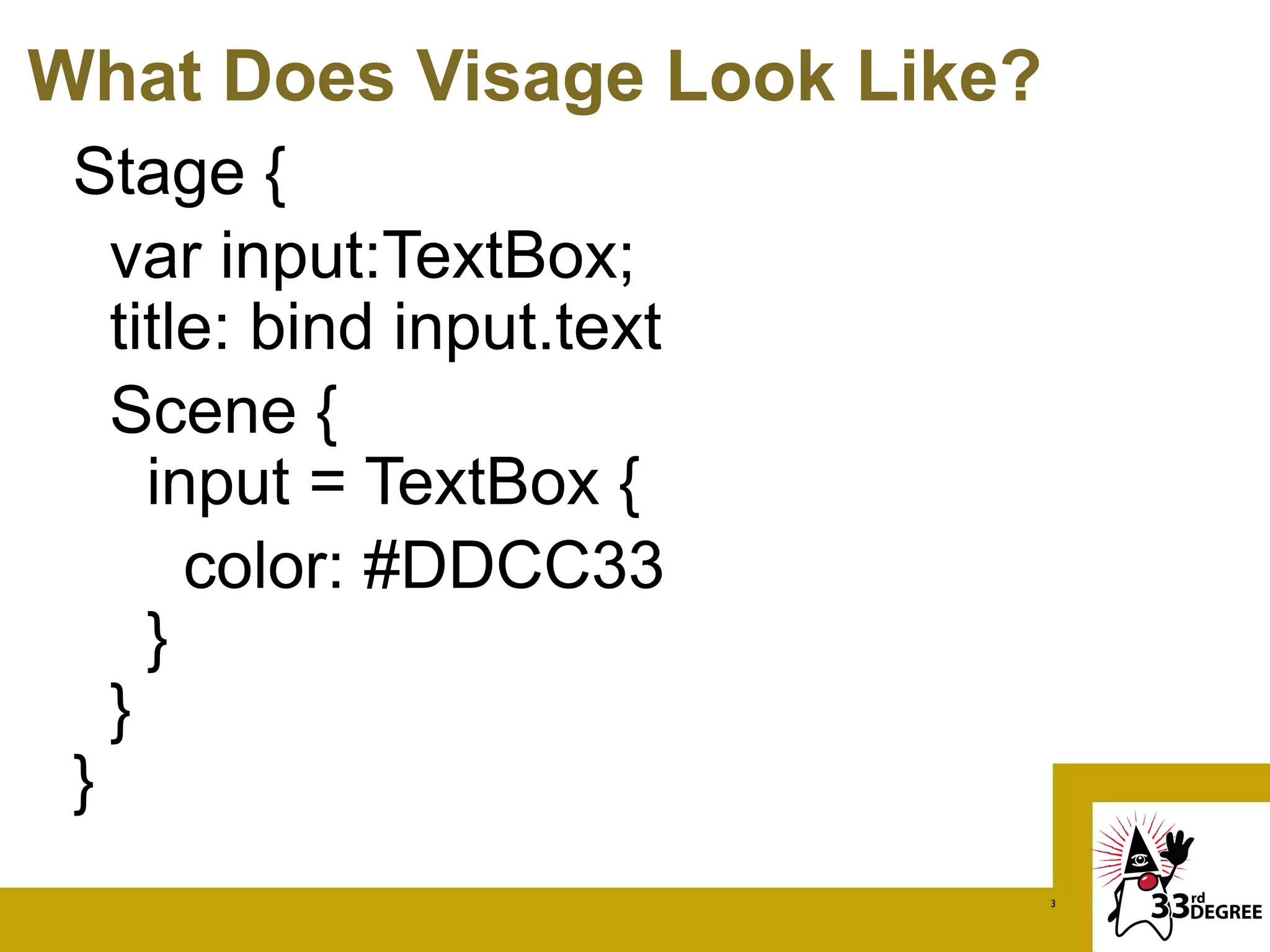
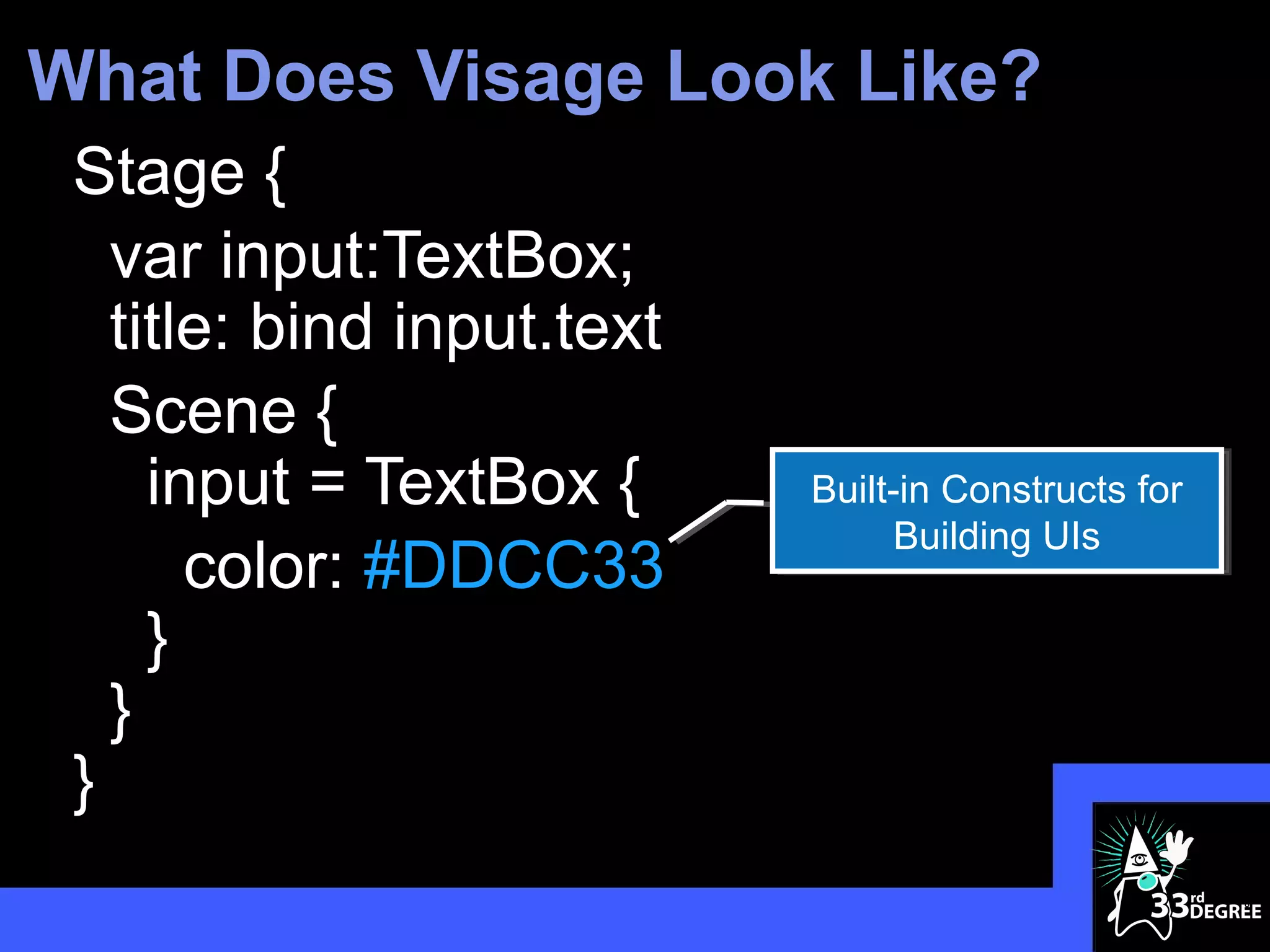
What Does Visage Look Like?
 Stage {
   var input:TextBox;
   title: bind input.text
   Scene {
     input = TextBox {
       color: #DDCC33
     }
   }
 }
                              3
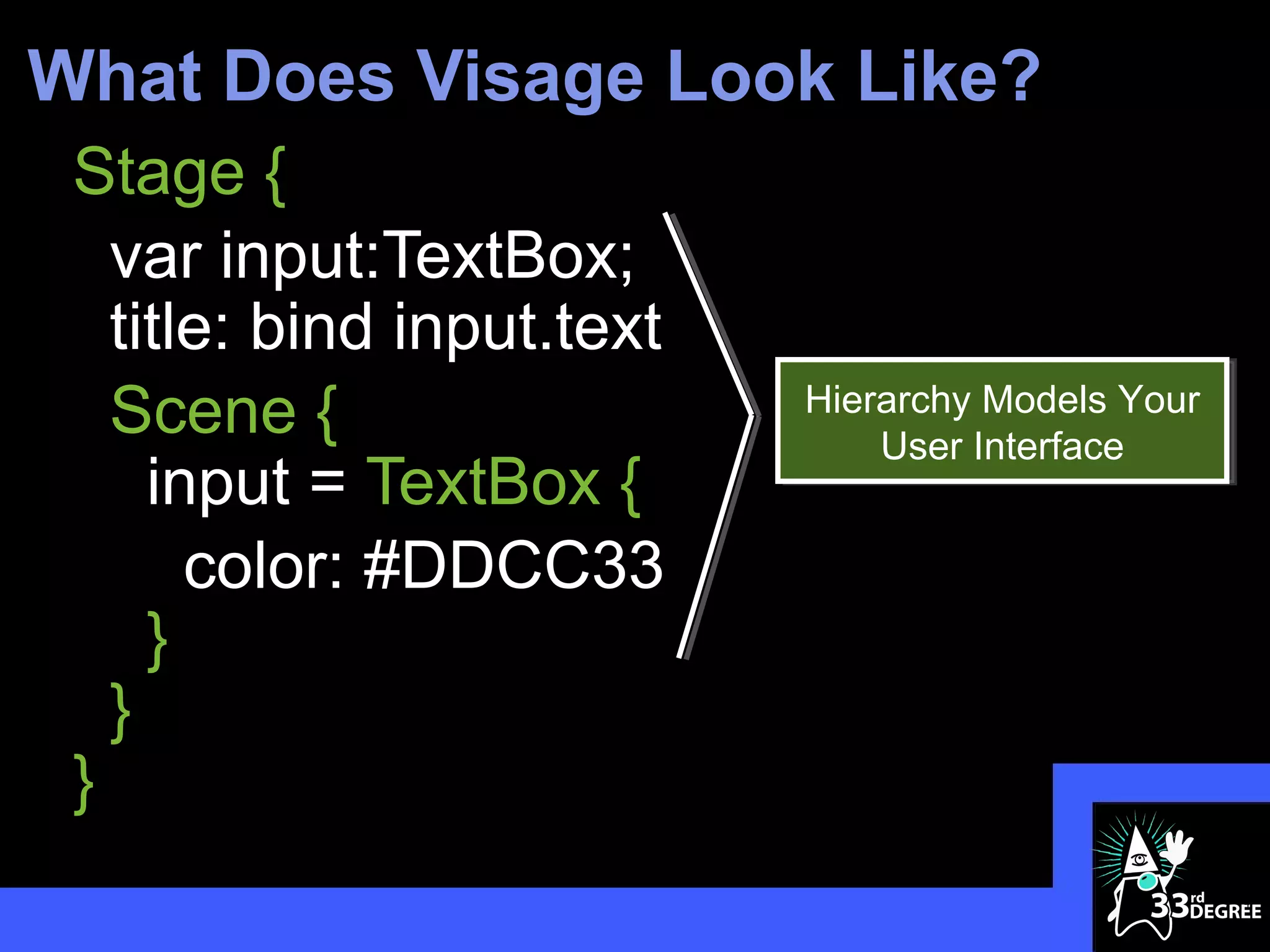
What Does Visage Look Like?
 Stage {
   var input:TextBox;
   title: bind input.text
   Scene {                  Hierarchy Models Your
                                User Interface
     input = TextBox {
       color: #DDCC33
     }
   }
 }
                                                    4
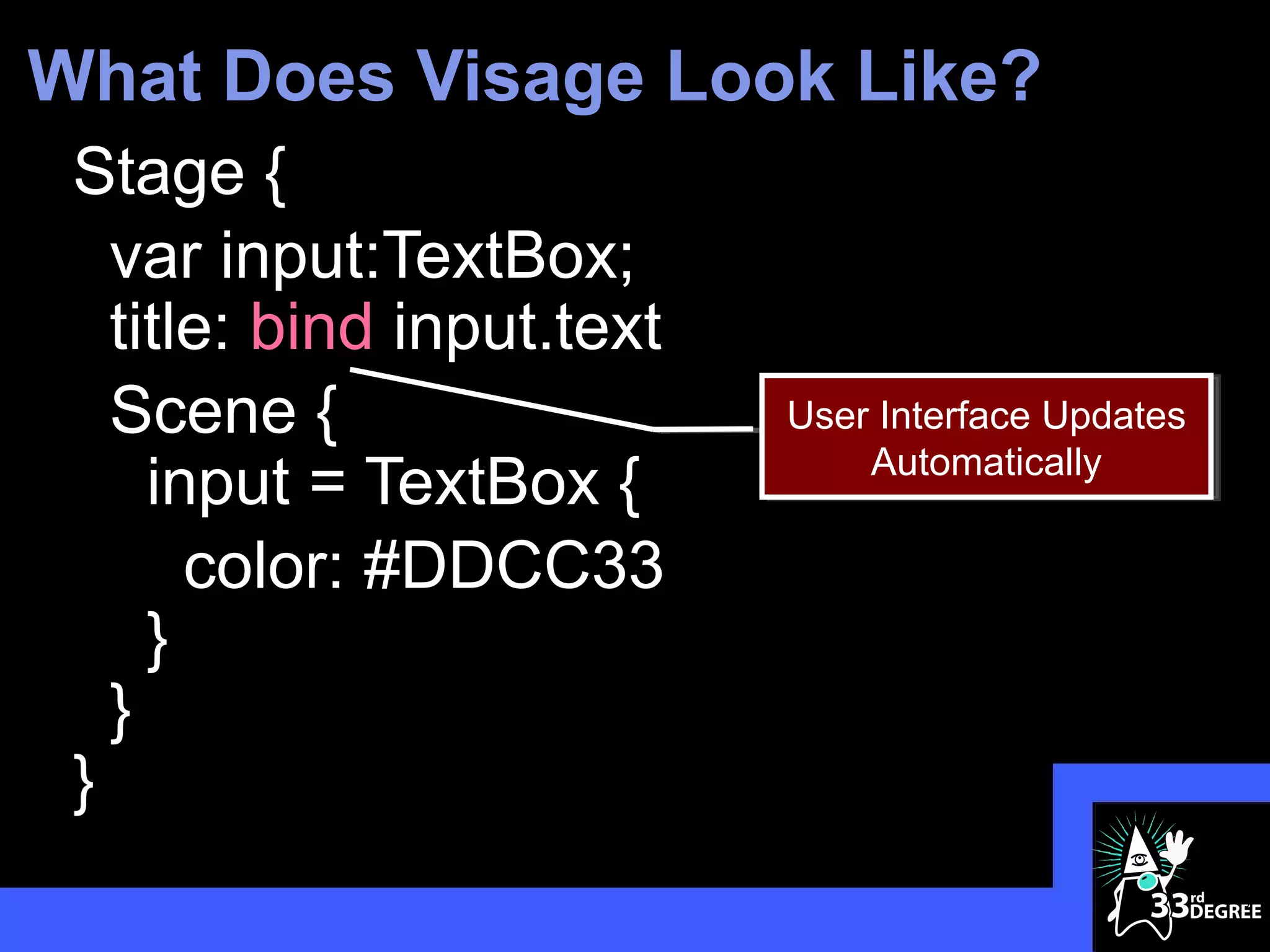
What Does Visage Look Like?
 Stage {
   var input:TextBox;
   title: bind input.text
   Scene {                  User Interface Updates
                                Automatically
     input = TextBox {
       color: #DDCC33
     }
   }
 }
                                                     5
What Does Visage Look Like?
 Stage {
   var input:TextBox;
   title: bind input.text
   Scene {
     input = TextBox {      Built-in Constructs for
                                 Building UIs
       color: #DDCC33
     }
   }
 }
                                                      6
What Does Visage Look Like?
 Stage {
   var input:TextBox;
   title: bind input.text
   Scene {
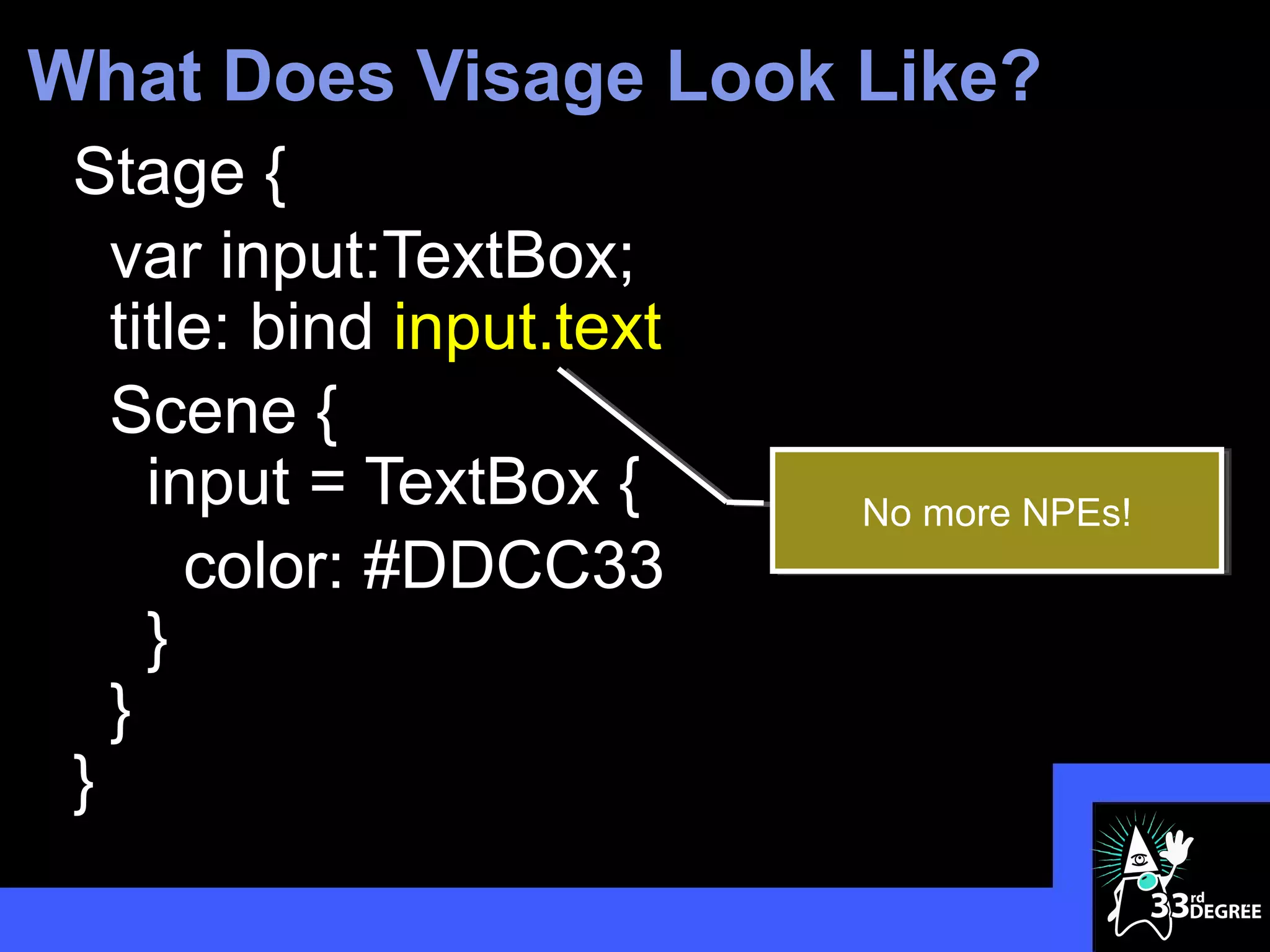
     input = TextBox {      No more NPEs!
       color: #DDCC33
     }
   }
 }
                                            7
What Does Visage Look Like?
 Stage {
   var input:TextBox;
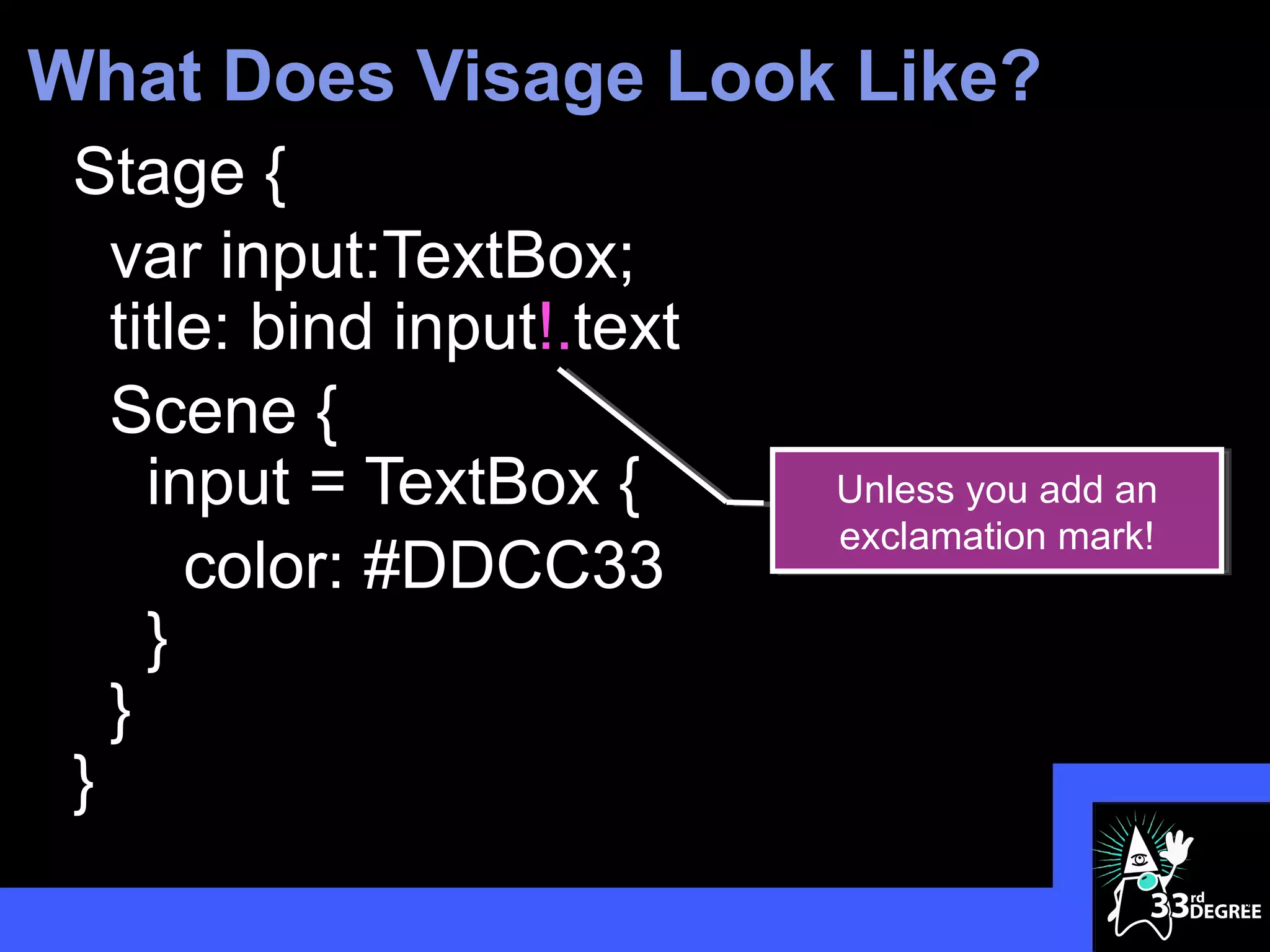
   title: bind input!.text
   Scene {
     input = TextBox {       Unless you add an
                             exclamation mark!
       color: #DDCC33
     }
   }
 }
                                                 8
JavaFX With Visage


                     9
Java vs. Visage DSL
                                                                                      var circles:Circle[];
 ublic class VanishingCircles extends Application {                                   Stage {
                                                                                        title: "Vanishing Circles"
                                                                                        Scene {
  public static void main(String[] args) {                                                width: 800
                                                                                          height: 600
      Application.launch(args);                                                           fill: BLACK
                                                                                          Group {
  }                                                                                         circles = for (i in [1..50]) {
                                                                                              def c:Circle = Circle {
                                                                                                centerX: random() * 800
                                                                                                centerY: random() * 600
  @Override                                                                                     radius: 150
                                                                                                fill: color(random(), random(), random(), .2)
  public void start(Stage primaryStage) {                                                       effect: BoxBlur {
                                                                                                  height: 10
      primaryStage.setTitle("Vanishing Circles");                                                 width: 10
                                                                                                  iterations: 3

          40 Lines
      Group root = new Group();

      Scene scene = new Scene(root, 800, 600, Color.BLACK);
                                                                                                }
                                                                                                     35 Lines
                                                                                                stroke: WHITE
                                                                                                strokeWidth: bind if (c.hover) 5 else 0

          1299 Characters                                                                            487 Characters
                                                                                                onMouseClicked: function(e) {
      List<Circle> circles = new ArrayList<Circle>();                                             Timeline {at (3s) {c.radius => 0}}.play()
                                                                                                }
      for (int i = 0; i < 50; i++) {                                                          }
                                                                                            }
        final Circle circle = new Circle(150);                                            }
                                                                                        }
        circle.setCenterX(Math.random() * 800);                                       }

        circle.setCenterY(Math.random() * 600);                                       Timeline {
                                                                                        for (circle in circles) at (40s) {
        circle.setFill(new Color(Math.random(), Math.random(), Math.random(), .2));       circle.centerX => random() * 800;
                                                                                          circle.centerY => random() * 600
        circle.setEffect(new BoxBlur(10, 10, 3));                                       }
                                                                                      }.play()
      circle.addEventHandler(MouseEvent.MOUSE_CLICKED, new
 EventHandler<MouseEvent>() {

          public void handle(MouseEvent t) {

              KeyValue collapse = new KeyValue(circle.radiusProperty(), 0);

              new Timeline(new KeyFrame(Duration.seconds(3), collapse)).play();

          }

        });

        circle.setStroke(Color.WHITE);
                                                                                                                                  10
        circle.strokeWidthProperty().bind(Bindings.when(circle.hoverProperty())
How about JavaFX on… Visage
Stage {
  title: "Vanishing Circles"
  scene: Scene {
    width: 800
    height: 600
    fill: BLACK
    content: Group {
      circles = for (i in [1..50]) {
        Circle {
          centerX: random() * 800
          centerY: random() * 600
        }
      }
    }
  }
}

                                       11
How about JavaFX on… Visage
Stage {
  title: "Vanishing Circles"
  scene: Scene {
    width: 800
    height: 600
    fill: BLACK
    content: Group {
      circles = for (i in [1..50]) {
        Circle {
          centerX: random() * 800
          centerY: random() * 600
        }
      }
    }
  }
}

                                       12
How about JavaFX on… Visage
Stage {
  title: "Vanishing Circles"
  Scene {
    width: 800
    height: 600
    fill: BLACK
    Group {
      circles = for (i in [1..50]) {
        Circle {
          centerX: random() * 800
          centerY: random() * 600
        }
      }
    }
  }
}

                                       13
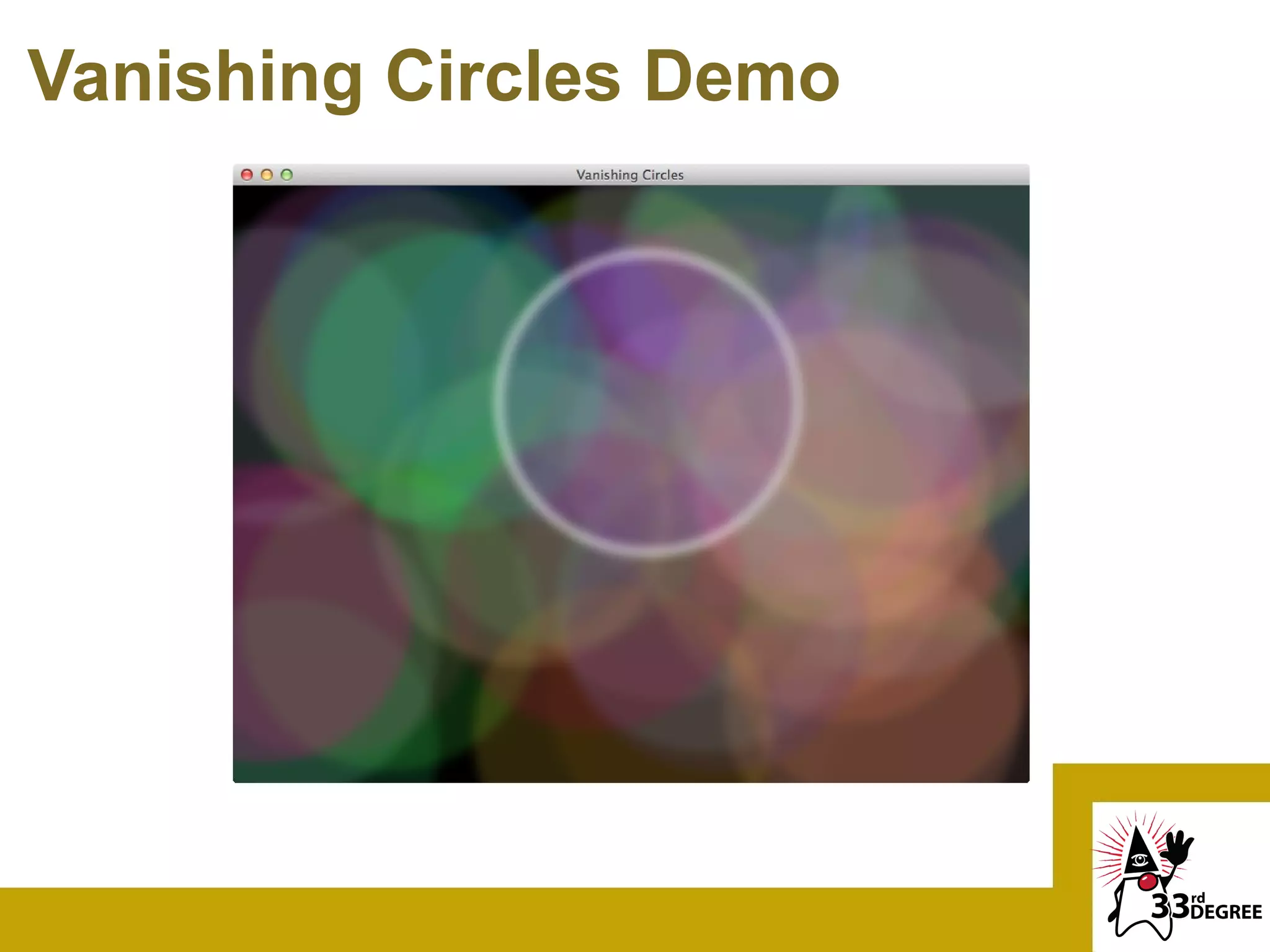
Vanishing Circles Demo
Visage is JavaFX Script++
 Default Parameters
 New Literal Syntax For:
 - Angles – 35deg, 4rad, 1turn
 - Colors – #DDCCBB, #AA33AA|CC
 - Lengths – 5px, 2pt, 3in, 4sp
 Null-check Dereference
 - var width = rect.!width
 Built-in Bindable Maps (coming soon!)
 - var fruitMap = ["red" : apple, "yellow" : banana]
 - var fruit = bind fruitMap["red"]
                                               15
And Made for JavaFX 2.0…
 Enhanced Binding
 - Retains lazy evaluation properties with additional
   expressive power
 Integrated Collections
 - Sequences and Maps automatically convert between
   JavaFX Observable Lists/Maps
 Built-in Animation Syntax
 - Ties into JavaFX animation subsystem
 - Provides consistent, clean APIs


                                             16
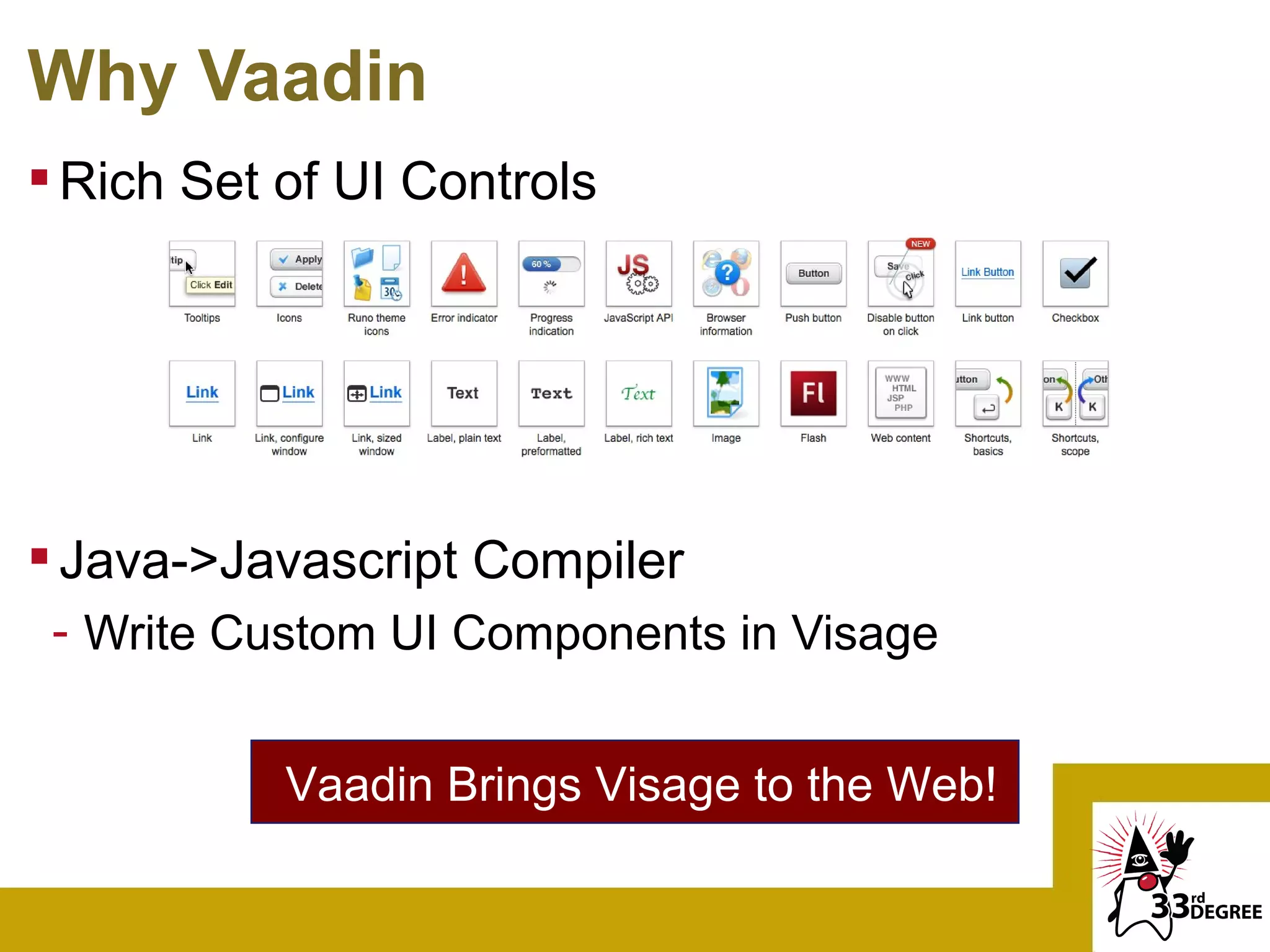
Why Vaadin
 Rich Set of UI Controls


 Java->Javascript Compiler
 - Write Custom UI Components in Visage


           Vaadin Brings Visage to the Web!
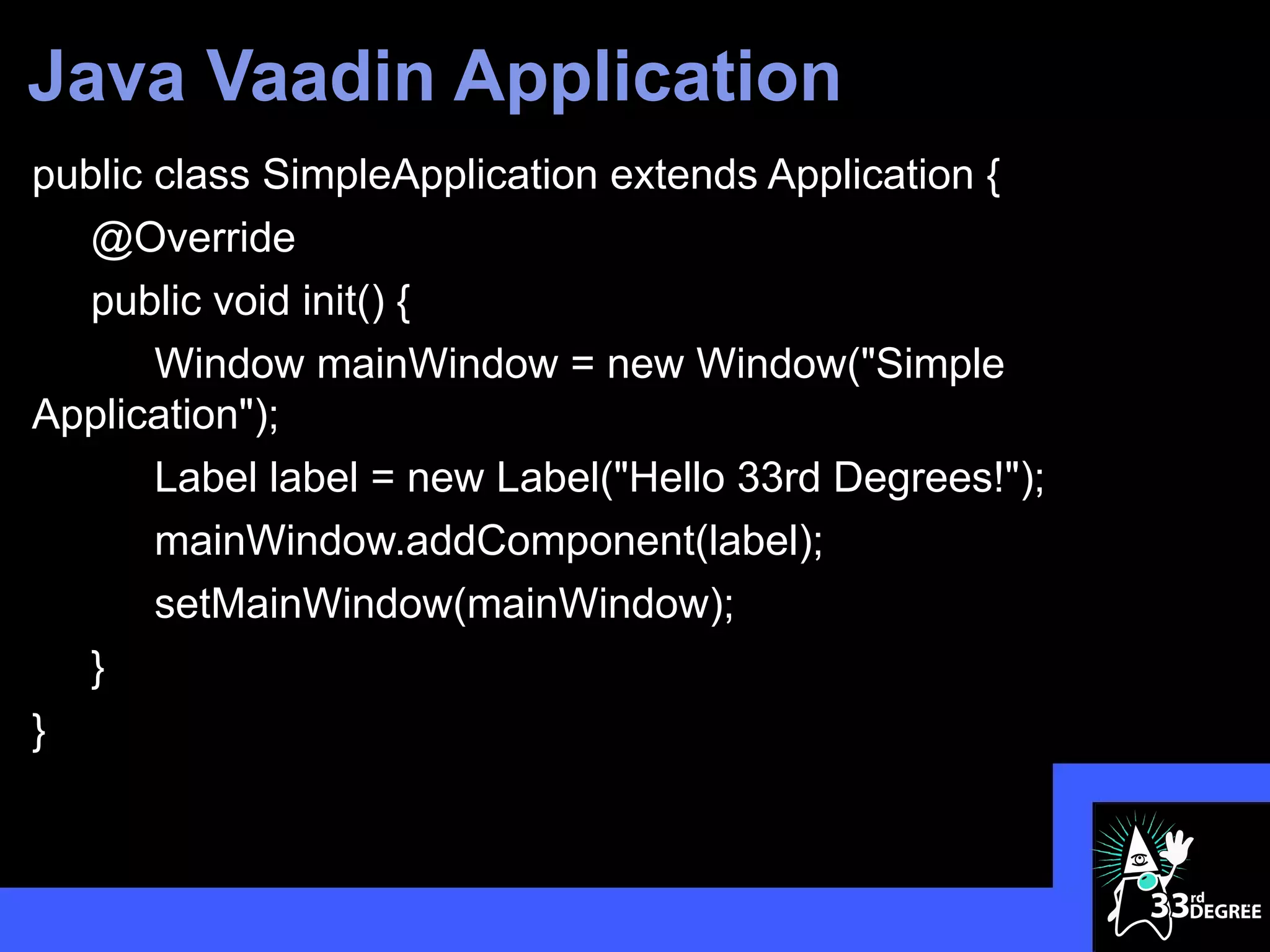
Java Vaadin Application
public class SimpleApplication extends Application {
   @Override
   public void init() {
       Window mainWindow = new Window("Simple
Application");
       Label label = new Label("Hello 33rd Degrees!");
       mainWindow.addComponent(label);
       setMainWindow(mainWindow);
   }
}


                                                         19
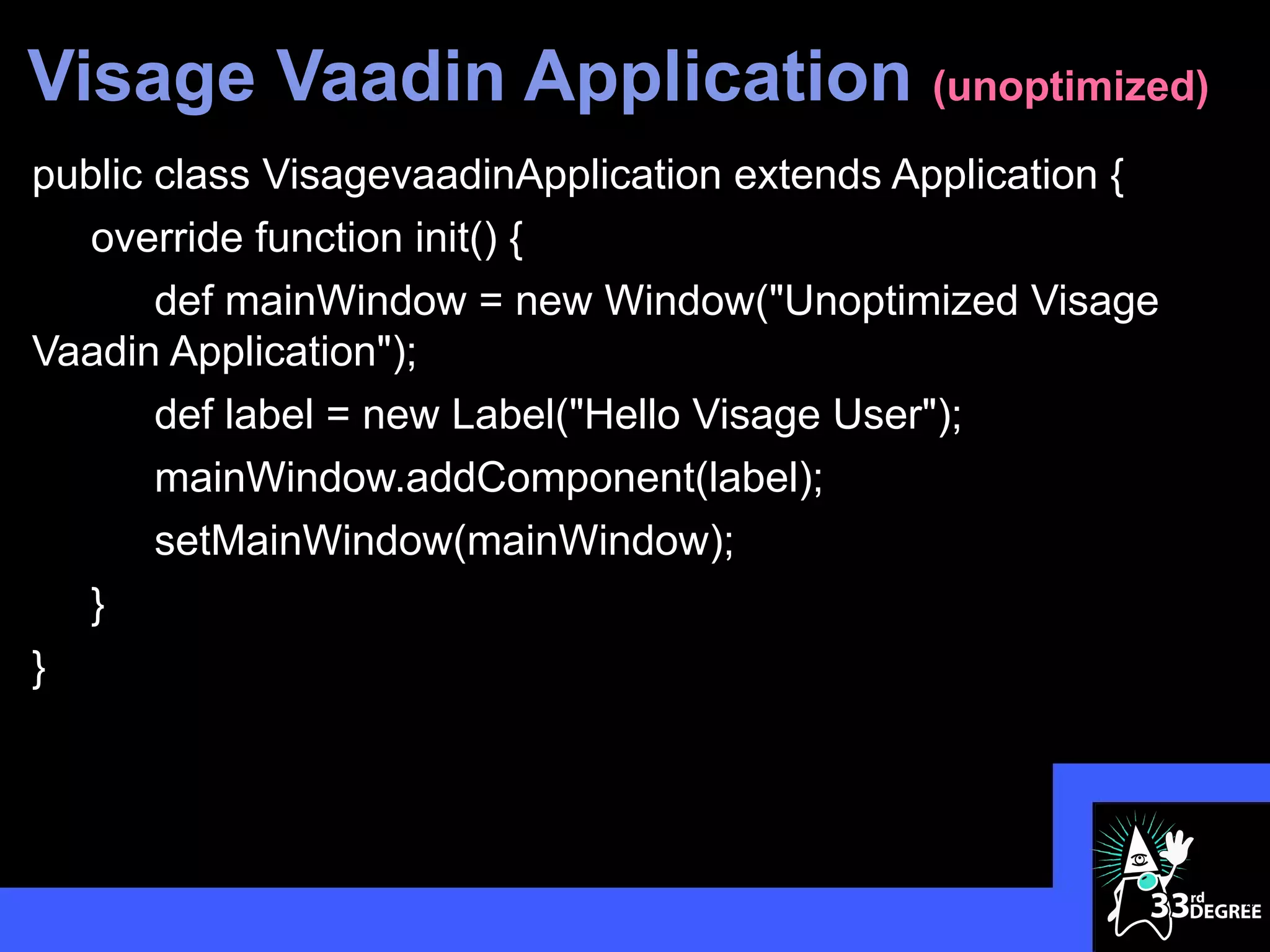
Visage Vaadin Application (unoptimized)
public class VisagevaadinApplication extends Application {
   override function init() {
       def mainWindow = new Window("Unoptimized Visage
Vaadin Application");
       def label = new Label("Hello Visage User");
       mainWindow.addComponent(label);
       setMainWindow(mainWindow);
   }
}


                                                             20
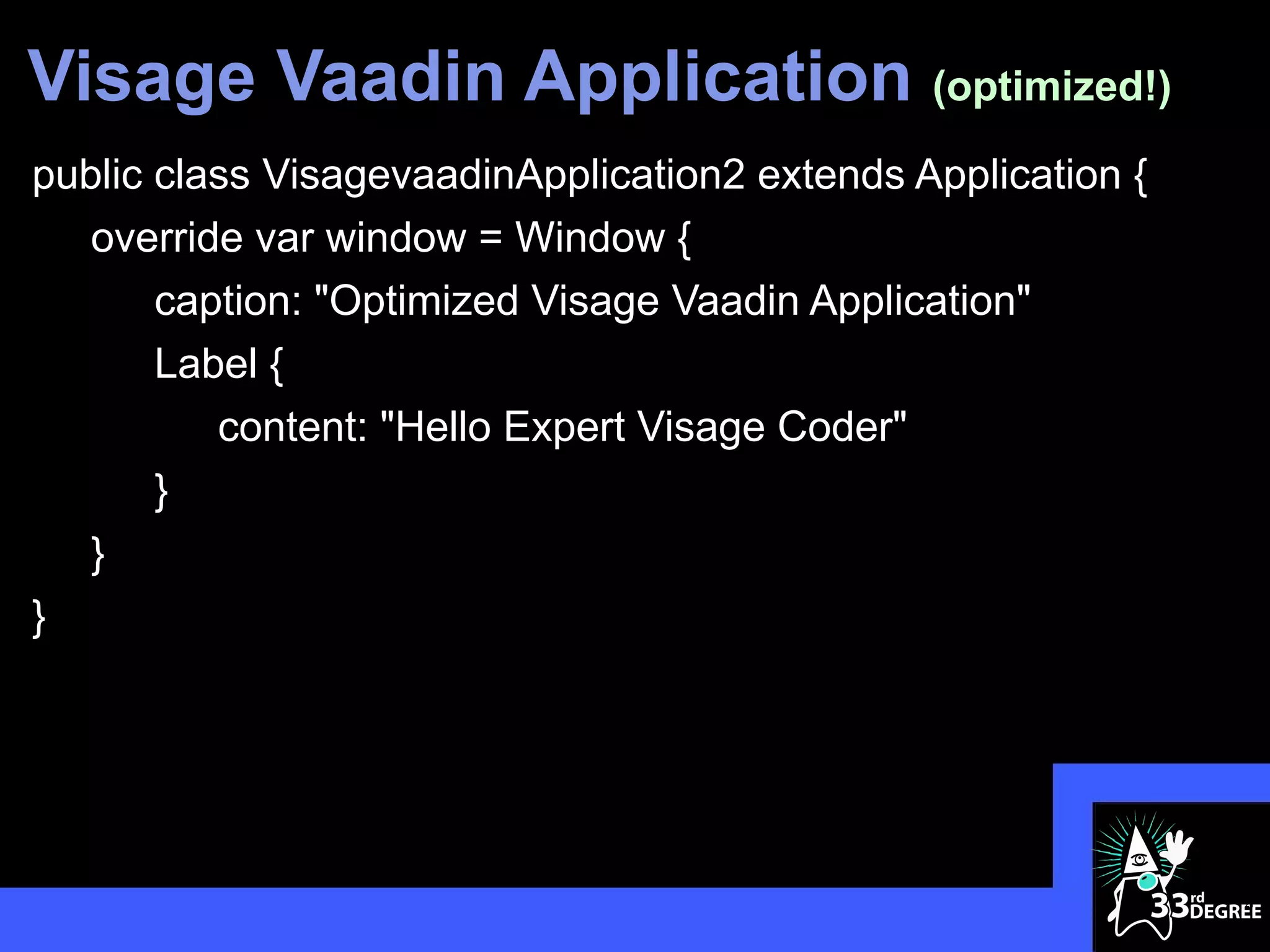
Visage Vaadin Application (optimized!)
public class VisagevaadinApplication2 extends Application {
   override var window = Window {
       caption: "Optimized Visage Vaadin Application"
       Label {
          content: "Hello Expert Visage Coder"
       }
   }
}


                                                              21
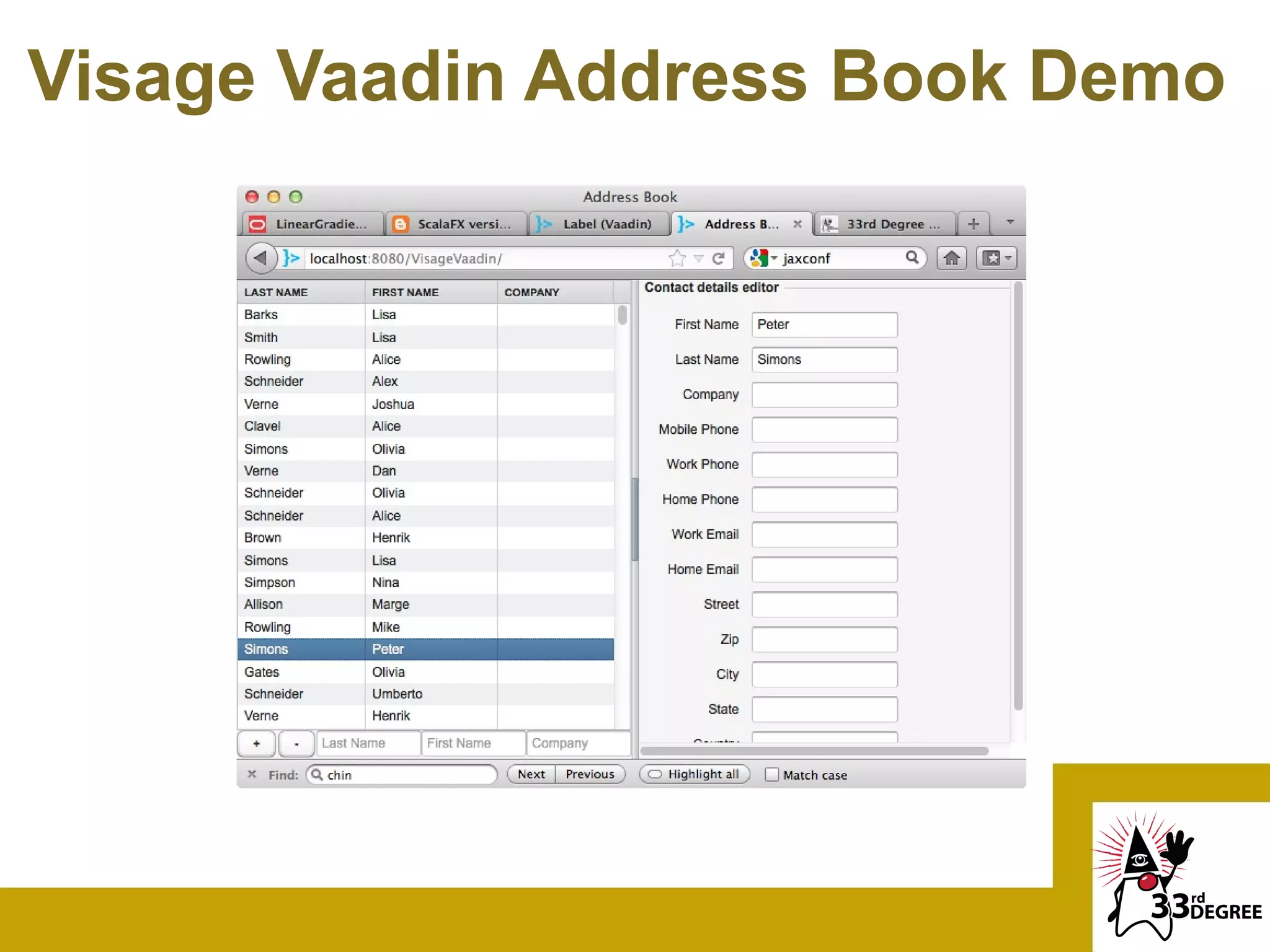
Visage Vaadin Address Book Demo
A Popular Linux-based Tablet
OS With VISAGE
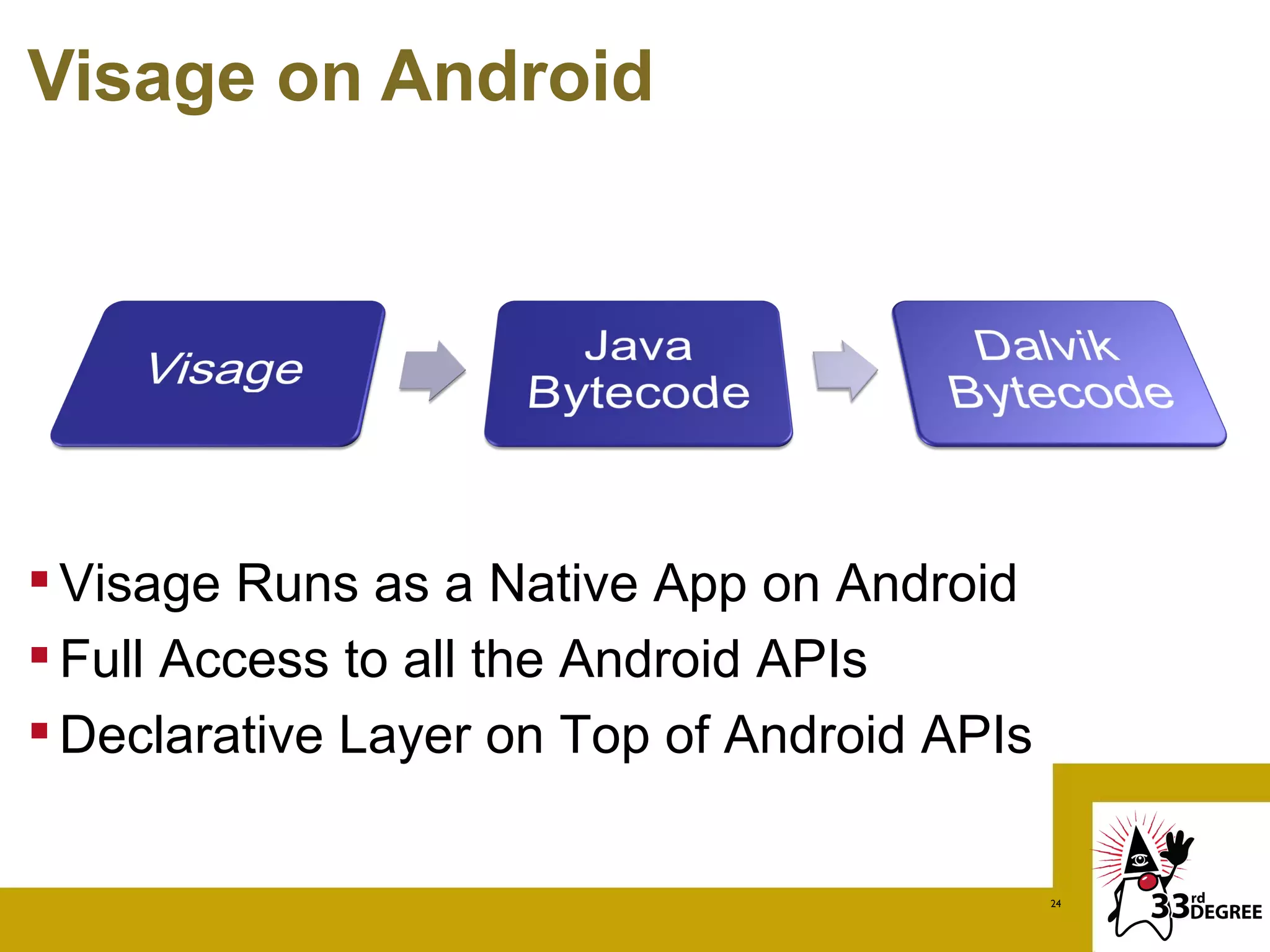
Visage on Android


 Visage Runs as a Native App on Android
 Full Access to all the Android APIs
 Declarative Layer on Top of Android APIs

                                             24
Demo 1
Hello World, Visage


                      25
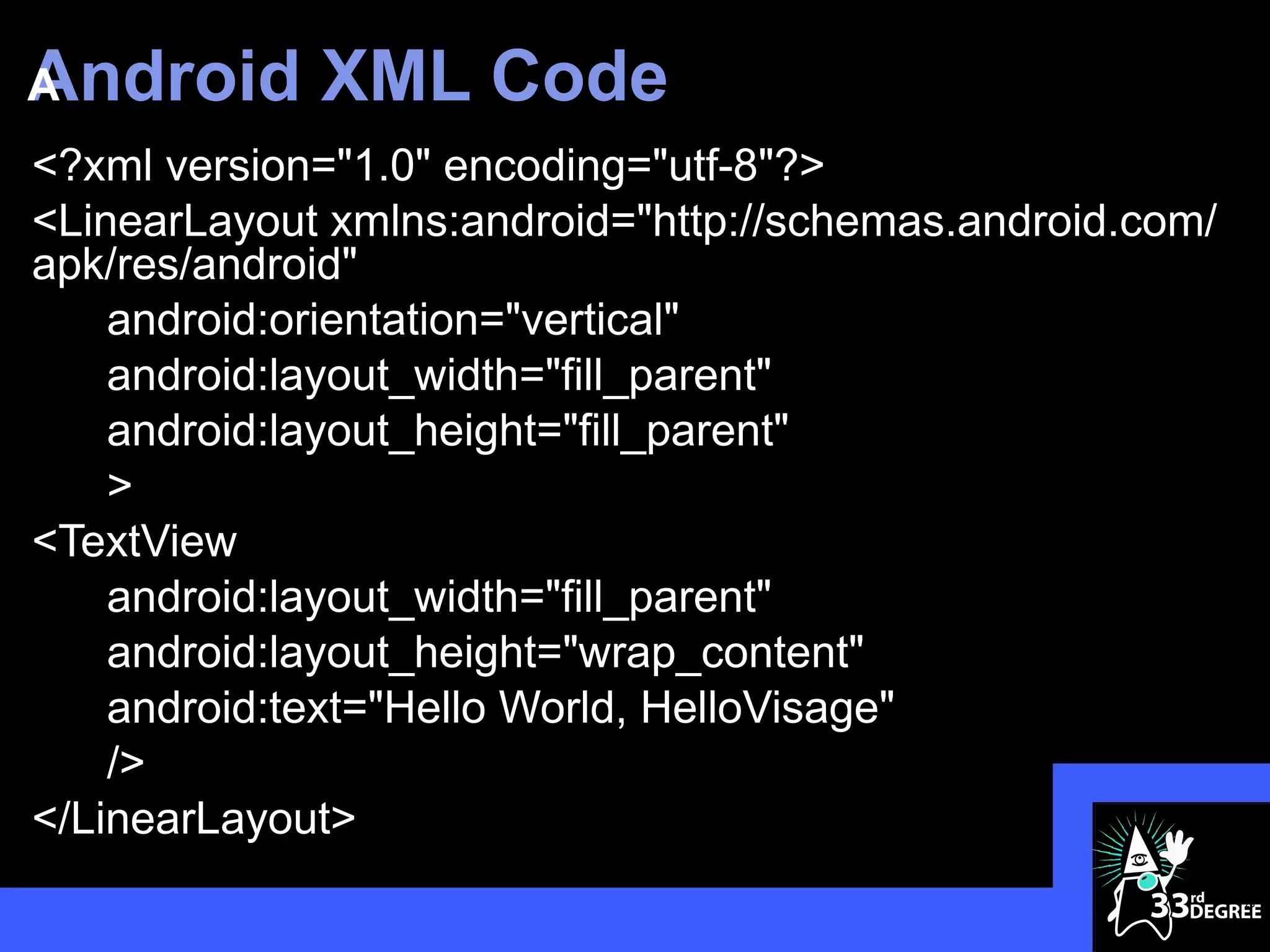
Android
A            XML Code
<?xml version="1.0" encoding="utf-8"?>
<LinearLayout xmlns:android="http://schemas.android.com/
apk/res/android"
    android:orientation="vertical"
    android:layout_width="fill_parent"
    android:layout_height="fill_parent"
    >
<TextView
    android:layout_width="fill_parent"
    android:layout_height="wrap_content"
    android:text="Hello World, HelloVisage"
    />
</LinearLayout>
                                                           26
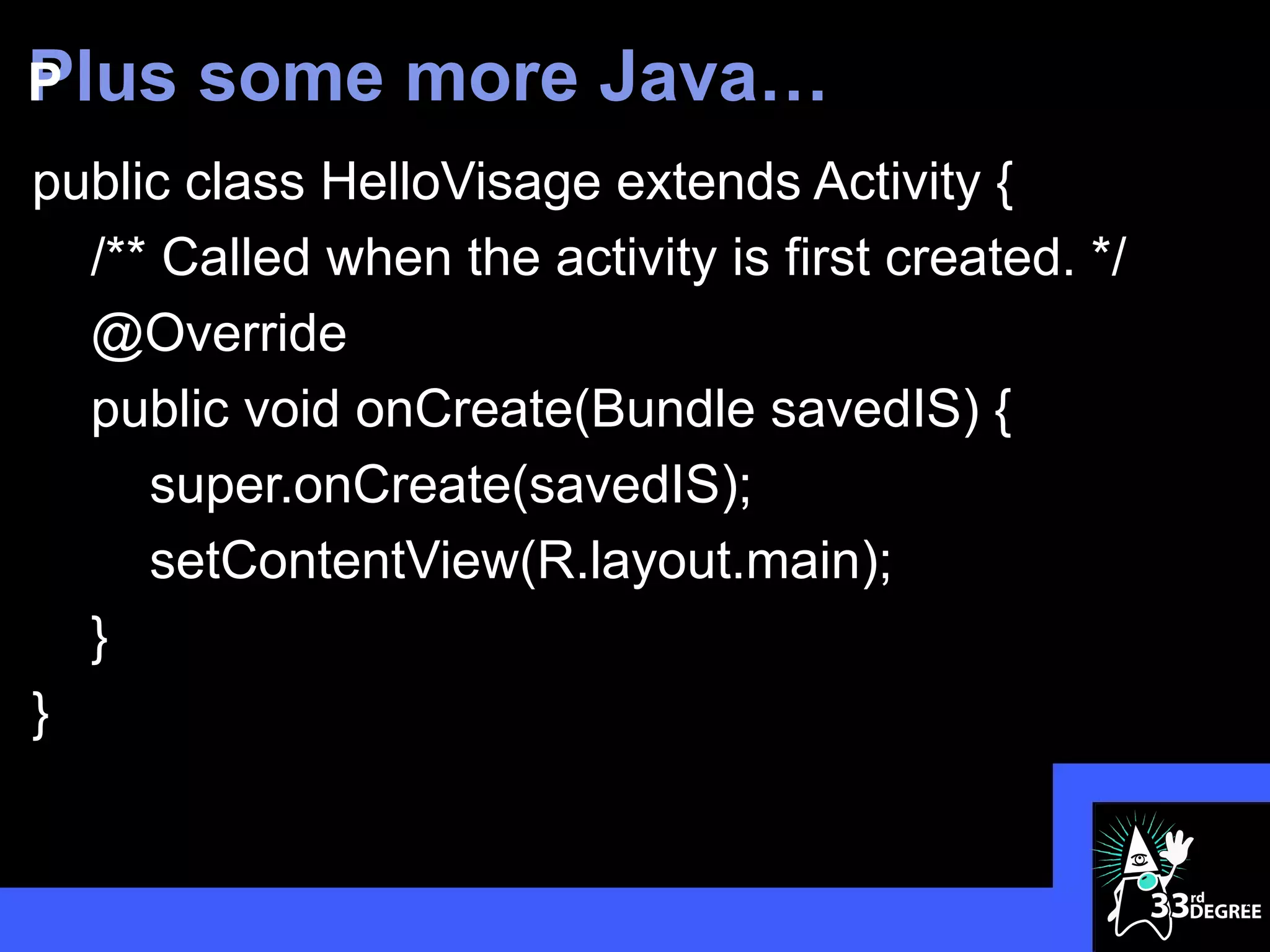
Plus
P      some more Java…
public class HelloVisage extends Activity {
  /** Called when the activity is first created. */
  @Override
  public void onCreate(Bundle savedIS) {
     super.onCreate(savedIS);
     setContentView(R.layout.main);
  }
}


                                                      27
All Java Conversion


                      28
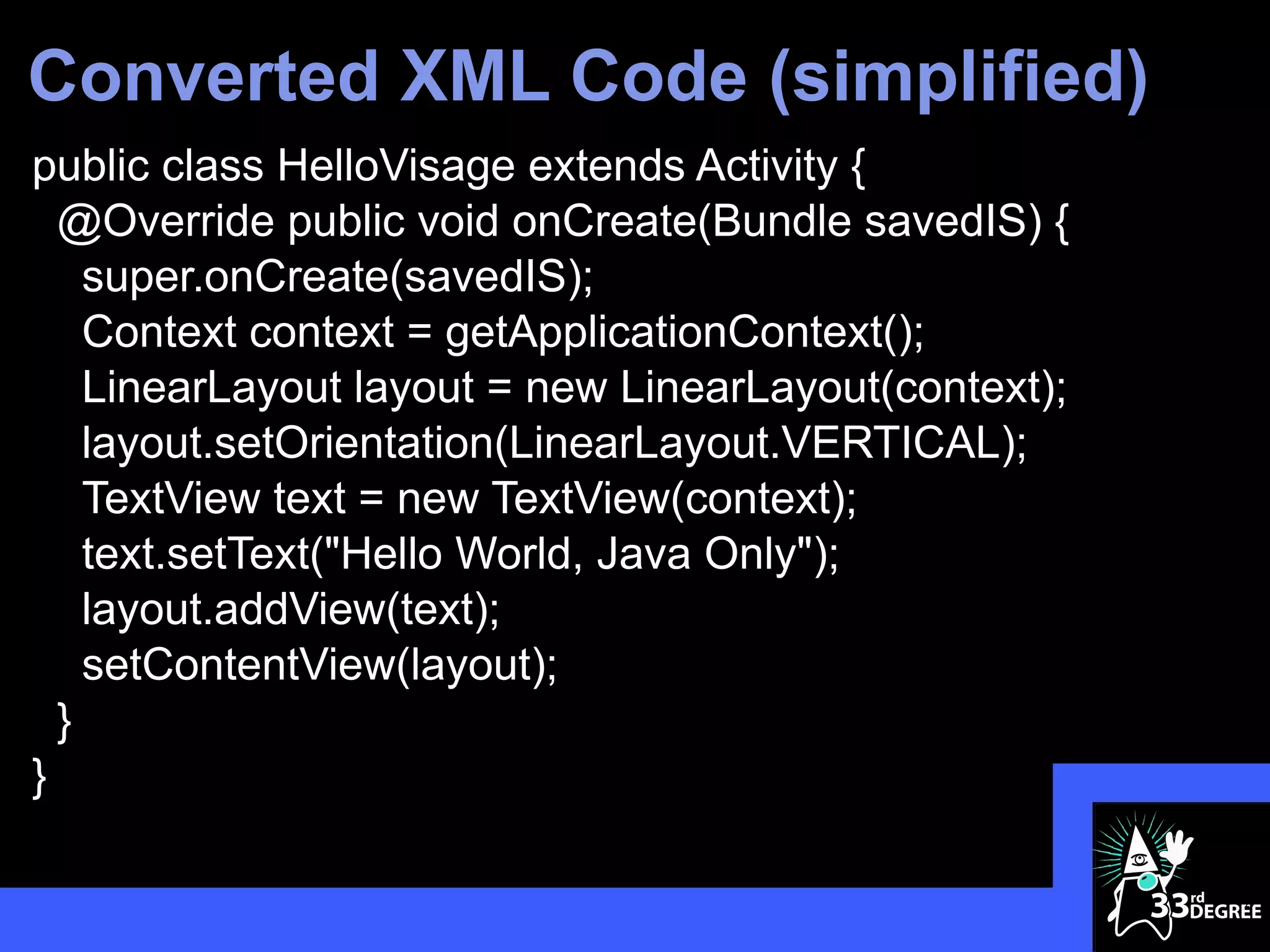
Converted XML Code (simplified)
public class HelloVisage extends Activity {
  @Override public void onCreate(Bundle savedIS) {
    super.onCreate(savedIS);
    Context context = getApplicationContext();
    LinearLayout layout = new LinearLayout(context);
    layout.setOrientation(LinearLayout.VERTICAL);
    TextView text = new TextView(context);
    text.setText("Hello World, Java Only");
    layout.addView(text);
    setContentView(layout);
  }
}

                                                       29
Visage Port


              30
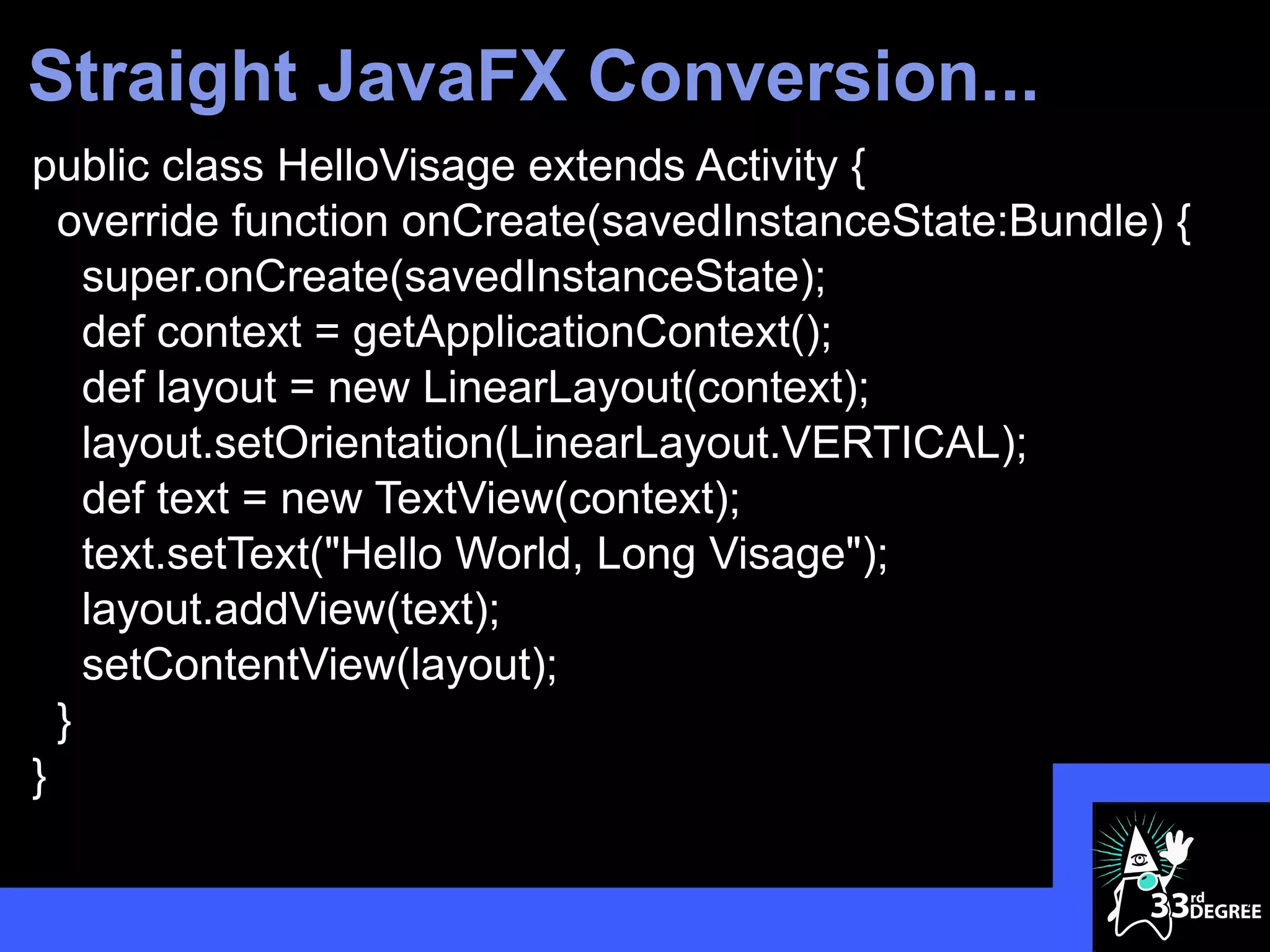
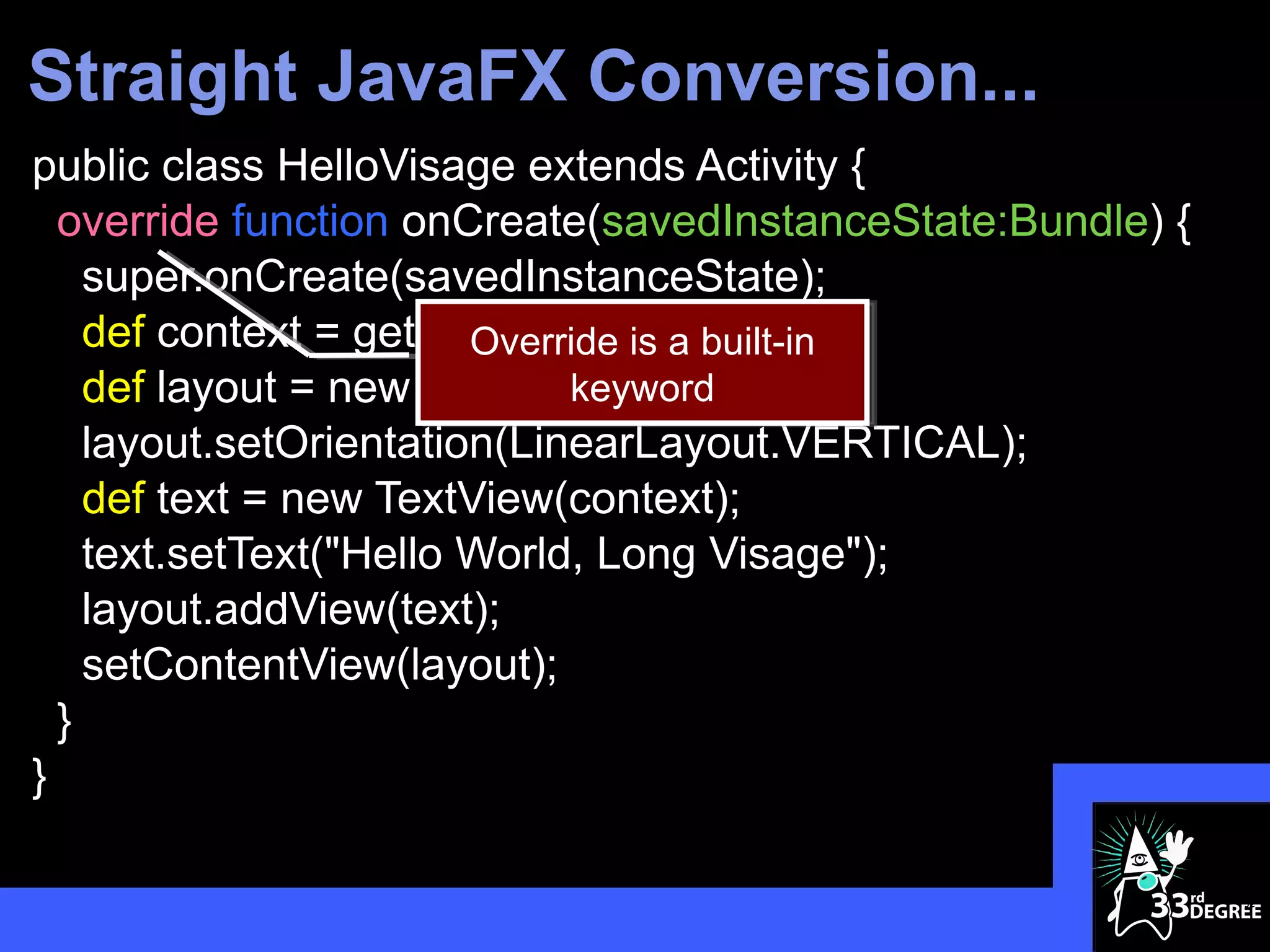
Straight JavaFX Conversion...
public class HelloVisage extends Activity {
  override function onCreate(savedInstanceState:Bundle) {
    super.onCreate(savedInstanceState);
    def context = getApplicationContext();
    def layout = new LinearLayout(context);
    layout.setOrientation(LinearLayout.VERTICAL);
    def text = new TextView(context);
    text.setText("Hello World, Long Visage");
    layout.addView(text);
    setContentView(layout);
  }
}

                                                            31
Straight JavaFX Conversion...
public class HelloVisage extends Activity {
  override function onCreate(savedInstanceState:Bundle) {
    super.onCreate(savedInstanceState);
    def context = getApplicationContext();
                        Override is a built-in
    def layout = new LinearLayout(context);
                             keyword
    layout.setOrientation(LinearLayout.VERTICAL);
    def text = new TextView(context);
    text.setText("Hello World, Long Visage");
    layout.addView(text);
    setContentView(layout);
  }
}

                                                            32
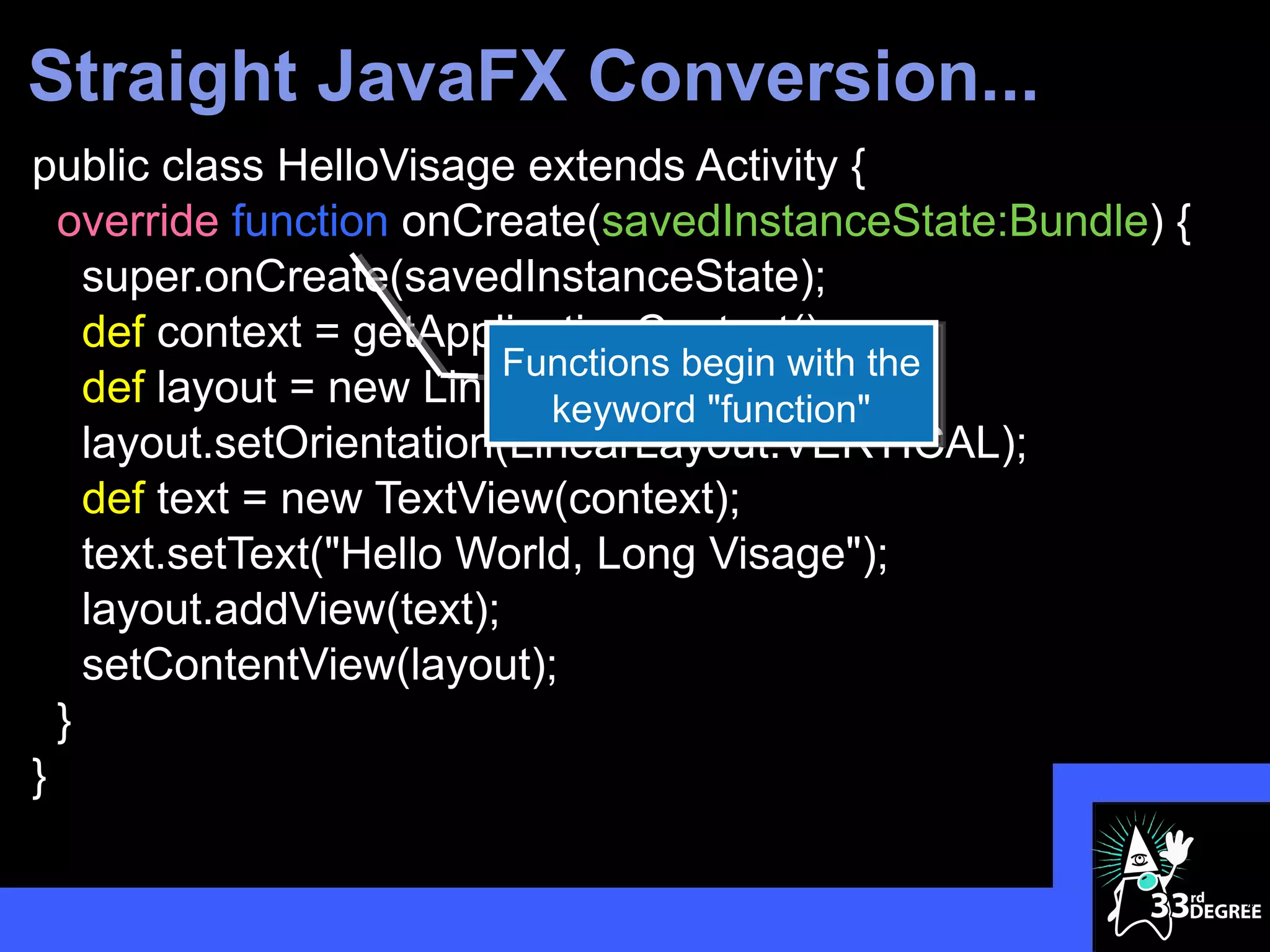
Straight JavaFX Conversion...
public class HelloVisage extends Activity {
  override function onCreate(savedInstanceState:Bundle) {
    super.onCreate(savedInstanceState);
    def context = getApplicationContext();
                          Functions begin with the
    def layout = new LinearLayout(context);
                            keyword "function"
    layout.setOrientation(LinearLayout.VERTICAL);
    def text = new TextView(context);
    text.setText("Hello World, Long Visage");
    layout.addView(text);
    setContentView(layout);
  }
}

                                                            33
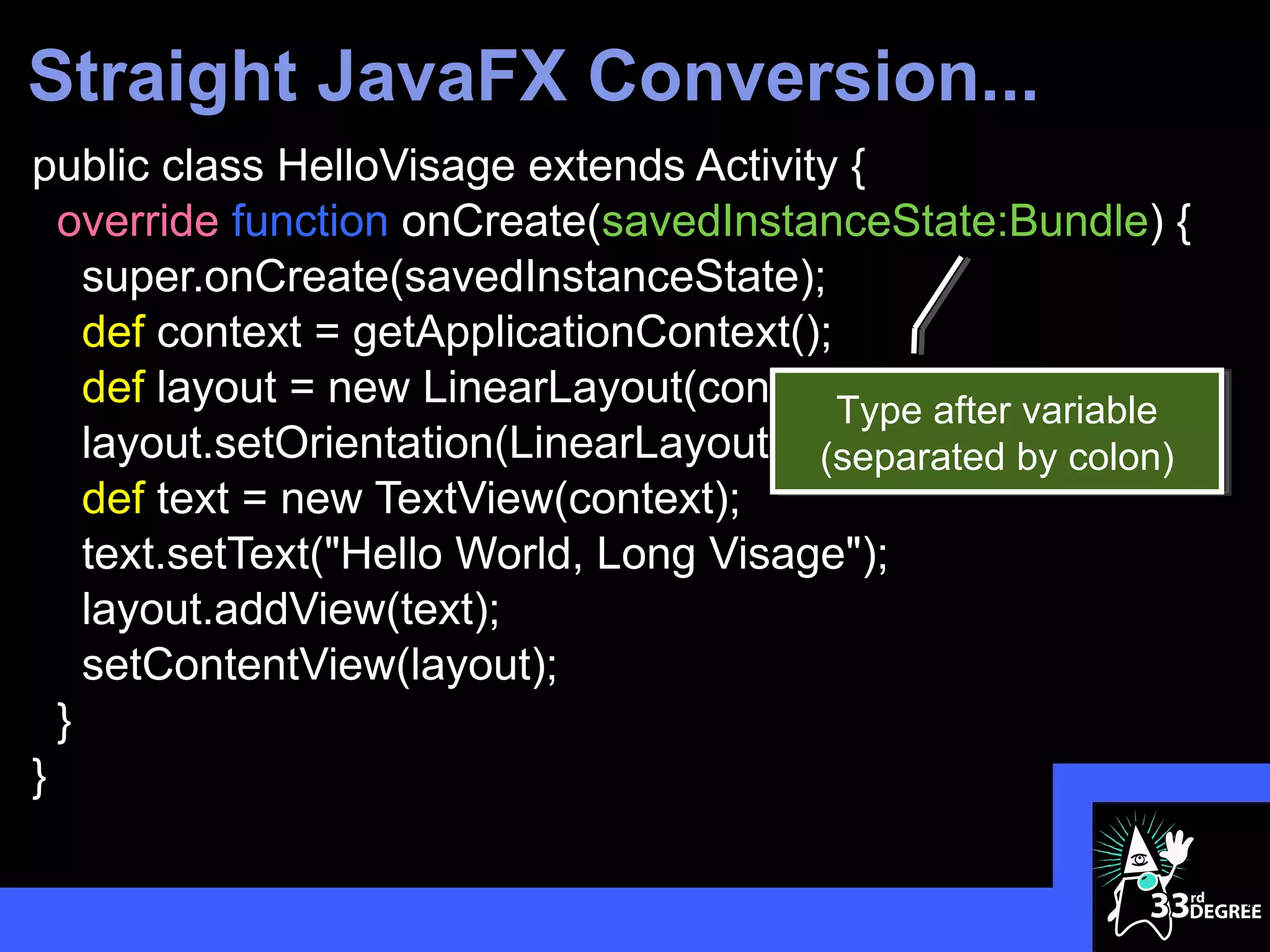
Straight JavaFX Conversion...
public class HelloVisage extends Activity {
  override function onCreate(savedInstanceState:Bundle) {
    super.onCreate(savedInstanceState);
    def context = getApplicationContext();
    def layout = new LinearLayout(context); after variable
                                           Type
    layout.setOrientation(LinearLayout.VERTICAL); colon)
                                         (separated by
    def text = new TextView(context);
    text.setText("Hello World, Long Visage");
    layout.addView(text);
    setContentView(layout);
  }
}

                                                             34
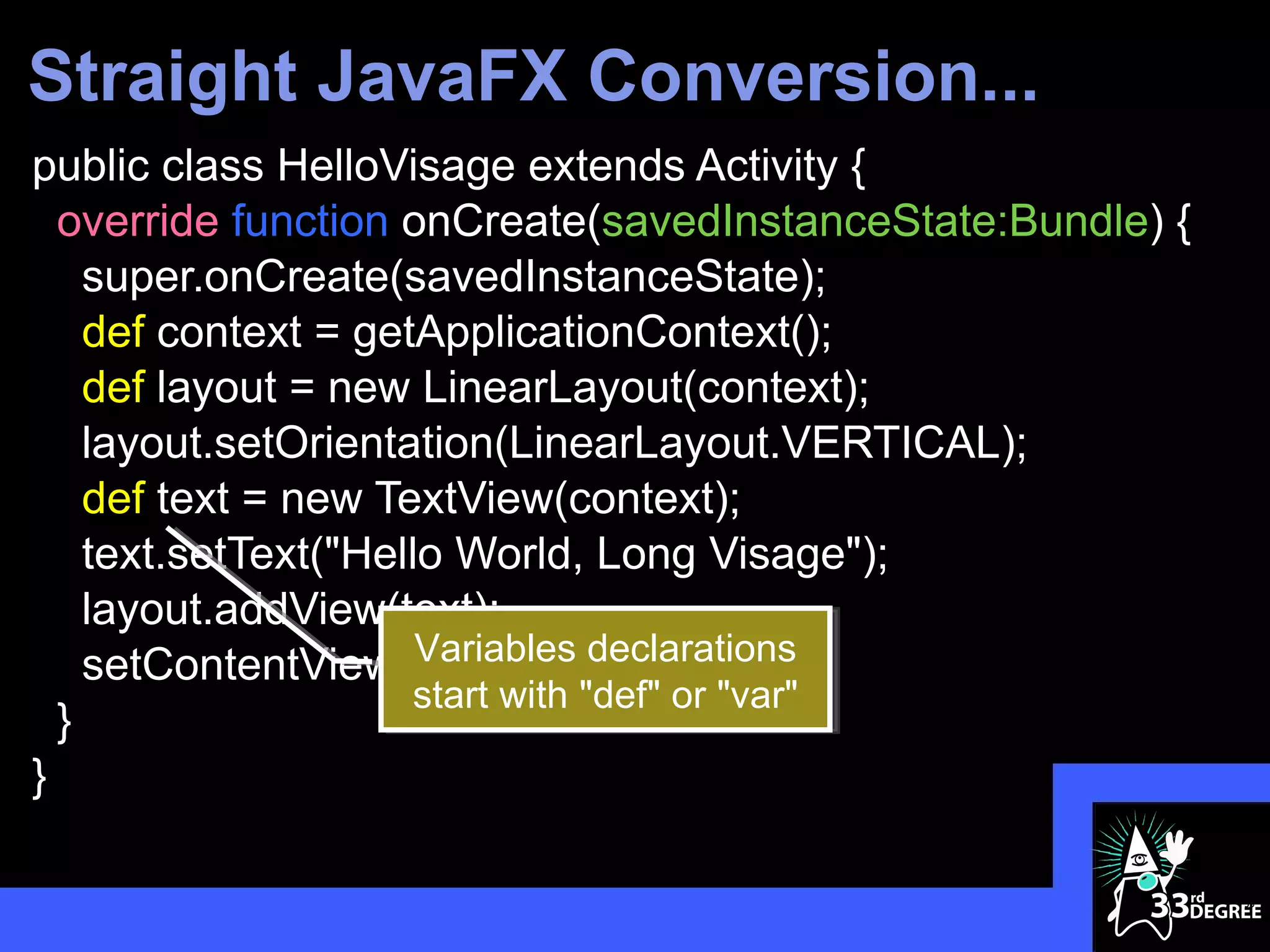
Straight JavaFX Conversion...
public class HelloVisage extends Activity {
  override function onCreate(savedInstanceState:Bundle) {
    super.onCreate(savedInstanceState);
    def context = getApplicationContext();
    def layout = new LinearLayout(context);
    layout.setOrientation(LinearLayout.VERTICAL);
    def text = new TextView(context);
    text.setText("Hello World, Long Visage");
    layout.addView(text);
                      Variables declarations
    setContentView(layout);
                      start with "def" or "var"
  }
}

                                                            35
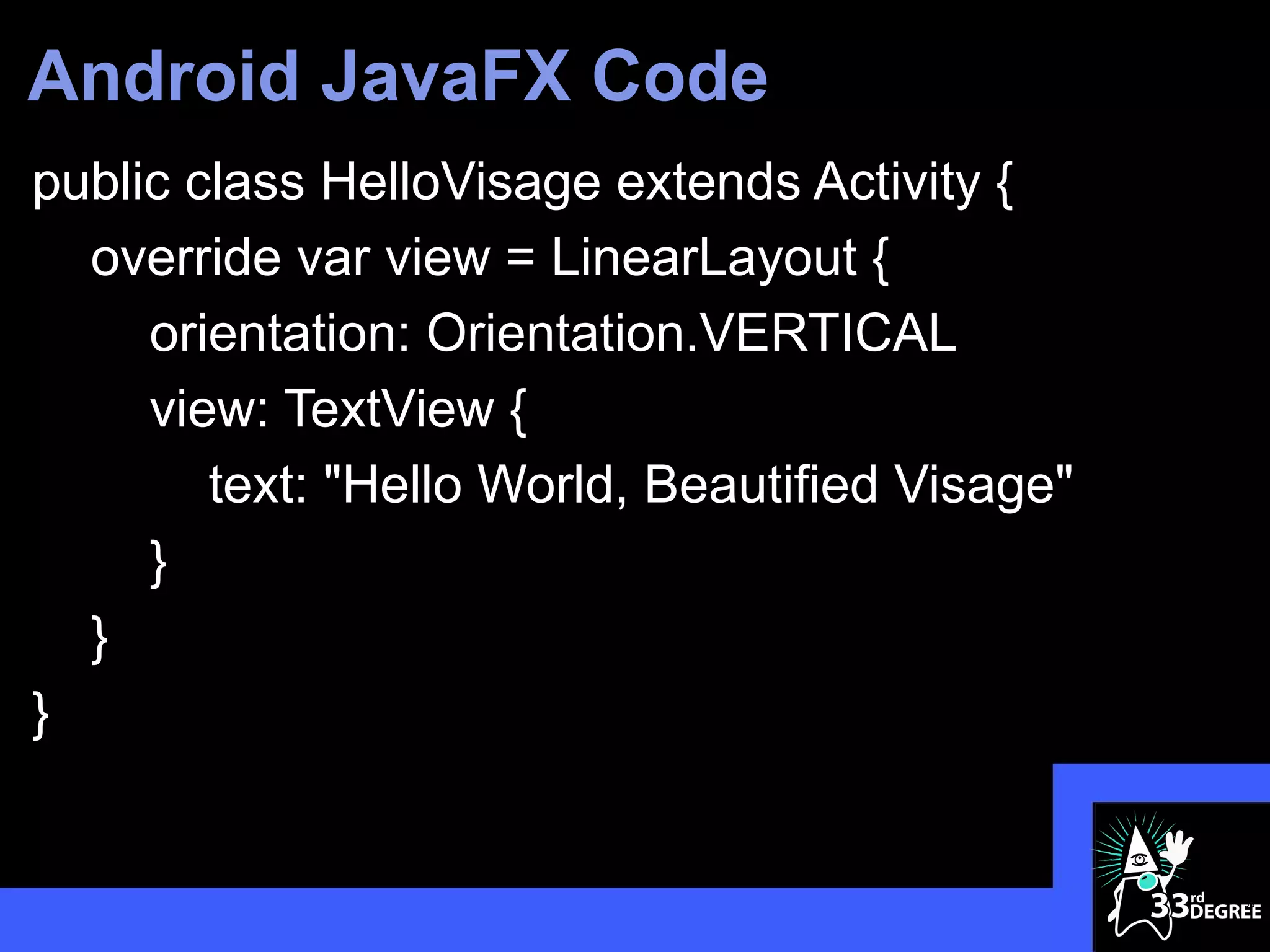
Android JavaFX Code
public class HelloVisage extends Activity {
  override var view = LinearLayout {
     orientation: Orientation.VERTICAL
     view: TextView {
        text: "Hello World, Beautified Visage"
     }
  }
}


                                                 36
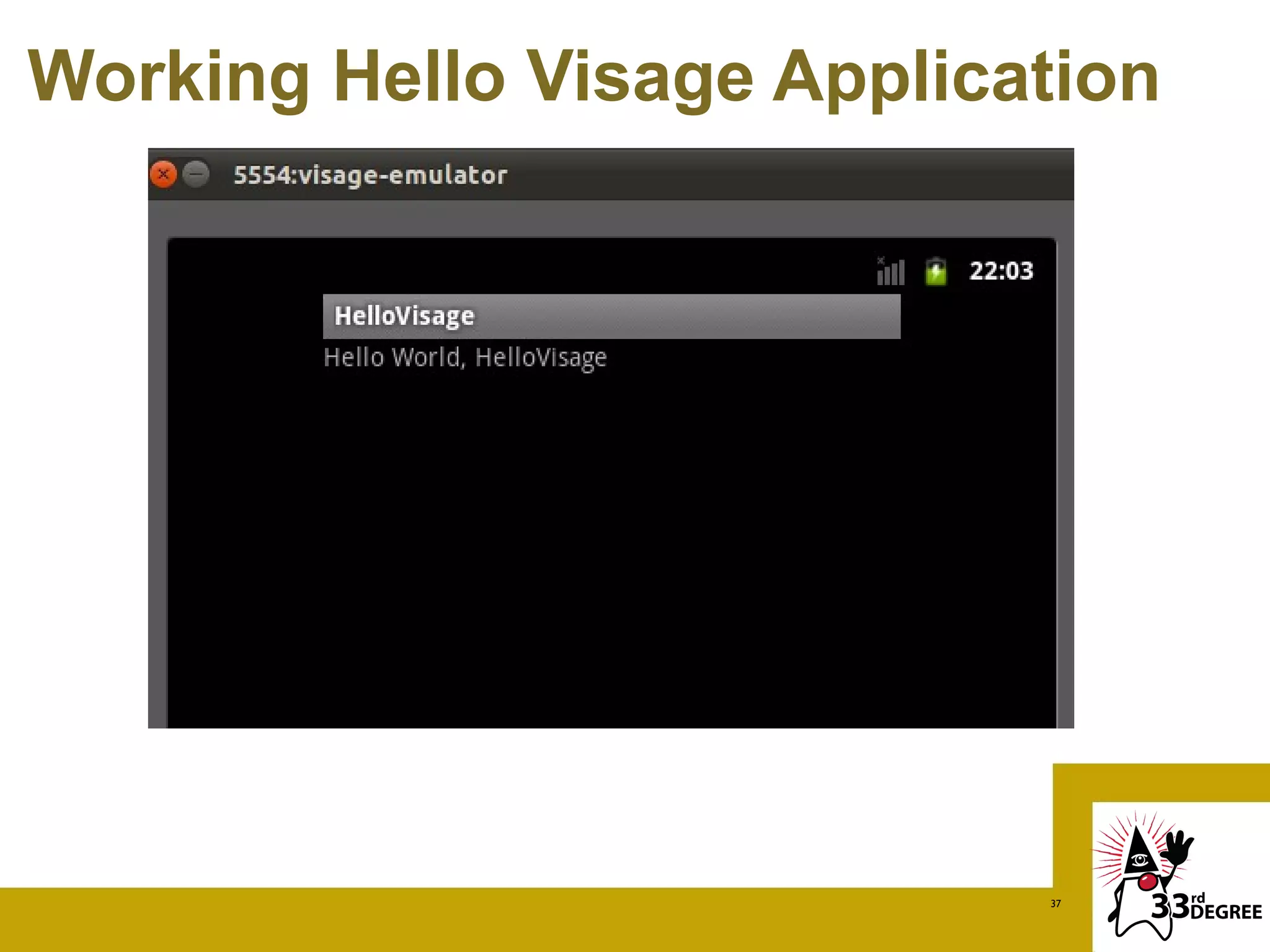
Working Hello Visage Application


                            37
Demo 2
CONTROLS AND SETTINGS


                    38
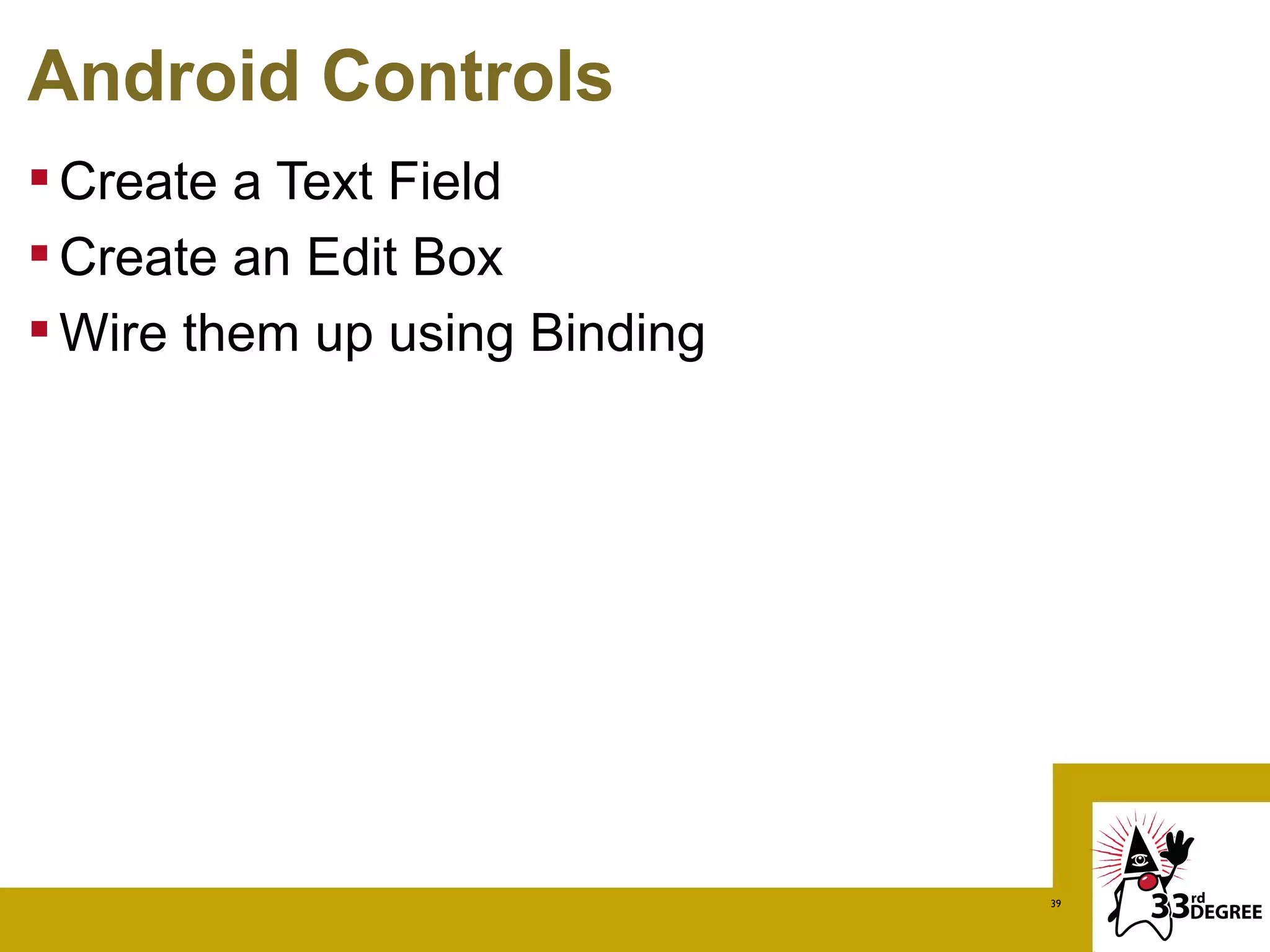
Android Controls
 Create a Text Field
 Create an Edit Box
 Wire them up using Binding


                               39
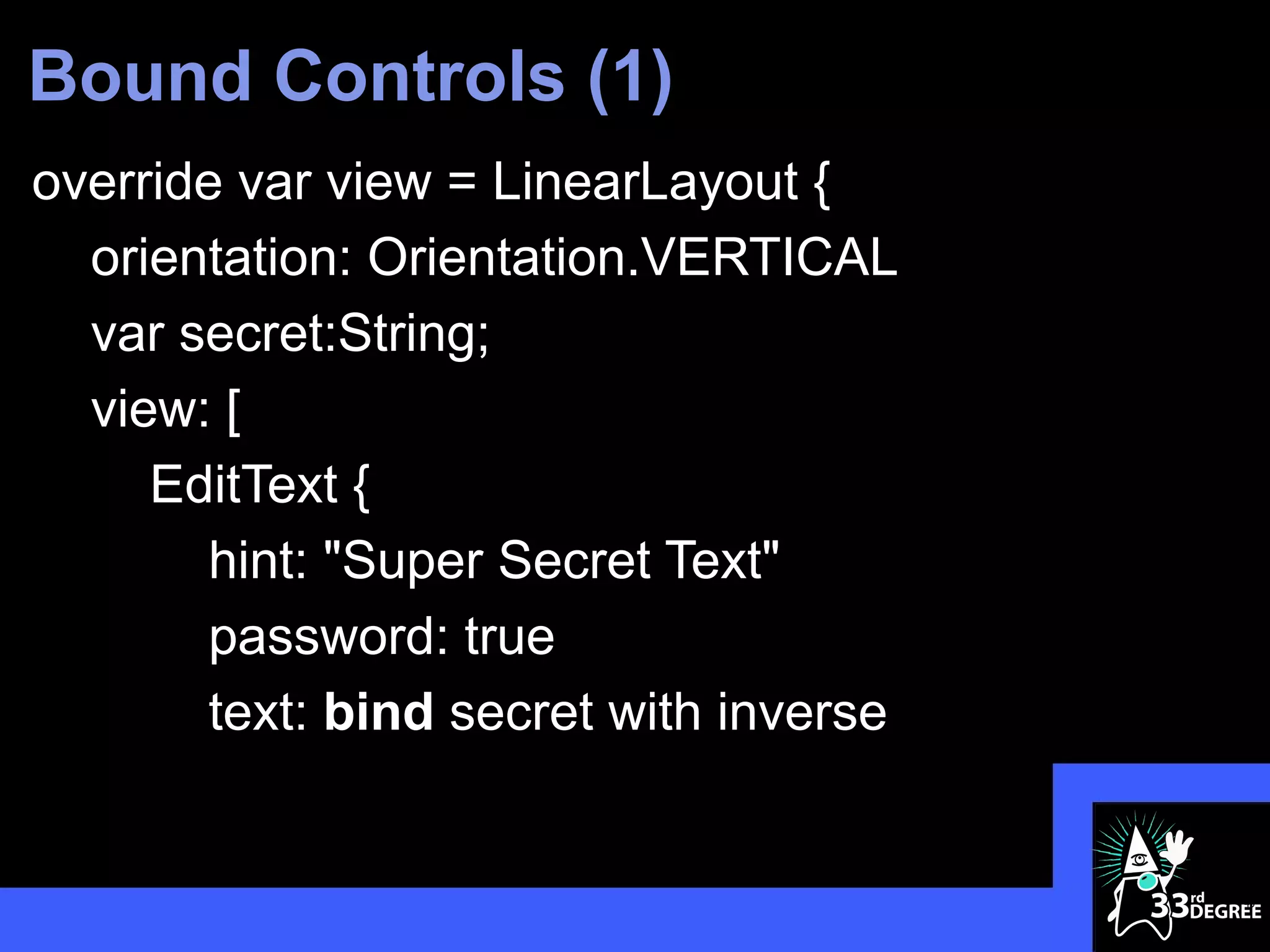
Bound Controls (1)
override var view = LinearLayout {
  orientation: Orientation.VERTICAL
  var secret:String;
  view: [
     EditText {
       hint: "Super Secret Text"
       password: true
       text: bind secret with inverse


                                        40
Bound Controls (2)
        }
        TextView {
          text: "Is Revealed!!!"
        }
        TextView {
          text: bind secret
        }
    ]
}
                                   41
Button Handler
 Create a Button Control
 Add an onClick handler
 Make something happen (maybe a bind)


                                         42
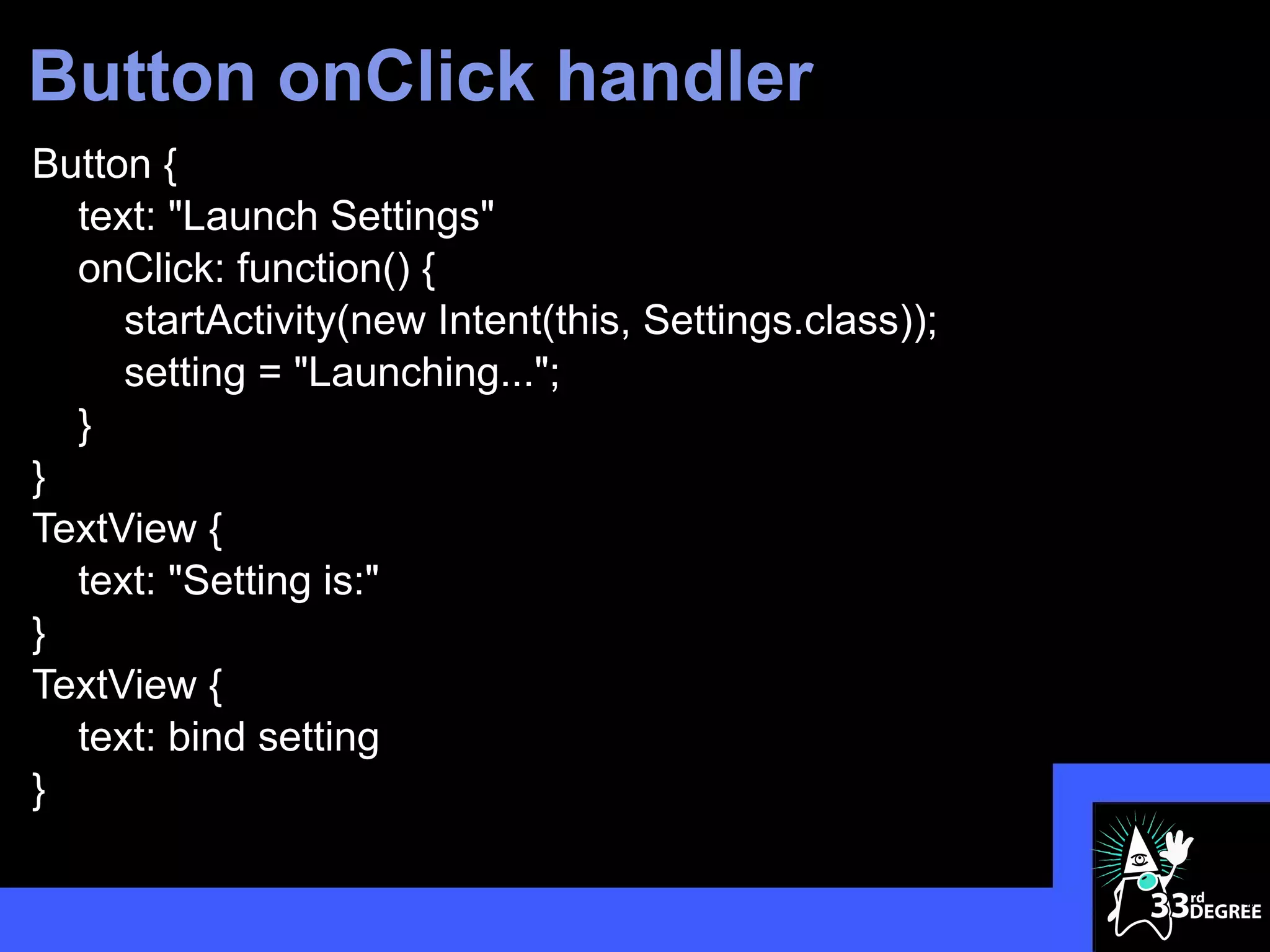
Button onClick handler
Button {
  text: "Launch Settings"
  onClick: function() {
     startActivity(new Intent(this, Settings.class));
     setting = "Launching...";
  }
}
TextView {
  text: "Setting is:"
}
TextView {
  text: bind setting
}

                                                        43
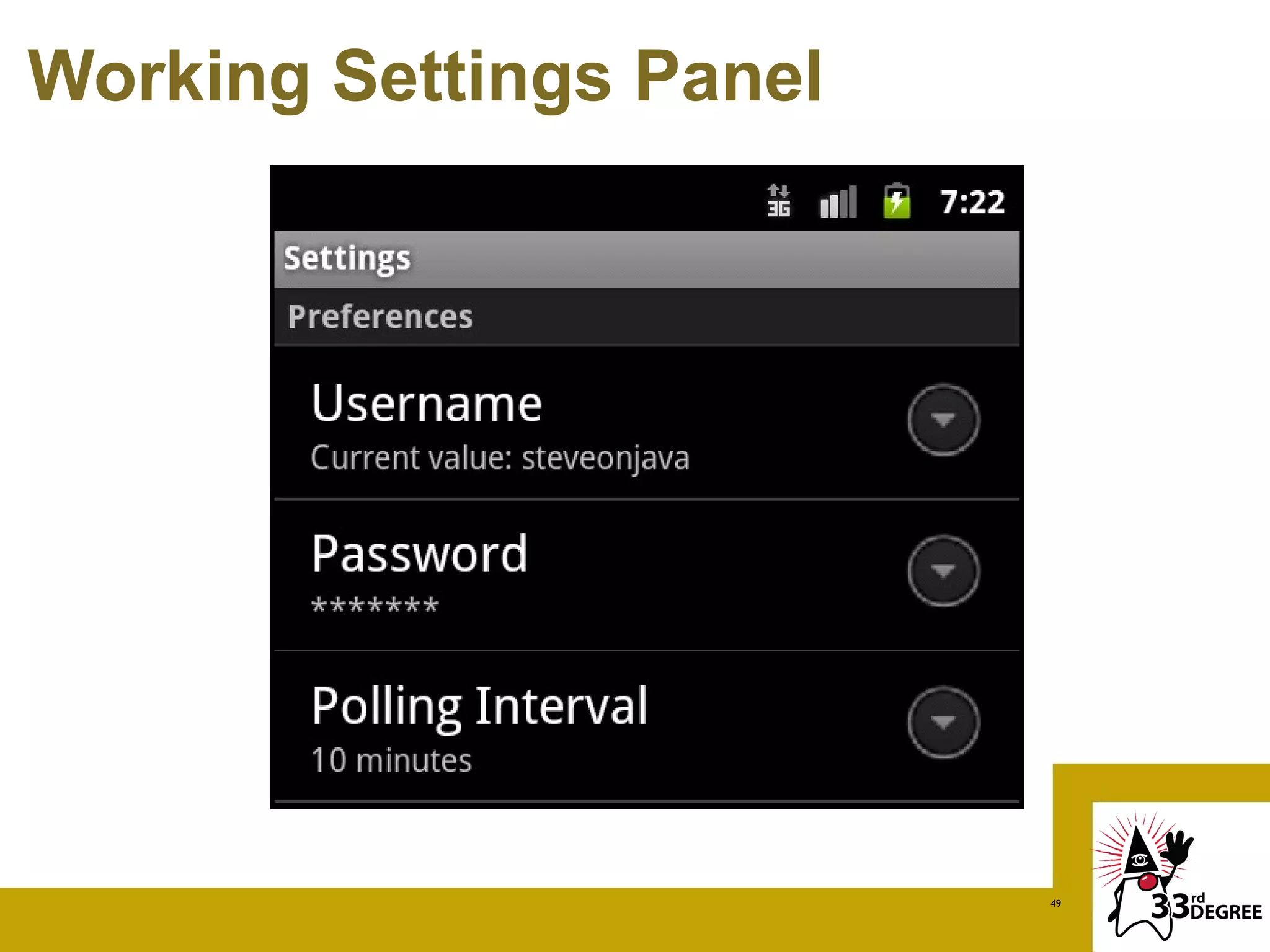
Android Settings
 Create a Settings Activity
 Populate it with the following preferences:
 - Text
 - Password
 - List
 Launch it from the Button control


                                                44
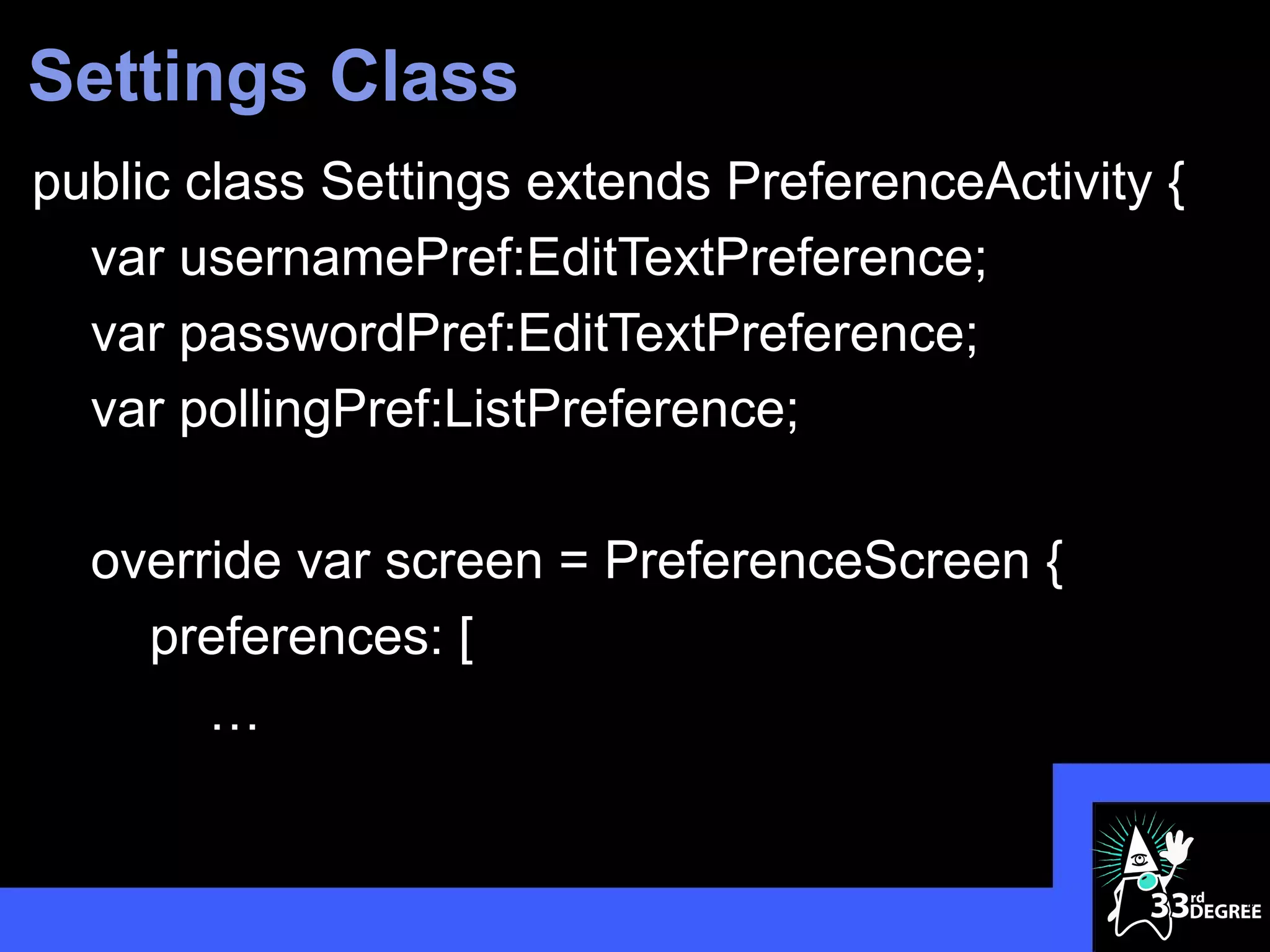
Settings Class
public class Settings extends PreferenceActivity {
  var usernamePref:EditTextPreference;
  var passwordPref:EditTextPreference;
  var pollingPref:ListPreference;

  override var screen = PreferenceScreen {
    preferences: [
       …


                                                     45
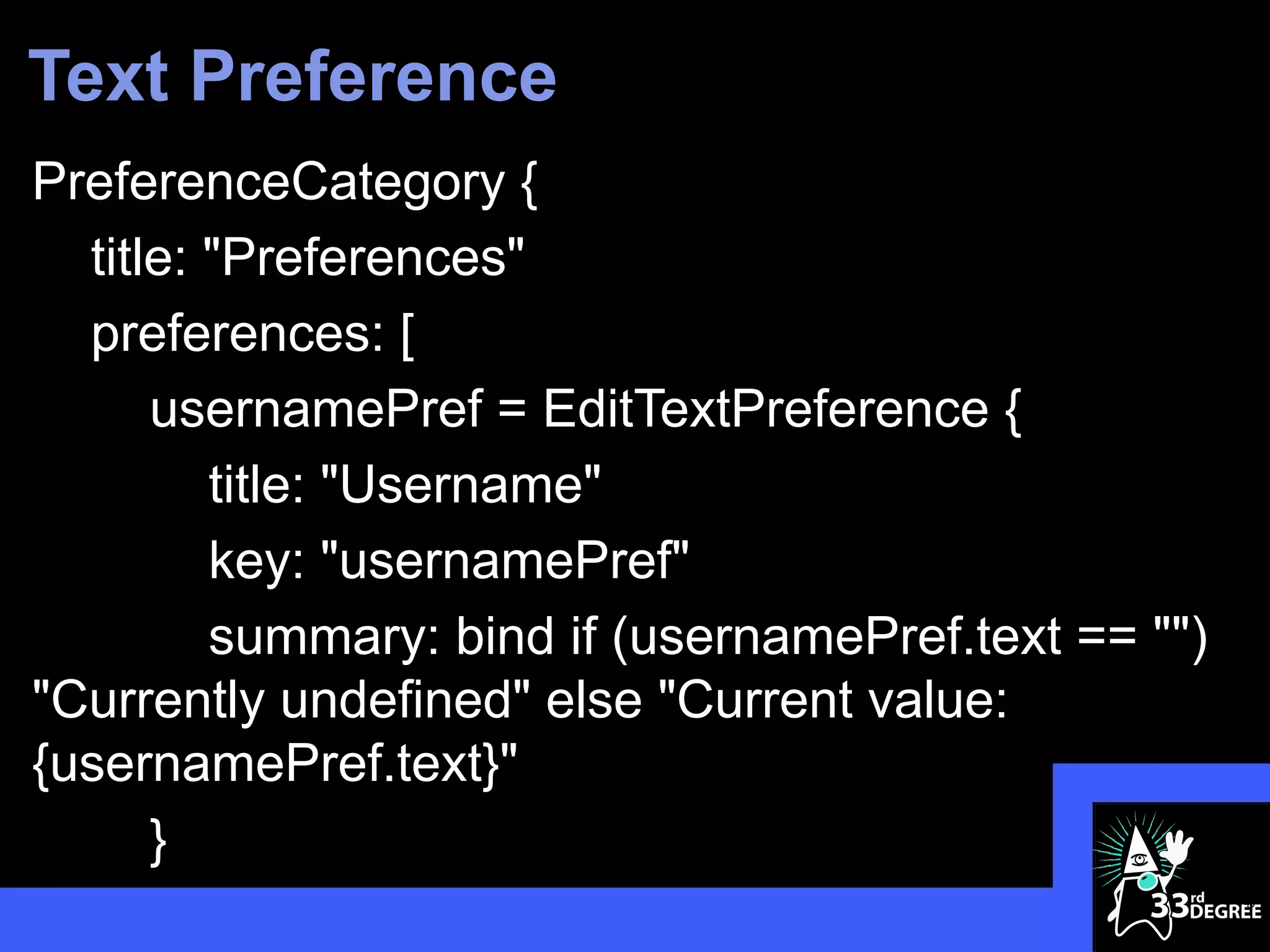
Text Preference
PreferenceCategory {
  title: "Preferences"
  preferences: [
      usernamePref = EditTextPreference {
         title: "Username"
         key: "usernamePref"
         summary: bind if (usernamePref.text == "")
"Currently undefined" else "Current value:
{usernamePref.text}"
      }
                                                      46
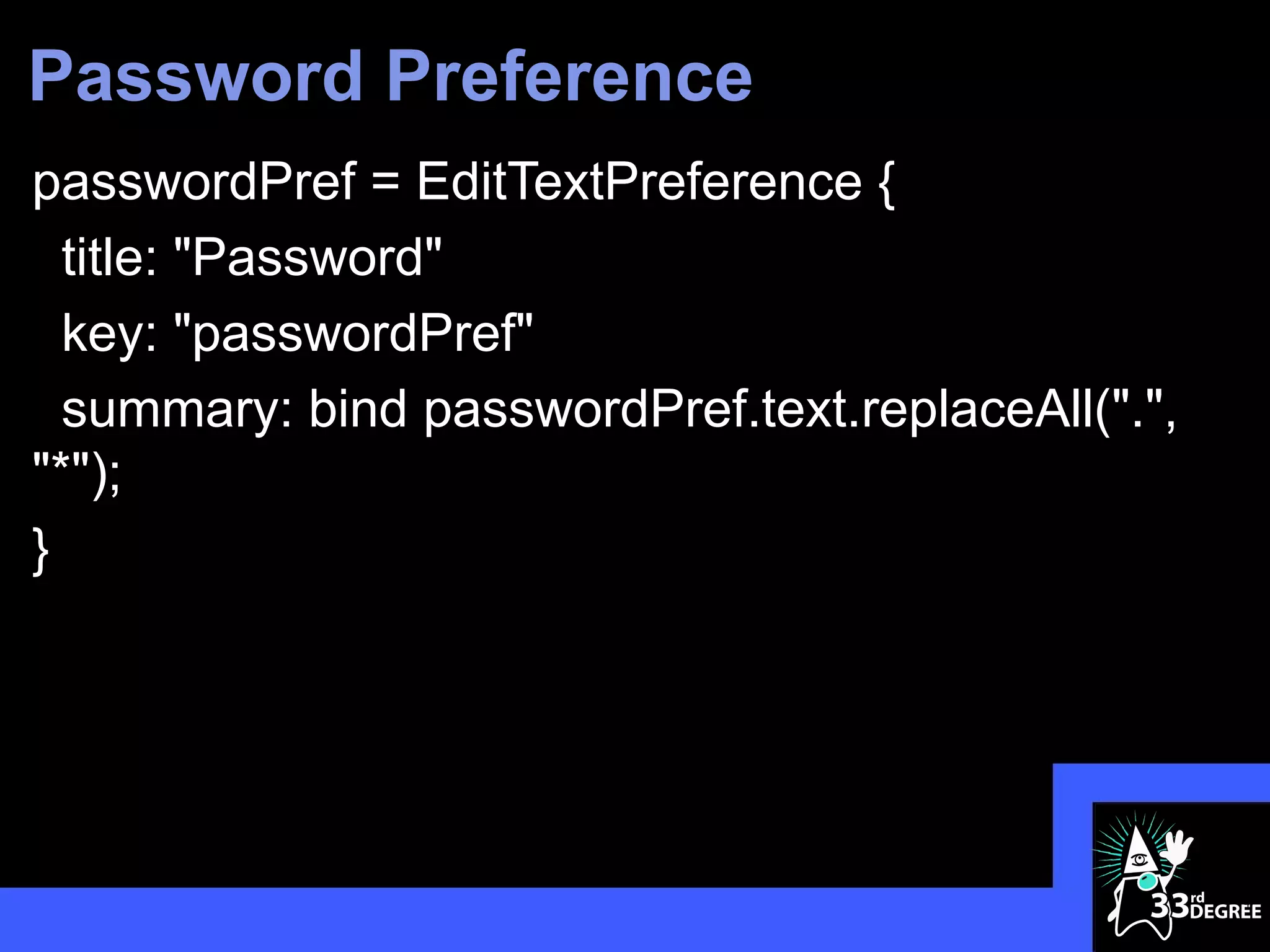
Password Preference
passwordPref = EditTextPreference {
  title: "Password"
  key: "passwordPref"
  summary: bind passwordPref.text.replaceAll(".",
"*");
}


                                                    47
List Preference
pollingPref = ListPreference {
  title: "Polling Interval"
  key: "pollingPref"
  defaultValue: "60000"
  entries: ["30 seconds", "1 minute", "5 minutes",
"10 minutes", "15 minutes", "30 minutes", "1 hour"]
  entryValues: ["30000", "60000", "300000",
"600000", "900000", "1800000", "3600000"]
  summary: bind pollingPref.entry
}

                                                      48
Working Settings Panel


                         49
Sequence Puzzlers

  What is the size of this sequence:
   [1..10 step -1]

  What does this evaluate to:
   [10..<20 step 2][k|k>17]

  What is the size of this sequence:
   sizeof [20..1 step -3]
Thank You!
Stephen Chin
http://steveonjava.com
Tweet: @steveonjava

Visage Project: http://visage-lang.org/

                                          51
Lesson 1
Visage Language
Fundamentals
                  52
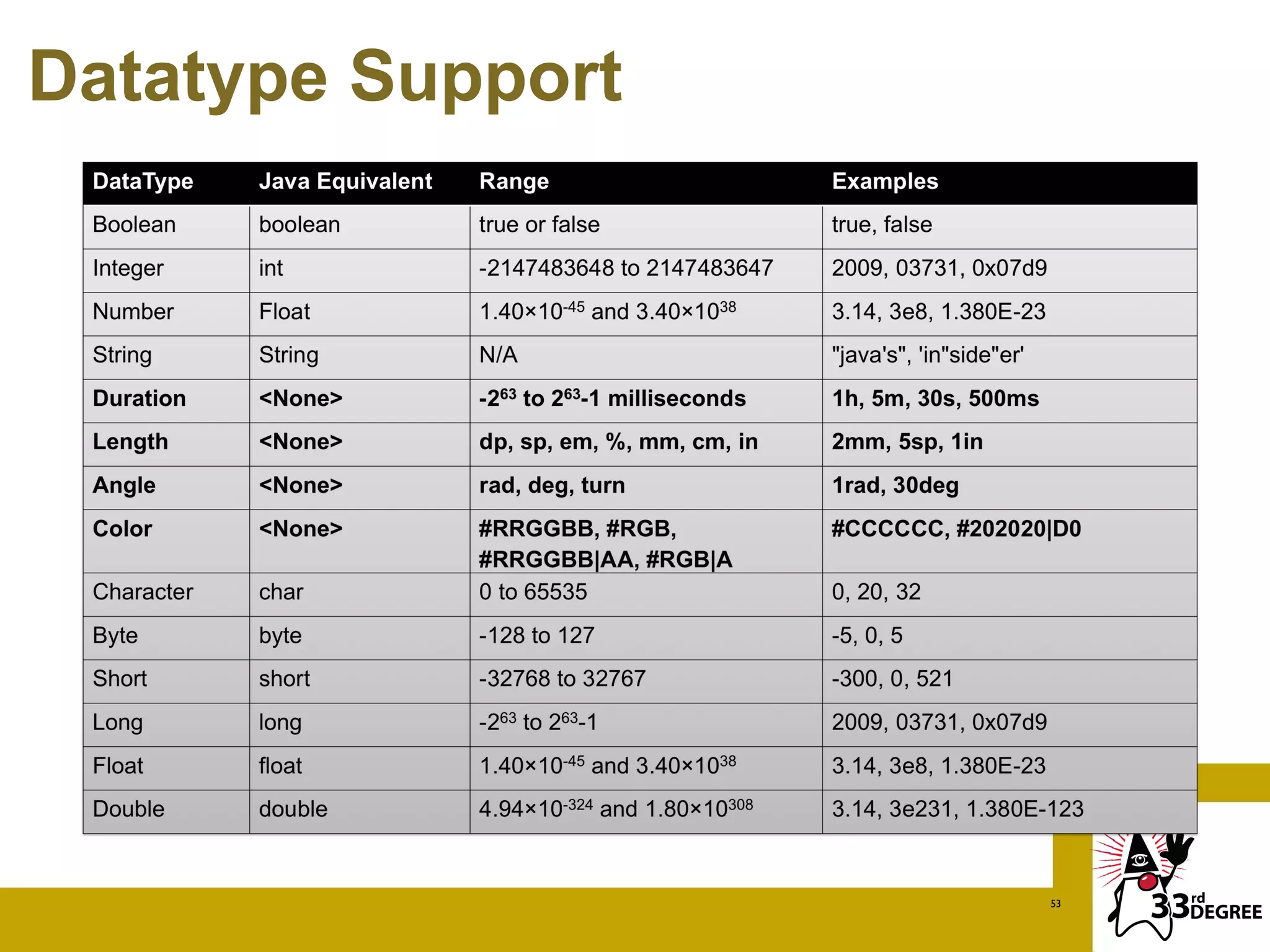
Datatype Support


                   53
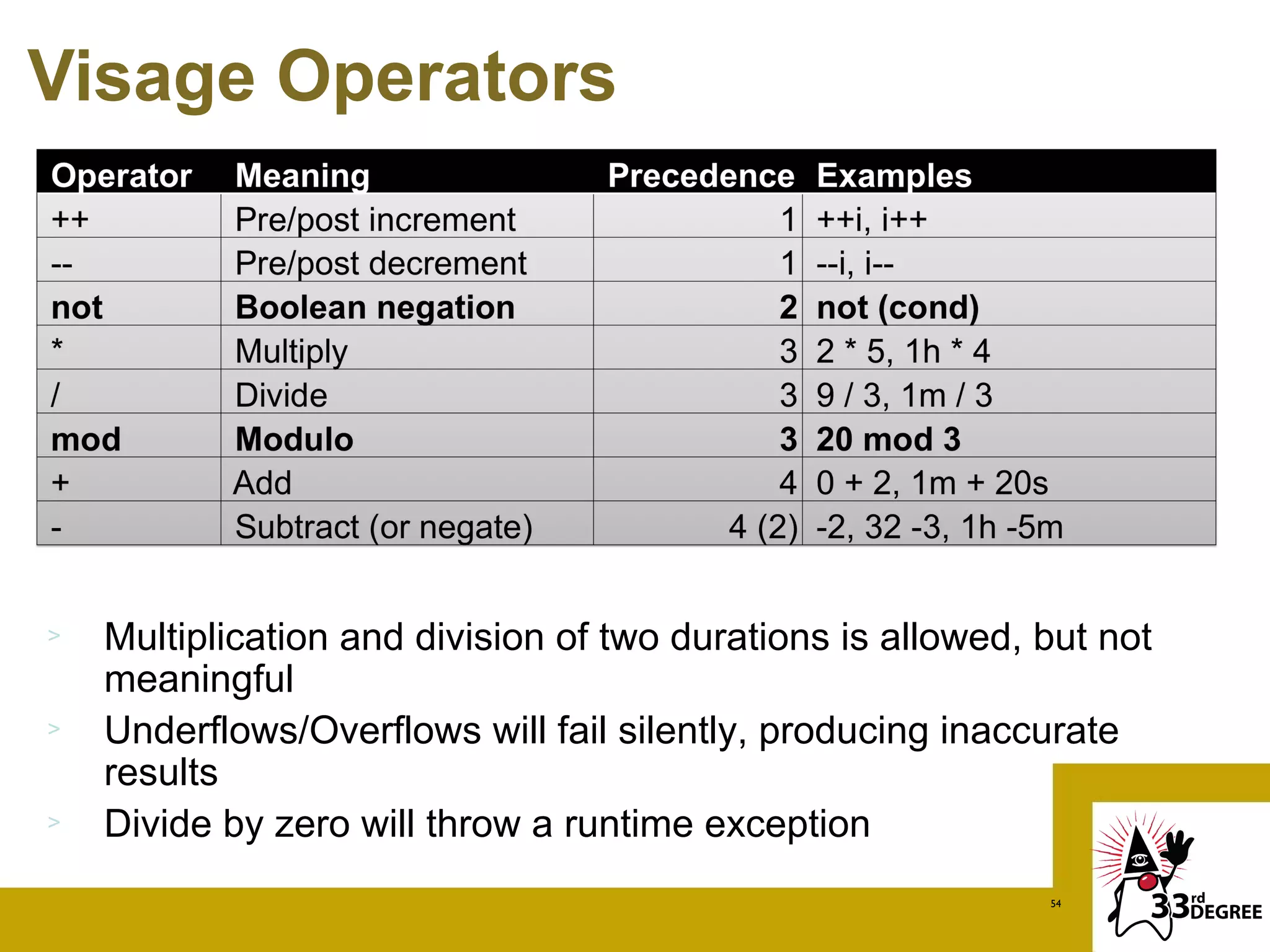
Visage Operators


>   Multiplication and division of two durations is allowed, but not
    meaningful
>   Underflows/Overflows will fail silently, producing inaccurate
    results
>   Divide by zero will throw a runtime exception
                                                             54
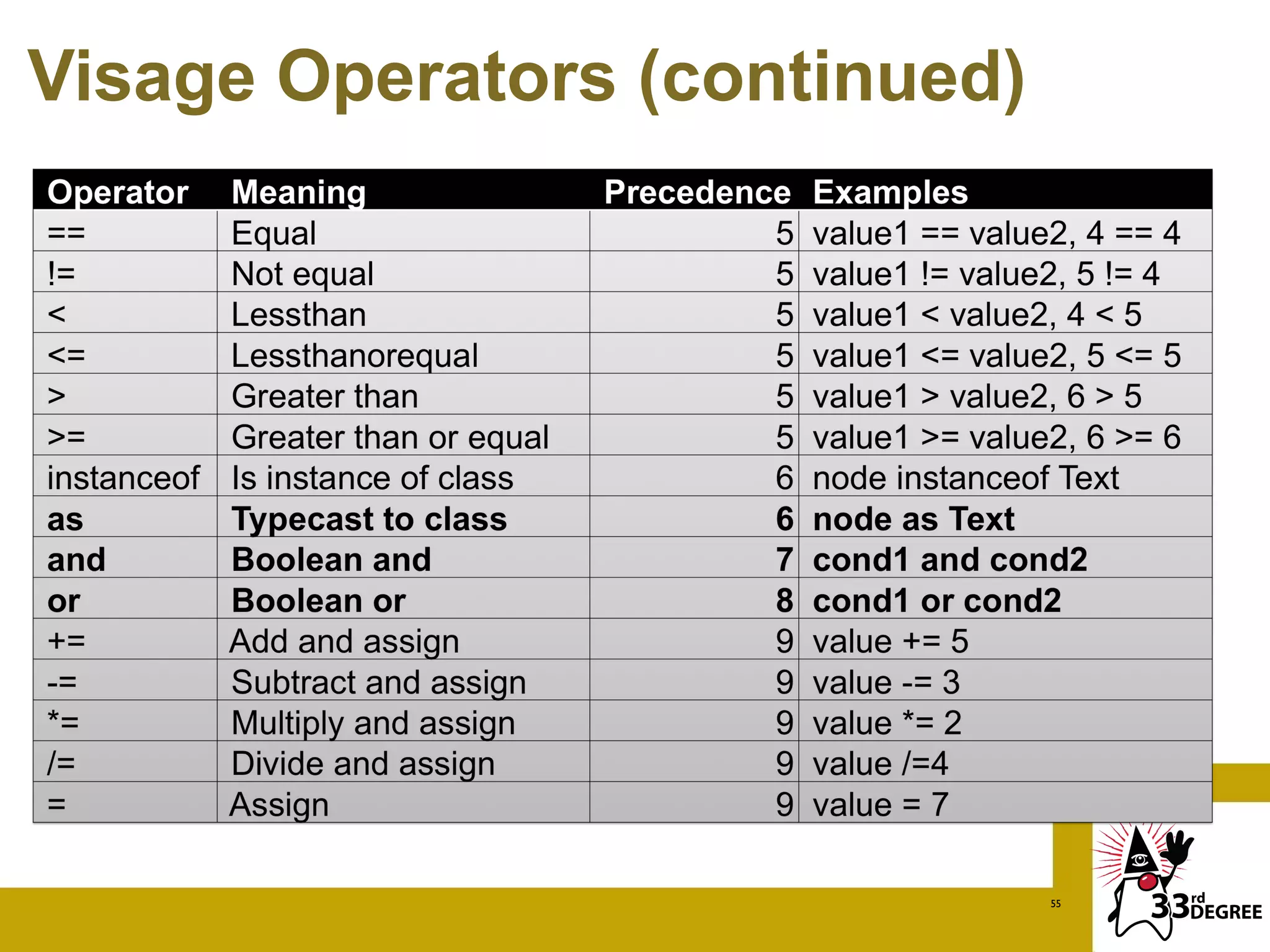
Visage Operators (continued)


                               55
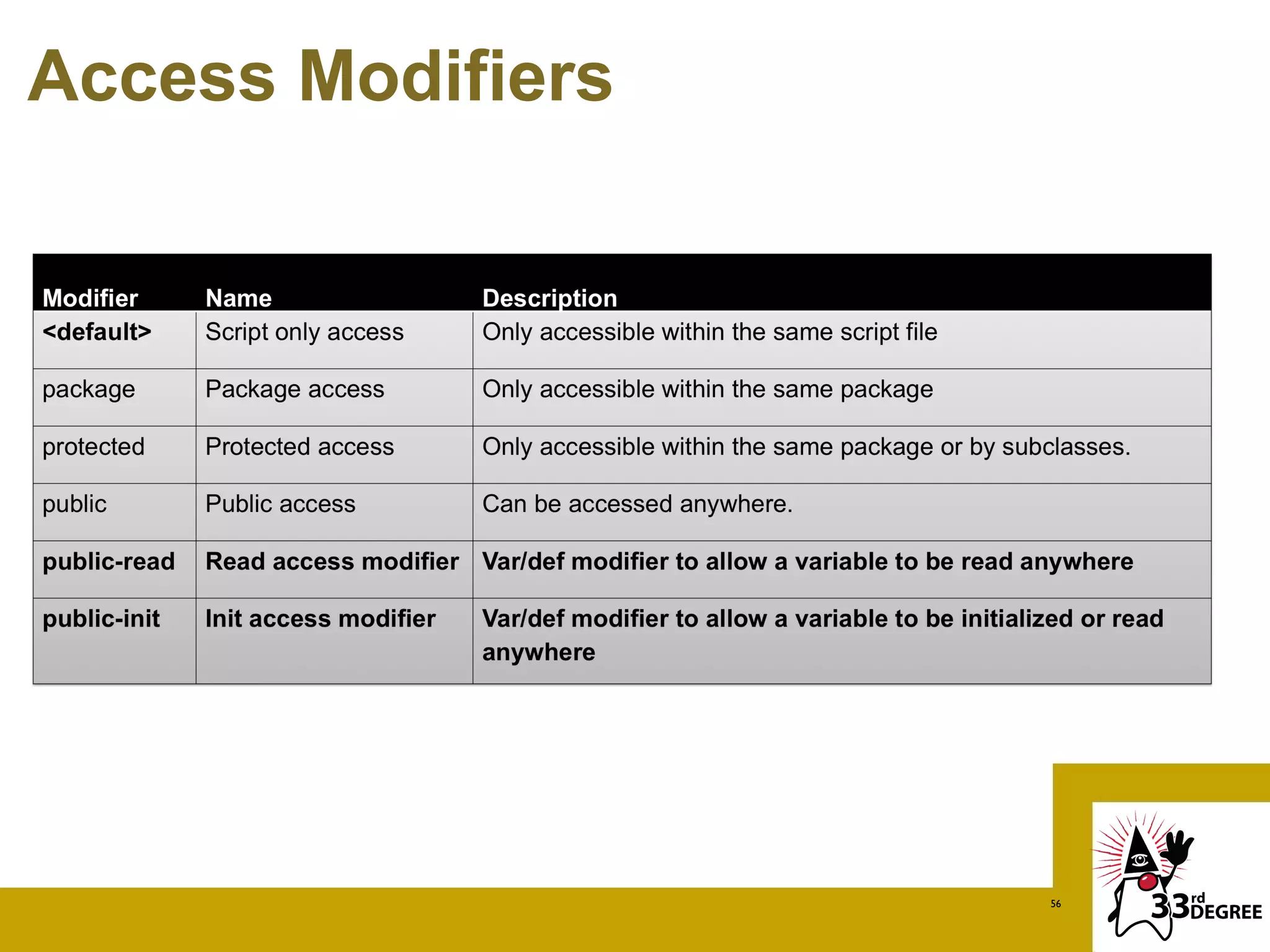
Access Modifiers


                   56
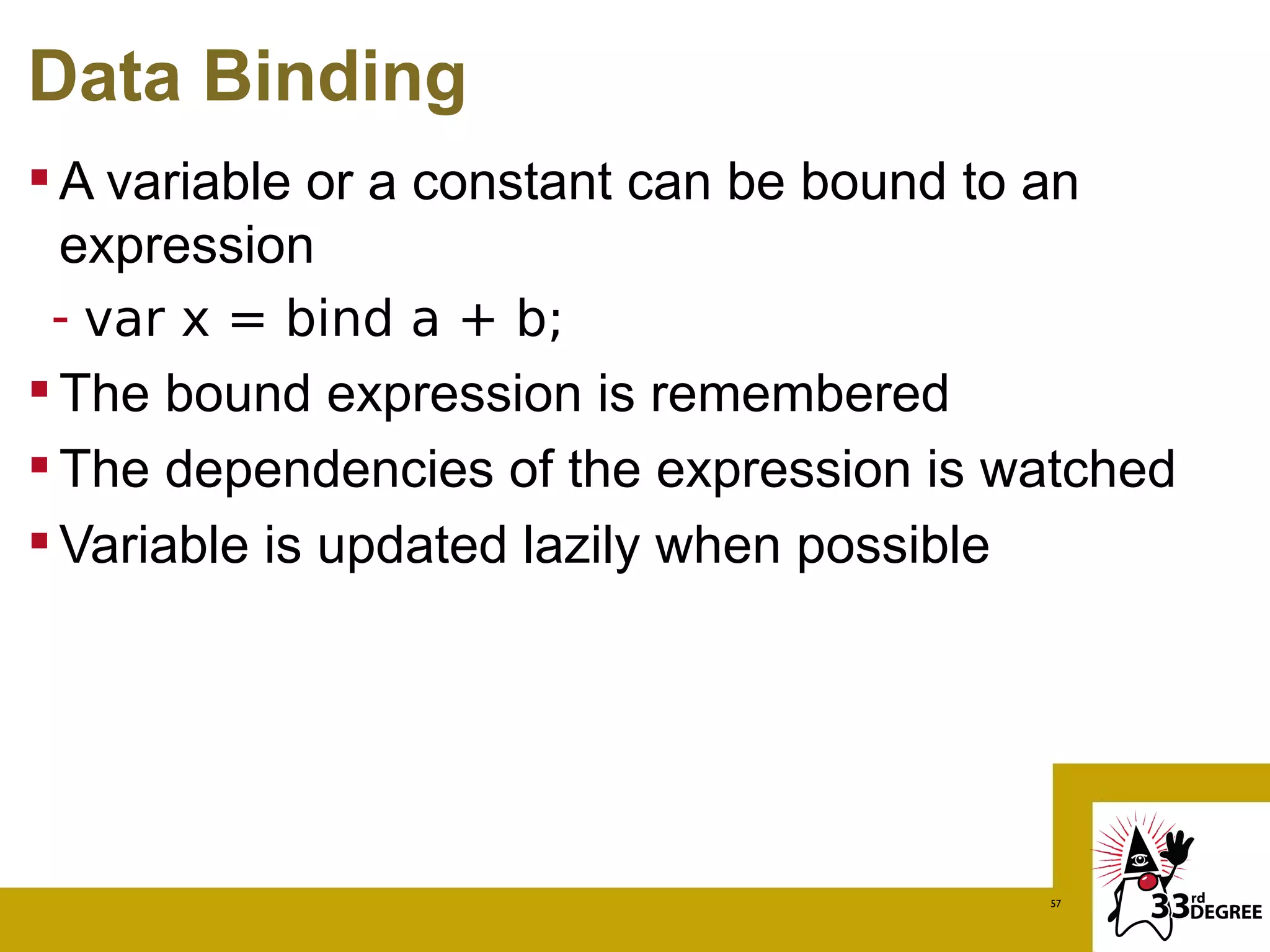
Data Binding
 A variable or a constant can be bound to an
  expression
 - var x = bind a + b;
 The bound expression is remembered
 The dependencies of the expression is watched
 Variable is updated lazily when possible


                                         57
What Bind Updates
var x = bind if(a) then b else c
 x is updated if a or b or c changes

var x = bind for (i in [a..b]) { i * i }
 Not everything is recalculated
 If a = 1 and b = 2, x is [1, 4]
 If b changes to 3, only the added element is
  calculated
                   1 4 9
                                            58
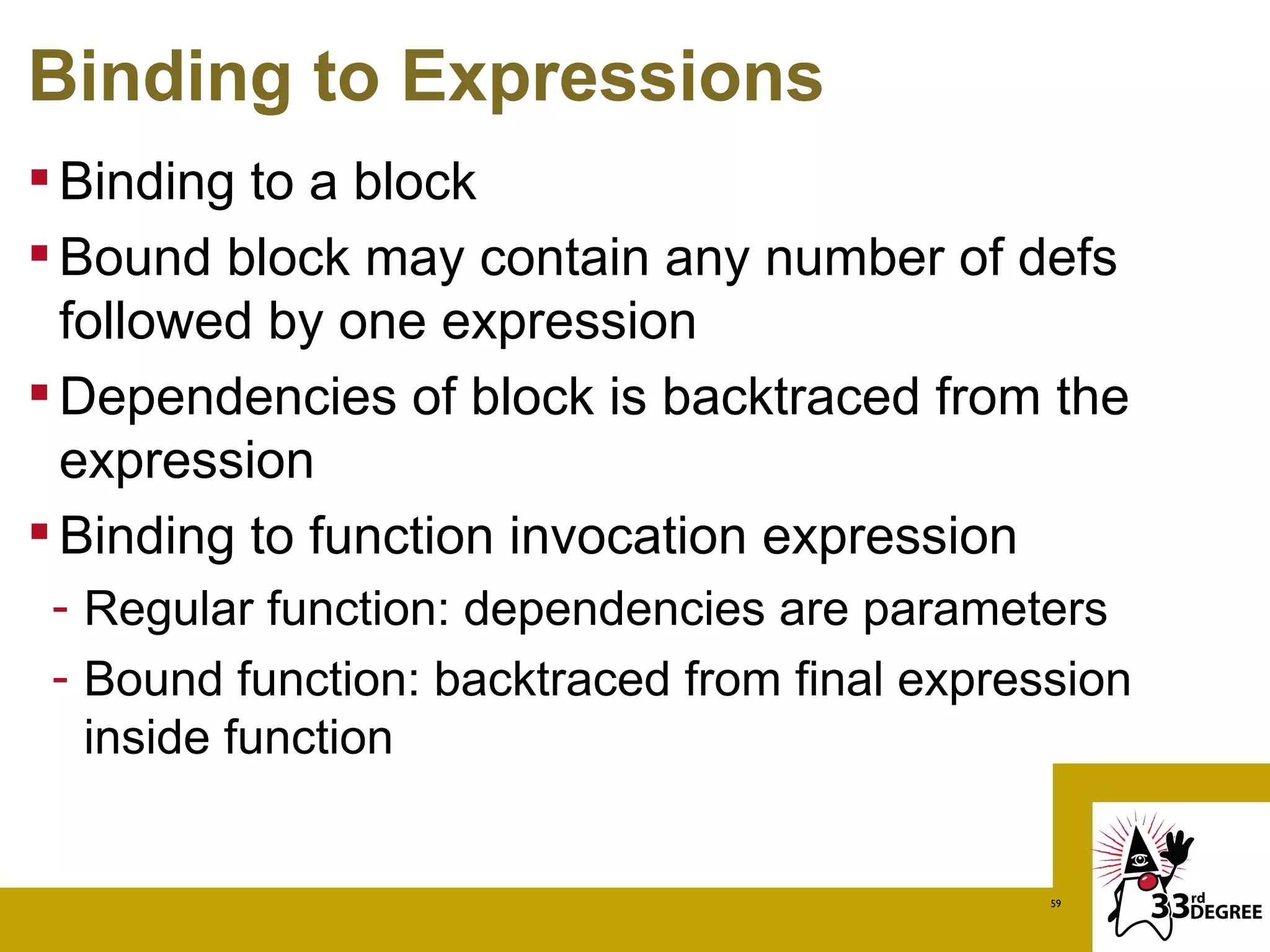
Binding to Expressions
 Binding to a block
 Bound block may contain any number of defs
  followed by one expression
 Dependencies of block is backtraced from the
  expression
 Binding to function invocation expression
 - Regular function: dependencies are parameters
 - Bound function: backtraced from final expression
   inside function


                                               59
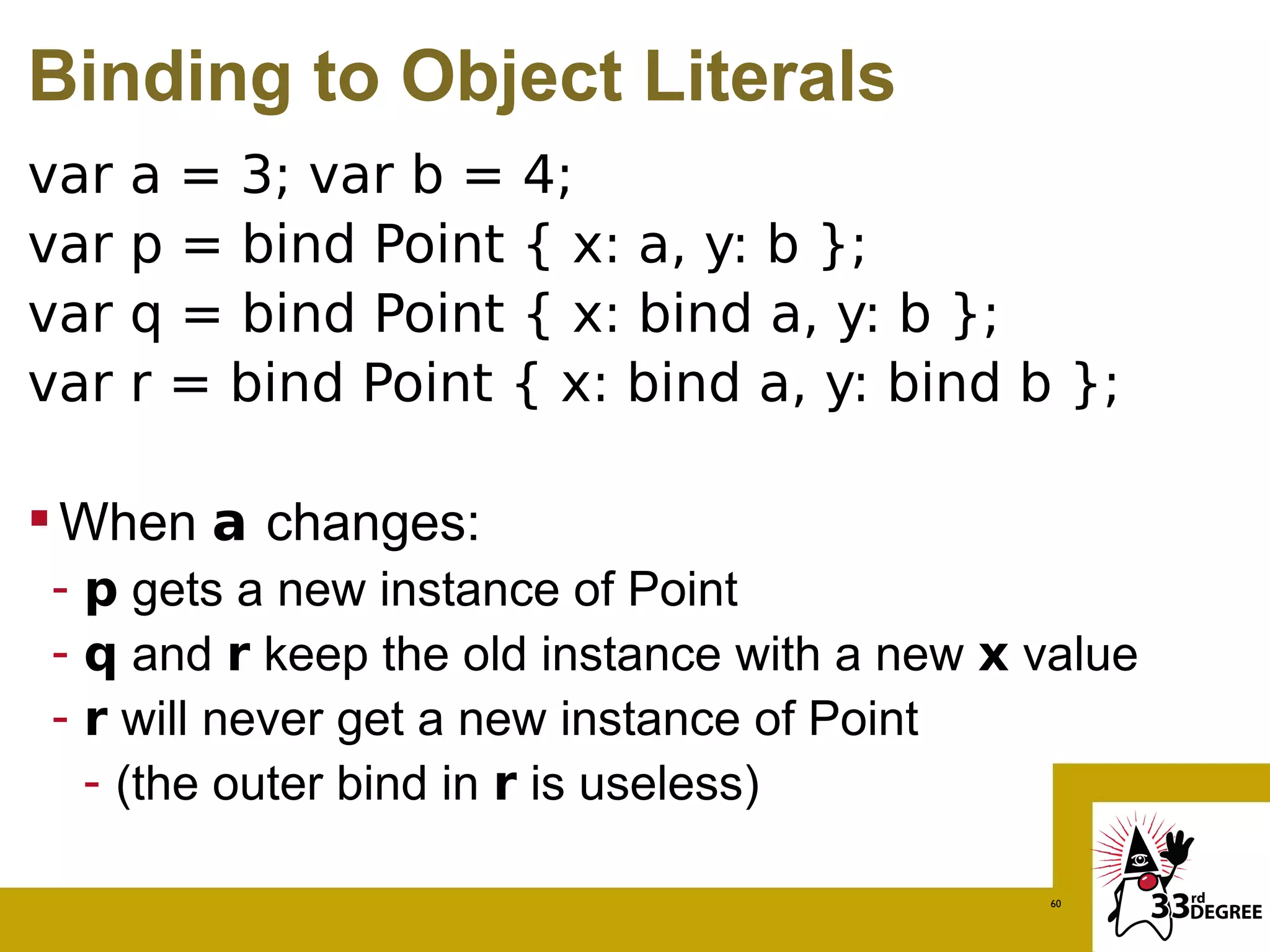
Binding to Object Literals
var   a = 3; var b = 4;
var   p = bind Point { x: a, y: b };
var   q = bind Point { x: bind a, y: b };
var   r = bind Point { x: bind a, y: bind b };

 When a changes:
- p gets a new instance of Point
- q and r keep the old instance with a new x value
- r will never get a new instance of Point
  - (the outer bind in r is useless)

                                             60
Integrating Visage and Java
 Calling Java from Visage
 - Can call Java interface or classes directly
 - Automatic conversion to and from Arrays and
   Collections
 - Can even extend Java interfaces and classes
 Calling Visage from Java
 - Easiest way is to create a Java interface that Visage
   extends
 - Can invoke Visage as a script and get results back


                                                61
Lesson 2
Advanced Javafx sequences


                        62
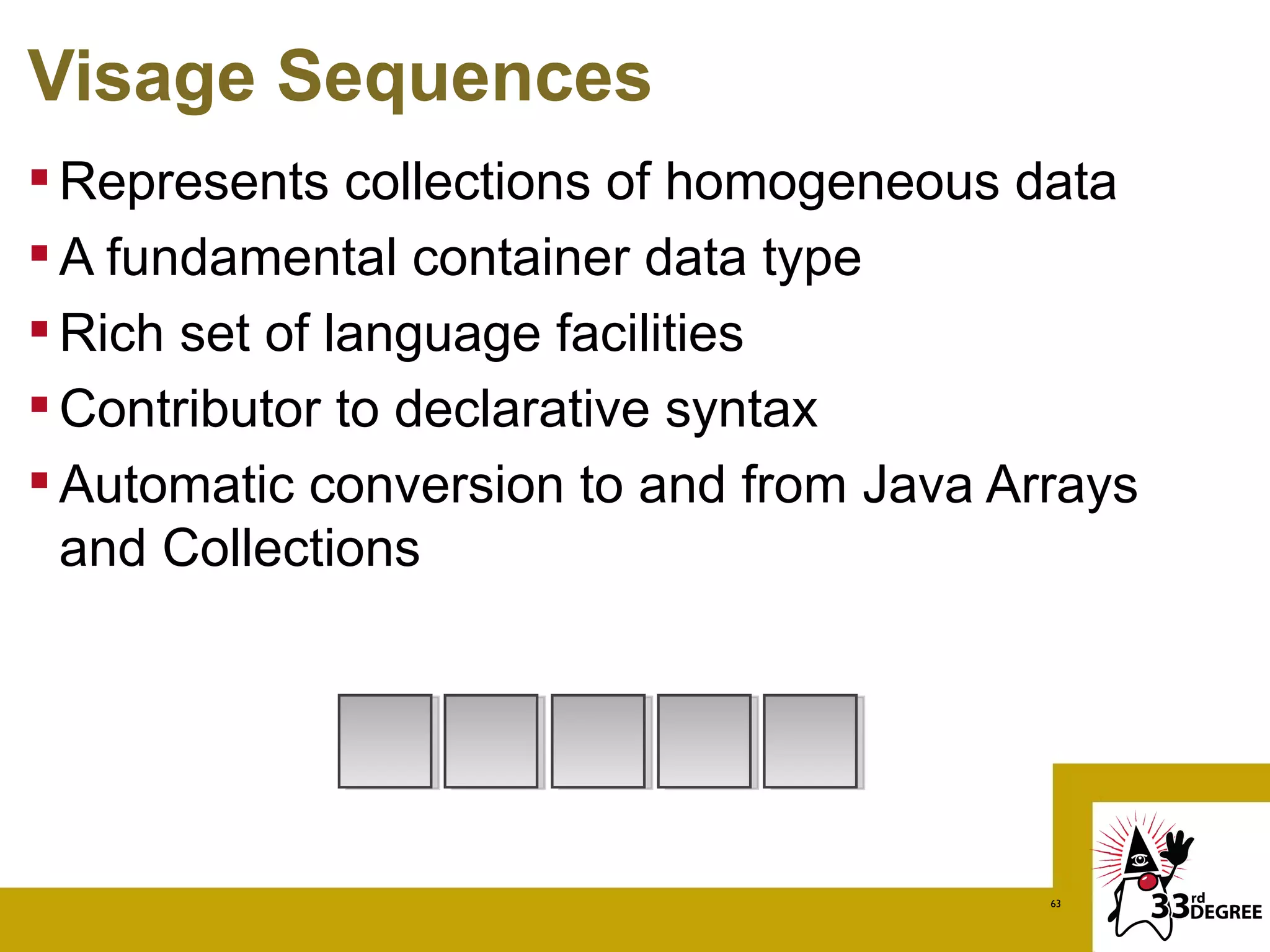
Visage Sequences
 Represents collections of homogeneous data
 A fundamental container data type
 Rich set of language facilities
 Contributor to declarative syntax
 Automatic conversion to and from Java Arrays
  and Collections


                                          63
Creating Sequences
 Explicit sequence expression
 - [1, 3, 5, 7, 9]
 Elements are separated by commas
 Comma may be omitted if element ends with
  brace


                1 3 5 7 9
                                        64
Creating Sequences
 Numeric sequence with range expressions:
 - [1..10]                1 2 3 4 5 6 7 8 9 10
 Can have a step:
 - [1..10 step 2]         1 3 5 7 9
 - [0.0..0.9 step 0.1]     0   .1   .2   .3   .4   .5   .6   .7   .8   .9

 Can be decreasing:
 - [10..1 step -3]        10 7 4 1
 Beware of step that goes opposite direction:
 - [10..1] is []
 Exclusive right end
 - [1..<5]                1 2 3 4
Getting Info from Sequences
ints = [1, 3, 5, 7, 9]

              1 3 5 7 9
              [0] [1] [2] [3] [4]
 sizeof ints is 5
 ints[0] is 1, ints[1] is 3, ..., ints[4] is 9
 ints[-1] is 0 (default value of Integer), so is
  ints[5]

 Object sequence has a default of null

                                            66
Getting Slices from Sequences
ints = [1, 3, 5, 7, 9]

               1 3 5 7 9
              [0] [1] [2] [3] [4]

 ints[0..2] is [1, 3, 5]
 ints[0..<2] is [1, 3]
 ints[2..] is [5, 7, 9]
 ints[2..<] is [5, 7]
 ints[2..0], ints[-2..-1], ints[5..6] are all []s
                                              67
Getting Subsets from Sequences
ints = [1, 3, 5, 7, 9]

               1 3 5 7 9
              [0] [1] [2] [3] [4]
 ints[k | k > 6] is:
 - [7, 9] (k > 6 is a condition)
 ints[k | indexof k < 2] is:
 - [1, 3]
 ints[k | k > 10] is:
 - []

                                    68
Inserting into Sequences
ints = [1, 3, 5, 7, 9]    1 3 5 7 9


insert 20 into ints       1 3 5 7 9 20


insert 30 before ints[2] 1 3 30 5 7 9 20

insert 40 after ints[4]   1 3 30 5 7 40 9 20


insert [50, 60] into ints 1 3 30 5 7 40 9 20 50 60
Deleting from Sequences
 ints = [1, 3, 5, 7, 9]         1 3 5 7 9
 delete 7 from ints             1 3 5 7 9
 delete ints[0]                 1 3 5 9
 delete ints[0..1]              3 5 9
 delete ints: ints becomes []   9

Cleaner APIs, Cleaner UIs with Visage (33rd Degrees)

  • 1.
    Cleaner APIs, CleanerUIs with Visage Stephen Chin Chief Agile Methodologist – GXS http://steveonjava.com/ Tweet: @steveonjava
  • 2.
    The Visage Language http://visage-lang.org/  Statically Compiled Language  Based on F3 / JavaFX Script  Planning Support for Different Platforms: - JavaFX 2.0 > "Visage is a domain - Vaadin specific language (DSL) designed for the express - A Popular Linux-based purpose of writing user Tablet OS interfaces." 2
  • 3.
    What Does VisageLook Like? Stage { var input:TextBox; title: bind input.text Scene { input = TextBox { color: #DDCC33 } } } 3
  • 4.
    What Does VisageLook Like? Stage { var input:TextBox; title: bind input.text Scene { Hierarchy Models Your User Interface input = TextBox { color: #DDCC33 } } } 4
  • 5.
    What Does VisageLook Like? Stage { var input:TextBox; title: bind input.text Scene { User Interface Updates Automatically input = TextBox { color: #DDCC33 } } } 5
  • 6.
    What Does VisageLook Like? Stage { var input:TextBox; title: bind input.text Scene { input = TextBox { Built-in Constructs for Building UIs color: #DDCC33 } } } 6
  • 7.
    What Does VisageLook Like? Stage { var input:TextBox; title: bind input.text Scene { input = TextBox { No more NPEs! color: #DDCC33 } } } 7
  • 8.
    What Does VisageLook Like? Stage { var input:TextBox; title: bind input!.text Scene { input = TextBox { Unless you add an exclamation mark! color: #DDCC33 } } } 8
  • 9.
  • 10.
    Java vs. VisageDSL var circles:Circle[]; ublic class VanishingCircles extends Application { Stage { title: "Vanishing Circles" Scene { public static void main(String[] args) { width: 800 height: 600 Application.launch(args); fill: BLACK Group { } circles = for (i in [1..50]) { def c:Circle = Circle { centerX: random() * 800 centerY: random() * 600 @Override radius: 150 fill: color(random(), random(), random(), .2) public void start(Stage primaryStage) { effect: BoxBlur { height: 10 primaryStage.setTitle("Vanishing Circles"); width: 10 iterations: 3 40 Lines Group root = new Group(); Scene scene = new Scene(root, 800, 600, Color.BLACK); } 35 Lines stroke: WHITE strokeWidth: bind if (c.hover) 5 else 0 1299 Characters 487 Characters onMouseClicked: function(e) { List<Circle> circles = new ArrayList<Circle>(); Timeline {at (3s) {c.radius => 0}}.play() } for (int i = 0; i < 50; i++) { } } final Circle circle = new Circle(150); } } circle.setCenterX(Math.random() * 800); } circle.setCenterY(Math.random() * 600); Timeline { for (circle in circles) at (40s) { circle.setFill(new Color(Math.random(), Math.random(), Math.random(), .2)); circle.centerX => random() * 800; circle.centerY => random() * 600 circle.setEffect(new BoxBlur(10, 10, 3)); } }.play() circle.addEventHandler(MouseEvent.MOUSE_CLICKED, new EventHandler<MouseEvent>() { public void handle(MouseEvent t) { KeyValue collapse = new KeyValue(circle.radiusProperty(), 0); new Timeline(new KeyFrame(Duration.seconds(3), collapse)).play(); } }); circle.setStroke(Color.WHITE); 10 circle.strokeWidthProperty().bind(Bindings.when(circle.hoverProperty())
  • 11.
    How about JavaFXon… Visage Stage { title: "Vanishing Circles" scene: Scene { width: 800 height: 600 fill: BLACK content: Group { circles = for (i in [1..50]) { Circle { centerX: random() * 800 centerY: random() * 600 } } } } } 11
  • 12.
    How about JavaFXon… Visage Stage { title: "Vanishing Circles" scene: Scene { width: 800 height: 600 fill: BLACK content: Group { circles = for (i in [1..50]) { Circle { centerX: random() * 800 centerY: random() * 600 } } } } } 12
  • 13.
    How about JavaFXon… Visage Stage { title: "Vanishing Circles" Scene { width: 800 height: 600 fill: BLACK Group { circles = for (i in [1..50]) { Circle { centerX: random() * 800 centerY: random() * 600 } } } } } 13
  • 14.
  • 15.
    Visage is JavaFXScript++  Default Parameters  New Literal Syntax For: - Angles – 35deg, 4rad, 1turn - Colors – #DDCCBB, #AA33AA|CC - Lengths – 5px, 2pt, 3in, 4sp  Null-check Dereference - var width = rect.!width  Built-in Bindable Maps (coming soon!) - var fruitMap = ["red" : apple, "yellow" : banana] - var fruit = bind fruitMap["red"] 15
  • 16.
    And Made forJavaFX 2.0…  Enhanced Binding - Retains lazy evaluation properties with additional expressive power  Integrated Collections - Sequences and Maps automatically convert between JavaFX Observable Lists/Maps  Built-in Animation Syntax - Ties into JavaFX animation subsystem - Provides consistent, clean APIs 16
  • 18.
    Why Vaadin  RichSet of UI Controls  Java->Javascript Compiler - Write Custom UI Components in Visage Vaadin Brings Visage to the Web!
  • 19.
    Java Vaadin Application publicclass SimpleApplication extends Application { @Override public void init() { Window mainWindow = new Window("Simple Application"); Label label = new Label("Hello 33rd Degrees!"); mainWindow.addComponent(label); setMainWindow(mainWindow); } } 19
  • 20.
    Visage Vaadin Application(unoptimized) public class VisagevaadinApplication extends Application { override function init() { def mainWindow = new Window("Unoptimized Visage Vaadin Application"); def label = new Label("Hello Visage User"); mainWindow.addComponent(label); setMainWindow(mainWindow); } } 20
  • 21.
    Visage Vaadin Application(optimized!) public class VisagevaadinApplication2 extends Application { override var window = Window { caption: "Optimized Visage Vaadin Application" Label { content: "Hello Expert Visage Coder" } } } 21
  • 22.
  • 23.
    A Popular Linux-basedTablet OS With VISAGE
  • 24.
    Visage on Android Visage Runs as a Native App on Android  Full Access to all the Android APIs  Declarative Layer on Top of Android APIs 24
  • 25.
  • 26.
    Android A XML Code <?xml version="1.0" encoding="utf-8"?> <LinearLayout xmlns:android="http://schemas.android.com/ apk/res/android" android:orientation="vertical" android:layout_width="fill_parent" android:layout_height="fill_parent" > <TextView android:layout_width="fill_parent" android:layout_height="wrap_content" android:text="Hello World, HelloVisage" /> </LinearLayout> 26
  • 27.
    Plus P some more Java… public class HelloVisage extends Activity { /** Called when the activity is first created. */ @Override public void onCreate(Bundle savedIS) { super.onCreate(savedIS); setContentView(R.layout.main); } } 27
  • 28.
  • 29.
    Converted XML Code(simplified) public class HelloVisage extends Activity { @Override public void onCreate(Bundle savedIS) { super.onCreate(savedIS); Context context = getApplicationContext(); LinearLayout layout = new LinearLayout(context); layout.setOrientation(LinearLayout.VERTICAL); TextView text = new TextView(context); text.setText("Hello World, Java Only"); layout.addView(text); setContentView(layout); } } 29
  • 30.
  • 31.
    Straight JavaFX Conversion... publicclass HelloVisage extends Activity { override function onCreate(savedInstanceState:Bundle) { super.onCreate(savedInstanceState); def context = getApplicationContext(); def layout = new LinearLayout(context); layout.setOrientation(LinearLayout.VERTICAL); def text = new TextView(context); text.setText("Hello World, Long Visage"); layout.addView(text); setContentView(layout); } } 31
  • 32.
    Straight JavaFX Conversion... publicclass HelloVisage extends Activity { override function onCreate(savedInstanceState:Bundle) { super.onCreate(savedInstanceState); def context = getApplicationContext(); Override is a built-in def layout = new LinearLayout(context); keyword layout.setOrientation(LinearLayout.VERTICAL); def text = new TextView(context); text.setText("Hello World, Long Visage"); layout.addView(text); setContentView(layout); } } 32
  • 33.
    Straight JavaFX Conversion... publicclass HelloVisage extends Activity { override function onCreate(savedInstanceState:Bundle) { super.onCreate(savedInstanceState); def context = getApplicationContext(); Functions begin with the def layout = new LinearLayout(context); keyword "function" layout.setOrientation(LinearLayout.VERTICAL); def text = new TextView(context); text.setText("Hello World, Long Visage"); layout.addView(text); setContentView(layout); } } 33
  • 34.
    Straight JavaFX Conversion... publicclass HelloVisage extends Activity { override function onCreate(savedInstanceState:Bundle) { super.onCreate(savedInstanceState); def context = getApplicationContext(); def layout = new LinearLayout(context); after variable Type layout.setOrientation(LinearLayout.VERTICAL); colon) (separated by def text = new TextView(context); text.setText("Hello World, Long Visage"); layout.addView(text); setContentView(layout); } } 34
  • 35.
    Straight JavaFX Conversion... publicclass HelloVisage extends Activity { override function onCreate(savedInstanceState:Bundle) { super.onCreate(savedInstanceState); def context = getApplicationContext(); def layout = new LinearLayout(context); layout.setOrientation(LinearLayout.VERTICAL); def text = new TextView(context); text.setText("Hello World, Long Visage"); layout.addView(text); Variables declarations setContentView(layout); start with "def" or "var" } } 35
  • 36.
    Android JavaFX Code publicclass HelloVisage extends Activity { override var view = LinearLayout { orientation: Orientation.VERTICAL view: TextView { text: "Hello World, Beautified Visage" } } } 36
  • 37.
    Working Hello VisageApplication 37
  • 38.
  • 39.
    Android Controls  Createa Text Field  Create an Edit Box  Wire them up using Binding 39
  • 40.
    Bound Controls (1) overridevar view = LinearLayout { orientation: Orientation.VERTICAL var secret:String; view: [ EditText { hint: "Super Secret Text" password: true text: bind secret with inverse 40
  • 41.
    Bound Controls (2) } TextView { text: "Is Revealed!!!" } TextView { text: bind secret } ] } 41
  • 42.
    Button Handler  Createa Button Control  Add an onClick handler  Make something happen (maybe a bind) 42
  • 43.
    Button onClick handler Button{ text: "Launch Settings" onClick: function() { startActivity(new Intent(this, Settings.class)); setting = "Launching..."; } } TextView { text: "Setting is:" } TextView { text: bind setting } 43
  • 44.
    Android Settings  Createa Settings Activity  Populate it with the following preferences: - Text - Password - List  Launch it from the Button control 44
  • 45.
    Settings Class public classSettings extends PreferenceActivity { var usernamePref:EditTextPreference; var passwordPref:EditTextPreference; var pollingPref:ListPreference; override var screen = PreferenceScreen { preferences: [ … 45
  • 46.
    Text Preference PreferenceCategory { title: "Preferences" preferences: [ usernamePref = EditTextPreference { title: "Username" key: "usernamePref" summary: bind if (usernamePref.text == "") "Currently undefined" else "Current value: {usernamePref.text}" } 46
  • 47.
    Password Preference passwordPref =EditTextPreference { title: "Password" key: "passwordPref" summary: bind passwordPref.text.replaceAll(".", "*"); } 47
  • 48.
    List Preference pollingPref =ListPreference { title: "Polling Interval" key: "pollingPref" defaultValue: "60000" entries: ["30 seconds", "1 minute", "5 minutes", "10 minutes", "15 minutes", "30 minutes", "1 hour"] entryValues: ["30000", "60000", "300000", "600000", "900000", "1800000", "3600000"] summary: bind pollingPref.entry } 48
  • 49.
  • 50.
    Sequence Puzzlers What is the size of this sequence:  [1..10 step -1] What does this evaluate to:  [10..<20 step 2][k|k>17] What is the size of this sequence:  sizeof [20..1 step -3]
  • 51.
    Thank You! Stephen Chin http://steveonjava.com Tweet:@steveonjava Visage Project: http://visage-lang.org/ 51
  • 52.
  • 53.
  • 54.
    Visage Operators > Multiplication and division of two durations is allowed, but not meaningful > Underflows/Overflows will fail silently, producing inaccurate results > Divide by zero will throw a runtime exception 54
  • 55.
  • 56.
  • 57.
    Data Binding  Avariable or a constant can be bound to an expression - var x = bind a + b;  The bound expression is remembered  The dependencies of the expression is watched  Variable is updated lazily when possible 57
  • 58.
    What Bind Updates varx = bind if(a) then b else c  x is updated if a or b or c changes var x = bind for (i in [a..b]) { i * i }  Not everything is recalculated  If a = 1 and b = 2, x is [1, 4]  If b changes to 3, only the added element is calculated 1 4 9 58
  • 59.
    Binding to Expressions Binding to a block  Bound block may contain any number of defs followed by one expression  Dependencies of block is backtraced from the expression  Binding to function invocation expression - Regular function: dependencies are parameters - Bound function: backtraced from final expression inside function 59
  • 60.
    Binding to ObjectLiterals var a = 3; var b = 4; var p = bind Point { x: a, y: b }; var q = bind Point { x: bind a, y: b }; var r = bind Point { x: bind a, y: bind b };  When a changes: - p gets a new instance of Point - q and r keep the old instance with a new x value - r will never get a new instance of Point - (the outer bind in r is useless) 60
  • 61.
    Integrating Visage andJava  Calling Java from Visage - Can call Java interface or classes directly - Automatic conversion to and from Arrays and Collections - Can even extend Java interfaces and classes  Calling Visage from Java - Easiest way is to create a Java interface that Visage extends - Can invoke Visage as a script and get results back 61
  • 62.
  • 63.
    Visage Sequences  Representscollections of homogeneous data  A fundamental container data type  Rich set of language facilities  Contributor to declarative syntax  Automatic conversion to and from Java Arrays and Collections 63
  • 64.
    Creating Sequences  Explicitsequence expression - [1, 3, 5, 7, 9]  Elements are separated by commas  Comma may be omitted if element ends with brace 1 3 5 7 9 64
  • 65.
    Creating Sequences  Numericsequence with range expressions: - [1..10] 1 2 3 4 5 6 7 8 9 10  Can have a step: - [1..10 step 2] 1 3 5 7 9 - [0.0..0.9 step 0.1] 0 .1 .2 .3 .4 .5 .6 .7 .8 .9  Can be decreasing: - [10..1 step -3] 10 7 4 1  Beware of step that goes opposite direction: - [10..1] is []  Exclusive right end - [1..<5] 1 2 3 4
  • 66.
    Getting Info fromSequences ints = [1, 3, 5, 7, 9] 1 3 5 7 9 [0] [1] [2] [3] [4]  sizeof ints is 5  ints[0] is 1, ints[1] is 3, ..., ints[4] is 9  ints[-1] is 0 (default value of Integer), so is ints[5]  Object sequence has a default of null 66
  • 67.
    Getting Slices fromSequences ints = [1, 3, 5, 7, 9] 1 3 5 7 9 [0] [1] [2] [3] [4]  ints[0..2] is [1, 3, 5]  ints[0..<2] is [1, 3]  ints[2..] is [5, 7, 9]  ints[2..<] is [5, 7]  ints[2..0], ints[-2..-1], ints[5..6] are all []s 67
  • 68.
    Getting Subsets fromSequences ints = [1, 3, 5, 7, 9] 1 3 5 7 9 [0] [1] [2] [3] [4]  ints[k | k > 6] is: - [7, 9] (k > 6 is a condition)  ints[k | indexof k < 2] is: - [1, 3]  ints[k | k > 10] is: - [] 68
  • 69.
    Inserting into Sequences ints= [1, 3, 5, 7, 9] 1 3 5 7 9 insert 20 into ints 1 3 5 7 9 20 insert 30 before ints[2] 1 3 30 5 7 9 20 insert 40 after ints[4] 1 3 30 5 7 40 9 20 insert [50, 60] into ints 1 3 30 5 7 40 9 20 50 60
  • 70.
    Deleting from Sequences ints = [1, 3, 5, 7, 9] 1 3 5 7 9  delete 7 from ints 1 3 5 7 9  delete ints[0] 1 3 5 9  delete ints[0..1] 3 5 9  delete ints: ints becomes [] 9

Editor's Notes