Download to read offline
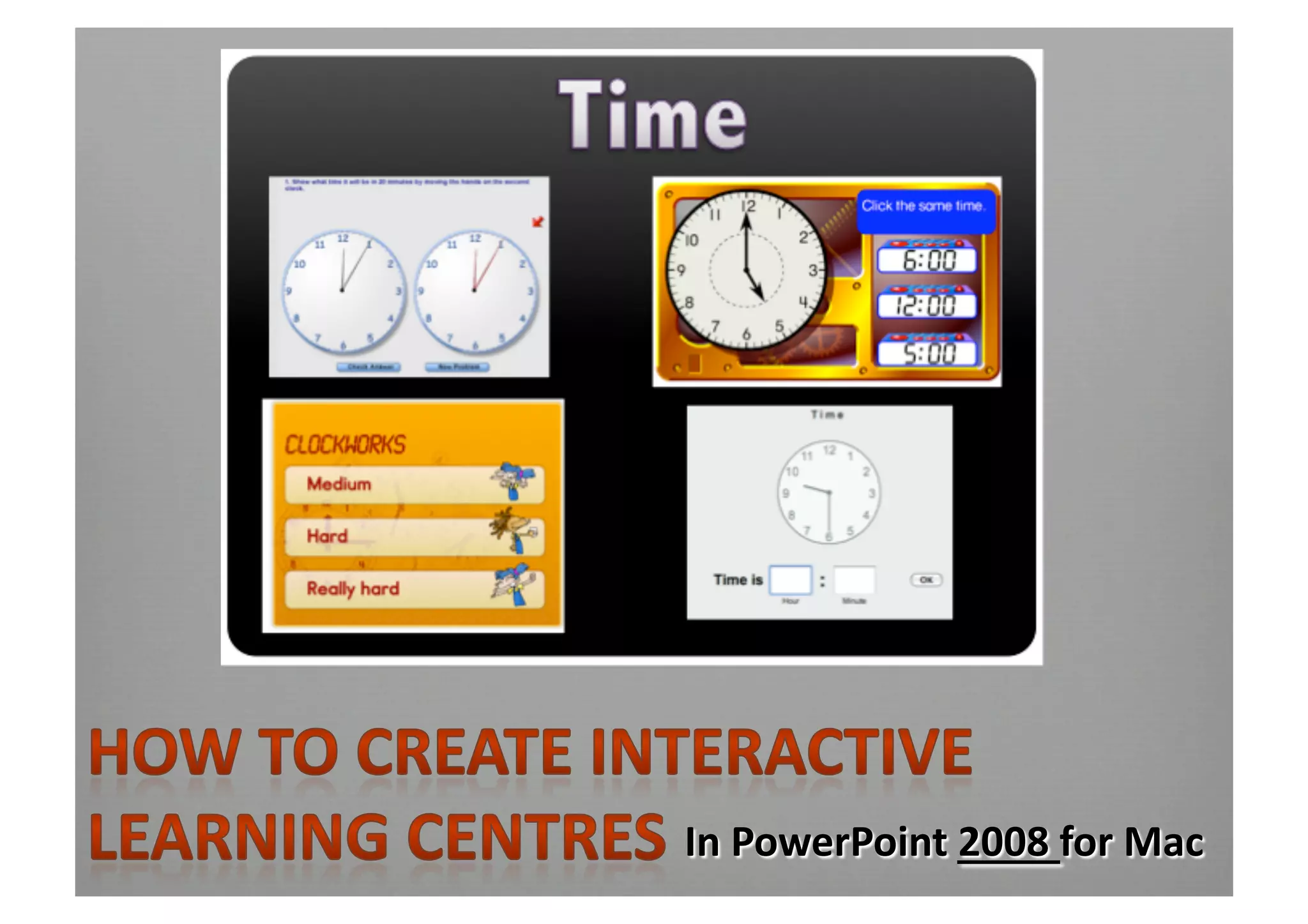
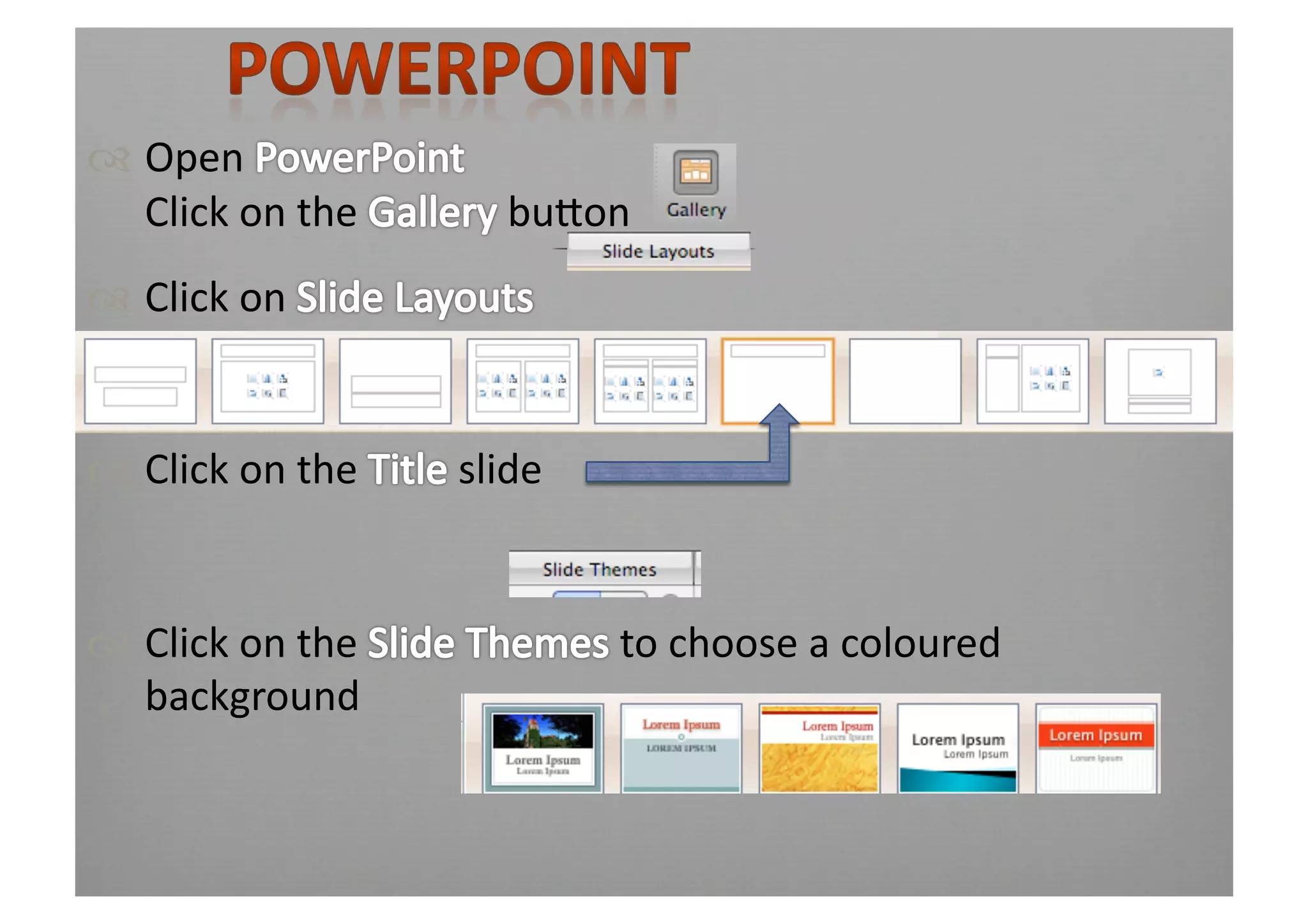
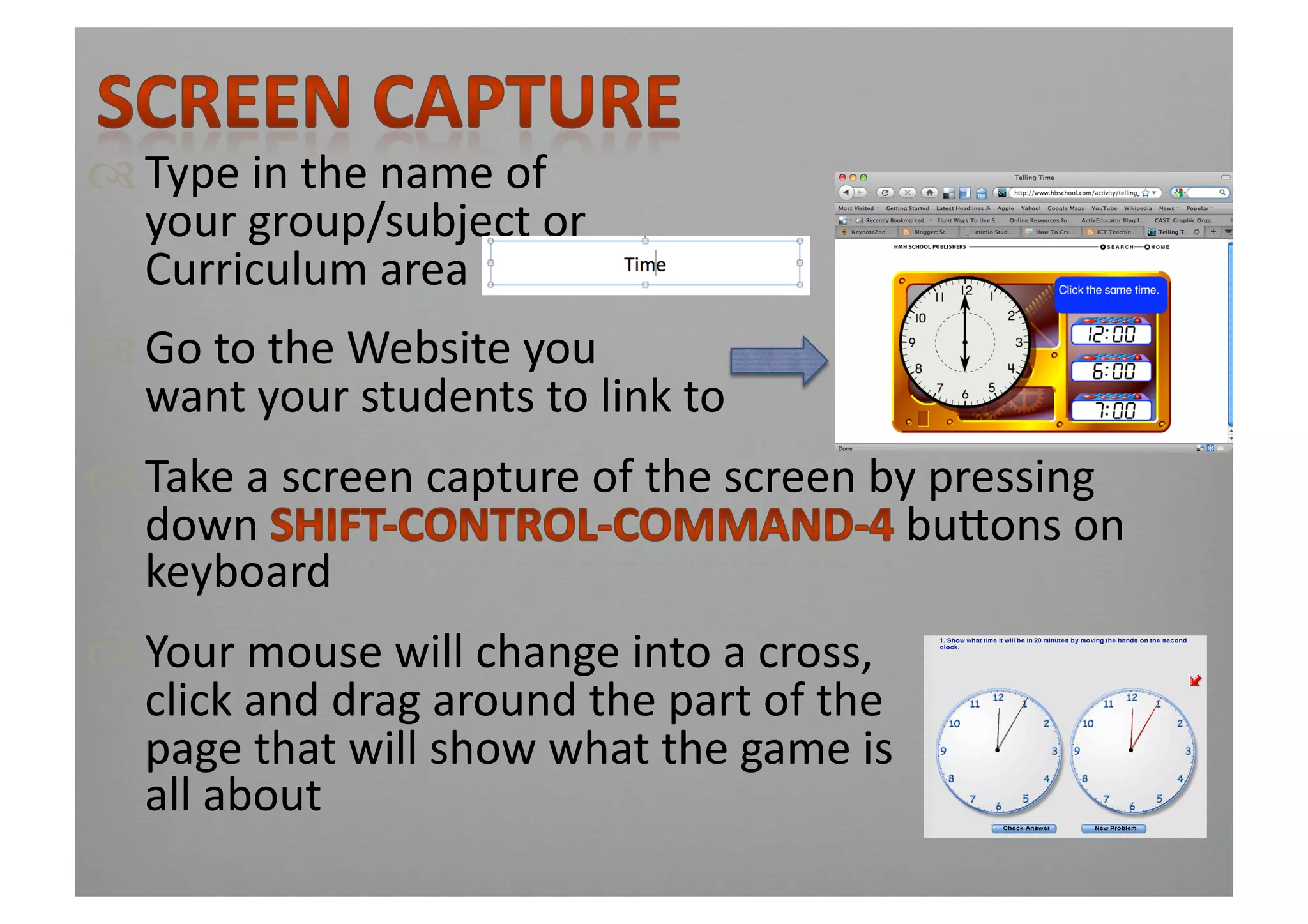
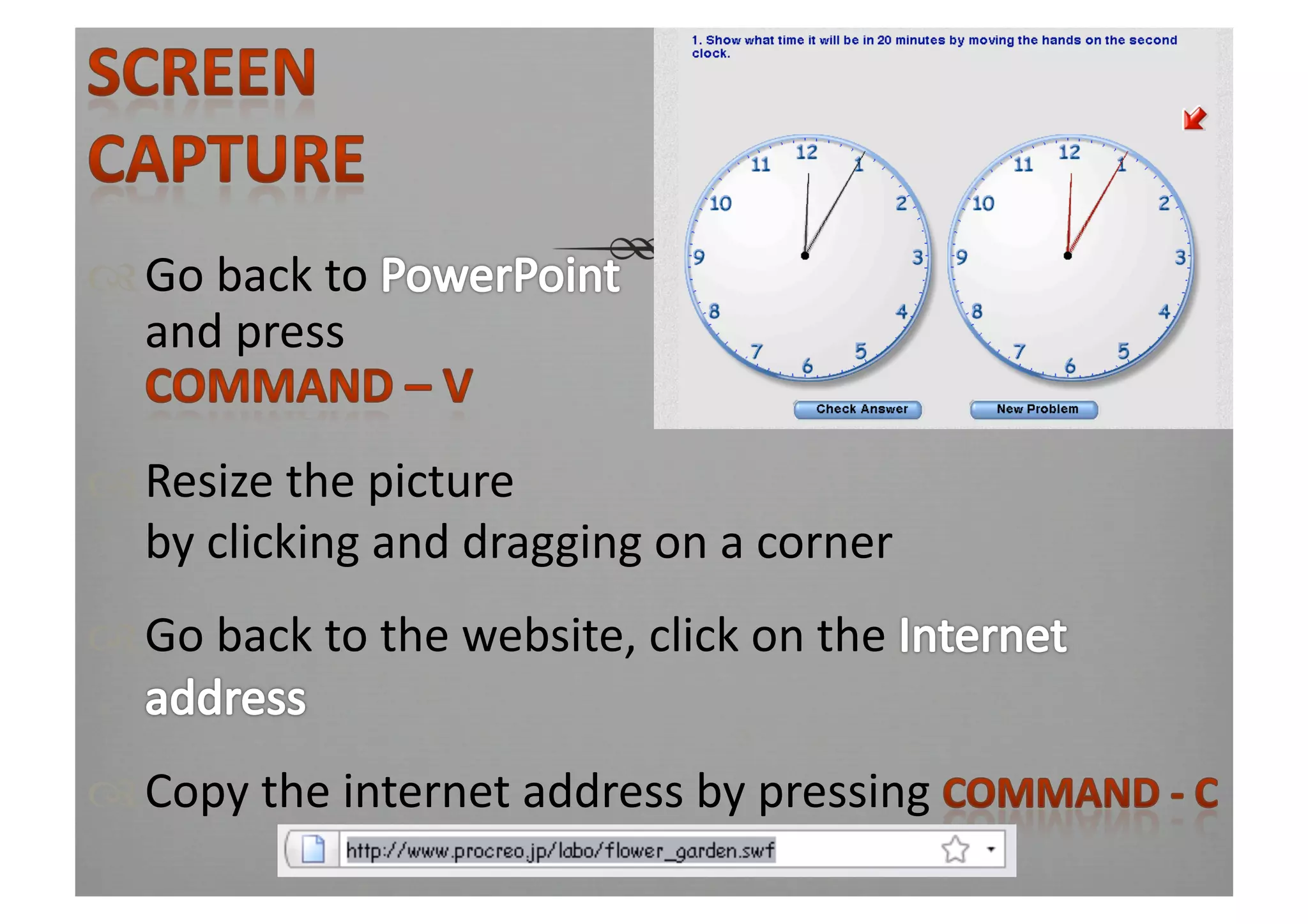
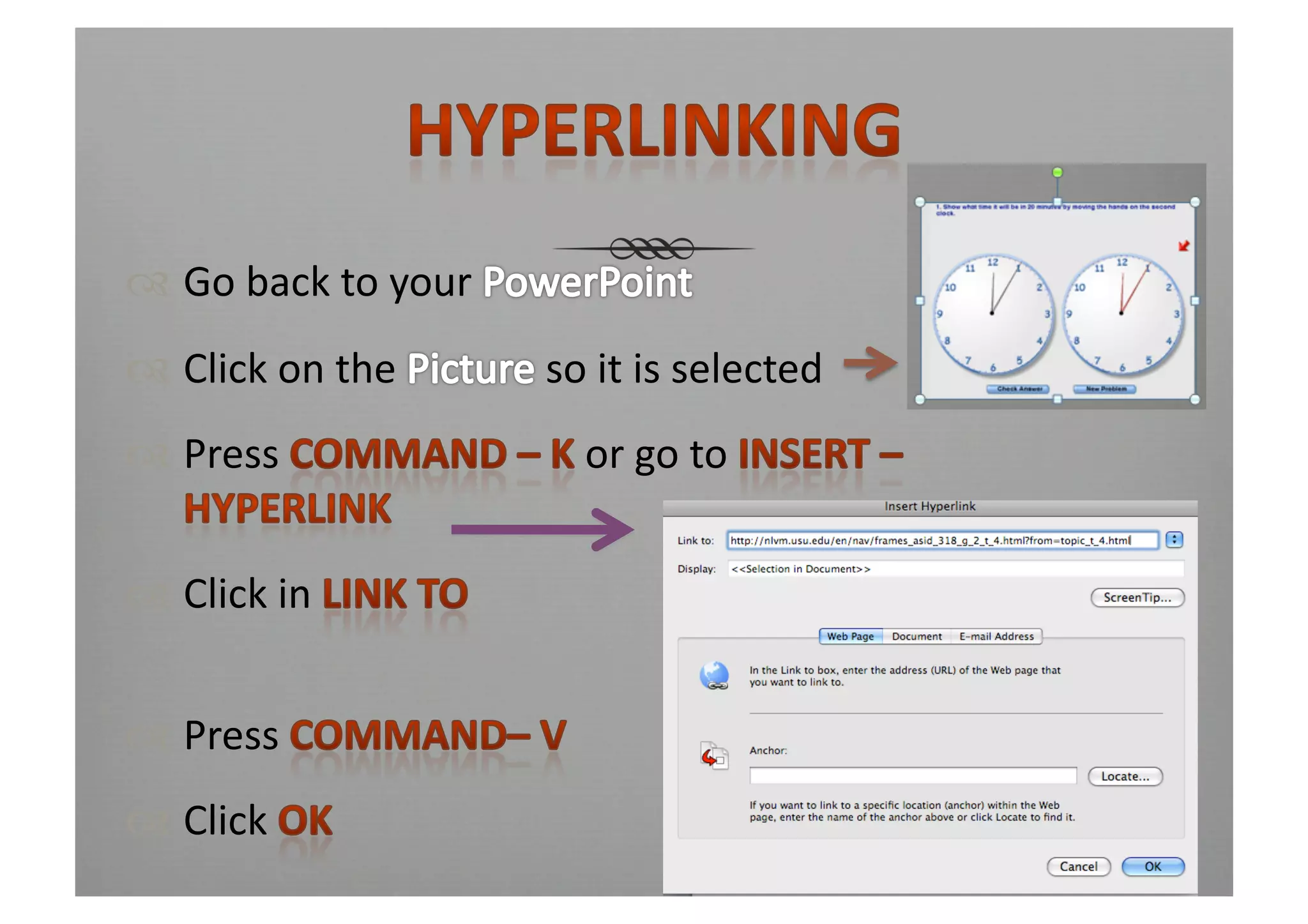
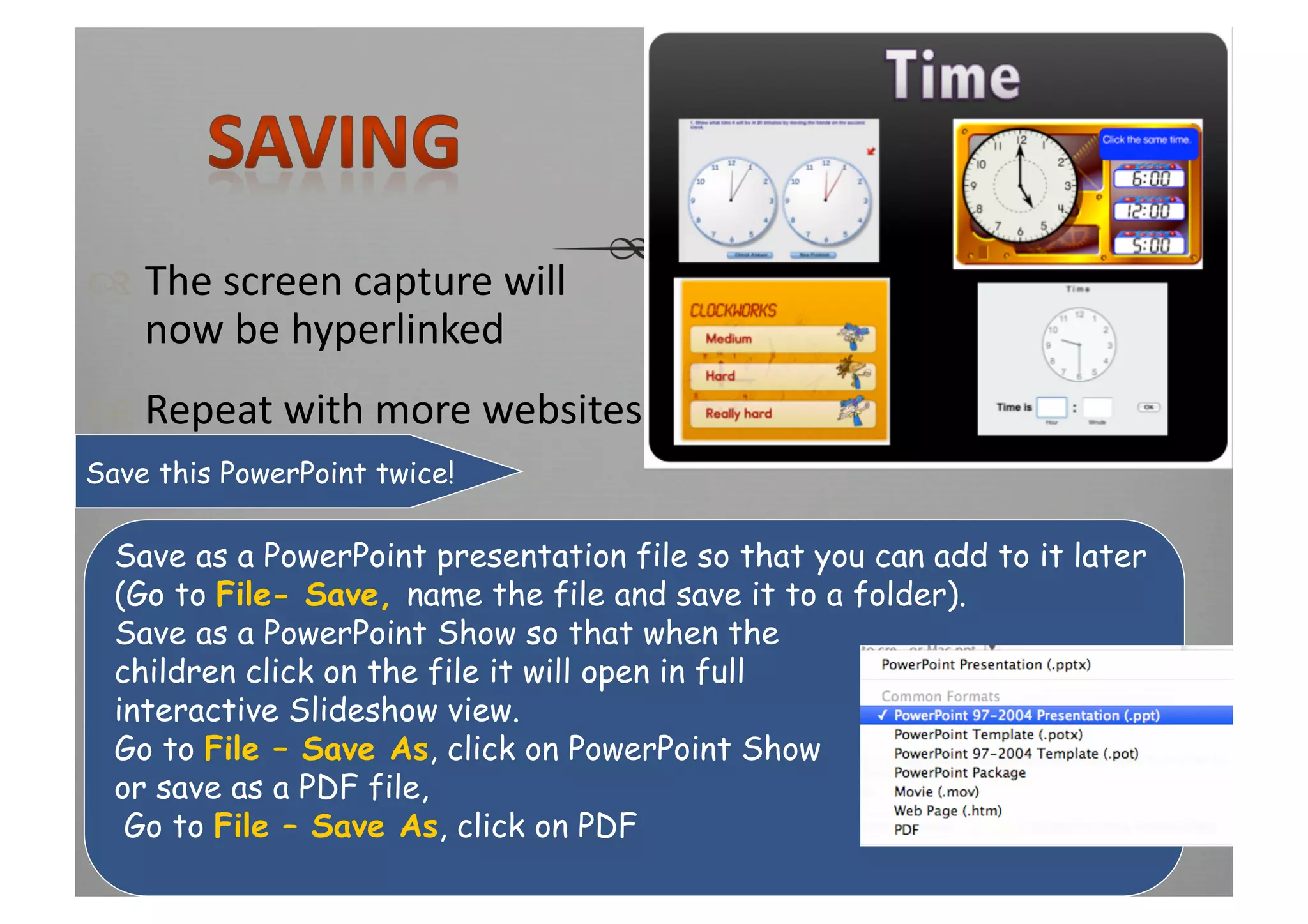

This document provides instructions for creating hyperlinked interactive pages in PowerPoint or Keynote to direct students to specific websites. These pages can be organized by curriculum area or student groups. The pages allow screen captures of websites to be hyperlinked so students can easily access relevant online resources. Teachers are instructed to save the file twice - as a PowerPoint presentation to allow for future editing, and as a PowerPoint show or PDF so students can interactively access the linked websites.


