Robert de Wolff Capgemini Estimation and planning with smart use cases
Robert de Wolff .Net software developer Capgemini Development ASP.Net, C#, Sharepoint, SQL BI,  WCF Software Architect / Dev lead Accelerated Delivery Platform Member ADP Core team Development ADF.Net Framework, MDA Generator Teacher in Agile development, Smart use cases and .Net
Agenda Introducing smart use cases Estimating with smart use cases Establishing complexity Determining velocity Smart use case stereotypes Planning with smart use cases Agile software development Tools for agile estimation & measurement Planning agile projects
Introducing smart use cases
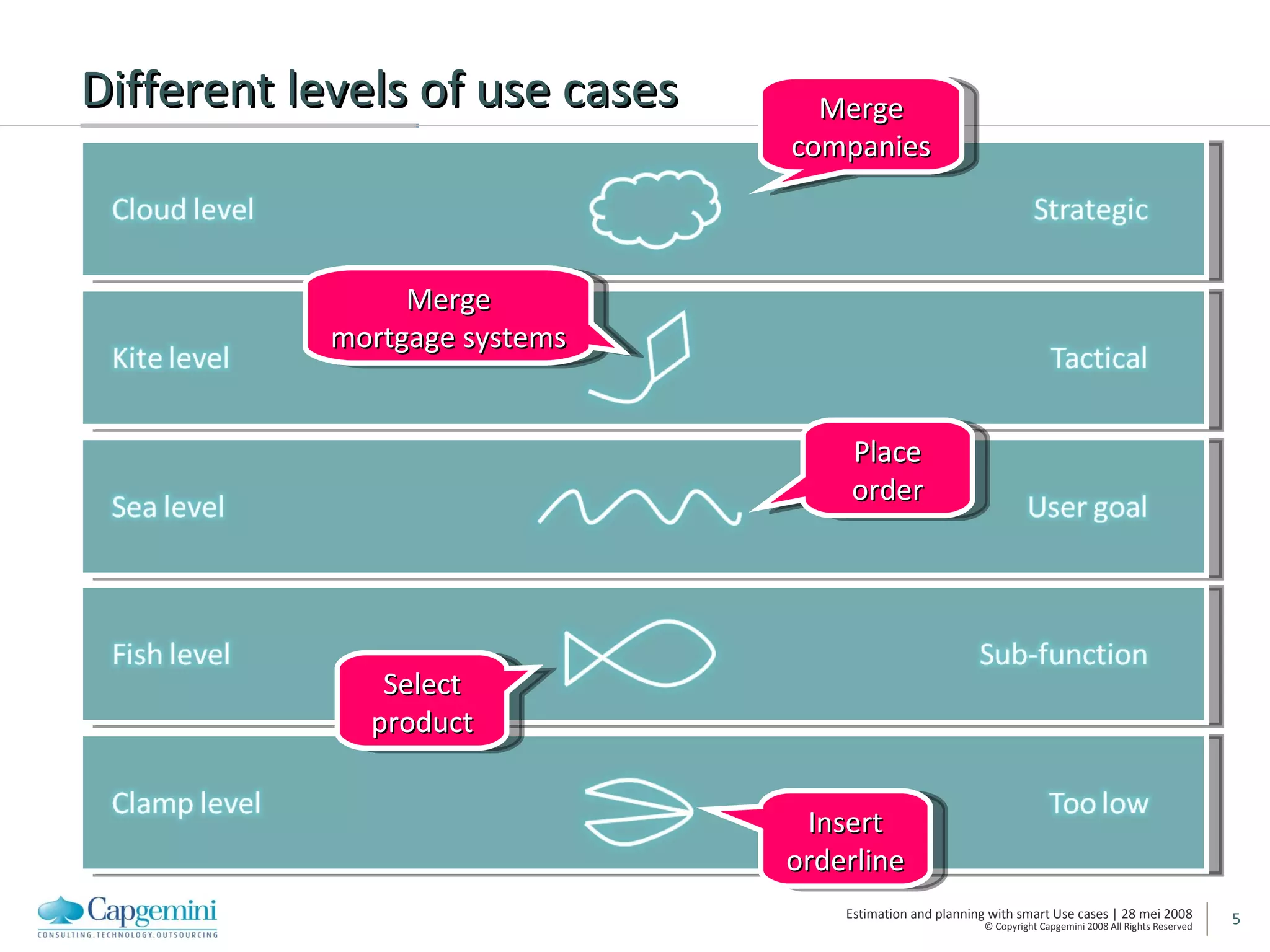
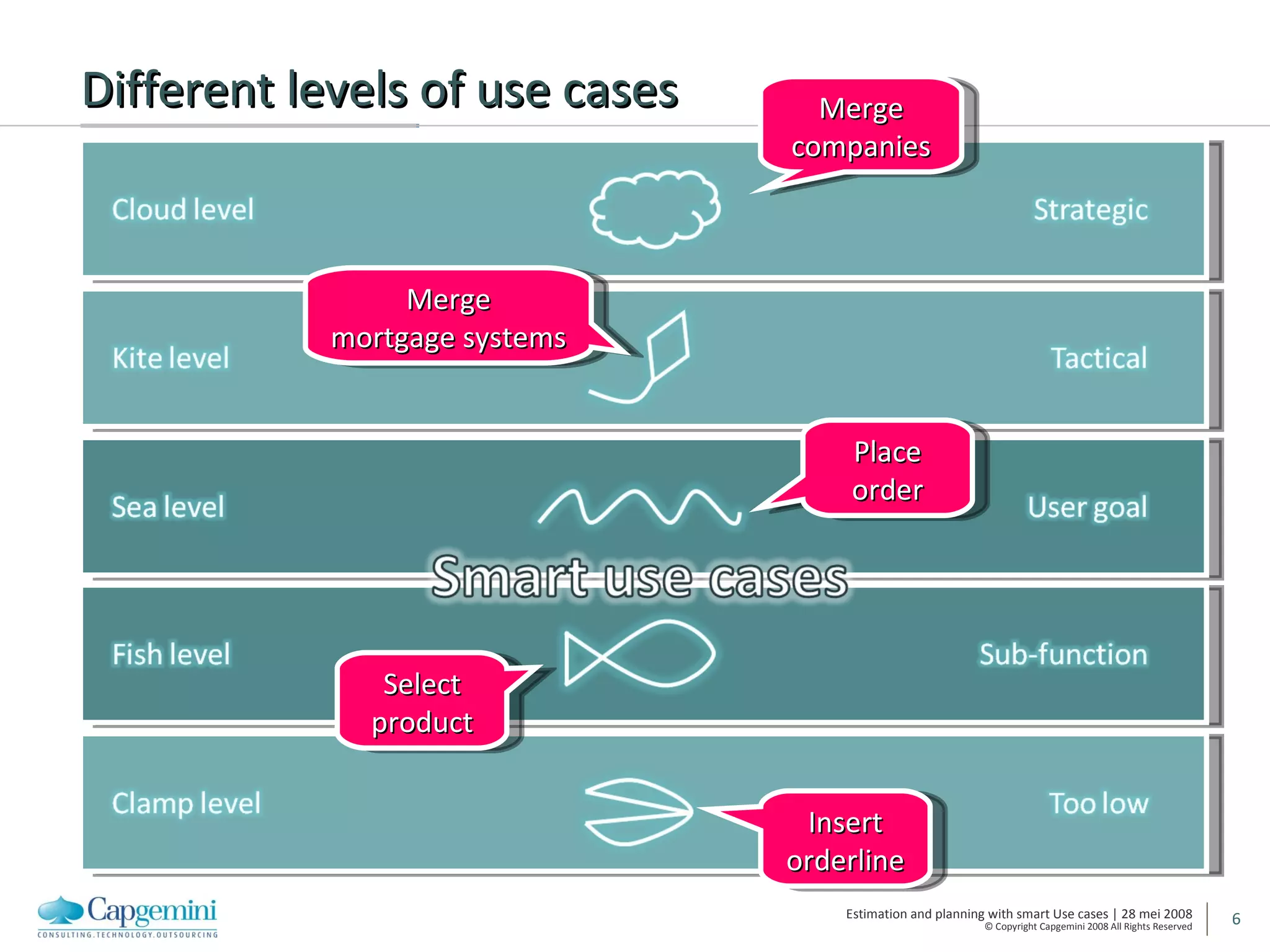
Different levels of use cases Merge companies Merge mortgage systems Select product Insert orderline Place order
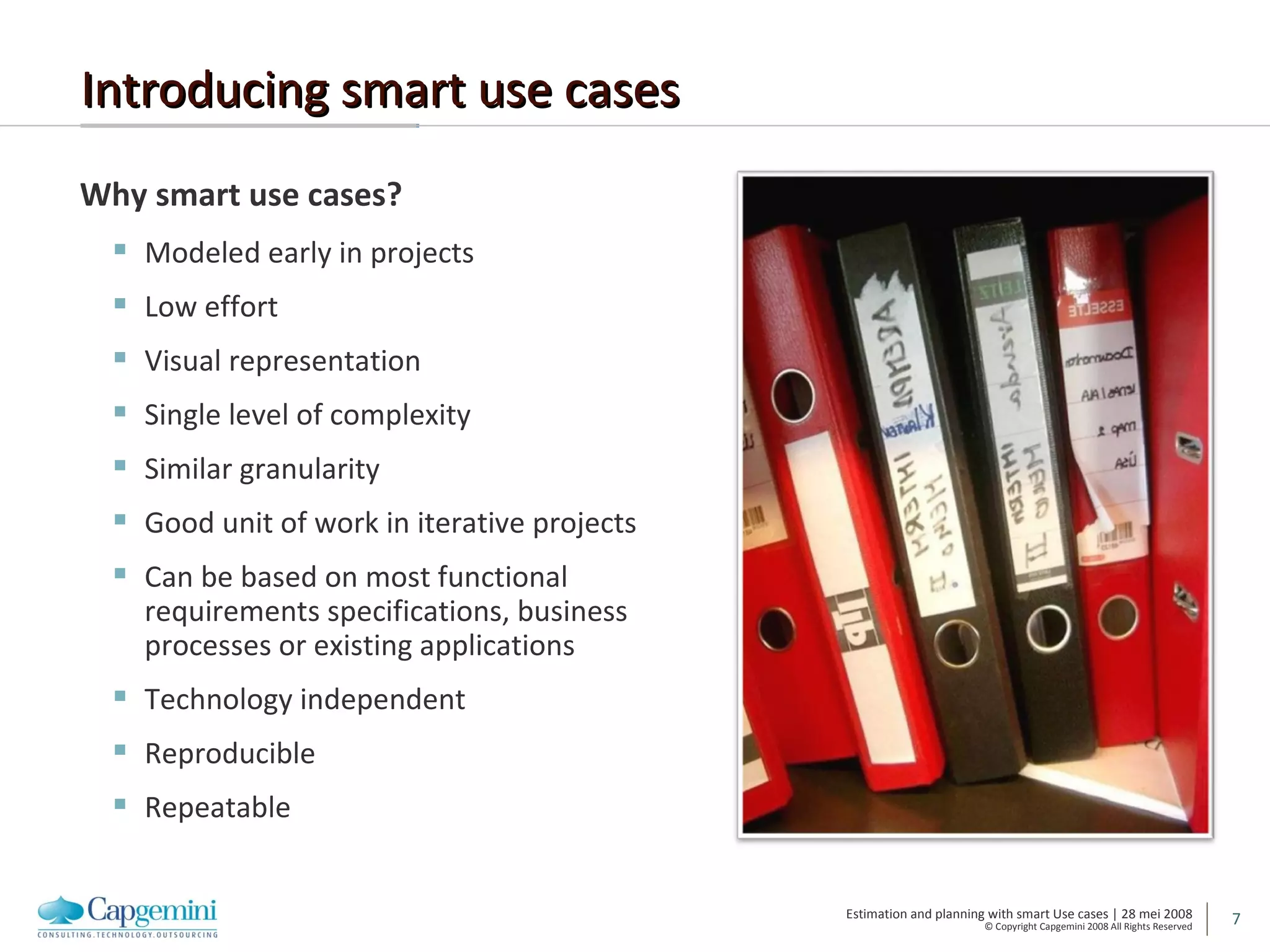
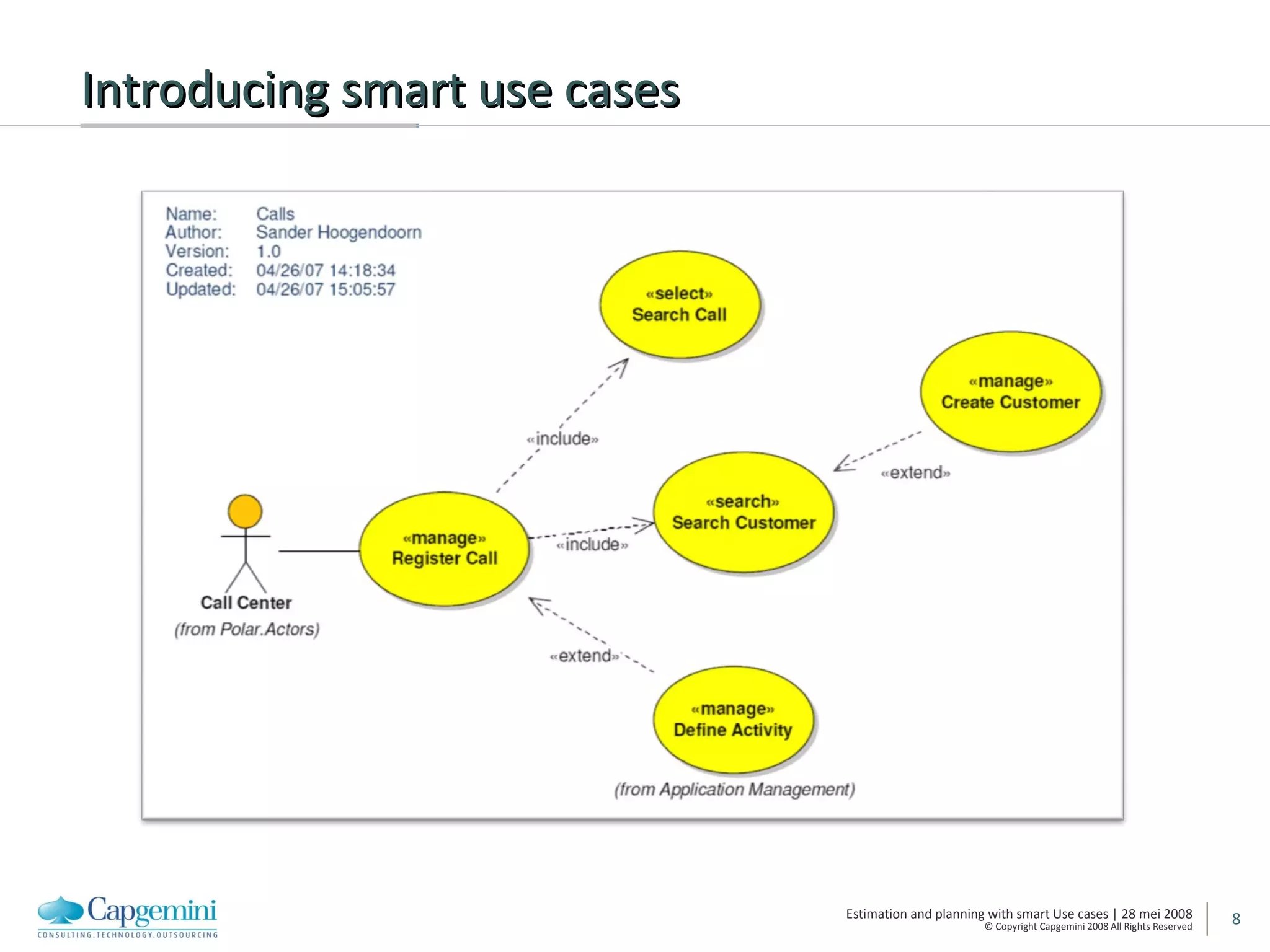
Introducing smart use cases Why smart use cases? Modeled early in projects Low effort Visual representation Single level of complexity Similar granularity Good unit of work in iterative projects Can be based on most functional requirements specifications, business processes or existing applications Technology independent Reproducible Repeatable
Introducing smart use cases
Estimating with smart use cases
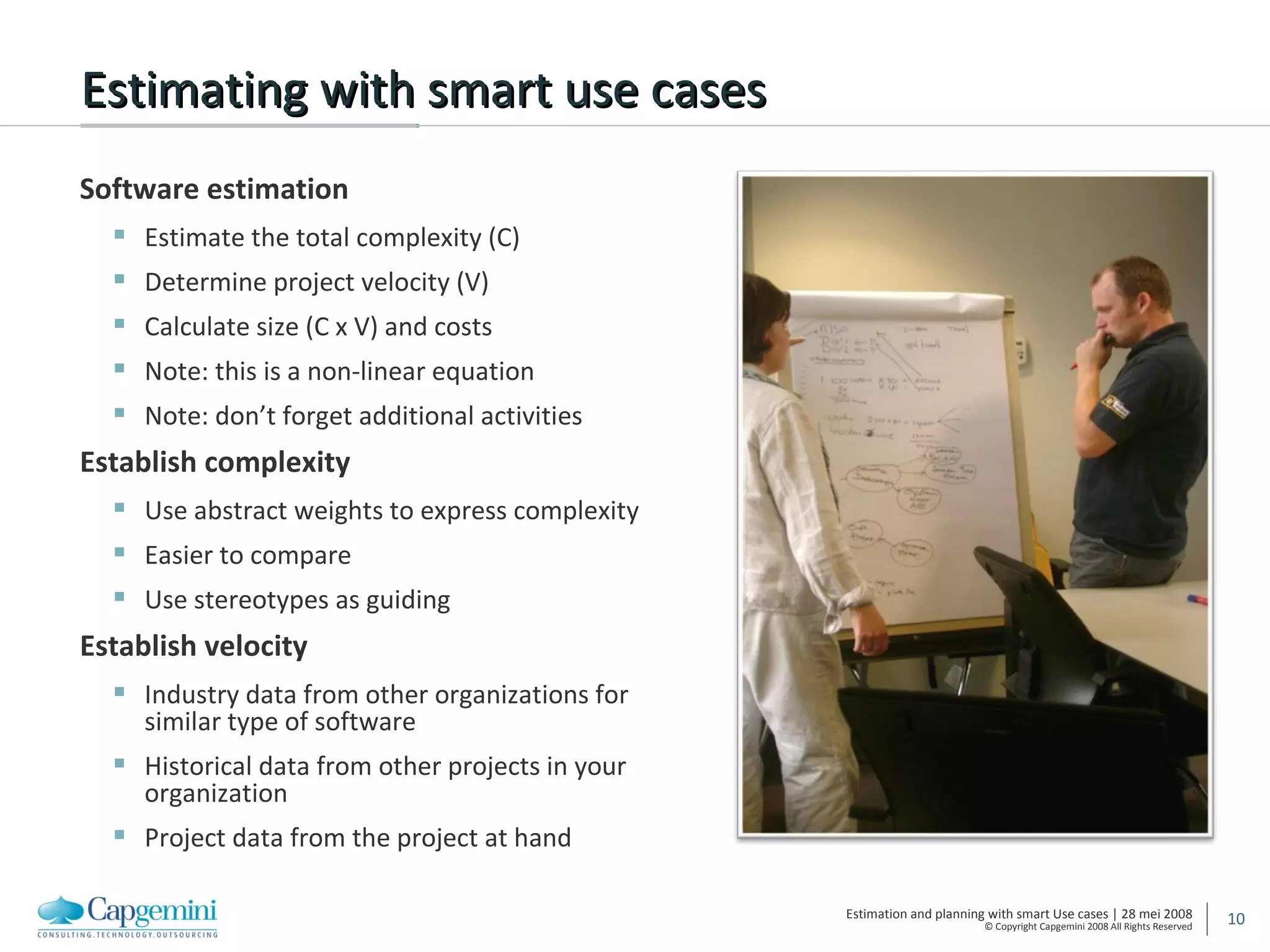
Estimating with smart use cases Software estimation Estimate the total complexity (C) Determine project velocity (V) Calculate size (C x V) and costs Note: this is a non-linear equation Note: don’t forget additional activities Establish complexity Use abstract weights to express complexity Easier to compare Use stereotypes as guiding Establish velocity Industry data from other organizations for similar type of software Historical data from other projects in your organization  Project data from the project at hand
Establishing complexity
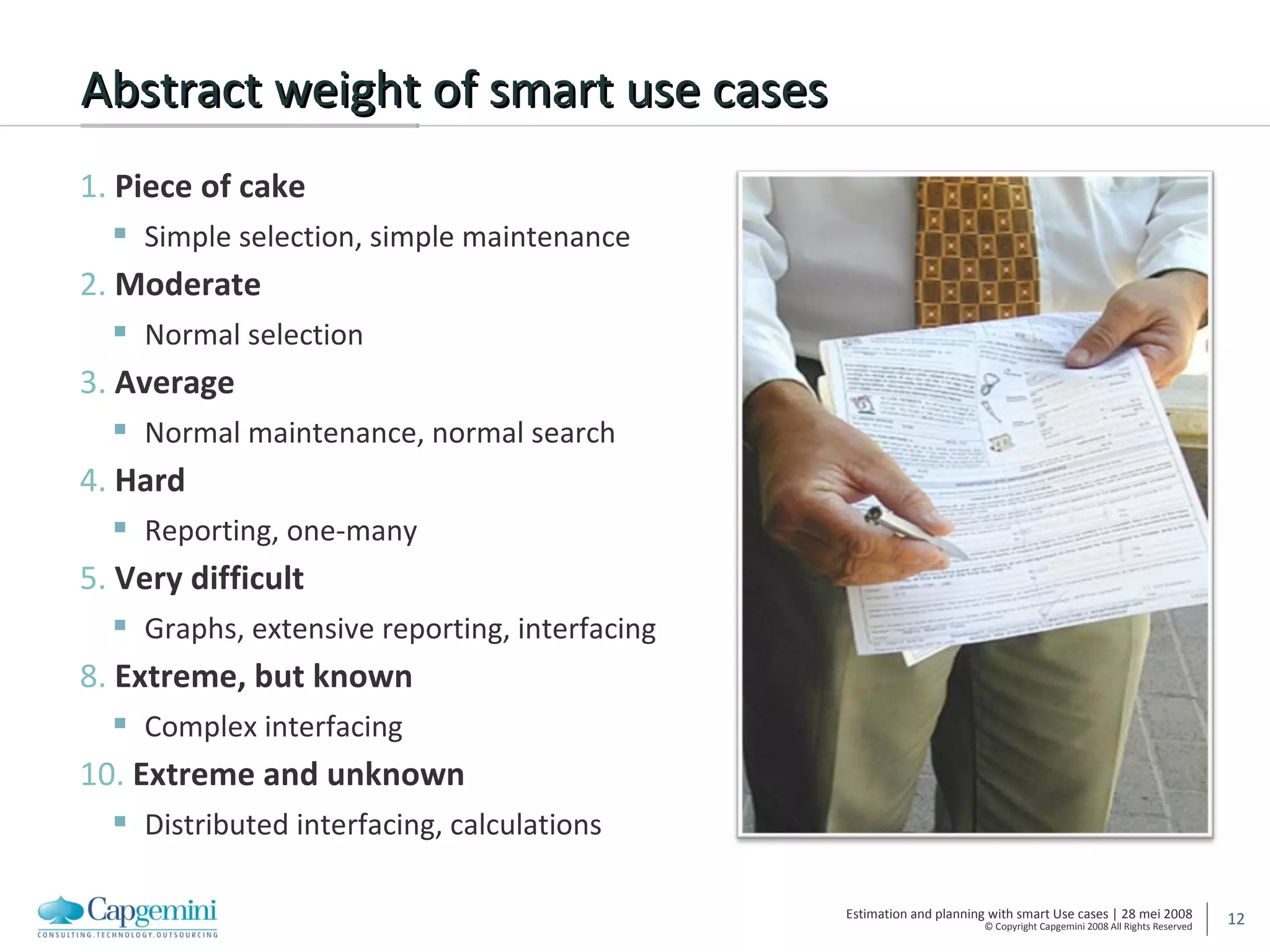
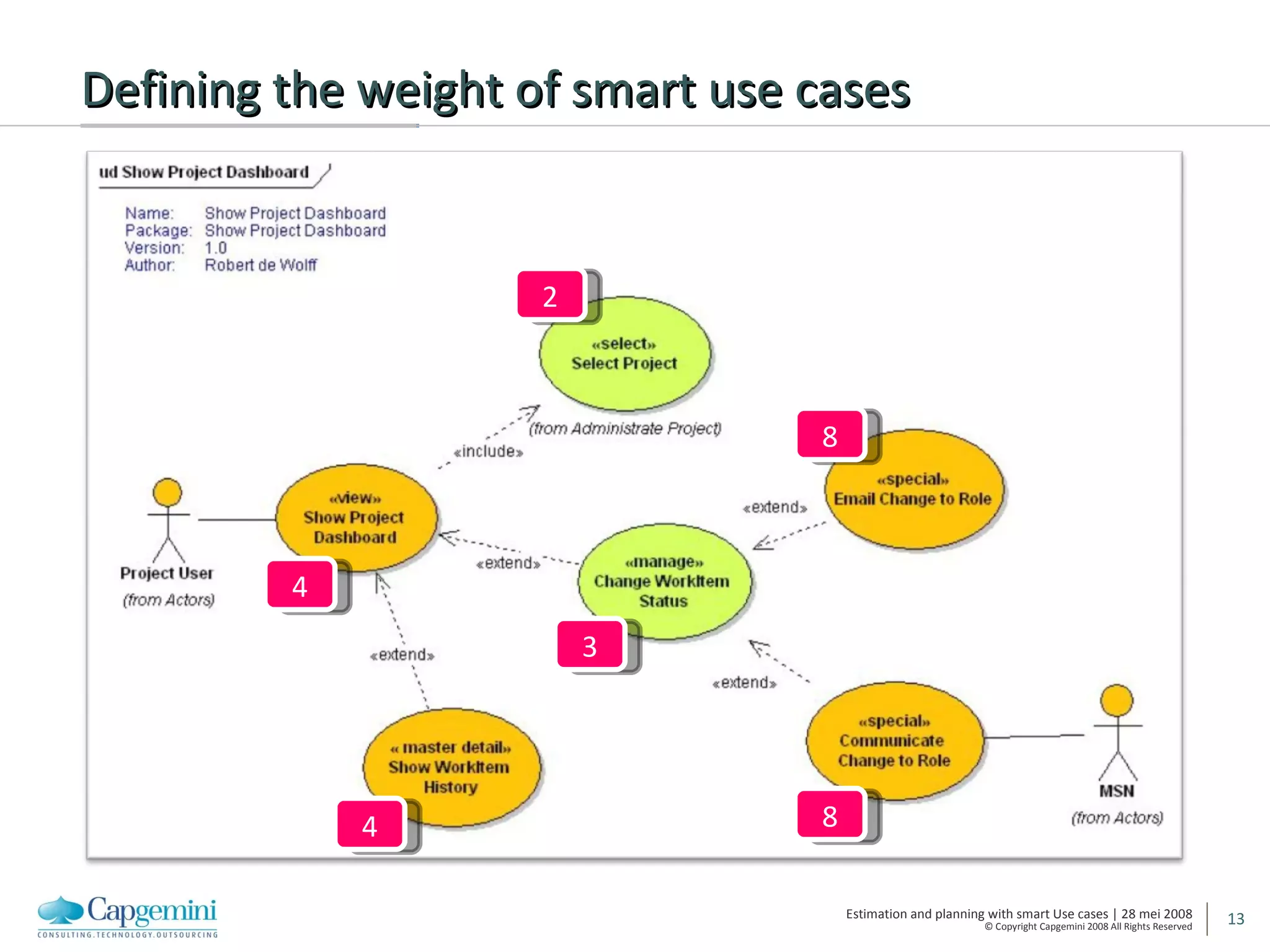
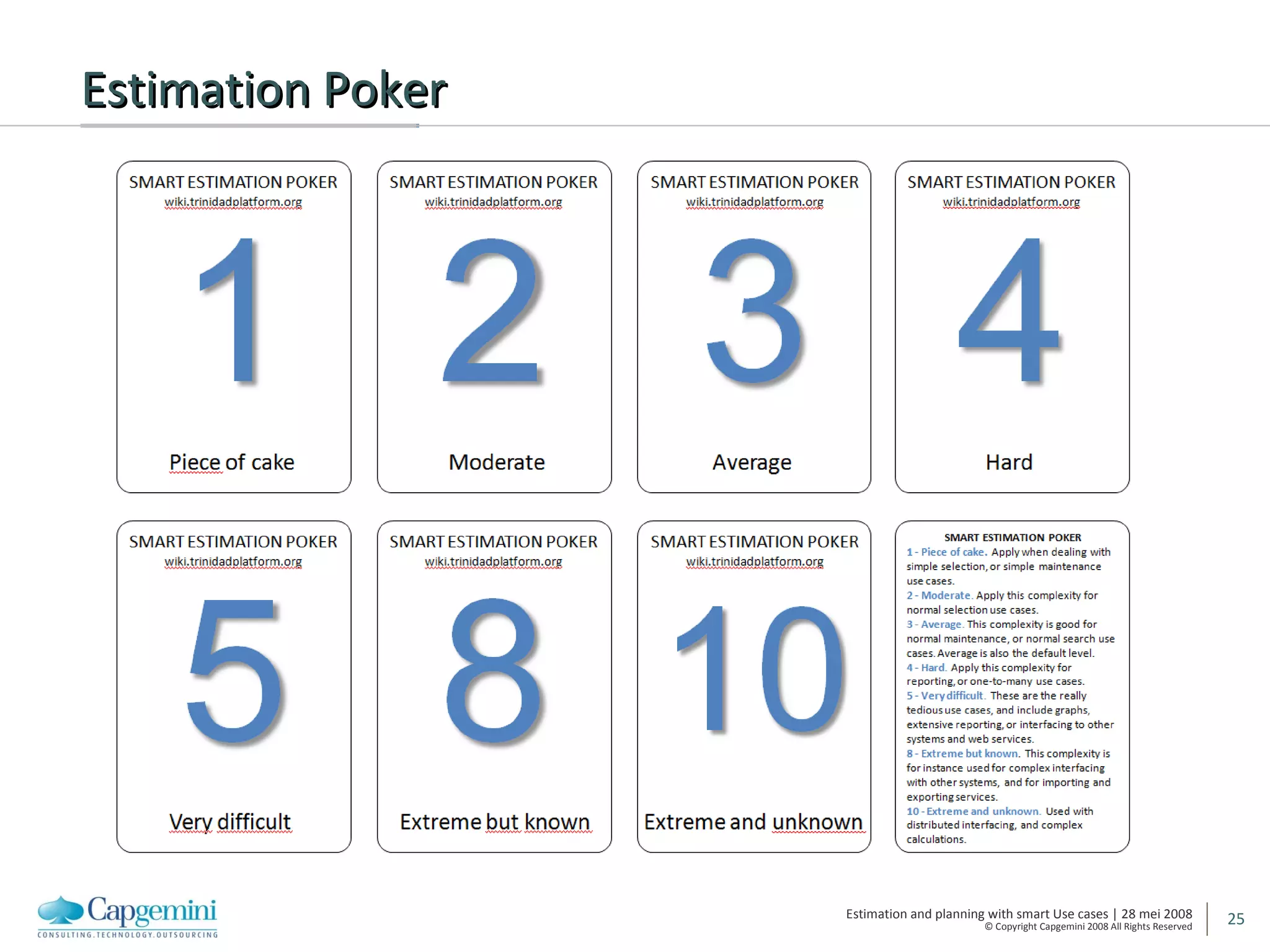
Abstract weight of smart use cases 1.  Piece of cake Simple selection, simple maintenance 2.  Moderate Normal selection 3.  Average Normal maintenance, normal search 4.  Hard Reporting, one-many 5.  Very difficult Graphs, extensive reporting, interfacing 8.  Extreme, but known Complex interfacing 10.  Extreme and unknown Distributed interfacing, calculations
Defining the weight of smart use cases 4 2 3 8 8 4
Determining velocity
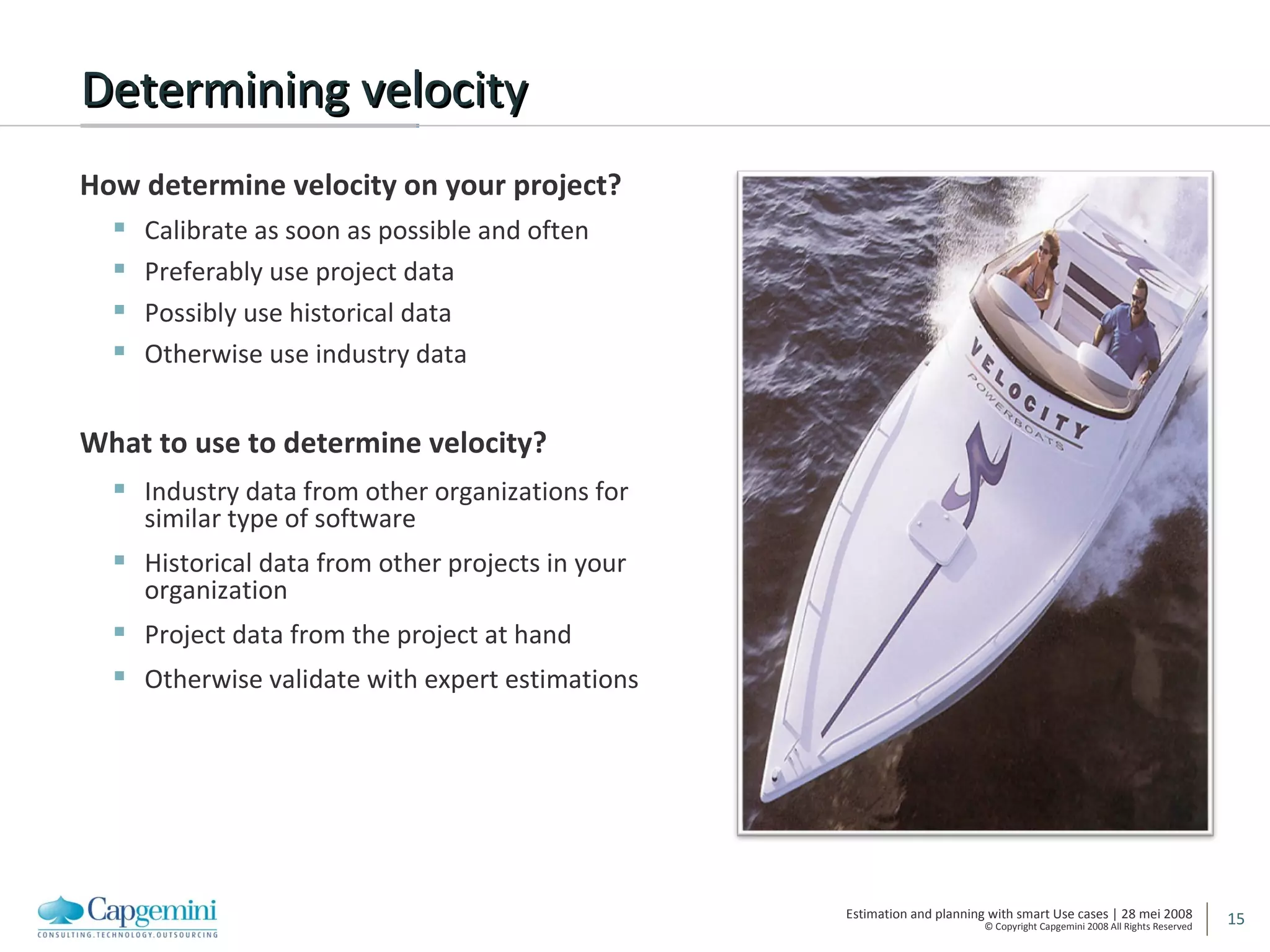
Determining velocity How determine velocity on your project? Calibrate as soon as possible and often Preferably use project data Possibly use historical data Otherwise use industry data What to use to determine velocity? Industry data from other organizations for similar type of software Historical data from other projects in your organization  Project data from the project at hand Otherwise validate with expert estimations
Smart use case stereotypes
Smart use case stereotypes Identify reusable types of smart use cases Project specific Regular over projects Guides estimation For determing complexity Evaluate completeness with stereotype patterns Also used for generation Sourcecode Documents Groups of stereotypes User interface Reporting Services Handling files Business Intelligence
Stereotypes examples user interface 3 – Manage Manage a single instance of a business entity Additional functionality, such a business rules, comparisons, authorization 4 – Master Detail Manage a single instance of a business entity Manage a list of instance from an associated (owned) business entity 2 – Select Select a single instance from a list Additional functionality, such as other properties, paging Used for non-complex reference data 3 – Search Select a single instance from a list Search arguments can be used to filter the list
Stereotypes examples reporting 5 – Extended Report Present a complex report Over several instances of business entities Complex functionality, for instance totals and calculations 8 – Graph Present a report Over one or more instances of business entities Contain one or more graphs over instances
Stereotypes examples other 10 – System Service Interact with another system, using a complex unknown interface This type of use case is often split 8 - Calculation Performs complex or time-consuming calculations, such as interest calculations or complex comparisons Possibly split into sub-calculations
Stereotypes exampes Business Intelligence Extract, Transform and Load Collect (5 - Very difficult) Collects data from a source, perform basic checks and prepares the source for staging in.  Integrate (10 - Extreme and unknown) Integrates data from different sources, perform basic checks and prepares the data for the following layer.  Aggregate (3 - Average) Aggregates and denormalizes data and performs basic checks to prepare the data for general staging out.  Calculate (8 - Extreme, but known) Calculates and creates new information based on different rules, applies filters and performs basic checks to prepare the data for the different dependent data marts.
And … don’t forget Main The starting page of any application Login and logout The inevitable smart use cases to login and logout Roles and Users Maintenance of roles, users and permissions Applicable to almost any project References Maintenance of reference data Countries Regions Contract types
Planning with smart use cases
Agile and iterative software development Apply short iterations Fixed date, fixed price Two, three or four week iterations Allows maximized feedback Allows changes, even late in the project Logical and small unit of work User stories in extreme programming Features in FDD Back order list in Scrum Smart use cases in Smart
Estimation Poker
Tools for agile estimation & measurement
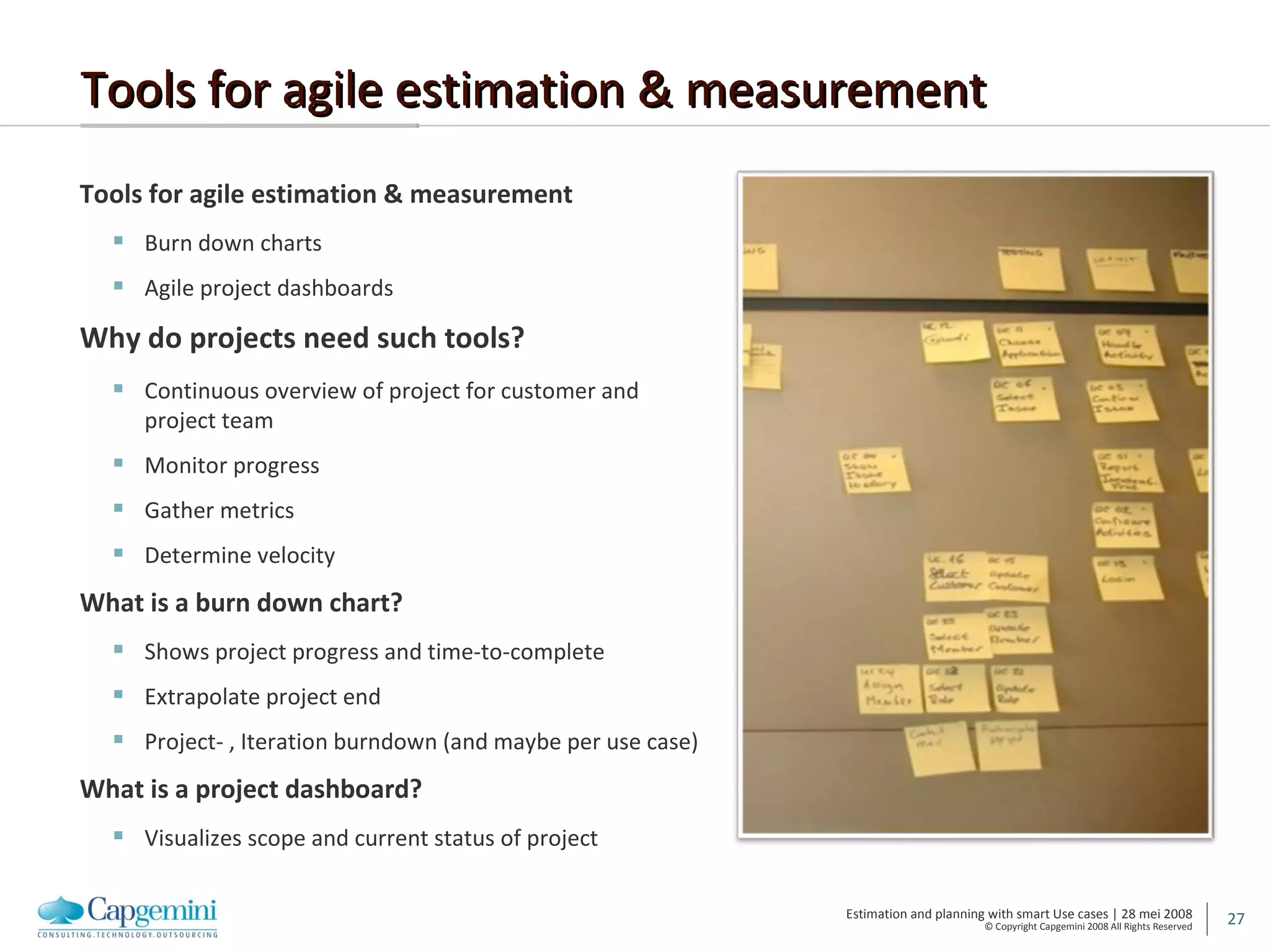
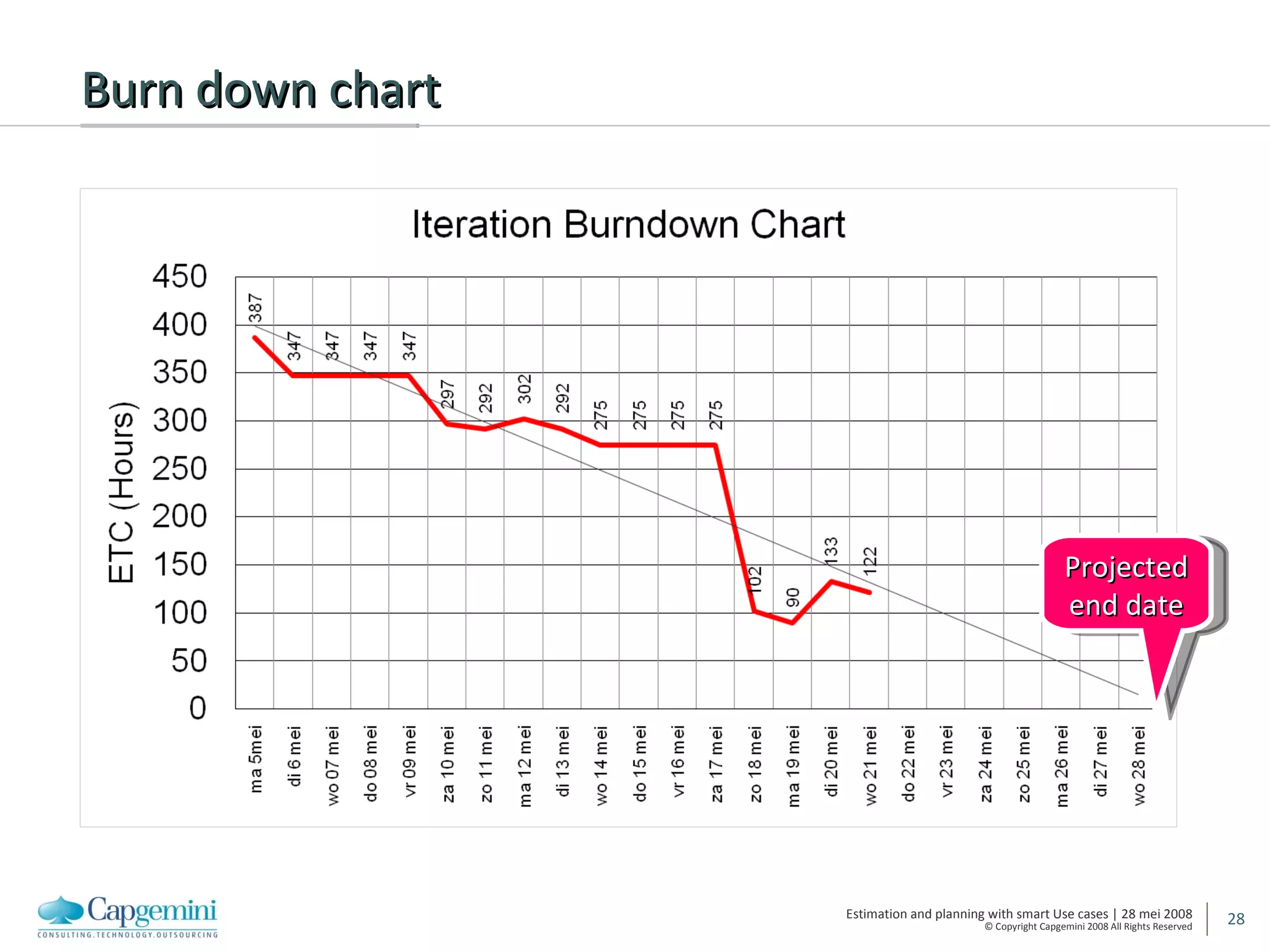
Tools for agile estimation & measurement Tools for agile estimation & measurement Burn down charts Agile project dashboards Why do projects need such tools? Continuous overview of project for customer and project team Monitor progress Gather metrics Determine velocity What is a burn down chart? Shows project progress and time-to-complete Extrapolate project end Project- , Iteration burndown (and maybe per use case) What is a project dashboard? Visualizes scope and current status of project
Burn down chart Projected end date
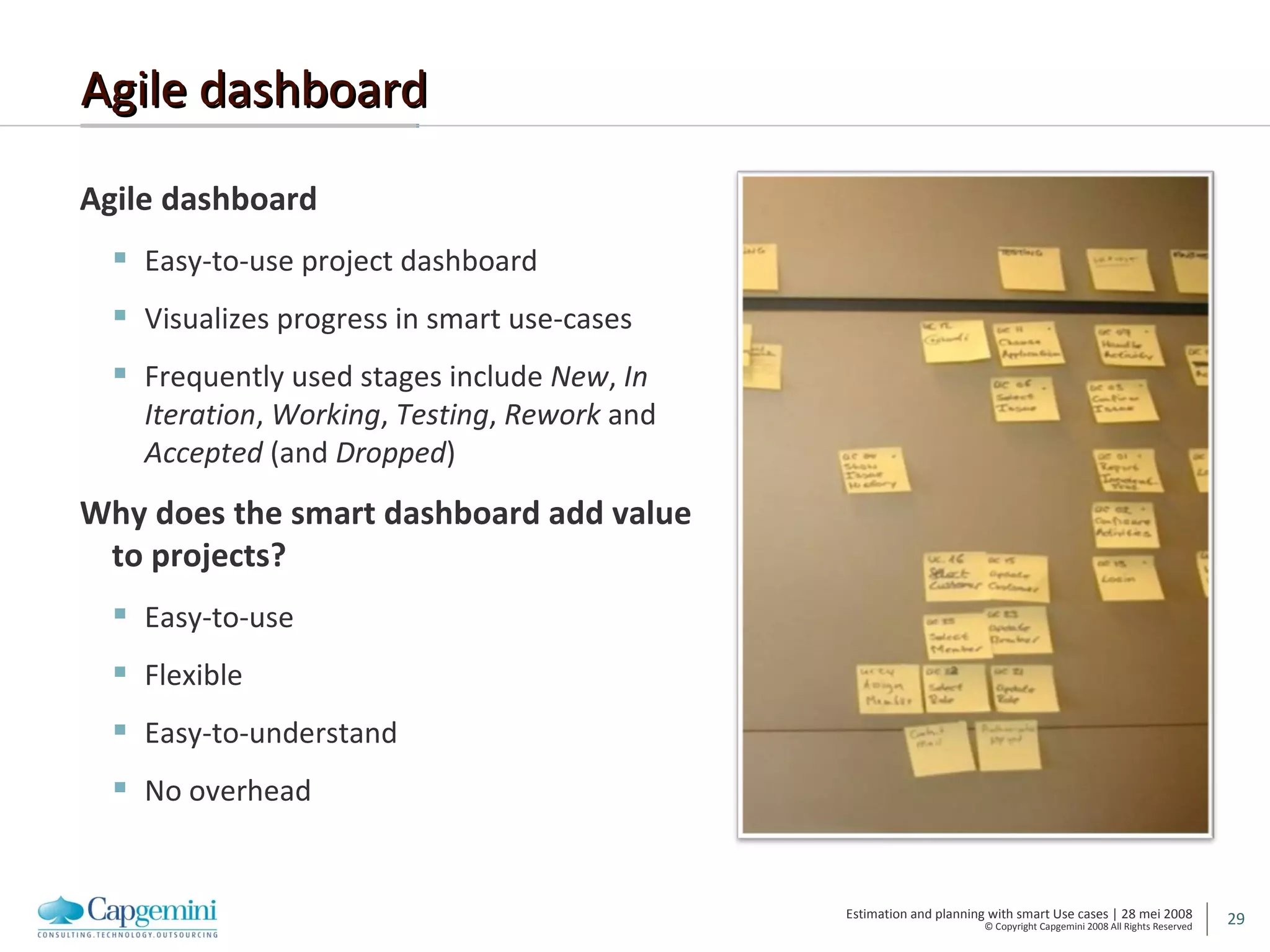
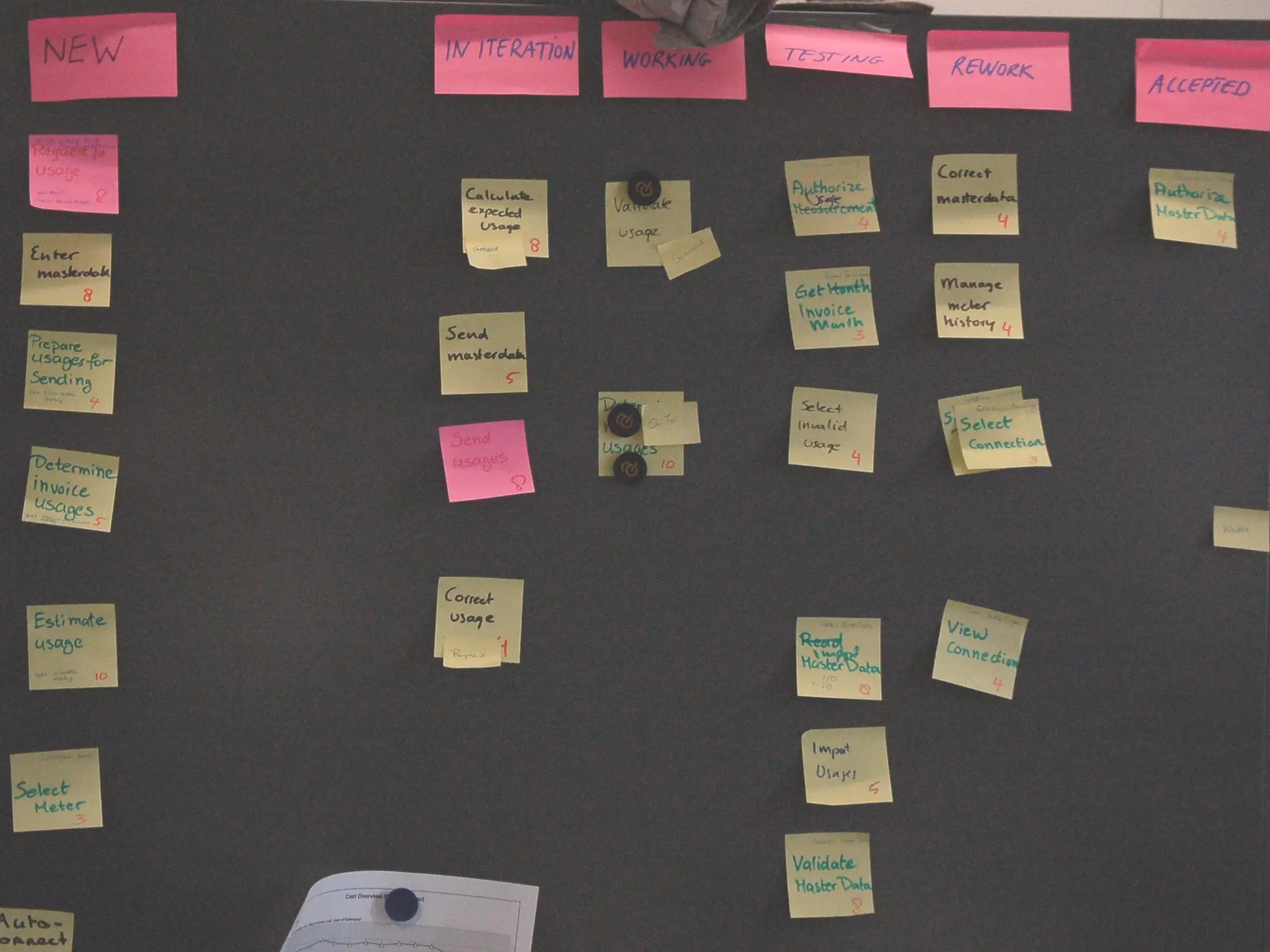
Agile dashboard Agile dashboard Easy-to-use project dashboard Visualizes progress in smart use-cases Frequently used stages include  New ,  In Iteration ,  Working ,  Testing ,  Rework  and  Accepted  (and  Dropped ) Why does the smart dashboard add value to projects? Easy-to-use Flexible Easy-to-understand No overhead
 
A project simulation Planning agile projects
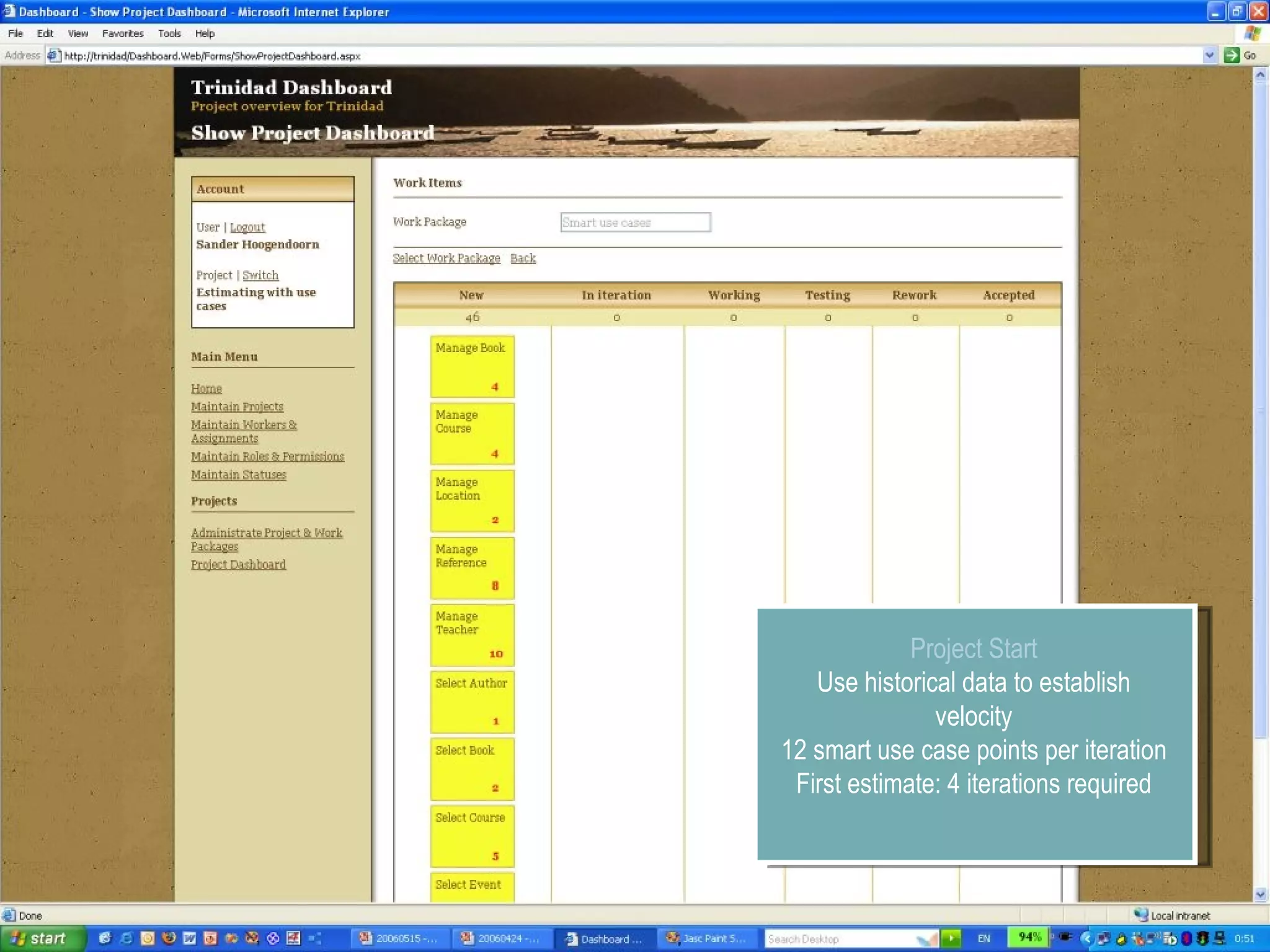
Project Start Use historical data to establish velocity 12 smart use case points per iteration First estimate: 4 iterations required
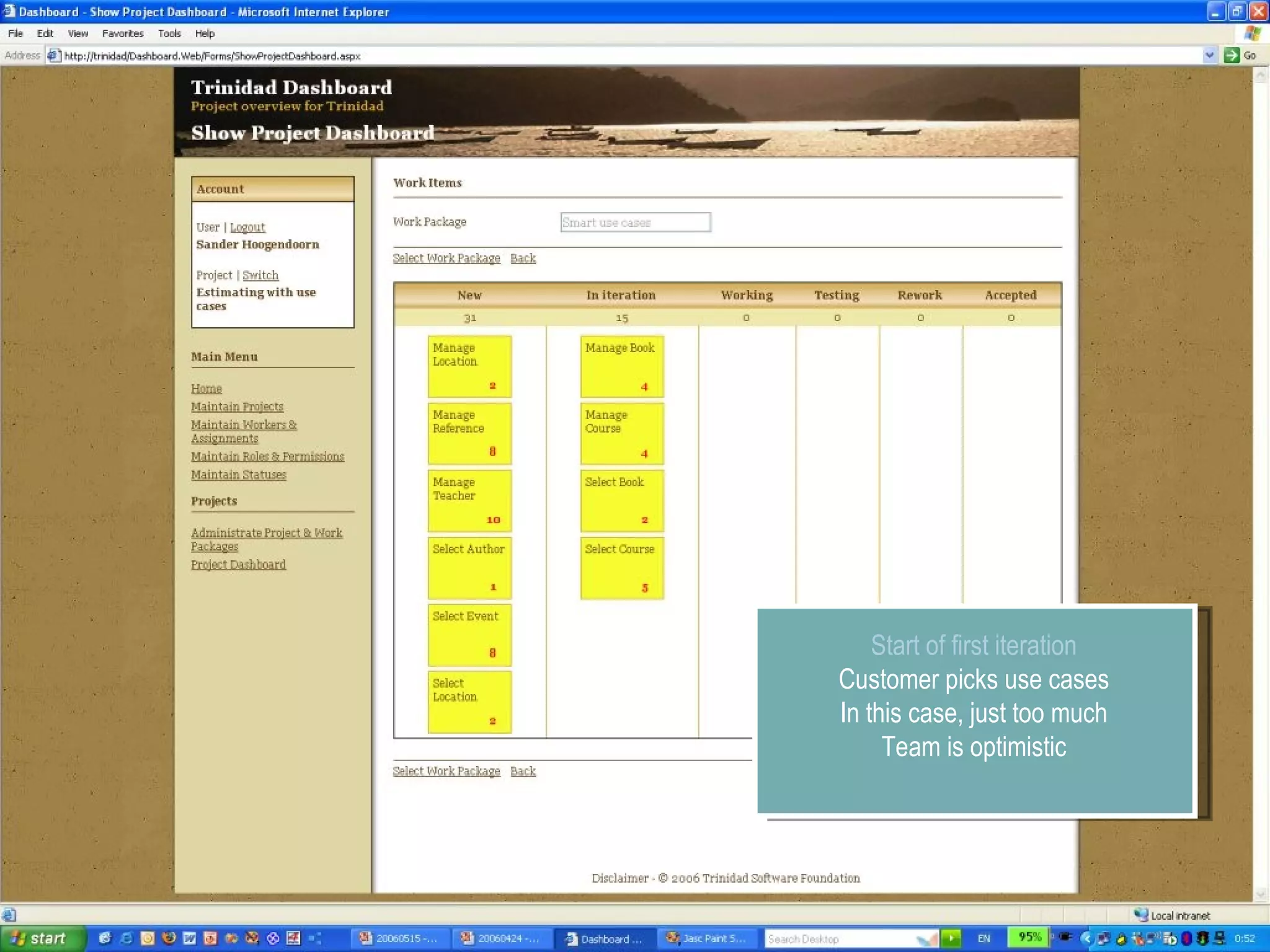
Start of first iteration Customer picks use cases In this case, just too much Team is optimistic
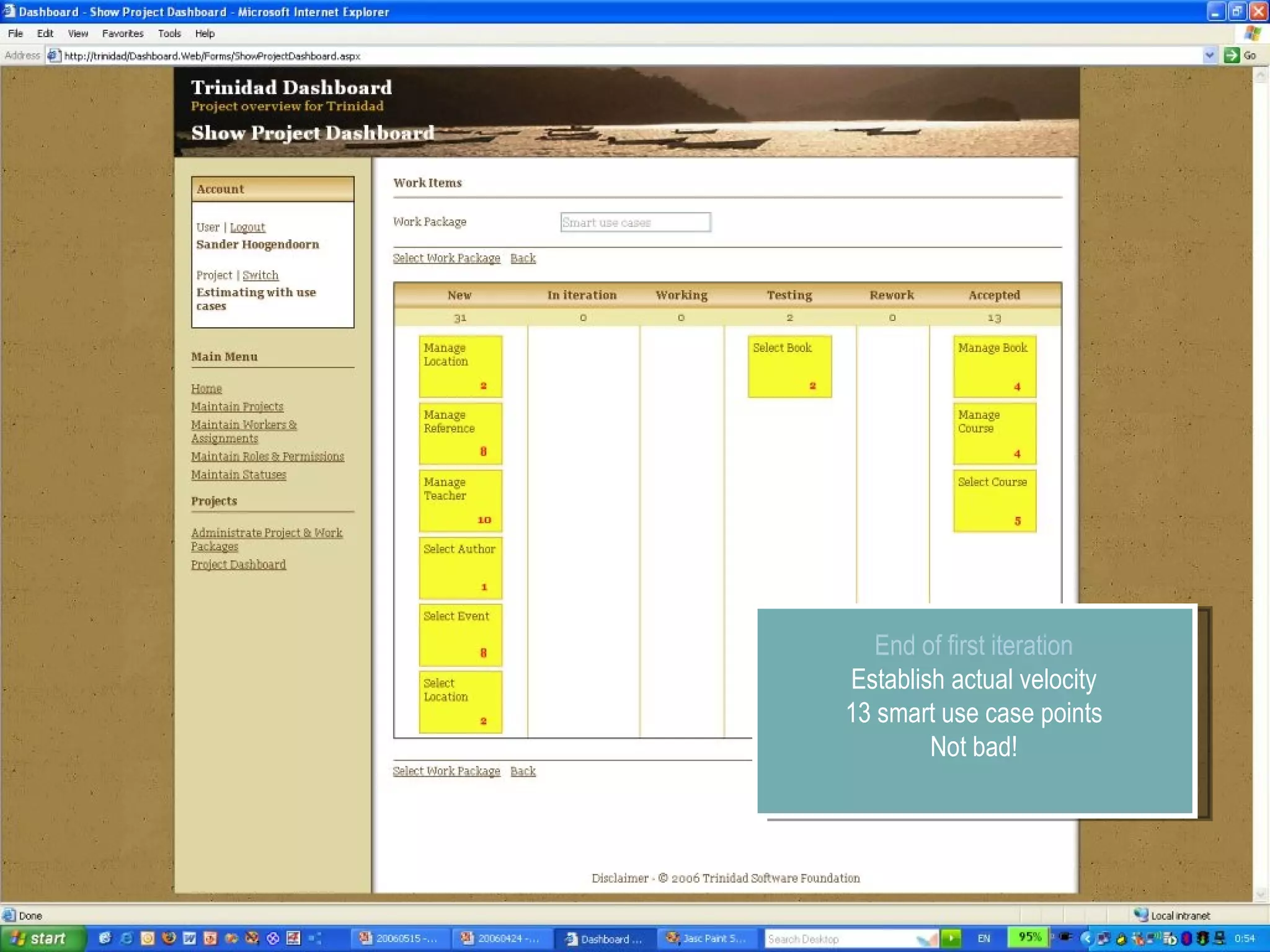
End of first iteration Establish actual velocity 13 smart use case points Not bad!
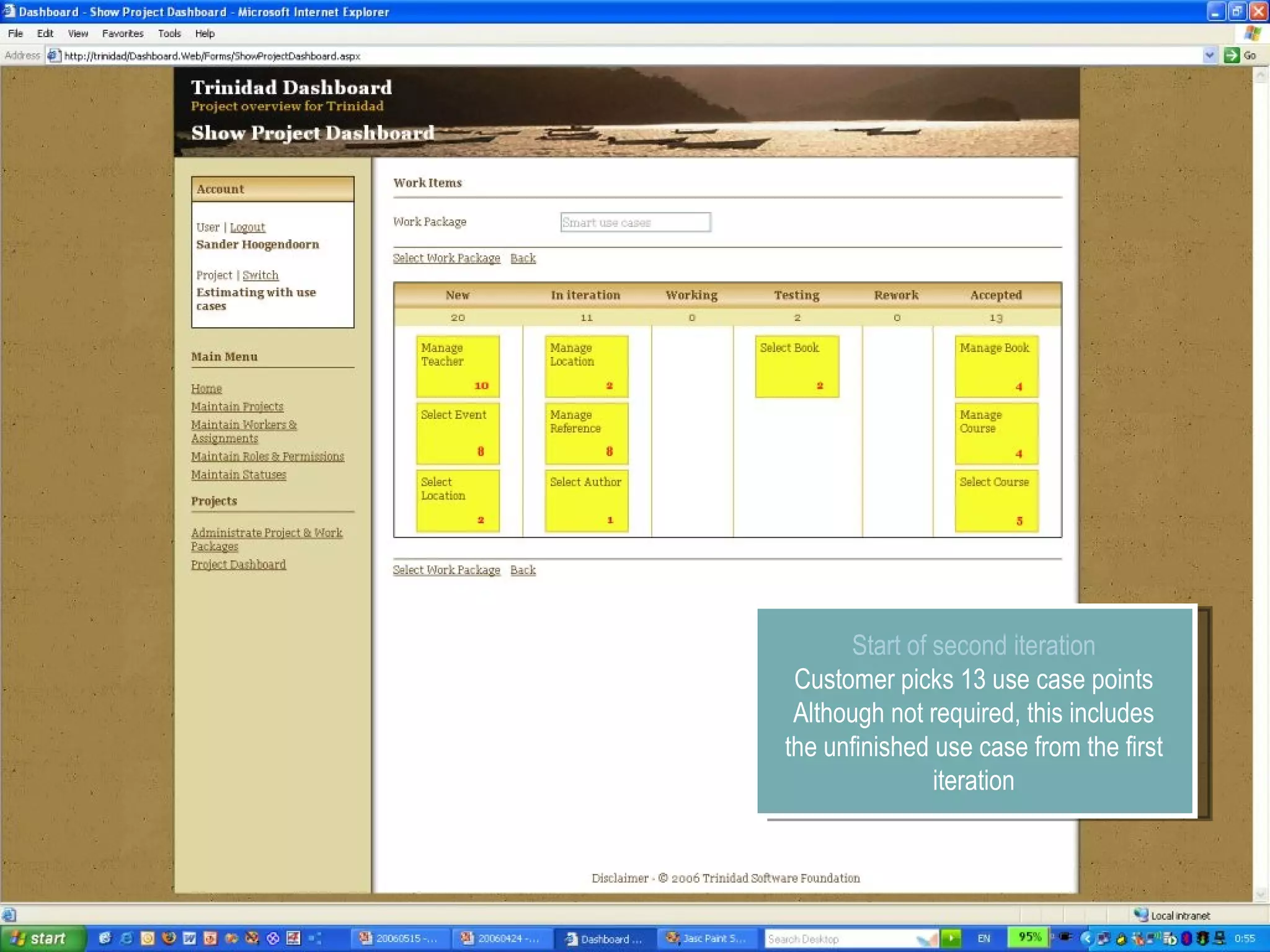
Start of second iteration Customer picks 13 use case points Although not required, this includes the unfinished use case from the first iteration
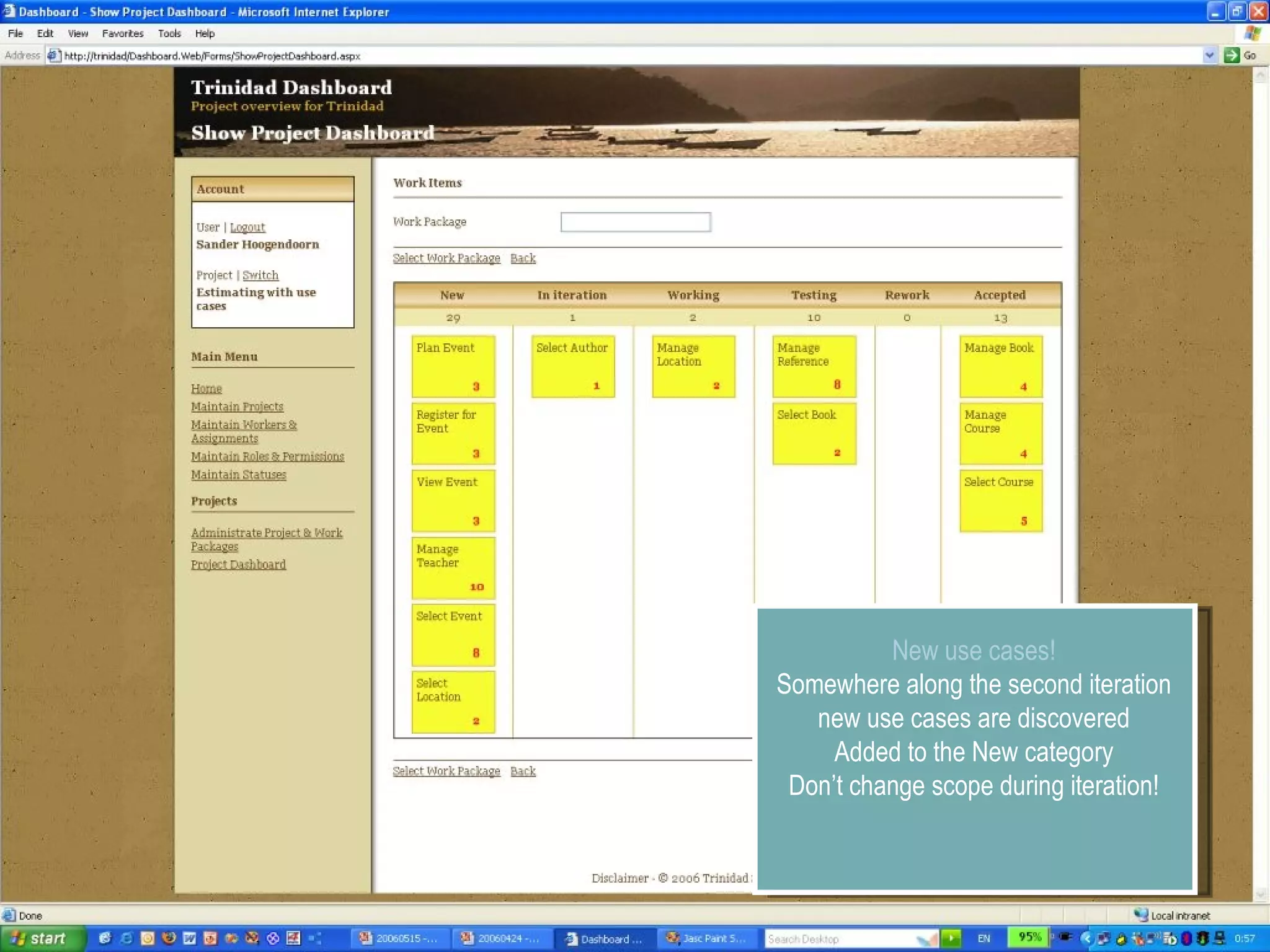
New use cases! Somewhere along the second iteration new use cases are discovered Added to the New category Don’t change scope during iteration!
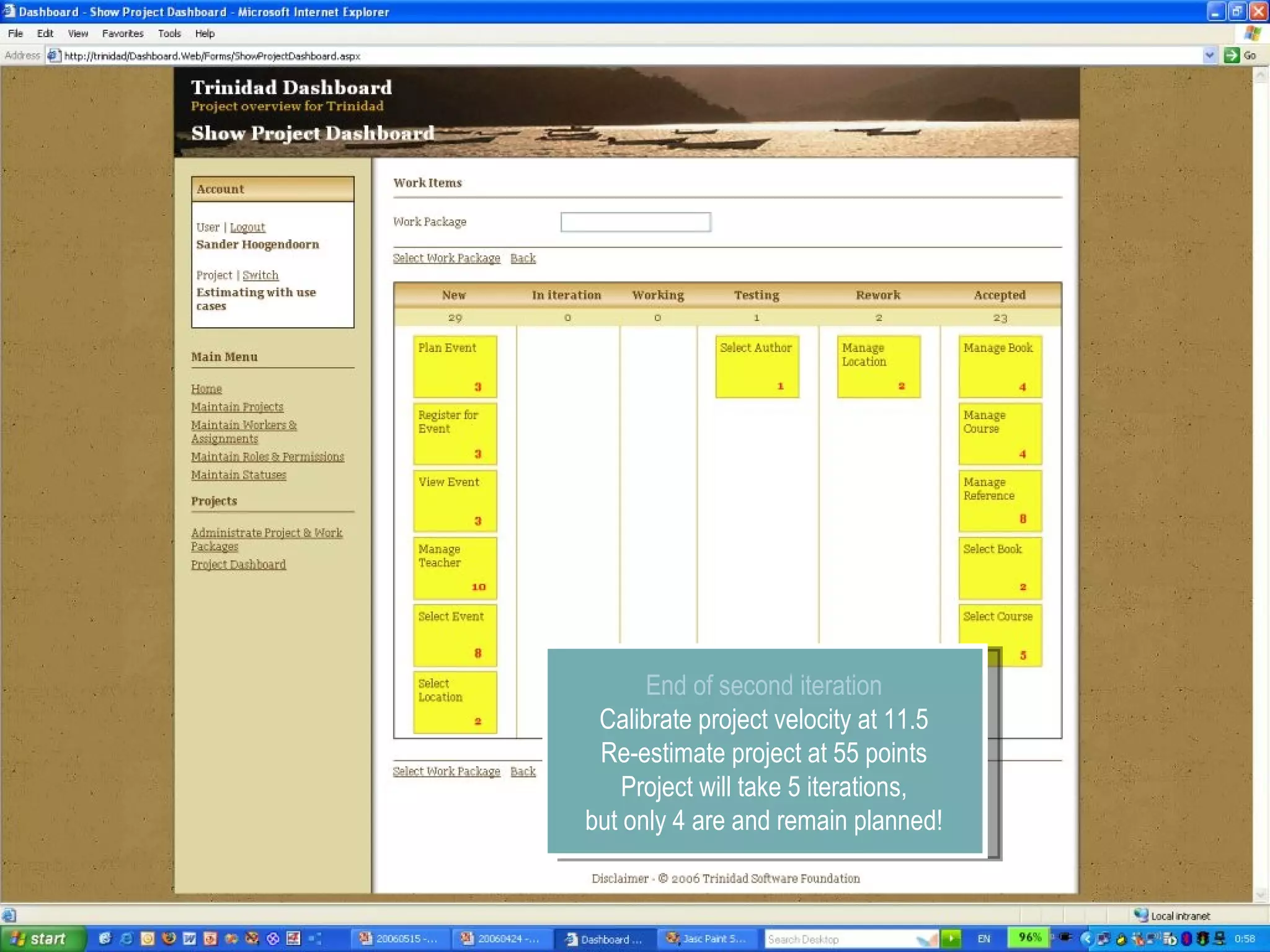
End of second iteration Calibrate project velocity at 11.5 Re-estimate project at 55 points Project will take 5 iterations, but only 4 are and remain planned!
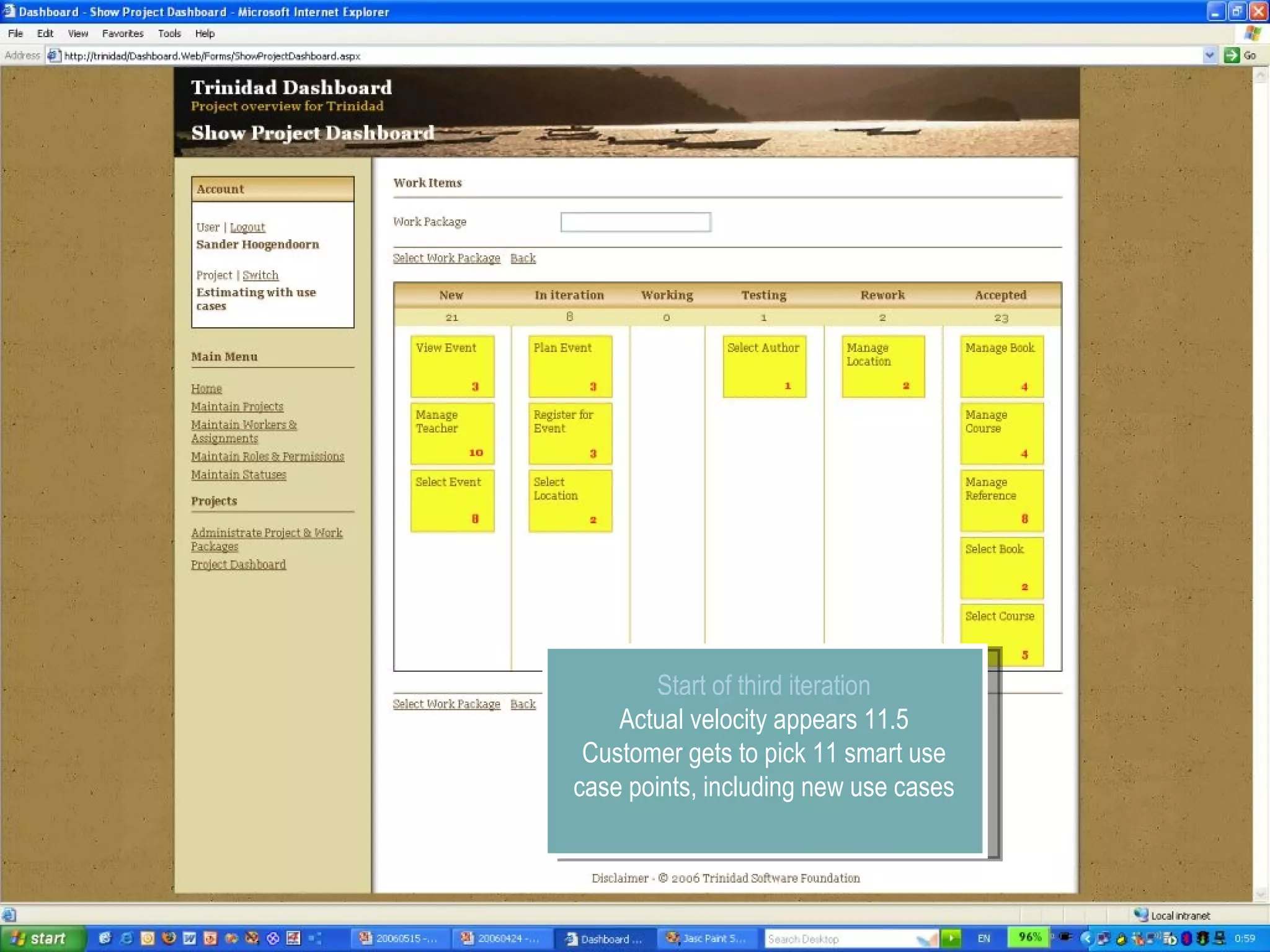
Start of third iteration Actual velocity appears 11.5 Customer gets to pick 11 smart use case points, including new use cases
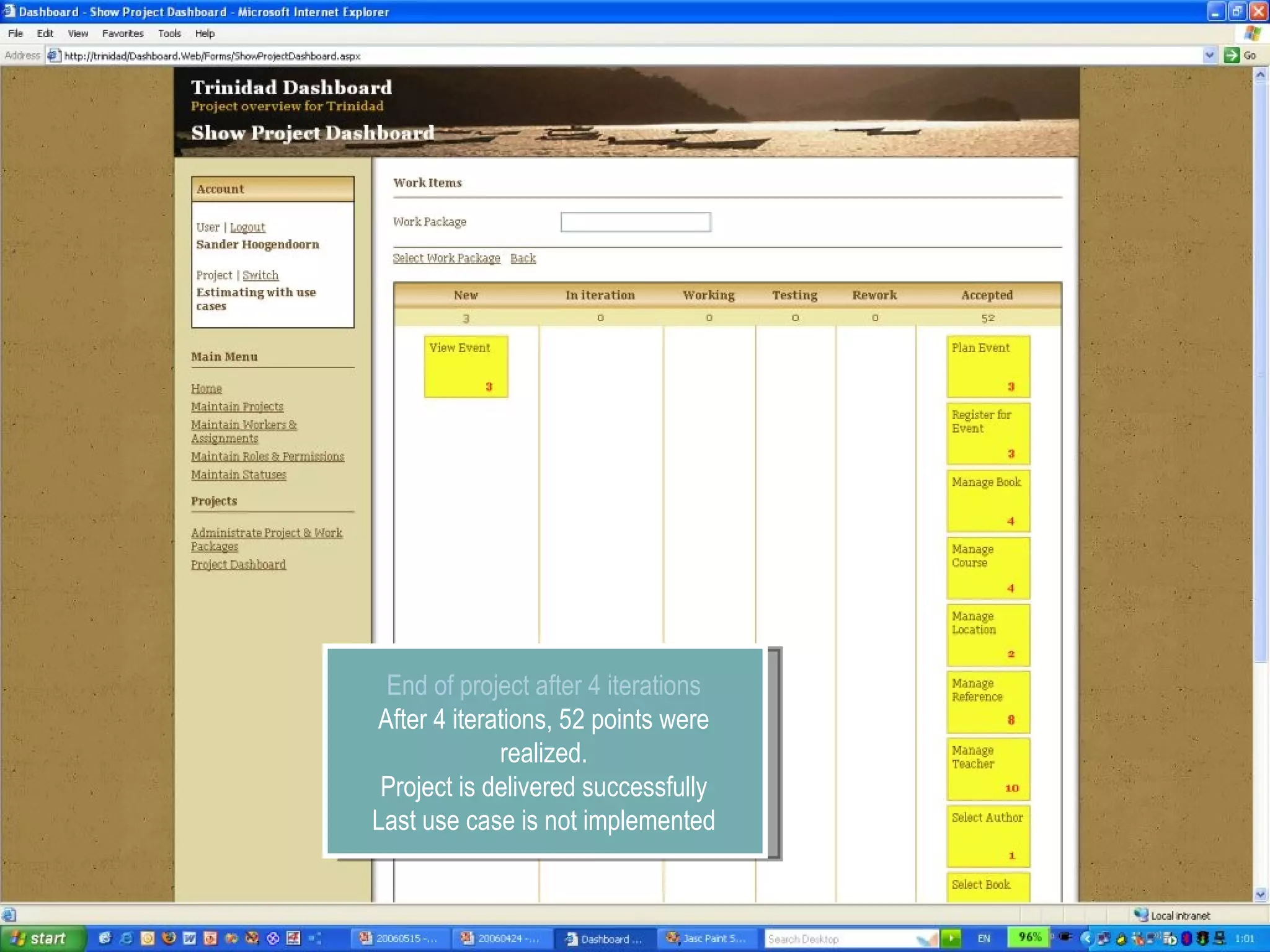
End of project after 4 iterations After 4 iterations, 52 points were realized. Project is delivered successfully Last use case is not implemented
Tips & Tricks Estimation and planning with smart use cases
Tips & Tricks Estimation Create an estimation as a collaborative experience Re-estimate regularly Eliminate use cases with complexity 10 Measurement Immediately start with capturing measurements. This is not only a project activity. Monitoring progress is for the whole team Planning Define clear use case lifecycle
Agenda Introducing smart use cases Estimating with smart use cases Establishing complexity Determining velocity Smart use case stereotypes Planning with smart use cases Agile software development Tools for agile estimation & measurement Planning agile projects
wiki.trinidadplatform.org Robert.de.Wolff@Capgemini.com  Questions

Estimation and planning with smart use cases

  • 1.
    Robert de WolffCapgemini Estimation and planning with smart use cases
  • 2.
    Robert de Wolff.Net software developer Capgemini Development ASP.Net, C#, Sharepoint, SQL BI, WCF Software Architect / Dev lead Accelerated Delivery Platform Member ADP Core team Development ADF.Net Framework, MDA Generator Teacher in Agile development, Smart use cases and .Net
  • 3.
    Agenda Introducing smartuse cases Estimating with smart use cases Establishing complexity Determining velocity Smart use case stereotypes Planning with smart use cases Agile software development Tools for agile estimation & measurement Planning agile projects
  • 4.
  • 5.
    Different levels ofuse cases Merge companies Merge mortgage systems Select product Insert orderline Place order
  • 6.
    Different levels ofuse cases Merge companies Merge mortgage systems Select product Insert orderline Place order
  • 7.
    Introducing smart usecases Why smart use cases? Modeled early in projects Low effort Visual representation Single level of complexity Similar granularity Good unit of work in iterative projects Can be based on most functional requirements specifications, business processes or existing applications Technology independent Reproducible Repeatable
  • 8.
  • 9.
  • 10.
    Estimating with smartuse cases Software estimation Estimate the total complexity (C) Determine project velocity (V) Calculate size (C x V) and costs Note: this is a non-linear equation Note: don’t forget additional activities Establish complexity Use abstract weights to express complexity Easier to compare Use stereotypes as guiding Establish velocity Industry data from other organizations for similar type of software Historical data from other projects in your organization Project data from the project at hand
  • 11.
  • 12.
    Abstract weight ofsmart use cases 1. Piece of cake Simple selection, simple maintenance 2. Moderate Normal selection 3. Average Normal maintenance, normal search 4. Hard Reporting, one-many 5. Very difficult Graphs, extensive reporting, interfacing 8. Extreme, but known Complex interfacing 10. Extreme and unknown Distributed interfacing, calculations
  • 13.
    Defining the weightof smart use cases 4 2 3 8 8 4
  • 14.
  • 15.
    Determining velocity Howdetermine velocity on your project? Calibrate as soon as possible and often Preferably use project data Possibly use historical data Otherwise use industry data What to use to determine velocity? Industry data from other organizations for similar type of software Historical data from other projects in your organization Project data from the project at hand Otherwise validate with expert estimations
  • 16.
    Smart use casestereotypes
  • 17.
    Smart use casestereotypes Identify reusable types of smart use cases Project specific Regular over projects Guides estimation For determing complexity Evaluate completeness with stereotype patterns Also used for generation Sourcecode Documents Groups of stereotypes User interface Reporting Services Handling files Business Intelligence
  • 18.
    Stereotypes examples userinterface 3 – Manage Manage a single instance of a business entity Additional functionality, such a business rules, comparisons, authorization 4 – Master Detail Manage a single instance of a business entity Manage a list of instance from an associated (owned) business entity 2 – Select Select a single instance from a list Additional functionality, such as other properties, paging Used for non-complex reference data 3 – Search Select a single instance from a list Search arguments can be used to filter the list
  • 19.
    Stereotypes examples reporting5 – Extended Report Present a complex report Over several instances of business entities Complex functionality, for instance totals and calculations 8 – Graph Present a report Over one or more instances of business entities Contain one or more graphs over instances
  • 20.
    Stereotypes examples other10 – System Service Interact with another system, using a complex unknown interface This type of use case is often split 8 - Calculation Performs complex or time-consuming calculations, such as interest calculations or complex comparisons Possibly split into sub-calculations
  • 21.
    Stereotypes exampes BusinessIntelligence Extract, Transform and Load Collect (5 - Very difficult) Collects data from a source, perform basic checks and prepares the source for staging in. Integrate (10 - Extreme and unknown) Integrates data from different sources, perform basic checks and prepares the data for the following layer. Aggregate (3 - Average) Aggregates and denormalizes data and performs basic checks to prepare the data for general staging out. Calculate (8 - Extreme, but known) Calculates and creates new information based on different rules, applies filters and performs basic checks to prepare the data for the different dependent data marts.
  • 22.
    And … don’tforget Main The starting page of any application Login and logout The inevitable smart use cases to login and logout Roles and Users Maintenance of roles, users and permissions Applicable to almost any project References Maintenance of reference data Countries Regions Contract types
  • 23.
  • 24.
    Agile and iterativesoftware development Apply short iterations Fixed date, fixed price Two, three or four week iterations Allows maximized feedback Allows changes, even late in the project Logical and small unit of work User stories in extreme programming Features in FDD Back order list in Scrum Smart use cases in Smart
  • 25.
  • 26.
    Tools for agileestimation & measurement
  • 27.
    Tools for agileestimation & measurement Tools for agile estimation & measurement Burn down charts Agile project dashboards Why do projects need such tools? Continuous overview of project for customer and project team Monitor progress Gather metrics Determine velocity What is a burn down chart? Shows project progress and time-to-complete Extrapolate project end Project- , Iteration burndown (and maybe per use case) What is a project dashboard? Visualizes scope and current status of project
  • 28.
    Burn down chartProjected end date
  • 29.
    Agile dashboard Agiledashboard Easy-to-use project dashboard Visualizes progress in smart use-cases Frequently used stages include New , In Iteration , Working , Testing , Rework and Accepted (and Dropped ) Why does the smart dashboard add value to projects? Easy-to-use Flexible Easy-to-understand No overhead
  • 30.
  • 31.
    A project simulationPlanning agile projects
  • 32.
    Project Start Usehistorical data to establish velocity 12 smart use case points per iteration First estimate: 4 iterations required
  • 33.
    Start of firstiteration Customer picks use cases In this case, just too much Team is optimistic
  • 34.
    End of firstiteration Establish actual velocity 13 smart use case points Not bad!
  • 35.
    Start of seconditeration Customer picks 13 use case points Although not required, this includes the unfinished use case from the first iteration
  • 36.
    New use cases!Somewhere along the second iteration new use cases are discovered Added to the New category Don’t change scope during iteration!
  • 37.
    End of seconditeration Calibrate project velocity at 11.5 Re-estimate project at 55 points Project will take 5 iterations, but only 4 are and remain planned!
  • 38.
    Start of thirditeration Actual velocity appears 11.5 Customer gets to pick 11 smart use case points, including new use cases
  • 39.
    End of projectafter 4 iterations After 4 iterations, 52 points were realized. Project is delivered successfully Last use case is not implemented
  • 40.
    Tips & TricksEstimation and planning with smart use cases
  • 41.
    Tips & TricksEstimation Create an estimation as a collaborative experience Re-estimate regularly Eliminate use cases with complexity 10 Measurement Immediately start with capturing measurements. This is not only a project activity. Monitoring progress is for the whole team Planning Define clear use case lifecycle
  • 42.
    Agenda Introducing smartuse cases Estimating with smart use cases Establishing complexity Determining velocity Smart use case stereotypes Planning with smart use cases Agile software development Tools for agile estimation & measurement Planning agile projects
  • 43.