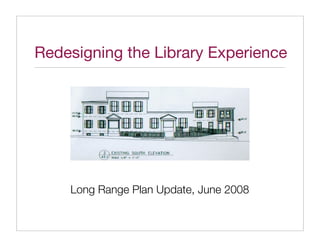
2. Project goals
‣ Meet growing needs
‣ Renovate building
‣ Redesign website
‣ Integrate the two experiences
‣ Evolve the service model
3. The Big Picture
Long-Range Planning Report
Building Track Website Track
2007
Space Needs Assessment Analysis of
User Research
Current Site
Field Investigation
Code Analysis
+1 yr Existing Conditions Report
Redesign of Web Site
Preliminary Design & Cost Estimate Correlation of
Wayfinding Systems
Architectural Rendering
+3-4 yrs
? Develop Construction Documents
4. Problem
We had a Big Picture,
but we didn’t have a vision.
5. Visioning Process
‣ Environmental scan / gap analysis
‣ Review of technology changes
‣ What is “Library 2.0”?
‣ Future needs assessment
‣ Vision statement
7. Technology scan
WiFi
eBooks & digital libraries
RSS feeds, Podcasts, & downloadable media
Social networking applications
User tagging of catalogue records
Ratings & reviews, shareable lists, personal profiles
Recommender/notification services
Hand-held devices
10. It’s not about technology,
it’s about the service model.
11. Library 2.0 principles
‣ User-centered planning
‣ Participatory, user-driven services
‣ Constant & purposeful change
“Technology, while an excellent tool that libraries can use to
work toward Library 2.0, is not a primary element of this model.”
-- Casey & Savastinuk
14. Vision statement
The library will support:
Reading - of materials in a wide variety of formats
Connecting - in physical & virtual meeting spaces
Growing - through programming & online activities
16. Track 1: Building renovation
Children's 50 0
Young Adult 10 5Programming Projections
Adult % 10 5
Seniors 50 10 5
Computer training 15 10
40
Type Relative %
Book Clubs 0 5
Space Needs Assessment
3
Children's 50
Young Adult 10 s
ive
ch
Adult 20 10 Ar rea
ric A
Seniors 10isto ance fice
H tr
Rich Bowra
f
Computer training 15 En or's O ice
ect O ff
10 Dir er's ing
B
k ke roce ms
oo k P roo
o
ep ss
Building Consultant
h t
0 s Bo Bat Adul lt ing
lub n g 's e
n c du lt rs train
C ure
Yod eren gA Ad
u nio ter
ok hil f un Se u
Bo C e Yo mp
R area Co
i ng ers
ad put
/re
als Com tion*
dic
rio ublic ircula n's
Pe P C ldre
i
Ch ction
fi
N on tion
ult lt Fic
Ad du 0 20
0
40
0
60
0
80
0 00 00
A 10 12
Square Feet
18. Options:
1) A new 1,000 S.F. one (1) story addition at Area E.
2) A new 2,000 S.F. one (1) story addition at Area F.
3) Demolish Areas C & J, and add a 3,000 S.F. one (1) story addition at Areas C & F.
4) Demolish Areas C & J, and add a two (2) story addition at Areas C & F - 3,000 S.F./floor.
30. Patron Activities
Core
Patron Activities
1 Search for & read books (79%)
2 Attend programs (49%)
3 Browse DVDs or CDs (44%)
4 Attend book sale (40%)
11
15
8 Supporting
Virtual 5 Explore other materials (28%)
6
Read newspapers & magazines
(21%)
Peripheral
5 1 5
7 Study or do research (19%)
2 8
Surf Internet / Check email
3
(19%)
4 9 Hang out with friends (11%)
Other (6%)
6
Physical 13 10 - pick up / print forms
9
7
10 11 - take computer class
12 12 - play with kids toys
13 - attend Friends group meetings
14 14 Explore historic archives (4%)
15 Play computer games (3%)
Self Serve Staff Assisted
31. Staff Activities
The 17 most time-consuming and/or labor intensive activites for staff.
Catalog & prepare Write checks/payroll ILLs Online research Monitor patron
new materials to add (Access PA, OCLC) behavior
to collection
Weed collection Design, publicize & Teach patrons to Locate materials
conduct programs use catalogs, in library for
databases, etc. patrons
Time &
Labor Order books Answer reference
questions
Prepare all monthly & Coordinate Acme Count & deposit all Remote holds
yearly financial reports receipts monies
Pay and file all Help patrons with
monthly, quarterly & Internet/computer
yearly taxes problems
Frequency
Red = Computer work involved.
32. quot;A website
quot;I finally made my first appt. that incorporates a news and events
to explore the feature... would be great. I'd like to be quot;I would like to be involved in
Media Archives able to register for programs through the book club
...it's a shame that it has to it, and I'd like it to link to or integrate but I never really hear anything
have such high security - with the library catalog better.quot; - good or bad - about it.quot;
it makes it hard to visit.quot;
quot;I find it
quot;I find it a little hard to
hard to study/do research
Points of Pain
browse the DVDs
sometimes, as the
since they are in those little
computers and the people
boxes.quot; quot;I'd like to be able
(mostly teenagers) using
to view what DVDs you
them tend to dominate the
have online.quot;
library...quot;
quot;Add extra computers.quot;
quot;I would like to have 2 quot;It would be good to have quot;The space is not conducive to
computer classes more alternative dates and time socializing with friends.quot;
per month, instead of one.quot; choices for story times.quot;
quot;Story times seem to be geared
towards the children of stay at home
parents. As a working parent I seldom
see any evening events for children.quot;
33. Media-Upper Providence Free Library
Task: Find out about library events Library Experience Redesign
Author: M. Magoolaghan
Date: 3/22/2008
quot;I have a hard time finding
out about library events.quot;
Online
Click on newsletter
Go Visit library website ? ? Scan PDF Stop
PDF
Unclear navigation; 1 MB file takes long Newsletter is from
where's the calendar? time to download last year
At the
Library
Scan wall displays
Go Scan lobby ? ? Ask at Circ. desk Stop
& signage
Lots of signs & brochures, No centralized Intern doesn't know
but no events calendar. list of events where to look
34. Media-Upper Providence Free Library
Task: Find a DVD (online) Library Experience Redesign
Author: M. Magoolaghan
Date: 3/24/2008
quot;I wish there were an
easier way to browse
DVDs.quot;
Online
Go 1. Visit library ? 2. Click on quot;DCLS ? 3. Enter title: quot;An ?
website card catalogue.quot; Inconvenient Truthquot;
Unclear navigation; No way to search by
Retrieves list of 4 items,
no link to DVDs. item type (e.g., DVDs)
none labeled quot;DVDquot;
[Cont.]
4. Click on 1st link 5. Notice option for 6. See it's not in
? ? Stop
in results list quot;DVDs, Videos, etc.quot; the Media library
This option is buried at the bottom
The description shows it's a DVD, of a long drop-down list of
but for Call # it just says quot;I.quot; libraries in the system
35. Media-Upper Providence Free Library
Task: Find a DVD (at the library) Library Experience Redesign
Author: M. Magoolaghan
Date: 3/24/2008
quot;I wish there were an
easier way to browse
DVDs.quot;
At the 3. Ask at Circulation
? 2. Look thru DVD bins ? Stop
library Go 1. Scan lobby
desk
Unclear navigation; Laminated DVD covers are in Library doesn't have
DVDs are on table in the quasi-alpha order but there's that DVD
New Fiction area no master list of available DVDs
43. Website - Top 5 needs
1. Ability to update content directly
2. Integration with DCLS resources
3. Events calendar
4. Targeted resources
5. Feedback loop
44. 1 Site Map | Site Search
My Library Rooms Resources Web Tools
Communities Search the Catalog 2 Library Hours
4 Enter title
Birth to Six Monday, 10 a.m.-8 p.m.
Top 5 needs Tues.-Thurs., 10 a.m.-9 p.m.
Kid Links Media-Upper Providence Search Friday, 10 a.m.-6 p.m.
Sat., 10 a.m.-4 - p.m.
Teen Space
1. Easily update content > My Record > Search Tips Sun., 1 p.m.-4 p.m.
Adults
2. Integration with DCLS > Holiday Closings
3. Events calendar
55+ June Events
January Events 3
- 1/4, 11a.m.: Storytime
4. Targeted resources
- 1/11, 7 p.m.: Friends meeting
5. Feedback loop Support the - 1/17 8 p.m.: Gardening group
- 1/22, 7 p.m.: Book discussion
Library
> Event Keeper
> Volunteer
Patron Poll 5
> Join Friends Renovation Plans Approved
of the Library Help us prioritize our budget.
Lorem ipsum dolor sit amet, consectetuer Which materials are most
> Contribute to adipiscing elit. Donec ac elit eu mauris Photo
important to you?
the Fund Drive pellentesque semper. Nunc eget nisl. Sed eu
justo vel mauris facilisis porttitor.
= Books
= DVDs
= Books on tape
DCLS Links Check Out Brandi's Blog = Playaways
= Other (please explain):
Sed nec nisl et est tincidunt sollicitudin. Nullam nisl orci, vulputate
> NextReads
eu, facilisis eu, laoreet ut, nunc. Pellentesque auctor neque
condimentum turpis. In hac habitasse platea dictumst.
> Audio books
Subscribe using RSS Submit
> Grand Kits
46. Building - Top 5 needs
1. More computers, but segregated
2. More quiet study areas
3. Large, adaptable meeting space
4. Access to historic archives
5. Larger staff work areas
47. Bath
room
Periodicals /
Reading Area
?
Parking Parking
Fiction Stacks
Top 5 needs
1. More computers, but segregated
2. More quiet study areas Non-Fiction Stacks
3. Large, adaptable meeting space
4. Access to historic archives Staff
Young Adult Lounge
5. Larger staff work areas
Bath
Storage Computers Circulation room
Desk
Reference
Area
Staff Work Director's
Area Office
Children's Area
Work Room
1st Floor Layout
Nook Ramp
Entry Foyer
48. Next steps
‣ Create envisionments
‣ Present design ideas to community
‣ Continue to solicit feedback
‣ Focus on fundraising
49. Closing thoughts
“The social and cultural functions of built spaces
have become inseparable from the simultaneous
operation of multiple communication systems within
and among them. Architecture no longer can (if it ever
could) be understood as an autonomous medium of mass,
space, and light, but now serves as the constructed
ground for encountering and extracting meaning from
cross-connected flows of aural, textual, graphic, and digital
information through global networks.”
-- William J. Mitchell, Placing Words
50. Rough Translation
Libraries that figure out how to integrate
physical & digital resources will thrive.
Those that don’t risk a different fate...