fabric.js
Building a canvas library


       Warsaw   2011
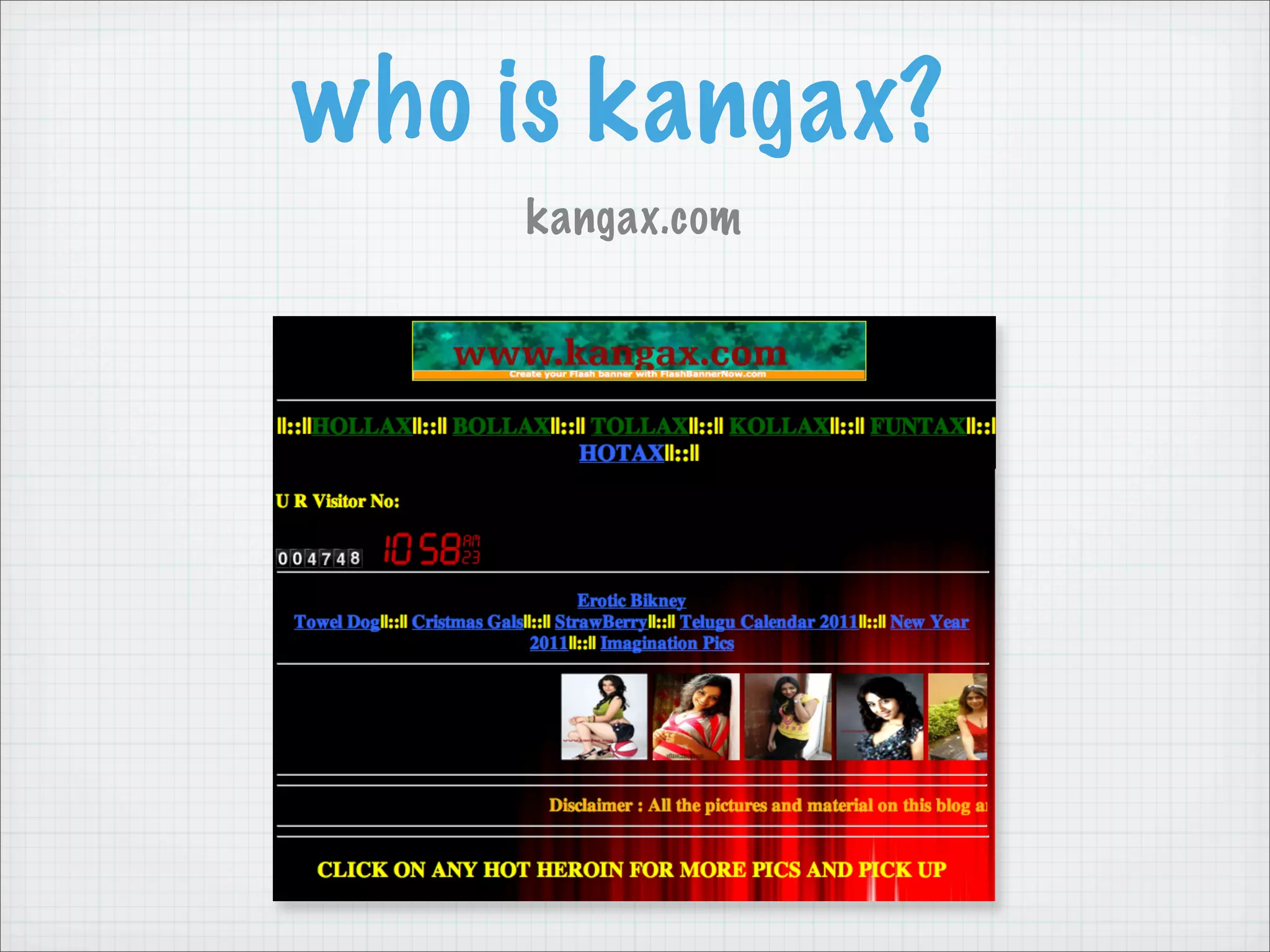
who is kangax?
     kangax.com
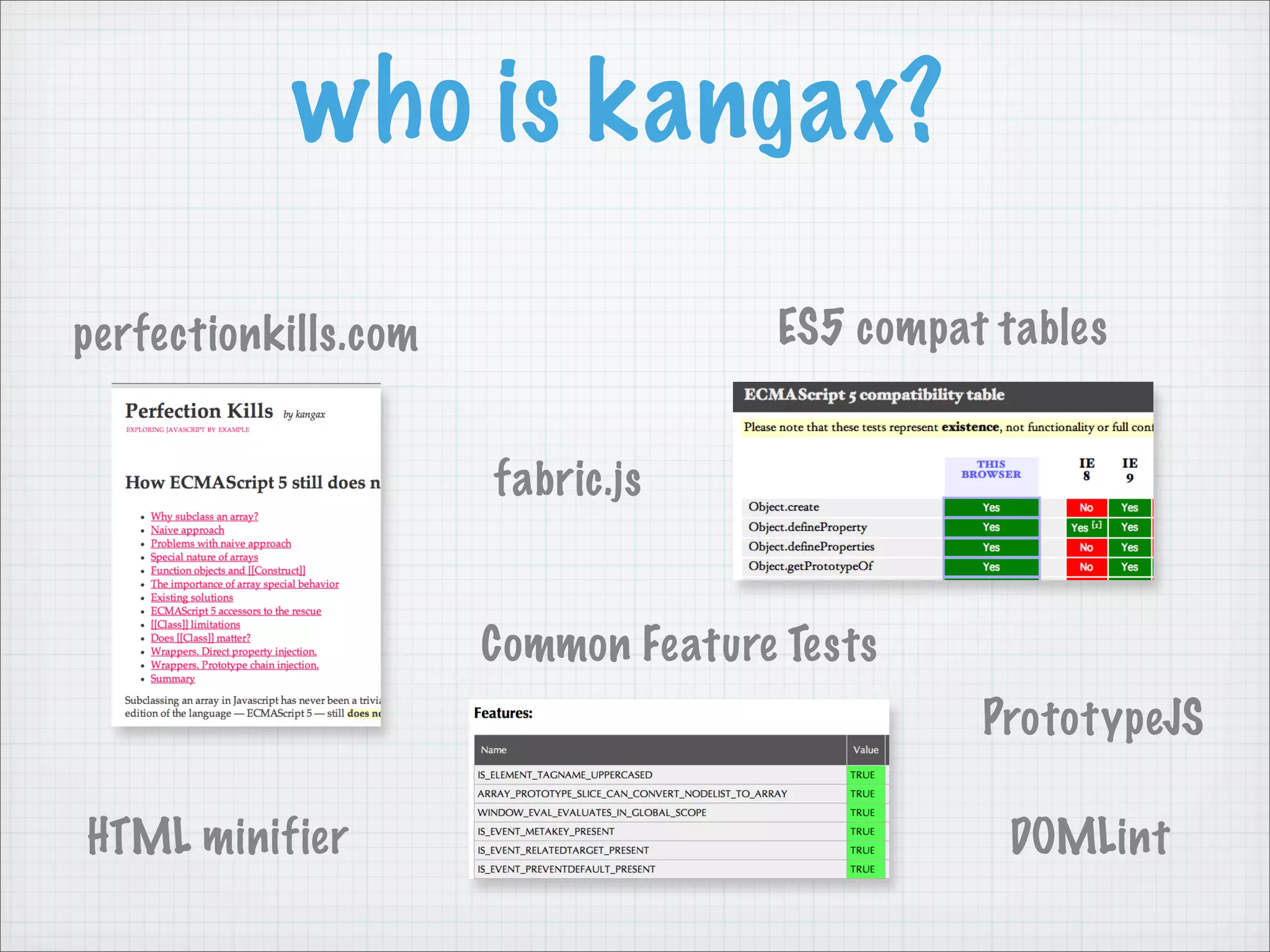
who is kangax?

perfectionkills.com                 ES5 compat tables


                      fabric.js


                      Common Feature Tests
                                              PrototypeJS

HTML minifier                                  DOMLint
Game Plan

History
Why fabric?
How it works. Features.
Canvas libraries
Future plans
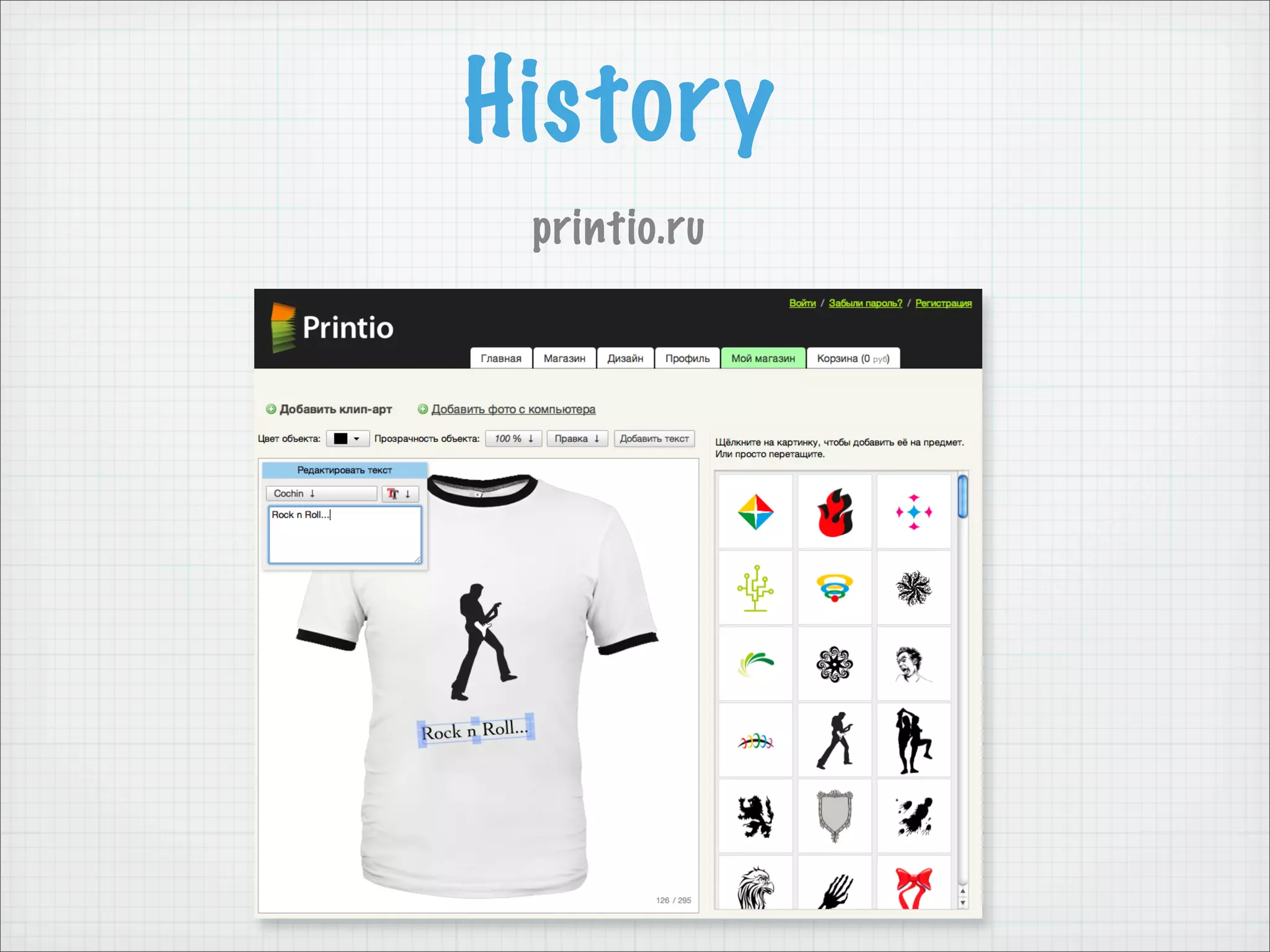
History
 printio.ru
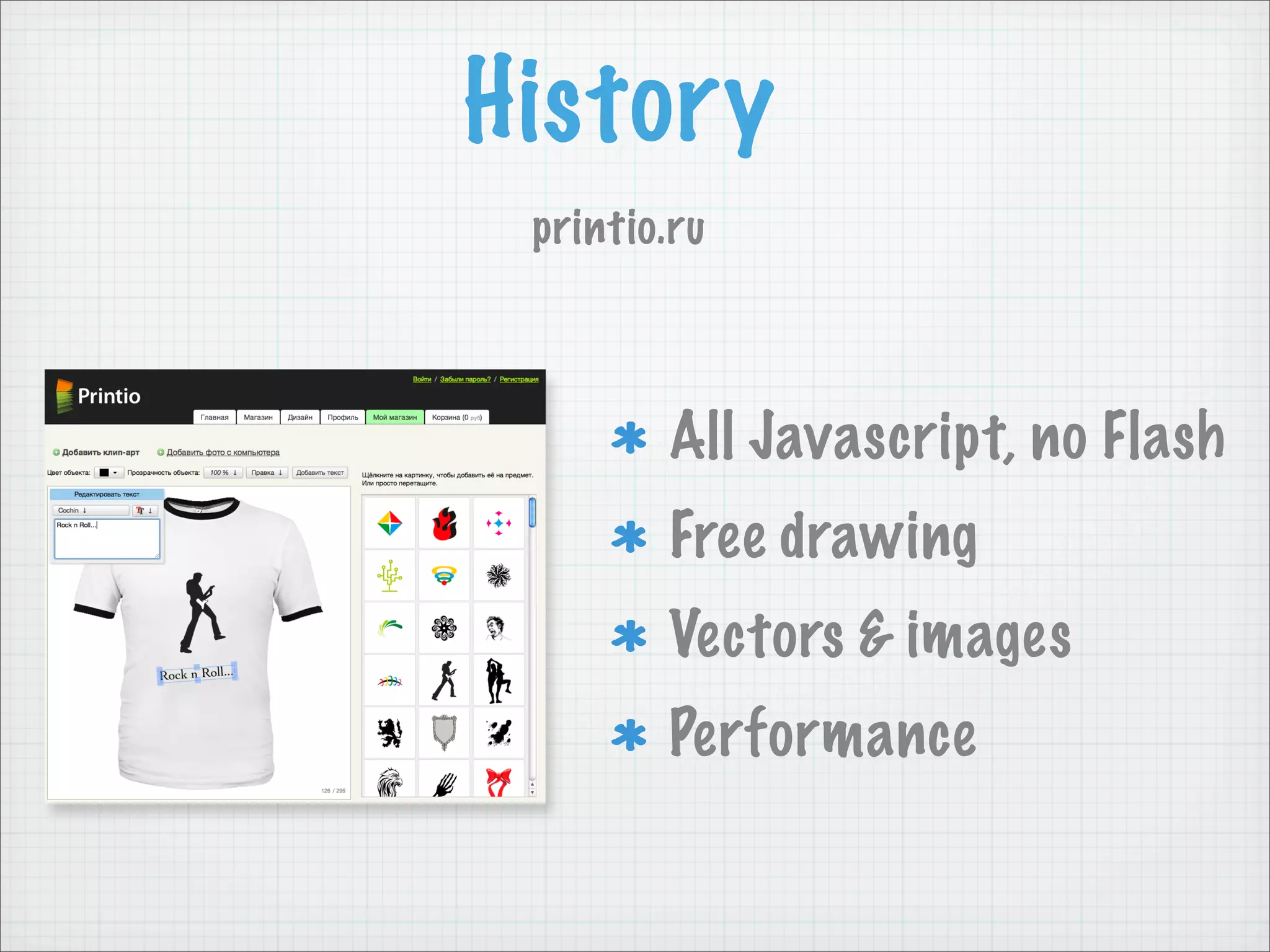
History
 printio.ru


        All Javascript, no Flash
        Free drawing
        Vectors & images
        Performance
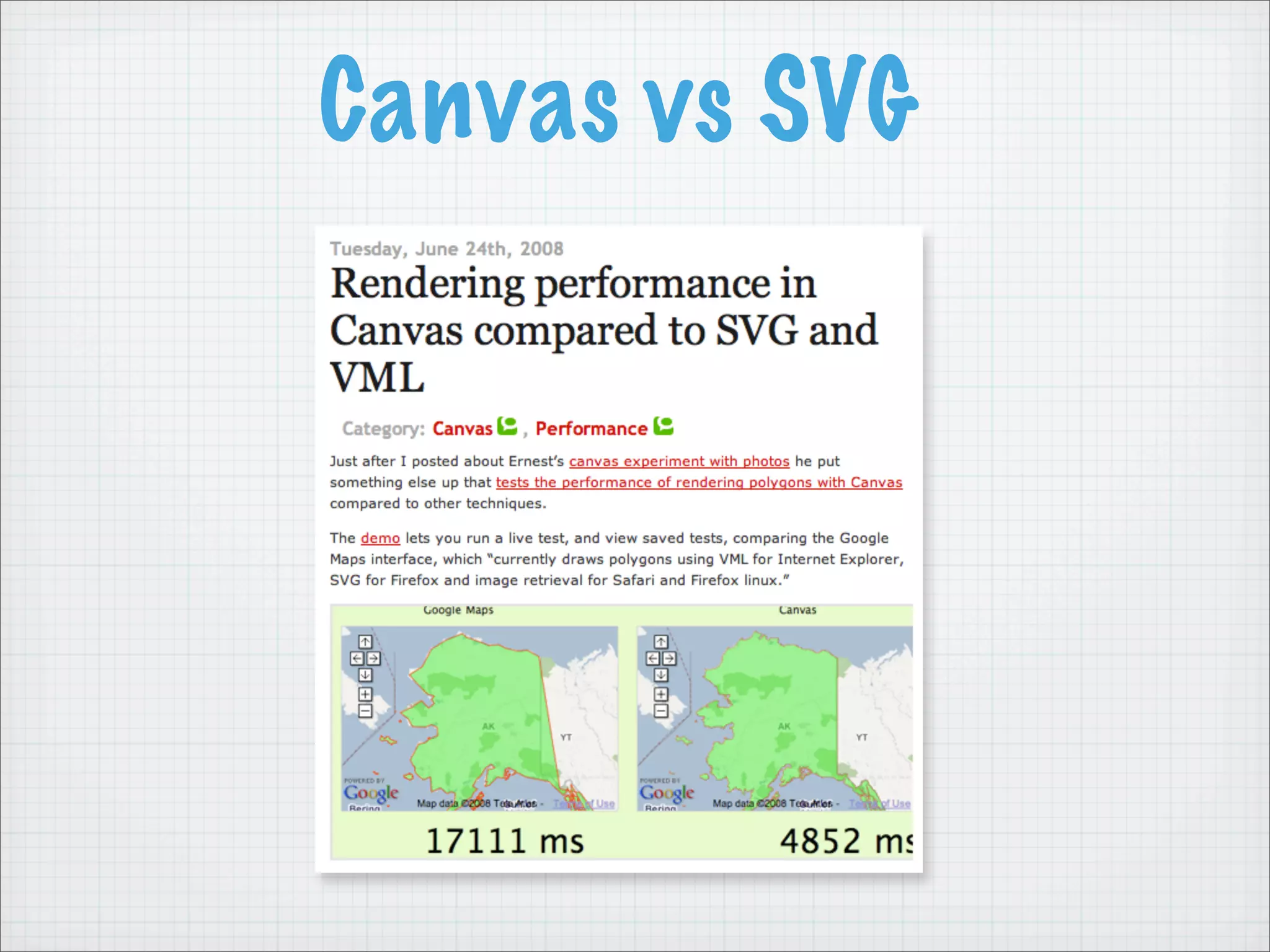
Canvas vs SVG
Why fabric?
 Canvas API sucks is too low level

There was an excruciating need for
     interactive object model
       for canvas element
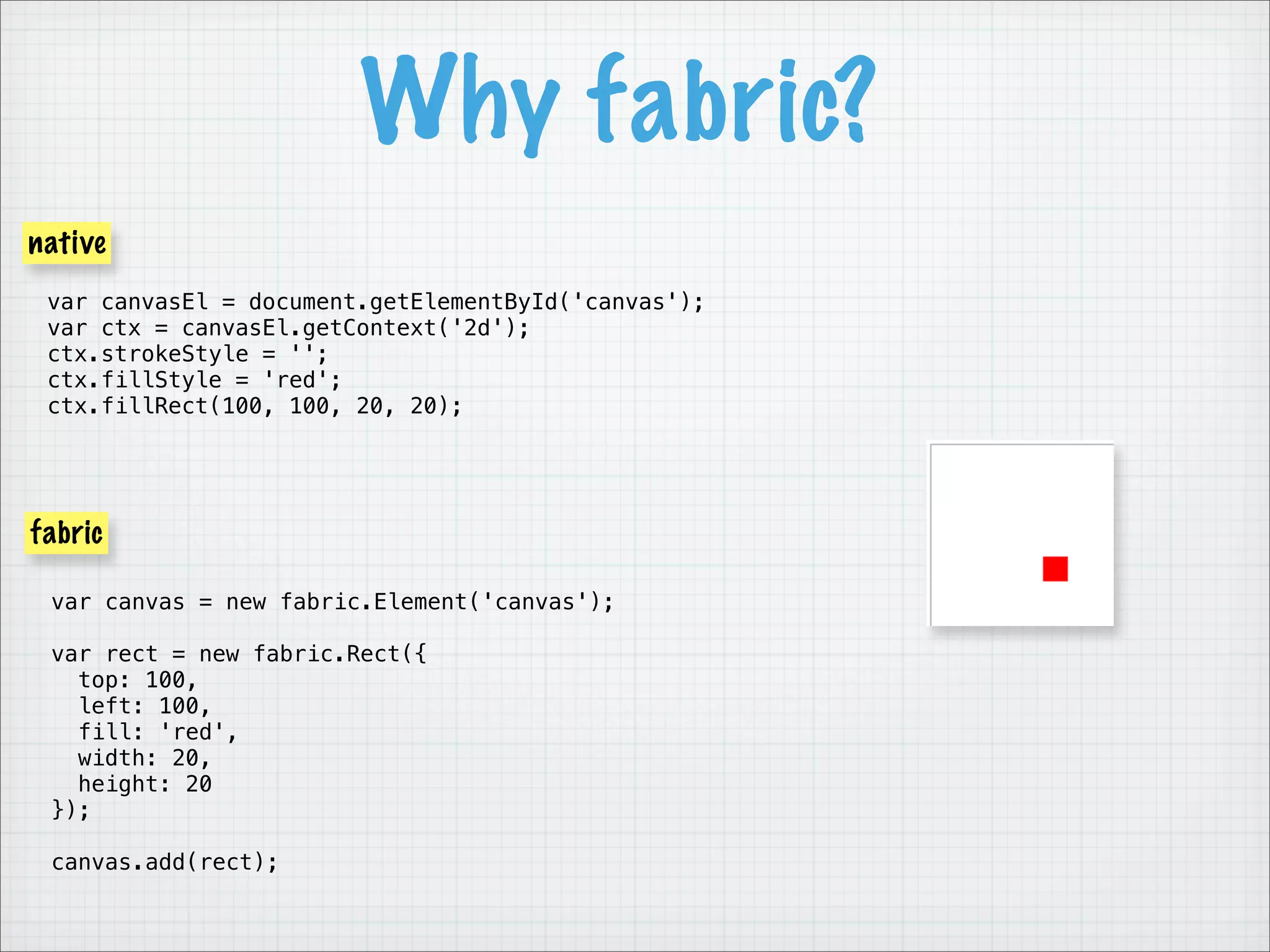
Why fabric?
native
 var canvasEl = document.getElementById('canvas');
 var ctx = canvasEl.getContext('2d');
 ctx.strokeStyle = '';
 ctx.fillStyle = 'red';
 ctx.fillRect(100, 100, 20, 20);


fabric

 var canvas = new fabric.Element('canvas');

 var rect = new fabric.Rect({
   top: 100,
   left: 100,
   fill: 'red',
   width: 20,
   height: 20
 });

 canvas.add(rect);
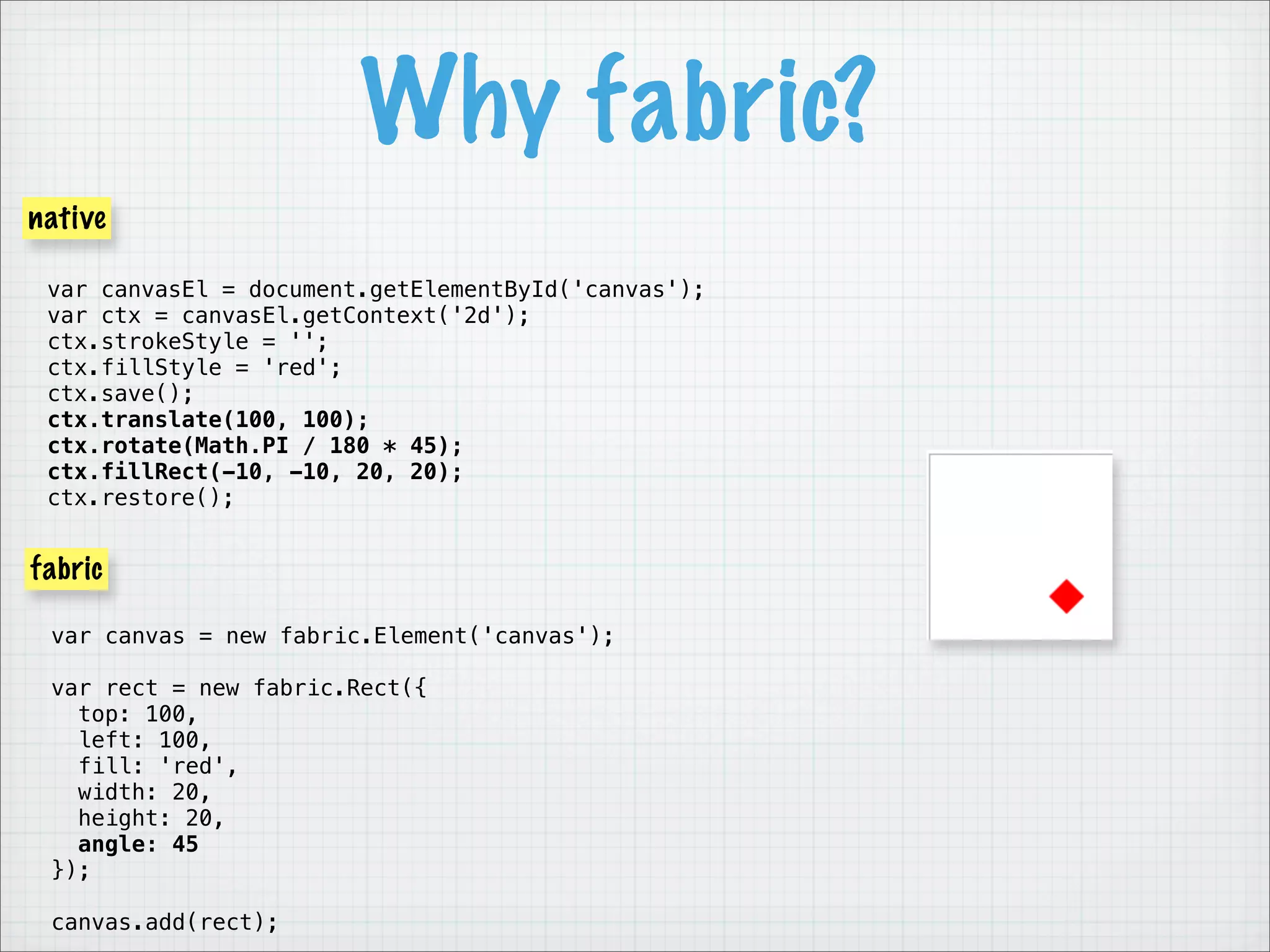
Why fabric?
native

 var canvasEl = document.getElementById('canvas');
 var ctx = canvasEl.getContext('2d');
 ctx.strokeStyle = '';
 ctx.fillStyle = 'red';
 ctx.save();
 ctx.translate(100, 100);
 ctx.rotate(Math.PI / 180 * 45);
 ctx.fillRect(-10, -10, 20, 20);
 ctx.restore();


fabric

 var canvas = new fabric.Element('canvas');

 var rect = new fabric.Rect({
   top: 100,
   left: 100,
   fill: 'red',
   width: 20,
   height: 20,
   angle: 45
 });

 canvas.add(rect);
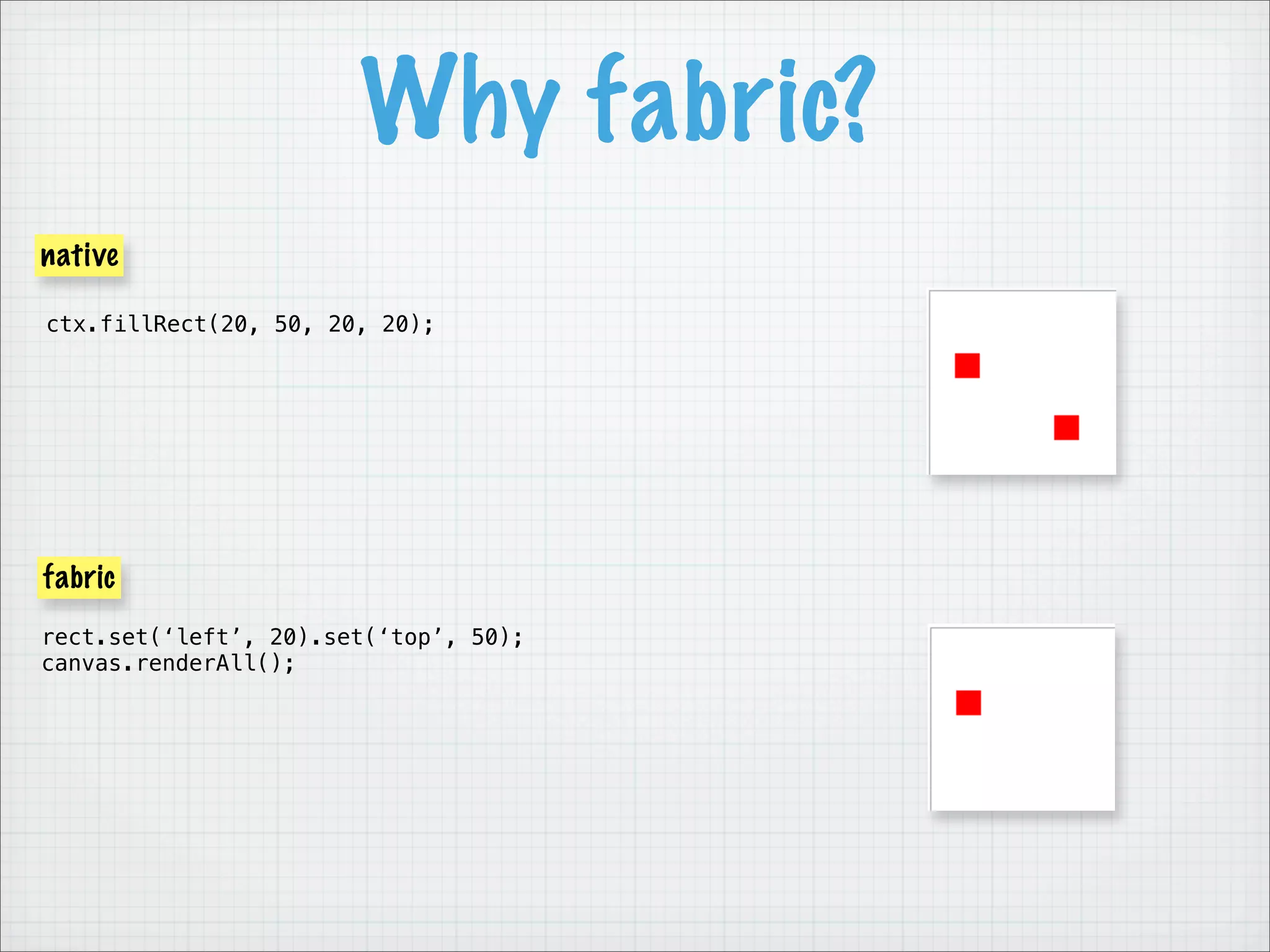
Why fabric?
native

ctx.fillRect(20, 50, 20, 20);


fabric
rect.set(‘left’, 20).set(‘top’, 50);
canvas.renderAll();
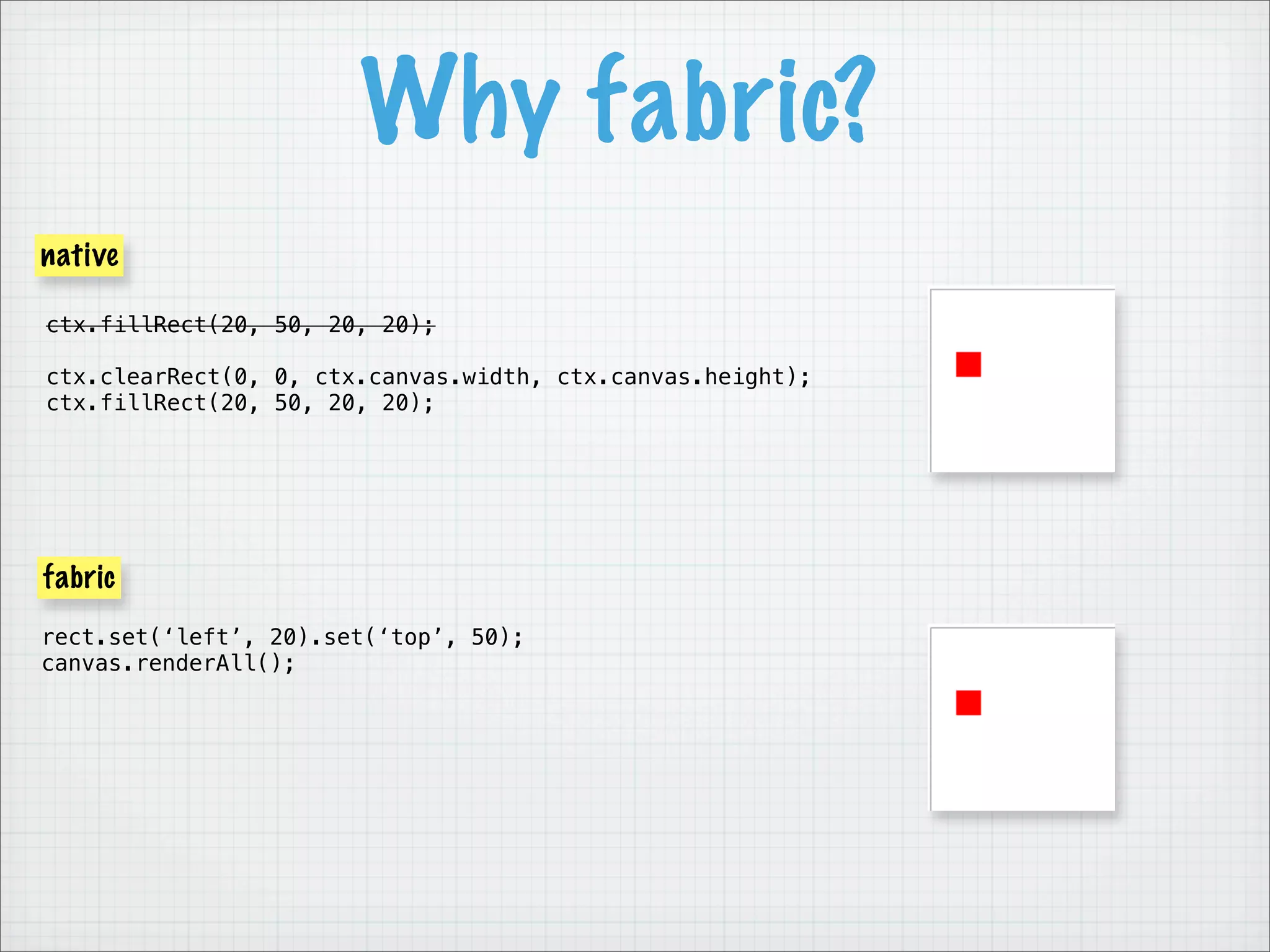
Why fabric?
native

ctx.fillRect(20, 50, 20, 20);

ctx.clearRect(0, 0, ctx.canvas.width, ctx.canvas.height);
ctx.fillRect(20, 50, 20, 20);


fabric
rect.set(‘left’, 20).set(‘top’, 50);
canvas.renderAll();
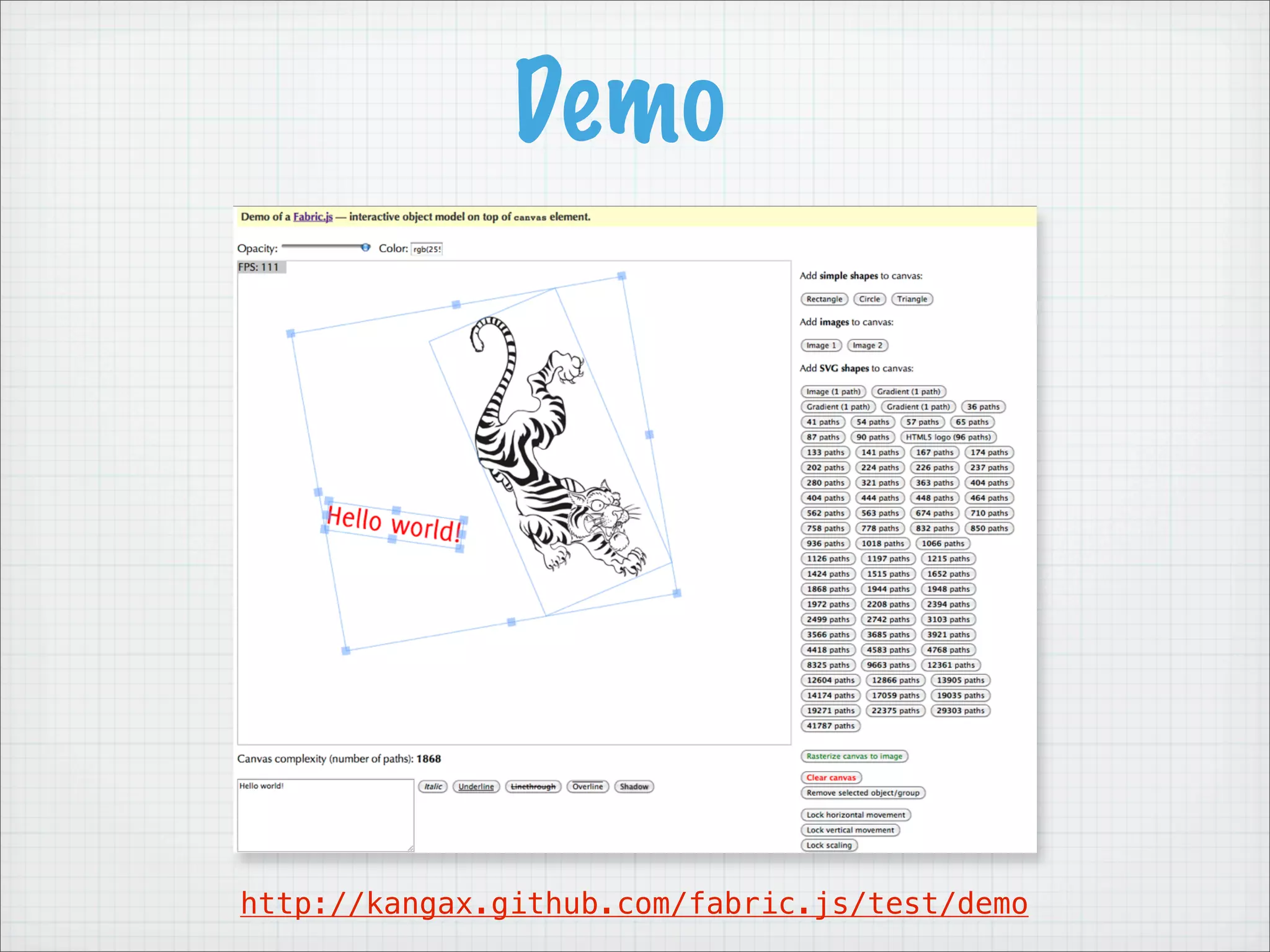
Demo


http://kangax.github.com/fabric.js/test/demo
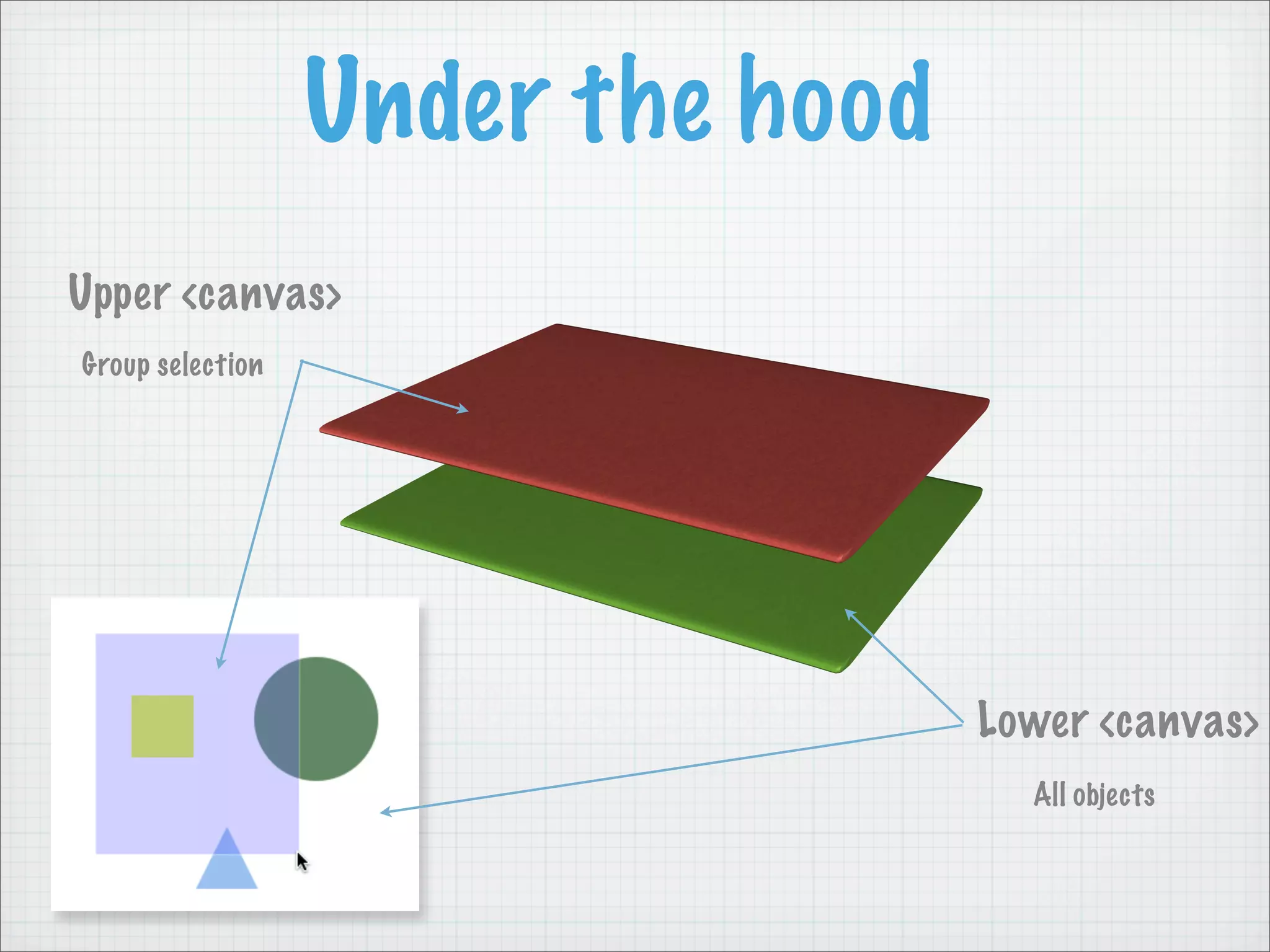
Under the hood
Upper <canvas>
Group selection


                                   Lower <canvas>
                                     All objects
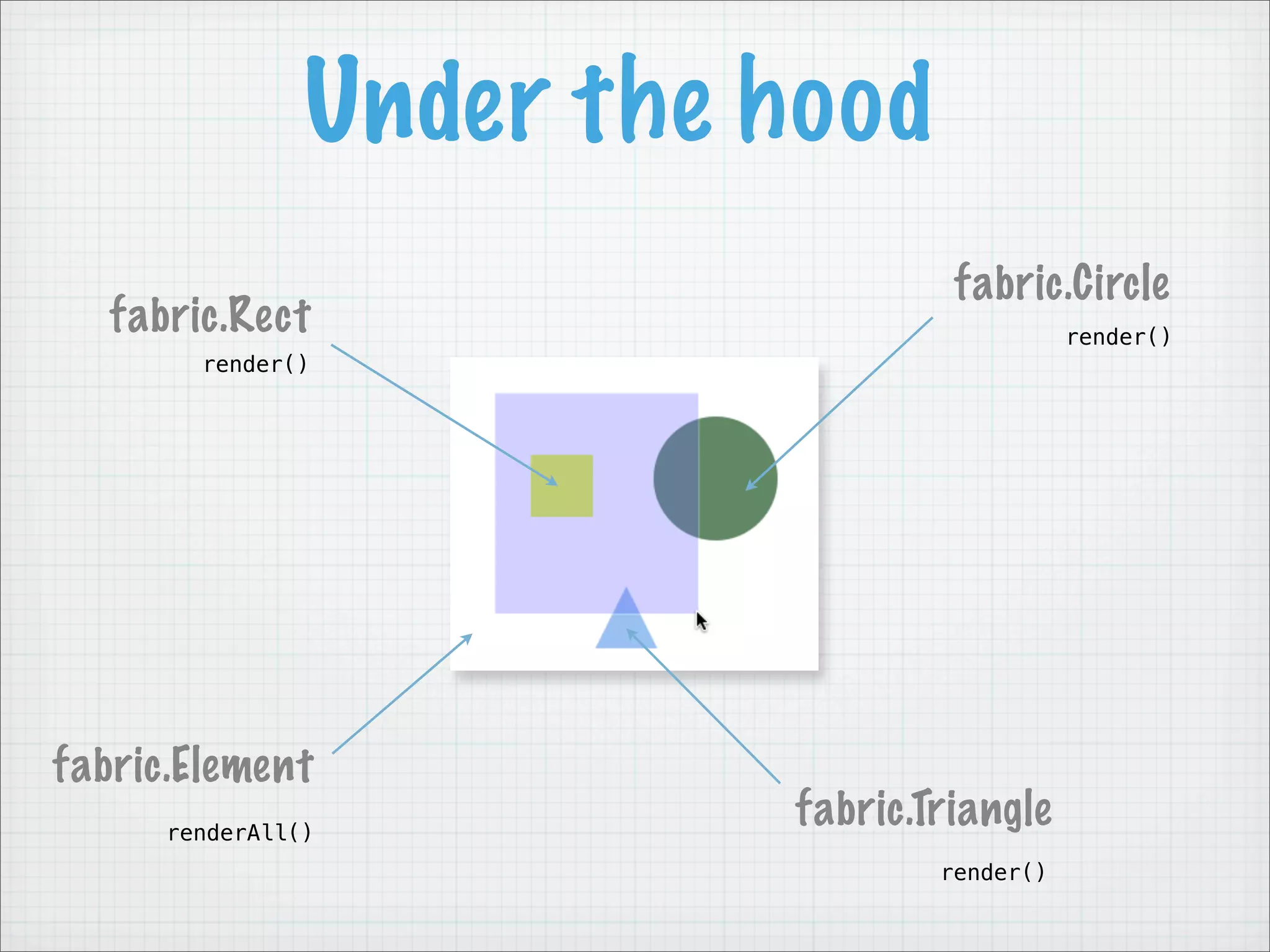
Under the hood
                                   fabric.Circle
   fabric.Rect                               render()
        render()


fabric.Element
      renderAll()
                          fabric.Triangle
                                  render()
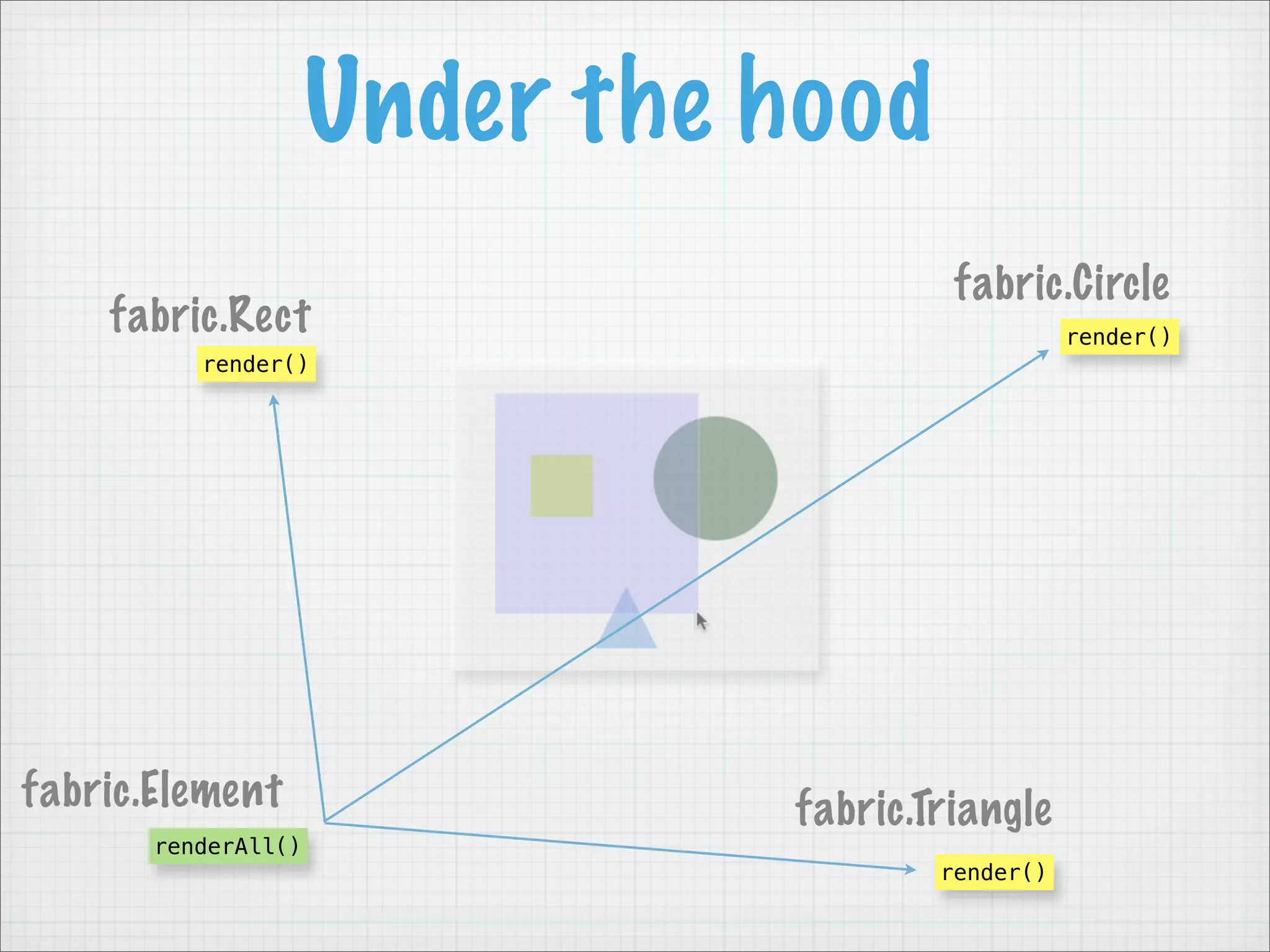
Under the hood
                                        fabric.Circle
    fabric.Rect                                   render()
          render()


fabric.Element                 fabric.Triangle
       renderAll()
                                       render()
Under the hood
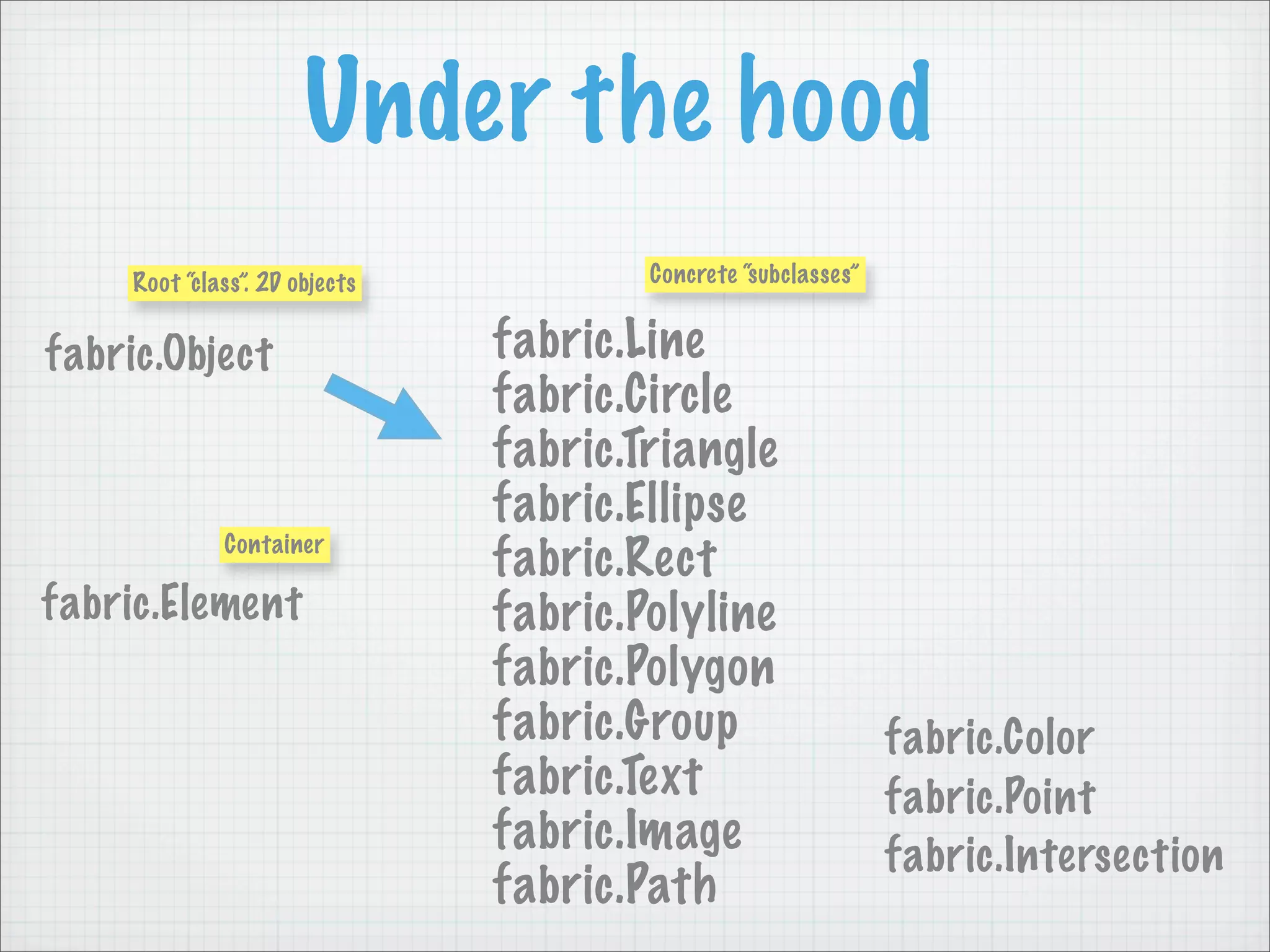
     Root “class”. 2D objects           Concrete “subclasses”


fabric.Object                   fabric.Line
                                fabric.Circle
                                fabric.Triangle
                                fabric.Ellipse
              Container
                                fabric.Rect
fabric.Element                  fabric.Polyline
                                fabric.Polygon
                                fabric.Group                    fabric.Color
                                fabric.Text                     fabric.Point
                                fabric.Image                    fabric.Intersection
                                fabric.Path
Under the hood
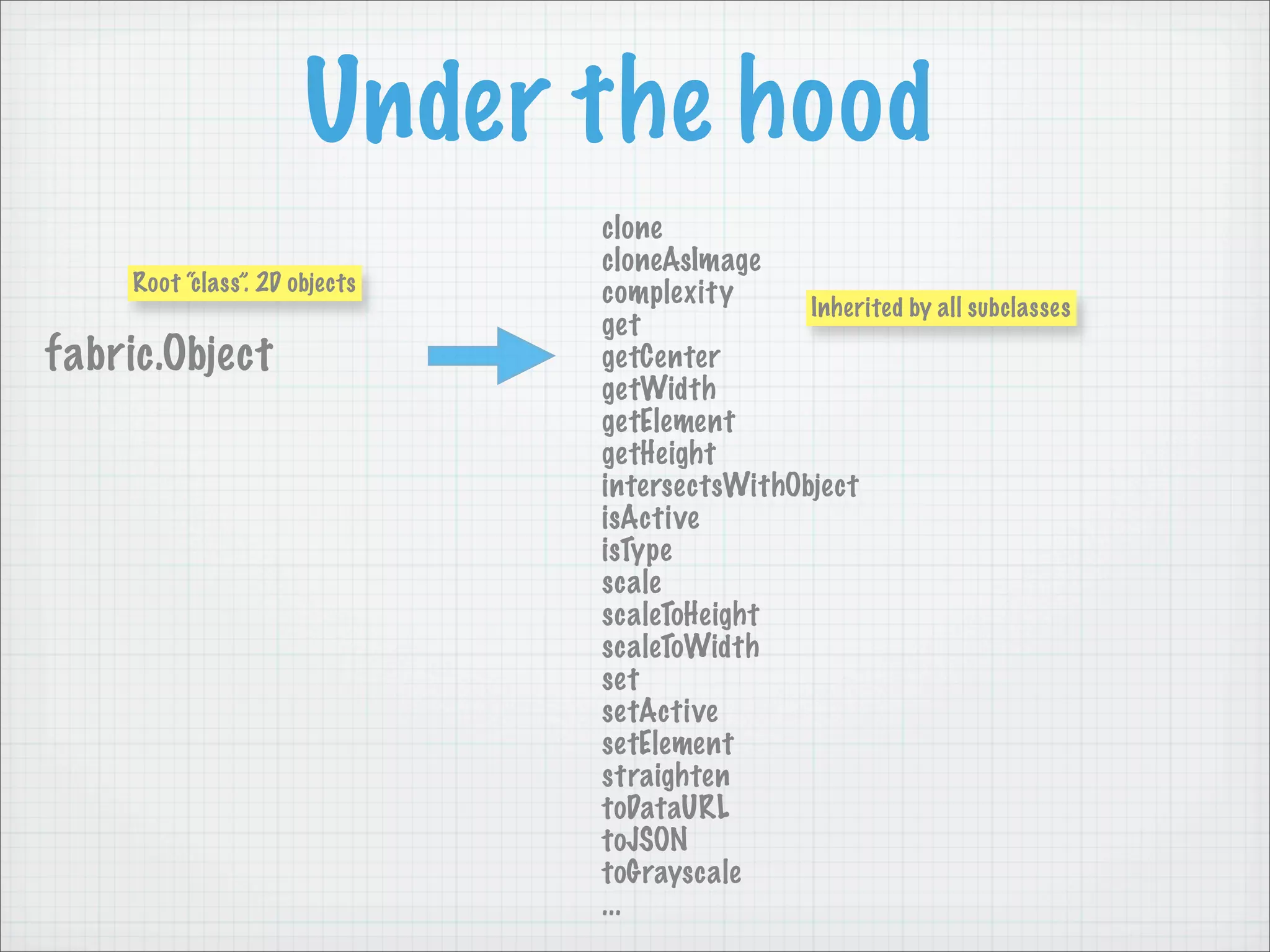
                                clone
                                cloneAsImage
     Root “class”. 2D objects   complexity      Inherited by all subclasses
                                get
fabric.Object                   getCenter
                                getWidth
                                getElement
                                getHeight
                                intersectsWithObject
                                isActive
                                isType
                                scale
                                scaleToHeight
                                scaleToWidth
                                set
                                setActive
                                setElement
                                straighten
                                toDataURL
                                toJSON
                                toGrayscale
                                ...
Features — Animation
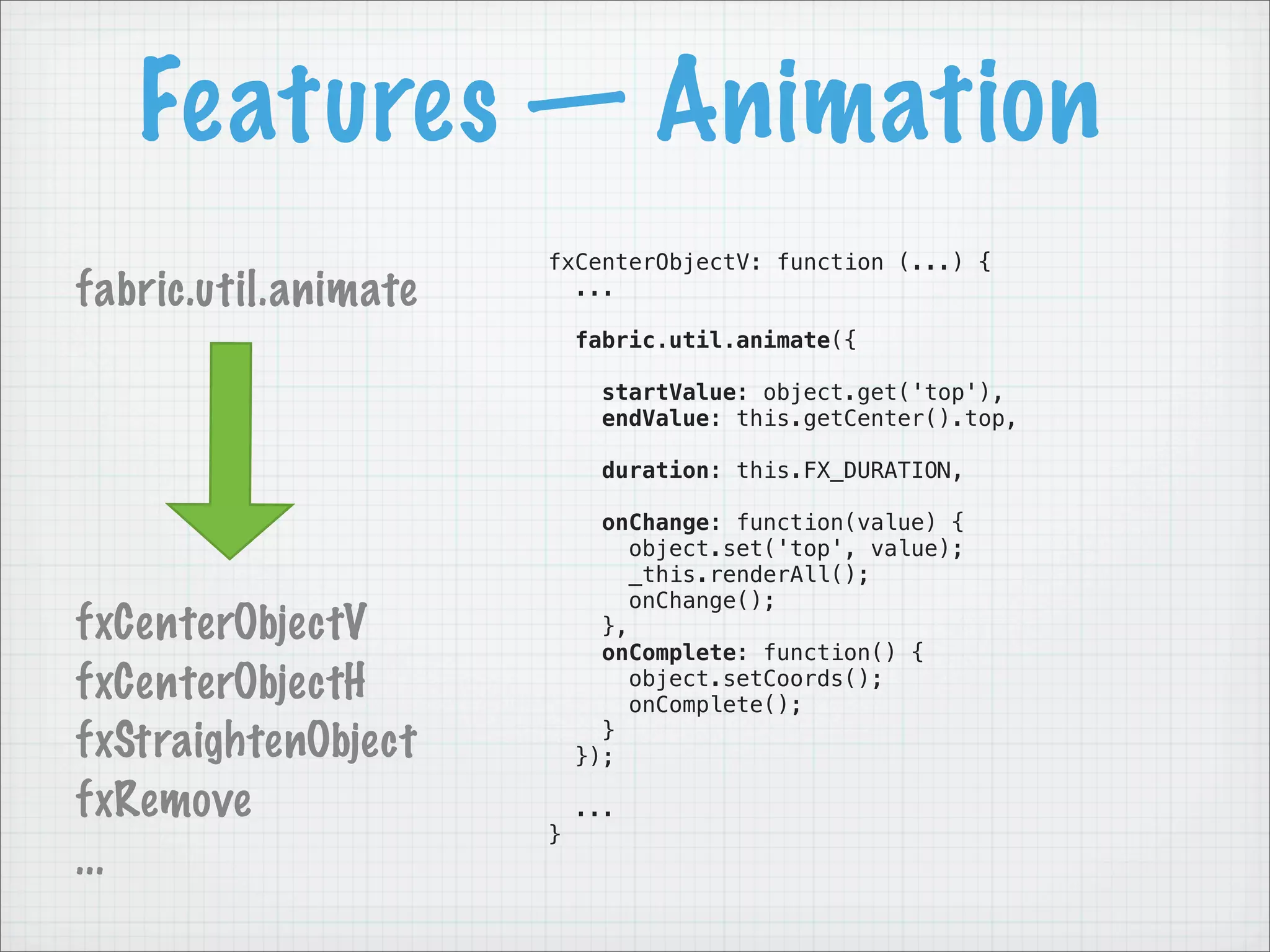
                      fxCenterObjectV: function (...) {
fabric.util.animate     ...

                          fabric.util.animate({

                            startValue: object.get('top'),
                            endValue: this.getCenter().top,

                            duration: this.FX_DURATION,

                            onChange: function(value) {
                               object.set('top', value);
                               _this.renderAll();
                               onChange();
fxCenterObjectV             },
                            onComplete: function() {
fxCenterObjectH                object.setCoords();
                               onComplete();
fxStraightenObject          }
                          });

fxRemove                  ...
                      }
...
Features — Animation
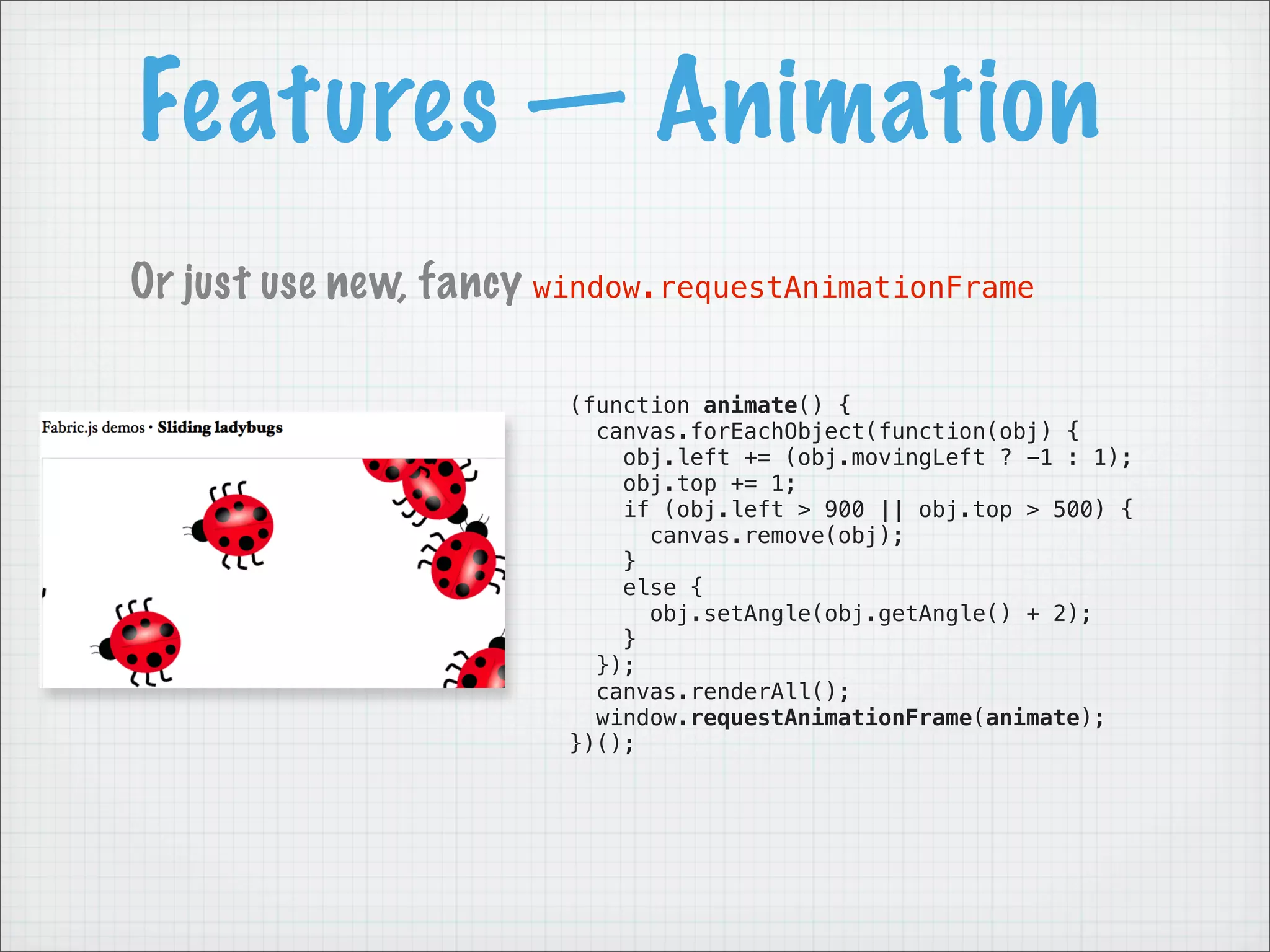
Or just use new, fancy window.requestAnimationFrame

                        (function animate() {
                          canvas.forEachObject(function(obj) {
                            obj.left += (obj.movingLeft ? -1 : 1);
                            obj.top += 1;
                            if (obj.left > 900 || obj.top > 500) {
                              canvas.remove(obj);
                            }
                            else {
                              obj.setAngle(obj.getAngle() + 2);
                            }
                          });
                          canvas.renderAll();
                          window.requestAnimationFrame(animate);
                        })();
Features — Events
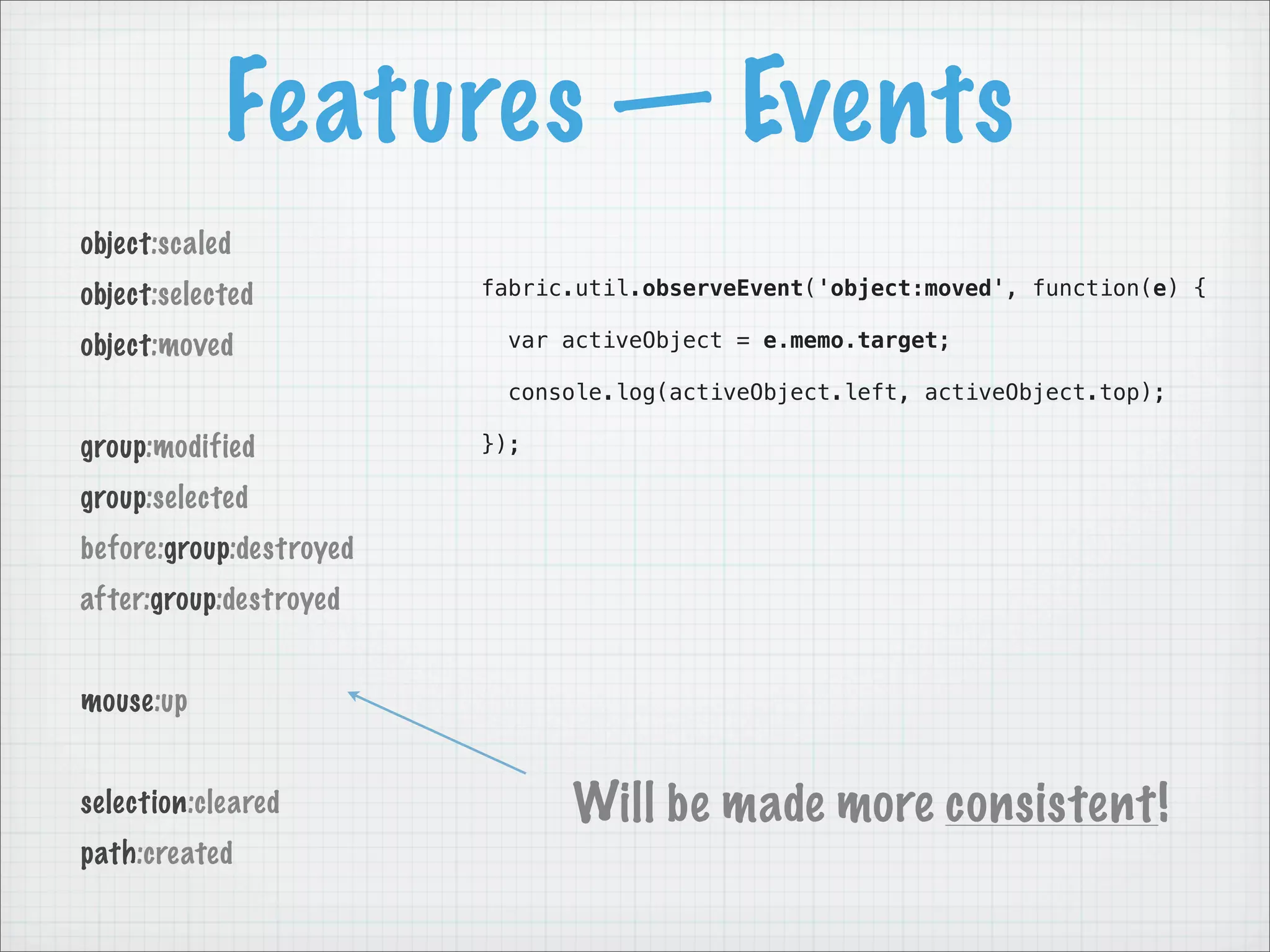
object:scaled
object:selected          fabric.util.observeEvent('object:moved', function(e) {

object:moved               var activeObject = e.memo.target;

                           console.log(activeObject.left, activeObject.top);

group:modified           });

group:selected
before:group:destroyed
after:group:destroyed


mouse:up


selection:cleared              Will be made more consistent!
path:created
Features — Text
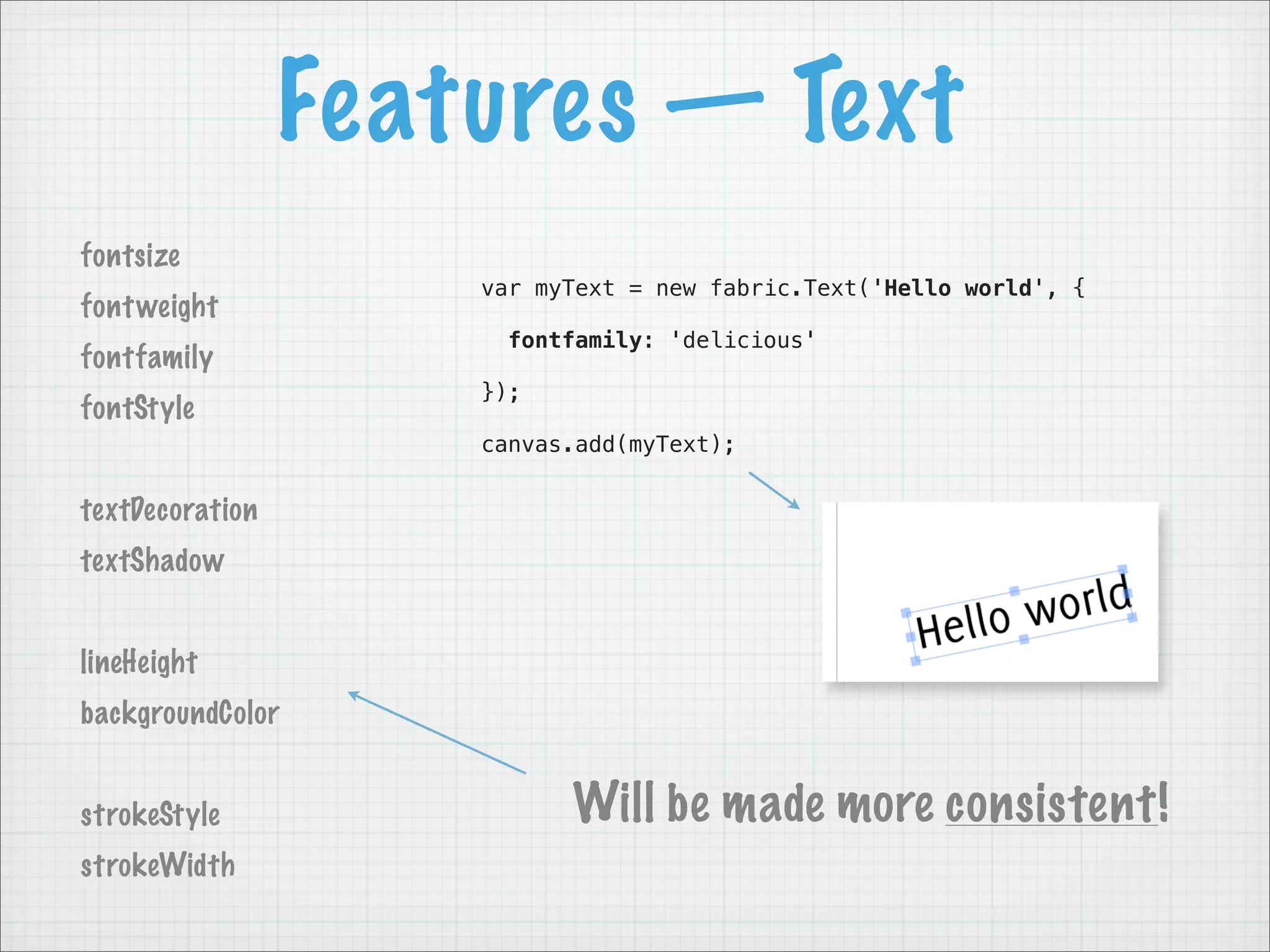
fontsize
                     var myText = new fabric.Text('Hello world', {
font weight
                      fontfamily: 'delicious'
fontfamily
                     });
fontStyle
                     canvas.add(myText);


textDecoration
textShadow


lineHeight
backgroundColor


strokeStyle                Will be made more consistent!
strokeWidth
Features — Text
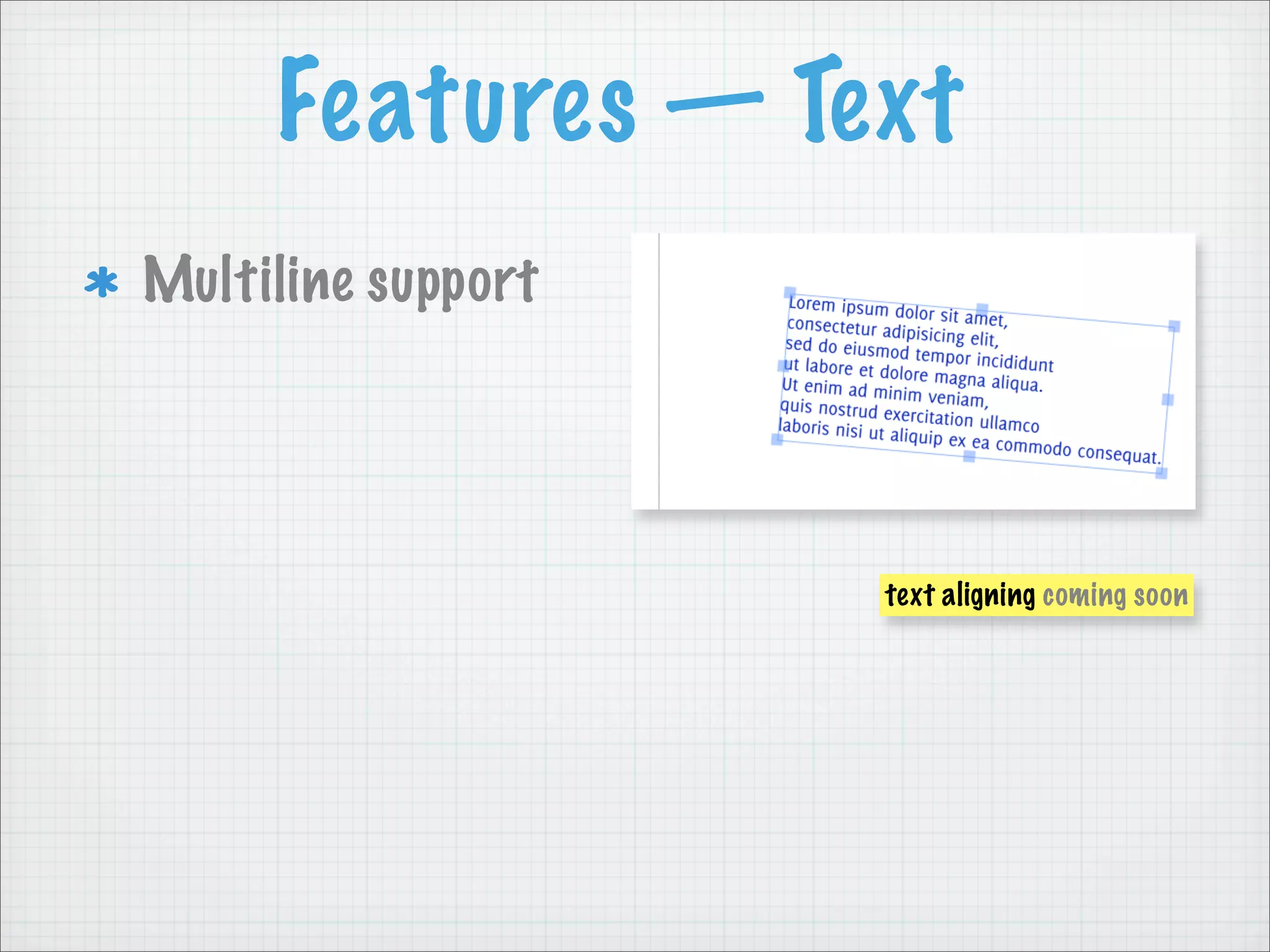
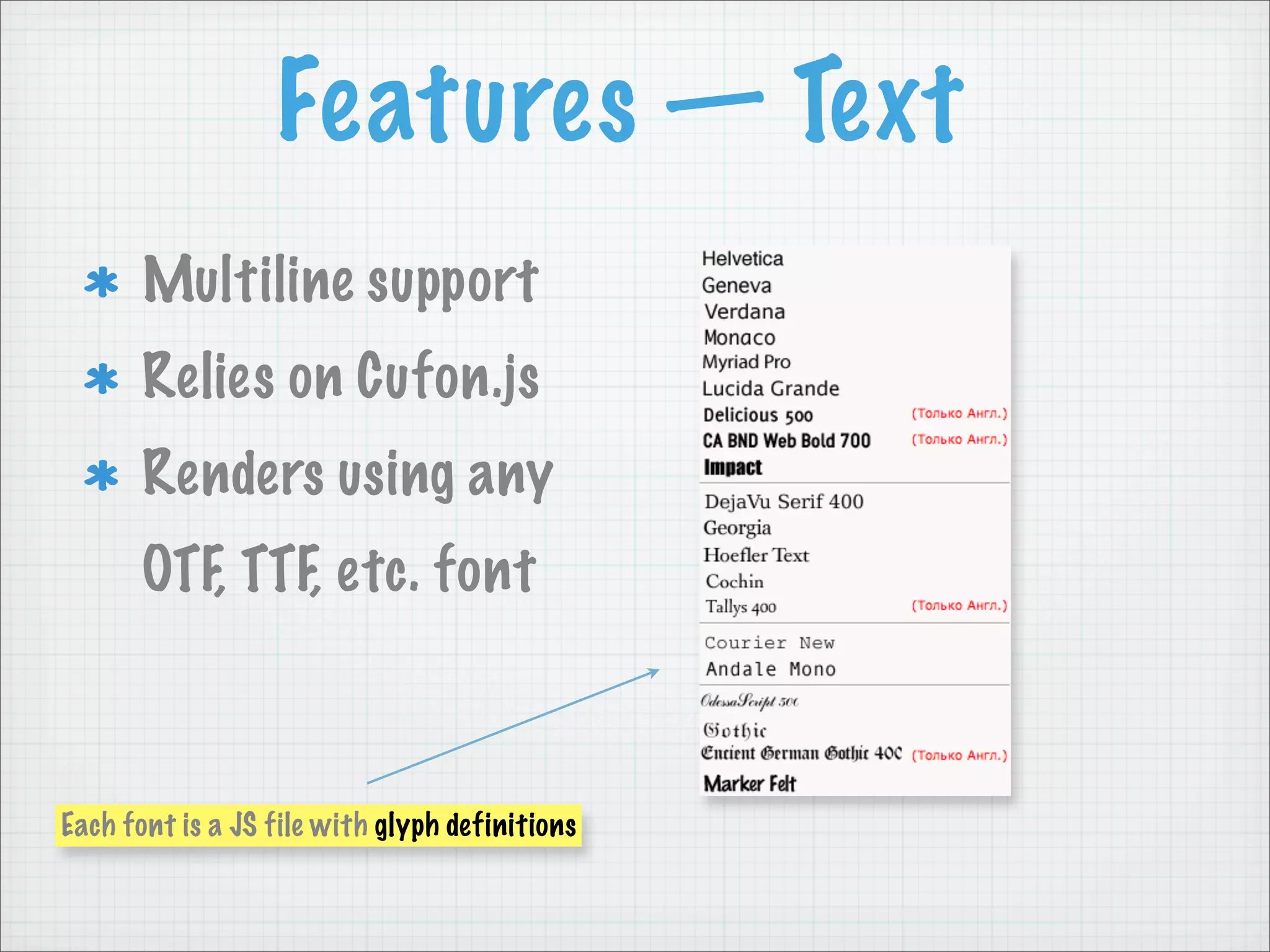
Multiline support


                    text aligning coming soon
Features — Text
Multiline support
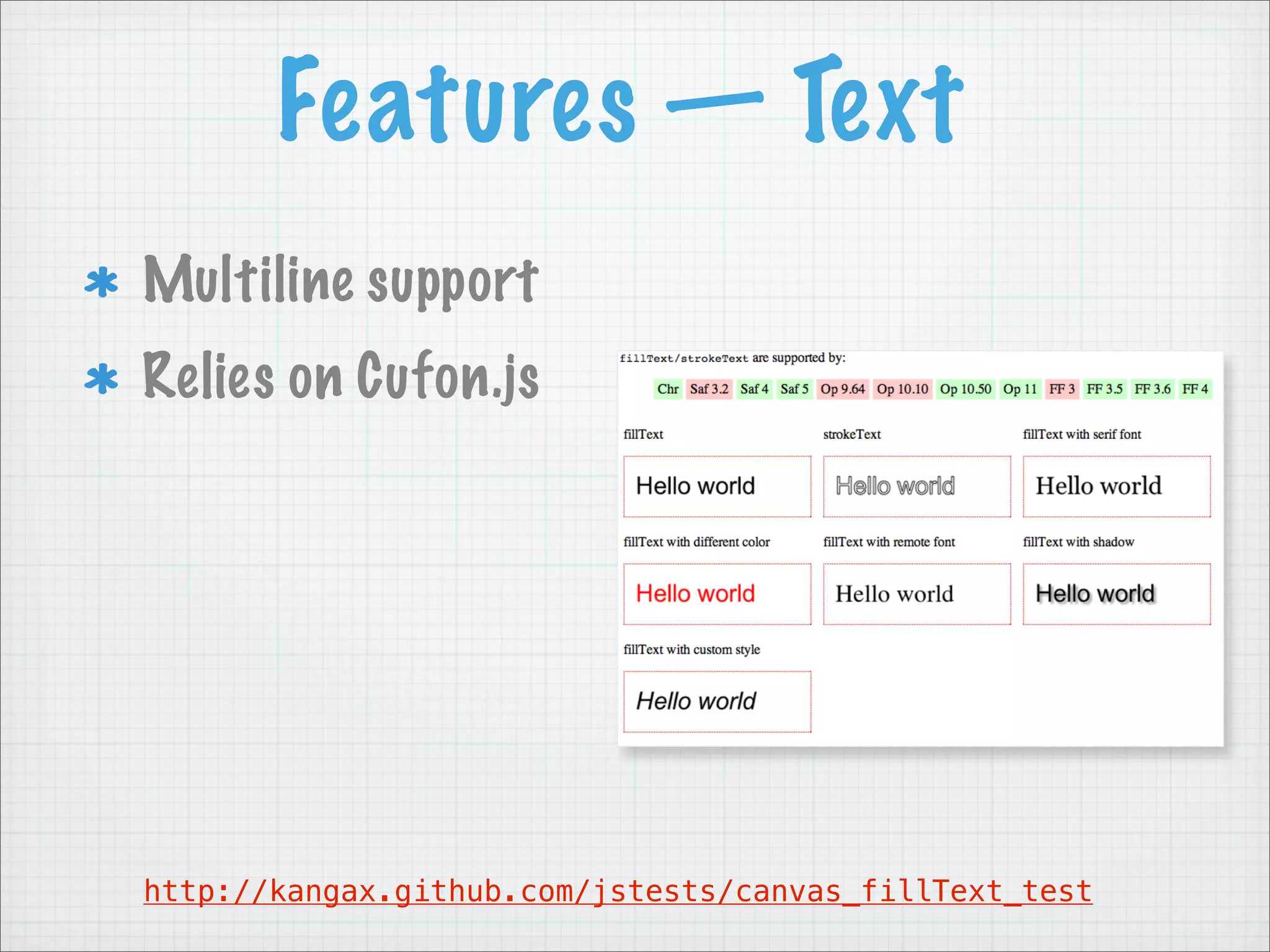
Relies on Cufon.js


http://kangax.github.com/jstests/canvas_fillText_test
Features — Text
       Multiline support
       Relies on Cufon.js
       Renders using any
       OTF, TTF, etc. font


Each font is a JS file with glyph definitions
Features — SVG Parser

  Q:   How to render SVG shapes on canvas?
       A:   Transform them to fabric objects.
Features — SVG Parser


<path d="M-122.304 84.285C-122.304            {
84.285 -122.203 86.179 -123.027      Step 1       path: [
86.16C-123.851 86.141 -140.305                      [ "M", -122.304, 84.285 ],
38.066 -160.833 40.309C-160.833                     [ "C", -122.304, 84.285,
40.309 -143.05 32.956 -122.304                             -122.203, 86.179,
84.285z" />
                                                             -123.027, 86.16 ],
                                                      [ "C", -123.851, ... ],
                                                      [ ... ],
                                                      ...
                                                  ]
                                              }
Features — SVG Parser


{                                            case 'C': // bezierCurveTo, absolute
    path: [                                    x = current[5];
      [ "M", -122.304, 84.285 ],               y = current[6];
      [ "C", -122.304, 84.285,      Step 2     controlX = current[3];
             -122.203, 86.179,                 controlY = current[4];
                                               ctx.bezierCurveTo(
               -123.027, 86.16 ],                 current[1] + l,
        [ "C", -123.851, ... ],                   current[2] + t,
        [ ... ],                                  controlX + l,
        ...                                       controlY + t,
    ]                                             x + l,
}                                                 y + t
                                               );
                                               break;
Canvas libraries


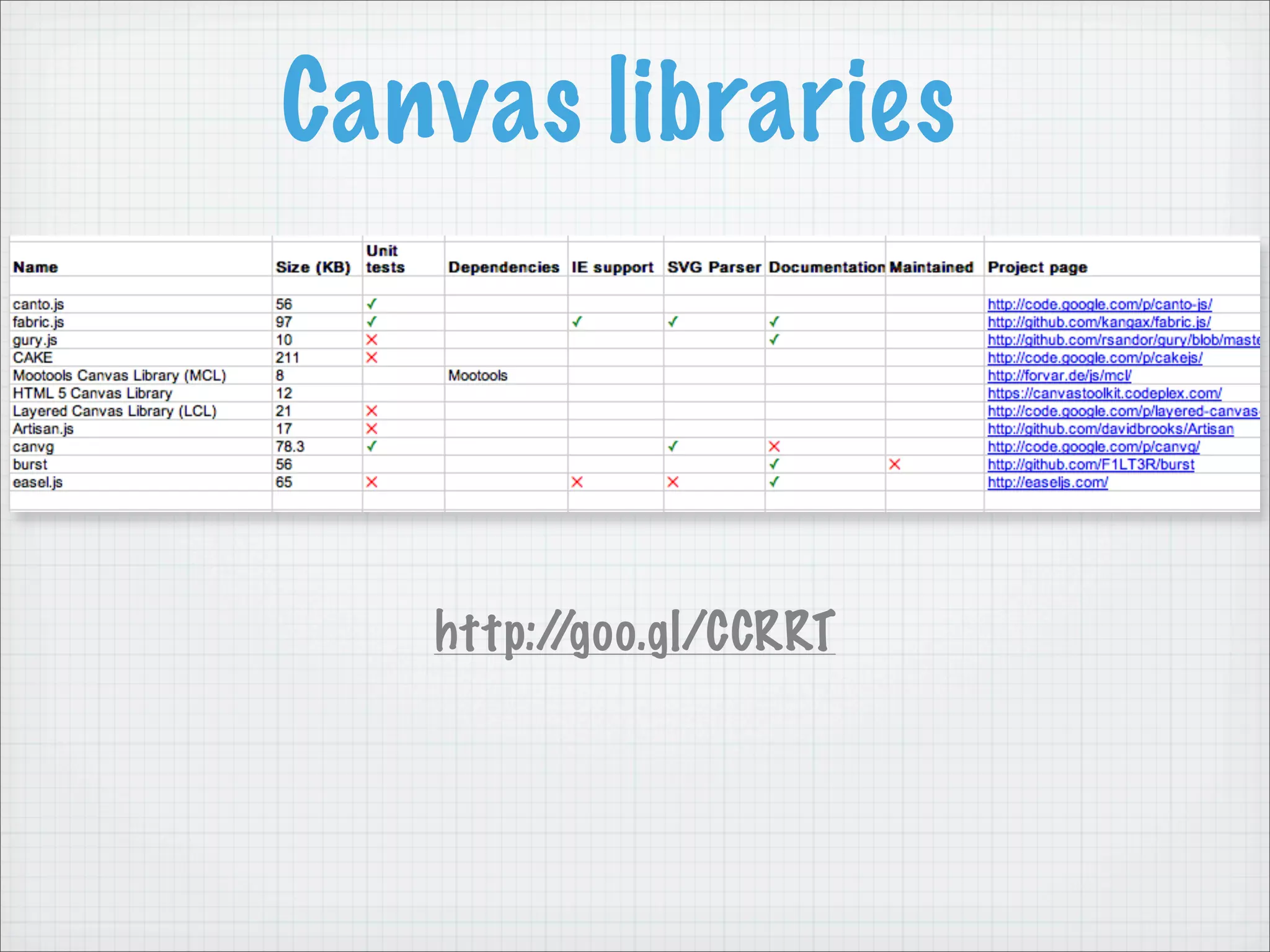
   http://goo.gl/CCRRT
Canvas libraries


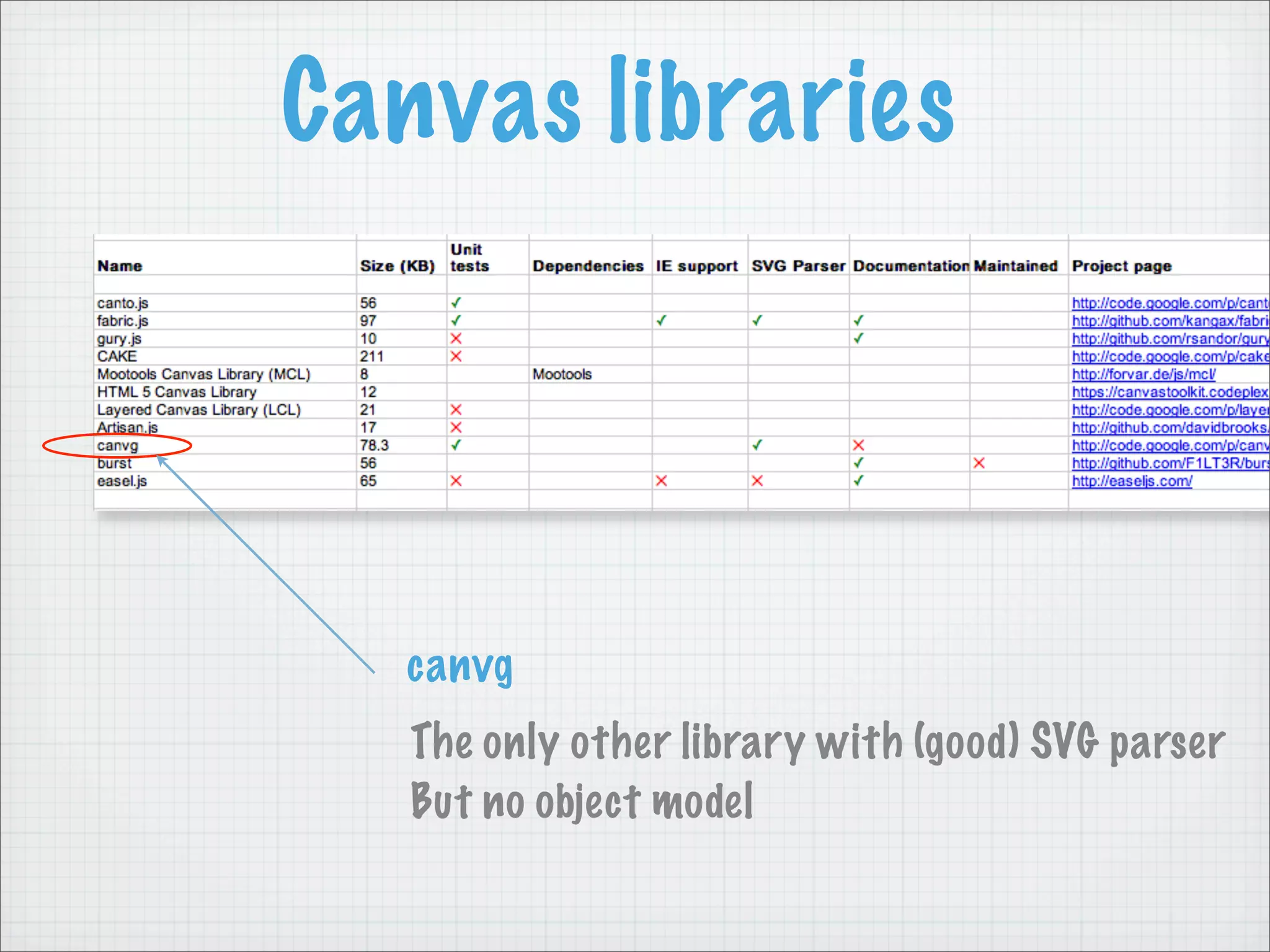
  canvg
   The only other library with (good) SVG parser
   But no object model
Canvas libraries


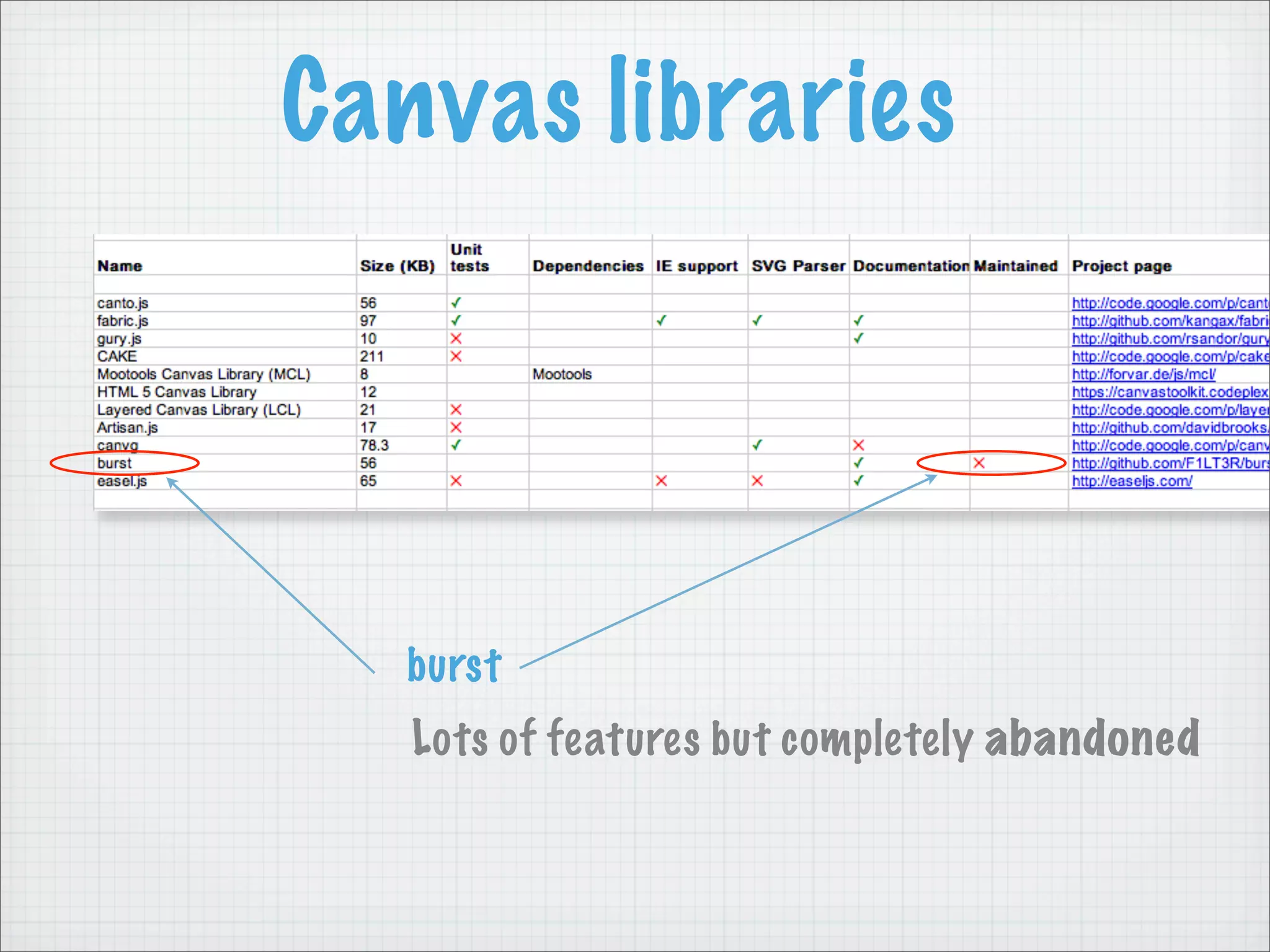
  burst
   Lots of features but completely abandoned
Canvas libraries


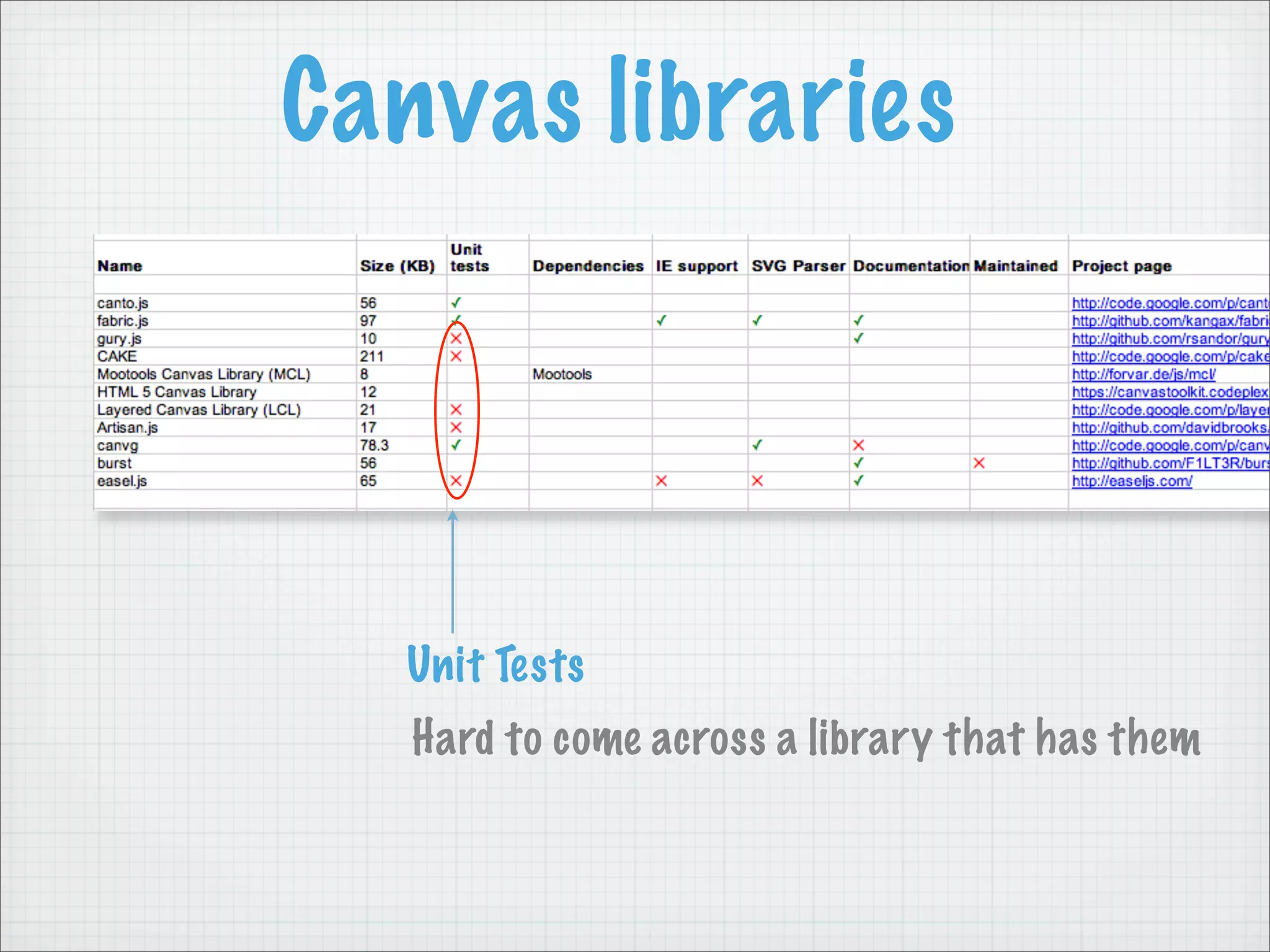
  Unit Tests
   Hard to come across a library that has them
Canvas libraries


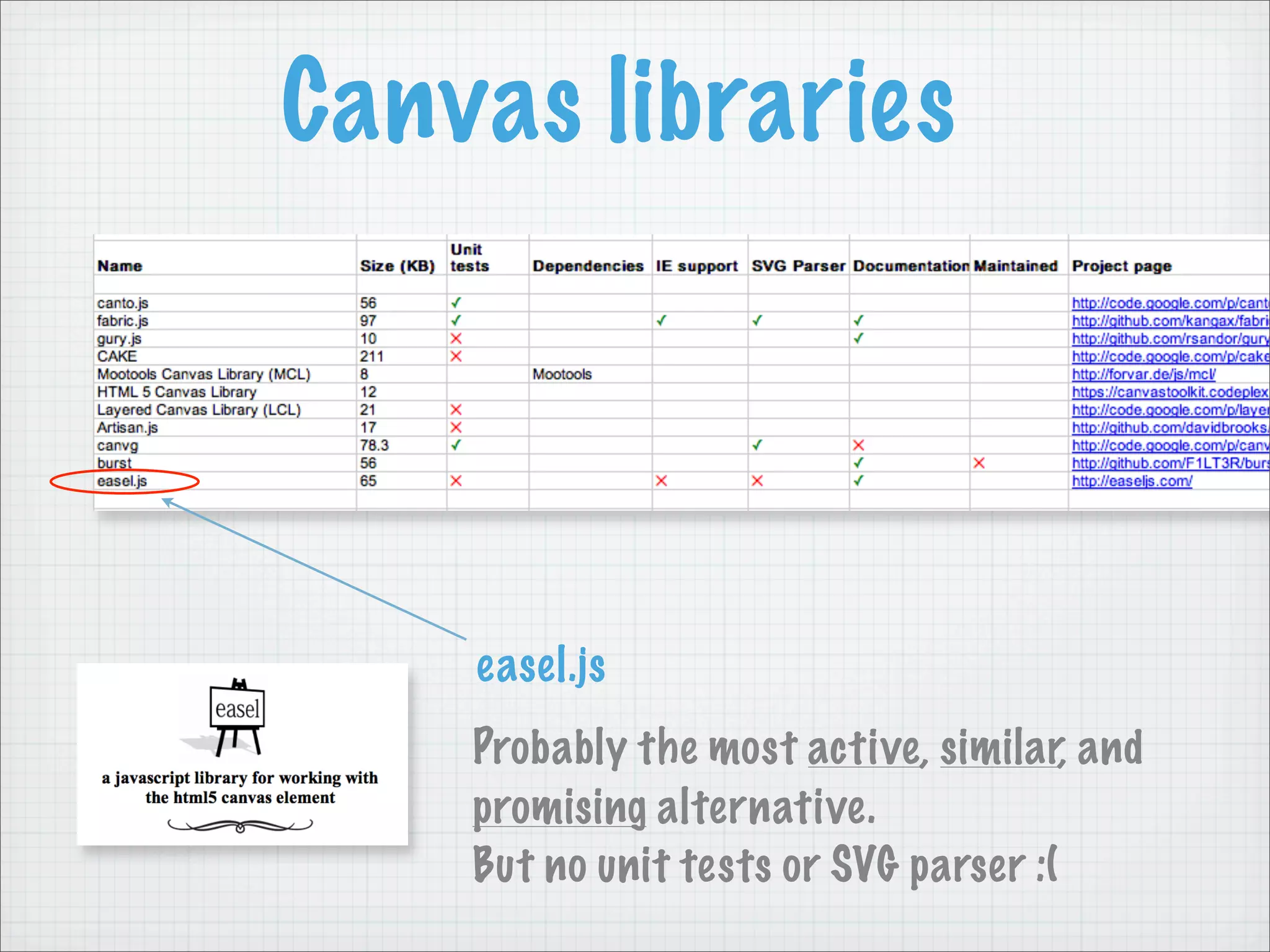
    easel.js
    Probably the most active, similar, and
    promising alternative.
    But no unit tests or SVG parser :(
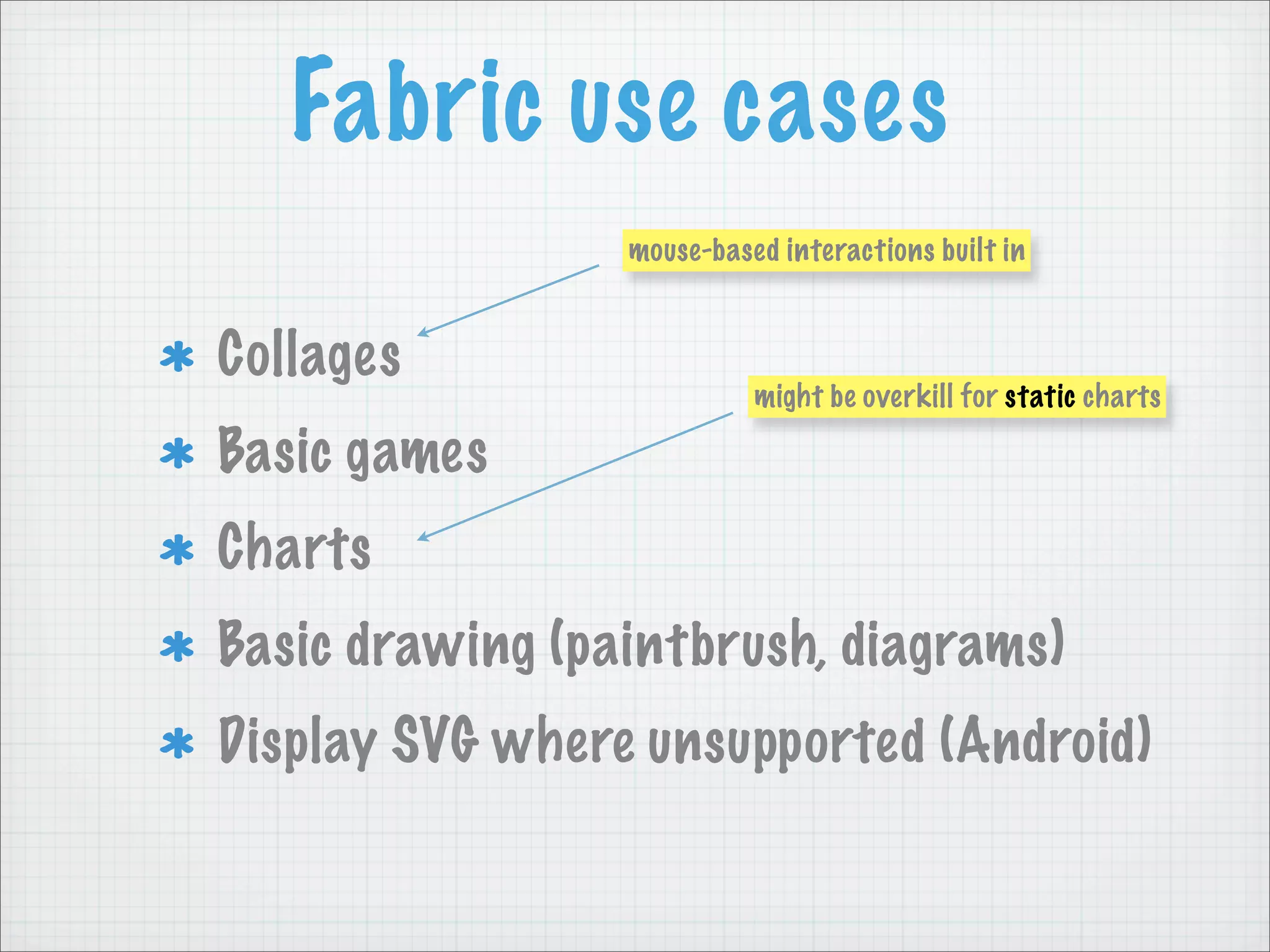
Fabric use cases
                 mouse-based interactions built in


Collages
                           might be overkill for static charts

Basic games
Charts
Basic drawing (paintbrush, diagrams)
Display SVG where unsupported (Android)
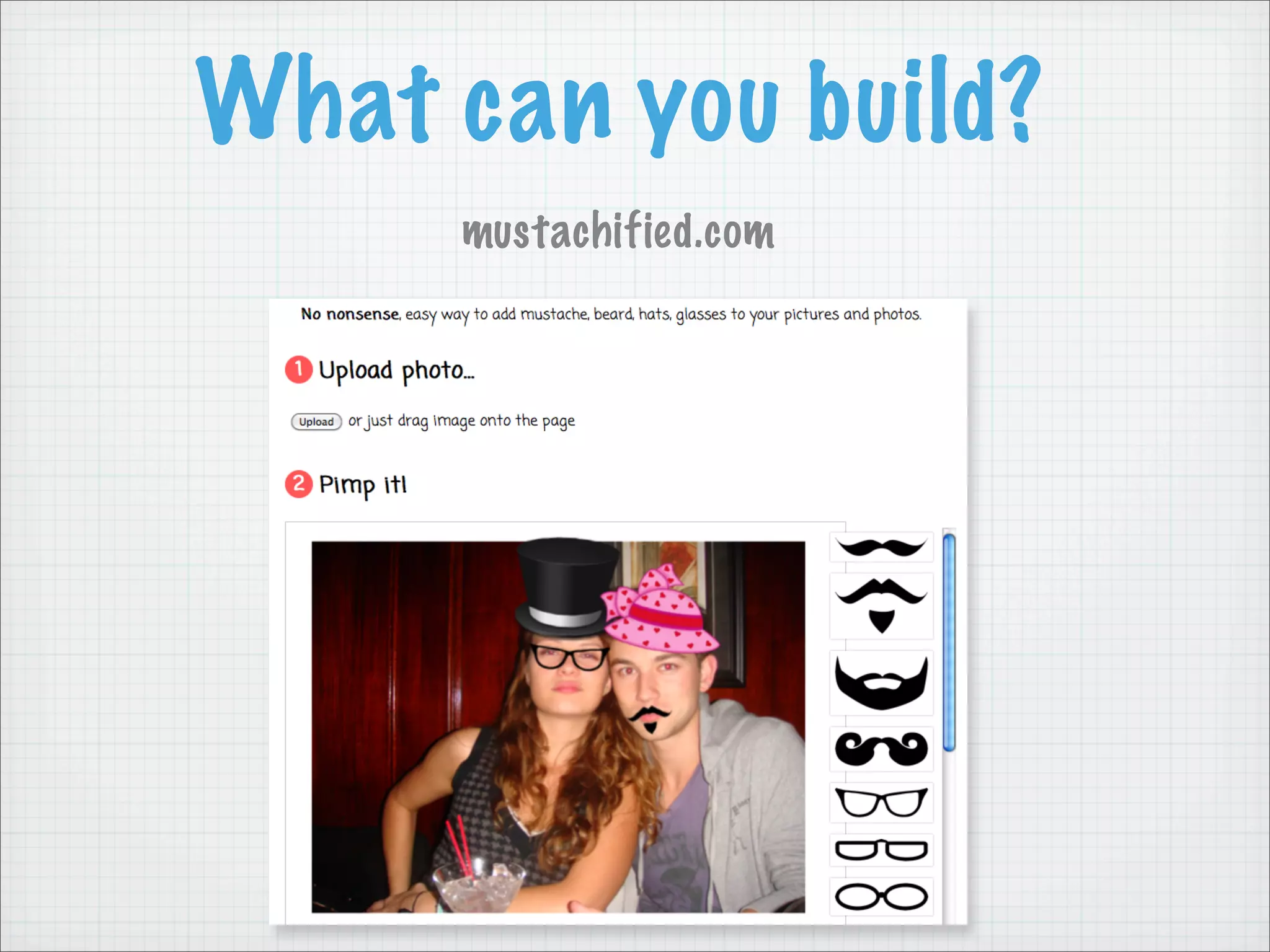
What can you build?
     mustachified.com
Future plans

Smaller footprint
Better docs, tutorials
Custom builder
fabric-to-SVG
Touch compatible (iOS)
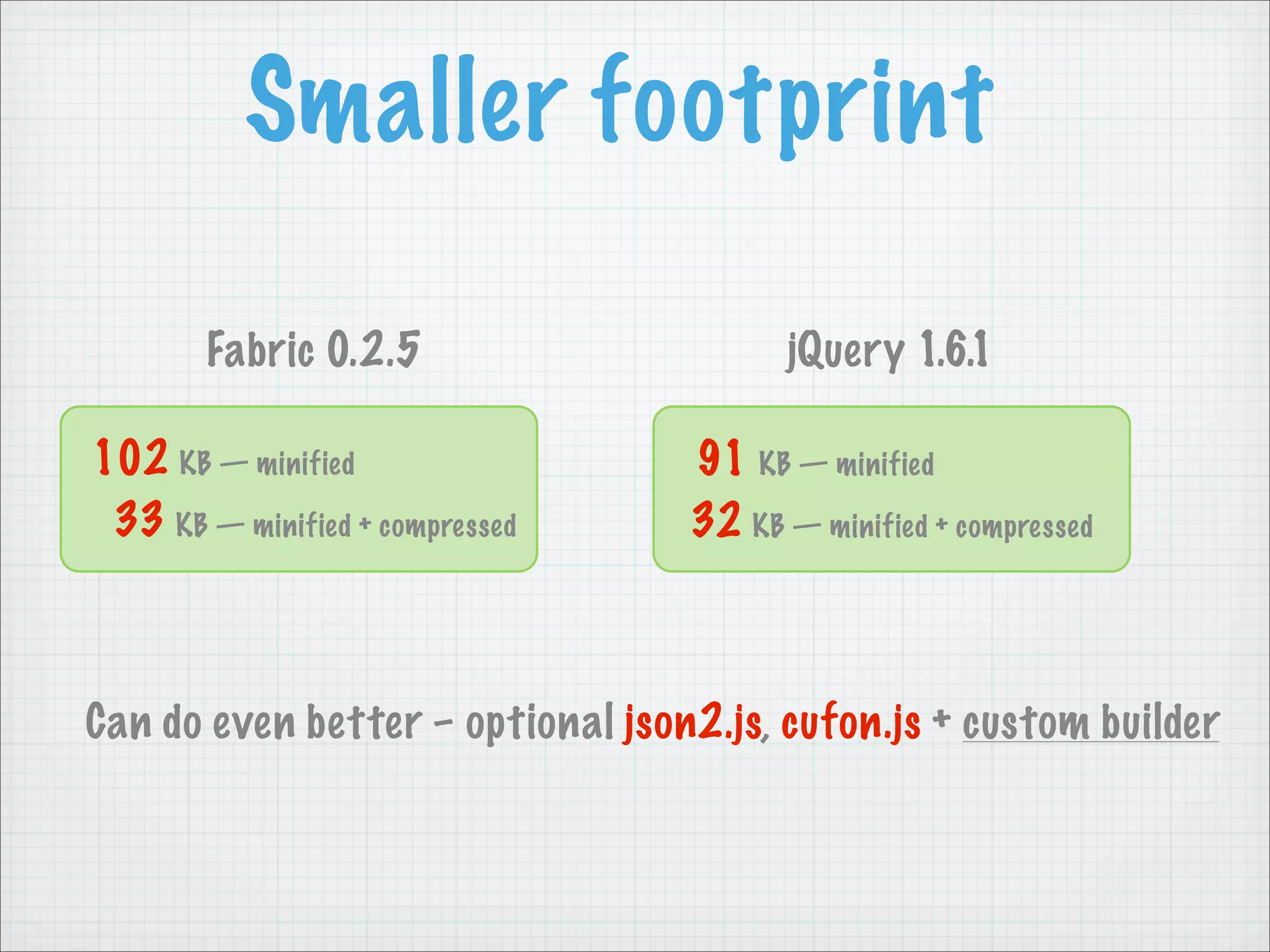
Smaller footprint

        Fabric 0.2.5                     jQuery 1.6.1

102 KB — minified                 91 KB — minified
 33 KB — minified + compressed    32 KB — minified + compressed


Can do even better – optional json2.js, cufon.js + custom builder
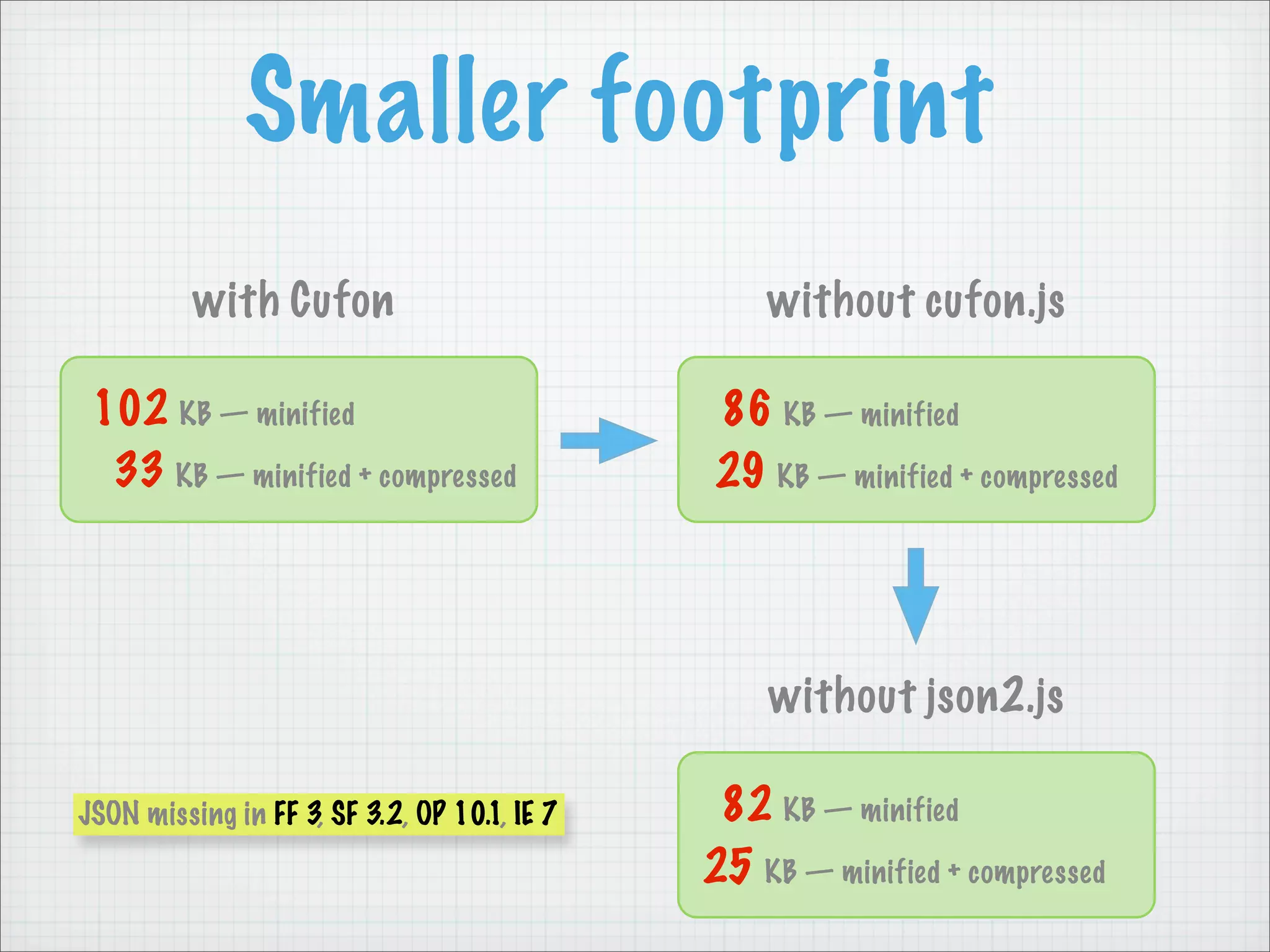
Smaller footprint
          with Cufon                              without cufon.js

 102 KB — minified                            86 KB — minified
  33 KB — minified + compressed               29 KB — minified + compressed


                                                  without json2.js

JSON missing in FF 3, SF 3.2, OP 10.1, IE 7    82 KB — minified
                                              25 KB — minified + compressed
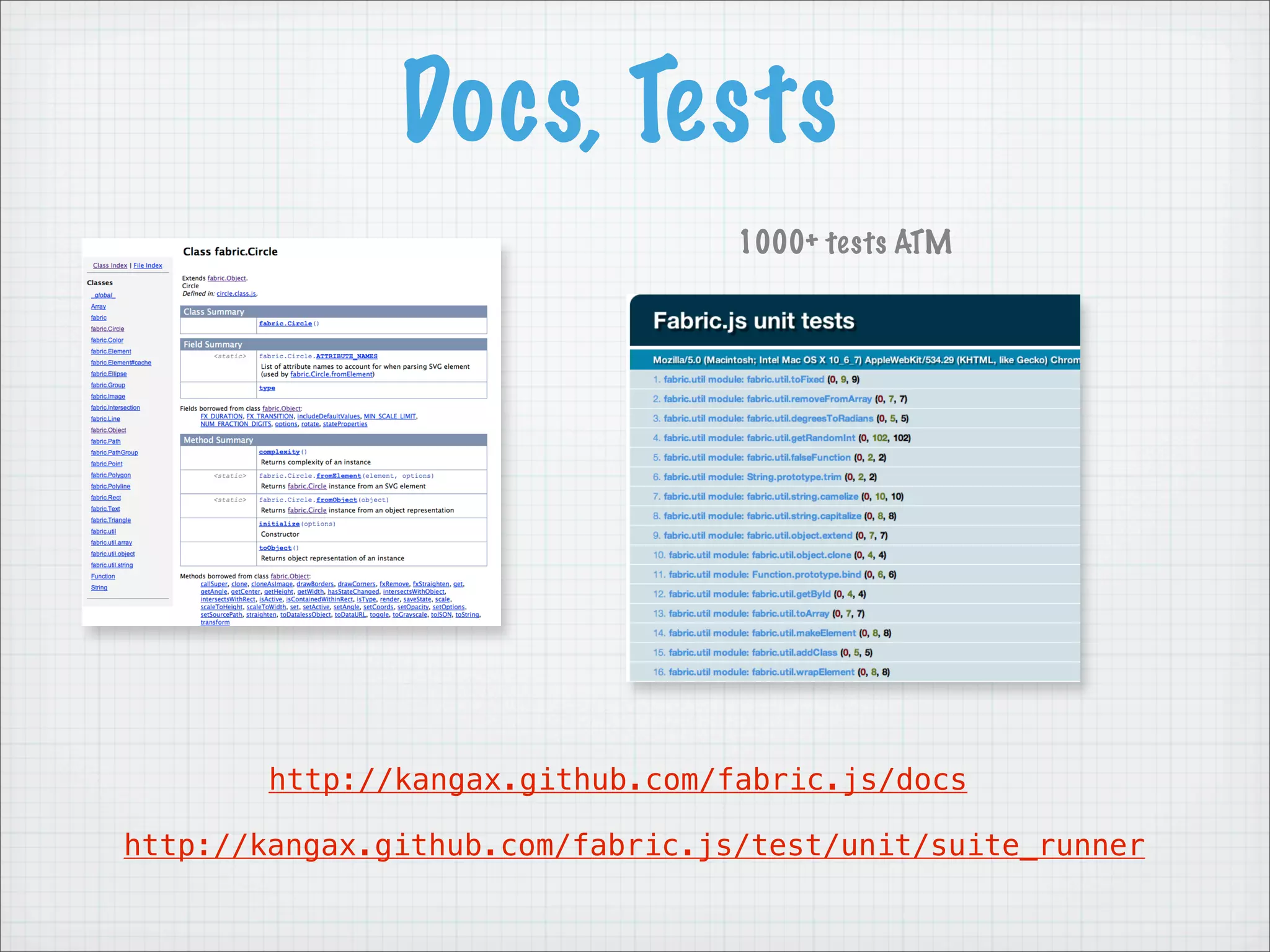
Docs, Tests
                                  1000+ tests ATM


        http://kangax.github.com/fabric.js/docs

http://kangax.github.com/fabric.js/test/unit/suite_runner
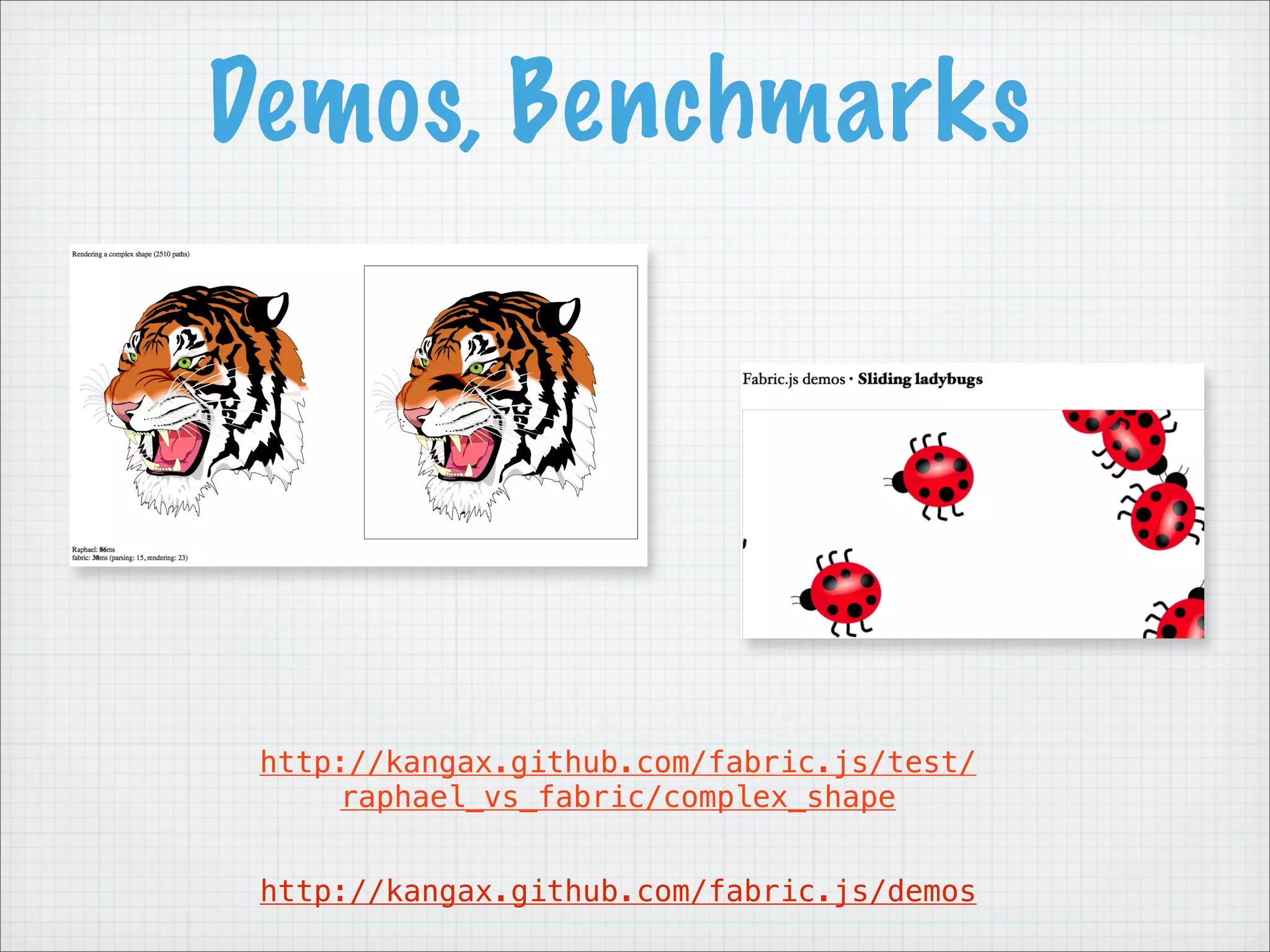
Demos, Benchmarks


 http://kangax.github.com/fabric.js/test/
     raphael_vs_fabric/complex_shape


 http://kangax.github.com/fabric.js/demos
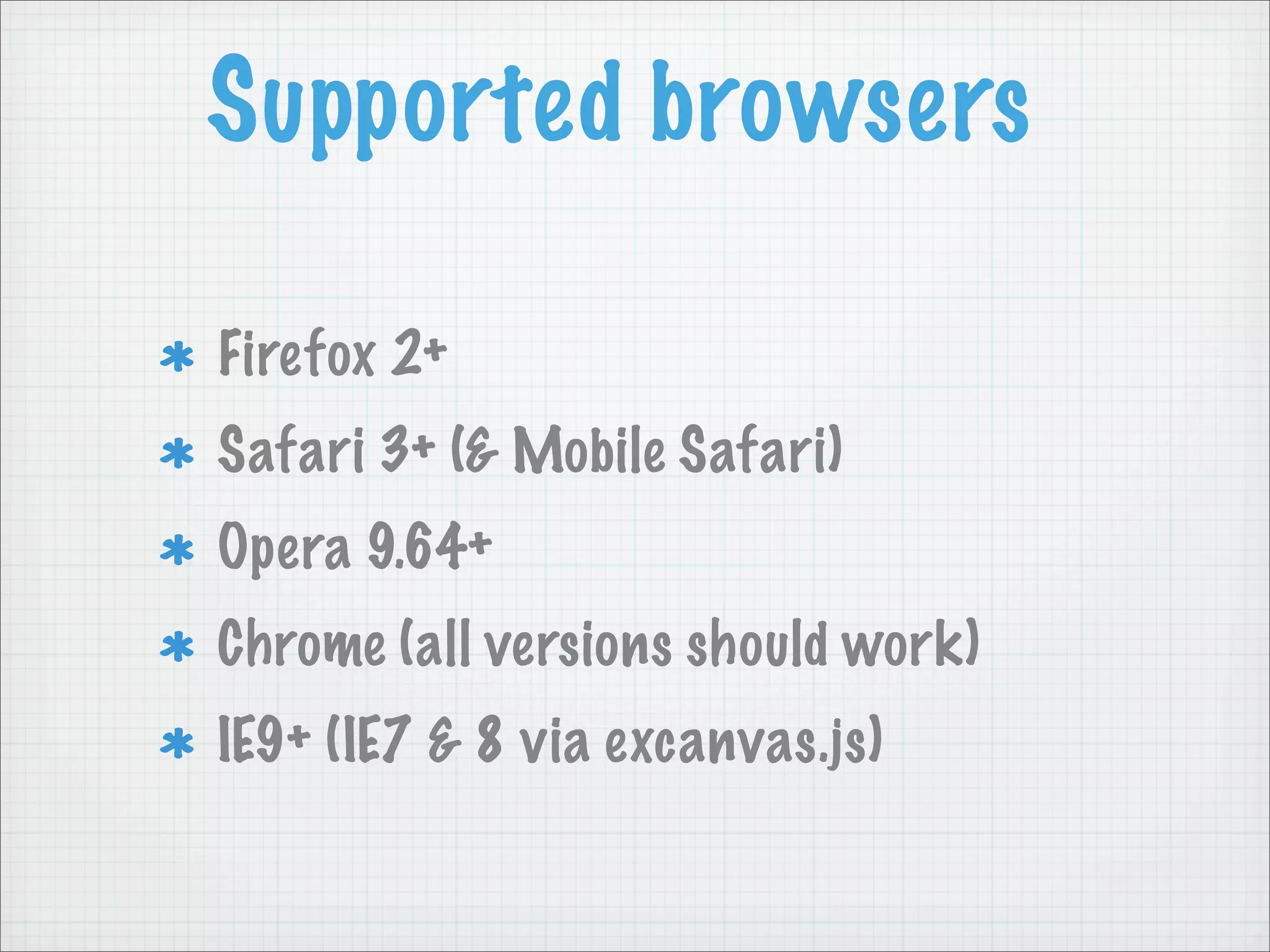
Supported browsers

Firefox 2+
Safari 3+ (& Mobile Safari)
Opera 9.64+
Chrome (all versions should work)
IE9+ (IE7 & 8 via excanvas.js)
Thank you!
                   Questions?


             http://spkr8.com/t/7582


github.com/kangax/fabric.js
                  @fabric.js
                  @kangax

Fabric.js @ Falsy Values

  • 1.
    fabric.js Building a canvaslibrary Warsaw 2011
  • 2.
    who is kangax? kangax.com
  • 3.
    who is kangax? perfectionkills.com ES5 compat tables fabric.js Common Feature Tests PrototypeJS HTML minifier DOMLint
  • 4.
    Game Plan History Why fabric? Howit works. Features. Canvas libraries Future plans
  • 5.
  • 6.
    History printio.ru All Javascript, no Flash Free drawing Vectors & images Performance
  • 7.
  • 8.
    Why fabric? CanvasAPI sucks is too low level There was an excruciating need for interactive object model for canvas element
  • 9.
    Why fabric? native varcanvasEl = document.getElementById('canvas'); var ctx = canvasEl.getContext('2d'); ctx.strokeStyle = ''; ctx.fillStyle = 'red'; ctx.fillRect(100, 100, 20, 20); fabric var canvas = new fabric.Element('canvas'); var rect = new fabric.Rect({ top: 100, left: 100, fill: 'red', width: 20, height: 20 }); canvas.add(rect);
  • 10.
    Why fabric? native varcanvasEl = document.getElementById('canvas'); var ctx = canvasEl.getContext('2d'); ctx.strokeStyle = ''; ctx.fillStyle = 'red'; ctx.save(); ctx.translate(100, 100); ctx.rotate(Math.PI / 180 * 45); ctx.fillRect(-10, -10, 20, 20); ctx.restore(); fabric var canvas = new fabric.Element('canvas'); var rect = new fabric.Rect({ top: 100, left: 100, fill: 'red', width: 20, height: 20, angle: 45 }); canvas.add(rect);
  • 11.
    Why fabric? native ctx.fillRect(20, 50,20, 20); fabric rect.set(‘left’, 20).set(‘top’, 50); canvas.renderAll();
  • 12.
    Why fabric? native ctx.fillRect(20, 50,20, 20); ctx.clearRect(0, 0, ctx.canvas.width, ctx.canvas.height); ctx.fillRect(20, 50, 20, 20); fabric rect.set(‘left’, 20).set(‘top’, 50); canvas.renderAll();
  • 13.
  • 14.
    Under the hood Upper<canvas> Group selection Lower <canvas> All objects
  • 15.
    Under the hood fabric.Circle fabric.Rect render() render() fabric.Element renderAll() fabric.Triangle render()
  • 16.
    Under the hood fabric.Circle fabric.Rect render() render() fabric.Element fabric.Triangle renderAll() render()
  • 17.
    Under the hood Root “class”. 2D objects Concrete “subclasses” fabric.Object fabric.Line fabric.Circle fabric.Triangle fabric.Ellipse Container fabric.Rect fabric.Element fabric.Polyline fabric.Polygon fabric.Group fabric.Color fabric.Text fabric.Point fabric.Image fabric.Intersection fabric.Path
  • 18.
    Under the hood clone cloneAsImage Root “class”. 2D objects complexity Inherited by all subclasses get fabric.Object getCenter getWidth getElement getHeight intersectsWithObject isActive isType scale scaleToHeight scaleToWidth set setActive setElement straighten toDataURL toJSON toGrayscale ...
  • 19.
    Features — Animation fxCenterObjectV: function (...) { fabric.util.animate ... fabric.util.animate({ startValue: object.get('top'), endValue: this.getCenter().top, duration: this.FX_DURATION, onChange: function(value) { object.set('top', value); _this.renderAll(); onChange(); fxCenterObjectV }, onComplete: function() { fxCenterObjectH object.setCoords(); onComplete(); fxStraightenObject } }); fxRemove ... } ...
  • 20.
    Features — Animation Orjust use new, fancy window.requestAnimationFrame (function animate() { canvas.forEachObject(function(obj) { obj.left += (obj.movingLeft ? -1 : 1); obj.top += 1; if (obj.left > 900 || obj.top > 500) { canvas.remove(obj); } else { obj.setAngle(obj.getAngle() + 2); } }); canvas.renderAll(); window.requestAnimationFrame(animate); })();
  • 21.
    Features — Events object:scaled object:selected fabric.util.observeEvent('object:moved', function(e) { object:moved var activeObject = e.memo.target; console.log(activeObject.left, activeObject.top); group:modified }); group:selected before:group:destroyed after:group:destroyed mouse:up selection:cleared Will be made more consistent! path:created
  • 22.
    Features — Text fontsize var myText = new fabric.Text('Hello world', { font weight fontfamily: 'delicious' fontfamily }); fontStyle canvas.add(myText); textDecoration textShadow lineHeight backgroundColor strokeStyle Will be made more consistent! strokeWidth
  • 23.
    Features — Text Multilinesupport text aligning coming soon
  • 24.
    Features — Text Multilinesupport Relies on Cufon.js http://kangax.github.com/jstests/canvas_fillText_test
  • 25.
    Features — Text Multiline support Relies on Cufon.js Renders using any OTF, TTF, etc. font Each font is a JS file with glyph definitions
  • 26.
    Features — SVGParser Q: How to render SVG shapes on canvas? A: Transform them to fabric objects.
  • 27.
    Features — SVGParser <path d="M-122.304 84.285C-122.304 { 84.285 -122.203 86.179 -123.027 Step 1 path: [ 86.16C-123.851 86.141 -140.305 [ "M", -122.304, 84.285 ], 38.066 -160.833 40.309C-160.833 [ "C", -122.304, 84.285, 40.309 -143.05 32.956 -122.304 -122.203, 86.179, 84.285z" /> -123.027, 86.16 ], [ "C", -123.851, ... ], [ ... ], ... ] }
  • 28.
    Features — SVGParser { case 'C': // bezierCurveTo, absolute path: [ x = current[5]; [ "M", -122.304, 84.285 ], y = current[6]; [ "C", -122.304, 84.285, Step 2 controlX = current[3]; -122.203, 86.179, controlY = current[4]; ctx.bezierCurveTo( -123.027, 86.16 ], current[1] + l, [ "C", -123.851, ... ], current[2] + t, [ ... ], controlX + l, ... controlY + t, ] x + l, } y + t ); break;
  • 29.
    Canvas libraries http://goo.gl/CCRRT
  • 30.
    Canvas libraries canvg The only other library with (good) SVG parser But no object model
  • 31.
    Canvas libraries burst Lots of features but completely abandoned
  • 32.
    Canvas libraries Unit Tests Hard to come across a library that has them
  • 33.
    Canvas libraries easel.js Probably the most active, similar, and promising alternative. But no unit tests or SVG parser :(
  • 34.
    Fabric use cases mouse-based interactions built in Collages might be overkill for static charts Basic games Charts Basic drawing (paintbrush, diagrams) Display SVG where unsupported (Android)
  • 35.
    What can youbuild? mustachified.com
  • 36.
    Future plans Smaller footprint Betterdocs, tutorials Custom builder fabric-to-SVG Touch compatible (iOS)
  • 37.
    Smaller footprint Fabric 0.2.5 jQuery 1.6.1 102 KB — minified 91 KB — minified 33 KB — minified + compressed 32 KB — minified + compressed Can do even better – optional json2.js, cufon.js + custom builder
  • 38.
    Smaller footprint with Cufon without cufon.js 102 KB — minified 86 KB — minified 33 KB — minified + compressed 29 KB — minified + compressed without json2.js JSON missing in FF 3, SF 3.2, OP 10.1, IE 7 82 KB — minified 25 KB — minified + compressed
  • 39.
    Docs, Tests 1000+ tests ATM http://kangax.github.com/fabric.js/docs http://kangax.github.com/fabric.js/test/unit/suite_runner
  • 40.
    Demos, Benchmarks http://kangax.github.com/fabric.js/test/ raphael_vs_fabric/complex_shape http://kangax.github.com/fabric.js/demos
  • 41.
    Supported browsers Firefox 2+ Safari3+ (& Mobile Safari) Opera 9.64+ Chrome (all versions should work) IE9+ (IE7 & 8 via excanvas.js)
  • 42.
    Thank you! Questions? http://spkr8.com/t/7582 github.com/kangax/fabric.js @fabric.js @kangax