

Recommended
More Related Content
Similar to The Digital Home: Designing for the Ten-Foot User Interface
Similar to The Digital Home: Designing for the Ten-Foot User Interface (20)
More from goodfriday
More from goodfriday (20)
The Digital Home: Designing for the Ten-Foot User Interface
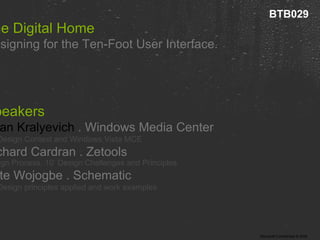
- 1. The Digital Home Designing for the Ten-Foot User Interface. Speakers Brian Kralyevich . Windows Media Center 10’ Design Context and Windows Vista MCE Richard Cardran . Zetools Design Process, 10’ Design Challenges and Principles Kate Wojogbe . Schematic 10’ Design principles applied and work examples BTB029
- 2. Overview 01 Remote Control Experience 02 Goals for distance UI 03 Design principles
- 3. Designing for a Remote Control Experience Users interact with most PC applications using a keyboard and mouse. 2’ design Users interact with Media Center, XBox, and game consoles with a remote control or games controller. 10’ design. Creating a 10’ user interface presents new challenges. Users expect it to work like TV. Dynamic, animated experiences.
- 4. Designing for a Remote Control Experience Users interact with most PC applications using a keyboard and mouse. 2’ design Users interact with Media Center, XBox, and game consoles with a remote control or games controller. 10’ design. Creating a 10’ user interface presents new challenges. Users expect it to work like TV. Dynamic, animated experiences.
- 5. Designing for a Remote Control Experience Users interact with most PC applications using a keyboard and mouse. 2’ design Users interact with Media Center, XBox, and game consoles with a remote control or games controller. 10’ design. Creating a 10’ user interface presents new challenges. Users expect it to work like TV. Dynamic, animated experiences.
- 6. Designing for a Remote Control Experience Users interact with most PC applications using a keyboard and mouse. 2’ design Users interact with Media Center, XBox, and game consoles with a remote control or games controller. 10’ design. Creating a 10’ user interface presents new challenges. Users expect it to work like TV. Dynamic, animated experiences.
- 7. Designing for a Remote Control Experience Users interact with most PC applications using a keyboard and mouse. 2’ design Users interact with Media Center, XBox, and game consoles with a remote control or games controller. 10’ design. Creating a 10’ user interface presents new challenges. Users expect it to work like TV. Dynamic, animated experiences.
- 8. Designing for a Remote Control Experience Users interact with most PC applications using a keyboard and mouse. 2’ design Users interact with Media Center, XBox, and game consoles with a remote control or games controller. 10’ design. Creating a 10’ user interface presents new challenges. Users expect it to work like TV. Dynamic, animated experiences.
- 9. Designing for a Remote Control Experience Users interact with most PC applications using a keyboard and mouse. 2’ design Users interact with Media Center, XBox, and game consoles with a remote control or games controller. 10’ design. Creating a 10’ user interface presents new challenges. Users expect it to work like TV. Dynamic, animated experiences.
- 13. 10’ Design 01 Overview 02 Goals for distance UI 03 Design principles
- 14. Goals for creating great distance UI › Clean › Simple › Compelling › Consistent › Direct Font size, legibility , readability, color , remote control navigation , resolution, flicker , contrast, layout , graphics and content all impact the usability and design of your application or service .
- 17. 10’ Design 01 Overview 02 Goals for distance UI 03 General Design principles
- 18. 01 General Design Principles › Most conventional web design principles fail when viewed from a distance. › Design for Media Center is related to other distance design. › Keep it clean and simple – avoid density › Posters, billboards, and DVD menus offer examples of distance design principles.
- 19. 01 General Design Principles › Most conventional web design principles fail when viewed from a distance. › Design for Media Center is related to other distance design. › Keep it clean and simple – avoid density › Posters, billboards, and DVD menus offer examples of distance design principles.
- 20. 01 General Design Principles › Most conventional web design principles fail when viewed from a distance. › Design for Media Center is related to other distance design. › Keep it clean and simple – avoid density › Posters, billboards, and DVD menus offer examples of distance design principles.
- 21. 01 General Design Principles › Most conventional web design principles fail when viewed from a distance. › Design for Media Center is related to other distance design. › Keep it clean and simple – avoid density › Posters, billboards, and DVD menus offer examples of distance design principles.
- 22. 01 General Design Principles › Most conventional web design principles fail when viewed from a distance. › Design for Media Center is related to other distance design. › Keep it clean and simple – avoid density › Posters, billboards, and DVD menus offer examples of distance design principles.
- 23. 25’ 100’ 200’ design
- 24. 25’ 100’ 200’ design
- 25. 25’ 100’ 200’ design
- 26. 25’ 100’ 200’ design
- 27. 25’ 100’ 200’ design
- 28. 25’ 100’ 200’ design
- 29. 5000’ design
- 30. 25’ 100’ 200’ design
- 33. 02 Focus › This is the single most important thing from a distance. › It does not have to be a button or mimic web standards. › Should remain consistent everywhere. › Should be noticeable to user.
- 34. 02 Focus › This is the single most important thing from a distance. › It does not have to be a button or mimic web standards. › Should remain consistent everywhere. › Should be noticeable to user.
- 35. 02 Focus › This is the single most important thing from a distance. › It does not have to be a button or mimic web standards. › Should remain consistent everywhere. › Should be noticeable to user.
- 36. 02 Focus › This is the single most important thing from a distance. › It does not have to be a button or mimic web standards. › Should remain consistent everywhere. › Should be noticeable to user.
- 37. 02 Focus › This is the single most important thing from a distance. › It does not have to be a button or mimic web standards. › Should remain consistent everywhere. › Should be noticeable to user.
- 43. Show MCE Start menu
- 45. Tilting Gallery UI here Combining text focus and tilting
- 46. 03 Readability, Fonts and Text › Avoid paragraphs / pages of text › Serif fonts for large titles or graphic elements › Font sizes smaller than 16pt are un-readable › Create type hierarchy - few sizes
- 47. 03 Readability, Fonts and Text › Avoid paragraphs / pages of text › Serif fonts for large titles or graphic elements › Font sizes smaller than 16pt are un-readable › Create type hierarchy - few sizes
- 48. 03 Readability, Fonts and Text › Avoid paragraphs / pages of text › Serif fonts for large titles or graphic elements › Font sizes smaller than 16pt are un-readable › Create type hierarchy - few sizes
- 49. 03 Readability, Fonts and Text › Avoid paragraphs / pages of text › Serif fonts for large titles or graphic elements › Font sizes smaller than 16pt are un-readable › Create type hierarchy - few sizes
- 50. 03 Readability, Fonts and Text › Avoid paragraphs / pages of text › Serif fonts for large titles or graphic elements › Font sizes smaller than 16pt are un-readable › Create type hierarchy - few sizes
- 52. 04 Keep navigation simple › Distance viewing real estate is tight – split tasks onto multiple pages › Up, Down, Left, Right navigation models work well › Tabs or multiple scrolling sections don’t test well
- 53. 04 Keep navigation simple › Distance viewing real estate is tight – split tasks onto multiple pages › Up, Down, Left, Right navigation models work well › Tabs or multiple scrolling sections don’t test well
- 54. 04 Keep navigation simple › Distance viewing real estate is tight – split tasks onto multiple pages › Up, Down, Left, Right navigation models work well › Tabs or multiple scrolling sections don’t test well
- 55. 04 Keep navigation simple › Distance viewing real estate is tight – split tasks onto multiple pages › Up, Down, Left, Right navigation models work well › Tabs or multiple scrolling sections don’t test well
- 57. 05 Graphics and Icons › Simple ‘consumer device’ style UI › Avoid fine detail – single pixel lines flicker on NTSC › Icons and widgets generally need to be a little larger for distance viewing
- 58. 05 Graphics and Icons › Simple ‘consumer device’ style UI › Avoid fine detail – single pixel lines flicker on NTSC › Icons and widgets generally need to be a little larger for distance viewing
- 59. 05 Graphics and Icons › Simple ‘consumer device’ style UI › Avoid fine detail – single pixel lines flicker on NTSC › Icons and widgets generally need to be a little larger for distance viewing
- 60. 05 Graphics and Icons › Simple ‘consumer device’ style UI › Avoid fine detail – single pixel lines flicker on NTSC › Icons and widgets generally need to be a little larger for distance viewing
- 62. Thank you
- 63. Q&A | Next Steps Designing for the Ten-Foot User Interface. Blogs http://blog.retrosight.com http://www.thegreenbutton.com
- 64. © 2006 Microsoft Corporation. All rights reserved. This presentation is for informational purposes only. Microsoft makes no warranties, express or implied, in this summary.