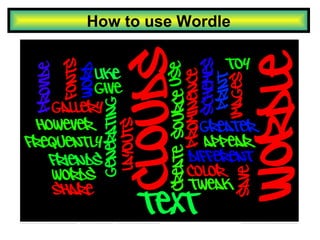
How to use Wordle

Loading...

Flash Player 9 (or above) is needed to view presentations.
We have detected that you do not have it on your computer. To install it, go here.

2 comments

Comments 1 - 2 of 2 previous next Post a comment

  • + rachelboyd rachelboyd 2 months ago
    Thanks for the brilliant instructions, I’ll be using them with my teachers in their PD. I’ve been a fan of wordle for a while. Great to have some good instructions to inspire others :)
  • + guestf643f guestf643f 9 months ago
    Thanks for the demonstration on how to use Wordle. It can be a very useful tool for L2 learners and for youngsters just starting to learn literacy skills.
Post a comment
Embed Video
Edit your comment Cancel

20 Favorites

How to use Wordle - Presentation Transcript

  1. How to use Wordle
  2. What is Wordle? Wordle is a program used for creating 'word clouds' out of any text you choose. Wordle extracts common words such as ‘a’ and ‘the’ from the paragraph you use. You decide the way the word cloud is presented (the colour, direction of word placement, organization of words etc.) You can then save your word cloud for individual use, or allow others to view and comment on it for personal feedback.
  3. Home Page View other users' work for inspiration
  4. Creating a Word Cloud Write, or paste a paragraph of text in the word box. Then select go and watch your cloud form.
  5. Customizing your Cloud
  6. Choose what language you want your word cloud to appear in. Choose your word font Choose a colour scheme for your Wordle. Choose a layout for your words. Personalizing your word cloud
  7. Randomizing By Selecting ‘Randomize’ you are allowing Wordle to choose the layout, colour, language and font of your word cloud. You may continuously choose ‘randomize’ until you find a style that best suits you.
  8. Word Count Select ‘ language’ on your toolbar, and then scroll down to ‘show word counts’. This screen will then pop up, and allow you to see the number of times a word was used in your cloud.
  9. What to watch for! Wordle will take out unnecessary words, such as connecting words( ex. the, then, after etc.) However, Wordle will ot notice subtle differences in the same word, and therefore treat that word as two separate subjects (see below).
  10. Wordle Blog Use the blog for opinions and information on Wordle. See how effective Wordle is for people in different professions. Add comments of your own, and voice your own thoughts.
  11. Gallery Search specific subjects View other people's work
  12. Examples

+ digitalmaverickdigitalmaverick, 11 months ago

custom

5060 views, 20 favs, 25 embeds more stats

A brief slideshow showing how to use Wordle to make more

More info about this document

© All Rights Reserved

Go to text version

  • Total Views 5060
    • 4876 on SlideShare
    • 184 from embeds
  • Comments 2
  • Favorites 20
  • Downloads 128
Most viewed embeds
  • 34 views on http://joedale.typepad.com
  • 31 views on http://classroom-technology.weebly.com
  • 25 views on http://literacyadviser.wordpress.com
  • 20 views on http://rasdtechresources.wikispaces.com
  • 12 views on http://www.princyfrancis.blogspot.com

more

All embeds
  • 34 views on http://joedale.typepad.com
  • 31 views on http://classroom-technology.weebly.com
  • 25 views on http://literacyadviser.wordpress.com
  • 20 views on http://rasdtechresources.wikispaces.com
  • 12 views on http://www.princyfrancis.blogspot.com
  • 7 views on http://mrsdrakeslibrarytechnologymusings.blogspot.com
  • 6 views on http://www.rsc-northwest.ac.uk
  • 5 views on http://qzabteachers.wikispaces.com
  • 5 views on http://rhps6a.edublogs.org
  • 5 views on http://theunquietlibrarian.wordpress.com
  • 4 views on http://teachmemoretech.wikispaces.com
  • 4 views on http://www.digitaleducators.org
  • 4 views on http://www.joedale.typepad.com
  • 4 views on http://nelsoncentral.wikispaces.com
  • 4 views on http://icsbb.ocmboces.org
  • 3 views on http://princyfrancis.blogspot.com
  • 2 views on http://www.ictcpd4free.co.uk
  • 2 views on http://vipusk1969b.blogspot.com
  • 1 views on http://butlertech.wikispaces.com
  • 1 views on http://edinburgh.studywiz.com
  • 1 views on http://www.itslearning.com
  • 1 views on http://wildfire.gigya.com
  • 1 views on http://www.royalhighprimary.ik.org
  • 1 views on http://summercoreworkshop.pbworks.com
  • 1 views on http://princyteacher.blogspot.com

less

Flagged as inappropriate Flag as inappropriate
Flag as inappropriate

Select your reason for flagging this presentation as inappropriate. If needed, use the feedback form to let us know more details.

Cancel
File a copyright complaint
Having problems? Go to our helpdesk?

Categories