Web 2.0 - Continuing impact on Library Catalogues “Teaching the Pig to Sing” Dave Pattern, Library Systems Manager University of Huddersfield [email_address]
preamble Presentation available at: www.slideshare.net/daveyp Please remix and reuse this presentation! creativecommons.org/licenses/by-nc-sa/3.0
table of contents Does your OPAC “suck”? Experiences at Huddersfield Other libraries Open Source and Web services OPAC 2.0
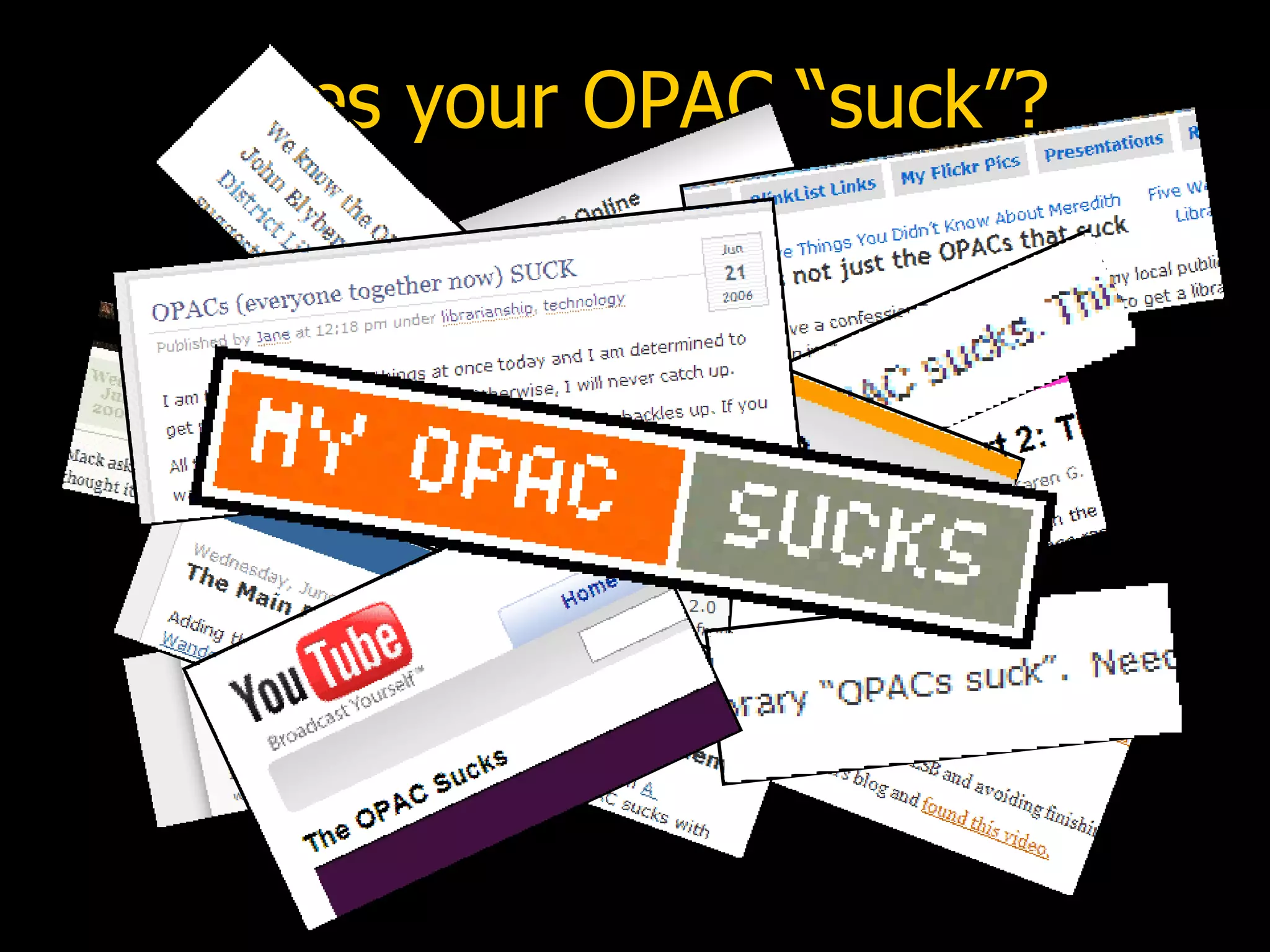
does your OPAC “suck”?
 
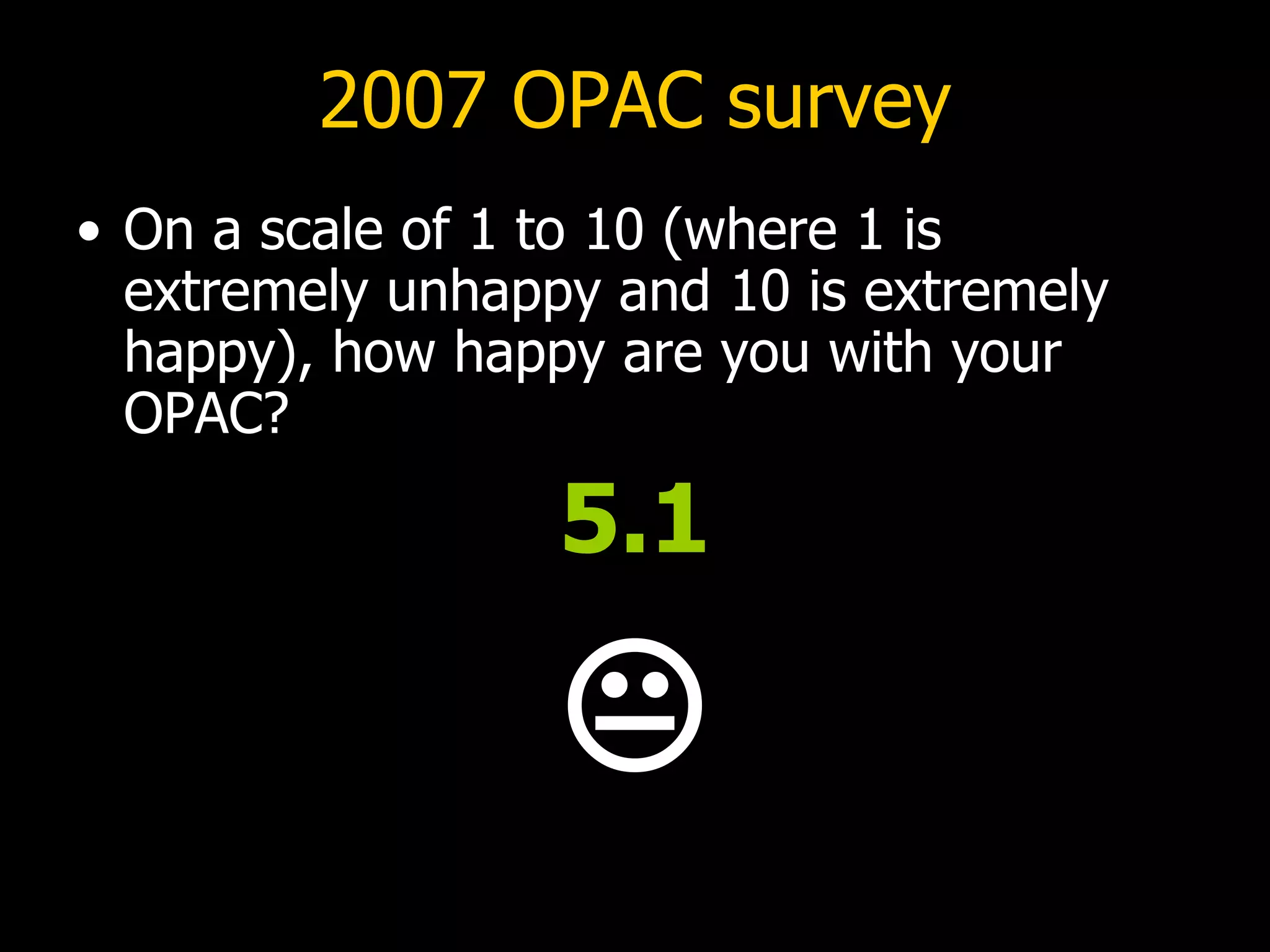
2007 OPAC survey On a scale of 1 to 10 (where 1 is extremely unhappy and 10 is extremely happy), how happy are you with your OPAC? 5.1 
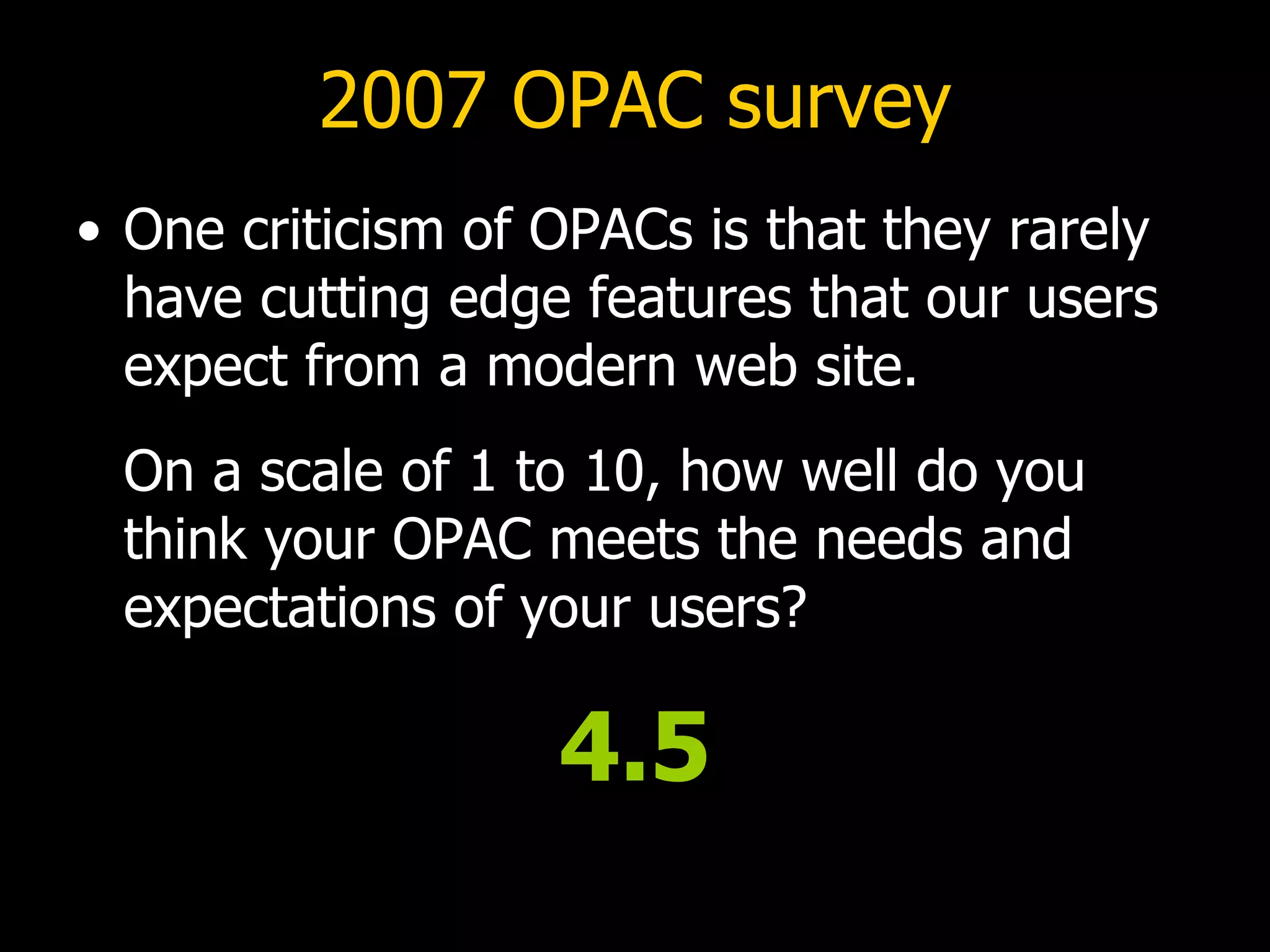
2007 OPAC survey One criticism of OPACs is that they rarely have cutting edge features that our users expect from a modern web site.   On a scale of 1 to 10, how well do you think your OPAC meets the needs and expectations of your users? 4.5
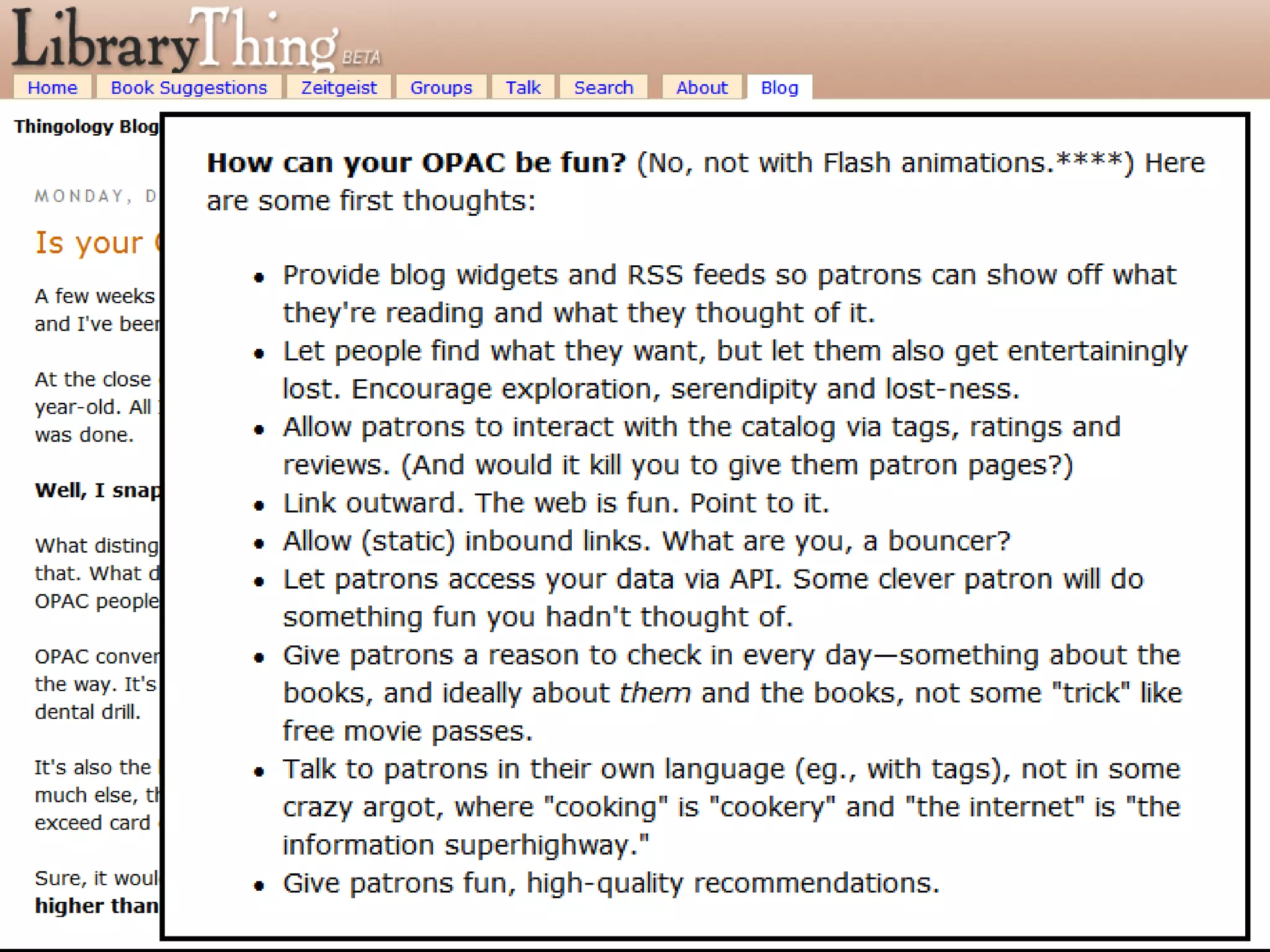
the OPAC as a “pig” “After all, you can put lipstick on a pig, but it's still very much a pig.”    (Roy Tennant discussing the OPAC,   Library Journal , 2005) “Never try to teach a pig to sing; it wastes your time and it annoys the pig.”    (attrib. Robert Heinlein, author)
pig ugly?
“kissy, kissy?”
 
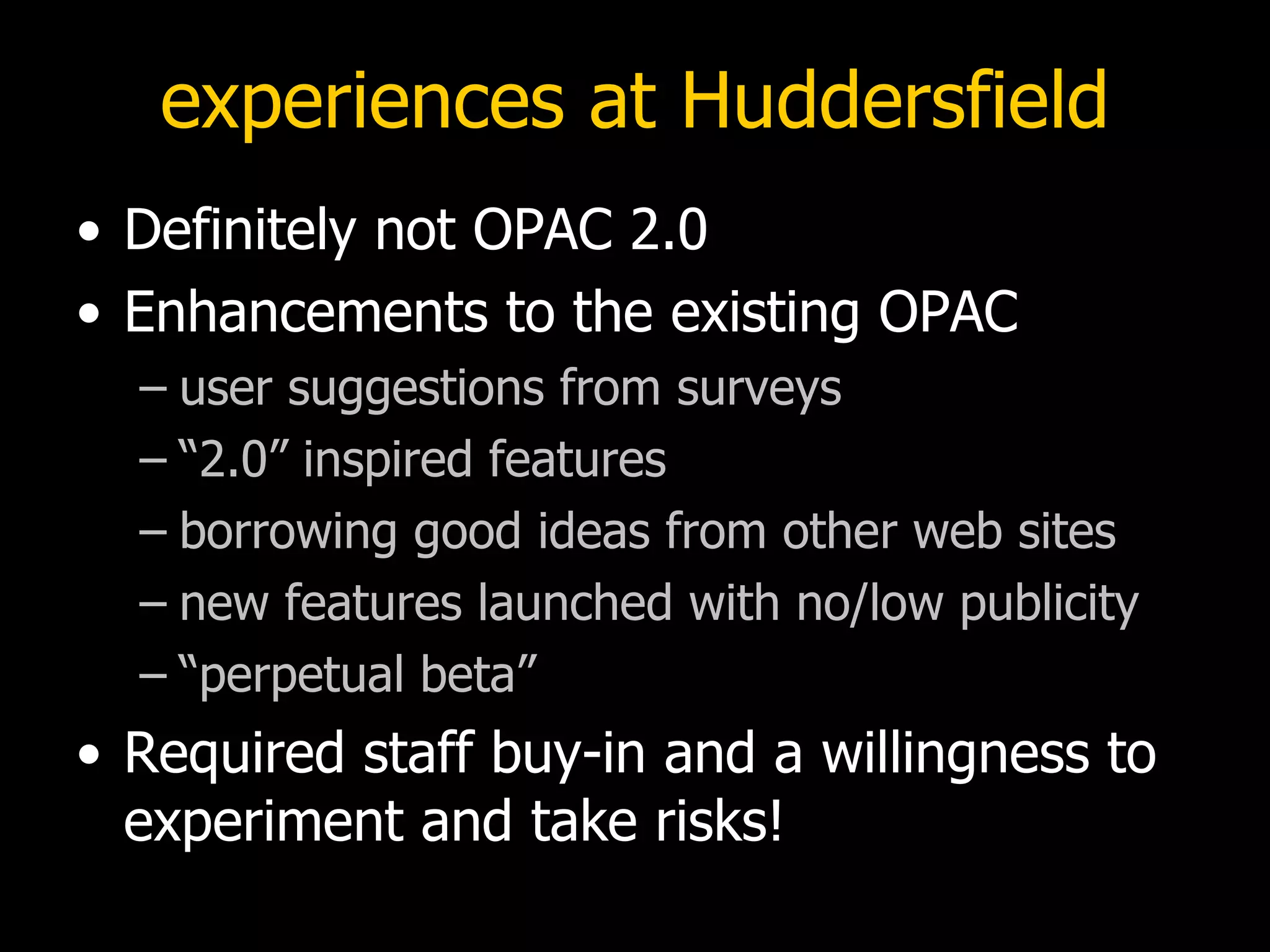
experiences at Huddersfield Definitely not OPAC 2.0 Enhancements to the existing OPAC user suggestions from surveys “2.0” inspired features borrowing good ideas from other web sites  new features launched with no/low publicity “perpetual beta” Required staff buy-in and a willingness to experiment and take risks!
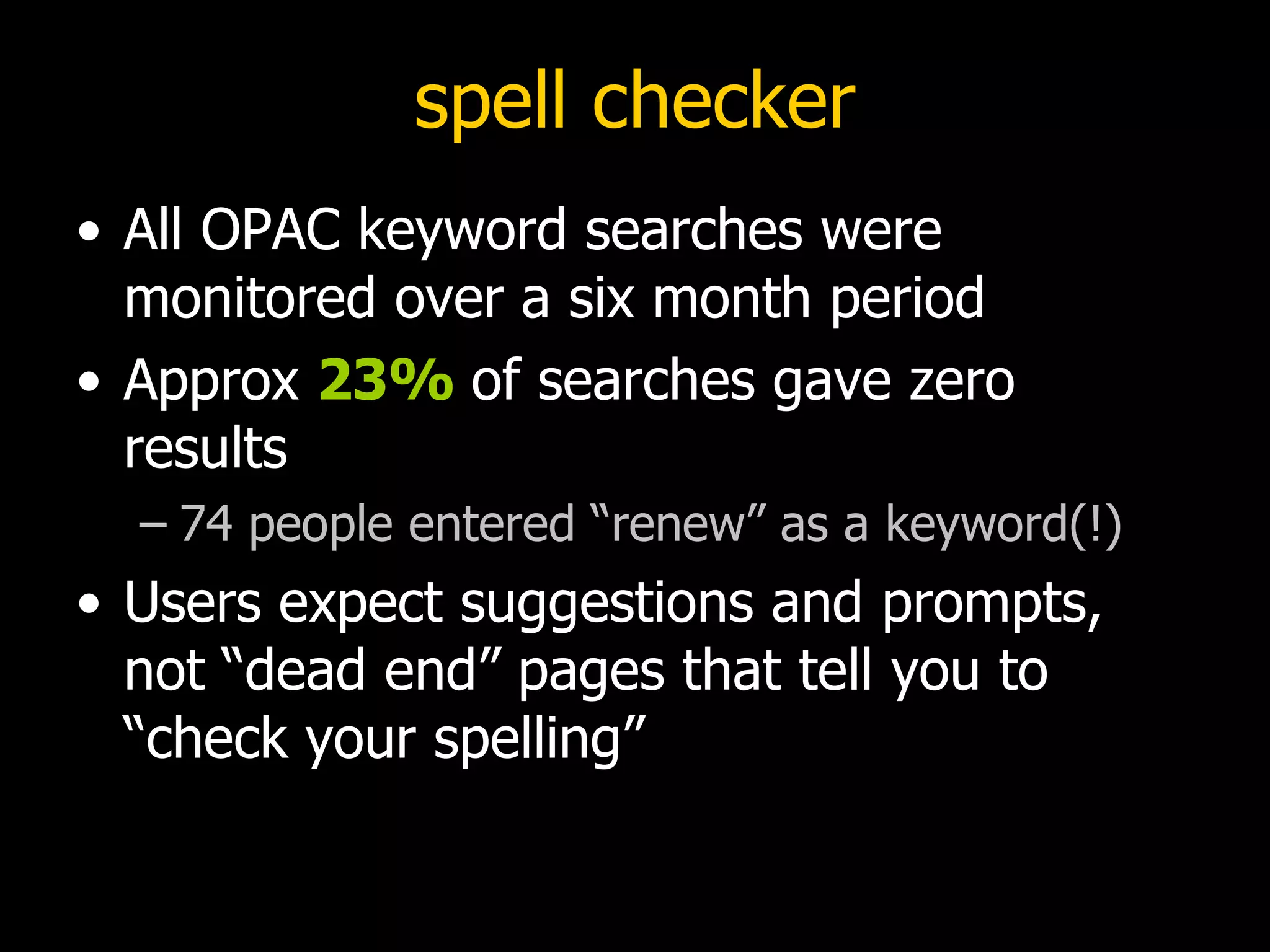
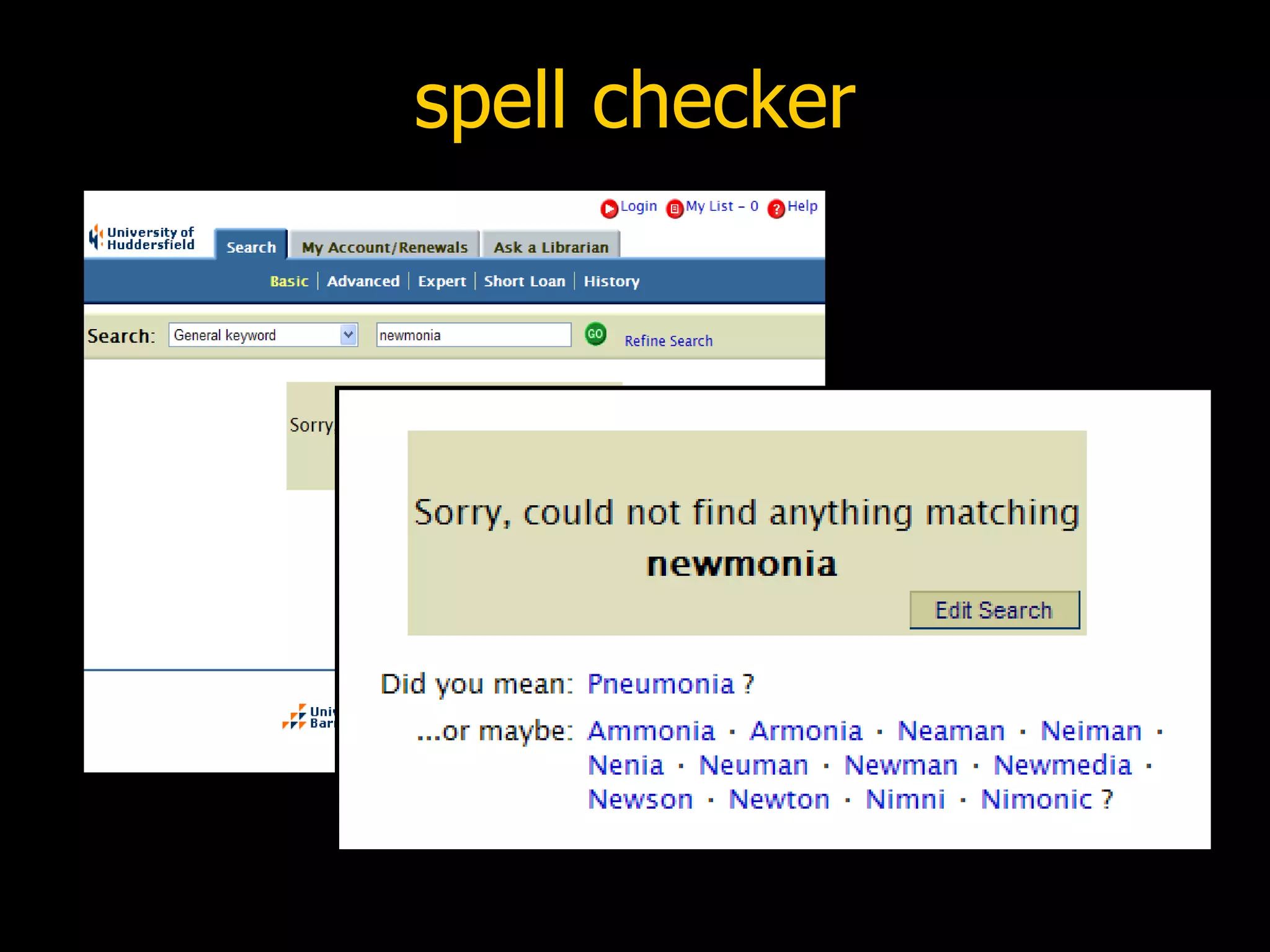
spell checker All OPAC keyword searches were monitored over a six month period Approx  23%  of searches gave zero results 74 people entered “renew” as a keyword(!) Users expect suggestions and prompts, not “dead end” pages that tell you to “check your spelling”
spell checker
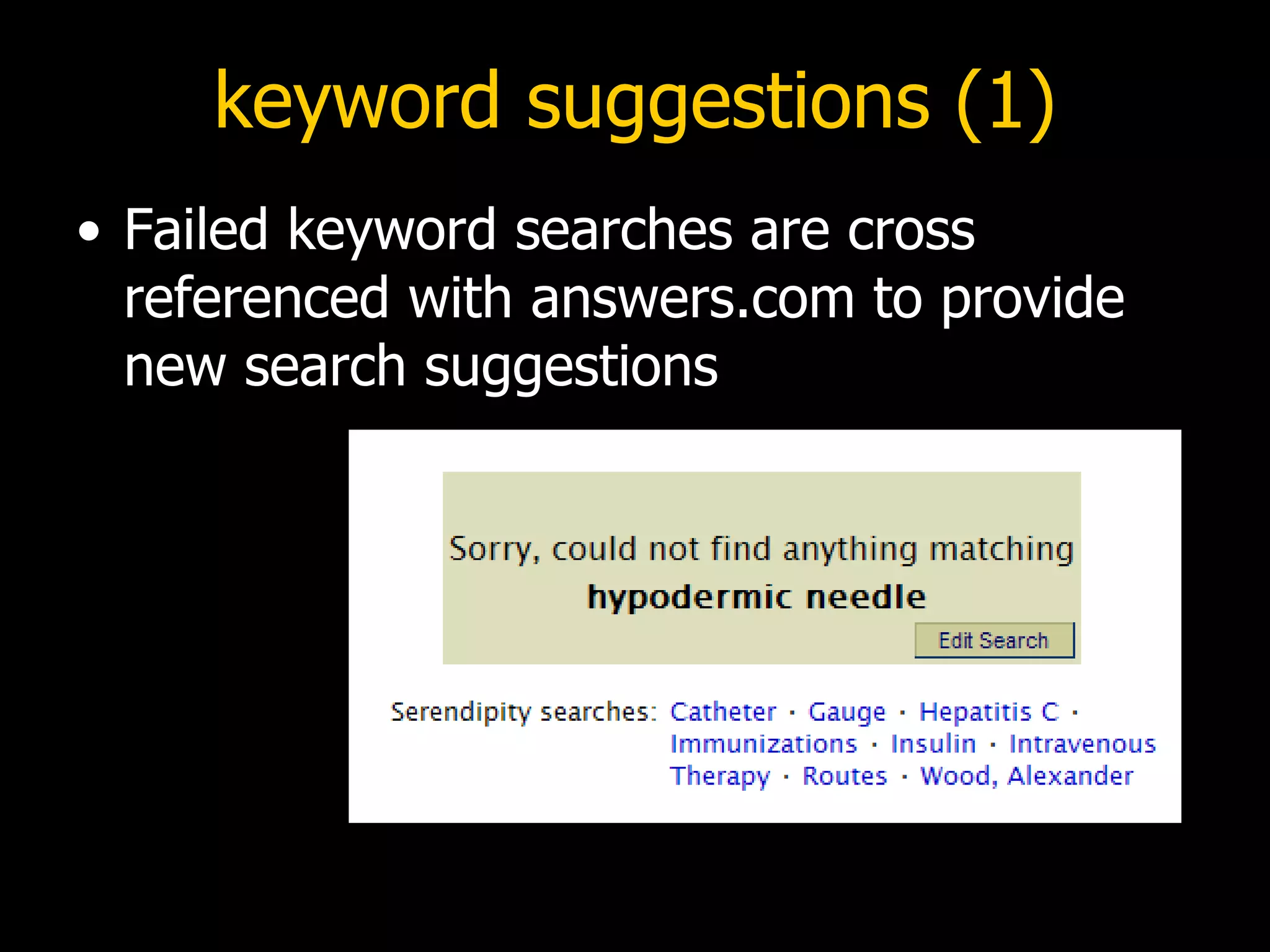
keyword suggestions (1) Failed keyword searches are cross referenced with answers.com to provide new search suggestions
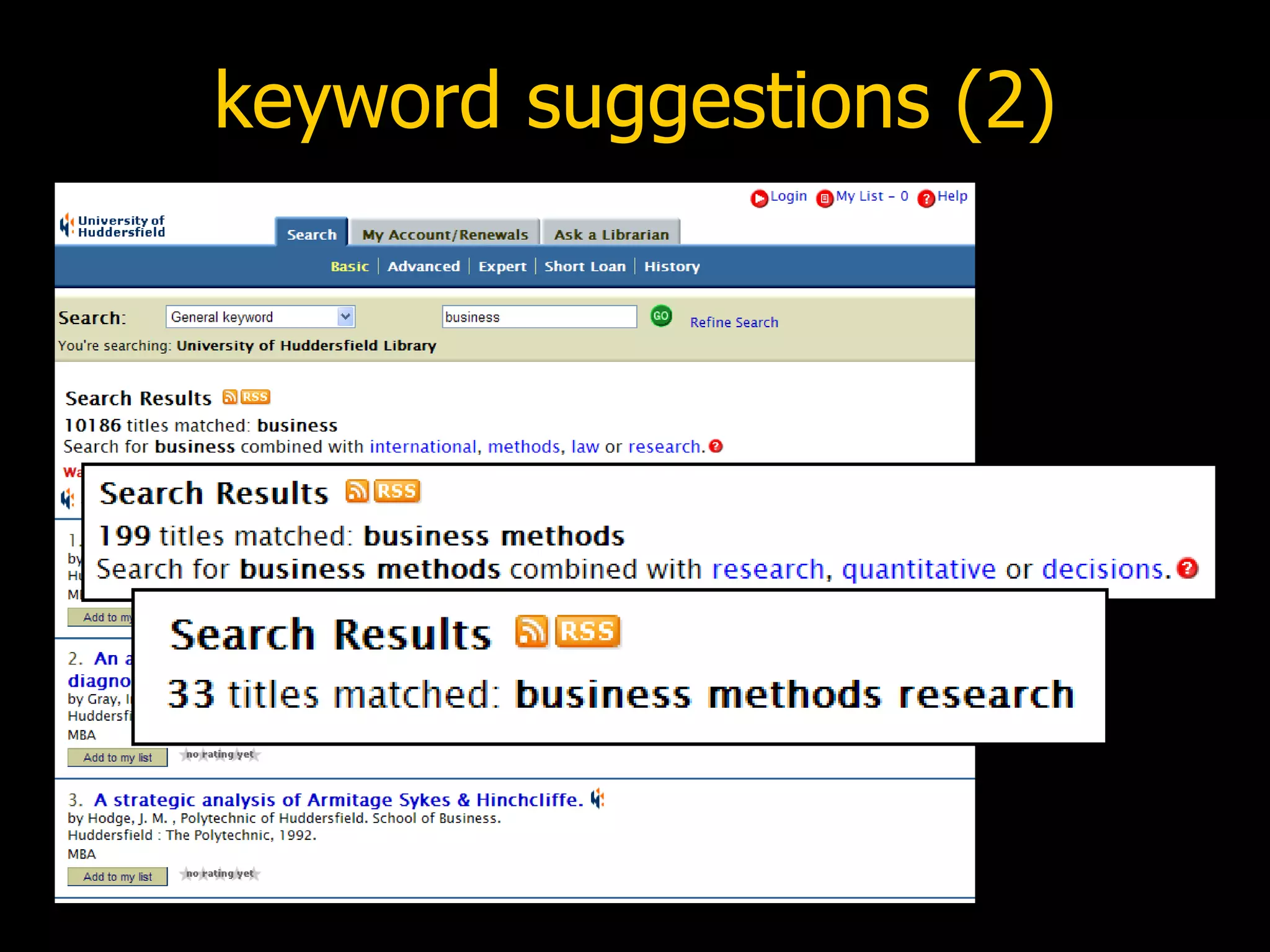
keyword suggestions (2)
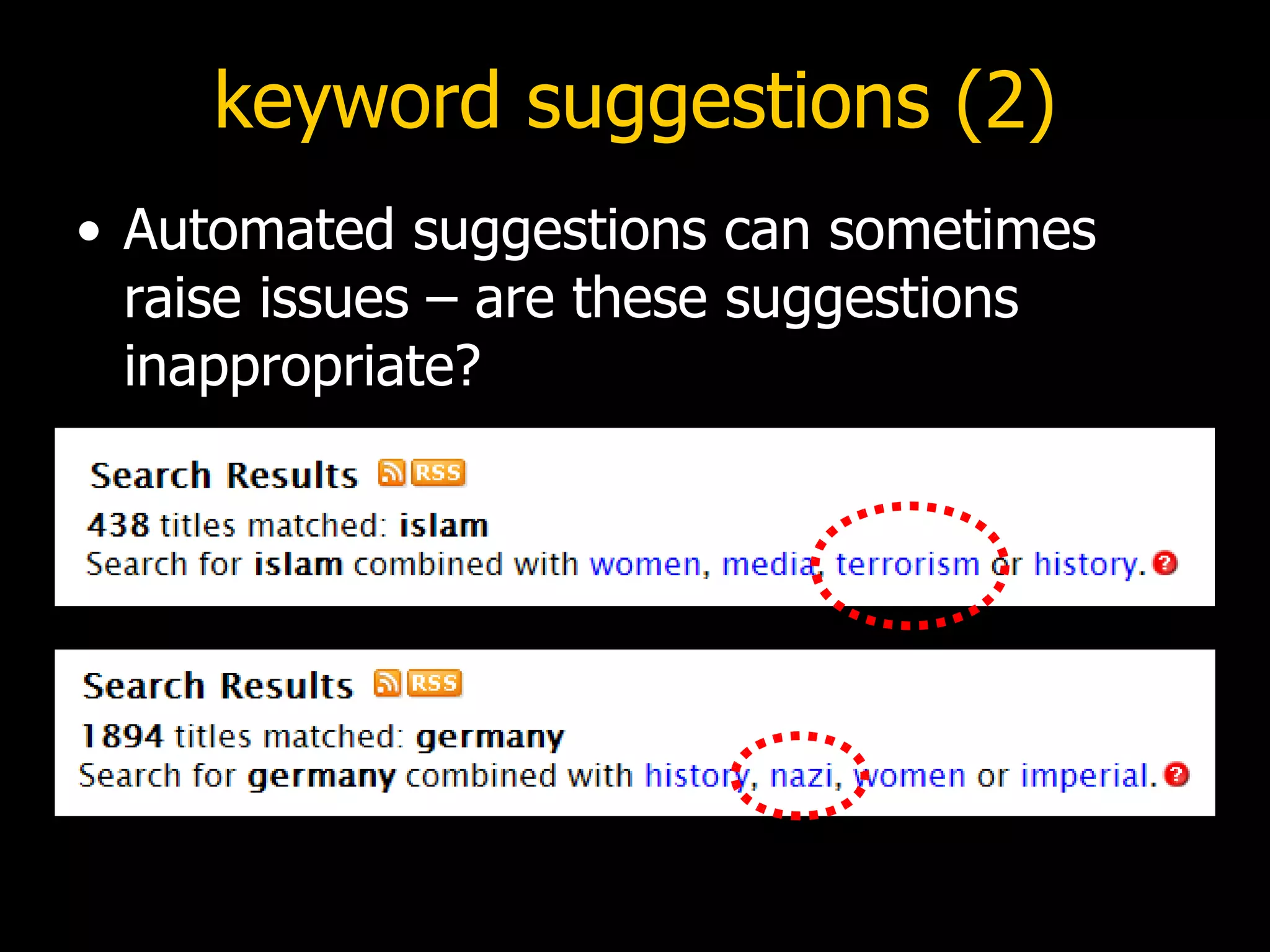
keyword suggestions (2) Automated suggestions can sometimes raise issues – are these suggestions inappropriate?
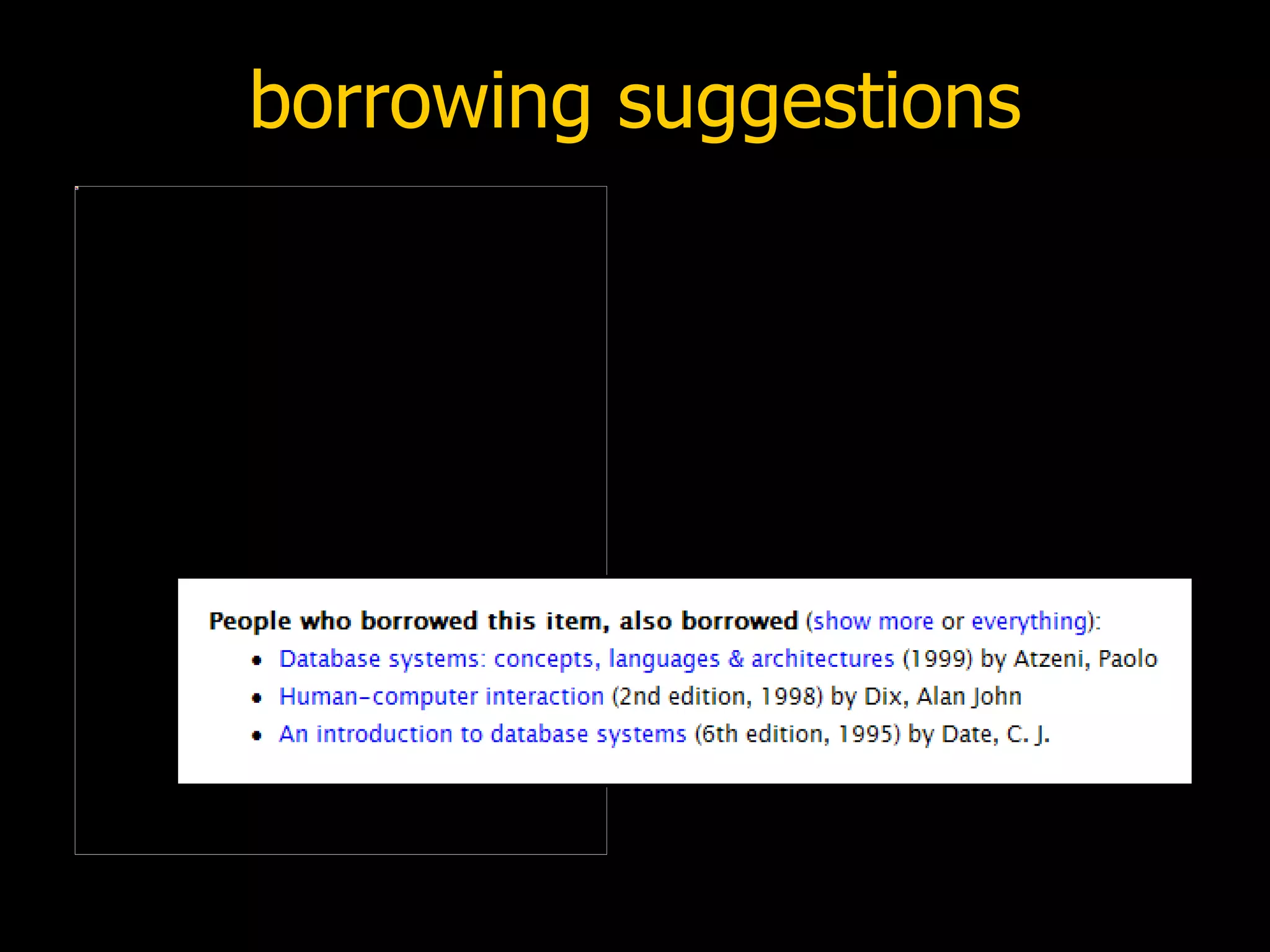
borrowing suggestions
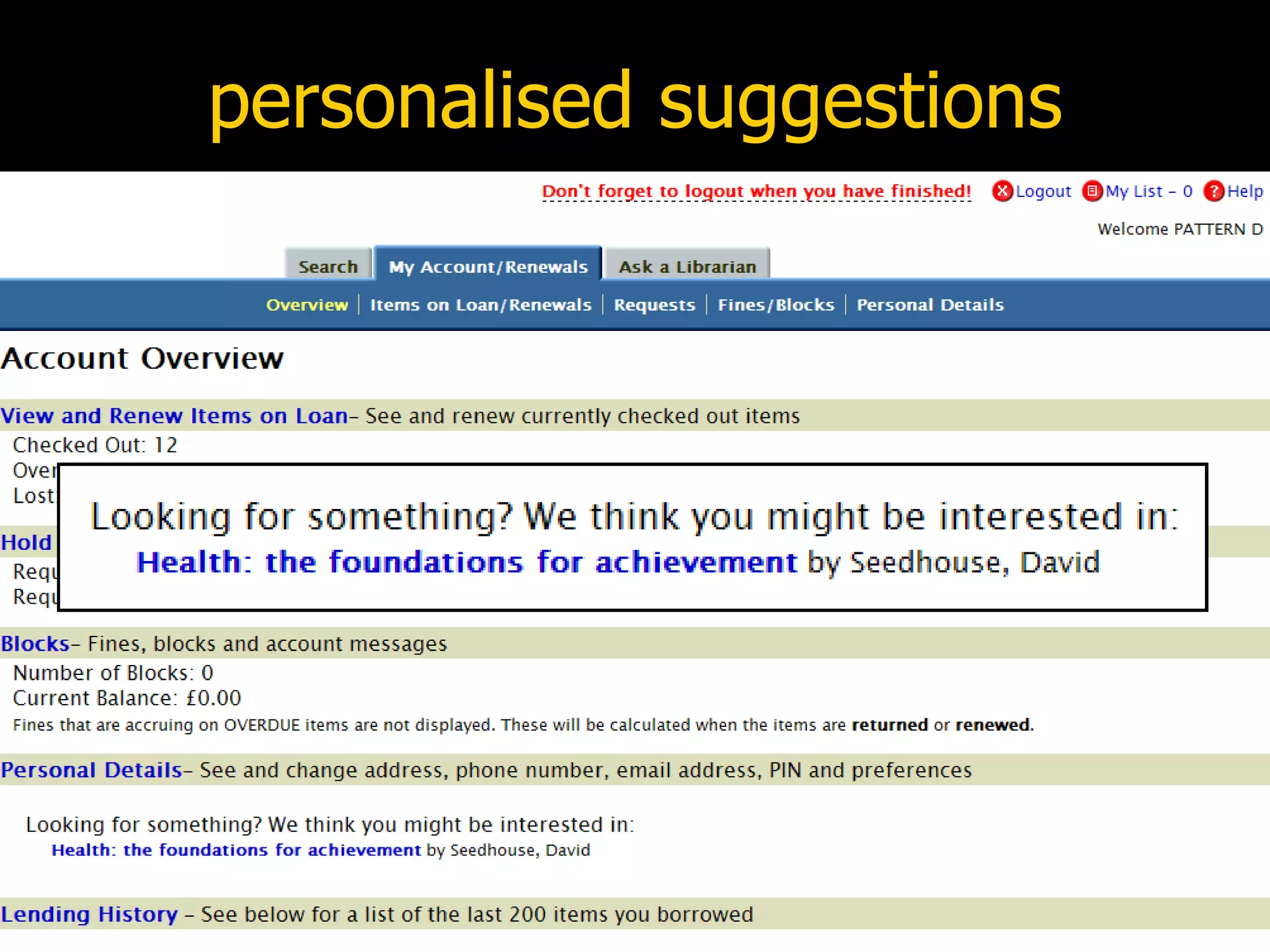
personalised suggestions
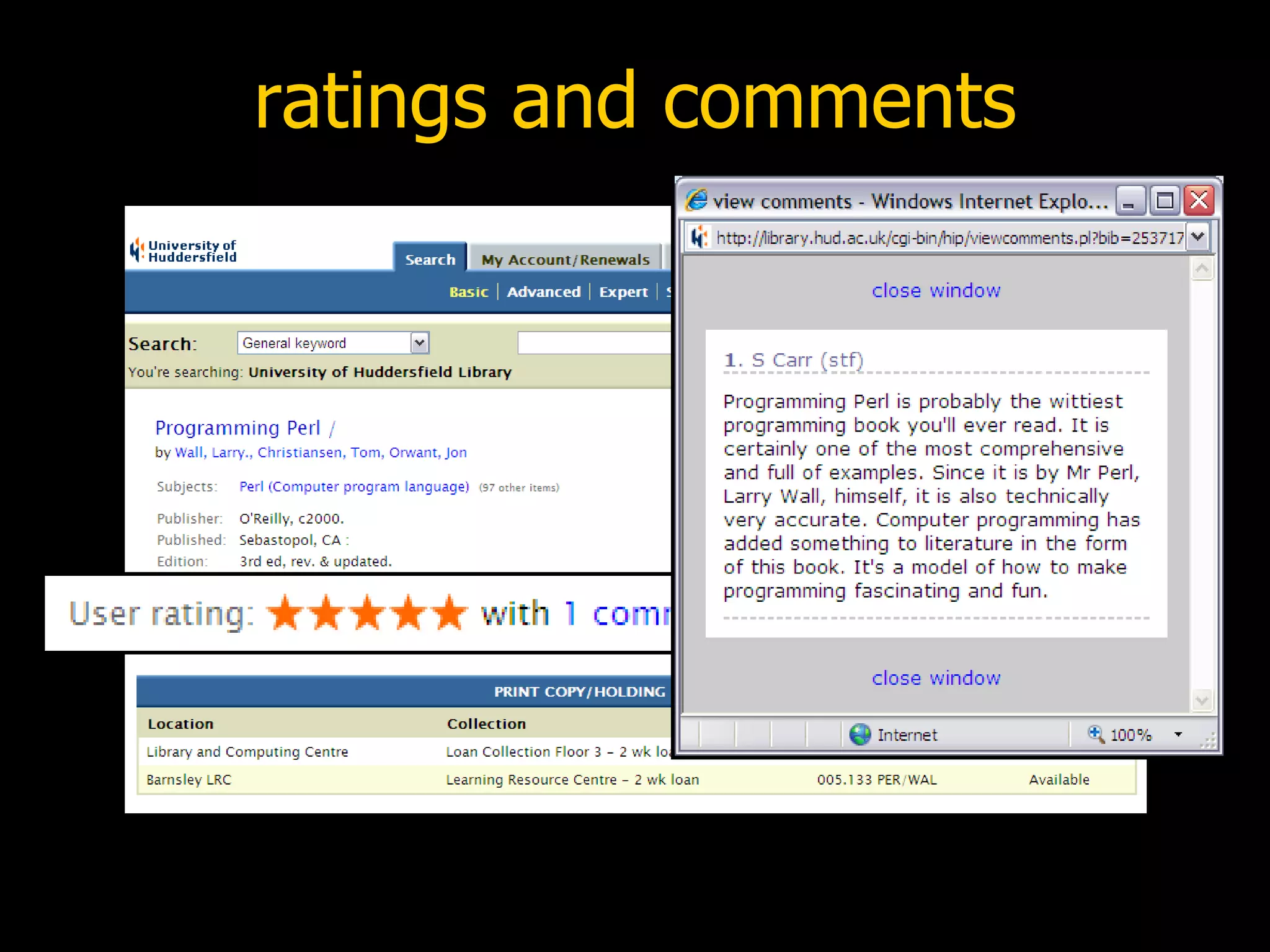
ratings and comments
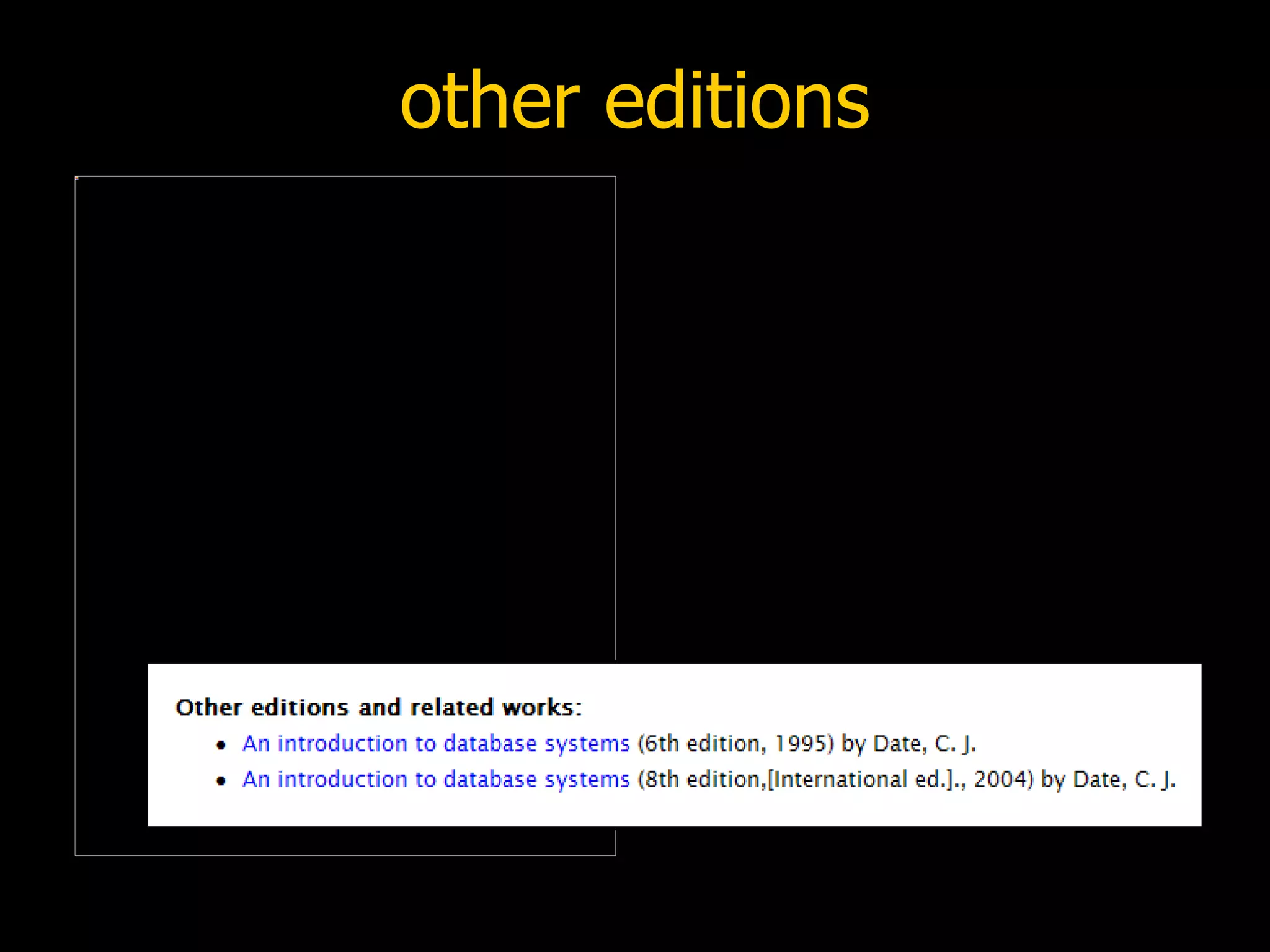
other editions Uses FRBR-like web services provided by OCLC and LibraryThing to locate other editions and related works within local holdings www.oclc.org/research/projects/xisbn/ www.librarything.com/api
other editions
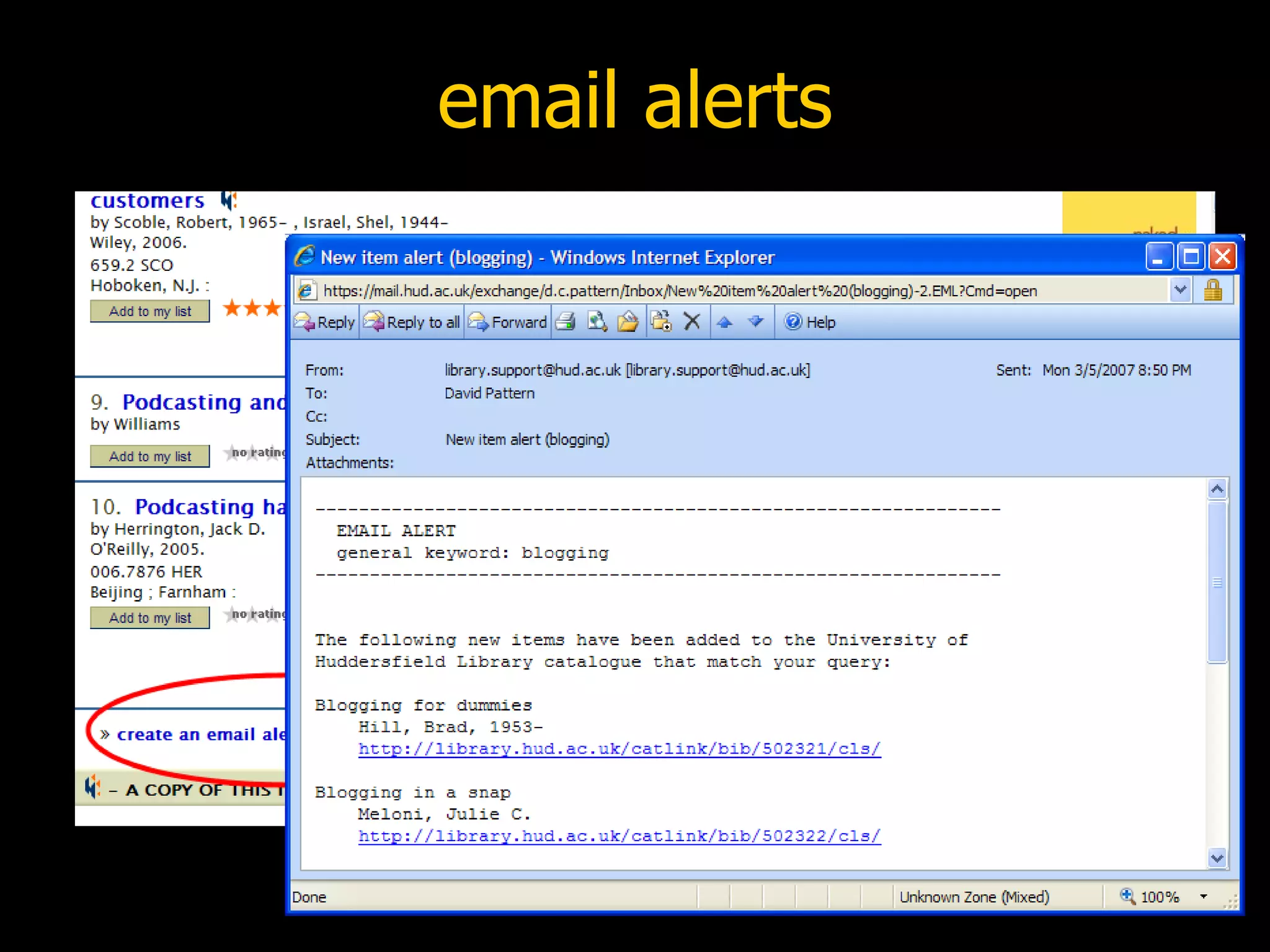
email alerts
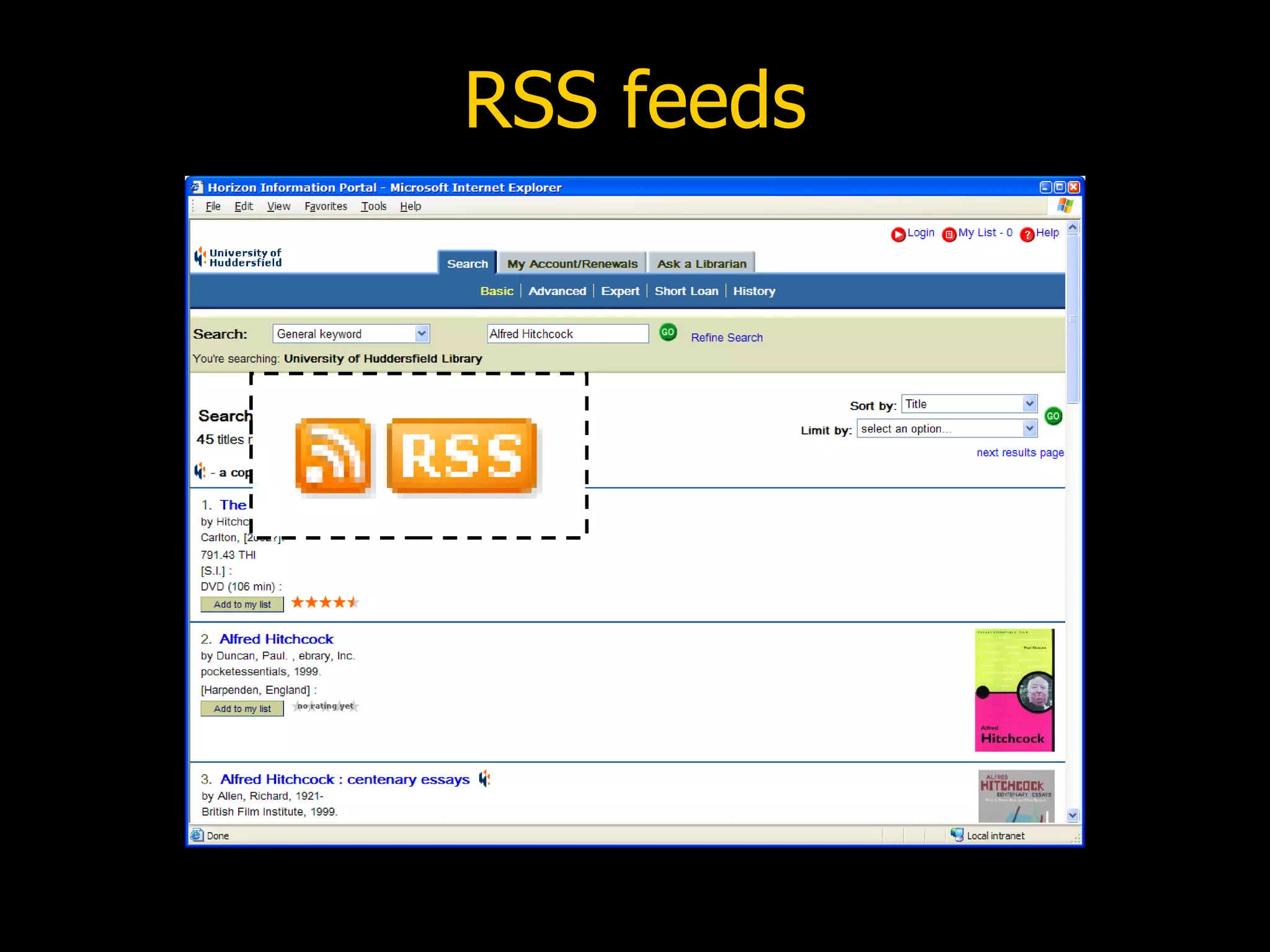
RSS feeds
RSS feeds
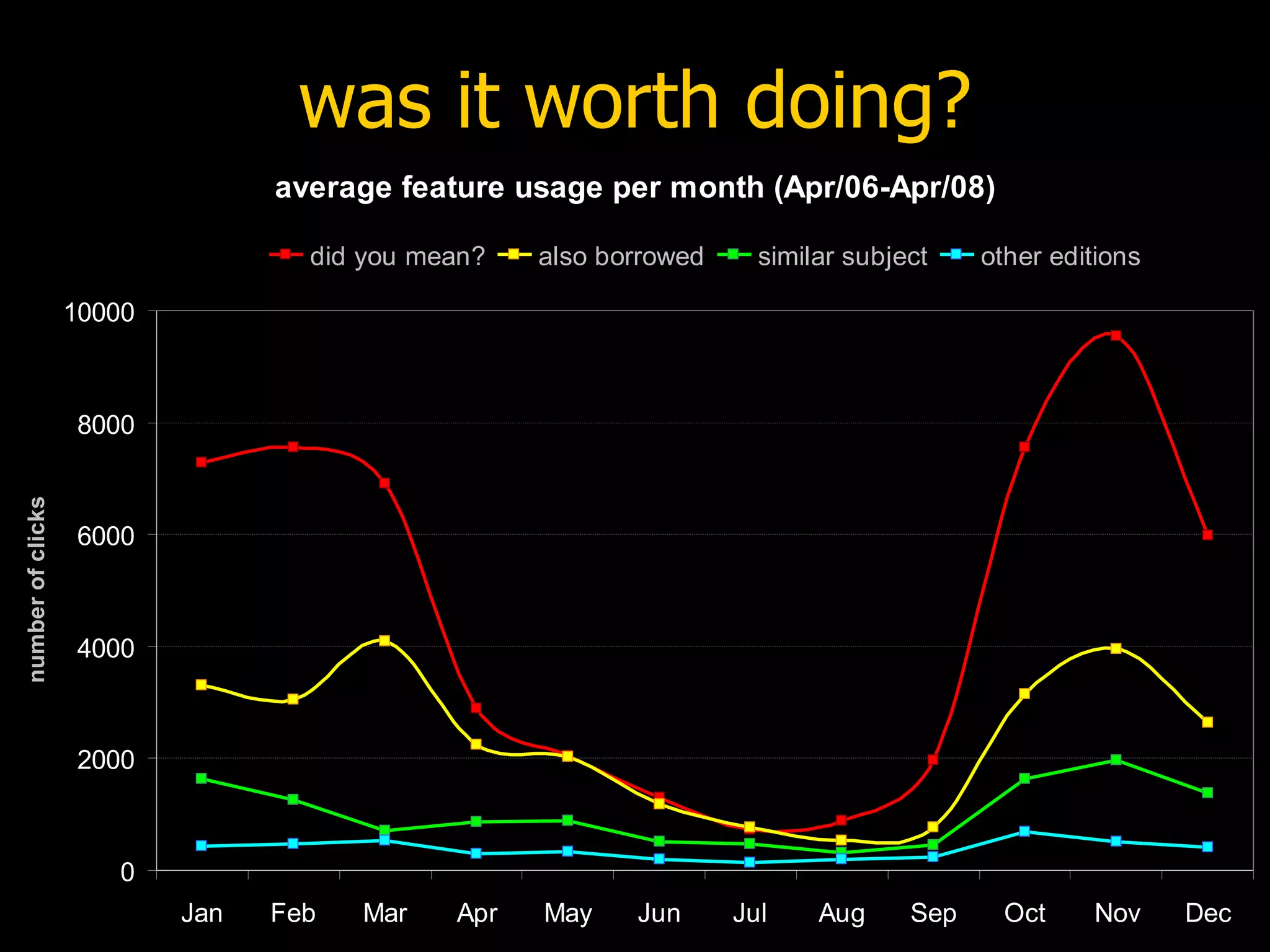
was it worth doing?
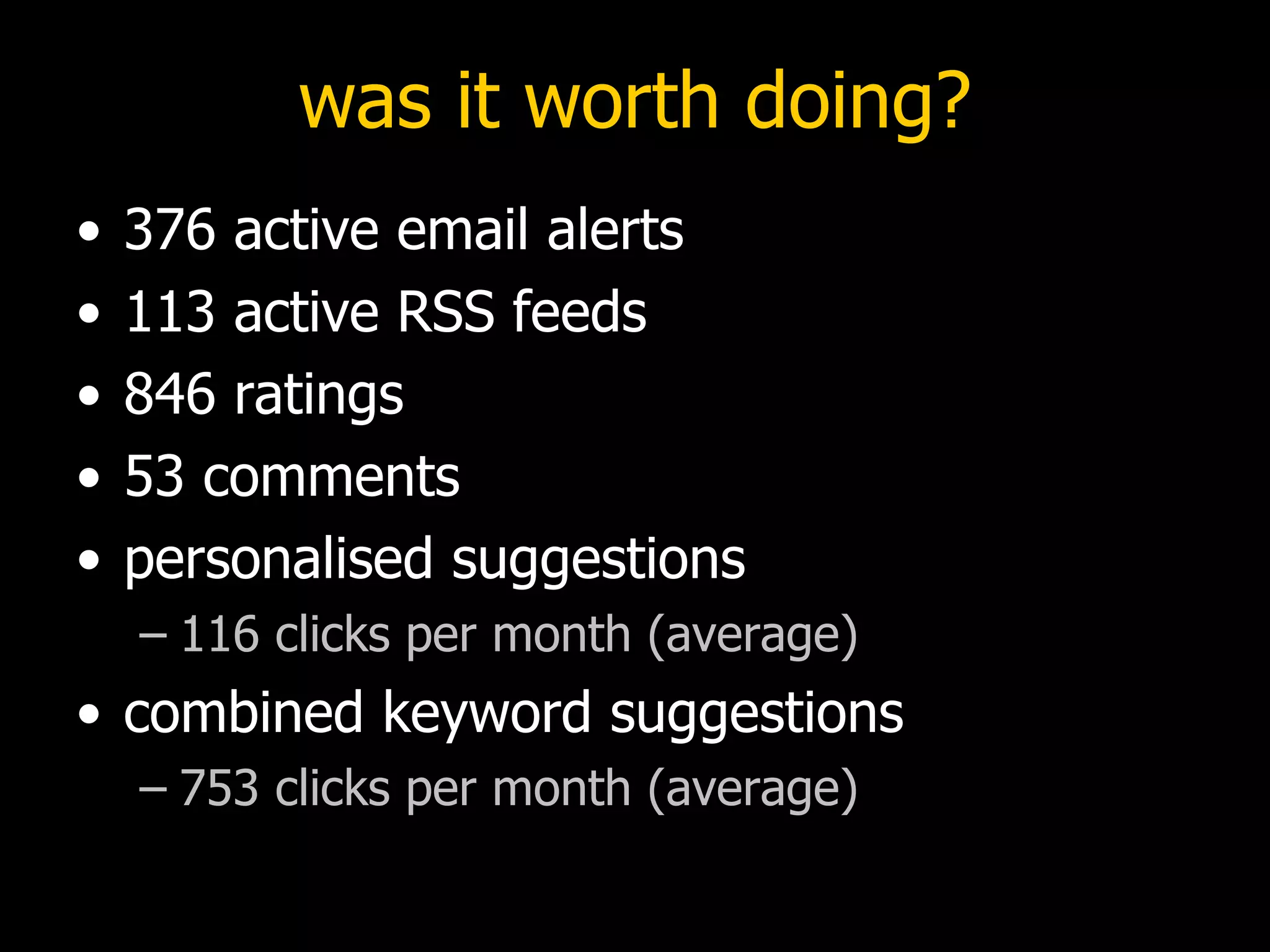
was it worth doing? 376 active email alerts 113 active RSS feeds 846 ratings 53 comments personalised suggestions  116 clicks per month (average) combined keyword suggestions  753 clicks per month (average)
other libraries
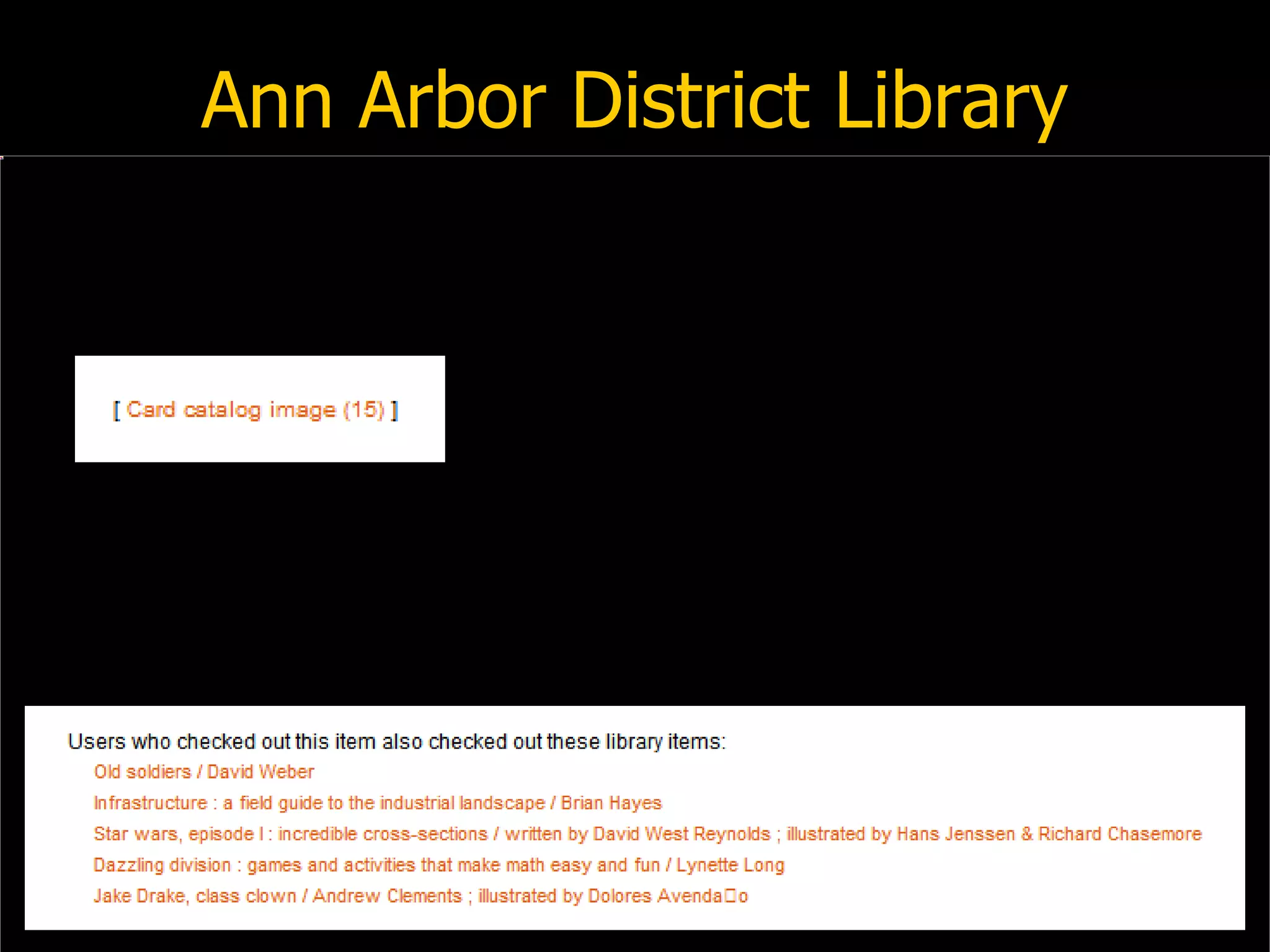
Ann Arbor District Library
 
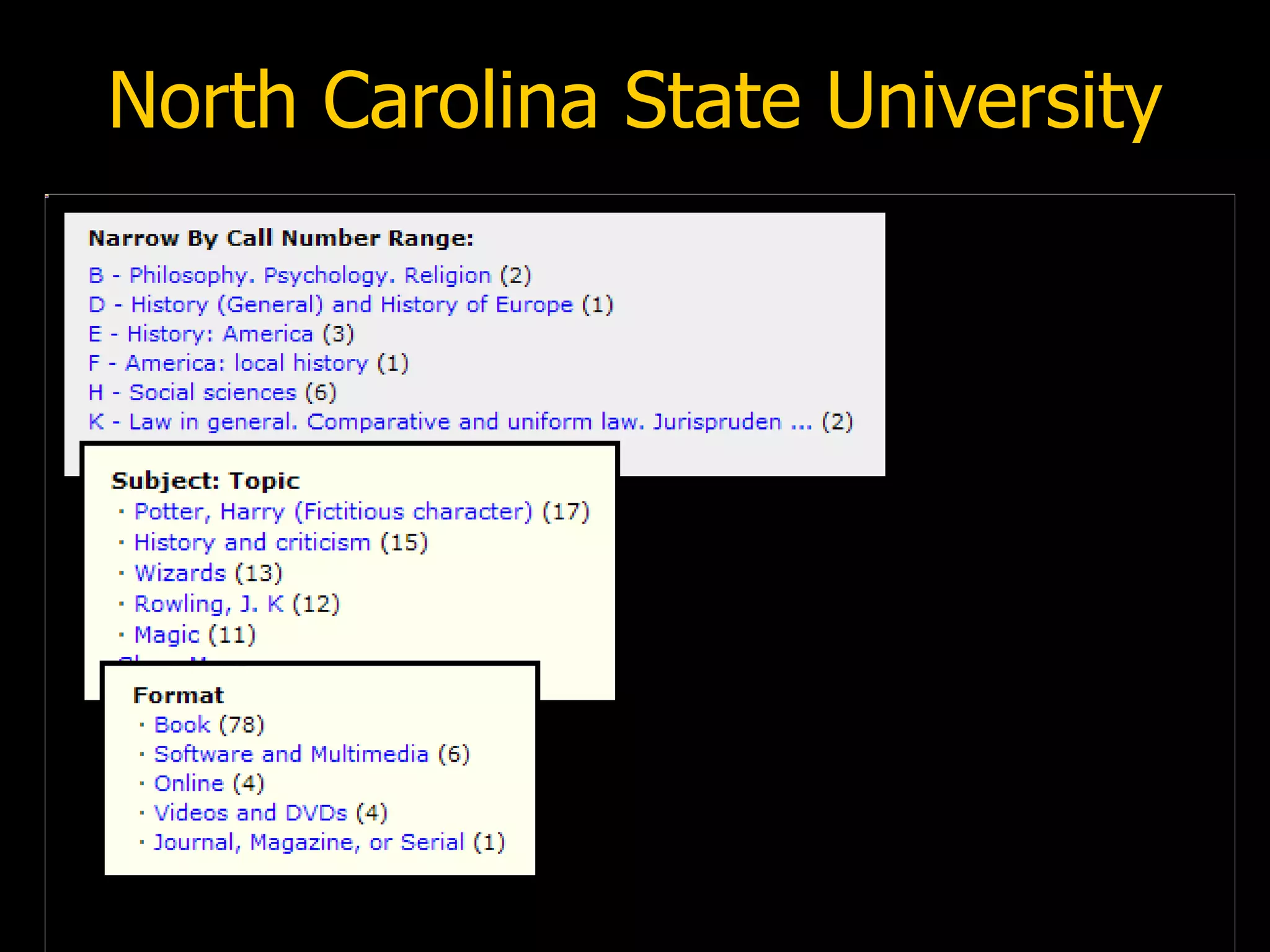
North Carolina State University
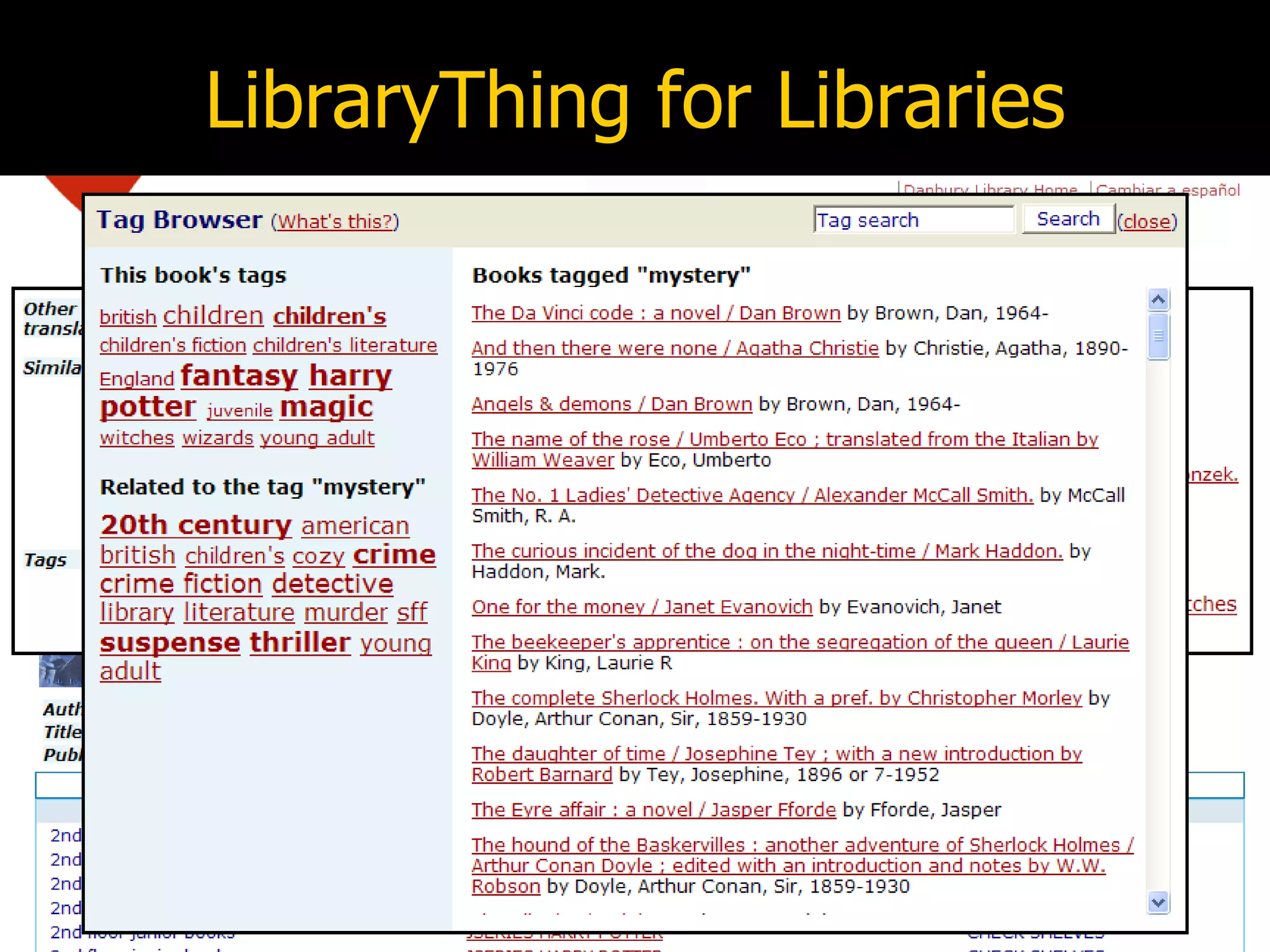
LibraryThing for Libraries
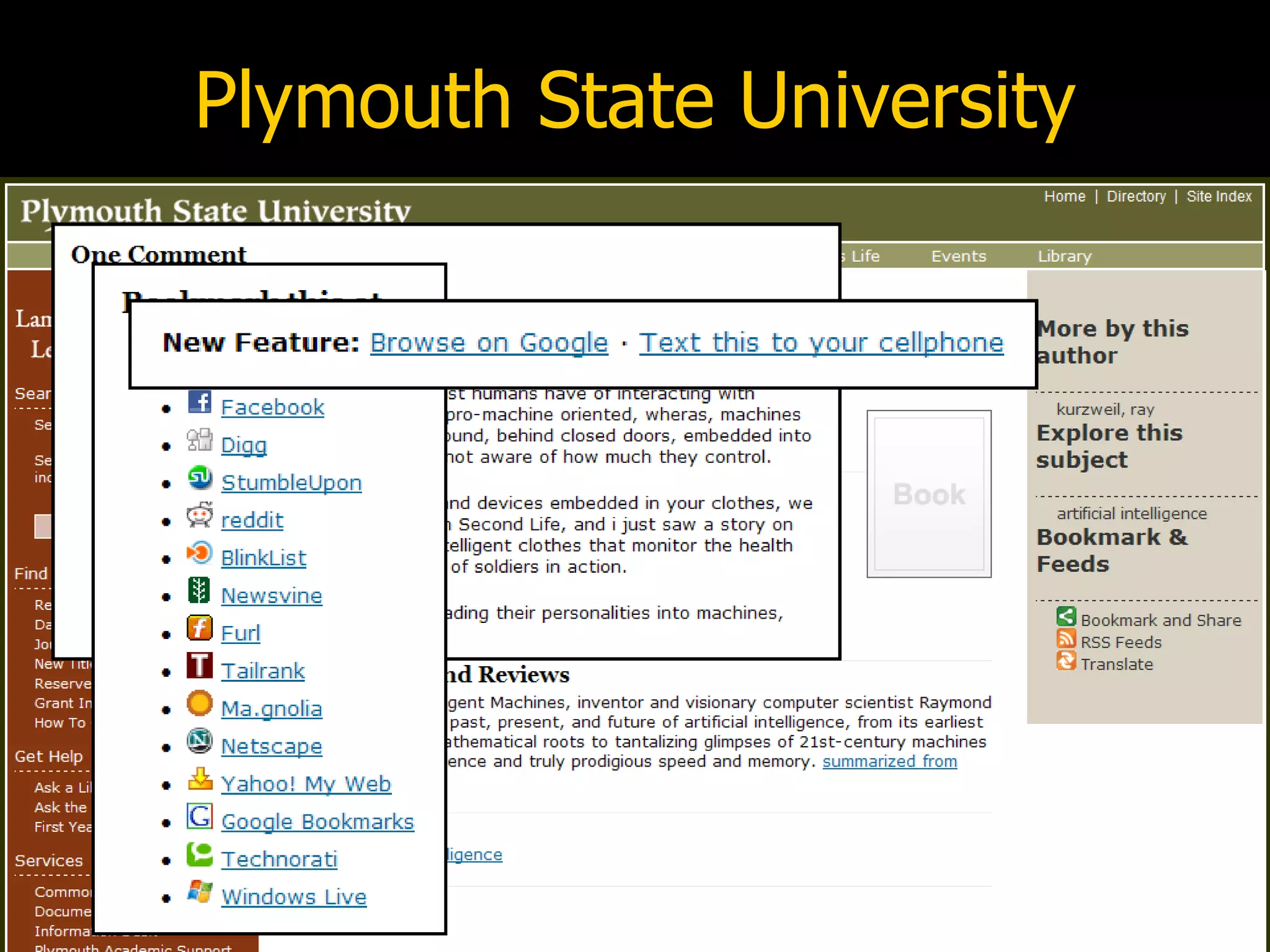
Plymouth State University
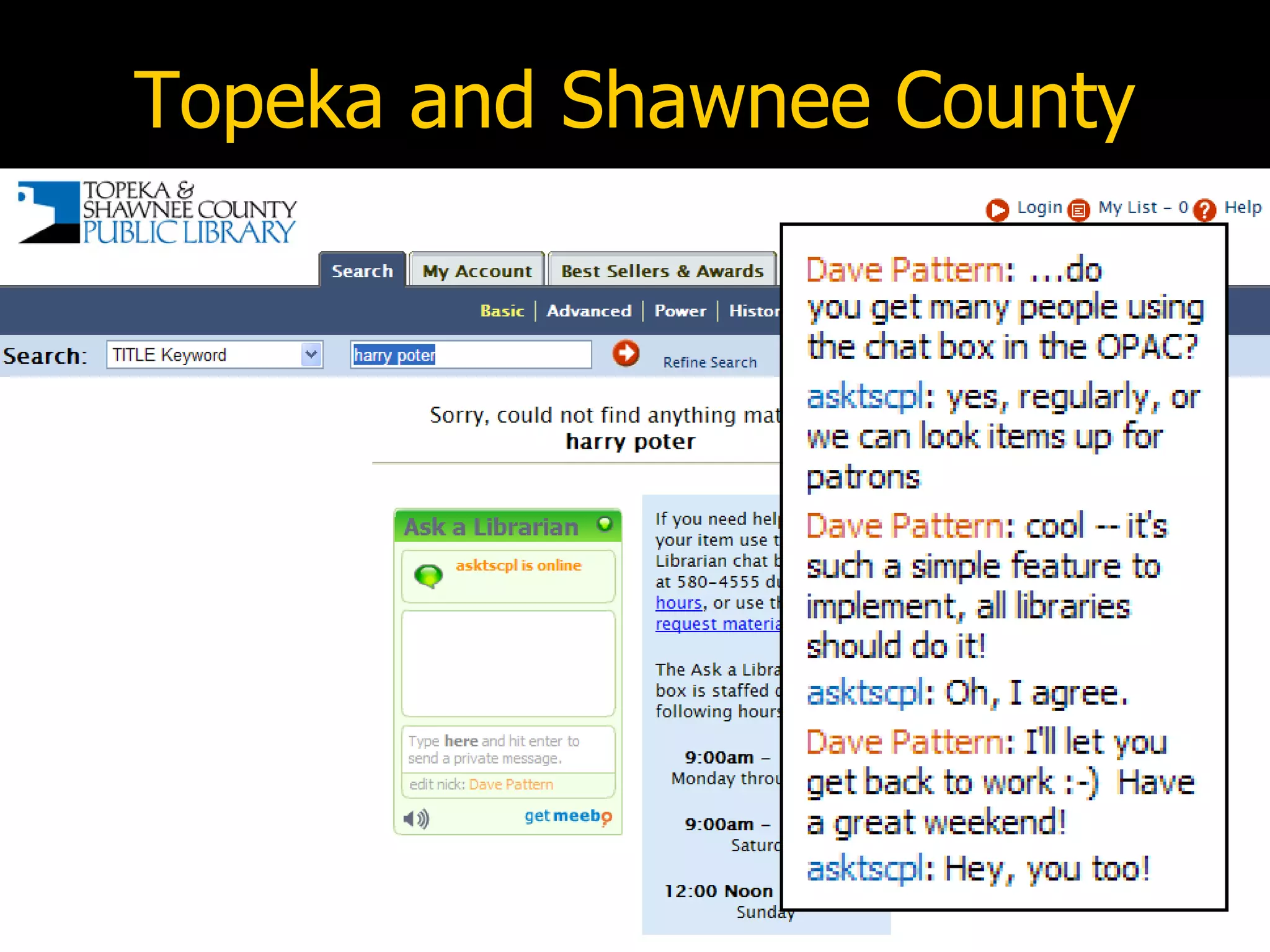
Topeka and Shawnee County
University of Warwick
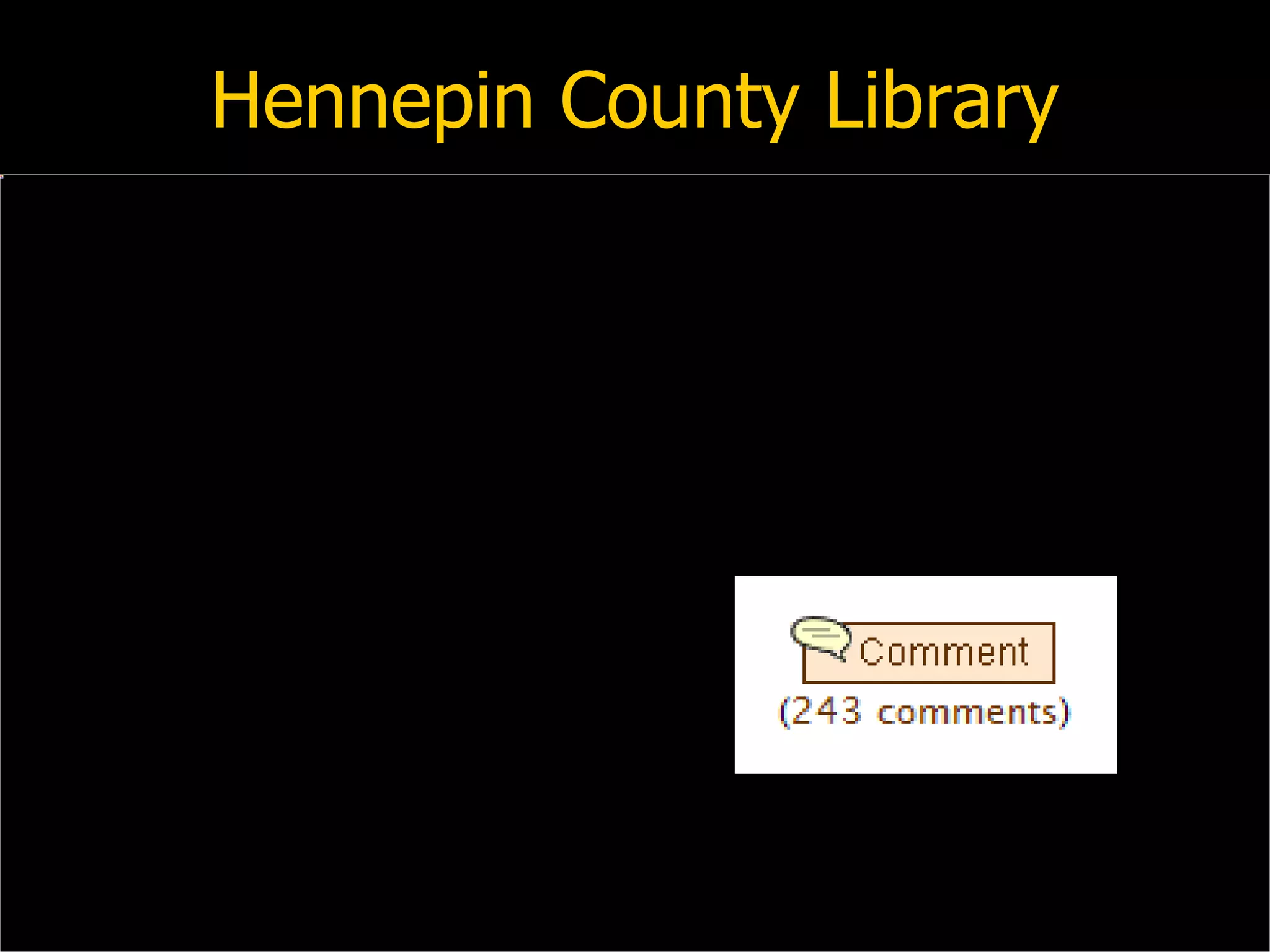
Hennepin County Library
lipstick on the pig “We need to focus more energy on important, systemic changes rather than cosmetic ones. If your system is more difficult to search and less effective than Amazon.com, then you have work to do.  After all, you can put lipstick on a pig, but it's still very much a pig.”    (Roy Tennant,  Library Journal , 2005)
doing it yourself Encourage suggestions from staff Include users in decision making process Encourage play and experimentation Don’t be afraid to make mistakes! Look widely for ideas “Build crappy prototypes fast” Monitor usage if usage is poor, rethink it or get rid of it
Open Source OPACs Scriblio Plymouth State University uses WordPress blog software VuFind Falvey Memorial Library, Villanova University uses PHP & MySQL LibraryFind Oregon State University Libraries uses  Ruby on Rails
Open Source OPACs fac-back-opac Laurentian University Library uses  Lucene  &  Solr Project Blacklight University of Virginia Libraries uses  Lucene  &  Solr Open Source ILS Koha Evergreen
web services & APIs Talis Platform LibraryThing thingISBN, thingTitle, thingLang, data feeds OCLC WorldCat Grid Services Amazon Web Services rebranded as “Amazon Associates Web Service” with new conditions of use Google Book Search API
Amazon Associates Web Service Cover scans, reviews, recommendations, sales commission, etc Already used by many libraries However, recent change to conditions of use (19/Mar/2008) may preclude libraries: 5.1.3. You are not permitted to use Amazon Associates Web Service with any Application or for any use that does not have, as its principal purpose, driving traffic to the Amazon Website and driving sales of products and services on the Amazon Website. ( AWS Customer Agreement )
Google Book Search API Launched 13/Mar/2008 Typically client-side implementation (rather than server-side) Link to GBS content: via ISBN, LCCNs, and OCLC numbers front cover thumbnails preview pages
the “traditional” vendors Talis Platform Bowker “AquaBrowser” Ex Libris “Primo” Innovative Interfaces “Encore” SirsiDynix “???”
play and  experimentation
it’s okay to play! “We don’t stop playing because we grow old; we grow old because we stop playing.” attrib: George Bernard Shaw  2007 Library & Information Show Workshop on Library 2.0  Q: I don’t get paid to play, I get paid to work A: So, don’t call it “play”, call it “professional development”!
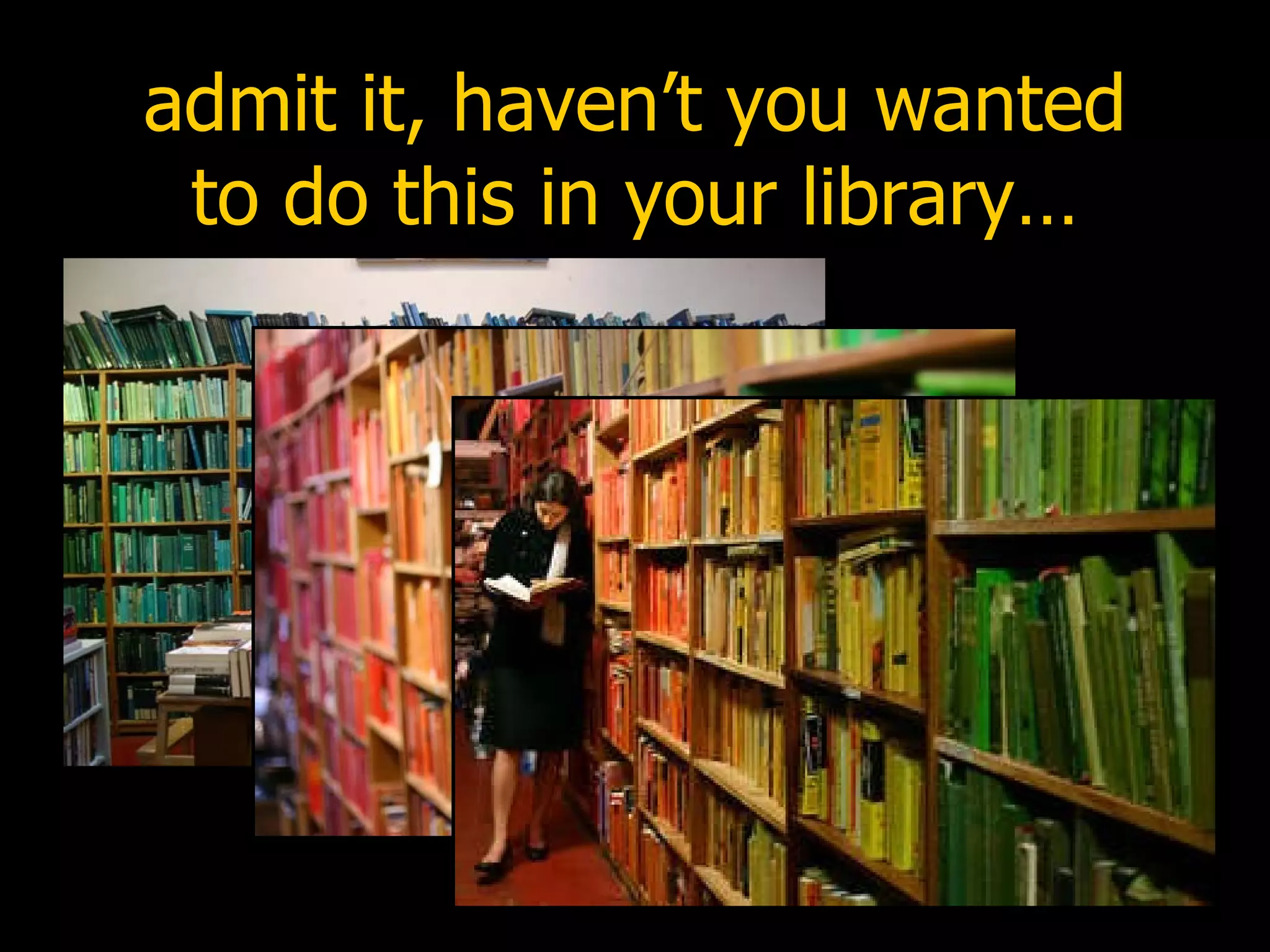
admit it, haven’t you wanted to do this in your library…
somewhere over the rainbow?
Huddersfield Public Library
never judge a book by it’s cover “ I borrowed a book 3 years ago that had an orange cover… can I borrow it again?”
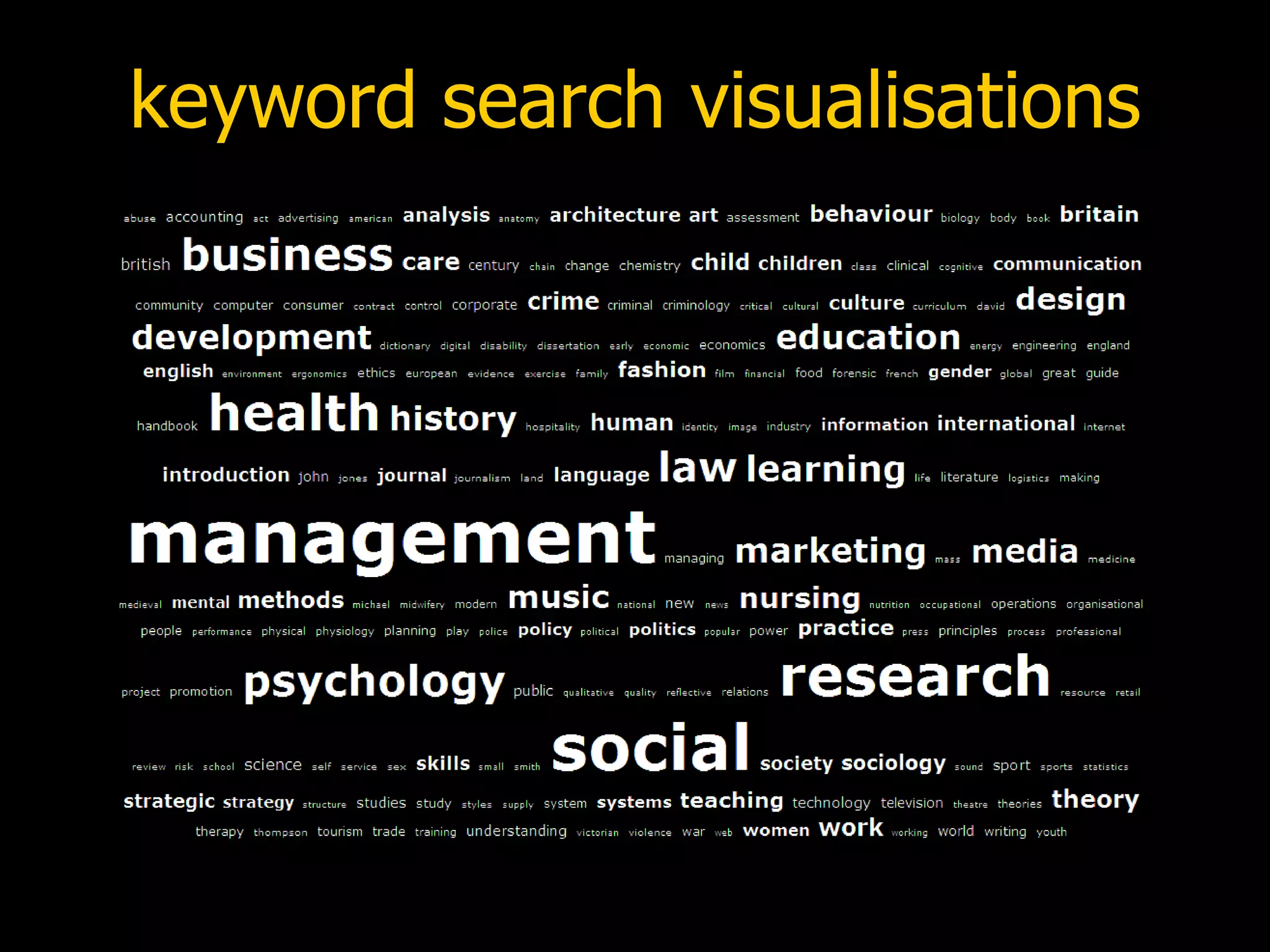
keyword search visualisations
eye candy
OPAC 2.0 next generation library catalogues
OPAC 2.0 Shopping list of features: spell checking (“did you mean?”) search all library resources (inc. e-resources)  relevancy ranking, search refining, and facets manual recommendations (“best bets”) automated suggestions (based on both global and user-specific data) user participation (“read-write OPAC”) foster communities of interest
OPAC 2.0 Shopping list of features (cont): improve serendipity expose hidden links between items APIs and Web Services to expose data promote unintended uses user personalisation embed external data (e.g. Wikipedia, LibraryThing) RSS feeds and OpenSearch
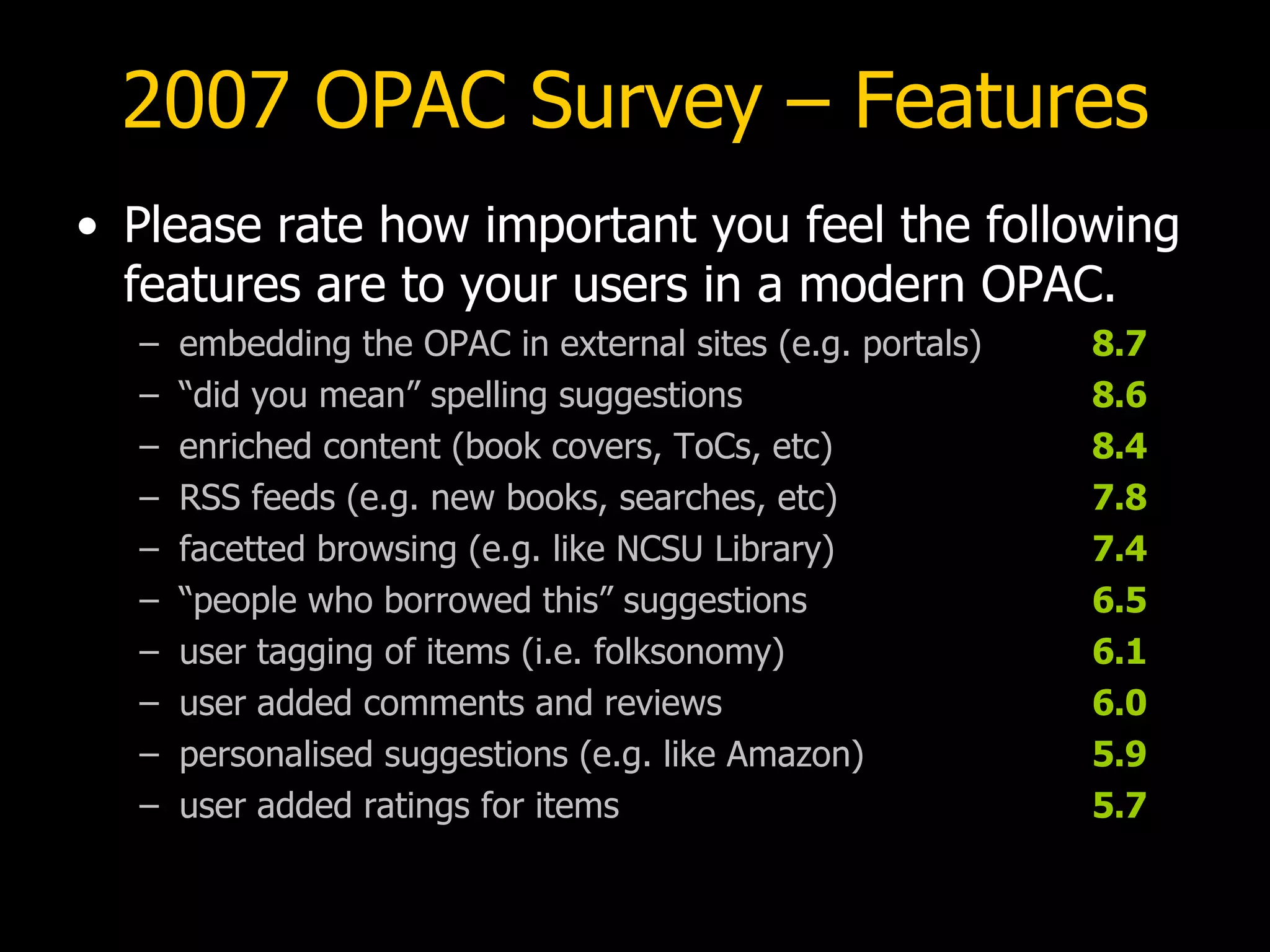
2007 OPAC Survey – Features Please rate how important you feel the following features are to your users in a modern OPAC. embedding the OPAC in external sites (e.g. portals) 8.7 “ did you mean” spelling suggestions 8.6 enriched content (book covers, ToCs, etc) 8.4 RSS feeds (e.g. new books, searches, etc) 7.8 facetted browsing (e.g. like NCSU Library) 7.4 “ people who borrowed this” suggestions 6.5 user tagging of items (i.e. folksonomy) 6.1 user added comments and reviews 6.0 personalised suggestions (e.g. like Amazon) 5.9 user added ratings for items 5.7
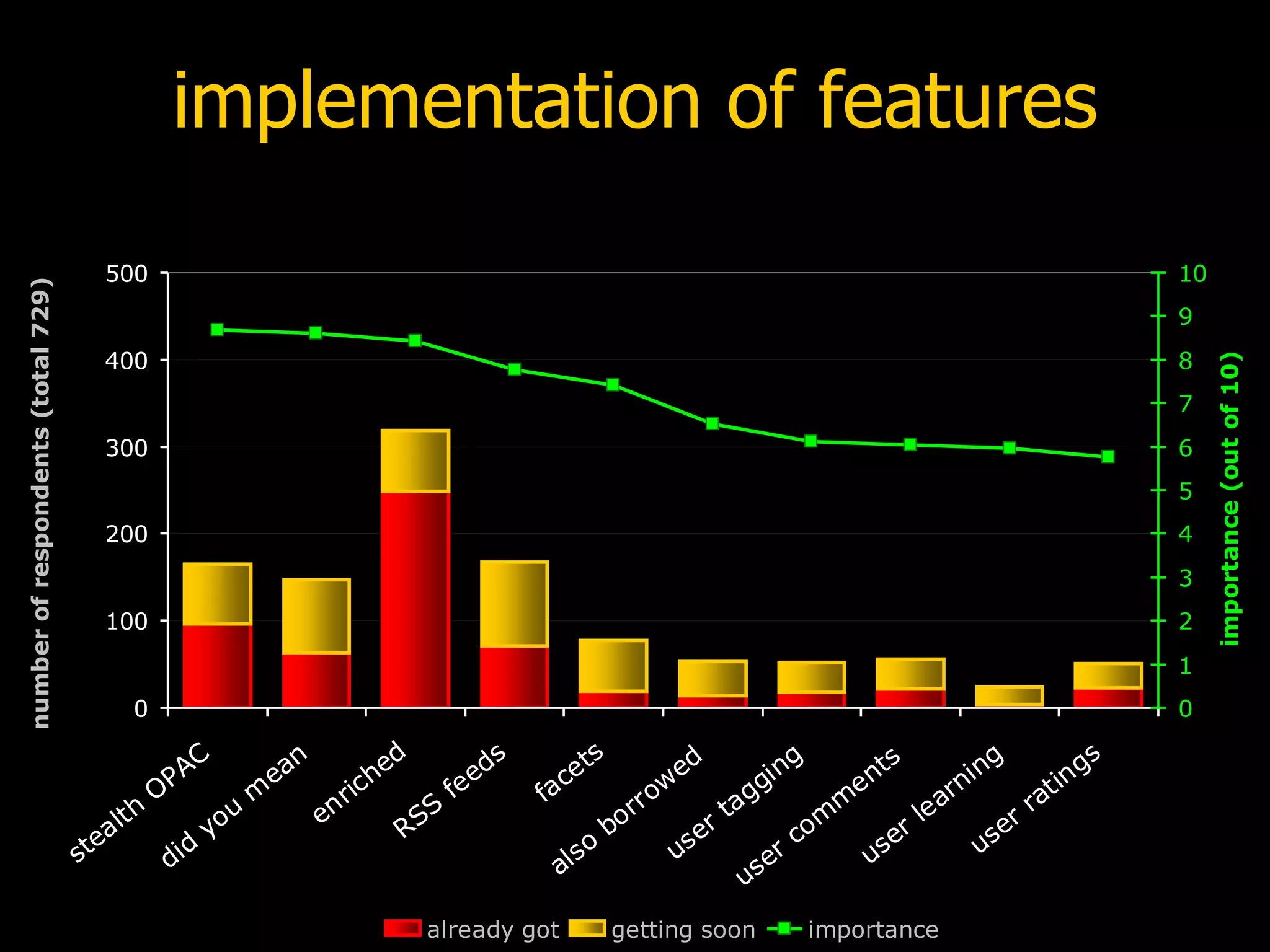
implementation of features
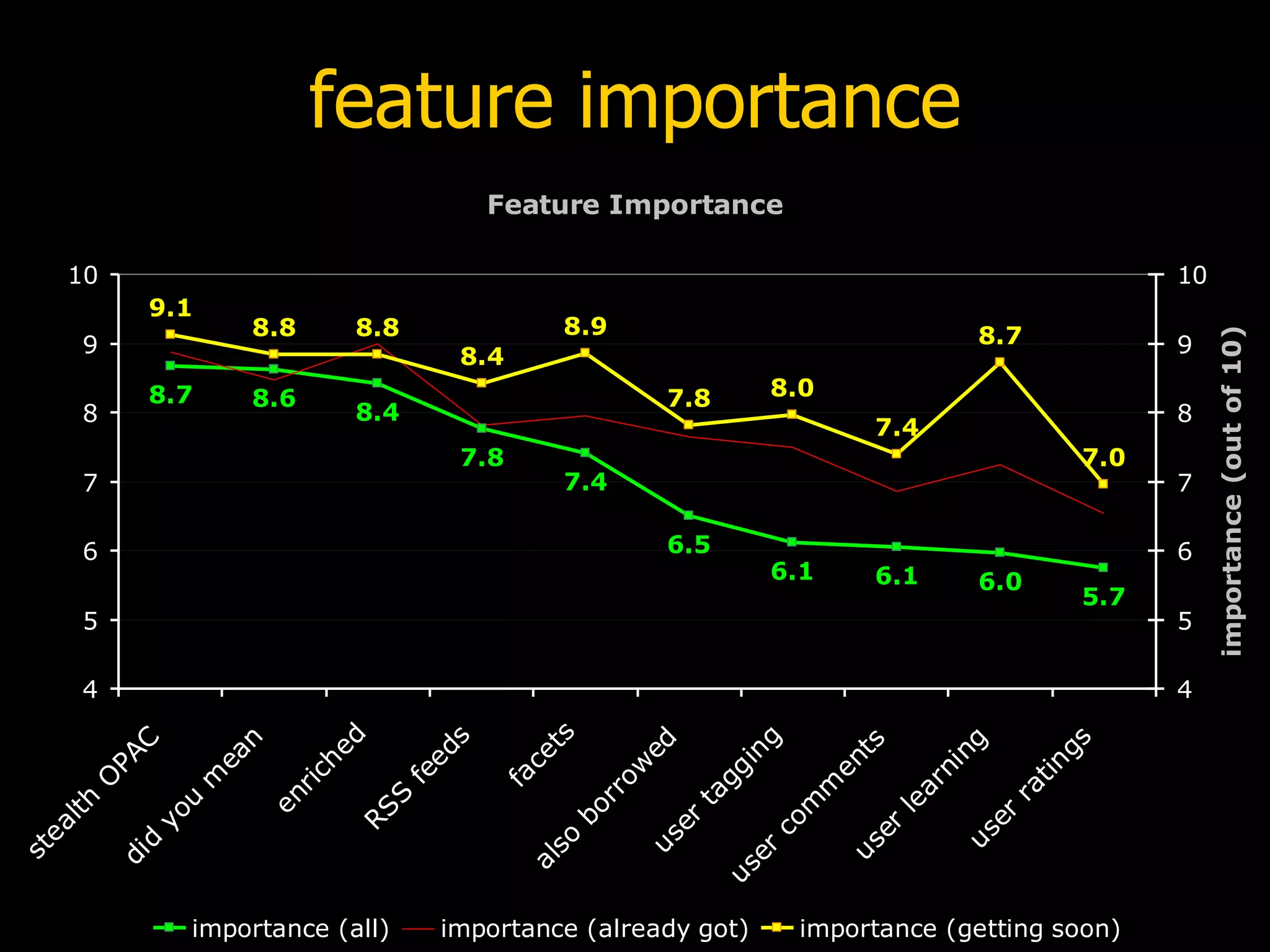
feature importance
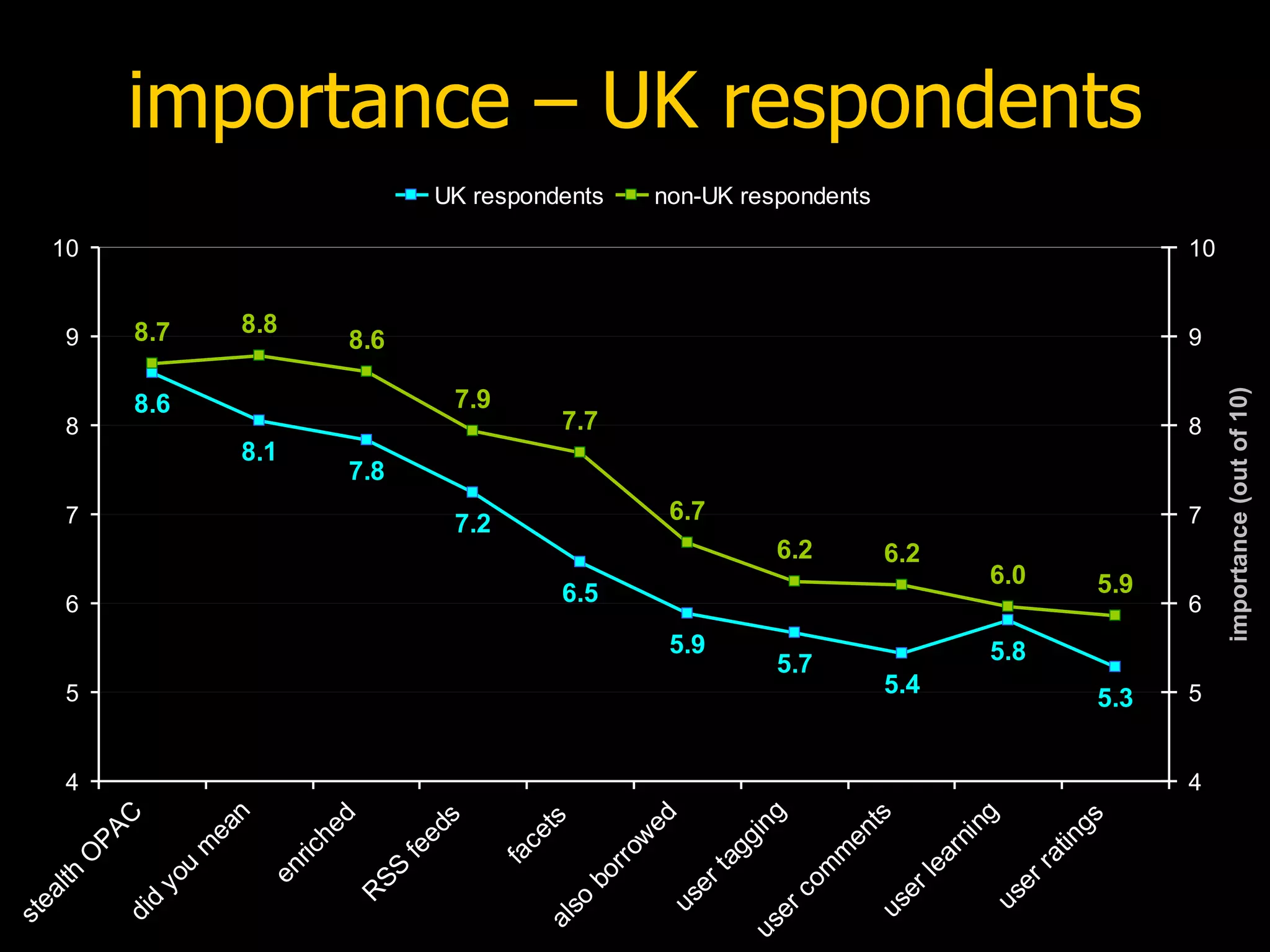
importance – UK respondents
thank you! www.slideshare.net/daveyp [email_address]

Web 2.0 - Continuing impact on Library Catalogues

  • 1.
    Web 2.0 -Continuing impact on Library Catalogues “Teaching the Pig to Sing” Dave Pattern, Library Systems Manager University of Huddersfield [email_address]
  • 2.
    preamble Presentation availableat: www.slideshare.net/daveyp Please remix and reuse this presentation! creativecommons.org/licenses/by-nc-sa/3.0
  • 3.
    table of contentsDoes your OPAC “suck”? Experiences at Huddersfield Other libraries Open Source and Web services OPAC 2.0
  • 4.
    does your OPAC“suck”?
  • 5.
  • 6.
    2007 OPAC surveyOn a scale of 1 to 10 (where 1 is extremely unhappy and 10 is extremely happy), how happy are you with your OPAC? 5.1 
  • 7.
    2007 OPAC surveyOne criticism of OPACs is that they rarely have cutting edge features that our users expect from a modern web site. On a scale of 1 to 10, how well do you think your OPAC meets the needs and expectations of your users? 4.5
  • 8.
    the OPAC asa “pig” “After all, you can put lipstick on a pig, but it's still very much a pig.” (Roy Tennant discussing the OPAC, Library Journal , 2005) “Never try to teach a pig to sing; it wastes your time and it annoys the pig.” (attrib. Robert Heinlein, author)
  • 9.
  • 10.
  • 11.
  • 12.
    experiences at HuddersfieldDefinitely not OPAC 2.0 Enhancements to the existing OPAC user suggestions from surveys “2.0” inspired features borrowing good ideas from other web sites new features launched with no/low publicity “perpetual beta” Required staff buy-in and a willingness to experiment and take risks!
  • 13.
    spell checker AllOPAC keyword searches were monitored over a six month period Approx 23% of searches gave zero results 74 people entered “renew” as a keyword(!) Users expect suggestions and prompts, not “dead end” pages that tell you to “check your spelling”
  • 14.
  • 15.
    keyword suggestions (1)Failed keyword searches are cross referenced with answers.com to provide new search suggestions
  • 16.
  • 17.
    keyword suggestions (2)Automated suggestions can sometimes raise issues – are these suggestions inappropriate?
  • 18.
  • 19.
  • 20.
  • 21.
    other editions UsesFRBR-like web services provided by OCLC and LibraryThing to locate other editions and related works within local holdings www.oclc.org/research/projects/xisbn/ www.librarything.com/api
  • 22.
  • 23.
  • 24.
  • 25.
  • 26.
  • 27.
    was it worthdoing? 376 active email alerts 113 active RSS feeds 846 ratings 53 comments personalised suggestions 116 clicks per month (average) combined keyword suggestions 753 clicks per month (average)
  • 28.
  • 29.
  • 30.
  • 31.
  • 32.
  • 33.
  • 34.
  • 35.
  • 36.
  • 37.
    lipstick on thepig “We need to focus more energy on important, systemic changes rather than cosmetic ones. If your system is more difficult to search and less effective than Amazon.com, then you have work to do. After all, you can put lipstick on a pig, but it's still very much a pig.” (Roy Tennant, Library Journal , 2005)
  • 38.
    doing it yourselfEncourage suggestions from staff Include users in decision making process Encourage play and experimentation Don’t be afraid to make mistakes! Look widely for ideas “Build crappy prototypes fast” Monitor usage if usage is poor, rethink it or get rid of it
  • 39.
    Open Source OPACsScriblio Plymouth State University uses WordPress blog software VuFind Falvey Memorial Library, Villanova University uses PHP & MySQL LibraryFind Oregon State University Libraries uses Ruby on Rails
  • 40.
    Open Source OPACsfac-back-opac Laurentian University Library uses Lucene & Solr Project Blacklight University of Virginia Libraries uses Lucene & Solr Open Source ILS Koha Evergreen
  • 41.
    web services &APIs Talis Platform LibraryThing thingISBN, thingTitle, thingLang, data feeds OCLC WorldCat Grid Services Amazon Web Services rebranded as “Amazon Associates Web Service” with new conditions of use Google Book Search API
  • 42.
    Amazon Associates WebService Cover scans, reviews, recommendations, sales commission, etc Already used by many libraries However, recent change to conditions of use (19/Mar/2008) may preclude libraries: 5.1.3. You are not permitted to use Amazon Associates Web Service with any Application or for any use that does not have, as its principal purpose, driving traffic to the Amazon Website and driving sales of products and services on the Amazon Website. ( AWS Customer Agreement )
  • 43.
    Google Book SearchAPI Launched 13/Mar/2008 Typically client-side implementation (rather than server-side) Link to GBS content: via ISBN, LCCNs, and OCLC numbers front cover thumbnails preview pages
  • 44.
    the “traditional” vendorsTalis Platform Bowker “AquaBrowser” Ex Libris “Primo” Innovative Interfaces “Encore” SirsiDynix “???”
  • 45.
    play and experimentation
  • 46.
    it’s okay toplay! “We don’t stop playing because we grow old; we grow old because we stop playing.” attrib: George Bernard Shaw 2007 Library & Information Show Workshop on Library 2.0 Q: I don’t get paid to play, I get paid to work A: So, don’t call it “play”, call it “professional development”!
  • 47.
    admit it, haven’tyou wanted to do this in your library…
  • 48.
  • 49.
  • 50.
    never judge abook by it’s cover “ I borrowed a book 3 years ago that had an orange cover… can I borrow it again?”
  • 51.
  • 52.
  • 53.
    OPAC 2.0 nextgeneration library catalogues
  • 54.
    OPAC 2.0 Shoppinglist of features: spell checking (“did you mean?”) search all library resources (inc. e-resources) relevancy ranking, search refining, and facets manual recommendations (“best bets”) automated suggestions (based on both global and user-specific data) user participation (“read-write OPAC”) foster communities of interest
  • 55.
    OPAC 2.0 Shoppinglist of features (cont): improve serendipity expose hidden links between items APIs and Web Services to expose data promote unintended uses user personalisation embed external data (e.g. Wikipedia, LibraryThing) RSS feeds and OpenSearch
  • 56.
    2007 OPAC Survey– Features Please rate how important you feel the following features are to your users in a modern OPAC. embedding the OPAC in external sites (e.g. portals) 8.7 “ did you mean” spelling suggestions 8.6 enriched content (book covers, ToCs, etc) 8.4 RSS feeds (e.g. new books, searches, etc) 7.8 facetted browsing (e.g. like NCSU Library) 7.4 “ people who borrowed this” suggestions 6.5 user tagging of items (i.e. folksonomy) 6.1 user added comments and reviews 6.0 personalised suggestions (e.g. like Amazon) 5.9 user added ratings for items 5.7
  • 57.
  • 58.
  • 59.
    importance – UKrespondents
  • 60.