«Visual Studio 2015 與 Git 開發實戰»
多奇數位創意有限公司
技術總監 黃保翕 ( Will 保哥 )
部落格:http://blog.miniasp.com/
建立儲存庫
Setting up a repository
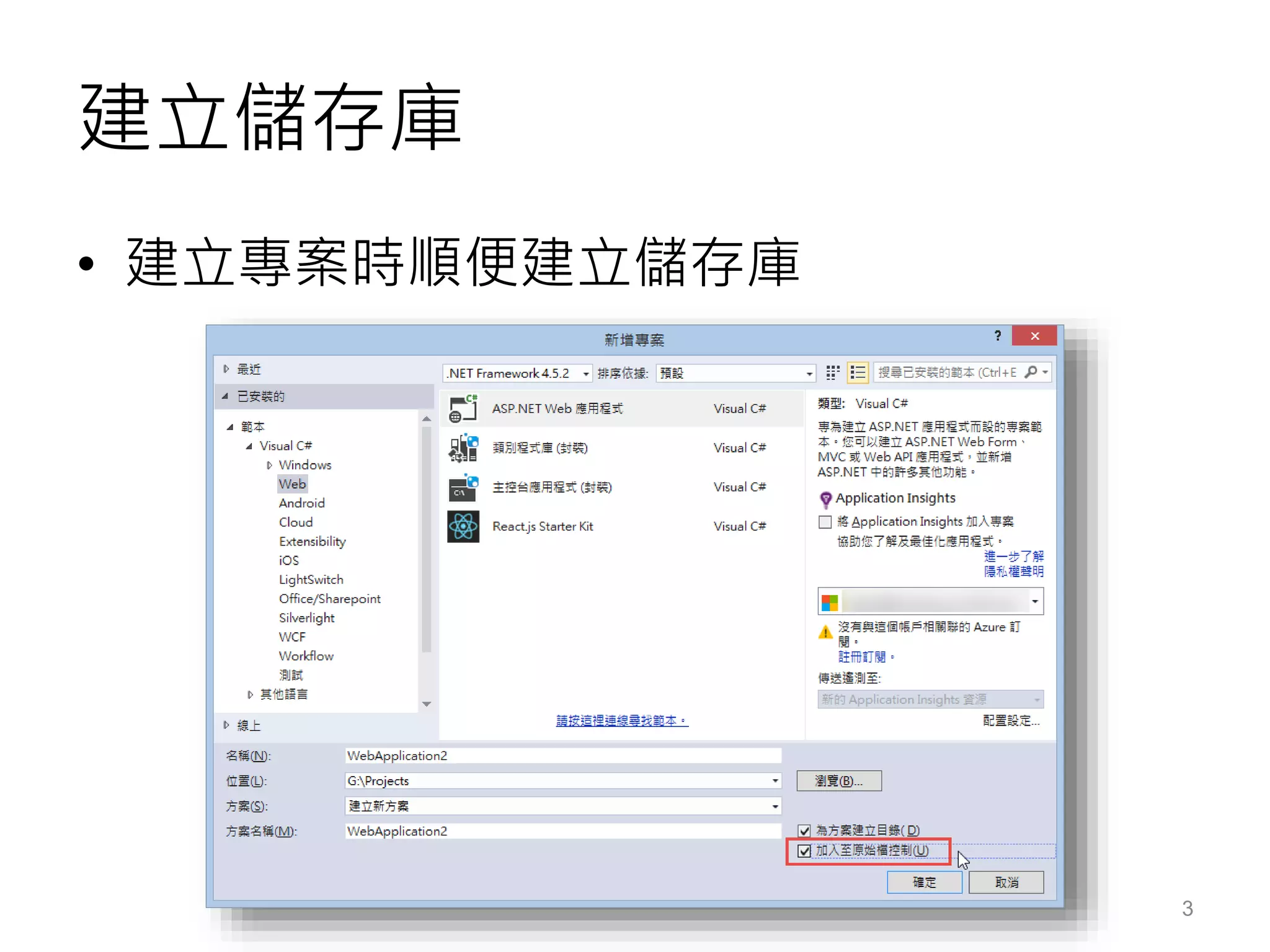
建立儲存庫
• 建立專案時順便建立儲存庫
3
建立儲存庫
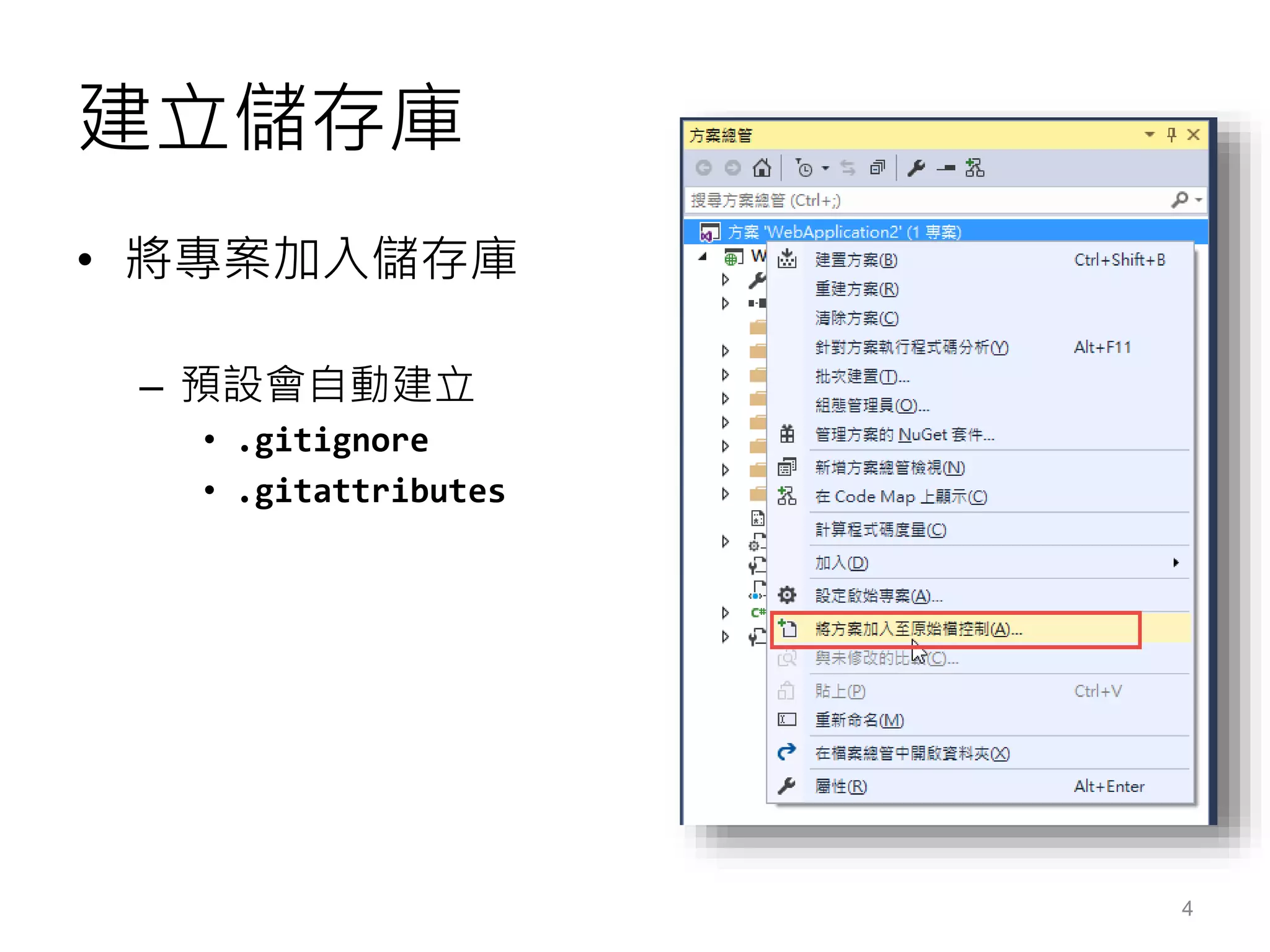
• 將專案加入儲存庫
– 預設會自動建立
• .gitignore
• .gitattributes
4
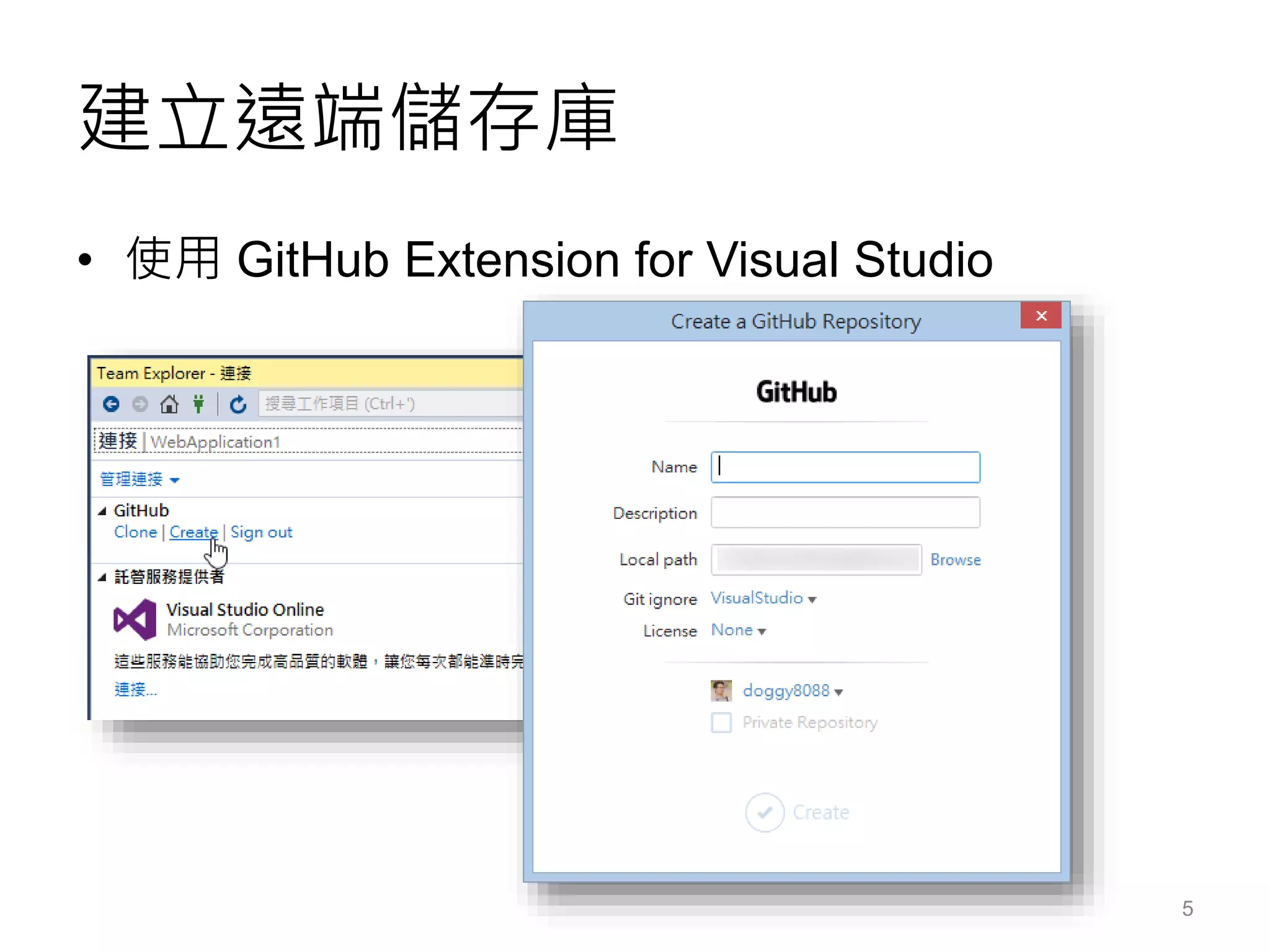
建立遠端儲存庫
• 使用 GitHub Extension for Visual Studio
5
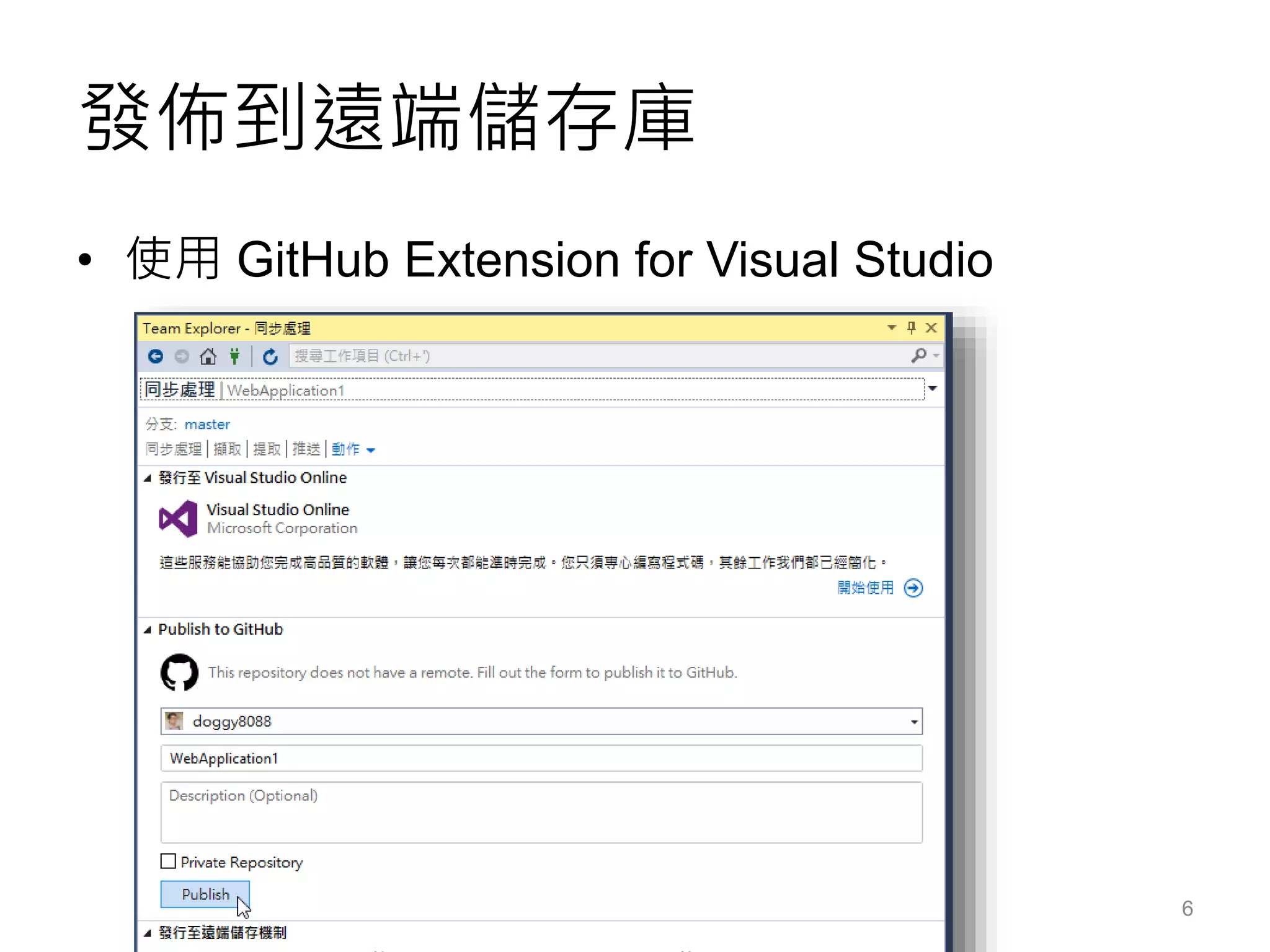
發佈到遠端儲存庫
• 使用 GitHub Extension for Visual Studio
6
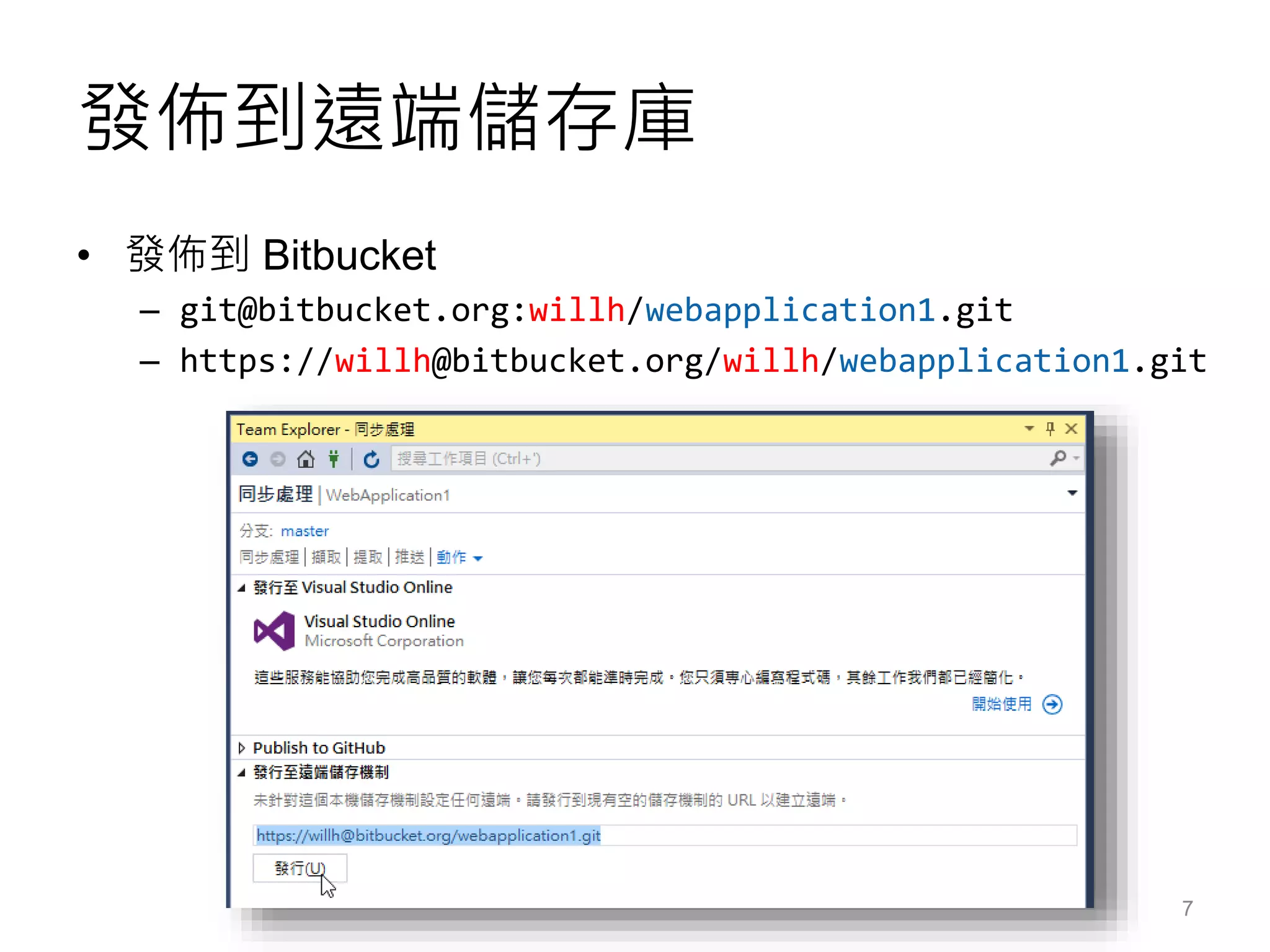
發佈到遠端儲存庫
• 發佈到 Bitbucket
– git@bitbucket.org:willh/webapplication1.git
– https://willh@bitbucket.org/willh/webapplication1.git
7
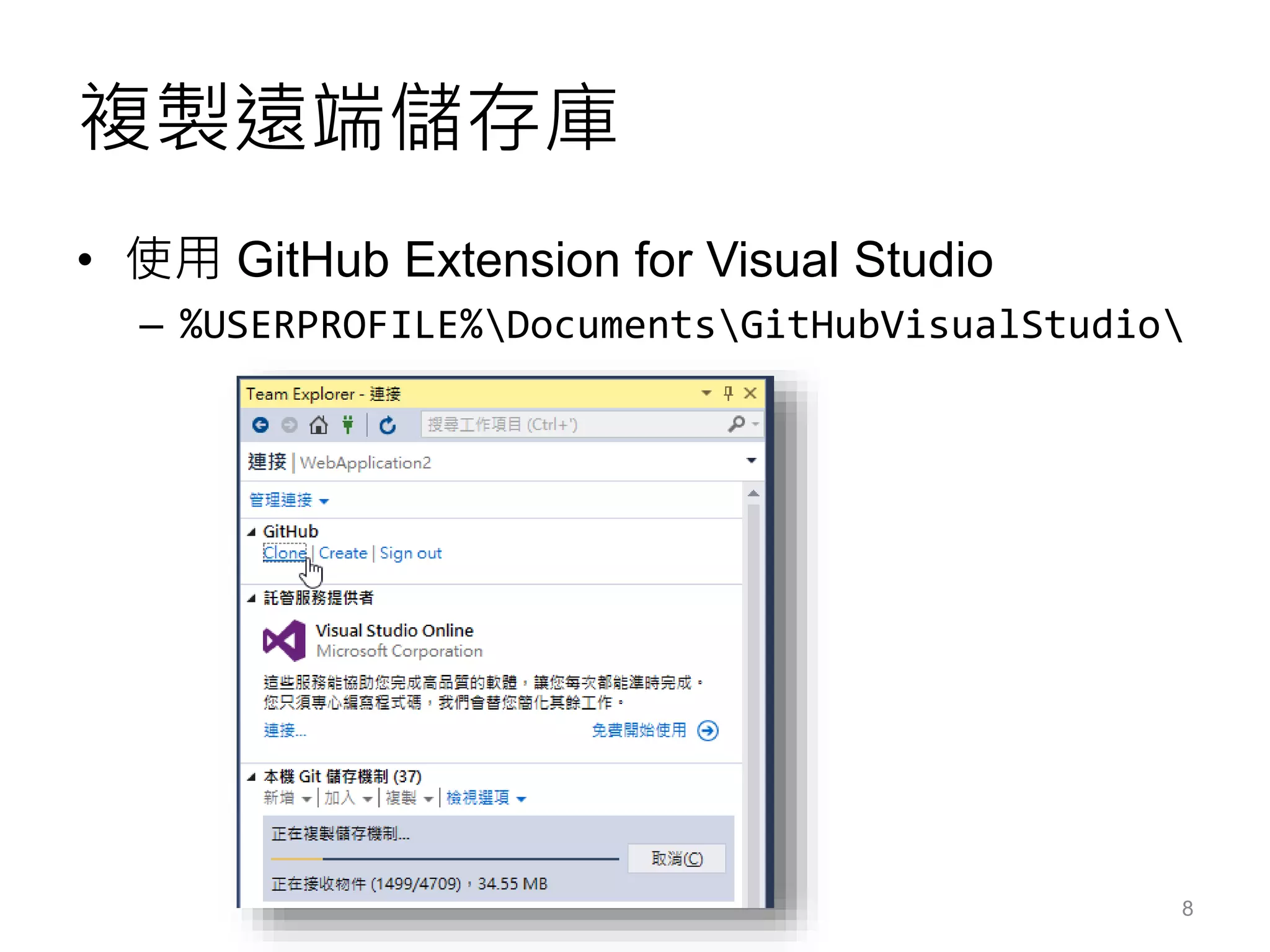
複製遠端儲存庫
• 使用 GitHub Extension for Visual Studio
– %USERPROFILE%DocumentsGitHubVisualStudio
8
基本 Git 版控操作
Basic Git commands
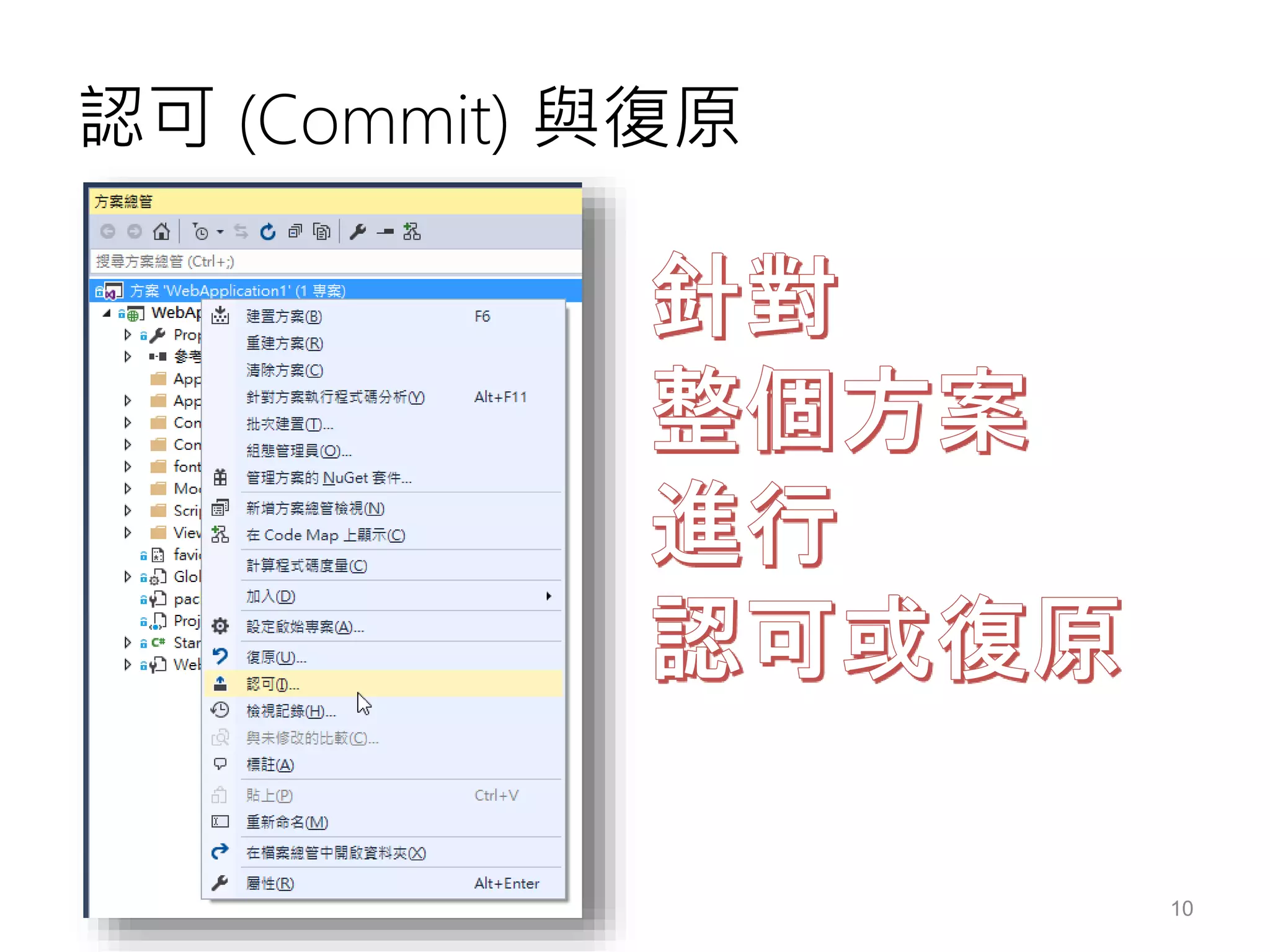
認可 (Commit) 與復原
10
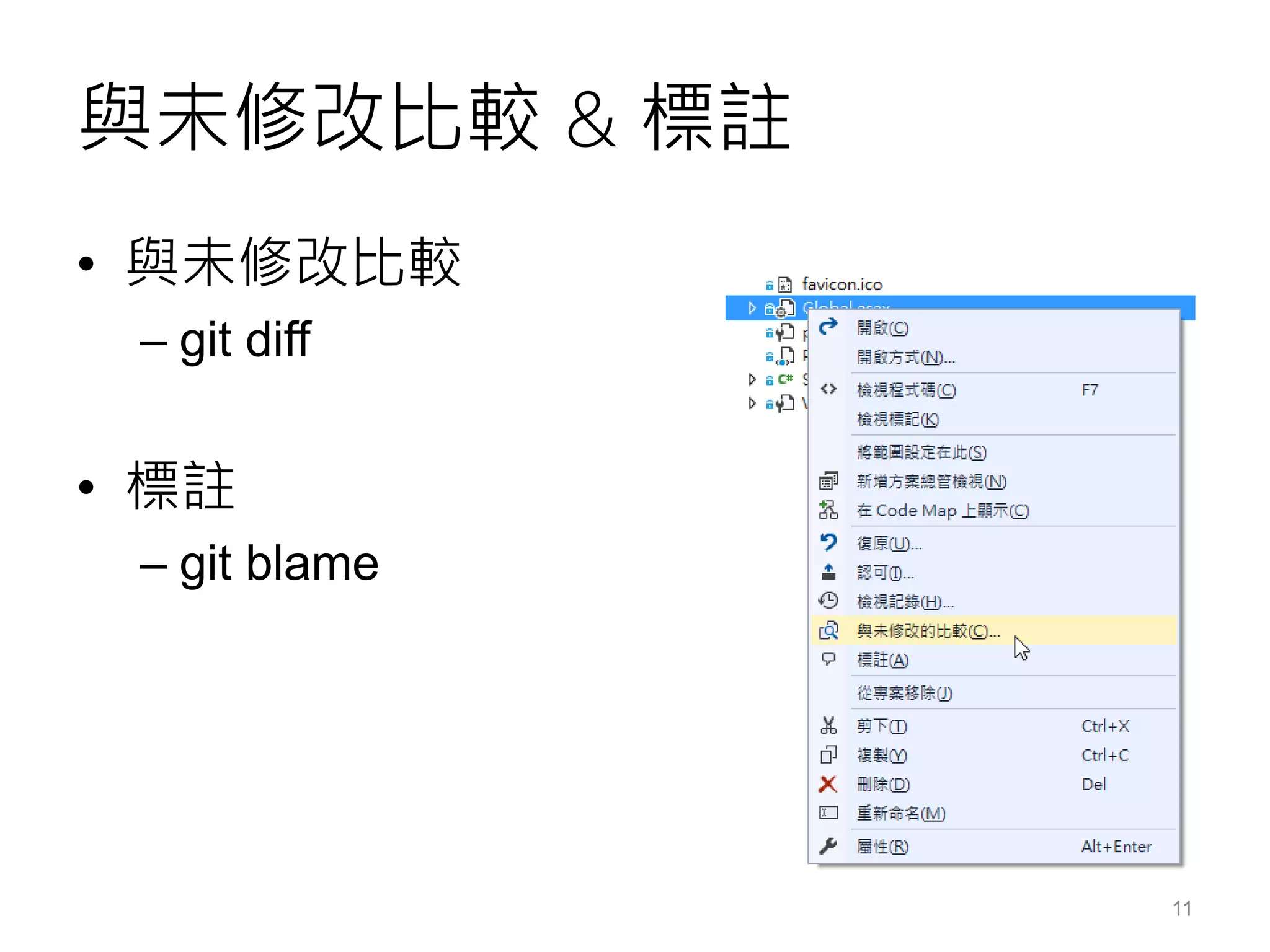
與未修改比較 & 標註
• 與未修改比較
– git diff
• 標註
– git blame
11
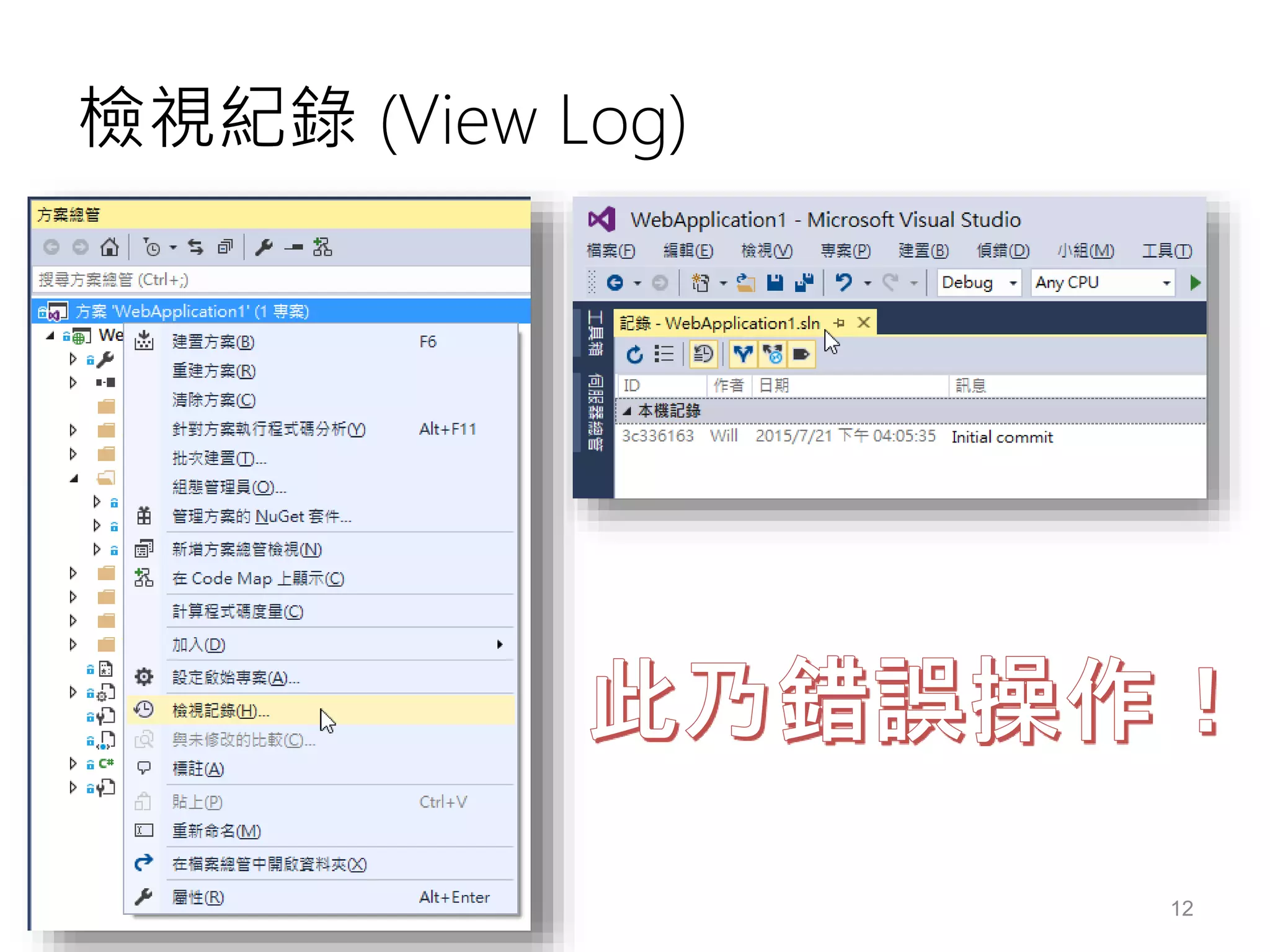
檢視紀錄 (View Log)
12
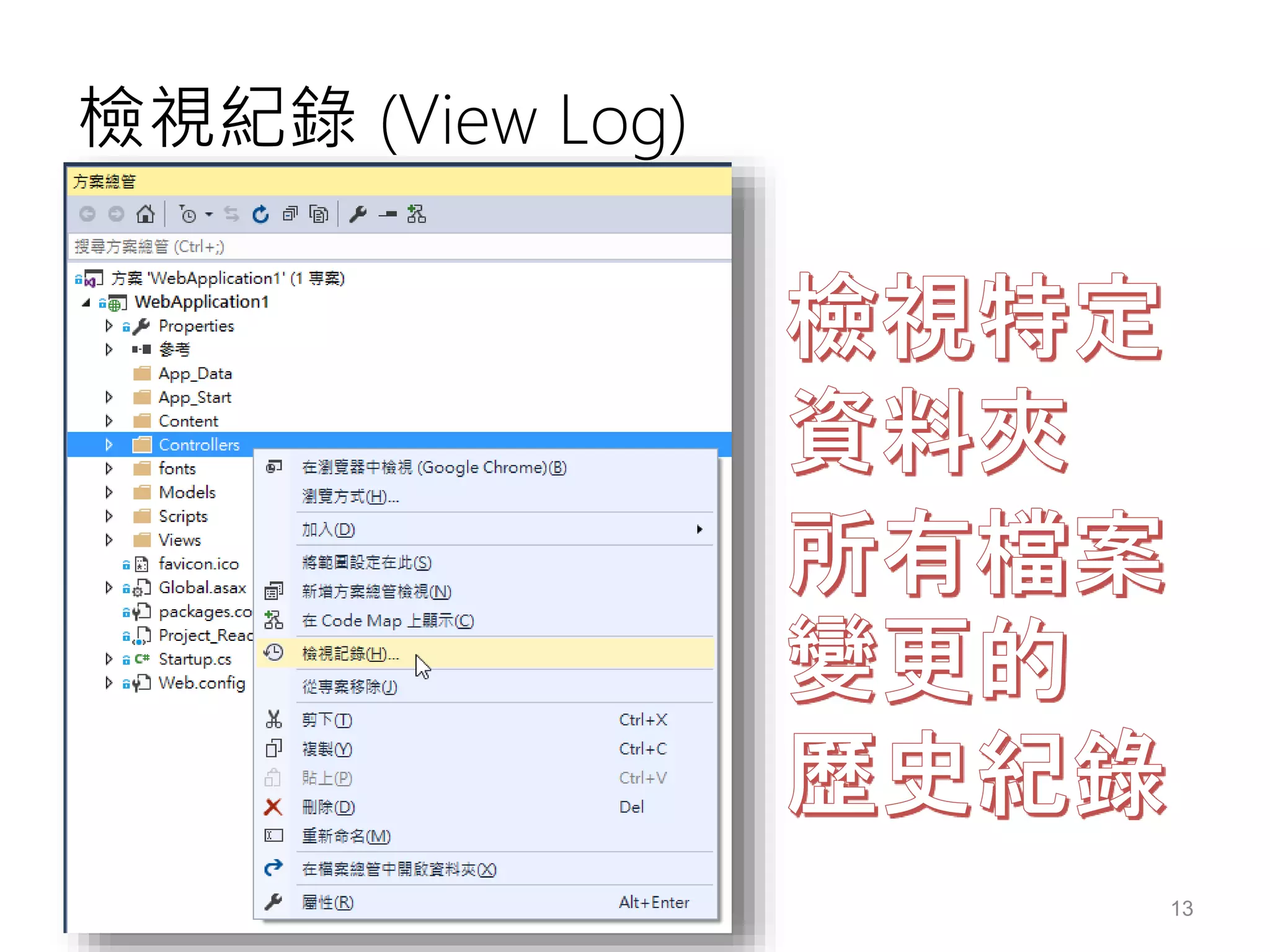
檢視紀錄 (View Log)
13
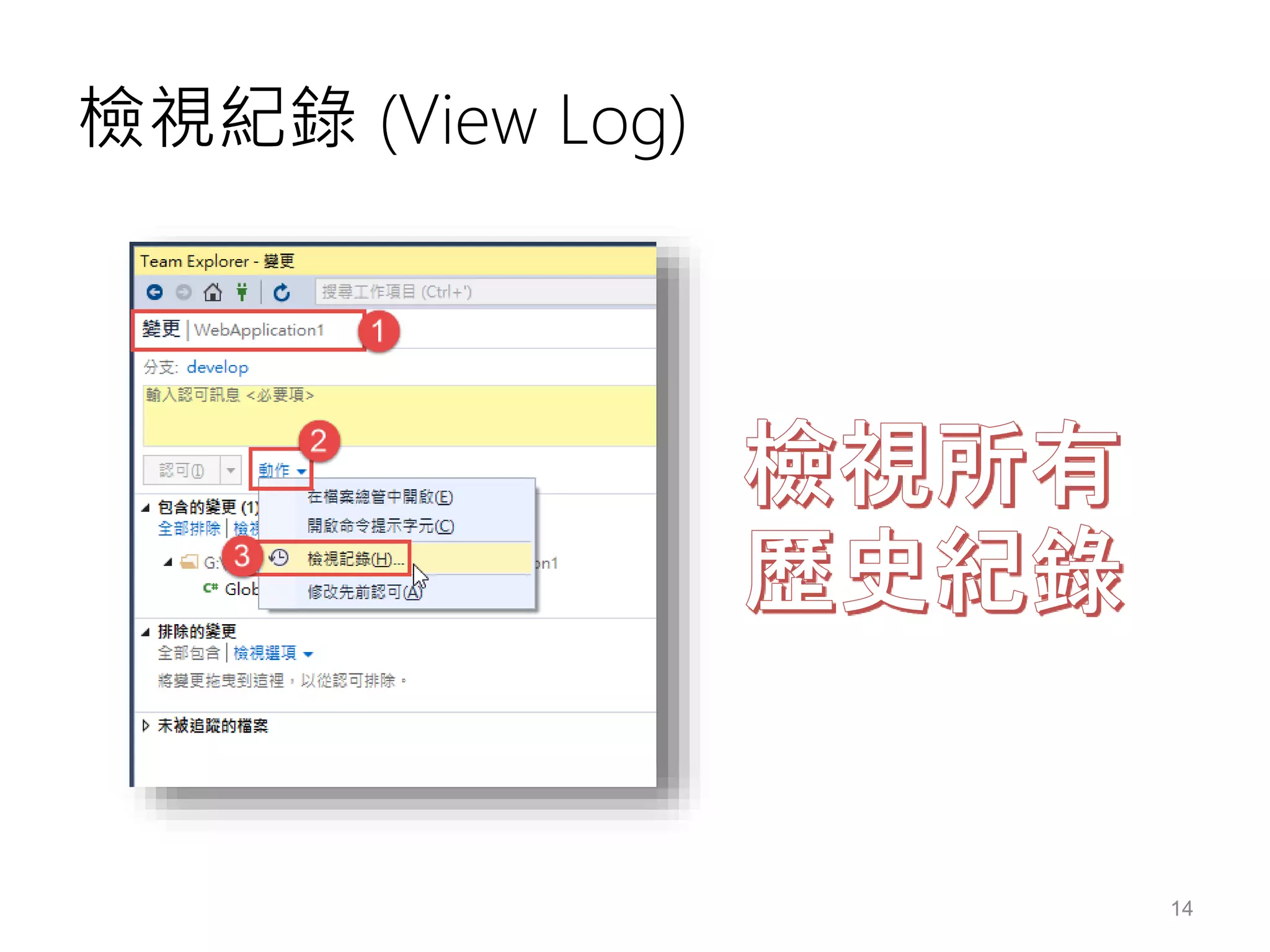
檢視紀錄 (View Log)
14
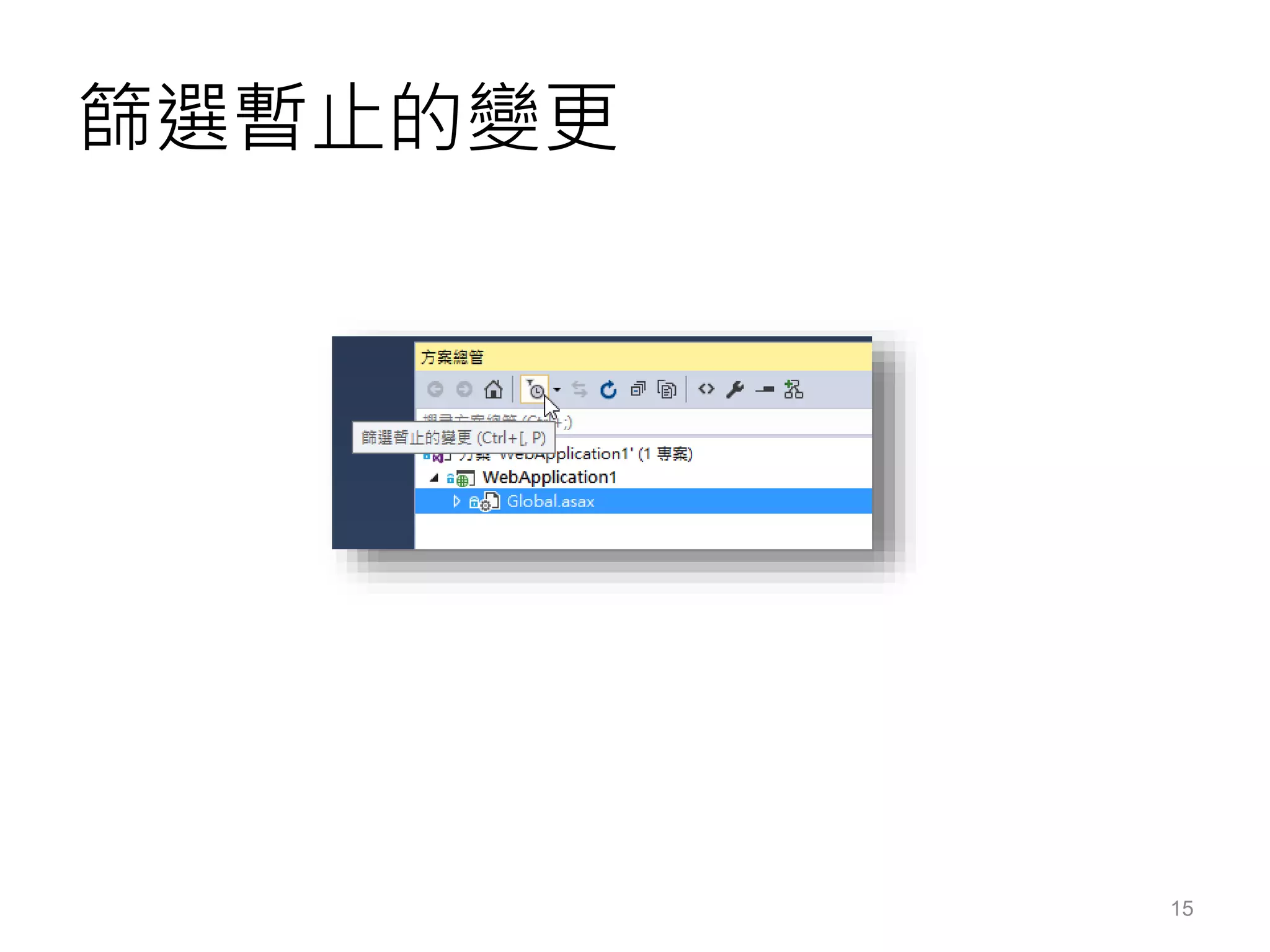
篩選暫止的變更
15
TEAM EXPLORER 功能介紹
Team Explorer
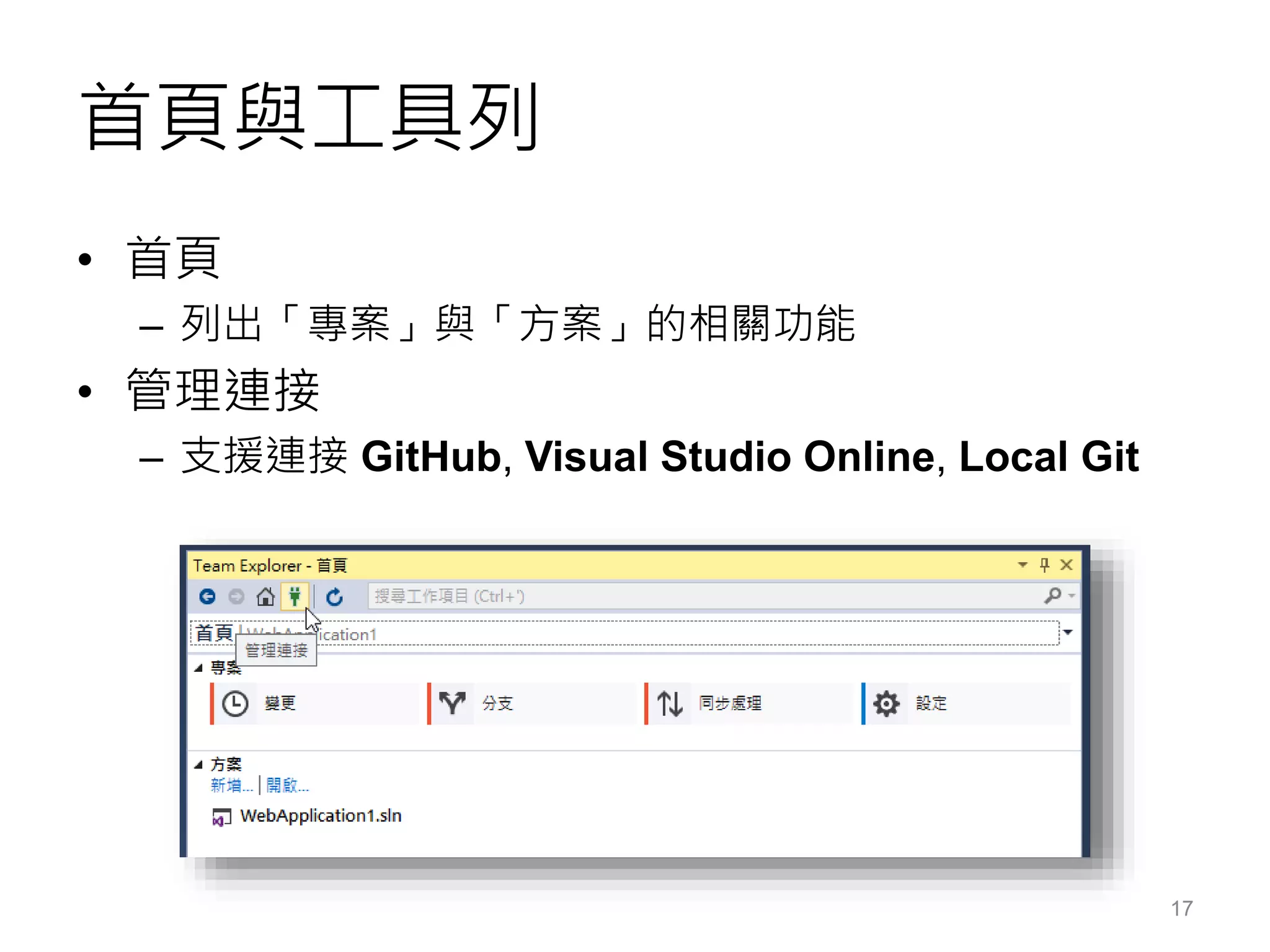
首頁與工具列
• 首頁
– 列出「專案」與「方案」的相關功能
• 管理連接
– 支援連接 GitHub, Visual Studio Online, Local Git
17
主要功能分類
• 專案
– 變更
– 分支
– 同步處理
– 設定
• 方案
– 新增…
– 開啟…
18
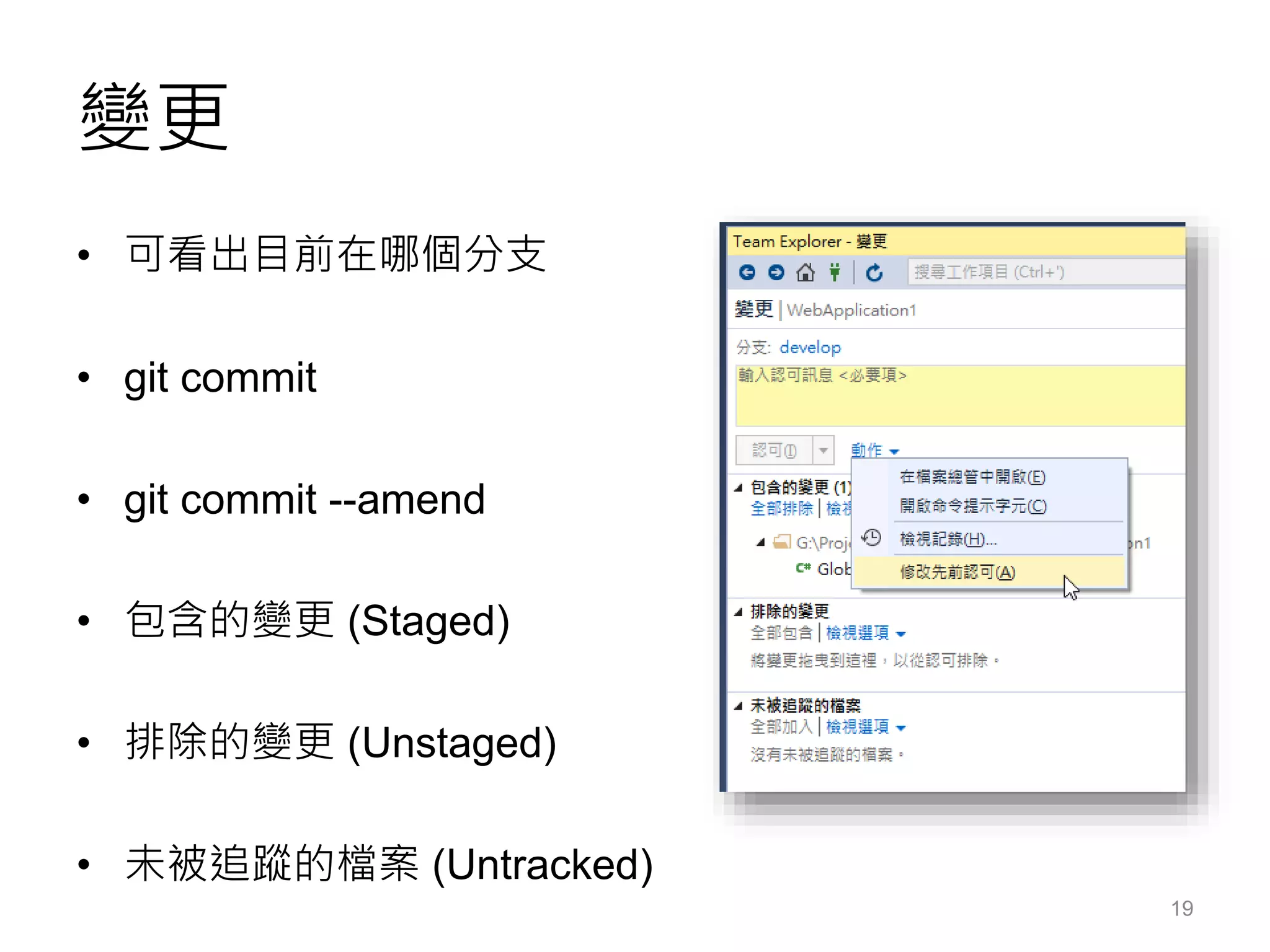
變更
• 可看出目前在哪個分支
• git commit
• git commit --amend
• 包含的變更 (Staged)
• 排除的變更 (Unstaged)
• 未被追蹤的檔案 (Untracked)
19
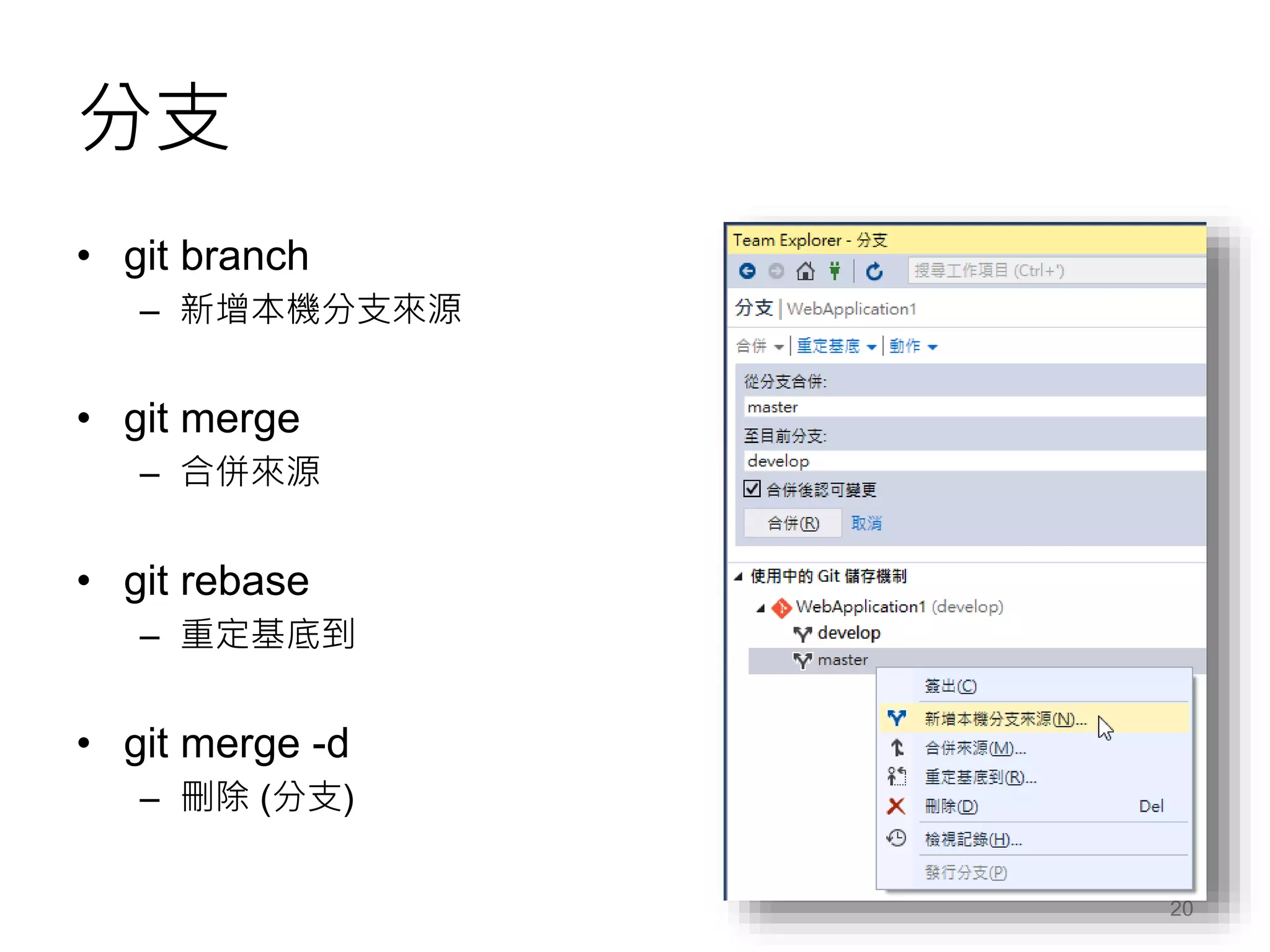
分支
• git branch
– 新增本機分支來源
• git merge
– 合併來源
• git rebase
– 重定基底到
• git merge -d
– 刪除 (分支)
20
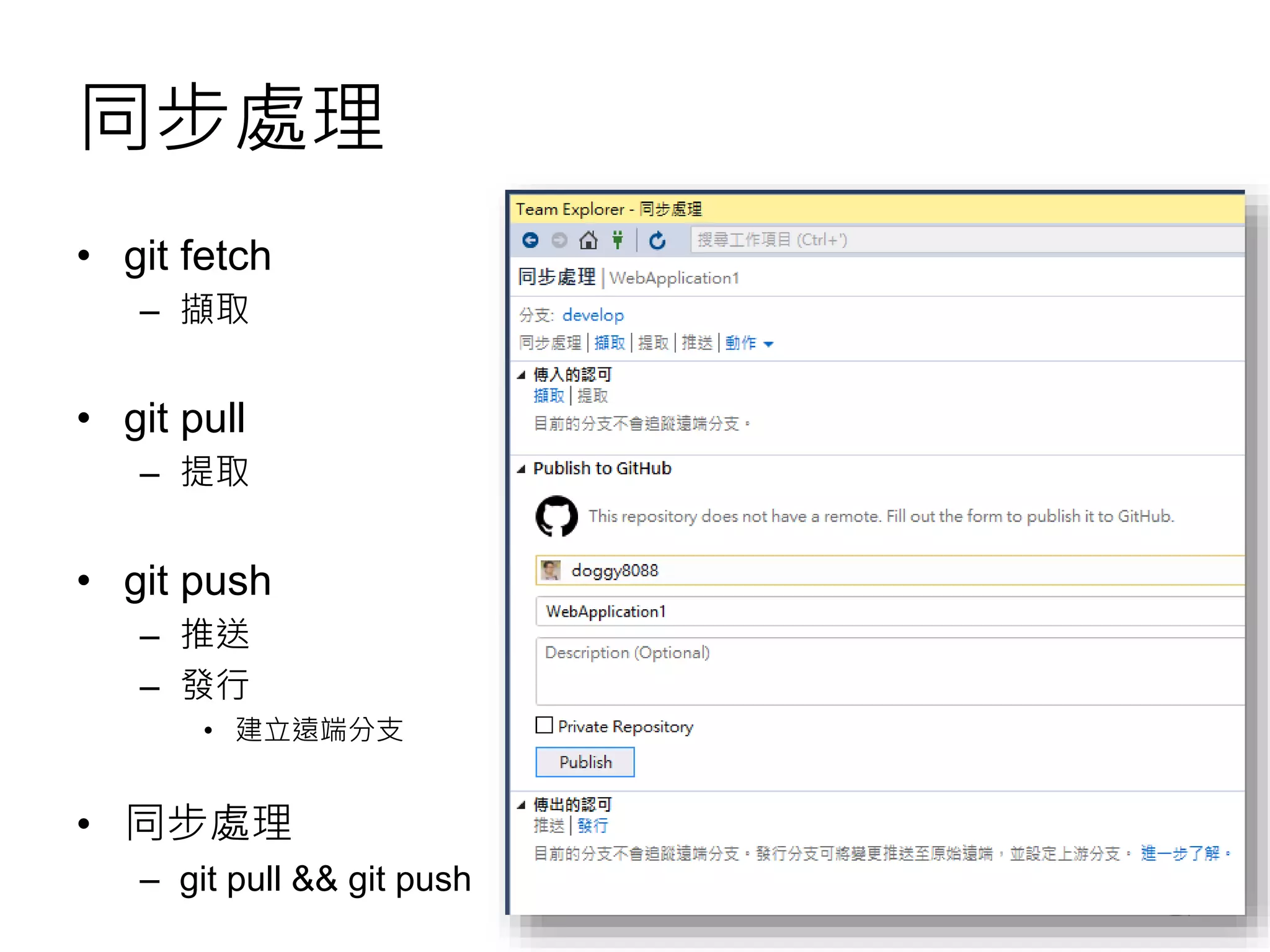
同步處理
• git fetch
– 擷取
• git pull
– 提取
• git push
– 推送
– 發行
• 建立遠端分支
• 同步處理
– git pull && git push
21
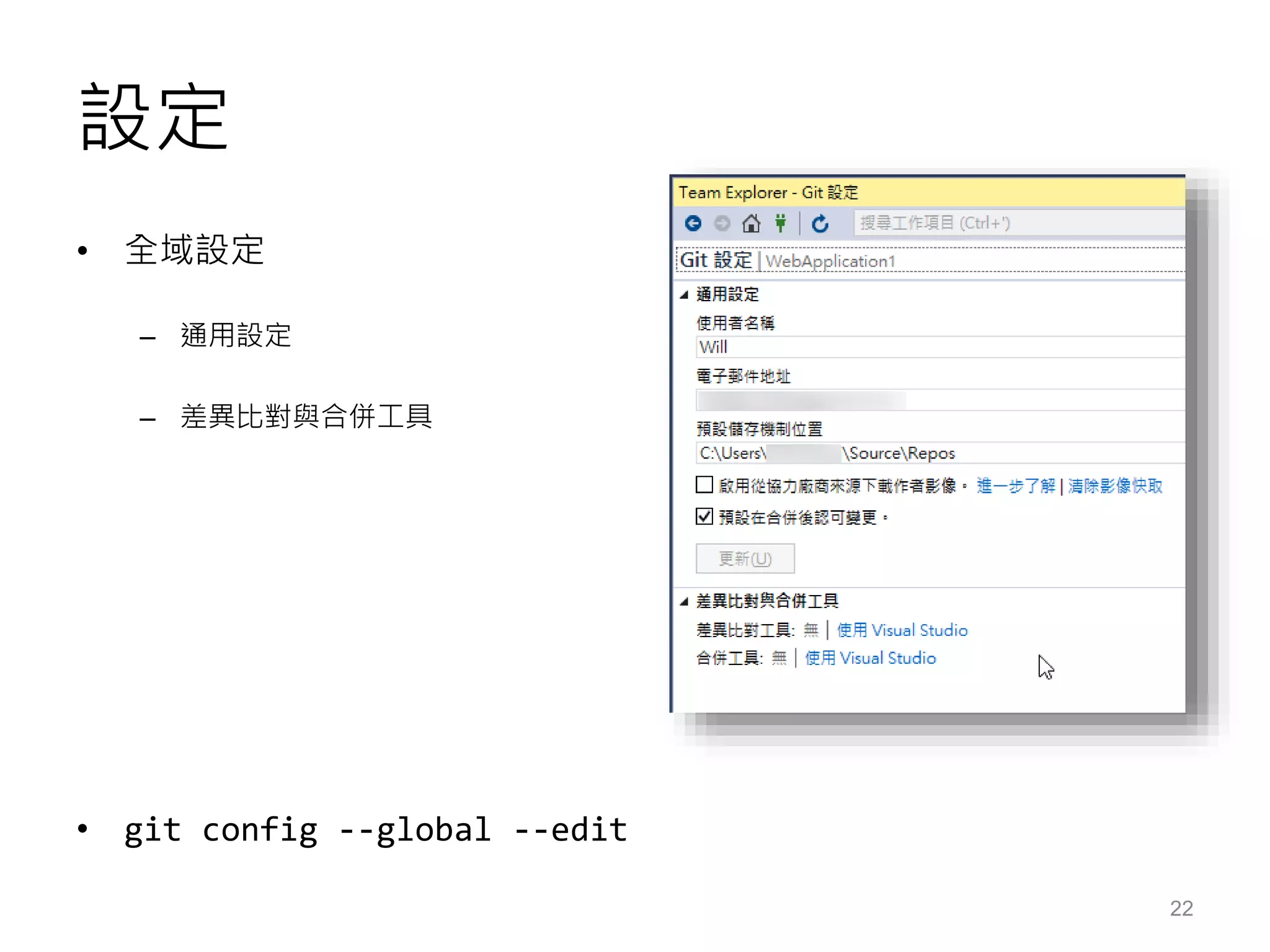
設定
• 全域設定
– 通用設定
– 差異比對與合併工具
• git config --global --edit
22
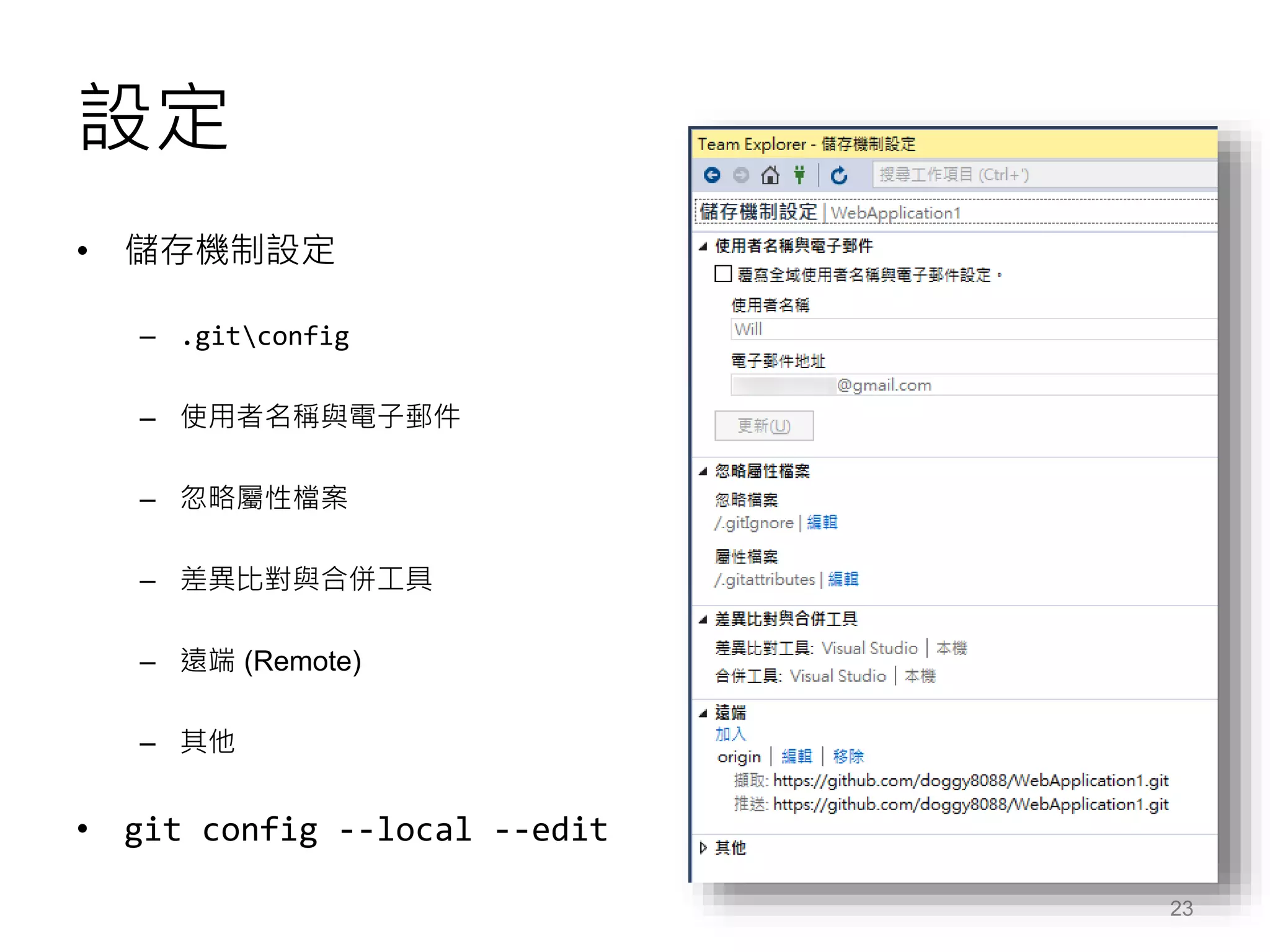
設定
• 儲存機制設定
– .gitconfig
– 使用者名稱與電子郵件
– 忽略屬性檔案
– 差異比對與合併工具
– 遠端 (Remote)
– 其他
• git config --local --edit
23
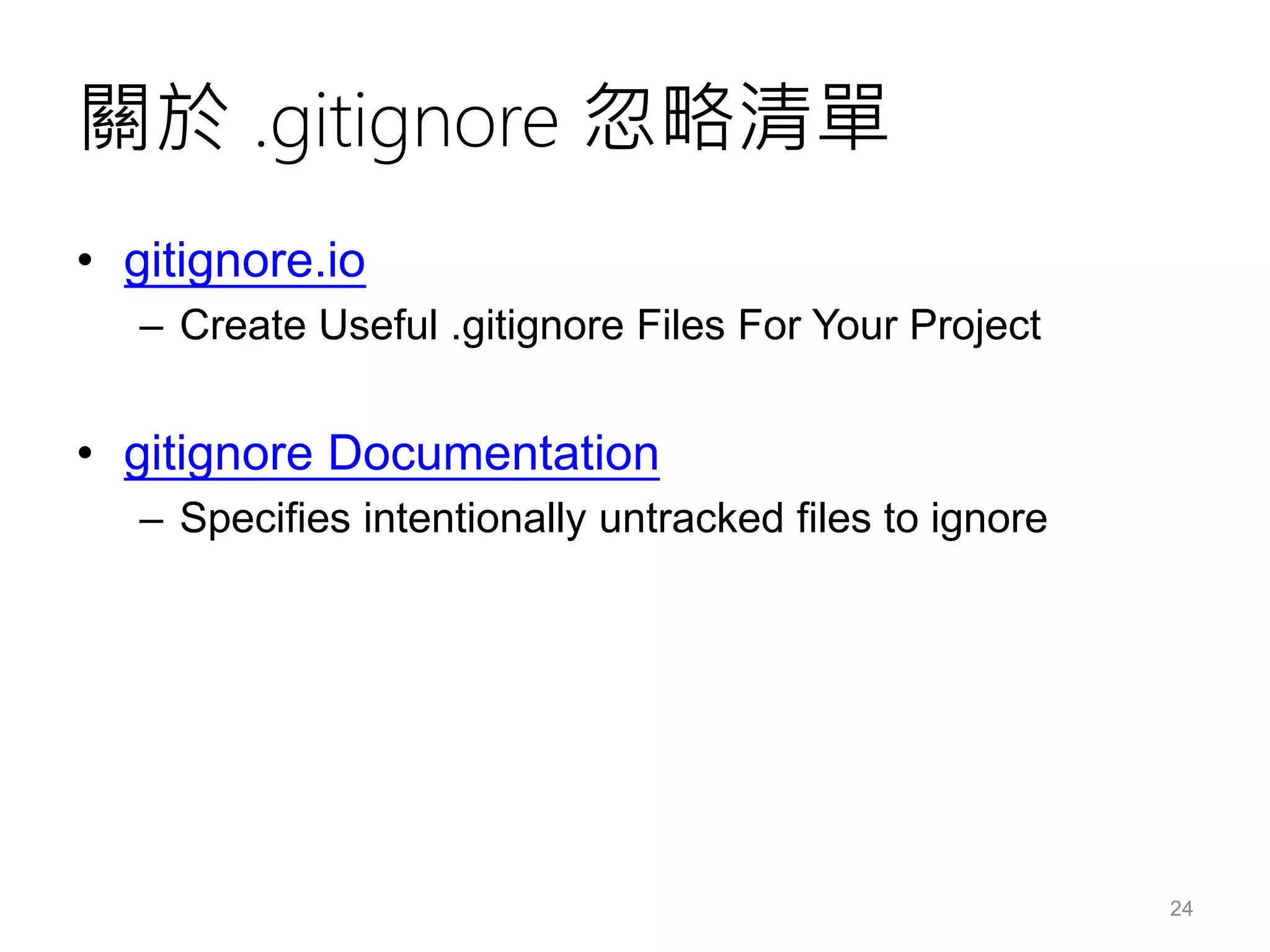
關於 .gitignore 忽略清單
• gitignore.io
– Create Useful .gitignore Files For Your Project
• gitignore Documentation
– Specifies intentionally untracked files to ignore
24
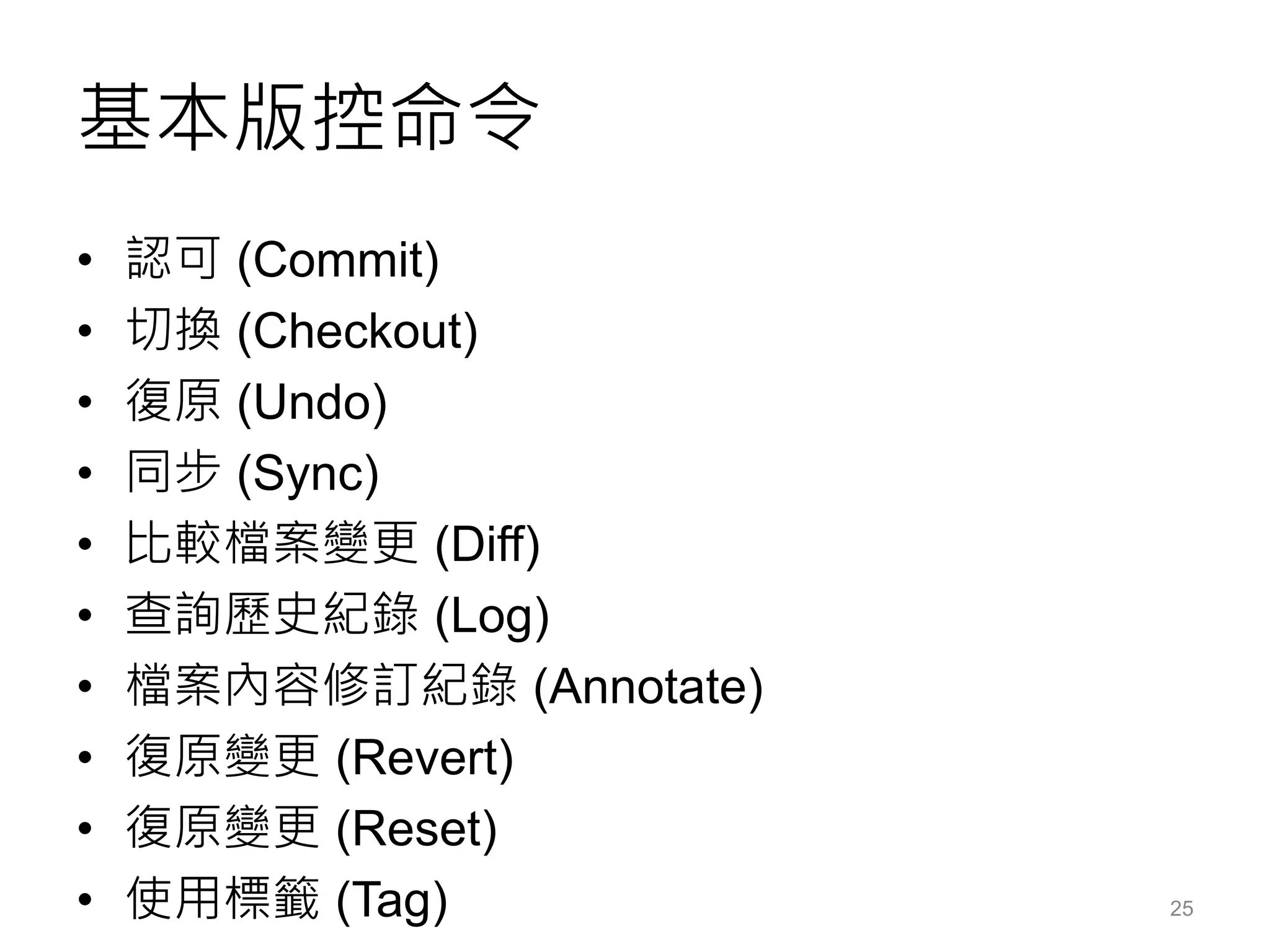
基本版控命令
• 認可 (Commit)
• 切換 (Checkout)
• 復原 (Undo)
• 同步 (Sync)
• 比較檔案變更 (Diff)
• 查詢歷史紀錄 (Log)
• 檔案內容修訂紀錄 (Annotate)
• 復原變更 (Revert)
• 復原變更 (Reset)
• 使用標籤 (Tag) 25
DEMO: 分支與合併
Branching and Merging
DEMO: 重定基底
Rebase
相關連結
• GitHub Extension for Visual Studio
https://visualstudio.github.com/
• GitHub Extension for Visual Studio is open source
https://github.com/blog/2038-github-extension-for-visual-studio-is-
open-source
• Visual Studio Online 與Git 版本控管實戰
http://www.microsoftvirtualacademy.com/training-courses/visual-
studio-online-with-git
• Using Git in Visual Studio | Build 2015 | Channel 9
https://channel9.msdn.com/Events/Build/2015/3-746
• Visual Studio 2015 RTM | Release Notes
https://www.visualstudio.com/en-us/news/vs2015-vs.aspx
28
聯絡資訊
• The Will Will Web
記載著 Will 在網路世界的學習心得與技術分享
– http://blog.miniasp.com/
• Will 保哥的技術交流中心 (臉書粉絲專頁)
– http://www.facebook.com/will.fans
• Will 保哥的噗浪
– http://www.plurk.com/willh/invite
• Will 保哥的推特
– https://twitter.com/Will_Huang
Visual Studio 2015 與 Git 開發實戰