Git 是什麼?
  What is Git?
Git 是什麼

git
[git]

n.

飯桶﹐無用的人
版本控制系統

™  多人協同開發
 ™  每個人開發一個小功能


™  改錯了還有救
 ™  可回溯到之前版本
 ™  可知道是誰改爛的
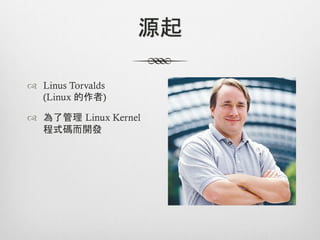
源起

™  Linus Torvalds
    (Linux 的作者)

™  為了管理 Linux Kernel
    程式碼而開發
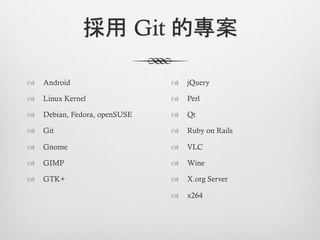
採用 Git 的專案

™  Android                    ™  jQuery

™  Linux Kernel               ™  Perl

™  Debian, Fedora, openSUSE   ™  Qt

™  Git                        ™  Ruby on Rails

™  Gnome                      ™  VLC

™  GIMP                       ™  Wine

™  GTK+                       ™  X.org Server

                               ™  x264
Git 的好處
       Why Git is better than X
http://zh-tw.whygitisbetterthanx.com/
優於其他管理系統
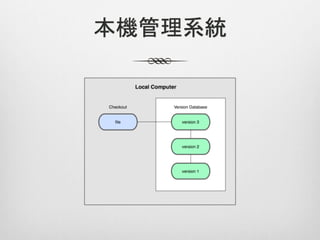
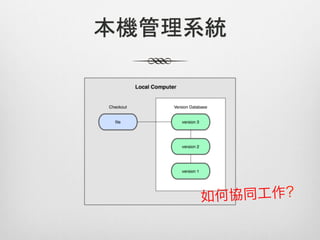
本機管理系統
本機管理系統
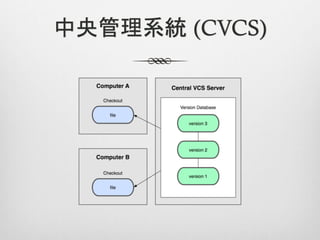
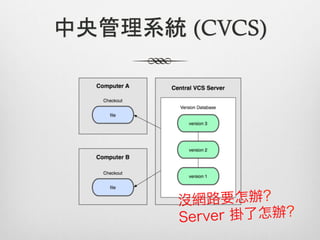
中央管理系統 (CVCS)
中央管理系統 (CVCS)
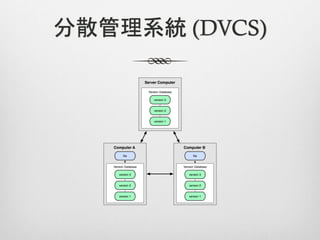
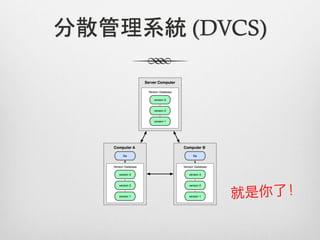
分散管理系統 (DVCS)
分散管理系統 (DVCS)
沒有網路也能工作

™  Git once, coding anywhere!

™  Branch 開不用錢

™  看 log 超快
適合超大量資料

™  操作速度超快

™  儲存的檔案很小

™  連 Linux Kernel 都 hold 得住
Branch 不用錢

™  開 branch 幾乎零成本

™  開 branch 改東西,不怕改爛主軸

™  切換 branch 很簡單

™  Git 的 merge 很聰明
Git 的運作概觀
   Git overview
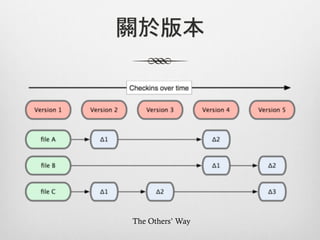
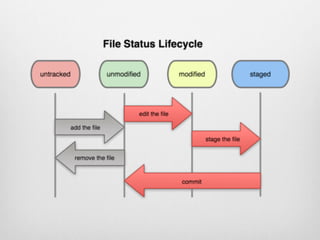
關於版本


The Others’ Way
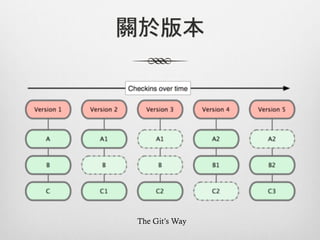
關於版本


The Git’s Way
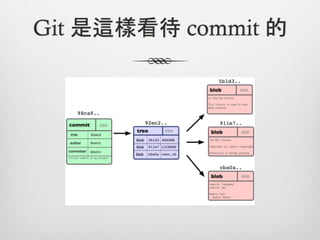
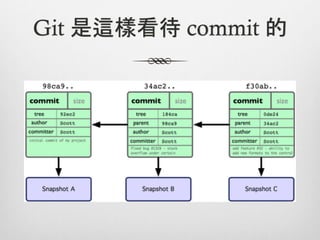
Git 是這樣看待 commit 的
Git 是這樣看待 commit 的
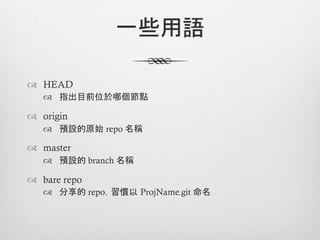
一些用語

™  HEAD
   ™  指出目前位於哪個節點

™  origin
   ™  預設的原始 repo 名稱

™  master
   ™  預設的 branch 名稱

™  bare repo
   ™  分享的 repo,習慣以 ProjName.git 命名
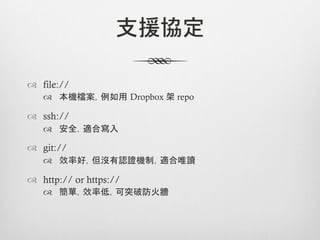
支援協定

™  file://
    ™  本機檔案,例如用 Dropbox 架 repo

™  ssh://
    ™  安全,適合寫入

™  git://
    ™  效率好,但沒有認證機制,適合唯讀

™  http:// or https://
    ™  簡單,效率低,可突破防火牆
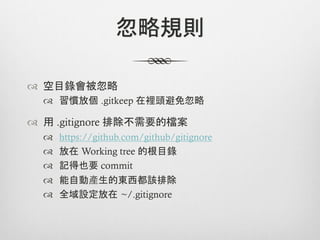
忽略規則

™  空目錄會被忽略
  ™  習慣放個 .gitkeep 在裡頭避免忽略

™  用 .gitignore 排除不需要的檔案
  ™    https://github.com/github/gitignore
  ™    放在 Working tree 的根目錄
  ™    記得也要 commit
  ™    能自動產生的東西都該排除
  ™    全域設定放在 ~/.gitignore
Git 常用指令
  Git commands
git config

™  使用者資訊,commit 時會用到
  ™  git config --global user.name “Your Name”
  ™  git config --global user.email “account@mail.address”
git config

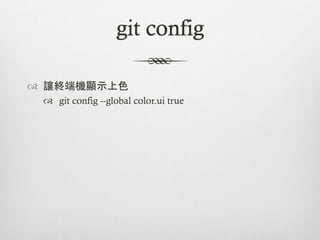
™  讓終端機顯示上色
 ™  git config --global color.ui true
git config

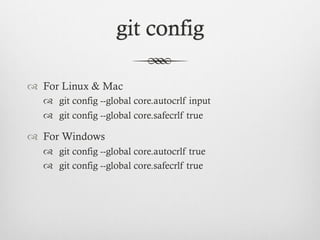
™  For Linux & Mac
   ™  git config --global core.autocrlf input
   ™  git config --global core.safecrlf true

™  For Windows
   ™  git config --global core.autocrlf true
   ™  git config --global core.safecrlf true
git init

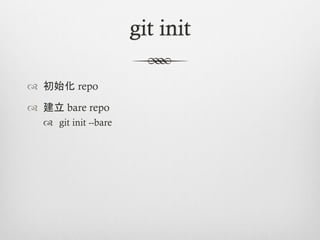
™  初始化 repo

™  建立 bare repo
   ™  git init --bare
git add

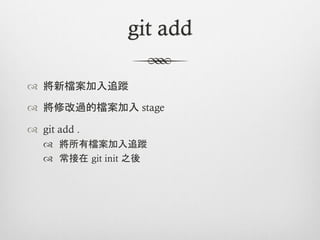
™  將新檔案加入追蹤

™  將修改過的檔案加入 stage

™  git add .
   ™  將所有檔案加入追蹤
   ™  常接在 git init 之後
git commit

™  提交 stage 裡的資料

™  git commit -m “Commit message”
git clone

™  複製一份 repo

™  從 bare repo 複製
   ™  git clone protocol://path/to/bare_repo.git

™  從現有 repo 建立 bare repo
   ™  git clone --bare <dir_name> <bare_dir_name>.git
git status

™  檢視目前狀態
git branch

™  列出或建立 branch

™  git branch <branch_name>

™  branch name 強烈建議用 [0-9A-Za-z_-.]
git tag

™  列出或建立 tag

™  tag name 強烈建議用 [0-9A-Za-z_-.]
git tag (cont.)

™  建立 tag
  ™  git tag <tag_name>
  ™  git push --tags

™  移除 tag
  ™  git tag -d <tag_name>
  ™  git push origin :refs/tags/<tag_name>
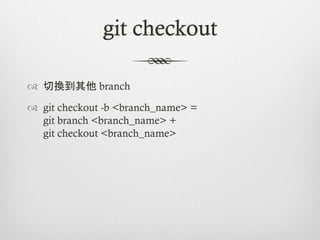
git checkout

™  切換到其他 branch

™  git checkout -b <branch_name> =
    git branch <branch_name> +
    git checkout <branch_name>
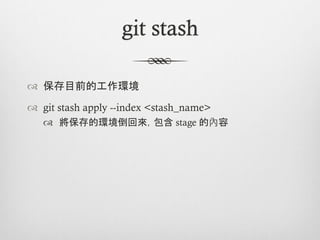
git stash

™  保存目前的工作環境

™  git stash apply --index <stash_name>
   ™  將保存的環境倒回來,包含 stage 的內容
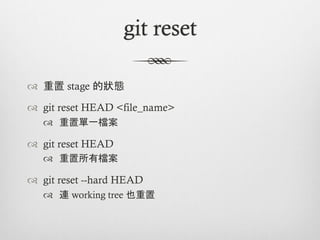
git reset

™  重置 stage 的狀態

™  git reset HEAD <file_name>
   ™  重置單一檔案

™  git reset HEAD
   ™  重置所有檔案

™  git reset --hard HEAD
   ™  連 working tree 也重置
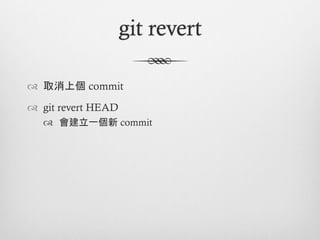
git revert

™  取消上個 commit

™  git revert HEAD
   ™  會建立一個新 commit
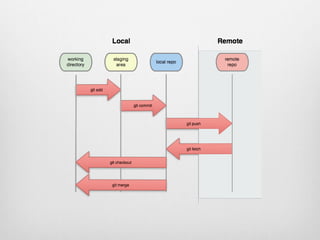
git fetch

™  將本機 repo 與遠端 repo 同步
git pull

™  將本機 repo 與遠端 repo 同步,並更新 working tree

™  git pull = git fetch + git merge
git push

™  推送本機 repo 資料到遠端 repo
git merge

™  合併資料到當前 branch
Git 工作流程
  Work with Git
工作流程
ref. http://progit.org/book/ch5-1.html
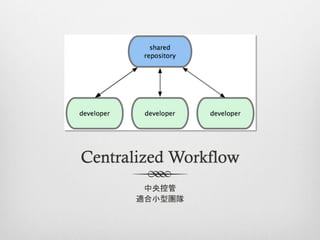
Centralized Workflow
       中央控管
      適合小型團隊
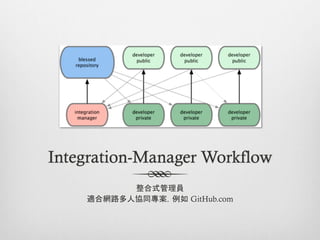
Integration-Manager Workflow
          整合式管理員
    適合網路多人協同專案,例如 GitHub.com
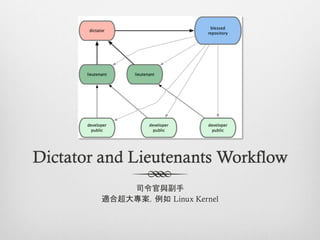
Dictator and Lieutenants Workflow
            司令官與副手
        適合超大專案,例如 Linux Kernel
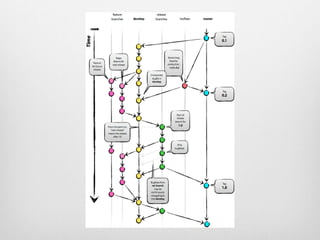
分支模型
ref. http://nvie.com/posts/a-successful-git-branching-model/
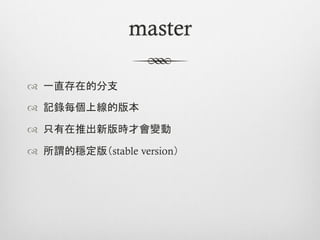
master

™  一直存在的分支

™  記錄每個上線的版本

™  只有在推出新版時才會變動

™  所謂的穩定版(stable version)
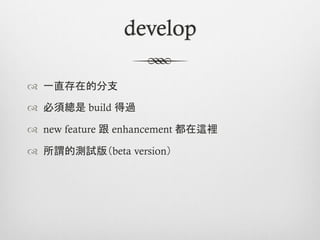
develop

™  一直存在的分支

™  必須總是 build 得過

™  new feature 跟 enhancement 都在這裡

™  所謂的測試版(beta version)
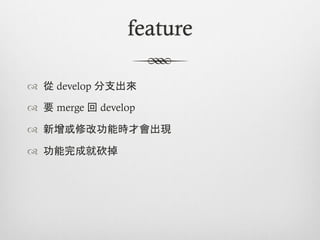
feature

™  從 develop 分支出來

™  要 merge 回 develop

™  新增或修改功能時才會出現

™  功能完成就砍掉
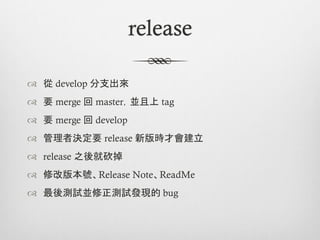
release

™  從 develop 分支出來
™  要 merge 回 master,並且上 tag
™  要 merge 回 develop
™  管理者決定要 release 新版時才會建立
™  release 之後就砍掉
™  修改版本號、Release Note、ReadMe
™  最後測試並修正測試發現的 bug
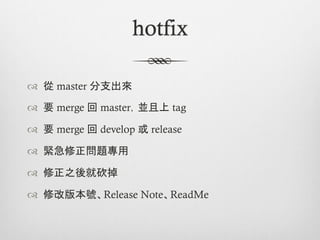
hotfix

™  從 master 分支出來

™  要 merge 回 master,並且上 tag

™  要 merge 回 develop 或 release

™  緊急修正問題專用

™  修正之後就砍掉

™  修改版本號、Release Note、ReadMe
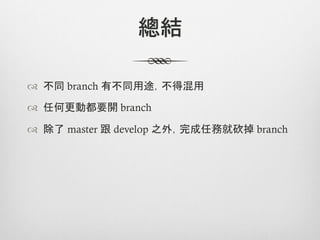
總結

™  不同 branch 有不同用途,不得混用

™  任何更動都要開 branch

™  除了 master 跟 develop 之外,完成任務就砍掉 branch
建議工作規範
  My proposal
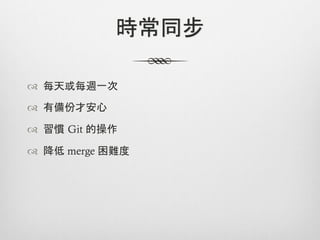
時常同步

™  每天或每週一次

™  有備份才安心

™  習慣 Git 的操作

™  降低 merge 困難度
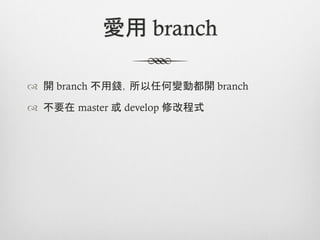
愛用 branch

™  開 branch 不用錢,所以任何變動都開 branch

™  不要在 master 或 develop 修改程式
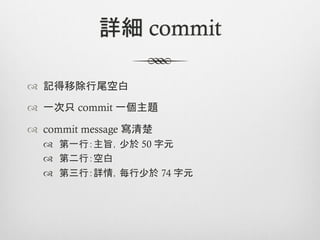
詳細 commit

™  記得移除行尾空白

™  一次只 commit 一個主題

™  commit message 寫清楚
  ™  第一行:主旨,少於 50 字元
  ™  第二行:空白
  ™  第三行:詳情,每行少於 74 字元
關於檔案

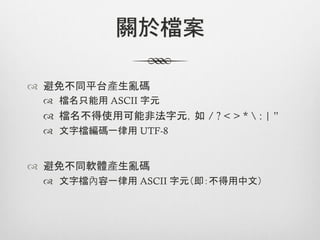
™  避免不同平台產生亂碼
 ™  檔名只能用 ASCII 字元	
 ™  檔名不得使用可能非法字元,如 / ? < > *  : | ”
 ™  文字檔編碼一律用 UTF-8


™  避免不同軟體產生亂碼
 ™  文字檔內容一律用 ASCII 字元(即:不得用中文)
Git 工具
Git on Windows & Mac
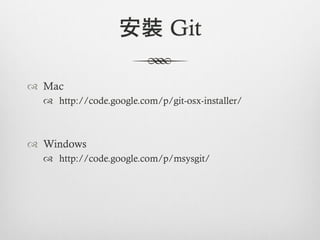
安裝 Git

™  Mac
   ™  http://code.google.com/p/git-osx-installer/


™  Windows
   ™  http://code.google.com/p/msysgit/
跨平台工具
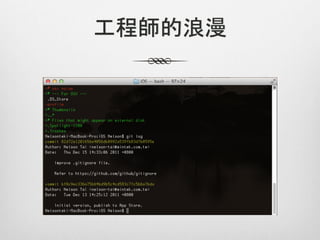
工程師的浪漫
Mac
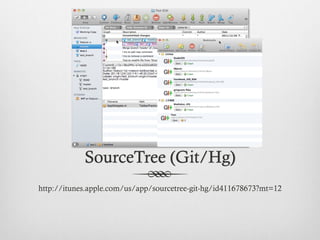
SourceTree (Git/Hg)
http://itunes.apple.com/us/app/sourcetree-git-hg/id411678673?mt=12
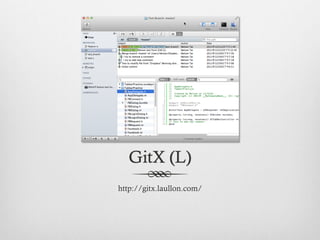
GitX (L)
http://gitx.laullon.com/
Windows
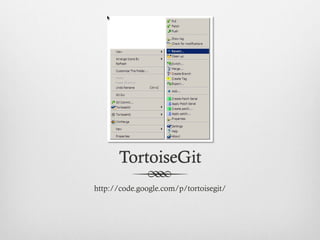
TortoiseGit
http://code.google.com/p/tortoisegit/
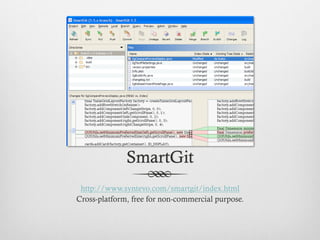
SmartGit
 http://www.syntevo.com/smartgit/index.html
Cross-platform, free for non-commercial purpose.
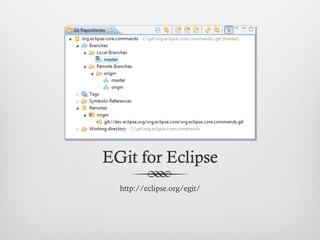
EGit for Eclipse
  http://eclipse.org/egit/
Git 參考資料
  Git references
™  簡介
  ™  http://git-scm.com/
  ™  http://speakerdeck.com/u/dannvix/p/20111214-git-in-
      a-nutshell
  ™  http://www.slideshare.net/littlebtc/git-5528339


™  教學
  ™  http://progit.org/
  ™  http://marklodato.github.com/visual-git-guide/index-
      en.html
  ™  http://ihower.tw/blog/archives/category/git
™  其他
  ™  http://nvie.com/posts/a-successful-git-branching-
      model/
  ™  https://github.com/github/gitignore
  ™  http://zh-tw.whygitisbetterthanx.com/
  ™  http://people.debian.org.tw/~chihchun/2008/12/19/
      linus-torvalds-on-git/
你問,我…盡量答
   Q&A

Git in a nutshell